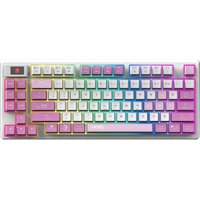
FORGE GK600 TKL WIRELESS - Keyboard MSI - Free user manual and instructions
Find the device manual for free FORGE GK600 TKL WIRELESS MSI in PDF.


Pick your language and provide your email: we'll send you a specifically translated version.
| Product type | TKL (Tenkeyless) wireless mechanical keyboard |
| Brand | MSI |
| Model | FORGE GK600 TKL WIRELESS |
| Connectivity | 2.4 GHz wireless, Bluetooth 5.0, USB-C wired |
| Switch type | MSI Speed Switch linear or tactile (red or blue) |
| Backlighting | Per-key RGB, customizable via MSI Center software |
| Power | Rechargeable lithium-ion battery 4000 mAh, ~40 hours battery life (without backlight) |
| Charging | USB-C, 5V/1A, charging time ~4 hours |
| Dimensions (L x W x H) | 357 x 133 x 41 mm |
| Weight | 880 g (with battery) |
| Chassis material | ABS plastic with brushed aluminum top plate |
| Multimedia keys | Shortcuts via FN keys (volume, playback, brightness) |
| Configuration software | MSI Center (Windows/Android) |
| Compatibility | Windows, Android, iOS, macOS (partial) |
| Box contents | Keyboard, 2.4 GHz USB receiver, braided USB-C cable, keycap puller, user manual |
| Care and cleaning | Use a soft, dry cloth; compressed air for crevices. Do not use harsh chemicals. |
| Safety | Avoid contact with water or moisture. Do not expose to extreme temperatures. |
| Spare parts and repairability | Hot-swappable keycaps and switches. Internal battery replaceable by a professional. |
| Warranty | 2 years (MSI standard) |
Frequently Asked Questions - FORGE GK600 TKL WIRELESS MSI
How to switch to Bluetooth mode on the MSI FORGE GK600 TKL WIRELESS?
Press and hold FN + Q, W, or E (corresponding to 3 Bluetooth profiles). The keyboard will blink blue and become discoverable.
What is the battery life?
Approximately 40 hours without backlight, and about 20 hours with RGB enabled at medium brightness.
Can I use the keyboard in wired mode while it is charging?
Yes, plug the provided USB-C cable into a USB port on your computer. It will work in wired mode while charging the battery.
How to replace the switches?
Remove the keycap with the included puller, then grasp the switch with a switch puller (not included) and pull vertically. Insert a new 3-pin compatible switch.
Is the keyboard compatible with macOS?
Yes, but some specific keys (like Command) may need remapping via MSI Center software or system settings.
How to customize the RGB backlight?
Download MSI Center on Windows, then go to the 'Mystic Light' tab to choose effects, colors, and custom zones.
Does the USB receiver need to stay plugged in permanently?
No, you can remove it after initial pairing. However, for a stable connection, it is recommended to leave it plugged in.
How to reset the keyboard?
Press and hold FN + ESC for 5 seconds. The keyboard will blink and reset to factory settings.
Does the keyboard come with spare keycaps?
Yes, the box includes a keycap puller and a few extra keycaps (often contrasting color) to customize the WASD keys.
What to do if the keyboard does not turn on?
Check that the battery is charged. Plug it in wired with the USB-C cable. If still no response, contact MSI support.
User questions about FORGE GK600 TKL WIRELESS MSI
0 question about this device. Answer the ones you know or ask your own.
Ask a new question about this device
No questions yet. Be the first to ask one.
Download the instructions for your Keyboard in PDF format for free! Find your manual FORGE GK600 TKL WIRELESS - MSI and take your electronic device back in hand. On this page are published all the documents necessary for the use of your device. FORGE GK600 TKL WIRELESS by MSI.
USER MANUAL FORGE GK600 TKL WIRELESS MSI

Manual assistant
Powered by Anthropic
Waiting for your message
Product information
Brand : MSI
Model : FORGE GK600 TKL WIRELESS
Category : Keyboard