HDM21A - Switch Schwaiger - Free user manual and instructions
Find the device manual for free HDM21A Schwaiger in PDF.




| Brand | Schwaiger |
| Model | HDM21A |
| Product type | HDMI switch 2 inputs / 1 output |
| Intended use | Switching between 2 HDMI sources to one display, private non-commercial use |
| Number of inputs | 2 HDMI ports |
| Number of outputs | 1 HDMI port (integrated pigtail cable) |
| Maximum resolution | 1920 x 1080p (Full HD) |
| Bandwidth | 250 MHz / 2.5 Gbps per channel (7.5 Gbps total) |
| Color depth | 12 bits per channel (36 bits total) |
| Supported audio formats | LPCM, DTS Digital, Dolby Digital, DTS-HD, Dolby True HD |
| Switching function | Automatic (active source detection) and manual (button) |
| HDCP compatibility | Yes |
| Power supply | External power supply not required, max. 5 W |
| Operating temperature | 0 °C to +70 °C |
| Operating humidity | 10 % to 85 % RH (non-condensing) |
| Storage temperature | -10 °C to +80 °C |
| Storage humidity | 5 % to 90 % RH (non-condensing) |
| Safety | Keep out of reach of children, avoid moisture, do not disassemble |
| Cleaning | Slightly damp lint-free cloth, no abrasive cleaner |
| Package contents | HDMI switch, instruction manual |
| Warranty | Void if used improperly |
| Compliance | CE marking |
| Disposal | Do not dispose of with household waste, take to a collection point |
Frequently Asked Questions - HDM21A Schwaiger
User questions about HDM21A Schwaiger
0 question about this device. Answer the ones you know or ask your own.
Ask a new question about this device
Download the instructions for your Switch in PDF format for free! Find your manual HDM21A - Schwaiger and take your electronic device back in hand. On this page are published all the documents necessary for the use of your device. HDM21A by Schwaiger.
USER MANUAL HDM21A Schwaiger
AUTOMATISCHER HDMI®- UMSCHALTER 2 IN/1 OUT
BEDIENUNGSANLEITUNG
SCHWAIGER®
GB AUTOMATIC HDMI® 2 IN/1 OUT SWITCH
USER GUIDE
F COMMUTATEUR HDMI® AUTOMATIQUE 2 ENTRÉES / 1 SORTIE
MODE D'EMPLOI
I COMMUTATORE AUTOMATICO HDMI® 2 IN/1 OUT
MANUALE ISTRUZIONI
BG АВТОМАТИЧЕН HDMI® ПРЕВКЛЮЧВАТЕЛ 2 IN/1 OUT
natural_image
Close-up of a black USB cable with two connector clips, labeled 'OUT' in the top left corner (no other text or symbols visible)Congratulations and thank you for purchasing this 2 in / 1 out HDMI® switch from Schwaiger. This user guide is designed to help you use and operate the device. Please read through this user guide carefully and then keep it safe with the device, so that you can consult it should you experience any problems.
1. Intended use
The 2 in / 1 out HDMI ^® switch is used for switching from two HDMI ^® sources to one HDMI ^® signal output device (e.g. TV) for private use: non-commercial household use. It is intended solely for this purpose and must be used only for this. Part of this is also the taking into account of all the information in these operating instructions.
Any other type of use is considered to be unsuitable and may result in property or even personal damage. This would also result in the immediate loss of guarantee.
The manufacturer disclaims any liability for damages resulting from unintended use.
2. Safety instructions

WARNING!
General safety and maintenance instructions
- This product is an electronic product that must be kept away from children. Therefore, keep it out of reach of children.
- Protect the product from moisture, water, rain, snow or drizzle and use the product only in dry environments.
- Do not drop the product or expose it to strong vibrations.
- Do not introduce any objects into the product's connections or openings.
- Do not disassemble the product into its individual parts. The device does not contain any parts that require maintenance by the user. Incorrect assembly can cause electric shocks or malfunctions.
- Clean this product only using a lint-free, damp cloth that is as light as possible and do not use any aggressive cleaning agents. In doing this, especially ensure that no water (no fluid or moisture) gets into the product.
3. Introduction
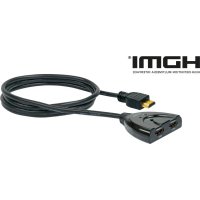
This is a high-performance 2 in / 1 out HDMI® switch, which enables the display of two signal sources on one display. Not only does it enable switching through the pressing of buttons, it also offers an "intelligent" switching function. Because only one permanently mounted HDMI® cable (pigtail) is necessary, this 2 in / 1 out HDMI® switch does not only reduce costs, but also saves time.
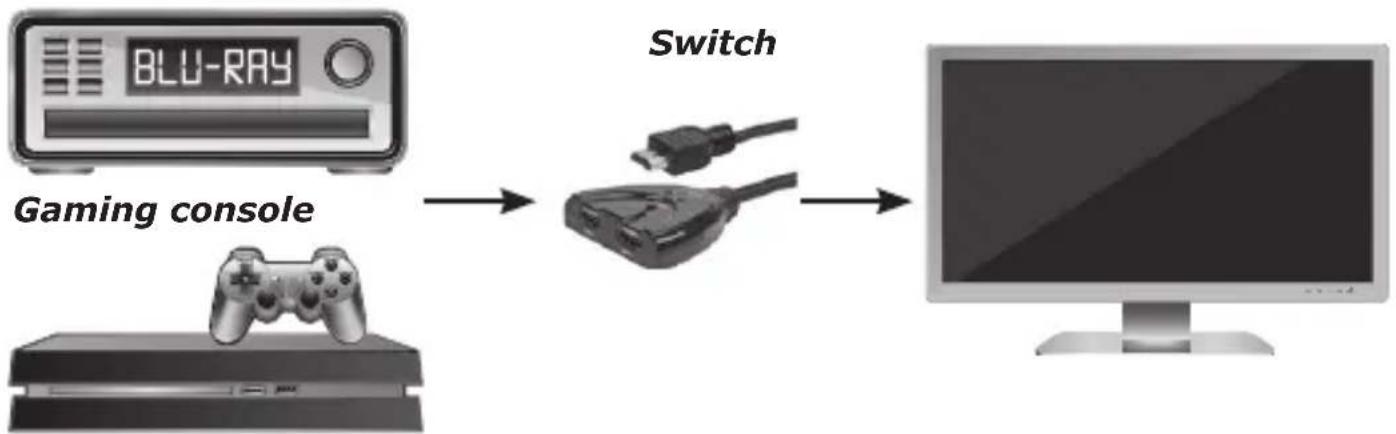
This 2 in / 1 out HDMI® switch sends High Definition Video (in several resolutions up to 1080p) and digital audio from each of the two signal sources to display devices. Both inputs are suitable for the simultaneous connection of High-Definition video sources and compatible with Blu-Ray, PS4/PS3, Xbox360 etc. The output sends the High Definition audio/video signals to a high-definition display device.
4. Description of functions
4.1 As soon as the source device is switched on or connected (should be switched on), the 2 in / 1 out HDMI® switch automatically selects this source.
4.2 If the source device is switched off or disconnected, the 2 in / 1 out HDMI ^® switch automatically selects the next source that is switched on, depending on the sequence.
Note:
- If the source devices are in standby mode, their power supply should be switched off, because otherwise the 2 in / 1 out HDMI® switch cannot carry out "intelligent" switching.
- If a source is connected or disconnected, this 2 in / 1 out HDMI® switch works fully automatically.
This 2 in / 1 out HDMI® switch has many functions that ensure excellent operation.
These functions include:
- Multifunctional switching: automatic or mechanical
• Supports the highest video resolution 1080p
• Supports 250 MHz/2.5 Gbps per channel (7.5 Gbps for all channels) bandwidth
• Supports 12 bits per channel (36 bits for all channels) colour depth
• HDCP transmission
• Supports uncompressed audio, such as LPCM
• Supports compressed audio, such as DTS Digital, Dolby Digital (including DTS-HD and Dolby True HD)
5. Connection and operation
5.1 Connect the HDMI® input sources to the 2 in / 1 out HDMI® switch.
HDVD HDTV
flowchart
graph LR
    A["Gaming console"] --> B["Switch"]
    B --> C["Computer monitor"]
5.2 Connect the permanently mounted HDMI® cable (pigtail) to the display device.
5.3 Press the "Select" button to select the input source.
Caution: Carefully plug in / pull out the cable.
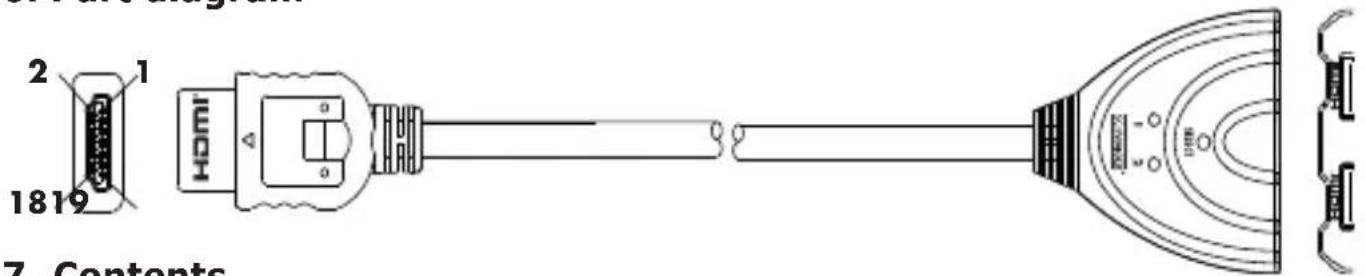
- Part diagram
text_image
2 1 1819 HOMI 7. Contents7. Contents
Check the packaging and ensure that the shipping carton contains the following objects, before you try to start operating this device:
• 2 in / 1 out HDMI® switch
- User Guide
8. Technical data
| Technical data (signal inputs/output) | |
| DDC signal input 5 Volt p-p (TTL) | |
| Maximum single link range 1920x1080p | |
| Operating frequency | |
| Vertical frequency range 50/60 Hz | |
| Video amplifier bandwidth 2.5 Gbps/250 MHz | |
| Resolutions (HDTV) | |
| Interlaced (50&60 Hz) (50&60 Hz) 480i, 576i, | 1080i |
| Progressive (50&60 Hz) (50&60 Hz) 480p, 576p, 720p, 1080p | |
| Ambient conditions | |
| Working temperature 0 °C to +70 °C | |
| Working humidity 10 % to 85 % RH (non-condensing) | |
| Storage temperature -10 °C to +80 °C | |
| Storage humidity 5 % to 90 % RH (non-condensing) | |
| Power Supply | |
| External power supply Not required | |
| Power consumption (max.) 5 W | |
| Attachments User Guide | |
Note: The technical data can be changed at any time without prior notification.
Disclaimer
Schwaiger GmbH does not accept any liability or warranty for damages that are sustained due to improper installation or mounting, improper use of the product or non-compliance with the safety instructions.
Disposal
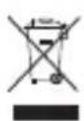
Do not dispose of batteries or electric and electronic devices in the normal household waste. The consumer is legally obliged to return electrical and electronic devices and batteries that are at the end of their useful life to the point of sale or public collection points that have been set up for this purpose. Legislation in the country of use governs individual details regarding disposal. The symbol on the product, the user guide or the packaging indicates this legal requirement.
Conformity

The CE marking is Schwaiger GmbH's declaration that the product meets the essential protection requirements stipulated in the applicable directives and regulations.
natural_image
Pure electrical connector diagram without any text or symbols
natural_image
Simple horizontal line with a small circular mark on the right end (no text or symbols)
natural_image
Simple line drawing of a cylindrical object with a small protrusion at the end (no text or symbols)
text_image
Diagram of a basketball court with labeled positions and field markings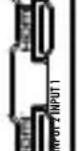
Monday to Friday: 8:00 a.m. - 5:00 p.m.