ROC1117SON - Remote control THOMSON - Free user manual and instructions
Find the device manual for free ROC1117SON THOMSON in PDF.



| Product type | Universal remote control |
| Brand | Thomson |
| Model | ROC1117SON |
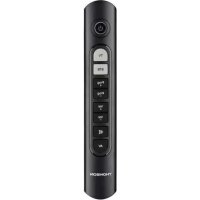
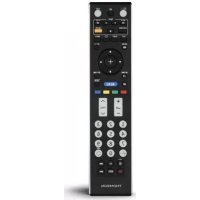
| Compatibility | Sony TV series TV/LCD/LED/HDTV |
| Weight | 76 g (without batteries) |
| Power supply | 2 LR03/AA batteries |
| Infrared range | Approximately 10 meters |
| Main functions | TV control (on/off, volume, program, menus), teletext, media player, DVD/Blu-ray modes, learning function, SIMPLE mode |
| Configuration | Default for Sony (90% of devices), or manual code entry (001-007) or automatic search |
| Code memory | Retained when replacing batteries |
| Learning function | Transfer functions from the original remote control |
| SIMPLE mode | Limits keys to essential functions to prevent accidental changes |
| LED indicator | Status LED to confirm operations |
| Safety | Do not open, avoid moisture and heat, observe battery polarity |
| Maintenance | Clean with a soft dry cloth |
| Recycling | Do not dispose of with household waste, take to collection point |
| Warranty | Exclusion in case of improper use |
| Customer service | Hama (Germany): +49 9091 502-115 |
Frequently Asked Questions - ROC1117SON THOMSON
User questions about ROC1117SON THOMSON
0 question about this device. Answer the ones you know or ask your own.
Ask a new question about this device
Download the instructions for your Remote control in PDF format for free! Find your manual ROC1117SON - THOMSON and take your electronic device back in hand. On this page are published all the documents necessary for the use of your device. ROC1117SON by THOMSON.
USER MANUAL ROC1117SON THOMSON
Compatible with most Sony TV s
GB Operating Instructions 02
F Mode d'emploi. 06
Bedienungsanleitung. 10
E Instruetiones de uso. 14
Istruzioni per l'uso. 18
P Manual de instruções 22
RUS PykoBODCTBO no 3KcIpyatau.. 26
NL Gebruiksaanwijzing. 30
PL Instrukcja obslugi 34
H Hasznalati utmutató. 38
GR 08nyiec xprionc. 42
CZ Navod k pouziti. 46
SK Navod na pouzitie. 50
TR Kullanma kilavuzu 54
S Bruksanvising 58
FIN Kayttohje 62
RO Manual de utiliser 66
BG Pa6oTHa HnCTpyKcua 70
Characteristics - Caracteristiques - Eigenschaften - Caratteristiche
\section*{Characteristics - Eigenschappen - Characteristics - qdpaktniokka}
Texmune Xapaktpncn -Dane technicne - Techniek udaje
Karakterisztika - Data - Karakteristikker - Data - Ominaisuudet - XapaKTepnCTIKN
Weight = 76g without batteries
Replacement Remote for SONY SERIES: TV/LCD/LED/HDTV
3D LCD LED
Thank you for your decision for a Thomson product. Take your time and read the following instructions and information completely. Please keep these instructions in a safe place for future reference. This remote control can by default control 90% models of SONY brand, there's no need to set it If the remote doesn't work, please choose one of the setup methods described in chapter 5.
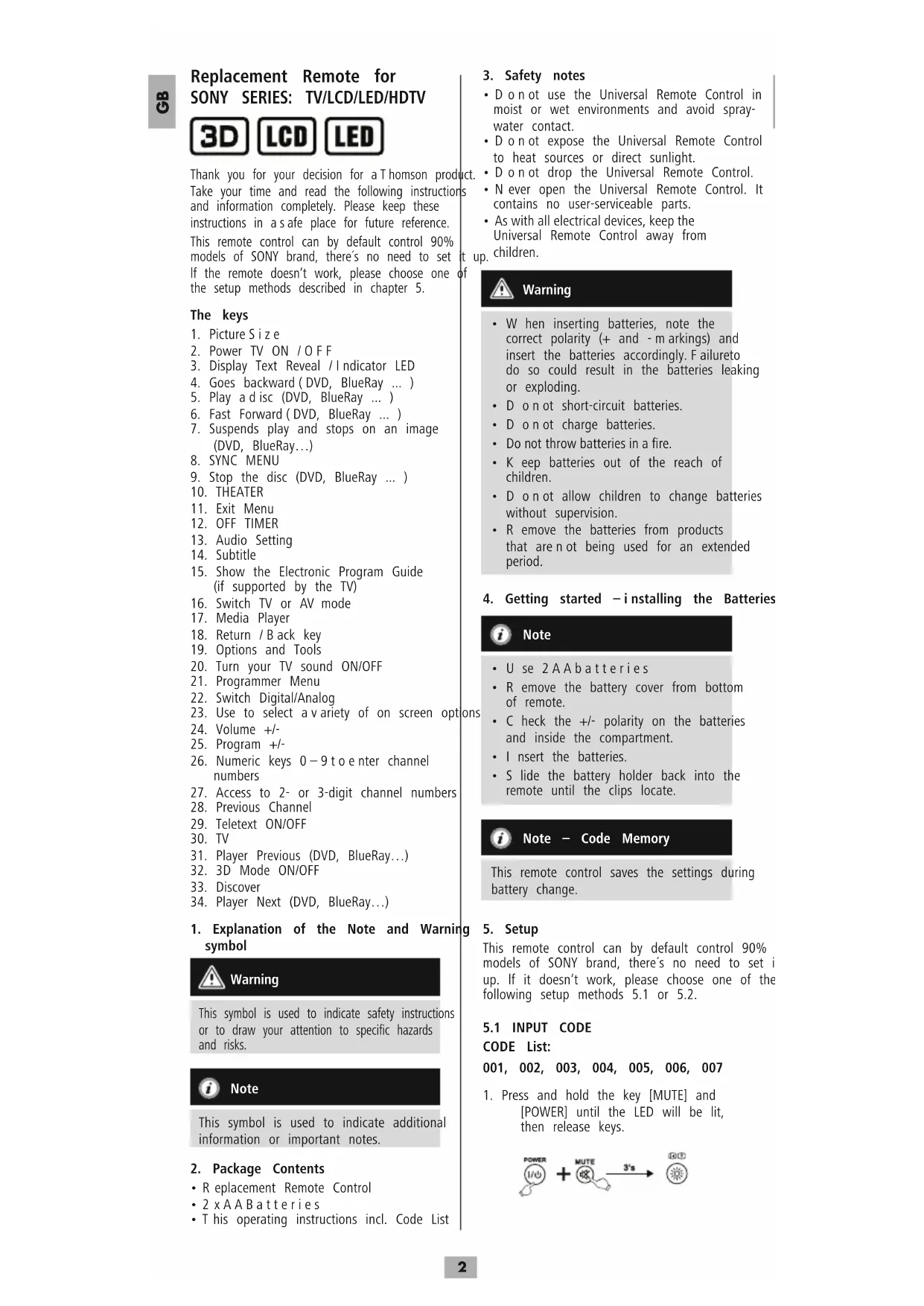
The keys
- Picture Size
- Power TV ON / OFF
- Display Text Reveal / Indicator LED
- Goes backward ( DVD, BlueRay ... )
- Play a disc (DVD, BlueRay ...)
- Fast Forward (DVD, BlueRay ... )
- Suspends play and stops on an image (DVD, BlueRay...)
8.SYNC MENU - Stop the disc (DVD, BlueRay ... )
- THEATER
11.Exit Menu - OFF TIMER
- Audio Setting
- Subtitle
- Show the Electronic Program Guide (if supported by the TV)
- Switch TV or AV mode
- Media Player
- Return / Back key
- Options and Tools
- Turn your TV sound ON/OFF
- Programmer Menu
- Switch Digital/Analog
- Use to select a variety of on screen options
- Volume +/-
- Program +/-
- Numeric keys 0-9 to enter channel numbers
- Access to 2- or 3-digit channel numbers
- Previous Channel
- Teletext ON/OFF
- TV
- Player Previous (DVD, BlueRay...)
- 3D Mode ON/OFF
- Discover
-
Player Next (DVD, BlueRay...)
-
Explanation of the Note and Warning symbol

Warning
This symbol is used to indicate safety instructions or to draw your attention to specific hazards and risks.

Note
This symbol is used to indicate additional information or important notes.
2. Package Contents
- Replacement Remote Control
- 2xAABatteries
- This operating instructions incl. Code List
3. Safety notes
- D o n o t use the Universal Remote Control in moist or wet environments and avoid spray-water contact.
- D o n o t expose the Universal Remote Control to heat sources or direct sunlight.
- D on not drop the Universal Remote Control.
- N ever open the Universal Remote Control. It contains no user-serviceable parts.
- As with all electrical devices, keep the Universal Remote Control away from children.

Warning
- W hen inserting batteries, note the correct polarity (+ and - m arkings) and insert the batteries accordingly. Failure to do so could result in the batteries leaking or exploding.
- D on not short-circuit batteries.
- D on not charge batteries.
- Do not throw batteries in a fire.
- K eep batteries out of the reach of children.
- D on not allow children to change batteries without supervision.
- Remove the batteries from products that are not being used for an extended period.
4. Getting started -installing the Batteries

Note
- Use 2AA batteries
- R remove the battery cover from bottom of remote.
- Check the + / - polarity on the batteries and inside the compartment.
- I nsert the batteries.
- S slide the battery holder back into the remote until the clips locate.

Note - Code Memory
This remote control saves the settings during battery change.
5. Setup
This remote control can by default control 90% models of SONY brand, there's no need to set i up. If it doesn't work, please choose one of the following setup methods 5.1 or 5.2.
5.1 INPUT CODE
CODE List:
001, 002, 003, 004, 005, 006, 007
- Press and hold the key [MUTE] and [POWER] until the LED will be lit, then release keys.
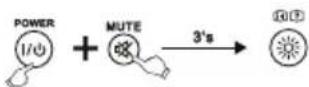
- Enter the three codes from code list. When the code input is finished, the LED will turn off.
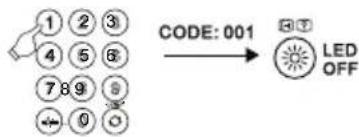
- Please try to use the remote control. If it doesn't work well, please try other codes: [002], [003], [004] ...

Note
If the code is invalid, the LED flashes twice and then lights up permanently. To exit the setup, please press [MUTE].
5.2 FAST SEARCH
- Press and hold the key [MUTE] and [POWER] until the LED will be lit, then release keys.
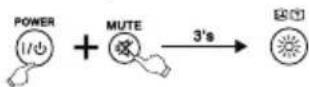
- Press the key [CH + ] .Each time you press, the remote will search once. When the code changes, you can test if [POWER],[VOL+],[MENU],[0-9] keys work well. If ok,please press [MUTE] save the code and exit.
- If it doesn't work well, repeat the fast search by pressing [CH + ]
5.3 CODE INQUIRY
Use the following method to find out which code is currently set:
- Press and hold [MUTE], then press [POWER] until the LED will be lit, then release keys.
- Input [9].[9].[0] with number keys. The LED will flash twice and goes off.
- Press the number key 1 for the 1st digit of the code. The LED will start to flas Count the LED flashes. The number of flashes resemble the code's first digit. Repeat this procedure for the 2nd and 3rd digit of the code: 2nd digit -> enter 2 -> count LED flashes 3rd digit -> enter 3 -> count LED flashes If code number is [0] the LED will no flash.
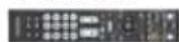
5.4 Compatible Remote Control Model
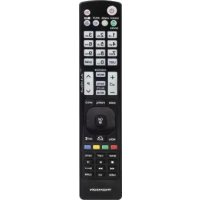
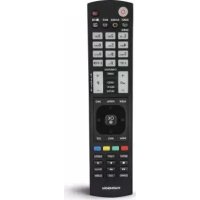
Due to too many Remote Control models, we only list some of them below. If your remote control is similar to the drawing, the replacement remote can control your TV (Page 7/4).
6. LEARN MODE
This remote control is equipped with a clear function. Thus, you could learn functions of your original remote to this remote control.
6.1 BEFORE STARTING LEARN MODE
The batteries in the two remote controls have to be in good condition. Replace them if necessary.
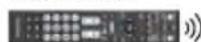
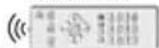
- Place the remote controls with the infrared diodes so that they point towards each other.
- W here necessary adjust the height of both remotes so that infrared diodes are properly aligned.
The distance between the remote controls should be about 3cm
ROC1117SON
ORIGINAL
ca. 3cm

Note
- D on not move the remote controls during the learning procedure.
- Ensure that the room is not lit by fluorescents tubes or low energy consumption lamps since such light sources could interfere with the copying.
The 2 remote controls must be at least 1 meter away from any light source.
D uring learning mode, if no key is selected for more than 15 seconds, the learning mode will exit automatically or if no other remote signal is received. - E ach function key will hold only one command. A new command to be learned will automatically replace the previous one.
to 6.2 ENTER LEARN MODE
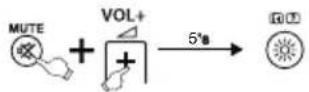
- Press and hold the [MUTE] and [VOL+] keys for approx. 5 seconds until the LED will be lit.
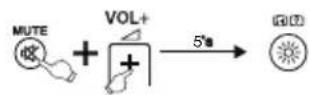
- Enter the code [9] [8] [0], the LED will flash 2 times and then remain on.
- The remote control is now ready to learn new commands.
6.3 LEARNING OF KEYS
- Press and release the desired key on the original remote control which you want the command to be learned. The LED at your replacement remote will flash to confirm that the information has been received.
- Then press and release the target key on the remote control you want learned.
- If the LED flashes 3 times and then remain on, the command has been learned successfully.
- Repeat these steps to learn other key functions.
- Please press the [OK] key to save the code and exit learning mode.

Note
While replacing the batteries, the remote control gwill keep the functions of the learned keys.
品
6.4 CLEARING OF LEARNED KEYS
6.4.1 CLEARING OF ONE LEARNED KEY
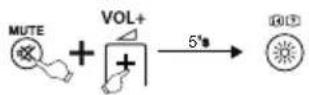
- Press and hold [MUTE] and [VOL+] keys for 5 seconds until the LED will be lit.
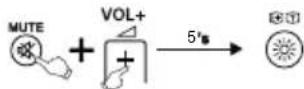
- Enter the code [9] [8] [1], the LED will flash 2 times and then remain on.
- Press and release the desired key at the replacement remote control which you want to clear the learned command. If the LED flashes 3 times, the learned command has been cleared successfully.
6.4.2 CLEARING OF ALL LEARNED KEYS
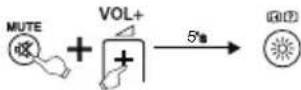
- Press and hold [MUTE] and [VOL+] keys for 5 seconds until the LED will be lit.
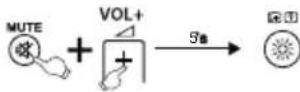
- Enter the code [9] [8] [2], the LED will 2 times and then remain on.
- Press and release the [OK] key at the replacement remote control. If the LED flashes 3 times, all commands have been cleared successfully.
7. SIMPLE Mode
This remote control is equipped with an SIMPLE
Mode. Thus you could reduce the functionality of the remote control to its basic functions. It avoid that the TV Settings are changed by mistake.
During the SIMPLE Mode you still could use following keys:

Power TV ON / OFF

Volume +/-

Turn your TV sound ON/OFF
PROG Program +/-
0-9 Numeric keys 0-9 to enter channel numbers

Teletext ON/OFF

Use to select a variety of on screen options

Show the Electronic Program Guide GUIDE (if supported by the TV)

Switch TV or AV mode
EXIT Exit Menu
TV TV
7.1 Enter SIMPLE Mode
- Press and hold [MUTE] and [VOL + ] keys for 5 seconds until the LED will be lit.
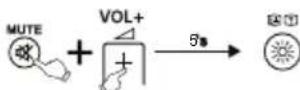
- Enter the code [9] [7] [0], the LED will two times and then remain on.
- Press and release the [OK] key, if LED flash 3 times, you have entered the SIMPLE Mode successfully
7.2 Exit SIMPLE Mode
- Press and hold [MUTE] and [VOL+] for 5 seconds until the LED will be lit.
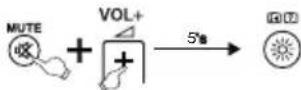
- Enter the code [9] [7] [0], the LED will flash two times and then remain on.
- Press and release the [EXIT] key, if LED flash 3 times, you have exit the SIMPLE Mode.

Note
While the SIMPLE Mode is activated only the keys mentioned in chapter 7 will work. If one of these keys is the LED will be lit until the key is released. If one key is pressed during the normal mode, the LED will flash.
8. Maintenance
- Do not mix new and used batteries for powering the Universal Remote Control, as old batteries tend to leak and may cause power drain.
- D o n t use corrosive or abrasive cleansers on your Universal Remote Control.
- Keep the Universal Remote Control dust free by wiping it with a soft, dry cloth.
9. Troubleshooting
Q. My Universal Remote Control does not work at all!
A. Check your TV. If the TV main switch is turned off, your Remote cannot operate your TV.
A. Check whether your batteries are inserted properly and are in the correct +/- position.
A. Check whether you have pressed the corresponding device mode key for your device.
A. If the batteries are low, replace the batteries.
Q. My TV responds only to some of the commands.
A. Try other codes until most keys work properly.
Q. Some keys of the Remote Control do not work anymore?
A. Maybe the SIMPLE Mode had been activated. Deactivate the SIMPLE Mode as explained in chapter 7.2.
10. Warranty Disclaimer
The manufacturer assumes no liability and provides no warranty for damage resulting from improper installation/mounting, improper use of the product or from failure to observe the operating instructions and/or safety notes.
11. Service and Support
Please contact Hama Product Consulting if you have any questions about this product. Hotline: +49 9091 502-115 (German/English) Further support information can be found here: www.hama.com
12. Recycling Information
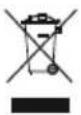
Note on environmental
protection:
After the implementation of the European Directive 2012/19/EU and 2006/66/EU in the national legal system, the following applies: Electric and electronic devices as well as batteries must not be disposed of with household waste. Consumers are obliged by law to return electrical and electronic devices as well as batteries at the end of their service lives to the public collecting points set up for this purpose or point of sale. Details to this are defined by the national law of the respective country. This symbol on the product, the instruction manual or the package indicates that a product is subject to these regulations. By recycling, reusing the materials or other forms of utilising old devices/Batteries, you are making an important contribution to protecting our environment.
6

EcnB KaueCTBe LcnpbkoJa yCtpoiCTBa YCTaHOBHe 0,JaMaHa He MraeT.
5.4 063op coBmecTmblx nyIbTOB dntaHnOHnO ynpabEnHn
YyHbBAA BoJbWoe KOJIueCTBO pa3HOO6pa3HbIX
Ipy, BcNnCKe KOIOB OHN MOrYT 6blb
npBedeHbI NMb BO rpanueHHOM KOJIueCTBe. Ecn cxema pacnoonoxeHn KHOK n opMa Kopnyca nepBOHauJIbHo NCNOJb3yEmoR NOJbTa COBnaaet CoHOn I3NIO6paXeHHbIX MOJeH, 3HaHT OHn COBmecTnMbl (CTpaHua 74).
6.ФYHKUOBUYEHNA
3TOT nyIbT DnCTaHcUHOHOrO ynpabJeHH
OCHaueH cyHKmEe OByeHH. OHa nO3BOJIeT
NpeHeCTyHKmOpnHaJbHorO npIbTa
DnCTaHcUHOHOrO ynpabJeHH Ha 3TOT
YHMBepCaJIbHbN pIbT.
6.1 Peped 3anyckom yHKnn o6yehn
- Y6eIntecb B TOM, YTO BCE 6aTapen B 06oX nyIbTaX uCnPaBHy. Ipi HcO6xOaMocTu 3aMeHHTe IX.
I OmeCTHe opunHaBbHn H yHBepCaHbHn NylbTbI DmCTaHcHNOHoro ynpabHeHnpaDnOM TaKIM oBa3OM, YTO6bH n HΦpakpaChBe IIOdbI paCNoJARALNCb HENOCpeCTBeHHO Dpyr npOTNB ppyra. - Pn Heo6xOJIMOCt N3MeHnte BblCToY 060nx nyIbTOB, yTO6bl Do6NtCB ONTMaJIbHO B bipABHbAHna.
PacctoHHe MeXyIyIbTaMnDOnJXHO COCTABNtB np6n3nteBHo 3cm.
ROC1117SON

RUS

PpMeeuHne
B O B pem npoceca obyuhen He CDBnraTe nyblby.
BnomeueHn He doJNKBI ropetb HOMNHecuHThIE n3heproc6eperaIOUne NaMnbl, TaK KaK OH mOryTco3daBaTb NOMEXn npoeccy obyehna.
PacctoHHe MeKdy NylbTAMN 6nKaunm NCTOCHKOM CBeta DOnXHO COCTABJrB He MeHee 1 M eTpA.
Ipoce6obyehn npekpaataetc6e3 coxpaHHeH,ecnBTEueHne 15 c Haxata HOnHa KHONKa NOTCYTCTBYET npHem CnHaja.
BpeKIM 6oyeHnKaJdoi KhoNKe MoXHO Ha3Haunb ToIbKO Ody fYHKUIO HOBa fYHKUa 3aMeuaet fYHKUIO, HA3HaueHHyO 3ToI KHONKe paHee.
6.2 BkIIOueHne pexKMa o6yHeHHa
- Ondobpemehno haxmute KhoNk [MUTE] n [VOL+] nyepxmbaute B teeyne 5ceyH, noka He BKNoHTCBAETOIOHbI INHnKATOP COCTOHNH.
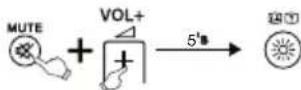
- HapeNTe KOI [9] [8] [0], CBTODIOIDHbIM INDIAKATOP COCTOHNMIHTE DBAXDbI N 6yET CBENTbcN NOCTOHHbIM CBETOM.
3.YHMBepcaJIbHbI NybT I nCTaHcNOHOrO ynpabJIeHn HaxoNTcB B pexKIMe 06yehn.
6.3 Iepenoc KHO
- Ha opuHnHaJIbHOM nyIbTe ynpaBJeHHn HaxMnte KHOJky, cyHKUHO KOtOpON Bbl XOTHe nepeHeCTn. Ha donoJHInTeJIbHOM
RUS
nyIbTe DnCTaHcNOHHO y npaBHeHn MrraET CBeTOnIOHbI INDkAToP COCTOHNr IIN PONTBepXeHn npneMa KOMaHDbI.
- Ha donoHnHteIbHOM nyIbTe nCTaHnOHOrO y npabJeHnHaXmTe KhoNky,HaKOTopyIO Bbl XOTNepeHeCTu 3TyΦyHKUIO.
- CBeToIIOHbIM INHdNKaTOp 1yHKUIN DOnONHITeJIbHOrO NyIbTa InCTaHcNIOHHOrO y npAbLeHnM rMaET TpIXDbI dIra NOITBepXJDeHn, 3aTeM HauHHaET CBETtbcRA NOCToAHhbIM CBeTOM. HOBaA FyHKuIN CoXpaHeHa.
4.ДЯ nepeHocaФyHKuOCTaJIbHbIX KHOHOK NOBTOPte 3Tu W aRn. - HaxMMTe KhoNky [OK] IaI coXpaHeHnB CEx nepeHeceHHbIX FyHKcI IN BblOda n3 pexMa o6yuEHN.

PpimmeuHne
Pn3aMehe batapeyHNBepcAIBHO nyIbTa nCTaHNOHHO ynpBHeHn CyHKm,Ha3HaueHHbE B pexIme 06yehncoxpaHrOTc.
6.4 ydaeneHne yHKn, Ha3HaueHHbIX BpeXmme 06yeHn
6.4.1 YdaJIeHHe OJHOI n3 cyHKn, Ha3HaueHHbIX BpexKHe M6yueHn
- OndHOBpeMeHHo HaxMMTe KONKN [MUTE]n [VOL+] n ydepXNBaHTe B TeueHne 5 cekyH, noka He BKIOHNTcB CBeTOIDNOHbI INHIMKaTOp COCTOHNIA.
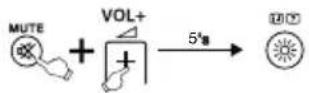
- H6ePnte K0d [9] [8] [1], CBeToOnnHbIn HndnkatOp COCTOHNM Mrraet DBAxDbI CHOBa HaUNHaet CBETNbCnIOCToHHbIM CBETOM.
3.HaKMITE KONKy,ФyHKUHO KOtopoB Bbl xOTNE ydaJIITb.CBeToIOJnHbI INdNKATOp COCTOHaM MURAET TpIXKdbI; FyHKUHa ydaJIeHa.
6.4.2 Ydaene HBeCx yHKnHa3HaueHHbIX BpeXMe 06yehna
- OdHOBpemEHn HaxMNTe KhoNk [MUTE] n [VOL+] n ydepXnBaIte B TeueHne 5ceyH, noka He BKNoHHTcR CBETOIOHOHb INHnKATOP COCTOHNH.
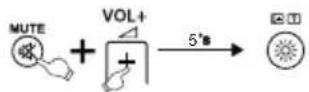
- H6epeHKe [9] [8] [2], CBeToOnnHbI nHdkaTOp cOCToHNH Mmraet DBaXdbI m CHOba HaunHaet CBeHTbc NoCToHHbIM CBETOM.
- HaxMnte KONky [OK], CBETOIOHbIM INDkATOp C0CTOARHn MURAET TPXKDbI; BCE Ha3NaueHHbe OyHKmU ydaJIeHbI.
7. SIMPLE Mode
3TOT NyIbT DnCTaHcHOnHOrO ynpabHeHH OCHaUeH cyHKuNeE SIMPLE Mode. OHa NO3BOJAEr ORpaHnHTb 06bEm cyHKuIN 3TOrO nyIbTa DnCTaHcHOnHOrO y npabHeHH CaMbIM
BaxhblmФyHKUmaM.3To n peoTbpauaet cnyaHoe N3MeHeHne Hactpoek TeneBu3opa.
BpeKmE SIMPLE Mode DOCTyHbI cnedyoume KHOKN:
Ntahne TB BKJ./BbIKJ.
Perynatop rpoMkoctn +/
3ByK TB BKJI./BbIKJI.
PROG Iporpamma +/-
0-9 KhoKc uΦpaMn 0—9 nBbI6opa npoPpMMbl
TEXT Tenetekr BKJ./BbIKJ.
Bb6op 3kpaHbIX onu
Cnucok nporpaMM
GUIDE (npn Hauynu ndykun y TeneBn3opa)
BbI6op pekima TB/AV
EXIT 3aKpbTb MeHIO
TV TV
7.1 BkIIOUeHne pexmAs SIMPLE Mode
- OndHOBpeMeHHo HaxMUTE KHOKN [MUTE]n [VOL+] u yepxuaBte B TeueHne 5 cekyH, noka He BKIOHNTc CBETOINIOHNb INHdkATOp COCTOHNA.
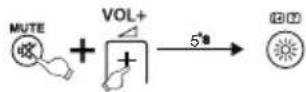
- HabepeTe KoD [9] [7] [0], CBeToaNoHbI nHdNkAToP COctoHHn MUrae T BaxDbI M CHOba HaunHaet CBETNbC NoCTOaHHbIM CBETOM.
- HaxMMTe KhoNky [OK], cBToDoNoHbIn NHHaKATOp CcToaHnMuraet TpXkDbI; peXm SIMPLE Mode aKTNbnpoBaH.
7.2 BbiknIOueHne pexmAsIMPLE Mode
- OndobpeMeHNO haxmute KhoNk [MUTE]n [VOL+] u yepxnbaiTe B TeueHne 5 cekyH, noka He BKIOHHTcB CBeToaNoHbI INHdkaTOp COCTOHHIA.
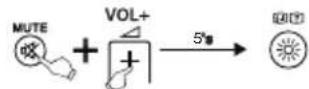
- HabepeTe KOd [9] [7] [0], CBeToIONoHbIuHIMKaTOp COCTOHaN MmTaet DBAxKDbIuCHOBa HaUNHaet CBeNTbCn NOCToAHHbIMCBETOM.
- Haxmte KhONky [EXIT], CBeToIOuOHBn INHdkatop COCTOARHn Muraet TpIXkDbipexkm SIMPLE Mode OTKnHOueH.

PpimmeaHne
BpeXnme SIMPLE Mode 电CTbyOT TOnbKO KHONK, npeuNCJIeHHIe Bn.7.
Pn Haxatm Ha KONky CBETOIOIDhIn
HdNKATOP C0CTOAHN BKNIOAeTcN
CBETTCN, NOKa KHONKa yDepKNAeTcN B
Haxatom NoIOKeHN. B HopMaJIbHOM
peXIMPe nHaXATm KNONKn CBTOIOHOHbIN
HdNKATOP C0CTOAHN MTRAET.
8. Texo6cnykBAHne
3 anpeaetcOJHOBpeMeHHO 3arpykaTb HOBbie n CTapbie 6atapeu.
3 anpeaetca nCTntb nylt a 6pa3NBHbIMn CpeDCTBAMN.
- B epernte nybTo nbln. IpotnpaTb npboop cneDyET cyxO MKarKo TkaHbIO.
9. NOnck u y cTpaHne HeNCnpaBHOCTe
B. ΠДу He pa6oTaeT.
0.Поберп Te neBnOр.ГаВьн BыкюЧATENBуnpaBЯEMOrO yCTpoIcTBA DOлжEH HaxoNTbC B nОLOxeH M BKJ.
O. PpOBepbTe COCToHne 6aTapeu co6nIOeHne nonpHOCTN.
O. Y6eIntecb, yTO HaxmMaEMbIe KHOIIK COOTBeTCTBYOT ynpabIaEMOMy yCTpOINCTBy.
0.3aMeHnTe pa3pXeHHbIe 6aTapeN.
B.TeIeBn3OppearnpyetTolbkoHaHeKoTOpbie KOMaHDbIpybTaDnCTaHcUHOHOrOynpaBHeHn.
O. Nonpo6yTe npIMeHnTb pyroKoJ.
B.KOMaHbI HeKOTOpbIX KHOHOK nybTa DnCTaHcMOHOro ynpabNeHn6OJIbSe He DeNCTBYOT?
O.Bo3MOxHO,akTNBnPoBaHpeXUM SIMPLE Mode.OTKlHOHTe peXUMa SIMPLE Mode, KaONUcaHO Bn.7.2.
10. OTKa3 OT rapaHTMHbIx 063aTeNbCTB
KOMnHaHamaGmbH&Co.KGHe Hecet OTBETCTBEHHOCTb 3a yUe6b,BO3HMKUN BCLJeCTBNE HENpABINbHOrMOHTaxa,NoKJIIOUeHnI NcONb3OBAHnI M3JeHnI He No Ha3NaueHnO,a TAKKe B CJIeCTBnE HECoBnHOeHnI HNCTpyKun I NO KCNyATAuM INTEXHMKnBe3OnaCHOCTN.
11. OTeDen Texo6cnyxuBaHn
No Bopocam peMOHa NN 3aMeHbI HeCnpabBbIX N3deJIn ObaaainTeCb K npOdaBuy NN BceBnchHyo Cnyk6y KOMNaHm Hama. TOpuaa JInnra OTdela Texo6cNjxuBaHn: +49 9091 502-115 (Hemeukn, aHrnnckn) POnpObee CMOTPte 3Decb: www.hama.com
12. Hctpyku no ytnn3aun
Teletext PORNIT/OPRIT

Selectare optiuni on-screen

Afisajrezumat program
GUIDE (daca este sustinut de televizor)

-
Media Player*
-
HazaI
-
HacpoynyctpoinCTBa
20.ИЗКЛЮЧВАЕHa 3ByKaTV
- Hactpoikn Ha nporpaMnte
3-Ta uphi -> BBBeTe 3 -> npe6poTe MrraunTe CnHaJI Ako HkOa OT uphiPte Ha Koa e O,LED He Mura.
5.4IperneHa cbbMeCTMNITE nctaHNOHHn ynpabHeHHN
Iopadr tonemn 6p0 pa3nnHn DnctahuOHn ynpablen H B CnncbKa C KOIOBE MOKEm Da daem camo orpaunen 6p0. Ako cxemata Ha 6ytoHnte n opmata Ha Kopnyca Ha BaWteo npbBOHaJHo DnCTaHNOHO ynpablenHe CbBnaDt Ce dHn OT nokaaHnte moJIeN, 3haHn ToE cBBMeCTHM (cpanua 74).
6.ФYHKUN3A 3AYYABAHE
ToBa nCTaHcUOHHo ynpabJeHne pa3nonara cfoyHKuIa 3a 3ayabaHe. Ype3 Hea MoKe Da npexBbPnTe cyHKun OT BaWeto opunHaJIHO dNCTaHcUOHHo ynpabJeHne Bbpx ToBa yHNBepCaJIHo nCTaHcUOHHo ynpabJeHne.
6.1 Ppei cTaptnpaHe Ha yHKnraTa 3a 3ayyabahe
YBepTe Ce,Ye CbCToHHe Ha BCNUKN nIIOJIBAHn 6aTePN B DBeTe NcTaNHOHHyCtPOJCTBa e INpHNO.AKoe HeOxOIMo, rN CMeHETe.
-IOCTaBeTeOpHnHaHHTOINCTaHNoHO ynpabHeHne uHyHBepCaHHTO INCTaHNoHOynpabHeHne NO TaKbB HauHH eHNOdoDpyro,yeHnphiapaepeBHeHteIIOHN Ha INCTaHNoOHnTe ynpabHeHna Ce HAmpaTdNpeKTHOeHH CpeUy Dpyr.
Ako e Heo6xOJMo, KopurupaTe BucOuHaTHa IBeTe NcTaHcNHOyCTPOIcTBa, 3a Da NoCTmHETe ONTImaJIHO pa3nOJoxHe.
P a3ctoHneTo M exdy DBeTe NCTaHcNOHHy cTpoiCtBA TpaBbA da e npu6bn3ntenHo 3 cm.
ROC1117SON
ORIGINAL
ca. 3cm

Yka3aHne
Hemctete DnCTaHIOHHTe yCTpoNTBa NO Bpeme Ha npocca Ha 3ayyabaHe.
3 aocBETJeHHe Ha NOMEueHEnTo H e Tp6Ba Da ce n3noI3BaT fnyopecEHTn Iypn nn EheproCneTBAuJ lamn, TbKATO Te npdU3BkBaT CMyueHnN MoKe Da 3aTpynT npoueca Ha 3ayabaHe.
Pa3cTOnHneTo Mekdy DBeTe INCTaHmOHn YnpBaNHeHn I CBETJIHHn N3TOUHk Tp6Ba da en OHe 1 MeTbp.
Ipouecbt Ha 3ayyabahe ce npekpatBa 6e3 3anametbahe, aKo nOBpeMe Ha AKTNBnpan pekm 3ayyabahe 3a 15 ckyHn He 6bJe HATNCat 6yTOH nn npnet CnHaJ.
BpeKIM 3ayBaHahe KbM BceKn 6yToH MoKe Da 6bJe 3aNaMeTeHa cAmo EaHcyHKU. HoBaTa cyHKUca npe3aIcBA BbpxBye 3ayHeHa Ta To3n 6yToH yHKU.
6
6.2 AkTbBpaHe Ha pexMM 3ayBaHe
- HatncheTe n 3aDpBxTe 6yToHnTe [MUTE] n [VOL+] eHNOBpeMeHHo 3a OKoJIo 5 cek, DOKato LED mHdNkATOpbT 3a CbCTOARHeTo 3aONUHe Da CBETn NOCTOHnHO.
- BbBeTe Koda [9] [8] [0], LED
HДИКaTOpВT3a CbCTOЯHMeTo IpeMnRBa
2 ПБТИ И СLEД TOBA 3aNoOyBa DA CBETN
NOCTOЯHHO.
3.Cera yHnBepcAnHTo nCTaHIOHOynpaBHeHne ce HAMnpa B pexm 3ayabaHe.
6.3 IpxBpIHe Ha yHKmO t 6yTOH
- Hatnche 6ytoHa Ha opunnaHnHOTO nCTaHNoHHo ynpaBneHne, yHrTO cyHKua nCKate a npexBbPnIte. LED HnKAtopb3a CbctoHneto Ha pe3epBHO nCTaHNoHHo ycTpoiCTBO CBETBa 3a NOTBbPxDeHne, ye KOMaHdaTa e n OlyeHa.
2.CeraHaTmchete6yToHHape3epBHOTo 1nCTaHcMOHHO yCTPOIcTB0,Bbpxy KoITo Tpa6Ba Da6bJe npExBpIeHa cyHKuIraTa. - LED uHnukatopbT 3 a φyHKuNTe Ha pe3epBHO tIcTaHIOHHO ynpaBHeHne npemrBa 3 nbTu 3a notBpKdHeNe i Cnei TOBA OTHOBO 3anoYBa Da CBETN NOCToRHHo.HOBATA φyHKUBeue e 3anaMeTeHa.
4.3a npexBpnte cyHKnnte Ha pyrnte 6yTOH, NOBTOpe Te3n CTbKn. - Hatnche 6ytoHa [OK], 3a da 3anaMetnte 3ayehnte cyHKmN n da n3ne3eTe ot peKm 3ayuBaHe.

Yka3aHne
PnCmHaTHa 6aTeepnte Ha yHbBepcAHHOT DaCTaHMOHO ynpabLeHne dyHKuNTe Ha 3ayehnte 6ytoH octabat 3 anamehen.
6.4 N3tpnBaHe Ha 3ayueHn FyHKm
6.4.1 N3tpnbane Ha 3ayeha FyHKn
- HatncheTe n 3aDpBxTe 6yToHnTe [MUTE] n [VOL+] eHNOBpeMeHHo 3a OKoNo 5 cek, DOKato LED HnDnKaTOpbT 3a CbCTOHRHeTO 3aONue He CBETN NOCTOHHO.
2.BbBeTe KOA [9][8][1],LED HnKAtOpBt3a CbCToHHeTo npemrBa 2 nTn nCneTOBA OTHOBO 3anOyBa Da CBETNIOCTOHHO.
3. Hatnche6byToHa, yHTo FOyHKnna nCKate Da n3TpneTe. LED HndnkatopbT 3a CbCToAHMeTO npMmRBa 3 nbTu n XeJhaHata FyHKnna 6nBa n3Tpnta.
6.4.2 3tpnBaHe Ha BCnKn 3ayehn cyHKu
- HatncheTe n 3aDpBxTe 6yToHnTe [MUTE] n [VOL+] eHNOBpeMeHHo 3a OKOJIO 5 cek, DOKato LED INHdNkAtOpbT 3a CbCToHmeto 3aONOHHe Da CBETN NOCToHHO.
2.BbBeTe K0a [9] [8] [2],LED INHINKATOpBT 3a CbCTOHNETO pEmnIRBa 2IbTN IN CNEI TOBA OTHOBO 3aNoOyBa Da CBETN NOCTOHHO.
3. HatncheTe 6yToHa [OK], LED mHnukatopbTa 3a CbctoHneTo npemrBa 3 nBtN BCNUK 3ayueHN yHKuM 6NBAT N 3tpTN.
7. SIMPLE Mode
ToBa DuctaHNoHNOy npabHeHne pa3nonara CfHKsIMPLE Mode. Ype3 Hea MoKete Da orpaHnHTe 0xbata OTyHKuHa ToBa DCTaHcMoHNO ynpabHeHne cAmo DO OCHOBHNTe FyHKU. IIO TO3n Haun CE npedOTbPaTbA npomHa Ha HactpOKnTe 3a TeEBn3Opa No HEBHMnHe.
B SIMPLE Mode nMaTe Ha pa3noJoxeHne CNeIHNTE 6yToHn:
Power TV BKJI / N3KJ
CunaHa3Byka+/-
H3KnHoyBaHe Ha 3BykaTV
PROG Iporpama +/-
0-9 ByToHn CunΦpn 0-9 3a n36op Ha nporpama
TEXT TenetekCT BKJN/UK3KJI
Thomson is a trademark of Technicolor or its affiliates used under license to HAMA GmbH & Co KG in 86652 Monheim/Germany
www.thomson-av-accessories.eu

- Replacement Remote for SONY SERIES: TV/LCD/LED/HDTV
- 3D LCD LED
- The keys
- Warning
- Note
- Package Contents
- Safety notes
- Getting started -installing the Batteries
- Note - Code Memory
- Setup
- INPUT CODE
- FAST SEARCH
- CODE INQUIRY
- Compatible Remote Control Model
- LEARN MODE
- BEFORE STARTING LEARN MODE
- ROC1117SON
- ORIGINAL
- to 6.2 ENTER LEARN MODE
- LEARNING OF KEYS
- 品
- CLEARING OF LEARNED KEYS
- CLEARING OF ONE LEARNED KEY
- CLEARING OF ALL LEARNED KEYS
- SIMPLE Mode
- Enter SIMPLE Mode
- Exit SIMPLE Mode
- Maintenance
- Troubleshooting
- Warranty Disclaimer
- Service and Support
- Recycling Information
- Note on environmental
- protection:
- 063op coBmecTmblx nyIbTOB dntaHnOHnO ynpabEnHn
- 6.ФYHKUOBUYEHNA
- Peped 3anyckom yHKnn o6yehn
- PpMeeuHne
- BkIIOueHne pexKMa o6yHeHHa
- Iepenoc KHO
- RUS
- PpimmeuHne
- ydaeneHne yHKn, Ha3HaueHHbIX BpeXmme 06yeHn
- Ydaene HBeCx yHKnHa3HaueHHbIX BpeXMe 06yehna
- BkIIOUeHne pexmAs SIMPLE Mode
- BbiknIOueHne pexmAsIMPLE Mode
- PpimmeaHne
- Texo6cnykBAHne
- NOnck u y cTpaHne HeNCnpaBHOCTe
- OTKa3 OT rapaHTMHbIx 063aTeNbCTB
- OTeDen Texo6cnyxuBaHn
- Hctpyku no ytnn3aun
- 5.4IperneHa cbbMeCTMNITE nctaHNOHHn ynpabHeHHN
- 6.ФYHKUN3A 3AYYABAHE
- Ppei cTaptnpaHe Ha yHKnraTa 3a 3ayyabahe
- Yka3aHne
- AkTbBpaHe Ha pexMM 3ayBaHe
- IpxBpIHe Ha yHKmO t 6yTOH
- N3tpnBaHe Ha 3ayueHn FyHKm
- N3tpnbane Ha 3ayeha FyHKn
- 3tpnBaHe Ha BCnKn 3ayehn cyHKu
Brand : THOMSON
Model : ROC1117SON
Category : Remote control