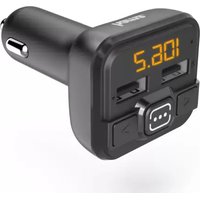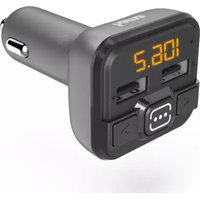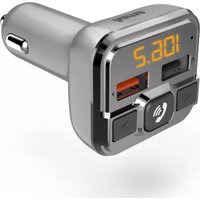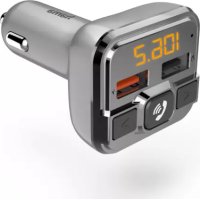
00201631 - FM Transmitter HAMA - Free user manual and instructions
Find the device manual for free 00201631 HAMA in PDF.



| Product type | FM transmitter for vehicle |
| Brand | Hama |
| Model | 00201631 |
| Power supply | 12-16 V DC (cigarette lighter socket) |
| Input current | 2.1 A |
| USB charging port | USB 1 with Qualcomm Quick Charge 3.0 (3.6-6.5 V / 3 A, 6.5-9 V / 2 A, 9-12 V / 1.5 A) |
| USB port 2 | For USB stick (charging not supported) |
| FM frequency range | 87.6 - 107.9 MHz |
| Bluetooth | Yes, unspecified version, max range 10 m |
| Bluetooth frequency | 2402 - 2480 GHz |
| Bluetooth transmission power | Max. 4 dBm |
| Supported audio formats | MP3 (via USB stick or MicroSD card) |
| Maximum capacity USB stick / MicroSD | 32 GB |
| Hands-free function | Yes, with built-in microphone |
| Auto stand-by | After 50-60 seconds without signal |
| Housing material | Not specified (generally plastic) |
| Dimensions | Not specified (compact adapter-like size) |
| Weight | Not specified (approximately 50-100 g) |
| Maintenance and cleaning | Soft dry cloth, unplug before cleaning |
| Safety | Do not use in damp environments, observe traffic regulations |
| Spare parts and repairability | Not user-serviceable, contact customer service |
| General information | CE compliant, declaration of conformity at www.hama.com |
Frequently Asked Questions - 00201631 HAMA
User questions about 00201631 HAMA
0 question about this device. Answer the ones you know or ask your own.
Ask a new question about this device
Download the instructions for your FM Transmitter in PDF format for free! Find your manual 00201631 - HAMA and take your electronic device back in hand. On this page are published all the documents necessary for the use of your device. 00201631 by HAMA.
USER MANUAL 00201631 HAMA
FMTransmitterwithBluetooth® Function
OperatingInstructions
Bedienungsanleitung
Moded'emploi
Instruccionesdeuso
Gebruiksaanwijzing
Istruzioniperl'uso
Instrukcjaobsługi
Használatiútmutató
Manualdeutilizare
Návodkpoužití
Návodnapoužitie
Manualdeinstruções
Bruksanvisning
natural_image
Vertical column of evenly spaced black rectangular blocks (no text or symbols)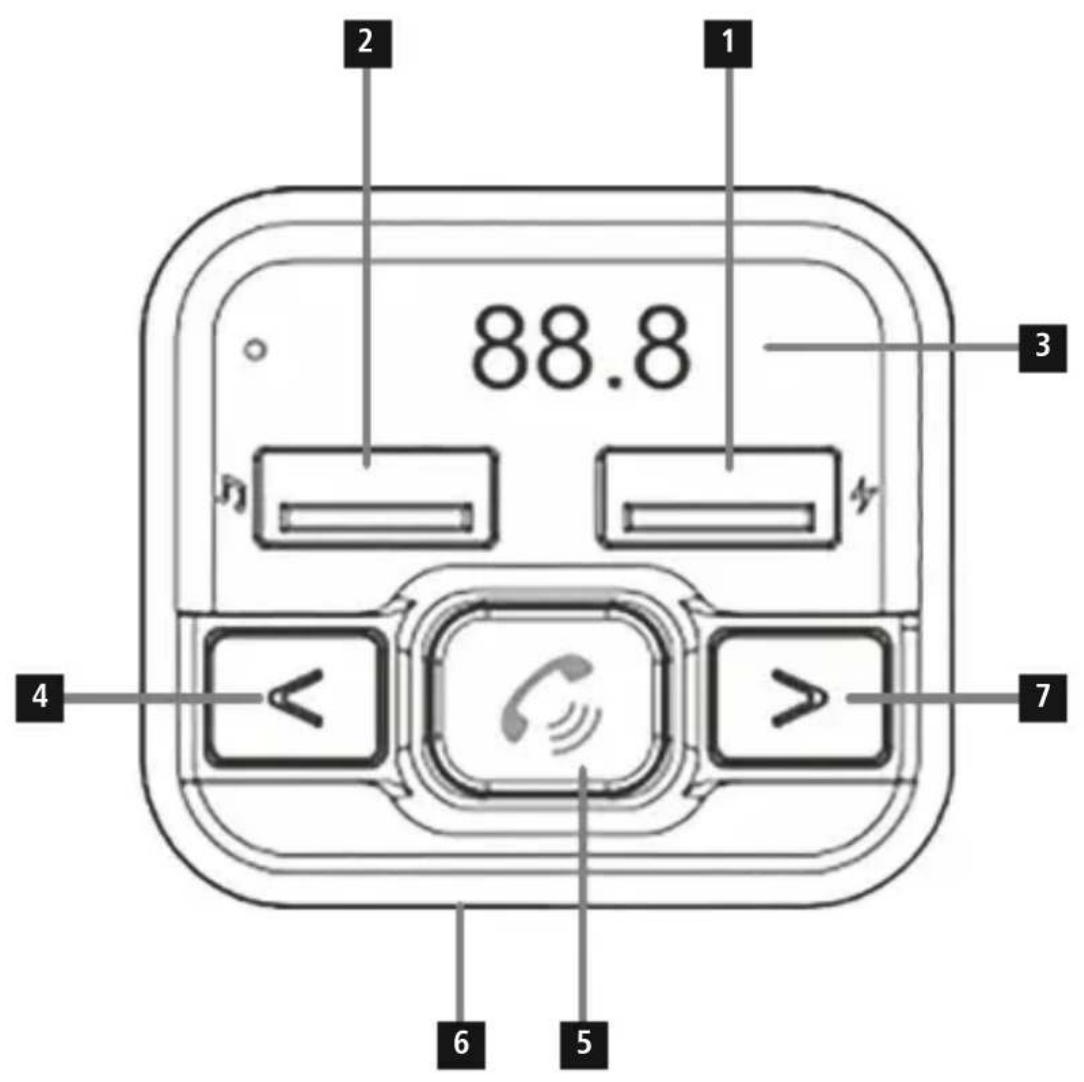
text_image
88.8 1 2 3 4 5 6 7Controlsanddisplays
- USBchargingportwithQualcommQuick Charge3.0technology
2.ConnectionforUSBstick - Display/frequency indicator
- Previousstrack/Volume-/Previousfrequency
5.Play/Start/Pause/Frequencyactivation - Micro-SDcardslot
- Previousstrack/Volume+/Previousfrequency
Thankyouforchoosingthis
Hamaproduct!
Takeyourtimeandreadthefollowinginstructions andinformationcompletely.
Please keep these instructions in as a safe place for further reference.
1. Explanationofwarningsymbolsandnotes
Riskofelectricshock

This symbol indicates a risk of electric shock from touching uninsulated product parts that may carry hazardous voltage.
Warning

This symbol is used to indicate safety instructions ortodraw your attention to specific hazards and risks.
Note

This symbol is used to indicate additional information or important notes.
2.Packagecontents
• FMtransmitters
•theseoperatinginstructions
3. Safetyinstructions
- Usetheproductonlyfortheintendedpurpose.
- Donotoperatetheproductoutsidethepower limitsgiveninthespecifications.
- Protect the product from dirt, moisture and over-heating and use it indry environments only.
- Donotusetheproductinadampenvironment andavoidsplashingwater.
- Donotbendorcrushthecable.
- Alwayspulldirectlyontheplugwhendisconnectingthecable,neveronthecableitself.
- Donotdroptheproductanddonotexposeitto anymajorshocks.
- Disposeofpackagingmaterialimmediatelyin accordancewiththelocallyapplicableregulations.
- Donotmodifytheproductinanyway.Doingso voidsthewarranty.
- Donotusetheproductintheimmediatevicinityof heaters,otherheatsourcesorindirectsunlight.
- Onlyusethearticleundermoderateclimatic conditions.
- Aswithallelectricalproducts, this devices should be kept out of thereach of children.
- Donotusetheproductinareasinwhichelectronic productsarenotpermitted.
- Donotusetheproductintheimmediatevicinityof heaters,otherheatsourcesorindirectsunlight.
- Routeallcablessothereisnoriskoftripping.
- Donotbendorcrushthecable.
- Alwayspulldirectlyontheplugwhen disconnectingthecable,neveronthecableitself.
- Disposeofpackagingmaterialimmediatelyin accordancewiththelocallyapplicableregulations.
• The product is intended only for use inside buildings. - Onlyusethearticleundermoderateclimatic conditions.
- Donotusetheproductinareasinwhichelectronic productsarenotpermitted.
- Donotusetheproductinadampenvironment andavoidsplashingwater.
Note
- When using this product, observ the applicable local traffic laws and regulations.
• Takecarethatcomponentssuchasairbags, safetyareas, controls, instruments, etc. and visibility are not blocked or restricted. - Ensure that the product is securely mounted before every journey.
- Donotallowyourselftobedistractedbythe productwhendrivingavehicle.Alwayspay attentiontothesurroundingtrafficandyour environment.

Riskofelectricshock
- Donotopenthedeviceorcontinuetooperate itifitbecomesdamaged.
- Donotusetheproductifthe
ACadapter, the adapter cable or themains cable are damaged. - Donotattempttoserviceorrepairtheproduct yourself.Leaveanyandallserviceworkto qualifiedexperts.
4.Productcharacteristics
TheFMtransmitterisusedtosendmusicorspeech fromamobiledevice(smartphone, tablet, etc.) in highqualitytoanFM playbackdevice(e.g.carradio) inthecar, caravanorboat.Atthesametime, upto twodevicescanbechargedsimultaneouslyviathe USBports.TheFMtransmitteriscompatiblewith alldevicesthathavea Bluetooth® function.TheFM transmittercanalsosendmusicorvoicedirectly fromaUSBstick(max.32GB)oramicro-SDcard (max.32GB).
5.Operation
- PlugtheFMtransmitterintoacarpowersocket, thenestablish the Bluetooth® connectionbetween themobiledeviceandtheFMtransmitteras describedbelow.
• Alternatively, audiofilescanbetransferreddirectly fromaUSBstickoramicro-SDcard.
Note
- Onsometypesofvehicle, theignitionmustbe switchedonforthevoltagetotraveltothe12V vehiclesocket. Formoreinformation, please refertoyourvehicle'sowners'manual.
- Disconnectallcableandvehicleelectrical systemconnectionsafteruse.

5.1 Bluetooth® pairing
Note
- Checkwhetheryourmobiledevice(MP3player, mobilephone,etc.) isBluetooth®-capable.
- Ifnot,youcanonlyusetheFMtransmitterfor playbackbymeansofaUSBstickoramicro-SD card.
-
Notethatthemaximumrangefor Bluetooth® is10metreswithoutobstaclessuchaswalls, people,etc.
-
Ensureyour Bluetooth® -enableddeviceisswitched onandthatBluetoothisactivated.
- PlugtheFMtransmitterintoacarsocketthatis closetothecarradio
- Ensure that the FM transmitter is within the Bluetooth® range of max. 10 metres.
- Openthe Bluetooth® settingsonyourdeviceand waituntilthelistoffound Bluetooth® devices showsBT21H.
- SelectBT21HandwaituntiltheFMtransmitteris showingasconnectedinyourdevice's Bluetooth® settings. Thedisplaynowshowsatransmission frequency.
Note- Bluetooth ^® password
Somedevicesrequireapasswordinorderto connecttoanother Bluetooth® device.
- Ifyourdevicerequestsapasswordtoconnect totheFMtransmitter,enter0000.

Note-connectionimpaired
AftertheFMtransmitteranddevicehavebeen paired, a connectionisestablished automatically. If the Bluetooth® connectionisnotestablished automatically, check the following:
- Inthe device's Bluetooth® settings, check whether BT21Hisconnected.Ifnot,repeatthe stepslistedunder Bluetooth® pairing.
- CheckwhetherthedeviceandFMtransmitter arelessthan10metresapart. Ifnot,move themclosertogether.
- Checkwhetherobstaclesareimpairingthe range.Ifso,movethedevicesclosertogether.
5.2 Audioplayback(via Bluetooth®)
Startandcontrolaudioplaybackaccordinglyonthe connecteddevice.Alternatively,theaudioplayback canalsobecontrolledfromtheFMtransmitter (providedtheconnecteddevicesupportsthis).
• Pressthefunctionkey audioplayback.
tostartorstopthe
• Pressthefunctionkey track.
toskipforwardone
- Pressthefunctionkey
< toskipbackwards.
5.3 Audioplayback
(viaUSBstickormicro-SDcard)
- InserttheUSBstickintotheUSBsocketmarked with 🎯 (2).Playbackstartsautomatically.
- Insertamicro-SDcardintothecardslot(6)onthe FMtransmitter.Playbackstartsautomatically.
Note
• The capacity of the USB stickormicro-SD card must not exceed 32GB.
- Onlythefollowingformatscanbeplayed back:MP3.
5.4 Manualstationsearch
- Searchforafreefrequency(noisewithoutsignal fragments)onyourcarradio.
- SetthesamefrequencyontheFMtransmitter.To dothis,pressthe button(5)forapprox.2sec. untilthefrequencyindicatoronthedisplay(3) startsflashing.
- Thensetthedesiredfrequencybypassingthe
keys.
• TheFMtransmitteralwaysautomaticallystoresthe lastfrequencyset.

Note-Automaticstandby
• The FMtransmitterswitchesoffautomatically afterapprox.50-60sec.withoutamusicsignal orkeyinput(standby).
• The FM transmitter is reactivated by a music signal or key input.
5.5Chargingfunction
TheFMtransmitterhasaUSBchargingsocket. This suppliesthechargingcurrentsspecifiedinPoint6.of thetechnicaldata.

Note-carbattery
Withsomevehicles, it can happen that power continues to be supplied even though the ignition has been switched off. You should therefore disconnect the product from the line connection when not in us to protect your carb battery from being drained.

Note-connectingdevices
- Beforeconnectingadevice, checkwhetherit canbeadequatelysuppliedwiththecharger's currentcapacity.
- Ensure that the total current consumption of all connected devices does not exceed 3000mA.
- Notetheinstructionsinyourdevice'soperating manual.
- Disconnectallcableandmainsconnections afteruse.

Note-QC3.0,2.0
- Plug&GO:noadditionalsoftwarerequired, simplypluginandstart:ThankstoQC3.0, 2.0,thevoltageandpowerareadjusted automatically.
- Beawarethat,forefficientandoptimised charging,yourdevicemustsupporttheQC3.0,2.0function.
- If you have alargenumberofQC-enabled devices with different firmware updates, it may be that the function is not fully supported.

5.6Hands-freefunction
• TheFMtransmitterhasanintegratedhands-free functionthankstothebuilt-inmicrophone.
- Whenacallcomesin, the device automatically switches from music modetohands-freemode. In
thiscase, simply pressthe thecall.

buttontoanswer
• Toendthecall, pressthe buttonagain.
- If you press the button twice in succession, the last number dialled is automatically called.
5. Careandmaintenance
- Onlyusesoft, drytowelstocleantheproduct.
Note
Disconnect the device from them before cleaning and during prolonged period so of non-use.

6.Technicaldata
FMtransmitterwithBluetoothfunction
| Brandname, commercialregister number,address | Hama,HRA12159, DresdnerStr.9, 86653Monheim, Germany |
| Modelidentifier00201631 | |
| Inputvoltage12-16V | |
| Inputcurrent2.1A | |
| Outputvoltageand currentatUSB1 (markedwith symbol) | 3.6-6.5V --- 3A 6.5-9V --- 2A 9-12V --- 1.5A |
| OutputcurrentUSB2 (markedwith symbol) | Nochargingfunction, onlysuitableforUSB sticks |

7.Warrantydisclaimer
HamaGmbH&CoKGassumesnoliability and providesnowarrantyfordamageresultingfrom improperinstallation/mounting,improperuseof theproductorfromfailuretoobservetheoperating instructionsand/orsafetynotes.
8. Declaration of conformity

HamaGmbH&CoKGherebydeclares thattheradioequipmenttype [00201631]isincompliancewith
Directive2014/53/EU. The full text of the EU declaration of conformity is available at the following Internet address:
www.hama.com/00201631/Downloads.
| FrequencyfortheBluetooth® transfers | 2.402GHz~2.480 GHz |
| Bluetooth® transmission power | Max.4dBm |
| VHFfrequencyrange87.6–107.9MHz | |
| PowertransmittedMax.-43dBm | |
5.2 Lectureaudio(via Bluetooth®)
www.hama.com/00201631/Downloads.
www.hama.com/00201631/Downloads.
| Frequenzaperle trasmissioni Bluetooth® | 2,402GHz~2,480 GHz |
| Potenzaditrasmissione Bluetooth® | max.4dBm |
| FrequenzaUKW87,6–107,9MHz | |
| aradiofrequenza trasmessa | max.-43dBm |
www.hama.com/00201631/Downloads.