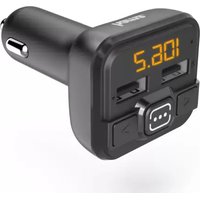
00014163 - FM Transmitter HAMA - Free user manual and instructions
Find the device manual for free 00014163 HAMA in PDF.


| Product type | FM transmitter for vehicle |
| Input voltage | 12 - 16 V (cigarette lighter socket) |
| Input current | 0.8 A |
| USB output voltage (charging port) | 5 V / 1 A |
| USB port for USB stick | Yes, no charging function, max 32 GB, MP3 format |
| AUX audio input | 3.5 mm jack |
| FM frequency range | Not specified (typical 87.5 - 108 MHz) |
| Maximum transmission power | -43 dBm |
| Dimensions (approx.) | 8 x 4 x 2 cm |
| Weight (approx.) | 30 g |
| Charging function | Yes, via USB port (5V/1A) |
| Compatibility | Devices with 3.5 mm AUX output (smartphone, tablet, etc.) |
| Automatic standby | After 50-60 seconds without signal |
| Frequency memory | Last used frequency saved |
| Max total consumption | 1000 mA |
| Maintenance | Slightly damp non-lint cloth, without harsh detergent |
| Recycling | Do not dispose of with household waste, take to a collection point |
| Warranty | Exclusion in case of improper use |
| Brand | Hama |
| Model | 00014163 |
Frequently Asked Questions - 00014163 HAMA
User questions about 00014163 HAMA
0 question about this device. Answer the ones you know or ask your own.
Ask a new question about this device
Download the instructions for your FM Transmitter in PDF format for free! Find your manual 00014163 - HAMA and take your electronic device back in hand. On this page are published all the documents necessary for the use of your device. 00014163 by HAMA.
USER MANUAL 00014163 HAMA
Operating Instructions
Bedienungsanleitung
Moded'emploi
GB
D
F
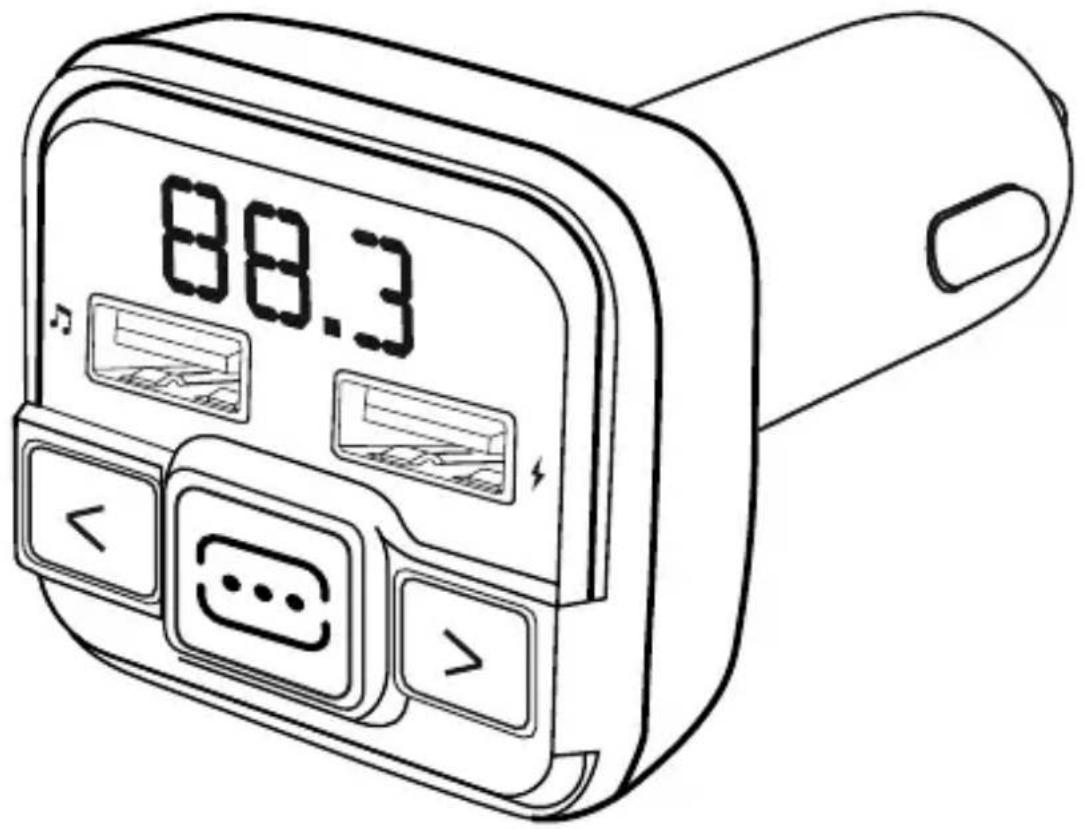

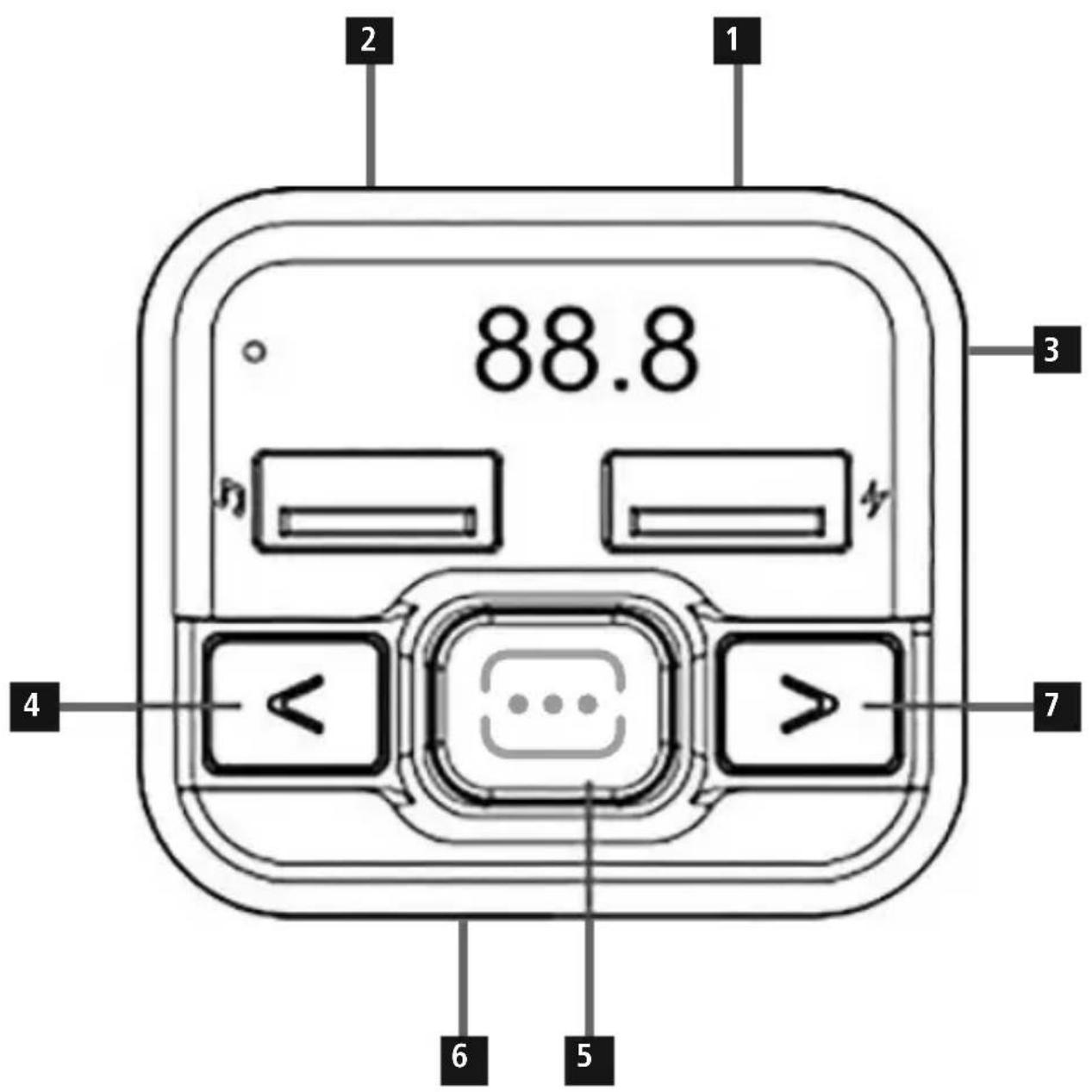
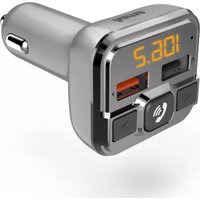
1.ControlsandDisplays
1.USBChargingconnection,5V/1A
2. ConnectorforUSBflashdrive
3.Display/ Frequencyindicator
4.Volumedown/lowerfrequency
5.Activatefrequency
6.AUX-IN(for3.5-mmaudiocable)
7. Volumeup/higherfrequency
Thankyouforchoosinga H amaproduct.
Takeyourtimeandreadthefollowinginstructionsandinformation completely. Please keep these instructions in a safe place for future reference. If you sell the device, please pass these operating instructions ontothenewowner.
2.ExplanationofWarningSymbolsandNotes
Riskofelectricshock

Thissymbolindicatesproductpartsenergizedwithadangereous voltage of sufficient magnitude to constitute a risk of electric shock.
Warning

Thisssymbolisusedtoindicatesafelyinstructionsorttodrawyour attentiontospecific h azardsandrisks.
Note

Thissymbolisusedtoindicateadditionalinformationor importantnotes.
3.PackageContents
F M-TransmitterwithAUX-IN function
- T heseoperatinginstructions
4.SafetyNotes
T heproductisintendedforprivate,non-commercialuseonly.
- U setheproductforitsintendedpurposeonly.
- D on otoperatetheproductoutsidethepowerlimitsgiven in the specifications.
- Protect the product from dirt, moisture and overheating, and onlyuseitina d ryvironment.
- D on otusetheproductinmoistenvirnmentsandavoid splashes.
- D o n otbendorcrushthecable.
- A Iwayspulldirectlyontheplugwhendisconnectingthecable, neveronthecableitself.
- D on otdroptheproductanddonotexposeittoanymajor shocks.
- D isposeofpackagingmaterialimmediatelyaccordinglylocally applicable regulations.
- Do not modify the product in any way. Doing so voids the warranty.
- D o n otusetheproductintheimmediatevicinityofheatorsor otherheatsourcesorindirectsunlight.
- U setheitemonlyinmoderateclimaticconditions.
- K eepthisproduct,asallelectricalproducts,outofthereach ofchildren!
- Do not use the product in areas where the use of electronic devices is not permitted.
Note

- W henusingthisproduct,observetheapplicablelocaltraffic lawsandregulations.
Take care that components such as airbags, safety areas, controls,instruments,etc.andvisibilityare n otblockedor restricted. - Checkthattheproductissafelymountedbefore beginning yourjourney.
- Dō n otallowyourselftobedistractedbytheproductwhen driving a vehicle. Alwayspayattentiontothesurrounding traffic andyourenvironment.
Riskofelectricshock

- D on otopenthedeviceorcontinuetooperateitift becomesdamaged.
- D on otusetheproductifthechargingcable,adaptercable orpowercableisdamaged.
- D o n otattempttoserviceorrepairtheproductyourselves. Leaveanyandallserviceworktoqualifiedexperts.
5.ProductFeatures
TheFMtransmitterisusedtotransmitmusicorvoicefromamobile device(smartphone,tablet,etc.)toanFMplaybackdevice(such as a car radio) in high quality in a car, caravan or boat. At the sometime,a t ermaldevicecanbechargedviatheUSBport.The FMtransmitteriscompatiblewithalterminaldevicesthathave a 3 .5-mmAUX-OUT.audiojackoutput).TheFMtransmittercan alsotransmitmusicorvoicedirectlyfroma U SBstick(maximum of32GB).
6.GettingStartedandOperation
Plug the FM transmitter into a power socket of your vehicle's electricalsystem, and then establish the connection between themobiledeviceandtheFMtransmitterusinga 3.5-mmAUX cable. Nowstartmusicplaybackonyourterminaldevice.
- Alternatively, audio files can be transferred directly from a USBstick.
Note
- F orsomevehicletypes, the ignitionhastobeswitchedontosupply power to the 12 V car socket. For more information, pleasereferto yourvehicle's o peratinginstructions.
- Disconnect all cable and on-board connections after use.
6.1 Audiplayback (viaUSBstick)
- P lugtheUSBstickintotheUSBsocketmarkedwith playbackwillstartautomatically.

Note
T hecapacityoftheUSBstickmustnotexceed32GB.
The following formats are supported for audio playback: MP3.
6.2Manualstationsearch
- Searchforanavailablefrequencyonyourcarradio(static withoutpartialsignals).
- Set the same frequency on the FM transmitter. To do this, press andholdthe button(5)for2 secondsuntilthefrequency indicatoronthedisplay(3)beginstoflash.
- Then press the < or button to set the desired frequency.
- The FMtransmitteralwaysstoresthestelastfrequencyset.
Note-Automaticstandby
After 50 to 60 seconds without a music signal or button beingpressed, the FMtransmitters switchestostandby.
- If it receives a music signal or a button is pressed, the FM transmitter is activated again.
6.3Chargingfunction
TheFMtransmitterhasa USBchargingsocket.Thissuppliesthe chargingcurrentsspecifiedinPoint7. Technicalspecifications'.

Note-Carbattery
Withsomevehicles, itcanhappenthatpowercontinuestobesuppliedeventhoughtheignitionhasbeenswitchedoff. Therefore, whennotusingtheproduct, disconnectitfrom thepowersupplytoprotectyourcarbatteryfromdischarge.


Note-C onnectingterminaldevices

- Before connecting a terminal device, check whether the poweroutputofthechargercansuppliesufficientpower forthedevic.
- Ensure that the total power consumption of all connected terminal devices does not exceed 1000mA .
- P leasereftotheinstructionsintheoperatings manualof yourterminaldevice.
- D isconnectallcableandmainsconnectionsafteruse.
7.Care and Maintenance
Onlycleanthisproductwithaslightlydamp,lint-freeclothhanddo notuseaggressivecleaningagents.

Note
Disconnect the device from the power supply before cleaning or if it will not be used for a long period of time.
8.WarrantyDisclaimer
Hama GmbH & Co KG assumes no liability and provides no warranty for damagersresultingfromimproperinstallation/mounting,improper useoftheproductormalfailure to o bservetheoperatinginstructionsand/orsafetynotes.
9. Technical Data
| i | FMtransmitter |
| Inputvoltage12-16 V | |
| Inputcurrent | 0.8A |
| Outputvoltageandcurrent onUSB1 (markedwithsymbol) | 5 V ---1 A |
| Outputcurrent,USB2 (markedwithsymbol) | Nochargingfunction; suitableforUSBsticks only |
10. Recycling Information
Noteonenvironmentalprotection:

AftertheimplementationoftheEuropeanDirective
2012/19/EUand2006/66/Euinthenationallegal
system, the following applies:
Electricandectonicdevicesaswellasbatteriest must
notbedisposedofwithhouseholdwaste.Consumers
are o bligeblyawtoturrenelectrcaleandecronicdevicessaswell asbatteriesattheendoftheirservicelivestothepubliccollecting pointssetupforthispurposeorpointofsale.Detailssthisare definedbythenationallawoftherespectivecountry.
Thissymbolontheproduct, theinstructionmanualorthepackage indicates that a product is subject to these regulations.
Byrecycling,reusingthematerialsorotherformsofutilisingold devices/Batteries,youare makinganimportantcontributionto protectingourenvironment.
11.DeclarationofConformity

Hereby, Hama GmbH & Co KG declares that the radio equipment type[00014163]isincompliancewith
Directive 2014/53/EU. The full text of the EU
declarationofconformityisavailableatthefollowinginternet address:
www.hama.com/00014163/Downloads.
FMfrequencyrange87.6-107.9MHz
Transmittingpowermax.-43dBm
www.hama.com/00014163/Downloads.
PlagedefréquenceOUC87,6-107,9MHz
The Bluetooth® word mark and logos are registered trademarks owned by Bluetooth SIG, Inc. and any use of such marks by Hama GmbH & Co KG is under license. Other trademarks and trade names are those of their respective owners.
All listed brands are trademarks of the corresponding companies. Errors and omissions excepted, and subject to technical changes. Our general terms of delivery and payment are applied.
- 1.ControlsandDisplays
- 2.ExplanationofWarningSymbolsandNotes
- Riskofelectricshock
- Warning
- Note
- 3.PackageContents
- 4.SafetyNotes
- 5.ProductFeatures
- 6.GettingStartedandOperation
- Audiplayback (viaUSBstick)
- 6.2Manualstationsearch
- Note-Automaticstandby
- 6.3Chargingfunction
- Note-Carbattery
- Note-C onnectingterminaldevices
- 7.Care and Maintenance
- 8.WarrantyDisclaimer
- Technical Data
- Recycling Information
- Noteonenvironmentalprotection:
- 11.DeclarationofConformity
Brand : HAMA
Model : 00014163
Category : FM Transmitter