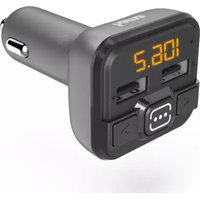
00014164 - FM Transmitter HAMA - Free user manual and instructions
Find the device manual for free 00014164 HAMA in PDF.


| Product Type | Bluetooth FM Transmitter |
| Brand | Hama |
| Model | 00014164 |
| Bluetooth Technology | Bluetooth® v4.2 |
| FM Frequency | 87.6 - 107.9 MHz |
| FM Transmission Power | max. -43 dBm |
| Bluetooth Range | 10 meters (without obstacles) |
| Input Voltage | 12 - 16 V |
| Input Current | 1.5 A |
| USB1 Charging Port | 5 V / 2.4 A (charge only) |
| USB2 Port | For USB flash drive (no charge, max 32 GB) |
| microSD Card Slot | Yes, max 32 GB |
| Supported Audio Formats | MP3 |
| Auto Sleep Function | Yes, after 50-60 seconds without signal |
| Power Supply | 12V cigarette lighter socket |
| Simultaneous Charging | Up to 2 devices (via USB1 and another) |
| Compatibility | Bluetooth devices, USB flash drive, microSD card |
| Cleaning | Slightly damp, lint-free cloth |
| Max Total Consumption | 2400 mA |
| Operating Temperature | Moderate climate, dry indoor |
Frequently Asked Questions - 00014164 HAMA
User questions about 00014164 HAMA
0 question about this device. Answer the ones you know or ask your own.
Ask a new question about this device
Download the instructions for your FM Transmitter in PDF format for free! Find your manual 00014164 - HAMA and take your electronic device back in hand. On this page are published all the documents necessary for the use of your device. 00014164 by HAMA.
USER MANUAL 00014164 HAMA
FMTransmitterwithBluetooth® Function
FM-TransmittermitBluetooth ^® -Funktion
OperatingInstructions
Bedienungsanleitung
Moded'emploi
GB
D
F
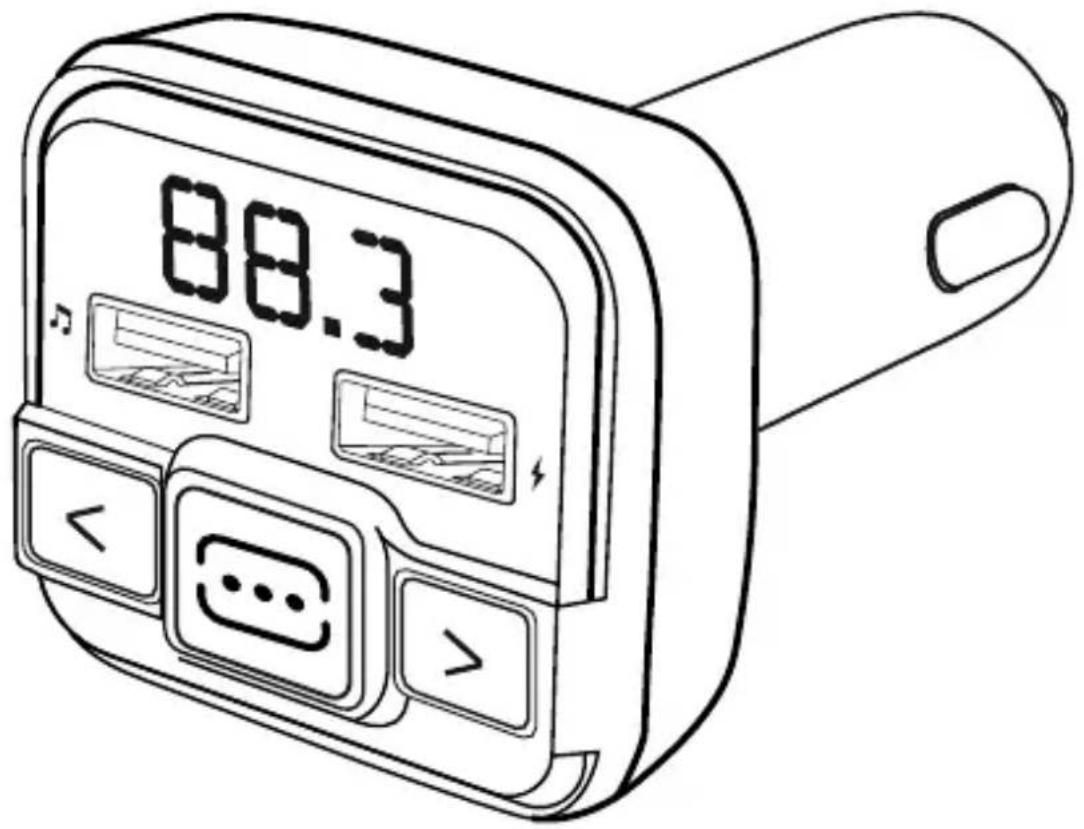

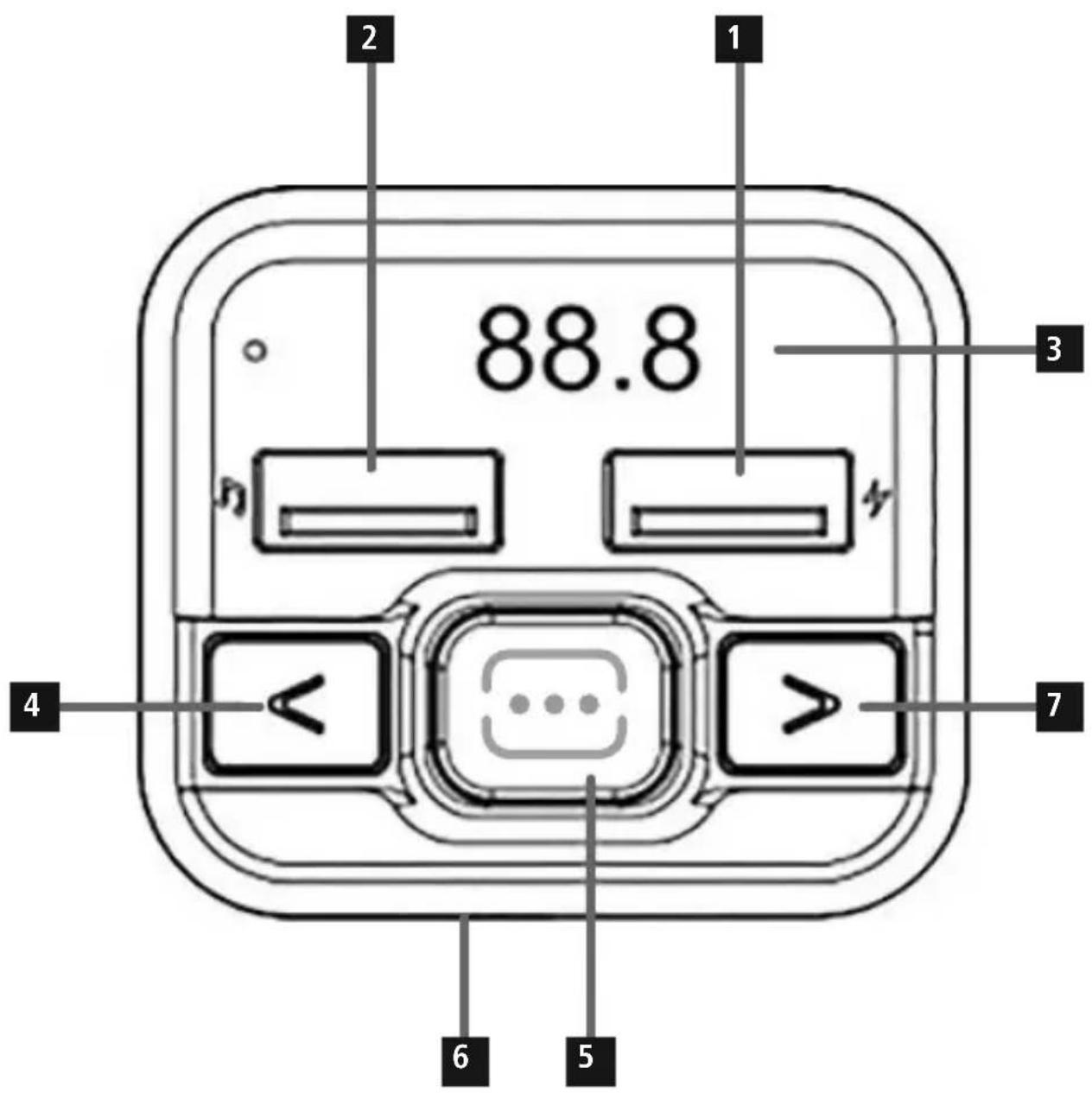
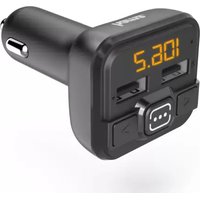
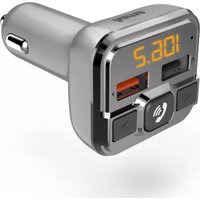
1. ControlsandDisplays
- USBchargingconnection, 5 V / 2 .4A
- ConnectorforUSBflashdrive
- Display/ F requencyindicator
- Previousstrack/volumedown/lowerfrequency
- Play/start/pause/activatefrequency
6.microSDcard slot - Nexttrack/volumeup/higherfrequency
Thankyouforchoosinga H amaproduct.
Takeyourtimeandreadthefollowinginstructionsandinformation completely. Please keep these instructions in a safe place for future reference. If you sell the device, please pass these operating instructionsontothenewowner.
2. ExplanationofWarningSymbolsandNotes
Riskofelectricshock

This symbol indicates product parts energized with a dangerous voltage of sufficient magnitude to constitute a risk of electric shock.
Warning

This symbol is used to indicate safety instructions to draw your attention to specific hazards and risks.
Note

This symbol is used to indicate additional information or important notes.
3.PackageContents
• F M-TransmitterwithBluetooth® function
• T heseoperatinginstructions
4. SafetyNotes
• T heproductisintendedforprivate,non-commercialuseonly.
• U setheproductforitsintendedpurposeonly.
- D on otoperatetheproductoutsidethepowerlimitsgivenin thespecifications.
- Protect the product from dirt, moisture and overheating, and only use itina d ryenvironment.
• D o n otusetheproductinmoistenvironmentsandavoid splashes.
- Do notbendorcrushthecable.
- A lwayspulldirectlyontheplugwhendisconnectingthecable, neveronthecableitself.
- D o n otdroptheproductanddonotexposeittoanymajor shocks.
- D isposeofpackagingmaterialimmediatelyaccordingtolocally applicableregulations.
- Do not modify the product in any way. Doing so voids the warranty.
- D o n otusetheproductintheimmediatevicinityofheatersor otherheatsourcesorindirectsunlight.
• U setheitemonlyinmoderateclimaticconditions. - Keep this product, as all electrical products, out of there each of children!
- Do not use the product in areas where the use of electronic devices is not permitted.
Note

- W henusingthisproduct,observetheapplicablelocaltraffic lawsandregulations.
- Take care that components such as airbags, safety areas, controls, instruments, etc. and visibility are not blocked or restricted.
- Check that the product is safely mounted before beginning your journey.
- D o n otallowyourselftobedistractedbytheproductwhen drivinga v ehicle.Alwayspayattentiontothesurrounding traffic a ndyourenvironment.
Riskofelectricshock

- D on otopenthedeviceorcontinuetooperateitifit becomesdamaged.
- D o n otusetheproductifthechargingcable,adaptercable orpowercableisdamaged.
• D o n otattempttoserviceorrepairtheproductyourself. Leaveanyandallserviceworktoqualifiedexperts.
5.ProductFeatures
TheFMtransmitterisusedtotransmitmusicorvoicefroma mobile device(smartphone, tablet, etc.)toanFM playbackdevice(suchas a car radio) in high quality in a car, caravan or boat. At the same time, uptotwoterminaldevicescanbechargedsimultaneously usingtheUSBconnections.TheFMtransmitteriscompatiblewith allterminaldevicesthathavea Bluetooth® function.TheFMtransmittercanalsotransmitmusicorvoicedirectlyfroma USBstick (maximum of 32 GB) or a microSD card (maximum of 32 GB).
6.GettingStartedandOperation
- Plug the FM transmitter into a power socket of your vehicle's electricalsystem, and then establish the Bluetooth® connection between themobiledevice and the FMtransmitter as described below.
- Alternatively, audio files can be transferred directly from a USB stickormicroSDcard.
Note
- F orsomevehicletypes, theignitionhastobeswitchedonto supply power to the 12 V car socket. For more information, pleaserefertoyourvehicle's operatinginstructions.
- Disconnect all cable and on-board connections after use.
6.1 Bluetooth® pairing

Note
- Checkwhetheryourmobiledevice(MP3player, mobile phone, etc.) is Bluetooth® capable.
- I f not, theonlywayyoucanusetheFMtransmitterfor playbackiswitha USBstickormicroSDcard.
- N otethatthemaximumrangefor Bluetooth® is10metres withoutobstaclessuchaswalls,people,etc.
- M akesure thatyourBluetooth® capableterminaldeviceison and Bluetooth® isactivated.
- Plug the FM transmitter into a car socket located near the carradio.
- Make sure that the FM transmitter is within the maximum Bluetooth® rangeof10metres.
- O pentheBluetooth® settingsonyourterminaldeviceandwait untilBT21Mappearsinthelistof Bluetooth® devicesfound.
- S electBT21MandwaituntiltheFMtransmitterislistedas connectedinthe Bluetooth® settingsonyourterminaldevice.A transmissionfrequencyisnowshownonthedisplay.
Note- Bluetooth® password

Some terminal devices require a password in order to connect to another Bluetooth ^® device.
- If your terminal device requests a password for connection to thespeaker, enter0000.
Note- C onnectionimpaired

AftertheFMtransmitterandterminaldevicehavebeenpaired, a connectionisestablishedautomatically. If the Bluetooth® connectionisnotestablishedautomatically, checkthefollowing:
- C heckthBluetooth® settingsofyourterminaldevicetosee whetherBT21Misconnected.Ifnot,repeatthestepslisted under Bluetooth® pairing.
- C heckwhetheryourterminaldeviceandtheFMtransmitter are lessthan10metresapart.Ifnot,movethedevices closertogether.
- Check whether obstacles are impairing the range. If so, move the devices closertogether.
6.2 Audioplayback(via Bluetooth®)
Startandcontrolaudioplaybackontheconnectedterminaldevice accordingly. Alternatively, audio playback can also be controlled on theFMtransmitter(iftheconnecteddevicesupportsthisfunction).
• P ressthe ⋯ functionbuttontostartorpauseaudioplayback.
- Press the > function button to jump forward one title.
- Press the < function button to jump backward one title.
6.3 Audioplayback
(viaUSBstickormicroSDcard)
- P lugtheUSBstickintotheUSBsocketmarkedwith(2); playbackwillstartautomatically.
- Insert a microSD card into the card slot (6) on the FM transmitter; playbackwillstartautomatically.

Note

- The capacity of the USB stick or microSD card must not exceed32GB.
- The following formats are supported for audio playback: MP3.
6.4 Manualstationsearch
- Searchforanavailablefrequencyonyourcarradio(static withoutpartialsignals).
- Set the same frequency on the FM transmitter. To do this, press andholdthebutton(5)for2 secondsuntilthefrequency indicatoronthedisplay(3)beginstoflash.
- Then press the < or > button to set the desired frequency.
• T heFMtransmitteralwaysstoresthelastfrequencyset.

Note— A utomaticstandby
• After 50 to 60 seconds without a music signal or button beingpressed, the FMtransmitterswitchestostandby.
- If it receives a music signal or a button is pressed, the FM transmitterisactivatedagain.
6.5Chargingfunction
TheFMtransmitterhasa U SBchargingsocket. This suppliesthe charging current specified in Point 7. 'Technical specifications'.

Note- C onnectingterminaldevices
- Before connecting a terminal device, check whether the poweroutputofthechargercansupplysufficientpower forthedevice.
- Ensure that the total power consumption of all connected terminaldevicesdoesnotexceed2400mA.
- P leaserefertotheinstructionsintheoperatingmanualof yourterminaldevice.
• D isconnectallcableandmainsconnectionsafteruse.
Note- C arbattery
Withsomevehicles, it can happen that power continues to be supplied even though the ignition has been switched off. Therefore, when not using the product, disconnect from the powersupply to protect your carb battery from discharge.

7. Care a ndMaintenance
Onlycleanthisproductwitha s lightlydamp,lint-freeclothanddo notuseaggressivecleaningagents.
Note
Disconnect the device from the power supply before cleaning or if it will not be used for a long period of time.

8.WarrantyDisclaimer
Hama GmbH & Co KG assumes no liability and provides no warranty for damageresulting from improper installation/mounting, improper use of the product from failure to o bservetheoperating instructions and or safety notes.
9.TechnicalData
| FMtransmitterwith Bluetooth® function | |
| Bluetooth® technology | Bluetooth® v4.2 |
| Inputvoltage12- 1 6 V | |
| Inputcurrent | 1.5A |
| Outputvoltageandcurrent onUSB1 (markedwithsymbol) | 5 V ——2.4 A |
| Outputcurrent,USB2 (markedwithsymbol) | Nochargingfunction; suitableforUSBsticks only |
10. Recycling Information
Noteonenvironmentalprotection:
AftertheimplementationoftheEuropeanDirective 2012/19/EUand2006/66/EUinthenationallegal system, the following applies: Electricandelectronicdevicesaswellasbatteriesmust notbedisposedofwithhouseholdwaste. Consumers
are obligedbylawtoreturnelectricalandelectronicdevicesaswell asbatteriesattheendoftheirservicelivestothepubliccollecting pointssetupforthispurposeorpointofsale.Detailstothisare definedbythenationallawoftherespectivecountry. Thissymbolontheproduct, theinstructionmanualorthepackage indicates that a product is subject to these regulations.
Byrecycling, reusing thematerials or other forms of utilising old devices/Batteries, you are m aking an important contribution to protecting our environment.
11. Declaration of Conformity

Hereby, Hama GmbH & Co KG declares that the radio equipmenttype[00014164]isincompliancewith Directive 2014/53/EU. The full text of the EU
declarationofconformityisavailableatthefollowinginternet
address:www.hama.com/000141654/Downloads.
| FrequencyfortheBluetooth®transfers | 2,402GHz~ 2 ,480GHz |
| Bluetooth®transmittingpowermax.4 d B m | |
| FMfrequencyrange87.6– 1 07.9MHz | |
| Transmittingpowermax.-43dBm |
6.2 Lecture a udio(via Bluetooth®)
The Bluetooth® word mark and logos are registered trademarks owned by Bluetooth SIG, Inc. and any use of such marks by Hama GmbH & Co KG is under license. Other trademarks and trade names are those of their respective owners.
All listed brands are trademarks of the corresponding companies. Errors and omissions excepted, and subject to technical changes. Our general terms of delivery and payment are applied.
- FMTransmitterwithBluetooth® Function
- FM-TransmittermitBluetooth ® -Funktion
- ControlsandDisplays
- ExplanationofWarningSymbolsandNotes
- Riskofelectricshock
- Warning
- Note
- 3.PackageContents
- SafetyNotes
- 5.ProductFeatures
- 6.GettingStartedandOperation
- Bluetooth® pairing
- Note- Bluetooth® password
- Note- C onnectionimpaired
- Audioplayback(via Bluetooth®)
- Audioplayback
- (viaUSBstickormicroSDcard)
- Manualstationsearch
- Note— A utomaticstandby
- 6.5Chargingfunction
- Note- C onnectingterminaldevices
- Note- C arbattery
- Care a ndMaintenance
- 8.WarrantyDisclaimer
- Recycling Information
- Noteonenvironmentalprotection:
- Declaration of Conformity
- Lecture a udio(via Bluetooth®)
Brand : HAMA
Model : 00014164
Category : FM Transmitter