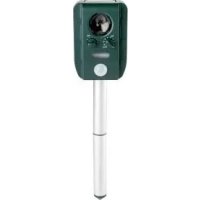
PTUS 1 A1 - Solar animal repeller PARKSIDE - Free user manual and instructions
Find the device manual for free PTUS 1 A1 PARKSIDE in PDF.



| Product type | Solar animal repellent |
| Brand | Parkside |
| Model | PTUS 1 A1 |
| Operating voltage | 5 V (USB), battery 3.7 V |
| Protection type | IP44 (protected against water splashes) |
| Motion sensor range | approx. 8 m |
| Detection angle | approx. 110° |
| Sound frequencies | 13.5 kHz – 23.5 kHz |
| Repellent programs | 5 (including 4 sound + 1 flash only) |
| Rechargeable battery | Integrated lithium-ion 3.7 V |
| Solar charging | Integrated solar panel (≥8 h full sun for full charge) |
| USB charging | USB-C cable included (via computer or power adapter) |
| Battery life | approx. 5 to 10 hours |
| Operating temperature | 0 °C to 45 °C |
| Included items | Repellent, USB cable, ground spike, wall plug, screw, manual |
| Warranty | 3 years |
| Maintenance | Clean with dry cloth, clean solar panel, Vaseline on seals |
| Safety instructions | Do not use if damaged, keep out of human hearing range, do not expose to fire |
Frequently Asked Questions - PTUS 1 A1 PARKSIDE
User questions about PTUS 1 A1 PARKSIDE
0 question about this device. Answer the ones you know or ask your own.
Ask a new question about this device
Download the instructions for your Solar animal repeller in PDF format for free! Find your manual PTUS 1 A1 - PARKSIDE and take your electronic device back in hand. On this page are published all the documents necessary for the use of your device. PTUS 1 A1 by PARKSIDE.
USER MANUAL PTUS 1 A1 PARKSIDE
COnApeH YPeI3A 3AUNTA OT XKIBOTHN
HCTpykun 3a 06cnykBaHe H6e3onacHOCT
GB 1E
SOLAR POWERED ANIMAL REPELLER
Operation and safety notes
NL BE
SOLAR-DIERENVERJAGER
List of pictograms used 25
Introduction 25
Intended use 26
Mechanism 26
Description of parts.. 27
Scope of delivery.. 28
Technical data 28
Safety instructions.. 29
Safety instructions for batteries/rechargeable batteries...... Page 30
Before use.. 31
Charging the rechargeable battery.. 32
Start-up Page 34
Installation on the ground, using the ground spike 34
Installation on a wall using a screw/peg 35
Operation 35
Adjusting the motion sensor.. 35
Adjusting the signal frequency.. 36
Maintenance and cleaning 36
Troubleshooting 37
Disposal 37
Warranty 39
Warranty claim procedure . Page 40
Service.. 41
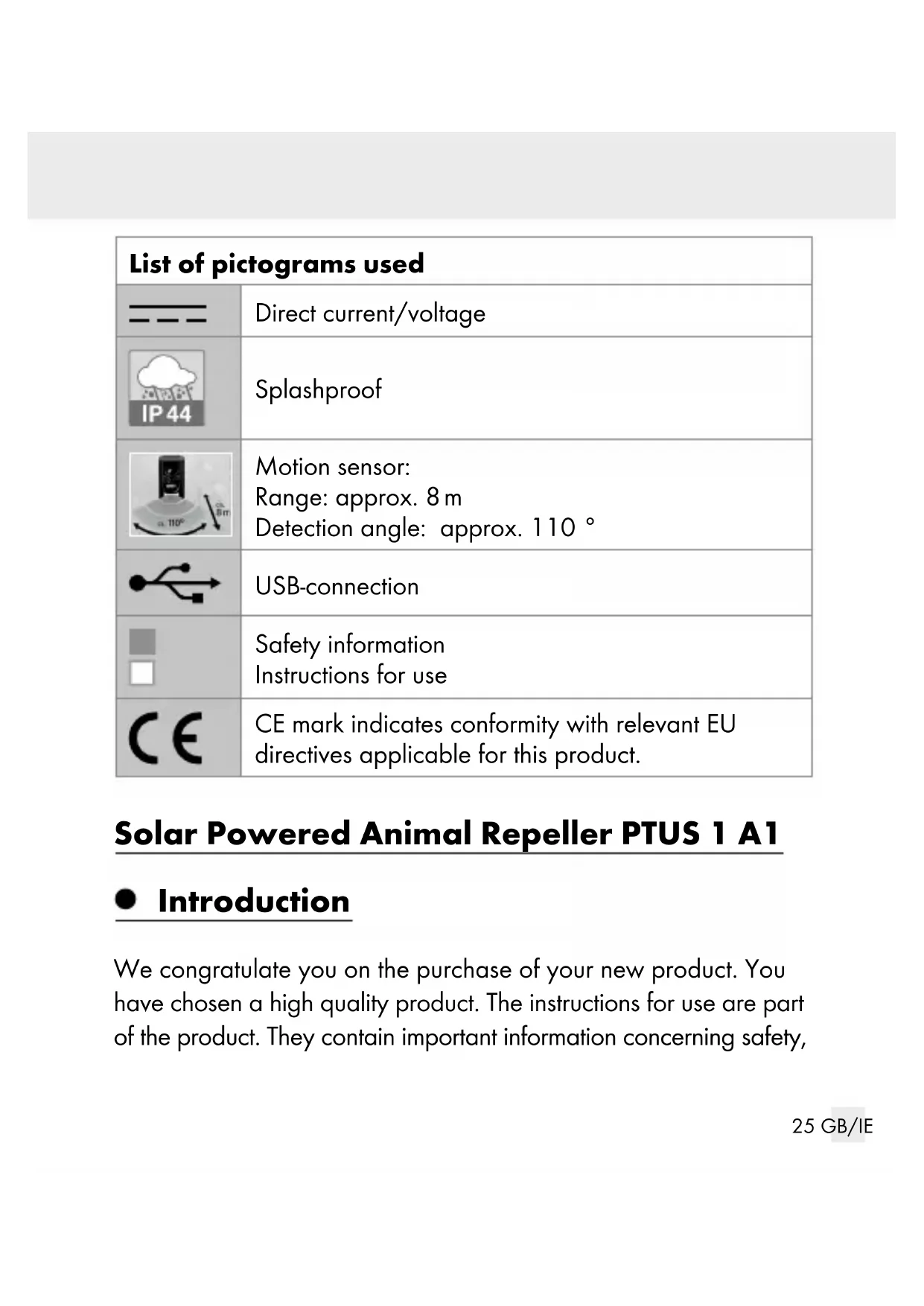
| List of pictograms used | |
| --- | Direct current/voltage |
| IP44 | Splashproof |
| Motion sensor: Range: approx. 8 m Detection angle: approx. 110° | |
| USB-connection | |
| Safety information Instructions for use | |
| CE | CE mark indicates conformity with relevant EU directives applicable for this product. |
Solar Powered Animal Repeller PTUS 1 A1
Introduction
We congratulate you on the purchase of your new product. You have chosen a high quality product. The instructions for use are part of the product. They contain important information concerning safety,
use and disposal. Before using the product, please familiarise yourself with all of the safety information and instructions for use. Only use the product as described and for the specified applications. If you pass the product on to anyone else, please ensure that you also pass on all the documentation with it.
Intended use
This product is intended for use as an animal repellant, through the use of high frequency tones and/or flashing light. Animals, which are under species protection, e.g. the mole, must not be caught, injured or killed. Any use of the product for other or additional purposes is considered improper use. No claims can be made for problems cause by improper use or failure to comply with the operational and safety instructions included in the operational manual. The product is not intended for commercial use.
Mechanism
The product registers the movement of animals that move in the detection range of the motion sensor. As soon as an animal is registered, the product produces high frequency tones, which are uncomfortable for animals. As different animals can have different hearing ranges, the frequency of the signal can be adjusted. Nocturnal animals can also trigger an automatic flashing light. To be
able to repel lots of different animals, you can adjust the settings to combine any of the signal frequencies with the flashing light.
WARNING: Frequencies from 16Hz to a maximum of 20kHz can generally be heard by humans. However, with increasing age, human's ability to hear higher frequencies is reduced. You should work on the assumption the programmes 1, 2 and 5 release frequencies, which can be heard by humans.
Thus you should set up the product so that it is out of the hearing range of humans.
Note: The product will not affect any electronic equipment, including pacemakers, garage door openers, remote controls and such like.
Description of parts
1 Speaker
2 Sensitivity controller
3 Frequency controller
4 Flashing light
5 Motion sensor
6 Charge indicator
7 Loop
8 Solar panel
9 Holder for the ground spike
10 USB socket
11 USB charging cable
12 Ground spike
13 Ground spike connector
14 Peg
15 Screw
- Scope of delivery
1 Solar powered animal repeller
1 USB charging cable
1 Ground spike (two parts)
1 Peg (0 6 mm)
1 Mounting screw (3.8 × 30 ~mm)
1 Set of instructions for use
Technical data
Operational voltage: 5V , max. = 1A
Rechargeable battery: 1 × 3.7V = 18650 Lithium-ion rechargeable battery with 1300mAh (Not replaceable)
Protection class: III/

Protection type: IP44 (splash-proof)
Signal frequency: approx. 13.5 kHz - 23.5 kHz
Motion sensor:
Range: approx. 8 m
Detection angle: approx. 110^
Maximum rated
ambient temperature: Ta: 35^

Safety instructions
Before using the product, please familiarise yourself with all of the safety information and instructions for use! When passing this product on to others, please also include all the documents!

is product may be used by children aged 8 years and up, as well as by persons with reduced physical, sensory or mental capacities, or lacking experience
and/or knowledge, so long as they are supervised or instructed in the safe use of the product and understand the associated risks. Do not allow children to play with the product. Cleaning and user maintenance should not be performed by children without supervision.
Do not use this product if you notice any damage.
Ensure that the solar panel does not get dirty or covered in snow or ice. Otherwise the performance of the solar panel will be diminished.
Do not place objects on top of the product!
Keep away from open flames!
If the product makes unusual noises or you discover smoke or similar faults, removed the rechargeable battery from the product immediately or separate the product from the USB charging cable.
Never use the product within human hearing range. The product releases frequencies, which can be disturbing or uncomfortable for many people.

Safety instructions for batteries/rechargeable batteries
DANGER TO LIFE! Keep batteries/rechargeable batteries out of reach of children. If accidentally swallowed seek immediate medical attention.
Swallowing may lead to burns, perforation of soft tissue, and death. Severe burns can occur within 2 hours of ingestion.

DANGER OF EXPLOSION! Never recharge
non-rechargeable batteries. Do not short-circuit batteries/rechargeable batteries and/or open them.
Overheating, fire or bursting can be the result.
Never throw batteries/rechargeable batteries into fire or water.
Do not exert mechanical loads to batteries/rechargeable batteries.
Risk of leakage of batteries/rechargeable batteries
Avoid extreme environmental conditions and temperatures, which could affect batteries/rechargeable batteries, e.g. radiators/direct sunlight.
If batteries/rechargeable batteries have leaked, avoid contact with skin, eyes and mucous membranes with the chemicals! Flush immediately the affected areas with fresh water and seek medical attention!
Wear Protective Gloves! Leaked or damaged batteries/rechargeable batteries can cause burns on contact with the skin. Wear suitable protective gloves at all times if such an event occurs.
This product has a built-in rechargeable battery which cannot be replaced by the user. The removal or replacement of the rechargeable battery may only be carried out by the manufacturer or his customer service or by a similarly qualified person in order to avoid hazards. When disposing of the product, it should be noted that this product contains a rechargeable battery.
Before use
Note: Remove all packaging materials from the product.
- Charging the rechargeable battery
The rechargeable battery is delivered fully charged. In direct sunlight the rechargeable battery is charged by the built-in solar panel 8. It can also be charged using the enclosed USB charging cable 11.
Charging the rechargeable battery with the solar panel
The product's solar panel 8 converts sunlight into electrical energy and stores it in the rechargeable battery.
To ensure optimal rechargeable battery charging, position the product in a place, in which the solar panel 8 is exposed to direct sunlight. To fully charge unloaded battery, the solar panel 8 must be exposed to at least 8 hours of direct sunlight.
Note: The product is not working under 0^ and over 45^ according the battery protection.
Charging the rechargeable battery with the USB charging cable
Especially during the darker times of the year, depending on the length of time for which the product is activated each day, you may find that sunlight does not provide the rechargeable battery with enough energy. However, you can charge the rechargeable battery using the enclosed USB charging cable [11] and your
computer or a standard USB adapter (not included in delivery). This charging process must be carried out indoors because the splash protection no longer works when the USB socket 10 is open. The charge level of the rechargeable battery is shown on the product on the charge indicator 6 (a red LED on the motion sensor 5) when it is switched on:
Red LED is fast flashing: The rechargeable battery needs to charge.
Not any LED and sound effect response: the rechargeable battery voltage is very low, it must be charged immediately.
Red LED is slow flashing: The rechargeable battery is in the charging status.
Red LED is illuminated: The rechargeable battery is fully charged.
Switch the frequency control to Programme "0" during the charging process to prevent disturbances from visual or acoustic signals.
Remove the rubber plugs from the USB sock
Plug the USB charging cable [11] with USB-C plug into the USB socket [10] and connect the USB plug of the USB charging cable [11] to your computer with a USB port. Alternatively, you can use a USB adapter, which can be bought from a retailer.
Depending on the current charging state of the battery, charging takes approx. 5-10 hours. During the charging process, the charge indicator 6 flashes.
When the rechargeable battery is fully charged, the charge indicator 6 will illuminate.
- Start-up
The product is protected against splash water and is also suitable for outdoor use. There are two possible installation options:
Installation on the ground, using the ground spike
The enclosed ground spike 12 and ground spike connector 13 comes in three parts (see Fig. C), but for low installation heights, one part can be used on its own. Never place the product directly onto the ground: it can be flooded in heavy rain.
Push the point of the ground into soft earth. Never use force.
Screw the open end of the ground spike into the holder for the ground spike 9.
Point the product, so that the motion sensor is pointed towards the area you wish to monitor. Make sure that the area
you wish to monitor is not blocked by objects, such as trees or garden furniture.
Installation on a wall using a screw/peg
Use the enclosed peg 14 ( 6 mm ) and the screw 15 to install the product on a wall. This installation material is intended for a normal wall. If the wall you wish to install the product on has a different consistency, check with a specialist to find out which material is suitable for installation on your wall.
Ensure the screw is a maximum of 1.5m above the ground.
□ Allow the screw to protrude approx. 1 cm from the wall and use the loop 7 to hang the product on the screw.
Operation
The product has two adjustment options:
Adjusting the motion sensor
The sensitivity of the sensor can be adjusted using the sensitivity controller 2. If a movement is detected, a signal/flash sounds/ shines approx. 30 sec. Adjust to MAX position, the detection range approx. 8m .
Adjusting the signal frequency
The product has 5 different programmes to repel certain kinds of animals.
Adjust the frequency controller 3 to select below frequency programme.
| Programme 0 The product is switched off. The charging function using the solar panel 8 or the USB charging cable 11 is activated. |
| Programme 1 3.5 kHz-17.5 kHz (against rodents like mice or rats) |
| Programme 2 15.5 kHz-19.5 kHz (against dogs and foxes) |
| Programme 3 19.5 kHz-23.5 kHz (against dogs, cats and birds) |
| Programme 4 Flashing light |
| Programme 5 All programmes are used. |
- Maintenance and cleaning
Regularly clean the product with a dry, lint-free cloth.
Regularly check the solar panel for dirt. Keep the solar panel 8 free of snow and ice, especially in winter.
If the product is very dirty, use a slightly damp cloth with a detergent.
Ensure that no water enters the product during cleaning.
Regularly clean the rubber plugs of the USB sock with Vaseline. This will stop the seals from becoming brittle.
- Troubleshooting
Note: The product is not working under 0^ and over 45^ according the battery protection.
Note: The product contains sensitive electronic components. For this reason it is possible that it can be disrupted by radio transmitting equipment in the immediate vicinity. If you notice that the product is malfunctioning, remove any sources of interference from the area around the product.
- Disposal
The packaging is made entirely of recyclable materials, which you may dispose of at local recycling facilities.
Observe the marking of the packaging materials for waste separation, which are marked with abbreviations (a) and numbers (b) with following meaning: 1-7:
plastics/20-22: paper and fibreboard/80-98: composite materials.

Contact your local refuse disposal authority for more details of how to dispose of your worn-out product.
To help protect the environment, please dispose of the product properly when it has reached the end of its useful life and not in the household waste. Information on collection points and their opening hours can be obtained from your local authority.

The product incl. accessories and packaging materials are recyclable and are subject to extended producer responsibility. Disposethem separately, following the illustrated Info-tri (sorting information), for better waste treatment. The Triman logo is valid in France only.
Faulty or used batteries/rechargeable batteries must be recycled in accordance with Directive 2006/66/EC and its amendments.
Please return the batteries/rechargeable batteries and/or the product to the available collection points.
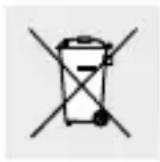
Environmental damage through incorrect disposal of the batteries/rechargeable batteries!
Batteries/rechargeable batteries may not be disposed of with the usual domestic waste. They may contain toxic heavy metals and are subject to hazardous waste treatment rules and regulations. The chemical symbols for heavy metals are as follows: Cd = cadmium, Hg = mercury, Pb = lead. That is why you should dispose of used batteries/rechargeable batteries at a local collection point.
Warranty
The product has been manufactured to strict quality guidelines and meticulously examined before delivery. In the event of product defects you have legal rights against the retailer of this product. Your legal rights are not limited in any way by our warranty detailed below.
The warranty for this product is 3 years from the date of purchase. The warranty period begins on the date of purchase. Please keep the original sales receipt in a safe location. This document is required as your proof of purchase.
Should this product show any fault in materials or manufacture within 3 years from the date of purchase, we will repair or replace it - at our choice - free of charge to you. This warranty becomes void if the product has been damaged, or used or maintained improperly.
The warranty applies to defects in material or manufacture. This warranty does not cover product parts subject to normal wear, thus possibly considered consumables (e.g. batteries) or for damage to fragile parts, e.g. switches or glass parts.
For this product, the rechargeable battery is also covered by its warranty period.
Warranty claim procedure
To ensure quick processing of your case, please observe the following instructions:
Please have the till receipt and the item number (IAN 498541_2204) available as proof of purchase.
You will find the item number on the rating plate, an engraving on the front page of the instructions for use (bottom left), or as a sticker on the rear or bottom of the product.
If functional or other defects occur, please contact the service department listed either by telephone or by e-mail.
You can return a defective product to us free of charge to the service address that will be provided to you. Ensure that you enclose the proof of purchase (till receipt) and information about what the defect is and when it occurred.
Service
GB Service Great Britain
Tel.: 0800 0569216
E-Mail: owim@lidl.co.uk
IE Service Ireland
Tel.:1800200736
E-Mail: owim@lidl.ie
C∈IP44
---piles lithium-ion
18650/1300 mAh ) (non
replacable)
OSTE OCHRANNÉ RUKAVICE! Vyteklé i
Pooblaščeni serviser:
OWIM GmbH & Co. KG
Stiftsbergstraße 1
74167 Neckarsulm
NEMCIJA
Servisna telefonska stevilka: 00386 (0) 80 70 60
Garancijski list
= = 18650 accumulator
MaKcHMaJHa TeMnepepatya
Ha okonha ta cpea: Ta: 35^

Yka3aHna 3a 6e3oNaCHOCT
PpeHn npBbata ynoTpe6a Ha npOyKta ce 3aNo3HaIte C BcHcN yKa3AHn 3a o6CnyXbaHe n 6e3oNaChoc! Ppr npEioCTabRe He Ha npOyKta Ha TpeHn Nua npEaIte CbIo N BCNU HnCTpyKcHn!

To3n npOyKT MOKe Da Ce H3NoJ3Ba OT Deca HAd
8 roiunha Bb3pact, KaKTo n ot Iuca C orpaHnueHn n3nueckn, ceH3OpHn nn yMCTBeHN cNoco6HOCTn,
HII 6e3 OINT N 3HaHHa, aKO ca NOI HAID3Op HIN Ca 6HIN HHCTpykTnpAHn 3a 6e3Opanachata yNtpe6a Ha npOyKta n pa3-6bpar npOn3TuauHTe OT TOBa ONaCHoCTn. Deuata He 6NBa Da HrpaT C npOyKta. NoucTBaHeto N NOIrpBxKATA da He ce H3PbHRABAT OT Deua 6e3 HAID3Op.
He nyskaite npoDyKta B DeiCtBHe, aKO 3a6eJexHrKaKbN IOBpei.
O6pbuaTe BnMaHne cOpHnT nHeI da He e 3aMbpceH nn POKPIT CbC Chr I neI ppe3 3mata.ToBa NOnHXABA MoUHOCTTa Ha cOpHnI naHeI.
He noctabrai Te npedmetn Bbpxy npoynka!
IpbkTe npOdykta daJeue ot oTKpnt nnambK!
Ako npoynkTn3aBA Heo6uHn WymOBe, aKO 3a6eJXHTe, ye ot npoynkTa n3nn3a dHm HnBb3HNKHAT CpABHMM
HEn3npabBHO, He3a6abHo N3BaJeTe BrpaJeHnte 6atepnn n/nnn n3KnIOye USB 3apeJdaunr Ka6eI.
H3no3BaIte npOyKta cAmo H3BbH o6cera Ha cyBaHe Ha OBeKa. IpOyKtBT H3JIbYBa yeCTOTn, KOHTO HAKON Xopa MORAT Da Bb3PnEMat KATO dpa3HeuN HeepnATHN.

Yka3aHna 3a 6e3oNaChocT npn pa6ota c 6aTePn/akymyIaTopn 6aTePn
ОПАCHOCT 3A XXNBOTA! Дрьхte 6atepnite/aakymy-латорнite 6atepnn n3bH obcera ot deca.В сныан haпогльшане He3a6abHo Notbpcete lekap!
IorIbuaHTo MoKe Da IobeJe Do H3rapaHna, nepOpauHa MeKHe TBKaHn n Cmbpt. B pAmKHe Ha 2 yaca cnei norIbuaHTo MOrAT Da BB3HNKHAT TeXKN H3rapaHna.

ONACHOCT OT EKCПLOЗЯ! Hnkora He
3apekdaTe NOBTOPO 6atepn 3a eHOKpaTHa ynoTpe6a. He cBp3BaIte 6atepnTe/aKymyla-
Tophnte 6aTeepn HAKbCo n/nn He rN OTBaPae. Toba MoKe Da IOBeJe Do IpeRpaHe, ONaCHOCT OT NOXap Nn npbcBaHe.
Hnkora He XbpyrIte 6aTePNITE/aKymyIaTOPHNTe 6aTePNB OYbH NII BODa.
He n3naaTe 6atepnTe/akymylatopnTe 6atepnHa mexAHNuHO HATOBapBaHe.
Pnck OT n3TuHaHe Ha 6aTePN/akymyIaTOPHn 6aTePN
H36raBaiTe ekctpeMHn ycIOBn H TeMnepaTyprn, KOHTo MoRat Da NOBnIaT Ha 6atepHnte/aKymyIaTOphnte 6atepHn, HApP. OTOpNITeJIHn TeJa/npRA Ka CbHueBa CBETIIHa.
Ako 6atepHnte/aKymyIaTOPHnte 6atepn ca n3TeKn, n3- 6raBaiTe KOHTAKT Ha XIMHKaIIc C Koxata, OHTe H IINrABnIuIte! BeHa r a 3nnakHete 3aceHATnte MeCTa C YNCTa BOJa n noTbpCete Jekap!
HOCETEPPEIDNA3HN PbKABUNI!N3Te-

KJIHTe HnIOBpeHn 6aTePN/akymyIaTOPHN 6aTePN MoT a npuHrT n3rapHn np KOH
TAKT C KOKATA. 3aTOBa B CnyaH HocTe NODXODaI npeIa3HN pBkABnI.
To3n npOyKT cBraPeHa akymylatopHa 6aTePna, Ko8to He MoKe Da 6bIe NODMeHnHa OT Notpe6nte. JEmoHTnpa-HeTO HnN NOIMHaTc Ha akymylatopHnTe 6aTePnCneBa Da Ce n3BbPWBAT cAmO OT pOn3BOIDTe, HerOBn o6cnyKBAuCepBn3 HnN INuCe CbC CXoHa KBaIIHΦnKauzn, 3a Da Ce n3BeHAT PnCKOBe. Pn OTCTpaHRAHe Ha npOyKtA KATO OTnAdbK CneBa Da ce OTBenEcxn, Ye ToJ CbDbpxa akymyNa-TopHa 6aTePna.
UeRBeHnT CBeToDnOd Mnra 6aBHO: AkymyIaTOpHata 6aTePnE B CbCToHHe Ha 3apexKdaHe.
Черваши CBetoДно CBETN: Akymу latopнata 6atepn e Hanblno 3apepeHa.
Iop 3Ha nporpaMa "0" , 3a da n36eHete cmyueHn oTOnTHHN HIN 3ByKOBn CnIHJI.
OTctpaHete rymeHata tana ot USB 6yKca
BknHoyete USB 3apexdaaunKa6cUSB-C cenCB USB 6yKcata10 n CbpxeTe USB 9encena Ha USB 3apexKa6e11 KbM USB npT Ha Baun KomnToBp. AIn-TePHTNBHO MoXeTe da n3no3BaTe n USB aanTep, 3akynenOT TbpROBCKata Mpeka.
B 3aBnCmOCT OT aKtyaJIHHa 3apJ, BpeMeTo 3a 3apeXdaHe Ha akymyIaTOPHata 6aTePna e ok. 5-10 yaca. No BpeMe Ha 3apeXdAHeTo HnIKaTOPbT 3a 3apJaHa akymyIaTOPHata 6aTePna Mtra.
Korato akymylatopnata 6aTeprna e haIbIHO 3apeJeHa, HndNKatOpT 3a 3apra 6CBETN.