
IS7262GY - Steam generator BRAUN - Free user manual and instructions
Find the device manual for free IS7262GY BRAUN in PDF.
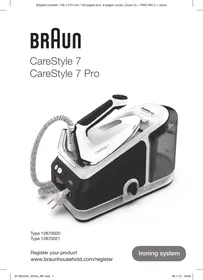



| Brand | Braun |
| Model | IS7262GY |
| Product type | Steam generator |
| Use | Dry ironing, steam ironing, vertical steam jet |
| Power supply | 220-240 V ~ 50/60 Hz (approx.) |
| Power | ~2400 W (approx.) |
| Water tank capacity | Approx. 1.5 L (approx.) |
| Steam autonomy | Up to 15-30 minutes depending on setting |
| Steam pressure | Up to 5.5 bars (approx.) |
| Continuous steam flow | Up to 100 g/min (approx.) |
| Main functions | iMode (Eco, iCare, Turbo+), Boost, ProSteam, auto shut-off, FastClean |
| Temperature settings | 3 automatic modes according to fabric |
| Safety | Automatic shut-off after 10 min of inactivity, transport lock, safety cap |
| Maintenance | Descaling via FastClean system every 4 refills or 1 month |
| Cleaning | Soleplate and handle: damp cloth, no abrasive products |
| Spare parts | Water tank, cap, soleplate (contact customer service) |
| Reparability | Authorized Braun customer service, no user repair |
| Dimensions (L x W x H) | Approx. 30 x 25 x 35 cm (approx.) |
| Weight | Approx. 4.5 kg (approx.) |
| Cord length | ~2 m (approx.) |
| Warranty | 2 years (see manual) |
Frequently Asked Questions - IS7262GY BRAUN
User questions about IS7262GY BRAUN
0 question about this device. Answer the ones you know or ask your own.
Ask a new question about this device
Download the instructions for your Steam generator in PDF format for free! Find your manual IS7262GY - BRAUN and take your electronic device back in hand. On this page are published all the documents necessary for the use of your device. IS7262GY by BRAUN.
USER MANUAL IS7262GY BRAUN
Register your product
www.braunhousehold.com/register
English 13 For demo videos scan the following QR code
Copyright 2021. All rights reserved
De'Longhi Braun Household GmbH
Carl-Ulrich-Straße 4
63263 Neu-Isenburg/Germany

DE Please read the safety instructions (separate booklet) carefully and completely before using the appliance. EN Please read safety instructions (separate booklet) carefully and completely before using the appliance. FR Please read the safety instructions (separate booklet) carefully and completely before using the appliance. ES Please read the safety instructions (separate booklet) carefully and completely before using the appliance. PT Please read the safety instructions (separate booklet) carefully and completely before using the appliance. IT Please read the safety instructions (separate booklet) carefully and completely before using the appliance. NL Please read the safety instructions (separate booklet) carefully and completely before using the appliance. DK Please read the safety instructions (separate booklet) carefully and completely before using the appliance. NO Please read the safety instructions (separate booklet) carefully and completely before using the appliance. SE Please read the safety instructions (separate booklet) carefully and completely before using the appliance. FI Please read the safety instructions (separate booklet) carefully and completely before using the appliance. PL Please read the safety instructions (separate booklet) carefully and completely before using the appliance. CZ Please read the safety instructions (separate booklet) carefully and completely before using the appliance. SK Please read the safety instructions (separate booklet) carefully and completely before using the appliance. HU Please read the safety instructions (separate booklet) carefully and completely before using the appliance. HR Please read the safety instructions (separate booklet) carefully and completely before using the appliance. SL Please read the safety instructions (separate booklet) carefully and completely before using the appliance. TR Please read the safety instructions (separate booklet) carefully and completely before using the appliance. RO Please read the safety instructions (separate booklet) carefully and completely before using the appliance. GR Please read the safety instructions (separate booklet) carefully and completely before using the appliance. KZ Please read the safety instructions (separate booklet) carefully and completely before using the appliance. RU Please read the safety instructions (separate booklet) carefully and completely before using the appliance. UA Please read the safety instructions (separate booklet) carefully and completely before using the appliance. AR Please read the safety instructions (separate booklet) carefully and completely before using the appliance.


B
C
D
CareStyle 7


E
F


allow to cool down min. 2.5 h


Care & Cleaning


Lock System
Easy lock
Storage



DEUTSCH
Description
ProSteam (CareStyle 7 Pro only)
1 On/Off button/icon 2 Boost button/icon (certain models only) 3 FastClean system button/icon 4 Water reserve icon 5a iMode selector 5b Steam setting icons 6 Steam button 7 Iron rest 8 Lock system
9 Removable water tank 10 Closure 11 Double cord / storage 12 Power cord / storage 13 Heel rest
Intended use
The appliance must be used only for ironing garments which are suitable for ironing according to the care label. In addition the appliance can be used for refreshing. Never iron or dampen garments while wearing them.
Before first use
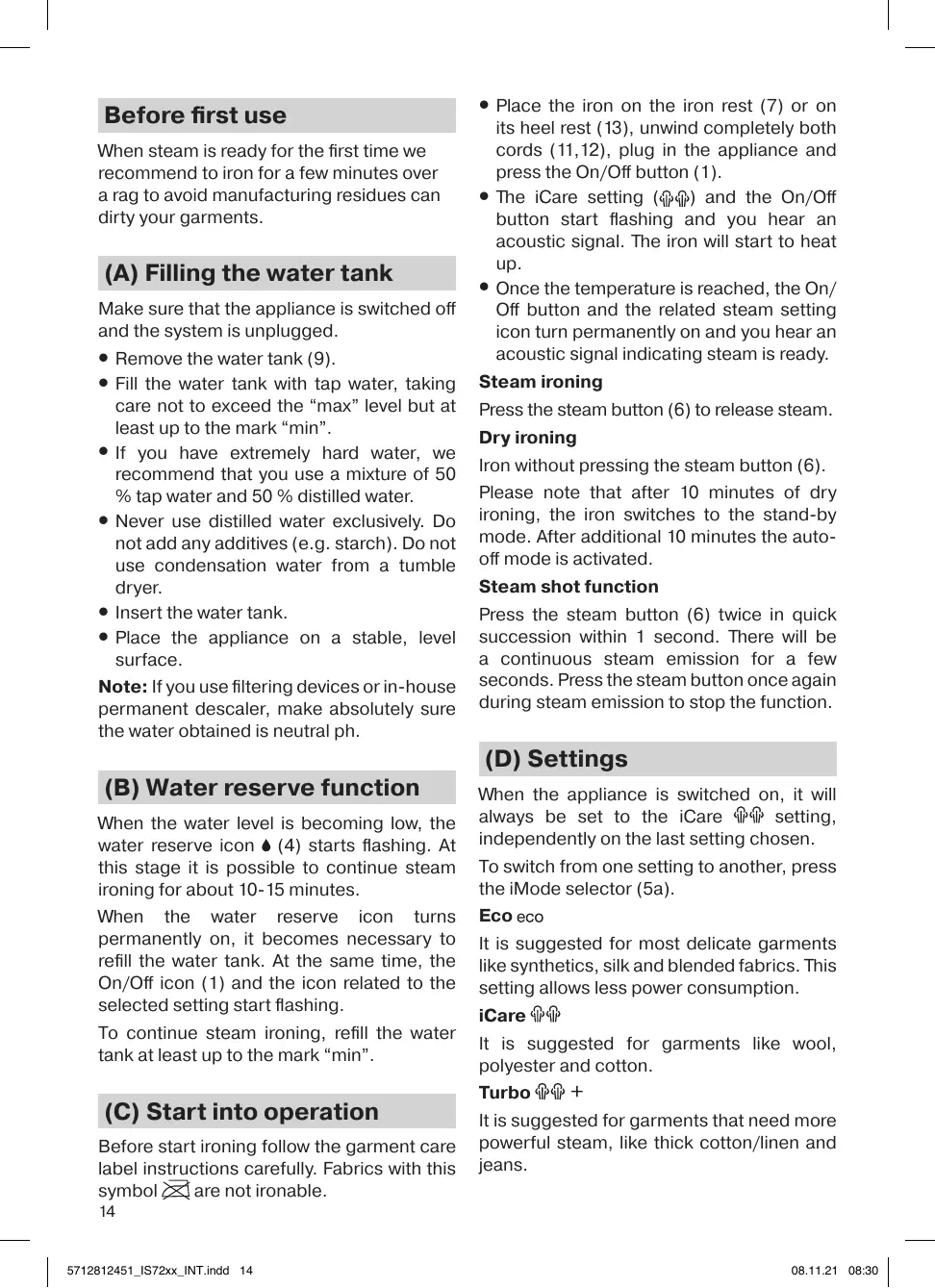
When steam is ready for the first time we recommend to iron for a few minutes over a rag to avoid manufacturing residues can dirty your garments.
(A) Filling the water tank
Make sure that the appliance is switched off and the system is unplugged.
- Remove the water tank (9).
- Fill the water tank with tap water, taking care not to exceed the "max" level but at least up to the mark "min".
- If you have extremely hard water, we recommend that you use a mixture of 50% tap water and 50% distilled water.
- Never use distilled water exclusively. Do not add any additives (e.g. starch). Do not use condensation water from a tumble dryer.
- Insert the water tank.
- Place the appliance on a stable, level surface.
Note: If you use filtering devices or in-house permanent descaler, make absolutely sure the water obtained is neutral pH.
(B) Water reserve function
When the water level is becoming low, the water reserve icon ♠ (4) starts flashing. At this stage it is possible to continue steam ironing for about 10-15 minutes.
When the water reserve icon turns permanently on, it becomes necessary to refill the water tank. At the same time, the On/Off icon (1) and the icon related to the selected setting start flashing.
To continue steam ironing, refill the water tank at least up to the mark "min".
(C) Start into operation
Before start ironing follow the garment care label instructions carefully. Fabrics with this symbol are not ironable.
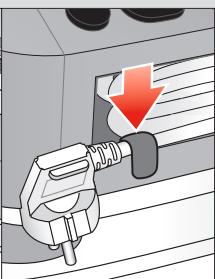
- Place the iron on the iron rest (7) or on its heel rest (13), unwind completely both cords (11,12), plug in the appliance and press the On/Off button (1).
- The iCare setting (q) and the On/Off button start flashing and you hear an acoustic signal. The iron will start to heat up.
- Once the temperature is reached, the On/Off button and the related steam setting icon turn permanently on and you hear an acoustic signal indicating steam is ready.
Steam ironing
Press the steam button (6) to release steam.
Dry ironing
Iron without pressing the steam button (6).
Please note that after 10 minutes of dry ironing, the iron switches to the stand-by mode. After additional 10 minutes the autooff mode is activated.
Steam shot function
Press the steam button (6) twice in quick succession within 1 second. There will be a continuous steam emission for a few seconds. Press the steam button once again during steam emission to stop the function.
(D) Settings
When the appliance is switched on, it will always be set to the iCare setting, independently on the last setting chosen.
To switch from one setting to another, press the iMode selector (5a).
Eco eco
It is suggested for most delicate garments like synthetics, silk and blended fabrics. This setting allows less power consumption.
iCare
It is suggested for garments like wool, polyester and cotton.
Turbo +
It is suggested for garments that need more powerful steam, like thick cotton/linen and jeans.
This setting can also be used to refresh and hygienize garments that were in the closet before dressing.
Note: Do not use the hygienize function on people and pets.
Boost function (CareStyle 7 Pro only)
With this setting you can iron with maximum steam during 15 minutes.
- To activate press the boost button (2).
- The boost icon and the turbo icon + turn permanently on and you hear a short beep.
- To stop this function, press the iMode selector (5a) or the boost button again.
After 15 minutes you can continue ironing in the turbo mode.
Note: The boost function is only available if the temperature has been reached and steam is ready.
ProSteam (CareStyle 7 Pro only)
This setting provides up to 30 seconds of continuous steam, without pressing the steam button (6).
As it has a similar steam rate to the iCare setting it is suggested for the same garments like wool, polyester and cotton.
To activate this setting, select ProSteam and press once the steam button (6). - The iron will steam automatically for 30 seconds. - To stop the function earlier, press the steam button again.
Vertical steam
The iron can also be used for steaming hanging clothes. Hold the iron in a vertical position and select the ProSteam setting.
Caution: steam is very hot. Never iron or dampen garments while wearing them.
Ergonomic certification
This unit, assessed and certified by an Ergonomics Certifying Institute, has been ergonomically designed for effortless ironing and excellent results, fulfilling the
ergonomic requirements belonging to the Polytechnical, Biomedical, Psychosocial (usability), and Human-Centered Design Process areas.
Real users have been actively involved in all phases of product design and in the testing process to get a more satisfying experience.
Follow the recommendations below for an effortless and more comfortable ironing experience:
- Before starting your ironing session, it is recommendable to self-adjust your ironing board in order to reduce bad shoulder postures. The ideal position should allow a 90-degree angle for your elbow so that your shoulders and back can freely move.
- In addition, for extra comfort and convenience during storage and transportation, wrap the power cord around your hand before storing it inside the machine securely, then block it with the provided clip.
- It is recommendable to empty the water tank before transporting the unit and to make sure not to overly bend your back while lifting it.
(E) Auto Off
This function is activated if, after 10 minutes, there has been no steam emission.
- When the iron is in auto-off mode, the On/Off button (1) and the icon related to the selected setting start flashing.
- To continue ironing, press any button and wait until the related icon for the setting is permanently on. After an additional 10 minutes without steam emission, the iron and the steam station turn off.
(F) Descaling
Never open or touch the closure (10) when the appliance is hot and/or plugged in.
Do not use any chemicals, additives or descaler to rinse the boiler.
When the system needs to be decalcified, the FastClean icon (3) turns permanently on.
To perform the descaling, take the following steps:
- Switch off (1) and unplug the appliance.
- Empty the water tank.
- Wait until the appliance has cooled down (minimum 2.5 hours).
- Place the appliance on the edge of the sink and turn the closure (10) anticlockwise to open it. Let the water flow into the sink.
- Clean the closure under running water to remove the scale formations.
- When no more water comes out of the appliance, screw the closure clockwise to close the boiler.
- Plug in and switch on.
- Press the FastClean system button (3) for 2 seconds to reset.
If the appliance is switched off without descaling, the FastClean icon (3) turns permanently on again when it is next switched on.
Note: Because of the different water composition by using an installed in-house permanent descaler, it is recommended to descale the system after every 4 complete refills or at least once per month.
Please note that in this case the FastClean icon will not automatically turn on.
(G) After ironing
Care & Cleaning
After every ironing session, remove and empty the water tank.
- Before cleaning, always make sure that the appliance is switched off, unplugged, and has cooled down completely.
- To clean the soleplate and the soft material on the handle, it is suggested to use a damp cloth.
- Never use chemicals, vinegar, or scouring pads (e.g., sponges with coarse nylon fabrics, etc.).
Lock system
The appliance is equipped with a lock system for convenient transportation and easy storage. It is possible to lift and carry the appliance by the handle of the locked iron.
Note: Before transportation, make sure the iron is properly locked and the water tank is empty.
- Place the soleplate into the recess on the iron mat.
- To lock the iron, push the slider (8) (easy lock) toward the iron until you hear a "click".
- To unlock the iron, push down the button on the slider (easy lock). The iron will be released.
Storage
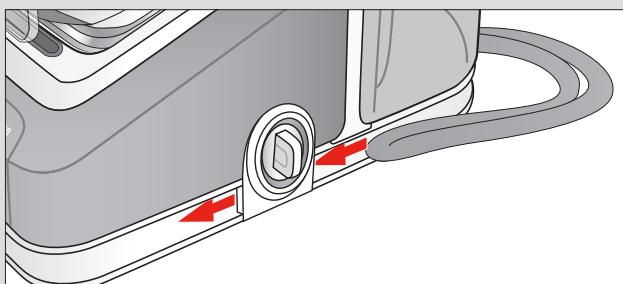
Unplug, empty the water tank, and let the appliance cool down before winding the cords for storage.
For convenient storage of the power cord, also refer to "Ergonomic Certification".
Warranty and Service
For detailed information, see the separate warranty and service leaflet or visit www.braunhousehold.com.
Troubleshooting Guide
| Problem | Cause | Solution |
| The appliance does not switch on. | The appliance is not plugged into a mains socket. | Make sure the appliance is correctly connected and press the On/Off button. |
| Steam comes out under the base unit. | The "max" pressure safety system has opened. | Turn the appliance off immediately and contact an authorised Braun Customer Service. |
| There are some water drops from the holes in the bottom of the soleplate. | Water has condensed inside the tubes because steam is being used for the first time, or has not been used for some time. | Press the steam button several times away from the ironing board. This will eliminate cold water from the steam circuit. |
| Brown coloured fluid leaks from the soleplate. | Chemical water softeners or additives have been poured into the water tank. | Never pour products into the water tank. Clean the soleplate with a damp cloth and rinse the boiler. |
| The first time the appliance is turned on, you notice smoke or smell. | Some parts have been treated with sealer/ lubricant which evaporates the first time the iron heats up. | This is normal and will stop when you have used the iron a few times. If the smoke/smell is still present after turning off the appliance, contact an authorised Braun Customer Service. |
| The appliance emits an intermittent noise associated with vibrations. | Water is being pumped into the boiler. | This is normal and no action is needed. |
| The closure is difficult to unscrew. | Lime scale has made the closure difficult to open. | Turn the cap forcefully. To avoid the problem, descale the system frequently. |
| The boiler is still under pressure. | Never open the closure if the boiler is still under pressure or hot. Wait at least 2.5 hours before opening the closure. | |
| After refilling the water tank, the icon◆does not reset. | The water float does not work appropriately. | Empty the water tank, rinse out and refill. |
| The water tank is not positioned correctly. | Position the water tank correctly. | |
| All LEDs are flashing. | System error. | Unplug the appliance, plug it in again and press On/Off button. If this problem is still present, turn the appliance off immediately, unplug and contact an authorised Braun Customer Service. |
| Steam setting icon is permanently on, but there is no steam emission from the soleplate. | Water tank float is locked or the water tank is not correctly inserted. | Turn off and unplug the appliance. Remove and empty the water tank, rinse out and refill. Insert the water tank. Wait until the appliance has cooled down (min 2.5 hours) then try again. If the problem is still present, contact an authorized Braun Customer Service. |
| Steam or water comes out from the closure. | The closure is not tightened properly. | Switch off the appliance, unplug and let it cool down (for at least 2.5 hours). Unscrew the closure and screw it back on the appliance properly. Note: Some water can escape when you unscrew the closure. |
| The double cord gets hot during use. | This is normal. It is caused due to the steam passing through the cord during ironing. | Place the double cord on the opposite side so that you cannot touch the cord during ironing. |
| There are some water drops when removing the water tank | This is normal and no action is needed. |
FRENCH
Description
1 On/Off button/icon
2 Boost button/icon (only on certain models) 3 FastClean system button/icon 4 Water reserve button 5a iMode selector 5b Steam setting icons
6 Steam button 7 Iron holder 8 Locking system 9 Removable water tank 10 Closure 11 Double cord / storage 12 Power cord / storage 13 Iron heel
Intended use
(B) Water reserve function
(G) After ironing
Care and cleaning
Fill the water tank with clean water (9). Fill the water tank to the maximum level, indicated by the "max" mark, or to the minimum level, indicated by the "min" mark. If the water is very dirty, we recommend mixing 50% tap water with 50% distilled water. Do not use distilled water alone. Do not add any additives (e.g., starch). Rinse the water tank with clean water before use. Place the water tank back in its original position. Keep the appliance away from moisture and heat sources.
Caution: If you have used cleaning agents or fabric softeners, rinse thoroughly with clean water, and then let the appliance run one or two cycles with clean water.
(B) Water drainage function
After the water has cooled, the drainage hose (4) can be pulled out. This process may take 10-15 minutes.
When the drainage hose is not in use, keep it in the water tank. Then add water through the opening.
The hose (1) and the adjustable parameters are set by the control panel.
To drain the water, fill the water tank to the "min" level.
(C) Operation
Before starting, read the instructions carefully. Do not operate the appliance if it is damaged.
- Plug the power cord into the socket (7) or the outlet (13), press the power button (1) to turn it on/off. The parameters (x) and the on/off button are controlled by the control panel. The appliance starts operating.
- Once the temperature is reached, the on/off button and the parameter settings are no longer adjustable, and the appliance continues to operate.
Continuous operation
Press the continuous operation button (6).
Short operation
Press the button (6) to start short operation. After 10 minutes from the start of short operation, the appliance will automatically switch to continuous operation mode.
Press the button
By pressing (15) for 1 second, the device will turn on. Pressing again for 1 second will turn it off. To stop the function, press this button again.
(D) Parameters
When the iron is heated, the selected parameters are displayed on the screen. You can adjust the parameters using the buttons.
To adjust the parameters, press the button (5a).
Eco
Synthetics, silk and mixed materials can be ironed at low temperatures. In this mode, steam is not possible.
More
Wool, polyester and mixed fabrics can be ironed at medium temperatures.
Turbo +
Cotton/linen and denim can be ironed at high temperatures. Steam is possible in this mode.
The parameters can be adjusted by pressing the buttons on the control panel.
Note: The adjustment functions may not be available on all models.
Ironing (CareStyle 7 Pro)
This parameter can be adjusted by pressing the button for 15 minutes.
- Press the steam trigger (2) to start steam ironing.
- The steam generator produces steam continuously for up to 30 minutes.
- To stop this function, press the steam trigger (5a) or the steam generator button again. After 15 minutes, the turbine mode will automatically switch off.
Expert: The steam generator function only works when the required temperature is reached and there is water in the tank.
ProSteam (Tek CareStyle 7 Pro)
This parameter makes the steam generator (6) operate without steam for 30 seconds.
It is used together with the steam ironing parameter to remove wrinkles from delicate fabrics such as silk, polyester, and cotton.
To set this parameter, press the ProSteam button, then press the steam generator button (6) once. - The steam generator will automatically turn off after 30 seconds. - To stop the function, press the steam generator button again.
Vertical steam ironing
The steam can also be used to iron hanging garments. Set the iron to the highest temperature and select the ProSteam parameter.
Caution: The steam is very hot. Do not use it on clothes that are being worn or on people.
Ergonomic certification
According to the Ergonomics Certification Institute, this certified polytechnic, biomedical, and psychological (safety) product has been designed with ergonomic considerations for safe and comfortable use, taking into account the needs of users.
All stages of the product's use and maintenance have been designed to ensure maximum safety and comfort.
For safer and more comfortable ironing, we recommend the following:
- The device is designed to operate at the maximum permissible temperature. The angle of rotation of the handle should be 90° to ensure reliable operation.
- When placing the device in a storage case, to prevent damage, it should be placed in the case with the handle folded.
Do not use force when inserting the plug.
Do not immerse the device in water for cleaning; instead, wipe it with a dry cloth.
(E) Auto-off
If the device does not turn off after 10 minutes, this function is faulty.
- In auto-off mode, the device will automatically turn off after the set time has elapsed.
- To reset the timer, press the button again; the timer will restart.
- After 10 minutes from this reset, the device will turn off.
(F) Cleaning
Open the cover (10) when the device is dirty or (if necessary) for cleaning.
Or when it is not in use.
Do not use abrasive cleaners, solvents, or sharp objects to clean the device.
If the device needs cleaning, use the cleaning brush (3) to remove dust.
For cleaning, follow the instructions below:
- Close the tap (1), unplug the socket. Disconnect from the mains. If the tap is closed, wait at least 2.5 hours.
- Turn the water supply valve (10) counterclockwise to open it. Let the water flow until it runs clear.
- To fill the tank, open the tap and let the water run.
- When the water flow stops, turn the valve (10) clockwise to close it.
- Unplug the socket and disconnect the plug.
- To reset the device, press and hold the reset button (3) for 2 seconds.
If the tap is not closed, the device will not reset; when the plug is disconnected, the reset button (3) will not work.
Expert: The device must be installed by a qualified technician in accordance with the manufacturer's instructions, and the water supply must be connected properly.
Do not attempt to repair the device yourself; contact a qualified technician.
(G) Turn off
Installation and maintenance
After each use, turn off the water supply and unplug the device.
- When cleaning, close the tap, disconnect the plug, and wait for the water to cool down before proceeding.
- The device is intended for domestic use only. Chemical agents, when mixed with water, can cause skin irritation (e.g., if the product contains bleach or similar substances).
Battery
To avoid damage, the device should be operated with the battery inserted. The battery must be inserted correctly, otherwise the device may not function or may be damaged.
Expert: The device should be operated with the battery inserted and the water tank empty.
- The device is intended for ironing clothes.
- To insert the battery, press the button (8) (battery release) and insert the battery into the device.
- To remove the battery, press the button (8) (battery release) and pull the battery out. The device is now ready.
Storage
To store the device, empty the water tank and allow it to dry completely before storing.
For battery storage, refer to the "Battery disposal" section.
Warranty and service
For warranty and service information, refer to the enclosed warranty card or visit www.braunhousehold.com.
Disposal instructions
Mep3iMi TyTbIHyUbIfa CaTbINFaH KYHHEH 6actan
2XbIyKpaIybl.
UmmopTeP:
«ДeLoHr» AAK, Pecen, 127055,
MockBaKaIacbI,CyueBcKaJKeUeci, 27/3-yn(27-yi,3-Kypblm)
TeI. +7 (495) 781-26-76
PYCCKH
OnicaHne
1 KhoNka/InHdkaTOp «BkI./BykI.» 2 Khoŋka/ɪnʌŋkaTOp napOBoro yɪdapa (ToJIbKO B OŋpeJeIeHbIX MɒdJIaX) 3 Khoŋka/ɪnʌdɪkɑtop FastClean 4 INdikatop 3aana CBObl 5aпеклioчateль ржимов iMode 5b INHnKaTOp HacTpoKn npa 6 KhoPiKa IoJaun npa 7 IlaTΦopMa dIy yTHoRa 8 CnCTemaΦKcaun
CaKtany Mep3imi: LKeTeImeRerH
Apby Jxafnlaapb: KopshaFAn opTaHbI KopFay TaanTapbHa caikec
TacbMaIay XaFdaJapbl: TacbMaIay Ke3iHne KyaNaTbIn aNyFa Hemece WaMaJaH TBIC WaKaJTyFa 6OImaNbI.
Caty kafdaIapbl: Caty
kaaIapbIH eHdpyW KepceTnerE H, 6ipak oIap JepriikTi, MemnekeTTIK XHe XaIbIkapaIbIK epexeJep MeH CTaHApTTapFa cai bonyfa Tnic
Ehdpuyi3aybIT:
De'Longhi Braun Household GmbH, Carl-Ulrich-Strasse 4, 63263 Neu Isenburg, Germany
9 Water tank 10 Filling opening 11 Power cord/storage 12 Power cord/storage 13 Supply cap
Intended use
The appliance must be used exclusively for ironing clothes, on the label of which there is information that this clothing can be ironed. The appliance can also be used for refreshing clothes. Never iron or steam clothes that are on you.
Before first use
At first use, it is recommended to iron a few minutes through a piece of cloth to avoid staining from production residue.
(A) Filling the water tank
Make sure the appliance is switched off and the plug is disconnected from the power supply.
- Remove the water tank (9). Fill the tank with tap water (from the tap) not exceeding the "MAX" mark, but not below the "MIN" mark.
- If you have very hard water, we recommend using a mixture consisting of 50% tap water and 50% distilled water.
- Never use undiluted distilled water. Do not add any additives (e.g., starch). Do not use condensate from a tumble dryer. Insert the water tank.
- Place the appliance on a stable, flat surface.
Note: If you use filter devices or household appliances to remove limescale, make sure that the water obtained has a neutral pH.
According to the selected setting, they start to heat up.
To continue ironing, fill the water tank with water not below the "MIN" mark.
(C) Hauanoэксплyaтazon
Ipeed Haayalom rnaJaeHn BHNMaTeIbHO O3HaKoMbTeCb C nAmrTKoN NO yXOy Ha OJExJe.TKaHn,Ha KOTOpbIX CoepxNtCn CmB0Jx,He NOpJLexKAT rnaJaeHnIO.
- NocTaBbTe yTIOr Ha IJIaTΦOpMy (7) nIiHa 3aIHNIO IOCTaBky (13), NOIHOCTbIO pa3MOtaIte o6a Ka6eJr (11, 12), NOkJIIOUHTe npIbOp K cETn I NaXMMTe KhONKy «BKn./BbIK.» (1).
- Hac troika iCare (P) 和 KhoIGNka «BkL./ BbIKL.» HaunHaOT Mngatb, n pa3daetc 3ByKOBoi cnHaj. YtIg haUnHaet HaPeBaTbc.
- KaKToJIbKOyTIOH HArpeETcRA, KHOJNka «BKn./ BbIKL.» I INIINKaTOp, COOTBeTCTByUOuIbYbIbIbpaHHoH NAcTPOIKe, NaHyT CBeNTbCHeHnpepbIBHO n pa3dAcTcR 3ByKOBoi CNrHaI rTOBHOCTn npa.
Napoboe rnaXeHne
Haxmnte KhoNky noa npa (6) nja ero noa.
Cyxoe rnajkeHne
BbIOpHnIe TgLnKeHne, He Haxmam KhONkY POnaN napa (6).POMHnTe, yTo nocIe 10 MInHyT cyxO rLnKeHn yTIOr nepeKlIoUHTcB pexIM OxndaHn. Eue chepe3 10 MInHyT aKtINBnpyETcR pexIM ABTomatUeCKORo BbIKLIOHeHn.
PnB KJIIOHnI np6opa Bcerda akTNBa HacTpoKa iCare P, He3aBNCIMO OT
TOrO, KaKyIO HacTpOyKy Bbl Bbl6paII NppeIbIyIuI pa3.
KaJdbi pa3 nocIe rIaJxHnI cHmMaItepe3epByap IJI BAbI N CInBaITe I3 HrO BOy.
- Перац oочтков BCeTda CLEnyET ydoctOBepntbCBA TOM, TTO npnbop
BbIKIOUeH, OTKIOUeH OT CETN I IOJIHOCTbIO OCTblI.
-Дя OУИСТКИ ПОДОШБИ И МЯГКОМ MaTeРиАЛа pyKOKТКИ ИСПОЛьЗУЛТЕВlaЖHyI TKAHь. - Hn B Koem Cnyuae He nCNoJIb3yIte XIMUeCKne CpeDCTBa, YKcyc, rY6Kn IINI cKpe6Kn (HanpImep, rY6Kn C rpy6oN HeJIoHOBOr TkaHbIO).
The device is equipped with a fixation system for convenient movement and simple storage. The locked iron can be lifted and carried by hand.
Note. Before moving the iron, make sure that it is locked and the reservoir is empty.
- Place the iron soleplate on the iron platform.
- To lock the iron, move the
- movable part (8) (light fixation) -
- towards the iron until it clicks.
- To unlock the iron, press the button on the movable part (light fixation). The iron will be unlocked.
Storage
Before winding the cable for storage, disconnect the device from the mains, pour out the water from the reservoir and let the device cool down.
Iron. Never iron or steam clothes while they are on you.
Caution: Steam is very hot. Never iron or steam clothes while they are on you.
Ergonomic certification
Designed and certified by the Institute of Certification of Economics, expertly engineered.
To achieve results without unnecessary effort, which meet the economic requirements of the industry, technical, medical, agricultural (including usability) and oriented towards the full production process.
End users actively participated in all stages of the design and testing of the device, to gain convincing experience.
For comfortable and easy work, follow the recommendations below:
- Before starting work, it is recommended to adjust your workplace to avoid fatigue. The ideal position should allow a 90-degree angle at the elbow, so that the shoulders and back can move freely.
- In addition, for extra comfort and convenience during storage and transportation, fold the device around your hand and its components inside the machine, then lock the latch.
- It is recommended to drain water from the reservoir before transporting the device, so that it does not leak.
(E) Automatic shutdown
.(1)
"J 1/ JOn/Off jJg (p) iCare ssey I
jai gao jia jia all jia all jao
jololal j!
1
jIyJyJyJ (6) JyJyJcJb
J
g10 10 10 10 10 10 10 10 10 10 10 10 10 10 10 10 10 10 10 10 10 10 10
jaiitll jiai!gogb
julil aaaa
i 6000000000000000000000000000000000000000000000000000000
a.bg 1
D
iCare lgl y d aas loga ay jayl ay lae
.0j1 0 j gll l 0 00

iCare

+T
(3 CareStyle 7 Pro) Boost a b
15 10 10 10 10 10 10 10 10 10
(2) boost jill dc biaol lab
psl jss +turbo joll boost joll
.0a0xoo 000gaaow
oo boost jll g1 (15)iMode suaa a baa aabg o aal y
.turoggl 1100s 15
(Jan CareStyle 7 Pro) ProSteam
ProSteam 1.6j j
30 30 30
. (x,y) = (ab, 5/2 ab) (x,y)
wJl
sogacg 3 ogSb1 dclol. aalab1 wsb1 xwcl ogSb1 plauowl Lj
ProSteam
cui 1
cuii i joi jao 3 Jus uo aouu ouaaui dui
100 150
Therefore, log base b of N equals log base a of N.
www.braunhousehold.com
l0 = | x - 1| g( x)
| الإستعمال | الترجمة | الترجمة |
| .الإستعمال الحرفية | .الإستعمال الحرفية الحرفية | الإستعمال الحرفية الحرفية الحرفية |
| .الإستعمال الحرفية الحرفية الحرفية | .الإستعمال الحرفية الحرفية الحرفية | الإستعمال الحرفية الحرفية |
| .الإستعمال الحرفية | .الإستعمال الحرفية | الإستعمال |
| .الإستعمال الحرفية | .الإستعمال | الإستعمال |
| .الإستعمال الحرفية | .الإستعمال | الإستعمال |
| .الإستعمال | .الإستعمال | الإستعمال |
| .الإستعمال | .الإستعمال | الإستعمال |
| .الإستعمال | .الإستعمال | الإستعمال |
| .الإستعمال | .الإستUTION | الإستUTION |
| .الإستUTION | .الإستUTION | الإستUTION |
| .الإستUTION | .الإستUTION | الإستUTION |
| .الإستUTION | .الإستUTION | الإستUTION |
| .الإستUTION | .الإستUTION | الإستUTION |
| .الإستUTION | .الإستUTION | الإستUTION |
| .الإستUTION | .الإستUTION | الإستUTION |
| .الإستUTION | .ال,enGLISH | ال,enGLISH |
| .ال,enGLISH | .ال,enGLISH | ال,enGLISH |
| .ال,enGLISH | .ال,enGLISH | ال,enGLISH |
| .ال,enGLISH | .ال,enGLISH | ال,enGLISH |
| .ال,enGLISH | .ال,enGLISH | ال,enGLISH |
| .ال,enGLISH | .ال,enGLISH | ال,enGLISH |
| .ال,enGLISH | .ال,enGLISH | ال,enGLISH |
| .ال,enGLISH | .ال-enGLISH | ال-enGLISH |
| .ال,enGLISH | .ال-enGLISH | ال-enGLISH |
| .ال,enGLISH | .ال-enGLISH | ال-enGLISH |
| .ال,enGLISH | .ال-enGLISH | ال-enGLISH |
| .ال,enGLISH | .ال-enGLISH | ال-enGLISH |
| .ال,enGLISH | .ال-enGLISH | ال-enGLISH |
| .ال,enGLISH | .ال-enGLISH | ال-enGLISH |
| الله بَلُّة الحَيْدِه مَعَنَبَنَبَنَبَنَبَنَبَنَبَنَبَنَبَنَبَنَبَنَبَنَبَنَبَنَبَنَبَنَبَنَبَنَبَنَبَنَبَنَبَنَبَنَبَنَبَنَبَنَزَرِيرِ | الله بَلُّة الحَيْدِه مَعَنَبَنَبَنَبَنَبَنَبَنَبَنَبَنَبَنَبَنَبَنَبَنَبَنَبَنَبَنَبَنَبَنَبَنَبَنَبَنَبِ | |
| الله بَلُّة الحَيْدِه مَعَنَبَنَبَنَبَنَبَنَبَنَبَنَبَنَبَنَبَنَبَنَبَنَبَنَبَنَبَنَبَنَبَنَبَنَبَنَبَنَبْمَرِيرِ | الله بَلُّة الحَيْdِه مَعَنَبَنَبَنَبَنَبَنَبَنَبَنَبَنَبَنَبَنَبَنَبَنَبَنَبَنَبَنَبَنَبَنَبَنَبَنَبَنَبَنَبَنَبَنَبَنِ | |
| الله بَلُّة الحَيْدِه مَعَنَبَنَبَنَبَنَبَنَبَنَبَنَبَنَبَنَبَنَبَنَبَنَبَنَبَنَبَنَبَنَبَنَبَنَبَنَبَ�َمَرِيرِ | الله بَلُّة الحَيْdِه مَعَنَبَنَبَنَبَ�َسْرِيرِ | |
| الله بَلُّة الحَيْdِه مَعَنَبَنَبَ�َسْرِيرِ | الله بَلُّة الحَيْdِه مَعَنَبَ�َسْرِيرِ | |
| الله بَلُّة الحَيْdِه مَعَنَبَ�َسْرِيرِ | الله بَلُّة الحَiْdِه مَعَنَبَ�َسْرِيرِ | |
| الله بَلُّة الحَiْdِه مَعَنَبَ�َسْرِيرِ | الله b\( l \)l \( y \) \( \text{一} \) \( \text{一} \) \( \text{一} \) \( \text{一} \) \( \text{一} \) \( \text{一} \) \( \text{一} \) \( \text{一} \) \( \text{一} \) \( \text{一} \) \( \text{一} \) \( \text{一} \) \( \text{一} \) \( 1 \) \( \text{一} \) \( \text{一} \) \( \text{一} \) \( \text{一} \) \( \text{一} \) \( \text{一} \) \( \text{一} \) \( \text{一} \) \( \text{一} \) \( \text{一} \) \( \text{一} \) \( \text{一} \) \( y \) \( \text{一} \) \( \text{一} \) \( \text{一} \) \( \text{一} \) \( \text{一} \) \( \text{一} \) \( \text{一} \) \( \text{一} \) \( \text{一} \) \( \text{一} \) \( \text{一} \) \( \text{一} \)\( \text{一} \) \( \text{一} \) \( \text{一} \) \( \text{一} \) \( \text{一} \) \( \text{一} \) \( \text{一} \) \( \text{一} \) \( \text{一} \) \( \text{一} \) \( \text{一} \) \( \text{一} \) \( \text{—} \) \( \text{—} \) \( \text{—} \) \( \text{—} \) \( \text{—} \) \( \text{—} \) \( \text{—} \) \( \text{—} \) \( \text{—} \) \( \text{—} \) \( \text{—} \) \( \text{—} \) \( \text{—} \) | الله b\( l \)l \( y \) \( \text{一} \) \( \text{一} \) \( \text{一} \) \( \text{一} \) \( \text{一} \) \( \text{一} \) \( \text{一} \) \( \text{一} \) \( \text{一} \) \( \text{一} \) \( \text{一} 1 \) \( \text{一} \) \( \text{一} \) \( \text{一} \) \( \text{一} \) \( \text{一} \) \( \text{一} \) \( \text{一} \) \( \text{一} \) \( \text{一} \) \( \text{一} \) \( \text{一} \) \( \text{一} \)\( y \) \( \text{一} \) \( \text{一} \) \( \text{一} \) \( \text{一} \) \( \text{一} \) \( \text{一} \) \( \text{一} \) \( \text{一} \) \( \text{一} \) \( \text{一} \) \( \text{一} \) \( \text{一} \) |
| الله b\( l \)l \( y \) \( \text{一} \) \( \text{一} \) \( \text{一} \) \( \text{一} \) \( \text{一} \) \( \text{一} \) \( \text{一} \) \( \text{一} \) \( \text{一} \) \( \text{一} \) \( \text{一} ) \) | \( \text{一} \) \( \text{一} \) \( \text{一} \) \( \text{一} \) \( \text{一} \) \( \text{一} \) \( \text{一} \) \( \text{一} \) \( \text{一} \) \( \text{一} \) \( \text{一} \) \( \text{一} \) \( \text{一一} \) \( \text{一一} \) \( \text{一一} \) \( \text{一一} \) \( \text{一一} \) \( \text{一一} \) \( \text{一一} \) \( \text{一一} \) \( \text{一一} \) \( \text{一一} \) \( \text{一一} \) \( \text{一一} \) \( \text{一一} \) | |
| \( \text{一} \) \( \text{一} \) \( \text{一} \) \( \text{一} \) \( \text{一} \) \( \text{一} \) \( \text{一} \) \( \text{一} \) \( \text{一} \) \( \text{一} \) \( \text{一} \) \( \text{一} \) \( \left( {1,2}\right) \) \( \text{一} \) \( \text{一} \) \( \text{一} \) \( \text{一} \) \( \text{一} \) \( \text{一} \) \( \text{一} \) \( \text{一} \) \( \text{一} \) \( \text{一} \) \( \text{一} \) \( \text{一} \) \( (\text{1},\text{2},\text{3}) \) \( \text{一} \) \( \text{一} \) \( \text{一} \) \( \text{一} \) \( \text{一} \) \( \text{一} \) \( \text{一} \) \( \text{一} \) \( \text{一} \) \( \text{一} \) \( \text{一} \) \( \text{一} \) \( (1,2,3) \) \( \text{一} \) \( \text{一} \) \( \text{一} \) \( \text{一} \) \( \text{一} \) \( \text{一} \) \( \text{一} \) \( \text{一} \) \( \text{一} \) \( \text{一} \) \( \text{一} \) \( (\text{1},\text{3},\text{4},\text{5},\text{6},\text{7}) \) | \( \text{一} \) \( \text{一} \) \( \text{一} \) \( \text{一} \) \( \text{一} \) \( \text{一} \) \( \text{一} \) \( \text{一} \) \( \text{一} \) \( \text{一} \) \( \text{一} \) \( \text{一} \) | |
| \( \text{一} \) \( \text{一} \) \( \text{一} \) \( \text{一} \) \( \text{一} \) \( \text{一} \) \( \text{一} \) \( \text{一} \) \( \text{一} \) \( \text{一} \) \( \text{一} \) \( \text{一}\( 1,2,3,4,5,6,7,8,9,10,11,12,13,14,15,16,17,18,19,20,21,22,23,24,25,26,27,28,29,30,31,32,33,34,35,36,37,38,39,40,41,42,43,44,45,46,47,48,49,50,51,52,53,54,55,56,57,58,59,60,61,62,63,64,65,66,67,68,69,70,71,72,73,74,75,76,77,78,79,80,81,82,83,84,85,86,87,88,89,90,91,92,93,94,95,96,97,98,99,100,101,102,103,104,105,106,107,108,109,110,111,112,113,114,115,116,117,118,119,120,121,122,123,124,125,126,127,128,129,130,131,132,133,134,135,136,137,138,139,140,141,142,143,144,145,146,147,148,149,150,151,152,153,154,155,156,157,158,159,160,161,162,163,164,165,166,167,168,169,170,171,172,173,174,175,176,177,178,179,180,181,182,183,184,185,186,187,188,189,190,191,192,193,194,195,196,197,198,199,200,201,202,203,204,205,206,207,208,209,210,211,212,213,214,215,216,217,218,219,220,221,222,223,224,225,226,227,228,229,230,231,232,233,234,235,236,237,238,239,240,241,242,243,244,245,246,247,248,249,250,251,252,253,254,255,256,257,258,259,260,261,262,263,264,265,266,267,268,269,270,271,272,273,274,275,276,277,278,279,280,281,282,283,284,285,286,287,288,289,290,291,292,293,294,295,296,297,298,299,300,301,302,303,304,305,306,307,308,309,310,311,312,313,314,315,316,317,318,319,320,321,322,323,324,325,326,327,328,329,330,331,332,333,334,335,336,337,338,339,340,341,342,343,344,345,346,347,348,349,350,351,352,353,354,355,356,357,358,359,360,361,362,363,364,365,366,367,368,369,370,371,372,373,374,375,376,377,378,379,380,381,382,383,384,385,386,387,388,389,390,391,392,393,394,395,396,397,398,399,400,401,402,403,404,405,406,407,408,409,410,411,412,413,414,415,416,417,418,419,420,421,422,423,424,425,426,427,428,429,430,431,432,433,434,435,436,437,438,439,440,441,442,443,444,445,446,447,448,449,450,451,452,453,454,455,456,457,458,459,460,461,462,463,464,465,466,467,468,469,470,471,472,473,474,475,476,477,478,479,480,481,482,483,484,485,486,487,488,489,490,491,492,493,494,495,496,497,498,499,500,501,502,503,504,505,506,507,508,509,510,511,512,513,514,515,516,517,518,519,520,521,522,523,524,525,526,527,528,529,530,531,532,533,534,535,536,537,538,539,540,541,542,543,544,545,546,547,548,549,550,551,552,553,554,555,556,557,558,559,560,561,562,563,564,565,566,567,568,569,570,571,572,573,574,575,576,577,578,579,580,581,582,583,584,585,586,587,588,589,590,591,592,593,594,595,596,597,598,599,600,601,602,603,604,605,606,607,608,609,610,611,612,613,614,615,616,617,618,619,620,621,622,623,624,625,626,627,628,629,630,631,632,633,634,635,636,637,638,639,640,641,642,643,644,645,646,647,648,649,650,651,652,653,654,655,656,657,658,659,660,661,662,663,664,665,666,667,668,669,670,671,672,673,674,675,676,677,678,679,680,681,682,683,684,685,686,687,688,689,690,691,692,693,694,695,696,697,698,699,700,701,702,703,704,705,706,707,708,709,710,711,712,713,714,715,716,717,718,719,720,721,722,723,724,725,726,727,728,729,730,731,732,733,734,735,736,737,738,739,740,741,742,743,744,745,746,747,748,749,750,751,752,753,754,755,756,757,758,759,760,761,762,763,764,765,766,767,768,769,770,771,772,773,774,775,776,777,778,779,780,781,782,783,784,785,786,787,788,789,790,791,792,793,794,795,796,797,798,799,800,801,802,803,804,805,806,807,808,809,810,811,812,813,814,815,816,817,818,819,820,821,822,823,824,825,826,827,828,829,830,831,832,833,834,835,836,837,838,839,840,841,842,843,844,845,846,847,848,849,850,851,852,853,854,855,856,857,858,859,860,861,862,863,864,865,866,867,868,869,870,871,872,873,874,875,876,877,878,879,880,881,882,883,884,885,886,887,888,889,890,891,892,893,894,895,896,897,898,899,900,901,902,903,904,905,906,907,908,909,910,911,912,913,914,915,916,917,918,919,920,921,922,923,924,925,926,927,928,929,930,931,932,933,934,935,936,937,938,939,940,941,942,943,944,945,946,947,948,949,950,951,952,953,954,955,956,957,958,959,960,961,962,963,964,965,966,967,968,969,970,971,972,973,974,975,976,977,978,979,980,981,982,983,984,985,986,987,988,989,990,991,992,993,994,995,996,997,998,999,1000 |
- CARESTYLE
- DEUTSCH
- DESCRIPTION
- PROSTEAM (CARESTYLE 7 PRO ONLY)
- INTENDED USE
- BEFORE FIRST USE
- FILLING THE WATER TANK
- WATER RESERVE FUNCTION
- START INTO OPERATION
- STEAM IRONING
- DRY IRONING
- STEAM SHOT FUNCTION
- SETTINGS
- ECO ECO
- ICARE
- TURBO
- BOOST FUNCTION (CARESTYLE 7 PRO ONLY)
- VERTICAL STEAM
- ERGONOMIC CERTIFICATION
- AUTO OFF
- DESCALING
- AFTER IRONING
- CARE & CLEANING
- LOCK SYSTEM
- STORAGE
- WARRANTY AND SERVICE
- FRENCH
- CARE AND CLEANING
- WATER DRAINAGE FUNCTION
- OPERATION
- CONTINUOUS OPERATION
- SHORT OPERATION
- PRESS THE BUTTON
- PARAMETERS
- ECO
- MORE
- IRONING (CARESTYLE 7 PRO)
- PROSTEAM (TEK CARESTYLE 7 PRO)
- VERTICAL STEAM IRONING
- AUTO-OFF
- CLEANING
- TURN OFF
- INSTALLATION AND MAINTENANCE
- BATTERY
- PYCCKH
- ONICAHNE
- HAUANOЭКСПЛYAТAZON
- NAPOBOE RNAXEHNE
- CYXOE RNAJKEHNE
- AUTOMATIC SHUTDOWN
- D
- CUI
Brand : BRAUN
Model : IS7262GY
Category : Steam generator