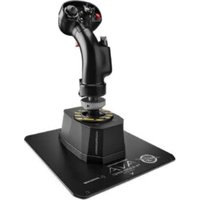
AVA F/A-18 SUPER HORNET FLIGHTSTICK - Controller THRUSTMASTER - Free user manual and instructions
Find the device manual for free AVA F/A-18 SUPER HORNET FLIGHTSTICK THRUSTMASTER in PDF.


| Product type | Flight simulation joystick |
| Brand | Thrustmaster |
| Model | AVA F/A-18 Super Hornet Flightstick |
| Power supply | USB-C (USB-A to USB-C cable included) |
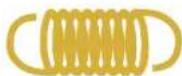
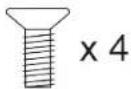
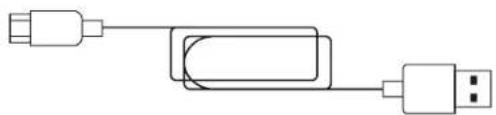
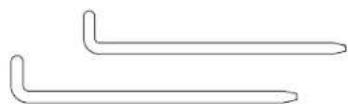
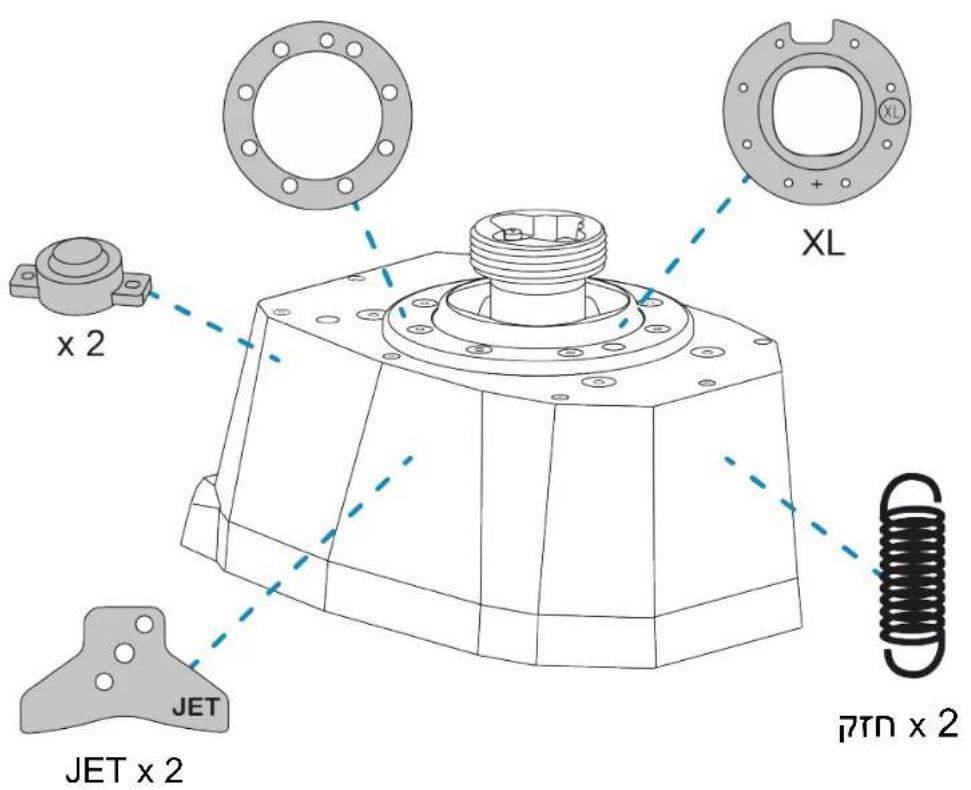
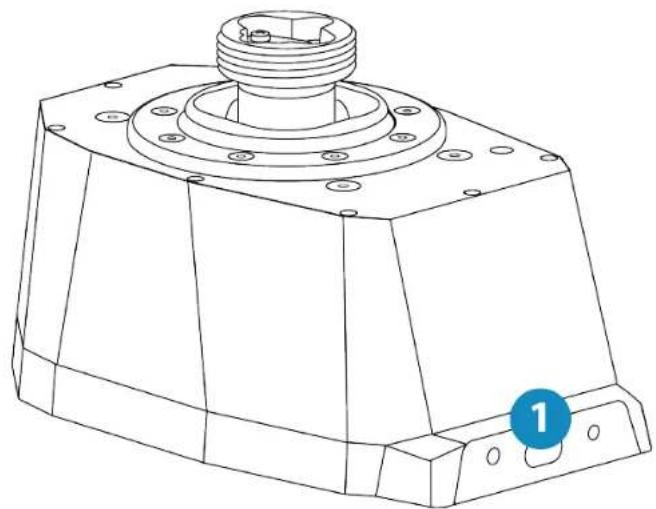
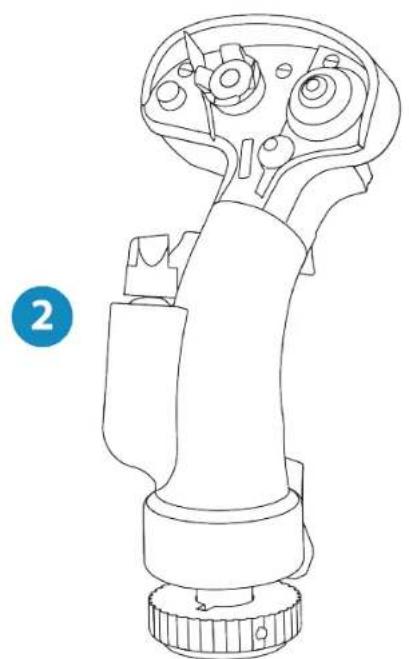
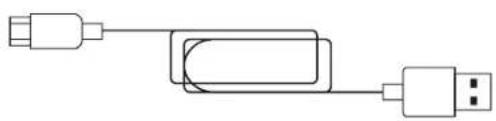
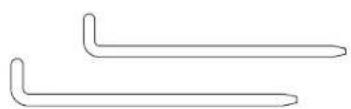
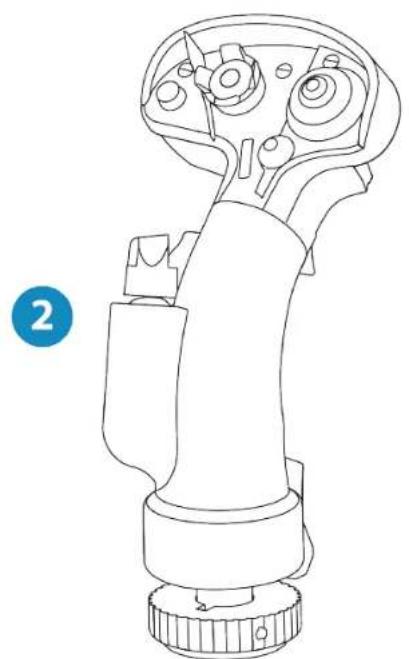
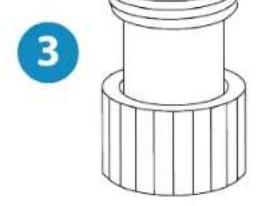
| Box contents | AVA Base, F/A-18C Hornet™ HOTAS Add-On Grip, AVA Offset Adapter, 2 cams (JET and AERO), 4 spring sets (very strong, strong, medium, weak), 2 dampers, 3 travel masks (S, M, XL), USB-A to USB-C cable, 2 mm and 2.5 mm Allen keys, AVA Desktop Plate, 4 M4 screws |
| Customization | Resistance adjustment (4 spring types), interchangeable cams (JET/AERO), dampers for centering damping, travel masks (30°, 36°, 43°), adjustable offset adapter (0°, 15°, 30°) |
| Connectivity | USB 2.0 |
| Software | T.A.R.G.E.T. (advanced programming) downloadable from Thrustmaster support website |
| Compatibility | Windows PC |
| Safety instructions | Pinch risk: do not place fingers between the base and the stick shaft. Use only Thrustmaster-approved parts. |
| Maintenance | Refer to the user manual for cleaning procedures. Avoid humidity and extreme temperatures. |
| Warranty | Manufacturer warranty: refer to the Thrustmaster website or retailer. |
Frequently Asked Questions - AVA F/A-18 SUPER HORNET FLIGHTSTICK THRUSTMASTER
User questions about AVA F/A-18 SUPER HORNET FLIGHTSTICK THRUSTMASTER
0 question about this device. Answer the ones you know or ask your own.
Ask a new question about this device
Download the instructions for your Controller in PDF format for free! Find your manual AVA F/A-18 SUPER HORNET FLIGHTSTICK - THRUSTMASTER and take your electronic device back in hand. On this page are published all the documents necessary for the use of your device. AVA F/A-18 SUPER HORNET FLIGHTSTICK by THRUSTMASTER.
USER MANUAL AVA F/A-18 SUPER HORNET FLIGHTSTICK THRUSTMASTER
Carefully read the instructions provided in this manual before installing the product, before any use of the product and before any maintenance. Be sure to follow the safety instructions. Failure to follow these instructions may result in accidents and/or damage. Keep this manual so that you can refer to the instructions in the future.
TABLE OF CONTENTS
- BOX CONTENTS 6
- TECHNICAL FEATURES 8
- INFORMATION REGARDING USE OF THE BASE 10
- INSTALLATION ON A SUPPORT 11
Installation on a Thrustmaster plate 15
Installation on a cockpit or another fixed support 16 - INSTALLATION ON PC 17
Control panel 18 -
INSTALLING A FLIGHT STICK GRIP 20
With the offset adapter 20
Without the offset adapter 25
F/A-18C Hornet™ HOTAS Add-On Grip
mapping 26
Viper Grip - HOTAS Add-On Grip*
mapping 27 -
CUSTOMIZATION 28
Opening up the base. 30
Customizing the settings. 31
Calibrating the base 48 -
T.A.R.G.E.T ADVANCED PROGRAMMING
SOFTWARE 51
Installation 51
Main features 52
9. FAQ AND TECHNICAL SUPPORT 53
Create your own piloting style with the AVA F/A-18 Super Hornet™ Flightstick joystick, which adapts to any type of flight. You can quickly and easily customize the AVA base to adapt it to your preferences, for incredibly precise piloting control and unique sensations.
Experience total piloting immersion!
This manual will help you install and use your AVAF/A-18 Super Hornet™ Flightstick in the best possible conditions. Before taking off, be sure to read the instructions and warnings carefully: they will help you get the maximum amount of enjoyment out of your product.

Updating the firmware
In order for the AVA base to function properly with video games, it is essential that the firmware be updated.
To carry out the update, visit
https://support.thrustmaster.com/product/avafa18-superhornetflightstick
Select Drivers and follow the instructions, including the downloading and installation procedure.
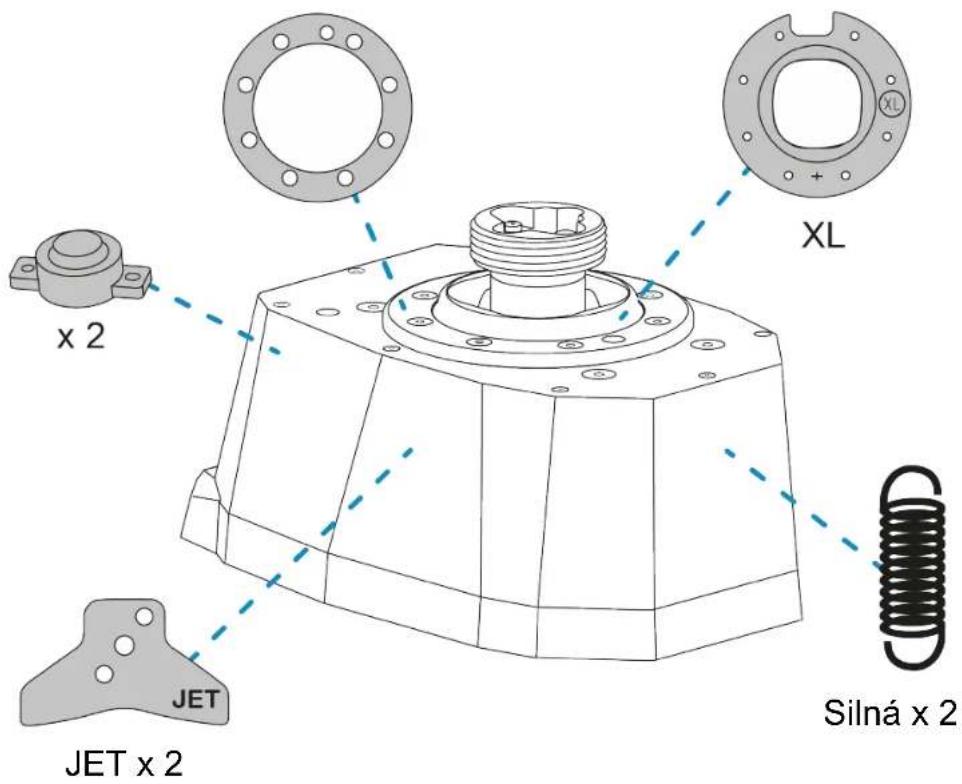
1. Box contents
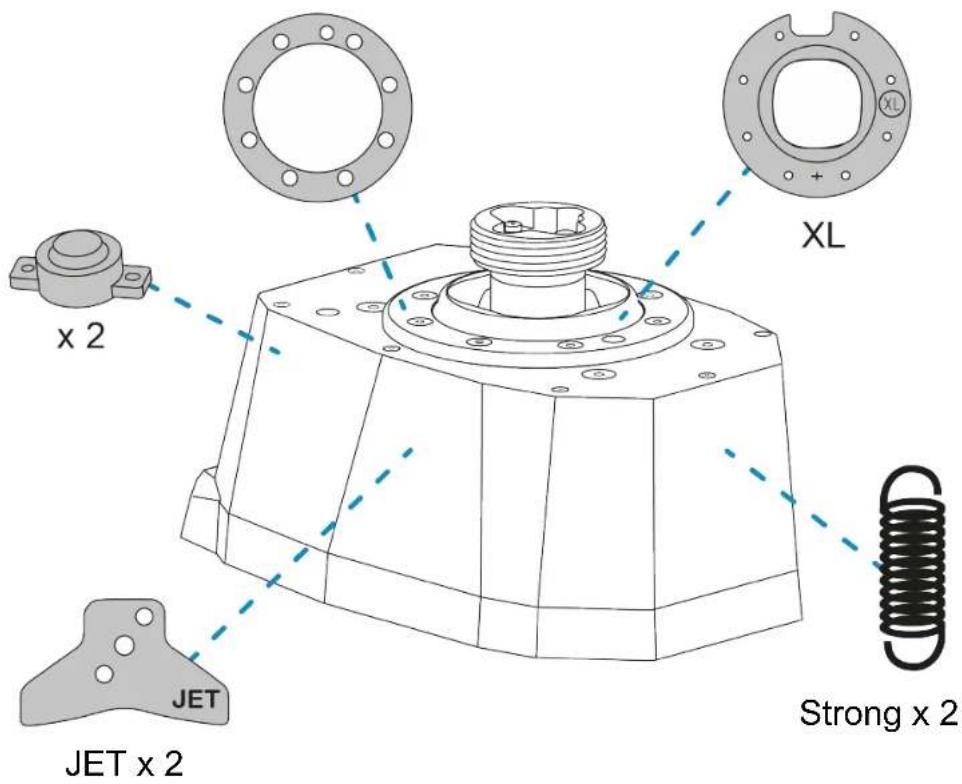
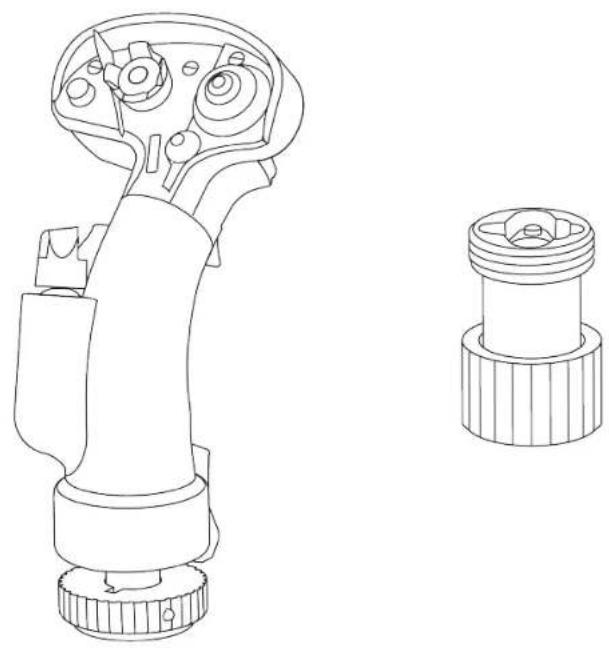
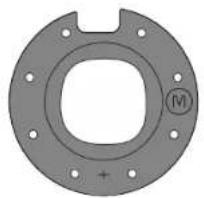
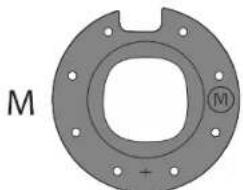
M
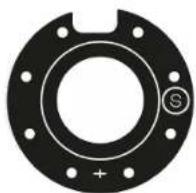
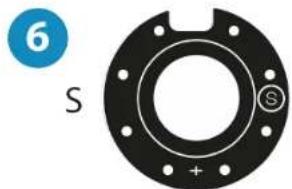
S
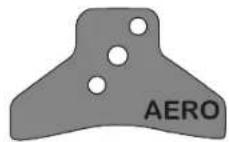
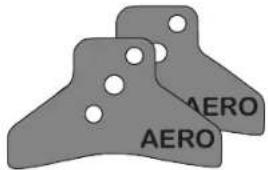
AERO x 2

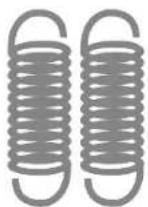
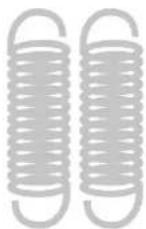
Weak x 2
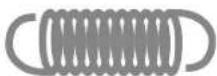
Medium x 2
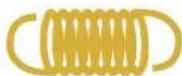
Very strong x 2


2. Technical features
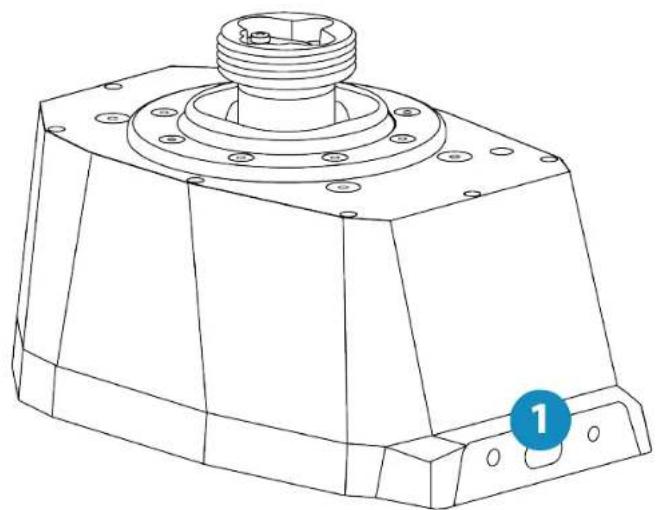
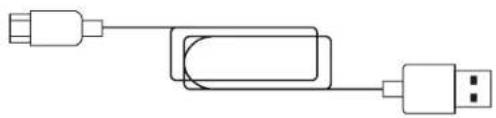
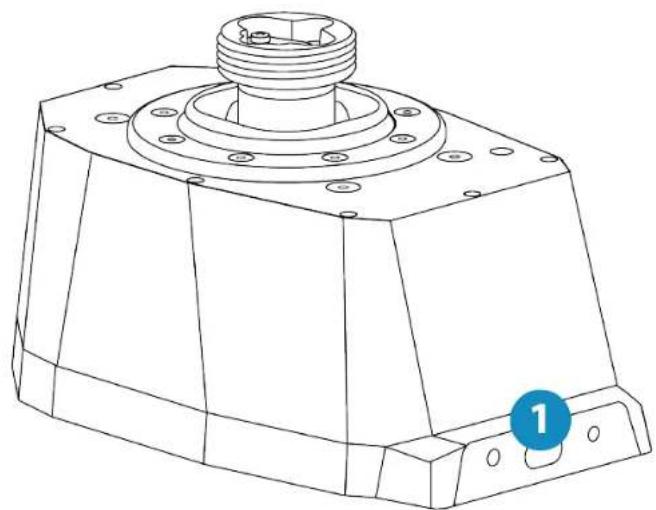
- USB-C connector on the AVA base
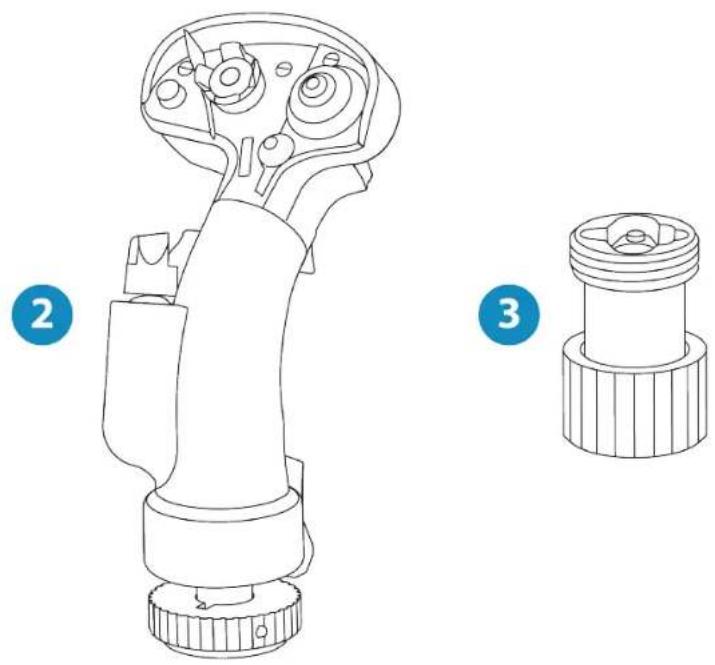
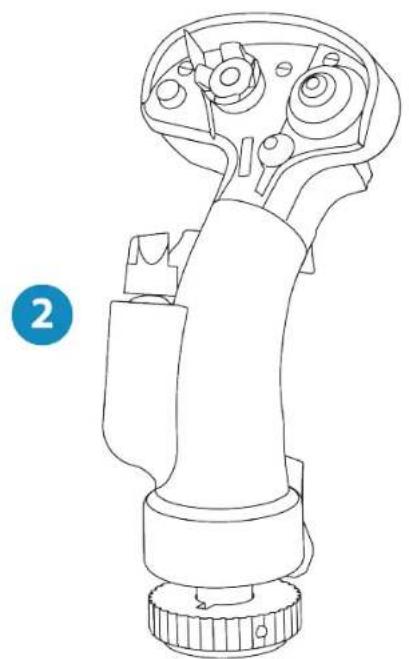
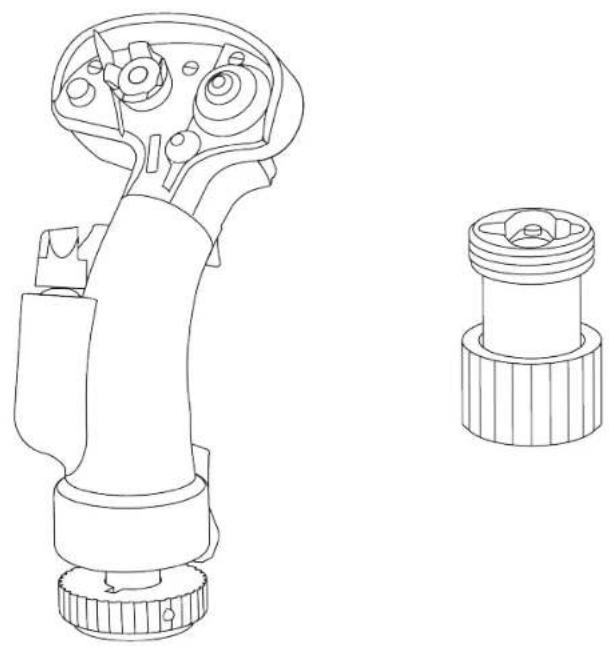
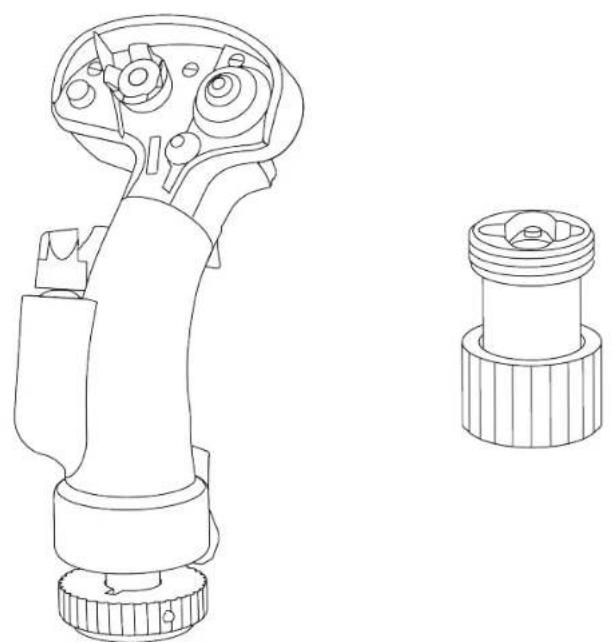
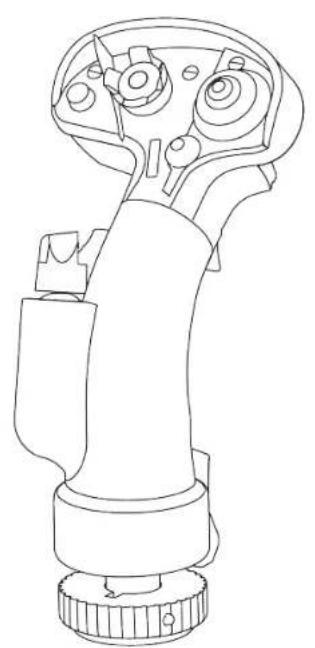
- F/A-18C Hornet™ HOTAS Add-On Grip flight stick grip
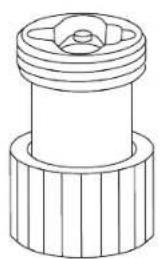
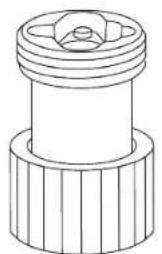
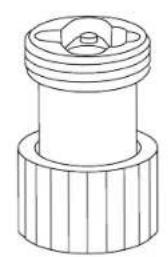
3.AVA Offset Adapter offset adapter
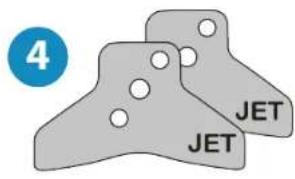
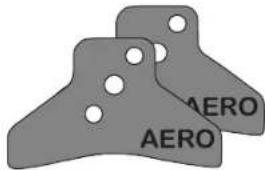
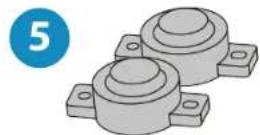
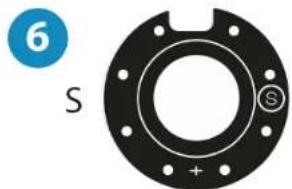
7
9

11
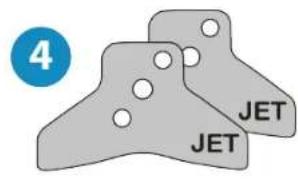
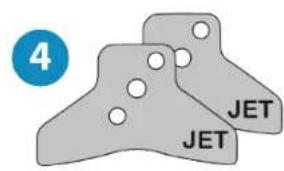
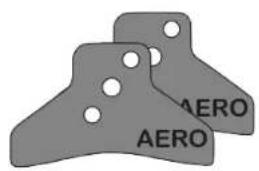
- Two sets of cams (JET and AERO)
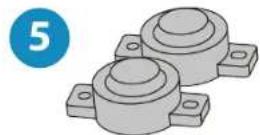
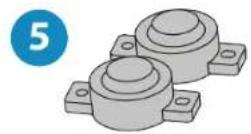
- One set of dampers
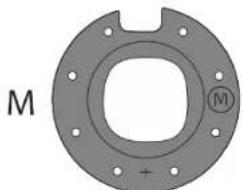
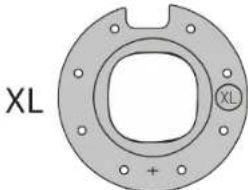
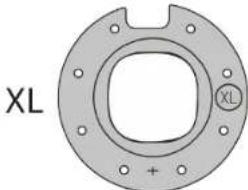
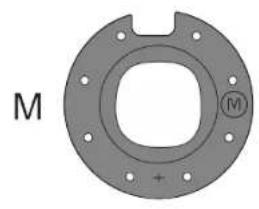
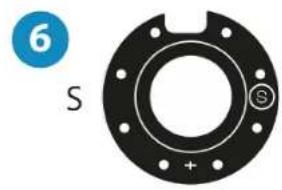
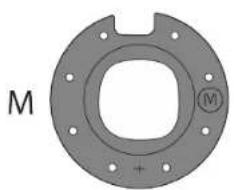
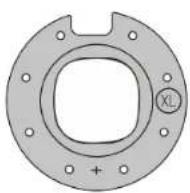
- Three masks (S, M and XL)
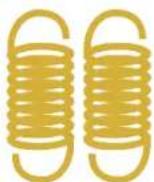
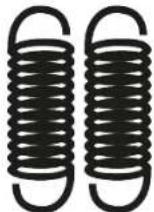
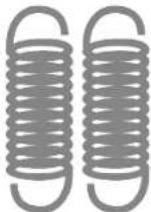
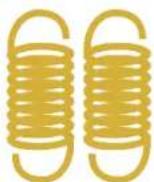
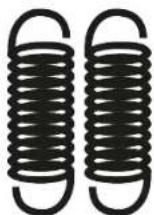
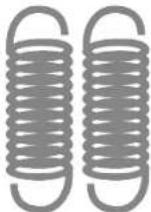
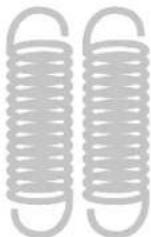
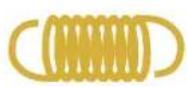
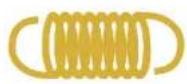
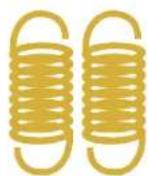
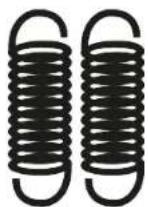
- Four sets of springs (very strong, strong, medium and weak resistance)
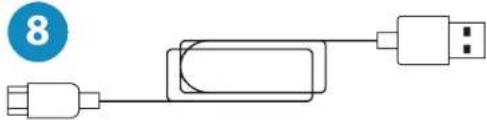
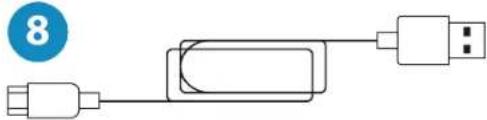
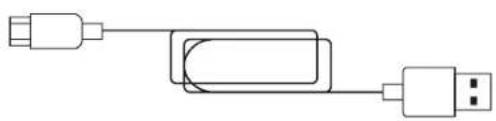
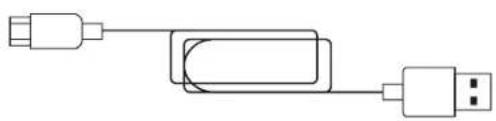
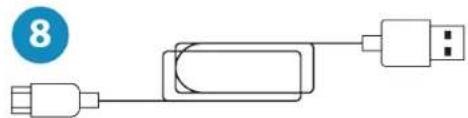
- USB-A - USB-C cable
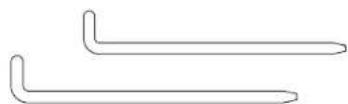
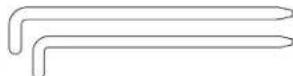
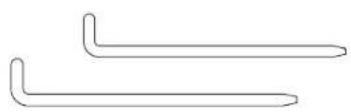
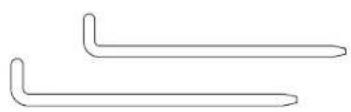
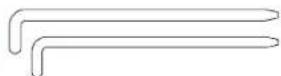
- Two Allen wrenches (2 mm and 2.5 mm)
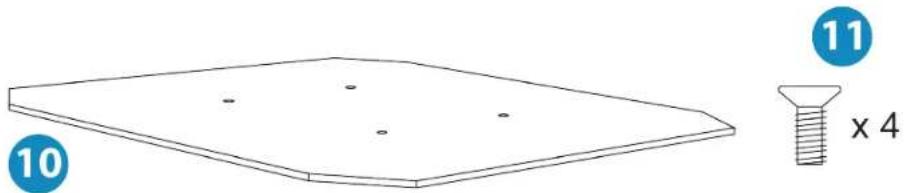
- AVA Desktop Plate plate
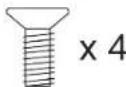
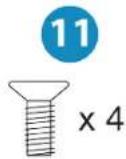
- Four M4 screws
3. Information regarding use of the base

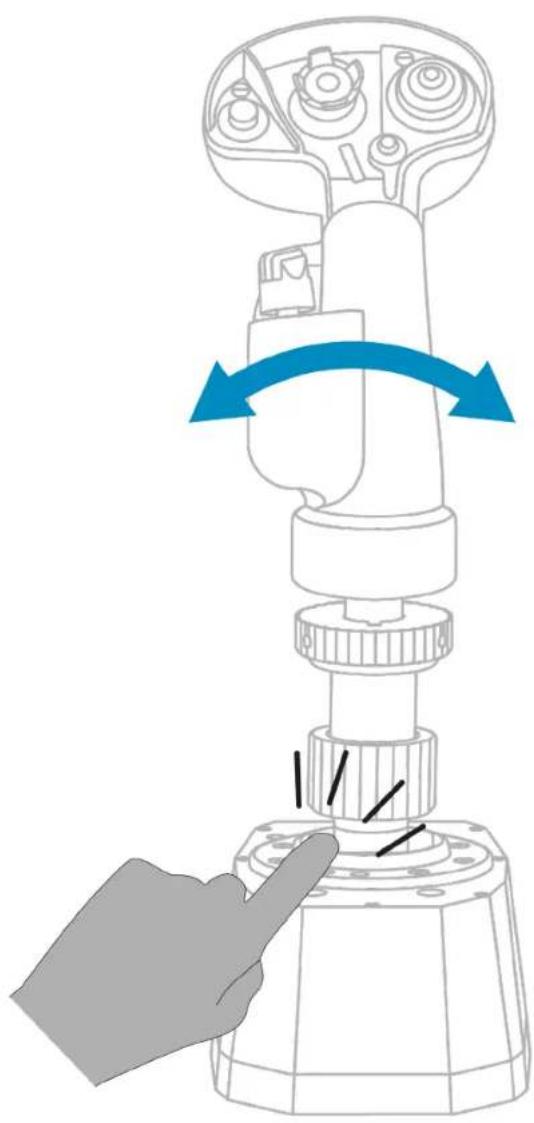
Pinch hazard
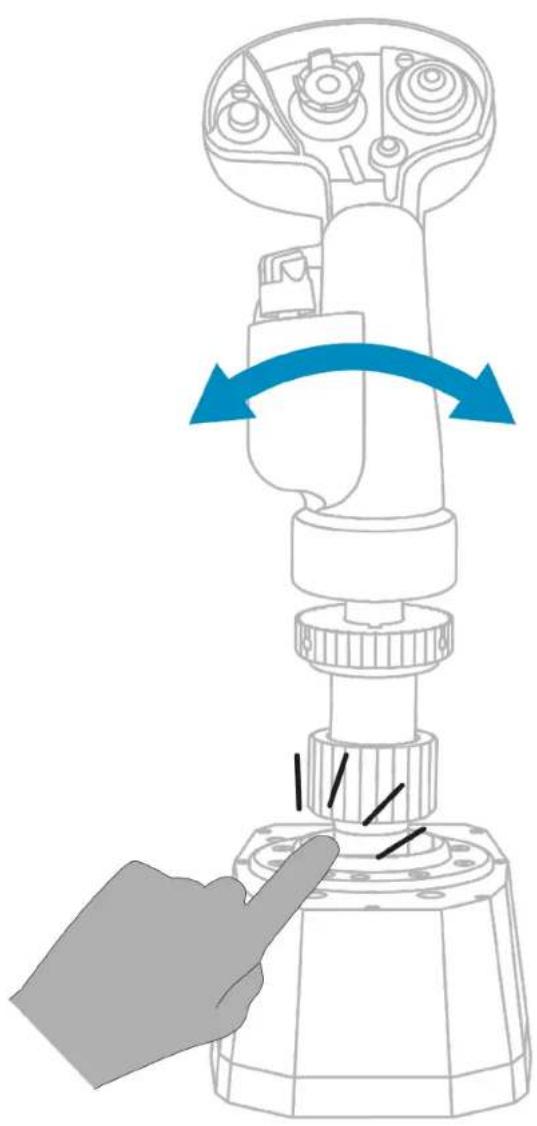
When using the AVA base, never place your fingers in the space between the base and the flight stick grip's axis.
4. Installation on a support
The AVA base can be installed on different types of supports, thanks to the eight mounting holes available.
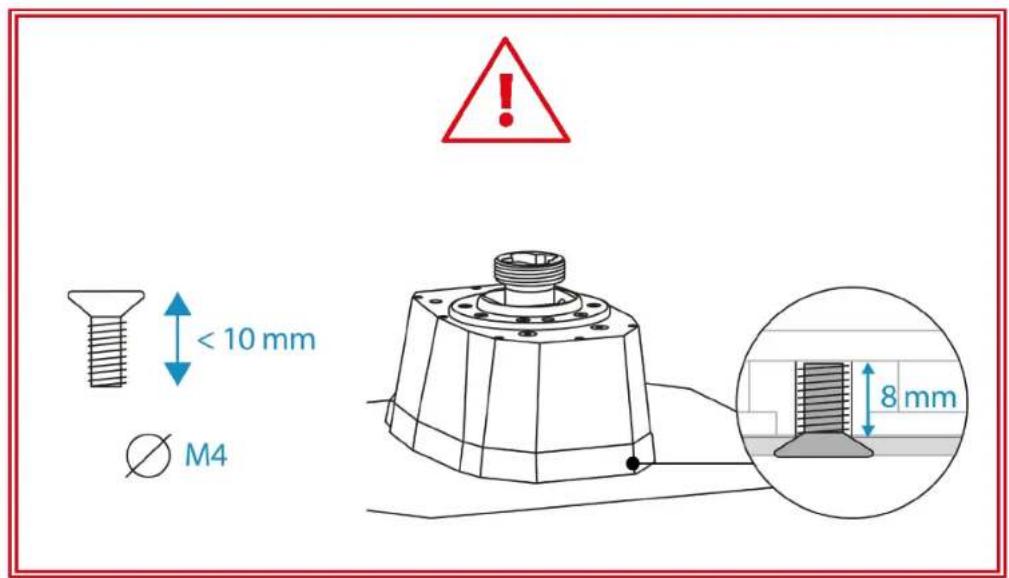
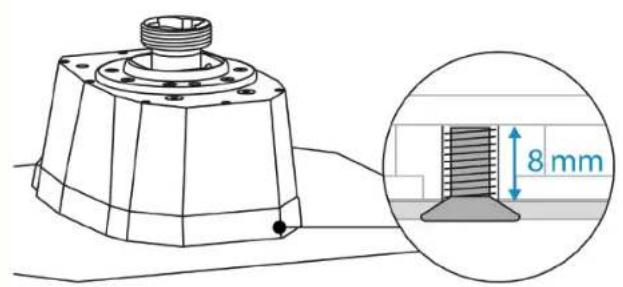
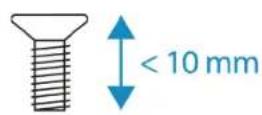
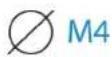
To attach the AVA base to your support, use the four included M4 screws, so as not to damage the base. Inside the base, the maximum length of the screw must not exceed 8 mm.
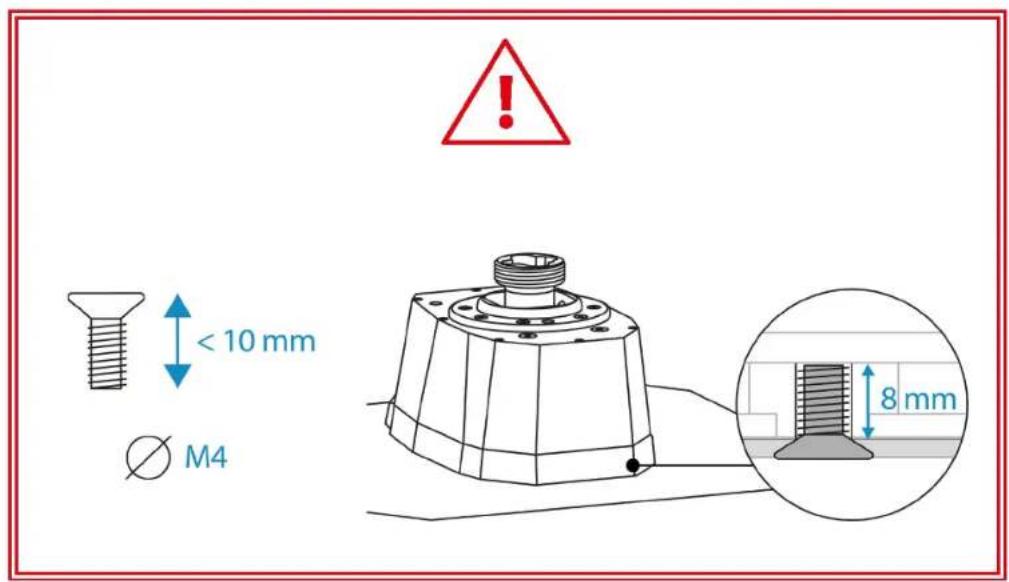

- Before each use, make sure that the AVA base is properly attached to the support, in accordance with the instructions specified by the manufacturer.
- Be sure to take into account the material that your support is made of, in order to ensure that it is possible to mount a product on it. The AVA base must be used on a desk made of a solid material (i.e. MDF or wood), without hollow or glass elements.
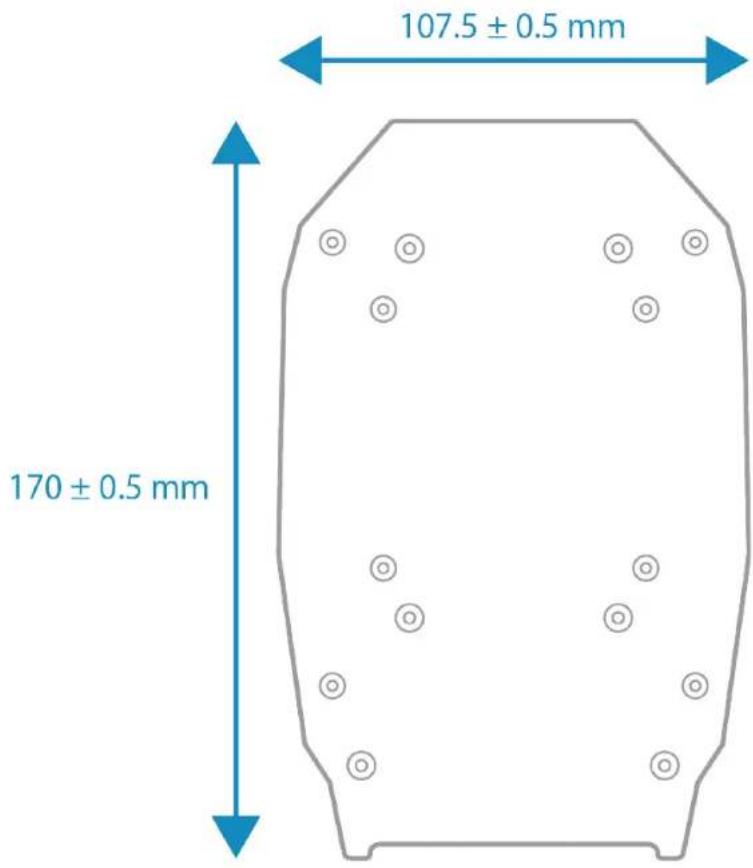
Dimensions of the AVA base:
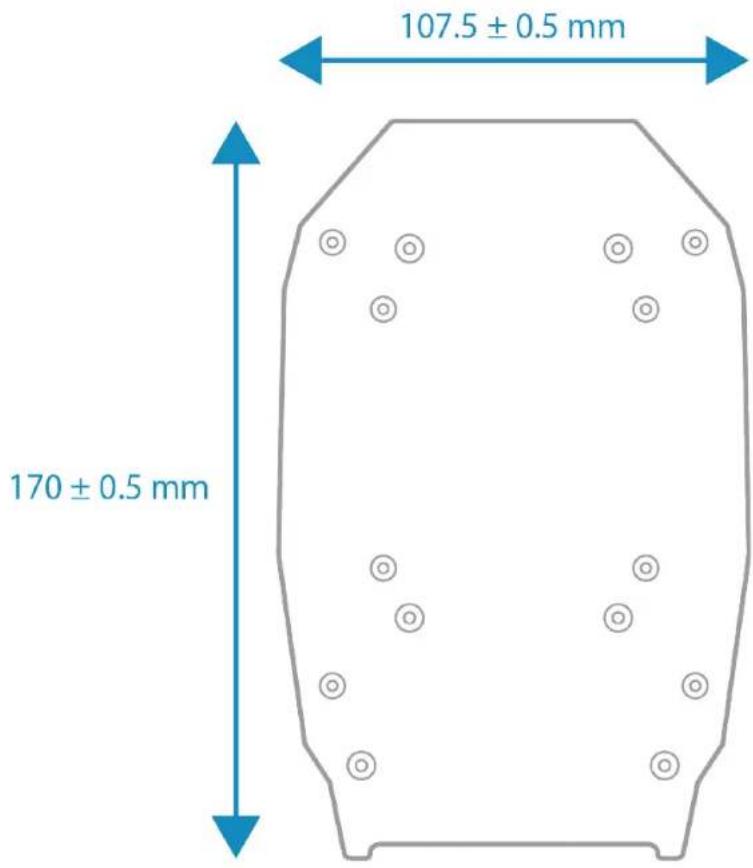
A full diagram of the AVA base is available here: https://support.thrustmaster.com/product/ava-fa18-superhornetflightstick
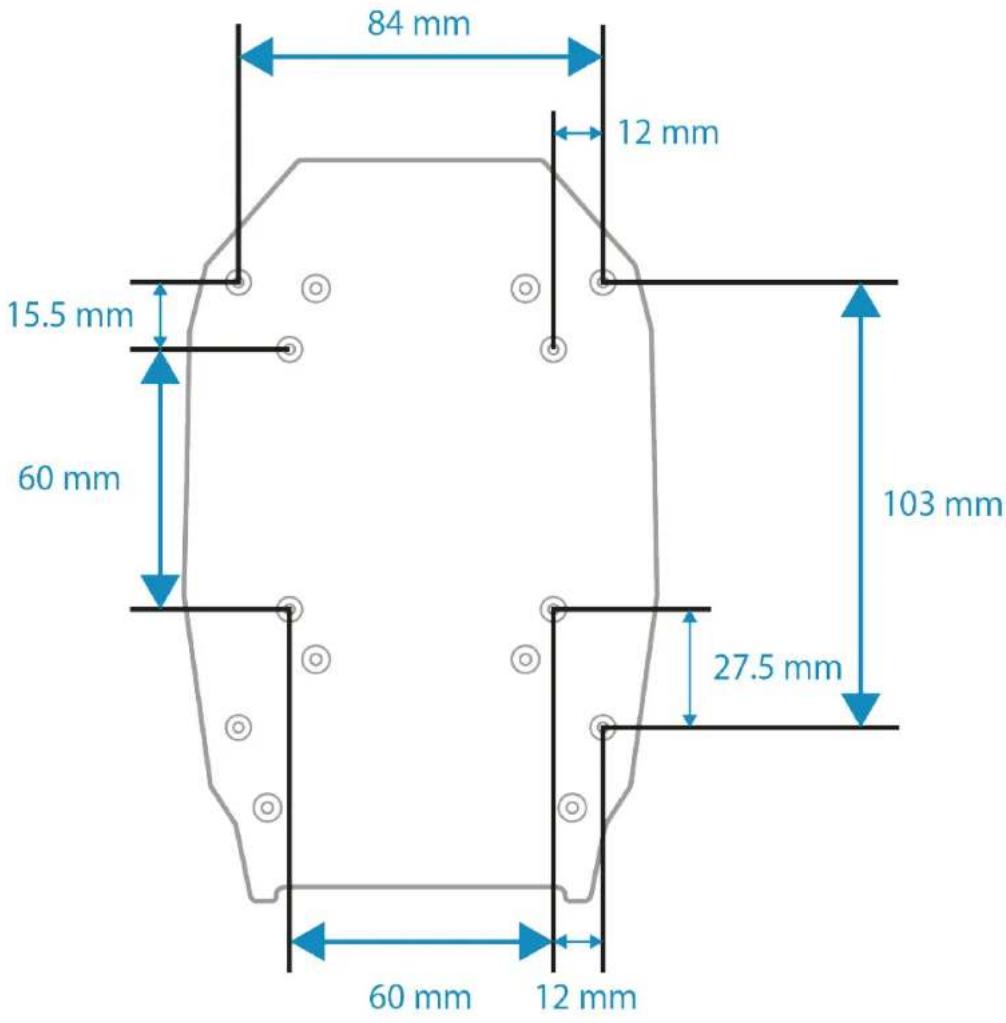
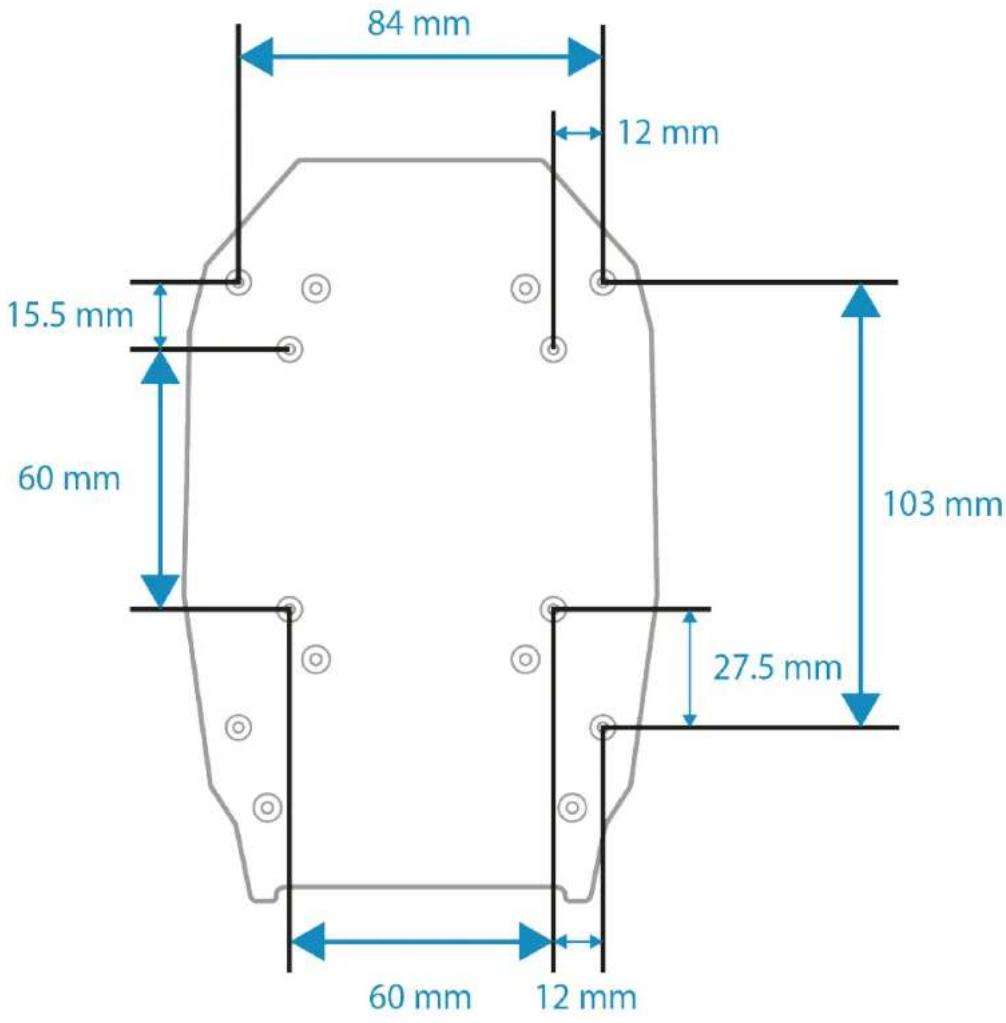
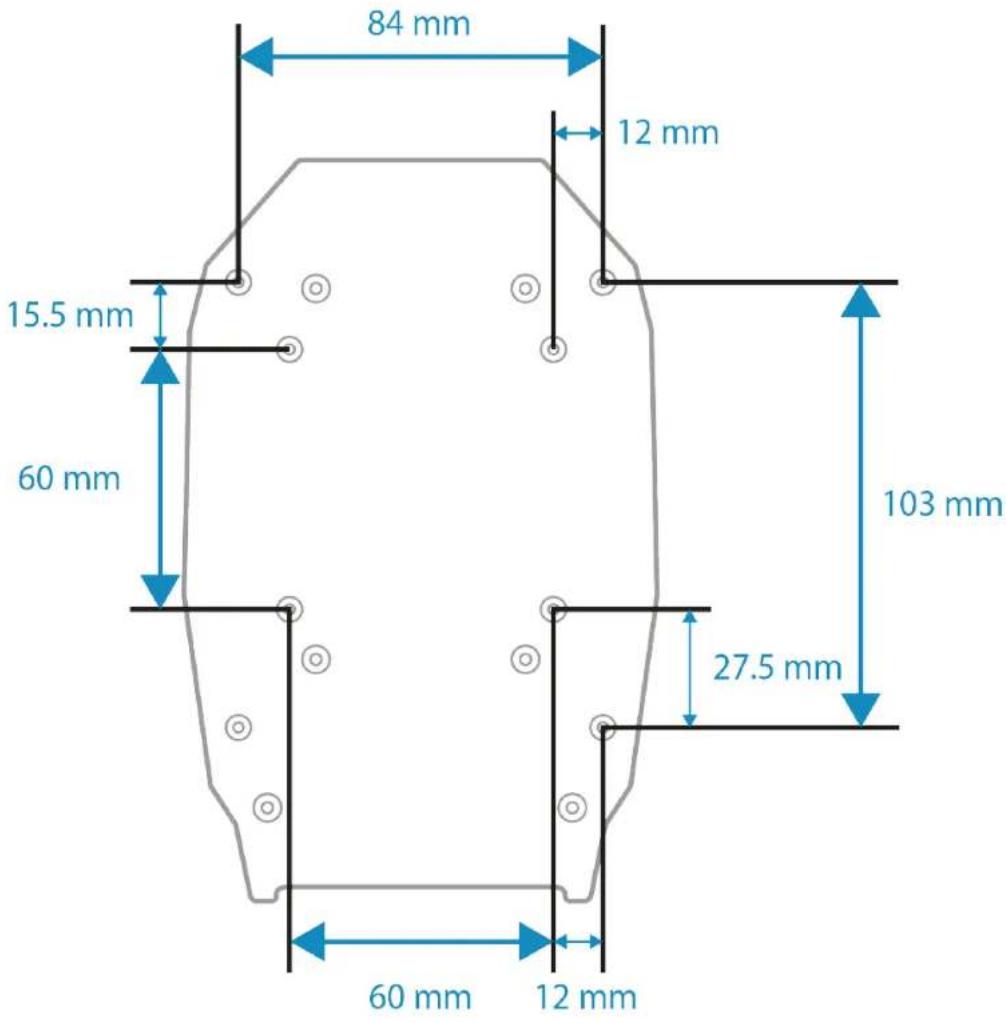
Dimensions of the mounting template:
You can download the mounting template here: https://support.thrustmaster.com/product/ava-fa18-superhornetflightstick
Print out the template and then transfer it to your support, in order to prepare the holes for mounting.
Installation on a Thrustmaster plate
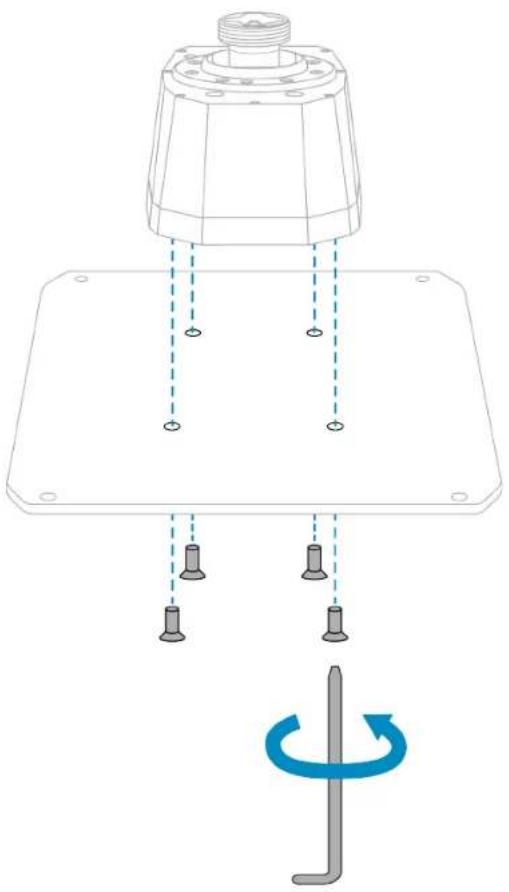
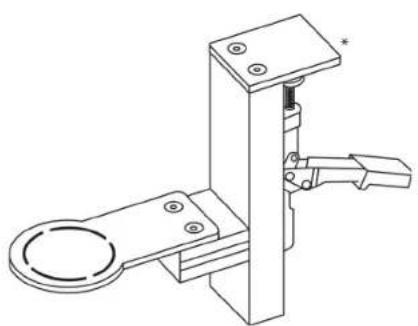
You can attach the AVA base to the AVA Desktop Plate plate or the Hotas Warthog* plate.
To attach the base, use the four included M4 screws, so as not to damage the base.
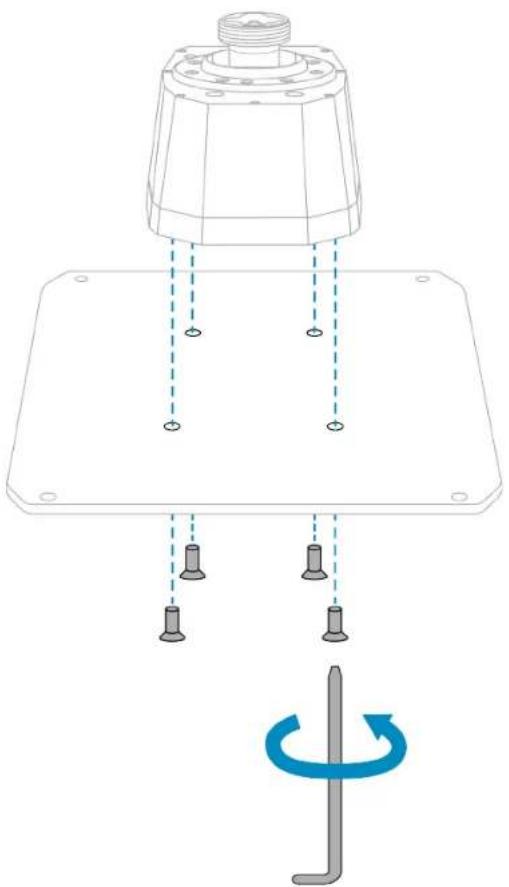

Make sure that the screws do not extend more than 8 mm inside the base.
*Sold separately
Installation on a cockpit* or another fixed support*
To attach the AVA base to a cockpit or a desk support, use four of the eight screw threads located on the underside of the base. Use the four included M4 screws, so as not to damage the base.
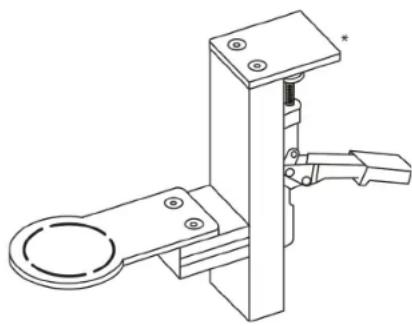
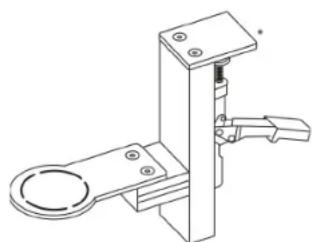
You can also use the four perforations located in the corners of the AVA Desktop Plate plate to install the AVA base and its plate on a wide fixed support.

- Make sure that the screws do not extend more than 8 mm inside the base.
- To avoid damaging the AVA base, please consult the cockpit manufacturer or technical support in order to determine the cockpit's compatibility with Thrustmaster products.
5. Installation on PC
- Please visit:
https://support.thrustmaster.com/product/avafa18-superhornetflightstick
- Download and install the PC driver and its customized interface for the Windows control panel.
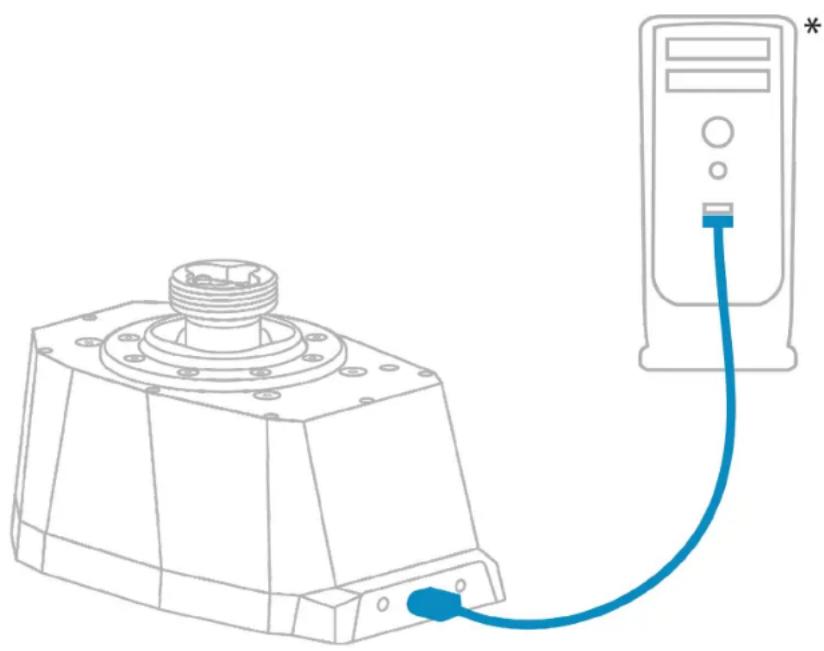
- Once the PC driver has been installed, connect the AVA base to one of your PC's USB ports, using the USB-A - USB-C cable.
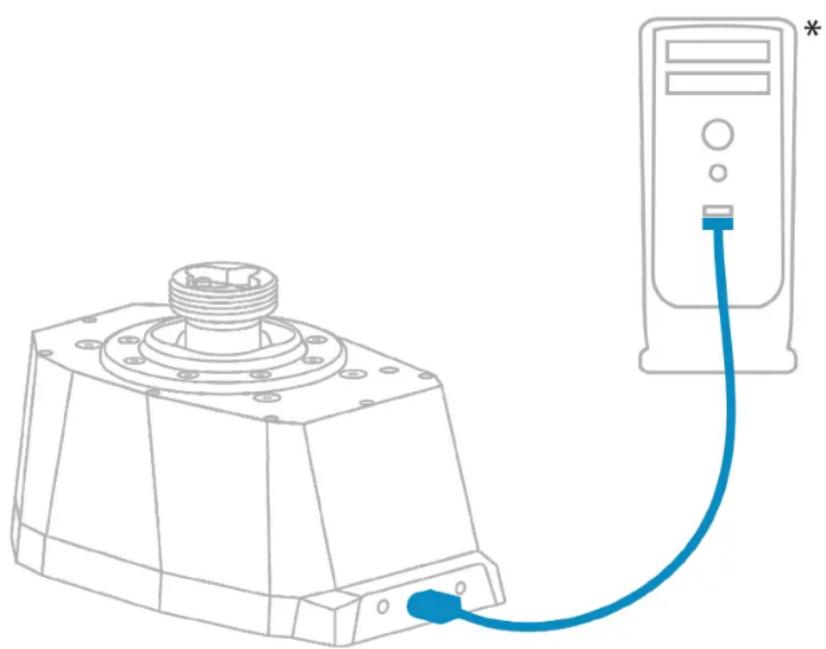
Control panel
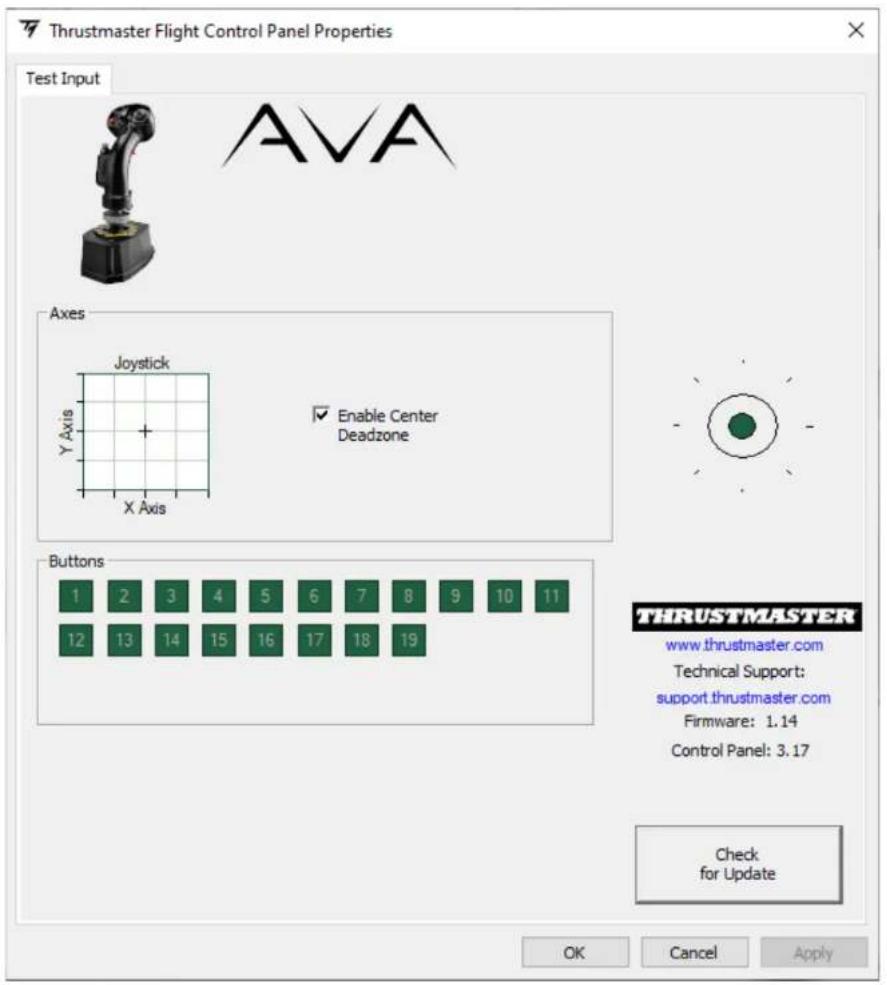
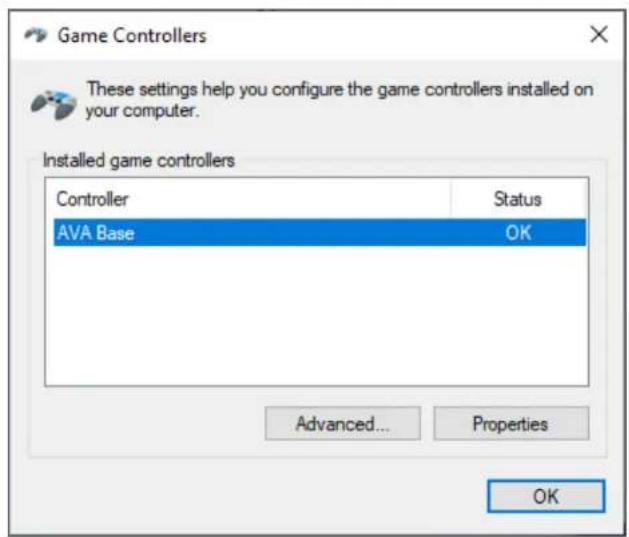
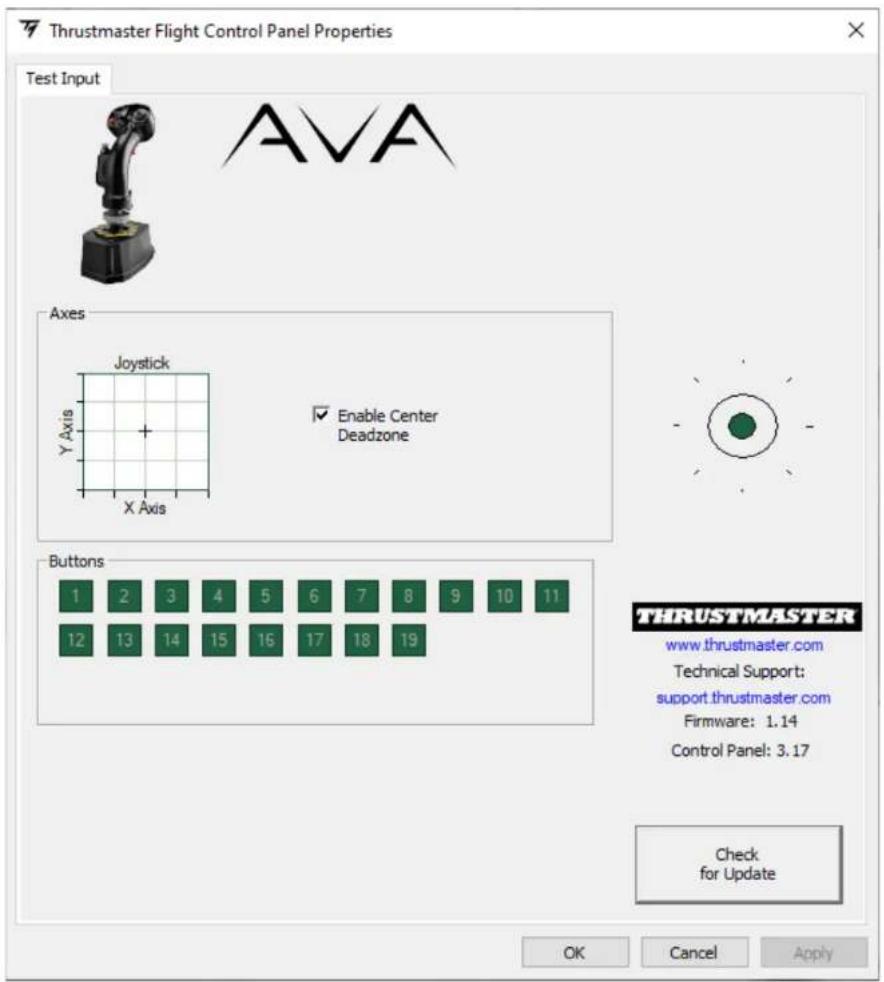
To access the control panel, select Start / Apps / Thrustmaster / Control Panel (in Windows® 10).
The Game Controllers dialog box is displayed. The accessory appears onscreen with the name AVA Base and OK status.
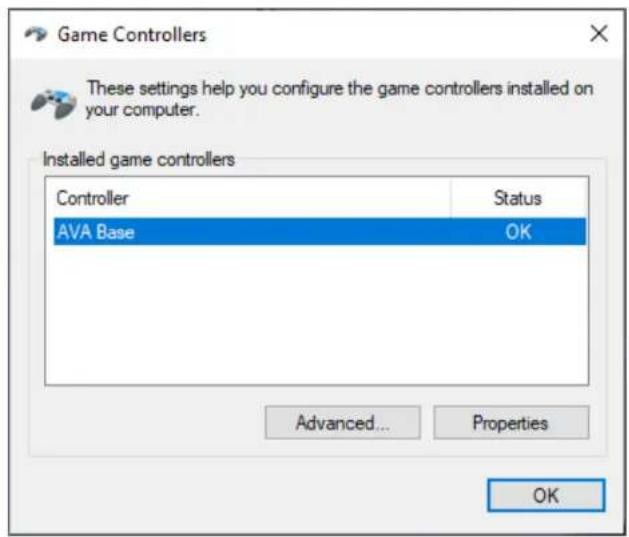
In the Game Controllers dialog box, click Properties to test and view all features.
6. Installing a flight stick grip
The F/A-18C Hornet™ HOTAS Add-On Grip flight stick grip can be installed on the AVA base with or without the AVA Offset Adapter offset adapter (included).
With the offset adapter
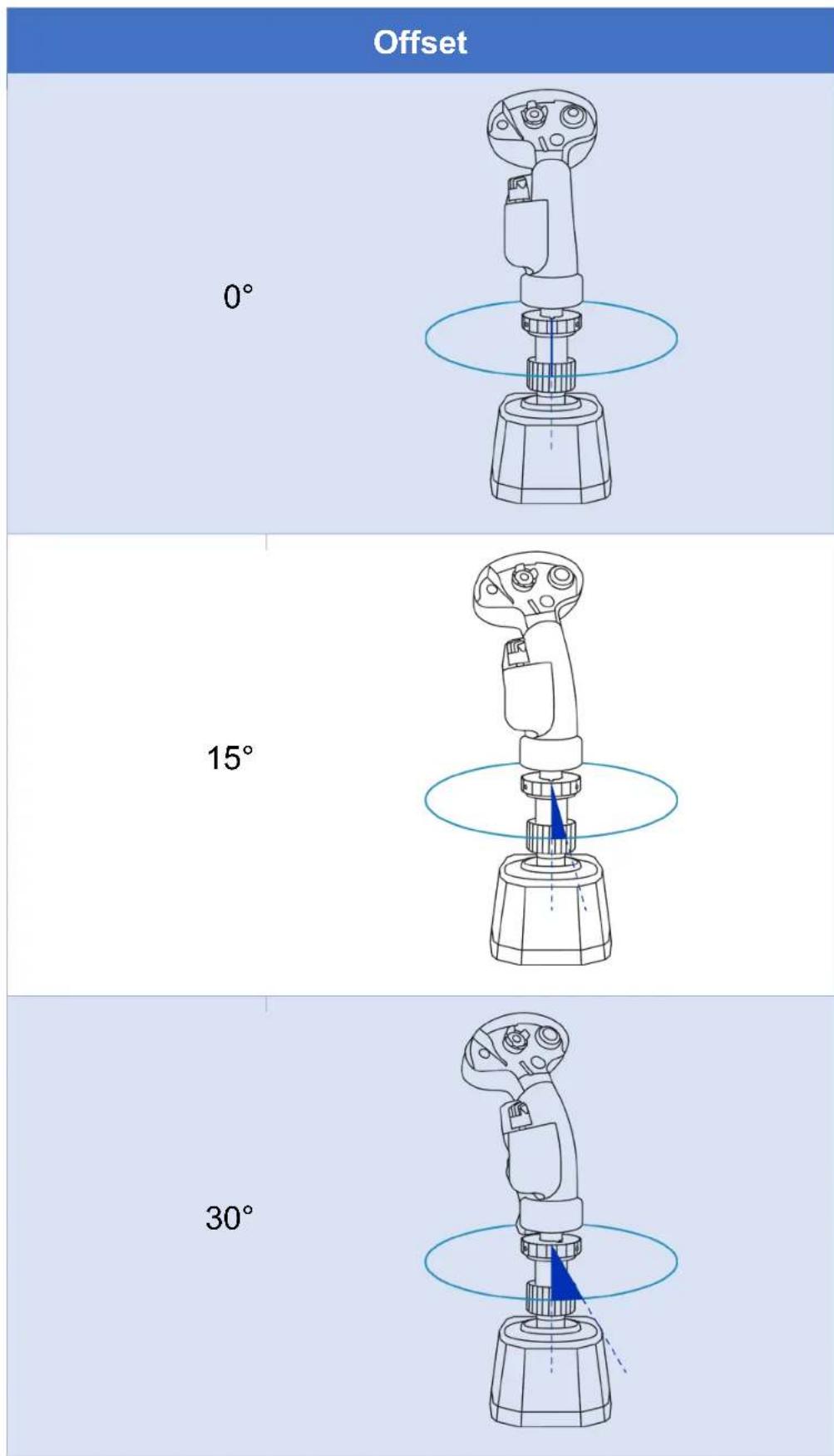
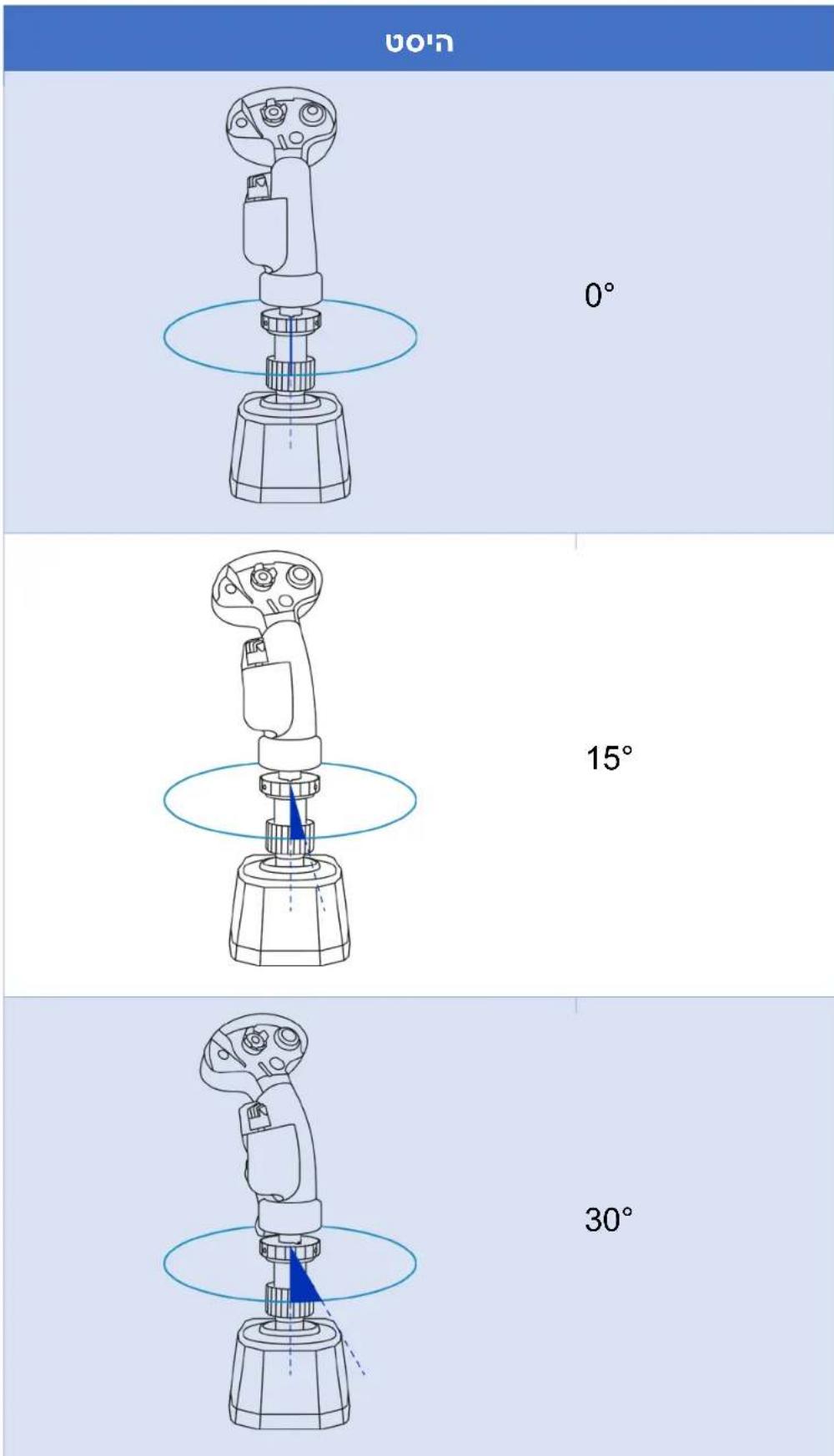
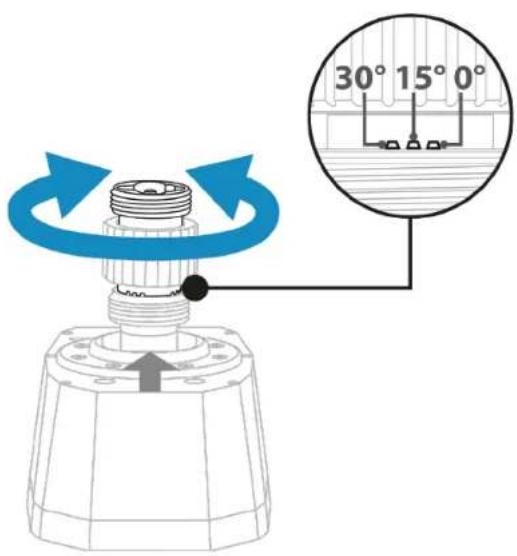
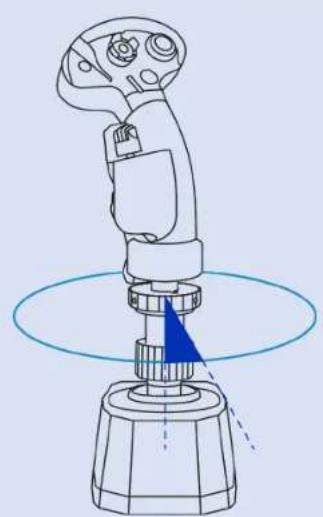
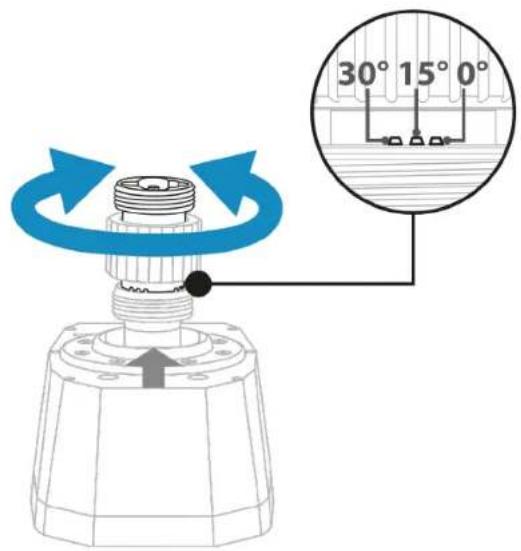
The AVA Offset Adapter offset adapter lets you position the flight stick grip at 15^ or 30^ and extend the flight stick grip by 2 inches / 5 cm for greater comfort and realism.
Possible configurations:
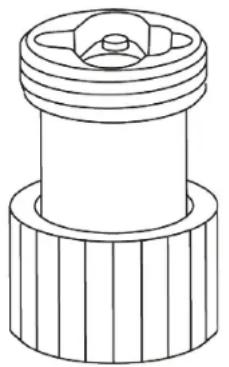
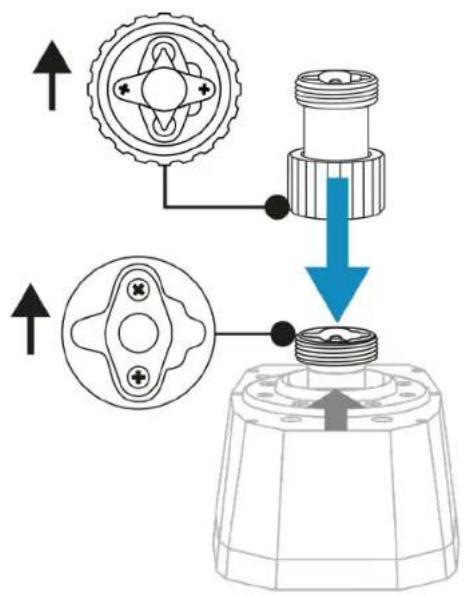
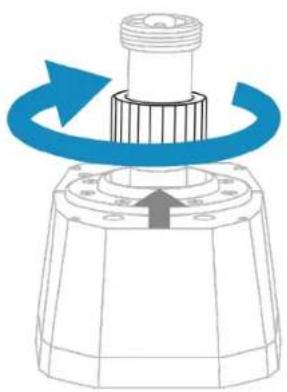
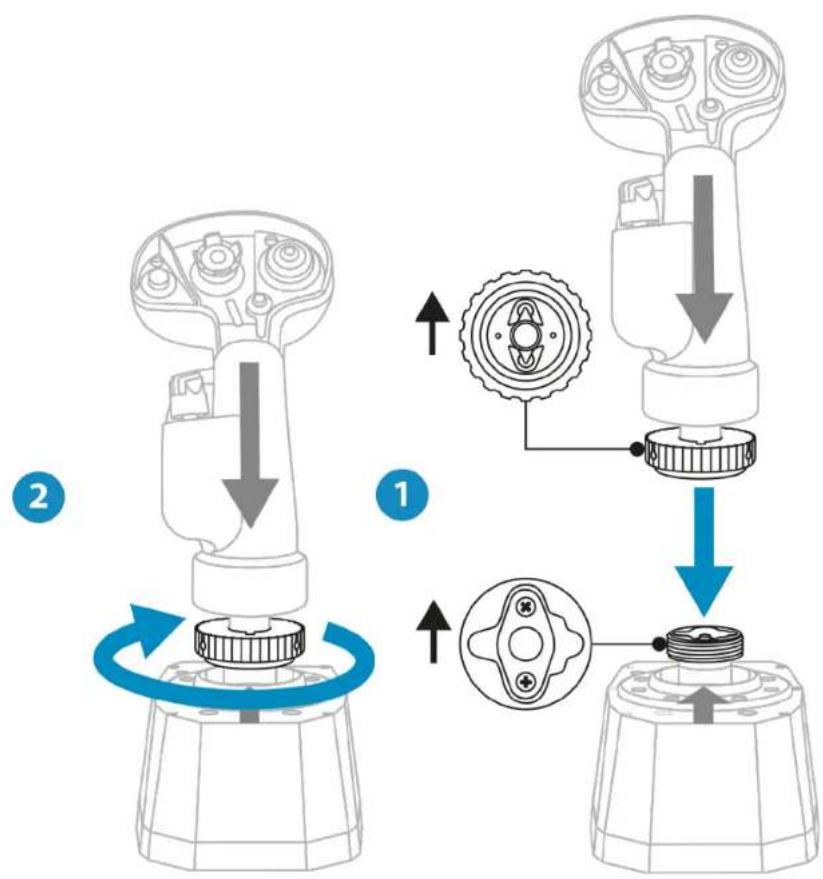
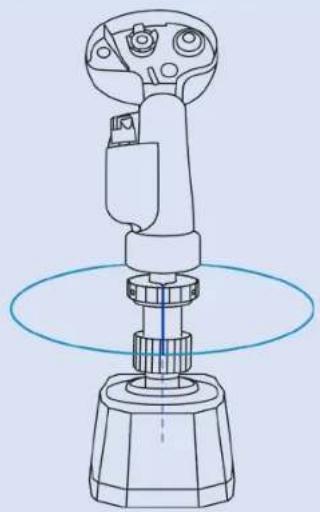
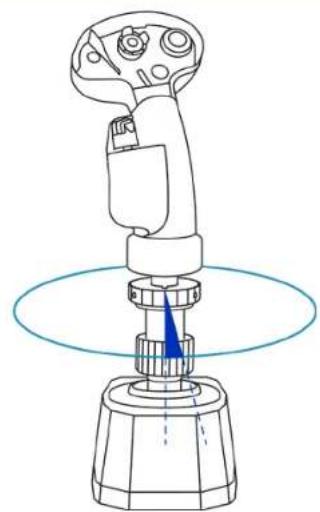
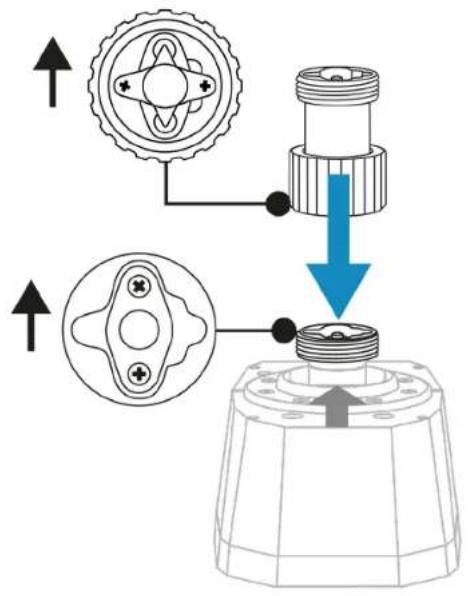
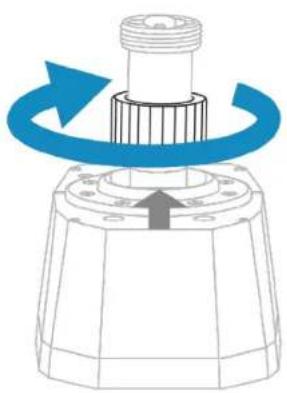
- Place the AVA Offset Adapter offset adapter on the AVA base. Make sure that the connection system is properly positioned, as shown in the diagram below.
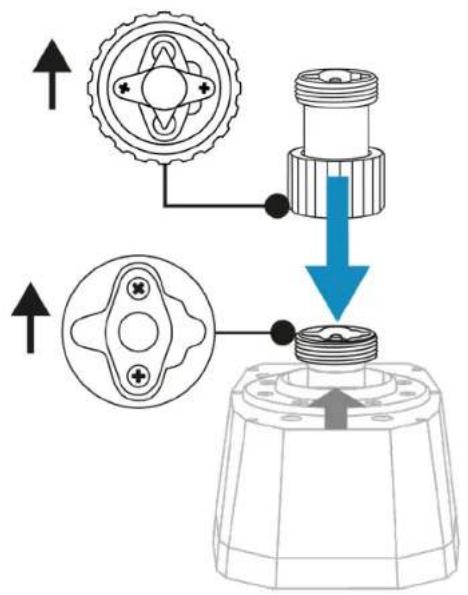
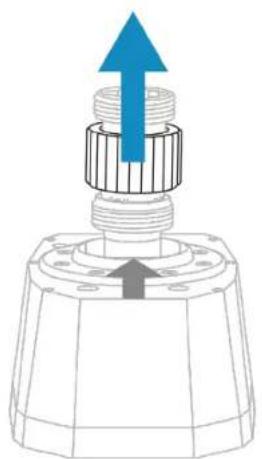
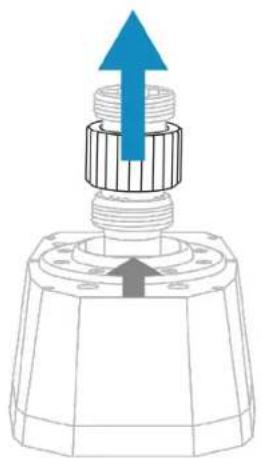
- Raise the clamping ring.
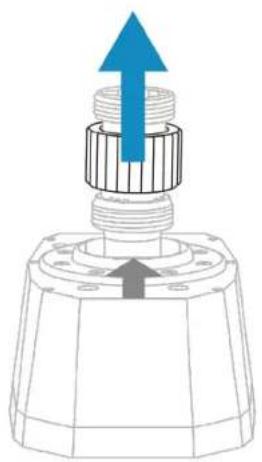
- Rotate the main part of the adapter to select the offset for the flight stick grip (0°, 15° or 30° — see the table of different possible configurations). After selecting the offset, lower the clamping ring.
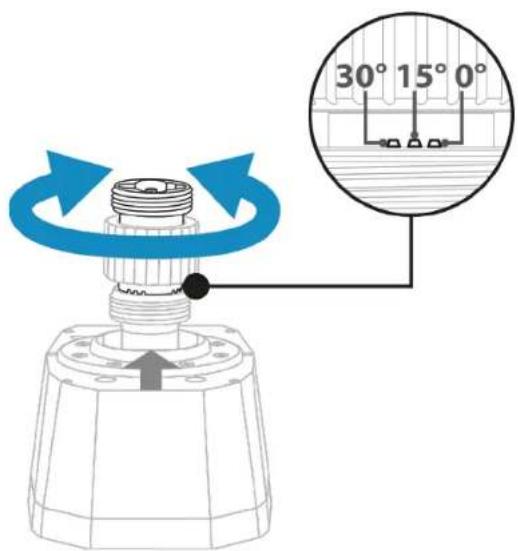
- Tighten the clamping ring.
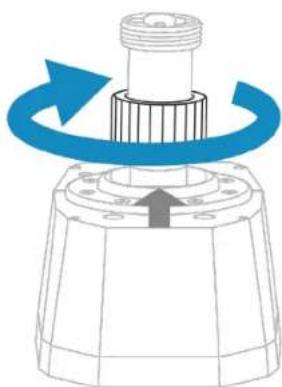
-
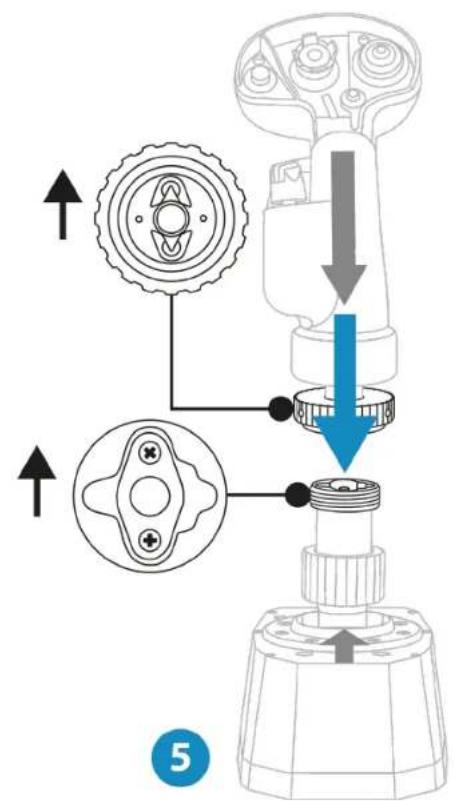
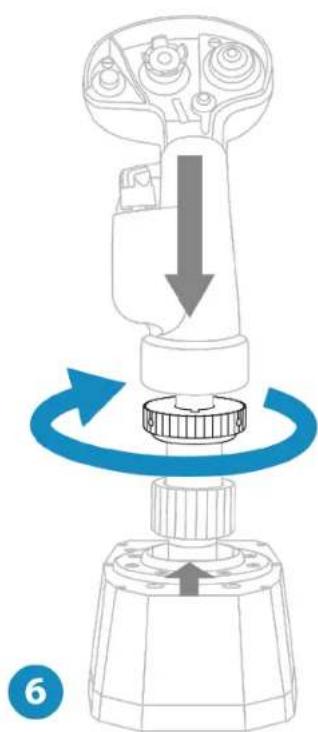
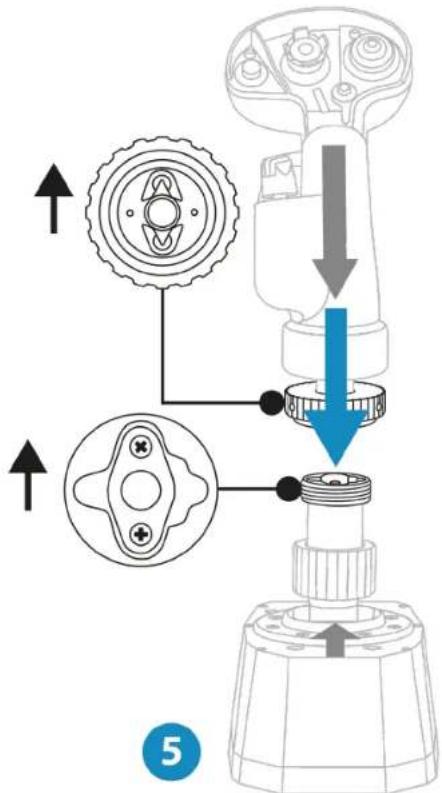
Place the flight stick grip on the AVA Offset Adapter offset adapter. Make sure that the flight stick grip is properly positioned, as shown in the diagram below.
-
Tighten the clamping ring.
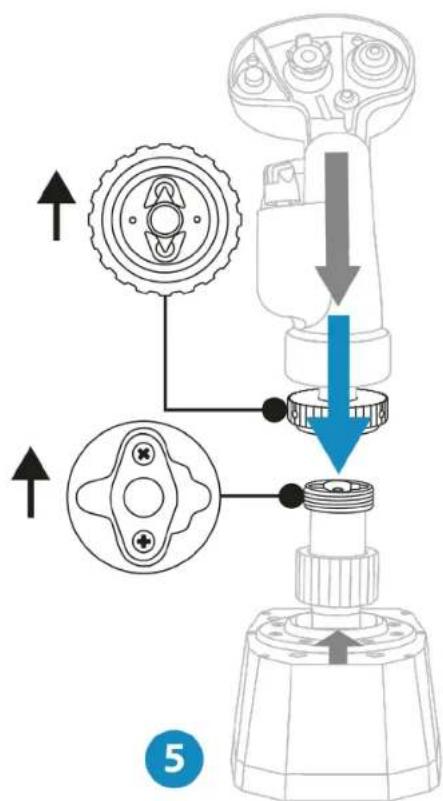
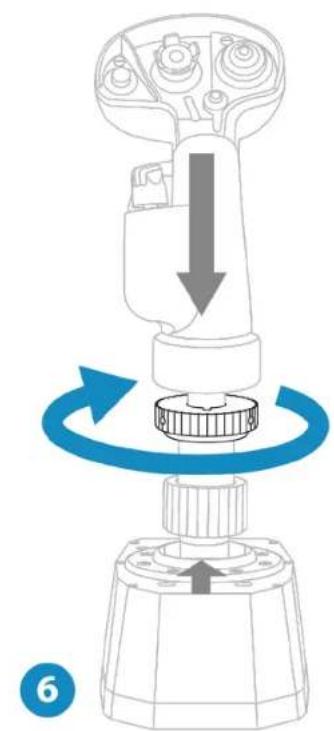
!
If you feel any resistance, do not force it. Make sure that the connectors for the base and the flight stick grip are properly aligned, as shown above. Failure to comply with this instruction may result in damage to the products.
Without the offset adapter
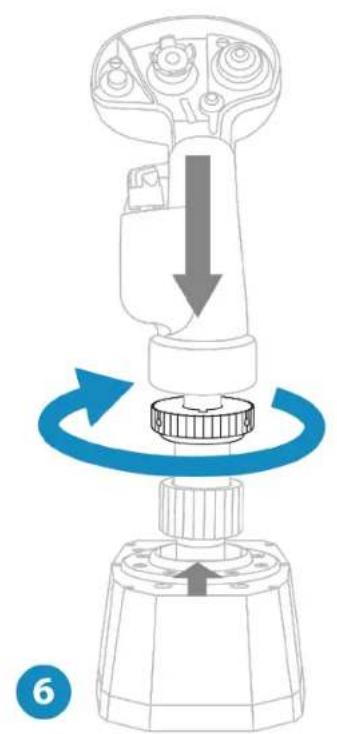
- Place the flight stick grip on the AVA base. Make sure that the flight stick grip is properly positioned, as shown in the diagram below.
- Tighten the clamping ring.
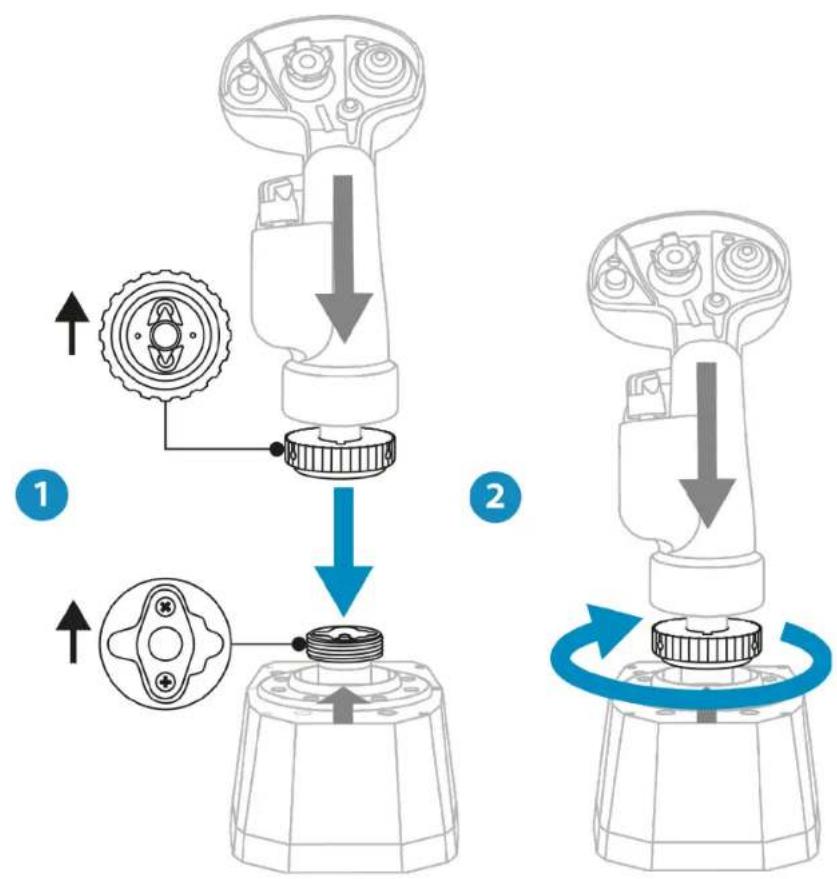
#
If you feel any resistance, do not force it. Make sure that the connectors for the base and the flight stick grip are properly aligned, as shown above. Failure to comply with this instruction may result in damage to the products.
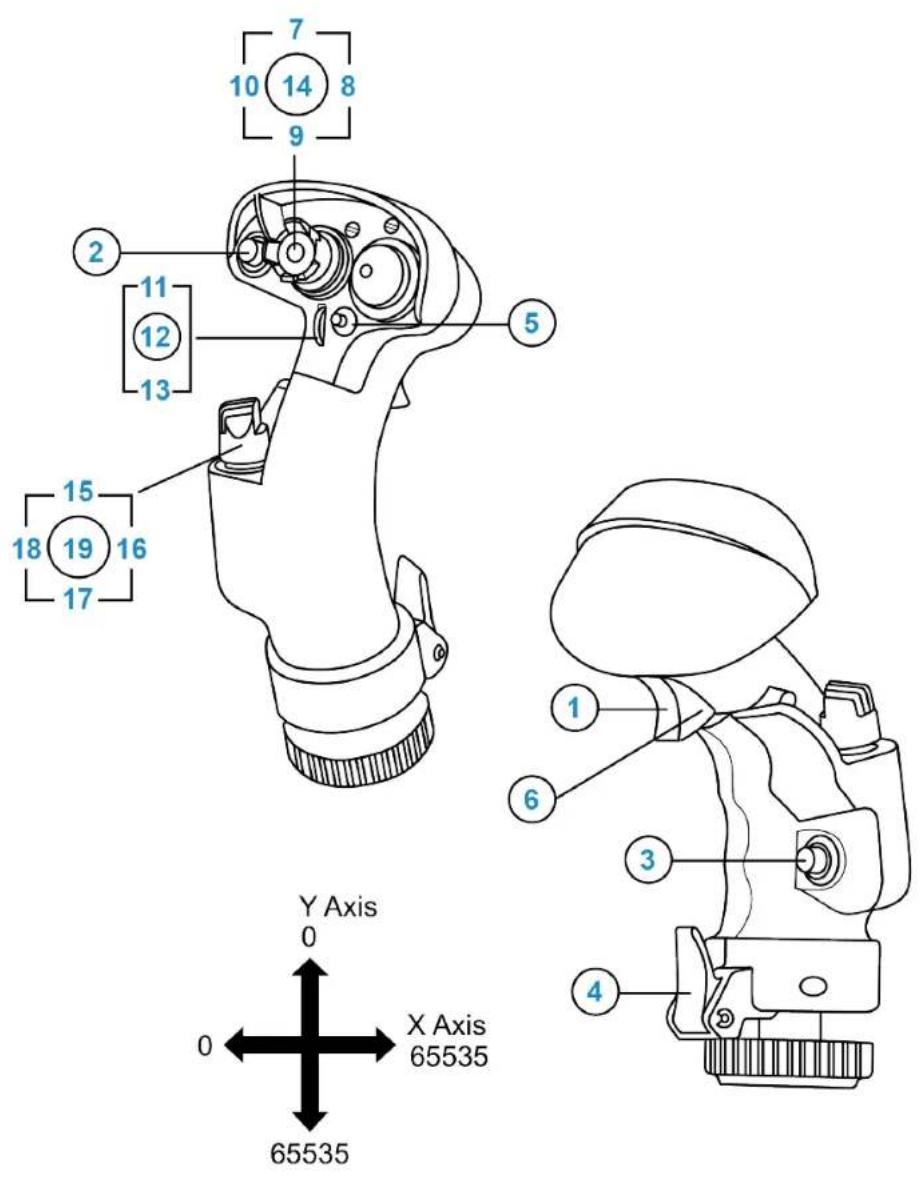
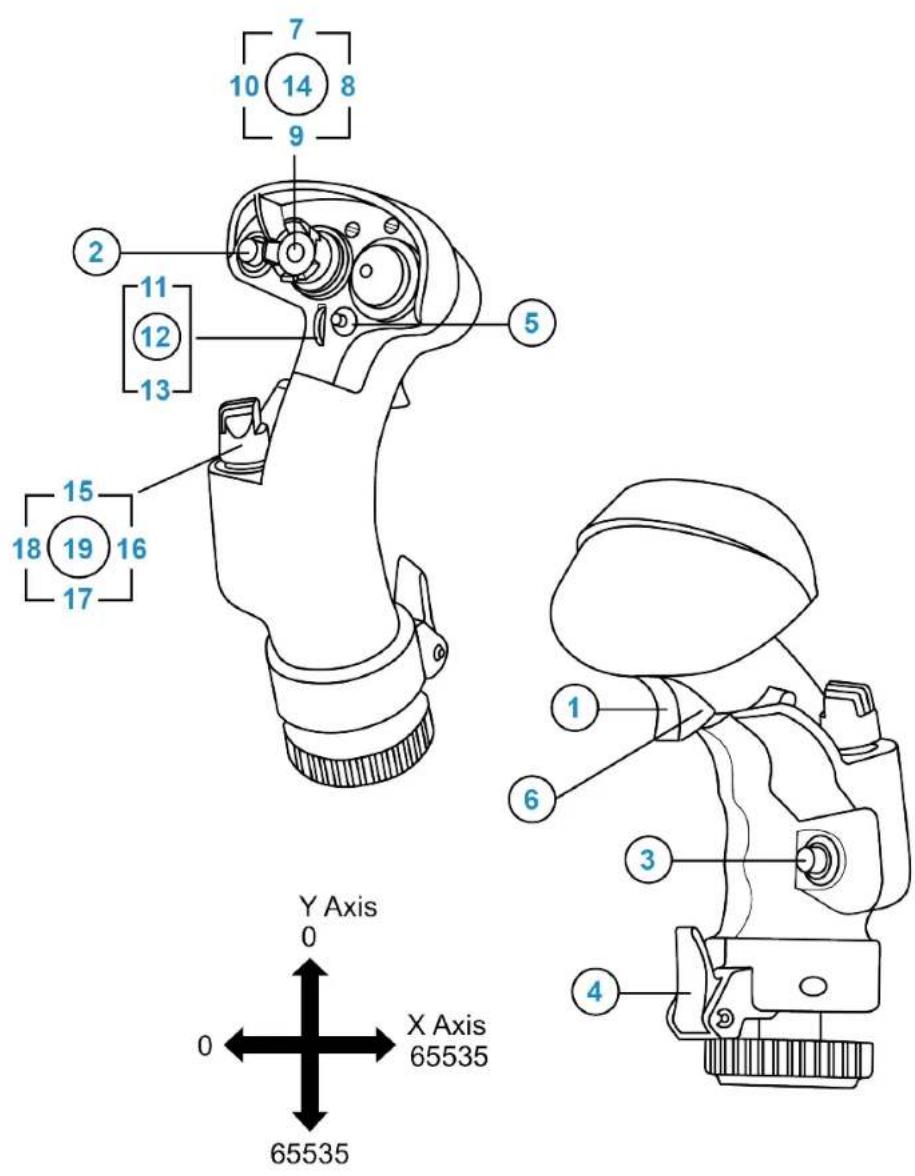
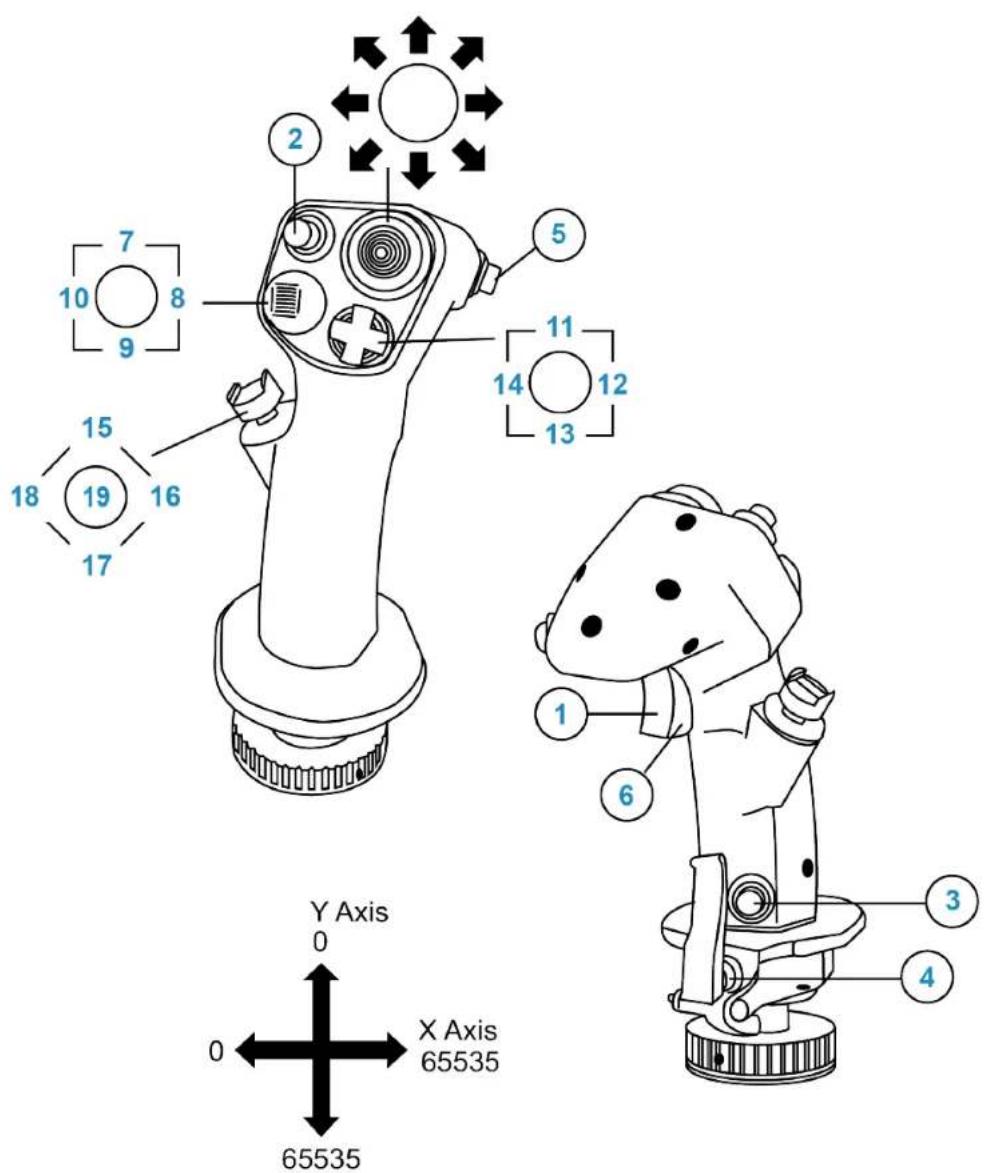
F/A-18C Hornet™ HOTAS Add-On Grip mapping
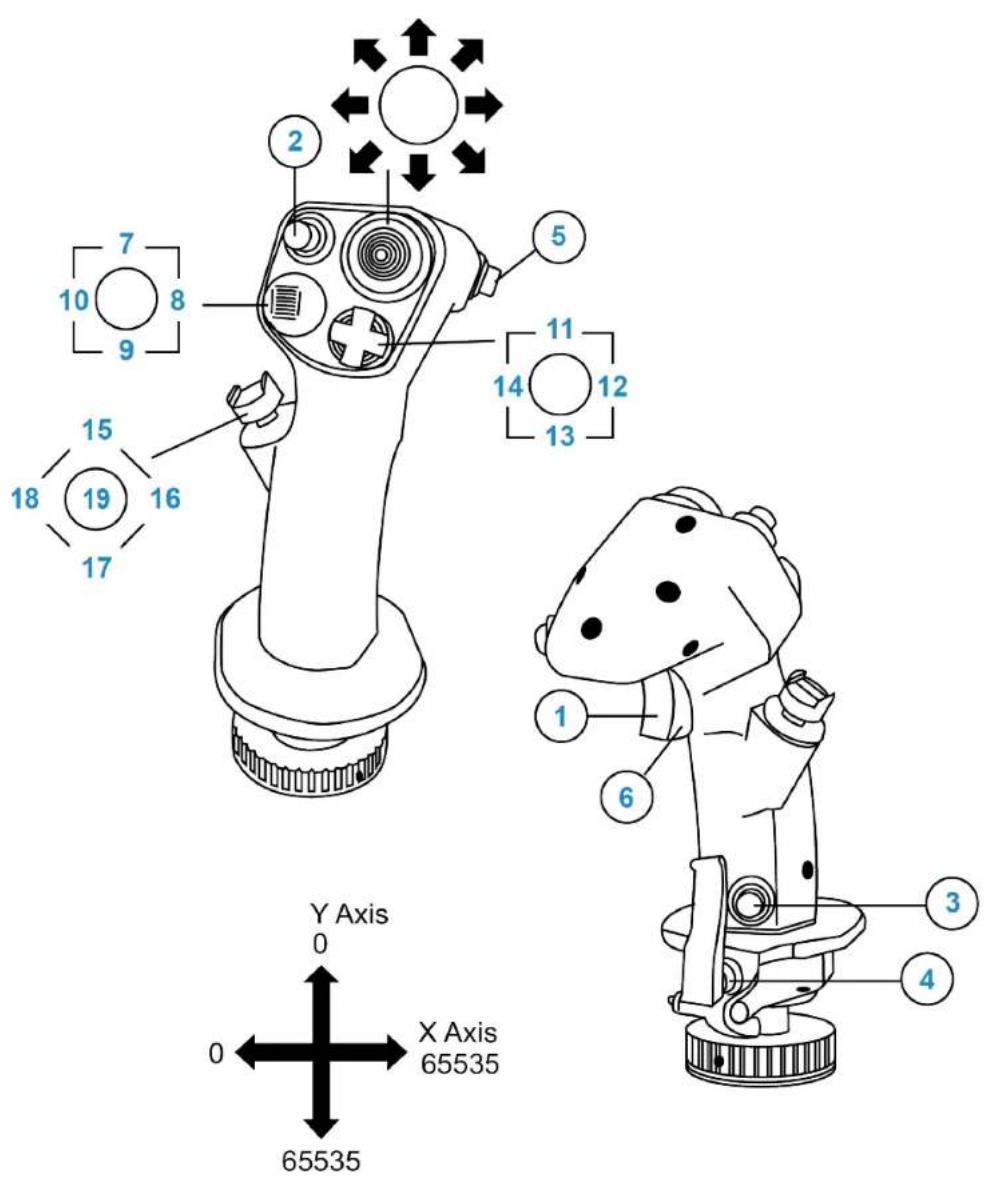
Viper Grip - HOTAS Add-On Grip* mapping
7. Customization
The AVA base has been designed to be customized. Certain mechanical parts can be replaced in order to adjust its operation according to your preferences.
Three steps are required:
- Open up the base (not necessary if you are only changing masks);
- Customize the settings;
- Calibrate the base.

- Only carry out the modifications recommended by Thrustmaster. Any other modification of the product may affect its behavior and invalidate the conformity with the original safety and performance standards. Thrustmaster is not responsible for any consequences resulting from unauthorized modifications.
- Use only approved parts. The use of non-approved parts may damage the product and void the warranty.

- Before carrying out any modifications, make sure that the product is completely powered off.
- Read this user manual and/or the accompanying documentation carefully, in order to fully understand the installation procedure.
- During the disassembly process, be extremely careful not to lose any parts. Work in a well-lit workspace and be sure to use a suitable container in which to store the small parts.
- If you have any questions or concerns, do not hesitate to contact technical support. All documentation regarding the AVA base is available here:
https://support.thrustmaster.com/product/avafa18-superhornetflightstick.
Opening up the base
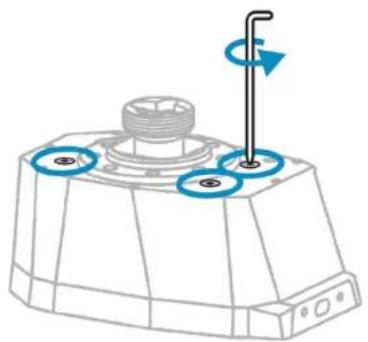
To access the settings for the resistance, the axis curve and the recentering damping, you must open up the AVA base.

If the AVA Offset Adapter offset adapter is installed on the AVA base, make sure to uninstall it before opening up the base.
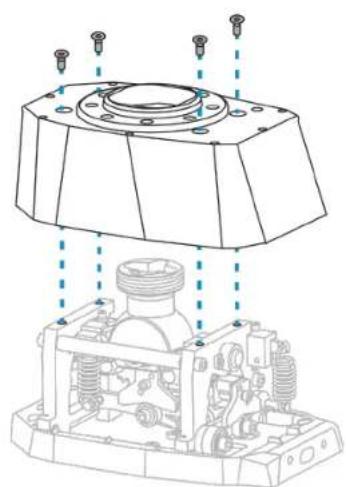
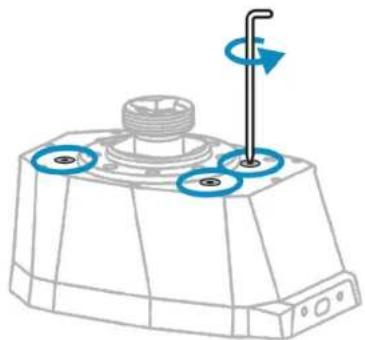
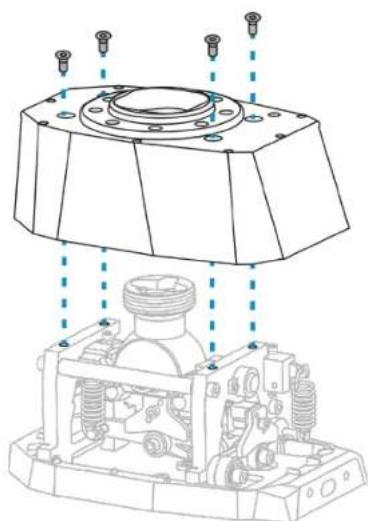
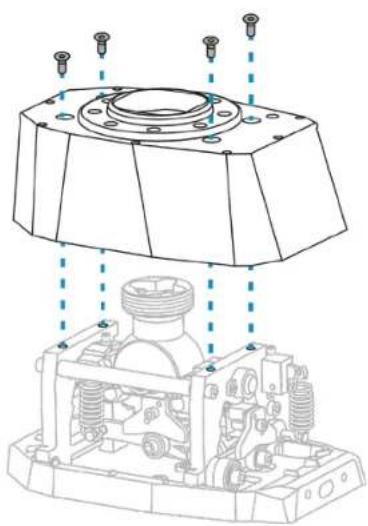
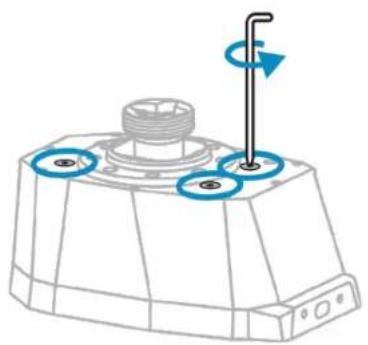
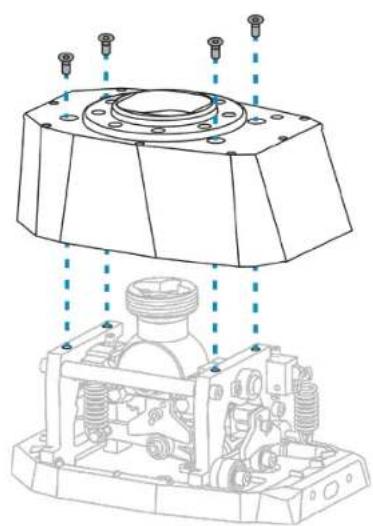
- Unscrew the four screws located on the top of the base.
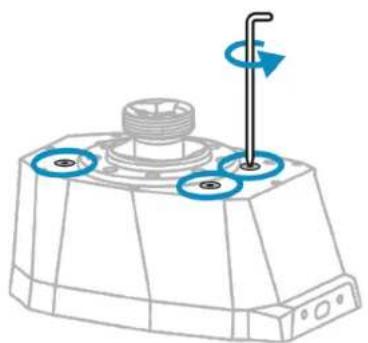
- Remove the base's cover.
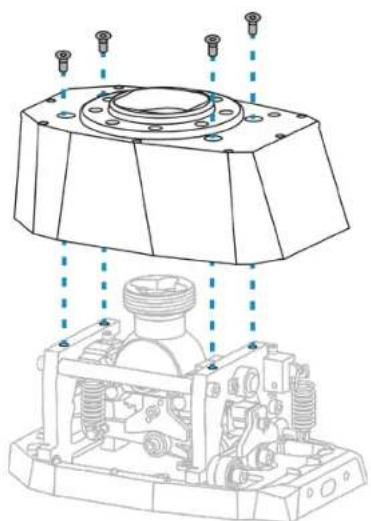
Customizing the settings

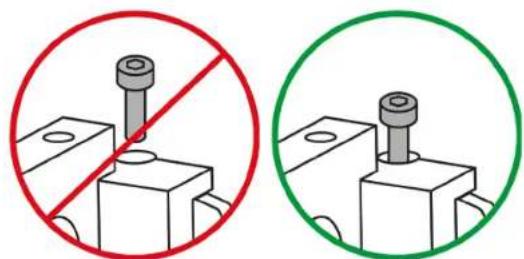
To avoid damaging the AVA base's mechanisms, be careful not to overtighten each mechanism's screws. Stop turning when you feel that the resistance is sufficient.
Adjusting the resistance
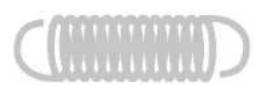
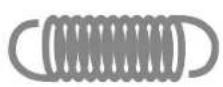
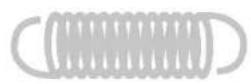
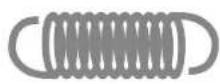
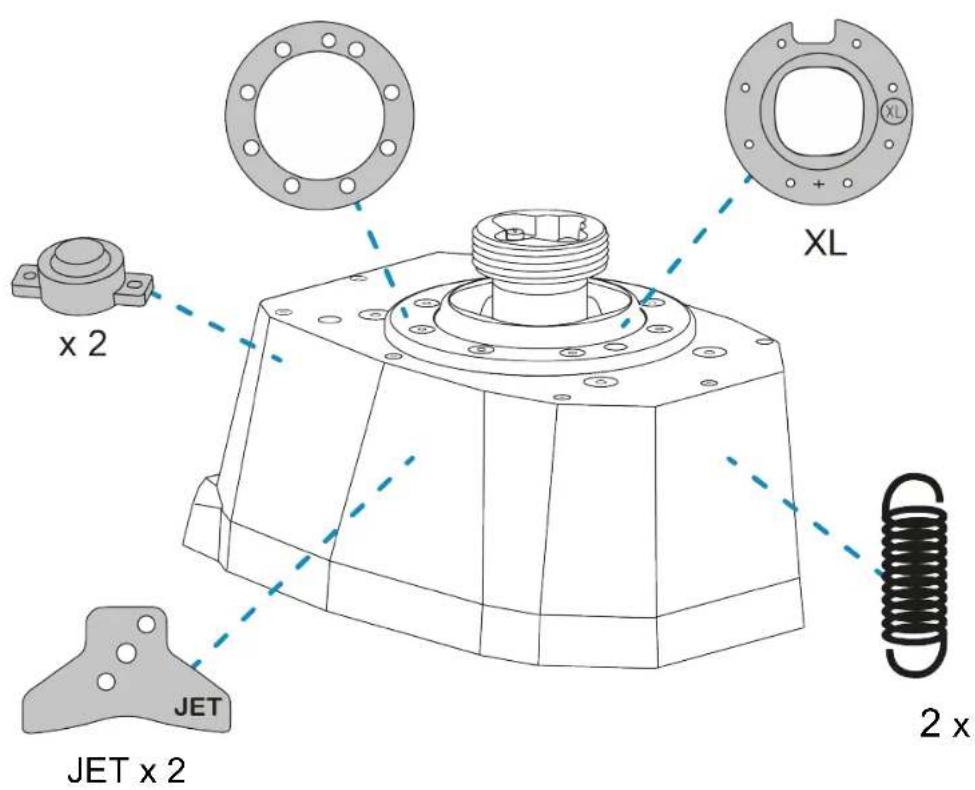
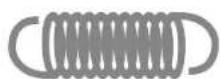
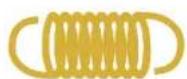
Four types of springs are included with the AVA base. These springs allow you to adjust the flight stick grip's resistance.
| Spring | Resistance |
| (by default) | Very strong |
| Strong | |
| Medium | |
| Weak |

To customize your AVA base to the maximum extent possible, you can use a different fine-tuning of the springs per axis, and even a different spring per axis.
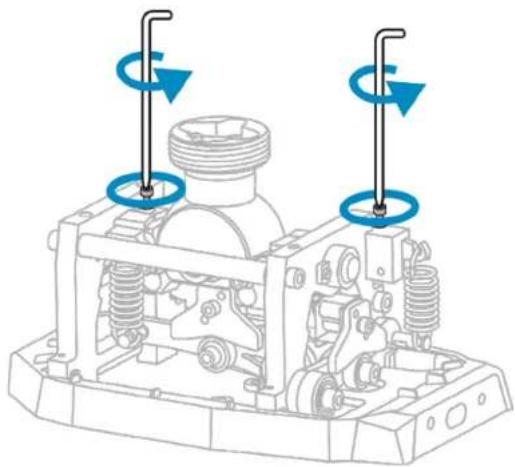
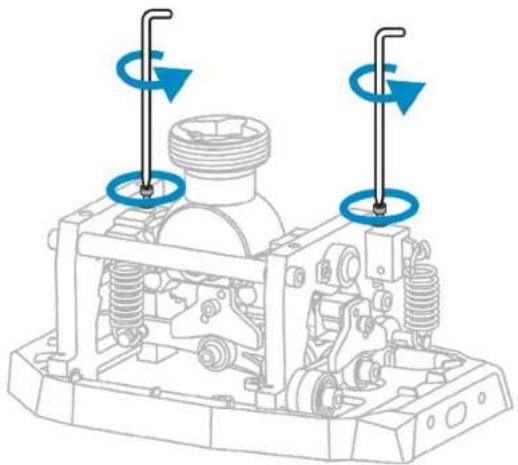
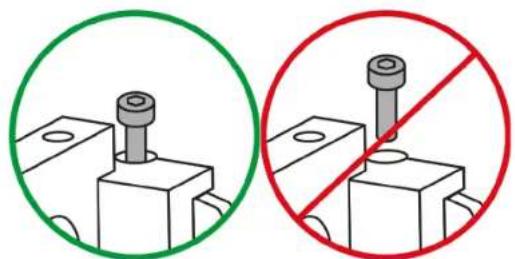
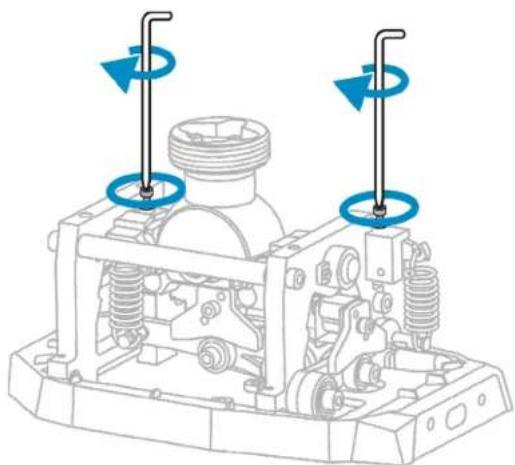
- Slightly unscrew the two screws supporting the springs, as shown below. This allows the mechanism to be released, and the springs to be changed more easily.
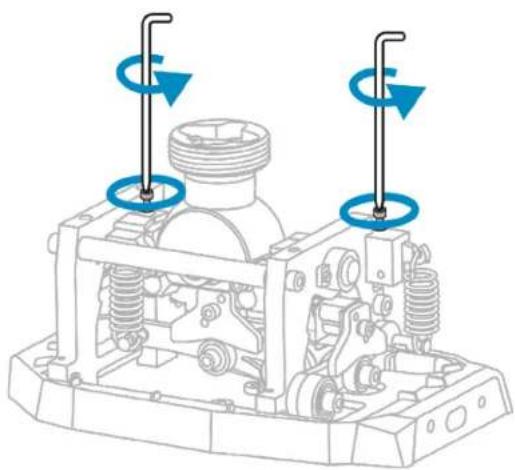

Be careful not to completely unscrew the two screws supporting the springs.
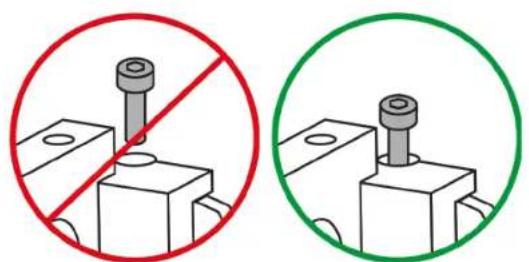
- Remove the spring currently in place, and install a new spring on the hooks.
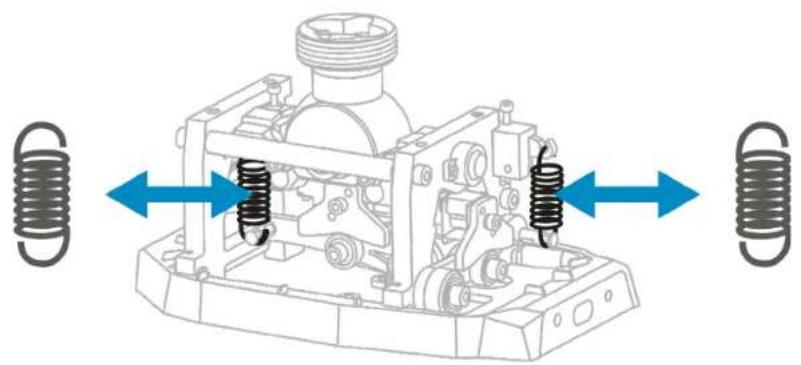
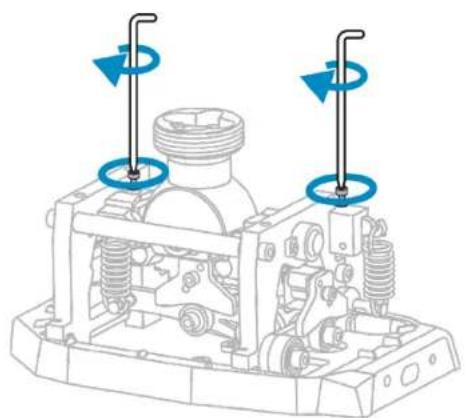
- Tighten (without forcing) the two screws supporting the springs.
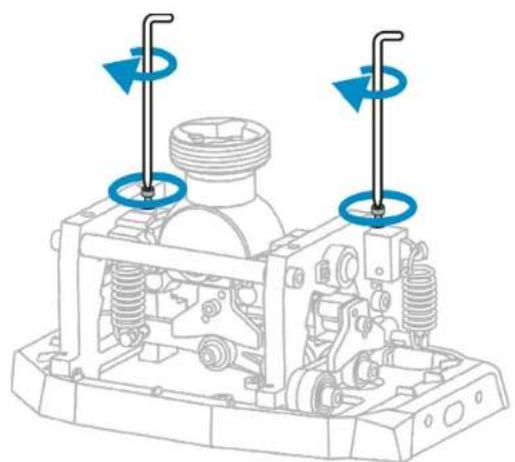
- Put the cover back in place using the four screws, and then follow the calibration procedure.
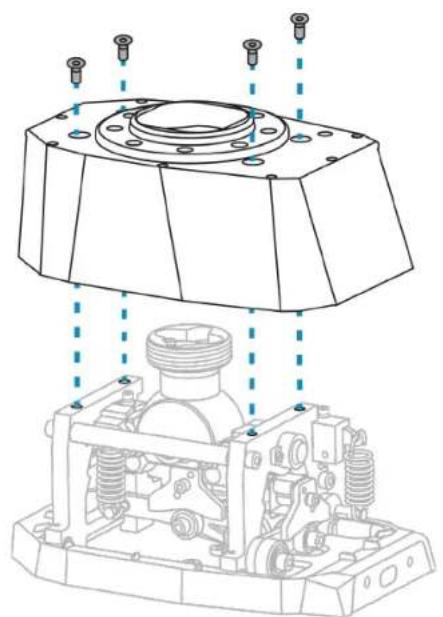
Fine-tuning the resistance
The AVA base features external access points, allowing you to adjust each axis independently.
To slightly adjust the resistance of an axis, tighten or loosen the associated spring using the 2.5mm Allen wrench.
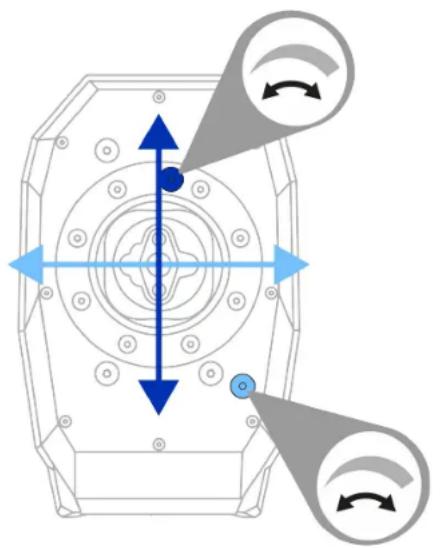

Be careful not to completely loosen the spring.

In order to preserve the lifespan of the springs, the AVA base is supplied with the springs slightly decompressed. If necessary, you can adjust them.
Modifying the behavior of the axis
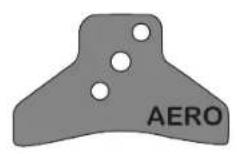
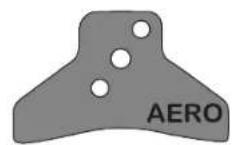
Two types of cams are included. These cams can be used to modify the behavior of the axis.
The cam's profile determines the feel and the force to be applied when you move the flight stick grip.
| Cam | Behavior |
| (JET (by default) | Hard movement in the center, strong recentering Non-linear feel toward the extremities |
| AERO | Soft movement in the center Linear feel toward the extremities |

To customize your AVA base to the maximum extent possible, you can use two different caps.
- Slightly unscrew the two screws supporting the springs, as shown below. This allows the mechanism to be released, and the cams to be changed more easily.
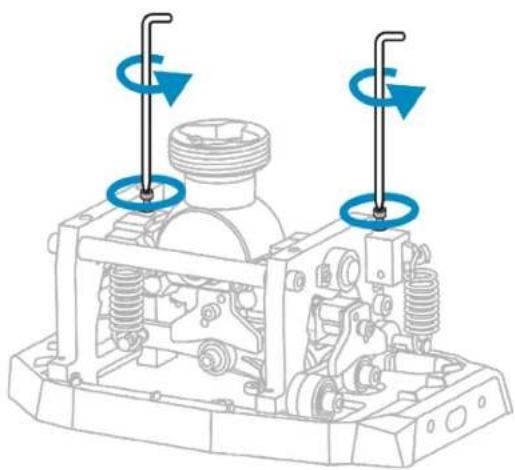

Be careful not to completely unscrew the two screws supporting the springs.
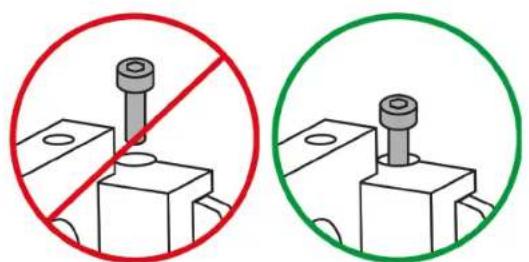
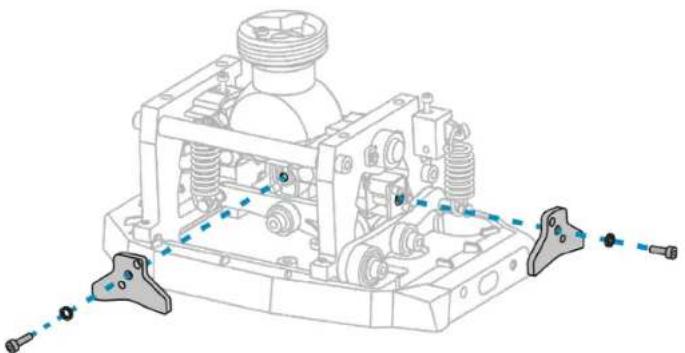
- Unscrew the screw holding the cam in place, and remove the washer. Put a different cam in place, put the washer back in place, and then retighten the screw.
- Tighten (without forcing) the two screws supporting the springs.
- Put the cover back in place using the four screws, and then follow the calibration procedure.

Depending on the type of device you are using, we recommend the combinations set out in the tables below.
| Combination | Aircraft type |
| JET + | Fighter aircraft (central position) |
| + | Fighter aircraft |
| JET + | Airliner |
| AERO + | Military propeller aircraft Light aircraft |
| AERO + | Helicopter Spacecraft |
| AERO + | Spacecraft |
Adjusting the recentering damping
Two standard dampers are included with the AVA base. These dampers make it possible to adjust the damping for the recentering.
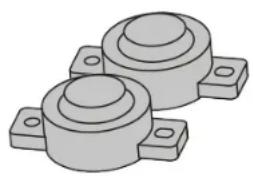
You can remove the dampers for springier movement of the flight stick grip, and direct Force Feedback.

To customize your AVA base to the maximum extent possible, you can use zero, one or two dampers.
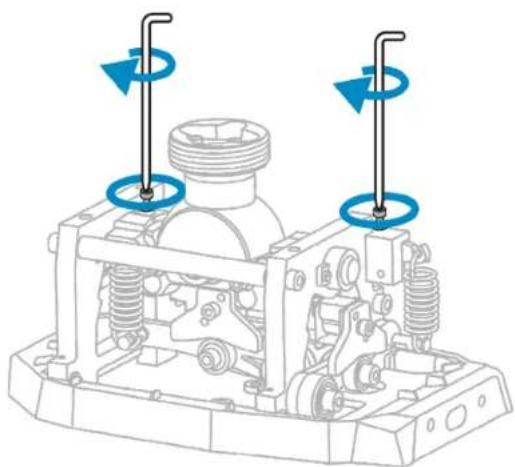
- Slightly unscrew the two screws supporting the springs, as shown below. This allows the mechanism to be released, and the dampers to be removed more easily.
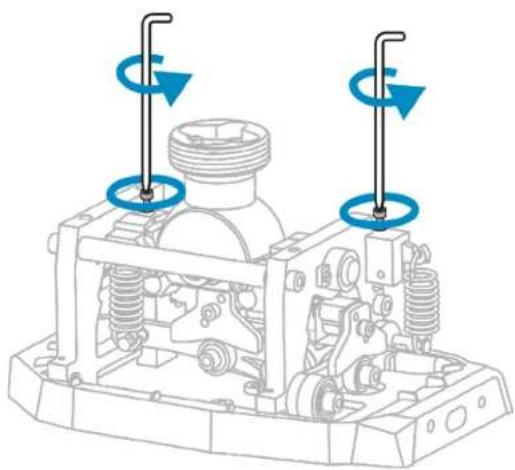

Be careful not to completely unscrew the two screws supporting the springs.
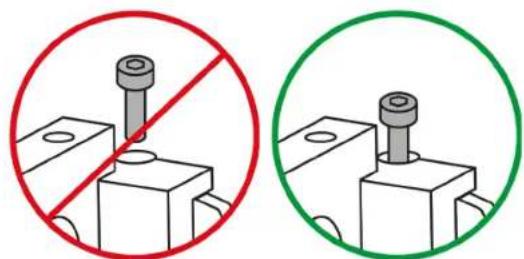
- For easy access to the roll damper, tilt the movable part of the AVA base.
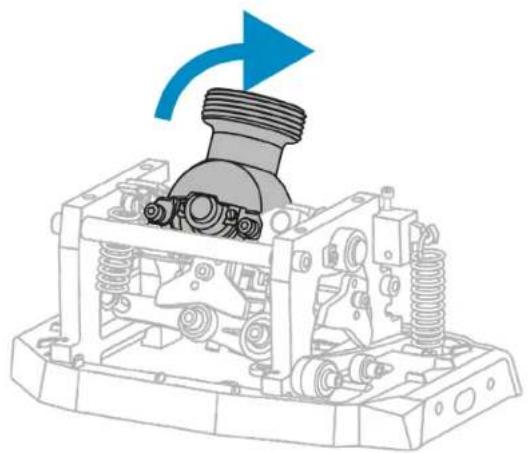
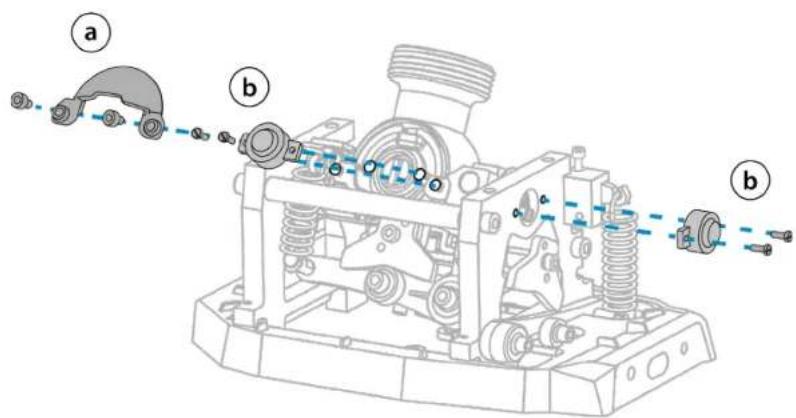
- Unscrew the two screws for the spherical cover, and then remove it (a). Unscrew the two screws for the damper, and then remove it (b). Put the spherical cover back in place, using the two screws (a).
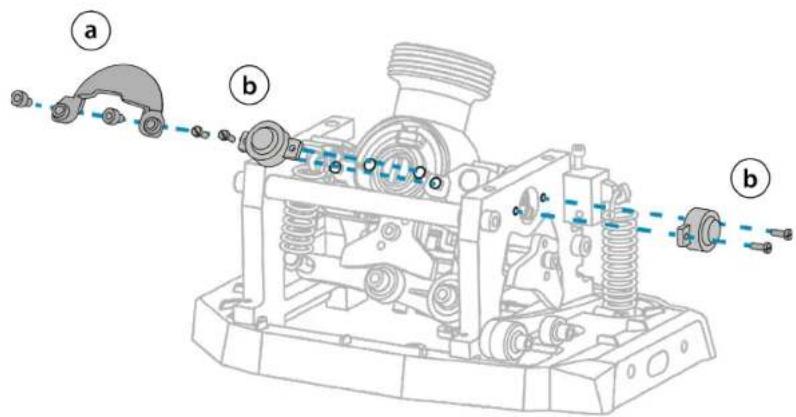

If you completely unscrew the damper, we recommend that you remove it in order to prevent it from falling inside the AVA base.
- Tighten (without forcing) the two screws supporting the springs.
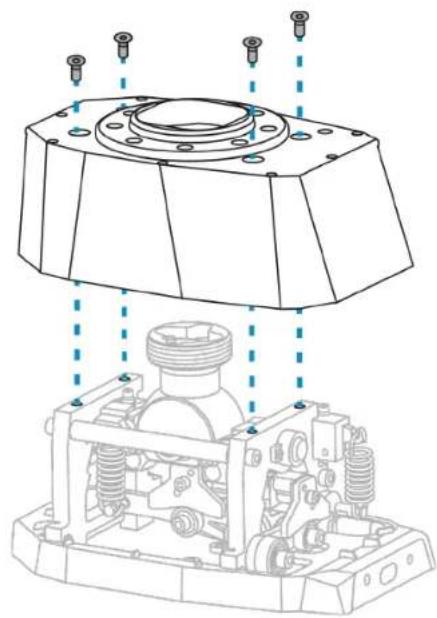
- Put the cover back in place using the four screws, and then follow the calibration procedure.
Adjusting the travel
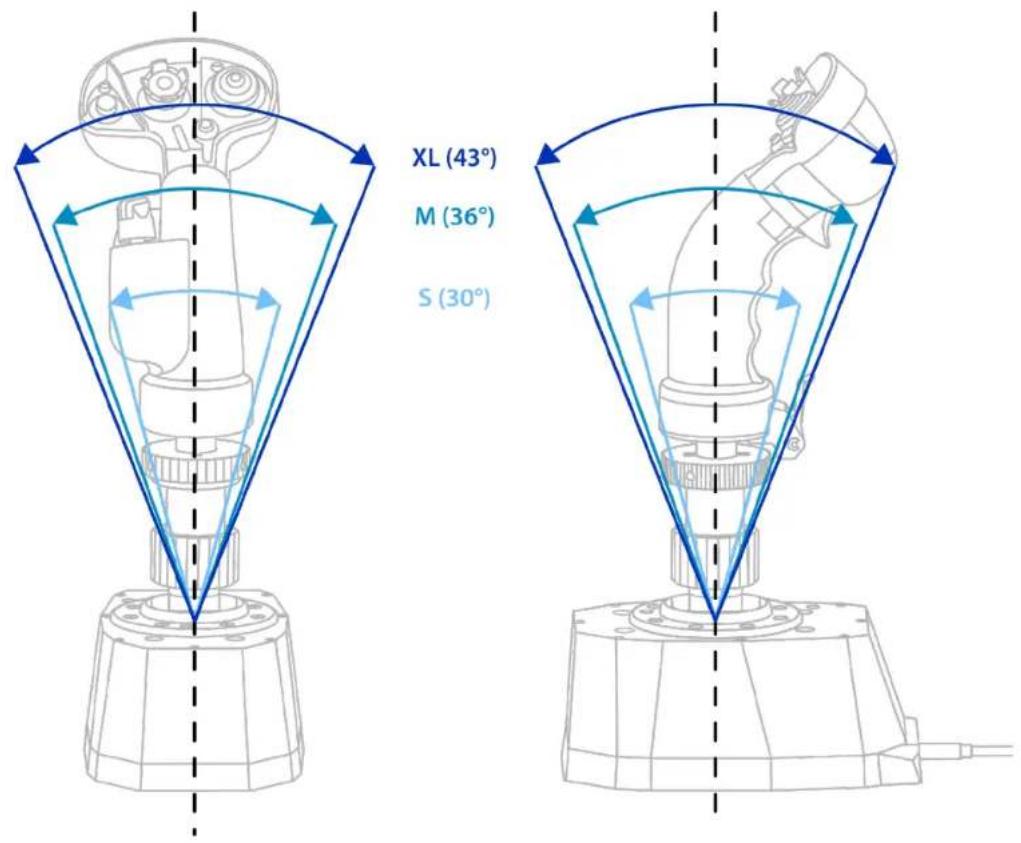
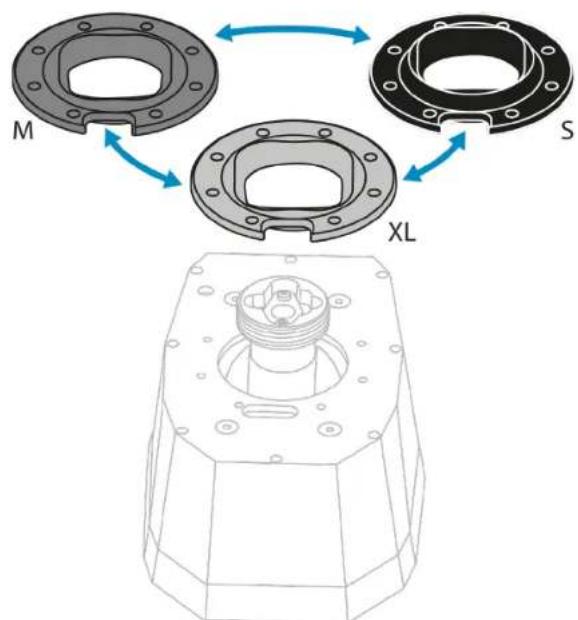
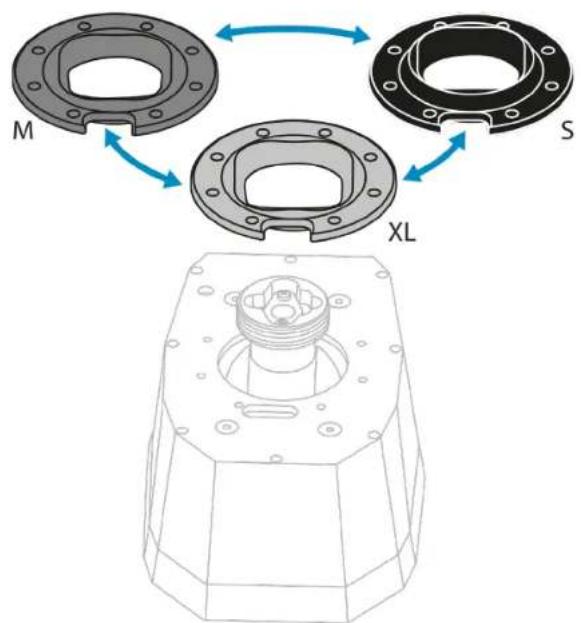
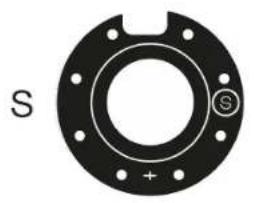
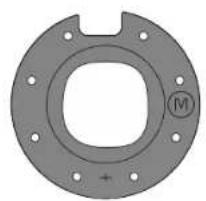
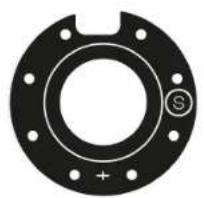
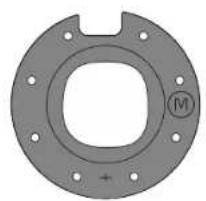
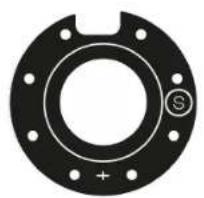
Three masks of different sizes are included with the AVA base. These masks allow you to adjust the flight stick grip's travel.
| Mask | Travel |
| XL (by default) | 43° |
| M | 36° |
| S | 30° |

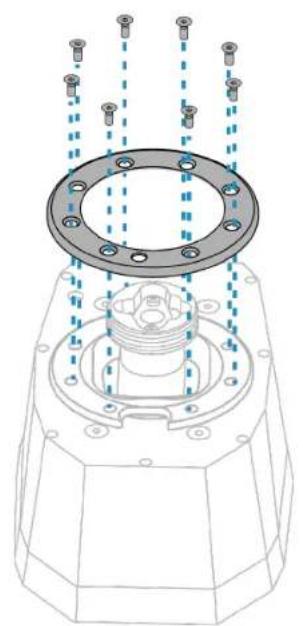
You don't need to open up the base in order to change the mask.
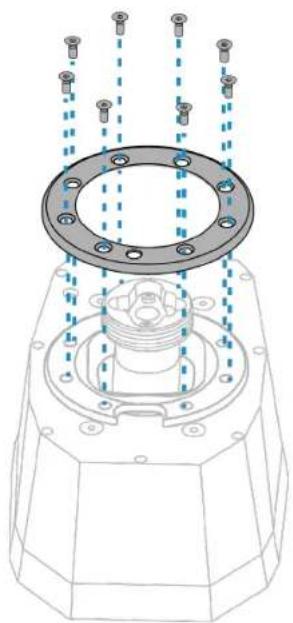
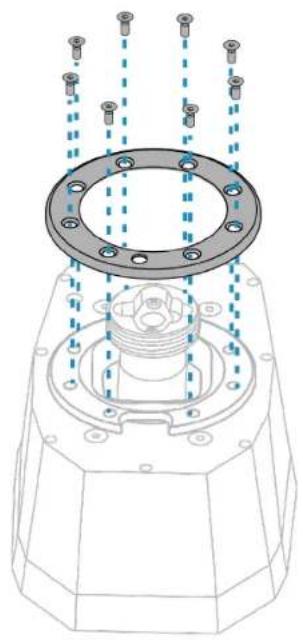
- Using the 2 mm Allen wrench, unscrew the eight screws from the ring and remove the ring.
- Remove the mask currently in place, and install a new mask.
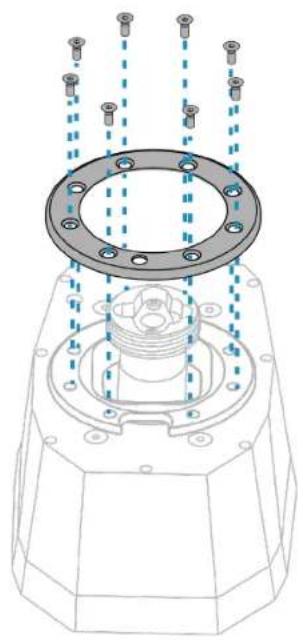
- Put the ring back in place using the eight screws, and then follow the calibration procedure.
Calibrating the base
After having modified one of the AVA base's settings, you must calibrate the base and the flight stick grip.
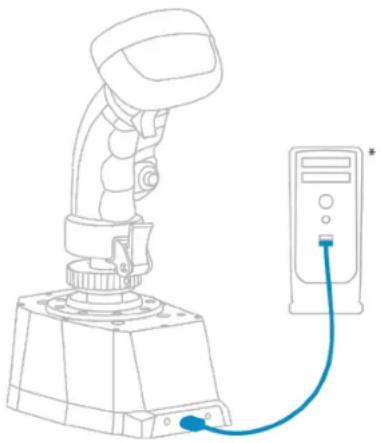
- Connect the AVA base (with a flight stick grip installed on it) to one of your PC's USB ports using the USB-A - USB-C cable.
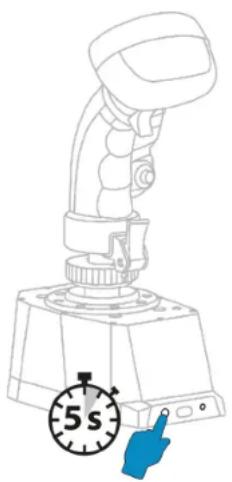
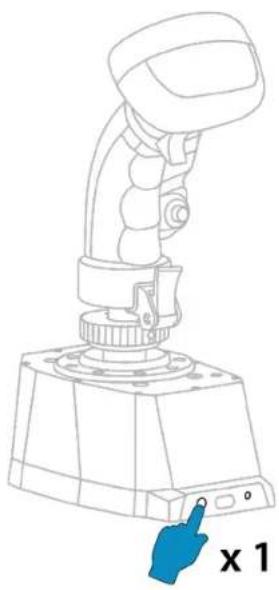
- Press and hold down the button located on the back of the base for five seconds. When the calibration procedure begins, the LED flashes slowly.
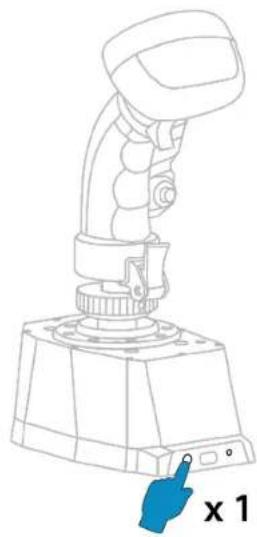
- Leave the flight stick grip in the central position, and then press the button located on the back of the base to validate the flight stick grip's central position. The LED flashes more quickly.
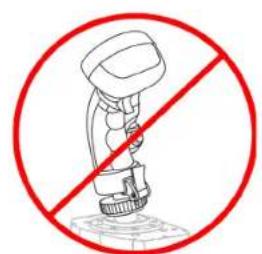
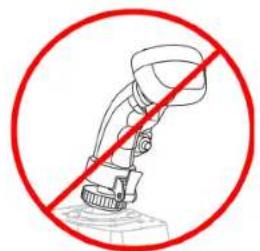
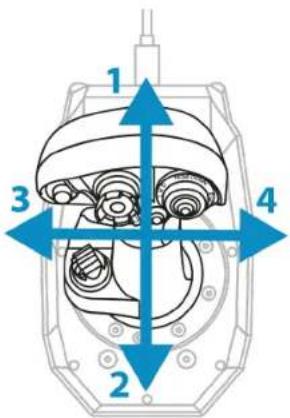
- Without forcing, move the flight stick grip to reach the ends of the X and Y axes.
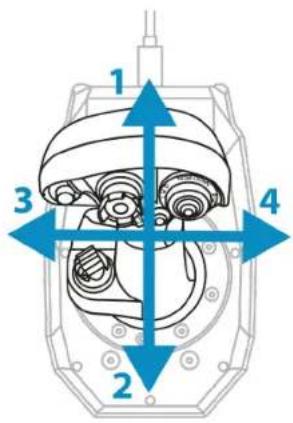
- Press the button located on the back of the base again to validate the calibration. When the calibration procedure is complete, the LED remains lit up.
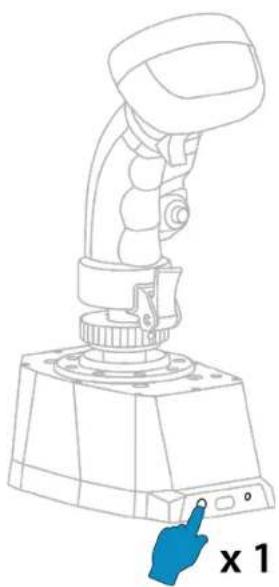
8. T.A.R.G.E.T advanced
programming software

T.A.R.G.E.T (Thrustmaster Advanced pRogramming Graphical EditTor) is an innovative, high-performance software suite allowing for improvements to most Thrustmaster flight controllers, and the sharing of profiles with the Thrustmaster community.
Installation
- Visit:
https://support.thrustmaster.com/product/ava-fa18-superhornetflightstick
- In the Software section, download and install the T.A.R.G.E.T advanced programming software.
Main features
- Various possible configurations of the axes.
- Multiple programming levels available: Basic, Advanced and Script.
- Use of the Drag and Drop principle.
- The ability to combine the AVA base with other Thrustmaster flight simulation accessories (Hotas Cougar, Hotas Warthog, T.16000M FCS, TWCS, TFRP, MFD Cougar Pack, TCA range, VIPER range — all of which are also compatible with T.A.R.G.E.T), allowing them to be recognized as a single USB device.
- Access to advanced profiles created by the Thrustmaster community.
9. FAQ and technical support
Do you have questions regarding the AVA F/A-18 Super Hornet™ Flightstick joystick, or are you experiencing technical problems? If so, visit the Thrustmaster technical support website:
https://support.thrustmaster.com/product/ava-fa18-superhornetflightstick
THrustMASTER


F/A-18 SUPER HORNET
FLIGHTSTICK

Pour PC (Windows® 10/11)
https://support.thrustmaster.com/product/avafa18-superhornetflightstick
https://support.thrustmaster.com/product/ava-fa18-superhornetflightstick
https://support.thrustmaster.com/product/avafa18-superhornetflightstick
Ouvrir la base
https://support.thrustmaster.com/product/ava-fa18-superhornetflightstick
THrustMASTER


F/A-18 SUPER HORNET
FLIGHTSTICK

PC (Windows® 10/11)
Benutzerhandbuch

https://support.thrustmaster.com/product/ava-fa18-superhornetflightstick
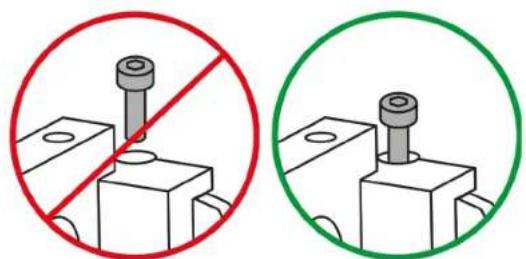
Be careful not to completely unscrew the two screws supporting the springs.
https://support.thrustmaster.com/product/ava-fa18-superhornetflightstick
THrustMASTER

AVA
F/A-18 SUPER HORNET
FLIGHTSTICK

PC (Windows® 10/11)
Handleiding

Viper Grip - HOTAS Add-On Grip*- mapping. 27
https://support.thrustmaster.com/product/avafa18-superhornetflightstick
https://support.thrustmaster.com/product/ava-fa18-superhornetflightstick
https://support.thrustmaster.com/product/ava-fa18-superhornetflightstick
https://support.thrustmaster.com/product/ava-fa18-superhornetflightstick
https://support.thrustmaster.com/product/ava-fa18-superhornetflightstick
THrustMASTER


F/A-18 SUPER HORNET
FLIGHTSTICK

PC (Windows® 10/11)
Manuale d'uso

https://support.thrustmaster.com/product/ava-fa18-superhornetflightstick
https://support.thrustmaster.com/product/avafa18-superhornetflightstick
https://support.thrustmaster.com/product/avafa18-superhornetflightstick.
Aprière la base
https://support.thrustmaster.com/product/ava-fa18-superhornetflightstick
THrustMASTER


F/A-18 SUPER HORNET
FLIGHTSTICK

PC (Windows® 10/11)
Manual del usuario

https://support.thrustmaster.com/product/avafa18-superhornetflightstick
https://support.thrustmaster.com/product/ava-fa18-superhornetflightstick
https://support.thrustmaster.com/product/ava-fa18-superhornetflightstick
https://support.thrustmaster.com/product/avafa18-superhornetflightstick.
comoAbrirla base
https://support.thrustmaster.com/product/ava-fa18-superhornetflightstick
THrustMASTER


F/A-18 SUPER HORNET
FLIGHTSTICK

PC (Windows® 10/11)
Manual do Utilizador

https://support.thrustmaster.com/product/avafa18-superhornetflightstick.
https://support.thrustmaster.com/product/ava-fa18-superhornetflightstick.
https://support.thrustmaster.com/product/ava-fa18-superhornetflightstick.
https://support.thrustmaster.com/product/avafa18-superhornetflightstick.
Abrir a base
https://support.thrustmaster.com/product/ava-fa18-superhornetflightstick.
THrustMASTER


F/A-18 SUPER HORNET
FLIGHTSTICK

PK (Windows® 10/11)
PykoBoDcTBo nOJIb3OBaTeJЯ

BHHMaTeIbHo npOHTaIte
HHCTpyKcnn,
codepkauneB daHHOM pyKOBOdCTBe, nepe
yctaHOBkoI,nepe
JIIO6bIM IcNoIb3OBaHHeM
npoodykta n neped
JIIO6bIM TEXHnueCKM
obcyxnbAHnem.ObaTeIbHo co6IouaIte npabna
TexHnK 6e3oNaChOCTn. HecobJOpHeHne TexHnK
6e30aCHOCTMOKeT pNBecTN K HechactHbIM
CnyaM n/nnn noBpeXdeHnAeM. CoxpaHnte 3TO
pykoBOIDCTBO,TO6bIMeTb BO3MOXHOCTb 6paTNTbcK INHCTpyKzmaB 6yduuem.
COДЕРЖAHNE
- CODEPJKMOE KOPOBKn 6
- TEXHnueCKNE XAPAKTEPNCNk 8
- INHΦOPMAÇNЯ OБ ИСПОЛьЗOBAHМ
6A3bl 10
- YCTAHOBKA HA ONOPE 11
YcmaHoEka Ha nJaCmuHy Thrustmaster...15
YcmaHo8ka Ha KOKnum* uu dpuyu
ΦukcupoBaHHyO onopy* 16
-
YCTAHOBKA HA PIK 17
Pahenb ynpaeeHua. 18 -
YCTAHOBKA PYKÖRTKN UYPABJEHIN
PONETOM 20
C aadamepom cmeuenu 20
Be3 aadamepacmeuenu 25
Ha3haeHue KhoNok F/A-18C Hornet™ HOTAS
Add-On Grip 26
Ha3haeHue KhoNok Viper Grip-HOTAS Add-On
Grip* 27
- INHINBIVUJbHAR HACTPOIKA...28
Omkpbimue 6a3bl. 30
Hacmpouka napamempoe.31
KaIu6po8ka 6a3bl. 48
- PACUINPEHHOE NOДЛЯ
ПОГРAMMЮBAHAЯ T.A.R.G.E.T. 51
YcmaHoEka 51
Ochobhe xapakmepucmuku. 52
- YACTO 3AДАВАБМьE BОПСьИ
TEXHnueCKa IOndepKKA. 53
Co3daIte cBOI cO6CTBENHbI CTINb PnIOtnpOBaHnA
c nOMoU bJxOiCTnKa AVA F/A-18 Super HornetTM Flightstick, KOTOpBIM aIaANTnpyeTcK IIObOMy Tnny
noIeta. Ba3y AVA MoXHO JERKO N 6bICTPO HAcTpOnTb
noI ce6y, YTO6bl IOnyUHTb HeBepoTHyIO TOHOCTB
ynpabLnEHNr I yHkAlhBhIe OUsUeHnra.
PiNtnpOBaHnE C pONHbIM nOrpyKeHnEM B npOcecc!
Cna6oe coNPOTnBneHne,
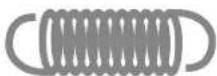
CpeDHee coNpOtnBJIeHne,
OueHb cInbHoe COnpOTnBneHne,

2 wT.
2 wT.
2wT.

2. Texhnueckne xapakTepnCTnKn

1.Pa3bem USB-CДЯ NOdkHoueHЯ K6a3e AVA
-
Рожая Ка упразьени поелов F/A-18C Hornet™ HOTAS Add-On Grip
-
Адамер смени AVA Offset Adapter



4.Дваkomплектakуначков(JETиAERO)
5. OdINH KOMnJIeKT dEmnppepoB
6. Tpnu mackn (S, M n XL)
7. YeTbIpe KOMnJIeKTa npyKInH (OueHb CnIbHOe, cnIbHOe, cpeDHeE n Cna6oe COnpOTnBJIeHne)
8. Ka6eNb USB-A - USB-C
9.Двашесгравьхкюа(2MMn2,5MM)
10. HactoJIbHaJa nnTa AVA Desktop Plate
11. YeTbIpe BnHTa M4
3. Информаця об Incпльзовани 6a3bl

Onachoctb 3aueemnneHna
Дя крениня 6a3bl AVA k onope nCnoIb3yIte yetblpe BnHTa M4 n3 komPleKta noCTaBKN, YTO6bl He NOBpeDNTb 6a3y. MakcmaJIbHa DInHa BnHTa BHyTpN 6a3bl He DoJxHa npeBbIaTb 8 MM.

- Перацкдьим Испльбованем убeДиТecь,ЧTo 6a3a AVA зakpenlleHa Ha onope Надлесkaшm obpa30M B COOTBETCTBnC INHCTpyKuzmaN npOn3BOdnteЯ.
-Обязателно учтываite MaTeриаI onopblu ydoCTOBepebTecb,ЧTo Ha HeM MoJHo 3aKpeNTb n3deJIne. CToJeшNica, K KoTOPoI KpeNTcI 6a3a AVA,ДоЛжнa 6bITb I3rOToBJIeHa I3 ZeIbHOro MaTePnIa (HanpIMep, MДФ ИПи DepeBa), 6e3 NOJIOCTeI INI CTeKJIaHHbIX 3JIeMeHTOB.
Полно схему 6a3ы AVA можно нату на са即时: https://support.thrustmaster.com/product/ava-fa18-superhornetflightstick
MoHTaXHbI Ⅲa6NoH MoXHo cKaYaTb Ha caITe:
https://support.thrustmaster.com/product/ava-fa18-superhornetflightstick
PacneuataTe 7a6Ioh n nepenecnte ero Ha onopy, YTO6bI BbINOJIHnTb OTBepCTnA dJa KpeJIeHnA.
YcmaHOka Ha pIacmuHy Thrustmaster
CneiTe, TTo6bI BnHTbI BXoHJIIN BHyTpB 6a3bl He 60Jee Yem Ha 8 MM.
*PpodaemcormdeIbHo
YcmaHObKa Ha KOKnum\* uIu dpyayu qukcupoBaHHyo onopy\*
UTo6bl npNKpeNTb 6a3y AVA K KOKNITy* nnn HAcTOnbHOJ Onope*, NcNoJIb3yIte YeTbIpe I3 BOCBMn pe3b6OBbIX OTBepCTn, paCNOJoxEHHbIX Ha HnKHei CTOpOHe 6a3bl. NcNoJIb3yIte YeTbIpe BNHTa M4 n3 KOMNJIeKTA NOCTaBKn, UTo6bl He NOBpeDnTb 6a3y.
Takke moxho nCnoB3OBaTb yeTbIpe OTBepCTnay,
pacnoIooxeHHbIe no yrIam INaCTInbI AVA Desktop Plate,
yTo6bl yCTaHOBnTB 6a3y AVA BMeCTe c INaCTInHoi Ha
ShIpOKyu HEnoDbNkHyIO ONOpY.

- CnéДиTe,ЧТобы ВИNTы BXODINи BHyTpь 6a3ы H6 60JIeue Yem Ha 8 MM.
-Чтобы Избека Товржденя 6a3bI AVA, obpaTNTecb K npOn3BOdnteJIIO KOKnITa IIN B cnyk6y TexHnuecko ПODeprKKn n yToCHnTe, COBmecTtMЛКOKnITc npOdyKznei Thrustmaster.
^*B KOMnJIeKm He BXoDum
5. YctaHOBka Ha PIK
https://support.thrustmaster.com/product/ava-fa18-superhornetflightstick
YTo6bI NOJyHTb DOCTyn K HacTpoiKaM COnPoTnBJIeHn, KpNBoI OcN I DeMnΦnPoBaHn Ipr NcEHTpNpOBAHn, Heo6xOdmo OTKpbITb 6a3y AVA.

EcnHa 6a3e AVAucTaHOBlen aanTep CmeueHnRAVA Offset Adapter, oeaTeNbHo ydaInte ero,npexJe cem OTKpbBaTb 6a3y.
1.ОТКpyТиTeЧETbIpeВИNTa,pacnoJoxKeHHbIeHaBepxHcYчactn6a3bl.
2.СнIMITE Крblшky 6a3bl.
Hacmpoika napamempoe

UTo6bI He NOBpeiNTb MexaHn3MbI 6a3bl AVA, 6yDbTe OCTOpOxHbI I He 3aTЯrNBaIte BnHTbl MexaHn3MOB CnIshKOM cNlBHO. PpeKpaTIte 3aTjXkU BVHTOB, KOrda NOuyBCTByeTe DOCTaTOuHoe COnpOTnBJIeHne.
PeaylupoEka copomueJeHua
B KOMnJIeKT NoCTaBKn 6a3bI AVA BxOJaT YeTbIpe TIna npyKIn. 3TN npyKInbI N03BOJIoT peYIpOpBaTb COnpOTnVBJIeHne pyKn ynpaBJIeHnia NOJeTOM.
CTapaItecB He ocna6nraTb npyKnHbI NOHOCTBIO.

Дя obecneueHЯ 3aBHeHHOro cpoKa cIyK6bl npxH 6a3a AVA noCTaBnYeTcra co cIeRka ocIa6JIeHHbIMn npxHAmn. Prn Heo6XoDmOcTn IX MOxHO OTpEryJInPoBaTb.
N3meHeHue pa6ombl ocu
B KOMnJIeK T BxOJaT DBa TnPa KUJaUcKOB. 3Tn KUJaUcKMOJXHO NcIOnb3OBAtB DJIa N3MeHeHnI NOBeJeHnI OCSN.
Прфиь кулачka onpedeileet ouzuelsen yucnna, npnilaraembIe ДЯперemeшени рчkn уравлени NOJETOM.
UTo6bI NOJIHOCTBIO HAcTpOINTb 6a3y AVA noi ce6y, MOxHO NcNoJIb3OBaTB OINH demnep, DBa demnpepa IJIH He NcNoJIb3OBaTB IX BOBCE.
- Oслабы Te Два ВиHTa, удерЖиВаюше npужинbl,Κak nOKa3aHo HIXe. 3TO nO3BOJЯET pa36ЛokИрOBaTB MEXAHn3M И упocTITb ChЯТи.deMnФepOB.

Стараітесь He BBkpyuBaTb Do KOHca DBa BnHTa, ydepxuBaIOUne npyxINbl.
YTo6bI CMeHnTb MaCKy, He HxKHO OTKpbIBaTb 6a3y.
1.C NOMOUIO IeCTnIgpaHHOro KJIoua Ha 2 MM N3BNEKITE BOCEMB BNHTOB N3 KOJIbca IN CHIMNTE erO.
- Chmnte yctaHOBJIeHHyIO mACKy n yCTaHOBInTe HOByIO.
3.Установке Кольculo Ha MeCTO C NOMOUIBOCBMNBHTOB,a 3aTeM BbINOJIHnte npoceDpyKaIIN6pOBKn.
Kanu6po8ka 6a3bl
https://support.thrustmaster.com/product/ava-fa18-superhornetflightstick
THrustMASTER


F/A-18 SUPER HORNET
FLIGHTSTICK

PC (Windows® 10/11)
Uživatský manuál

https://support.thrustmaster.com/product/avafa18-superhornetflightstick
https://support.thrustmaster.com/product/ava-fa18-superhornetflightstick
https://support.thrustmaster.com/product/avafa18-superhornetflightstick
https://support.thrustmaster.com/product/avafa18-superhornetflightstick.
Otevřeni základny
https://support.thrustmaster.com/product/avafa18-superhornetflightstick
https://support.thrustmaster.com/product/ava-fa18-superhornetflightstick
THrustMASTER


F/A-18 SUPER HORNET
FLIGHTSTICK

PC (Windows® 10/11)
Kullanici Kilavuzu

https://support.thrustmaster.com/product/avafa18-superhornetflightstick
https://support.thrustmaster.com/product/ava-fa18-superhornetflightstick
https://support.thrustmaster.com/product/ava-fa18-superhornetflightstick
https://support.thrustmaster.com/product/ava-fa18-superhornetflightstick
THrustMASTER


F/A-18 SUPER HORNET
FLIGHTSTICK

PC (Windows® 10/11)
Instrukcja obslugi

https://support.thrustmaster.com/product/avafa18-superhornetflightstick
https://support.thrustmaster.com/product/ava-fa18-superhornetflightstick
https://support.thrustmaster.com/product/ava-fa18-superhornetflightstick
https://support.thrustmaster.com/product/ava-fa18-superhornetflightstick
THrustMASTER


F/A-18 SUPER HORNET
FLIGHTSTICK

PC (Windows® 10/11)
Användarmanual

INNEHÄLLSFÖRTECKNING
- INNEHÄLL I FÖRPACKINGEN 6
- TEKNISKA DELAR 8
- INFORMATION RÖRANDE ANVÄNDNINGEN
AV BASEN. 10
4. INSTALLATION PÅ ETT STÖD 11
Installation pa en Thrustmaster-platta.....15
https://support.thrustmaster.com/product/avafa18-superhornetflightstick
https://support.thrustmaster.com/product/ava-fa18-superhornetflightstick
https://support.thrustmaster.com/product/ava-fa18-superhornetflightstick
https://support.thrustmaster.com/product/avafa18-superhornetflightstick.
Öppna basen
https://support.thrustmaster.com/product/ava-fa18-superhornetflightstick
https://support.thrustmaster.com/product/ava-fa18-superhornetflightstick
THrustMASTER


F/A-18 SUPER HORNET
FLIGHTSTICK

PC (Windows® 10/11)
Käytöohje

https://support.thrustmaster.com/product/avafa18-superhornetflightstick
https://support.thrustmaster.com/product/ava-fa18-superhornetflightstick.
https://support.thrustmaster.com/product/ava-fa18-superhornetflightstick.
https://support.thrustmaster.com/product/ava-fa18-superhornetflightstick
https://support.thrustmaster.com/product/ava-fa18-superhornetflightstick
THrustMASTER


F/A-18 SUPER HORNET
FLIGHTSTICK

PC (Windows® 10/11)
Návod na použitie

Pred instalaciou produktu, pred akymkol'vek použitim** produktu a pred akoukol'vek udržbou si pozorne precitajte pouky uvedené v toto námode.
Bezpodmienečne dodržiavajte bezpečnostné pokyny. Nedodržanie tychtoPokynov moze viest k nahodá m a/alebo škodám. Uschovajte siarto námod, aby ste si ho mohli v budúcnosti prečitat'.
OBSAH
- OBSAH BALENIA 6
- TECHNICKE VLASTNOSTI 8
- INFORMÁCIE O POUžÍVANI ZÁKLADNE .10
- INŠTALÁCIA NA PODPERU. 11
Instalacia na platnu Thrustmaster. 15
https://support.thrustmaster.com/product/avafa18-superhornetflightstick
Vyberte Drivers (Ovl ádače) a postupujte podlaPokynov vrátane postupu st'ahovania a instalácie.
1. Obsah balenia
AERO x 2
Slabá x 2
Stredna x 2
Velmi silná x 2


https://support.thrustmaster.com/product/ava-fa18-superhornetflightstick
Vytlacte si sablonu a potom ju preneste na vašu podperu, aby ste pripravili otvory na montáž.
Instalácia na platnu Thrustmaster
Základnu AVA moźete pripnevnit' k platni AVA Desktop Plate alebo platni Hotas Warthog*.
https://support.thrustmaster.com/product/ava-fa18-superhornetflightstick
S offsetovym adaptorom
https://support.thrustmaster.com/product/avafa18-superhornetflightstick.
Otvorenie základne
Ak chcete ziskat' pristup k nastaveniam odporu, krivky osi a centrovania tlmenia, musite otvorit' zakladnu AVA.

https://support.thrustmaster.com/product/avafa18-superhornetflightstick
2.V sekcii Software (Softver), si stiahnite a nainstalujtePokrociy programovaci softver T.A.R.G.E.T.
Hlavné vlastnosti
- Rózne möglich konfiguracje osí.
- K disposzócii je viacero urovní programovania: Basic, Advanced a Script.
- Použitie原則 Drag and Drop.
- Schopnost kombinovat základnu AVA s d'alśim przyslušenstvom na simuláciu letu Thrustmaster (Hotas Cougar, Hotas Warthog, T.16000M FCS, TWCS, TFRP, MFD Cougar Pack, rad TCA, rad VIPER - vsetky z nich su tiež kompatibilné s T.A.R.G.E.T), co umoznije ich Rozpoznanie ako jakno USB zariadenie.
- Pristup kPokročilým profilom vytvoreným komunitou Thrustmaster.
https://support.thrustmaster.com/product/ava-fa18-superhornetflightstick
THrustMASTER


F/A-18 SUPER HORNET
FLIGHTSTICK

PC (Windows® 10/11)
Használati utmutató

https://support.thrustmaster.com/product/avafa18-superhornetflightstick
https://support.thrustmaster.com/product/ava-fa18-superhornetflightstick
https://support.thrustmaster.com/product/avafa18-superhornetflightstick
https://support.thrustmaster.com/product/avafa18-superhornetflightstick.
Az alap felnyitása
https://support.thrustmaster.com/product/ava-fa18-superhornetflightstick
THrustMASTER


F/A-18 SUPER HORNET
FLIGHTSTICK

(Windows® 10/11) ヨン
unnuh

197 7 n nn nn nn nn nn nn nn nn nn nn nn nn nn nn nn nn nn nn nn nn nn nn nn nn nn nn nn nn nn nn nn nn nn nn nn nn nn nn nn nn nn nn nn nn nn nn nn nn nn nn nn nn nn nn nn nn nn nn nn nn nn nn nn nn nn nn nn nn nn nn nn nn nn nn nn nn nn nn nn nn nn nn nn nn nn nn nn nn nn nn nn nn nn nn nn nn nn nn nn nn
Tn
Dyyn pIn
-
-
-
-
- 15.Thrustmaster nniy npnn nyipnwn IN *oov nn
- 17 5.
- 772 n7
- now in 6.
- 0nn nn ay
- 0nn nn x7 F/A-18C HornetTM HOTAS 19n
- Add-On Grip
Viper Grip - HOTAS '19'n -
*Add-On Grip
-
- 00nnn
-
- 51
52
- 51
- 9.
AVA F/A-18 Super nnnn nn noo nno nnnn ,HornetTM Flightstick, nnnnna AVA-n oon nn nnnn .ninnn nn nnnn nn nnnn nn nnnn nn nnnn nn nnnn nn nnnn nn nnnn nn nnnn nn nnnn nn nnnn nn nnnn nn nnnn nn nnnn nn nnnn nn nnnn nn nnnn nn nnnn nn nnnn nn nnnn nn nnnn nn nnnn nn nnnn nn nnnn nn nnnn nn nnnn nn nannn nn nnnn nn nnnn nn nnnn nn nnnn nn nnnn nn nnnn nn nnnn nn nnnn nn nnnn nn nnnn nn nnnn nn nnnn nn nnnn nn nnnn nn nnnn nn nnnn nn nnnn nn nnnn nn nnnn nn nnnn nn
AVA F/A-18 Super o'oan nn nnnn Homet TM Flightstick nynn nn nn nn nn nn nn nn nn
n nnnn nn no nnnn nnnn 7

nnuynIOTy
TIN JUN ,INTI JUNN DY IIN Y91 n OIOY TDAVA
.
nnoo n 1
https://support.thrustmaster.com/product/ava
fa18-superhornetflightstick
,niinn nn n (nnnn nn)
nnnnnnnnnnnnnnn
7777 1
M
S

AERO × 2
wnx2
2x
TINN x 2


nuiu nuiu .2

https://support.thrustmaster.com/product/ava-fa18-superhornetflightstick
X 7777777777777777
nT
AVA Desktop Plate nni AVA-n oonn .Hotas Warthog nni
M4-n ynnn7 ,0o nn7 .0o 1597 7T ,D

n"8-n 7nn7 n7 nn7 .00n
7917
\*nnn nn nnnn nnnn nnnn
w, *n7 wwn n x oon nn AVA-n oon n 7 T Dn nn nn nn nn nn nn nn nn nn nn nn nn nn nn nn nn nn nn nn nn nn nn nn nn nn nn nn nn nn nn nn nn nn nn nn nn nn nn nn nn nn nn nn nn nn nn nn nn nn nn nn nn nn nn nn nn nn nn nn nn nn nn nn nn nn nn nn nn nn nn nn nn nn nn nn nn nn nn nn nn nn nn nn nn nn nn nn nn nn nn nn nn nn nn nn nn nn nn nn nnnnnnnnnnnnnnnnnnnnnnnnnnnnnnnnnnnnnnnnnnnnnnnnnnnnnnnnnnnnnnnnnnnnnnnnnnnnnnnnnnnnnnnnnnnnnnnnnnnnnnnnnnnnnnnnnnn
https://support.thrustmaster.com/product/ava
-fa18-superhornetflightstick
Xn Xn nn nn nn nn nn nn nn .2
Windows w n nn nn nn nn
nx7 1,ynnnn nn nnnn 7.3
nVX,unnUSB-n nixynnnXnAVA-n oO
.USB-C-USB-A-n
nna nnnn nn
Windows® (10-2) ngnnnThrustmaster/niu//nnn
nn nn yin nynn nn nnnnn
(17) OK oiooAVA Base Dwn
ynn7 7n7 n7 n7
.
707 777 777 777 .6
F/A-18C Hornet™ HOTAS no'oun nnn nn nn AVA oon nn nn nn AVA-n o'oad-On Grip .(7) Offset Adapter
0077 0077
n nn nn nnnn AVA Offset Adapter 0nn nn n, n"o 5- noon nn nn nn nn nn nn nn nn nn nn nn nn nn nn nn nn nn nn nn nn nn nn nn nn nn nn nn nn nn nn nn nn nn nn nn nn nn nn nn nn nn nn nn nn nn nn nn nn nn nn nn nn nn nn nn nn nn nn nn nn nn nn nn nn nn nn nn nn nn nn nn nn nn nn nn nn nn nn nn nn nn nn nn nn nn nn nn nn nn nn nn nn nn nn nn nn nn nn nn nn
y AVA Offset Adapter oinn nn nnn 1 ,nnnnnnnnnnnnnnnnnnnnnnnnnnnnnnnnnnnnnnnnnnnnnnnnnnnnnnnnnnnnnnnnnnnnnnnnnnnnnnnnnnnnnnnnnnnnnnnnnnnnnnnnnnnnnnnnnnnnnnnnnnnnnnnnnnnnnnnnn
.1Tnn ny20 nx inn.2
n 3
-30°15,0°) noon nn nnn 00nn
n7. (nwn nn nn nn nn nn nn nn nn nn nn nn nn nn nn nn nn nn nn nn nn nn nn nn nn nn nn nn nn nn nn nn nn nn nn nn nn nn nn nn nn nn nn nn nn nn nn nn nn nn nn nn nn nn nn nn nn nn nn nn nn nn nn nn nn nn nn nn nn nn nn nn nn nn nn nn nn nn nn nn nn nn nn nn nn nn nn nn nn nn
.17nn nyao nx nptn.4
AVA Offset 00nn nn nn nn nn nn nn .5
Adapter 50,71
non7
.1Tnn nn nn 17n.6

XII7 X .N 77 7 ,N77 NNNN NNNN NNNN NNNN NNNN NNNN NNNN NNNN NNNN NNNN NNNN NNNN NNNN NNNN NNNN NNNN NNNN NNNN NNNN NNNN NNNN NNNN NNNN NNNN NNNN NNNN NNNN NNNN NNNN NNNN NNNN NNNN NNNN NNNN
0077 0NNN
XAVAAVA-n noon nn nnnn.1
xinnn noon nn nn .
.2

XnH X .nD ynn7 n ,nD nTn nn n D
90, nD n nn no n nn n nn Oo nn nn nn
. nn nn nn nn nn nn nn nn nn nn nn
F/A-18C Hornet™ HOTAS Add-On
Grip
*Viper Grip - HOTAS Add-On Grip
7911 701
7
AVA-n 0o2
.
:nuu
W .77n qx T x7 X7 Tixn ninn ,77nn 77nn
nn nn nnnn nn nnnn nn nnnn nn
.
nnn 100nn nwn nN
AVA 0o7 Tynn .
https://support.thrustmaster.com/product/ava
fa18-superhornetflightstick.
n nn nnnnnnnnnnnnnnnnnnnnnnnnnnnnnnnnnnnnnnnnnnnnnnnnnnnnnnnnnnnnnnnnnnnnnnnnnnnnnnnnnnnnnnnnnnnnnnnnnnnnnnnnnnnnnnnnnnnnn

- n o'o' y i nn AVA Offset Adapteroo nn nn .O'o'nnn nn nn nn nn ,AVA
y yyn nn nn nnnn nn nn nn.1 .0'0n
.0'0'0'0'0'0'0'0'0'0'2

TnO C
TnON NnN 7777777777
. nson nnnnn nn
17x n 17n .Dy 7 y DIO 7y AVA-n Oo .No'On nn nn nn nn nn nn nn nn
n n nn nnnn nnnn nnnn nnnn nnnn nnnn nnnn nnnn nnnn nnnn nnnn nnnn nnnn nnnn nnnn nnnn nnnn nnnn nnnn nnnn nnnn nnnn nnnn nnnn nnnn nnnn nnnn nnnn nnnn nnnn nnnn nnnn nnnn nnnn
100,00000000000000000000000000000
Nn nn nnnnnnnnnnnnnnnnnnnnnnnnn
n

.
77 7777777777.2
n 0'o-AVA.

n nn nnnnnnnnnnnnnnnnnn.3
INXnONx) nN71
inipn nnon noon nn nnn .(2) inx n on pn
.()

yinnn nn nnnn nn nn nn
AVA-n o'oJn7 n7nn nn
.17n.4
yannn nn nnnnnn nn nnnn nn.4
Y-nX-nn
n nn7 7.5
xnuLED-n nnnn nnwn nn
.
atpna nnonn T.A.R.G.E.T .8

Thrustmaster Advanced pRogramming) T.A.R.G.E.T
Graphical Editor y
nnoon nnn nn nn 797 nwnn ,nna
.Thrustmaster nni y nni nni Thrustmaster
777
:1.1
https://support.thrustmaster.com/product/ava
- fa18-superhornetflightstick
ninn nn nnnn (ninn) Software nnn.2
.0nn nn T.A.R.G.E.T
.
Script -1 Advanced,Basic:nnnnnnnnn 190n
nnu nnu nnnu -
noo nnnn nn yAVA-n 0o2 nn 777n7n
^, Hotas Cougar nnnn n) Thrustmaster nn
,*TFRP ,*TWCS ,*T.16000M FCS ,*Hotas Warthog
VIPER nnnn nTCA,MFDCougar Pack
nn ,(T.A.R.G.E.T-7 nnin nn - range
.USB
nyn nynnnn nn
.Thrustmaster
n#n n#n 9
yOoIy nniu ynv AVA
, p n ?n nn nn nn nn ,HornetTM Flightstick
:Thrustmaster w nn nn nn nn 100
https://support.thrustmaster.com/product/ava-fa18-
superhornetflightstick
THrustMASTER


F/A-18 SUPER HORNET
FLIGHTSTICK

(Windows® 10/11) J
piaaai

i 1
aJxlllcljEeJnJdSlaJyI J
1
Jaiuallg
J
6
1..
-
-
-
- 15.Thrustmaster
- *
-
- 6
20 1
25.
F/A-18C Hornet™ HOTAS bbs
26.Add-On Grip
Viper Grip-HOTAS
- *Add-On Grip
28
.7
30 18
31.
48.
51. T.A.R.G.E.T 8.
51
52.
53. 9.
https://support.thrustmaster.com/product/ava-fa18-superhornetflightstick
山
Lg Lg
1111
.1
M
S
AERO × 2

2x
2x
2:


aiai iiaol gai 2

AVA 1c USB-C 1
F/A-18C Hornet™ HOTAS Add- 2
On Grip
AVA Offset Adapter.3
XL
7
9

(AEROJET)
- 二拉立
(XLgMgS) 6
aagg g aagg aagg aagaaagaaagaaagaaagaaagaaagaaagaaagaaagaaagaaagaaagaaagaaagaaagaaagaaagaaagaaagaaagaaagaaagaaagaaagaaagaaagaaagaaagaaagaaagaaagaaagaaagaaagaaagaaagaaagaa
(a)
USB-C-USB-A 8
(2.5,2)
AVA Desktop Plate 10
M4 yolw .11
3
A
山
Jol jil 4
J 1
.
M4 1
y
8


https://support.thrustmaster.com/product/ava-fa18-superhornetflightstick
:
:1i 5
https://support.thrustmaster.com/product/ava-fa18-superhornetflightstick
https://support.thrustmaster.com/product/ava-fa18-superhornetflightstick
2.
. Windows
m = 311
0
15
30 1
.AVA AVA Offset Adapter
1.
y
olil
.2
- Lae
J30 15 0)
.
4
AVA
Ji jnnnll nne nee eae. Adapter Ls.
6.

https://support.thrustmaster.com/product/ava
fa18-superhornetflightstick.
J 1
A

AVA AVA Offset Adapter
.0eaiie 1
.1
.2

AVA
4.15 S aoglaall j 3j gaa 2r jy jn yalwll b j n c gg g
aagaa aagaa aagaa aagaa aagaa aagaa aagaa
T.A.R.G.E.T (Thrustmaster Advanced pRogramming
G Graphical EdiTor)
Thrustmaster
.Thrustmaster
15
1
https://support.thrustmaster.com/product/ava
- fa18-superhornetflightstick
https://support.thrustmaster.com/product/ava-fa18-
superhornetflightstick
THrustMASTER


F/A-18 SUPER HORNET
FLIGHTSTICK

PC (Windows® 10/11)
�一��一スマ二维ル

https://support.thrustmaster.com/product/avafa18-superhornetflightstick
https://support.thrustmaster.com/product/avafa18-superhornetflightstick
https://support.thrustmaster.com/product/avafa18-superhornetflightstick
一スを開けの
https://support.thrustmaster.com/product/avafa18-superhornetflightstick
https://support.thrustmaster.com/product/ava-fa18-superhornetflightstick
THrustMASTER


F/A-18 SUPER HORNET
FLIGHTSTICK

PC (Windows® 10/11)
用户手册

http://support.thrustmaster.cn/product/ava-fa18-superhornetflightstick
http://support.thrustmaster.cn/product/ava-fa18-superhornetflightstick
安装模板的尺寸:
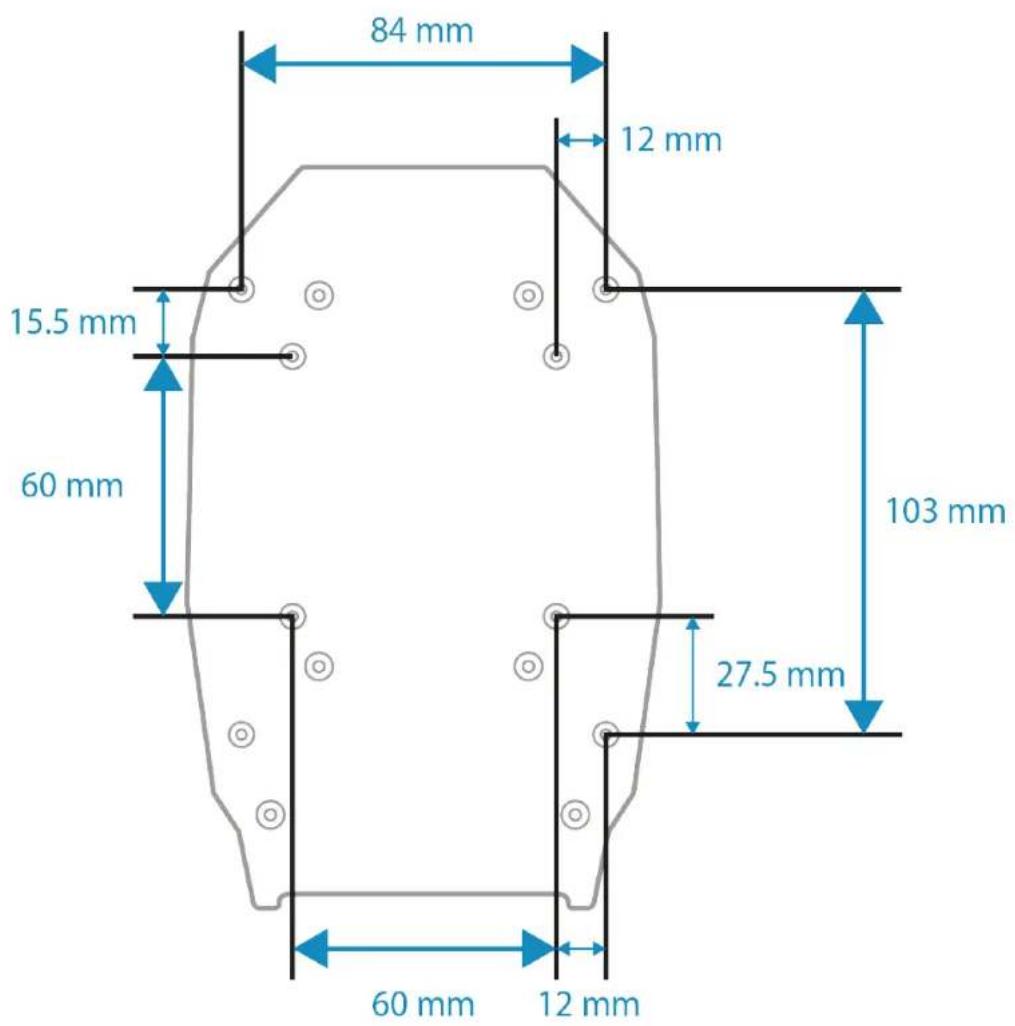
您可以在此处下载安装模板:
http://support.thrustmaster.cn/product/ava-fa18-superhornetflightstick
http://support.thrustmaster.cn/product/ava-fa18-superhornetflightstick


- TABLE OF CONTENTS
- Updating the firmware
- Box contents
- Technical features
- Information regarding use of the base
- Pinch hazard
- Installation on a support
- Installation on a Thrustmaster plate
- Installation on a cockpit* or another fixed support*
- Installation on PC
- Control panel
- Installing a flight stick grip
- With the offset adapter
- Possible configurations:
- !
- Without the offset adapter
- #
- F/A-18C Hornet™ HOTAS Add-On Grip mapping
- Viper Grip - HOTAS Add-On Grip* mapping
- Customization
- Opening up the base
- Customizing the settings
- Adjusting the resistance
- Fine-tuning the resistance
- Modifying the behavior of the axis
- Adjusting the recentering damping
- Adjusting the travel
- Calibrating the base
- T.A.R.G.E.T advanced
- programming software
- Installation
- Main features
- FAQ and technical support
- THrustMASTER
- Ouvrir la base
- AVA
- Aprière la base
- comoAbrirla base
- Abrir a base
- COДЕРЖAHNE
- Texhnueckne xapakTepnCTnKn
- Информаця об Incпльзовани 6a3bl
- Onachoctb 3aueemnneHna
- YcmaHOka Ha pIacmuHy Thrustmaster
- YcmaHObKa Ha KOKnum\* uIu dpyayu qukcupoBaHHyo onopy\*
- YctaHOBka Ha PIK
- Hacmpoika napamempoe
- PeaylupoEka copomueJeHua
- N3meHeHue pa6ombl ocu
- Kanu6po8ka 6a3bl
- Otevřeni základny
- F/A-18 SUPER HORNET
- INNEHÄLLSFÖRTECKNING
- Öppna basen
- OBSAH
- Obsah balenia
- Instalácia na platnu Thrustmaster
- S offsetovym adaptorom
- Otvorenie základne
- Hlavné vlastnosti
- Az alap felnyitása
- Dyyn pIn
- nnuynIOTy
- 1
- nuiu nuiu .2
- nT
- \*nnn nn nnnn nnnn nnnn
- https://support.thrustmaster.com/product/ava
- -fa18-superhornetflightstick
- 777 777 777 .6
- 0NNN
- F/A-18C Hornet™ HOTAS Add-On
- Grip
- 7
- atpna nnonn T.A.R.G.E.T .8
- n#n n#n 9
- J
- aiai iiaol gai 2
- 3
- Jol jil 4
- https://support.thrustmaster.com/product/ava-fa18-superhornetflightstick
- m = 311
- 一スを開けの
Brand : THRUSTMASTER
Model : AVA F/A-18 SUPER HORNET FLIGHTSTICK
Category : Controller