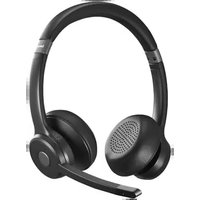
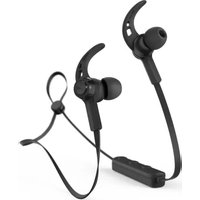
BT700 - Earphones HAMA - Free user manual and instructions
Find the device manual for free BT700 HAMA in PDF.


| Product type | Bluetooth stereo on-ear headset with microphone |
| Brand | Hama |
| Model | BT700 |
| Bluetooth connection | Version 5.2 |
| Multipoint technology | Yes (simultaneous connection with two devices) |
| Speaker diameter | 40 mm |
| Microphone | Built-in |
| Music playback time | 45 hours |
| Talk time | 40 hours |
| Standby time | 200 hours |
| Charging time | 2 hours |
| Battery | Li-Po 3.7 V / 400 mAh (1.48 Wh) |
| Power supply | USB-C, 5 V / 340 mA |
| Weight | 145 g |
| Charging cable length | 2.00 m |
| Color | Black (standard) |
| Compatibility | Windows 11/10, Android, iOS |
| Hands-free function | Yes |
| Voice assistant | Siri / Google Assistant |
| Mute button | Yes |
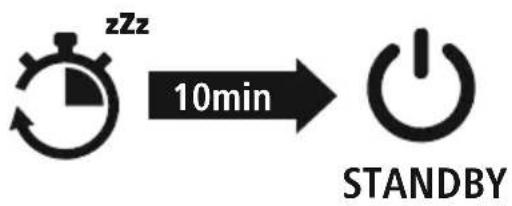
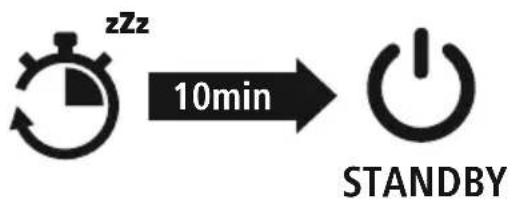
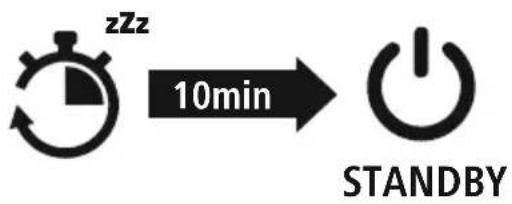
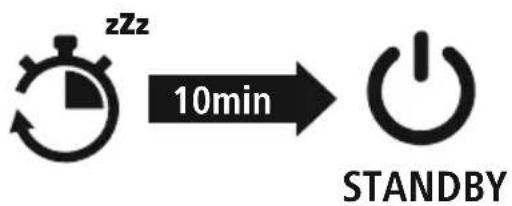
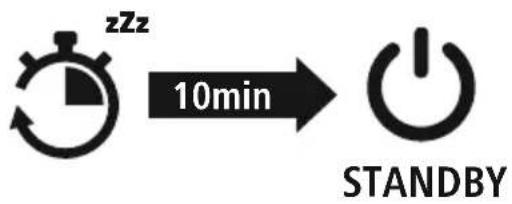
| Auto power off | After 5 minutes without connection |
| Cleaning | Soft, lint-free cloth slightly damp |
| Safety | Detailed instructions in the manual (avoid high volume, moisture, etc.) |
| Product code | 00139938 |
Frequently Asked Questions - BT700 HAMA
User questions about BT700 HAMA
0 question about this device. Answer the ones you know or ask your own.
Ask a new question about this device
Download the instructions for your Earphones in PDF format for free! Find your manual BT700 - HAMA and take your electronic device back in hand. On this page are published all the documents necessary for the use of your device. BT700 by HAMA.
USER MANUAL BT700 HAMA
natural_image
Line drawing of a pair of headphones with earbuds and headband (no text or symbols)GB Operating Instructions D Bedienungsanleitung F Mode d'emploi E Instrucciones de uso
NL Gebruiksaanwijzing I Istruzioni per l'uso PL Instrukcja obsługi H Használati útmutató
RO Manual de utilizare CZ Návod k použití SK Návod na použitie P Manual de instruções
GB Operatinginstructions
ThankyouforchoosingaHamaproduct.
Takeyourtimeandreadthefollowinginstructions andinformationcompletely.Pleasekeepthese instructionsinasafeplaceforfuturereference .If yousellthedevice,pleasepasstheseoperating instructionsontothenewowner.
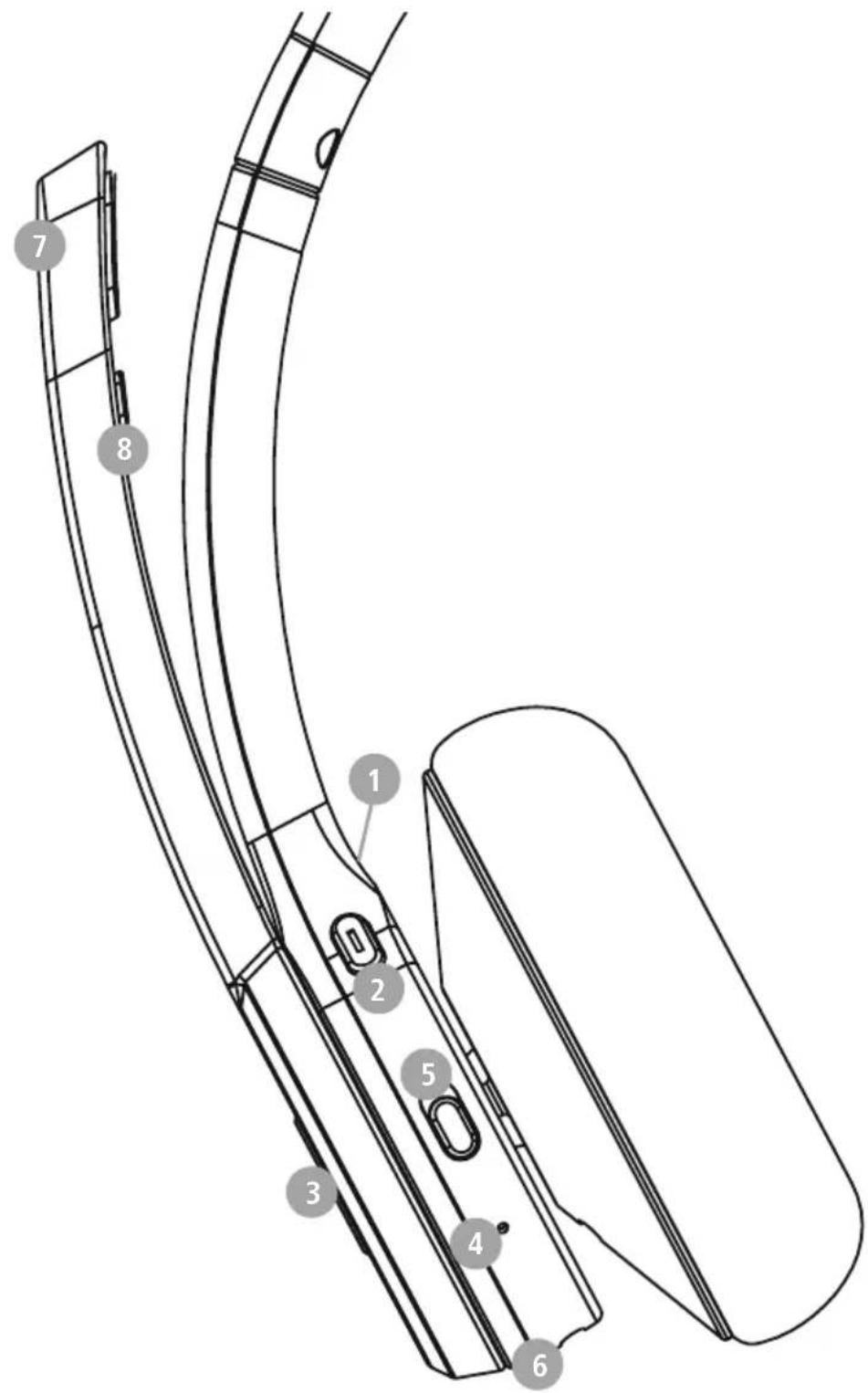
Controlsanddisplays
1.+button
2.-button
3.Multi-functionbutton(MFB)
4.StatusLED
5.On/Offbutton
6.USB-Cconnection
7. Microphone
8.Mutebutton

1. Explanationofwarningsymbols and notes
Warning

Thissymbolisusedtoindicatesafety instructionsortodrawyourattentiontospecific hazardsandrisks .
Note

This symbol is used to indicate additional information or important notes.
2.Packagecontents
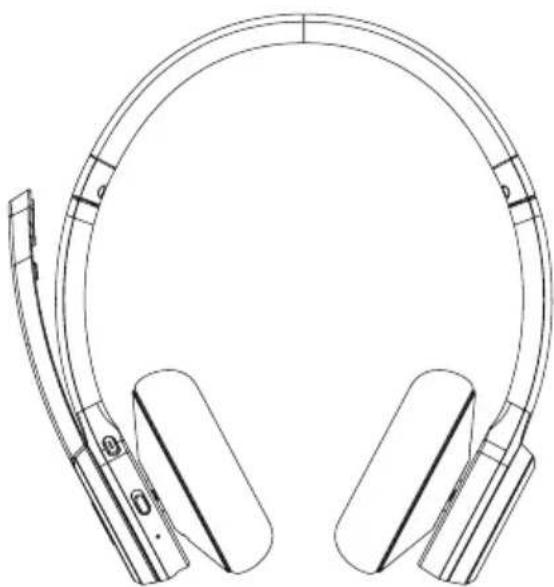
1xBT700Bluetooth ^® On-Earstereoheadset
1xUSBchargingcable
1xoperatinginstructions
1xwarningandsafetyinstructions
natural_image
Line drawing of a pair of outdoor headphones with earbuds and clip (no text or symbols)

3. Safetyinstructions
• The product is intended for private, non-commercial use only.
- Usetheproductonlyfortheintendedpurpose.
- Donotusetheproductinareasinwhich electronicproductsarenotpermitted.
- Donotattempttoserviceorrepairtheproduct yourself.Leaveanyandallserviceworkto qualifiedexperts.
- Donotopenthedeviceorcontinuetooperateit ifitbecomesdamaged.
- Donotbendorcrushthecable.
- Donotdroptheproductanddonotexposeitto anymajorshocks.
- Disposeofpackagingmaterialimmediately inaccordancewiththelocallyapplicable regulations.
- Donotmodifytheproductinanyway.Doingso voidsthewarranty.
- Protect the product from dirt, moisture and overheating and use it indry environments only.
- Donotusetheproductintheimmediatevicinity ofheaters,otherheatsourcesorindirect sunlight.
- Onlyusethearticleundermoderateclimatic conditions.
- Donotoperatetheproductoutsidethepower limitsgiveninthespecifications.
- Donotusetheproductinadampenvironment andavoidsplashingwater
- While driving acarorusingsportsequipment, donotallowyourselftobedistractedby your product and keep an eye on the traffic situation and your surroundings.
- The battery is permanently installed and cannot be removed; dispose of the product as a whole in accordance with the statutory regulations.
- Donotincineratethebatteryortheproduct.
- Donottamperwithordamage/heat/disassemble thebatteries/rechargeablebatteries.
- Donotusetheproductduringthecharging process!

Warning-rechargeable battery

- OnlyusesuitablechargingdevicesorUSB portstochargetheproduct .
- DonotusedefectivechargersorUSBports anddonotattempttorepairthem
- Donotoverchargetheproductorallowthe batterytocompletelydischarge.
- Avoidstoring, charging and using in extreme temperatures and at extremely low atmospheric pressures (such as at high altitudes).
- Whenstoredoveralongperiodoftime, batteriesshouldbechargedregularly(atleast everythreemonths).
Warning-magnets


- Thisproductgeneratesmagneticfields. Individualswithcardiacpacemakersshould consultadoctorbeforeusingthisproductasit mayaffectthepacemaker'sproperfunction.
- Donotstorebankorsimilarcardswith magneticstripsnearthechargingboxor earphones. Thedataonthecardscouldbe damagedorcompletelydeleted.
Warning-highvolume

• Highsoundpressure!
• Thereisariskofhearingdamage
- Topreventanylossofhearing, avoidlistening atloudvolumesforprolongedperiods
• Always keep the volume at are reasonable level. Loud volumescandamagehearing—even over short periods.
• Using the product restricts your ability to perceive ambient sounds. You should therefore not operate any vehicles or machinery during use.

4.Switchingon/off
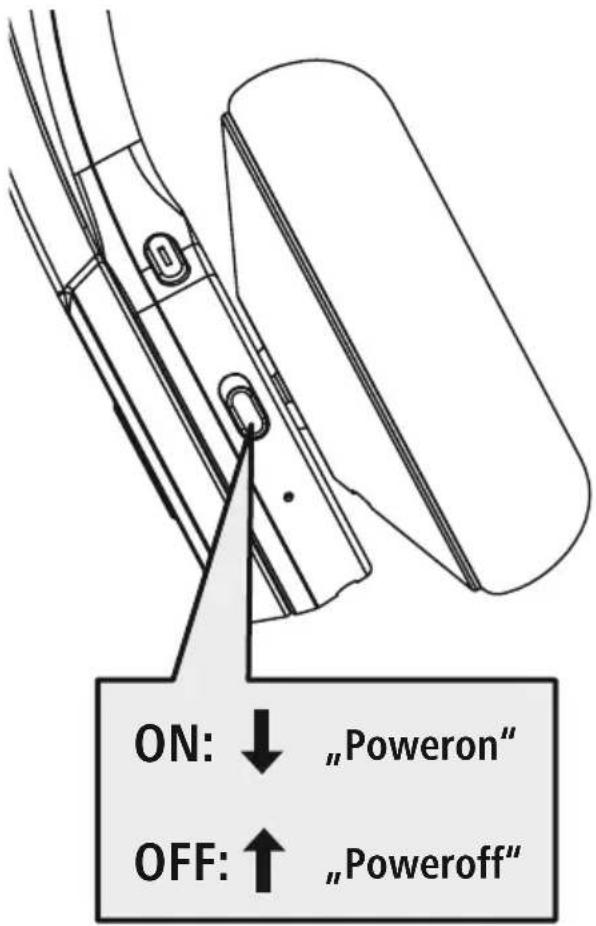
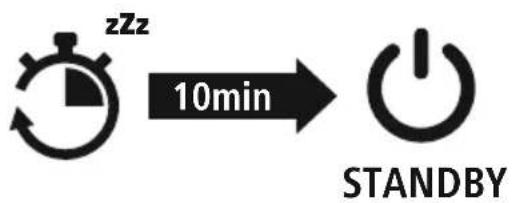
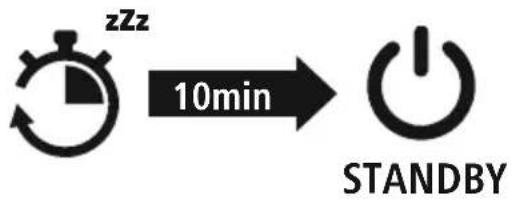
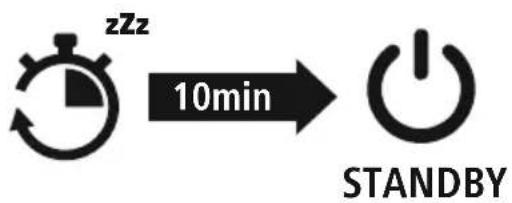
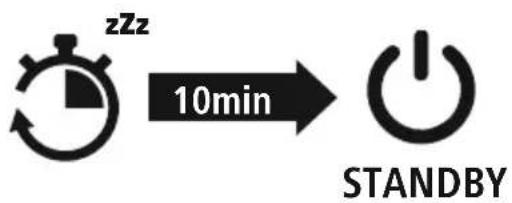
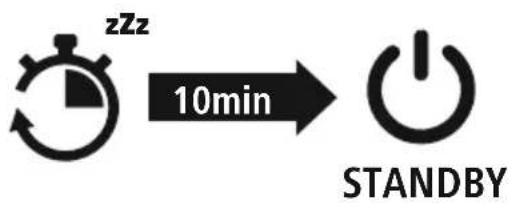
Note—Automaticswitch-offoftheheadphones

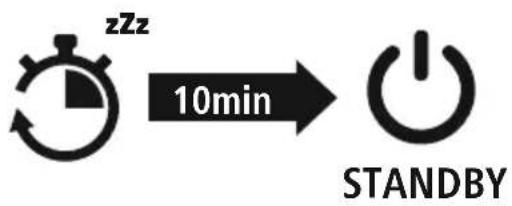
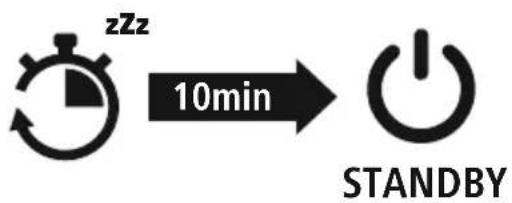
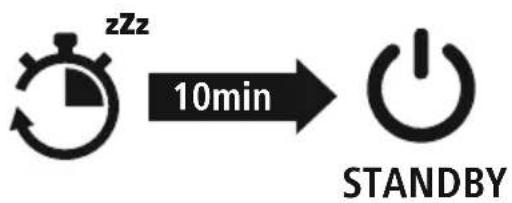
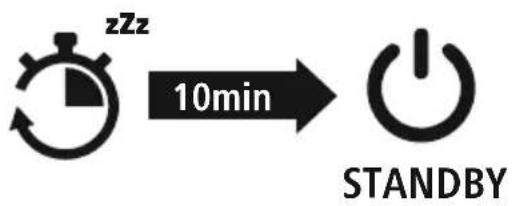
The headphones are equipped with an automatic switch-off mechanism. If there is no connection to your device within 5 minutes, they switch off automatically.

5.Charging
Fullychargetheheadphonesoncebeforeusingthemforthefirsttime
1 Switchofftheheadphonesandconnectthem
Ensure that the head phones are switched off before charging them.
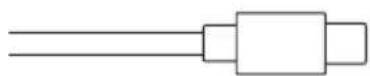
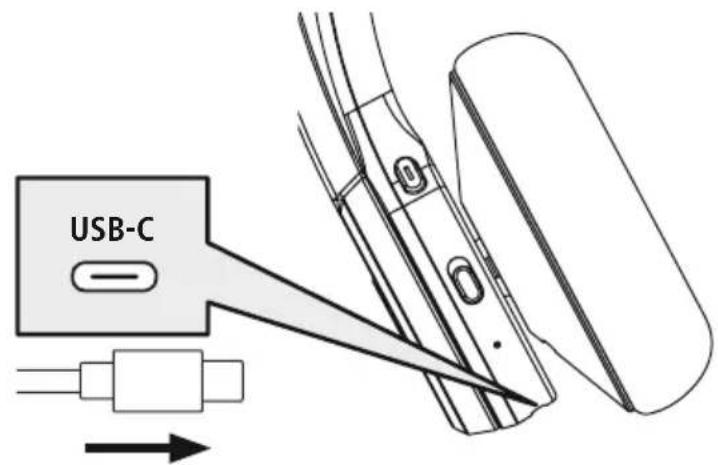
Connect the USB charging cable included to the charging socket (6). Connect the free plug on the micro-USBchargingcabletoasuitableUSBcharger .Todothis,consulttheoperatinginstructions fortheUSBchargeryouareusing.
2 Chargingprocessfortheheadphones
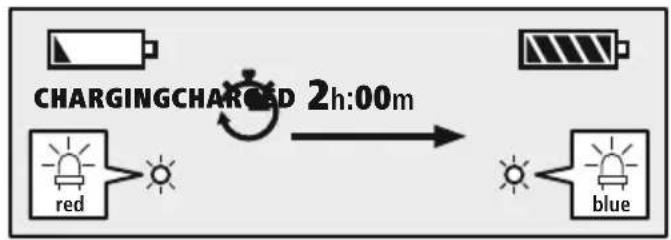
TheLED(4)lightsupsolidredduringthechargingprocess. Oncethechargingprocessiscomplete, theLED(4)lightsupblue.
flowchart
graph LR
    A["Charging"] --> B["Blue Signal"]
    C["Red Signal"] --> D["Light Bulb"]
    E["Blue Signal"] --> F["Light Bulb"]
    G["Blue Signal"] --> H["Light Bulb"]
    I["Blue Signal"] --> J["Light Bulb"]
    K["Blue Signal"] --> L["Light Bulb"]
    M["Blue Signal"] --> N["Light Bulb"]
    O["Blue Signal"] --> P["Light Bulb"]
    Q["Blue Signal"] --> R["Light Bulb"]
    S["Blue Signal"] --> T["Light Bulb"]
    U["Blue Signal"] --> V["Light Bulb"]
    W["Blue Signal"] --> X["Light Bulb"]
    Y["Blue Signal"] --> Z["Light Bulb"]
    AA["Blue Signal"] --> AB["Light Bulb"]
    AC["Blue Signal"] --> AD["Light Bulb"]
    AE["Blue Signal"] --> AF["Light Bulb"]
    AG["Blue Signal"] --> AH["Light Bulb"]
    AI["Blue Signal"] --> AJ["Light Bulb"]
    AK["Blue Signal"] --> AL["Light Bulb"]
    AM["Blue Signal"] --> AN["Light Bulb"]
    AO["Blue Signal"] --> AP["Light Bulb"]
    AQ["Blue Signal"] --> AR["Light Bulb"]
    AS["Blue Signal"] --> AT["Light Bulb"]
    AU["Blue Signal"] --> AV["Light Bulb"]
    AW["Blue Signal"] --> AX["Light Bulb"]
    AY["Charging"] --> AZ["2h:00m"]
Itcantakeupto2hoursforthebatterytobefullycharged.
3 Batterycapacity
Whentheheadphonebatterycapacityislow,theLED(4)flashesredandtheannouncement "BatteryLow"isheard.
6. Bluetooth ^® pairing
Note-pairing

- Ensure that the Bluetooth ^ -enabled device is switched on and that the Bluetooth ^ function is activated.
- Please refer to the operating instructions of your device for more information.
The headphones and the device should not be more than 1 metre apart. The shorter the distance, the better.
Switchtheheadphoneson(5).
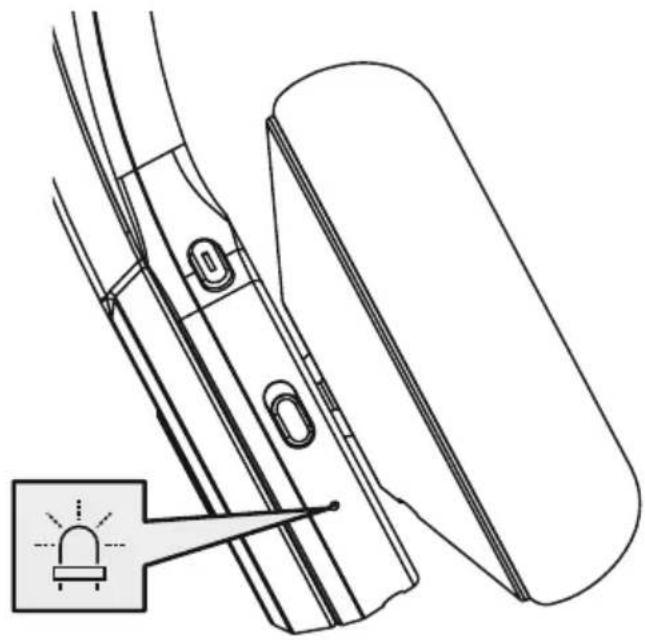
CheckthestatusofthestatusLED(4)andtheannouncements
natural_image
Technical line drawing of a mechanical assembly with a highlighted component (no text or symbols)If the LED(4) is flashing alternately and the announcement is:
flowchart
graph LR
    A["5s"] --> B["red+blue"]
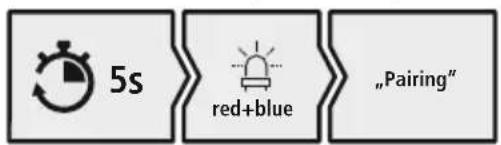
    B --> C["Pairing"]
HeadphonessearchingforaBluetooth ^® connection.
If the LED(4) is flashing and the announcement is:
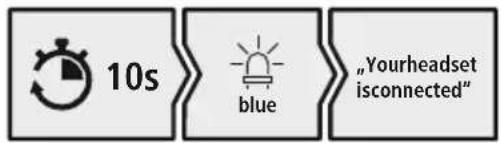
Theheadphonesarealreadypairedwitha Bluetooth® device.
2 Searchusing your device for the headphones (only required on the first connection)
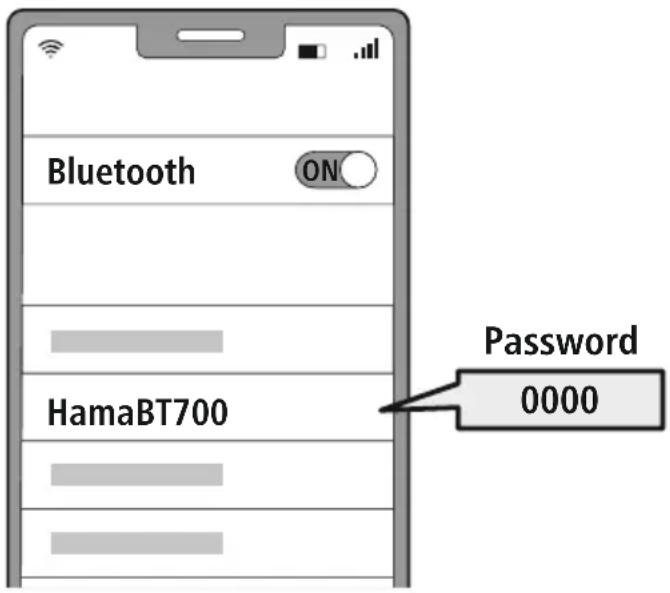
OpentheBluetooth® settingsonyourdeviceandwaituntilthelistoffoundBluetooth® devices showsHamaBT700.
SelectHamaBT700andwaituntiltheheadphonesareshownasconnectedinyourdevice's Bluetooth® settings.
Note-Bluetooth ^® password

SomedevicesrequireapasswordinordertoconnecttoanotherBluetooth ^® device.
- If your device requests a password to connect to the headphones, enter 0000.
3 Multi-pointtechnology
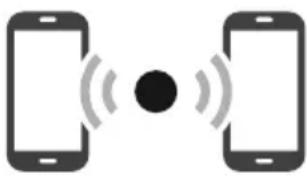
TheseheadphonescanconnecttotwoBluetooth ^® -enableddevicessimultaneously(multi-point)
natural_image
Two smartphones with sound waves between them, no text or symbols present- First connect the first device to the headphones.
- ThendeactivatetheBluetooth ^ functiononthisdevice.
- Thenconnecttheseconddevicetotheheadphones.
- Activate the Bluetooth ^ function on the first device again. The headphonesthen connect to this device too .
4 DisconnectingtheBluetooth ^® connection
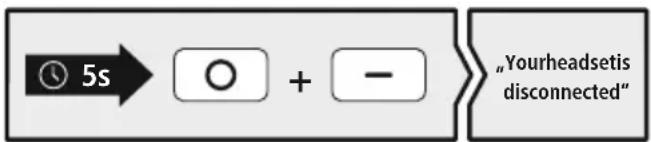
Disconnecttheheadphonesviayourdevice'sBluetooth®settings .Theannouncement"Yourdevice isdisconnected"willbeheard.
Alternative:
flowchart
graph LR
    A["5s"] --> B["○ + -"]
    B --> C["Yourheadsetis disconnected"
7. Controlelements
Note
- Please be aware that your terminal device must support some functions if they are to be used.
- Please refer to the operating instructions of your device for more information.

7.1 Voiceassistantfunction
Siri/Google
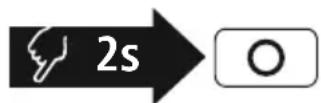
PresstheMFBbutton(3)foraround2secondstoinitiate communicationwithyourSiriorGoogleAssistant.Assoonas youhearasignaltone,yourvoiceassistantisreadytoassist you.
Note-Siri
SiriisonlyavailableonsuitabledevicesrunningiOS5(iPhone4sorlater)orhigher.

Note-GoogleAssistant
- The Google Assistant is only available on suitable devices running Android 5.0 or higher with GooglePlayServices, >1 .5GBoffreememoryandaminimumscreenresolutionof720P.
- The Google Assistant App must be available on your device and be set as the default voice assistant.

7.2 Hands-freefunction
Itispossibletousetheearphoneslikeahands-freefacilityforyourdevice
1 Makeacall
Dialthenumberdirectlyviayourdevicetomakeacall
2 Acceptacall

PresstheMFBkey(3)toacceptanincomingcall
3 Rejectacall

PressandholdtheMFBkey(3)foraround2secondsor useyourdevicetorejectanincomingcall.
4 Endacall

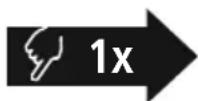
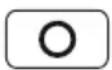
Duringthecall, presstheMFBkey(3)oncetoendthe call.
5 Lastnumberredial

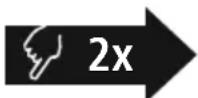
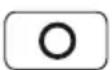
PresstheMFBkey(3)twicetoredialthelastnumber

Note
The "Last number redial" function is only available for the device which was paired first in a multi-pairingsituation.


7.3 Audioplayback
Note
PleasenotethatthisfunctionisonlypossiblewhenaBluetooth ^® connectionisactive.

1 Startplaybackonyourdevice.
2 Play/Pause
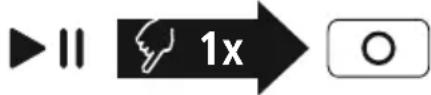
PresstheMFBkey(3)oncetopauseorstartaudio playback.
3 Nexttrack
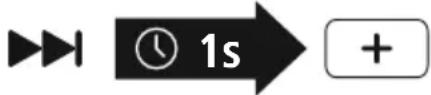
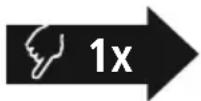
Pressandholdthe+button(1)foraround1secondto skiptothenexttrack.
4 Previoustrack
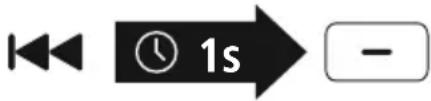
Pressandholdthe-button(2)foraround1secondto skiptotheprevioustrack.
7.4Volumecontrol
1 Increasevolume
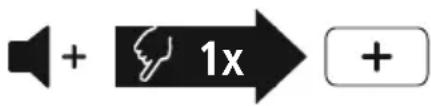
Pressthe+button(1)oncetoincreasethevolume.When themaximumvolumeisreached,asoundisheard.
2 Reducevolume
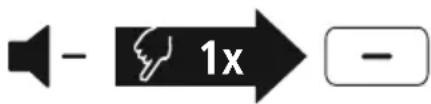
Pressthe-key(2)oncetoreducethevolume.
7.5Mutebutton
1 Mutethemicrophone
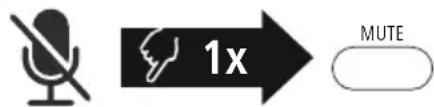
Pressthemutebuttononcetomutethemicrophone.
2 Activatethemicrophone
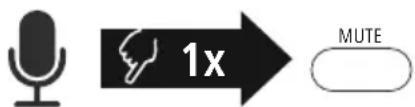
Pressthemutebuttonagaintoreactivatethesoundof themicrophone.

8.Technicaldata
| Bluetooth®headphones | |
| ConnectionBluetooth5 | .2 |
| ConnectivityMultiport | |
| OperatingSystemWindows11/10,Android,iOS | |
| Speakerdiameter40mm | |
| Max.Standby200h | |
| Max.TalkTime40h | |
| Max.MusicPlayTime45h | |
| ChargingTime2 | .0h |
| CableLength2.00m | |
| Weight145g | |
| Currentconsumption5V | 340mA |
| Batterytype3 | .7VLi-Po/400mAh/1.48Wh |

9. Care and maintenance
Onlycleanthisproductusingalint-free,slightlydampclothanddonotuseanyharshcleaners
10.Warrantydisclaimer
HamaGmbH&CoKGassumesnoliabilityandprovidesnowarrantyfordamageresultingfromimproper installation/mounting,improperuseoftheproductorfromfailuretoobservetheoperatinginstructions and/orsafetynotes .
11. Service and support
PleasecontactHamaProductConsultingifyuhaveanyquestionsaboutthisproduct.
Hotline:+499091502-0(German/English)
Furthersupportinformationcanbefoundhere:www .hama.com
13. Declaration of conformity
CE HamaGmbH&CoKGherebydeclaresthattheradioequipmenttype[00139938]isin compliance with Directive 2014/53/EU. The full text of the EU declaration of conformity is availableatthefollowingInternetaddress:
https://uk.hama.com → 00139938 Downloads
Frequencyband(s)2402MHz-2480MHz
Maximum radio-frequency power transmitted
2.5 mW E.I.R.P.


natural_image
Line drawing of a pair of outdoor headphones with earbuds and clip (no text or symbols)

flowchart
graph LR
    A["Start"] -->|10min| B["StanDBY"]
natural_image
Technical line drawing of a mechanical assembly with a highlighted component (no text or symbols)flowchart
graph LR
    A["5s"] --> B["red+blue"]
    B --> C["Pairing"]
flowchart
graph LR
    A["10s"] --> B["blue"]
    B --> C["Your headset is connected"]
natural_image
Two smartphones with sound waves between them, no text or symbols presentflowchart
graph LR
    A["5s"] --> B["○ + -"]
    B --> C["Your headset is disconnected"
7.Bedienelemente
Hinweis


natural_image
Line drawing of a pair of headsets with adjustable straps and ear brackets (no text or symbols)
Avertissement: volume excessif

flowchart
graph LR
    A["Start"] -->|10min| B["Standby Icon"]
natural_image
Technical line drawing of a mechanical assembly with a warning light icon (no text or symbols)flowchart
graph LR
    A["5s"] --> B["red+blue"]
    B --> C["Pairing"]
lecasquerechercheuneconnexionBluetooth®.
flowchart
graph LR
    A["10s"] --> B["blue"]
    B --> C["Your headset is connected"
lecasqueestdéjàconnectéàunappareilfinal Bluetooth®.
natural_image
Two smartphones with sound waves between them, no text or symbols present2 Activerlemicrophone

AppuyezunenouvellefoissurlatoucheMuteafind'activerànouveaulemicrophone.


natural_image
Line drawing of a headboard with earbuds and connector bracket (no text or symbols)
flowchart
graph LR
    A["Start"] -->|10min| B["StanDBY"]
Nota—Apagadoautomáticoodelosauriculares
natural_image
Technical line drawing of a mechanical assembly with a highlighted component (no text or symbols)flowchart
graph LR
    A["5s"] --> B["red+blue"]
    B --> C["Pairing"]
flowchart
graph LR
    A["10s"] --> B["blue"]
    B --> C["Your headset is connected"
natural_image
Two smartphones with sound waves between them, no text or symbols present
natural_image
Line drawing of a headboard with earbuds and connector bracket (no text or symbols)
flowchart
graph LR
    A[" stopwatch icon"] -->|10min| B["Power button"]
    style A fill:#f9f,stroke:#333
    style B fill:#bbf,stroke:#333
flowchart
graph LR
    A["Charging Signal"] --> B["Red Signal"]
    B --> C["Blue Signal"]
    D["Charging Charge"] --> E["2h:00m"]
    E --> F["Output"]
natural_image
Technical line drawing of a mechanical assembly with a warning symbol and a magnified inset showing a light bulb (no text or labels)flowchart
graph LR
    A["5s"] --> B["red+blue"]
    B --> C["Pairing"]
flowchart
graph LR
    A["10s"] --> B["blue"]
    B --> C["Your headset is connected"]
DekoptelefoonisalmeteenBluetooth ^® -apparaat verbonden.
natural_image
Two smartphones with sound waves between them, no text or symbols presentflowchart
graph LR
    A["5s"] --> B["○ + -"]
    B --> C["Your headset is disconnected"
7. Bedieningselementen
Aanwijzing


natural_image
Line drawing of a pair of hardcover headsets with earbuds and straps (no text or symbols)
flowchart
graph LR
    A["Start"] -->|10min| B["Standby Icon"]
Nota-Spegnimentoautomaticodellecuffie

flowchart
graph LR
    A["Charging Signal"] --> B["Red Signal"]
    B --> C["Blue Signal"]
    D["Charging Charge"] --> E["2h:00m"]
    E --> F["Output"]
natural_image
Technical line drawing of a mechanical assembly with a highlighted component (no text or symbols)flowchart
graph LR
    A["5s"] --> B["red+blue"]
    B --> C["Pairing"]
Lecuffiestannocercandounaconmessione Bluetooth®.
flowchart
graph LR
    A["10s"] --> B["blue"]
    B --> C["Your headset is connected"]
natural_image
Two smartphones with sound waves between them, no text or symbols presentflowchart
graph LR
    A["5s"] --> B["○ + -"]
    B --> C["Your headset is disconnected"
7. Elementidicomando
Nota

Concluderelechiamate

Premereiltasto+(1)percirca1secondoperpassareal branosuccessivo.
4 Branoprecedente
Premereiltasto—(2)percirca1secondopertornareal branoprecedente.

natural_image
Line drawing of a pair of hardcover headsets with ear brackets and front latches (no text or symbols)
flowchart
graph LR
    A["Start"] -->|10min| B["StanDBY"]
natural_image
Technical line drawing of a mechanical assembly with a highlighted component (no text or symbols)flowchart
graph LR
    A["5s"] --> B["red+blue"]
    B --> C["Pairing"]
flowchart
graph LR
    A["10s"] --> B["blue"]
    B --> C["Your headset is connected"]
natural_image
Two smartphones with sound waves between them, no text or symbols presentflowchart
graph LR
    A["5s"] --> B["○ + -"]
    B --> C["Your headset is disconnected"]
7. Elementyobstugowe
Wskazówka


natural_image
Line drawing of a headboard with earbuds and connector pin (no text or symbols)


flowchart
graph LR
    A["Start"] -->|10min| B["StanDBY"]
natural_image
Technical line drawing of a mechanical assembly with a warning symbol and bracket (no text or labels)flowchart
graph LR
    A["5s"] --> B["red+blue"]
    B --> C["Pairing"]
flowchart
graph LR
    A["10s"] --> B["blue"]
    B --> C["Your headset is connected"]
natural_image
Two smartphones with sound waves between them, no text or symbols presentflowchart
graph LR
    A["5s"] --> B["○ + -"]
    B --> C["Your headset is disconnected"
7.Kezelőelemek
Megjegyzés


natural_image
Line drawing of a pair of hardcover headsets with attached cable (no text or symbols)

3. Indicatiidesecuritate
Avertizare— Acumulator

flowchart
graph LR
    A["Start"] -->|10min| B["Power Button"]
Indicatie-Conectarea(Pairing)

natural_image
Technical line drawing of a mechanical assembly with a warning light icon (no text or symbols)flowchart
graph LR
    A["5s"] --> B["red+blue"]
    B --> C["Pairing"]
Căștilesuntdejaconectatelaunterminal Bluetooth®.
natural_image
Two smartphones with sound waves between them, no text or symbols presenthttps://ro.hama.com → 00139938Descărcări
| Banda(benzile)defrecvente2402MHz–2480MHz | |
| Puterea maximă | 2.5 mW E.I.R.P. |

cz Návodkpoužití

natural_image
Line drawing of a pair of headsets with adjustable straps and ear brackets (no text or symbols)

flowchart
graph LR
    A["Start"] -->|10min| B["StanDBY"]
natural_image
Technical line drawing of a mechanical assembly with a warning symbol and bracket (no text or labels)flowchart
graph LR
    A["5s"] --> B["red+blue"]
    B --> C["Pairing"]
flowchart
graph LR
    A["10s"] --> B["blue"]
    B --> C["Your headset is connected"]
natural_image
Two smartphones with sound waves between them, no text or symbols presentflowchart
graph LR
    A["5s"] --> B["○ + -"]
    B --> C["Your headset is disconnected"
7.Obslužnéprvky
Upozornění


natural_image
Line drawing of a pair of hardcover headsets with adjustable straps and a connector bracket (no text or symbols)

flowchart
graph LR
    A["Start"] -->|10min| B["Power Button"]
natural_image
Technical line drawing of a mechanical component with a warning symbol and a magnified inset showing a fuse (no text or labels)flowchart
graph LR
    A["5s"] --> B["red+blue"]
    B --> C["Pairing"]
flowchart
graph LR
    A["10s"] --> B["blue"]
    B --> C["Your headset is connected"
SlúchadlásúužspojenésBluetooth ^ koncového zariadenia.
natural_image
Two smartphones with sound waves between them, no text or symbols presentflowchart
graph LR
    A["5s"] --> B["○ + -"]
    B --> C["Your headset is disconnected"
7.Ovládacieprvky
Upozornenie


natural_image
Line drawing of a pair of hardcover headsets with ear brackets and straps (no text or symbols)
flowchart
graph LR
    A["Start"] -->|10min| B["StanDBY"]
natural_image
Technical line drawing of a mechanical assembly with a highlighted component (no text or symbols)flowchart
graph LR
    A["5s"] --> B["red+blue"]
    B --> C["Pairing"]
natural_image
Two smartphones with sound waves between them, no text or symbols presentflowchart
graph LR
    A["5s"] --> B["○ + -"]
    B --> C["Your headset is disconnected"
7. Elementosdecomando
Observação


1. Förklaringavvarningssymboler ochhänvisningar
Varning

natural_image
Line drawing of a pair of hardcover headsets with ear brackets and clip labels (no text or symbols)

3.Säkerhetsanvisningar
natural_image
Technical line drawing of a mechanical assembly with a warning symbol and bracket (no text or labels)flowchart
graph LR
    A["5s"] --> B["red+blue"]
    B --> C["Pairing"]
flowchart
graph LR
    A["10s"] --> B["blue"]
    B --> C["Your headset is connected"]
HörlurarnaärredananslutnatillenBluetooth slutenhet.
natural_image
Two smartphones with sound waves between them, no text or symbols present
natural_image
Line drawing of a pair of hardcover headsets with adjustable straps and a connector bracket (no text or symbols)

flowchart
graph LR
    A[" stopwatch icon with 'zZz' clock"] -->|10min| B["Power button symbol"]
flowchart
graph LR
    A["Charging Signal"] --> B["Red Signal"]
    B --> C["Blue Signal"]
    D["Charging Charge"] --> E["2h:00m"]
    E --> F["Output"]
natural_image
Technical line drawing of a mechanical assembly with a highlighted component (no text or symbols)flowchart
graph LR
    A["5s"] --> B["red+blue"]
    B --> C["Pairing"]
natural_image
Two smartphones with sound waves between them, no text or symbols presentflowchart
graph LR
    A["5s"] --> B["○ + -"]
    B --> C["Your headset is disconnected"

natural_image
Line drawing of a pair of hardcover headsets with adjustable straps and a connector bracket (no text or symbols)

flowchart
graph LR
    A["Start"] -->|10min| B["StanDBY"]
natural_image
Technical line drawing of a mechanical assembly with a highlighted component (no text or symbols)flowchart
graph LR
    A["5s"] --> B["red+blue"]
    B --> C["Pairing"]
flowchart
graph LR
    A["10s"] --> B["blue"]
    B --> C["Your headset is connected"]
natural_image
Two smartphones with sound waves between them, no text or symbols present
natural_image
Line drawing of a headboard with earbuds and connector bracket (no text or symbols)
flowchart
graph LR
    A["Start"] -->|10min| B["StanDBY"]
natural_image
Technical line drawing of a mechanical assembly with a highlighted component (no text or symbols)flowchart
graph LR
    A["5s"] --> B["red+blue"]
    B --> C["Pairing"]
Taakoustikáéxouvouvdeθείσεσυσκευή Bluetooth®.
natural_image
Two smartphones with sound waves between them, no text or symbols presentflowchart
graph LR
    A["5s"] --> B["○ + -"]
    B --> C["Your headset is disconnected"
7.Στοιχείαχειρισμού
Υπόδειξη


natural_image
Line drawing of a pair of hardcover headsets with ear brackets and front latches (no text or symbols)

flowchart
graph LR
    A["Start"] -->|10min| B["Power Button"]
natural_image
Technical line drawing of a mechanical assembly with a warning light icon (no text or symbols)flowchart
graph LR
    A["5s"] --> B["red+blue"]
    B --> C["Pairing"]
flowchart
graph LR
    A["10s"] --> B["blue"]
    B --> C["Your headset is connected"
natural_image
Two smartphones with sound waves between them, no text or symbols presentflowchart
graph LR
    A["5s"] --> B["○ + -"]
    B --> C["Your headset is disconnected"]
7.Kumandaelemanları
Açıklama


natural_image
Line drawing of a headboard with earbuds and connector pin (no text or symbols)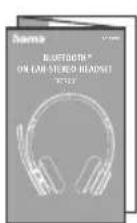
flowchart
graph LR
    A["Start"] -->|10min| B["StanDBY"]
flowchart
graph LR
    A["Charging Signal"] --> B["Red Signal"]
    B --> C["Blue Signal"]
    D["Charging Charge"] --> E["2h:00m"]
    E --> F["Output"]
natural_image
Technical line drawing of a mechanical assembly with a warning light icon (no text or symbols)flowchart
graph LR
    A["5s"] --> B["red+blue"]
    B --> C["Pairing"]
flowchart
graph LR
    A["10s"] --> B["blue"]
    B --> C["Your headset is connected"]
natural_image
Two smartphones with sound waves between them, no text or symbols presentflowchart
graph LR
    A["5s"] --> B["○ + -"]
    B --> C["Your headset is disconnected"
7.Käyttöelementit
Huomautus


- GB Operatinginstructions
- Controlsanddisplays
- Explanationofwarningsymbols and notes
- Warning
- Note
- 2.Packagecontents
- Safetyinstructions
- Warning-rechargeable battery
- Warning-magnets
- Warning-highvolume
- 4.Switchingon/off
- Note—Automaticswitch-offoftheheadphones
- 5.Charging
- Switchofftheheadphonesandconnectthem
- Chargingprocessfortheheadphones
- Batterycapacity
- Bluetooth ® pairing
- Note-pairing
- CheckthestatusofthestatusLED(4)andtheannouncements
- If the LED(4) is flashing alternately and the announcement is:
- If the LED(4) is flashing and the announcement is:
- Searchusing your device for the headphones (only required on the first connection)
- Note-Bluetooth ® password
- Multi-pointtechnology
- DisconnectingtheBluetooth ® connection
- Alternative:
- Controlelements
- Voiceassistantfunction
- Note-Siri
- Note-GoogleAssistant
- Hands-freefunction
- Makeacall
- Acceptacall
- Rejectacall
- Endacall
- Lastnumberredial
- Audioplayback
- Startplaybackonyourdevice.
- Play/Pause
- Nexttrack
- Previoustrack
- 7.4Volumecontrol
- Increasevolume
- Reducevolume
- 7.5Mutebutton
- Mutethemicrophone
- Activatethemicrophone
- Care and maintenance
- 10.Warrantydisclaimer
- Service and support
- Declaration of conformity
- 7.Bedienelemente
- Hinweis
- Avertissement: volume excessif
- Activerlemicrophone
- Nota—Apagadoautomáticoodelosauriculares
- Bedieningselementen
- Aanwijzing
- Nota-Spegnimentoautomaticodellecuffie
- Elementidicomando
- Nota
- Concluderelechiamate
- Branoprecedente
- Elementyobstugowe
- Wskazówka
- 7.Kezelőelemek
- Megjegyzés
- Indicatiidesecuritate
- Avertizare— Acumulator
- Indicatie-Conectarea(Pairing)
- cz Návodkpoužití
- 7.Obslužnéprvky
- Upozornění
- 7.Ovládacieprvky
- Upozornenie
- Elementosdecomando
- Observação
- Förklaringavvarningssymboler ochhänvisningar
- Varning
- 3.Säkerhetsanvisningar
- 7.Στοιχείαχειρισμού
- Υπόδειξη
- 7.Kumandaelemanları
- Açıklama
- 7.Käyttöelementit
- Huomautus
Brand : HAMA
Model : BT700
Category : Earphones