Aqua Plus XC8057 - Vacuum Cleaner PHILIPS - Free user manual and instructions
Find the device manual for free Aqua Plus XC8057 PHILIPS in PDF.



| Product Type | 2-in-1 cordless stick vacuum with washing function |
| Brand | Philips |
| Model | Aqua Plus XC8057 |
| Dimensions (approx.) | Height: 110 cm (with tube), head diameter: 25 cm |
| Weight (approx.) | 2.5 kg |
| Power type | Rechargeable lithium-ion battery |
| Charging time | 6 hours |
| Run time | Variable depending on power level (Eco, Normal, Turbo) |
| Water tank capacity | 370 ml |
| Dust container capacity | Approximately 0.6 L |
| Power levels | 3 (Eco, Normal, Turbo) |
| Main functions | Dry vacuuming, hard floor washing, automatic floor type recognition, LED lighting, digital display |
| Included accessories | PrecisionPower smart nozzle, Turbo mini brush, crevice tool, combination tool, soft brush, upholstery tool, water tank with microfiber pad, wall bracket, adapter |
| Maintenance and cleaning | Empty container after each use, wash filter and cyclone once a month, descale water tank monthly, replace filter and pad every 6 months |
| Safety | Automatic shut-off in case of overheating, error indicators (E1, E2, E3, E5, E9), use between 5°C and 40°C |
| Spare parts and reparability | Filter XV1681/01, rotating brush CP0667/01, wash pad XV1700/01, replaceable battery, Philips authorized service |
| Warranty | 2 years (subject to general conditions) |
| General information | Designed for hard floors (except raw wood) and textiles; do not vacuum liquids without water tank; register at www.philips.com/mycordlessvacuum-8000s |
Frequently Asked Questions - Aqua Plus XC8057 PHILIPS
User questions about Aqua Plus XC8057 PHILIPS
0 question about this device. Answer the ones you know or ask your own.
Ask a new question about this device
Download the instructions for your Vacuum Cleaner in PDF format for free! Find your manual Aqua Plus XC8057 - PHILIPS and take your electronic device back in hand. On this page are published all the documents necessary for the use of your device. Aqua Plus XC8057 by PHILIPS.
USER MANUAL Aqua Plus XC8057 PHILIPS
Introduction 6
General description 6
Before first use 7
7
Preparing for use 8
Using the appliance 9
Assembling the appliance 9
Vacuuming soft and hard floors 10
Vacuuming while mopping hard floors 11
Versatile usage and accessories 14
Customizations and additional information 17
After use - Maintenance 19
Frequent maintenance after each cleaning cycle 19
Periodic maintenance intermittently 22
Replacement 30
User interface signals and their meaning 31
Troubleshooting 32
Dry cleaning 32
Wet cleaning 36
Introduction
Thank you for buying this product! To fully benefit from the support that we offer, register your product at www.philips.com/mycordlessvacuum-8000s.
General description
1 Digital display a Ring indicator of battery level b Percentage of battery level c Selected power level d Floor Type Recognition feature activation icon e Filter cleaning reminder icon
2 Menu/Confirm button
3 + Button
4-Button
5 On/off button
6 Handheld
7 Dust bucket
8 Battery
9 Extra filter (XC8057 only)
10 Dust bucket release button
11 Wallmount
12 Adapter
13 Tube
14 PrecisionPower Smart Nozzle
15 Mini TurboBrush
16 Combination tool
17 Soft brush
18 Upholstery tool
19 Crevice tool
20 Vacuum and Mop Nozzle
21 Aqua tank
22 Microfiber mopping pad
Before first use
Installing the wall mount
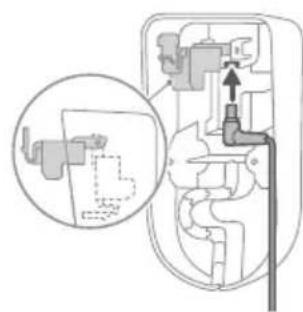
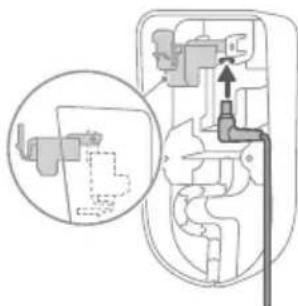
1 Invert the wall mount and unlatch the gray lever. Insert the charging port, ensuring the metal part is visible and pointing upright on the front side of the wall mount.
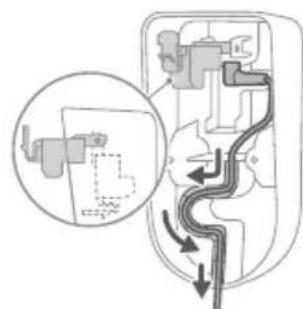
2 Neatly arrange the cable by tucking it into the designated groove.
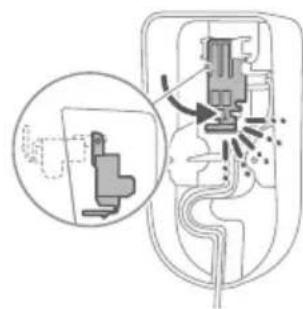
3 Close the gray lever. Make sure the gray lever is locked in place with a "CLICK" sound.
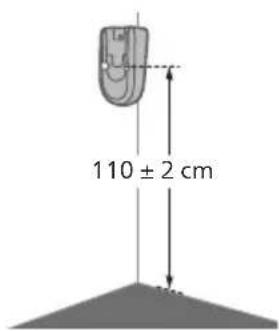
4 Securely affix the wall mount to your preferred position on the wall, ensuring that the mounting screw holes are approximately 110cm from the floor.
Caution: Be careful when you drill holes in the wall to fasten the wall mount, to avoid the risk of electric shock.
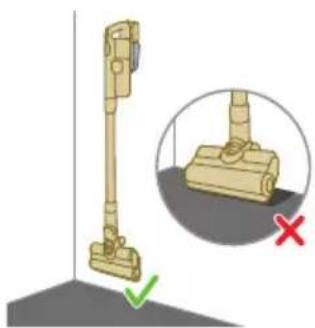
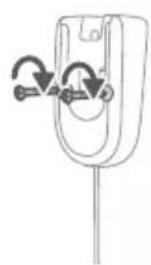
Note: Verify that the placement of the wall mount allows the entire appliance to hang on the wall without the nozzle coming into contact with the floor.
5 Once you have determined the optimal position and height for storing and charging your appliance, firmly tighten the screws to secure the wall mount in place.
Preparing for use
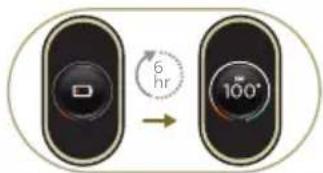
The appliance is equipped with a Li-Ion battery. Charging from empty to full takes about 6 hours.
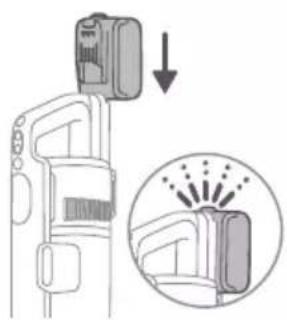
1 Attach the battery pack to the main body of the appliance, ensuring a secure connection that's confirmed with a "CLICK" sound.
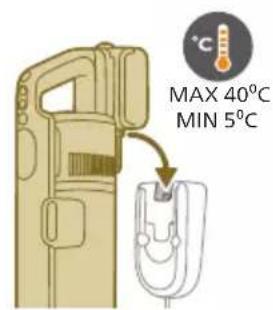
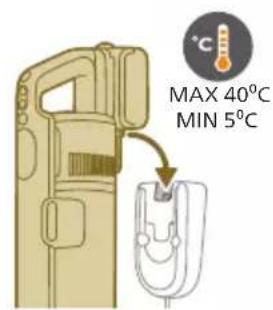
2 Charge your appliance by placing it onto the assembled wall mount.
Warning: Store and charge the appliance at a temperature above 5^ C and below 40^ C .
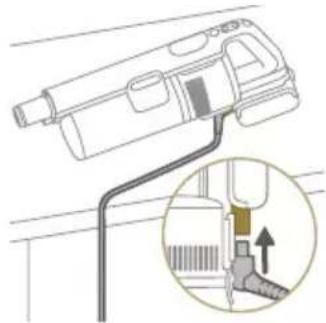
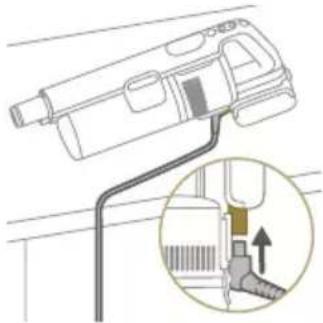
Note: You can also place the handheld on a level and stable surface, and directly connect the charging cable to the appliance.
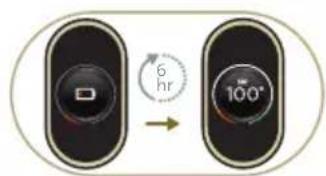
3 The appliance is designed to reach a complete charge within 6 hours. You can monitor the charging progress on the screen. When the appliance is fully charged, the value 100% lights up on the screen. After a few minutes, the display will switch off.
Using the appliance
Assembling the appliance
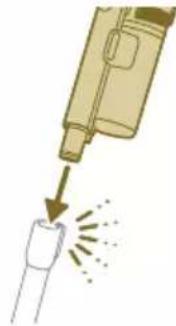
1 Attach the handheld to the tube. Confirm the attachment with a "CLICK" sound.
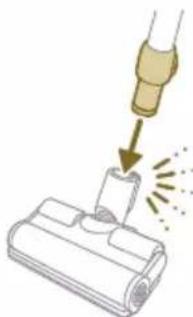
2 Attach the tube to the nozzle. Confirm the attachment with a "CLICK" sound.
Vacuuming soft and hard floors
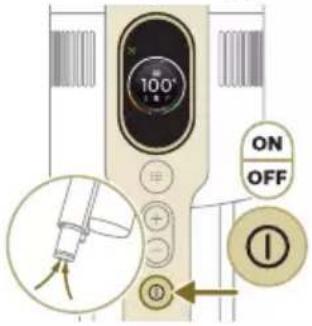
1 Press the on/off button to switch on the appliance.
Note: To switch off the appliance, press the on/off button again.
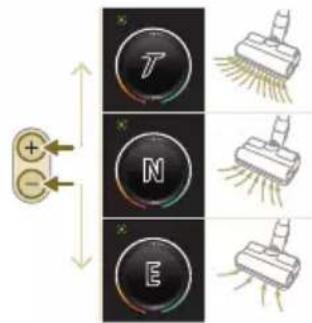
2 Use the + and - buttons to toggle through three different power settings.
E -eco mode
N - normal mode
T - turbo mode
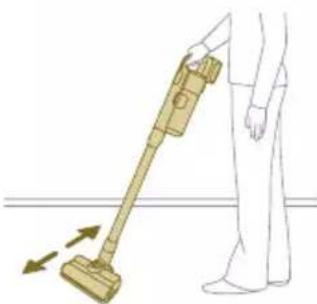
3 You can clean on hard or soft floors with the vacuum cleaner.
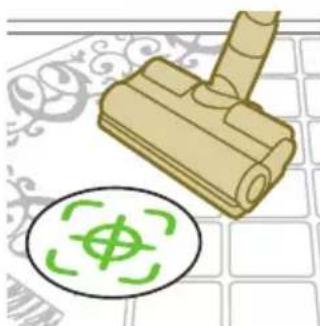
i With Floor Type Recognition enabled, the appliance recognizes the floor type and automatically optimizes its performance within the power settings you have selected. To disable this feature, check how to customize settings below.
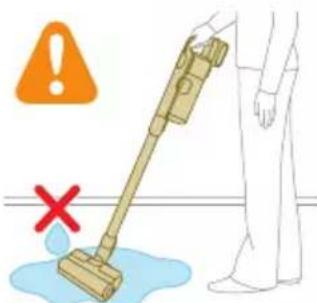
Warning: Do not vacuum up water or other liquids.
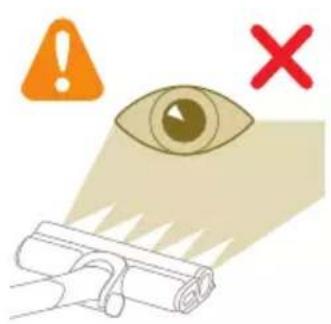
Caution: Do not look directly into the illuminated LEDs or point the LEDs at someone's eyes. The LED light is very bright.
Vacuuming while mopping hard floors
Caution: Only use the aqua tank on hard floors with a water-resistant top coat (such as linoleum, enameled tiles and varnished parquet) and stone floors (such as marble). If your floor has not been treated to make it water-resistant, check with the manufacturer if you can use water to clean it. Do not use the aqua tank on hard floors of which the water-resistant top coat is damaged.
i Note: Do not use the aqua tank to clean carpets.
Note: Do not move the appliance with aqua tank assembled sideways, as this leaves water traces. Only move forwards and backwards.
1 Pre-wet the microfiber mopping pad with water before use.
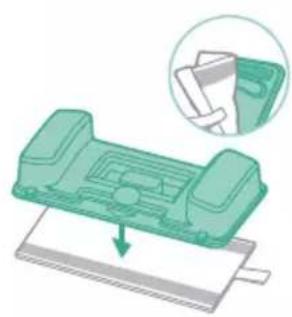
2 Secure the microfiber mopping pad underneath the aqua tank. Align the velcro straps under the aqua tank and behind the cloth.
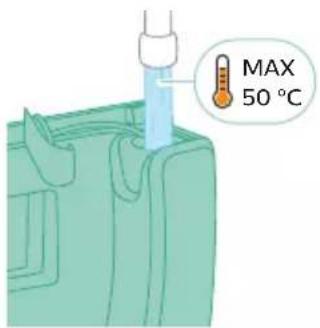
3 Fill the tank with water, ensuring the water temperature does not exceed 50^
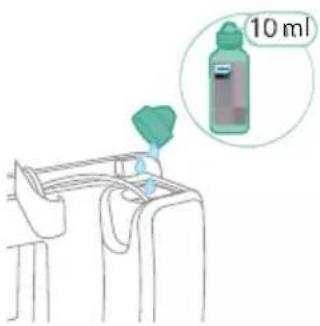
4 (Optional) If you wish to add a liquid floor cleaner into the aqua tank, opt for a low-foaming or non-foaming variety that can be diluted. We recommend the XV1792 Philips Floor Cleaner. Add only a few drops of the liquid cleaner to the water.
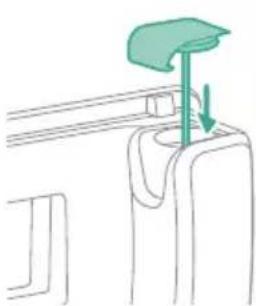
5 Close the aqua tank properly.
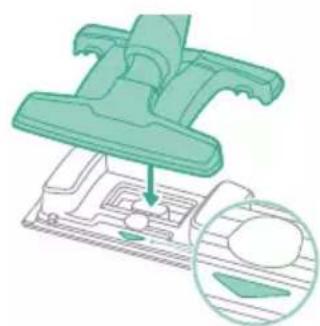
6 Attach the prepared aqua tank to the aqua nozzle and you're set to begin. Make sure the direction of the aqua tank is correct.
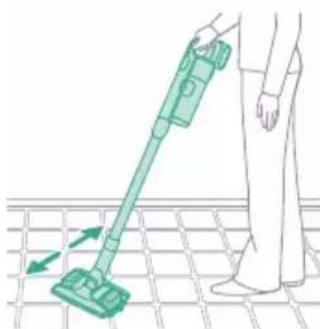
7 Press the on/off button to switch on the appliance. You can effectively clean hard floors with the attached aqua module on the nozzle.
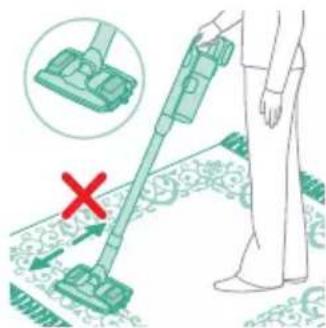
Note: The aqua module is not suitable for soft floors like carpet.
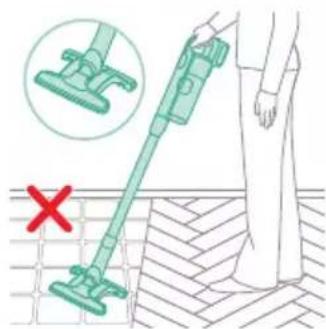
Note: Do not use the aqua nozzle without the aqua tank in place for cleaning.
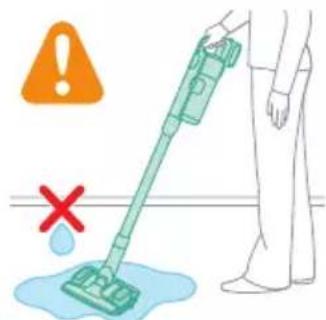
Caution: The aqua module should not be used to pick up water puddles.
Tips and other important information
- It is not necessary to vacuum the floor before mopping, as the Vacuum & Mop set-up actively wet-cleans your hard floor to capture all kinds of dirt, including liquids and stains. On carpets and rugs, use the Vacuum only set-up.
- The appliance can leave a small puddle of water on the floor if you do not move the appliance while switching it off. You can reduce the size of the puddle by moving the appliance while switching it off. If needed, you can remove the last drops with a cloth.
Usage restrictions
- The Vacuum & Mop set-up is suitable for vacuuming and mopping all types of hard floors, except uncoated wooden floors.
- The Vacuum & Mop set-up is intended for regular cleaning of hard floors. Always follow the cleaning instructions for your hard floor when you use this appliance.
- If you want to add a liquid floor cleaner other than XV1792 Philips Floor Cleaner to the water in the clean aqua tank, make sure that you use a low-foaming or non-foaming liquid floor cleaner that can be diluted in water like XV1792 Philips Floor Cleaner.
-
As the clean aqua tank has a capacity of 370 ml , you only have to add a few drops (max 10ml) of liquid floor cleaner to the water.
-
If you use the Vacuum & Mop set-up on linoleum floors, only do so on linoleum floors that are properly affixed to prevent linoleum from being drawn into the nozzle.
- If you move/lift the appliance over a carpet or rug when it is switched off, wastewater droplets may end up on your carpet or rug.
- Do not push the appliance over the floor grilles of convector heaters. As the appliance cannot pick up water that comes out of the nozzle when you move it over the grille, water ends up at the bottom of the convector pit.
While cleaning, do not lift the nozzle from the floor or move the nozzle sideways, and do not make strong turns, as this leaves water traces. Only move forwards and backwards.
Note: The operating time depends on the power level used during cleaning.
Versatile usage and accessories
Warning: When using any accessory, do not vacuum up water or other liquids.
Caution: Do not look directly into the illuminated LEDs or point the LEDs at someone's eyes. The LED light is very bright.
Using the handheld
You can use the handheld directly without any cleaning tool to vacuum up dusts.
Using the nozzle
1 Attach the nozzle directly to the handheld.
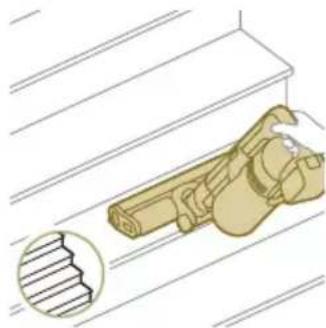
2 This combination is for cleaning dynamic surface height, such as stair case.
Using the Mini TurboBrush
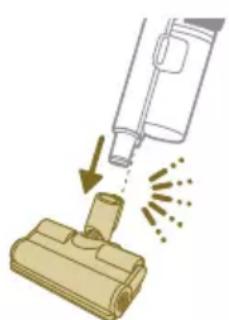
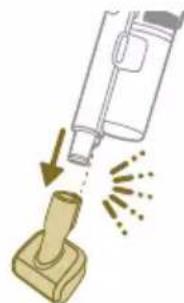
1 To attach the Mini TurboBrush, insert the tube of the handheld into the Mini TurboBrush.
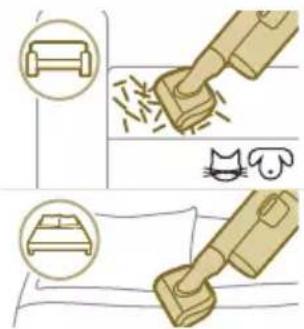
2 You can use the Mini Turbo brush for standard cleaning, for instance of soft areas such as beds and couches. You can adjust the power setting to suit your cleaning needs.
3 You can use the Mini Turbo brush for extra thorough cleaning, for instance to vacuum up pet hair, or to clean small patches of dirt, such as spilled bread crumbs. You can adjust the power setting to suit your cleaning needs.
Using the crevice tool
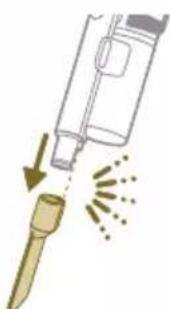
1 To attach the crevice tool, insert the tube or handheld into the crevice tool.
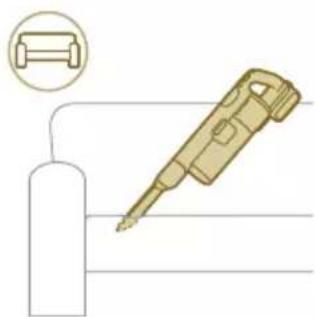
2 You can use the long crevice tool to clean narrow corners or hard-to-reach places. You can adjust the power setting to suit your cleaning needs.
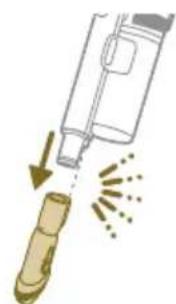
Using the combination tool
1 To attach the combination tool, insert the tube or handheld into the combination tool.
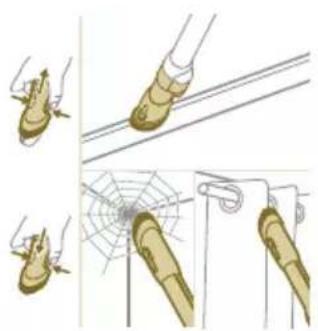
2 The combination tool is designed for cleaning window frames, curtains, or spider webs, with a customizable brush release and illumination settings.
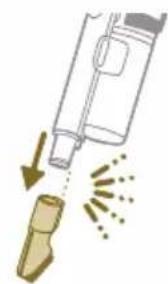
Using the soft brush
1 To attach the soft brush, insert the tube or handheld into the soft brush.
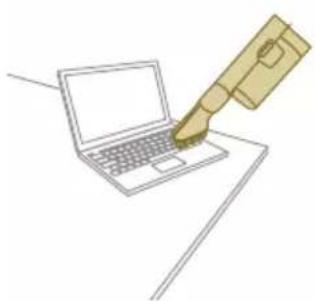
2 The soft brush is designed for dedicated surfaces and comes with customizable illumination.
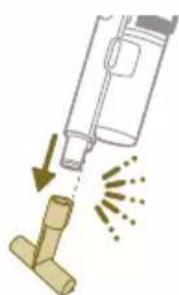
Using the upholstery tool
1 To attach the upholstery tool, insert the tube or handheld into the upholstery tool.
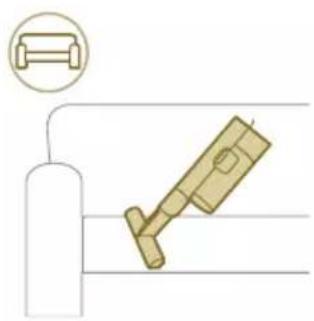
2 The upholstery tool is ideal for cleaning furniture with soft fabric, and its illumination can be adjusted according to your liking.
Customizations and additional information
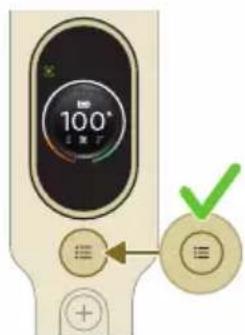
The appliance is equipped with various options to customize and monitor in the menu.
1 To access the menu settings, press the menu button.
2 Toggle through the options using the + and - buttons. These options include adjusting illumination, enabling or disabling Floor Type Recognition, accessing additional information about your appliance, and returning to the previous screen.
3 Once your desired option is highlighted, confirm your choice by pressing the menu button again.

Modify the illumination brightness
Press the menu button and toggle to the illumination feature. Confirm by pressing the menu button again.
To modify the illumination brightness, toggle through the available levels and confirm by pressing the menu button.
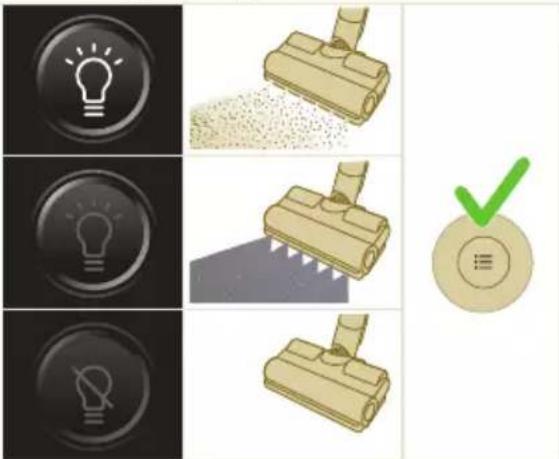


Floor Type Recognition
Press the menu button and toggle to the Floor Type Recognition feature. Confirm by pressing the menu button again.
In the Floor Type Recognition screen, toggle this function and confirm your decision by pressing the menu button. When successfully enabled, a green icon will appear at the upper left corner of the display after you go back to the main screen.
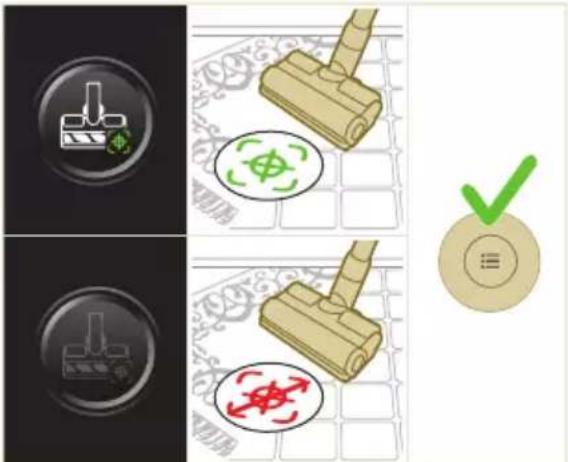
i Note: Floor Type Recognition can only be enabled or disabled when the motorized nozzle is attached to the handheld. As a result, when no motorized nozzle is attached to the main appliance, there will be one item less in your menu. Attach the motorized nozzle to see this Floor Type Recognition item in your menu.
i Note: When you first receive your appliance, Floor Type Recognition is enabled.
i Note:The Floor Type Recognition function becomes active when the nozzle identifies different cleaning surfaces while in motion.
Additional information
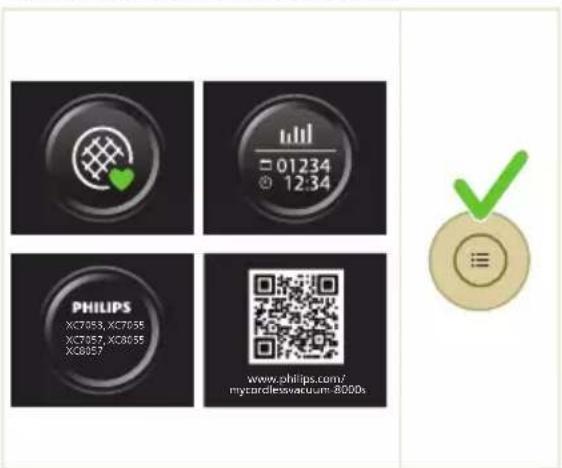
Press the menu button and toggle to the "additional information" option. Confirm by pressing the menu button again.
In the "additional information" screen, you can check the filter health, battery health, total usage time, model of your appliance, and access of a QR code for additional online information.
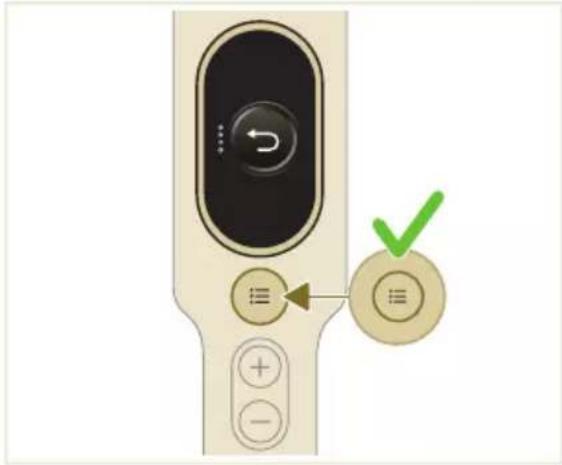
Return
To exit the menu and return to the previous screen, select the "Return" option.

After use - Maintenance
Frequent maintenance after each cleaning cycle
Dust management system maintenance
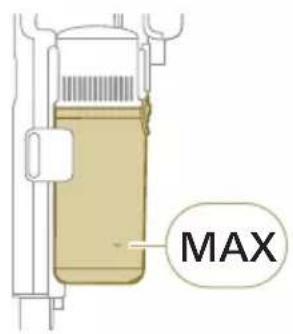
Empty the dust bucket after each use or when the dust is reaching the MAX level indicator.
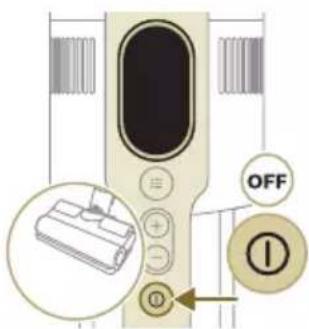
1 Switch off the appliance.
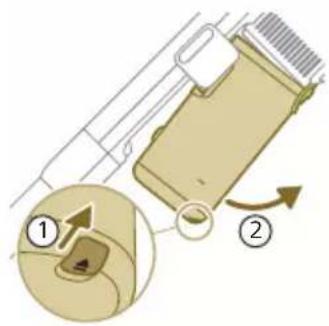
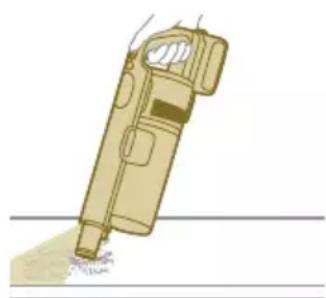
2 Hold the appliance in a 45 degree angle like shown in the illustration. Remove the dust bucket by pressing the release button. The release button is located at the bottom of the bucket.
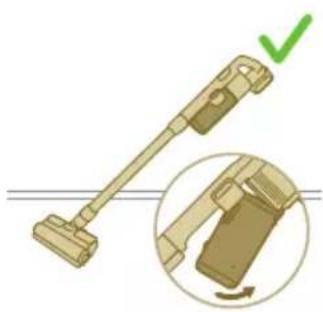
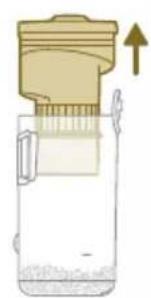
Note: Remove the dust bucket while keeping the appliance in an upright position.
3 Hold onto the black grip. Remove the cyclone from the dust bucket by lifting it out from the bucket
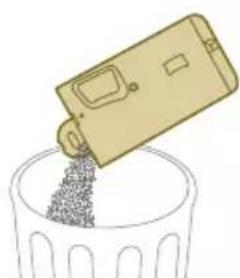
4 Empty the collected dust in the dust bucket over the trash bin.
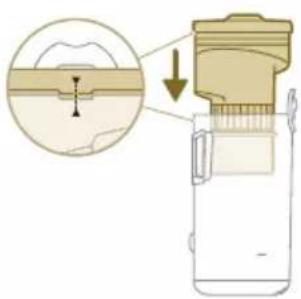
5 Place the cyclone back in the dust bucket. Make sure the two parts are aligned.
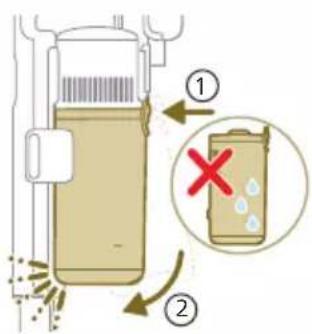
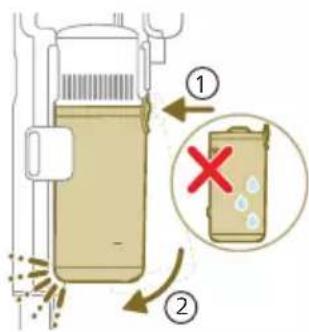
6 Place back the assembled bucket. First align the filter side of the bucket before hinging it in place.
Aquatack maintenance
Clean the aqua tank after each use.
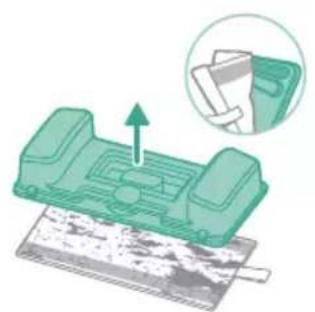
1 Remove the microfiber mopping pad.
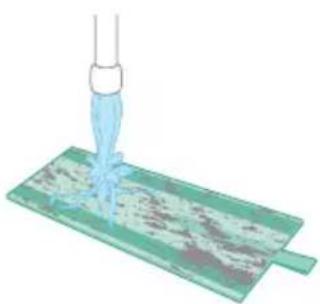
2 Rinse the mopping pad under the tap and wash it by hand or in a washing machine.
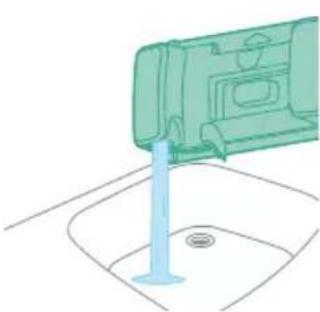
3 Pour out any remaining water in the aqua tank.
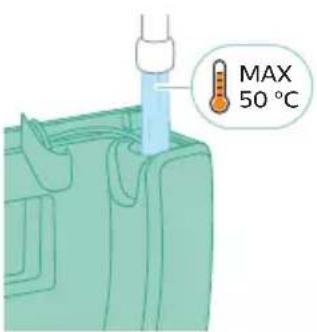
4 Fill the aqua tank with water.
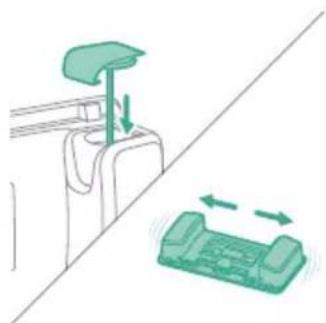
5 Close the aqua tank properly and shake the aqua tank to remove detergent residuals.
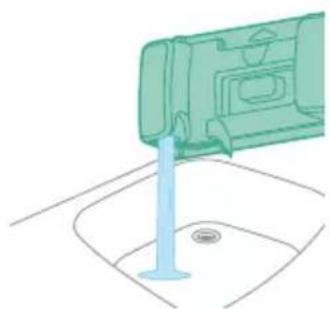
6 Empty the aqua tank and leave it open to dry.
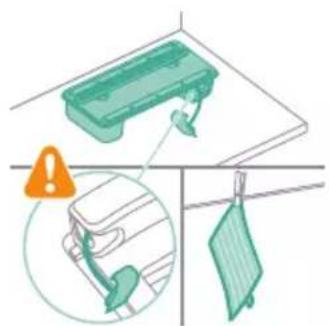
7 Make sure to not lose the tank cap during storage. Hang the microfiber mopping pad dry.
Periodic maintenance intermittently
Dust management system maintenance
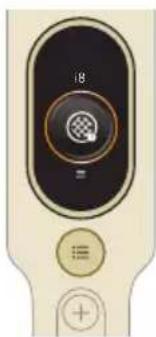
Clean the filter at least once every month or when you see the notification for filter cleaning (i8).
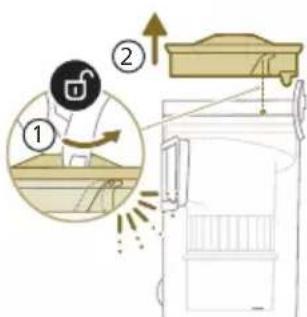
1 Rotate the filter counter-clockwise to remove it from the dust bucket.
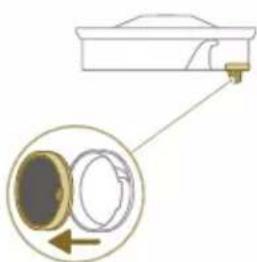
2 Remove the washable foam filter from the plastic filter casing.
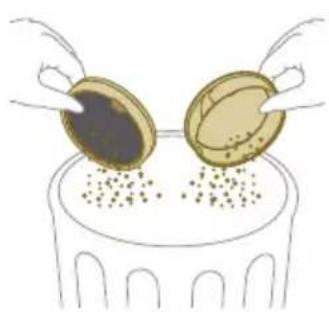
3 Tap both the filter casing and the foam filter over a trash bin.
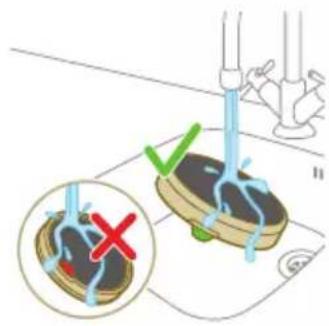
4 Rinse the foam filter and squeeze it till clean water comes out.
Note: for best cleaning result, run the water through the filter with the filter tab facing downwards, allowing deeply set dust to be washed out.

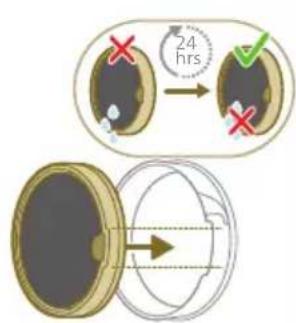
5 Leave the washed filter to dry for 24 hours before reassembling the foam filter in the filter casing.
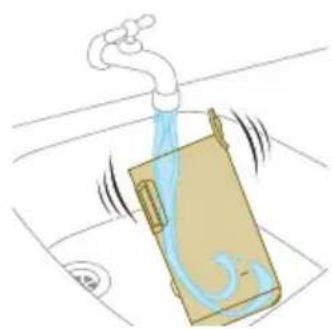
6 For thorough maintenance, clean the dust bucket and cyclone under a running tap or in warm soapy water.
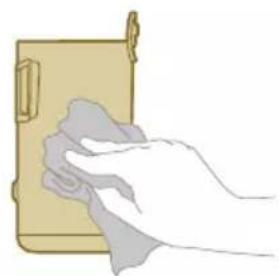
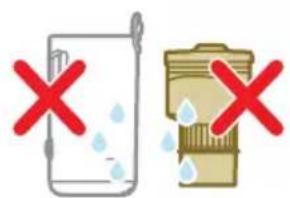
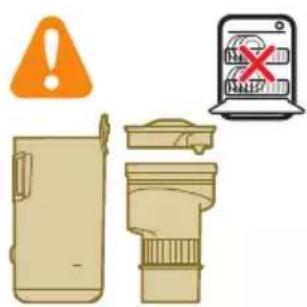
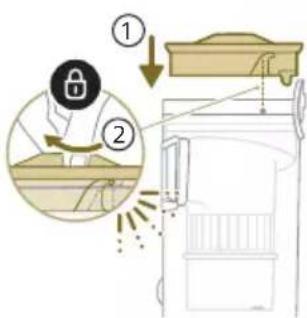
7 Wipe the cleaned dust bucket and relevant parts dry.
Caution: Make sure all parts are completely dry before you reassemble them.
Note: all parts cannot be cleaned in the dishwasher.
8 Reassemble the filter in the dust bucket. Rotate the filter clock-wise to fix it in place.
9 Place back the assembled bucket. First align the filter side of the bucket before hinging it in place.
Note: After maintenance, always make sure the filter is assembled in the appliance before using it.
PrecisionPower Smart Nozzle maintenance
1 Always switch off the appliance before cleaning the nozzle brush roll.
2 To access the brush roll, locate the button on the side of the nozzle. Press it and rotate to open.
3 Gently remove the brush roll and the side cap of the nozzle.
4 Carefully detach any tangled hair from the brush roll. Support the removal of pollution with a pair of scissors.
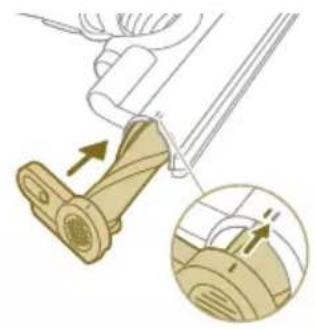
5 When reassembling, ensure proper alignment of the brush roll.
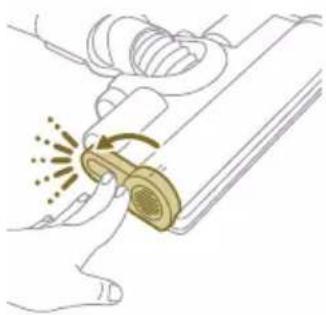
6 Lock the nozzle brush roll by securing it until you hear a "CLICK" sound.
Mini TurboBrush maintenance
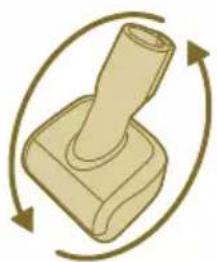
1 Turn the brush over to access the cleaning area.
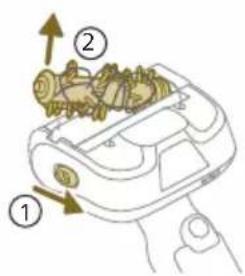
2 Slide the side button to release the brush from its position.
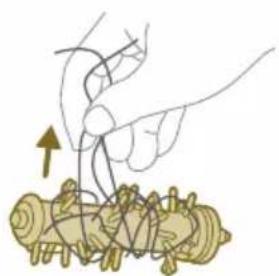
3 Use your hands or a pair of scissors to remove any pollution from the brush.
2
1
4 When reassembling the brush, start by placing one side in position before attaching the other side. When the brush is properly assembled, you will hear a "CLICK" sound.
Vacuum and Mop nozzle maintenance
1 Open the two top covers to gain access to the airflow passage of the nozzle.
2 Remove any visible pollution from the area.
3 Once cleaning is complete, securely close the covers.
4 For maintenance, flip over the nozzle to access the underside.
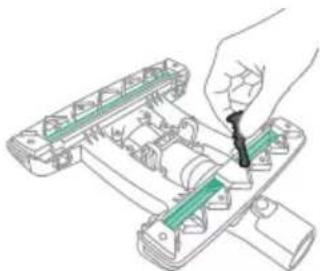
5 Remove any pollution around the shutter for optimal performance.
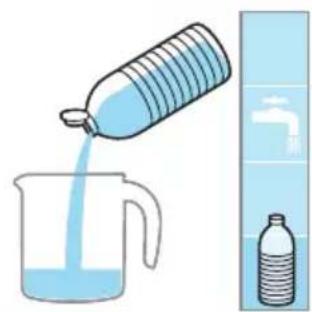
Aquatack maintenance
Descale the aqua tank once every month to avoid limescale build-up.
1 Add some descaling liquid to a measuring cup.
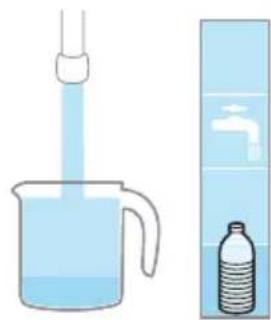
2 Add the correct amount of water in the measuring cup.
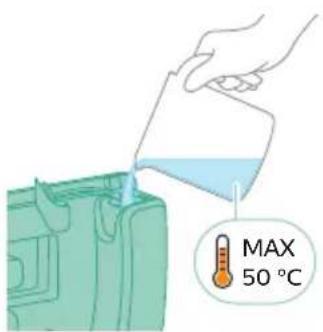
3 Add the mixed liquid in the aqua tank.
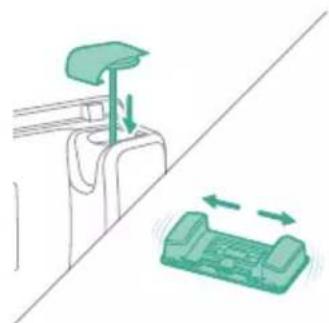
4 Close the Aqua tank properly before shaking the tank for the descending liquid to spread evenly.
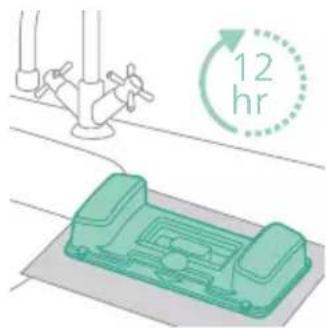
5 Leave the aqua tank (without the microfiber mopping pad) upright over 12 hours. Water is expected to slowly come out from the bottom of the aqua tank. We recommend to place the aqua tank inside the sink or over a cloth.
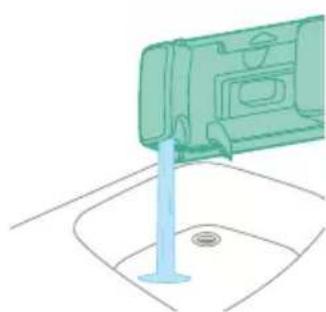
6 Rinse and remove any remaining liquid inside the aqua tank.
Water strip maintenance
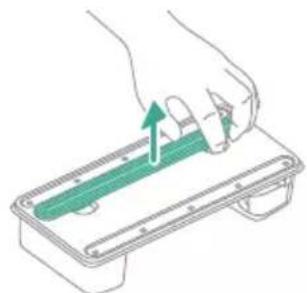
1 Remove the water strip from the bottom of the aqua tank for a thorough cleaning.
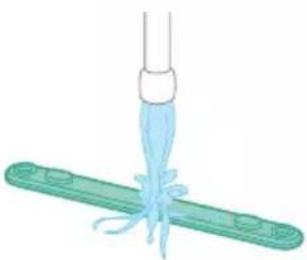
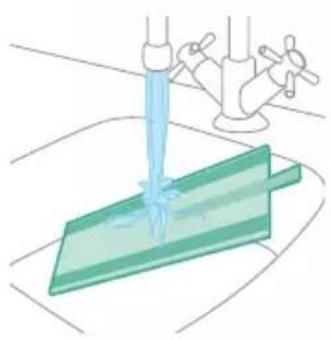
2 Rinse the water strip under the tap.
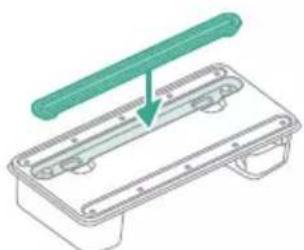
3 Attach the water strip back to the aqua tank after cleaning.
Replacement
To buy accessories or spare parts, visit www.philips.com/parts-and-accessories or go to your Philips dealer. You can also contact the Philips Consumer Care Center in your country.
Replacement parts and type numbers:
Replacement filter XV1681/01
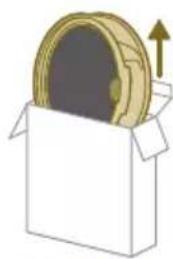
XV1681/01
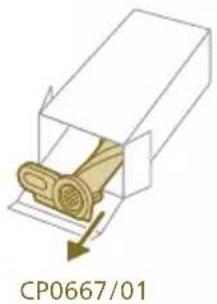
Brush roll CP0667/01
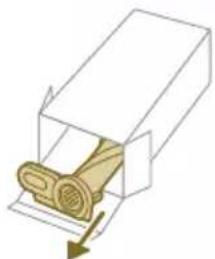
CP0667/01
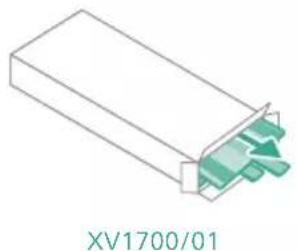
Microfiber mopping pad XV1700/01
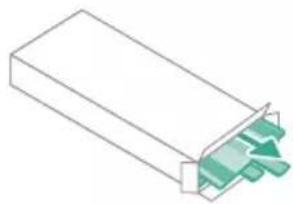
XV1700/01
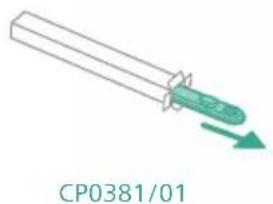
Water strip CP0381/01
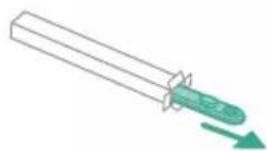
CP0381/01
Note: Replace the filter and the microfiber mopping pad every 6 months to ensure maximum performance.
User interface signals and their meaning
Signal Meaning of signal
E1 Malfu
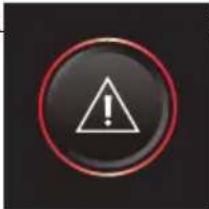
oppliance.
Remove the battery, wait 10 seconds, and then put the battery back. If this does not work, please take the appliance to a Philips service center or contact the Consumer Care Center.
E2 The a
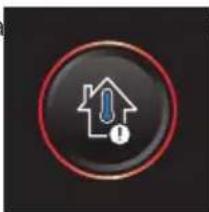
ated below the functioning temperature.
Move the appliance to a warmer room. Do not store, charge or use the appliance at a temperature below 5^ or above 40^ .
E3 The a
ated above the functioning temperature.
Move the appliance to a cooler room. Do not store, charge or use the appliance at a temperature below 5^ or above 40^ .
E5 The
ed.
Take the appliance to a Philips service center or contact the Consumer Care Center.
E9 The
and above the functioning temperature.
Switch off the appliance and wait 15 minutes. Touch the upper housing of the nozzle to feel if it is still warm. If the nozzle is still warm, wait longer for the nozzle to cool down. Once the nozzle has cooled down, try switching the appliance back on.
i4 Then
Make sure the appliance is switched off. Clean the nozzle according to the user manual and check the tube by removing the tube from the main appliance. Remove the object in the nozzle or tube and restart the appliance.
i5 Foreign
in the airflow passage.
Make sure the appliance is switched off. Clean the nozzle according to the user manual and check the tube by removing the tube from the main appliance. Remove the object in the nozzle, tube, or handheld and restart the appliance.
Signal Meaning of signal
| i6 The ad | noved. Remove the adapter before operating the appliance. |
| i7 A wro | ed. Only use the original adapter to charge the appliance. |
| i8 The fil | Clean the filter. Follow the instructions on the screen or in the users manual. You can buy new filters in the online Philips shop at www.philips.com/support or at your Philips dealer. |
| i10 The | operly inserted. Remove the battery, and then put the battery back. If this does not work, please take the appliance to a Philips service center or contact the Consumer Care Center. |
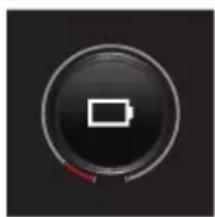
| The battery level is low and needs to be charged. Charge the appliance or the battery via the suggested charging method. |
Troubleshooting
This chapter summarizes the most common problems you could encounter with the appliance. If you are unable to solve the problem with the information below, visit www.philips.com/support for a list of frequently asked questions or contact the Consumer Care Center in your country.
Dry cleaning
Problem Possible cause Solution
| The appliance does not respond when the on/off button is pushed. | The display shows the battery empty icon. | To charge the battery, connect the appliance to the charging station or attach the handheld vacuum cleaner directly to the power plug of the adapter. |
| The charging station is not stable on the wall. | The screws holding the charging station are loose. | Tighten the screws. |
Problem Possible cause Solution
| The screws are not the right size. | Mount the charging station with the supplied screws. | |
| The charging station is not attached to a stable wall. | Check that the wall on which the charging station will be mounted is stable. | |
| The appliance suddenly stops working. | When the appliance has an internal malfunction, the buttons will not respond and the screen will remain blank. | Connect the appliance to the charging station or attach the handheld vacuum cleaner directly to the adapter. Check the display. If an error code appears, you can find its meaning in the user manual. |
| (code: E2, E3) The appliance is not working at a suitable temperature. | Make sure the appliance is used at a temperature of 5-40 °C. | |
| (code: E4) The filter is missing in the appliance. | Make sure the appliance is properly assembled following the user manual. | |
| (code: i4, i5) The brush roll is stuck or objects are stuck in the air flow channel. | Make sure the appliance is switched off. Clean the nozzle according to the user manual and check the tube by removing the tube from the main appliance. Remove the object in the nozzle or tube and restart the appliance. | |
| (code: E9) The motorized nozzle is overheated. | Switch off the appliance and wait 15 minutes. Touch the upper housing of the nozzle to feel if it is still warm. If the nozzle is still warm, wait longer for the nozzle to cool down. Once the nozzle has cooled down, try switching the appliance back on. | |
| The appliance has a lower suction power than usual. | The filter and the cyclone are dirty. | Empty the dust bucket. Clean the filter and the cyclone. Make sure the filter is washed at least once a month, when using the appliance regularly. Make sure hair and dirt stuck in the cyclone are removed. |
| The dust container is not attached properly to the appliance. | Make sure the dust container is attached properly. | |
| The air channels on the Vacuum and Mop nozzle are blocked. | Open the lids of the air channels on both sides of the tube on the Vacuum and Mop nozzle. Clean the channels. Close the lids and turn the nozzle upside down. Clean the air channels from the bottom. | |
| Dust escapes from the appliance. | The filter is dirty. Clean the filter. | See also the user manual. |
| The filter is not present in the appliance. | Make sure that the filter is in the appliance and assembled correctly. |
Problem Possible cause Solution
| Something is blocking the cyclone. | Check the cyclone for stuck objects and remove any object blocking the cyclone. Also ensure all hair and dirt stuck in the cyclone are removed. | |
| The dust container is not properly attached to the appliance. | Empty the dust container and attach the dust container correctly to the appliance. | |
| The appliance is rotated or flipped when the power is off. | Keep the appliance upright when the power is off. | |
| The appliance does not move smoothly across the floor when cleaning a carpet. | The floor type recognition function is not on. | Switch on the floor type recognition function in the digital menu. |
| The selected suction power has been too high. | Decrease the suction power. See also the user manual. | |
| The brush does not turn anymore. | The brush is clogged with hair or dirt. | Clean the brush by hand or with a pair of scissors. |
| (code: i4) The brush may stop turning when it encounters too much resistance from a high-pile carpet. | Switch off the appliance and then switch it back on again. | |
| The roller brush has not been assembled properly into the nozzle after cleaning. | Follow the instructions in the cleaning chapter of the user manual to slide the roller brush into the nozzle properly. Secure the roller brush inside the nozzle by snapping the locking lever in place. | |
| (code: E9) The motorized nozzle is overheated. | Switch off the appliance and wait 15 minutes. Touch the upper housing of the nozzle to feel if it is still warm. If the nozzle is still warm, wait longer for the nozzle to cool down. Once the nozzle has cooled down, try switching the appliance back on. | |
| The LEDs in the nozzle do not come on. | The nozzle has not been attached to the tube or appliance properly. | Attach the nozzle to the appliance or handheld properly. |
| The lighting feature is disabled. Enable this feature in the menu. Adjust the brightness of nozzle LEDs in the menu. | ||
| The LEDs in the handheld do not come on. | The lighting feature is disabled. Enable this feature in the menu. Adjust the brightness of handheld LEDs in the menu. | |
| The light in the accessory does not come on. | The accessory is attached to the tube. Remove the tube and attach the accessory directly to the handheld. | |
| The accessory is not attached to the appliance properly. Attach the accessory to the appliance properly. | ||
Problem Possible cause Solution
| The lighting in my nozzle, handheld, and accessories is not bright enough. | The brightness is dimmed. Adjust the brightness of LEDs in the menu. | |
| The appliance is not charging. | The power plug is not connected properly to the appliance or the adapter is not inserted into the wall socket properly. | Make sure that the power plug is connected properly to the appliance and that the adapter is inserted into the wall socket properly. |
| The power plug is not placed properly in the charging station. | Make sure the plug is fixed properly in the charging station. Check if the plug is angled and the charging station is holding the plug in place. | |
| (code: i7) An adapter other than the supplied adapter is being used. | Make sure that you use the adapter supplied. | |
| (code: i10) The battery is not properly installed. | Make sure that the battery is pushed all the way in the slot and properly installed. | |
| (code: E5) The battery malfunctions. | The battery has failed. Replace the battery. | |
| If you have checked the above and the appliance still does not charge, take it to a Philips service center or contact the Consumer Care Center. | ||
| The appliance is charging very slow. | An external adapter or an adapter from other appliances is used. | Charge the appliance with the supplied adapter. |
| The battery is charged and attached, but the appliance cannot be switched on. | The appliance is still connected to the adapter. | Remove the appliance from the adapter before restarting it. |
| (code: E1) Something is wrong with the appliance. | Remove the battery, wait 10 seconds, and then put the battery back. If this does not work, please take the appliance to a Philips service center or contact the Consumer Care Center. | |
| The display shows the filter icon (code: i8). | The filter is dirty. Clean the filter. Follow the instructions on the screen or in the users manual. | |
| The filter is old. You can buy new filters in the online Philips shop at www.philips.com/support or at your Philips dealer. | ||
| If you have checked the above and the appliance still shows the error, take it to a Philips service center or contact the Consumer Care Center. | ||
Problem Possible cause Solution
| The mini Turbo brush does not function properly. | The roller brush is blocked. Remove hairs from the brush with a pair of scissors. Follow the instructions in the user manual. | |
| The roller brush is blocked by fabric or surfaces during cleaning. | Keep the mini Turbo brush aligned with the surface and do not push the Turbo brush into soft surfaces. | |
| The roller brush is not properly inserted into the mini Turbo brush. | Make sure that roller brush and the mini Turbo brush are properly connected and that there is no gap between the parts. Follow the instructions in the manual. | |
| The suction power does not feel stable. | Nothing is wrong. This is the feature of "Floor Type Recognition" being triggered. Your appliance is detecting the floor type and cleaning with an optimized performance for that floor. | No action needed. If you prefer to clean with a consistent power of your choice, disable this smart feature in the menu of your appliance. |
| The Floor Type Recognition is not reacting logically. | The filter and the cyclone are dirty. | Empty the dust bucket. Clean the filter and the cyclone. Make sure the filter is cleaned regularly and make sure any hair and dirt stuck in the cyclone is removed. Follow the instructions of the user manual. |
| The brush is clogged with hair or dirt. | Clean the brush with a pair of scissors or by hand. See the instructions in the user manual. | |
| The Vacuum & Wipe nozzle and the aqua tank is used. | Attach the PrecisionCleaning nozzle to experience the Floor Type Recognition function. | |
| The appliance delivers static shocks. | The appliance builds up static electricity. The lower the air humidity, the more state electricity is build up. | Discharge the appliance by frequently holding the tube against other metal objects in the room (for example the legs of a table or chair, etc.). Or raise the air humidity level in the room. |
| The dust and dirt that is vacuumed up is static. | Empty the dust container and clean the filter according to the instructions in the user manual. | |
Wet cleaning
Problem Possible cause Solution
| The water flow from the aqua tank is reduced. | The wetting strip is blocked by dirt. | Remove the wetting strip and clean it. Place the clean wetting strip back. |
| The microfiber mopping pad is not placed correctly and blocks the wetting strip as a result. | Make sure that you place the mopping pad correctly. Check the user manual for proper placement. |
Problem Possible cause Solution
| The aqua tank is empty or nearly empty. | Refill the aqua tank. | |
| A microfiber mopping pad is used that is not supplied by Philips. | Only use an original Philips microfiber mopping pad. The mopping pads can be bought in the online Philips shop at www.philips.com/support or at your Philips dealer. | |
| Lime scale has build up in the wetting strip. | Buy a new wetting strip in the online Philips shop at www.philips.com/support or at your Philips dealer. | |
| The appliance has a lower suction power than usual. | The air channels on the Vacuum & Wipe nozzle are blocked. | Open the lids of the air channels on both sides of the tube on the Vacuum and Mop nozzle. Clean the channels. Close the lids and turn the nozzle upside down. Clean the air channels from the bottom. |
| Too much water flows out of the aqua tank at a too high speed. | The aqua tank cap is not attached properly. | Check the cap and make sure it is fully and properly closed. |
| The strip is not placed properly in the bottom of the aqua tank. | Check the strip and make sure that it is fitted properly in the bottom plate of the aqua tank. | |
| The floor dries with stripes. Too much liquid cleaner has been added to the water. | Use only a few drops of liquid cleaner or use a cleaner that foams less. | |
| The microfiber mopping pad is not placed correctly. | Make sure that the mopping pad is placed correctly. Check the user manual for proper placement. | |
| An incorrect mopping pad is used. | Only use Philips XV1700/01 microfiber mopping pad for the 8000 series. The mopping pads can be bought in the online Philips shop at www.philips.com/support or at your Philips dealer. | |
lsi
www.philips.com/mycordlessvacuum-8000s.
Vseobecný popis
www.philips.com/mycordlessvacuum-8000s.
Generel beskrivelse
1 Digitalt display
a Ringindikator for batteriniveau
b Batteriniveaui procent
c Valgt effektniveau
d Ikon for aktivering af gulvtypegenkendelse
e lkon for pamindelse om rengoring af filter
2 Menu-/bekraeftelseskapnap
3 + knap
4-knap
5 Afbryderknap
6 Handholdt enhed
7 Stovbeholder
8 Batteri
9 Ekstra filter (kun XC8057)
10 Udlserknap til stovbeholder
11 Vægbeslag
12 Adapter
13 Støvsugerrør
14 Intelligent PrecisionPower-mundstykke
15 Mini TurboBrush
www.philips.com/mycordlessvacuum-8000s.
www.philips.com/mycordlessvacuum-8000s.
Descripción general
Installation du support mural
Bandelette CP0381/01
CP0381/01
Signals Signalu nozime
E1 leric
Atvienojiet akumulatoru, 10 sekundes uzgaidiet un pec tam pievienojiet atpakal akumulatoru. Ja problema joprojam pastav, nogadajiet ierici Philips tehniskas apkopes centra vai szinieties ar klienu apkalposanas centru.
E2 Ierice
Signals Signalu nozime
www.philips.com/mycordlessvacuum-8000s.
Descrição geral
Sinjali Kuptimi i sinjalit
Hiqni baterine, prisni 10 sekonda, dhe me pas vendosni baterine perversi. Nese kjo nuk funkionson, ju lutemi cojeni pajisjen ne njè qender sherbimi "Philips" ose kontaktoni qendren e kujdesit ndaj clientit.
Sinjali Kuptimi i sinjalit
Firca rulosu CP0667/01
Mikrofiber paspaslama bezi XV1700/01
Su seridi CP0381/01
1 PnKpeTe 6aTeepnra KbM OCHOBHOTo TAno Ha ypeHa, TaKa Ye da Chyete UpaKaBaHe, KoEtO O3HaUaBa CnrypHo CBbp3BaHe.
2 3apekdaIte ypeia, KaTo ro nocTabIne Ha crIIO6eHaTa cToiKa 3a cTeHa.
4Ппдупждени:Сьхранявайт eи зарждайт урда при Temпетараз наd 5°C и поd 40°C.
3a6eJekKa: MoKTe CbIoo Da NoCTaBnTe IpbXkTaHa XOpN3OHTaJIHa N cTa6NJHa NOBbpxHocT IN DnpeKTHO Da CBbPKeTe 3apeKJaUNA KAbM ypeDa.
3 YpeIbTe npoeKTIpaH da IOCTnHE nbJIeN 3apJd B paMKITE Ha 6 yaca. MoXeTe Da HApJIIOJaBaTe HAppeJbKa Ha 3apeJdaHe Ha ekpaHa. KoratoypeIbTe HAnbJIHo 3apeJeH, Ha ekpaHa CBetBa CToHocT 100%. Cnei HAKOJIKO MmHT nDCnJIeRt Ue Ce n3KJIIOuY.
IpeMeCTe ypeDa B no-CTyDHa CtaJ. He cBxpaHЯBaITe, He 3apeKdAte N He n3noJ3BaIte ypeDa npTtempeatypn noD 5^ nnnn Had 40^
CnHaJ 3HaueHne Ha cnHaJa
I3BaTe 6aTepeTaNcEe TOBa JnoCTaBeTe OTHOB.AKO TOBa He npopapOtn,3aHeceTe ypeBa B cepBn3eH cHTbpHa Philips nIn ce CbByKeTe c cHTbpa 3a 06CnyXBaHe Ha KIneHTn.
HnBoto Ha 6aTePnraTa e HnCKo n TpR6Ba Da ce 3apeiN. 3apeJeTe ypeJa nn 6aTePnraTa Upe3 npedloXeHn MeToD Ha 3apeKdaHe.
Отстразнын Неницьоста
OrpaHnUyBaHa Ha KopncTeHbeTo
- NocTaBkata 3a cmyKaHe n 6pnueHe e cooDbetHa 3a cmyKaHe n 6pnueHe Ha CNTe TINOBn UBPCTn NOOBN, OCBHe Hc3aWTtEnHdPBeHN PNOBn.
- IocTakata 3a cmkahe n 6pHHe e HameHeTa 3a peIOBHO uCTeHe UBPCTn IOOB.N. CeKoraaw cIeTe r yNaTcBAta 3a uCTeHe 3a BaINOT UBPCT NOKORA TO KOpNCTITE ypeIOB.
Ako cakaTe da IdoaTe TeuHO cpeCTBO 3a YnCTeHe NODOBn ITO He e cpeCTBOTO 3a YnCTeHe NODOBN XV1792 Ha Philips BO BODaTa BO pe3epBOapOT 3a YnCTa BOJa, KOpNCTeTe cpeCTBO 3a YnCTeHe ITO He NeHm MHOry INI BOONITo I To MoKe Da Ce pAcTBOPN BO BOJa, KaKO CpeCTBOTO 3a YnCTeHe NODOBN XV1792 Ha Philips.
Co orleHnToa Tope3epBoapOT 3a YnCTa BOda nMa KaanTeT od 370 ml, Tpe6a Da IOnaIeTe cAmo HeKoJky KaKN (MaKcImaJIHO 10 ml) od TeuHoto CpeDCTBO 3a YnCTeHe NODOBN BO BOdata.
Ako ro kopnstte ypeodot 3a cmykahe n 6pniwehe Ha noobn od JInHOJeym, npabete ro Toa camo Ha noobn oJ JInHOJeym wTO ce COOdBETHO fHKcapahi 3a da ce cnpeu BOBNekyBaHbe Ha JInHOJeMOT BO Mna3HNUata.
- Ako ro nomectte/npnirhe TepeoT Bp3 TeNX nn Knilm Kora e NCKlyueH, KaKN oN OTnaHaTa BOda Moxe da 3aBpwaT Ha TEPNXOT nn KNIIMOT.
He TypkajTe ro ypeIOT Bp3 peWetKn Ha NOJOT OJ KOHBeKTopHrpeaIKN. BiJejKn ypeIOT He MoKe Da ja BOBLeue BoJaTa 1TO N3JIeYBa OJ Mla3HNuCaTa KOra Ke Ro NOMECTUte npeky peWetKaTa, BoJaTa Ke 3aBpSh Ha HHTO OJ OKHOTO Ha KOHBeKTopOT.
-ПичсTeHbe,He nOuRHyBajTe ja Mla3HncaTa OJ nOIoT n He DBrJKeTe ja cTpaHnUHO,a He npabete Hn HaJIb VpTeHa,b 6nJeKn OBa Ke octaBn TpaN OJ BODa. IomeCTyBajTe ro camo HaHaIpeN HaHa3aI.
i 3a6eileka: Pa6oTHOTO BpeMe 3aBnCn OJ HNBOTO Ha MOKHOCT ITO ce KopnCTI 3a BpeMe Ha YnCTeHbETo.
CectpaHa ynoTpe6a n doaToOn
A IpeDynpedyBaHe: Kora KopnCTnte KaKOB 6nlo DoaTOK, HEmoJTe da BwMykyBaTe BODa nI IN DpyrN TeuHocTH.
A Bhimahne: HeMoJTe Da rIeJaTe dIpeKTHo BO 3aIaJIeHnTe LED-cBETla IIN Da rN HAcOyBaTe LED-cBETJaT a KOH HeuN OUn. LED-cBETJIoTo e MHOr cyJHo.
KopncTeHbe Ha npkaTa
Moxete da ja kopncntte dpshkaTa nipeKTHO 6e3 HnKaKba aIaTka 3a uNCTeHe 3a da cmyKate npaunHn.