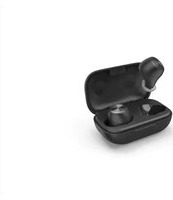
WEAR7701 - Headphones THOMSON - Free user manual and instructions
Find the device manual for free WEAR7701 THOMSON in PDF.



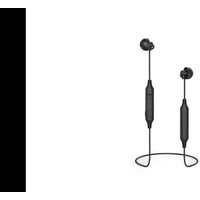
| Product type | True Wireless Bluetooth Headset |
| Brand | Thomson |
| Model | WEAR7701 |
| Bluetooth Technology | Bluetooth v5.0 |
| Supported Bluetooth Profiles | A2DP 1.3, AVRCP 1.6, HFP 1.7, SPP 1.2 |
| Range | Up to 10 meters |
| Earbud Battery | Lithium polymer 3.7V, 43mAh |
| Charging Case Battery | Lithium polymer 3.7V, 390mAh |
| Music Playback Time | Approximately 4 hours |
| Standby Time | Approximately 150 hours |
| Earbud Charging Time | Approximately 2.5 hours |
| Case Charging Time | Approximately 3.5 hours |
| Weight of Each Earbud | Approximately 4 g |
| Weight of Case with Earbuds | Approximately 41 g |
| Package Contents | 1 pair of earbuds, 1 charging case, 1 micro-USB cable, 3 pairs of ear tips (S/M/L), manuals |
| Main Functions | Play/pause, next/previous track, volume (via assistant), hands-free, Siri/Google voice assistant |
| Controls | Multifunction touch sensors on each earbud |
| Care and Cleaning | Clean with a slightly damp lint-free cloth, no harsh detergents |
| Safety Instructions | Avoid prolonged listening at high volume, do not use while driving, protect from moisture and shocks |
| Available Spare Parts | Silicone ear tips sizes S/M/L included |
| Repairability | Do not attempt to repair yourself, contact a qualified technician |
Frequently Asked Questions - WEAR7701 THOMSON
User questions about WEAR7701 THOMSON
0 question about this device. Answer the ones you know or ask your own.
Ask a new question about this device
Download the instructions for your Headphones in PDF format for free! Find your manual WEAR7701 - THOMSON and take your electronic device back in hand. On this page are published all the documents necessary for the use of your device. WEAR7701 by THOMSON.
USER MANUAL WEAR7701 THOMSON
TrueWireless Headphones
natural_image
Line drawing of an open wireless earbuds with two matching cups (no text or symbols)GB Operating Instructions F Mode d'emploi D Bedienungsanleitung E Instrucciones de uso
I Istruzioni per l'uso P Manual de instruções RUS Руководство по эксплуатации
GB OperatingInstructions
Thankyouforchoosinga T homsonproduct. Takeyourtimeandreadthefollowinginstructions andinformationcompletely.Pleasekeepthese instructions in a safe place for future reference. If yousellthedevice,pleasepasstheseoperating instructionsontothenewowner.
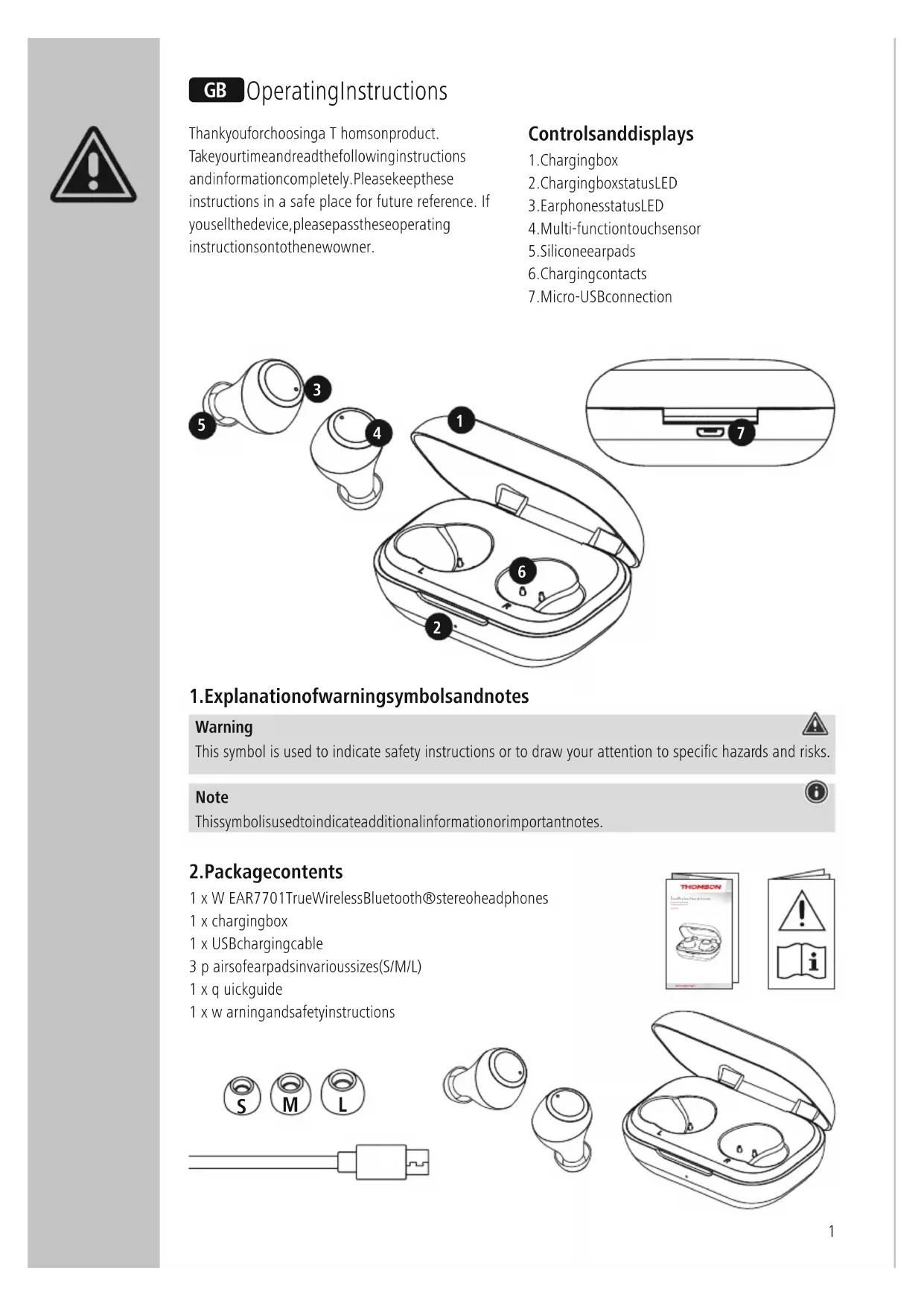
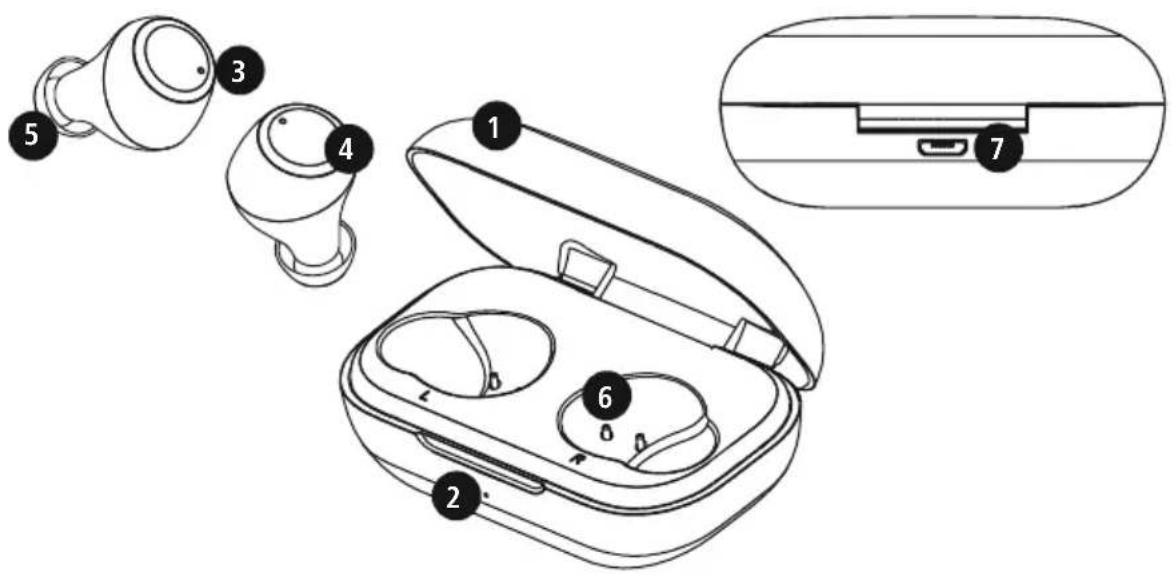
Controlsanddisplays
- Chargingbox
- ChargingboxstatusLED
- EarphonesstatusLED
- Multi-functiontouchsensor
5.Siliconeearpads - Chargingcontacts
- Micro-USB connection
1. Explanationofwarningsymbolsandnotes
Warning

This symbol is used to indicate safety instructions or to draw your attention to specific hazards and risks.
Note

This symbol is used to indicate additional information or important notes.
2.Packagecontents
1 x W EAR7701TrueWirelessBluetooth®stereoheadphones
1 x chargingbox
1 x USBchargingcable
3 p airsofearpadsinvarioussizes(S/M/L)
1 x q quickguide
1 x w arningandsafetyinstructions
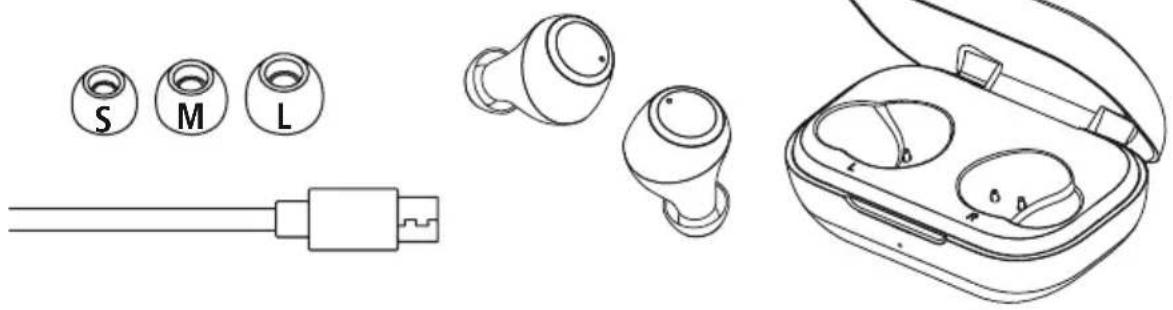
natural_image
Line drawings of various earbuds and devices including a USB cable, earplugs, and a charging case (no text or symbols present)
3. Safetyinstructions
• Theproductisintendedforprivate,non-commercialuseonly.
• U setheproductonlyfortheintendedpurpose.
- Children should be supervised to ensure that they donotplaywiththeproduct .
- Do n otusetheproductinareasinwhich electronicproductsare n otpermitted.
- Donotattempttoserviceorrepairtheproduct yourselfLeaveanyandallserviceworkto qualifiedexperts.
- Donotopenthedeviceorcontinuetooperateitif itbecomesdamaged.
- Do notbendorcrushthecable.
- D o n otdroptheproductanddonotexposeitto anymajorshocks .
• D isposeofpackagingmaterialimmediatelyin accordancewiththelocallyapplicableregulations
- Do not modify the product in any way. Doing so voidsthewarranty .
- Protect the product from dirt, moisture and overheating and use it indry environments only
- Do n otusetheproductintheimmediatevicinity ofheaters,otherheatsourcesorindirectsunlight
- O nlyusethearticleundermoderateclimatic conditions.
- A s w ithallelectricalproducts,thisdevices should bekeptoutofthereachofchildren .
- Do not operate the product outside the power limit specified in the technical data.
- Do not use the product in a damp environment and avoids splashing water
- While driving a car or using sports equipment, do not allow yourself to be distracted by your product and keep an eye on the traffic situation and your surroundings.
- The battery is permanently installed and cannot be removed; dispose of the product as a hole in accordance with the statutory regulations.
- Donotincineratethebatteryortheproduct.
- Donottamperwithordamage/heat/disassemble thebatteries/rechargeablebatteries.
- Donotusetheproductduringthecharging process!
Warning – rechargeable battery

- OnlyusesuitablechargingdevicesorUSB connectionstochargetheproduct.
- DonotusedefectivechargersorUSBports anddonotattempttorepairthem.
- Donotovercharge the product or allow the battery to completely discharge.
- Avoidstoring, charging and using in extreme temperatures and at extremely low atmospheric pressures (such as at high altitudes).
- Chargeregularly(atleastquarterly)during periodsofprolongedstorage.
Warning-magnets

• Thisproductgeneratesmagneticfields.
Personswitha cardiacpacemakershould consult a doctor before using this product, asthepacemaker'sproperfunctioncouldbe affected.
- Donotstore b ankorsimilarcardswith magneticstripsnearthechargingboxor earphones. Thedataonthecardscouldbe damagedorcompletelydeleted.
Warning- h ighvolume

• Highsoundpressure!
• There is a risk of hearing damage.
- Topreventanylossofhearing, avoidlistening atloudvolumesforprolongedperiods.
• Always keep the volume at a sensible level. Loudvolumes, evenovershortperiods, can causehearingloss.
- Using this product limits your perception of ambient noise. You should therefore not drive or operate machinery while using them.
4.Switchingon/off

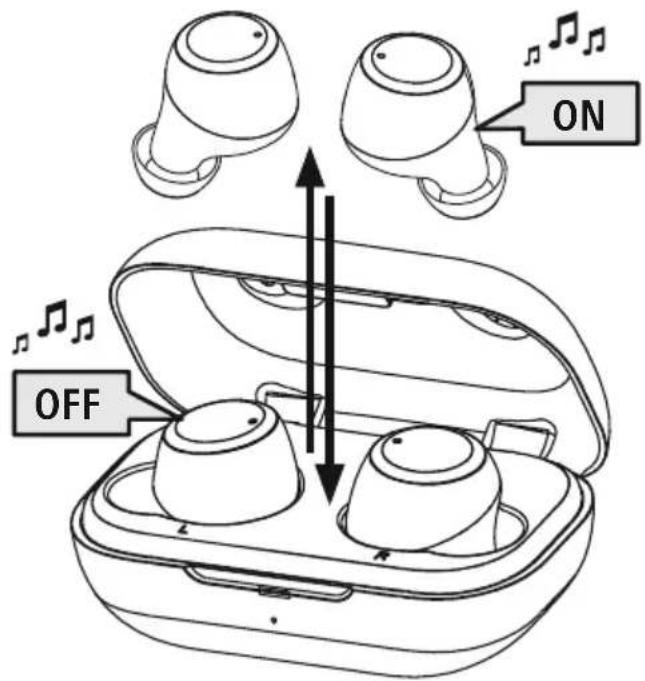
Removethetwoheadphonessimultaneouslyfromthechargingbox.Bothearphonesswitchon automaticallyandstartthepairingprocess.
Alternative:
Pressthemulti-functiontouchsensor(4)ontheleftandrightearphonesforapprox.2-3 secondsuntilyouhear s signalsound.

To switch them off, simply place the earphones back in charging box. Ensure that the earphones are inserted into the correct sides, using the L/R markings as a guide.
Alternative:
With the earphoness switched on, hold them multi-function touch sensor(4) on the left or right earphone down for approx. 5 seconds until you hear a signal sound.
flowchart
graph LR
    A[" stopwatch"] -->|30min| B["STANDBY Icon"]
Note— A utomaticswitch-offoftheearphones

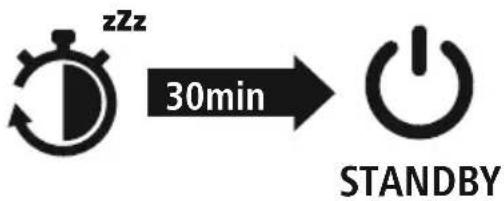
The earphones are equipped with an automatic switch-off mechanism. If there is no connection to your device within 30 minutes, they switch off automatically.
5.Charging
Fully charge the earphones and the charging box once before using them for the first time.
1 Inserttheearphonesandconnectthechargingbox
Place the earphones in the charging box. Ensure that the earphones are inserted into the correct sides, using the L/R markingsasa guide.
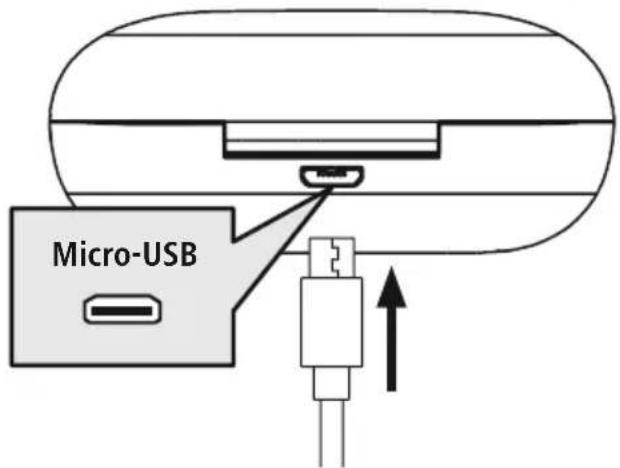
ConnecttheUSBchargingcableincludedtothechargingsocket(7)onthechargingbox.
Connect the free plug on the micro-USB charging cable to a suitable USB charger. To do this, consult the operating instructions for the USB charger you are using.
2 Chargingprocedureforthechargingboxandearphones
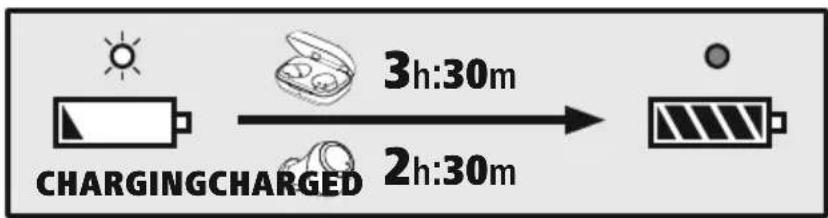
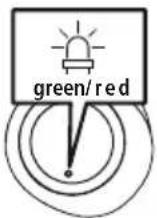
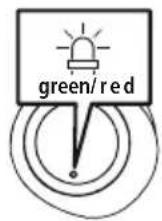
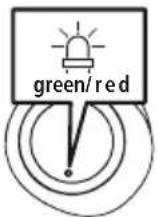
The status LED on the charging box (2) lights up solid red during the charging process. Once the chargingboxisfullycharged, thechargingboxLED(2)goesgreen.
The status LEDs on the earphones (3) light up solid red during the charging process. Once the earphones are fully charged, the status LEDs (3) light up green for around 30 seconds and then the statusLEDsgout.
It can take up to 2.5 hours (earphones) or up to 3.5 hours (charging box) until the batteries are fullycharged.
3 Batterycapacity
Chargingbox
When battery levels are low (< 10%), the status LED (2) flashes red.
Earphones
When battery levels are low, the status LED (3) flashes red.
The actual battery lifewill vary depending on how you set the device, the settings and the ambient temperatures (rechargeable batteries have a limited life).
Note
If you have not used the device for a few months, it can take up to 15 - 30 minutes until the status LED (2/3) lights up red during the charging process.

6. Bluetooth ^® pairing
Note- Pairing

- Makesure that your Bluetooth ^ -capable device is switched on and that Bluetooth ^ is activated.
- For more information, please refer to the operating instructions of your device.
The earphones and the device should not be more than 1 metre apart. The shorter the distance, the better.
Ensure that the earphones are switched on.
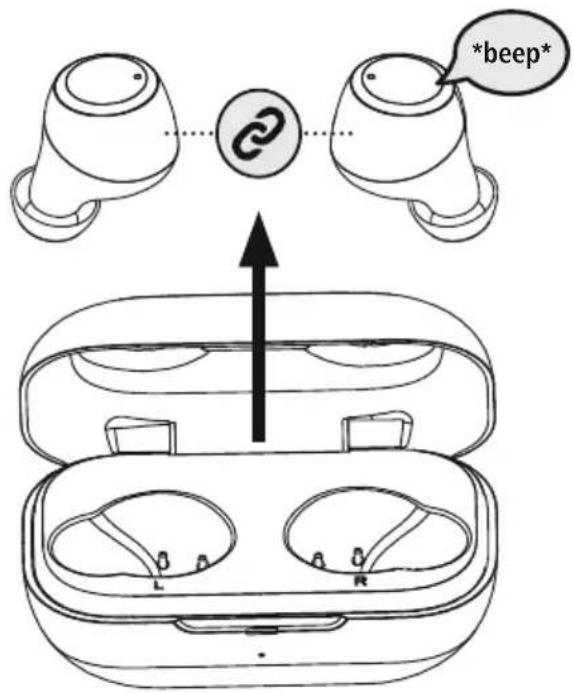
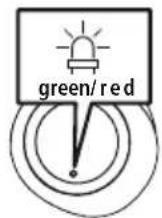
CheckthestatusofthestatusLED(3)

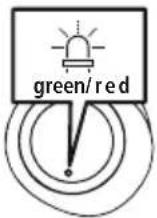
IfthestatusLED(3)ontheleftearphoneflashesalternately:
theearphonesare searchingfora Bl u e t o o® connection.
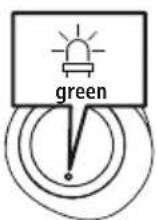
IfthestatusLEDs(3)areflashingandthengoout:
the earphones are already paired with a Bluetooth ^® device.

2 Searchusingyourdevicefortheearphones(onlyrequiredonthefirstconnection)
OpentheBluetooth ® settingsonyourdeviceandwaituntilthelistoffoundBluetooth ® devices showsWEAR7701.
Select WEAR 7701 and wait until the earphones are shown as connected in the Bluetooth® settings of your device. You will hear a brief signal sound.
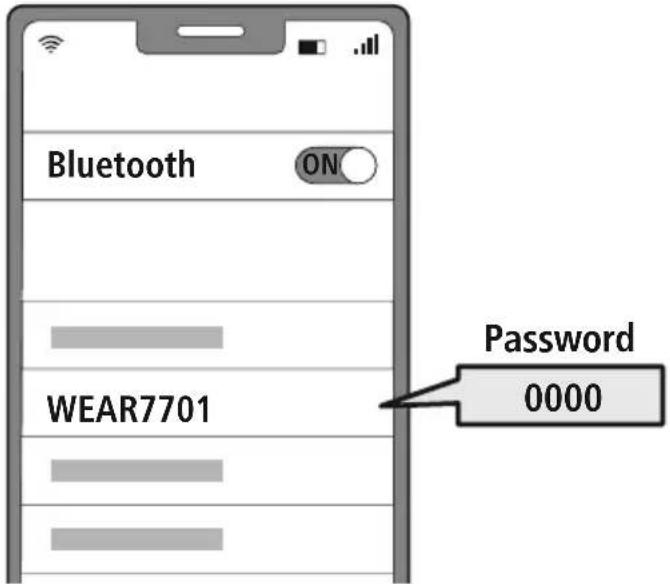
Note- Bluetooth password

Some devices require a password in order to connect to another Bluetooth ^® device.
- If your device requests a password to connect to the earphones, enter 0000.
7.Controls
Note

- Please be aware that your terminal device must support some functions if they are to be used.
- For more information, please refer to the operating instructions of your device.
7.1 Voiceassistantfunction
Siri/Google
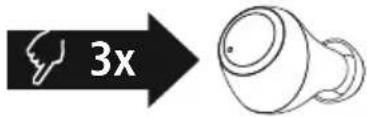
Tap t hemulti-functiontouchsensor(4)ontheleftor rightearphonethreetimestoinitiatecommunication withSiriortheGoogleAssistant.

Note- Siri
Siri is only available on suitable devices running iOS 5 (iPhone 4s or later) or higher.

Note- GoogleAssistant
- The Google Assistant is only available on suitable devices running Android 5.0 or higher with Google Play Services, >1.5 GB of free memory and a minimum screen resolution of 720P.
- The Google Assistant App must be available on your device and be set as the default voice assistant.
7.2 Hands-freefunction
It is possible to use the earphones like a hands-free facility for your device.
1 Make a c a l l
Dial the number directly via your device to make a call.
2 Accepta c a l
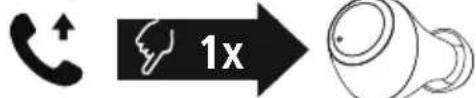
Tap t hemulti-functiontouchsensor(4)ontheleftor rightearphoneoncetoacceptanincomingcall.
3 Rejecta c a l
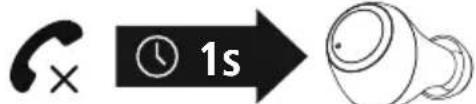
Torejectanincomingcall,tapandholdthe multi-functiontouchsensor(4)ontheleftorright earphone for around 1 seconds. You will hear a brief signalsound.
4 Enda call
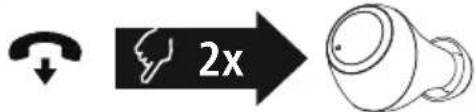
Duringthecall, tapthemulti-functiontouchsensor (4) on the left right ear phonetwiceto end the call. You will hear a brief signal sound.
5 Lastnumberredial
You can redial the last number you called via the voice assistant function (7.1).


7.3 Audioplayback
1 Startplaybackonyourdevice.
2 Play/ Pause
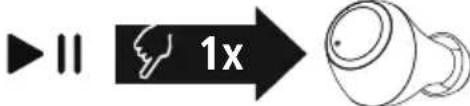
Tap t hemulti-functiontouchsensor(4)ontheleftor rightearphoneoncetostartorstopaudioplayback.
3 Nexttrack

Tap t hemulti-functiontouchsensor(4)ontheright earphonetwicetoskiptothenexttrack.
4 Previoustrack
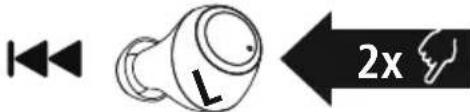
Tap t hemulti-functiontouchsensor(4)ontheleft earphonetwicetoskiptotheprevioustrack.
7.4Volumecontrol
The volume is controlled by the voice assistant function(7.1).
Alternatively, you can also control the volume via your smartphone.

8.Technicaldata
| Bluetooth® earphones | |
| BluetoothtechnologyBluetooth | ® v5.0 |
| Profiles supported | A2DP 1.3 / AVRCP 1.6 / HFP 1.7 / SPP 1.2 |
| FrequencyforBluetooth® transmissions | 2402-2 480MHz |
| Range<10 m | |
| Rechargeablebattery | |
| Batterytype3.7VLipolymer | |
| Min.capacityEarphones/ c hargingbox | 43mAh/ 3 90mAh |
| Chargingboxcurrent consumption | max.5 V 200mA |
| Earphoneschargingtime~2.5 h | |
| Chargingboxchargingtime~3.5 h | |
| Standby*~150 h | |
| Musicplaying*~4 h | |
| Calltime* | ~4 h |
| Weight of earphones | approx. 4 g per earphone |
| Weightofchargingbox incl.earphones | approx.41g |
* Oncefullycharged
9. Care and Maintenance
Only clean this product with a slightly damp, lint-free cloth and do not use aggressive cleaning agents.
10.WarrantyDisclaimer
Hama GmbH & Co KG assumes no liability and provides no warranty for damage resulting from improper installation/mounting, improper use of the product or from failure to observe the operating instructions and/orsafetynotes.
11. Service and Support
PleasecontactHamaProductConsultingifyuhaveanyquestionsaboutthisproduct.
Hotline:+499091502-0(German/English)
Further support information can be found here: www.hama.com
12. Recycling information
Noteonenvironmentalprotection:
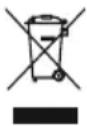
AftertheimplementationoftheEuropeanDirectives2012/19/EUand2006/66/EUinthenationallegalsystem,thefollowingapplies:
electrical and electronic devices as well as batteries must not be disposed of with household waste. Consumers are obliged by law to return electrical and electronic devices as well as
batteries to the designated public collection points or to the point of sale at the end of their service lives.
Detailed information on this topic is defined in the national laws of the respective country. This presence of the abovesymbolontheproduct, operating instructionsorpackageindicates that the product is
subject to these regulations. By recycling, reusing the materials or other forms of utilising old devices/batteries, you are making an important contribution to protecting our environment.
13. Declaration of Conformity
CE Hama GmbH & Co KG hereby declares that the radio equipment type [00132568, 00132569] is in compliance with Directive 2014/53/EU. The full text of the EU declaration of conformity is available at the following internet address:
www.hama.com->00132568, 00132569->Downloads.
Frequencyband(s)2402-2 480MHz
Maximumradio-frequencypowertransmitted4 d B m

F Moded'emploi
1. Explicationdessymbolesd'avertissementetdesremarques
Avertissement

natural_image
Line drawing of an open electronic device case with two circular compartments (no text or symbols)
flowchart
graph LR
    A[" stopwatch"] -->|30min| B["STANDBY"]
natural_image
Line drawing of an open electronic device case with two circular compartments (no text or symbols)
flowchart
graph LR
    A[" stopwatch"] -->|30min| B["STANDBY"]
natural_image
Line drawing of an open electronic device case with two circular compartments (no text or symbols)
flowchart
graph LR
    A[" stopwatch"] -->|30min| B["STANDBY"]
natural_image
Line drawing of an open electronic device case with two circular compartments (no text or symbols)

flowchart
graph LR
    A[" stopwatch"] -->|30min| B["STANDBY"]
Nota- S pegnimentoautomaticodellecuffie

natural_image
Line drawing of an open electronic device case with two circular compartments (no text or symbols)
flowchart
graph LR
    A[" stopwatch"] -->|30min| B["STANDBY"]
1 Verifiqueo e stadodoLEDdeestado(3)
natural_image
Line drawing of an open electronic device case with two circular compartments (no text or symbols)

natural_image
Line drawing of an open electronic device case with two circular compartments (no text or symbols)
flowchart
graph LR
    A[" stopwatch"] -->|30min| B["STANDBY"]
Tik t weekeeropdemultifunctioneletouch-sensor(4) opdelinkeroortelefoonomnaarhetvorigenummer tegaan.
7.4Volumeregeling
natural_image
Line drawing of an open electronic device case with two circular compartments (no text or symbols)

flowchart
graph LR
    A[" stopwatch"] -->|30min| B["STANDBY"]
1 SprawdzaniestanudiodyLED(3)
natural_image
Line drawings of various earbuds and devices including a USB cable, earplugs, and a compact electronic device (no text or symbols present)
flowchart
graph LR
    A[" stopwatch"] -->|30min| B["STANDBY"]
natural_image
Line drawing of an open electronic device case with two circular compartments (no text or symbols)

natural_image
Line drawing of an open electronic device case with two circular compartments (no text or symbols)

flowchart
graph LR
    A[" stopwatch"] -->|30min| B["STANDBY"]
1 ZkontrolujtestavstavovéLED(3)
12. Pokynyk likvidaci
natural_image
Line drawing of an open electronic device case with two circular compartments (no text or symbols)

flowchart
graph LR
    A[" stopwatch"] -->|30min| B["STANDBY Icon"]
3 Kapacitabatérie
Nabíjacíbox
Ak je úroveň nabitia batérie nízka (< 10 %), indikačná LED dióda (2) bliká červeno.
Slúchadládouší
Ak je úroveň nabitia batérie nízka, indikačná LED dióda (3) bliká červeno.
natural_image
Line drawing of an open electronic device case with two circular compartments (no text or symbols)

flowchart
graph LR
    A[" stopwatch"] -->|30min| B["STANDBY"]
1. Förklaringavvarningssymbolerochhänvisningar
Varning

natural_image
Line drawings of various earbuds and devices including a USB cable, earplugs, and a charging case (no text or symbols present)
3.Säkerhetsanvisningar
flowchart
graph LR
    A[" stopwatch"] -->|30min| B["STANDBY"]
natural_image
Line drawings of various electronic devices including earbuds, USB cable, and charging case (no text or symbols)
flowchart
graph LR
    A[" stopwatch icon with 'zzz' clock"] -->|30min| B["Power button symbol"]
1 Tarkistatila-LEDin(3)tila.
www.hama.com ->00132568, 00132569 -> Downloads.
natural_image
Line drawing of an open electronic device case with two circular compartments (no text or symbols)
flowchart
graph LR
    A[" stopwatch"] -->|30min| B["STANDBY"]

- TrueWireless Headphones
- GB OperatingInstructions
- Controlsanddisplays
- Explanationofwarningsymbolsandnotes
- Warning
- Note
- 2.Packagecontents
- Safetyinstructions
- Warning – rechargeable battery
- Warning-magnets
- Warning- h ighvolume
- 4.Switchingon/off
- Alternative:
- Note— A utomaticswitch-offoftheearphones
- 5.Charging
- Inserttheearphonesandconnectthechargingbox
- Chargingprocedureforthechargingboxandearphones
- Batterycapacity
- Chargingbox
- Earphones
- Bluetooth ® pairing
- Note- Pairing
- CheckthestatusofthestatusLED(3)
- IfthestatusLED(3)ontheleftearphoneflashesalternately:
- IfthestatusLEDs(3)areflashingandthengoout:
- Searchusingyourdevicefortheearphones(onlyrequiredonthefirstconnection)
- Note- Bluetooth password
- 7.Controls
- Voiceassistantfunction
- Note- Siri
- Note- GoogleAssistant
- Hands-freefunction
- Make a c a l l
- Accepta c a l
- Rejecta c a l
- Enda call
- Lastnumberredial
- Audioplayback
- 7.4Volumecontrol
- Care and Maintenance
- 10.WarrantyDisclaimer
- Service and Support
- Recycling information
- Noteonenvironmentalprotection:
- Declaration of Conformity
- F Moded'emploi
- Explicationdessymbolesd'avertissementetdesremarques
- Avertissement
- Nota- S pegnimentoautomaticodellecuffie
- Verifiqueo e stadodoLEDdeestado(3)
- 7.4Volumeregeling
- SprawdzaniestanudiodyLED(3)
- ZkontrolujtestavstavovéLED(3)
- Pokynyk likvidaci
- Kapacitabatérie
- Nabíjacíbox
- Slúchadládouší
- Förklaringavvarningssymbolerochhänvisningar
- Varning
- 3.Säkerhetsanvisningar
- Tarkistatila-LEDin(3)tila.
Brand : THOMSON
Model : WEAR7701
Category : Headphones