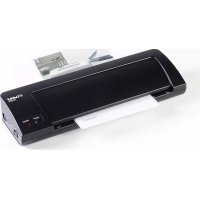
70103 - Laminating machine Dahle - Free user manual and instructions
Find the device manual for free 70103 Dahle in PDF.



| Product type | Laminating machine for home and office use |
| Brand | Dahle |
| Model | 70103 |
| Maximum laminating width | 325 mm (A3) |
| Max laminating thickness | 0.5 mm |
| Supported film thickness | 2x80 microns and 2x125 microns |
| Rated voltage | 220-240 V, 50-60 Hz |
| Current consumption | 1.7 A |
| Power consumption | 365 W |
| Warm-up time | 3 to 5 minutes |
| Laminating speed | 250 mm/min |
| Cold lamination | Yes |
| Automatic shut-off | No |
| Weight | 1.7 kg |
| Dimensions (W x D x H) | 454 x 150 x 78 mm |
| Main functions | Hot and cold lamination, automatic feed |
| Maintenance and cleaning | Clean with a soft cloth; do not use abrasive products |
| Safety | Do not cover the device, do not use near water or heat, unplug after use |
| Spare parts and repairability | Not specified in the manual; contact Dahle after-sales service |
| General information | Use only compatible pouches; remove staples and paper clips before laminating |
Frequently Asked Questions - 70103 Dahle
User questions about 70103 Dahle
0 question about this device. Answer the ones you know or ask your own.
Ask a new question about this device
Download the instructions for your Laminating machine in PDF format for free! Find your manual 70103 - Dahle and take your electronic device back in hand. On this page are published all the documents necessary for the use of your device. 70103 by Dahle.
USER MANUAL 70103 Dahle
natural_image
Line drawings of two DALE device enclosures (no text or symbols)de Originalgebrauchsanleitung.... 4
en Instructions....7
fr Mode d'emploi 10
es Instrucciones.... 13
it Istruzioni perl'uso.... 16
pt Manual de instruções.... 19
nl Gebruikershandleiding 22
da Betjeningsvejledning.... 25
fi Käyttöohje. 28
no Bruksanvisning.... 31
SV Bruksanvisning.... 34
sl Navodilo za uporabo 37
hr Upute za uporabu.... 40
hu Használati utasítás 43
ru Инструкция по применению 46
et Juhised.... 49
lt Naudojimo instrukcija 52
lv Lietošanas norādijumi 55
cs Návod k použití 58
sk Návod na použitie. 61
pl Instrukcja użytkowania.... 64
ro Instructiuni de utilizare 67
bg Указание за употреба 70
tr Kullanım kılavuzu 73
el Oδηγίες χρήσης. 76
ar Teluguimat 79
ja 取扱説明書 82
zh 使用说明 85
Read the operating and safety instructions carefully BEFORE putting the laminating device into operation.
You must follow the instructions.
Keep the operating instructions in a safe place ready for later use.
Table of Contents
1 Important information 7
1.6 Technical data 9
1.7 Scope of supply 88
2 Operation 89
2.1 Putting into operation 89
2.5 Hot lamination 90
2.6 Cold lamination 91
3 Maintenance / troubleshooting ..... 93
3.1 Clearing a document jam 93
3.2 Cleaning the device 93
1.1 Intended use, warranty
The laminating device is to be used only for hot and cold laminating of films. Photos, business cards, documents etc. can be laminated. The laminated documents must not be larger than specified.
Wear, damage due to improper use or unauthorised modifications and repairs are not covered by the warranty or the guarantee.
The laminating device is designed for private use and for use in a normal office environment.
1.2 Safety instructions
- Do not place the device near a source of heat!
- Set the device on the provided bases onto a non-flammable surface!
- Do not cover the device and ensure air can circulate around it freely!
-
Do not laminate metal objects!
-
Only use liquids and gases on the device that comply with DAHLE guidelines!
- Do not open up the machine!
- Only operate the device in closed spaces, at temperatures of between 10 °C and 25 °C (50 °F to 77 °F) and at a non-condensing humidity of between 15% and 95%!
- Ensure that the building installation has short-circuit protection: max. 16 A (US max. 20 A).
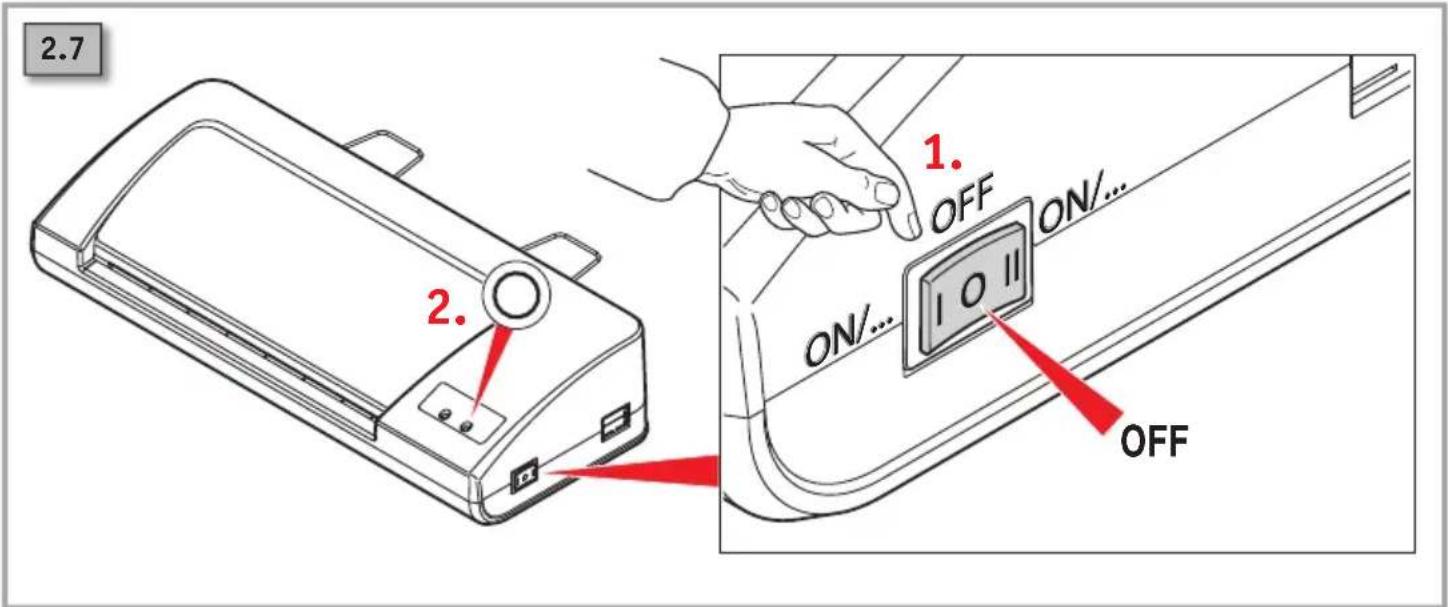
- After laminating, set the power switch to "OFF" and disconnect the device from the power supply.
- The device is not intended for use by persons (including children) with restricted physical, sensory or mental capabilities or a lack of experience and knowledge, unless they are working under supervision or receive detailed instruction about how to use the device from a person who is responsible for safety.
1.3 Important information about cold lamination
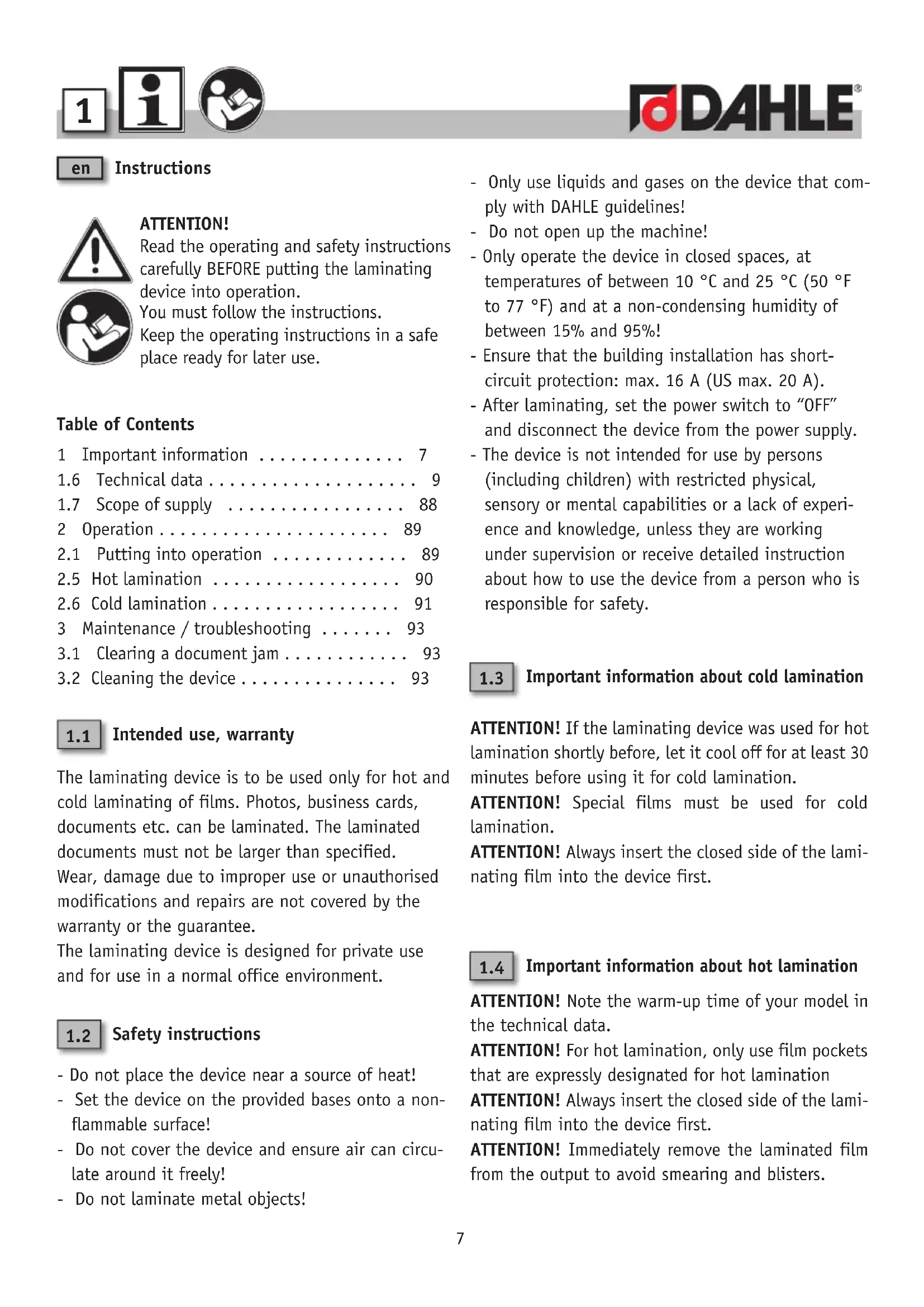
ATTENTION! If the laminating device was used for hot lamination shortly before, let it cool off for at least 30 minutes before using it for cold lamination.
ATTENTION! Special films must be used for cold lamination.
ATTENTION! Always insert the closed side of the laminating film into the device first.
1.4 Important information about hot lamination
ATTENTION! Note the warm-up time of your model in the technical data.
ATTENTION! For hot lamination, only use film pockets that are expressly designated for hot lamination
ATTENTION! Always insert the closed side of the laminating film into the device first.
ATTENTION! Immediately remove the laminated film from the output to avoid smearing and blisters.
ATTENTION! (only for 70104/70103)! When using 2x125 micron laminating films, wait another 3-5 minutes after the READY-LED lights up to get a better lamination result.
1.5 Key to pictograms

Important information

User information/safety instructions

WARNING

Do not use near caustic substances.

Ensure the device is standing securely!

Do not use near inflammable liquids or gases.

Do not operate without supervision!

Do not subject to moisture!

This laminating device is not intended to be used by children (the product is not a toy).

Do not touch the paper feed with your hands.

Do not allow items of clothing to come into contact with the paper feed.

Do not allow your hair to come into contact with the paper feed.

Keep spray cans away from the device.

Remove paper clips and staples before laminating!

Do not insert any diskettes/CDs/DVDs.

In case of errors or maintenance tasks, disconnect the laminating device from the power supply!

Automatic intake

The power plug is used to disconnect the power supply.

The mains socket must be easily accessible at all times.

How to use

On standby

In operation

Hot lamination

Cold lamination

Wait until the operating temperature for cold lamination has been reached.

Wait until the operating temperature for hot lamination has been reached.

Do not cover the device and ensure air can circulate around it freely!

Place document to be laminated in the centre of the laminating film!

Insert laminating film in accordance with the markings in the insertion slot!

Maintenance instructions/troubleshooting
1.6 Technical data – subject to technical modifications!
| Model 70104 70103 | 70204 | ||
| Max. widthLaminating fi lms | A4230 mm/9.0" | A3325 mm/12.8" | A4230 mm/9.0" |
| Max. laminating thickness 0.5 mm | |||
| Max. thickness of laminating film 2x80 micron / 2x125 micron | |||
| Rated voltage 220-240 V; 50-60 Hz | |||
| Effective Current 1.3 A 1.7 A 2.5 A | |||
| Max. Current/Heating time 1.3 A 1.7 A 6.1 A | |||
| Effective Power Consumption 265 W 365 W 575 W | |||
| Max. Power Consumption/Heating Time 265 W 365 W 1400 W | |||
| Heating time 3-5 minutes 3-5 minutes 30 seconds | |||
| Lamination speed 250 mm/min | 250 mm/min | 500 mm/min | |
| Automatic shut-off function when not in use | No | No | After 30 minutes |
| Cold lamination | Yes | Yes | No |
| Weight | 1.25 kg | 1.7 kg | 1.5 kg |
| Dimensions | Width: 360 mmDepth: 150 mmHeight: 78 mm | Width: 454 mmDepth: 150 mmHeight: 78 mm | Width: 360 mmDepth: 150 mmHeight: 78 mm |
| Model 70203 70304 | 70303 | ||
| Max. widthLaminating fi lms | A3325 mm/12.8" | A4230 mm/9.0" | A3325 mm/12.8" |
| Max. laminating thickness 0.5 mm | |||
| Max. thickness of laminating film 2×80 micron / 2×125 micron | |||
| Rated voltage 220-240 V; 50-60 Hz | |||
| Effective Current 2.5 A 2.5 A 2.5 A | |||
| Max. Current/Heating time 6.1 A 6.1 A 6.1 A | |||
| Effective Power Consumption 575 W 575 W 575 W | |||
| Max. Power Consumption/Heating Time | 1400 W | 1400 W | 1400 W |
| Heating time | 40 seconds | 30 seconds | 40 seconds |
| Lamination speed 500 mm/min | 500 mm/min | 500 mm/min | |
| Automatic shut-off function when not in use | After 30 minutes | After 30 minutes | After 30 minutes |
| Cold lamination | No | No | No |
| Weight | 2.0 kg | 2.0 kg | 2.6 kg |
| Dimensions | Width: 454 mmDepth: 150 mmHeight: 78 mm | Width: 360 mmDepth: 150 mmHeight: 78 mm | Width: 454 mmDepth: 150 mmHeight: 78 mm |

Dispose of the laminating device properly in an environmentally friendly way at an authorised collection point. Do not dispose of any parts of the laminating device or packaging in domestic waste.
fr Mode d'emploi

ATTENTION!
text_image
Warning symbol and icon: triangular warning triangle with exclamation mark above person reading a bookATTENZIONE!
Não insira disquetes/CDs/DVDs!

text_image
Warning symbol and icon: triangular warning triangle with exclamation mark above person reading a bookOBS!
text_image
2.4 Ready Power 1. OFF ON | Cold ON | Hot | 10 || 2.5 2.5 ON | Cold 1. OFF ON | 80mic | 10 || 2.52.6 ON | 80mic ON | 125mic
natural_image
Three black-and-white icons: a square with the number 2, a hand gesture, and a person reading (no text or symbols)
flowchart
graph TD
    A["1.4"] --> B["STOP"]
    B --> C["1.5"]
    style A fill:#f9f,stroke:#333
    style B fill:#ccf,stroke:#333
    style C fill:#cfc,stroke:#333
    note1["2.5"] --> A
    note2["1.4"] --> A
    note3["1.4"] --> B
    note4["1.4"] --> C

text_image
2.5 1. 2. x = 5-10 mm x = x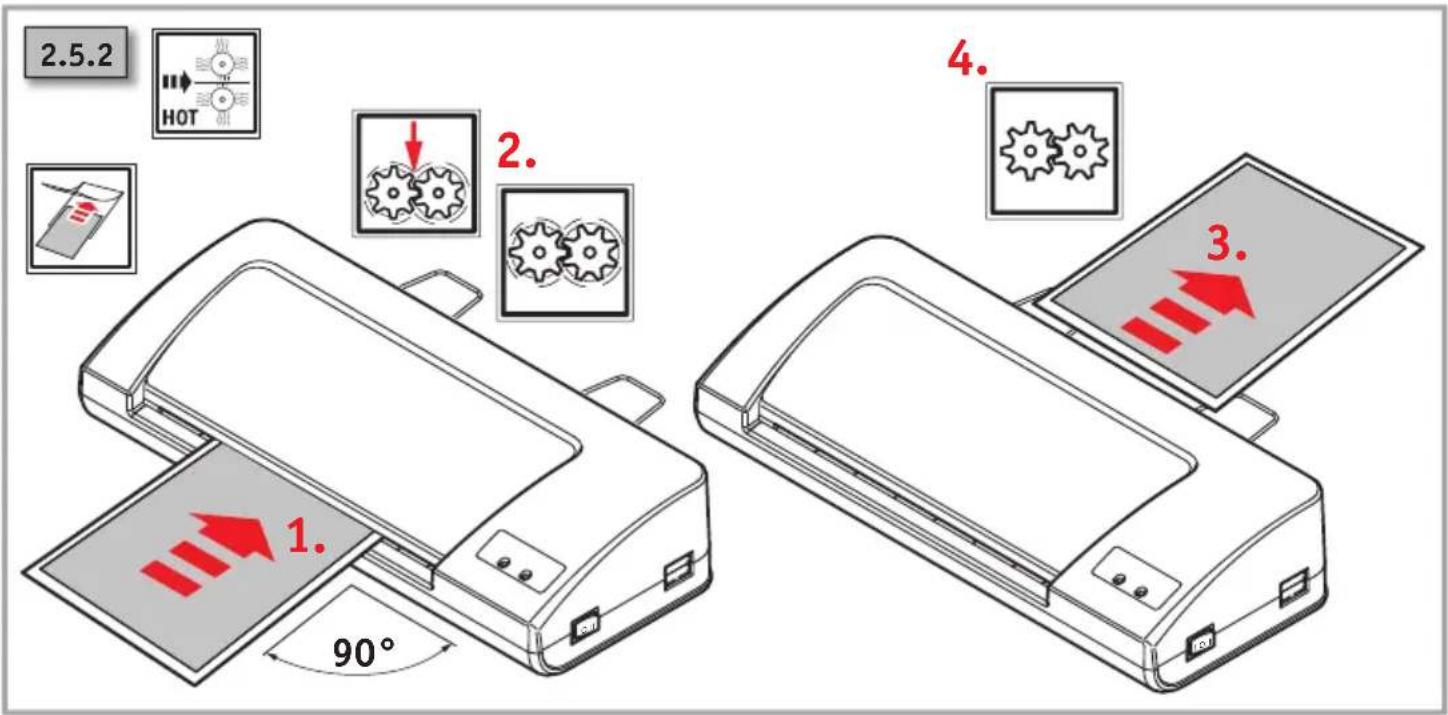
text_image
2.5.2 HOT 1. 90° 2. 4. 3.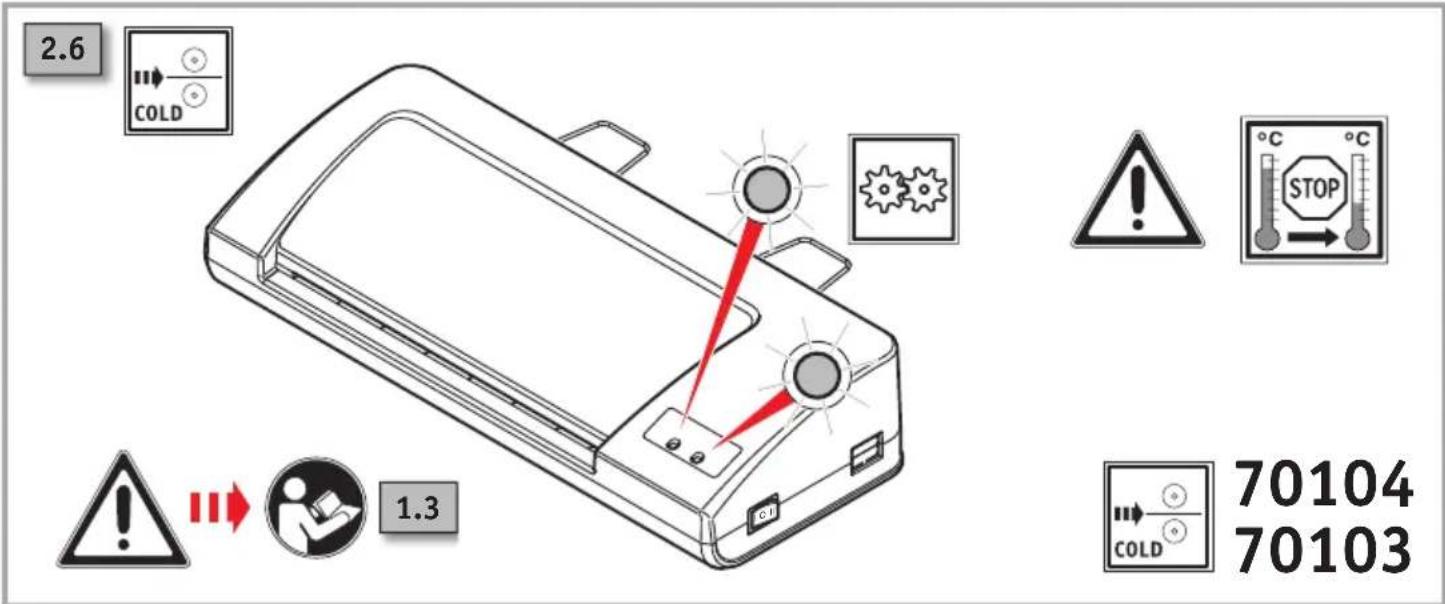
text_image
2.6 COLD 1.3 70104 70103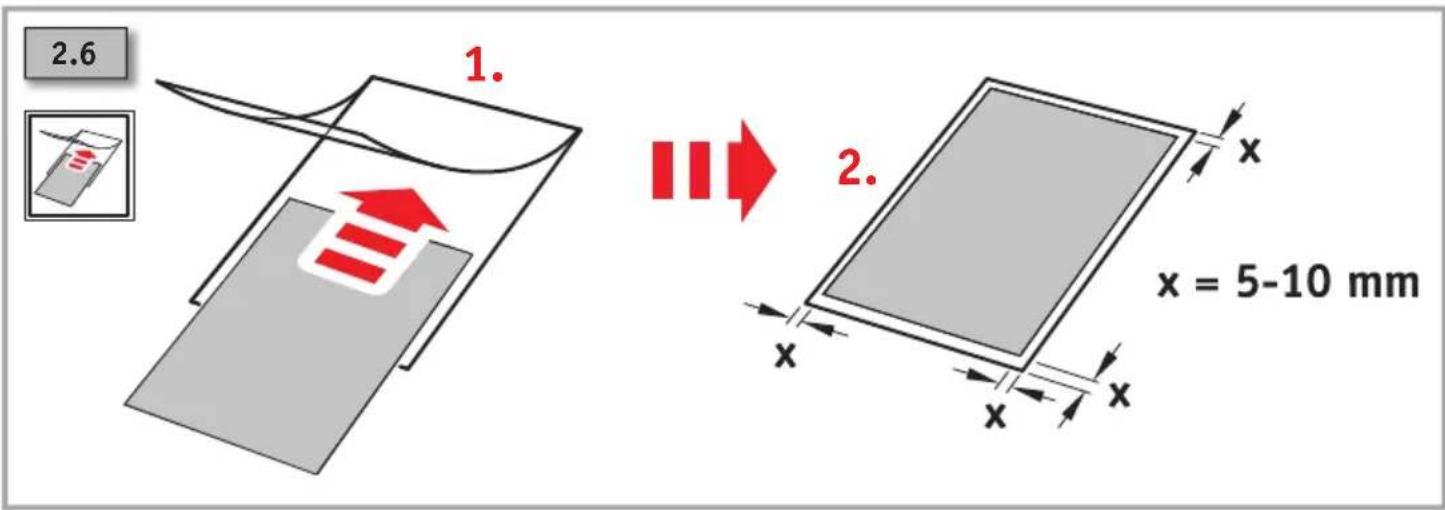
text_image
2.6 1. 2. x = 5-10 mm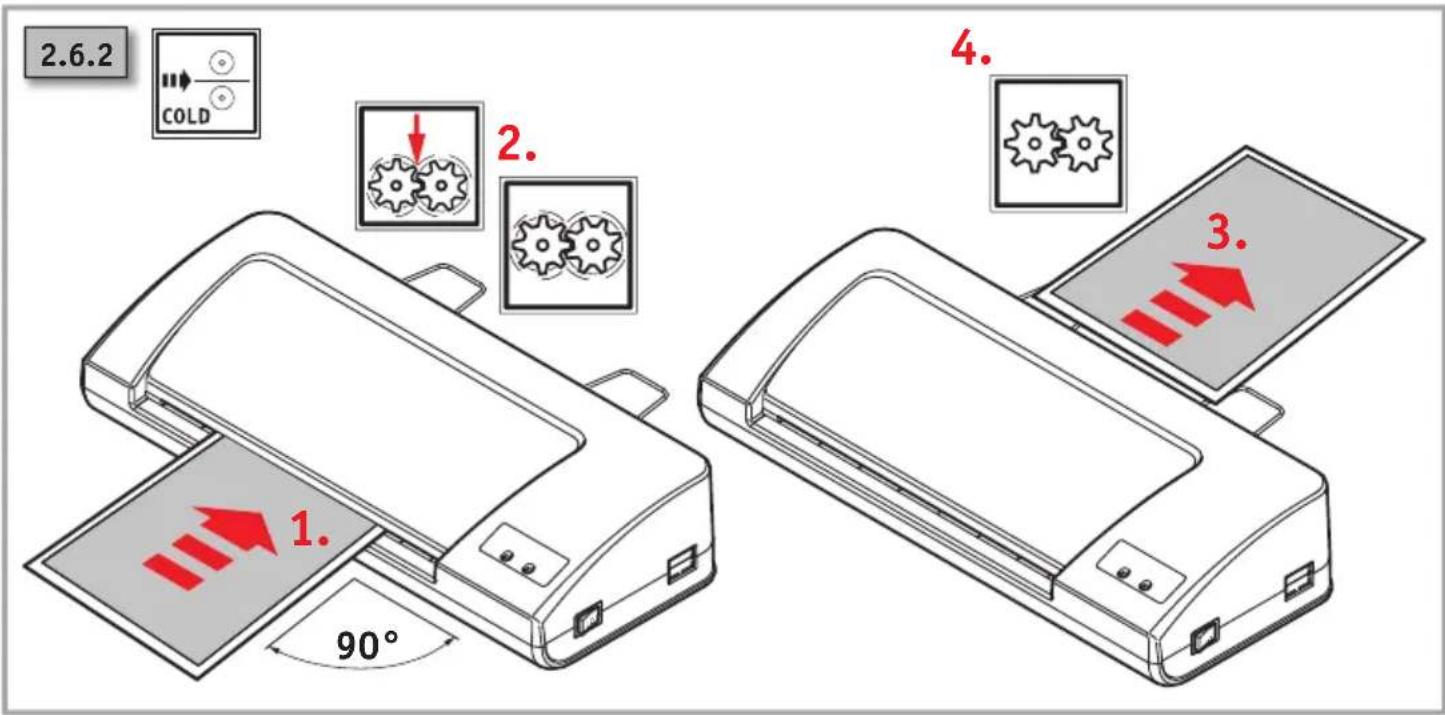
text_image
2.6.2 COLD 1. 90° 2. 4. 3.2


text_image
2.7 2. 1. OFF ON/... ON/... OFF
text_image
2.7.1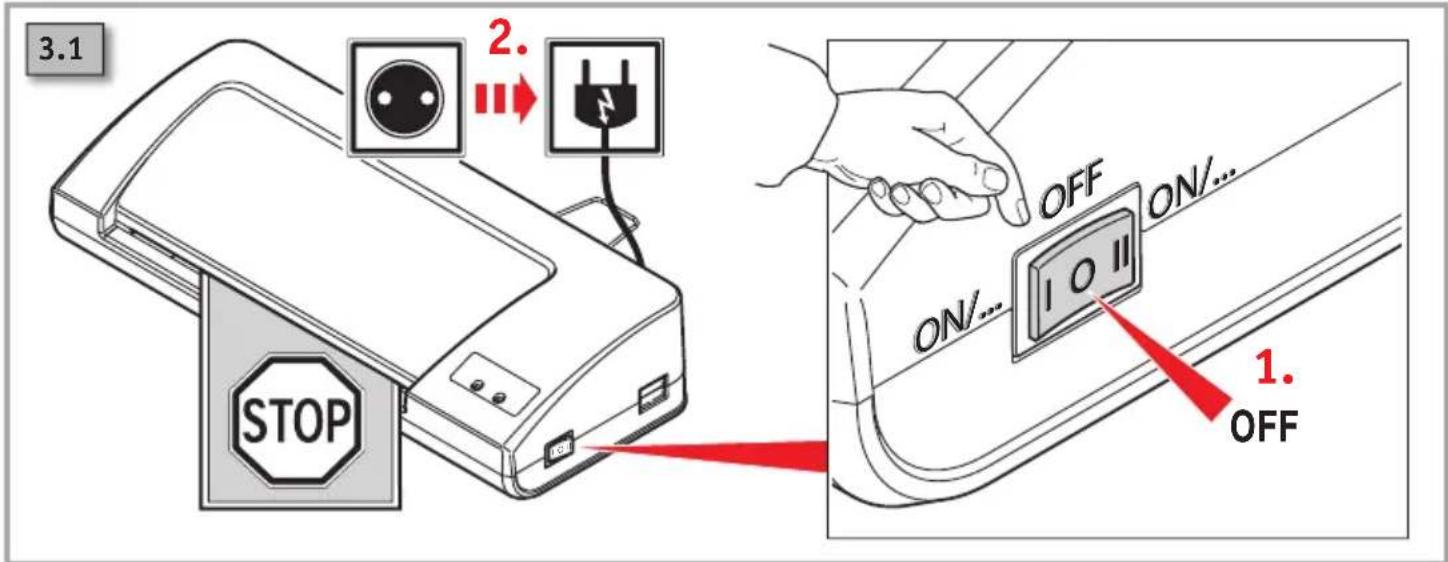
text_image
3.1 2. STOP OFF ON... ON... 10 II 1. OFF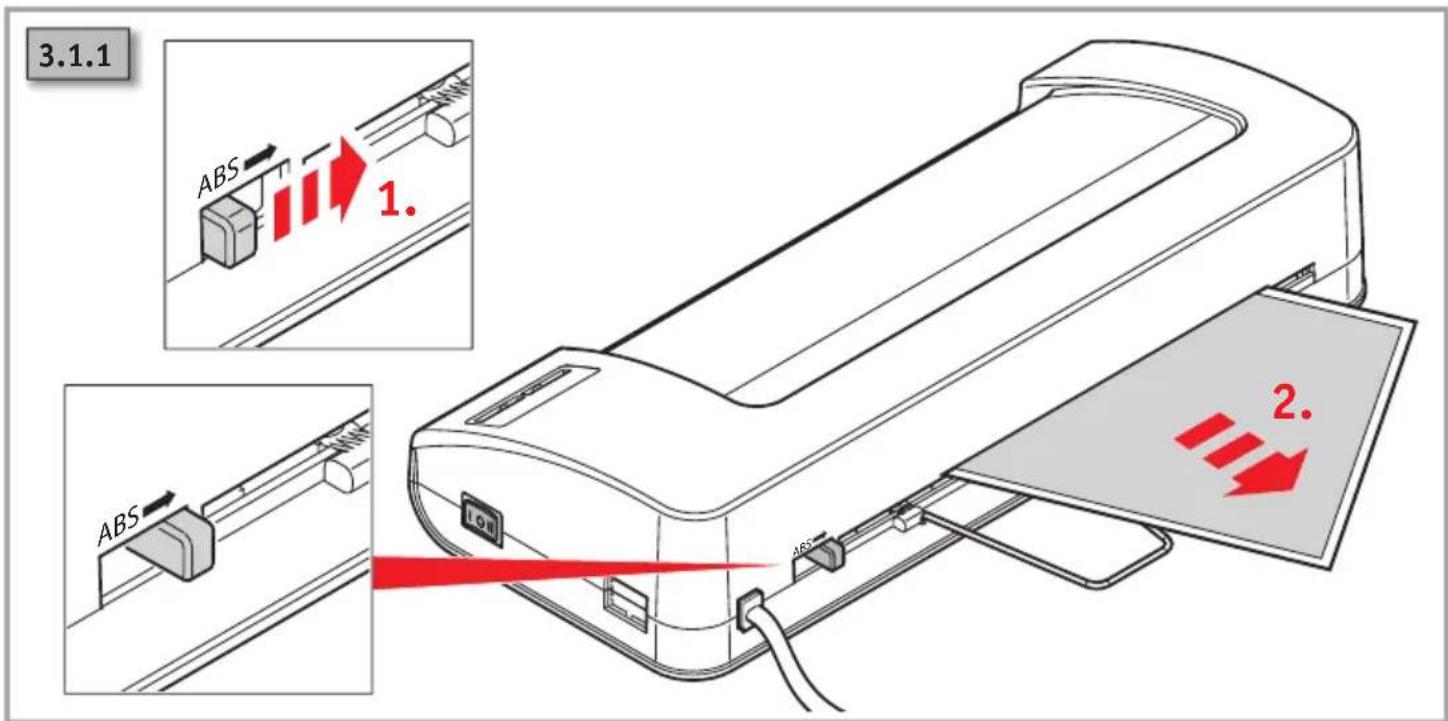
text_image
3.1.1 ABS 1. ABS 2.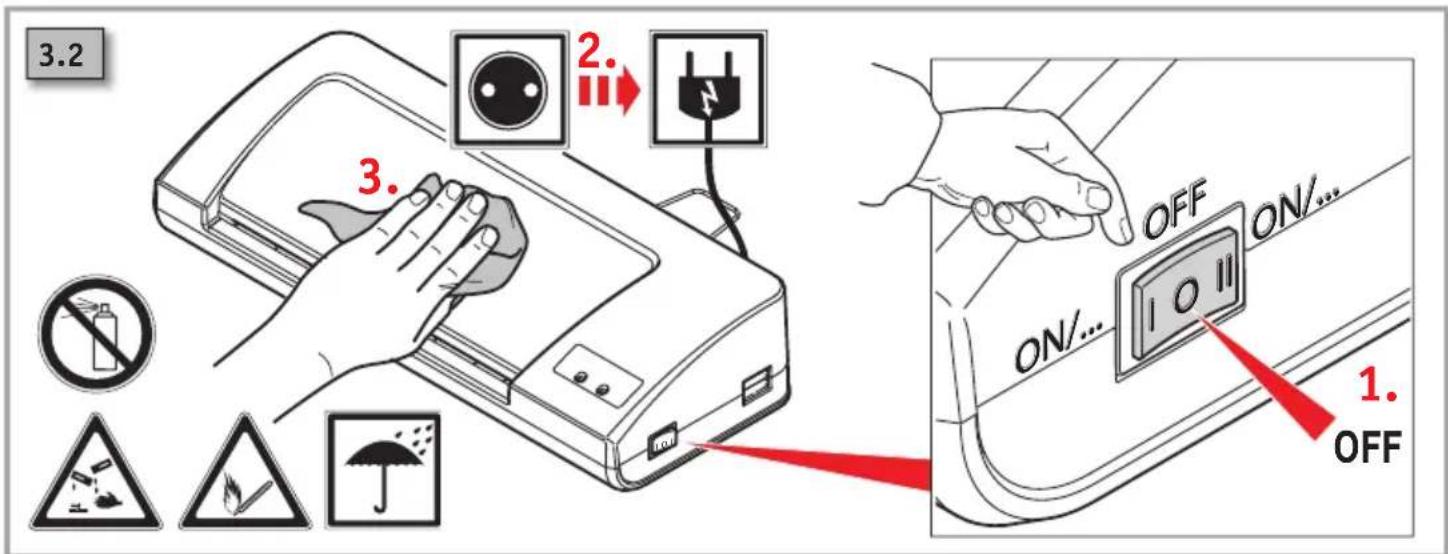
text_image
3.2 3. OFF ON/... 1. OFF OFF ON/...Headquarters:
Novus Dahle GmbH
Breslauer Straße 34-38
DE-49808 Lingen (Ems)
Service contact:
Novus Dahle GmbH