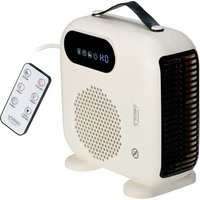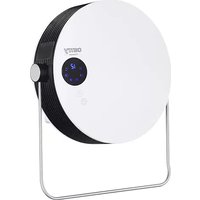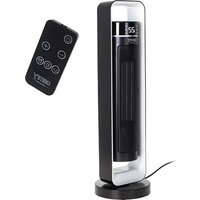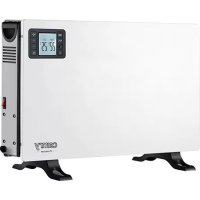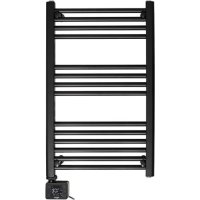
CR 7822 - Heating CAMRY - Free user manual and instructions
Find the device manual for free CR 7822 CAMRY in PDF.
 FR
FR
 AZ
AZ
 BG
BG
 CS
CS
 DA
DA
 DE
DE
 EL
EL
 EN
EN
 ES
ES
 ET
ET
 FI
FI
 HU
HU
 IT
IT
 KA
KA
 LT
LT
 LV
LV
 MK
MK
 NL
NL
 PL
PL
 PT
PT
 RO
RO
 RU
RU
 SK
SK
 SL
SL
 SQ
SQ
 SR
SR
 SV
SV
 UK
UK
| Product type | Supplementary heating / Towel warmer |
| Brand | CAMRY |
| Model | CR 7822 |
| Power supply | 220-240 V ~ 50/60 Hz |
| Temperature range (towel warmer) | 40-70 °C |
| Temperature range (ambient) | 0-37 °C |
| Timer | 1 to 24 hours |
| Display | LED |
| Energy saving mode | Yes (screen turns off after 2 minutes) |
| Error codes | E0 (open sensor), E1 (short circuit) |
| Heat transfer fluid | Ethylene glycol (pre-filled) |
| Usage | Indoor, bathroom (with precautions) |
| Safety distance | 1 meter from flammable materials |
| Minimum installation height | 600 mm above floor |
| Cleaning | Unplug, wait for cooling, damp cloth |
| After-sales service | Contact the seller with the receipt |
Frequently Asked Questions - CR 7822 CAMRY
User questions about CR 7822 CAMRY
0 question about this device. Answer the ones you know or ask your own.
Ask a new question about this device
Download the instructions for your Heating in PDF format for free! Find your manual CR 7822 - CAMRY and take your electronic device back in hand. On this page are published all the documents necessary for the use of your device. CR 7822 by CAMRY.
USER MANUAL CR 7822 CAMRY
GENERAL SAFETY CONDITIONS IMPORTANT SAFETY INSTRUCTIONS FOR USE READ CAREFULLY AND KEEP FOR FUTURE REFERENCE
- Before using the device, read the instruction manual and follow the instructions contained therein. The manufacturer is not responsible for damage caused by using the device contrary to its intended use or improper operation.
- The device is for domestic use only. Do not use for other purposes, incompatible with its purpose.
- Connect the device only to a grounded outlet 220-240V 50 / 60Hz .
In order to increase the safety of use, do not connect multiple electrical appliances to a single circuit at the same time.
4. Be especially careful when using the device when children are around. Do not allow children to play with the appliance do not allow children or people who are not familiar with the appliance to use it.
5. WARNING: This equipment may be used by children over 8 years of age and persons with limited physical, sensory or mental ability, or persons without experience or familiarity with the equipment, if this is done under the supervision of a person responsible for their safety or they have been given instructions on the safe use of the equipment and are aware of the dangers associated with its use. Children should not play with the equipment. Cleaning and maintenance of the equipment should not be performed by children unless they are over 8 years of age and
these activities are performed under supervision.
- WARNING: The appliance is designed to dry fabrics washed in water only.
- WARNING: If the appliance is used in the bathroom, it should be placed so that the switches and other controls, cannot be touched by people in the bath or shower.
- WARNING: To avoid danger to very young children, this appliance should be installed so that the lowest component is at least 600mm above the floor.
- WARNING: To avoid overheating, do not cover the appliance.
- WARNING: Improper use of the device, may result in injuries, such as cuts, abrasions or electric shock, among others.
- WARNING: Keep the device out of the reach of children.
- Always remove the plug from the power outlet after use by holding the outlet with your hand. DO NOT pull on the power cord.
- Do not immerse the cord, plug and the entire device in water or other liquid. Do not expose the device to weather conditions (rain, sun, etc.)
- Periodically check the condition of the power cord. If the power cord is damaged, it should be replaced by a specialized repair facility to avoid danger.
- Do not use the device with a damaged power cord or if it has been dropped or damaged in any other way or is not working properly. Do not repair the device yourself, as there is a risk of electrocution. Return a damaged device to a competent service center for inspection or repair. All repairs may be made only by authorized service centers. Improper repair may cause serious danger to the user.
- Do not use the device near flammable materials.
- Do not leave the device plugged into an outlet unattended.
- To provide additional protection, it is advisable to install in the electrical circuit, a residual current device (RCD) with a rated residual current of not more than 30mA . In this regard, consult a
specialist electrician.
- When the device is used in the bathroom, after using it, unplug it from the wall outlet, as the proximity of water poses a danger even when the device is turned off.
- Do not allow the device to get wet. If the device falls into water, immediately pull the plug from the power outlet. Do not put your hands in the water while the device is plugged in. Before using it again, it must be checked by a qualified electrician.
- Do not grasp the device with wet hands.
- Always turn off the appliance before removing the plug from the outlet.
- The working device must be under supervision and in sight at all times. When leaving the room where the device is working, always turn it off. If the device is not working, always remove the plug from the power outlet.
- Do not connect the device to automatic equipment that shuts off the voltage, such as a thermal control device or a timer.
- Keep flammable materials such as furniture, bedding, paper, clothes, curtains, etc. at least one meter away from the unit.
- Do not cover the appliance during operation or place any objects on it.
- The power cord must not be laid above or below the heater, and should not touch or lie near its hot surfaces. Do not place the device under an electrical outlet.
- Heating surfaces may heat up to a temperature higher than 60^ . Install the device in such a place that children and pets do not have access to it.
- The device must not be installed or used in vehicles.
- There are parts inside the device that may be hot or cause sparks. Do not turn on the heater in areas where materials such as gasoline, paint or other flammable substances are used or stored.
- Always unplug the device from the mains and disconnect the
power cord from the device if it is not in use or if you want to start cleaning it.
DEVICE DESCRIPTION:
Heater - look at figure 10
A. Heating hanger for towel
B. Control panel
Description of the control panel (B) - look at Figure 8.
1.Power button ON/OFF. ("ON/OFF")
2. LED display
3. Timer button
4.Minus button
5. Plus button
6. "MOD" mode selection button
Description of the LED display (2) - see figure 8.
AREA I: indication of operating status:
- Sun icon - power-on icon
- "R" icon - room temperature setting mode
- Icon of the letter "T" - towel rack heating mode
AREA II: temperature setting indication:
- "SET" - indicates that you are in the process of setting: the required room temperature, hanger temperature or heating time.
- "ON" - indicates that the unit is on
- "OFF" - indicates that the device is off and goes into standby mode
AREA III: time indication - starts working when the timer button is pressed (3)
- "TIME" - indicates that you are in the process of setting the time in 24-hour format.
OPERATION
- To turn on the unit, press the ON/OFF power button (1). To turn the unit off, press the ON/OFF power button (1) again, in which case the word OFF will remain illuminated, indicating that the unit is in standby mode.
2. Setting the mode
Press the mode button (6) to select between room temperature mode (letter R) and towel rack mode (letter T), the corresponding icon will be highlighted. Then configure:
2A. TOWEL RACK TEMPERATURE SETTING (T):
If T is selected, the LED display (2) shows the surface temperature of the towel rack:
By pressing the plus button (5) or the minus button (4) you can set the temperature of the hanger in the range: 40-70 degrees Celsius. The display will flash and go off after 5 seconds.
After 2 minutes of inactivity, the display (2) will only display the towel rack mode icons "ON" and "T", after which the display will go into a half-lit state.
2B. ROOM TEMPERATURE SETTING (R):
If R is selected - the LED display (2) shows the current room temperature.
By pressing the plus button (5) or minus button (4) you can set the desired room temperature in the range:
0-37 degrees Celsius. The display will start flashing and turn off after 5 seconds.
3. Setting the time
To activate the timer, press the button (3) on the control panel (B). The timer indication will appear on the display in area III. Press the plus button (5) or minus button (4) to set the timer from 1 hour to 24 hours. The display counts down the time in descending order, after which the unit will turn off automatically.
4. Screen power saving mode
If no activity is performed within 2 minutes, the LED display (2) will be put into power-saving mode, all icons will go out, and "ON" will only light up as a power indicator. Then, when any key is pressed, the LED display screen (2) will light up again.
5. Ambient temperature detection
The function communicates:
Error: "E0" - a break in the circuit in both the indoor and outdoor temperature probe was detected, Error: "E1" - a short circuit was detected between the indoor and outdoor temperature sensors, If the LED displays "E0" or "E1", the unit needs to be repaired at a professional after-sales service
Coolant inside the unit: ethylene glycol filled by the factory. Does not require refilling.
CLEANING THE UNIT
- Always unplug the unit from the electrical outlet before cleaning.
- Wait for the heater to cool down before cleaning. Make sure it is cool.
- Do not allow water or other liquids to get inside the unit, as this may cause a fire and/or electrical shock hazard.
- Wipe the heater with a damp cloth and then wipe dry.
- Never use wax, polish or chemicals to clean the heater. They may react with the unit and cause discoloration or even damage.
TECHNICAL SPECIFICATIONS
Power source: 220 - 240V 50 - 60Hz
Power: CR7822: 600W

For the sake of the environment. Dispose of cardboard packaging and polyethylene (PE) bags in the appropriate containers for separate collection of municipal waste according to their description. If there are batteries in the device, remove them and separately return them to the collection and storage facility. Return the used device to a suitable collection and storage facility, as the hazardous substances in it may pose a threat to health and the environment. The marking on the product indicates that the device should not be disposed of in the container with municipal waste. Waste electrical equipment, is waste that contains substances harmful to humans, animals and the environment. These substances can lead to contamination of the soil, water or air, and through this they can get into the human body and lead to numerous health ailments, such as: vision, hearing, speech disorders, they can also lead to kidney, liver and heart damage, and cause skin diseases. Harmful substances can also have adverse effects on the respiratory and reproductive systems and lead to cancerous changes. Consumption of plants growing on the complained of soils, and products made from them may risk the above-mentioned health effects. Do not dispose of the device in the municipal waste container!!!
Service If you wish to purchase spare parts or report any complaints, please contact directly with the seller who issued the receipt.
Puisance:CR7822:600W

IocJIe 2 MHHyT 6e3JeHCTBnHa IINcIIJee (2) 6yIyT OTO6paKaTbcra ToJIbKO 3NaUKN peKHMOB pa6OTBI
noJIoTeHuecuyHnTeJIa "ON" n "T", noCJIe yero nnCnJIeI nepeIeT B noJyCBeTOBOI peKHM.
2B. YCTAHOBKA KOMHATHOH TEMIIEPATYPBI (R):
EcJIN BbIbpaHO 3HaueHHe R - Ha cBeToIOHOHOM IHCIIee (2) oTObpaKaetcTeyuia TEmpepaTypa B IIOMeHIn.
HaKaTHEm KHOIIKN "IJIIOc" (5) HJIN "MHHyc" (4) MoXHO yCTaHOBHTb JKeJIaEMyTO TemIIepaTpy B IOMeIeHHN B DnHaIa3OHe: 0-37 rpaIycob IeJIbcHry. IHCIIJe HauHET MHRaTb N IoracHer Yepe3 5 ceKyuI.
3. YcTaHOBka BpeMeHH
YTO6bI aKTHBnPoBaTb TaHmep, HaxMMTe KHOIIky (3) Ha IaHeJN yIpaBJIeHHa (B). Ha IncIIJe B o6JIaCTH III IO8BHTcR HINkauHra TaHmepa. HaxMMTe KHOIIcy "PJIIOc" (5) IJIN "MHNyc" (4), YTO6bl yCTaHOBVtB TaHmep B dHaIa3OHe ot 1 yaca do 24 yacOB. IInCIIeN OTCuHTbIBaET BpEm B IopJdKe y6bIBaHHa, IocJIe Yero IIpH6Op aBTOMaTHueCKN BbIKIIOHTcR.
4. PekHM 3Heproc6epeKeHHa 3KpaHe
EcJN B TeueHne 2 MnHyT He IpeIppHHMaTb HNKaKHX DeIcTBn, CBeTOIOHOHbI INCJIeI (2) IpeeiDeB BpeKHM 3HePrc6epeKeHn, BCE 3Nauchn IoracHyT, a "ON" 6yJeT rOpetb TOIbKO KaHINKaTop IHTAHn. 3aTeM, IIpH NaKaTHN JIO6oB KHOPIKn, 3KpaH CBeToIOHOHorO INCJIeI (2) cHObA 3arOpHTc.
5. OnpeJeHHe TEmIePaTybI OkpyKaIOJIe CpeJIbI
ФункципегдаeТданньe:
OIIIN6ka:"E0"-obHapyKeH O6pbIB B IeINBHyTpHeRo H HApyKHO TEmIepaTyphoro 3OHJa,
TEXHINUeCKNE DAHHbIE
IcToUHnK nHTaHHa: 220-240 B~50-60 Γu
MoHocTb:CR7822:600Bt



B HeJx 3aHHTbOkpykaOoie cpebl. KapToHHyU yIaKOBky HIOJIINTHJIeHOBBle (T3) NaKeTbI cJeIyET Bb6paCbIBATB COOTBEcTBByIOIIe KOHTeHepbl IIN pa3JIbHO TO C6opa 6bITOBbIX OTXIOB B COOTBEcTBHN CHX OIHCAHHem. Ecln B II pN6ope HMeIoTc 6aTaPeH, HX Heo6XoIMHO H3BJeYb H yTHIN3HPOBaT b OTJeIbHO B IyHKTe C6opa H XpaHcHH. HcIOJIb3OBAHHb II pN6Op Heo6XoIMHO cIaTb B COOTBEcTBByIOIIH N YHK T C6opa H XpaHcHH, TaK Ka CoDCpKaIHHccB HCM ONaCHbc BEIeCTBa MOrY T PcIcTAbJIbT b YrPo3y DIIIA 3IOPOBBb H OKpykaIOIIe Cpebl. MapKnPOBaKa Ha H3dCINH yKa3bIbAcT Ha To, YTO pN6Op HCJIb3B bIOpaCbIBaT b KOHTcIHcP DIIIA 6bITOBbIX OTXIOB. OTPa6oTAHHOC ⅢIKTKPOOBopyOBOaHHc -OTO OTXIObl, CoDCpKaIHIe BCIIeCTBa, BpeIHbc IJIY cJOLOBcKa, KHBOTbIX H OKpykaIOIIe cpebl. 3TN BeIeCTBa MOrY 3aRpa3Hrtb IOUY, BOy H IN BO3dyX, UpeE3 KOTOpBle OHN MOrYT IOIIactb B
opraHIMc HIOBcKa H npBecTH K pAly IpO6IcM co 3IOPOBBcM, TaKHX Ka yxuIIeHc 3peHH, cIyxa, pcH, Moryr TaKke IOBpeHb IOChN, IeHeh H cepH, Bb3BaTb KOKHbte 3a60JIeBaHH. BpeHbte BeIeCTBa TAKKe MOrYr OKa3bIBaTb HeratHBHOe BINHHe Ha DbIXaTeJbHyIO nePpOdyKTHBHyIO CHCTeMb H npHBOHTb K paKOBbIM H3MeHeHHM.
YIOIOTpe6JIeHHe paCTeHH, paCTyIHx Ha IIOpaKeHHbIX IOHbX, H IPOyKTOB, H3ROTOBJIeHHbIX H3 IHX, MOKeT IIpHBecTH K BbIIeYIOOMaHHTbIM IOc.IeJCTBnM IJIa 3IOPOBb. He BB6paCbBAaTe 06OpOyOBaHne B KOITeHep IJIa 6bITOBbIX OTxoIOB!
CepBc EcHn BxOHTe Ipno6peCTn 3aIacHbte qactn Hn y Bac ectb KaKHe-Jn6o IppeTeH3nn, IOKaJIyHcta opaiaaTecb HeIOcePCTBeHHo K IIPOdaBHy, BbIDABHmEMy HEK.
BESCHRIJVING VAN HET APPARAAT:
4.ByToH MHHyC
5. BytoH "IIIOc
6. BytoH 3a H36op Ha peKHM "MOD
OIIHcaHHe Ha cBeToIOHOHHa HnCIIJIe (2)-BK. fHrypa 8
AREA I: HNIIKAIIHA pa6oTHOTcBCTOHNHe:
- INKOHa Ha CJbHcTeO - INKOHa Ha BkJIIOueHo 3axpaHbaHe
- IKoHa "R" - peJHM Ha HacIpoNka Ha cTaHnata TeMIIepaTpa
- IKoHa "T" - peKHM Ha OTOnJIeHHe Ha NocTaBkata 3a KbpiH
OBJACT II: HNINKaIHa 3a HaCTpoIka Ha TempepaTypaTa:
- "SET" - IIOKa3Ba, Ye cTe B IIpouec Ha 3aIaBaHe Ha: Heo6xOIMMaTa cTaNHa TeMIIepaTypa, TEmIIepaTypaTa Ha 3aKaayJIkata HIN BpeMeTo 3a HaIrpRABaHe.
- "ON" - IOKa3Ba, Ye ypeIbTe BKJIIOueH
- "OFF" - ΠOKa3Ba, Ye ypeIbTe e H3KJIIOUeH IIpemHHaBA B peJHM Ha rTOBOHOCT
OBJIACT III: noka3BaHe Ha BpeMeTo - 3aIOuBa da ce noka3Ba, KOraTO ce HATnCHe 6yToHbT 3a TaImep (3)
RENGORING AF APPARATET
TaKBHTe aKTINBHOCTN ce BpIaT IoI HaI3Op.
- ПЕДУПЕДУBAИБЕ: Апаразове наемен само за сушиев的各种 Скайни посамо ворда.
- ПЕДУПЕДУBAHBE: Акоапаразс.Tе Корист bo 6aьа,Тоj Tpe6a Ддбпдпocstавен ТаKa IITO IIpeKINHyBaЧNTe ИpyrHTe KOHTpoJH He MoJkaT Дд ГДОПИрай ЛИцаТ bo KaJa HJIH TUYI.
- ПЕДУПЕДУBAHBE: 3a Да ИЗБегнete опасноCT 3a MHOу MaJIN DeIa, OBOJ aIapat Tpe6a Дa ce Инстална Тaka IITO HajHnckNt ДeI od aIapatOT e HajmaJIky 600 mm NaI ПОДТ.
- ПЕДУПЕДУВАБЕ: 3a за ИЗБЕгне ТпргpeBaиьe, He пokрпвajte ГуpeДOT.
- ПЕДУПЕДУBAИБЕ: Иправилнауютpeба на урето.TМоже за pe3yЛТира со повера, ВКЛчУВajки: Касо IITO ceHсe ueнц, Греботини илсструен удap.
- ПЕДУПЕДУBAНБЕ: Увajte го урет подау od доату на за.
- Cekoraii BaTeTo IprNKJIyOkoT oI IITeKepot IO yIOTope6a IprKejKn To IITeKepot co paKaTa. HE BJIeYeTe Ro Ka6eIoT 3a HanojyBaHbe.
- He NotOnyBajTe ro Ka6eJIOT, IIpHKJIyOkoT HJIN IeJIIOr UpeI BO BODa HJIN Koja 6HIO Ipyra TeuHocr. He rO H3JIOxKyBajTe ypeIoT Ha BpeMeHcKn YcJIIOBn (IOJd, COHcE, HTN.)
- Перношино проверъajte ja cocstojbaTa ha Ka6eIOT 3a HaIOjYBaJIbe. Ako Ka6eIOT 3a HaIOjYBaJIbe e OIITeTeH, Tpe6a Ia ro 3aMeHH cIIeIJIHa3nHa npoIaBnHa 3a Ia ce H36eIHe onaCHocT.
-
He pakybajte co aaparot co oHTeTeH Ka6eJI 3a HanojyBaJIbe, IJIaKo e IaHaT IJIH OHTeTeH Ha Koj 6IIIO Haunn IJIH He pa6OTn IpaBJIHo. He ro IoppaBajte ypeIoT camn 6IJeJKn Toa MoKe Ja pe3yJItnpa co eJIeKtpuYeH yIap. OdHeceTe ro OHTeTeHNO Tyei Bo COOdbTeH cepBnCeH IeHTap 3a IIpeJIeI NJIH IOppaBka. CHTe IIOIIpaBKN cMeaT Ia IIN BpIaT camo OBlaCTeHN cepBnCHN MeCTa. HeIpaBNIHO n3BpIeHaTa IOppaBKa MoKe Ia IIpeTcTabYBa cepNo3eH pN3NK 3a KOpncnKOT.
-
He kopncTeTe ro ypeIoT Bo 6JIH3nHa Ha 3aIIaJIINbMaTeprJaJiN.
- He ocTaBaJTe rO ypeIOT npHKJIyUeH BO IIITeKeP 6e3 HaI3Op.
- 3a Za ce 06e36eIN IOnIOJIHHTeJIHa 3aIITnTa, IIpeIopauJINBO e Za ce HnCTaJIInpa ypei 3a IIpeocTaHaTa cTpyja (RCD) Bo
eJIeKtpnHOTO KOJIO CO HOMHaJIHa IIpeocTaHaTa cTpyja He IIOrOJIeMa oJ 30 mA. Bo OBOj IIoIeJ, Tpe6a Ja ce KoHcyJTnpaTe co cIeUJaJIIncT eJIeKtpnHap.
19.Kora aIapatOT ce KOpHCTN BO 6aHa, HsKJIyUeTe FO OJ SInHHOT IIIteKepeNo yIOtpe6a, 6nIeJKn 6JIIN3HHaTa Ha BOJa IIpeTcTaByBa ONaCHOCr Dypn H KORA aIapatOT e HsKJIyUeH.
20. He доЗвolyвajte уpeIoT Да се Hablaжн. Ако уpeIoT падHe BO BOДa, ВEDиИЗВадeTe Го прКлучokOT OД ПITEKepoT. He cTaBajTe Ги paIeTe BO BOДa кORA уpeIoT e прКлучeH. Mopa Дa сe п罗Вери OД КВалнфнkyВан[eIeKTpHuapпpeД пOBTOpHo Дa сe KOPnCTH.
- He npjkeTe ro ypeIoT co BJaXn paie.
- Cekorai nckjIyBajTe ro aIapaTOT nped Ia rO h3BaIITe IIprNKJIyOKOT OJ IIITeKepOT.
- YpeIoT 3a pa6Ota Mopa IocTojaHo Ia 6HHe IoI HaI3Op HHaIOBnIOK. Kora ja HanyIITate IpocToPnJaTa KaIe IITo pa6OTn YpeIoT, cekOraII NcKJIyUyBaJTe rO. Ako aIapaTOT He pa6OTn, cekOraII BaIeTe rO IIprHKJIyUOKOT OI SHINHot IIIteKepe.
- He Поврзувajte Го anapaTOT co OпpeMa 3a aBTOMaTСКО
ПпeфсгЛУВа№ Ha NaIOH, КAKO IITо e ypeД 3a ТермИчKa KOHTpoJa
НЛи ТajМер.
25.Чувajte Гл За паловпг MaTeриж Кадо IITO ce Me6eJ, ПОCTeJIHHa,хapTNja,обileka,Завсн ИТ.НajmaJIky eДeH MeTAP ПОДаJIeKу OД aПаРаТOT. - He покрвajte ГуpeдOT дodeka paбOTи He CTaВajTeпpeДмети на Hero.
- Ka6eIOT 3a HaIOjyBaJIbe He cMee Ia ce HAcOuYBa HaI NJIH IOJ paAnJaTOpOT HcMee Ia ce IOnIpa NJIH Ja JIeKn BO 6JIH3InHa Ha HeROBHTe JeIIKN IIOBpIIHH. He cTabajTe rO ypeIOT IoI
eJIeKTpHEn IITKepe.
- Гешиные мosa на досганат Temператуниовсоки od 60^ . Уpeит рета за сенина на Meсяшто Каддно Deца и ХьOTHITe HeMaaTпрстадо Hero.
- YpeIOT He cMee Ia ce HnCTaJIHa pA HJN KOpHCTN BO Bo3NJla.
- BHaTpe Bo aIapaToT HMa DeJIOBn IITo MoKe Ja 6HJaT JKeIIKN HJIa IIpeIIN3BnKaat NcKpn. He KopncTeTe rO rpejaOT Ha MeCTa KaJe IITo ce KopnCTaT HJN cKJaIHpaaT MaTePnJaJn KaKO 6eH3HN, 6oJa HJN dpyrN 3aIpaJIbN MaTePnN.
- Cekorai HscknyBajTe ro ypeIoT oJ eJIeKtpnHaTa MpeJa H NcKlyteTo Ka6eIOT 3a HaIOjyBaHe oJ ypeIoT KOra He ce KOpHCTN IIN KOra caKaTe Da ro HcHnCTHTe.
ONHC HA YPEJOT:
PaJnjaTOp - BnTeTe cJIInka 10
A. 3aqrpeaHa IIHHa 3a KpIIH
B. KOHTPOJIHa Ta6JIa
OINc Ha KOHTpoJIHaTa Ta6Ja (B) - BnIeTe CJNka 8
- Konque 3a BKJyUyBaBe/HCKJyUyBaBe(,BKJYUEHO/INCKJYUEHO"
2.LEDnncnJej - Konue 3a Tajmep
4.KoJIue MmHyc - KoIue Iyuc
- KoIIue 3a H36op Ha peKHM ,MOD".
Oncn HA LED nncnjeot (2) -BnTe cJnka 8
OBJACT I: HnHnKaunja 3a oIepaTHBHHOT cTaTyc:
- INKoHa coHue - INKoHa 3a BKJIyUyBaHe
- IKoHa co 6yKBaTa ,R" - peKHM 3a nocTabyBaIbe Ha co6Ha TeMIIepaTpa
- INKoHa ,T" - pejHM Ha rpeeIbe Ha IHHa 3a IIeIKnprn
OBJIACT II: INHnkaunja 3a nocTaByBaHe Ha TempepaTypaTa:
- ,SET" - Покая Ка СтЕ ВО РОпес HA ПОстуВаье: ПOTpe6нATERСБНАТЕМПЕРATYPA, TEПЕРATYPA Ha 3aKaчAJКаТа ИЛN ВрЕ МИЗАгпЕВиE.
- "ON" - 3haun IeKa ypeIOT e BkJIyueH
- "OFF" - 3haun IeKa ypeIOT e HCKJIyueH OJN BO peXHM Ha IOJROTBeHOCT
AREA III:пнкжуba-he Na BpeMeTo -ПочHyBa Да pa6OTи ПпгТСkaHе Ha KOnчeto 3a Tajmep (3)
- , T I M E ^ 一 -IOkaKyBaIeKa rO IOCTaByBaTe BpeMeTo BO 24-YacOBehΦopMaT.
CEPBNC
5. OtkpnbHe Ha am6HeHTaJIHa TeMIIepaTypa
_HK jata komyhnpa:
IpeIIka:"E0"-OTBopeHNOKJOOTKpHeHO H BO BHaTeHHN HaABBopeHNN TeMIIePaTyPhN COHIN,
Гршka: „E1“ - OTКген e КратOK сюг Рому Ваатршнite И НадьоршнITE сEH3OPN 3a temперatype,
Ako LED npkaKyba ,E0" nIIN ,E1", ypeIoT 6apa IIOIIpaBA oI IIpoOechoHaJIeH cepBnC IIO IPOJaK6aTa.
TeuHoc 3a JaIeIbe BHaIpe BO eINHHuaTata: etHJIeH TJHKoJI HAnIOJIHeT BO a6pHKaT. He 6apa IIOJIHeIbe.
CHCTEHE HA YPEJOT
- CekorauHnckIyUyBaJTe ro anapatot oI IITeKepOT IIpeI da ro nCTHTe.
- Nooekajte rpejaoT da ce oiaa nped da ro uhcntte. IorpnkeTe ce da e kyl.
- He 03B0JyBajTe BOJa HJIn dpyrH TeuHocT Ja HABJIe3aT BO BHaTpeHHOCTa Ha ypeIOT bHejKn Toa MoKeJa IpeIN3BnKa IIOKap N/IIH ONaCHOC T OJ eJEKTpHueH yIap.
- H36pHWeTe ro paAnjatopot co BIAJKA Kpna, a IIOToa H36pHWeTe ro Ha cyBO.
- HnKorai He KopHCTe BOCOK, JaKOBn HIn XemHKaJIHN 3a YnCtEHe Ha paJHaTOpOT. ObHe MoKe da pearHpaat co ypeIOT n Da IIpeIN3BnKaAT IIpOMeHa Ha 6oJaTa HIn DpyN OwTeTyBaIbe.


3a JIO6pOTo Ha JIKBOTHATA cpeHHa. KapTOHcKaT aM6aJiaKa H IOJIeTHIeCKHTe (PE) Kecn Tpe6a da ce pIaaT BO COOIBCTHH KOHTcjHcPb HA MCHCTH 3a CcIckTHBHO cO6HpAbe HA KOMyHaIHHOT OTIIaB GO CORIacHOCT co HHBHNOt OINHC. IOKOLky HMA bATEPHN BO ypeIOT, THE MOPaJa CE OTCTPAHAT N OIDecat BO NOce6HO MeCTo 3a CO6HpAbe H OTCPaHyBaIbe. YIOTpe6eHHOT ypeI Tpe6a Da CE IIpeIaJe HA COoDBETHO MeCTo 3a CO6HpAbe H CKlaIHPaBe, BHeJeKN ONACHTe MaTEPHN COIpKAAHBO He rO To POPECTABYBAAT P3HK 3a 3IpaBJeto H KHBOTHATA cpeHHa. O3HaKaTA Ha IPOHN3BOJOT IOKaKyBa IcKa YpcIOT HC Tpe6a Da CE pIa CO KOMyHaIHHOT OTIIa. HScOpHcTeHATA cIcKTPuHb OINpema C OTIIaKOgCpKbMaTcPbHITcH 3a LyrTe, KHBOTHTC H KHBOTHATA cpcIHHa. OBNC cyIcTaHIM MoKAT Da IOBcDAT IO KONTAMHAnJa HA IOUbTa, BOdAra HIN BO3dyXOT, A IpcKY ToA MOKAT Da HABIC3a TO YoOBcKOTO TCIO H DA IOBCdA T IO BojoHH 3IpaBcTBeHH 3abOlyBaBa, KaKIO TO: HApuyBaHa BA BVIO, CUYXOT H ROBOPOT, MOKe Da RHOITetAT H 6y6pe3HTe, UPHOT Ipo6 H CpIETo H Da IpeDIN3BnKAaT KOxHH 60JIectH. IIITeHTHE MaTEPHN, HCTO Taka, MOKe Da HMAaT HcRaTHCBH cFcKT BP3 PccIIHpAToPpHHOT H PcIIPOyKTHBHHOT cHCTCM H Da IOBcDAT DO KAHIpcORCH INPOMChH. IOTPOWByauKaT h PaCTCHHa JCOpactT BTOIOLOCHNTe NoVBN IPOIN3BOH HAPPaBCHN OIN HB MOKe Da IIPCTaBvBaAT P3NK OI IROPcHAcBcDcHHTc 3IpaBcTBChn cFcKTH. He pIajre ro ypeiOT BO KOMyHaIeH OTnA!! CepBnc Ako cakate Ja KYNITE pe3cpBHN DEIOBHN Ja IOINHexCe KaKBH 6HIO IONIIaKH, KOHTAKTHpaJte INHpCKTHO co IPOdaBaayot KoJ ja H3daJI cMETkata.
Korisnicki prisučnik (HR)
OPCI SIGURNOSNI UVJETI VAZNE SIGURNOSNE UPUTE ZA UPORABU PAZLJIVO PROCTAJTE I SACUVAJTE ZA BUDUCU REFERENCU
- Prije uporabe uredaja procitajte upute za uporabu i slijedite upute sadržane u njima. Proizvočne snosi odgovornost za bilo kakvu štetu nastalu korištenjem uredaja suprotno njegovoj namjeni ili nepravilnim radom.
- Aparat je samo za kućnu upotrebu. Nemojte koristiti u druge svrhe osim za namjeravanu.
- Urežaj treba prikljuciti samo na uzemljenu utičnicu 220-240V 50 / 60Hz
Kako bistepovecali radnu sigurnost, nemojte spajati vise elektricnih uredaja na jeder strujni krug u isto vrijeme.
OuHIIeHHI IPINCTPOIO
- IpepeI uHueHbM 3aBxHn Bi'cHnyTe IIpHJaI BiEeKtpHuHOI po3etKn.
- IpepeI uHHeHHaM 3aueKaIte, IOKn HarpiBaU oxoJIoHe. IpekeOHaITeec, IIO ue KpyTo.
- He do nyskaite noTpaIIJHnB OIN qu iHINx piINH ycepeHHy npHcTPOIO, ockiJIbKN Ie moKe npH3BeCTn Do nokexi Ta/a6o ypaKeHH eJIeKTPNHHM cTpyMOM.
- Iipotpitb paiaatop BOJIOIO TKAHHHOIO, IOTIM BHTpItb Hacyxo.
- Hikoli He BHKOpncToBvIe BiK, IIOIpoi a6o ximikatn IJIa YHHeHHpaiaTopa. BOHN MOKyTB BCTyHHTN B peakuio 3 npncTroocm i cipnuHHn 3miHy KOJbOpy a6o HabITb IOIKoJKeHH.
TEXHIUHIIDAHI
HOTyKHeTb:CR7822:600B



3apaHIOBki.1. KapoHHy yIaKOBky Ta IIOJIcTHIChOBi (IIE) NaKeTH HcO6xIHHO BHKnIaTH y BiIOIBIHI KOHTeHcpH, IIpHnAueHi IIN Bb6ipKOBO 360py N6yTOBHX BIXOIB 3rIHO 3ix ONHCOM. KIIO B npCTpo i 6bataei, ix Heo6xIHNO BHNHT Ta BIIDATN B OKPemH NIKKT 360py Ta YTHIaII. BHKOpNCtAHN INpCTpi CII INpePATy B IINOBiHNI IYHKT 360py Ta 36epiraHH, OckIbKn He6e3IeHH peOBNH, IIO MICTbCBA bHbOMy, MOKYb cTAHOHT HBe63IeKy IIN 3IOPOB'ra T a HABKOLHIIbHO cpcIOBHa. MapKByaHn HA BHPoBI BKA3yc Ha TC, IIO pNCTpi HC MoKHdATN 3 IO6yTOBHM BIXOAMH. BiIpaBoBaHC cIEKTPoo6laHaHH C BIXOaAMn, Aki Mictb pcOBBH, IIkIINBI IINDe, TBAPHH I HABKOLHIIbHO cpcIOBHa. Li pcOBBH NMOyTB INP3BcETN DO 3a6pyDHeHH rpyHTy, BOHN YH IOBITpy, Upe3 IIO BOHN MOKyTB NOTPAINTB OPraHI3M JIOHN H Ta INP3BcETN DO YHCJHeHH 3aXBOpBOaHB, TAKNX k: IOPuHEHH 30py, CIJyXY Ta MOBH, BOHN TAKOK MOKYb IIOIKoIHNT HNPKN, NeiHKY Ta cepue, a TAKOK BHKINKATN 3aXBOpOBaHH IIIkpH. IIKIINBI pcOBBH N TOKMOKYb MATN HcraTHBHN BILNB HA DHexAJIbHY Ta PCIPDOyKTHBHy CHCTCM TA INP3BOIHTH Do paOBHX 3mH. CIOKHAbaHH PocHH, IIO POCTyB Ha ypaKeHH rpyHTax, IIOPOyKTIB, BHTOBCHHX 3 HNX, MOKE CTaHOBHTH PH3NK BIIe3a3HaueHH X hacIIkIB IIN 3IOPOB'8.He BHKnAIte npctpi pa3om iIIO6yTOBHM BIXOaAMH!!
Cepbc KIO Bn 6aKaTe IpnIb4n 3aIyactHH a6o BnCyHyTH npTeH3ii, 3B'JxITb8e3N0cepeHbO 3 IpoIaBcEM, KIN BnIabYek.
yntcbo 3a ynoTppe6y (SR)
ОПИТИ YCЛOBИ BE3БЕДНСТИ ВАЖHA BE3БЕДHOCHA YIYTCTBA 3A YIOTPEБY ПАЖJBИВО ПЮЧITAJITE И 3AчУBAJTE 3A БУДУTHЕ PEФЕРЕЦЕ
- Пpe упOTpe6e урehaja, почитajTe упуТСТВо 3a упOTpe6у И следITE уПУТСТВа саджаHa y Бему. ПронЗВонач Ниje оДГОВоган 3a 6нlio KaKBy IITeTu пpoUЗрКOBaHy упOTpe6om урehaja cyИрOTHO HeGroBoj HaMeHN ИЛH HeIIpaBnJIHm paIOM.
- Anapat jecame 3a kyhny ynoTpe6y. He kopncnTe y npyre cBpxe oChm 3a npeDbHeneHy cbpxy.
- Ypehaj Tpe6a Ia 6yIe IIpHKJbUyeH cAmO Ha y3eMJIbeHy yTHuHHNlY
220-240B 50 / 60X_3
Да 6исте повehалн снгурноct у paу, НемоJTе ИстOBрemeHo ПОBEЗИВаTN BИше eJIeКТрпчнх уpe Hajа на юедно КОЛIO.
4.Будпге посeбно опpeЗн Када користпге урehaj Када су Deцay 6ЛиЗИН. He ДОЗВОЛпге Дeци ИльУДИма KoJи HИСу yПОЗHAТN ca урehajem Дa ce Играjoy БИМe.
5. YIIO3OPEHBe: OBy OIIpeMy MOry KOpNCTHTN DeIa cTapnJa oI 8 IIOINHa H Oco6e ca OgraHHueHIM N3NcKHM, ceH3OpHNM HJIH MeHTaJIHNM cIIOOCbHOCTHMa, HJN OCO6e Koje HeMaJy NCKYcTBA HJN 3HaBa O OIIpeMH, aKO cy IIOJ HaI3OpOM OCO6e OITROBOPHe 3a HbHXOBy 6e36eIHocT HJN cy HM DaTa YIyTcTBa O TOMe KaKO Ja 6e36eIHO KOpNCTe ypehaj N CBeCHN cy OIIacHOCTH KoJE cy IIOBe3aHe ca HBeBOBOM yIOTpe6om. DeIa He 6n Tpe6aIo Da ce Irgpajy ca OIIpeMOM. YIiIHeIe H OdpJkaBaIbe ypehaja He 6n Tpe6aIo Da 0abJbajy DeIa OcHM aKO HHCy cTapnJa oI 8 rOJINHa H TaKBe AKTHBHOCTH Ce OsbJbajy IIOJ HaI3OpOM.
6. YIIO3OPEHbE: AnapaT je haMeHbeH cAmO 3a cyIIeHbe TkaHHa Koje ce Iepy y BOnn.
7. YIIO3OPEHbE: Ako ce ypehaj kOpncTn y KynaTnJy, Tpe6a ra IocTaBHTn TaKo Da IIpeKnJaue H npyTe KOMaHne He MOry IoIINpHyTN oco6e y KaIN nJIn Tuy.
8. YIIO3OPEHbE:Да 6nCTe H36eTIN OIIaCHoCT IO BeOMaMaJIy Deu,OBaj ypehaj Tpe6a IocTaBHTN TaKO Ja je HajHNJKN Deo ypehaja HajMaHe 600 MM N3HaI POna.
9. YIIO3OPEHbE: Да бисте ИЗбeглп прграваьe, НемоJTе ПOKнВaTHуpe Haj.
10. YIIO3OPEHbE: HeIIpaBnJIHa yIIOrpe6a ypehaja MoJKe IIOBeCTN Io IIOBpeJa, yKJIbUyjyhN: Kao IITO cy IIOceKOTHe, orpe6OTHe HIIcTpyjHN yIap.
11. YIIO3OPEHbE:Држnte ypehaj BaH Домашaja Deue.
12. YBek H3ByuHTe yTnKaU H3 yTnHHIe HaKoH yIIOTppe6e IprKeHn yTnHuNcY pykOM. HE ByuHTe Ka6JI 3a HaIajaHe.
13. He ypaJIbajTe Ka6JI, yTnKaU nJIu IeO ypeJAJ y BoIy nJIu 6HIO
koju npuy TeuHocT. He n3JIaXHTe ypehaj BpeMeHcKm ycJIOBHa (KNIIa, cyHnce, nT).
- Повремно пюверавajte саъе ka6la 3a habajaъe. Ако ќ Ka6JI 3a habajaъе оштehen, Тpe6a ra 3amehnTu y cпидалзованьог радоннцкaco 6и ce n36eгла onachoct.
- He mojte kopncnTn ypehaj ca oIITeHeHm Ka6JOM 3a
HaJaBe, nIa oJe IaO nIIn OIITeHeH na 6NJIo KoJn HauHH, nIi
He paIIN HCIIpaBHO. HeMoJTe camn IIOIIpaBbAtn ypehaj jep To MoJke
IOBecTH IO cTpyjHOr yIapa. OdHeCHTe OIITeHeHn ypehaj y
ODIOBapajyHn cepBnCSn IeHTap Ha IIpeJIeI nIi NIOIIpaBky. CBe
IIIOIIpaBKe cMeju Ia OBaBbAjy camo OBlaIshHeHn cepBnch.
HeIpaBNIHO oBaBbEHa IIOIIpaBka MoJce IIpeIcTaBbAtn O36NJbaH
pN3NK 3a KopncnKa. - He kopncHTe ypehaj y 6JIH3HH 3aIIaJbHBx MaTepnjaJa.
- He ocTaBJIbajTe ypehaj yKJIbUyeH y yTnUHnIy 6e3 HaI3opa.
- Да би ce obe36eДИla ДОДТнa 3aIITNa, пeПОpyчьНВо je дa ce y eJIeKTPnHNo KoIo yIgpaIи 3aIITHTN ypehaj (PIIД) ca Ha3HBHOM pe3IyajHom cIpyjom Koja He IIpeJIa3N 30 mA. C THM y Be3N, Tpe6aJIO 6n Дa ce obpaTHe cIeIINJaJIInCTnUcKOM eJIeKTPnUapy. 19. KaJa ce anapaT KOpHcTn y KyIaTHJy, NCKJbUyHrTe ra ИЗ 3nIHe yTHuHnIe NaKOH yIIOTppe6e, jeg 6JIIN3Ha BOJe IIpeIcTaBJBa OIIaCHOcT YaK И KaJa je anapaT NckJbUyeH.
- He Do3BoJInTe Ia ce ypehaj POKBacn. Ako ypehaj PAnHe y BODy, OdMax N3ByIInTe yTHKaU H3 yTHuHNHe. He cTaBJIbAJte pyKe y BODy KaJa je ypehaj yKbUyeH. Ipe PioHOBHe yIOTope6e Mopa ra IIPOBepHTN KBaJIHΦHKOBaHN eJIeKTpNuap.
- He ДржITE уpe Haj мokрим руkaMa.
- YBek HsckJbYuHTe ypehaj IIpe Hero IITo N3ByUeTe yTnKaU n3 yTnHnIe.
-
Ypehaj 3a paI Mopa 6HTN IIOI HaI3OpOM H y cBaKOM TpeHyTKy Ha BnIKy. KaIa HApYIIrTe IIpocTOpHjy y Kojoj ypehaj paIi, yBeK ra NcKJIbUHTe. Ako ypehaj He paIi, yBeK I3ByIITe yTnKau H3 3nIHe yTnHnIe.
-
HeПрнкьунуjTe ype Haj Ha onpemy 3a aYTomaTcKO IIpeKJIaIIaIbe HanoHa Kao IITo je ype Haj 3a TePmNvKy KOHTpoJy HJIH TajMep.
- Дожиные заимальны матерникao су наимпай, постения, падир, одан, за вescе ид. Нajмаве лесан MeTap odypejsaja.
- He по Киновajte урегай дOK ради Н He ставьajte SFJIIO KaKBe IIpeДмete Ha Бera.
- Ka6JI 3a HaJaJIe He cMe 6HTN IIOJKeH H3HaI NJIH NcIIOpaIJaTopa I He cMe ce IOINpHBaTH HHTN JExKaTH 6JIH3y BeROBHX BpyHx IIOBPIHHa. He cTaBJIbajTe ypehaj IcIIoI eJIeKTpHne yTNUHnIe.
- Гешиные могу достин Temперatype Behe od 60^ Ype Haj Троба пoctabHTN Ha MeTo Гд Лдаи И кНВOTи HeMajy npHCTuII.
- Ypehaj ce He cme HnctaJInpaTH nJH KOpNCHTTN y BO3NJIMa.
- YHyTap ypehaja IocToje JeIOBn KoJN MOry 6HTN BpyHn HJIH N3a3BaTH BapHnIe. He KopHCTHe rpejau Ha MeCTHMa rIe ce KOpHCTe HJIH cKJIaIHITe MaTeprJaJIH KAO IITO cy 6eH3HH, BoJA HJIH dpyrTe 3aIIaJBnBe cyIcTaHnIe.
- YBek nckjbyuHTe ypehaj H3 eJIeKtpnHe MpeJce Hn3ByuHTe Ka6JI 3a HaIIajaHBe H3 ypehaja KaJa ce He KOpNCTn HIn KaJa JKeJIHTe Da rA OUnCTHtE.
OIIHC VPEbAJA:
Paunjatop-BHINcJIHKy10
A. Frpjuha iiiHa 3a IIeKHe
B. KOHTPOJIHa Ta6JIa
OIIHc KOHTpoJIHe Ta6JIe (B)- BnIeTH cJIHKy 8
1.ДугмезayKJbUyHBAbe/HCKJbUyHBAbe HanajaHa(,YKJbUyeHO/HCKJbUyeHO")
2.JEДнсплій
3.Дугметajмepa
4.ДугмМнHyс
5.Дугмплес
6.Дугмезаиборpeжима"MOД".
OnncJIeI dncnJeja (2) -BnTeH cJHKy 8
OBJIACT N: nHnKaunja paAnor cTaTyca:
- IKOHa CyHua -IKOHa 3a yKJbyeHeBe
- IKoHa cIIOBa "P" - peKHM IIeIIaBaBa co6He TeMIIepaType
-Икona "T" -畴Кнграьа Шине за пшкпerte
OBJIACT HN: HnIkaunja IIOJeIaBaIbTaTeIIepaType: - „CET“ - 03нача ва ду пюесу пдшаваьа: птpeб He Temперatype IIpoctopи, Temперatype Beшалпс e nIn ВрemeHa 3aIpeBaьa.
- "OH" - 3naH da je ypehaj yKJbyeH
- "HCKJbUeyHO" - 3NaH da je ypehaj HckJbUeyen Ha npEJa3n y peKHM pnpPaBHOCTN
OBJIACT HNN: IIpHKa3 BpeMeHa - IOuHbe ca paIOM HaKOH IIpHTNcKa Ha IyIgme Tajmepa (3)
- ,BPEME" - 03Haayaba da BpeMe IocTabJbate y 24-acaOBHom fOpMaTy.
CEPBHC
1.Да 6нсTe yKJbUHInуpehaj,пгNTCHNte Дугme 3a yKJbUHnBaHbe/HckJbUHnBaHbe(1).Да 6нсTe HCKJbUHInуpehaj,поHOBO пгNTCHNte Дугme 3a yKJbUHnBaHbe/HckJbUHnBaHbe(1),Знak OФФ he OCTaTH yIIaJIbe,ПИTO 3HaUNДа je уpehajу peKHMy прпрabHocTN.
2.ПодшаВаБe peЖма
IprHTHcHITe IyTMe 3a peKHM paJa (6) Ja H3a6epTe H3MeHy peKHM a co6He TemnepaType (cIOBO P) npeKMa IprKaHa IIKKupa (cIOBO T), oIroBapajya hkoHa he 6HTN HCTaKHyTa. 3aTHM KOHfHrypHHTte:
2A. IOJIeIIABAIbe TEMIIEPATYPE BEIIKE 3A neIIKne (T):
Ako je T n3a6paHo-JIEI dncnpej (2) npka3yje TeMepaTy pOBpHHe npKaHa neKnpa:
Iprntnckom Ha nyrme nlyuc (5) HJIN dyrme MNHyc (4) moKeTe IIOdecHTN TeMnepaTpy BeHaJIIne y oncery: 40-70 cTeJIeHN IIeJI3njuca. Ekpan he Iooetn da TpeIepn H NCKJbUynHe ce HaKOH 5 cekyHJIn.
HaKoH 2 MmHyTa HeaKTnBHOCTn, DncJIeJ (2) he npHKa3aTH caMo HKOHe peKHMa IprKaaya NeIKHp a, YKJBvUeyHO" n,,T", HaKoH yera he dncJIeJ IIpeH y IOJIycBETIO cTaIbe.
- IOJIeIJIABAE COBHE TEMIIEPATYPE (P):
Ako je P n3a6paHO,JIED nucIIpej (2) npHKa3yje TpeHy TeIIepaTpy IpocToHJe.
IprHTNcKOM Ha IyMe IIyuc (5) HJH IyTMe MHHyc (4) MoKeTe IIOecHTN JKeJbeHy TeMIIpePaTyPy IpoCTOpHe y Oncery: 0-37 cTepeHn IeJI3njuCy. Ekpan he Iooetn Ja TpeIepn N NsKJbUynHe ce HaKOH 5 cekyni.
3.ПоДeшаВаБеВрЕм ha
Ia 6ncte aKTHBnpaJH Tajmep, IIpHTncHnte IyIme (3) Ha KOHTPOJIHOJ Ta6JH (B). HIIHKaIJa Tajmepa he ce IIOjabHTN Ha IINcIIJej y O6JIacTH NII. IIpHTncHnte IyIme IIJyc (5) HJN IyTMe MHHyc (4) Ia IIOdecHTe cat ca 1 cata Ha 24 cata. IINcIIJej OIDpojaba BpeMe, HAKOH Yera he ce ypehaj ayTomatckn HCKJbYHTH.
- Pekm ytee eheprnje ekpana
Ako ce HnjeHa oHepaunja He n3BpHn y poky od 2 MmHyTa, JIeД nHcIIJej (2) he yhN y peKHM IIteIbe eHepHne, cBe HKOHe he ce NckJbYuHTn H,,OH" he cbETJIeTH caMO KAO HHINKaTOp HAnajaBa. 3aTHM, KaJa npHTncHete 6HIO KoJn TacTeP, JIEД ekpaH (2) he IOHOBO 3acBETJIeTH.
5.ДeTeKuHa TeMnepaType OkOJIHHe
log jilislllssllllllllllllllllllllllll.25
1
.26
y 27
y 1
60 60 60 60 60 60 60 60 60 60 60 60 60 60 60 60 60 60 60 60 60 60 60 60 60 60 60 60 60 60 60 60 60 60 28
JgUgUgUgUgUgUgUgUgUgUgUgUgUgUgUgUgUgUgUgUgUgUgUgUgUgUgUgUgUgUgUgUgUgUgUgUgUgUgUgUgUgUgUgUgUgUgUgUgUgUg
.29
a 30
J 1
Joo 1 aolal gall
jgl jn e aal l 15 Jn Jn Jn Jn Jn Jn Jn Jn Jn Jn Jn Jn Jn Jn Jn Jn Jn Jn Jn Jn Jn Jn Jn Jn Jn Jn Jn Jn Jn Jn Jn Jn Jn Jn Jn Jn Jn Jn Jn Jn Jn Jn Jn Jn Jn Jn Jn
AaBaa Baa Ldaic g aiaaa y 1 aag y Ldaic
jA = jB S ADB = S COD =
10 1
aLw aLio aLw
8 1-()
1(
2.4.1.1
S OBC = S COD + S BOC
4c 个
5. = ( x1,y1) , = ( x2,y_2)
6"
8.(2)LED
jaiil jia jao:
1
R"
aal 100
:olal a jdu buaa gao:aiilai aiiai
"SET" -
JON"
111111111111111111111111111111111111111111
(3) 12jie biaiial yJaaill - iaiy: aiiia
24 100000000000000000000000000000000000000
a.
(1) jy/1jbi. (1) jy/1jz.
Jaiy
ai a ai 2
(6)
:(T)
(2)LED T
70-40: jll 5 a 5 (4) jj (5) jj j
5 5
aT" "ON" 2
aill ool
:(R) 2
(2)LEDaR
37-0:glbllgblall 4jrrs (4) j5(5)
5 201
3
Ic biai. III aibial aieaie gce eaoe (2) kai iie gie gao (3) jil ie biinai
1 24 24 (4) C 5
jolal jglj
4
g j 2)LED 1
(2)LEDyell aiee 1e bllie "ON"
aannnnnnae aen nne ne ene 5.5
:Jolgai
a 1111111111111111111111111111111111111111111
aJg j 10000000000000000000000000000000000000000000000000
aegallglll aolaoiaabglcnaal 11 jai jai "E1" "LED E0
yillll jyjyjll jaiil jaii jiaai.1
2
aal 1 1 1 1 1 1 1 1 1 1 1 1 1 1 1 1 1 1 1 1 1
S OBC = S COD + S BOC - S BOC
Aa ailln ool aea 2 nall 4
1 5
y
60-50\~240-220
CR7822:600
J 100000000000000000000000000000000000000000000000000000000000000000000

y
Fuqia: CR7822: 600 W

Per hir te mjedisit. Paketimi i kartonit dhc qesct politileni (PE) duhet te hidhen nke kontejnerc te pershtatshem te destinuar per grumbullimin selektiv te mbeturinave komunale ne perputhje me pershkrimin et tyre. Nese ka bateri ne pajisje, ato duhet te hiqen dhe te dergohen ne njepikte veante grumbullim dih asgjesimi. Pajisa e perdorur duhet te dorzohet ne njcpikte pershtatshme grumbullim dih magazinimi, pasi substancat c rezikshmc qe pcrmbahen aty mund te perbejne rrezik per shendetin dhe mjdisin. Shcnimi ne produkt tregon se pajisa nuk duhet te hidhet me mbeturinat komunale. Pajiset elektrike te perdorura jannc metbetje qe permbajn substanca te demshme per njerezit, kafshet dhe mjdisin. Keto substanca mund te cojnne ndotjen e tokes, ujit ose ajrit dhe permes kesaj mund te hyjne ne trupin enjeruit dhe te cojnne ne semundje tshumta shendetesore, si: qregullime tshikimit, degimitdhe t folurit, giithashtu mund te demtojnve shkat, melcinde hdc zemren, si dhe t shkaktojne semundje tlekures. Substancat e demshmc githashtu mund te kenjc njcfekt negativ nc systemin c frymcommrjes dhe riprodhimt dhe tc gojnc nndryshime kancerogjene. Konsumi i bimve qre riten ne tokat e prekura dhe produkteve t produhara prej tyre mund te perbejne rrezik per efektet e mesipirme shendetesore. Mos e hidnpi pajisjen n mebeturinat komunale!! Sherbimi Nese deshironi te blini pjese kembimi ose te beni ndonje ankese, ju lutemi kontaktoni drejtpredrejt shitsin qka leshuar faturen.
□6b86y30s (KA)
gssg60mbgob 6m8s0o 306m8ydo gssg60mbgob 60a36jgm35b0 6b06yj30ydo 8dmy6ybo230b fso3006go y6sogooos agobsbjo dmssmo doonnoqbo3ol
- amhymoomol osdmybdsaoos0300bmo ayasdoob
obl6ybsos os do3y300 dsbao am3dymn obogybs.
aamgmo sno sho 3sbvboaagmo bboladno
bosboloz, mdmoosdmoos dmhymdoomdo
samybdo bsobssdogamdo lolo gsofoabgmobsdamsb
sblmoaayasmdobagg. -
amyommmos 853g0360mos abmnnnog lsbmo
sdy6ob03o. 9 ydo y60d6ydo
860s b3s do660bol03o. -
dmhyndomms y6os oyub os3sdo6gmo dbmmoq osdo8gm b300msb 220-240V \~50/60Hz.
m3j6s08mo yusgnoobnodob s6bqoob a6b00, 6
Qss3s3do6mmn 6sagobd g mdoom dmyoomds j6m
fngdo nnoqnnm.
- 8sdofo6gogssb3yogno yogmo lognoobog
mymommmobssdnygdoobs, mqgs3a3gdo sbmms
s6os5. 6n qosg3so 8s3a3go 5b s0sdo5go, mdoog
o3685 4yogmssb, gssdsbsb.
- 883606088s: gds a9ydoomds agdmoos 8
600g ygmblo sss3o8s3a3gds 6g6yogmo
90603y6o, 85bmmmymo s5 g6j6no3o aJbsdggmogds
306gds,5306gds,mdgds 3630
3sdmgQoQm8s 5 006s sFyH30cmn8oJgbsd, oyn ason
gosabg0388s b g3b 888888888
3sbgbobgmo 3o6o 5bdo80s0 6b6gjgo
aynmnnnnoab yusgnoobq sanygbdoa bs
s36m8oogg6dou ydsy6gbsbss6 0s3s3o6g
bssnoobgab. 833gbsn y6gs gosdsassoy6y630m8s.
aynmdoomdoobgadgcososdngsagbog
ds3d3gob do6, mgoofo 6n sno58 gogg yghmo
sbsobosb0o 30803m80a6yymgmoos
do03sygmoobd3d.
-
8gnoobomos: anymoos 563yogobos abmmo ysoa 880bmo jum3ofo sbsaamssq.
-
8gmoobogds: ng dmyoosds ydooy6
s8s8s5sao, o86oos yogb 8s5coggmo oj, 6n