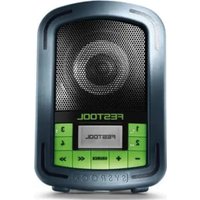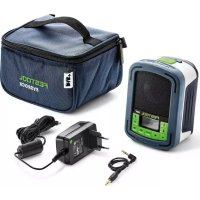
SYS3 BT20 M 137 - Radio FESTOOL - Free user manual and instructions
Find the device manual for free SYS3 BT20 M 137 FESTOOL in PDF.



| Product type | Bluetooth Radio |
| Brand | Festool |
| Model | SYS3 BT20 M 137 |
| Power supply | Original power supply unit included |
| Battery | Built-in rechargeable (type not specified, probably lithium-ion) |
| Battery LED indicators | White: fully charged, red: low battery, flashing red/white: charging |
| Bluetooth connection | Yes, Bluetooth compatible |
| Bluetooth range | Up to 50 m (164 ft) in open field |
| TWS function (True Wireless Stereo) | Pairing of two TOPROCK BT 20 possible for stereo sound |
| Number of speakers | 4 (two pairs, left/right channels) |
| USB port | 1 x USB (5V / 1A) for charging mobile devices |
| Volume control | + and - buttons on the device |
| Power on/off | Long press (>1s) on the switch |
| Dirt protection | Removable cover to seal the USB port after use |
| Safety instructions | Use only the original power supply unit; do not connect the USB to a computer |
| Bluetooth memory capacity | Up to 8 paired devices stored |
| Reset (crash) | Hold the switch for 8 s to force shutdown |
Frequently Asked Questions - SYS3 BT20 M 137 FESTOOL
- Battery: see question on battery level.
- Volume: the volume button LEDs flash white when pressed; two flashes = max or min volume.
User questions about SYS3 BT20 M 137 FESTOOL
0 question about this device. Answer the ones you know or ask your own.
Ask a new question about this device
Download the instructions for your Radio in PDF format for free! Find your manual SYS3 BT20 M 137 - FESTOOL and take your electronic device back in hand. On this page are published all the documents necessary for the use of your device. SYS3 BT20 M 137 by FESTOOL.
USER MANUAL SYS3 BT20 M 137 FESTOOL
1 Parts of the device. 7
5 Troubleshooting 10
2 Commissioning 8
6 General information. 10
3 Bluetooth® connection. 8
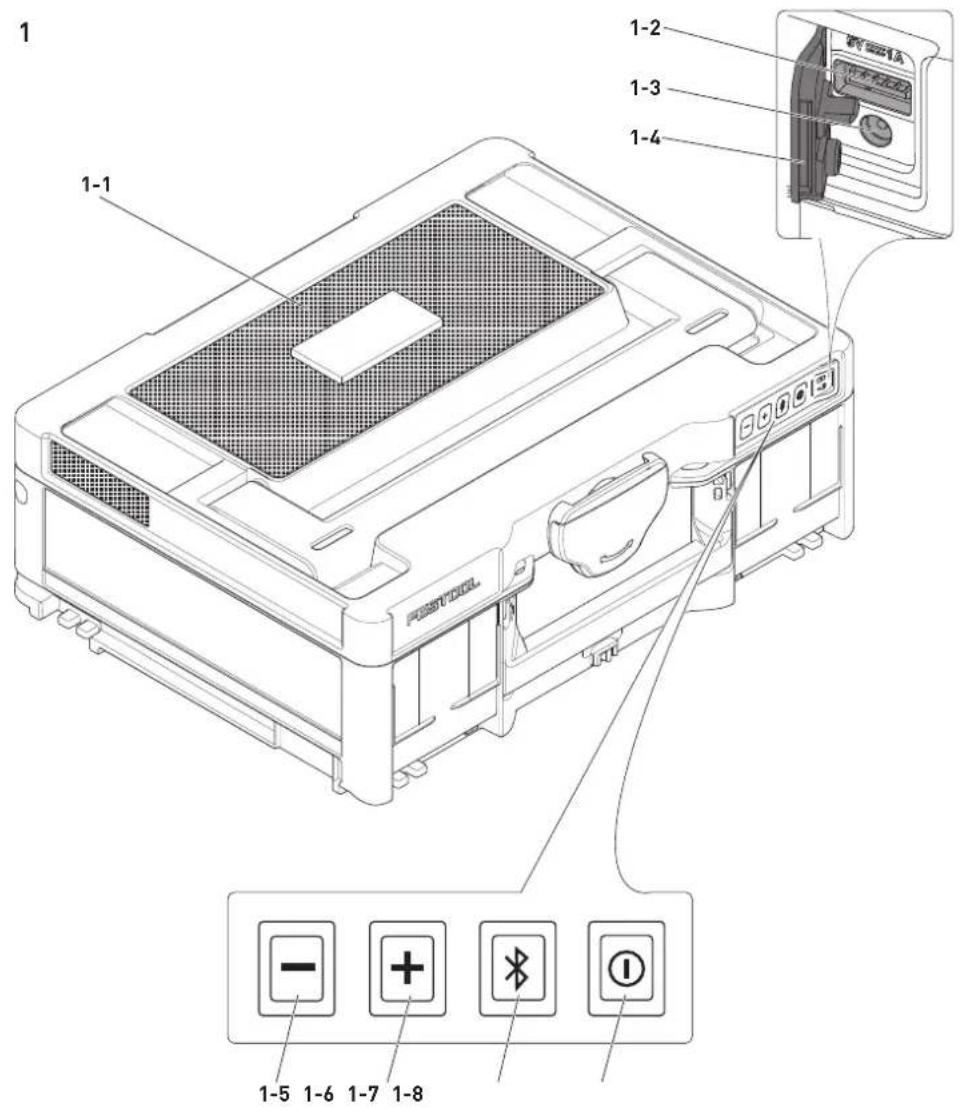
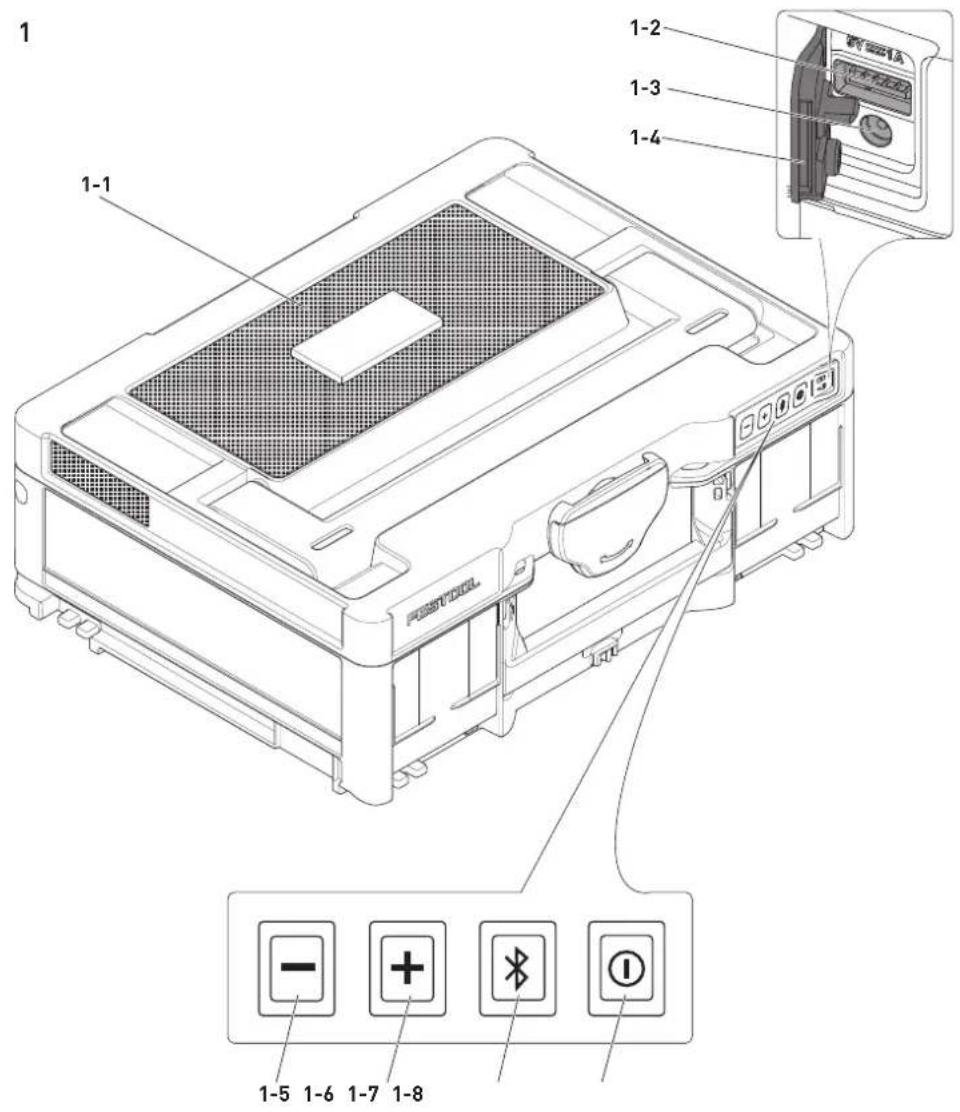
1 Parts of the device
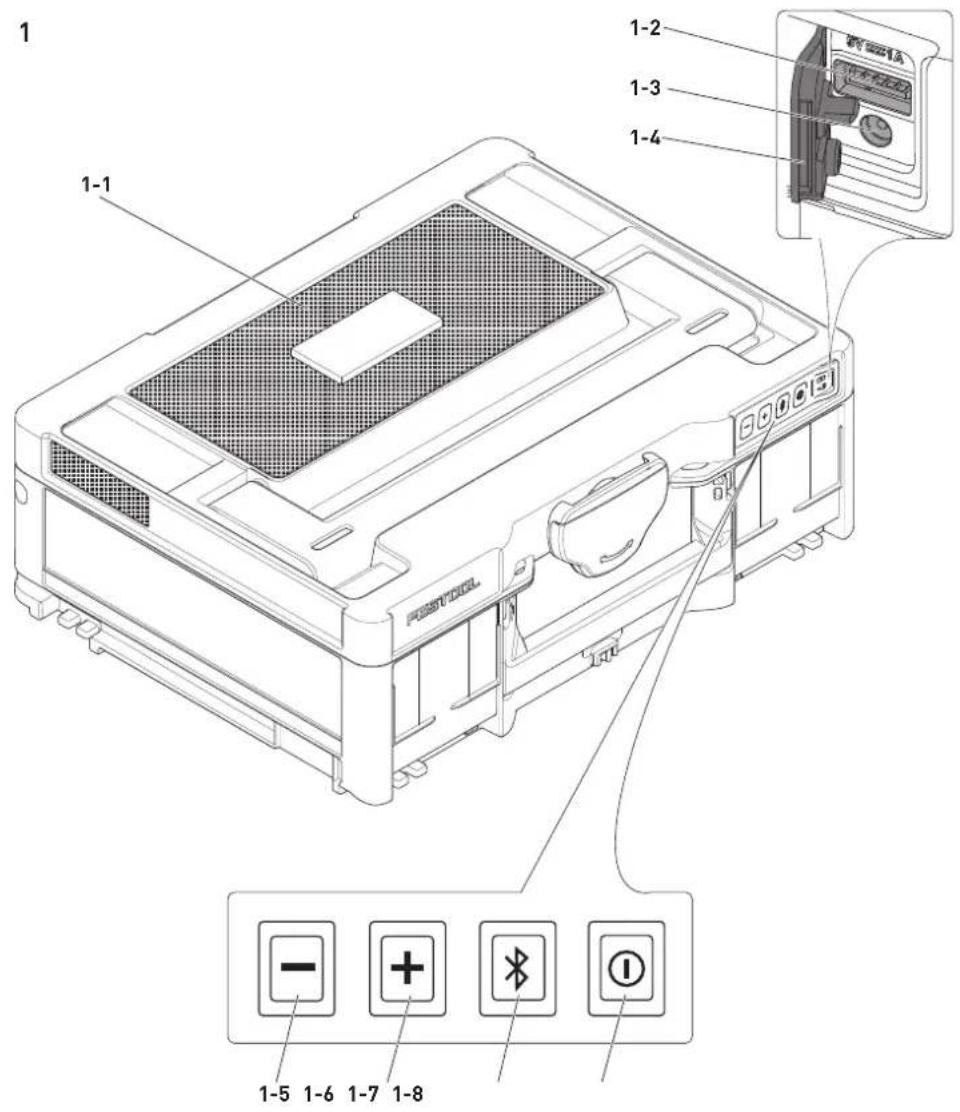
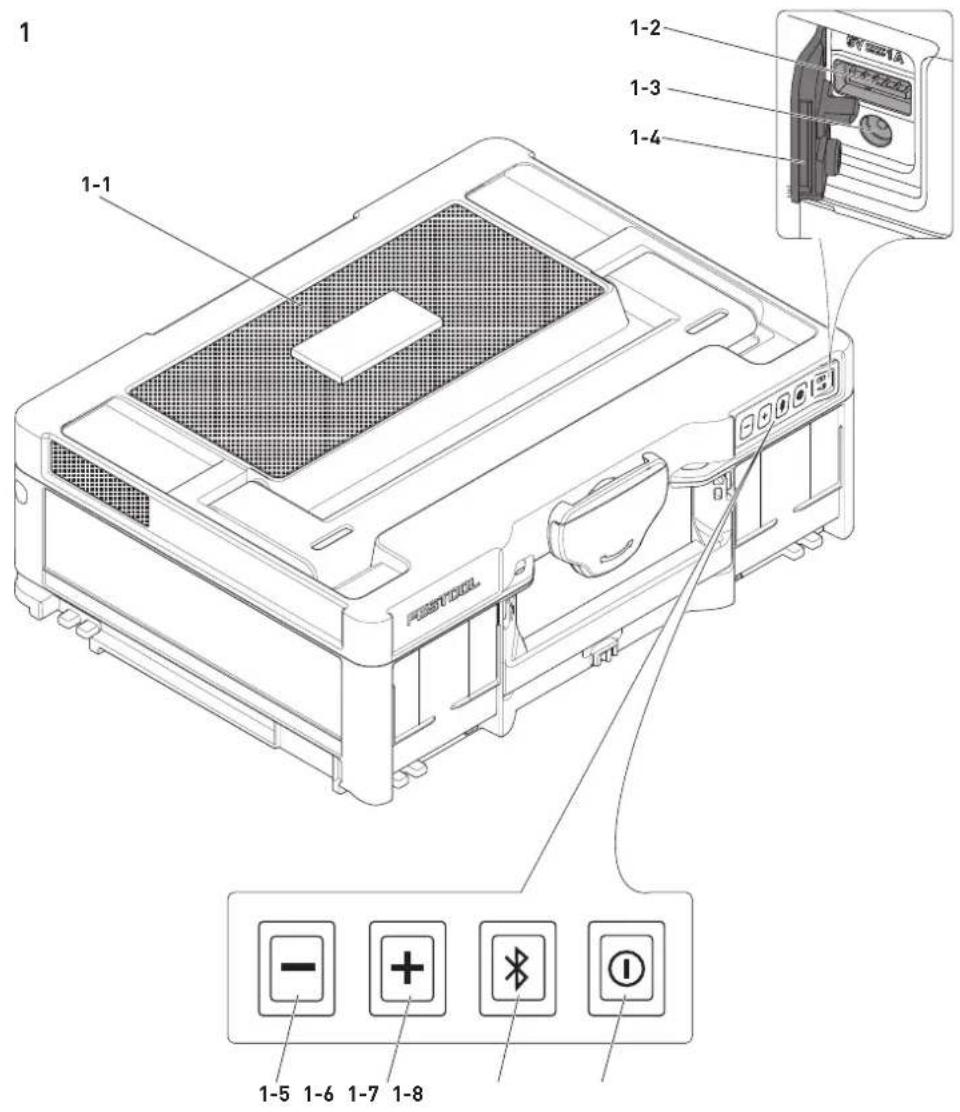
[1-1] Speaker
[1-2] USB port
[1-3] Connection socket for the mains adapter
[1-4] Protective cap
[1-5] Volume decrease button
[1-6] Volume increase button
[1-7] Bluetooth® button
[1-8] ON/OFF button
2 Commissioning

WARNING! Observe all the instructions and safety warnings in the Original
Instructions.
2.1 Charging the device

WARNING
Risk of fire
Using an unsuitable mains adapter
- Only charge the device using the original mains adapter supplied.
Fully charge the device before using it for the first time.
Connect the device with the mains adapter [1-3].
- Insert the mains adapter into a mains outlet.
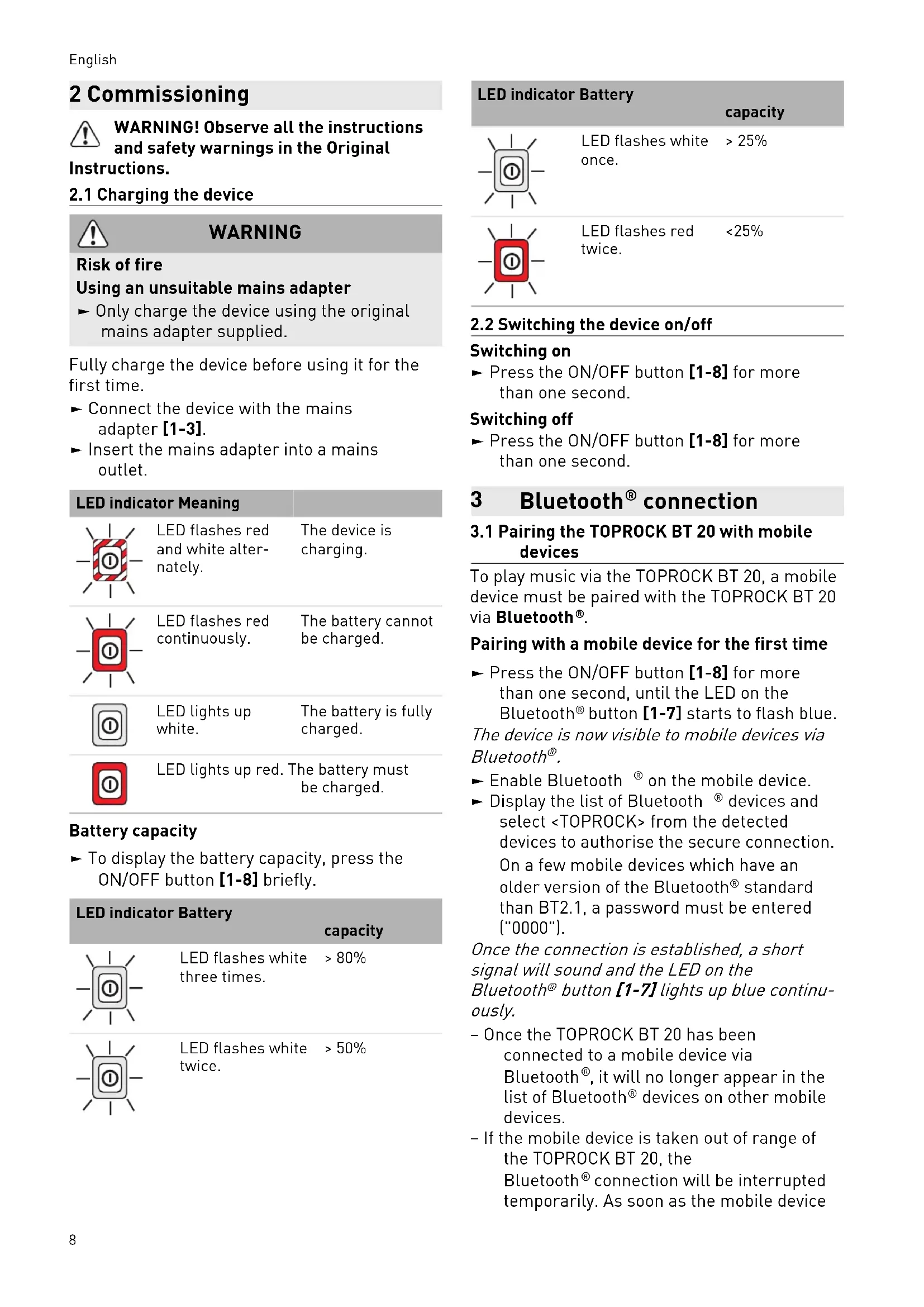
| LED indicator Meaning | ||
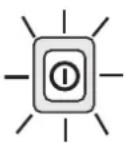
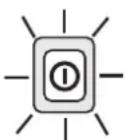
| - | LED flashes red and white alter-nately. | The device is charging. |
| - | LED flashes red continuously. | The battery cannot be charged. |
| - | LED lights up white. | The battery is fully charged. |
| - | LED lights up red. The battery must be charged. | |
Battery capacity
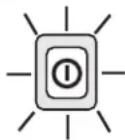
To display the battery capacity, press the ON/OFF button [1-8] briefly.
| LED indicator Battery | capacity | |
| 1 | LED flashes white three times. | >80% |
| 0 | LED flashes white twice. | >50% |
LED indicator Battery
capacity
LED flashes white >25% once.

LED flashes red <25% twice.
2.2 Switching the device on/off
Switching on
Press the ON/OFF button [1-8] for more than one second.
Switching off
Press the ON/OFF button [1-8] for more than one second.
3 Bluetooth® connection
3.1 Pairing the TOPROCK BT 20 with mobile devices
To play music via the TOPROCK BT 20, a mobile device must be paired with the TOPROCK BT 20 via Bluetooth®.
Pairing with a mobile device for the first time
Press the ON/OFF button [1-8] for more than one second, until the LED on the Bluetooth® button [1-7] starts to flash blue.
The device is now visible to mobile devices via Bluetooth®.
- Enable Bluetooth® on the mobile device.
- Display the list of Bluetooth® devices and select
from the detected devices to authorise the secure connection. On a few mobile devices which have an older version of the Bluetooth® standard than BT2.1, a password must be entered ("0000").
Once the connection is established, a short signal will sound and the LED on the Bluetooth® button [1-7] lights up blue continuously.
- Once the TOPROCK BT 20 has been connected to a mobile device via Bluetooth®, it will no longer appear in the list of Bluetooth® devices on other mobile devices.
- If the mobile device is taken out of range of the TOPROCK BT 20, the Bluetooth® connection will be interrupted temporarily. As soon as the mobile device
is brought back in range, the Bluetooth® connection will be re-established automatically. During this interruption, no other mobile device will be able to connect to the TOPROCK BT 20.
- If the TOPROCK BT 20 does appear in the list of Bluetooth® devices, a connection is not actually possible, and it must be deleted from the list of Bluetooth® devices. The TOPROCK BT 20 will then have to be paired via Bluetooth® once more.
- The effective operating range between the paired devices is up to 50m (164.04 ft). Any obstructions between the devices may reduce the range.
- The strength of the Bluetooth® connection may vary depending on the paired mobile device. Before pairing to the TOPROCK BT 20, always check the Bluetooth® function on the mobile device.
Detecting devices already paired
Once the TOPROCK BT 20 has been paired with a mobile device once, this will be saved in the TOPROCK BT 20 and automatically recognised. The TOPROCK BT 20 will always try to connect to the most recently paired device automatically. It can save up to eight paired devices. If this number is exceeded, the least recently paired device will be overwritten and will no longer be automatically recognised. If the most recently paired device is no longer available, the TOPROCK BT 20 will try to connect to the next most recent device and so on.
Clearing the memory
- Switch on the machine.
Press and hold the Bluetooth button [1-7] for more than seven seconds.
A short signal sounds and all the devices previously saved to the TOPROCK BT 20 are deleted.
- Switch off the device.
3.2 Pairing two TOPROCK BT 20 devices
A maximum of two TOPROCK BT 20 devices can be connected up via Bluetooth® using the TWS [true wireless stereo] function. Music can then be played over two speakers.
The first TOPROCK BT 20 must be connected to a mobile device.
If not already paired, pair the TOPROCK BT 20 with a mobile device; see section 3.1
Press and hold the Bluetooth button [1-7] for two to three seconds until the LED on
the Bluetooth® button [1-7] flashes red and blue alternately.
- Switch on the second TOPROCK BT 20.
- Also press and hold the Bluetooth® button [1-7] on the second TOPROCK BT 20 for approx. two seconds until the LED on the Bluetooth® button [1-7] flashes red and blue alternately.
After a few seconds, both TOPROCK BT 20 devices are successfully connected. Two short signals sound and the LED on the Bluetooth® button [1-7] on the first device lights up blue continuously. The LED on the Bluetooth® button [1-7] on the second device lights up purple continuously.
Setting up the speakers
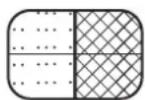
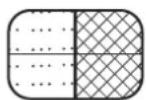
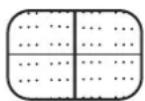
The TOPROCK BT 20 is equipped with four speakers. Each of the two pairs of speakers plays one audio channel.
If two TOPROCK BT 20 devices are connected up, one of the following three playback options can be selected:
Option 1
TOPROCK 1 TOPROCK 2
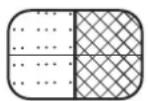
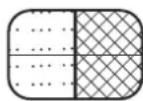
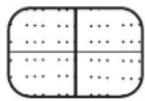
Both TOPROCK BT 20 devices play back the right and left audio channel (default setting).
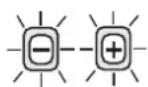
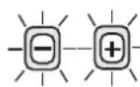
Feedback: The LEDs flash white three times.
Option 2
TOPROCK 1 TOPROCK 2
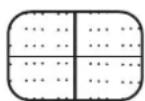
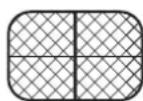
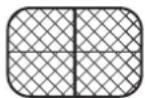
TOPROCK 1 plays the left audio channel and TOPROCK 2 plays the right audio channel.


Feedback: The LEDs each flash white three times.
Option 3
TOPROCK 1 TOPROCK 2
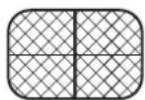
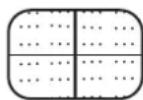
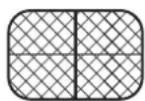
TOPROCK 1 plays the right audio channel and TOPROCK 2 plays the left audio channel.


Feedback: The LEDs each flash white three times.
English
Press and hold the Bluetooth button [1-7] on a device for two to three seconds each time you want to switch between the three options.
3.3 Disconnecting
Press the Bluetooth button [1-7] or disable Bluetooth on the mobile device to disconnect.
The LED on the Bluetooth® button [1-7] starts to flash blue to signal that the TOPROCK BT 20 is ready to be reconnected.
4 Operation
4.1 Audio playback
- Pair the mobile device with one or two TOPROCK BT 20 devices; see section 3.
- Start audio playback via the controls on the mobile device. The controls on the mobile device can be used to play, stop or switch between tracks.
i With two TOPROCK BT 20 devices paired: The volume set on one TOPROCK BT 20 device is adopted by the second TOPROCK BT 20 device.
- The response when operating the controls may differ depending on the mobile device or software.
- Some mobile devices temporarily interrupt the Bluetooth® connection to the TOPROCK BT 20 if a call is being made or received. Some mobile devices switch to mute if text messages or e-mails are received. This behaviour depends on the paired mobile device and does not indicate a fault with the TOPROCK BT 20.
4.2 Adjusting the volume
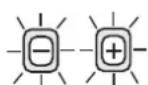
- Adjust the volume using the volume decrease [1-5] and increase [1-6] buttons on the TOPROCK BT 20 or using the mobile device.
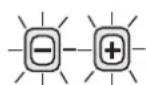
When you press one of the volume buttons, the LED on this button flashes white. If the white LEDs on both volume buttons flash twice, the maximum or minimum volume level has been reached.
4.3 Charging mobile devices using the USB port [1-2]
To charge mobile devices via the USB port [1-2], the TOPROCK BT 20 must be switched on. The charging time for the device may vary and, in some cases, may take longer
than with the charger supplied by the manufacturer.
- The USB port is only suitable for charging mobile devices and not for transferring data to the TOPROCK BT 20.
- The charging function of the TOPROCK BT 20 is not supported by some mobile devices.
- Remove the USB cable after charging.
- The USB port [1-2] can only supply power to devices with a maximum input voltage of 5V / 1A . The USB port does not support any external hard drives and mobile devices with higher requirements.
- It is not possible to charge TOPROCK BT 20 devices via the USB port [1-2].
- Do not connect the USB port [1-2] to the USB port on a PC. This could cause both devices to fail.
- To prevent any contamination or corrosion, cover the USB port [1-2] with the protective cap [1-4] after use.
5 Troubleshooting
5.1 Unresponsive device
On rare occasions, a system crash may mean that it is no longer possible to operate the device.
Press and hold the ON/OFF button [1-8] for approx. eight seconds until the device switches off.
When restarting, the system is be automatically restored.
6 General information
6.1 Information about Bluetooth®
The tool can be connected to a mobile device via Bluetooth®. As soon as the tool is connected to the mobile device via Bluetooth® and the secure connection has been authorised, the tool will connect automatically to the mobile device from this point onwards.
The Bluetooth® word mark and the logos are registered trademarks of Bluetooth SIG, Inc.; they are used by TTS Tooltechnic Systems AG & Co. KG, and therefore by Festool, under licence.
Sommaire
4 Fonctionnement 14
CBeToDnOHa HnDnKaun 3NaueHne

CBeToaNoTbMnraBuepeBHoN CnHbO.
YpeIbTce 3apeXda.

CBeToaNoBt MuraBuepeBHeo.
AkyMaTOpHaTa 6aTePnHe MoKe Da ce 3apeN.

CBeToAnoBCT CBETN B6JIO.
AkyMaIaTopHaTa 6aTePn e HanbIHo 3apeHeHa.

CBeToaNoobT CBETN BHepeHo.
AkymylaTopHaTa 6aTepeTpr6Ba da ce 3apei.
KanaunTeHaakym.6aTepeyra
3a da ce nokake KaanaTeTbT Ha akymyaTOpHaTa 6aTepe, HATncHeTe 3a KpaTko 6yToHa 3a Bk/ɪnəKl [1-8].
CBeToOnoHa HnKauJa KaaunTeHa
akym.6aTepey
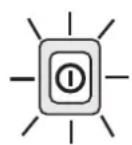
CBeToOnoBt Mra Tpu NbTu B 6aNo.
80%
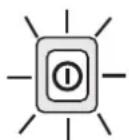
CBeToOnoBt Mura IBa NbTu B 6aNo.
50%
CBeToDnOHa HndkaunKaanTeHa
akym.6aTepeyra
CBeToIIOIbT >25%
MnraBeHbX B 6yJIO.

CBeToIIOIbT <25%
MnraДBaПbTINBчepbeHo.
2.2 BkIIOUBaHe/ɪn3KlIOUBaHe Ha ypeDa
BkIouBaHe
- HataHcHeTe 6yToHa 3a BkI/n3Kl [1-8] 3a NOBeue ot cekyHda.
N3KJIIOUyBaHe
- HataHcHeTe 6yToHa 3a BkI/n3Kl [1-8] 3a NOBeue oT ceKynDa.
3 Bluetooth® Bpb3ka
3.1 CdBoBaHe Ha TOPROCK BT 20c MoBnHo yCTpoIcTBO
3a da ce npexBbpln My3nka Ha TOPROCK BT 20, Tp8Ba da ce cDBOH Mo6nHOb ycTpoiCTBO npe3 Bluetooth® c TOPROCK BT 20.
ПьрвocdBoBaHe cMObIHo ycTpoIcTBo
HaTnchete 6yToHa 3a BkJ/n3KJI [1-8] 3a NOBeue OT ceKyHda IOKaTO CBeToIDNoIbT Ha Bluetooth® 6yToHa [1-7] 3amIrA B CnHbO.
Cera ypeBt ce Buxka npe3 Bluetooth 3a MObUNHnTe yCTpoiCTBa.
- AktnBupaTe Bluetooth Bbpxy Mo6nHTo yCTpoIcTBo.
N3BnKaTe cncbKa c yctpoiCTBa C Bluetooth® n B pa3no3HaTnte yctpoiCTBa n36epete, 3a da oTopu3npate cnypHTo CBbp3BaHe. Pn HЯkon Mo6nHn yctpoiCTBa, KOnTO ca obopydBaHn c no-ctapa Bercn oT BT2.1 Bluetooth® cTaHapT, Tp6Ba Da 6bJe BBe-DeHa napoIa ("0000").
Ako Cbbp3BaHeto e yctaHOBeHo, npo3ByaBa KaPbK CnHaJIeH TOH N CBETOIOBbT Ha Bluetooth@ 6yToHa [1-7]CBETBa B CnHbO.
-Korato TOPROCK BT 20 ce cBbpxe npe3 Bluetooth® c mo6nHNo yCTpoiCtBO,ToI Beue He ce noka3Ba B cIncBka C yCTpoiCtBa c Bluetooth® Ha npynte mo6nHn yCTpoi-CTBa.
- Ako Mo6nHTo yCTpoNcTBo ce HAmnpa n3BbH o6Xbata Ha TOPROCK BT 20, Bluetooth® cBbP3BaHeTo BpeMeHHo e
npekbchato. KoraTo Mo6HnHTo yCTpoiCTBO OTHOBo e B 06XBata, Bluetooth CBbp3Ba- HeTo aBTOMaTnUHO ce Bb3CTaHOBRA. No BpeMe Ha TOBa npeKbcBAHe dpyro Mo6HnHO yCTpoiCTBO He MoKe Da ce Cbbp3Ba c TOPROCK BT 20.
-Ako TOPROCK BT 20 ce noka3Ba B cnncbKa c yctpoicTba C Bluetooth® , Ho He e Bb3MOxHO Cbbp3BaHe, To Tp86Ba Da ce n3Tpne OT cnncbKa C yctpoiC Tba C Bluetooth®. CneI TOBa oTHOBcDBoeTe TOPROCK BT 20 npe3 Bluetooth®.
- Eф ektnBnHrT pa60TeH dHa nAa3oH MeKdy cDBoeHnTe yCTpoiCtBa Bb3JIn3a Ha Do 50 m [164.04 ft]. BcKaO npEpyCTBne MeKdy yCTpoiCtBaTa MoKe Da HAmAn pa60THnA dHaanA3oH.
- MoцнocTTa Ha Bluetooth® CBbp3BaHeTo
Може Да Варupa според СДВОЕНТО
Мбилно устpoиCTBO. Пpeди сдвогВаHETO C
TOPROCK BT 20 BnHaRn пpoBepЯВaIte
Bluetooth® ФункцятА Ha Мбилно
устpoиCTBO.
Pa3no3HaBaHe Ha Beue cDBoEH yCtpoCTBa
Korato TOPROCK BT 20 ce cdbonc mo6nilho yctpoiCTBO,TOBa yctpoiCTBOce 3aapanMeTBA BV TOPROCKBT20ncpepa3no3HabaabTomatnuHo. TOPROCKBT20BnHaIgIe ce onntBa da ce CBpbxe aBtOMaTHUHO cnoCleDHO cDBoEHOyctpoiCTBO.ToJMOKe Da 3anamEtNoOCem cDBoEHN yctpoiCTBa.AKO TO3n 6poi ce npebuHn, nbpBOTo cDBoEHO yctpoiCTBO ue Ce npes3aHne HcJe TOBa Hma Da ce pa3no3HbA nobue aBtOMaTHUHO.AKO noCleDHO cDBoEHOyctpoiCTBOBeYeHeHaJIuHo,TOPROCKBT20 1e ce oNTa Da ycTaHOBNuCBbp3BaHe Cnped-nocJeHOTO yctpoiCTBO u T.H.
N3TpNbAHe Ha naMeTTa
BknHouTe HnCtpymeHTa.
3aDpbkTe Bluetooth® 6yToHa [1-7]HaTnCnat 3a NOBuee OT ceDem cekyHdN.
KpaTbK cnHaJI npO3ByuBa N BCnUKN Docera 3aIamTeH N TOPROCK BT 20 ypeN ce n3TpNBaT.
-13KJIIOUeTe ypeIa.
3.2 CnBovBaHe Ha nBe TOPROCK BT 20
MaKc.ДBe TOPROCK BT 20 MoRaT Da ce cDBoaT C nomoUta Ha TWS ΦyHKuŋraT (TWS = true wireless stereo) npe3 Bluetooth®. Taka moKe Da ce Bb3PpOu3BExKa My3Nka npe3 DBA BucOKo- roBOpnteJr.
Пьрвят TOPROCK BT 20 ТразБа Да e CBьрзан С мбилно устpoистBO.
Ako ose He cTe ycpeN Da cDBOuTe TOPROCK BT 20c Mo6nHNo yCTpoIcTBo,BK. rnaBa 3.1.
3aApbXTe HaTnChat Bluetooth 6yToHa [1-7] 3a IBe IDo TpN CeKHyI NdoKaTo CBeToAnoDbT Ha Bluetooth® 6yToHa [1-7] He 3aNoUHe Da MInrA B UepeBHeO n CnHbO.
BkJIoueTe BTopnT TOPROCK BT 20.
-ПиВТОРЯTOPROCKBT20cБИо 3aДрьЖTe Bluetooth®6yToHa[1-7]HaTnCHaT3aOK. TpNceKyHdNdoKaTOCBeToIDNoDbTHa Bluetooth®6yToHa[1-7]He3anOuHe da MInraBчepBeHoICnHbO.
CneHnKoKeynDnDbataTOPROCKBT20 Ca yCneuHO CBbp3aHN. PpO3ByaBt DBA KbCN CnHaHn ToHa N CBETOIONbT Ha Bluetooth@byToHa [1-7]Ha NpPBOTo yCTpoiCTBO CBETBa BCnHbO.CBeTOIONbT Ha Bluetooth@byToHa [1-7]Ha BTOPOTo yCTpoiCTBO CBETN BnIABO.
Hactpoika Ha BncoKorOBopnteJIte
TOPROCKBT20mamaeTnpBnBCOKOROBOpntIa.BceKnDBeDBoKnBnCOKOROBOpntIb3PpON3BExKaHaJI.
AkoДba TOPROCK BT 20 ca cBbp3aHn nomexdy cn, moxe da ce n3bupa MeKdy cJeHNte Tprn OOnu 3a Bb3npoN3BexkdaHe:
Onzna1
TOPROCK 1 TOPROCK 2
ДВаТА TOPROCK BT 20 Вьзпpon3- BeждAT CBOTBETHO DeCHNЯ И Левя 3ByKOB KaHAI (OCHOBHa NaCTpoiKa).
06paTHo cbo6eHne: CBeToOnoNtTe npemrBaT Tpr NbTN B 6raNo.
Onzna 2
TOPROCK 1 TOPROCK 2
TOPROCK1
Bb3npoN3BexJa
JIeBn,a TOPROCK2
Bb3npoN3BeXJa
IecHn3ByKOB
KaHaJ.


06paTHo cbo6ueHne: CBeToOnoNte npemrBaT no TpN nbTu B 6raNo.
Onzna 3
TOPROCK 1 TOPROCK 2
TOPROCK1
Bb3npoN3BexJa
deChn,a
TOPROCK2
Bb3npoN3BexJa
JIeBn 3ByKOB KaHaJ.


06paTHo cbo6ueHne: CBeToIONoIte npemrBaT No TpN nbTu B 6raJIo.
3aDpBxTe noBtOHo
Bluetooth® 6byToHa [1-7] Bbpxy eDHHn ypei HaTnchAt 3a DBe Do TpN CeKHyDn, 3a Da CMeHnTe MExdy TpNTe OOnuN 3a Bb3PpOu3-BexKaHe.
3.3 Pa3KaaHa Na Bpb3Ka
HaTncheTe Bluetooth 6yToHa [1-7] nIIN DeaktnBnpaTe Bluetooth BbpxMy6nHnHO yCtpoNCTBO,3a Da pa3KaunTe Bpb3-Kata.
CBeToaNoIbTHa
Bluetooth® byToHa [1-7] 3aNouBa da Mura B cnHbO n Noka3Ba, ye TOPROCK BT 20 e roTob 3a HOBO Cbbp3BaHe.
4 Pa6oTa
4.1 Bb3npoN3BexKdAnHe Ha ayDnO
CBoeTe Mo6HIO yCTPOcTBO cEINH INn Dba TOPROCK BT 20,BK.rnaBa3.
CTaptnpaTe aydno Bb3npoN3BexJaHe npe3 eIemEnTe 3a ynpaBLeHne Ha Mo6nHTo yctpoiCTBO.C nOmoTtHa eIemEnTe 3a ynpaBLeHne Ha Mo6nHTo yctpoiCTBO MORaT Da ce Bb3npoN3BeXJat Nnn PpeKbcBaT napYeTa Nn Da ce HABnRpa MeJxTyX.
i Pn Dba cDBoeH NTOPROCK BT 20: HacTpoEHaTa Cnila Ha 3Byka Ha eDHHN TPOROCK BT 20 ce npedaBa Ha dpyrna TOPROCK BT 20.
- CnopeM Mo6nHToTo yCtpoiCTBO, pecn. coΦTyepa peakuTAt npHaTnCKaHe Ha eIeMeHTnte 3a ynpaBLeHne MoKe Da ce pa3JIuYaba.
- Hякои мбилну устюсТВа Врemeнho npeкьсвat Bluetooth® Bpb3kaTa c TOPROCK BT 20 korato ce CTaptnupaT Или nprieMaT NOBKNBaHn. Hякои мбилну устюсТВа npeвКЛIOчВaН ha 3aIlyшаване npri NOJyauBaHe Ha TEKCTOBu CbO6цeHn IInn ImeJIn NaPp. Toba NOBeDeHne 3aBnCn OT CdBоEHTo mбилно устюсТВОи He e INHДИКAZHA 3a NOBpeDa Ha TOPROCK BT 20.
4.2 PerynnpaHe Ha cnlaTa Ha 3Byka
HacpoTe cnilata Ha 3Byka C 6yToHnte 3a cnla Ha 3Byka MNHyc [1-5] n nnoc [1-6] Ha TOPROCK BT 20 nnn B mo6nHoto yctpoiCTBO.
Ipn HATnCKaHe Ha CbOTBETHN8 6yToH 3a CnJa Ha 3ByKa CBTeODNoDbT Ha 6yToHa Mura B 6raNo. Ako 6eInTe CBTeODNoDn Ha Dbata 6yToHa 3a CnJATA Ha 3ByKa MURAT Da NbTN, CbOTBETHo e DoCTNR Hata MaKcMmJIHATA NIN MNHMMaJIHATA CnJa Ha 3ByKa.
4.3 3apeKdaHe Ha Mo6nHn yCTpoiCTBa npe3 USB 6yKca [1-2]
3a 3apejdahe Ha Mo6uHn ycTpoiCTBa npe3 USB 6yKca [1-2] TOPROCK BT 20 Tp86Ba da e BkIouen. BpeMeTo Ha 3apejdahe Ha ycTpoiCTBaTa MoKe Da Bapnpa N HЯKOn CnyuaN MoKe Da e NO-dbIro OTkoJKOto CdoCTaBeHOTo OT IpnO3BOIDTeJIa 3apJHO ycTpoiCTBO.
- USB 6yKcata e noJxOJaIca cMo 3a 3ape-JkDaHe Ha Mo6nHn ycTpoIcTba, a He 3a npedabane Ha daHHN KbM TOPROCK BT 20.
-Функцята 3a 3apeхдане Ha TOPROCK BT 20 He ce peДьрka OT HЯКоМбилнустpoиCTba.
-USB ka6eBbT da ce oTcTaHn cnei 3apeK-daHeTo. - USB 6yKcata [1-2] MoXe Da 3axpaHbA C ToK cAmo ypeN C MaKcImaJIHo BXOJHO HaIpe-JxHe Hne ot 5V / 1A. USB 6yKcata He NODbPJa BbHUn TBbpN DnCKObe N MObUJIH yCTpoiCTBa C NO-BNCOKn N3NCKBAHn.
-
3apeKdaHe Ha TOPROCK BT 20 npe3 USB6yKcata [1-2] He e Bb3MoXHO.
-
He cBbP3BaIe USB 6yKcata [1-2] c USB 6yKcata Ha KOMnHtbp. B npOTnBeH cIyaua IBaTa ypeDa MoRaT da ce nOBpeJrT.
- CnéД yуnotpe6a 3aTbapЯTe USB 6yKcata [1-2] c npedna3HnKa nak [1-4], 3a Da npedOTbpaTHTe 3aMbpcraBaHe nJI KOp03nJ.
5 0TcTpαHЯBaHe ha Hen3πpaBHOCTN
5.1 YpeBt He pearupa
B peKn cIyua n aBapn B cncTeMaTa MoKe da IOBeJe Do ToBa, NOBeue Da He MoKe Da ce ynpablaBa ypeHa.
3aApbXTe HaTnCHaT 6yToHa 3a BKI/ n3Kl [1-8] 3a OK. Ocem CekyHn DoKaTaO ypeIbT He ce n3KJIuOuN.
Pn CneBauu nCTap CTcTeMaTa ABtOMaTHO Ce Bb3CTaHOBra.
6 06и уka3ань
6.1 Инфорmaцnia 3a Bluetooth®
UpeBt Moxe da ce Cbpxe npe3 Bluetooth c MO6nH0 yCTpoNcTBO. KOrato ypeBt e CbP3aH Upe3 Bluetooth c MO6nH0TO yCTpoNcTBO u 3aUnTeHaTa Bpb3ka e pa3peWeHa, OT TO3M MomeHT HaTaTBK ypeBt Ce CbP3Ba aBTOMaTNUHO C MO6nH0To yCTpoNcTBO.
CNoBecHaTa MapKa Bluetooth® nIorata ca pernctpupaHn MapKn Ha Bluetooth SIG, Inc. n ce n3noJ3BaT oT TTS Tooltechnic Systems AG & Co.KG n cboTBeTHo oT Festool no IInueH3.
Obsah
4 Provoz. 29
3.3 IaKoHn Tnc ouvBcnc
- Nañóte To nλnktpo Bluetooth [1-7] n anévεpyoŋoɪntε To Bluetooth σtnv κivntn τλικn ţuokεun, για va διakóψετe tn σύνδεσn.
H io o (LED) rou nAnkipou Bluetooth [1-7] apxizv va avaBooBnvei npLe kai dexivei, ot to TOPROCK BT 20 eiva e EtoiOpnta yia ma vea ouvdEon.
4 Λειτουργia
4.1 Avanapaywyn nxou
uvoTe Tnv KInn TeAikn OuaKeuun eva ano ta duo TOPROCK BT 20, BAne oTo Kepaaio 3.
EeivnoTe nV avanapaywn nxou eow twv 0toiXeiWxieipoiou TnC kivntnc TEaikn C OoKEunC. Me tn Bontheia twv oToixeiw xieipoiou OTNV KIVNTN TEaikn OoKEUn mnpov va avanapaxoov mouoka KOmuTia,va diakonoov n va nlonynthetai Kaveic meTaTuoc.
i nepintwn doo ouvodoe evwv TOPROCK BT 20: H puOuou n Tou nxou o eva TOPROCK BT 20 eTaqepetai kal oTo aALTO PROCK BT 20.
- avaloya TnV KIVNT n TELIKn OUsKEun n To loyiouKO mOpEi va oiaqepEi n avtidaon oTo natauTsw oToixeiwxeploou.
- Opiouevc kivntc termuikc ouokuec diakontouv tn ouvodan Bluetooth 念 to TOPROCK BT 20 npoosopiva, olaic yiovotau n laubovtai knaoeic. Opiouevc kivntc Tepaikc ouokuec nepvoov stn oyaon, otav n.x. laubavovtai elnoeic kemuevou n e-mail. Autn n ouunepipopa npoepxetai ano tn ouvodemv knvtn teakn ouokun kal dev unobnawvki kaia BAbtn tou TOPROCK BT 20.
4.2 P n évtaoc tou nxou
6 Üldised markused. 42
3 Bluetooth®-tenging. 58
1 Hlutar tækisins
LED indicators Akumulatora
ietilpiba
LED nomirgo tris >80% reizes balta krasa.
LED indicators Akumulatora
ietilpiba
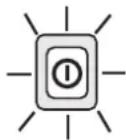
LED nomirgo venu reizi balta krasa.
25%

LED nomirgo < 25%
divas reizes
sarkanā krāsa.
2.2 lekártas ieslegsana un izslegsana
leslegsana
Nospiediet ieslegsanas/izslegsanastaustu [1-8] un turiet to nospiestu ilgakpar vienu sekundi.
Izslęgśana
Nospiediet ieslegsanas/izslegsanastaustuun1-8un turiet to nospiestu ilgakpar vienu sekundi.
3 Bluetooth® savienojums
3 Bluetooth®-tilkobling. 76
1 Apparatets deler
[1-1] Høyttaler
[1-2] USB-port
[1-3] Tilkobling for lader
[1-4] Beskyttselshette
[1-5] Lydstyrkeknapp minus
[1-6] Lydstyrkeknapp pluss
[1-7] Bluetooth®-knapp
[1-8] Av/pa-knapp
2 lgangsetting

LED blinker hvitt >80%
tre ganger.
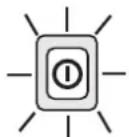
LED blinker hvitt >50%
to ganger.
LED-indikator Batterikapa
sitet
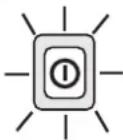
LED blinker hvitt >25%
en gang.

LED blinker rdot < 25%
to ganger.
3 Bluetooth® verbinding. 80
1 Apparaatelementen
[1-1] Luidspreker
[1-2] USB-bus
[1-3] Aansluitbus van de netvoeding
[1-4] Beschermkap
[1-5] Geluidssterktetoets minus
[1-6] Geluidssterktetoets plus
[1-7] Bluetooth® Taste
[1-8] Aan-/uit-toets