
WPD 50 - Water dispenser Kärcher - Free user manual and instructions
Find the device manual for free WPD 50 Kärcher in PDF.
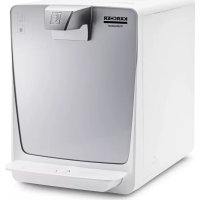


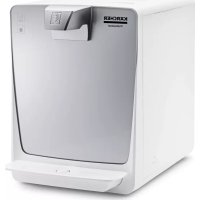
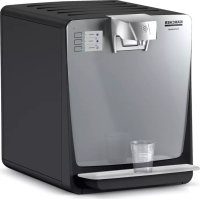
| Product type | Water dispenser with refrigeration |
| Brand and model | Kärcher WPD 50 |
| Dimensions (W x D x H) | 300 x 440 x 395 mm |
| Weight | 19 kg |
| Power supply | 220-240 V / 50 Hz, 200 W |
| Main fuse | 6 A (slow-blow) |
| Water inlet pressure | 1.5 - 6 bar (0.15 - 0.6 MPa) |
| Water inlet temperature | 5 - 30 °C |
| Ambient operating temperature | 5 - 32 °C |
| Water flow rate (chilled and unchilled) | 120 l/h |
| Minimum chilled water temperature | 6 °C |
| Filter type | Hy-Pure-Plus combined filter (activated carbon + ultra) |
| Functions | Chilled and unchilled water (touch buttons) |
| Refrigerant | R-290 (flammable, hermetically sealed) |
| Required electrical protection | 30 mA residual current circuit breaker |
| Connection | Water inlet hose supplied, mains plug |
| Supplied accessories | Water inlet hose, service cup, combined filter |
| Options | Aquastop, pressure reducer, backflow preventer, feet |
| Regular maintenance | Daily cleaning of drip tray, chemical cleaning every 6 months |
| Filter replacement | Every 6 to 12 months depending on water quality and quantity |
| Exterior cleaning | CA 30 R surface cleaner recommended (no alcohol or abrasives) |
| Storage and transport | Frost-free, do not lay the appliance down |
| Warranty | According to the conditions of the commercial company in the country |
Frequently Asked Questions - WPD 50 Kärcher
User questions about WPD 50 Kärcher
0 question about this device. Answer the ones you know or ask your own.
Ask a new question about this device
Download the instructions for your Water dispenser in PDF format for free! Find your manual WPD 50 - Kärcher and take your electronic device back in hand. On this page are published all the documents necessary for the use of your device. WPD 50 by Kärcher.
USER MANUAL WPD 50 Kärcher
Safety instructions 9
Intended use 9
Environmental protection 9
Accessories and spare parts 9
Consumables 1
Scope of delivery 10
Description of the unit 1
Installation 10
Initial Start-Up 16
Operation 1
Transport 17
Storage 17
Care and service 11
Troubleshooting guide 12
Warranty 12
Technical data 1
Maintenance plan. 12
Maintenance sheet WPD 50 1
General notes
Read the original instructions before using the unit for the first time and act in accordance with them. Keep the original in
structions for future reference or for future owners
- Only drinking water from a public water supply may be used to guarantee the water quality of the water. The quality must at least correspond to the guidelines of the World Health Organization (WHO).
- If intervention in the drinking water network is necessary in order to install the unit, this must be done by a trained specialist who is authorised to do this according to the laws and regulations valid for the location. The work must be commissioned by the customer if required.
- For protection against water damage caused by a burst water hose, we recommend installing a shut-off device and an aqua stop (optionally available) in the water supply line.
- Maintenance work in the interior of the unit may only be carried out by the operator of the unit who has read these operating instructions.
- Do not clean the unit with a water jet.
- Plastic surfaces must not be cleaned with alcohol-based, aggressive or abrasive detergents. The surface cleaner CA 30 R (6.295-686.0) is recommended.
Safety instructions
Hazard levels
△DANGER
- Indication of an imminent threat of danger that will lead to severe injuries or even death.
WARNING
- Indication of a potentially dangerous situation that may lead to severe injuries or even death.
CAUTION
- Indication of a potentially dangerous situation that may lead to minor injuries.
ATTENTION
- Indication of a potentially dangerous situation that may lead to damage to property.
Safety instructions
DANGER - Risk of electric shock. Always pull out the mains plug before working on the device. The socket must be protected with a 30 mA fault current protection switch. - Do not store
explosive substances such as aerosol cans with a flammable propellant in this appliance.
WARNING - When positioning the appliance, ensure the supply cord is not trapped or damaged. - Do not locate multiple portable socket-outlets or portable power supplies at the rear of the appliance. - Keep ventilation openings, in the appliance enclosure or in the built-in structure, clear of obstruction.
- Do not use mechanical devices or other means to accelerate the defrosting process, other than those recommended by the manufacturer. - Do not damage the refrigerant circuit. - Health risk from germs. Pay attention to hygiene and cleanliness when replacing the filter cartridge.
Wear sterile disposable gloves when changing the filter. Clean the drip tray and surfaces regularly. Never touch the water outlet with your fingers or a cleaning cloth. Carry out a chemical cleaning of the device at least every 6 months. If your drinking water supplier has warned of microbiological contamination, it is imperative that you chemically clean the device after the warning has been lifted.
- Health risk due to increased bacterial concentration in the water. If you have not used the device for more than 4 days, you must switch the device on, open the water supply inlet and carry out a chemical cleaning, see chapter Chemical cleaning.
- Health risk due to improperly repaired device. The device may only be repaired by trained specialist personnel. Risk of injury from the cleaning agent. Follow the safety instructions for the cleaning agent and wear safety goggles and protective gloves when handling cleaning agents.
ATTENTION • Damage to the device cooling unit. If the device
has been stored or transported lying down, you must wait at least 24 hours before starting it up.
Symbols on the device

△ WARNING
Risk of fire, Flammable materials
This device uses a flammable cooling agent.
Keep ignition sources away if cooling agent leaks from the unit.
Intended use
△ WARNING
This unit is not intended for use by persons (including children) with reduced physical, sensory or mental capabilities, unless they are supervised by a person who is responsible for their safety or have received instructions on how to use the unit from them.
△ WARNING
Children must be supervised to prevent them from playing with the device.
△ WARNING
A damaged power cable must be replaced by the manufacturer, its customer service, or an equally qualified person to avoid danger.
- The unit is used to dispense filtered, chilled, and un-chilled water of food quality for self-service operations.
- The unit can be used in the following areas:
- In households and similar applications
- In staff kitchen areas of shops, offices, and other
work areas
In agriculture
In hotels, motels, bed and breakfasts, and other accommodations; in catering and similar wholesale applications
The unit is equipped with a combination filter. The unit must be set up in a frost-free room. - Do not use or place the unit outdoors. - Do not place, store, or transport the unit horizontally.
Foreseeable misuse
Any type of improper use is prohibited.
The operating personnel are liable for damage resulting from incorrect use.
Environmental protection

The packing materials can be recycled. Please dispose of packaging in accordance with the relevant regulations.

Electrical and electronic devices contain valuable, recyclable materials and often components such as batteries, rechargeable batteries or oil,
which - if handled or disposed of incorrectly - can pose a potential danger to human health and the environment. However, these components are required for the correct operation of the device. Devices marked by this symbol are not allowed to be disposed of together with the household rubbish.
R-290 Contains greenhouse gas R290 - hermetically sealed device
Notes on the content materials (REACH)
Current information on content materials can be found at: www.kaercher.de/REACH
Accessories and spare parts
Only use original accessories and original spare parts. They ensure that the appliance will run fault-free and safely.
Information on accessories and spare parts can be found at www.kaercher.com.
Attachment kits
| Description Order no. | |
| Premium stand | 2.644-134.0 |
| Basic stand | 2.644-221.0 |
Jugs
| Description Order no. | ||
| Water jug, 1 l, glass, with plas-tic lid and KARCHER logo, dishwasher safe | 6.640-431.0 | |
| Carafe, Eva Solo, 1 l, dish-washer safe | 0.017-575.0 | |
| Rinsing cups | ||
| Description Order no. | ||
| Rinsing cup 4 l 6.640-341.0 | ||
Bottles Cups
| Description Order | no. | |
| Bottle 0.5 l, made of Tritan, dishwasher safe | 6.640-430.0 | |
| Bottle 0.75 l, made of Tritan, dishwasher safe | 6.640-512.0 | |
| Bottle 0.6 l, with mouthpiece and lid made of Tritan, dishwasher safe | 6.640-469.0 | |
| High-quality borosilicate glass bottle 0.75 l, heat-resistant, clear, Ø 7 cm, height 26 cm with stainless steel lid and neoprene protective cover | 6.642-186.0 |
| Description Order no. | |
| Hard paper cup, also for hot drinks, 180 ml, without logo, 2500 pieces | 6.640-455.0 |
| Hard paper cup, also for hot drinks, 180 ml, with KÄRCHER logo, 2500 pieces | 6.640-460.0 |
| Plastic cup, 200 ml, without logo, 3000 pieces | 6.640-454.0 |
| Plastic cup, 200 ml, with KÄRCHER logo, 3000 pieces | 6.640-453.0 |
Supplementary installation material
| Description | Order no. |
| Error current circuit breaker 30 mA, 230 V, 50 Hz | 6.640-427.0 |
| Aqua stop, leakage water detector with so-lenoid valve and brass screw connection G 3/4" | 6.640-291.0 |
| Pressure reducer 1.5 - 6 bar - 1/2 | 6.640-625.0 |
| Water Block, flood protection | 6.640-338.0 |
| Backflow preventer, approved | 6.640-463.0 |
Consumables
Filter
| Description | Description | Order no. |
| Hy-Pure-Plus filter | Combination filter made of active carbon and ultra filter. Retains chlorine, heavy metals and residues from the pipe, retains bacteria and viruses and ensures good taste. All minerals remain in the water. | 2.644-200.0 |
Cleaning agent for chemical cleaning
| Description | Description | Order no. |
| Cleaning set | For containing the chemical cleaning agent (Bevi Tabs alkaline), reusable | 2.643-941.0 |
| Bevi Tabs alkaline | Chemical cleaning agent for the six-monthly internal cleaning of the WPD, packaging unit 1 x 10 tablets | 6.295-891.0 |
Cleaning agent for cleaning the exterior of the device
| Description | Description | Order no. |
| CA 30 R | Ready-to-use surface cleaner, 0.5 l bottle | 6.295-686.0 |
| Spray head for surface cleaners | When you order CA 30 R for the first time, this reusable spray head is required for the spray bottle. | 6.295-723.0 |
Scope of delivery
When unpacking the device, check the contents of the box for completeness using the operating instructions. If any accessories are missing or in the event of any shipping damage, please notify your dealer.
Description of the unit
For the illustrations, refer to the graphics page Illustration A
①Filter cover lock (2)Filter cover ③Power switch 4Water connection ⑤ Power supply (6)Fuse holder cover with 6 A fuse 7Type plate (8) Ventilation openings Combination filter 10Filter holder (1) "Chilled water" button (12)"Unchilled water" button (13)Water dispensing outlet (14)Drip tray
Installation
Connecting the unit
During initial installation and any repairs that involve the replacement of accessory parts, make sure only parts approved by KÄRCHER (connection kit, filter, service cup) are used. These components have been tested and certified to ensure compliance with KÄRCHER
Quality Standards. No other components may be used.
- The power connection and water input pressure must correspond to the values in the technical data (see chapter "Technical data").
- Depending on local regulations, an approved backflow preventer must be installed.
- Set up the unit on a level surface.
- Mains plug and socket must always be freely accessible.
- The trigger, the fuse and the water connection (rear of the unit) must be freely accessible. The minimum distance to the wall is 100 mm.
- In the interest of reducing power consumption, the power supply can be switched off when the unit is not in use (e.g. using a timer clock).
- Connect the unit only with the hose lines provided.
- Do not use used hose lines.
Connection diagram: Illustration B
① Socket (fused with 30 mA error-current circuit breaker) ② Mains cable ③ Water dispenser ④ Water supply hose (connection kit) ⑤ Pressure reducer with pressure gauge (only necessary with water inlet pressure above 6 bar (0.6 MPa)) ⑥ Water tap of the building installation ⑦ Drinking water line of the building installation ⑧ Aqua stop (optional) ⑨ Backflow preventer (optional)
Connections:
Illustration C
Water connection ② Power supply ③ Fuse holder cover with 6 A fuse ④ Illuminated trigger
- Connect the water supply hose to the water connection H₂O.
- Connect the water supply hose to the tap of the building installation (if necessary, connect additional components).
- Connect the mains cable to the power supply.
Inserting the filter
△WARNING
Health risk through the entry of germs
When installing the filter cartridge, take special care to ensure hygiene and cleanliness.
Always wear sterile disposable gloves when installing the filter.
- Open the filter cover latch.
Illustration D
- Remove the side filter cover.
- Remove the service cup that was installed at the factory.
Illustration E
a Pivot out the filter holder by max. 45° b Turn the service cup anticlockwise. c Remove the service cup.
4. Insert the filter.
Illustration F
a Pivot out the filter holder by max. 45° b Insert the filter into the filter holder from above. c Turn the filter as far as it will go.
The filter is locked
d Pivot the filter with the filter holder into the device. 5. Fit the side filter cover. 6. Close the filter cover latch.
Initial Start-Up
- Open the water inlet.
- Place a container under the water dispensing opening.
- Press the "Chilled water" button repeatedly until a flushing time of 5 minutes is reached (approx. 10 - 15 litres).
- Press the "Unchilled water" button for 1 minute (approx. 2 litres).
Note
After every 60 seconds of uninterrupted water dispensing, the unit automatically interrupts dispensing. 5. Perform chemical cleaning (see chapter Chemical cleaning).
The unit is ready for operation.
Operation
Function
The water first flows from the water inlet through the combination filter (for a description of the filter, see chapter Consumables). Depending on the button pressed, the water then flows through the cooling module or directly to the water dispenser outlet. The entire water system must be cleaned chemically at regular intervals.
Operation
Note
The illuminated sensor buttons are activated by a light touch.
Illustration G
① "Chilled water" button
② "Unchilled water" button
- Place a container in the middle of the drip tray. Illustration H
- Press the button for the desired type of water until the container is full. During this process, the pressed button lights up brighter.
Shutting down
If the unit is not used for more than 4 days: 1. Close the water inlet. 2. Switch off the unit.
Initial startup after decommissioning
WARNING
Health risk due to increased germ concentration. Perform chemical cleaning after decommissioning. 1. Switch the device on. 2. Open the water inlet. 3. Dispense at least 2 litres of each type of water and discard the water. 4. Carry out chemical cleaning (see chapter Chemical cleaning).
Transport
CAUTION
Failure to observe the weight
Risk of injury and damage
Be aware of the weight of the device during transportation.
- Do not transport the device in a horizontal position.
- When transporting the device in vehicles, secure it to prevent it from slipping or overturning in accordance with the respective valid guidelines.
Equipment shipping
The device must not be transported in a horizontal position.
- Select a suitable packaging for transport and mark it on the outside with a conspicuous marking for vertical transport.
- If possible, place a small wooden pallet under the shipping box.
- Alternatively, take the device directly to a Kärcher service centre.
Storage
CAUTION
Failure to observe the weight Risk of injury and damage Be aware of the weight of the device during storage. 1. Store the device in a frost-protected place.
Care and service
WARNING
Health risk due to improperly repaired device
Have the device repaired only by trained specialist personnel.
Before performing any work on the unit: 1. Pressure relief of the unit.
a Close the water inlet. b Place a container under the water dispensing opening.
c Press the "Chilled water" button until no more water is dispensed.
- Switch off the unit
- Pull out the mains plug.
Replacing the filter
WARNING
Health risk through the entry of germs
When installing the filter cartridge, take special care to ensure hygiene and cleanliness.
Always wear sterile disposable gloves when installing the filter.
- Close the water supply inlet.
- Press the "Chilled water" button until no more water is dispensed.
- Open the filter cover latch.
- Remove the side filter cover.
- Remove the filter to be replaced.
Illustration I
a Pivot out the filter with the filter holder by max. 45°
b Unscrew and remove the filter.
- Unpack the new filter.
- Insert the new filter.
Illustration J
a Fit the filter into the filter holder and turn it as far as it will go. The filter is locked.
b Pivot the filter with the filter holder into the device. 8. Fit the side filter cover.
- Close the filter cover latch.
- Plug the mains plug into the socket.
- Place a container under the water dispenser.
- Open the water inlet.
- Press the "Chilled water" button repeatedly until a rinsing time of 5 minutes has been reached (approx 10 - 15 litres).
Note
The device automatically stops dispensing after 60 seconds of continuous water dispensing. 14. Carry out chemical cleaning (see chapter Chemical cleaning).
Chemical cleaning
CAUTION
The outlet water is cleaning water
The dispensed cleaning water is not suitable for consumption.
Chemical cleaning must be carried out after initial startup and generally at least every 6 months. The same applies after a shutdown of more than 4 days or an exceptional filter change. The cleaning kit is required for chemical cleaning (see chapter Consumables).
Note
The chemical cleaning process takes approx. 45 minutes.
- Close the water inlet.
- Press the button for "chilled water" until no more water comes out.
- Switch off the unit
- Remove the combination filter (see chapter Replacing the filter).
- Insert the service cup.
Illustration K
a Swivel out the filter holder by max. 45°. b Insert the service cup. c Turn the service cup clockwise. d Swivel the filter holder into the unit.
- Remove the water inlet line.
- Prepare the cleaning kit.
Illustration L
① Water inlet
② Injector screw connection ③ Sealing ring ④ Injector housing Water outlet (connection on unit)
a Screw the cleaning kit apart. b Insert the 4 cleaning tabs in the cleaning kit. c Screw the cleaning kit together, taking the correct seating of the sealing ring into account.
- Connect the cleaning kit to the unit input.
- Connect the water inlet line to the cleaning kit.
- If possible, bring the cleaning kit into a vertical position.
Illustration M
- Remove the drip tray.
- Place a suitable container with a capacity of at least 1 litre under the water outlet.
- Plug the mains plug into the socket.
- Open the water inlet.
- Switch the unit on.
Note
Carry out the following steps extremely carefully to ensure the greatest possible effectiveness of the chemical cleaning.
Note
The cleaning agent used for chemical cleaning is equipped with a blue colour indicator. The colouration of the water that is output indicates the concentration and effectiveness of the cleaning agent.
Note
A small amount of foam is created during the cleaning process. This is caused by the system and is normal.
- Perform cleaning.
a Press the "Chilled water" button until the unit
stops dispensing water after 60 seconds.
b Wait 60 seconds for the detergent to dissolve. c Repeat this process (rinse for 60 seconds and wait 60 seconds) a total of two times.
d Empty the receptacle after each rinsing process.
e Press the "Unchilled water" button for 30 sec
onds.
The rinsing process is complete. The detergent's contact time starts. It should be at least 15 minutes and can be extended as required.
Wait at least 15 minutes for the detergent to take effect.
- Close the water inlet.
- Press any button until no more water is dispensed.
- Switch off the unit.
- Remove the cleaning kit.
- Reconnect the water supply hose to the unit.
- Remove the service cup and reinsert the filter.
Rinse after chemical cleaning
Note
You can briefly interrupt the rinsing process at any time, e.g., to empty the rinsing cup.
- Place a suitable container with a capacity of at least 1 litre under the water outlet.
- Open the water inlet.
- Switch the unit on
- Press the "Chilled water" button until the blue colour is no longer visible.
- Then rinse at least another 4 litres.
- Press the "Unchilled water" button until the blue colour is no longer visible.
- Then rinse at least another 2 litres.
The unit is ready for operation.
Sampling
To be able to test the effectiveness of the chemical cleaning, samples should be collected immediately after completion of chemical cleaning under observance of the rules for microbiological water analysis and these should be evaluated by an accredited laboratory.
Emptying the drip tray
The float signals that the drip tray is full. A red marking ring on the float becomes visible when the maximum filling level has been reached.
Illustration N
- Carefully remove and empty the full drip tray.
- Check the drip tray daily for soiling, clean if necessary.
- Reinstall the drip tray.
Troubleshooting guide Warranty
| Fault Cause Rectification | ||
| The device shows "Ready for use" but does not disperse water. All buttons are illuminated. | The water supply is interrupted. 1. Ensure a correct water supply. 2. Check the shut-off devices. 3. If the fault persists, contact the service department. | |
| The device is not working. The buttons do not light up. | The power supply is faulty. • Check the power supply. | |
| The fuse is defective. | • Remove the cover of the fuse next to the device switch, replace the fuse. If the fuse blows again, switch off the device, contact the service department. | |
| The dispensed water is not cooled, even though the "Chilled water" but ton was pressed | The cooling module has not reached its nominal temperature. | 1. Wait 20 to 40 minutes and check it again. If the cooling function exhibits permanent failure: 2. Switch off the device. 3. Contact the service department. |
| The buttons for chilled and unchilled water light up alternately and a signal tone can be heard. | Malfunction in temperature regulation. • Contact Service. | |
The warranty conditions issued by our relevant sales company apply in all countries. We shall remedy possible malfunctions on your appliance within the warranty period free of cost, provided that a material or manufacturing defect is the cause. In a warranty case, please contact your dealer (with the purchase receipt) or the next authorised customer service site. (See overleaf for the address)
Technical data
| WPD 50 | ||
| Device performance data | ||
| Working voltage of the battery V 220-240 | ||
| Power frequency Hz 50 | ||
| Power protection (slow-blowing) | A 6 | |
| Max. power input | W | 200 |
| Water supply pressure | MPa(bar) | 0,15 -0,6 (1,5-6) |
| Water supply temperature | °C | 5-30 |
| Ambient temperature | °C | 5 - 32 |
| Water dispenser (depending on supply pressure and filter status) | ||
| Chilled water | l/h | 120 |
| Unchilled water | l/h | 120 |
| Min. temperature of chilled water | °C | 6 |
| Dimensions and weights | ||
| Width | mm | 300 |
| Depth | mm | 440 |
| Height | mm | 395 |
| Weight | kg | 19 |
| Subject to technical modifications. | ||
Maintenance plan
| Time & date | Performed |
| Daily | Remove and clean the drip tray. |
| After an overnight device standstill, dispense 0.5 l of each type of water and dispose of it. | |
| Weekly, more often if neces-sary | Clean the outside of the device, clean the drip tray with hot water or in a dishwasher. Do not use cleaning agents containing alcohol, acidic components or scouring agents for cleaning plastic surfaces. |
| Half-yearly | If the water quality is bad, replace the Hy-Pure-Plus filter. |
| Perform chemical cleaning, see chapter Chemical cleaning. | |
| Annually | Replace Hy-Pure-Plus filter. |
| The decisive factor for the filter change interval is the amount of water dispensed and the water quality of the inlet water. | |
| Unit / serial number: Installation place: | |||||||
| Unit type: WPD 50 Installation date: | |||||||
| Installation by: | |||||||
| Date | Technician | Operating hours | Filter change | Other parts | Chemical Cleaning | Remarks | Signature Technician |
| Signature Technician | |||||||
| 16 | |||||||
| 16 | 16 | ||||||
| 16 | |||||||
Content
General remarks. 14
Intended use
Any use that is not in accordance with the intended use is prohibited.
4. Insert the filter.
Figure F
a Swing out the filter holder by max. 45° b Insert the filter into the filter holder from above. c Turn the filter as far as it will go.
The filter engages.
d Swing the filter with the filter holder into the appliance. 5. Insert the side filter cover. 6. Lock the latch on the filter cover.
First use
| Açıklama | Sıparkıno. |
| Ayak Premium 2.644- | 134,0 |
| Ayak Basic | 2.644-221,0 |
Safety instructions
Detergent for chemical cleaning
- Connect the water supply pipe
7. INSTALLATION KIT FOR CLEANING.
Figure L
1. Inlet
2. Threaded connection of the injector (3) Sealing ring (4) Injector body (5) Water outlet (connection to the device)
Disassemble the cleaning kit and insert 4 tablets of the cleaning agent into the kit. Screw the cleaning kit, taking into account the correct fit of the sealing rings.
- Connect the cleaning kit to the device inlet. 9. Turn on the water supply to the cleaning kit.
- If possible, install the kit for cleaning in a vertical position.
Figure M
- Remove the drain plug from the collection cup. 12. Install a suitable container with a volume of no less than 1 liter under the drain.
- Insert the power plug into the socket. 14. Open the water supply valve.
- Turn on the device.
Note
The following steps must be performed with special care to achieve the best effect from chemical cleaning.
Note
The effectiveness of chemical cleaning depends on the concentration and activity of the cleaning agent. The color of the output water indicates the concentration and activity of the cleaning agent.
Note
During the process, a small amount of dust is generated. This is due to the system and is normal. 16. Perform cleaning.
Press and hold the cold water button until the device stops dispensing water for 30 seconds. Then wait 60 seconds for the cleaning agent to dissolve. Repeat the rinsing process (rinsing for 60 seconds, then 60 seconds of cold water) twice in total. After each rinse, empty the container and press and hold the cold water button for 30 seconds. The rinsing process is complete. The exposure time of the cleaning agent begins. It must be at least 15 minutes and can be extended if necessary. Wait at least 15 minutes of exposure time for the cleaning agent.
17. Close the water supply line
- Press any button until the water flow stops.
- Turn off the device.
- Remove the cleaning kit
- Reconnect the water supply hose to the device.
- Remove the service cap and reinstall the filter.
Rinse after chemical cleaning
Note
The rinsing process can be shortened, for example, by using a larger container for rinsing.
1. Place a suitable container with a capacity of at least 1 liter under the water outlet. 2. Open the water supply line. 3. Turn on the device. 4. Press the cold water button several times until the coloring disappears in the drain. 5. Then rinse with at least 4 liters. 6. Press the cold water button until the coloring disappears in the drain. 7. Then rinse with at least 2 liters. The device is ready for operation.
Sampling
To verify the effectiveness of the chemical cleaning, it is necessary to take samples immediately after completing the chemical cleaning, following the rules for microbiological analysis of water, and have them evaluated by an accredited laboratory.
Filling the bowl and collecting drops
The float switch monitors the complete filling of the bowl and the collection of drops. When the maximum filling level is reached, the float switch noticeably shows a red marking ring.
Figure N
- Carefully remove the bowl for collecting drops and empty it.
- Carry out the cleaning procedure and the filter element if necessary.
- Reinstall the bowl for collecting drops.
Help with malfunctions
Maintenance page. 77
WPD 50 maintenance page 78
Insert 4 cleaning tablets into the cleaning tray.
Screw the part with the housing together, ensuring the correct placement of the sealing ring.
- Connect the cleaning tray to the device inlet.
- Connect the water supply line to the cleaning tray.
- If possible, bring the cleaning set to the vertical position.
Illustrate M
Safety instructions
Danger
DANGER
- Instruction for immediate danger that may lead to serious injury or death.
WARNING
- Instruction for a potentially dangerous situation that may lead to serious injury or death.
CAUTION
- Instruction for a potentially dangerous situation that may lead to minor injury.
ATTENTION
- Instruction for a potentially dangerous situation that may
lead to material damage.
Safety instructions
DANGER - Danger of electric shock. Before working on the device, disconnect the power cord. The device must be protected with a residual current device of at least 30 mA. - Danger of explosion. Do not store the device near any explosive objects such as spray cans with flammable gas.
Before carrying out any work on the device, switch it off and disconnect it from the power supply to prevent electric shock. Do not place any conductive objects or liquids on the device.
- Danger of injury. Do not cover the ventilation openings on the device. -Danger of injury. To speed up the defrosting process, do not use any mechanical or other auxiliary means other than those recommended by the manufacturer. -Do not damage the cooling circuit. -Health hazard due to bacteria. When cleaning the water filter, pay attention to hygiene and cleanliness. When cleaning the filter, wear sterile disposable gloves.
Regularly clean the device and the surfaces. Never touch the water outlet with fingers or a cloth for cleaning. At least every 6 months, carry out chemical cleaning of the device. If your water supply company has issued a warning about microbiological contamination, follow the warning.
The device must be chemically cleaned.
- Health hazard due to high concentration of bacteria in the water. If you have not used the device for more than 4 days, turn on the device, let the water run, and carry out chemical cleaning, see Chapter Chemical cleaning.
- Health hazard due to incorrectly repaired device. The device must only be repaired by trained specialist personnel. -Danger of injury from cleaning agents. Follow the safety instructions for cleaning agents and wear protective goggles and protective gloves when working with cleaning agents.
ATTENTION: Damage to the cooling circuit of the device. If the device has been stored or transported in a horizontal position, wait at least 24 hours before starting it up. The device must be checked by a technician.
SYMBOLS ON THE DEVICE

WARNING: Fire hazard, flammable material
This device uses a flammable
refrigerant.
When disposing of the refrigerant, follow the instructions for the flammable gas from the device.
Intended use
The device is not intended for use by persons (including children) with reduced physical, sensory or mental capabilities, or lack of experience and knowledge, unless they have been given supervision or instruction concerning use of the appliance by a person responsible for their safety. Children should be supervised to ensure that they do not play with the device.
The device must be placed under supervision to ensure that you do not play with the device.
Repairs to the device should only be carried out by the manufacturer, its service agent or similarly qualified persons in order to avoid hazards.
- The device is used for dispensing filtered, cooled or uncooled water for food quality purposes in self-service mode.
- The device can be used in the following areas: - in households and similar applications
In staff kitchens in shops, offices and other working environments in agriculture, hotels, motels, bed and breakfasts and other places for catering, similar applications in the retail sector
- The device is equipped with a combined filter. The device must be installed with proper ventilation. Do not use or install the device open. Do not place the device horizontally. Do not store or transport it horizontally.
Improper use
Any use other than the intended use is not permitted.
The manufacturer is not responsible for damage resulting from improper use or use not in accordance with the intended purpose.
Protection of the environment

Packaging materials are recyclable. Please dispose of packaging in accordance with environmental regulations. Electrical and electronic devices must be disposed of separately from household waste. Batteries, rechargeable batteries and oil must be removed and disposed of separately.
WARNING Incorrect use can lead to injury or damage. For the correct functioning of the device, all safety instructions must be observed. The markings with this symbol must not be removed from the device.
R-290 Refrigerant greenhouse gas R290 - hermetically sealed system
Information on ingredients (REACH) Current information on ingredients can be found at: www.kaercher.de/REACH
Accessories and spare parts
Use only original accessories and original spare parts. They ensure that the appliance is safe and trouble-free to operate.
Information on accessories and spare parts can be found at: www.kaercher.com.
| Описанne Каталоже | H № |
| Опорна стойka Premium 2.644- | 134.0 |
| Опорна стойka Basic 2.644- | 221.0 |
Intended use
Water filter
WARNING
Health hazard from bacteria
Cleaning the water filter. Clean the filter regularly for hygiene and performance. Clean the filter after each use for intended use. 1. Open the filter housing cover. Figure D 2. Pull out the filter strainer. 3. Remove the filter and clean it under running water. Figure E
a Insert the filter strainer at max. 45° for the arrow on the strainer pointing counterclockwise.
C. Insert the strainer. 4. Insert the filter. Figure F
a Insert the filter strainer at max. 45° b Insert the filter into the filter housing. Close the filter cover. The filter is locked. d Fill the filter with tap water.
- Insert the filter strainer.
- Set the blocking on the filter channel
Initial rinse in operation
- Open the water supply.
- Place the container for water drainage.
- Press the "Cold Water" button until the rinse time of 5 minutes is reached (about 10-15 liters).
- Press the "Hot Water" button for 1 minute (about 2 liters).
Note
Follow the instructions for water supply carefully. 5. Perform the chemical cleaning (see chapter Chemical cleaning). Prepare for operation.
Operation
Water flows from the water inlet first through the combined filter (see chapter Maintenance). Depending on the setting of the buttons, this water flows through the cooling module or directly to the water outlet. The water system must be cleaned chemically periodically.
Maintenance
Note
The LEDs light up when activated with a slight delay.
Figure G
① "Cold Water" button ② "Hot Water" button
- Noctabete cB C cpedata Ha Tabata 3a OTTINAHe. ΦnγρуA H
- HatncKaIte 6yToHa 3a JeKanHnBn Bn BoDa DOTOrBa,doKATO cBdt Ce HanbNHn. No Bpeme Ha To3n npOec HATNCHaTnT 6yToH CBETN NO-CBETNO.
3BExdane OTeKcnnoaTaun
Ako ypeBt He ce n3noJ3Ba noBeHe 4 dHn:
- 3aTBOpTe NOdaBaHTo Ha BOba.
- N3KIOHcTe ypea.
IyckaHBe EeknnoatauaCneI N3BExKaDaHeOT ekcnnoataua
△NPEDYNPPEKDEHNE
Onachocm 3a 3dpaeemo nopadu bucoka KOuehmpauur Ha 6akmepuu Cne 13e3e0ahe om ekcnnoamaun 38bpuwaeimuumyecko nouchmeae. 1. Bknoyeypeda 2. OTBopete noDaBaHTo Ha BOna. 3. OBCEN TIN BODA N3TOYE IN N3XBpIe HAMANKO 2NHTpa. 4. 13BbPwTe XMMUeCKTO NOuCTBaHe (BX. rnaBa Xmuuecko noucmeaHe)
TpaHcnpTpupaHe
△PENEA3JNBOCT
Hecb6nlodaaheHa mezIono
Onachocm om hapaehaaHua u noepedu Ipu mpaenopmpahe cbniodaeaume meanomo ha ypeda.
He tpaHcnpnptnapeIyepaB xOpH3oHTaNHO npoJXeHJIe. PnTpaHcnpOpAneB npeBo3Hn cpeCTBa OcNpyraBte ypeA cpeUy n3nIb3BAhe n peo6pbzae H C bOtBeTCTBn C BaIIMHnTE IHCTpykUn.
H3npaunaHe Ha ypeDa
Type of device: The device is designed for horizontal operation.
For transportation, the device packaging must be carried out in the original packaging or in packaging provided by the manufacturer for transportation in a horizontal position. It is possible to order the original packaging from the dealer. As an alternative, the device can be transported directly to the Karcher service center.
Storage
Safety instructions
Failure to follow the safety instructions can lead to danger from electric shock and injury during storage. Therefore, pay attention to the safety instructions.
1. Store the device in a place where the conditions for freezing are met.
Risk of damage
Maintenance
Danger of damage to the device if it is repaired incorrectly.
Have the device repaired only by trained specialist personnel.
Before any work on the device:
1. Disconnect the device from the power supply.
a. Close the water supply. b. Disconnect the water supply hose. c. Press the trigger, release it, and wait until the water stops flowing.
2. Switch off the device. 3. Disconnect the device from the power supply.
Changing the filter
Instructions for replacing the filter
When installing the filter, pay attention to the values and cleanliness. When installing the filter, follow the steps in order for proper use. 1. Close the water supply. 2. Press the "Cold Water" button until the water stops flowing. 3. Open the filter drain valve. 4. Remove the filter cover. 5. Remove the filter that needs to be replaced. Filter!
a. Turn the filter with its handle to the left. 45c. Develop and remove the filter.
- Dispose of the old filter.
- Install the new filter
Figure J
a. Place the filter in the hole and turn it to the right. The filter is locked. b. Turn the filter with the handle to the right.
- Place the filter cover.
- Close the filter drain valve. 10. Connect the power supply.
- Place the cup under the water outlet
- Open the water supply.
- Press the "Cold Water" button until the dispensing time reaches 5 minutes (approximately 10-15 liters).
Note
If the water is not dispensed continuously, the water may be automatically dispensed. 14. Perform the chemical cleaning (see Chapter Chemical Cleaning).
Chemical treatment
Durability
Water intake and water for flushing
Water intake for flushing is not allowed for chemical treatment. The treatment must be performed by a specialist at least once every 6 months. To avoid operation for more than 4 days, the filter pressure must be checked. For chemical treatment, a flushing kit (including consumables) is necessary.
Instruction
The chemical flushing process lasts approx. 45 minutes.
- Water inlet valve
- Press the button, wait until water stops flowing. 3. Turn off the tap.
- Disassemble the combination filter (see filter pressure).
- Place the service hose
Figure K
a. For the filter pressure max. 45". b. Place the service hose with the service cap and the arrow.
d. Tighten the filter housing by hand. 6. Open the water supply tap. 7. Prepare the flushing kit.
Figure L
1 Water inlet (2) Screw connection, injector
④ Connect the inlet hose to the appliance.
Develop the part of the kit for connection from one to the other. In the delivery, the 4th table for connection is in the connection kit.
With the connection kit, making sure the correct position of the wing seal.
- Connect the connection kit to the inlet of the appliance.
- Connect the protective water pipe to the connection kit.
- If possible, place the connection kit in a vertical position, inside
- Remove the drain hose. 12. Under the drain outlet for water, place a suitable container with a capacity of at least 1 liter.
- Turn on the main switch.
- Open the water supply.
- Turn on the appliance.
Note
Use the supplied hoses exclusively, to ensure the most effective chemical treatment.
Note
The detergent for chemical treatment has a color indicator. The color change of the water shows the concentration and effectiveness of the detergent.
Instruction
Check the dosage. The device is designed to produce only the required amount of water. This is due to the system and is normal. 16. Select the program.
Press the "Cold Water" button and hold it until the water supply stops after 60 seconds. Wait 60 seconds, so the cleaning agent can dissolve. Repeat this process (60 seconds of rinsing and 60 seconds of waiting) 5 times. Then press the "Hot Water" button and hold it for 30 seconds. The rinsing process is complete. The cleaning agent's action time is now over. It should be at least 15 minutes to ensure the desired effect.
Wait at least 15 minutes for the cleaning agent to take effect.
17. Close the water supply. 18. Press the release button until the water drains. 19. Turn off the device. 20. Remove the cleaning kit. 21. Connect the water supply hose to the device. 22. Clean the inlet filter and install it back.
Rinsing the chemical cleaning
Instruction
From time to time, you can perform a quick rinse cycle, e.g., to clean the lines for occasional use.
1. Place a container under the water outlet to collect the water. 2. Open the water supply. 3. Turn on the device. 4. Press the "Cold Water" button and hold it until the water runs clear. 5. Then press the button at least 4 more times. 6. Press the "Hot Water" button and hold it until the water runs clear. 7. Then press the button at least 2 more times.
The device is ready for operation.
Taking a sample
To verify the effectiveness of the chemical cleaning, it is recommended to take water samples before and after cleaning, and have them analyzed by an accredited laboratory for microbiological analysis of water.
General instructions. 119
Safety instructions 119
Intended use 119
Environmental protection 119
Technical data 122
Maintenance schedule 122
4. Insert the filter.
Technical characteristics
Register your product and benefit from many advantages.
www.kaercher.com/welcome


Rate your product and tell us your opinion.
www.kaercher.com/dealersearch
Alfred Kärcher SE & Co. KG
Alfred-Karcher-Str. 28-40
71364 Winnenden (Germany)
Tel.: +49 7195 14-0
Fax: +49 7195 14-2212
- GENERAL NOTES
- SAFETY INSTRUCTIONS
- HAZARD LEVELS
- △DANGER
- WARNING
- CAUTION
- ATTENTION
- SYMBOLS ON THE DEVICE
- △ WARNING
- INTENDED USE
- FORESEEABLE MISUSE
- ENVIRONMENTAL PROTECTION
- ACCESSORIES AND SPARE PARTS
- ATTACHMENT KITS
- JUGS
- BOTTLES CUPS
- CONSUMABLES
- FILTER
- CLEANING AGENT FOR CHEMICAL CLEANING
- CLEANING AGENT FOR CLEANING THE EXTERIOR OF THE DEVICE
- SCOPE OF DELIVERY
- DESCRIPTION OF THE UNIT
- INSTALLATION
- CONNECTING THE UNIT
- CONNECTION DIAGRAM: ILLUSTRATION B
- CONNECTIONS
- ILLUSTRATION C
- INSERTING THE FILTER
- △WARNING
- HEALTH RISK THROUGH THE ENTRY OF GERMS
- ILLUSTRATION D
- ILLUSTRATION E
- INSERT THE FILTER
- ILLUSTRATION F
- THE FILTER IS LOCKED
- INITIAL START-UP
- NOTE
- OPERATION
- FUNCTION
- ILLUSTRATION G
- SHUTTING DOWN
- INITIAL STARTUP AFTER DECOMMISSIONING
- TRANSPORT
- EQUIPMENT SHIPPING
- STORAGE
- CARE AND SERVICE
- REPLACING THE FILTER
- ILLUSTRATION I
- ILLUSTRATION J
- CHEMICAL CLEANING
- ILLUSTRATION K
- ILLUSTRATION L
- ILLUSTRATION M
- RINSE AFTER CHEMICAL CLEANING
- SAMPLING
- EMPTYING THE DRIP TRAY
- ILLUSTRATION N
- CONTENT
- FIGURE F
- FIRST USE
- INSTALLATION KIT FOR CLEANING
- FIGURE L
- INLET
- FIGURE M
- FILLING THE BOWL AND COLLECTING DROPS
- FIGURE N
- ILLUSTRATE M
- DANGER
- IMPROPER USE
- PROTECTION OF THE ENVIRONMENT
- WATER FILTER
- HEALTH HAZARD FROM BACTERIA
- INITIAL RINSE IN OPERATION
- MAINTENANCE
- FIGURE G
- BEXDANE OTEKCNNOATAUN
- IYCKAHBE EEKNNOATAUACNEI N3BEXKADAHEOT EKCNNOATAUA
- △NPEDYNPPEKDEHNE
- TPAHCNPTPUPAHE
- △PENEA3JNBOCT
- H3NPAUNAHE HA YPEDA
- RISK OF DAMAGE
- CHANGING THE FILTER
- FIGURE J
- CHEMICAL TREATMENT
- DURABILITY
- WATER INTAKE AND WATER FOR FLUSHING
- INSTRUCTION
- FIGURE K
- RINSING THE CHEMICAL CLEANING
- TAKING A SAMPLE
- TECHNICAL CHARACTERISTICS
Brand : Kärcher
Model : WPD 50
Category : Water dispenser