
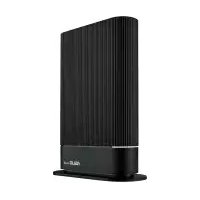
ROG Strix GSAX3000 - Wireless Router ASUS - Free user manual and instructions
Find the device manual for free ROG Strix GSAX3000 ASUS in PDF.
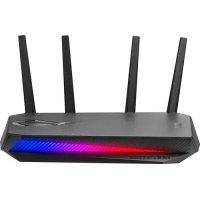



| Product Type | Wireless Router |
| Brand | ASUS |
| Model | ROG Strix GSAX3000 |
| Wi-Fi Standard | Wi-Fi 6 (802.11ax) |
| Total Speed | Up to 3000 Mbps (2.4 GHz: 574 Mbps, 5 GHz: 2402 Mbps) |
| Frequency Bands | Dual band 2.4 GHz and 5 GHz |
| Antennas | 4 external adjustable antennas |
| LAN Ports | 4 Gigabit RJ-45 ports (LAN 1-4) |
| WAN Port | 1 Gigabit RJ-45 port (Internet) |
| USB Port | 1 USB 3.2 Gen1 port |
| Power Supply | DC power adapter 12V, 2A |
| Operating Temperature | 0°C to 40°C |
| Storage Temperature | 0°C to 70°C |
| Operating Humidity | 50% to 90% |
| Storage Humidity | 20% to 90% |
| Package Contents | Router, power adapter, RJ-45 network cable, quick start guide |
| Buttons | WPS, reset, power switch |
| LED Indicators | Power, 2.4 GHz, 5 GHz, WAN |
| Mobile App | ASUS Router (iOS and Android) |
| Security | Admin password, Wi-Fi encryption, built-in firewall |
| Firmware Update | Via web interface or app |
| Setup | Wired or wireless via browser or ASUS Router app |
Frequently Asked Questions - ROG Strix GSAX3000 ASUS
User questions about ROG Strix GSAX3000 ASUS
0 question about this device. Answer the ones you know or ask your own.
Ask a new question about this device
Download the instructions for your Wireless Router in PDF format for free! Find your manual ROG Strix GSAX3000 - ASUS and take your electronic device back in hand. On this page are published all the documents necessary for the use of your device. ROG Strix GSAX3000 by ASUS.
USER MANUAL ROG Strix GSAX3000 ASUS
Table of contents
English 3 Български 9 Hrvatski 15 Čeština 21 Dansk 27 Nederlands 33 Eesti 39 Français 45 Suomi 51 Deutsch 57 Ελληνικά 63 Magyar 69 Italiano 75 Lietuvių 81 Latviešu 87 Norsk 93 Português 99 Polski 105 Русский 111 Română 117 Español 123 Srpski 129 Slovensky 135 Slovensčina 141 Svenska 147 Türkçe 153 Українська 159 165
Package contents
GS-AX3000 Wireless Router, AC adaptor, Network cable (RJ-45), Quick Start Guide
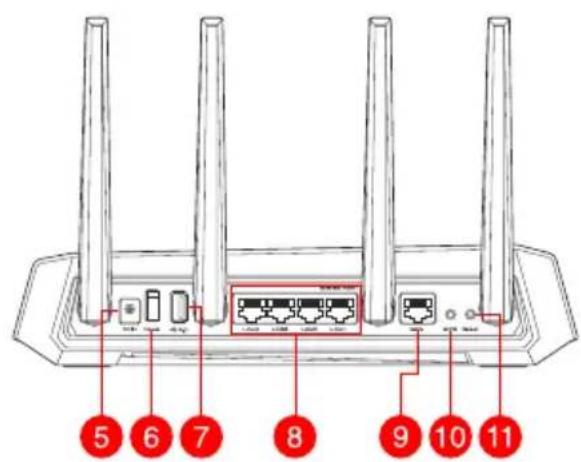
A quick look at GS-AX3000
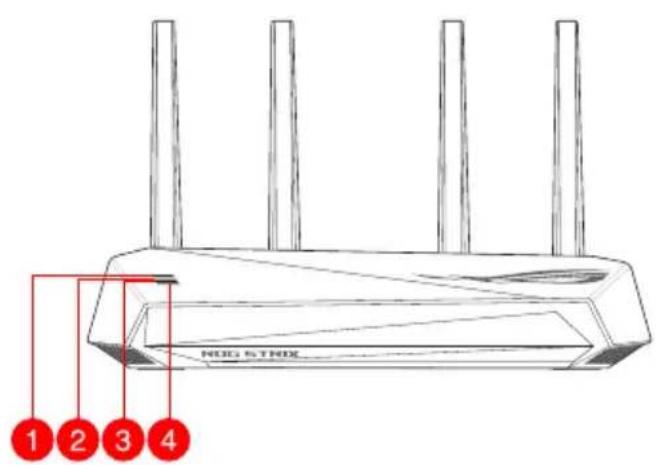
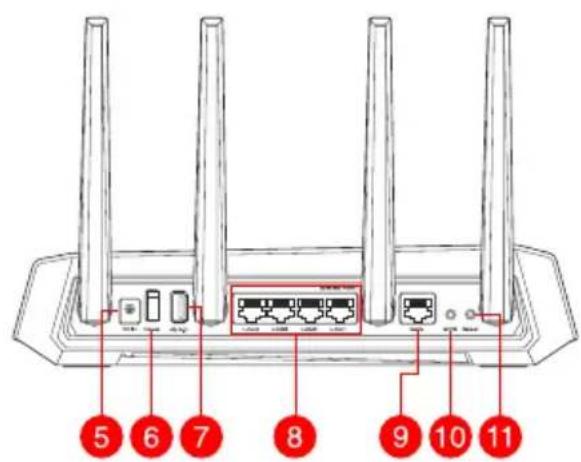
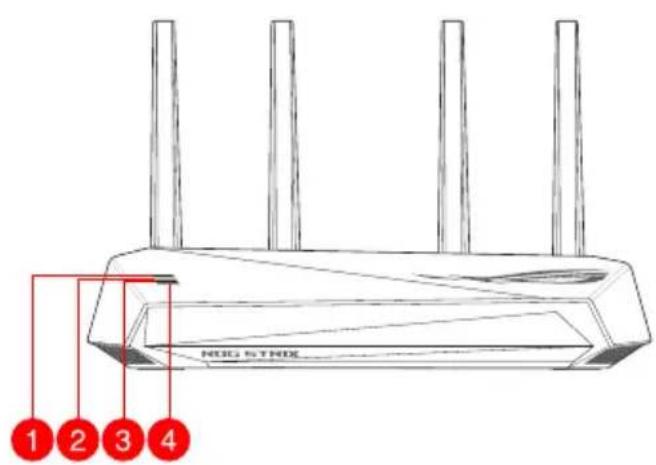
| 1 WAN (Internet) LED USB 3.2 Gen 1 | port |
| 2 5GHz LED LAN 1 ~ 4 ports | 8 |
| 3 2.4GHz LED WAN (Internet) port | 9 |
| 4 Power LED WPS button | 10 |
| 5 Power (DC-IN) port Reset button | 11 |
| 6 Power switch |
Position your wireless router
For optimal wireless transmission between the wireless router and connected wireless devices, ensure that you:
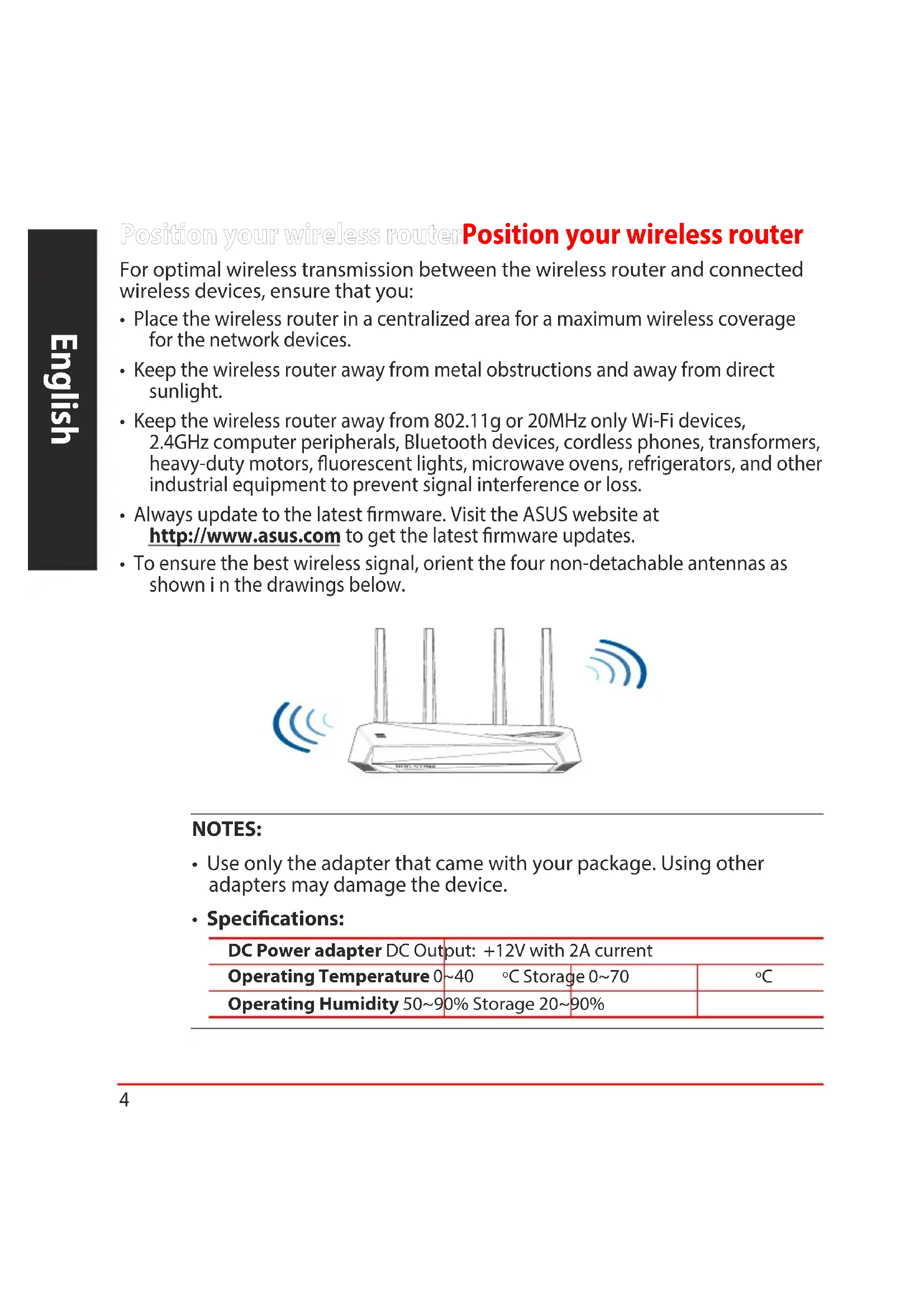
- Place the wireless router in a centralized area for maximum wireless coverage for the network devices.
- Keep the wireless router away from metal obstructions and away from direct sunlight.
- Keep the wireless router away from 802.11g or 20MHz only Wi-Fi devices, 2.4GHz computer peripherals, Bluetooth devices, cordless phones, transformers, heavy-duty motors, fluorescent lights, microwave ovens, refrigerators, and other industrial equipment to prevent signal interference or loss.
- Always update to the latest firmware. Visit the ASUS website at http://www.asus.com to get the latest firmware updates.
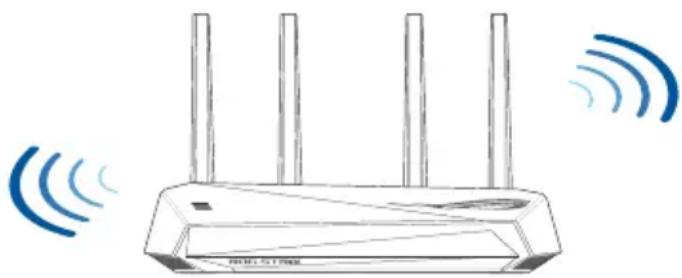
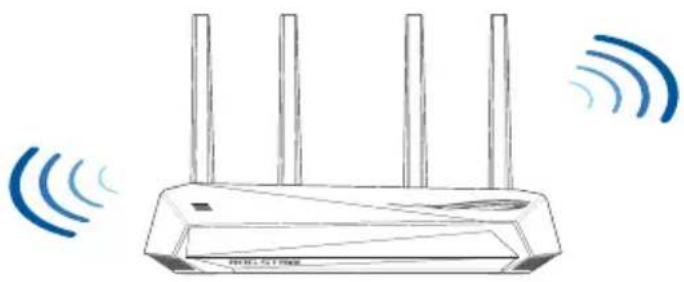
- To ensure the best wireless signal, orient the four non-detachable antennas as shown in the drawings below.
NOTES:
- Use only the adapter that came with your package. Using other adapters may damage the device.
- Specifications:
| DC Power adapter DC Output: +12V with 2A current | ||
| Operating Temperature 0~40 °C Storage 0~70 | °C | |
| Operating Humidity 50~90% Storage 20~90% | ||
Preparing your modem
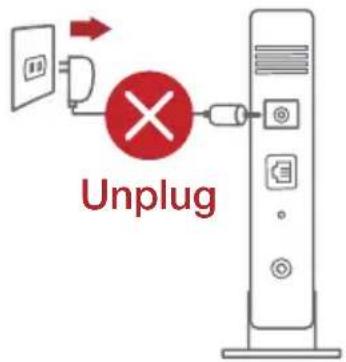
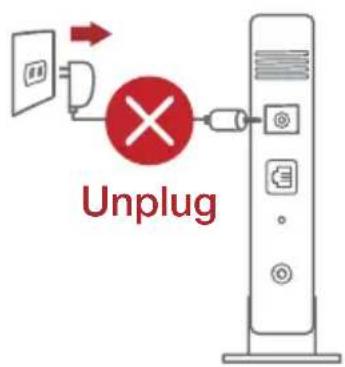
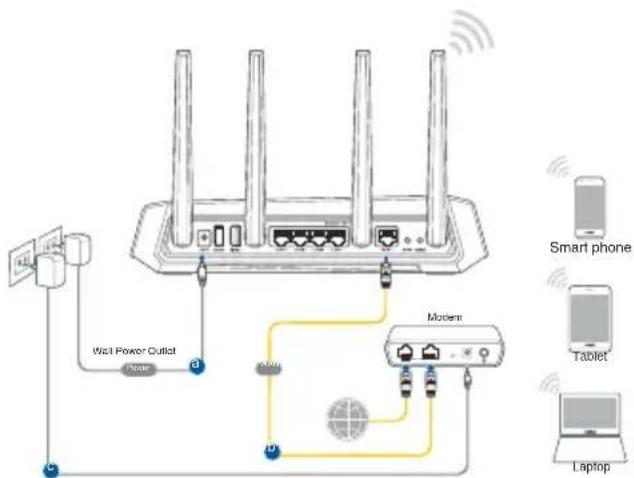
- Unplug the power cable/DSL modem. If it has a battery backup, remove the battery.
NOTE: If you are using DSL for Internet, you will need your username/password from your Internet Service Provider (ISP) to properly configure the router.
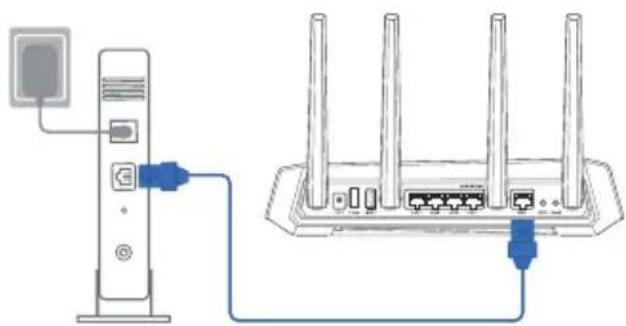
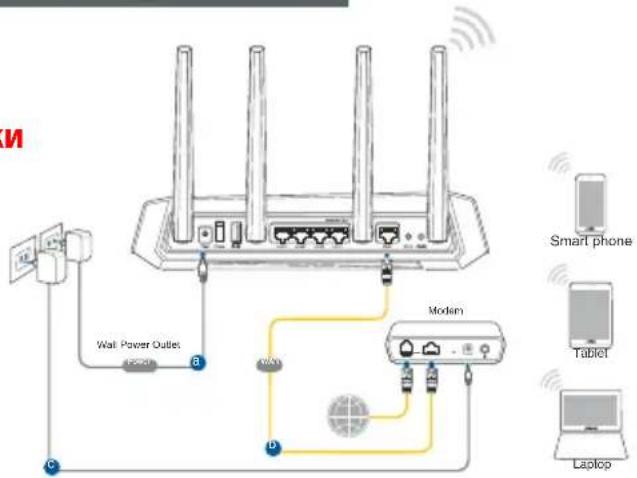
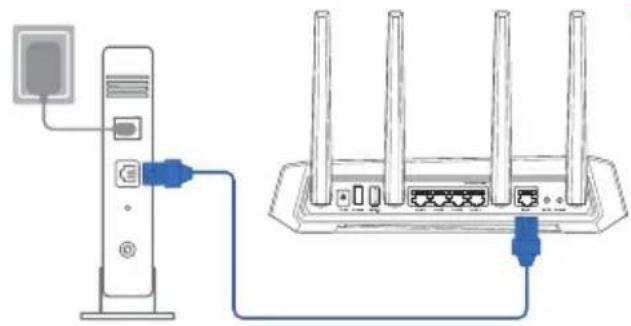
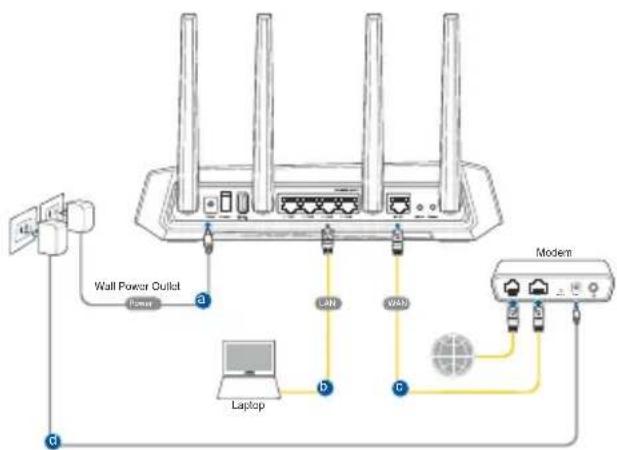
- Connect your modem to the router with the bundled network cable.
- Power on your cable/DSL modem.
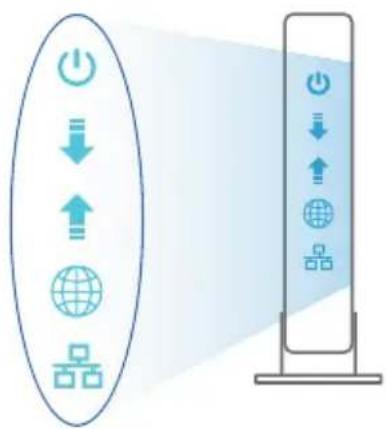
- Check your cable/DSL modem LED lights to ensure the connection is active.
Setting up your GS-AX3000
You can set up your router via wired or wireless connection.
A. Wired connection
- Plug your router into a power outlet and power it on. Connect the network cable from your computer to a LAN port on your router.
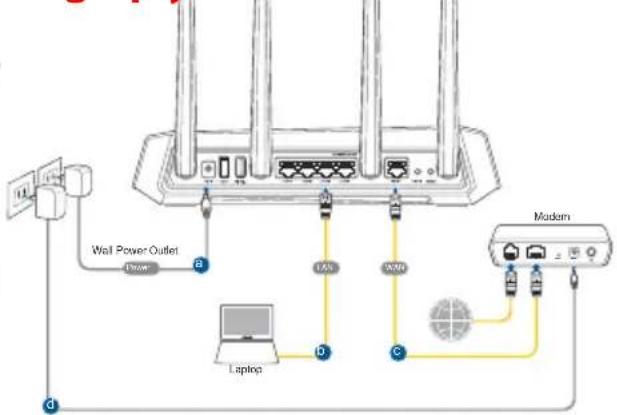
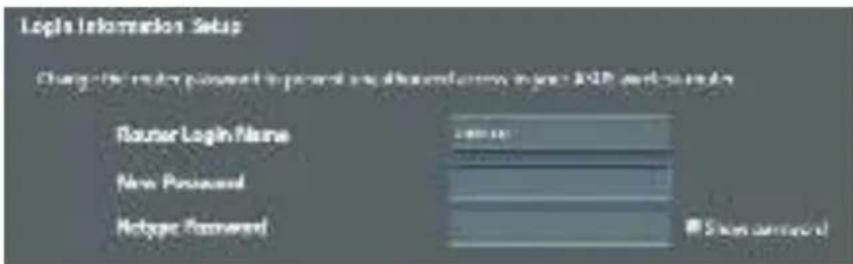
- The web GUI launches automatically when you open a web browser. If it does not auto-launch, enter http://router.asus.com.
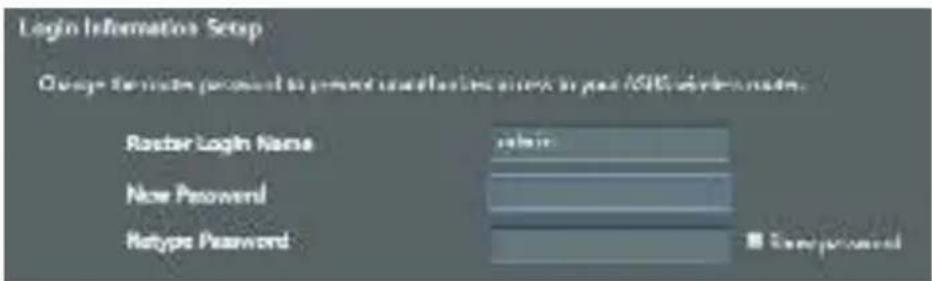
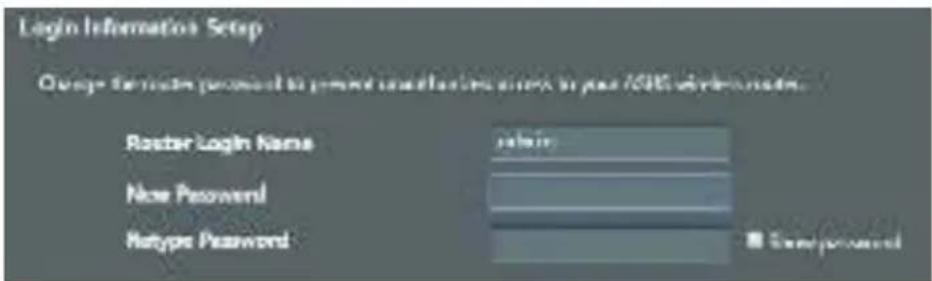
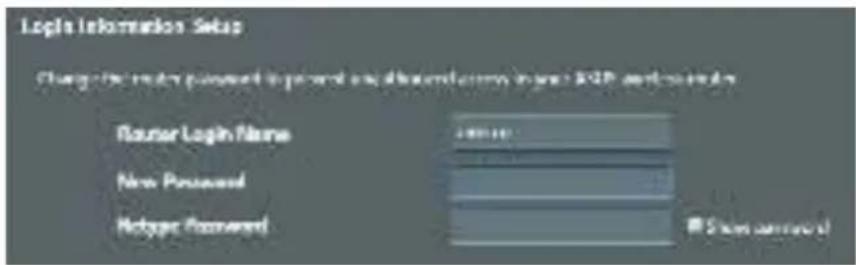
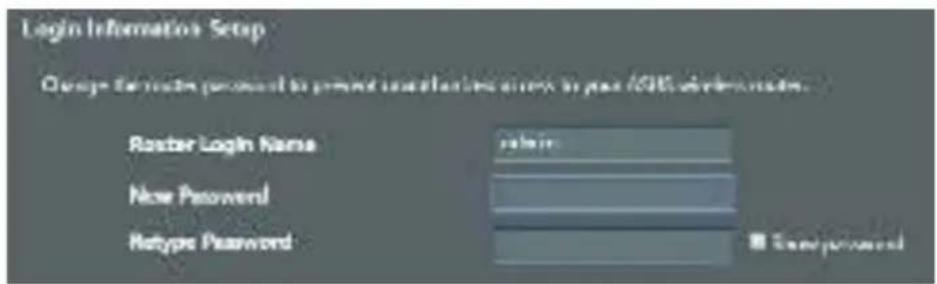
- Set up a password for your router to prevent unauthorized access.
B. Wireless connection
- Plug your router into a power outlet and power it on.
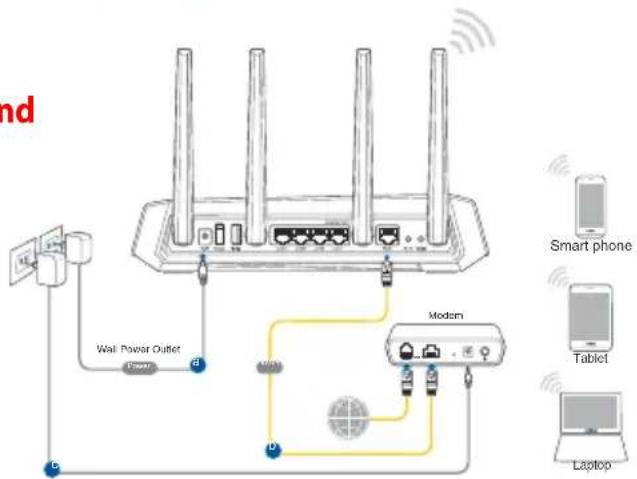
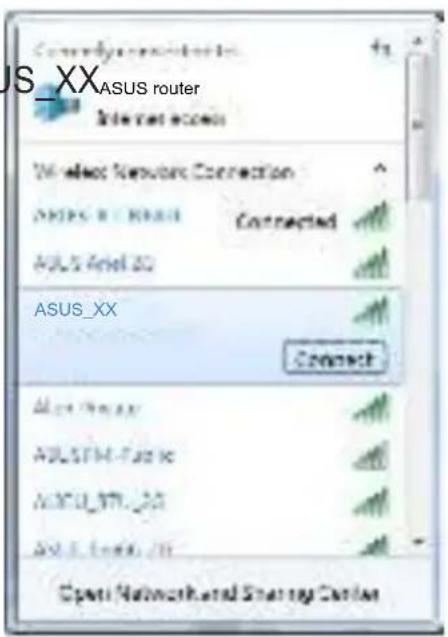
- Connect to the network with SSID shown on the product label on the back side of the router. For better network security, change to a unique SSID and assign a password.
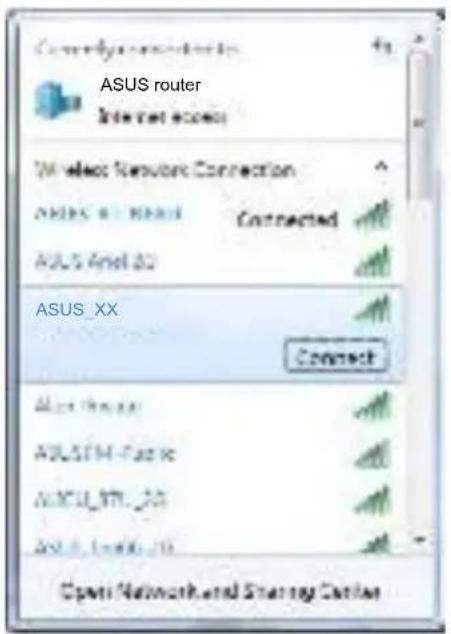
Wi-Fi Name (SSID): ASUS_XX
- XX refers to the last two digits of 2.4GHz MAC address. You can find it on the label on the back of your router.
- You can choose either the web GUI or ASUS Router app to set up your router. a. Web GUI Setup
- Once connected, the web GUI launches automatically when you open a web browser. If it does not auto-launch, enter http://router.asus.com.
- Set up a password for your router to prevent unauthorized access.
b. App Setup
Download ASUS Router App to set up your router via your mobile devices.
- Turn on Wi-Fi on your mobile devices and connect to your router's network.
- Follow ASUS Router App setup instructions to complete the setup.
ASUS Router

ASUS Router
Remembering your wireless router settings
- Remember your wireless settings as you complete the router setup.
| Router Name: Password: | |
| 2.4 GHz network SSID: Password: | |
| 5GHz network SSID: Password: |
FAQ
- Where can I find more information about the wireless router?
- Technical support site: https://www.asus.com/support
- Customer hotline: refer to the Support Hotline section in this Quick Start Guide
- You can get the user manual online at https://www.asus.com/support
https://www.asus.com/support
Quick Overview GS-AX3000Quick Overview GS-AX3000
- You can choose the web interface or the ASUS Router app to set up the router.
a. Setup via web interface
Connect the wireless router to the router®®,®,®,®,®,®,®,®,®,®,®,®,®,®,®,®,®,®,®,®,®,®,®,®,®,®,®,®,®,®,®,®,®,®,®,®,®,®,®,®,®,®,®,®,®,®,®,®,®,®,®,®,®,®,®,®,®,®,®,®,®,®,®,®,®,®,®,®,®,®,®,®,®,®,®,®,®,®,®,®,®,®,®,®,®,®,®,®,®,®,®,®,®,®,®,®,®,®,®,®. Wireless signal transmission provides the following:
- Plug the router into a power outlet and turn it on.
- Connect to the network name (SSID) shown on the product label on the router. For network security, change the SSID to a unique name and set a password.
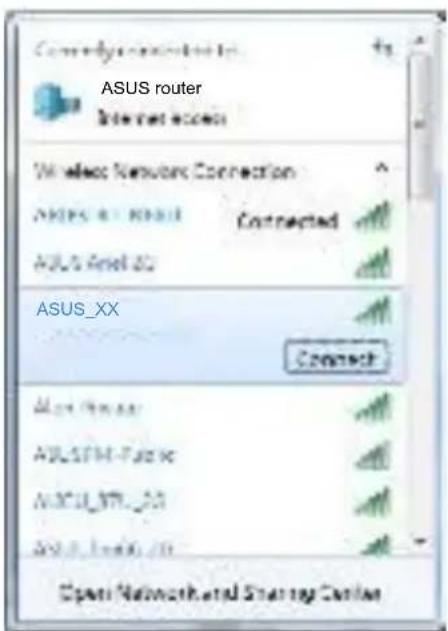
Wi-Fi name (SSID): ASUS_XX
* XX corresponds to the last two digits of the MAC address of the 2.4 GHz. They are indicated on the label on the back of the GS-AX3000.
- To configure the router, you can use the graphical web interface or the ASUS router app.
a. Configuration via graphical web interface
- The graphical web interface starts automatically when you open a web browser. If it does not start automatically, enter http://router.asus.com.
Set a password for the router to prevent unauthorized access.
b. Configuration via app
Download the ASUS router app to configure the router via mobile devices.
Enable Wi-Fi on mobile devices and connect them to the GS-AX3000 network. Follow the instructions in the ASUS router app to complete the setup.
ASUS Router
ASUS Router
2.4GHz
Bluetooth
Wi-Fi
.
ASUS
http://www.asus.com
JINNINININININININININININ
1
ynin
y 7 y nn nn nnnn nn nn nn nn nn nn nn
.
O'079n
| 2A kWh y+12V:DC pON | DC kWh xnn | ||
| 70°C~0°C | ΠONX | °C~0°C | πνηρησηκαρεγαθερεγαθερεγαθερεγαθερεγαθερεγαθερεγαθερεγαθερεγαθερεγαθερεγαθερεγαθερεγαθερεγαθερεγαθερεγαθερεγαθερεγalpha |
| 90%~20% | ΠONX | 90%~50% | πνηρησηκαρεγαθερεγαθερεγαθερεγαθερεγαθερεγαθερεγαθερεγαθερεγαθερεγαθερεγαθερεγαθερεγαθερεγαθερεγαθ |
DTIN

Wi-Fi (SSID)
ASUS Router
GUI
Firmware version
http://router.asus.com
ASUS Router
ASUS Router
ASUS Router
Wi-Fi name (SSID) of GS-AX3000
ASUS
.
| :2.4GHz nun du: nno'o | |
| :5GHz nun du: nno'o |
nix1n7xunix1
?inXn nn y nnn nn XnN .1
https://www.asus.com/support:
n nn nnnnnnnnnnnnnnnnnnnnnnnnnnnnnnnnnnnnnnnnnnnnnnnnnnnnnnnnnnnnnnnnnnnnnnnnnnnnnnnnnnnnnnnnnnnnnnnnnnnnnnnnnnn
wnnnn
https://www.asus.com/support:wnnnn nn nnnn
xinianwin'bin'jinxin
y
.ynnn nn /ynn nnnn nn nnnn xti
.
y nnnn nn nnnn nn nnnnnnnnnnnnn
n nn nnnnnnnnnnnnnnnnnnnnnnnnnnnnnnnnnnnnnnnnnnnnnnnnnnnnnnnnnnnnnnnnnnnnnnnnnnnnnnnnnnnnnnnnnnnnnnnnnnnnnnnnnnnnnnnnnnn
.
17n7 w, n 790/ynn 1X/1 Xn nn nnnn
- TABLE OF CONTENTS
- PACKAGE CONTENTS
- A QUICK LOOK AT GS-AX
- POSITION YOUR WIRELESS ROUTER
- NOTES
- PREPARING YOUR MODEM
- SETTING UP YOUR GS-AX
- WIRED CONNECTION
- WIRELESS CONNECTION
- APP SETUP
- REMEMBERING YOUR WIRELESS ROUTER SETTINGS
- FAQ
- QUICK OVERVIEW GS-AX3000QUICK OVERVIEW GS-AX
- CONFIGURATION VIA APP
- WI-FI (SSID)
- XINIANWIN'BIN'JINXIN
Brand : ASUS
Model : ROG Strix GSAX3000
Category : Wireless Router