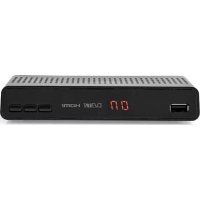
DVBT2265BK - Receiver NEDIS - Free user manual and instructions
Find the device manual for free DVBT2265BK NEDIS in PDF.



| Product Type | DVB-T2 Receiver |
| Brand | Nedis |
| Model | DVBT2265BK |
| Tuner Frequency Range | 474 - 858 MHz |
| Input Impedance | 75 Ω unbalanced |
| Signal Input Level | -65 ~ -25 dBm |
| Symbol Rate | 2 - 45 Msps |
| Demodulation | QPSK/8PSK |
| FEC | 1/2, 2/3, 3/4, 5/6, 7/8, 8/9, 9/10 |
| Connectors | RF IN, RF OUT, SCART, HDMI, LAN, USB, DC IN |
| Power Supply | 12 V DC, 1 A |
| Power Consumption | Max. 8 W |
| Video Resolutions | PAL, NTSC, 720p, 1080i/p, 480i/p, 576i/p |
| Aspect Ratio | 4:3, 16:9 |
| Video Formats | MPEG2, MPEG4/H.265 |
| Audio Formats | MPEG2 Layers I & II (Left/Right/Stereo) |
| Standards | DVB-T, DVB-T2 (ESI/EN 300421) |
| Main Functions | Terrestrial TV reception, USB recording, multimedia playback, program guide |
| Safety | Double insulation, do not open, disconnect before cleaning |
| Maintenance and Cleaning | Soft, clean cloth, no cleaning products |
| Default Password | 0000 |
Frequently Asked Questions - DVBT2265BK NEDIS
User questions about DVBT2265BK NEDIS
0 question about this device. Answer the ones you know or ask your own.
Ask a new question about this device
Download the instructions for your Receiver in PDF format for free! Find your manual DVBT2265BK - NEDIS and take your electronic device back in hand. On this page are published all the documents necessary for the use of your device. DVBT2265BK by NEDIS.
USER MANUAL DVBT2265BK NEDIS
DVB-T2 Full HD Receiver
Receives signals up to 1080P
DVBT2265BK
natural_image
Line drawing of a wireless router device with ports and control panel (no text or symbols)EN Quick start guide 5
DE Kurzanleitung 9
DVB-T2 Set Top Box DVBT2265BK
For more information see the extended manual online:
ned.is/dvbt2265bk

The quick brown fox jumps over the lazy dog.
The terms HDMI and HDMI High-Definition Multimedia Interface, and the HDMI Logo are trademarks or registered trademarks of HDMI Licensing Administrator, Inc. in the United States and other countries.
Intended use
- The Nedis DVB-T2 Set Top Box allows you to view DVB-T Digital Television broadcasts on your TV and is exclusively meant for this purpose.
- The product is intended for indoor use only.
- Any modification of the product may have consequences for safety, warranty and proper functioning.
Parts list
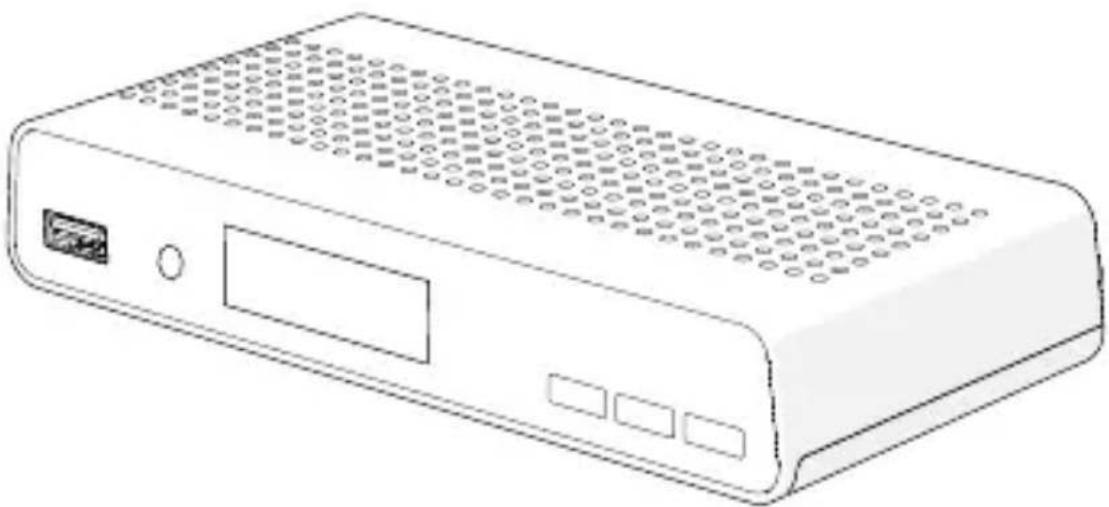
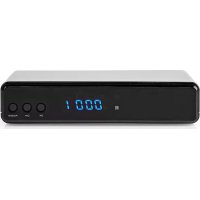
Front Panel [see image A]
| 1 USB port USB flash drive connection (record / play video files). |
| 2 Sensor Remote control signal receiver. |
| 3 LED display Channel number indicator. |
| 4 Power button Set Top box on/off switch. |
| 5 Change channel button Channel down. |
| 6 Change channel button Channel up. |
Rear panel [see Image B]
| 1 RF IN Aerial cable connection. | |
| 2 RF OUT Incoming signal duplicator connection (from RF IN to another device). | |
| 3 LAN Ethernet cable connection (home network). | |
| 4 HDMI OUT Digital connection (TV or AV-receiver). | |
| 5 SCART OUT Analogue TV connection. | |
| 6 DC IN Mains adapter connection. |
Safety
Safety instructions
WARNING
- Only use the product as described in this manual.
- Make sure that the product can dissipate its heat.
-Do not block ventilation openings and make sure that there is enough space around the product.
-Do not use near radiators, stoves and other heat-producing apparatus, such as amplifiers.
-Do not use in hot environments.
-Do not expose the product to direct sunlight, naked flames or heat.
- Do not expose the product to water or moisture.
-Do not use liquids on or near the product.
-Avoid splashing and dripping.
- Do not attempt to directly connect to a mains power outlet. This will permanently damage the set top box and may result in serious injury or death.
- Do not use extension cables to connect a flash drive to avoid read/write errors and interference.
- This product is powered through a polarizing power plug in some markets. Do not use the set top box if the power plug does not fit your mains wall outlet and consult a local electrician.
- Make sure the electrical cord is out of the way and does not bend near the connections. Do not pinch the cord, do not walk over it and do not place heavy objects onto the cord.
- This product contains no user-serviceable parts. Do not open the product.
- Have the product serviced by qualified service personnel when:
-The product has been damaged in any way, especially the power cord or plug.
-The product does not operate normally.
-Liquid has been spilled or objects have fallen into the product.
-The product has been dropped.
- Do not use a damaged product.
-Replace a damaged or defective product immediately.
- Disconnect the product from the power outlet and other equipment if problems occur.
- Disconnect the product from the power outlet during lightning storms or before prolonged periods of disuse.
- Only clean the set top box with a soft clean cloth.
-Do not use cleaning agents.
Safety symbols on the product
This symbol means risk of electric shock when not adhering to the instructions in this manual.

This symbol means that important operating and maintenance instructions are given in this manual.

The product incorporates double insulation between hazardous mains voltage and user accessible parts. When servicing, use only identical replacement parts.
Also refer to the information on the bottom of the enclosure for electrical and safety information before installing or operating the product..
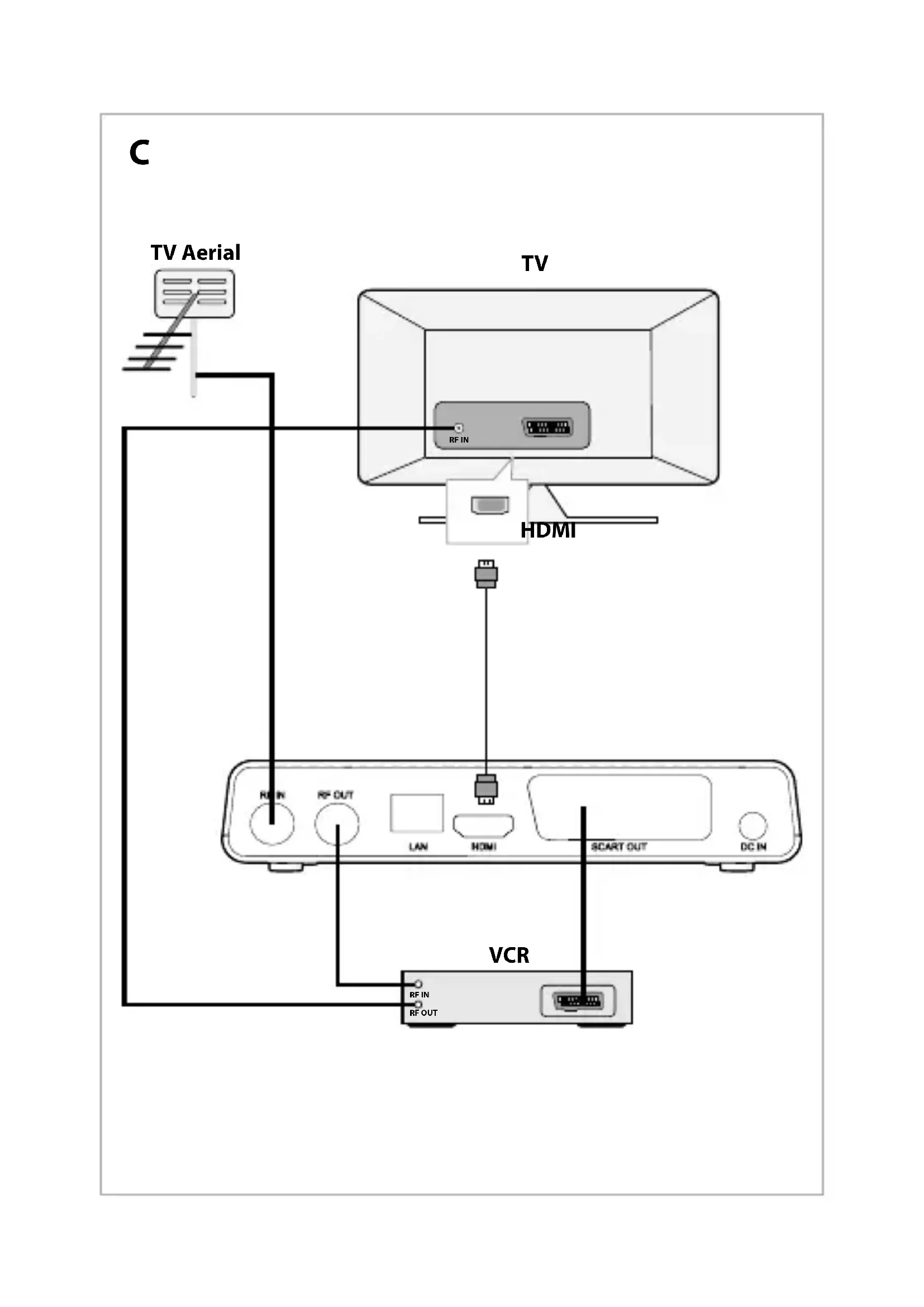
Connect the product [see image C]
CAUTION
- Make sure that the voltage of your mains wall outlet matches the voltage required by the adapter.
- Disconnect all devices from mains before making any connections.
- Connect power of all your devices last.
Set up
- Turn on the product by pressing A ④.
- Make sure your TV is switched to the right input channel.
The first time you switch on the set top box, the Main Menu will appear. -
Follow the instructions on screen to change the Language and Country/Region and confirm with OK.
-
Choose the video settings and confirm.
-
Choose which channels to scan for.
• FTA stands for Free To Air.
- If you choose No, all channels will be scanned.
3. After confirming, a list of available channels is made.
You are now ready to watch TV.
All settings you make can be edited by going to the menu.
Password
- For some settings a password is required.
- The default password is 0000.
Specifications
| Tuner Frequency range 474 - 858 MHz | ||
| Input impedance 75Ω unbalanced | ||
| Signal input level -65 ~ -25 dBm | ||
| Symbol rate 2 - 45 Mbps | ||
| LNB Power 13/5 V, max 500 mA | ||
| Demodulation Demodulator QPSK/8PSK | ||
| FEC 1/2,2/3,3/4,5/6,7/8,8/9,9/10 | ||
| Connections RF IN IEC connector | ||
| RF OUT IEC connector | ||
| TV Scart | Composite TV (CVBS),Audio L/R | |
| HDMI | HDMI | |
| Power | Input | DC 12 V, 1 A |
| Power consumption | Max 8 W | |
| Display | Standards | PAL/NTSC |
| Resolution | PAL, NTSC, 720p, 1080i/p,, 480i/p 576i/p | |
| Decoding | Aspect Ratio | 4:3, 16:9 |
| Video | MPEG2, MPEG4/H.265 | |
| Audio | MPEG2 Audio Layer I&II Right/Left/Stereo | |
| Compliance | DVB-T | ESI/EN 300421 DVB-T2 |
DVB-T2 Set-Top-Box DVBT2265BK
⑥ DC IN Netadapterforbindelse.
Sikkerhed
De Tweeling 28, 5215 MC 's-Hertogenbosch – The Netherlands 04/21
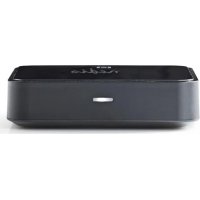
Brand : NEDIS
Model : DVBT2265BK
Category : Receiver