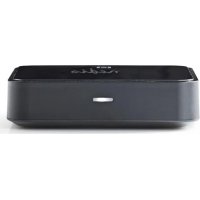
BTRC110BK - Receiver NEDIS - Free user manual and instructions
Find the device manual for free BTRC110BK NEDIS in PDF.



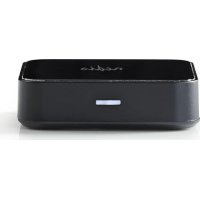
| Product Type | Bluetooth Audio Receiver |
| Brand | Nedis |
| Model | BTRC110BK |
| Power Supply | DC 5V via mains adapter (included) |
| Bluetooth Connectivity | Bluetooth A2DP, range up to 10 meters |
| Audio Outputs | Optical Toslink (digital) and 3.5 mm Jack (analog) |
| Device Memory | Up to 8 devices stored |
| LED Indicator | Flashing (pairing mode) / Steady on (connected) |
| Dimensions (approx.) | 60 x 60 x 20 mm (L x W x H) |
| Weight (approx.) | 50 g |
| Care and Cleaning | Clean with a dry cloth. Do not use solvents or abrasive cleaners. |
| Safety | Any modification of the product voids the warranty. |
| Warranty | Warranty void if altered or used incorrectly. |
| Compliance | Compliant with current EU directives and regulations. |
| General Information | Official documentation available on request (declaration of conformity, technical data sheets). |
Frequently Asked Questions - BTRC110BK NEDIS
User questions about BTRC110BK NEDIS
0 question about this device. Answer the ones you know or ask your own.
Ask a new question about this device
Download the instructions for your Receiver in PDF format for free! Find your manual BTRC110BK - NEDIS and take your electronic device back in hand. On this page are published all the documents necessary for the use of your device. BTRC110BK by NEDIS.
USER MANUAL BTRC110BK NEDIS
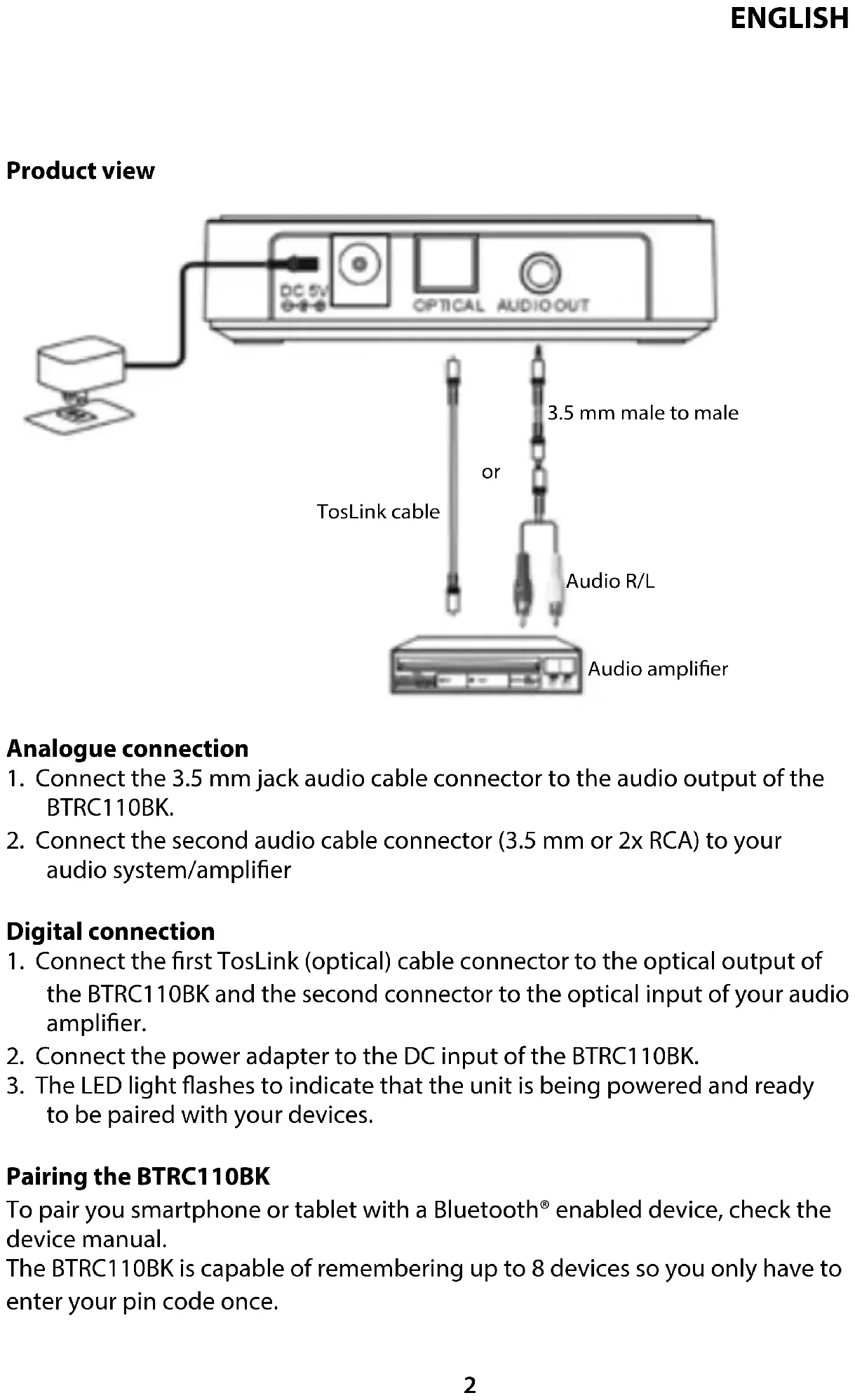
Analogue connection
- Connect the 3.5 mm jack audio cable connector to the audio output of the BTRC110BK.
- Connect the second audio cable connector (3.5 mm or 2x RCA) to your audio system/amplifier
Digital connection
- Connect the first TosLink (optical) cable connector to the optical output of the BTRC110BK and the second connector to the optical input of your audio amplifier.
- Connect the power adapter to the DC input of the BTRC110BK.
- The LED light flashes to indicate that the unit is being powered and ready to be paired with your devices.
Pairing the BTRC110BK
To pair you smartphone or tablet with a Bluetooth® enabled device, check the device manual.
The BTRC110BK is capable of remembering up to 8 devices so you only have to enter your pin code once.
Reconnecting your device
If you move out of range or turn off the Bluetooth® feature on your device, you can easily reconnect by opening the Bluetooth® manager and tap the "music receiver" again.
The connection is automatically being established if the BTRC110BK is powered.
If you want to switch from one device to another, follow the steps below:
- End the existing Bluetooth ^® connection.
- The BTRC110BK is now ready to be connected to another device.
- Follow the instructions 'Pairing the BTRC110BK' to connect the new device.
LED indication
| Indication Meaning Description | ||
| Flash every 5 seconds Pairing | Searching the | device in pairing mode/waiting for a connection |
| Constantly switched on Connected BTRC11 | 0BK and device are connected | |
Troubleshooting
If you do not hear any sound coming from your speakers, check the following:
- make sure the BTRC110BK is powered;
- make sure the audio cable is properly connected to the BTRC110BK;
- make sure the audio source on your amplifier is working properly;
- make sure that the volume level is high enough;
- make sure the devices are at a maximum distance of 10 metres from the audio transmitter;
- make sure the Bluetooth® function is activated on your device;
- make sure that there is music playing on your device.
Specifications
• Power input: 5 V DC, 0.6 A
- Chip set: aptX, SBC codec support
- Standard: Bluetooth® V 3.0
• Supported profiles: A2DP
- Interface: 3.5 mm jack / TosLink (optical)
• Max. range: 10.0 m
- Bluetooth frequency range: 2402 - 2480 MHz
• Max. transmit power: 4 dBm
Maintenance:
Clean the product only with a dry cloth.
Do not use cleaning solvents or abrasives.
Warranty:
Any changes and/or modifications to the product will void the warranty. We cannot accept any liability for damage caused by incorrect use of this product.
Disclaimer:
Designs and specifications are subject to change without notice. All logos, brands and product names are trademarks or registered trademarks of their respective holders and are hereby recognised as such.
Disposal:

- This product is designated for separate collection at an appropriate collection point. Do not dispose of this product with household waste.
- For more information, contact the retailer or the local authority responsible for waste management.
This product has been manufactured and supplied in compliance with all relevant regulations and directives, valid for all member states of the European Union. It also complies to all applicable specifications and regulations in the country of sales.
Formal documentation is available upon request. This includes, but is not limited to: Declaration of Conformity (and product identity), Material Safety Data Sheet, product test report.
Please contact our customer service desk for support:
via website: http://www.nedis.com/en-us/
via e-mail: service@nedis.com
via telephone: +31 (0)73-5991055 (during office hours)
NEDIS B.V., De Tweeling 28, 5215 MC 's-Hertogenbosch, THE NETHERLANDS
Produktansicht
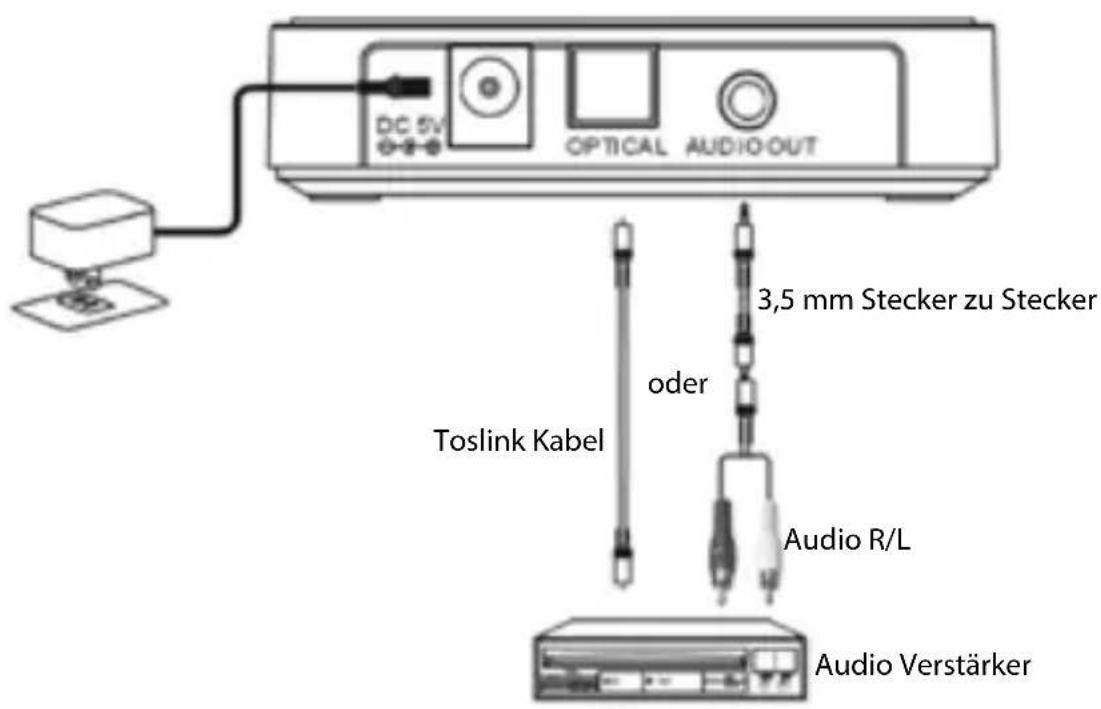
Analoge Verbindung
Brand : NEDIS
Model : BTRC110BK
Category : Receiver