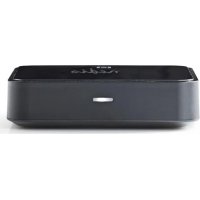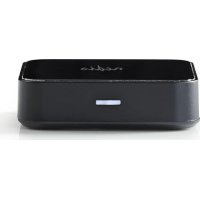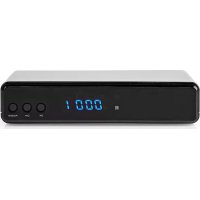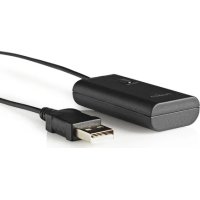
BTTR100BK - Receiver NEDIS - Free user manual and instructions
Find the device manual for free BTTR100BK NEDIS in PDF.



| Product type | Bluetooth® Receiver |
| Brand | Nedis |
| Model | BTTR100BK |
| Category | Bluetooth audio receiver |
| Dimensions (approx.) | 70 × 70 × 20 mm |
| Weight (approx.) | 50 g |
| Power supply | USB port (5 V DC) |
| Connectivity | Bluetooth® A2DP, 3.5 mm audio input |
| Main functions | Wireless audio transmitter, dual A2DP connection (2 simultaneous devices), pairing button, status LED indicator |
| Bluetooth range | Up to 10 meters |
| Compatibility | TV, audio device with headphone output, Bluetooth® headphones |
| Installation | Connect the 3.5 mm audio cable and USB power, pair Bluetooth devices |
| Care and cleaning | Clean with a dry cloth only. Do not use solvents or abrasive cleaners. |
| Safety | Do not modify the product. Use only as described in the manual. |
| Reset | Briefly press the pairing button to restart device search |
| Warranty | Warranty void if modified or used incorrectly. |
| Disposal | Do not dispose of with household waste. Take to a suitable collection point. |
| Available documents | Complete user manual in PDF on request (service@nedis.com) |
Frequently Asked Questions - BTTR100BK NEDIS
User questions about BTTR100BK NEDIS
0 question about this device. Answer the ones you know or ask your own.
Ask a new question about this device
Download the instructions for your Receiver in PDF format for free! Find your manual BTTR100BK - NEDIS and take your electronic device back in hand. On this page are published all the documents necessary for the use of your device. BTTR100BK by NEDIS.
USER MANUAL BTTR100BK NEDIS
MANUAL DE USO (p. 17)
MANUAL (p. 20)
HASZNÁLATI ÚTMUTATÓ (o. 23)
KÄYTTÖOHJE (s. 26)
Setup
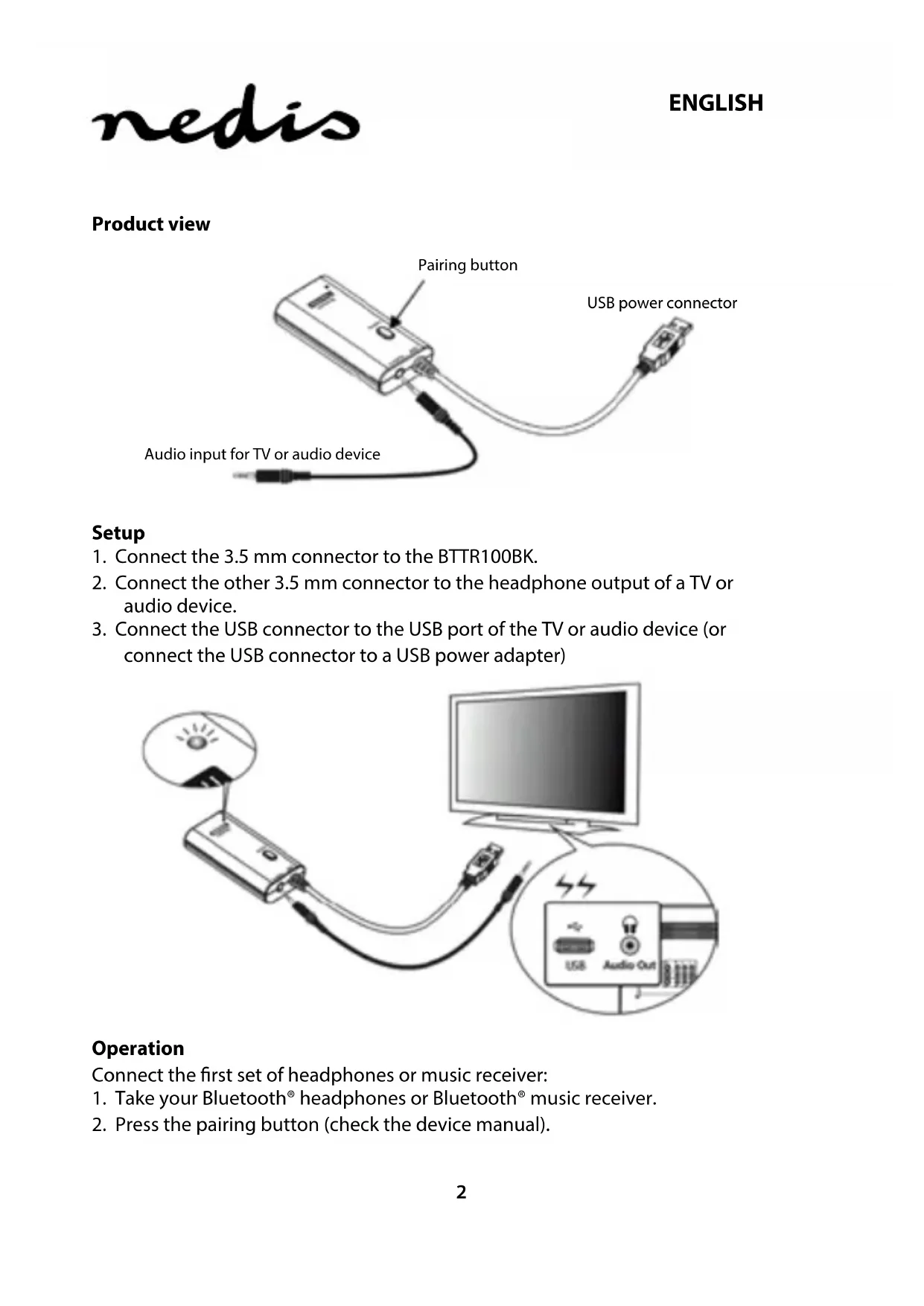
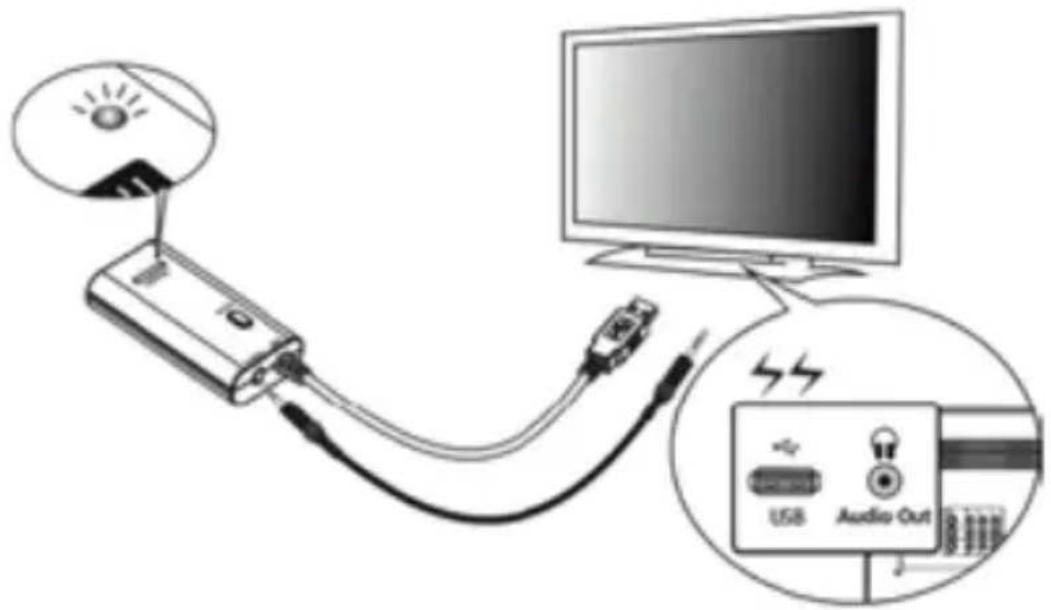
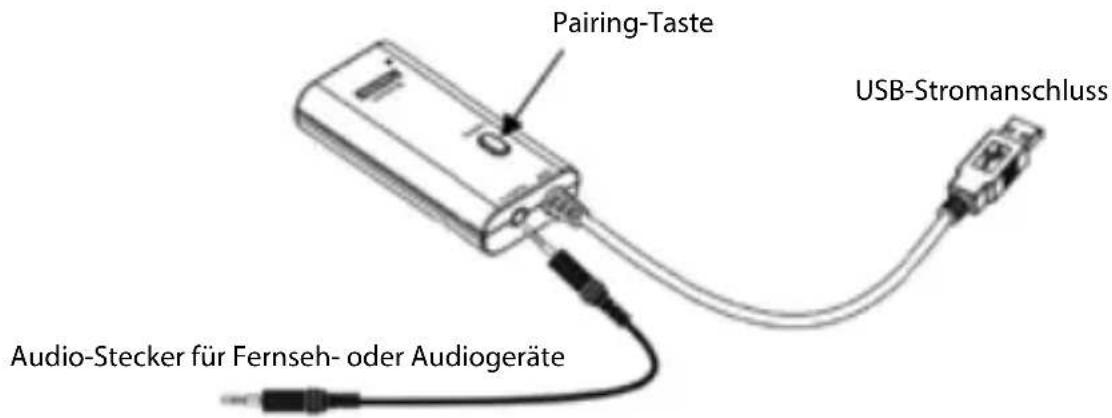
- Connect the 3.5 mm connector to the BTTR100BK.
- Connect the other 3.5 mm connector to the headphone output of a TV or audio device.
- Connect the USB connector to the USB port of the TV or audio device (or connect the USB connector to a USB power adapter)
Operation
Connect the first set of headphones or music receiver:
- Take your Bluetooth® headphones or Bluetooth® music receiver.
-
Press the pairing button (check the device manual).
-
After being connected for the first time, the two devices will recognise each other next time.
Connect the second set of headphones or music receiver:
- Take the second set of Bluetooth® headphones or Bluetooth® music receiver.
- Press the pairing button (check the device manual).
- Press the pairing button on the BTTR100BK once for approx. 1 \~ 2 seconds. The LED light starts blinking while the transmitter searches for the second set of headphones or music receiver. The device that was connected first, is muted.
- If the devices are connected, the LED light is constantly switched on.
Note
The BTTR100BK features the option to connect two Bluetooth® A2DP devices at the same time. If you would like to connect a second A2DP device, you need to reset the BTTR100BK to establish a new connection.
Reset
Press the pairing button on the BTTR100BK and release it again. The LED light on the BTTR100BK starts blinking while the transmitter is searching for A2DP devices nearby.
LED indication
| Indication Meaning Description | ||
| Flash every 5 seconds Pairing | Searching | for a device in pairing mode |
| Constantly switched on Connected BTTR100BK and device are connected | ||
Troubleshooting
If you do not hear any sound coming from your headphones or music receiver, check the following:
- make sure the BTTR100BK is powered;
- make sure the audio cable is correctly connected to the BTTR100BK;
- make sure that the audio source is working properly;
- make sure the volume of the audio source is set correctly;
- make sure your device is at a maximum distance of 10 metres of the audio transmitter.
Specifications
• Power input: 5 VDC (USB)
- Chip set: SBC codec support
- Standard: Bluetooth® V 3.0
• Supported profiles: A2DP
• Interface: 3.5 mm jack input
• Max. range: 10.0 m
- Bluetooth frequency range: 2402 - 2480 MHz
• Max. transmit power: 4 dBm
Maintenance:
Clean the product only with a dry cloth.
Do not use cleaning solvents or abrasives.
Warranty:
Any changes and/or modifications to the product will void the warranty. We cannot accept any liability for damage caused by incorrect use of this product.
Disclaimer:
Designs and specifications are subject to change without notice. All logos, brands and product names are trademarks or registered trademarks of their respective holders and are hereby recognised as such.
Disposal:

- This product is designated for separate collection at an appropriate collection point. Do not dispose of this product with household waste.
- For more information, contact the retailer or the local authority responsible for waste management.
This product has been manufactured and supplied in compliance with all relevant regulations and directives, valid for all member states of the European Union. It also complies to all applicable specifications and regulations in the country of sales.
Formal documentation is available upon request. This includes, but is not limited to: Declaration of Conformity (and product identity), Material Safety Data Sheet, product test report.
Please contact our customer service desk for support:
via website: http://www.nedis.com/en-us/
via e-mail: service@nedis.com
via telephone: +31 (0)73-5991055 (during office hours)
NEDIS B.V., De Tweeling 28, 5215 MC 's-Hertogenbosch, THE NETHERLANDS
Produktansicht
Betrieb
Fonctionnement
Bediening
Funzionamento
Funcionamiento
Funcionamento
Használat
Toimenpide
Användning
Použití
Functionare
Λειτουργία
Betjening
Bruk
Эксплуатация
Çalıştırma
Kasutamine
Používanie
Ekspluatācija
Naudojimas
Rad
Povežite prvi komplet slušalica ili prijamnik glazbe: