MPWL621BK - Microphone NEDIS - Free user manual and instructions
Find the device manual for free MPWL621BK NEDIS in PDF.


| Product type | Wireless microphone set with two microphones and receiver |
| Brand | Nedis |
| Model | MPWL621BK |
| Frequency range | UHF 840–868 MHz |
| Pre-programmed frequency | UHF 863–865 MHz |
| Transmission power | 10 mW |
| Dynamic range | > 90 dB |
| Total harmonic distortion | < 0.5 % |
| Frequency response | 40 Hz – 15 kHz (± 3 dB) |
| Modulation | FM |
| Audio output level | 0 – 400 mV |
| Receiver power supply | 230–240 V AC, 17 V DC (adapter) |
| Power consumption | 4 W |
| Microphone power supply | 2 AA 1.5 V batteries per microphone (4 batteries total) |
| Battery life | 4–6 hours |
| Audio outputs | 1x unbalanced 6.35 mm output (mixed or separate), 2x balanced XLR output (per channel) |
| Display | LCD screen with RF, AF, channel, frequency, MUTE, AUTO indicators |
| Compressor-limiter | Built-in to prevent distortion of sound peaks |
| Multi-system use | Up to 8 systems in the same room without interference |
| Antennas | Separate antennas for each receiver (A and B), removable |
| Maintenance and cleaning | Clean with a dry cloth; do not use solvents or abrasives |
| Safety | Do not open the device; do not expose to water or humidity; unplug if any problem occurs |
| Repairability | Opening only by a qualified technician; modification or incorrect use voids warranty |
| Warranty | No warranty in case of modification or damage due to misuse |
| General information | Compliant with European directives; documentation on request; contact: service@nedis.com |
Frequently Asked Questions - MPWL621BK NEDIS
User questions about MPWL621BK NEDIS
0 question about this device. Answer the ones you know or ask your own.
Ask a new question about this device
Download the instructions for your Microphone in PDF format for free! Find your manual MPWL621BK - NEDIS and take your electronic device back in hand. On this page are published all the documents necessary for the use of your device. MPWL621BK by NEDIS.
USER MANUAL MPWL621BK NEDIS
MANUAL DE USO (p. 27)
INSTRUKCJA OBSŁUGI (str. 77)
MANUAL (p. 32)
natural_image
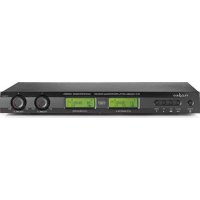
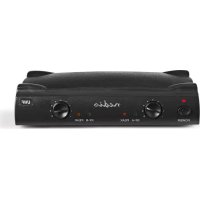
Black audio amplifier device with two antennas and two green LCD screens (no visible text or symbols)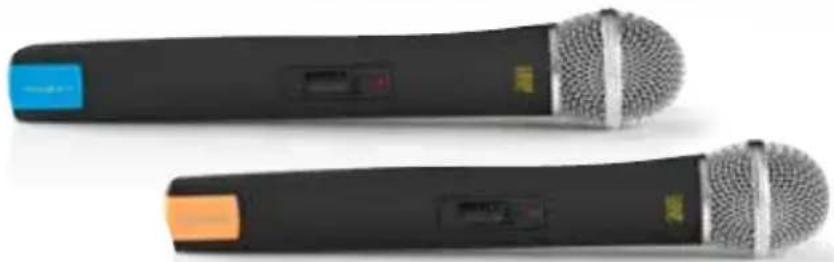
natural_image
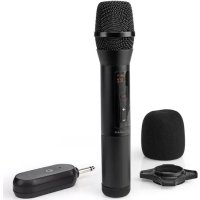
Two black audio recording devices with metallic microphone heads and control buttons (no visible text or symbols)Wireless Microphone System
Introduction
Wireless microphone system with two microphones and an information display. The system is equipped with a special voice limiter compressor to avoid distortion caused by high sound peaks. Use 8 systems in one room without problems whereas regular systems with only 1 channel interfere.
Description receiver
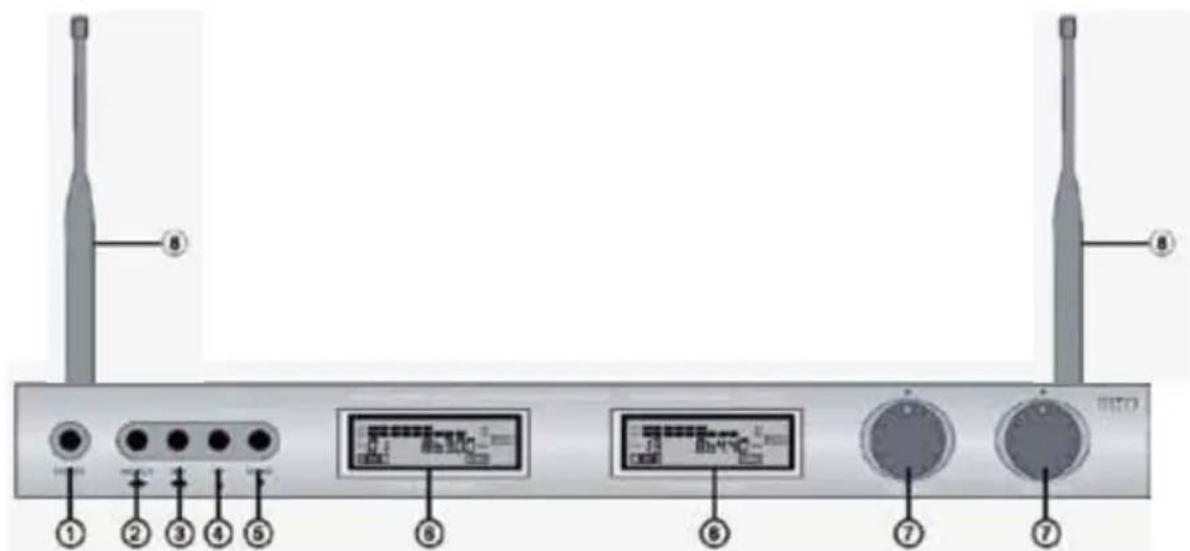
- POWER: On/off button
- SELECT: switch between receiver A and B for the use of buttons 3, 4 or 5
- SET: button for function set, tune or pre-programmed channels
- UP: button for tuning up or channel selection up of pre-programmed channels
- DOWN: button for tuning down or channel selection down of pre-programmed channels
- DISPLAY: separate for receiver A and B
- VOLUME CONTROL: separate for receiver A and B
- ANTENNA: separate antenna for receiver A and B
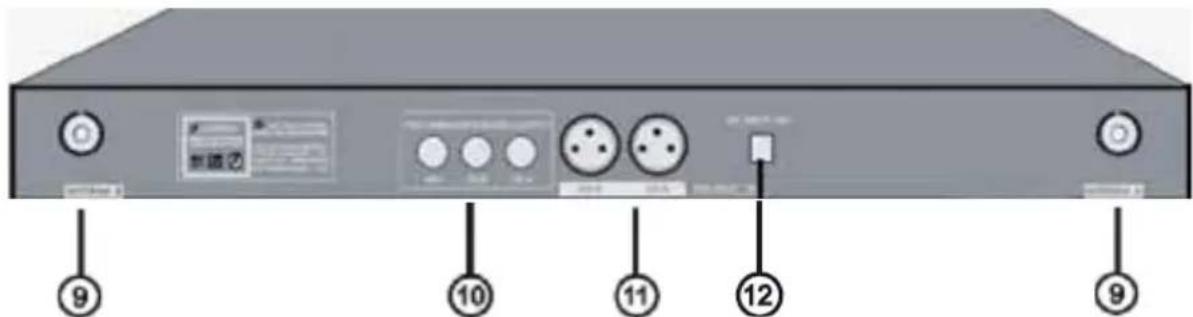
-
ANTENNA CONNECTOR: for connection of antenna A and B
-
UNBALANCED AUDIO OUTPUT: 6.35 mm output for mixed signal (A+B) or separate signal of receiver A and B
-
BALANCED AUDIO OUTPUT: separate XLR outputs for channel A & B
Description LCD display receiver
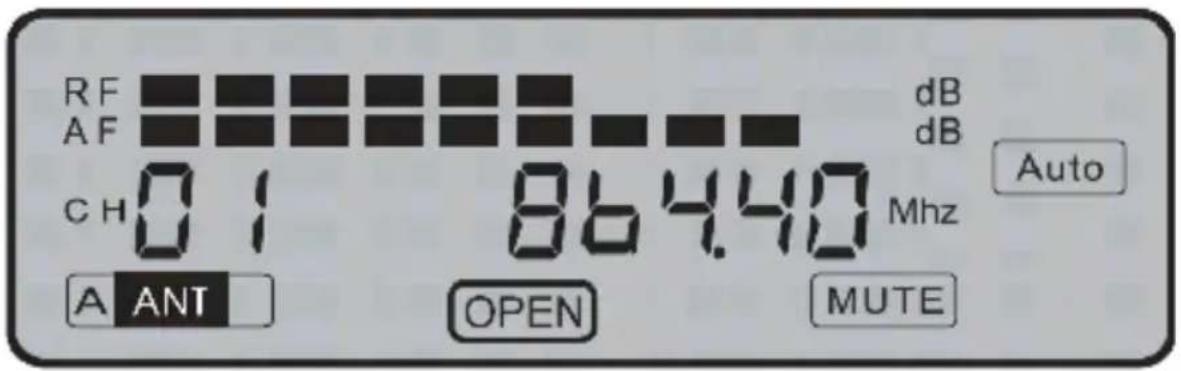
• RF: Shows the strength of the received microphone signal
- AF: Shows the microphone's audio signal level
• CH01: Selected pre-programmed channel
- A ANT: The antenna which receives the signal of the microphone (A for receiver A and B for receiver B)
• 864.40: Frequency of the selected pre-programmed channel
- OPEN: Shows which receiver (display) is selected for the use of function buttons 2–5
- AUTO: Shows that the microphone is powered off. Appears also when there is no connection with the microphone on the showed frequency in the display
- MUTE: There is no audio output from the receiver to mixer or amplifier because the microphone is powered off or there is no reception
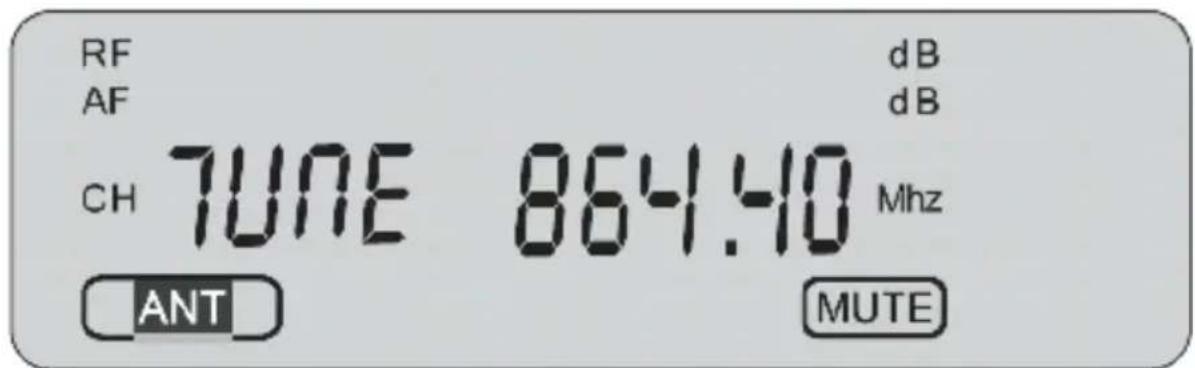
- TUNE: Push the SELECT button (2) to switch between manual tuning or pre-programmed channels. With manual tuning it's possible to select the frequency by steps of 0.05 MHz. The range is 840.00 MHz till 868.00 MHz. This feature offers the use of other wireless microphones operating in the frequency band from 840.00 MHz till 868.00 MHz. Note: the supplied microphones are pre-programmed from 863.00 MHz till 865.00 MHz
IMPORTANT NOTICE: It's the responsibility of the user to ensure that the use of frequencies comply with the local regulations and does not cause interference with other users.
Description microphone
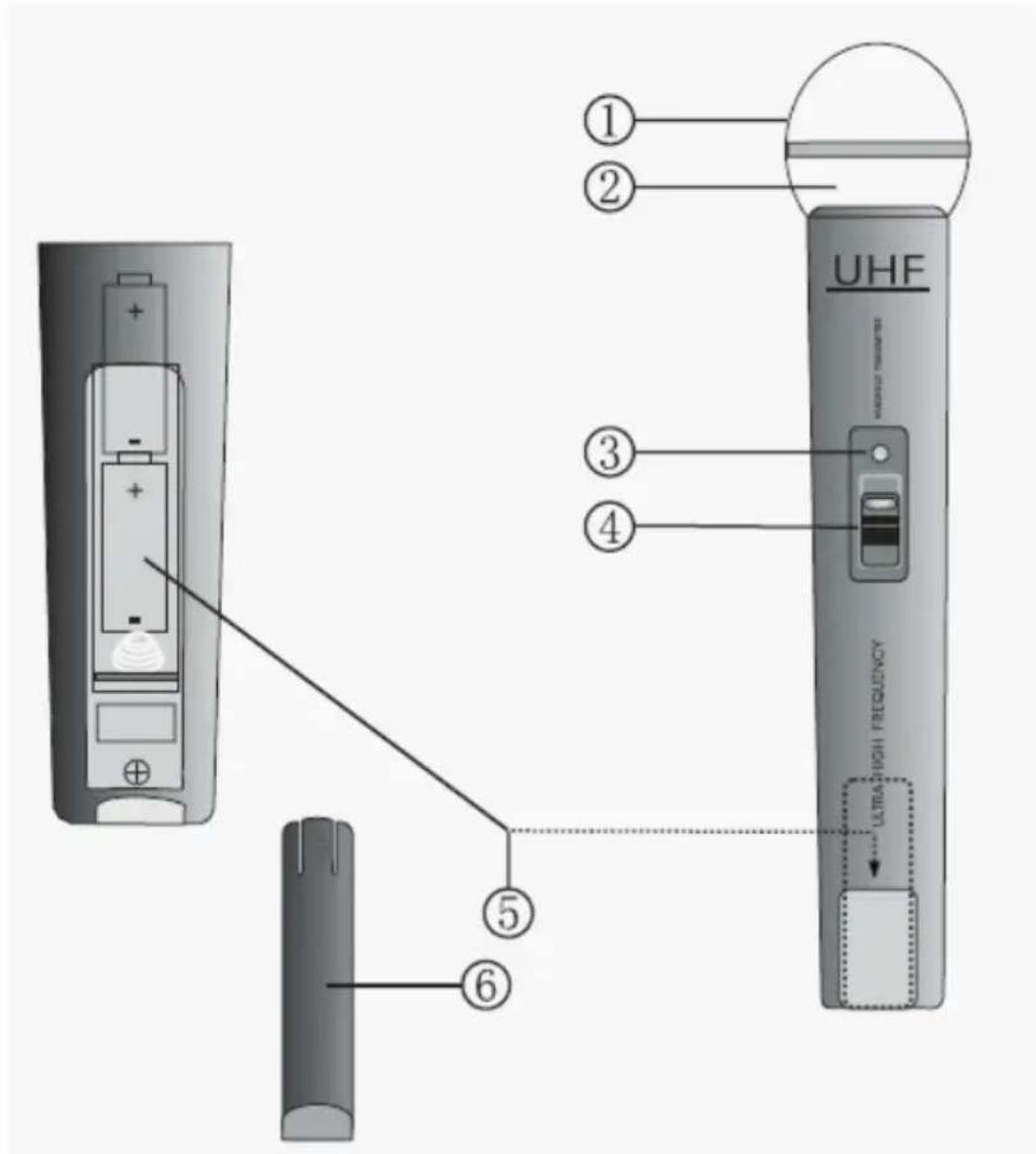
- GRILL: Covers and protects the inner microphone element
- MICROPHONE ELEMENT (inside): Picks up the audio signal
- POWER/BATTERY INDICATOR: Flashes once when the power is on and lights up constantly when the battery is running out of power
- ON/OFF SWITCH: 3 Positions for ON, MUTE (middle position) or OFF
- BATTERY COMPARTMENT: For 2x AA batteries
- BATTERY COVER: Provides access to the battery compartment
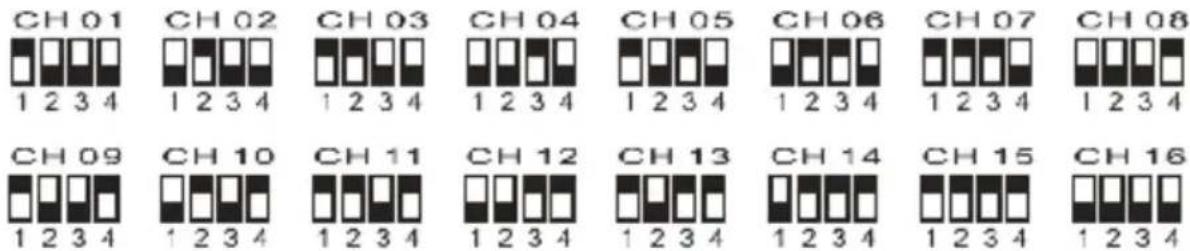
Channel selection microphone
Operation
- Put the antennas straight up for optimal reception.
- Connect the connection cable with the 6.35 mm plugs to the output of the receiver and input of the mixer or amplifier. Or connect the receiver with the XLR cable (not included) per channel (A/B) to a mixer or amplifier.
- Connect the DC plug of the AC/DC adapter to the DC input on the rear side of the receiver. Connect the power plug to a wall outlet and switch on the receiver.
- Open the battery compartment of the microphone and place 2x AA batteries according to the polarity markers and select a channel.
- After closing the battery compartment, switch on the microphone using the ON/OFF switch.
- The system is ready to use.
Specifications
Frequency band: UHF 840–868 MHz
Pre-programmed frequency: UHF 863–865 MHz
Transmit power: 10 mW
Dynamic range: >90 dB
Total harmonic distortion: <0.5%
Frequency response: 40 Hz–15 KHz, ±3 dB
Modulation: FM
Audio output level: 0–400 mV
Power supply: 230–240 V AC, 17 V DC
Power consumption: 4 W
S/N ratio: >90 dB
Battery: 4x AA 1.5 V
Battery life: 4–6 hours

Safety precautions:
To reduce risk of electric shock, this product should ONLY be opened by an authorized technician when service is required.
Disconnect the product from mains and other equipment if a problem should occur.
Do not expose the product to water or moisture.
Maintenance:
Clean only with a dry cloth.
Do not use cleaning solvents or abrasives.
Warranty:
No guarantee or liability can be accepted for any changes and modifications of the product or damage caused due to incorrect use of this product.
General:
Designs and specifications are subject to change without notice.
All logos brands and product names are trademarks or registered trademarks of their respective holders and are hereby recognized as such.
Attention:

This product is marked with this symbol. It means that used electrical and electronic products should not be mixed with general household waste. There is a separate collections system for these products.
This product has been manufactured and supplied in compliance with all relevant regulations and directives, valid for all member states of the European Union. It also complies to all applicable specifications and regulations in the country of sales.
Formal documentation is available upon request. This includes, but is not limited to: Declaration of Conformity (and product identity), Material Safety Data Sheet, product test report.
Please contact our customer service desk for support:
via website: http://www.nedis.com/en-us/contact/contact-form.htm
via e-mail: service@nedis.com
via telephone: +31 (0)73-5991055 (during office hours)
NEDIS B.V., De Tweeling 28, 5215 MC 's-Hertogenbosch, THE NETHERLANDS
Einführung


Brand : NEDIS
Model : MPWL621BK
Category : Microphone