SGM1013 - Electric soldering iron Ferm - Free user manual and instructions
Find the device manual for free SGM1013 Ferm in PDF.



User questions about SGM1013 Ferm
0 question about this device. Answer the ones you know or ask your own.
Ask a new question about this device
Download the instructions for your Electric soldering iron in PDF format for free! Find your manual SGM1013 - Ferm and take your electronic device back in hand. On this page are published all the documents necessary for the use of your device. SGM1013 by Ferm.
USER MANUAL SGM1013 Ferm
natural_image
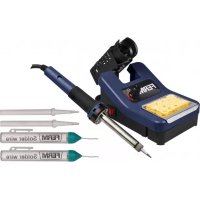
Blue FERM soldering kit with visible solder pad and soldering iron (no text or symbols on main body)SGM1013
EN Original instructions 03
DE Übersetzung der Originalbetriebsanleitung 07
NL Vertaling van de oorspronkelijke gebruiksaanwijzing 11
FR Traduction de la notice originale 15
ES Traducción del manual original 19
PT Tradução do manual original 23
IT Traduzione delle istruzioni originali 27
SV Översättning av bruksanvisning i original 31
FI Alkuperäisten ohjeiden käännös 35
DA Oversættelse af den originale brugsanvisning 39
The numbers in the text refer to the diagrams on page 2.

WARNING
Read the enclosed safety warnings, the additional safety warnings and the instructions. Failure to follow the safety warnings and the instructions may result in electric shock, fire and/or serious injury. Keep the safety warnings and the instructions for future reference.
Introduction
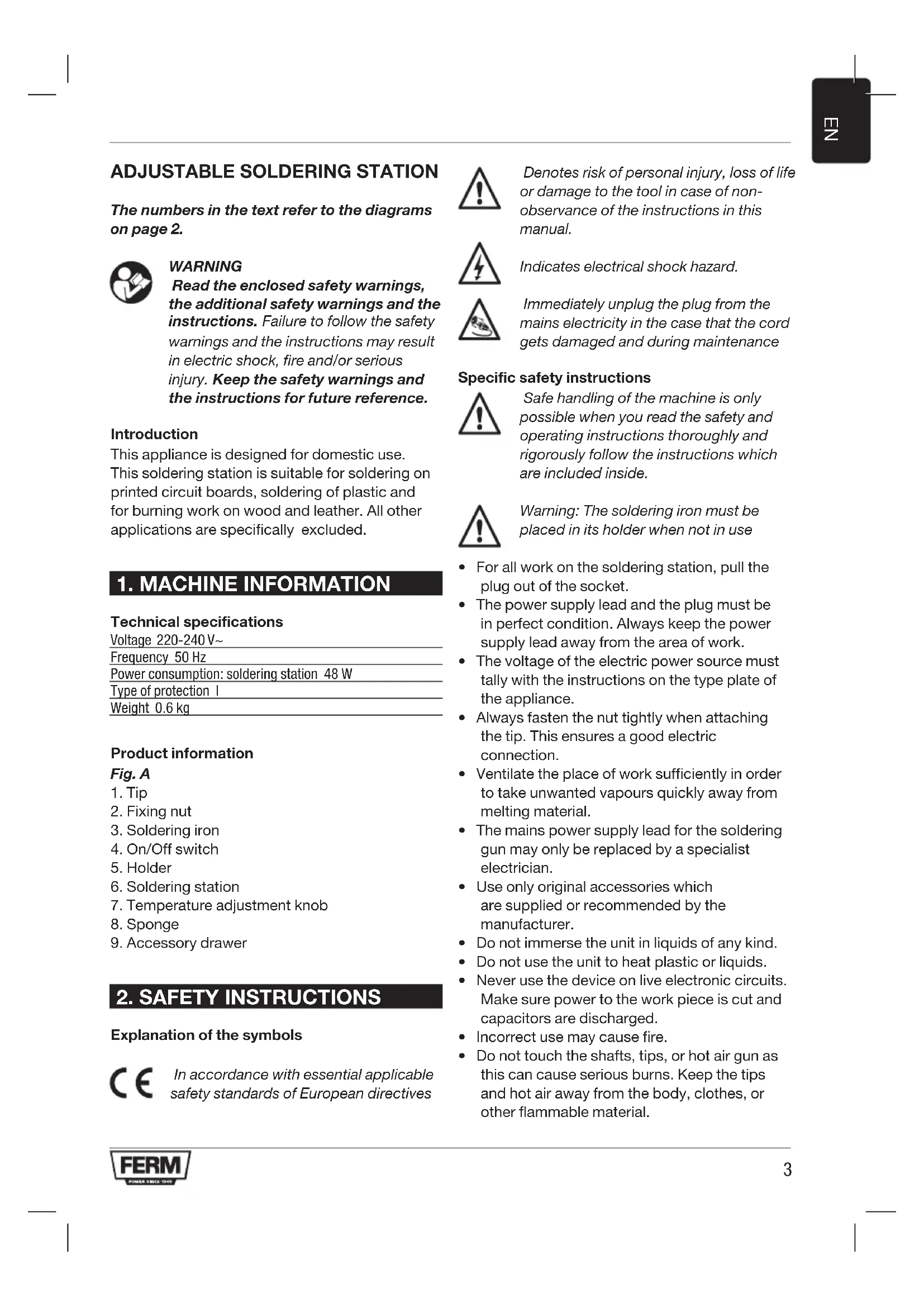
This appliance is designed for domestic use. This soldering station is suitable for soldering on printed circuit boards, soldering of plastic and for burning work on wood and leather. All other applications are specifically excluded.
1. MACHINE INFORMATION
Technical specifications
Voltage 220-240 V\~
Frequency 50 Hz
Power consumption: soldering station 48 W
Type of protection I
Weight 0.6 kg
Product information
Fig. A
- Tip
- Fixing nut
- Soldering iron
- On/Off switch
- Holder
- Soldering station
- Temperature adjustment knob
- Sponge
- Accessory drawer
2. SAFETY INSTRUCTIONS
Explanation of the symbols

In accordance with essential applicable safety standards of European directives

Denotes risk of personal injury, loss of life or damage to the tool in case of non-observance of the instructions in this manual.

Indicates electrical shock hazard.

Immediately unplug the plug from the mains electricity in the case that the cord gets damaged and during maintenance
Specific safety instructions

Safe handling of the machine is only possible when you read the safety and operating instructions thoroughly and rigorously follow the instructions which are included inside.

Warning: The soldering iron must be placed in its holder when not in use
- For all work on the soldering station, pull the plug out of the socket.
- The power supply lead and the plug must be in perfect condition. Always keep the power supply lead away from the area of work.
- The voltage of the electric power source must tally with the instructions on the type plate of the appliance.
- Always fasten the nut tightly when attaching the tip. This ensures a good electric connection.
- Ventilate the place of work sufficiently in order to take unwanted vapours quickly away from melting material.
- The mains power supply lead for the soldering gun may only be replaced by a specialist electrician.
- Use only original accessories which are supplied or recommended by the manufacturer.
- Do not immerse the unit in liquids of any kind.
- Do not use the unit to heat plastic or liquids.
- Never use the device on live electronic circuits. Make sure power to the work piece is cut and capacitors are discharged.
- Incorrect use may cause fire.
- Do not touch the shafts, tips, or hot air gun as this can cause serious burns. Keep the tips and hot air away from the body, clothes, or other flammable material.
• Always let the device cool down after use and before storage.
- Place the device on a level, stable, and fire resistant working surface.
Immediately unplug the soldering gun in case of
• The soldering gun is overheated.
- Malfunction of the mainsplug, socket or damaged cables.
•Brokenswitch.
- Smoke or smell caused by scorched insulation.
During first time use the soldering iron may produce some smoke, this is grease used in manufacturing burning off.
Electrical safety
When using electric machines always observe the safety regulations applicable in your country to reduce the risk of fire, electric shock and personal injury. Read the following safety instructions and also the enclosed safety instructions.

Always check that the power supply corresponds to the voltage on the rating plate.
Mains connection
Only use earthed sockets with earthing wire connected per the regulations.
Replacing cables or plugs
Immediately throw away old cables or plugs when they have been replaced by new ones. It is dangerous to insert the plug of a loose cable in the wall outlet.
Using extension cables
Only use an approved extension cable suitable for the power input of the machine. The minimum conductor size is 1.5 mm2. When using a cable reel always unwind the reel completely.
The extension cords you use must always be earthed.
3. OPERATING

Use this appliance only for work which is included in the established operative range.
- Mount the iron holder (5) onto the station and put the soldering iron (3) in its holder.
- Lightly moisten the sponge [8] with some tap water.
- Mount the appropriate soldering tip (1) according to the soldering job (see below Replacing the Tip).
- Place the station onto a heatproof, flat and solid surface. Connect the soldering station to the mains and switch on with the on-off switch (4).
- Turn the temperature adjustment knob (7) to the desired temperature setting (ranging from 160°C to 500°C)
- Wait until the soldering tip has reached the selected temperature. Test the tip temperature by touching it with solder. The tip is hot enough when the solder melts away easily.
- Press the terminal pin strongly against the parts which are to be soldered so that these are heated. Ensure that the pin presses against the greatest possible surface area of the parts. Heat transfer is then at its greatest.
- Hold the tin solder wire at a safe distance so that you do not burn your fingers. Then pass the tin solder wire between the tip and the parts which are to be soldered.
- If the parts have been heated sufficiently, melt the tin solder and run it into the space between the parts which are to be joined together.
- Remove the pin from the parts which are to be joined together but without moving these and wait until the joint has cooled down and set (approx. 10 seconds.).
- If the joint has been soldered well, then you will obtain a polished, shiny surface.
- Clean the soldering tip on the sponge after each soldering.
- Place the soldering iron back in its holder, switch off and unplug from the mains after use.
- Let the soldering iron cool down, store away in a dry place.

Warning: This tool must be placed on its stand when not in use.
Below, we give you some examples of poorly soldered joints:
- If the soldering tin is tear-shaped, the soldering coagulate was too cold.
- If the soldering tin is dull and slightly porous or crystalline, the parts were probably moved during the cooling process.
- If too little soldering tin has been left in the joint, the soldering was too warm or the soldering tin was not melted sufficiently.
- If the soldering tin is yellow or black, this means that too much soldering paste has been used or that the inner core of the tin solder wire has become overheated during soldering. You must avoid this above all in electronic circuits since most acid pastes are corrosive and reduce the service life of electronic wiring.
Replacement of the soldering tip

Pull out the mains plug!
- Switch off the soldering station and disconnect from the mains. Let the soldering iron and tip cool down to room temperature before handling.
- Unscrew the fixing nut (2). Pull out the tip (1) from the soldering iron (3) and remove any oxide that may have formed on the barrel. Be careful to avoid getting dust in your eyes.
- Replace the tip (1) with another tip and screw the fixing nut (2) assembly onto the iron (3) using only hand pressure to tighten. Do not apply excessive pressure to avoid damage.
4. WORKING INDICATIONS
For good soldering
- The soldering joint must be reguline. Remove oxidation, grease and so forth by means of mechanical (abrasive paper, brushes, file) or chemical cleaners (alcohol, fluxing agent).
- The soldering tip
- Give a good plating of soldering tin.
- Never work on it with a file.
- Pretinplating of the parts which are to be tinplated makes the soldering easier and ensures a perfect electrical contact.
-
Ensure that the wires are mechanically connected before soldering (twist together, hook into place, attach round eyelets).
-
First heat up the soldering joint and then melt the solder over the soldering joint and allow it to flow in.
- Melt as little solder as possible.
- Keep the heat load (soldering time) as short as possible.
- A perfect soldering joint is shiny and smooth. The edge shows a clean, bonding join to the metal.
Soldering tin solder
Soldering tin is essentially an alloy of tin and lead. The designation of 60/40 means a combination of 60% tin with 40% lead. For electrically soldered joints, use only non-acid solder and fluxing agent. For information on special solder for specific work, consult the manufacturer.
Flux
The melting of the solder is improved with the use of flux while, at the same time, impurities such as grease or metal oxide are removed and evaporate during soldering.
- Organic fluxing agents like colophonium and resins for acid-free soldering.
- Inorganic fluxing agents, which are highly effective these are effective but corrosive.
Use only for larger joints and clean the soldering joint thoroughly afterwards.
Printed circuits
The strip conductors and the miniature component parts are very temperature-sensitive and can therefore be easily damaged. Pay attention to the following:
• Prepare the soldering work well.
• Pre-assemble the component parts.
- Secure the printed circuit board or soldering joint against shifts.
- Use only first class solder with anticorrosive flux.
- Do not apply any surplus solder.
- Keep the soldering time (heat load) as short as possible.
Burning work on wood or leather
If you enjoy burning work, then the cutting point offers you a special accessory specially prepared for engraving. The rapid adaptation of the working temperature to the material allows for work without interruptions.
5. SERVICE & MAINTENANCE

Repairs may only be carried out by a qualified electrician or at a service workshop!
These machines have been designed to operate over a long period of time with a minimum of maintenance. Continuous satisfactory operation depends upon proper machine care and regular cleaning.
Cleaning
Keep the ventilation slots of the machine clean to prevent overheating of the engine. Regularly clean the machine housing with a soft cloth, preferably after each use. Keep the ventilation slots free from dust and dirt. If the dirt does not come off use a soft cloth moistened with soapy water. Never use solvents such as petrol, alcohol, ammonia water, etc. These solvents may damage the plastic parts.
Lubrication
The machine requiers no additional lubrication.
Faults
Should a fault occur, e.g. after wear of a part, please contact the service address on the warranty card.
ENVIRONMENT
To prevent damage during transport, the appliance is delivered in a solid packaging which consists largely of reusable material. Therefore please make use of options for recycling the packaging.

Faulty and/or discarded electrical or electronic apparatus have to be collected at the appropriate recycling locations.
Only for EC countries
Do not dispose of power tools into domestic waste. According to the European Guideline 2012/19/EU for Waste Electrical and Electronic Equipment and its implementation into national right, power tools that are no longer usable must be collected separately and disposed of in an environmentally friendly way.
WARRANTY
The guarantee conditions can be found on the separately enclosed guarantee card.
EINSTELLBARE LÖTSTATION
Soldeertin - soldeersel
1. PRIETASIO DUOMENYS
Techniniai duomenys
| No. Description | |
| 410748 Soldering tip point | |
| 410749 Soldering tip flat | |
| 410750 Heating element | |
| 410751 Sponge |
CE
DECLARATION OF CONFORMITY SGM1013 - ADJUSTABLE SOLDERING STATION
(EN) We declare under our sole responsibility that this product is in conformity with directive 2011/65/EU of the European parliament and of the council of 8 June on the restriction of the use of certain hazardous substances in electrical and electronic equipment is in conformity and accordance with the following standards and regulations:
(DE) Der Hersteller erklärt eigenverantwortlich, dass dieses Produkt der Direktive 2011/65/EU des Europäischen Parlaments und des Rats vom 8. Juni 2011 über die Einschränkung der Anwendung von bestimmten gefährlichen Stoffen in elektrischen und elektronischen Geräten entspricht, den folgenden Standards und Vorschriften entspricht:
(NL) Wij verklaren onder onze volledige verantwoordelijkheid dat dit product voldoet aan de conform Richtlijn 2011/65/EU van het Europees Parlement en de Raad van 8 juni 2011 betreffende beperking van het gebruik van bepaalde gevaarlijke stoffen in elektrische en elektronische apparatuur en in overeenstem ming is met de volgende standaarden en reguleringen:
(FR) Nous déclarons sous notre seule responsabilité que ce produit est conforme aux standards et directives suivants: est conforme à la Directive 2011/65/EU du Parlement Européen et du Conseil du 8 juin 2011 concernant la limitation d'usage de certaines substances dangereuses dans l'équipement électrique et électronique.
(ES) Declaramos bajo nuestra exclusiva responsabilidad que este producto cumple con las siguientes normas y estándares de funcionamiento: se encuentra conforme con la Directiva 2011/65/UE del Parlamento Europeo y del Consejo de 8 de junio de 2011 sobre la restricción del uso de determinadas sustancias peligrosas en los equipos eléctricos y electrónicos.
(PT) Declaramos por nossa total responsabilidade-de que este produto está em conformidade e cumpre as normas e regulamentações que se seguem: está em conformidade com a Directiva 2011/65/EU do Parlamento Europeu e com o Conselho de 8 de Junho de 2011 no que respeita à restrição de utilização de determinadas substâncias perigosas existentes em equipamento eléctrico e electrónico.
(IT) Dichiariamo, sotto la nostra responsabilità, che questo prodotto è conforme alle normative e ai regolamenti seguenti: è conforme alla Direttiva 2011/65/UE del Parlamento Europeo e del Consiglio dell'8 giugno 2011 sulla limitazione dell'uso di determinate sostanze pericolose nelle apparecchiature elettriche ed elettroniche.
(SV) Vi garanterar på eget ansvar att denna produkt uppfyller och följer följande standarder och bestämmelser: uppfyller direktiv 2011/65/EU från Europeiska parlamentet och EG-rådet från den 8 juni 2011 om begränsningen av användning av farliga substanser i elektrisk och elektronisk utrustning.
(FI) Vakuutamme yksinomaan omalla vastuillamme, että tämä tuote täyttää seuraavat standardit ja säädökset: täyttää Euroopan parlamentin ja neuvoston 8. kesäkuuta 2011 päivätyn direktiivin 2011/65/EU vaatimukset koskien vaarallisten aineiden käytön rajoitusta sähkö- ja elektronisissa laitteissa.
(NO) Vi erklærer under vårt eget ansvar at dette produktet er i samsvar med følgende standarder og regler: er i samsvar med EU-direktivet 2011/65/EU fra Europa-parlamentet og Europa-rådet, pr. 8 juni 2011, om begrensning i bruken av visse farlige stoffer i elektrisk og elektronisk utstyr.
(DA) Vi erklærer under eget ansvar, at dette produkt er i overensstemmelse med følgende standarder og bestemmelser: er i overensstemmelse med direktiv 2011/65/EU fra Europa-Parlamentet og Rådet af 8. juni 2011 om begrænsning af anvendelsen af visse farlige stoffer i elektrisk og elektronisk udstyr.
(HU) Felelősségünk teljes tudatában kijelentjük, hogy ez a termék teljes mértékben megfelel az alábbi szabványoknak és előírásoknak: je v souladu se směrnící 2011/65/EU Evropského parlamentu a Rady EU ze dne 8. června 2011, která se týká omezení použití určitých nebezpečných látek v elektrických a elektronických zařízeních.
(CS) Na naši vlastní zodpovědnost prohlašujeme, že je tento výrobek v souladu s následujícími standardy a normami: Je v súlade s normou 2011/65/EÚ Európskeho parlamentu a Rady z 8. júna 2011 týkajúcej sa obmedzenia používania určitých nebezpečných látok v elektrickom a elektronickom vybavení.
(SK) Vyhlasujeme na našu výhradnú zodpovednosť, že tento výrobok je v zhode a súlade s nasledujúcimi normami a predpismi: Je v súlade s normou 2011/65/EÚ Európske ho parlamentu a Rady z 8. júna 2011 týkajúcej sa obmedzenia používania určitých nebezpečných látok v elektrickom a elektronickom vybavení.
(SL) S polno odgovomostjo izjavljamo, da je ta izdelek v skladu in da odgovarja naslednjim standardom terpredpisom: je v skladu z direktivo 2011/65/EU Evropskega parlamenta in Sveta z dne 8. junij 2011 o omejevanju uporabe doloćenih nevarnih snovi v električni in elektronski opremi.
(PL) Deklarujemy na własną odpowiedzialność, że ten produkt spełnia wymogi zawarte w następujących normach i przepisach; jest zgodny z Dyrektywą 2011/65/UE Parła mentu Europejskiego i Rady z dnia 8 czerwca 2011 r. w sprawie ograniczenia stosowania niektórych niebezpiecznych substancji w sprzęcie elektrycznym i elektronicznym.
(LT) Prisiimdami visą atsakomybę deklaruojame, kad šis gaminys atitinka žemiau paminėtus standartus arba nuostatus: atitinka 2011 m. birželio 8 d. Europos Parlamento ir Tarybos direktyvą 2011/65/EB dėl tam tikrų pavojingų medžiagų naudojimo elektros ir elektroninėje jrangoje apribojimo.
(LV) Ir atbilstoša Eiropas Parlamenta un Padomes 2011. gada 8. jūnija Direktīvai 2011/65/ES par dažu bīstamu vielu izmantošanas ierobežošanu elektriskās un elektroniskās iekārtās.
(ET) Apgalvojam ar visu atbildību, ka šis produkts ir saskaņa un atbilst sekojošiem standartiem un nolikumiem: ir atbilstoša Eiropas Parlamenta un Padomes 2011. gada 8. jūnija Direktīvai 2011/65/ES par dažu bīstamu vielu izmantošanas ierobežošanu elektriskās un elektroniskās iekārtās.
(RO) Declarăm prin aceasta cu răspunderea deplină că produsul acesta este în conformitate cu următoarele standarde sau directive: este în conformitate cu Directiva 2011/65/UE a Parlamentului European și a Consiliului din 8 iunie 2011 cu privire la interzicerea utilizării anumitor substanțe periculoase la echipamentele electrice și electronice.
(HR) Izjavljujemo pod vlastitom odgovornoLšu da je strojem ukladan sa slijedešim standardima ili standardiziranim dokumentima i u skladu sa odredbama: usklađeno s Direktivom 2011/65/EU europskog parlamenta i vijeća izdanom 8. lipnja 2011. o ograničenju korištenja određenih opasnih tvari u električnoj i elektroničkoj opremi.
(SRL) Pod punom odgovornošću izjavljujemo da je usaglašen sa sledećim standardima ili normama: usaglašen sa direktivom 2011/65/EU Evropskog parlamenta i Saveta od 8. juna. 2011. godine za restrikciju upotrebe određenih opasnih materija u električnoj i elektronskoj opremi.
(RU) Под свою ответственность заявляем, что данное изделие соответствует следующим стандартам и нормам: соответствует требованиям Директивы 2011/65/EU Европейского парламента и совета от 8 июня 2011 г. по ограничению использования определенных опасных веществ в электрическом и электронном оборудовании
(UK) На свою власну відповідальність заявляємо, що дане обладнання відповідає наступним стандартам і нормативам: задовольняєв вимоги Директиви 2011/65/ЄС Європейського Парламенту та Ради від 8 червня 2011 року на обмеження використання деяких небезпечних речовин в електричному та електронному обладнанні.
(EL) Δηλώνουμε υπεύθυνα ότι το προϊόν αυτό συμφωνεί και τηρεί τους παρακάτυ κανονισμούς και πρότυπα: συμμοφώνεται με την Οδηγία 2011/65/ΕΕ του Ευρωπαϊκού Κοινοβουλίου και του Συμβουλίου της 8ης Ιουνίου 2011 για τον περιορισμό της χρήσης ορισμένουν επικύνδυνων ουσιών σε ηλεκτρικό και ηλεκτρονικό εξοπλισμό.
(AR) تيكلاتا تادیجرکلاو ریئیاعیلی ۶م قفاروکتی چکتنیا اندنا آند ho آنتکینویهیم ۶م دع نلعتن (
(TR) Tek sorumlusu biz olarak bu ürünün aşağıdaki standart ve yönergelere uygun olduğunu beyan ederiz.
(MK) Изјавуваме со наша целосна одговорност дека производот е во согласност со Смерницата 2011/65/EU на Европскиот парламент и е во согласност според Советот од 9 јуни за ограничување на користење на одредени опасни супстанции во електричната и електронската опрема според следните стандарди и регулативи:
EN55014-1, EN-55014-2, EN61000-3-2, EN61000-3-3, EN60335-1, EN60335-2-45, EN62233
2014/30/EU, 2014/35/EU, 2011/65/EU, 2012/19/EU
Zwolle, 01-01-2018
H.G.FRosberg CEO FERM B.V.
FERM B.V. - Lingenstraat 6 - 8028 PM - Zwolle - The Netherlands