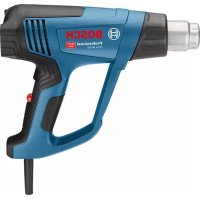
GHG 2063 Professional - Heat gun BOSCH - Free user manual and instructions
Find the device manual for free GHG 2063 Professional BOSCH in PDF.
 FR
FR
 BG
BG
 CS
CS
 DA
DA
 DE
DE
 EL
EL
 EN
EN
 ES
ES
 ET
ET
 FI
FI
 HU
HU
 IT
IT
 KK
KK
 KO
KO
 LT
LT
 LV
LV
 MK
MK
 NL
NL
 NO
NO
 PL
PL
 PT
PT
 RO
RO
 RU
RU
 SK
SK
 SL
SL
 SV
SV
 TR
TR
 UK
UK
| Product type | Heat gun |
| Brand | Bosch |
| Model | GHG 2063 Professional |
| Rated power input | 2000 W |
| Temperature range | 50 – 630 °C |
| Air flow rate | 150 / 150-300 / 300-500 l/min (3 positions) |
| Weight (according to EPTA 01:2014) | 0.65 kg |
| Protection class | II |
| Digital display | Yes (actual and set temperature) |
| Temperature setting | In 10 °C increments via +/- buttons |
| Main functions | Paint/varnish removal, plastic shaping and welding, soldering, defrosting pipes, heat shrinking |
| Included accessories | Flat nozzle, glass protection nozzle, angled nozzle, reflector nozzle, reducing nozzle, welding rod, welding shoe, heat shrink tube |
| Safety | Thermal safety cut-out (overheating), removable heat protection, on/off switch |
| Maintenance and cleaning | Clean ventilation slots; have cable replacement done by Bosch customer service |
| After-sales service | Bosch customer service France: 0811 360 122, Belgium: +32 2588 0589, Switzerland: 044 847 1512 |
| Noise level information | Sound pressure < 70 dB(A) |
| Vibration | ah < 2.5 m/s², K = 1.5 m/s² |
Frequently Asked Questions - GHG 2063 Professional BOSCH
User questions about GHG 2063 Professional BOSCH
0 question about this device. Answer the ones you know or ask your own.
Ask a new question about this device
Download the instructions for your Heat gun in PDF format for free! Find your manual GHG 2063 Professional - BOSCH and take your electronic device back in hand. On this page are published all the documents necessary for the use of your device. GHG 2063 Professional by BOSCH.
USER MANUAL GHG 2063 Professional BOSCH
YkpaHcbKa ..CtoPiHa 101
Kaak. Bet 107
Româna...... Pagnia 112
MaKeDoHcN. CtpaHua 123
Srpski Strana 129
Slovenscina Stran 134
Read all the safety information and instructions. Failure to observe the safety information and follow instructions may result in electric shock, fire and/or serious injury.
Save all warnings and instructions for future reference.
This heat gun is not intended for use by children or persons with physical, sensory or mental limitations or a lack of experience or knowledge. This heat gun can be used by children aged 8 or older and by persons who have physical, sensory or mental limitations or a lack of experience or knowledge if a person responsible for their safety supervises them or has instructed them in the safe operation of the heat gun and they understand the associated dangers.
Otherwise there is a risk of operating errors and injury.
Supervise children during use, cleaning and maintenance. This will ensure that children do not play with the heat gun.
Handle the power tool with care.
The power tool produces intense heat which increases the risk of fire and explosion.
Take particular care when working in the vicinity of flammable materials. The hot airflow or hot nozzle may ignite dust or gases.
Do not work with the power tool in potentially explosive areas.
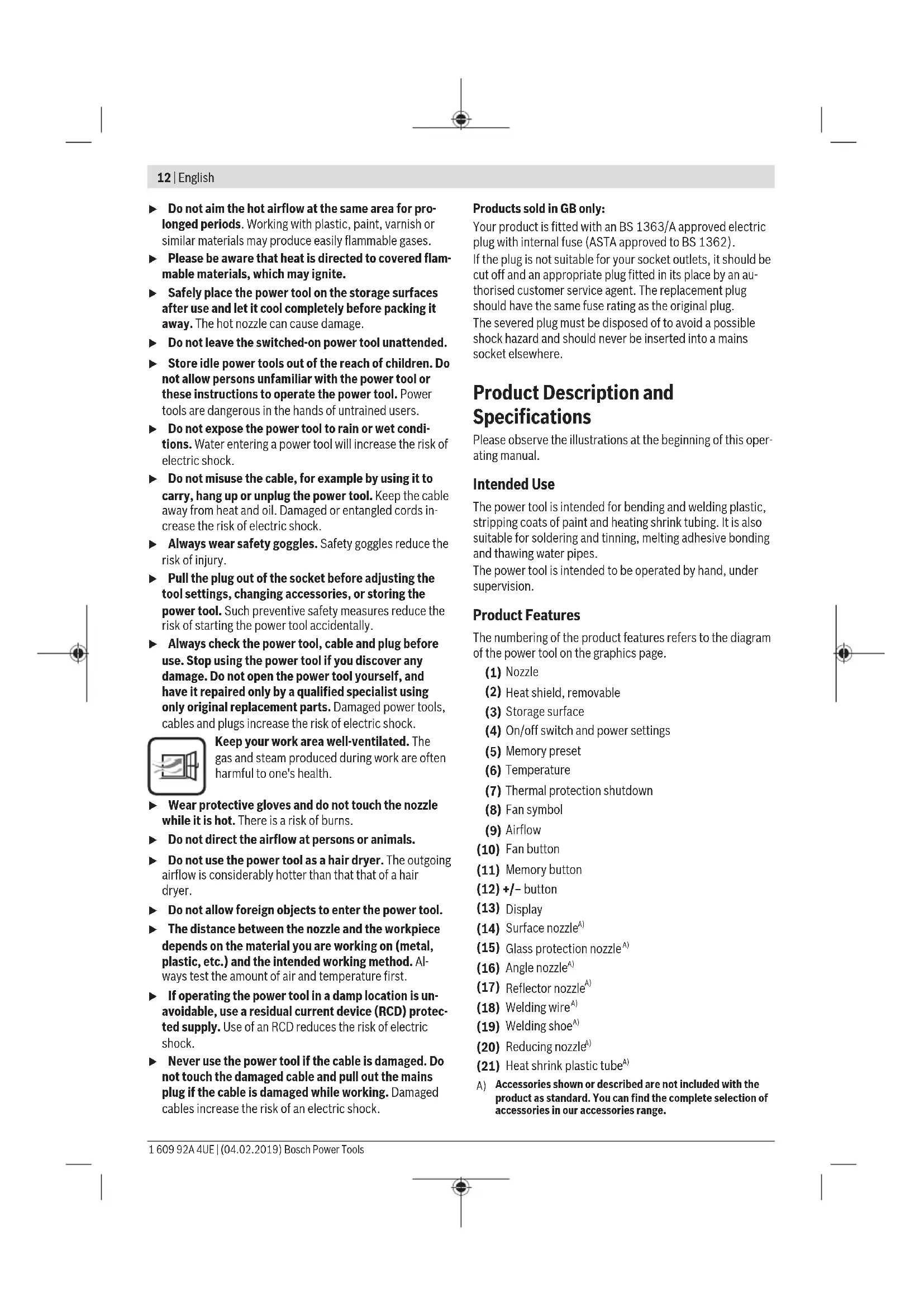
12 | English
Do not aim the hot airflow at the same area for prolonged periods. Working with plastic, paint, varnish or similar materials may produce easily flammable gases.
Please be aware that heat is directed to covered flammable materials, which may ignite.
- Safely place the power tool on the storage surfaces after use and let it cool completely before packing it away. The hot nozzle can cause damage.
Do not leave the switched-on power tool unattended.
- Store idle power tools out of the reach of children. Do not allow persons unfamiliar with the power tool or these instructions to operate the power tool. Power tools are dangerous in the hands of untrained users.
Do not expose the power tool to rain or wet conditions. Water entering a power tool will increase the risk of electric shock.
Do not misuse the cable, for example by using it to carry, hang up or unplug the power tool. Keep the cable away from heat and oil. Damaged or entangled cords increase the risk of electric shock.
Always wear safety goggles. Safety goggles reduce the risk of injury.
Pull the plug out of the socket before adjusting the tool settings, changing accessories, or storing the power tool. Such preventive safety measures reduce the risk of starting the power tool accidentally.
Always check the power tool, cable and plug before use. Stop using the power tool if you discover any damage. Do not open the power tool yourself, and have it repaired only by a qualified specialist using only original replacement parts. Damaged power tools, cables and plugs increase the risk of electric shock.
Keep your work area well-ventilated. The gas and steam produced during work are often harmful to one's health.
Wear protective gloves and do not touch the nozzle while it is hot. There is a risk of burns.
Do not direct the airflow at persons or animals.
- Do not use the power tool as a hair dryer. The outgoing airflow is considerably hotter than that that of a hair dryer.
Do not allow foreign objects to enter the power tool.
The distance between the nozzle and the workpiece depends on the material you are working on (metal, plastic, etc.) and the intended working method. Always test the amount of air and temperature first.
If operating the power tool in a damp location is unavoidable, use a residual current device (RCD) protected supply. Use of an RCD reduces the risk of electric shock.
- Never use the power tool if the cable is damaged. Do not touch the damaged cable and pull out the mains plug if the cable is damaged while working. Damaged cables increase the risk of an electric shock.
Products sold in GB only:
Your product is fitted with an BS 1363/A approved electric plug with internal fuse (ASTA approved to BS 1362).
If the plug is not suitable for your socket outlets, it should be cut off and an appropriate plug fitted in its place by an authorised customer service agent. The replacement plug should have the same fuse rating as the original plug.
The severed plug must be disposed of to avoid a possible shock hazard and should never be inserted into a mains socket elsewhere.
Product Description and Specifications
Please observe the illustrations at the beginning of this operating manual.
Intended Use
The power tool is intended for bending and welding plastic, stripping coats of paint and heating shrink tubing. It is also suitable for soldering and tinning, melting adhesive bonding and thawing water pipes.
The power tool is intended to be operated by hand, under supervision.
Product Features
The numbering of the product features refers to the diagram of the power tool on the graphics page.
(1) Nozzle
(2) Heat shield, removable
(3) Storage surface
(4) On/off switch and power settings
(5) Memory preset
(6) Temperature
(7) Thermal protection shutdown
(8) Fan symbol
(9) Airflow
(10) Fan button
(11) Memory button
(12) + / - button
(13) Display
(14) Surface nozzle
(15) Glass protection nozzle
(16) Angle nozzle
(17) Reflector nozzle
(18) Welding wire
(19) Welding shoe
(20) Reducing nozzle
(21) Heat shrink plastic tube
A) Accessories shown or described are not included with the product as standard. You can find the complete selection of accessories in our accessories range.
Technical Data
| Heat gun GHG 20-63 GHG 23-66 | ||
| Article number | 3 601 BA6 2.. 3 601 BA6 3.. | |
| Rated power input W 2000 2100 (2300 | A) | |
| Airflow l/min 150/150-300/ | 300-500 | 150-300/150-500 |
| Temperature at the nozzle outletB) | °C 50-630 50-650 | |
| Temperature measurement accuracy | ||
| - at the nozzle outlet ±10 % ±10 % | ||
| - on the display ±5 % ±5 % | ||
| Operating temperature of displayC) | °C 0 to +50 0 to +50 | |
| Max. permissible ambient temperature during operation °C 40 40 | ||
| Weight according to EPTA-Procedure 01:2014 | kg 0.65 | 0.67 |
| Protection class | ☐/II /II ☑ | |
A) Maximum possible input power
B) At an ambient temperature of approx. 20^
C) The display may go blank if outside the operating temperature.
The specifications apply to a rated voltage [U] of 230 V. These specifications may vary at different voltages and in country-specific models.
Noise/vibration information
Typically, the A-weighted sound pressure level of the power tool is less than 70 dB(A).
Vibration total values a_n (triax vector sum) and uncertainty K: a_n ≤ 2.5 m/s^2, K = 1.5 m/s^2 .
Operation
Starting Operation
Pay attention to the mains voltage. The voltage of the power source must match the voltage specified on the rating plate of the power tool.
Creation of Smoke During Initial Use
A coating protects the metal surfaces from corrosion ex- works. This protective layer evaporates during initial use.
Switching On
Slide the on/off switch (4) upwards.
Thermal protection shutdown: If the power tool overheats (e.g. due to a build-up of air), the heating system will automatically switch off, though the blower will continue to run. Once the power tool has cooled back down to its operating temperature, the heating system will automatically switch on again.
Switching Off
Slide the on/off switch (4) downwards into the 0 position.
After working at high temperatures for a prolonged period, let the power tool cool down before switching it off. To do this, allow it to run on the lowest temperature setting for a short while.
Regulating airflow (GHG 20-63)
With the on/off switch (4), you can set the airflow to one of several different levels:
| Airflow setting | l/min | °C |
| 150 | 50 | |
| 150-300 | 50-630 | |
| 300-500 | 50-630 |
The specifications apply to a rated voltage [U] of 230 V. These specifications may vary at different voltages and in country-specific models.
Reduce the airflow, for instance, if the area surrounding a workpiece cannot tolerate excessive heat or if a workpiece is light enough that the airflow might move it.
Regulating temperature (GHG 20-63)
On the lowest airflow setting, the temperature is set to 50^ . In the other two airflow settings, the temperature can be adjusted.
When switching from the lowest airflow setting to another setting, the temperature last set is called up again.
To increase the temperature, press + on the (12) button; to decrease the temperature, press -.
Briefly pressing the (12) button increases or decreases the temperature by 10^ . Pressing and holding down the button continuously increases or decreases the temperature by 10^ until the button is released or the maximum/minimum temperature is reached.
The set target temperature is shown in the display for three seconds. The actual temperature at the nozzle output is displayed and the unit of measure for the temperature (6) flashes until the target temperature is reached. The unit of measure for the temperature stops flashing once the target temperature is reached.
14|English
If you reduce the temperature, it takes a little while for the power tool to cool down.
The lowest airflow setting is suitable for cooling down a heated workpiece or for drying paint. It is also suitable for cooling down the power tool before putting it down or changing the attachment nozzles.
Regulating airflow (GHG 23-66)
In switch position 1 on the on/off switch (4), you can adjust the airflow in ten increments between 150 and 300l / min . In switch position 2, you can adjust the airflow in ten increments between 150 and 500l / min .
Alternatively, you can used the saved airflow/temperature combinations (see "Saving airflow/temperature combinations (GHG 23-66)", page 14).
The set airflow is displayed with the ten bar segments (9) at the lower edge of the display.
Switch position I/min°C
| 1 | 150-300 50 |
| 2 | 150-500 50-650 |
To adjust the airflow, first press the fan button (10). The fan symbol (8) in the display flashes. The airflow can now be regulated with the airflow control button (12).
To increase the airflow, press + on the (12) button; to decrease the airflow, press -.
If you wish to adjust the temperature again using the (12) button, press the fan button (10) again. The fan symbol (8) in the display stops flashing.
If you move from switch position 1 to position 2, the airflow/ temperature combination last used in position 2 is set. Reduce the airflow, for instance, if the area surrounding a workpiece cannot tolerate excessive heat or if a workpiece is light enough that the airflow might move it.
Regulating temperature (GHG 23-66)
In switch position 1 on the on/off switch (4), the temperature is fixed at 50^ . In switch position 2, you can adjust the temperature between 50 and 650^ .
Alternatively, you can used the saved airflow/temperature combinations (see "Saving airflow/temperature combinations (GHG 23-66)", page 14).
The set temperature is shown in the display (13).
Switch position ^ C I/min
| 1 | 50 150-300 |
| 2 | 50-650 150-500 |
To increase the temperature, press + on the (12) button; to decrease the temperature, press -.
Briefly pressing the (12) button increases or decreases the temperature by 10^ . Pressing and holding down the button continuously increases or decreases the temperature by 10^ until the button is released or the maximum/minimum temperature is reached.
The set target temperature is shown in the display for three seconds. The actual temperature at the nozzle output is displayed and the unit of measure for the temperature (6) flashes until the target temperature is reached. The unit of measure for the temperature stops flashing once the target temperature is reached.
If you reduce the temperature, it takes a little while for the power tool to cool down.
Switch setting 1 is suitable for cooling down a heated workpiece or for drying paint. It is also suitable for cooling down the power tool before putting it down or changing the attachment nozzles.
Saving airflow/temperature combinations (GHG 23-66)
You can save four airflow/temperature combinations or access four saved preset combinations.
To do this, the on/off switch (4) must be set to switch position 2.
| Factory settings | |
| Memory | °C I/min Application |
| preset | |
| 0A) | 50 150 - Cooling down a workpiece |
| - Drying paint |
1 250 350 Shaping plastic pipes
2350400 Welding plastic
3450500 Removing varnish
4550400 Soft soldering
A) Not shown in the display
To call up a combination, keep pressing the memory button (11) until the number you want appears in the display (5).
To save your own combination:
- Press the memory button (11) to select the memory preset you want.
- Set the desired temperature and airflow. The memory preset (5) flashes to indicate that the saved combination has been changed.
- Press and hold down the memory button (11). The memory preset (5) flashes for around two seconds. When it lights up continuously, the new combination has been saved.
Practical advice
Pull the plug out of the socket before carrying out any work on the power tool.
Note: Do not position the nozzle (1) too close to the workpiece that you are using the power tool on. The resulting build-up of air can cause the power tool to overheat.
Removing the heat shield
When working in particularly tight spaces, you can remove the heat shield (2) by turning it.
Caution: Nozzle is hot! Working without the heat shield increases the risk of burns.
Always switch the power tool off and allow it to cool before removing or attaching the heat shield (2).
To make the power tool cool down quicker, you can also let it run briefly on its lowest temperature setting.
Setting down the power tool
Set the power tool down on the storage surfaces (3) to leave it to cool down or to keep both hands free to work with.
Take particular care when working in the vicinity of the power tool while it has been set aside. The heat from the nozzle or the air flow can cause burns.
Position the power tool on an even, stable surface. Ensure that it cannot tip over. Secure the cable outside of your working area so that it cannot pull the power tool down or cause it to flip over.
Switch the power tool off when not in use for a long period and pull the mains plug out of the socket.
Example applications (see figures A-G)
Images of example applications can be found on the graphics pages.
The distance between the nozzle and the workpiece depends on the material you are working on (metal, plastic etc.) and the intended working method.
The optimum temperature for each application can be determined by a practical test.
Always test the amount of air and temperature first. Start at a greater distance and a lower power setting. Then adjust the distance and power setting according to requirements.
If you are unsure what material you are working on or what effect the hot air might have on it, first test the effect on a concealed area.
All example applications apart from "Stripping paint from window frames" can be carried out without the use of accessories. However, using the recommended accessories will simplify the work and considerably increase the quality of the result.
Take care when changing the nozzle. Do not touch the nozzle while it is hot. Leave the power tool to cool down before changing the nozzle, and wear protective gloves when doing so. The heat from the nozzle can cause burns.
To make the power tool cool down quicker, you can also let it run briefly on its lowest temperature setting.
Removing varnish/loosening adhesives(see figure A)
Fit the surface nozzle (14) (accessory). Briefly soften the varnish with hot air and remove it with a clean spatula. Long heat exposure burns the varnish and makes removal more difficult.
Many adhesives can be softened using heat. By heating adhesives, you can break connections or remove excess adhesive.
Stripping paint from window frames (see figure B)
The glass protection nozzle (15) (accessory) must be used for this application. There is a risk that the glass may break.
You can remove the paint from profiled surfaces with a suitable spatula and brush it off with a soft wire brush.
Thawing frozen water pipes (see figure C)
Before applying heat to the pipe, check it is in fact a water pipe. Water pipes and gas pipes often look identical from the outside. Gas pipes must under no circumstances be heated.
Fit the angle nozzle (16) (accessory). Gradually heat the frozen points of the pipe, starting at the outlet and moving back towards the inlet.
Take great care when warming plastic pipes and pipe connections to avoid causing damage.
Shaping plastic pipes (see figure D)
Fit the reflector nozzle (17) (accessory). Fill plastic pipes with sand and seal them on both sides to prevent the pipe bending. Carefully and evenly heat the pipe by moving the tool back and forth from one side to the other.
Welding plastic (see figure E)
Fit the reducing nozzle (20) and the welding shoe (19) (both accessories). The workpiece requiring welding and the welding wire (18) (accessory) must be made from the same material (e.g. both PVC). The seam must be clean and free from grease.
Heat the point of the seam carefully until it becomes pliable. Note that there is not a great difference in temperature between pliable plastic and liquid plastic.
Apply the welding wire (18) and allow it to flow into the joint to form an even bead.
Soft Soldering (see figure F)
For spot welding, fit the reducing nozzle (20); for welding pipes, fit the reflector nozzle (17) (both accessories). If you are using solder without flux, apply soldering grease or paste to the solder joint. Depending on the material, heat the solder joint for approx. 50 to 120 seconds. Apply the solder. The solder must be melted by the temperature of the workpiece.
If necessary, remove the flux after the solder joint has cooled down.
Heat-shrinking (see figure G)
Fit the reflector nozzle (17) (accessory). Choose the diameter of the heat shrink plastic tube (21) (accessory) suitable for the workpiece. Evenly heat the heat shrink plastic tube until it fits closely against the workpiece.
Maintenance and Servicing
Maintenance and Cleaning
Pull the plug out of the socket before carrying out any work on the power tool.
To ensure safe and efficient operation, always keep the power tool and the ventilation slots clean.
In order to avoid safety hazards, if the power supply cord needs to be replaced, this must be done by Bosch or by an after-sales service centre that is authorised to repair Bosch power tools.
16 | Français
After-Sales Service and Application Service
Our after-sales service responds to your questions concerning maintenance and repair of your product as well as spare parts. You can find explosion drawings and information on spare parts at: www.bosch-pt.com
The Bosch product use advice team will be happy to help you with any questions about our products and their accessories.
In all correspondence and spare parts orders, please always include the 10-digit article number given on the nameplate of the product.
Great Britain
Robert Bosch Ltd. (B.S.C.)
P.O.Box 98
Broadwater Park
North Orbital Road
Denham Uxbridge
UB95HJ
At www.bosch-pt.co.uk you can order spare parts or arrange the collection of a product in need of servicing or repair.
Tel. Service: (0344) 7360109
E-Mail: boschservicecentre@bosch.com
Ireland
Origo Ltd.
Unit 23 Magna Drive
Magna Business Park
City West
Dublin 24
Tel. Service: (01) 4666700
Fax: (01) 4666888
Australia, New Zealand and Pacific Islands
Robert Bosch Australia Pty. Ltd.
Power Tools
Locked Bag 66
Clayton South VIC 3169
Customer Contact Center
Inside Australia:
Phone: (01300) 307044
Fax: (01300) 307045
Inside New Zealand:
Phone: (0800) 543353
Fax: (0800) 428570
Outside AU and NZ:
Phone: +61 3 95415555
www.bosch-pt.com.au
www.bosch-pt.co.nz
Republic of South Africa
Customer service
Hotline: (011) 6519600
Gauteng - BSC Service Centre
35 Roper Street, New Centre
Johannesburg
Tel.: (011) 4939375
Fax: (011) 4930126
E-mail: bsctools@icon.co.za
KZN - BSC Service Centre
Unit E, Almar Centre
143 Crompton Street
Pinetown
Tel.: (031) 7012120
Fax: (031) 7012446
E-mail: bsc.dur@za.bosch.com
Western Cape - BSC Service Centre
Democracy Way, Prosperity Park
Milnerton
Tel.: (021) 5512577
Fax: (021) 5513223
E-mail: bsc@zsd.co.za
Bosch Headquarters
Midrand, Gauteng
Tel.: (011) 6519600
Fax: (011) 6519880
E-mail: rbsa-hq.pts@za.bosch.com
Disposal
The power tool, accessories and packaging should be recycled in an environmentally friendly manner.

Do not dispose of power tools along with household waste.
Only for EU countries:
According to the European Directive 2012/19/EU on Waste Electrical and Electronic Equipment and its implementation into national law, power tools that are no longer usable must be collected separately and disposed of in an environmentally friendly manner.
François
Calle Robert Bosch No. 405
C.P. 50071 Zona Industrial, Toluca - Estado de Mexico
Tel.: (52) 55 528430-62
Tel.: 800 6271286
Bosch Service Center
Telegrafvej 3
2750 Ballerup
Pá www.bosch-pt.dk kan der online bestilles reservedele er-ler oprettes en reparations ordre.
TIf. Service Center: 44898855
Fax: 44898755
E-Mail: vaerktoej@dk.bosch.com
Bortskaffelse
El-vaerktoj, tilbehor og emballage skal genbruges pa en miljovenlig maide.

Bosch Service Center
Telegrafvej 3
2750 Ballerup
Danmark
Tel.: (08) 7501820 (inom Sverige)
Fax: (011) 187691
Avfallshantering
Endast for EU-lander:
Regulere temperature (GHG 20-63)
Regulere temperature (GHG 23-66)
Nar pa-/av-bryteren (4) star pa 1, er temperature fast innstilt pa 50^ . I bryterstilling 2 kan du stille inn temperature mellom 50 og 650^ .
Eumnpertan naiawk ououeepaoyic
To tmu eunnpetnnc neaaw anavta otic epwnoeic aoc oxetikae nTv enoakeun kai tn ouvtnpon tou npoiovtoac aKaowkai yia ta avtioxa avtalaakktia. xedia ovapuolynoc kai nApopopiec yia ta avtalaakktika 8a
betae enionc katw anio: www.bosch-pt.com H ouda napoxic oumbouw vnc Bosch anavta euxapiotwC tic epwnoeic acyia ta npoiovta mac kai ta eaptntmuata touc.
Dwote ae bce tic epwnoeic kai npayyeiec avtaalaktukov onomega note tov 10Psiio Kcbiko apiO ouppwa te nV nivakiab tunou tou npoiovtoc.
EAAaδa
Robert Bosch A.E.
Epxia 37
19400Kopwni-Athya
Tnλ:2105701258
gE :2105701283
www.bosch.com
www.bosch-pt.gr
ABZ Service A.E.
Tnλ.: 2105701380
Φaξ: 2105701607
Anoupon
Regulacion temperature (GHG 20-63)
Robert Bosch Sp. z o.o.
m = 311 ;
50150-300
2
50-650150-500
ENIpaNnIyKeHn,pa3JeHnKNeEeBbIXcoeHHeHnnIpa3MopaknBaHnBODnpoBOOB.
3JIeKToHHCTpyMeHT npEHa3HaueH dI pyHOro KOHTpOHHPOBaHHOrO pIMHeHn.
H306paXeHHbIe COCTaBHeIy aactn
HymepaunI npedctabHeHHbIX KOMIOHeHTOB BbINOnHeHa No 1306paKeHNIO Ha cTpaHnCe C NIIIOCTpaUNM.
(1) Conno
(2) TepMo3aunTa, CbEmHa
(3)OnopHnnoBepxHocTb
(4) BbIKIIOuATEJIb I CTENEHMOUHOCTN
(5) Raeyka naMaTHn
(6) TemnepaTypa
(7) TenuoBaa
(8) CnMBON BEHTNITOPa
(9)ПOTOK BO3ДУХа
(10) KhoNka BeHTnIaTopa
(11) KhoNka naMaTn
(12)KhONKa+/-
(13)Диспел.
(14)Пиocкoe connoA
(15)CTeKIO3aunTHoe connlo
(16) YrnoBoe conno
(17) PeΦηκTθρHε conno
(18) CBapoyna npobonoKa
(19) CbapoHbI 6aUImakA
(20) PeDyKuOHoe connlo
(21) TepmooycaoouhaTpy6ka
A) N3o6paKeHHbIe HnONncaHHbIe npHaJnEeKHOCTHne Bxo- JATB CTaHApTbHIO6bEM NOCTABHK. IOnHbI accOPTMENT npHaJnEeKHOCTe BbI HaJeTe B HAWeI npPorpAMMe npHaJNcEeKHOCTe.
Texnueckne daHbie
Texnueckm feh GHG 20-63 GHG 23-66
Pa6ota c HhctpyMeHToM
BknoueHne 3nEeKtpOnHcTpymeHa
YuHTbIbAaTe HanpJxHHe B cet! HApJxHHe NCTouHnKa IITaHnI DOJIKNHO COOTBETCTBOBaTb DaHHbIM Ha 3aBODCKoT Ta6Ntue KneKtPOINHCTpyMeNTa.
06pa3oBaHHe DbIm npn NepBOM BKNIOueHHN
C 3aBODa MeTALHueckne NOBepxHOCTn pnpXoJr T c NOKpbIThEM, 3aunuOeM Hx OT Koppo3HN. Pn nepBOM BkLIOeHHN 3TO 3aUNTHOE NOKpbITHe NCnapAETcN.
BkIouenHe
IpeBbHbTe BbIKNoaTeNb (4) BBepx.
TennoBaaHTa: Pn npeperpebe (Hapnpmep, npn nobbIeHHn Hanaopa Bo3dyxa) 3neKtpOnHCTpyMeH ATOMaTHueCKN BblIOuayet HaRpeB, OCTaBIA BKNIOUeHHbIM BEHTNtTOP. Iocne oxnaJckHeHn 3neKtpOnHCTpyMeHa Do paBOoye TEMpePaTypbHarpeB ABToMaTHueCKn BkIOUaETcR.
98|Pysckn
BbIKIoueHne
IpeBbHbTe BbIKIOuHaTeB (4) Bn3 B nOJooKeHne 0.
Pocne dntenbno pa60tbHa BbICOKo Temnepatype, npexde yem BbIKHOHTb 3NEKTPOHCTpymENT,daTe emOcttB.ДЯ 3TOrO daTe EMNoPA60TaB KOpOTkoe BpeMa Ha cAmO HN3KO HAcTpaHBAeMoTEmnepatype.
PerynnpoBaHne noToKa Bo3dyxa (GHG 20-63)
C NOMOuBb BbKIIIOUaTeJIe (4)MOxHOpeRyIINPOBaTb 06beM BO3DyXa B HECKoNBJKO CTyNEH:
15050
150-300 50-630
300-500 50-630
NapameTpbl yka3aHbI dIy HOMnHaIbHOrO HApnpKeHH [U] 230 B. Pn npDpyTHx 3HaeHNHnPpKeHH, a TAKKcB CteCNHecCKom nIe CTpaHI cIOJIHOHnHCTPYMeHTA BO3MOXH IIhHe InapMeTbI.
YMeHbIaTe NoTOK BO3dyxa, HApN., BO I36eKaHne Upe3-MepHOrO HarpeBa OKpykaIOUe 3aROTOBky IPOCTpAChTBA INCmeHHe NJIeKo 3aROTOBky IOTOKOM BO3dyxa.
PerynpobAHne TemnepatpybGHG20-63
Ha HauMeHbWeM yOpBHe NOTOKa BO3dyXa yCTaHOBnEHa TEMnepeTpya 50^ HaDByX npyrnx yOpBnX NOTOKa BO3dyXa TEMpeTpya MOKET peryIINPOBaTbcR.
PnpekeKnuehen C haMmEhBwero ypOBHn Ha npyroyn ypoBeHb NocneDnna YcTaHOBHeHHa H 3OM ypOBHe TemnepaTpya Bb3bBAeTc CHOBA.
Дя NOБьш�ЕнЯ TempepaTpybHaKmTte KhONky(12)Ha+ aДя CHHKeHЯ TempepaTpybHaKmTte Ha-
KopoTkoe HkaTne Ha KhoNky (12) NOBbIaET NIN NOHJa et TemnepaTyPHa 10°C.ДINTEbHOe HkaTne Ha KhoNky HepepbIBHO NOBbIaET NIN NOHJaET TemnepaTyP No 10°C, noka KhoNky He OTNyctT NIN NOKa He 6yEt DocTHHyTa MAKcIMaNbHa NIN MNHMaNbHa TEmnpaTypa.
HactpoeHHa 3adaHHa TEMpepaTpyoTO6paKaeta H daHc nlee BteeyHne 3 ckyHn. Ioka He 6ydenOCTnHyta 3adaHHa TEMpepaTy, OTO6paKaetc paKTHueckar TEMpepaty aHa BbIXOe Hc cOnla H eHNuHa N3MepeHHa TEMpepaty pbl (6) Mnaet. Ecn 3adaHHa TEMpepaTydoCTnHyTa, eHNuHa N3MepeHHa TEMpepatyPi nepectaET Mnaet.
Pocne CHXKeHnTeMnepaTpybI, OHa HeKoTopoe BpeMa COxpaHReTc, NOKa 3NeKTPoHHCTpyMeHT He OcTbI- HET.
Cambln H3Knn ypoBeHb NOTOKa BO3dyxa npedHa3NaueHd nOxnaKeHnHarpeToN DeTaN NnDy BbCywnBaHn KpacKn. 3OT ypoBeHb NOTOKa BO3dyxa TaKke npedHa3NaueHd nOxnaKeHn 3JNEKTPoHnCTpyMeHTa nepe npekpaueHem pa60tblnnepe cmHoH conna.
PerynpOBaHne nToKa Bo3dyxa (GHG 23-66)
B noIooKHeHH 1 BbIKIOUOATEH (4) notOK BO3dyX MoxHO HaCTpaHBaT bceTbIO waraMn OT 150 do 300 n/MHN. B noIooKHeHH 2 NOTOK BO3dyX MOxHO HAcTpaHBaT bceTbIO waraMn OT 150 do 500 n/MHN.
Kak BapnHaT, MoXHO HcNoJIb3OBArB CoXPaHEHoe COeTaHne ITOKA BO3Dyxa/TeMnpePaTypbI (CM.,"CoXPaHEHne KOM6nHaunI NOtOKA BO3Dyxa/TeMnpePaTypbI (GHG 23-66)CtpaHnua 99).
YCTAHOBHeHHb NOTOK BO3dyxa OTO6paKaetcN DecrTbIO npaMOYROlbHbIMn CeMHTAMN (9) NO HxKHeMy KpaO DnCnIe.
YpOBeHb nToKa BO3DyXa N/MnH C
Pocne CHIXKENH TEmnepaTpybI, OHa HeKOTOpoe BpeMcoxpaHReTc, NOKa 3NeKTPoHHCTpyMeHT He OCTblHET.
IpoJKeHHe 1 npEHa3HaueHo dIg OxJaDeHn HArpeToI
TeTalnn IIN DnBbCyuWbAHn KpaCKn. 3TO T yPoBeHb nToKa Bo3DyXa TaKke npEHa3HaueH dIg OxJaDeHn 3JIeK-
TPoHNCTpyMeHTa nepe npEkaSeHem paObToI nn nepec
CMeHO conna.
CoXpaHHeNKe KOM6HauHn NToKa Bo3Dyxa/ TempepaTpybl (GHG 23-66)
Moxho coxpaHnTb yeTbpe KOM6Haauu noToKa BO3dyxa/ TempeaTpby HIN 3aEeCTBOBaTb YeTbpe coXpaHeHHhe Ha 3aBoDe KOM6Haauu.
IITRA3TOrO BbIKIOuATEInb (4) CnEpyET yCTaHOBnTB B NOIOKeHne 2.
| Заворскneyн actpondу | |
| Ячейka памати | °C п/мен Псимени пamгтп |
| 0'1) | 50 150 - Олардени Deетал - Высуновни Кpackи |
1250350ΦopMOBaHne nIaCTMaCCOBbIX ty6
2350400CbapKa nlaactMaCCOBbIX DeTa- nei
3450500YdaeneHne naka
4550400Hm3KoTeMnepaTpna naKa
A)HaHcHnIe He oTo6paKaetc
ДлЯ Вьзова KMбинани Нжима Te KhoNky NaMaTn (11)doTexnop,poKaHOMeP Tpe6yEmoJrueKHe 6yIeT NOKa3aHa HnDnKaTope (5).
CoxpaHHeNcO6CTBENHOKOM6nHaunH:
- Bb6epHTe nyTeM haKaTHa KhoNKn NaMaTn (11) Tpe6yeMyIO rYeKy NaMaTn.
- YctaHOBtpe6yemyTO TemnepaTyH NOTOK BO3dyxa. 1AeYka namTn (5) Mnaet, yTO6bI NOKa3aTb, yTO COxpaHeHHa KOM6HaUaHn H3MeHaeTcA.
-HaKMTe KONKY naMATn (11) HydepKNBaIte ee HaKaToI. Raeyka naMATn (5) Muraet OKOto 2 cekyH. Korda OHa HauHHeT CBeTHTbCn NOCToRHO,3TO O3HaAeT,4TO HOBAKOM6HauNcoxpaHeHa.
yKa3aHHn no npmHeHHH
PepednIO6bIMMaHHyNauHmC3NeKtpOnHCTpyMeHTOM BbITACKBaIte WTeNCeB h3 p03eTKn.
Yka3aHHe He noBDOHTe cOIIo (1) CnIHKOM 6nI3KO K O6-pa6aTbIbAeMoH 3aROTBKe. Bo3NKAIOuH HAnOp BO3NuHOro NToKa MoKET PnHBecTH K NepeRpeBy 3NeKTpOHCTpyMeHTa.
CHTHe TepMo3aunHtBi
Pnpa6oTAX BOCO6O y3KHX MecTAX NOBOPOTOM MOKHO DEMOHTHPOBaTB TepMO3aUNTy (2).
OctepaTecb ropyero conna! Pn pa6ote 6e3 tepMO3aunTB BO3HNAeT NOBbIeHHa ONaCHOCTb OXORA.
YTO6bI CHaTb HnHnHaTeB TepMO3aunTy (2), BvIKNIOHTe 3NEKTOHNCTPymeHT N daHTe eMy OCTbTb.
ДлгболесьбсрогохлaxдегиэнктponHCTpymehTMOKHO TAKKE KOPOTKO BKNOHHTb Ha MHHIMaIbHO BO3MOXHoe3haueHHe TemnepaTypbl.
OTknaDbIbAHne 3JIeKToHHCTpyMeHTa BCTopoHy
OTknabBaTe 3neKtpOnHCTpyMeHT Ha onOpHyIO NOBepxHOCTb (3),uTo6bl DaTb Emy OcTbIb HIN OCBO6OHTb oBe pyKn dnnpa60TbI.
Co6IIOJaTe OOC6yIO ocTopoXHocTb,pa6Ota npn OTIOxEHOM B cTOpOHy 3neKTPoHHcTpymente!Bbl moKeTe o6KeYbCra ropuM COIIOM NIN IOTOKOM ropyero BO3dyxa.
PacnoaraiTe 3eKTPOHCTpymEt Ha pOBHO CTabnHOB NOBepxHOCTN.Y6eNTECb, YTO 3eKTPOHCTpymEt HEB3r ONPOKNHYb.3akpenIte Ka6enb BHe pa6oey 30Hb TaK, 4TO6bl 3eKTPOHCTpymEt HEB3r 6blIO OPOKNHYb INN CTAHyTb.
Ecnn 3neKtpOnHCTpyMeHTnITeNbHOe Bpem He nCnObl3y-ETCA, BBkIOUHTe ERO N BbIHbTe WITcENb H3 pO3eTKn.
PpHmepbI BO3MOXhBIX BnO8 pa6oTbI (cm.pnc.A-G)
PncyHKn C npimepamnpa60tBbHaHaeTe Ha cTpaHuaxCn3o6paxeHnAMn.
PacctoHHe OT cOIIa Do 6pa6aTbIbAeMoI DeTaN 3aBNCHT OT 6pa6aTbIbAeMoI MaTePhana (MeTaN, PnactMaccca H T.D.) I npeycmatpHaebAmoro Tnna O6pa6OTKn.
OnnmaIbHa TempeAtya DnKoHKeTHO pa60tbi onpe- delaTeCA Ha npaKTke 3KnepmeHTaBbIM nyTEM.
Bcerda chauana npoBoOnTe TcHa npedMeT KOHueCTBa BO3dyxa H TeMnepaTypl. HaunhaTe C 60bnWoTo pacctOHHN Hn3Ko CTeNEH MoOHocTH. 3aTe M No Notpe6HoCTn perynpuTe paccToarHHe n CTeNEH MoOHocTH.
EcHn He yBepenbl, KaKoMaTePnaI 6pa6aTbIaEeTc Hn KaKoe Bo3dEiCTBne Ha MaTePnaI Okaxet 6pa60tKa TropuM BO3dyxom, nonpo6yIte Chauana 6pa60TaTb Ckpblb ot rna3 yuaCTOK.
Bo BCex npimepax BO3MOXhblx pa60, Kpme «ydaeneHne NaKOKpacOCHoro NOKpbTnC OKOHbIX paM», MOKHO pa60TaTb 6e3 npHaJNeJXHcTe. NcNoIb3OBaHHe npeJIOKeHHbIX npHaJNeJXHcTe ynpOaET, OHaKO, pa60Tu 3HaHTenbHO IOBbIaET KaueCTBO pe3ynbTaTata.
Co6nOaIte octopoxhocb npn cme He conna! He kaCauTecb ropayero conna. DaTe 3neKTPoHCTpyMeHTy OctbIb H NOB3yTEcB npn cmeHe nepuATkAMN. O roPraee coNIO MOXHO 06KeYbcr.
ДлгболесьбсрогохлakдениэнктponHCTpymeHTMOKHO TaKKe KOpOTKO BKNOHtBaMHHMaIbHO BO3MOXHoe3HaueHHe TEmnepaTpybl.
CHaTHe NaKa/TePmonNaBkoKnEa (m.pHc.A)
HaHeHbTe nIocKoe conNo (14) (npHHaJIeXHocTb).Pa3MnHTe naK, HeoNro 06pa6oBa erO ropeHM Bo3dyxOM, HCHMNTe NaK uCTbIM WNaTeMe. PpN dHInTeBbHom Bo3de
100|Pycckn
CTBn BbICOKoTtempeatypblakcropaET,TOOCIOXHReTeero ydaJIeHne.
Mhorne Kneraune CpeCTBa pa3mraHOTc NOB Bo3eJeCTBN- em Tennla. HarpeB Kner no3BOJrEpa3beHNHTb coeHHeHHn y6npaTb n3NIuKKn.
YdaneHne naKOKpacOuHOro nOKpbITnC OKOHbIX paM (cm.pnc.B)
063aTeNbHO NcNoJb3yIte CTekJIo3aunTHoe connlo (15)(npHaadJeXHoCTb).OnacHocTb TpeckHaHcreKna.
Ha nobepxhoctx C npoqHnem Bbl MoKeTe cHMaTb naK Ⅲnatelem C COOTBETCTBYUoee fOpMoN Hn CnUaTb MmKoN pnoBONoOH NtKoN.
OTTANBAHNE BOONPOBOA (cm.pnc.C)
Ipeed OTTaHbAHmE y6eHntecb, cyTo 3To DeiCTBHTenb HO BODONPOBO. BoDOnpOBObl ChapyKn qacto He OTnHaOTcTg rA30npOBOOB. Ra30npOBObl HEnb3r Hn B Koem Cnyae HaPebAtb.
HaHeHbTe yrrnoBoe conNo (16) (nprHaNJIeKHOCTb).OTOrpeBaIte 3aMep3uHHe MecTa npeHMyUeCTBeHHO OT BbIXoJa KOBXOyD.
HarpBaIte nactMaccObIe Tpy6bI H coeHHeHMeKJy Tpy6amn Ooc6eHNO ocToPoxHo, YTO6bI N36eKaTb NobpeXdeHn.
ΦopMOBaHHe nIaTmaccOBbIX Tpy6 (cm.pnc.D)
Haedehepeepncktophoe conno (17) (npHnAeJxHocTb). 3aONHInTe nactMacCOBBe Tpy6bI neCKOM n 3akpoTneX C 06exn cToPOH BO n36eKaHHe nepeRn6OB. OcTOPOXHO npAB HOMEPHO HaPeBaHTe Tpy6bOky Bo3BpaTHo-NOCTyNaTeNBbIMN DnHexHmM.
Cbapka nIaacTmaccobbIX DeTaIe (cm. pHc. E)
HaedehepepeykuHoe cno (20) n Cbapouhbl 6aWmak (19) (npHaadnHexHOCTn). CbapnBaemble DeTaHn n CbapOuHa npoBOLOka (18) (npHaadnExHoCTn) DOnKhb6bItb H3 OndHoro n TOrO Je MaTePnAna (HaNP.. n3 PIBX). PpOboNoKa dONKHa 6bTb YCTOn n ObE3KnpeHHoH.
Octopoxho pa3orpeMe cTbika do TcTeo06pa3HOrO COCTOHHa. YuHTbBaIte, UTO pa3Hnua B Tempepatye MeKdy TcTeo06pa3HBIM HKnDkM COCTOHHem INaCTMaCCbI OueHb He3HaHTeJIbHa.
PndaIe CBAPOHyIO npBOONOKy (18) n daIte eH c6ekaTb B 3a3Op TAK, UTo6bl O6pa3oBANCA paBHOMepHbH HAnlbB.
Hn3KoTeMnepaTyPhaNaKa (cm.pnc.F)
ДяToueHNoI naKn HaNBeBaHTe peDyKcHNOHoe conno (20), IЯ naKn Tpy6 -pePneKTOpHoe conno (17) (npHaJnx-HocTH).
PnnpimHeHn npnoN 6e3 fioca hAHeCHTe Ha cnaBaemoe MeTO naIbHyIO nacty. IporpeBaIte MeTO naIKN OT 50 do 120 cekynd B 3aBNCMocTN oMT aMeTpHaJa. IpaJTe npnoi. PnpnoI dONKeH pIaBnTbcra NOD BO3deCTBEm TEMepaTypb3arOTOBK.
PnnaHao6noctynydaTne octatkn fniocacnoce oxnaKeHHaCnA.
YcaKa (cm.pnc.G)
HaHeHbTe peFNeKTopHOe cOnnlo (17) (npHAnLeJxHoCTb). BbIbepHTe dAmEeTp TepMOyCaDOUHO Tpy6Kn (21) (npHAnLeXHOCTb) B COOTBeTcBHN C 3aROTOBKO. PaBHomePHO HArpeBaIte TepMOyCaDOUHy TOpy6Kn, NOKa OH He bYdET nIOHO npIneratb K 3aROTOBKe.
TexobnyxHbAHne n cepBnC
Texo6cnyxHBaHne n ouhctka
PepednIO6bIMM MaHHNpyaHmM c3NeKtpoHNCTpyMeHTOM BblTackBaIte WITeNCJIb N3 PO3ETKN.
Длгобсесуеня Кауестбуни 6630пань pa60TbI coDEPkHTe 3NeKtpOnHCTpyMeNT N BeHTNIAHnHbIe npope3N B YnCTOTE.
Ecni Tpe6yetyc NomeHbIhHP,Bo 36eKaHHe ONaCHOTn
obpaauTeCb Ha cHpy Bosch HnB ABTOpN3oBaHHyO cep
BnCHyIO MaTepckyIO dIra 3neKtponHCTpyMeHTOB Bosch.
CepBn KOncynbTHpObaHne no BOpocam npMeHeHH
CepBnchbI OTen OTBeHT Ha BCE BaHn BOpocbl no peMoNTy nOcbnyKBaHNo BaWero npOdykta, a TaKke no 3aNactrM. N36paKeHnC npocTaHCTBeHHbIM pa3deneHnEM DeNaTe HnHfOpMaunNo 3anactm MoXHO NOcMOpteTb TAKKe no aDpecy: www.bosch-pt.com
KoNKeTnB cOpTyDnHKnOB Bosch, npeOcTaBnIounn KOHCyNbTaunn Ha npEeMTe HcNoIb30BaHN pOpyKuNN, C yDobOBtBHeM OTBeHT Ha Bce BaUN BONpocbI OTHOCHTeB-HOrO HauWe npOdyKUnn H ee npHaadIeXHoCTe.
IpoKanyIcTa,Bo BceX 3anPocax H 3aKa3ax 3anJacte O6ra3aTeIbHO yKa3bBaIte 10-3HaHbI ToBapHbI HOpE IIO 3aBODcKO TaBnueKe H3dJIeI.
ДиperhoHa:Pocn,Beapycb,Kazaxctan,YkpanHa
IrapaHTHnHoe 6cbnyKbAHHe HpeMOHTeNEKTPOnHCTpyMeH Ta, Cc6KnODeHEm Tpe6OBaHH N Hopm N3rTOBHTen IpoN3BOyAraTcHa TeppNTOpHN BEx CTpaH ToJIbKO BΦHPMeHHbIX INn ABTOPN3OBaHHbIX CepBNCbIX UeHTpAX «Po6epT BoW».
PPEyPPEXJDEHNE!NcNoIb3oBaHne KOHTpaKaTHOH npOdyKunOnaCHO B3KnIpyatauIN,MOKeT pInBecTN KUeep6yIaBaWero 3dOpOBb. N3rOToBNeHne n pacnpoCTpaHHeNKeHTpaKaTHOH npOduKUnn PpeCneJeYetcno 3aKohy BaMHHcTaPAHBOM H yROLOBHom nopAKe.
Pocchna
YnonHomoueHHaH3ROTOBtEnEM OprAH3aIa:
OOO《PobepT BOWBauyTHNCKoe WOCCE,BN.24 141400,r.XHMKN,MOCKOBCKA O6n
Ten.: +7 800 100 8007
E-Mail: info.powertools@ru.bosch.com
www.bosch-pt.ru
Genapycb
HII《P06eptBou》OOO
CepBnchbI ueHTp no 06cnyxHBaHHIO 3neKtpoHCTpyMeHa yI. TmnpraeBa, 65A-020
220035, r. MnHck
Ten.: +375 (17) 2547871
Ten.: +375 (17) 2547916
_aKc: +375 (17) 2547875
E-Mail: pt-service.by@bosch.com
OΦηιαλήνβήκαίτ: www.bosch-pt.by
Ka3axctan
LcHrKoHcyIbTnpoBaHnHaN nPnHeMa nPeTeH3n
ApMeHHA3ep6aJxKan,Γpy3n,KnprH3ctan,MHOro- Hn,TaJKNKCTAH,TyPKMeHNCTAH,Y36eknCTAH
TOO «PobepT Bou» (Robert Bosch)
Power Tools nocennpodaxhoe o6cnyjmbaHne npocnK TaBm6eka 169/1
050050 AnMaTbI, Ka3axCTaH
Cnyke6ha n. nouta: service.pt.ka@bosch.com
OΦηιαλήνβύν Βεδ-çαητ: www.bosch.com, www.bosch- pt.com
YtHn3aun
OcnyKBWne CBOI cPOK 3NEKTOPHCTpyMeHtbl, npHaJnEeKHOHTN UyANOKBY CNeDyET CdaBaTb Ha 3KOLOTNueCKN UNCTyo peKynepaunIO OTXoOB.

YTHINH3NpyTe 3NEKTPoHHCTpymENT OTdEJIbHOOT 6bIbTOBO Mycopa!
Tolbko dIa cTpaH-ueNoB EC:
BcoTBeCTBmC EbponeNcKoI npKeTnBo 2012/19/EU
06 Otpa6oTaHHbIX 3eKeTpnccknx HneKeTPOHbIX np6opax
H ee Ppe6pa3OBAHNEM B HaUNHOHaBHOe 3aKOHoDaTeNbCTBO
HerOdHbe 3eKeTpnpH6Opbl HxJHo CO6HpTa 0tJeBHO n
CdaBaTb Ha 3KOLOrHueCKn UcctTyIO nepebaOtky.
YkpaIHcbka
Bka3iBkn 3 Texhikn 6e3nekn

IpoHTaTe BcI 3actepexehnI bKa3IBKn. HeBkoHaHH BkA3iBOK 3TexHik6e3neKn Ta IHCTpyKlMOKe npH3BecTNo ypaJehn eEKeTpuHmCtpymom, noKekTa/a6o BaXKx cepHO3HNx TpaBM.
I6pe 36epiraTe Ha Ma6yThc i nonepeJxHnH i BkazBKn.
rapaqa noBipoybka He nepe6aeha InBVKOpHCTaHHa DiTbMn i oc6amn 3 06mexeHMMn fI3nHUMN, cEHcOpHMn Ta pO3yMOBIMn 3di6HocTAMn, a6o HeIOCTaTHim DOCBiIDom Ta 3HaHHaMn. DITa BM KOB M 8 POKIB Ta oc6am 3 06mexeHMMn fI3nHUMN, cEHcOpHMn Ta pO3yMOBIMn MOJIINBOCTaMn a6o HeIOCTaTHim DOCBiIDom Ta 3HaHHaMn DO3BOJAEtbcr KopNCtYBaTncraicuIgrapyo1o NOBIPPOyBkoI nnwe nI Harlaqom a6o Jkso BOHN OTPMaHn BiINOBIHI Bka3iBKn 7Odo 6e3neuHoro BVKOpNCtAHNa ciI rapaoyoi nobIpoybkn i PO3ymIOTB, kky He6e3neky BOHa Hece.lHaKSe MoXJIVe HenpaBnIbHe BVKOpNCtAHHr Ta He6e3neKa OdePxAHH TpaBM.
Догаяnte 3aДITbMnПID qac KopnctyBaHH, OunuEHHI texHicHorO obcnyroByaHH. Ipn cybomy cIIkyte 3a Tm, u6D ITn He rpaHc3 TepMONOBITPOyBkoI.
06epexno nooDbTeC3 eNektpoiHCTpymeHTm.Ke eneKtpoiHCTpymeHT cnIbHO HarpiBaetcA, 10 npn3BOINTb Do nIDBnueHOi He6e3neKn Ioxkci i Bn6byx.
Bybte oOc6nbo 6epeKHHM, KOH npauoce Te no6n3y BiD ropuX MATEPIIIB. BiD rapaYoro nobITpHoro notoky a60 rapaYoro conla moKe 3aMmCg nII Ta ra3N.
He npaioiTe 3 uHm eNeKtpoiHcTpymeHTOM y Bn6yXoH6e3neuHx cepeDOBuaX.
He HanpaBnIte rapaHn nobITpHHn notIK TpHBnn Yac Ha OJHe N Te came Mice. IerKo3aMHCTi ra3n MOkyb BHNKaTH, HApP.. npn o6po6ci nactMaH, fap6, NaikB a6o noDihnx MaTepiAnB.
3BaKaIte Ha Te, 10 KAp nIDctynae Do 3aKpHTnx TropOuHX MaTepiAniB I BOH MoKyTb 3aHHTnC.
PicnKopHcyBaHHHaIiHoNoklaIdtbe enktpoiHcTpymEt IaHTe HMy NOBHCIO oxoHOHT Ha onOpHX NOBepxHnx NepeTm, knyBatn Ioro dna 36epirAH. TaPue cOIIIO MOKe cnPnuHHHT WKOy.
He 3aHuaTe yBIMKHeHH eneKTpoIHcTpymENT 6e3 Harny.
XoBaIe eNEKtpoiHcTpymEnTH,AKHMn Bn camHe KOpHCTyCTecb,Bid diteR.He do3BONrTe KOpHCTyBaTHcEneKTPoiHcTpymENTOMOC6aM,IO He 3Haomi3iPo6ToO a60 He yHTanu ci Bka3iBKn.Y pa3i 3acTOcYBaHH HeDCOBiDuYeHMn OOC6aMn pInnadi HecytB BC6i He6e3Neky.
3axnauite enektpoinctpyment BiD douyi Bonorn. Ionoaann H BOnB EneKTPponpnaad 36inbWye pnsNK ypaXeHHN ENEKTPNHMM CTpyMOM.
He BnKOpHCTOByTe Ka6eB IJn nepeHecEHNEKTPoPnPnA dy, NdiBiWyBaHHa 60 BVTHrYBaHHaTEnCeN3 po3ETKn. 3axuaiTe WHyp XINBHeHHaBICNeKN Ta OINB. POnkOKeHH a60 3akpyeHH Ka6eB3bIbUye p3nIK ypaKeHH eEKeTpHuHM CTpyMOM.
3aBXDN BnraTe 3axncI OKyI np! 3axncI OKyI np3MEHUYIOb pN3NK TpaBM.
Pepu, HIX HACTPOOBaTH ENEKTPoIHCTPymeHT, MiHATn npnaadn a6o BiKnacth enektpoiHcTpyMeHT, BNTaryte wtenceB 3 po3eTK. Li nonepeJxByBaIbHi 3axOOni 3TexHInk 6e3neKn 3MeHsuOyToB pN3NK BnJaIKOBoro 3aNyCKy npnaady.
KoXHOrO pa3y nepeBnKOpHCTAHHM eNekTpoiHCTpyMeHTa nepeBipRHe 3apdHn npHcTpi,whyp Ta wTeNCb. He BHKOpHCTOByHte eNekTpoHCTpyMeH, kUso 6yHn BnBbIeHi nowkOdkxehHa. He po3KpBaIte enekTPOiHCTpyMeH camocTiHo,ix pemOH Tdo3BOJrEbCBAKHOyBaTH nHwe KbanifikOBaHOMy nepcoHany i nHue 3
BHKOPnCTaHHM OPHRIHaJIbHmX 3aNacTHH.
Ioiokojkehi ekeTpoHcTpymEnTH, uHyp a6o wTencenb 36inbuyt b Hebe3neky ypaKeHH eKeTpunHM CTpyMOM.
Dobpe npoBipTpoe po6oe Micue. Fa3n Ta napu, yTOBPOIOJBcra nI qac po6OTH, qacto E WKIDINBMn DnA 3DopOB'
BdraTe 3axnChi pykAbuCi I He TopKaTecra rapyoro conna. Ichye hebe3neka oniky.
He HappaBnIe rapuH nObitpHa IIOeA6o TBapHH.
He BnKOpNCbOyIe EneKtpoHcTpymEnB Akocti 0ha DnBocca. NotIK nobITpA,IO BHXoNtB 3 npnaDy,3NaHOrapauuH Hx y feni.
CnikyTe 3a TMM,io6 B eneKtpoiHcTpyment He notpannnn CTopOHnPipeMeTH.
Bicntb mix conn o6p6noBaHO Detann 3aexht b iD 6p6noBaHOro MaTeiany (MeT, nactmac too) i nepe6aehoro Bny 6p6Kn. 3aBxN cnoatky BHKOHyTe TcCT CTOCBO KINbKocTI nobITpr i TemnepaTyPi.
Akyo He moxHa 3ano6irn BHKOpHCTAHIO eKTPponpnay y BONORmy cepeOBnui, BHKOPHCTOByte npcIpti 3axHCORBO BHMKHeHHBukopnctaHH npicPTPO 3axHCORBO BHMKHeHH 3MeHsye pN3NK ypaXeHHN EKeKTPnuHm CTpyMOM.
He Kopnctyteca eektpoihctpymentom 3 noxkoJxehm eektpokabeem. Jaio nid cac po60tn eektpokab6ynde noxkoJxehn, he TopkaTecra nowkoJxehoro eektpokabio I BHTaHrHb wTeNCb 3 pOzEKN. NoxkoJxehn eektpokab63iNbUye Hebe3neky ypaXeHHa eektpuHm cTpyMOM.
3MeHHTe notIK nobITpy, Hanp., 06 He nepepiBAtn 3aHaITo cepEOBNIue HabKOIO 3aROTOKN abo 06 notIK nobITpy He nocyHyB NERKY 3aROTOK.
Perynobann Tempeatypn (GHG 20-63)
Ha haHHKMy pIBH iNOKy NOBITPB BCTAHOBnHea Tempepatypa 50^ HaDbox IHINX pIBHX NOKY NOBITPA Tempeatpy MOKH peryIOBAtN.
PnepemKauHHaHnKUO pIBHa NOTOKy nobITpHa IHmNCTynih, BKNKMaETbCn OCTAHnBCTaHOBeHa Ha TOMy pIBH TempepaTpa.
Длгпдьншени TemпетаТун haTchHt b KhONky (12)Ha+, 3HKeHH-HaTCHt b Ha-
KopOTke HaTNCHeHHa KHOKNy (12) nIBNHyE a60 3HNNyTeTMnepaTyPA HAOCTPBae HA TNCHeHHa KHOKNy nIBNHyE a60 3HNNyTe TMnepaTyPOCTiHo NO 10oC, nOKnKHOKNy HE BIDNyCTaB a60 NOKn He 6yde DOcRhytaMaKcMajbHa a60 MihimaiNbHa TMnepaTypa.
HanaotobaHa 3aHaTa temepaTyBaIObpaKaeTbcHa HaDCnneI npToTOM 3 cekyH. POKn He 6yde DocrHyta 3aHa TaemepaTyBaIObpaKaeTbc4 PaKTuHa TemepaTyHa BHXoDi i3 cOnna I ODNHHB BMIPBOHnra TemepaTyPi (6) 6NImae.Iicn DaocrHeHHra3aHOI TemepaTyPi OHNHcBA BMIPBOHnra TemepaTyPi 6NImaTu npHHnAc.
Picn3HHKeHHaTmNepaTpH,BOHa 3aHHaetbca Ha KopoTKn qac, nokn eneKTpoiHcTpMeHt He oxonoHe.
HaMeHpiPiEhNoTOKyNobITpnp3aueHnDnOxOnoKeHHHarpitoi Detani a6nBnBcuyBaHHaap6n.BIn TaKoX np3aueHn DnOxOnoKeHHeNEktpoiHCTpyMeHTa nepe BdknaaHHm HOro a6no nepe3amHOcoIIa.
PerynIOBaHHnoTOKy noBITpy (GHG 23-66)
Y noJooKHeH 1 BmMnKaa (4) moXHa hanaTobByBn notik NOBITRA DecrTaMa KpOKAMn BiD 150 do 300 n/xB. Y noJooKHeH 2 MoXHa hanaTobByBn notik nobITPA DecrTaMa KpOKAMn BiD 150 do 500 n/xB.
K BAPIANT, MOXHA CCKOPCTA TNC 3aTAM'ROB AHOI KOM6HauCIO NOTOKY NOBITP/TEMpePATyPN (INB. "36epexeHHaKOM6HauCII NOTOKY NOBITP/TEMpePATyPN (GHG 23-66),CTopIHKa 105).
YCTAHOBHeHnNotIK nobITpB BIDobpaKaeTbCa DecaTbMa
IPIPMOKyTHHM CeMeHTAmn (9) NHOHHbOMy KpaIO
Dncnnner.
Ponoxhen
BMMKka4a


/xBnn. .C
150-30050
150-500 50-650
IpyrnoBaHH NOBITpHaHTCHb CNoaTKy KHOKBy BEHTnAToPA (10).CMBONBEHTnAToPA (8) Ha dncne6nMa. PicraO MoKaHa perynBoAt NoTik nobitpr KhoNko (12).
Длг36иьшенnotOKy nobITpyHaTCHHtB KhoNky(12)Ha+,Длг3MeHSeHHH-HaTCHHtBa-。
KIO NOPI6HO KHOKNIOO (12) 3HOBY perynOBaTH TEMNepaTyP, 3HOBY HATNCiTB KHONKY BEHTNIATopa (10). CMBON BEHTNIATopa (8) HA DCNJIeI pRNIHHRE 6NJMaTH.
PnepemKKaHH3NOJKeHHH1BNOJOnKeHH2 BCTaHOBIOEbC0CTAHHHBKNOPHCTaHaYNOJKeHHI 2 KOMbiHaiaNtOKy NOITpR/TEMnepaTpy.
3MeHHTe notIK nobITpa, HAp., 06 he nepepiBatn 3aHaTo cepeoBnue HaKoNo 3aOrTOKn a6o 06 notik nobITpHe nocyHyB NErky 3aOrTObKy.
PerynIOBaHHaTeMnepaTpyn (GHG 23-66)
Y noJooKHeH I BmMnKaa4 (3) aqiKcObaHa TeMnepaTypa 50°C. Y noJooKHeH I 2 MoXHa HanaIbOByBaTH TeMnpaTypy bID 50do 650°C.
YK BAPIAHT,MOXHA CKOPNCTATNCA 3aam'YTOBAHOKOmbiHaJIeIO NOTOKY NOBITPA/TEMNEPAtPyn (INB.36epexehH KOMbHaIeI NOTOKY NOBITPA/TEMNEPa(GHG23-66)CToPiHa105).
HanaTobaHa TemnepaTypa BiO6paKaetbCnIcnIe (13).
IonoKeHHa
BIMMkaHa


Cn/xBUN.
50150-300
50-650150-500
Дяпдьшени Temпатун haNTCHITb KhoNky (12)Ha+, 3HKeHH-HaNTCHITb Ha-
Kopotke HaTNCHeHHa KONky (12) nIBuye a6o 3Hnkye Tempeatypy ha 10^ . TpBane HaTNCHeHHa KONky nIDBnUy e abo 3Hnkye Tempeatypy noctiHo no 10^ ,nOKn KONky He BiPyTa b6o nOKn He 6yde DocarHyta MakcImaIbHa a6o MiHimaIbHa Tempeatypa.
HanaTobaha 3aHaTa temepaTypa BiObpaKaeTbcn Ha
DncneI npToTOM 3 cekyH. POKn He 6ye DoCraHyta
3aHa Ta Tempepatya, BiObpaKaeTbcn PaKTuHa
Tempepatya Ha BxOdi i3 cOnna I OdnHua BMIpOBAHH
Tempeatpyn (6) 6NImae. Picna DoCraRHeHH 3aDaHOi
Tempeatpyn OdnHua BMIpOBAHH Tempeatpyn 6NImaTH
PpHHie.
Picn3HHKeHHaTmNepaTpH,BOHa 3aHHaCTbca Ha KopoTknVac,NOKeNEKtpoHcTpyMeHT He OxonoHe.
PonoXeHHaHaeHe dHaOxoNoXeHHaHarpitoI Detani a6o bncuSyBaHHaap6n.BoHO taKoK
npn3hauehe DnOxOLOxKeHH eneKtpoiHcTpymenta nepeBidknaadHHm HOro a6o nepezamHO conna.
36epexehnKombiaui noToky nobITpyn (GHG 23-66)
Mozha 36epeTn QOTnp KOM6iHauiI NOTOK NOBITp/ Tempeatypn a6o ckopHCTaTNC qOTnpMa KOM6iHauiIM, 36epexehmHa 3abOdi.
IyBOrO NotPi6HO BCTAHOBHTN BMMKau (4) B NOJXeHHA 2.
3aBockiHanaHTyBaHHA
Komipka
°C n/
3actocybaHH
nam'rti
XBUN.
0
50150-OxonodjckenHnAetani
-BnCuyuBaHnHaap6n
12503503nHaHHIJIaCTMaOBINxTpy6
23504003BapuBaHHnIpaTmacn
3450500BnuaJIeHnHaKy
4550400PnAHHM'KHMnpHIOEM
A) He BiDobpaKaeTbCra Ha DCnCnei
ДлгвнлкуКOMбиацьНатнckаTe KHONky Nam'rti(11)do Tnxnip,poKnNotpi6HnHOMep He 3'RbntbcHa iHdNKatopi(5).
36epexehnBnachoiKoMaHaaii:
Bn6epiHaTNCaHHaM KHONKa Na'M'Ati (11) NtpiHy KOMIPky Na'M'Ati.
BctaHObit noTpi6Hy Tempeaty i notik nobitpa. Komipka nam'rti (5) 6nmae, uo6 noka3aTH, uo 36epexeka KOM6iHaui 3miHoetbrc.
-HaTNCiTB KHOIky NaM'AtI (11) iTPHMaTe THaTHCyToIO. KomipKa Na'M'AtI (5) 6bIMae 6Inr 2 cekyHd. KOIN BOHa NOUHAc CBITNTnCRA NoCTIHNO, ce O3Naue, IO HOBA KOMbiHaicj6Bya 3epeXeHa.
Bka3iBKn 1o0p6oTn
Ipeep6ydb-RAHMMAHInyuaJIMN3 eneKtpponpnaDOMBHTRHTbWtencenb3po3ETK.
Bka3iBka:He nijBoBtBe conIoo(1) 3aHaTTO 6nH3bKO do 06pO6nIOBaHbHOI 3aRToOBKn. 3acti nobITpy, 0yTBOpIOeTbCn,MOKe npN3BOJNTn Do nepeepiBaHH enEeKTPoPnnaNy.
3HHTT3axhctyBIDTEMnepaTpyn
ДяpoБИуужБУьсКиMICцЯЗ3axNCTBID TempepaTyn(2)MOxHaNoBepHyTNi3HrTH.
06epexno!rapano!Pnppo6otax633axncty BID Tempeatypn ichyc 36ilbueha He6e3neka oniKy.
IIN3HHTA60MOHTaKy3axNcTyBIDTEMnepaTytn (2) BmKHITb eNEKTPOIHCTpyMent I daTne Homy OxONOHyTH.
ДяСКОПИОТо OXONODJOKEHЯЕNEKTPOIHCTpMyENTMOЖHA TAKOXKOPOTKO yBIMKHyTN HaHaINHJxUy MOЖЛNBY TemNepaTyP.
KnoknaTh enektpoHcTpyment
KnaitbenektpoiHcPymeHTHaonopHI nobepxhi(3),06 DaTH HOMy OxonoHyTH a6o 3BInbHNt O6nDbI pyKn dno p6oTn.
NobOdbTec3 3 NOKlaJeHMM ENEKTPoiHCTpyMeHTOM o6nHBO 06epExHo! Bm MoKTe OTPMaTH OINIKI BID rapAuro conna a6o rapAuro notOKY nobITpr.
Po3aOByTe eNEKtpoHCTpyMENT Ha pIBHcTa6IbHIIOBepxHi. NpekoHaTECh, 0o BIn He 3MOKe nepeKHyTHCb.3aKnHOte Ka6eNb 3a Mekamn po6oOio 30HN TaK, 0oBeNEKtpoHCTpyMENT He moXHa 6yNo nepeKHyTH a6OCTaHTN.
Akyo eNkTPOiHCTpyMeHT He BHKOpNCBOyETbCa TpHBaHn Yac, BmKHiB HOrO Ta BmIMtB WTeNCenB 3 p03ETKn.
PpHKnadn po60Tu (DnB. Man. A-G)
MaHnK3 npKaJaAMn po6OTn Bn 3HaJeTe Ha cToPiKax 3 306paXeHHaMn.
BicTaHbMiKcOnnOMiObo6NIOBaHOIOTeaJIIO3aENKITb BIDo6p6NIOBaHOrMoTePiany(MeTAL,IIaCTMaCAToI0)i nepedbueHoRO BNDy Obo6Kn.
OttmaIbHa TeMnepeIaPdIraBIDIOHOro 3AcTOcYBaHHn Bn3HaacTbCa HpaKTIuI eKcnepmEnTaIbHM wJxOM.
3aBxHn Cnoatky BkOHyTe Tect CTOCBO KINbKOCTi NOBITP i TEMNepatpyn. POnHnAte 3 BENKoi BiDCTaHI i Hn3bKOro CTyneHr NotyKHOCTi. PerynIOte BiDCTaHB i CTynIHb NotyKHOCTi 3a Notpe6n.
AkuHemaeBnEBHeHO MaTepiany, 0o o6pObIeTbcra, a6o pe3yntaTIB BnNHy rapaYoro NOBITpa Ha MaTePian, cnpObyte Cnoatky o6pObHT npHXOBAHy dInnKHy.
Ybcix npknnaax po60n, kPIM «BnaneHH naKoap6oBOrO nOKpTT3 BIKOHnx pAM» MOxHa npauOBaTb 6e3 npnna. ONaHk BnKOpCTaHH peKOMeHIOBaHO npnnaIcnpoUye po60Ty i3HaHo niDnUyE JkICTpe3yNbTaTy.
06epexno npn 3amhi conna! He topkaitecra paryoro conna. Daite eneKtpoiHCTpyMeHTy oxonohyni npn 3amhi Bdraiae 3axnci pykabuui.
TapraHcM cIOM MOXHa 06NeKTHCA.
Дяскopoшо oxonoДженгеелКрпсHCTpyMeHT moхнотakoxKOPOTKO yBIMKHyTN Ha haHnKChy MoxJIHBYtempepatypy.
BnaneHH naky/po3nnabneHH Kneio (nBm.A)
Haibhe nacke conno (14)(npnna).Pozm'kaTb naK, HeOBro 6pO6BnHoro rapuHM NOBITPM, i3HIMTB naK uCTHM snatelem. ypa3i TpNBALORo BNINBy BNCOKOI TEMpeaTyPi NaRopntb, OTKe NOro BnDAJIeHHycknaHIOEcbra.
Barato 3 kneKnx MATEpianiB po3m'kUyETbc nid iieo Tenna. Po3irpiB KNEIO DO3BOIRe PO3HIMAtn 3'EdHaHHA60 np6npatn 3anuKKnEIO.
BnanaenHna nakoofap6oBoro nokpHTT3 BikoHHnx pAM (mB.Man.B)
06OB'3KOB0 BHKOPHCTOByTe CKNo3axHChe connlo (15)(npna).IChye Hebe3neKa TpickaHHc Kna.
106|YkpaiHcbka
Ha npophiBoaHx nobepxHx naK moXHa nIiHnTH 3a DOnOMOIO npuaTHoro uNaTeN i BiDnCTHTM M'KOIO dpToHOIO uTkoIO.
P03MopoxyBaHHB BODonpoBIDHn Tpy6 (Hb.MaN.C)
Ipeep HarpiBaHHm nepeBipTe, YH CE iINCHO BODonpObiaH Tpy6a. Yacto BOOnpObiaHn Tpy6n Baxko 30BHIuHbO BiPi3HNu BID ra3OBnX. Ra3OBi Tpy6n B KxODHOMy pa3i He Do3BOJAEbCn HarpiBaTH.
HaJIbTe KytOBe conNo (16)(npnnaJa).HarpiBaIte 3aMOpOKeHi Micra B OCHOBOMy y HappMky BiD BNXOdy do BXOy.
PnaTmacOi Tpy6n i3eHaHHa MIX qactHAMn Tpy6 Tpe6a HarpibatnoocobNO obepexho, 0o6 He nookodtnix.
3rHHHn nIacMacOBHXtpy6 (nB.MaN.D)
HainghepepnekeTopHe conno (17)(npnaad).3anOBHitb nactmacoBITpy6n nickom i 3akpnTe ix 3 o6ox 6okib,06 nonepeHTn neperHHnHnT py6n.ObepexHo i pIBHomipHO harpiaBeT py6y 36Oky 3BOpOTHO-nocTynaJIbHNM pyxamn.
3BapHOBaHHIpaTmacn(Hb.Man.E)
HaInbTe peyKtopHe connlo (20) Ta 3BapIOBaIbHn 6aMak (19) (iTe, iHne npnaJa). 3BapIOBaHi 3arOTOBKn ta 3BapIOBaIbHn dpiT (18) (npnaJa) NOBHHi 6byN 3 oHaKOBO rMaTePiany (HaNP., iTe, iHne 3 IBX). IOB Ma e 6byN uCTHM iHexKnPHm.
ObepexHo HarpiaTe Mlce 3BaipuBHaHn, NOKMaTepiAn He cTaHe TICTONODi6HM. 3BaKaIte HaTe, IIO BIINaCTMacax MaHIN DianaoTHempeaTyPiMIXTICTONOID6HM i pIKHM CTAHOM.
IpaBae 3BaPbOaBbHn dpit (18) i daBaTe Homy 3atikTu B cinnHy, u06 yTbOpIOBaBCpIBHomipHn HannHB.
TaaHHaM'AAKIM npHnoeM (DnB.MaI.F)
TouKOBOro naHHHa HaInbTe peyKTopHe conNo (20),
TnCnAIOBaHHr Tpy6-pePfKeTOpHe conNo (17)(iTe,i
Hne npna.
JaKIO npnIN BHKOpNCOTbCy63ΦIIOcy,Ha cNaIOBaHe MicCe Tpe6aDoATn NaJIbHy nacty.B 3aJIeKHOCTi BiD MaTepiAny HarpiaBte cnaIOBaHe MicCe npN6n.50-
120 ckynd. DdaaTe npniin. Pnpin noBnHEn nnaBHTnc BID tempeatypn 6b06nIOBaHOI 3arOTOBKn.
3a notpe6n nicna oxonodxkeHHn cnaHoro Micu 3HIMtB fIIOc.
Kayinci3ik HycKaynapbI
BapnbkKayinc3ik HcckaynbKTapbH
Xhe eceptnenepe0kbHb3.TexnKanblk
Kayinc3ik HcyckaynbKTapbH XHe
eceptnenepeCaKaTamay TOKtbH COYbHa,opt
KHe/Hemece aybip kapaKaTTaHynapra anbIN KenyIMyMKIH.
BonawkXyMbCTap yuH KAYinci3IK HcKaynbIKTapbl
MeH eKeptnenepeCaKtan KObIHbI3.
OcbI bICtbIK aya ypreriwi 6banaap KHe DeHe, ce3im Hemece akbl-oi Ka6ineTepi Wekteyni Hemece taXipnbeci Meh 6inimi XetKInikci3 adamap naDalaH6aybl THic. OcbI bICTbIK aya ypreriwi 8 XacTaH acKaH 6banaap XaHe DeHe, ce3im Hemece akbl-oi Ka6ineTepi Wekteyni Hemece taXipnbeci Meh 6inimi XetKInikci3 adamap onapdbH Kayinci3di rYwiH XayantbI TylFaHbIH 6akblaybIHda XaHe bICTbIK aya ypreriwi Kayinci3 Kayinci3 naDalaHy BoBbHwa HycKay anFah XaHe 6apbIK KaTbICTbI Kayintepdi Tycihren XaFdaHa raHa naDalaHa anaDbI. Kepi XaFdaJa KaTe JcONMeH naDalaHy XaHe JkapaKaT any Kayni TybHdaNbl.
A) BeHeneHReH HemeCnTaNtanFAn Ka6bIKTap cTaNapTbI KTeK3y KeENiMeH KAMTBINMaBt. ToNtBkKa6bIKTapDbI 6i3iH Ka6bIKTap 6afapnAmMb3an Ta6acbl.
TexHnKanbIK mAnimetTep
| bIcTBiK aya KU6bIPbI GHG 20-63 GHG 23-66 | ||
| Оним Немipi | 3 601 BA6 2.. 3 601 BA6 3.. | |
| HOMNanДы TUTbIbIaTbI H KyaT Bt 2000 2100 (2300 | A) | |
| Aya KeIeM i n/MnH 150/150-300/ | 300-500 | 150-300/150-500 |
| СаNTama ShbIFbcIbIaNdIaBt Tempepatypa3) | °C 50-630 50-650 | |
| TempepatypaHbI eIshey dəlɪdi | ||
| - саNTama ShbIFbcIbIHa ±10% ±10% | ||
| - Иndикаторда ±5% ±5% | ||
| ЖуMbIC TempepatypacbIbHдиспел' | °C 0...+50 0...+50 | |
| ЖуMbIC KeziHderi Мaks. руksCat etin'ren Коршаганopta | °C 40 40 | |
| TempepatypacbI | ||
| СаIMaFbI EPTA-Procedure 01:2014 KU6kTaIbHa cai | Кт | 0,65 |
| КорphaHbIC KnaCbI | ☐/II | /II |
A) MAKCMnAmDbbl bIKTMnAm TyTbHbInaTbH KyAT
B) 20^ kopuafah opta temnepatypacbHa,waM.
C)KymbcTemnepaTpyacbHaH TBc 60fAaJa, DaJna, DnCnneu KaPa TycKe aHanyb MyMKIH.
MaimeTep [U] 230 B Kecim Di KepHeyre apHanFaH. BacKa KepHey XeHe enJe Ka6bIaHaHFaH 3aHap 6yN MaImETepDi e3epTy i MyMKiH.
UybIn XeHepin typnbiaKnapaT
3nKtp KypaBbHbH amnnntyda 6oBbHwa ecenTeRhen bIb6tbIK KbICbIM DeHreI eTe70d(A) WAmacbHaH KEM 60ana.
DipinHkannb KepceTkiwi a(yW6afttbHBeKToPbIK KOcbHbIcbi)KHeKdanci3di:ah≤2,5M/c²,K=1,5M/c².
PaiandaHny
Icke Koccy
Keni KyatbHa haap ayadpaHb3! Tok KezhiH KyatbI 3neKtp KypaIbIH 3aybITbIK TaKaTnAcbIHdAfbI Maniimetepine caB6nyb KaKeT.
Anraa pet kondahbicka ehri3y keiHderi TytHHin naia 6onybl
3aybTTaMeTaNDb6TepeTOTbacydacKaTahBTHKamblfBImeKopflanH.7ynKopFayKamblfbcIaNFAW pet kondaHbicka eHIriye KeiHne 6yanaHabI.
Kocy
Axbipatkblitb(4)KoFapbkapaakBilkbItbHb3.
TepmokopraybIwIeipy:KaTbI Kb3FaH KafdaJa (MbICaJIb,aya KbICbIMbIHda) 3NeKTP KypaJIb XblbITydi ABTomATBITyPde eWipeiDi, BipKKeJTeKiX KymbcIH KaJrFactbIpaDi.3NeKTP KypaJIb XkMbIC TemnepaTypacBaHa deIN CyblHaHH Kein H KblITy aBTOMaTIb TpydKe KaTa KocblNaBl.
Owipy
AkkipatkblItb4)TeMeHkapa0kyiHeKbIJIbItbIbI3.
3neKtp KypanbH y3ak yaKbIT naDanaHaHHaKeHH eWipyden 6bybH cyBtbiHbI3. On ywiH en TEmeH petTetTeH Temnepatypada KbICKa yaKbIT XyMbIC icTeiHi3.
Aya Kelemenin petrey (GHG 20-63)
AkkipatkbltBuH (4) Kemerim h aya Keemih aptypni dehreeppe peteyre 6onaabi:
| Аya калеминдени | π/мн | °C |
| 150 | 50 | |
| 150-300 | 50-630 | |
| 300-500 | 50-630 |
Moinimetep [U] 230 B Kecimdi Kepheyre aphanfah. Backa kephey
Kane ene ka6buiiHaF andap 6yin Moinimetepdi 6rrepyi MyMKH
Aya KeIeMIn, MbIcAlbI, daIbIHdMa aHaHaNacbl KaTbI KbI3bIN KETneyi yuH Hemece keHIN daIbIHdMa aya aFbIHbIMeH KBJNXII KETneyi yuH a3aNtBIs3.
TemnepaTypa hpiety (GHG 20-63)
Aya KəneMHH eH TEmeH DeHReHJe TemNepaTypa 50°C
UamacbHa opHaTbJaDb. KaIraH aya KəneMHH
DeHreHnePih H eKeyiH de TemNepaTypaHb peTeyre
6onadbl.
110|Ka3aKa
Aya kəneMHin eH TəmeH deHreHHeh backa deHreIe aybICKaHda, COHbI peTtenReH Tempepa KaɪtadaH waKbIpbIbIaIbI.
TemnepaTpyaHbKETepy yuH (12) TymecinHe + 6enirH, an TempepaTpyaHbTyCipy yuH - 6enirH bacbHb3.
(12)Tymecin Kbcka 6ackaHa, Temnepatypa 10°C UamacbHa KeTepeinei Hemece Tycipinei. TyMehi y3ak BacKaHa, Temnepatypa TyMe XibepinreHne Hemece MaKcImaIbIy/MHHmuaIbI TemnpaTypaKeTKeHne 10°C UamacbHa y3dikci3 KeTepeinei Hemece Tycipinei.
Pettenreh ataybI temepatypa 3 cekHy iwiHne dncnnekepcetinei. AtaybI temepatypara JxetKeHwe WbHaBbItemepatypacantama wbfbcihda Kepcetinin,temepatypahbH (6) enwem bipniri XbInbblkTaHbErepataybltemepatyparaXeTce,temepatypaHbH enWem6ipniri 6yaanb6bnaJXbblkbTamaiDbI.
EreptemnepatypahtbTomehndetcehi3neKtp Kypanbl cyfHaHwa Kbicka yaKbit ETei.
Aya KelemiH eH TemeH deHreI Kb3FaH daBihDamaHbCybyfA Hemece 60yDbI KeTIPyRe apHaH. On 3neKtpKypaBH aBtTacTaMaC Hemece caImaBl canTaMaNapDbI aMnactbPmac 6pyh CybyfA da XkapamDbI.
Aya konemih petrey (GHG 23-66)
AkkpaTbIbTH (4)1 KyHde aye KaenemOH denHeire 6oBbIHwa 150 KHe 300 n/MnH apaNbIFbIHda peTteyRe 6oNaIb.2 KyHde aye KaenemOH denHeire 6oBbIHwa 150 XaHe 500 n/MnH apaNbIFbIHda peTteyRe 6oNaIb.
Bomaca, caktaHan aya konemi/temnepaTpya tipkecimdepin naindaHya 6oana (kapaHb3,Aya konemi/ temnepaTpya tipkecimdepin caKay (GHG 23-66), Bet 110).
PeTEnRe h aya Kenemi OH cb3bikwabik cerMeHTte (9) actbHfblnne JNnerinhe Kepcetinei.
| Ахыразковish Кун | π/MIN °C |
| 1 | 150-300 50 |
| 2 | 150-500 50-650 |
Aya konemin petey yin andbimeh kendetkiu tymecin (10) 6acbH3.KeNdtkiu genrici (8) nCnneJe KblnbktaiNb. Ehdi (12) Tymecin H Kemerimeh aya konemin peteyre 6oala.
Aya KelemiH apTbpy yuH (12) TYmeciHde + 6oNirH, an aya KelemiH a3aTu yuH - 6oNirH 6acbHb3.
Erep(12) TYMecinH KOMERIMEH TMNepaTpaHb KaI Ta peTMeKuB60caHB3, XeNTeKtIKU TYMeciH (10) KaItaHa 6acbHb3. XeNTeKtIKU BnRici (8) DcPnneJe 6yDah 6blnai XblnbblkTAmaNbbl.
Erepaxbipatkbwth1 KyiHEn2 KyiHne aybicah3, andbimEn 2 KyiHnpe naIanaHbIFaH ayaKeNem/ TempepaTpya tipkecimepi pettenedi.
Aya KeIeMIn, MbIcAlbI, dai bHdMa aHaIaCbI KaTbI KbI3blN KETneyi yuH HemeCe XeHIN daBihMa aya aFbHbIMEH KBJIN KETneyi yuH a3aIbHbI3.
TempepatypahtpeTey (GHG 23-66)
AkkipatkbiTbH (4) 1 KyinHe TemnepaTypa 50°C WamacbHa da bekitinei. 2 KyinHe TemnepaTpyaHbI 50 Xahe 650°C apalbIfbHa da peTreye bonaDbI.
Boimaca, caKanfah aya KeNemI/TeMnepaTypa TipkecIMepiH naDanaHyra 60nabI (kapaHb3,Aya KeNemI/ TempepaTypa tipkecimepiH cakTay (GHG 23-66), Bet 110).
Pertenre TEmnepatypa dncnneide (13) Kepcetinei.
Service scule electrice
Strada Horia Macelariu Nr. 30-34, sector 1
013937 Bucuresti
PaBHHIeToAHa3ByKObOToHnlaRaHeHaeneKtpOnHCTpyMeHTaobHKHOBeHo eNo-MaIKoOT70dB(A).
Пьндастонocт ha Bn6paunite a, (BeKToPHaTa cyMa no TpIte HAnpaBneHn) n HeonpeDeneHocTt Ka: a,≤2,5 m/s², K=1,5m/s².
Pa6ota ceneKtpoHHCTpymehTa
IyckaneBekcnnoataa
Cb6pa3raBaIte ce c HappeKeHHeTo Ha 3axpaHbAaTa MpeXa! HappeKeHHeTo Ha 3axpaHbAaTa MpeXa Tp6Ba Da CbOTBeTcBA Ha daHHTe, I3nncAH Ha Ta6eKata Ha eNEKTPOHNCTpyMeHTa.
06pa3yBaHe Ha dHM pH TbPBTO BbBExKaHe B eKcnnoataa
Φa6pHNO MetaHnTE NOBbpxHOCTN Ca 3aunTeHN C nOKpnTHe cpeuKopo3n. To3n 3auHTEN cnoI ce H3napBa npnMbPBOTo BbBExKaHe B EKcIIIOaTaua.
BknlouBaHe
PpemecTe nycKOBn npekcbBa4 (4) Harope.
H3KnIOUbaHe Ha TemnepaTpHa 3auHa: npnppepBaHe (HaNP. B pe3yntaHa Bb3PnENTCTBaHe Ha CBO6OHOto H3TuHaHe Ha Bb3dyx) eNEKTPoHnCTpyMeHTb N3KNIOBa HA pRBAHeTo aBTOMaTHuHO, KaTO BEHTNaTOpbT IpODbNJaBA Da paBoTH. CnE kATO eNEKTPoHnCTpyMeHTb DoCTnHre HopMaHata cn paBToHa TemnepaTypa HarpBaHeto aBTOMaTHuHO Ce BKIOUBA OTHOBO.
N3KJIIOUBaHe
IpeMeCTe npckOBn npekbcbaue (4) HADONY B noNoKeHne 0.
OCTABETE ENKTPONHCTPymenta cnei no-dbIra pa6oTa C BnCOKa TEMNepaTypa Da ce OxnaH, IpeneHa ra H3K- NIOHTe.3a Ta3n CEI Ro OCTABETe 3a H3BecTHo BPeme Da nopabOTn C HnCKo HAcTPOeHa TEMNepaTypa.
PerynpaeHa konmuectBoto Bb3dyx (GHG 20-63)
CnyckOBnIpeKbCBa4(4)MOKeTeJa peryNpaTe KOJIuecTBOTO Bb3dyx Ha pa3nnHn CTeneHn:
CTeneH Ha KonlueCTBO
Bb3dYX
l/min°C
15050
150-300 50-630
300-500 50-630
DaHHHTe Baxat 3a HOMHnHnHO HanpeXeHHe [U] ot 230V. PnO tKIOHRABauCe HAppeXeHn H pN CneuPnHu 3a OTdEHN CTpaH N3MbHHeHr TeH DAHN MOrat Da BapHpA.
HamaNete de6nTa, Hanp. Korato TpaBbA da npedotbpatnte npekomepHOTo HarpBaHe Ha OKONHOCCTa Ha DetaTnA nn Ako DeaNtEleK N B3DyWHaTa Ctpy r 03MeCTBa.
Perynphae Ha TempepaTpaTa (GHG 20-63)
Ha ha-Hnckata cTeenH KaONHeCTBO Bb3dyx TemnepaTypata e 3aadaena Ha 50^ .HaDBeTe npyri cTeenH KaONueCTBO Bb3dyx Temnepatypata MoKe da cepeynipa.
PnCmHaTa OT Ha-HNCKaTcTeNeH KaONUeCTBO Bb3dyX HaDpyra CTeNeH OTHOBo Ce N3BnKBa HAcTpoEHaTa TaM 3a nocJeHO TEMnepaTypa.
3a da yBENHHTe TEMNepaTpa, HATNCHE 6yTOHa (12) Ha +, 3a da HAMnHTe TEMNepaTpTa, HATNCHE Ha -
KpaTkoTpaHnHaTnCKaHe Ha6yToHa (12) yBENuBa, pecn. HAMAnBa TEMepaTypa c 10°C. No-DbIroTo HAtNcKaHe Ha 6yToHa yBENuBa, pecn. HAMAnBa TEMepaTypa c 10°C DOKaTo 6yToHbT He ce OTnycHe INMakCMnHaTa, pecn. MHHMaJIHa TEMpePaTypa He ce DoCTnHe.
HactpoehaTahOMHHaHaTeMnepaTpyaceNOKa3Ba3a3ceKyHNHaDcNneJIoocTHraHeHaHomHHaTaTeMnpaTpyaceNOKa3BaJeICHTBnTEHATAeMnpaTpyaHaN3XoJaHaIO3NEtHEMpHataeHNuHaTeMnpaTpya(6)Mnra.AKO HomHHaHataMeNPaTpyaceOCTnH,MepHataeHNuHaTeMnpaTpyaCNpAdaMnra.
Peyu npaTe TempepaTpa, HxHo e MaKo BpeMe do oxnaJaHe Ha eneKtpOnHcTpymeHa.
HaHnckata cteneh Ha konuecTBo Ha Bb3dyxa e noxDoxyua 3a oxlaqdahe Ha harpt detai nn 3a cywehe Ha 608. Ta cbo taKa e noDxOJa 3a oxlaqdahe Ha eneKtponHctpymeHT npedn octabHe nn CMHa Ha dIO3Ne.
PerynpaeHa konnueCTbTo b3dyx (GHG 23-66)
B no3nua Ha npEKBIOUbaTeIa HnyCKOBnnpEkbBaay (4)MOKeTe Da HAcTPOnte KOJIueCTBOTo HA Bb3dyMa MeJy 150 n300/1/min.Bno3nua Ha npEKBIOUbaTeIa MoxeTe Da HAcTPOnte KOJIueCTBOTo HA Bb3dyXHa Decet CTbIKMekJy 150 n500/1/min.
AIITePhaTHBHO MOKeTe Da H3NON3BaTe 3aNaMeTeHHe KOM6HaauN OT KOJIueCTBO Bb3dyx/TEMpepaTypa(BK.3aNaMetraBaHe Ha KOM6HaauN OT KOJIueCTBO Bb3dyx/TEMpepaTypa(GHG23-66),CTpaHnca121).
HaCTpoeHOTOKONueCTBOHaBb3dyxaCeNoka3BaCdeceT JeHTNUK (9)BdoHNpa6HaDnCnne.
| Посmiumа превк nullа- тела | I/min °C |
| 1 | 150-300 50 |
| 2 | 150-500 50-650 |
3a da perynnapate KOINHecTBOTBb3dyx,HaTHcHete IIbPBO 6yToHa Ha (10).CmMBoIbT C BEHTnIaTOp (8) HA INCIIeR MHa ra. Cera MoKTe Da HAcPToNe C 6yToHa (12) KOINHecTBOTB Bb3dyX.
3a da yBEnuHte KOINueCTBOTo Bb3dyX, HATNCHEte 6yToHa (12) Ha+, 3a Da HAMnTE KOINueCTBOTo Bb3dyX, HATNCHeTe Ha-.
Ako nCKate c 6yToHa (12) OTHOBO Da HAcTPOnte TEMnepaTypa, HATNCHEte NOBTOPOHO 6yToHa Ha BEHTNAtopa (10).CMBONbT C BeHTNAtop (8) Ha DCINPere Buee He Mira.
Ako BKNIOUHTE OT NO3HINHA NpEBKNIQUBaTeNA 1 HA NO3HIN42, NocEnHO H3NO3BaHaTAt KOM6HauNt O KOHNueCBOBb3DyX/TEMpePaTyPA B NO3HIN42Ce H3NO3Ba.
HamaIe Te 6bHa, HAp. Korato Tpa6Ba Da npedotBpaTHe npeKoMePHO To HarpBaHe Ha OKONHocTa Ha DeTaHa aNn AkoTeaNbTe Nek H B3DyUHATA Ctpy rO N3MeCTBa.
PerynpaeHa temnepatypata (GHG 23-66)
B no3nua Ha npBeKIOUbaTeIa 1 Na NycKOBHa npeKbcBaay (4) TemepaTypata ce fHKcnpa Ha 50^ .B no3nua Ha npBeKIOUbaTeIa MoKeTe Da HAcTponte TemepaTypata MeJy 50 N 650°C.
AIITePhaTHBHO MOKeTe Da H3NON3BaTe 3aNaMeTeHHe KOM6Haun OT KOJIueCTBO Bb3dyx/TEMnePaTypa(BK.3aNaMetBaHe Ha KOM6HaUNOT KOJIueCTBO Bb3dyx/TEMpePaTypa(GHG23-66),CTpaHnua121).
HactpoeHaTa TemnepaTpaCe noka3Ba Ha nCnnner (13).
| Посmiumа превк nullа- тела | °C l/min |
| 1 | 50 150-300 |
| 2 | 50-650 150-500 |
3a da yBENHHTe TEMNepaTpa,HaTCHETe 6yToHa (12) Ha +,3a Da HAMnITe TEMNepaTpTa,HaTCHETe Ha-
KpaTkoTpaHnHaTnCKaHe Ha 6yToHa (12) yBENuBa, pecn. HAMANBA TEMepaTpapa c 10^ .No-dbNroTO haTnCKaHe Ha 6yToHa yBENuBa,pecn.HAMANBA TEMepaTpapa c 10^ DOKATO 6yTohBT He ce OTNyche HIN MAKCMAnHata,pecn. MHIMANHa TEMnpaTpapa He ce DOCTnHE.
Hactpoehata HOMHHa HEMepaTpya ce noka3Ba 3a 3ce-kyndHa dncnne. Joocntrahe Ha HOMHHaHata TEmpeTpya ce noka3Ba DeIcTBteHATA TEmpeTpya Ha NxOda Ha
IIO3HHe H MepHaTe eHHnHa Ha TempePaTypata (6)Mna. Ako HOMnHaHnHa TaempePaTypa Ce DoCTnHe, MepHaTa eHHnHa Ha TempePaTypata Cnnpa Da Mna.
PepynpaTe TEmnepaTypa,HyxHo e Manko BpeMe do oxnaJaHa eNeKtpOnHCTpyMeHTa.
POnuHa HnpeBknHouBaTea 1 e noDxOJa 3a oxJaHa He Ha 3aqrT DetaII nn 3a n3CyUbaHe Ha 6o. Ta cBto Ka e noDxOJaHa 3a oxJaHa He eNkTpOHCTpyMeHa npEn OCTaBHe Nn CMHa HA DIO3HTe.
3anaMetBaHe Ha KOM6HaauHOT KOINueCTBO Bb3dyx/ TemnepaTypa (GHG 23-66)
MooTe Da 3aNaMeTHe YeTnp KOM6HnHaun MeKdy KOInueCTBO Bb3DyX TEmpePaTypa Hn Da H3non3BaTe YeTnp Ph6pHNo 3aNaMeTeHn KOM6HnHaun.
3aTa3nZenTpa6BaNcKOBnTnpekcbBaY(4)daeHa no3n- 1 HA npEKnOuBaTeIa2.
Service scule electrice
Strada Horia Macelariu Nr. 30-34, sector 1
013937 Bucuresti, Romania
TeN.: +359(0)700 13 667 (Былгарский)
ΦaKc: +40 212 331 313
Email: BoschServiceCenterBG@ro.bosch.com
www.bosch-pt.com/bg/bg/
Бракуванe
C orneon ana3BaHe Ha OKoHnHa T Cpea eneKtpOnHcTpyMeHbT, DOnbHnHTenHnTe npncnocobneHH n OanaKOBkata Tp6Ba da bBdat noDIOXeHH Ha noDxOJua npepaB0Ka 3a nobTOPHO HnON3BaHe Ha cbDbPkaUHte Ce B TRxCypOBHH.
MaKeDoHcKn
Be36eHocnHaNoMeHH

Ipoountajte rH CNTe 6e36ednoch HANOMEH n ynatcBa. IpeuKHTe HaCTaHaT KAKo pe3yTTaT oN HePNpDpKByBaHe Do
6e36eHIOCHHTe HANOMEH N yNATCTBA MOKeJa
npedn3BnKaaTe nektpuueH yap, noKap Hnn TeuKINOBpeN.
YbajTe r6e36eHochnTe HAnomeHH yNATCTBa 3a KopHe He n 3a BO HdHHHa.
Obaa dyBaIka 3a TOnoI Bo3dUx He e npedBnDeka 3a yNoTpe6a od Deua n Iuca co OrpaHnueHN Hn3nK, cEH3OpHn Hn MeHTaHn CnOCo6HoCTn Hn CO HeIOBOJHO NCKyCTBO 3HaEbe. Obaa dyBaIka 3a TOnoI Bo3dUx MoKe da ja KOpNcTaT Deua Ha8 rOAnHn KaKo Hn Iuca co OrpaHnueHN Fn3nK, CEH3OpHn H MeHTaHn CnOCo6HoCTn Hn CO HeIOBOJHO NCKyCTBO H 3HaEbe, DOKoIKy ce PND Ha3Op OD Iuca OJROBOPHn 3a HNBHata 6e36eJHoCT Hn Ce PNDyHeHn 3a 6e36eJHo paKyBaHbe Co DyBaIkKaTa 3a TOnoI Bo3dUx Hn pa3bnpaat OnacHOCTte KOH MoKe Da npOH3ne3aT od Toa. NaKy
Nocton onaChoc OJ nOprpeHa ynoTpe6a n Nobpei.
3a BpeMe Ha KopHcTeHbeTo, HcTeHbeto N OdpKyBaHbeto NaIgneDyBajTe rN Deuata. Taka Ke ce OCHypate Deka Deuata HeMa da cn Hrpaat Co DyBaNKata 3a TOnoI BO3dYx.
BHHMaTeHNo pakyBajte co eNeKtpnHnot anat. EneKtpnHnot anat co3daBa jaka TOnnHa, Koja MOxKe Da IOBeDe Do 3rOleMeHa ONaCHOCT OJ NOXap NnEKCnIO3nJa.
6nnde oco6eHO BHNMaTeHNO,doKoNky pa6OHTe BO 6n3Ha Ha 3aNaHB MaTepnjann. BpeNa Bo3NyHa CTpya Ond. BpeNa Ta Mna3Hua MoKe da ja 3anNat npabTa Hn racOBte.
He pa6oTeTe co eNeKtpnHnO t anaT Bo npocToPn Kaede nocToH onaChOcT od EKcnnoHa.
He ja HacooyBajTe BpeNaTo Bo3DyWHa Ctpya NoDOnro Bpeme Ha eHNO HcTo MeCTo. MoKe da ce co3daat Iecho 3aapanBra cOBOH Ha np. npn o6paobtka Ha BeuTaUKN MaTePnJaN, 60N, naKOBn nn CInuHN MaTePnJaN.
BHHMABajte Ha Toa DeKa ToTnHnHaTo MOnke Da ce cnpoBeTe Do NOKPHeHn 3anAnBB MaTepnjAn H da Tn 3anAn.
IyoNtpe6ata 6e36eHNO octaBeTe ro eNeKtpnHnO anat H octaBeTe ro cenocho Da ce H3naHnHa nOnnHTe nped da Ro cNaKyBaTe.KeuKaTa Mna3HnCa MoKe da npedn3BnKa uTeTu.
Dokonky e BknyeH enektpnHHOT anat, He ro octabajte 63 H30p.
Yybajte rH noJaleky oJdofoT ha deca eNektpnHHTe anath KOH He rH KopnCTHe. ENEKTPnHnot anat He cMee da ro KopnCTa Nua kon He ce 3an03Haehn CO Hero HnH He rH nMaat npOHTaHO OBne ynatcBA. ENEKTPnuHNTe anatn Ce onacn, DOKONKy rH KOpNCTa HncKyCHn Nua.
EneKtpnHnot anat dpKte ro noDaneky oddoKnBnara.HabneryBaHeTo Ha B0a Bo eneKtpnHOT anat ro 3rOleMyBa pN3NKOT od eneKtpnHen yap.
He ro Kopncntte KaBenot 3a npya HamaHa, 3a da ro Hocnte eneKtpnHnO anat, 3a da ro 3aKaunTe Hn da ro BnueTe npKnnyokOT od sndhata Do3Ha. Ipxete ro Kaenot ndaKeY oD toNnHa Hn MacNo. OwTeHenOT Hn CBNTkAn KaBen ro 3roEmyBa pnsIKOT 3a eneKtpnueh ynap.
CekorauHocete3aHTTHNOUHa.3aHTHTHTeOuHaIraHAManyBaatPnHKOTQIOBpeiN.
N3Bneute ro npnKnyuokot od npnKnyuHncaTAppe da noohete da ro noDecyBaTe ypeDTo, da MeHyBaTe DeOBn oOnpemata Hn DOKOLky DOnro BpeMe He cte ro KopncTe neEeKtpuHnOT anat. Obne Mepkn 3a npdeynpeDuBahe ro cnpeyuBaat HeBHnMaTeHNOT CTAP Ha eEeKtpuHnOT anaT.
PpeKcKoe KOpHCTeBe, npOBepTe ro eEnktpnHnot anat, KaBenoT n npKnyOok. He ro KopHCTe eEnktpnHnot anat, Dokonky 3a6enexNte oWTeTyBaHa. He ro OTbopajTe camn eEnktpnHnot anat H octaBeTe Ro HA nonpaBA kaj KBaHnФKYBaH cTpyeh NepcoHAn KoJ Ke KOpCTn Camo opHnHaHN pe3epBHN DenobN. OwTeTeHNTE eEnktpnHn aIaNt, KaBen n npKnyOok ro 3roJeMyBaAT pN3NKOT 3a enktpnueydap.
Iobpo npoBpTe ro BaWeto pa6toHo MeTo. IacOBte n npaepaTaNtTO HAcTaHyBaat pIn npaboTeBeTo YecTo NaTH ce ONaCHn No 3DpaBJeto.
Hocete 3aHTTHpaKaBnH He jaOnnpajte Bpenata Mna3Hnua. NocToon onaChoT od H3ropeHHu.
He ja hacooybaje BpeNa Ta Bo3yuHa ctpya Ha Nnca HIN XNBOTHH.
He ro Kopnctete enektpuHnot anat kako feh 3a cywehe Koca. Bo3nyHaTa cTpyja wTo n3neryBa od Hero e 3NaHTeHNOBpena oOTo kaj feHOBtE 3a cywehe Koca.
BHHMaBaJTe Ha Toa Da He HaBNe3a T TyrN TeNa Bo eNEKTPMHNOt anat.
PactoJAHHeTo Ha Mna3HnUte Do denot wTO ce 06pa6OyBa 3aBnCH Od MaTepHjAnOT wTO ce 06pa6OyBa (MeTaN, nactHkA HTH.) HAMeHETNt BnHa 06pa6OtKa. Cekoraw npBO HApPaBe TcT Ha KOnuHHa Ta HbO3dyX H TempeAtypata.
Dokonky KopncTeBTo Ha eneKtpnHnot anat Bo BnaJxHa OKoJIHHa He MoKe Da ce H36erHe, KopncTeTe 3aHTHen ypeD co nHpeHnJnHa CTpyja. Ynotpebata Ha 3aWTTHNtOypeD co nHpeHnJnHa CTpyja ro HaMaIyBa pN3IKOT od eneKtpnEhyap.
Enektpnunnot anat He ro Kopncte Te DOKONky Ka6enot e ouTeTeH. He ro donnpajte ouTeTeHOT Ka6en n He ro Bneue TcpyjHnT npKnyQok, DOKONky Ka6enot ce ouTeTH 3a BpeMe Ha pa6otebeTo. OTuTeHOT Ka6en ro 3rolemyBa pn3nkOt 3eNktpuHeydap.
Onnc Ha npoH3BODoTn nepΦopMaHCNTe
BHHMaBaJTe Ha cIHKnTe BO npeHnO T dEHa yNaTcTBOTa KOpNCteHe.
Hameheta ynoTpe6a
EneKtpnHnot ana te HameHeT 3a npeo6nkyBaHe 3abapyBaBe Ha nactnka,OTcpaHyBaBe Ha cNoeBu 6oja n
3a 3arpeBaHe Ha TepMoc6npuKuIeBa. ToJ HcTo TaKa e noroDhen 3a IeMeHe N KanauncyBaHe, Ona6abyBaHe Ha 3aIeHen CnoEbn 3a Odmp3HyBaHe Ha BOIOBOn. EneKtpnHnO t anat He HameHET 3a paHNO KOHTpOIpapaHa ynotpe6a.
Hnyctpaunja Ha KOMnoHEHTN
HymepnpaheTo Ha cInKHTe CO KOMIOHeHTn Ce oDneCyBa Ha npika30 Ha eEKeTpruHnot anat Ha rpaFnuKaTc TpaHnua.
(1)Mna3Hnua
(2) TOnIIOTha 3aUHTnTa, MoKe da Ce n3BaDn
(3)Повшиназаодножувае
(4)П配电网电站3aВКуBaHe/нСКуBaHcI nCTeENHa jaUNHa
(5) Memopnja
(6) TemnepaTypa
(7)ИcknyuYBaHbe co TepMnUka 3aWHTHa
(8)O3HaKa 3a BeHTnIaTOP
(9) KolunuHa Ha Bo3dyx
(10) Konue 3a BENTINATOP
(11) Konyu 3a MemOpupahe
(12) Konue + / -
(13)Диспnev
(14)Плоснатma мазнчa
(15) Mna3Hnua 3a 3awTHTa Ha cTaKIoTOA
(16) AronHa Mna3Hnua
(17) PebpneKTopcka MnaaHnua
(18) Xnua 3a 3a bapyBaIbeA
(19) 平尼ya 3a 3aBapyBaHbE
(20) PeyuunpHa Mna3Hnua
(21) Tepmocobupaquco uebo
A) NnyctpnpaHata nn onnna HApema He e den od cTaNapdHHOT o6e Ha hCnpaka. Cenochata onpema MoKe da ja HajdtE BO Hauata Pporpama 3a onpema.
Texnukn noaToun
Dybanka 3a tonon Bo3nyx GHG 20-63 GHG 23-66
| Бpoj на.dcн/артукln | 3 601 BA6 2.. 3 601 BA6 3.. |
| Homonhalha jaunha W 2000 2100 (2300 | A) |
| Колоча на bozduх /min 150/150-300/ | 150-300/ |
| 300-500 150-500 | |
| Tempepatура на Излесот на млазницатaB) | °C 50-630 50-650 |
| Toуност на меребето на temпетатура | |
| - на Излесот на млазницатa ±10% ±10% | |
| - на пликуот ±5% ±5% | |
| Опативна Temпетаразра на ekранC) | °C 0...+50 0...+50 |
| Мамс. дзволега okonна Temпетаразра рри работа | °C 40 |
| Текина сord正常使用 EPTA-Procedure 01:2014 | kg 0,65 |
| Класа на заштita | ☐ /II ☐/II |
A) MaKcHMaHaMoKHaNoTpoWbAyKaHa eHeprJa
B) npn 20°C okonha temepaTypa, okony
C)Hadboop op pabothata temnepatypa,ekpaHOTMOEda cTaneuPH.
IpaTate Baxat 3a HOMHnEHN HAnOH [U] od 230 V. Obne npatoM MoKe Ja otctanyBaAT npn pa3nHnHn HanoH, BO 3aBnCHoc T od H3BeB6aTa BO ODHoCHata 3emja.
HnΦopMaun 3a 6yuaB/ Bu6paun
HNBOTO HA 3BvHHNOT pNTHcOK Ha ypeDTo, OueHeTo co A, TnHnHOr e nOMano o70 dB(A).
BkynnHe BpeHocn Ha Bb6paunn a, (BeKTopcN 36np Ha Tpnu Hacok) n HeCnHyphocT K daeHn ce Bo cornachoct co: a_n≤ 2,5m / s^2,K = 1,5m / s^2.
Ynotpe6a
CtabaBeBoynotpe6a
BHHMabajHe h eneKtpnHnot HanoH! HanoHOT Ha CTpyjHnot N3BOP Mopa Da oJroBapa Ha Ohoj Koje
HabeEn Ha CneuKauHOHa TIOUka Ha eEeKtpuHnoT aIaT.
Pn npBTO cTAPyBaBe ce foOpMnpa qad
MeTAnHnTe NoBpWuHH Ce 4abPmK3aHTHeH OKnopo3na co cNoj. Pnp npBToCtApYBaHe OObJ Cnoj HcnapyBa.
BknyyBaBe
PnTNCHeTe InpKHyBaOT 3a BkNuyBaHbE/HckNuyBaHbE (4) Harope.
NcknyuBaBe co TepMnK4 3aWHTHa: Pnp nperpeBaHe (Ha np. npn Haco6npaBe Ha Bo3dyx) eNeKtpnHNot anat ABTomATCKnTo NcknyuBa rpeHbeto, a BENTnAtoPoT n noHaTamy paBtN. OTKako Ke ce n3nAneKtpnHnot anat
Ha pa6oTHa TemnepaTypa, rpeeHbTo aBtOMaTcKn NOBTOpHO Ke ce BkIyu.
NcknyuBaBe
PnHTNCHETe ro npeknHyBaoy3a BknyyBahe/ ncknyyBahe (4) HADONY BO No3njuia 0.
Ino nooIro pa6oTebe, ocTaBeTe ro eneKtpnHnot anat co BncoKa TempePaTpaJa ce H3naH nped ncknyuBaHe. 3a toa octabeTe ro KpaTko BpeMe da pa6oTH co hajnckata NodecnBa TempePaTpa.
Perynpahe Ha konmnuHaTa Ha Bo3dyx (GHG 20-63)
Co npeknHyBaOt 3a BknyuBaHe/ncknyuBaHe (4) MoKeTe Da ja perynnapte KOnuHaTa Ha Bo3dyx Ha pa3nHn CTeneH:
| Стени на колунna На воротух | I/min °C |
| 150 50 | |
| 150-300 50-630 | |
| 300-500 50-630 |
Iodatoihe Baxat 3a HOMHAneH HAnOH [U] od 230 V. ObHe ndoatauMOKe Da OCTanyBaAT npa3nHH HAnOH, BO 3aBnCHOCT on I3Be6bATo BO OHoCHaT 3eMaJ.
Hamane ja koHnHnHa ha BO3dyXOT Ha np. DOKoNky OKoHnHa Ha denot wTo ce o6pa6OyBa He Tpe6a npekymepHO da ce 3arpee HnI DOKoNky Tpe6a Da CE nomeCTn necen den 3a o6pa6OtKa co NOMoH ha BO3dyuHa CTpyja.
Perynpahe Ha Temnepaypata (GHG 20-63)
Bo hajncknoT ctenen Ha konuHnHa Bo3nyxot Temnepaypata e noctabeHa 50°C.Bo dBaTa npyH n TpoTK Ha BO3dyX Temnepaypata MoKe da ce perynpa.
Co npomeha od hajncknot cteneHa npotok Ha Bo3dy Ha dpyr cteneH NOBTOPOCe NOBkyBa NocneHaTnocTaBeHa TEMpepaTypa.
3a da ce 3rOlen TemnepaTpyata, npNTncheHa konyeTo (12) Ha+, 3a da ja haMaIInTe TemnpaTpyata, npNTncheHa-
Kpatko npntnckaHa Ha konTuTo (12) ja 3roJeMyBa OHN.
HamaNyBa TeMnepaTpyata 3a 10^ .IpoJrno npntnckaHa
KoNtTe KOHTINHynpaHO ja 3roJeMyBa OHN.HamaNyBa
TeMnepaTpyata 3a 10^ ,doEka He ce OTnyuTn KonTuTo
HInIOdeKa He ce NoCTnHe MaKcMaJIHaTa OHN.
MHHMaNHaTa TempePaTypa.
IocTaBeHaTa 3aJaDeHa TempePaTypa Ce npKaKyaBa
3ceyHnHa eKpaHOT. OdeKa He ce NoCTHHe 3aJaDeHaTa
TempePaTypa, Ce npKaKyaBa paKTuHa TeMpePaTypa Ha
H3ne3OT OmMa3HnHTe H MepHaTa EHHnHa 3a
TempePaTypa (6) TpEnKa. Ako e NoCTHHaTa 3aJaDeHaTa
TempePaTypa, MepHaTa eHHnHa 3a TempePaTypa BeKe He
TpeKa.
Ako ja haamnnte tempepatypata,notpe6ho e kpaKo BpeMe dokeka da ce onaHneKTPuHnOt anat.
Hajncknot ctenen Ha npotok Ha 03dyx e noroed 3a naedehe Ha 3arpean De ITO ce o6pa8oyBa m3a cyuehe ha 6oja. To jto taka e noroed 3a naedehe Ha
eNEKTPNCHNOIaI npEiHerOBOTo OIOIOKYBaHe HnH 3aMeHa Ha IpnKnyHIne Mna3HNu.
Perynpahe Ha konnunha Ta Ha Bo3dyx (GHG 23-66)
Bo noIooKbata Ha npkeHnyBaOT 13a BkIyUyBaHe/ NCKIyUyBaBe (4) MoKeTe Da ja NoCTaBHTe KOIIuHHaTa Ha BO3dyx Bo Decet YekOpn MeFy 150 n 300 l/min. Bo noIooKbata Ha npkeHnyBaOT 2 MoKTe Da ja NoCTaBHTe KOIIuHHaTa Ha BO3dyx Bo Decet YekOpn MeFy 150 n 500 l/min.
AnTePhaTHBHOMOKeTe Da HKn KopnCTte 3auyBaHIne KOMbHaun Ha KOJIuHa Ha BO3dyx/TEMnepaTypa(BNIN "3auyByBaHe Ha KOMbHaunHe BA BO3dyx/TEMpepaTypa (GHG23-66)CTpaHua127).
IocTaBeHnOtn npToK Ha Bo3yX ce npKaJyBa co Decet CeMentn Ha JeHTaT(9)BO DonHnOtn DeHa ekpaHOT.
| Поножба на празимьачот | I/min °C |
| 1 | 150-300 50 |
| 2 | 150-500 50-650 |
3a da ro perynipate npotokOT ha BO3dyx, npntnche npBO HA KONUeTO Ha BEHTnAToPOT (10).O3HaKaTa 3a BEHTnAToP (8) TpENka HA ekpaHOT. Cera co KOnUeTO (12) MOXeTe da ro nocTabte npotOKOT HA BO3dyx.
3a da ce 3rolemn TemnepaTpyata, pHTNCHeTe Ha KOnyTo (12) Ha+, 3a da ja haMaJIte TemnepaTpyata, pHTNCHeTe Ha-
Ako cakate NOBtOHO da ja IIOdecHte TEMnepaTypaTa co KONUTo (12), OJHOBO npITHCHe Ta KaONUeTO Ha BENTINATOPOT (10).O3HaKaTAta 3a BEHTINATOP (8)BeKe He TpeKHa ekpaHot.
Ako nooxbata Ha npeknHybaot 1 ja cmeHnte Ha 2, nocneHNO KOpNCteHaTc KOM6nHaunJa Ha npOTOK Ha BO3dyx/ TempeaTypa Ke ce noctabn Ha 2.
HamaIe ja koNHHaTa Ha BO3dyXOT Ha np. DOKOJIky OKOHATA Ha denot 1to Ce o6pa6oTyBa He Tpe6a IpeKymepHO da ce 3aqrpee HnN DOKOJIky Tpe6a Da ce IomeCTn Iecen De n3a o6pa6oTKa CO IOMOu HA BO3duWHa CTpyja.
Perynpahe Ha Tempepatypata (GHG 23-66)
Bo noIox6bata 1 Ha npEKENHyBaOt 3a BKNyUyBaBe/ NcKnyUyBaBe (4) TEMpepatypata e qHKcnpaHa Ha 50^ .Bo noIox6bata 2 MoKeTe da ja nocTabte TMpepatypata MeY 50n650°C.
AnTePHaTHBHO MOKeTe Da Hn KopNCTHe 3auyBaHInTe KOMbHauHHa KOJIuHnHa Ha BO3dyx/TEMnepaTpya (BnHn 3auyByBaHe Ha KOMbHauHHe Ha BO3dyx/TEMpepaTpya (GHG 23-66), CtpaHnca 127).
IocTaBeHaTa TeMnepaTpaCe npKakKyBa eKpaHOT (13).
| Положба на празкинуньот | °C I/min |
| 1 | 50 150-300 |
| 2 | 50-650 150-500 |
3a da ce 3rolemn TemnepaTpyata, npntncheHa konyeTo (12) Ha+, 3a da ja haMaJIte TemnpaTpyata, npntncheHa -.
Kpatko npntnckaHBe Ha konTuTo (12) ja 3roJeMyBa OHN.
HaMaNyBa TeMnepaTpyata 3a 10^ .IpoJrO npNTnckaHBe Ha
KoNtTe KOHTINHynpaHO ja 3roJeMyBa OHN.HaMaNyBa
TeMnepaTpyata 3a 10^ ,doEka He ce OTnyuTHn KonTuTo
HIn DoEka He ce NoCTnHe MaKcMaJIHaTa OHN.
MHHMaNHaTa TempeTpya.
IocTaBeHaTa 3aJaHe TaemepaTpa Ce npKaKyaBa
3ceKHyHn Ha ekpaHOT. DoeKa He ce NoCTrHe 3aJaHeTa
TeMepaTpa, Ce npKaKyaB aKaTHuKa TeMepaTpa Ha
H3Ne3OT O Mla3HnHTe H MePaTa eHNuCa 3a
TeMepaTpata (6) TpEnKa. Ako e NoCTrHaTa 3aJaHeTa
TeMepaTpa, MePaTa eHNuCa 3a TeMepaTpaTa BeKe He
TpEnKa.
Ako ja hamaHnte TemnepaTpya, noTppe6ho e KpaTko BpeMe doKeJa ce onaHneKtpuHnot anat.
Ionoj6bTaHa npeKHyBaUo1 e noTOnHa 3a naJeBe Ha 3arpeAn dTo ce o6pa6OyBa HnH 3a cyWeHe Ha 6oJa. ToJ hCTo TaKa e nOToeH 3a NaTeBe Ha enEKeTpnuHnOT aNt nped HeRoBTo OndNoXyBaHe HnH 3aMeHa Ha npNKlyuHnTe Mna3HNu.
3auyyBaHBe Ha KOM6HaauHHe Ha BO3dyx/TeMnepaTypa (GHG 23-66)
Moxete Da 3aCyBATE qETnPH KOM6HauuHa H npOTOK Ha BO3dYx/TeMnepaTpya Hn Da ce OTbopat qETnp H a6pHuKn 3aCyBaHN KOM6HauuH.
3a Toa npeKnHyBaUoT 3a BkNyuBaBe/ncKyuYBaHe (4) Mopa da e Ha no3njujata 2.
Φa6pnuKa nocTabKa
Memopuja ^ C I/min PnpMeHa
0
50150-JaedeHeHaDenIto ce 6pa6oTyBa
-CyueheHa6oja
1250350Ppeo6nkyBaHeHaIpaCTnHnLeBKN
23504003aBapyBaHeHaIpaTnKa
3450500TctpaHyBaHeHaJak
4550400Mekonemehe
A) He ce npikaKyBa Ha ekpaHOT
3a da ce NOBnKa KOMbHaauJa, npHTNcKajTe Ha KonUeTo 3aayByBaHBe (11)doKeHa ce nokae cakAHOT 6poj Ha npNKa3OT (5).
3auyyBaHbHe h a cOnCTBeHa KOMbHaunja:
Co npntncKahe Ha konHcTo 3a 3aayByBaHe (11) n36peTe ja cakaHaTa MemOpna.
- NocTabete ja cakaHata Temnepatypa n npotok Ha BO3dyx. Memopjata (5) TpeKka 3a da npikaKe deKa 3auyBaHaTa KombuHaunja e npomeHa.
-Пинсэне Ha Konчeto 3a 3auyByBaHe (11)Иджete ro npHtchato.МeMopnaja (5)Трпka Okony 2 cekyHn. LITOM nocTojaho CBETH, HOBATA KOM6bHaunja e 3auyBaHa.
Cobetnpa6oTeheTo
Ppe6nno KaKbA HnTepeBHeuJa Ha eneKtpHnOtn anat, n3Bneye ro ctpyJHnO npKnnyok od sHaTa 03Ha.
HanomeHa:He ja ctabajte Mna3HnUata (1) npemhory 6bNcky do denot wto ce o6pa6oTyBa.3actojoT ha Bo3dyx MOKe da IOBede Do npepeBaBe Ha eneKtpnHnO t anat.
Baede ha tonnoTHa 3aHTTA
3a pa6oTeHe Ha oco6eHo TcHn MeCTa MoKe Da ja H3BaHTe TOIIOTHATA 3aHTTA (2) CO CBpyBaBe.
BHHMabajte co Bpenata Mna3Hnca! Pnp pa6oTehe co TOnIOTHa 3aHTTa NocToN 3roJeMeHa onaCHOCT OJ noXap.
3aBaIebe OIN. CTaBaIbe HA TOnIIOHTHa 3aWITTA (2) NCKnyTe ro eNEKTPuHHOT anATn OCTaBeTe ro da ce OJAn. 3a no6p3o da ro n3naHITe eNEKTPuHHOT anAT, MOKe da ro octaBITE KpaTko da nopabOTn Ha HajHNCATA TempepaTypa.
OdoxyBaBe Ha eEnktpnHnoT anat
OdoKeTo eNeKTPnHnO t aT ha nOnmnte (3), 3a da ce ona nn 3a da Bn ce cno6oHN DBeTe paue 3a pa60ta.
Oc6eHbHmabajTe Ha pa6oTaTaoKea e Ondoxen enektpnHHOT anat! Moke da ce n3ropnte Ha Bpenata Mna3Hnua nn OD BpeIOno cTpyeHe Ha Bo3dyXOT.
I03nHOnHpaJTe ro eNeKtpNHyHOT anaHa paMaHa 1ctabnHa noBpHnHa. BndTe cnrypHn deKa He moKe da ce npEBptn.OcnypteTe ro kabenot hAdBop od pa60HTO none, Taka wTo ToJ Hema da MoKe da Ro CBPTn nn NobJeue HaDony eNeKtpNHyHOT anaT.
NcknyeTe ro enektpnHnO anat n H3BneueTe ro ctpyJHnO npNKnyok od npNKnyuHnQaTa DOKoNkY He ro ynoTpe6yBaTe noDIOrBOpeMe.
Ppimepn 3a pa6ota (Bnu n cnn A-G)
CINKcO pnpmepe3a pa6oTebeTo MOKe Da HajTe Ha rpaHnKte CTpaHn.
PactojaHHeTo HA mna3HnUte Do denot wTo ce o6pa6OtuBa 3aBnC O M aTepeHJANOT WTo ce o6pa6OtuBa (MeTaN, nIaCTHa HT.) HamaHeHTNo Bn Ha o6pa6OtKa.
OttmaHata TemnepaTypa 3a OJHOchata npImHeMa MoKe da ceOppeNco npakTuHEno6n.
Cekoraw npBO HanpaBete Tect Ha KOINHnHa Ta H B03dyx TemnepaTpyata. Cekoraw 3anoHybaje co noroneMo pactoJAHne I NOHN3OK CTeNEH Ha JauHn. IIO notpe6a npnaIarOte ro pactoJAHnTo I CTeNEHOT Ha JauHn.
ДokOKу He cte ChrypHn KaKOB MaTePnJaI6pb6OyBaTe HIN KaBOe BInjAHneTO Ha TOnIIHOT Bo3DyX Bp3 MaTePnJaIOT, ToraW TeCTnpajTe R BInjAHneTo Ha NOKpHeHO MeCTO.
Bo cIte npimepn 3a pa6oTa,OCBEN,OTcTpaHyaBahe Ha 6oJa oJ paMka Ha npO3opeu MOKTe Da pa6oHTHe 6eONpema. Cenak KopncTeHbTo Ha npEINOKeHIne DeNoBn ONpeMa ja noEINocTabyBa pa6oTata H rO 3rOJeMyBa KBaHITeTO Ha pe3yNTATOT.
BHHMabajte npn 3amehata Ha mna3HncaT! He ja donnpajte Bpenata Mna3Hnca. OctabeTe ro
eNEKtpnHNOt aata Ce oNaH n npH 3aMeHaTa HocTe 3awTHTN paKaBn. Moke da ce hrope Od Bpena Mna3Hnua.
3a no6p3o da ro h3naJTe eNeKtpnHHot anapaT, MoKe da ro octaBHTe KpaTko Da npapBoTH Ha HajnckKaTa Tempepatya.
OCTpaHbHaBe Ha naK/BAdeHe Ha IenKa (BnDn Cnka A)
IocTabete ja nIOchata Ta Mla3Hnca (14) (onpeMa).
OmekheTo Kpatko NaKOT CO TOnON Bo3dyuN NoDnHHeTe ro co YnCTa WnAtyna. DOnrTO 3aTOnNyBaBe Ke Ro N3ropn NaKOT Ke Ro OTexHH NTcTaPbYBaHbEtO.
Nobeketo cpeCTBa 3a nenene omeKhybaat OTOJIHHata.
Kora nenaKOT e 3arpeah MOKe Da rH OJBOHTe CNOEBNTe HIN da ro OTcpanHe Bwokot nenak.
OcTpaHyBaHBe Ha naK od paMKn Ha npo3Opu (Bnu cnka B)
HeonxoHoe da KOpHCTHTe Mna3HNua 3aWHTHa Ha cTaknoto (15) (onpema).IocToOn anachocT on Kpwehe Ha cTaknoto.
Ha npoФинрангte NOBpHnH MoKe da ro NODHHeTe NaKOT co COODBeTHa WnataN a Da ro NCHTkate Co MEka JxuHa ha ueTka.
Odmp3HyBaBe Ha BOIOBOHn (BHN CnNkA C)
Ipe3aRpeBaBeTo npObepeTe,daHBCyUHOCT ce pa60THa BODOB.BoDObNTe YecTOnaTH He MOKe Da ce pa3NkYBaAT od racoBODHTe No HAdBOpeuHNOt HrJed.FacobDTHe CMeat Da ce 3arpeBaAT BO HNKoJ cnuyaj.
IocTaBete ja aorHnHaTmna3Hnua (16) (onpeMa).
3am3nHTMeCTeCeKOra3arpeBajTe HNOMOXHO TnpaBeU OJOnBOOT KOH DOBOOT.
INaCTHHTe CEKn CNOEBNTe NOMEy DenOBHTe OJ
UEBkata Tpe6a Da ce 3arpeBaat Co OCObena PpETna3NBOCT,
3a Da ce H36ErHaT OwTeYBaHa.
Ipeo6nkyBahe Ha nlaactmHn cEeBKn (BnHcNkaD)
Nocabete pefneKTopckata MnaaHnua (17) (onpema). HanoHene Tn nactuHnte ueBKn CO necOK 3aTbOpTe rO odDbTe cTpaHN, 3a Da cnpeuHnte npKePpUyBaHe Ha ueBkata BHHMaTeHNO H paMHomepHo 3aToNpyBaJte jaueBkata co cTpaHnH DNBHXeHa oD cHTe cTpaHn.
3aBapyBaHbHe Ha nIaTnKa (BmDn CnHa E)
IocTaBeTe ja peyuHpaTa Mna3Hnca (20) n npanyata 3a 3abapyBaHe (19) (Dbete oD onpeMaTa). Denot uTo Ke ce 3abapyBa Hxuata 3a 3abapyBaHe (18) (onpeMa) Mopa Da 6nDat OJNCT MaepiJan (Ha np. DBeTe oD PVC). Pa6oT ha 3abapyBaHe MOpA Da 6nDe UHCT NHEmacen.
3aToIyBajTe ro MeCtOTO Ha 3aBapyBaHe, cEdoKeHa He cTaHe TectcTo. BHIMaBajTe Ha ToA DeKa rpaHnCaTa Ha TeMnepaTypa NomeFy TectcTa H TeHa CoctOj6a Ha nINaCTHKaTa e MHOry MaJa.
CTaBeTe ja JxuTa 3a 3aBapyBaHe (18) n Bnla6Hete ja Bo npOeNoT, Taka ITo Ke ce co3dae paMHOmepHo nCnAKNHyBaHe.
MekoJIeMeHe(BHnF)
3aTOUkAcToIeMeHBeNocTaBete japeDyUphHaTMa3Hnua (20),a 3aJeMeHBe HaueBKn peFNeKTopcKaTa Mna3Hnua (17) (DBete oD onpemata).
Дokолу Кориспг Дем БeЗ Teчно CpeДСТВО,ДODаДЕТМACT ИИн пада ЗА ДемеНЯ МecToTO Ha NEMeH.Bo 3aBnCHOCT OД MaTePnJANOT,ЗагpejTe FO MecTOTo HA NEMeHbOKOу 50do120ceKHyHД.NoDAДeTe FO NEMOT.ПeMOT mopa Da ce CTOnIco DeIyBaHé Ha TemNepaTpaTaHa DeIeNt StTO ce O6paboTyBa.
Iokonky e NotpebHo,OTkaKO Ke ce H3nAn MeToTO Ha IemeHe,OTCTpaHETe ToTeuHOTcpeDCTBO.
TePmocobpahe(BnDn Cnka G)
IocTaBepepneKTopckataMna3Hnua(17)(onpeMa).
I36peTe ro dJaMetapot Ha TepMoCo6hPto cpeBO (21) (onpeMa) cooDBeTHo Ha denOT wTO ce o6pa6OyBa.
PaMHomepHO 3aRpeJe ro c6bHPOTo cpeBO,doEka UBPcTo He HaneHe Ha denOT wTO ce o6pa6OyBa.
OdpKyBaHe n cepBnC
OdpxbyBaBe n uHCTeHe
Ppe6nno KaKbA HnTepBHeuJa Ha eNeKtpnHnot aata, n3BneTe ro CtpyJHnO npKnIyOk od sHaTa 03Ha.
Opjxbyaje rHnctne nEKeTpHuHnot anat HOTBOPHTe 3a npoBepyBaBe, 3a da MoKe do6po H6e36eHno da pa60tHe.
Iokonye notpe6Ho KopncTeHe Ha npknnyeH Ka6en, ToraH h6aBeTe ro od Bosch HnCneuJAn3HaPa HnpaBnua 3a Bosch-eneKtpnHn anAtn, 3a da N36erHeT 3arpo3yBaHe ha 6e36edHocTa.
CepBncha cnjx6a n COBET npn KOpNCTeBe
CepBnchata Cnyk6a Ke OngroBOpn Ha BaWnte npaHaBa BO BpCKa co nonpaBkata N odPxyBaHbTe Ho BaWnOT npo3BOD KaO n pe3epBnHTe DeIOBn. O3AKn 3a EKCTno3Ja n HΦopMaun 3a pe3epBnHTe DeIOBn HCTO Taka Ke HajDeTe Ha: www.bosch-pt.com
TMMOT 3a COBetyBaBe npn KopncTeHe Ha Bosch Ke BN NOMORHe DOKOJIky HMaTe npaHaHa 3a HaWInTe pOn3BOOn nOpema.
3a CITE npaaHb HapaKn Ha pe3epBn Denobn,Be MoIIme HabeTe ro 10-ncfpeHHOT 6poj od CneuNkauHata IIouKa Ha npOHBODt.
MaKeDoHJa
Д.Д.Енктпс
CabaKobayek47H,6poj3
1000 Ckonje
E-nouta: dimce.dimcev@servis-bosch.mk
HHTepHeT: www.servis-bosch.mk
Ten./φακc:02/2467610
Mo6.:070595888
II.T.Y "POJKA
JaHnIyKpOBcKn 66;T.IAABTOKOMaHaJNaNOKan 69
1000 Ckonje
E-nowra: servisrojka@yahoo.com
Ten: +389 2 3174-303
Mo6: +389 70 388-520, -530
OttpaHyBaBe
EnektpnHNTe anTH, onpemata n am6anaxte Tpe6a da ce oTcpaHAT Ha ekONOKN npnphiTnHB haHH.

He nФрпajte eneKtpnHHTe aIaTH BO domaunhata KaHtza OtnaDou!
Cama 3a 3emjnte oEY:
CnopeEbponckata perynataHb2012/19/EU3a eNEKtpnHn ENEKTPOHcN ypeu HNBHaT aHmIeMeHTaunja BO HaUNHOHIO TnpBO, eNEKTPnuHt eanTuTo ce BOynoTpba Mopa OndEnHO da ce cobpaat n da ce peuknpaat HaekONoWKn npuaTnB hauH.
Srpski
Reguliranje temperature (GHG 20-63)
Na njnizem stapnu koliine zraka odreena je temperatura na 50^ . Temperatura se moze regulirati na druga dva stapna koliine zrake.
Reguliranje temperature (GHG 23-66)
Upolozaju 1 prekidaça za ukljucivanje/iskljucivanje (4) temperatura je fiksirana na 50^ Upolozaju prekidaca 2 mozete namestiti temperaturu izmedu 50 i 650^
Alternativno mozte koristiti spremljene kombinacije kolicine zraka/temperature (vidi, Pohranjivanje kombinacija kolicine zraka/temperature (GHG 23-66), Stranica 142). Namestena temperatura prikazuje se nazaslonu (13).
| Polożaj prekidaća | °C I/min |
| 1 | 50 150-300 |
| 2 | 50-650 150-500 |
Za povecanje temperature pritisnite tipku (12) na+, a za smanjenje temperature pritisnite na-
Kratkim pritiskom na tipku (12) temperatura se povecava odn. smanjue za 10^ . Dugim pritiskom na tipku temperatura se povecava odn. smanjue neprekidno za 10^ sve dok ne opustite tipku ili dok ne postignete maksimalnu odn. minimalnu temperaturu.
公吉龍龍龍龍龍龍龍龍龍龍龍龍龍龍龍龍龍龍龍龍龍龍龍龍龍龍龍龍龍龍龍龍龍龍龍龍龍龍龍龍龍龍龍龍龍龍龍龍龍龍龍龍龍龍龍龍龍龍龍龍龍龍龍龍龍龍龍龍龍
SwoiHwIe1nAaJcGgJbNnEeJnT 1nJnJnJnJnJnJnJnJnJnJnJnJnJnJnJnJnJnJnJnJnJnJnJnJnJnJnJnJnJnJnJnJnJnJnJnJnJnJnJnJnJnJnJnJnJnJnJnJnJnJn
公吉昌/运本鑫自(GHG23-66)
jai jg jlgllbgs ggl gai yuuiyuiuuiuuiuuiuuiuuiuuiuuiuuiuuiuuiuuiuuiuuiuuiuuiuuiuuiuuiuuiuuiuuiuuiuuiuuiuuiuuiuuiuuiuuiuuiuuiuuiuuiuuiuuiuuiuuiuuiuuiuuiuuiuuiuuiuuiuuiuuiuuiuuiuuiuui uuuuuuuuuuuuuuuuuuuuuuuuuuuuuuuuuuuuuuuuuuuuuuuuuuuuuuuuuuuuuuuuuuuuuuuuuuuuuuuuuuuuuuuuuuuuuuuuuuuuuuuuuuuuuuuuuuuuuuuuuuuuuuuuuuuuuuuuuuuuuuuuuuuuuuuuuuuuu uuueauueauueauueauueauueauueauueauueauueauueauueauueauueauueauueauueauueauueauueauueauueauueauueauueauueauueauueauueauueauueauueauueauueauueauueauueauueauueauueauueauueauueauueauueauueauueauueauueauueauue
1 1
8 8
4 8
4 8
4 8
4 8
4 8
4 8
4 8
pALLg aLlI pALL lacL Lwio
Jc JdU dUg UdUg UdU
.0JJ JJUJgO
CJyU pI sIwU Aaaaua aJgSJI eJI
.
gajall1jai
0000000000000000000000000000000000000
aababai gwjj aao 0gagall qil
(1)
gUJL,0JUJI Lg (2)
jaww (3)
Jg Jy/1jui (4)
jduu1ggo (5)
日日 (6)
(7)
aagjol j0j (8)
40S (9)
aagjJJJ (10)
δjSJJjj (11)
j1-()
aui (13)
(14)
(15)
(16)
(a)uSlll aioii (17)
g d (18)
[ U] (19)
(20)
(21)
gagall gglll slicxl gill lub! jaaA
Laijuy aLoJIgIgUll aaguaJgl
g
JUJUJUJUJUaaggu
JUJI 10gJgJUJgJgJU
LlLe aally oJoo jSs
aagai JmuJg i
aaiuuiuuiyjbsjcj
·g
.üIgJgl
aJulIgell
- jw caoos aui
jooagwjsgysy1gll
jwul aaoo slg
00011 11 a1p
auiJqSJI
Jsuiabg
()LgJlsoSjolalaoJI Lc
aJgglgag (aylog
aaggejlll jaae pll
.8g 0j1jJl a2jg =19gJl a
山
aLdo psswg aBglg 1g aJg
alaiJluljooaggU
jooolaiall julln o aIggl glio
.
LJUJU
.111111111111
uJ aUjSJI aSJJ uJcWlg
JgIj
auiy aaoa aolj jao aolll ayu
1g aaiI aog
Jg jg Jg Jg Jg Jg Jg
山
yaaoll JaswX
.1aI 1 aai I Jn Jn Jn Jn Jn Jn Jn Jn Jn Jn Jn Jn Jn Jn Jn Jn Jn Jn Jn Jn Jn Jn Jn Jn Jn Jn Jn Jn Jn Jn Jn Jn Jn Jn Jn Jn Jn Jn Jn Jn Jn Jn Jn Jn Jn Jn Jn Jn Jn Jn J
gall jbl) aqjU slgU UaS UuA UJ!A
(2)LJyIbIaIaIaIaIaIaIaIaIaIaIaIaIaIaIaIaIaIaIaIaIaIaIaIaIaIaIaIaIaIaIaIaIaIaIaIaIaIaIaIaIaIaIaIaIaIaIaIaIaIaIaa
jw g ju bui u Lg lgs uusu 1uigS u
JjI jI JI 15g jS gogolc wgs jS sJl jNw Ss CgJgJ (3) oKs
jblal yaw waiis jis gjjl b 1u jlu wai jjs iagw jbs
Jg g 15 g u J
Jg U g abw y j J
Jg w q ngjgl d s g w jab
ngjlg jd s J aabo g b I o
sS g 1 g j Jl J
g j O slaw p c Jg J
jjolk w daw g g gogola
.
aas y ojug s uog aq jil)12(1j los
agai aos ojg sis pui)10. ju
gaj slaj)8(Laj Saiau gai
.
1s1, sU 2 (5g) 1 Jog g abg JSL Ula j S
Jla J S w o laiw (Sg W J Sdo2o pabii
.
jus 1u jui ooc u goo u jlg m J
Jds d0e Su u jus u jks dae bao sa j
. uuLg u jua u
)LojpaJiGHG23-66(
50°CgJLos.4)1og ggbS 1 J
go log ggb 2 1s
650°Cg50jIJg
1Jg0Jss/losuSj jIgjoojSjUlgic
/1gj j 0s j 0s (Ggj) s J L.(174 a,“(GHG23-66)Ls
juiai (13) gao dao j o o w paui 150s
.000
| l/min | °C |
| 300-150 | 50 |
| 500-150 | 650-50 |
GHG 23-661 LgJdS J S J
du J sO u jI gJ I J I J
J WJW CSW CJBJ O SW J
.
(4)g g 2
| ### | ### | ### |
| ### /min | °C | ### |
| ### | ### | ### |
Lsiu 150 agl jol pj
(Dgajdss
gl. 1j g (c) (17) oui jju jlu g ju jl jg i g i jw u jy kwwu l algl .xis ygl j w p j li syi .jla cww ygb ay jy Lg blal
(Egai y dss g) suiy bly j1s wgs (clalao) (19) wga wsgg (20) siis JJJu w g g (sksw g sgo cab .Jj Jj 1 j 1 j 1 j 1 j 1 j 1 j 1 j 1 j 1 j 1 j 1 j 1 j 1 j 1 j 1 j 1 j 1 j 1 j 1 j 1 j 1 j 1 j 1 j 1 j 1 j 1 j 1 j 1 j 1 j 1 j 1 j 1 j 1 j 1 j
jg jg jg jg jg jg jg jg jg jg jg jg jg jg jg jg jg jg jg jg jg jg jg jg jg jg jg jg jg jg jg jg jg jg jg jg jg jg jg jg jg jg jg jg jg jg jg jg jg jg jg

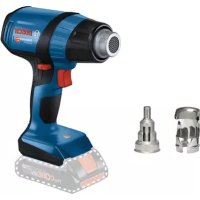
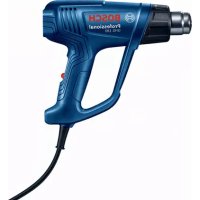
- | English
- Products sold in GB only:
- Product Description and Specifications
- Intended Use
- Product Features
- Noise/vibration information
- Operation
- Starting Operation
- Creation of Smoke During Initial Use
- Switching On
- Switching Off
- Regulating airflow (GHG 20-63)
- Regulating temperature (GHG 20-63)
- 14|English
- If you reduce the temperature, it takes a little while for the power tool to cool down.
- Regulating airflow (GHG 23-66)
- Switch position I/min°C
- Regulating temperature (GHG 23-66)
- Switch position ° C I/min
- Saving airflow/temperature combinations (GHG 23-66)
- Practical advice
- Pull the plug out of the socket before carrying out any work on the power tool.
- Removing the heat shield
- Setting down the power tool
- Example applications (see figures A-G)
- Removing varnish/loosening adhesives(see figure A)
- Stripping paint from window frames (see figure B)
- Thawing frozen water pipes (see figure C)
- Shaping plastic pipes (see figure D)
- Welding plastic (see figure E)
- Soft Soldering (see figure F)
- Heat-shrinking (see figure G)
- Maintenance and Servicing
- Maintenance and Cleaning
- | Français
- After-Sales Service and Application Service
- Great Britain
- Ireland
- Australia, New Zealand and Pacific Islands
- Republic of South Africa
- Customer service
- Gauteng - BSC Service Centre
- KZN - BSC Service Centre
- Western Cape - BSC Service Centre
- Bosch Headquarters
- Disposal
- Only for EU countries:
- François
- Bortskaffelse
- Avfallshantering
- Endast for EU-lander:
- Regulere temperature (GHG 20-63)
- Regulere temperature (GHG 23-66)
- Eumnpertan naiawk ououeepaoyic
- EAAaδa
- Anoupon
- Regulacion temperature (GHG 20-63)
- H306paXeHHbIe COCTaBHeIy aactn
- Texnueckne daHbie
- Pa6ota c HhctpyMeHToM
- BknoueHne 3nEeKtpOnHcTpymeHa
- 06pa3oBaHHe DbIm npn NepBOM BKNIOueHHN
- BkIouenHe
- 98|Pysckn
- BbIKIoueHne
- PerynnpoBaHne noToKa Bo3dyxa (GHG 20-63)
- PerynpobAHne TemnepatpybGHG20-63
- PerynpOBaHne nToKa Bo3dyxa (GHG 23-66)
- CoXpaHHeNKe KOM6HauHn NToKa Bo3Dyxa/ TempepaTpybl (GHG 23-66)
- yKa3aHHn no npmHeHHH
- CHTHe TepMo3aunHtBi
- OTknaDbIbAHne 3JIeKToHHCTpyMeHTa BCTopoHy
- PpHmepbI BO3MOXhBIX BnO8 pa6oTbI (cm.pnc.A-G)
- CHaTHe NaKa/TePmonNaBkoKnEa (m.pHc.A)
- 100|Pycckn
- YdaneHne naKOKpacOuHOro nOKpbITnC OKOHbIX paM (cm.pnc.B)
- OTTANBAHNE BOONPOBOA (cm.pnc.C)
- ΦopMOBaHHe nIaTmaccOBbIX Tpy6 (cm.pnc.D)
- Cbapka nIaacTmaccobbIX DeTaIe (cm. pHc. E)
- Hn3KoTeMnepaTyPhaNaKa (cm.pnc.F)
- YcaKa (cm.pnc.G)
- TexobnyxHbAHne n cepBnC
- Texo6cnyxHBaHne n ouhctka
- CepBn KOncynbTHpObaHne no BOpocam npMeHeHH
- ДиperhoHa:Pocn,Beapycb,Kazaxctan,YkpanHa
- Pocchna
- Genapycb
- Ka3axctan
- ApMeHHA3ep6aJxKan,Γpy3n,KnprH3ctan,MHOro- Hn,TaJKNKCTAH,TyPKMeHNCTAH,Y36eknCTAH
- YtHn3aun
- Tolbko dIa cTpaH-ueNoB EC:
- YkpaIHcbka
- Bka3iBkn 3 Texhikn 6e3nekn
- Perynobann Tempeatypn (GHG 20-63)
- Picn3HHKeHHaTmNepaTpH,BOHa 3aHHaetbca Ha KopoTKn qac, nokn eneKTpoiHcTpMeHt He oxonoHe.
- PerynIOBaHHnoTOKy noBITpy (GHG 23-66)
- Ponoxhen
- BMMKka4a
- /xBnn. .C
- PerynIOBaHHaTeMnepaTpyn (GHG 23-66)
- IonoKeHHa
- BIMMkaHa
- Cn/xBUN.
- Picn3HHKeHHaTmNepaTpH,BOHa 3aHHaCTbca Ha KopoTknVac,NOKeNEKtpoHcTpyMeHT He OxonoHe.
- 36epexehnKombiaui noToky nobITpyn (GHG 23-66)
- 3aBockiHanaHTyBaHHA
- Bka3iBKn 1o0p6oTn
- Ipeep6ydb-RAHMMAHInyuaJIMN3 eneKtpponpnaDOMBHTRHTbWtencenb3po3ETK.
- 3HHTT3axhctyBIDTEMnepaTpyn
- KnoknaTh enektpoHcTpyment
- NobOdbTec3 3 NOKlaJeHMM ENEKTPoiHCTpyMeHTOM o6nHBO 06epExHo! Bm MoKTe OTPMaTH OINIKI BID rapAuro conna a6o rapAuro notOKY nobITpr.
- PpHKnadn po60Tu (DnB. Man. A-G)
- 06epexno npn 3amhi conna! He topkaitecra paryoro conna. Daite eneKtpoiHCTpyMeHTy oxonohyni npn 3amhi Bdraiae 3axnci pykabuui.
- BnaneHH naky/po3nnabneHH Kneio (nBm.A)
- BnanaenHna nakoofap6oBoro nokpHTT3 BikoHHnx pAM (mB.Man.B)
- 106|YkpaiHcbka
- P03MopoxyBaHHB BODonpoBIDHn Tpy6 (Hb.MaN.C)
- 3rHHHn nIacMacOBHXtpy6 (nB.MaN.D)
- 3BapHOBaHHIpaTmacn(Hb.Man.E)
- TaaHHaM'AAKIM npHnoeM (DnB.MaI.F)
- Kayinci3ik HycKaynapbI
- TexHnKanbIK mAnimetTep
- UybIn XeHepin typnbiaKnapaT
- PaiandaHny
- Icke Koccy
- Anraa pet kondahbicka ehri3y keiHderi TytHHin naia 6onybl
- Kocy
- Owipy
- Aya Kelemenin petrey (GHG 20-63)
- TemnepaTypa hpiety (GHG 20-63)
- 110|Ka3aKa
- EreptemnepatypahtbTomehndetcehi3neKtp Kypanbl cyfHaHwa Kbicka yaKbit ETei.
- Aya konemih petrey (GHG 23-66)
- TempepatypahtpeTey (GHG 23-66)
- Pa6ota ceneKtpoHHCTpymehTa
- IyckaneBekcnnoataa
- 06pa3yBaHe Ha dHM pH TbPBTO BbBExKaHe B eKcnnoataa
- BknlouBaHe
- N3KJIIOUBaHe
- PerynpaeHa konmuectBoto Bb3dyx (GHG 20-63)
- CTeneH Ha KonlueCTBO
- Bb3dYX
- l/min°C
- Perynphae Ha TempepaTpaTa (GHG 20-63)
- PerynpaeHa konnueCTbTo b3dyx (GHG 23-66)
- PerynpaeHa temnepatypata (GHG 23-66)
- Бракуванe
- MaKeDoHcKn
- Be36eHocnHaNoMeHH
- Onnc Ha npoH3BODoTn nepΦopMaHCNTe
- Hameheta ynoTpe6a
- Hnyctpaunja Ha KOMnoHEHTN
- Texnukn noaToun
- HnΦopMaun 3a 6yuaB/ Bu6paun
- Ynotpe6a
- CtabaBeBoynotpe6a
- Pn npBTO cTAPyBaBe ce foOpMnpa qad
- BknyyBaBe
- NcknyuBaBe
- Perynpahe Ha konmnuHaTa Ha Bo3dyx (GHG 20-63)
- Perynpahe Ha Temnepaypata (GHG 20-63)
- Perynpahe Ha konnunha Ta Ha Bo3dyx (GHG 23-66)
- Perynpahe Ha Tempepatypata (GHG 23-66)
- Ako ja hamaHnte TemnepaTpya, noTppe6ho e KpaTko BpeMe doKeJa ce onaHneKtpuHnot anat.
- 3auyyBaHBe Ha KOM6HaauHHe Ha BO3dyx/TeMnepaTypa (GHG 23-66)
- Φa6pnuKa nocTabKa
- Memopuja ° C I/min PnpMeHa
- Cobetnpa6oTeheTo
- Ppe6nno KaKbA HnTepeBHeuJa Ha eneKtpHnOtn anat, n3Bneye ro ctpyJHnO npKnnyok od sHaTa 03Ha.
- Baede ha tonnoTHa 3aHTTA
- OdoxyBaBe Ha eEnktpnHnoT anat
- Ppimepn 3a pa6ota (Bnu n cnn A-G)
- OdpKyBaHe n cepBnC
- OttpaHyBaBe
- Cama 3a 3emjnte oEY:
- Srpski
- Reguliranje temperature (GHG 20-63)
- Reguliranje temperature (GHG 23-66)
- 公吉昌/运本鑫自(GHG23-66)
- gajall1jai
- JjI jI JI 15g jS gogolc wgs jS sJl jNw Ss CgJgJ (3) oKs
- Lsiu 150 agl jol pj
- (Dgajdss
Brand : BOSCH
Model : GHG 2063 Professional
Category : Heat gun