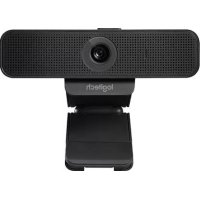
USER MANUAL C925e LOGITECH
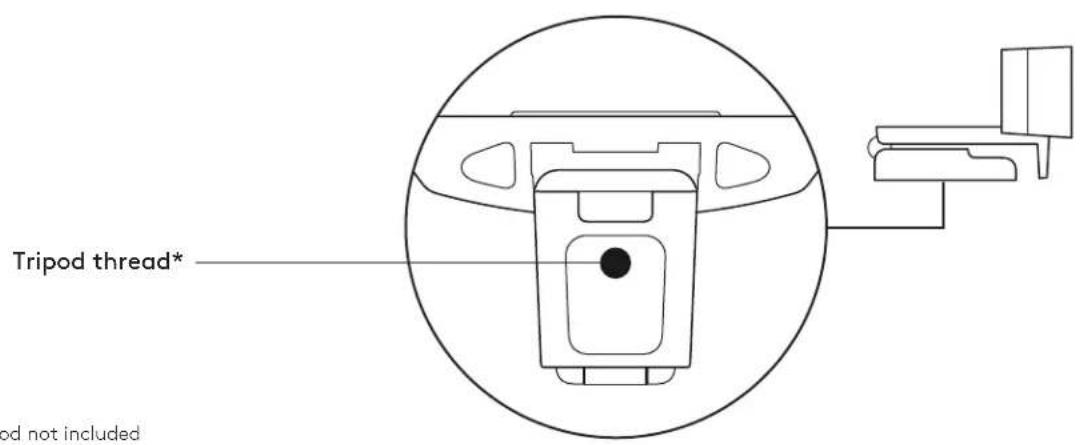
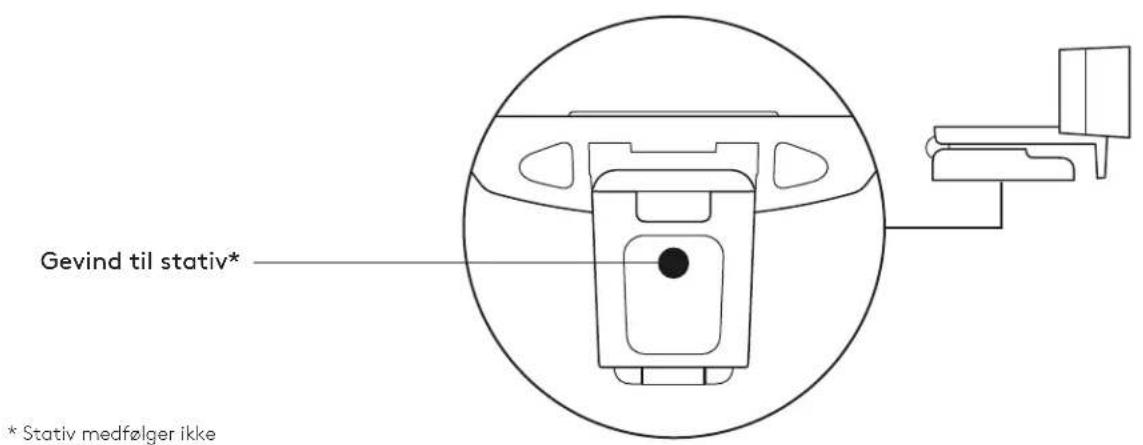
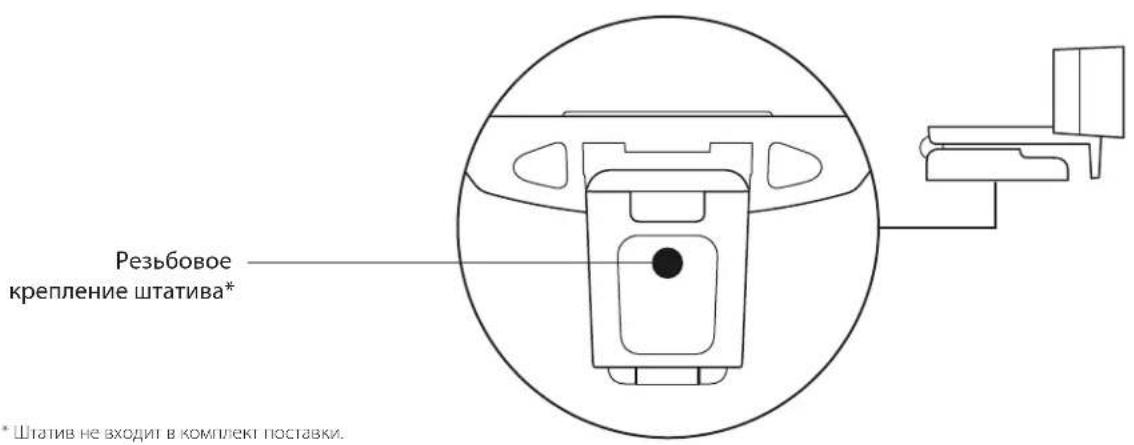
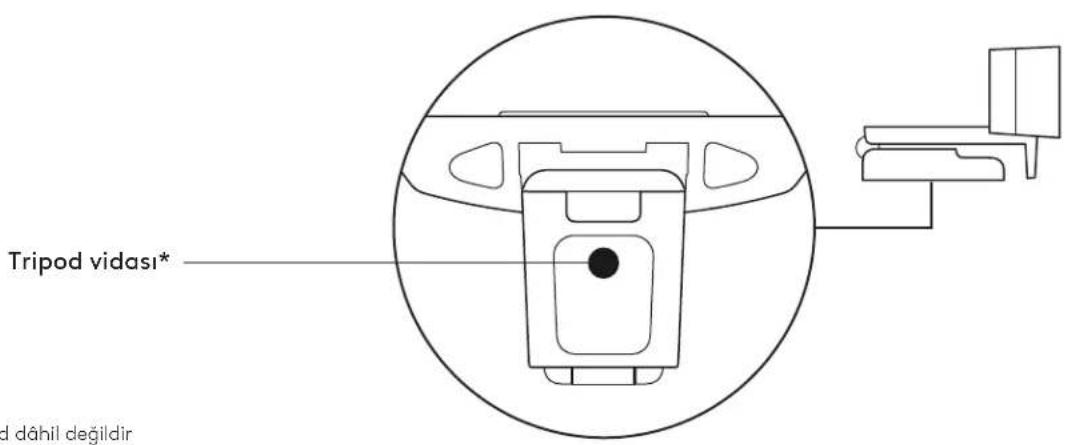
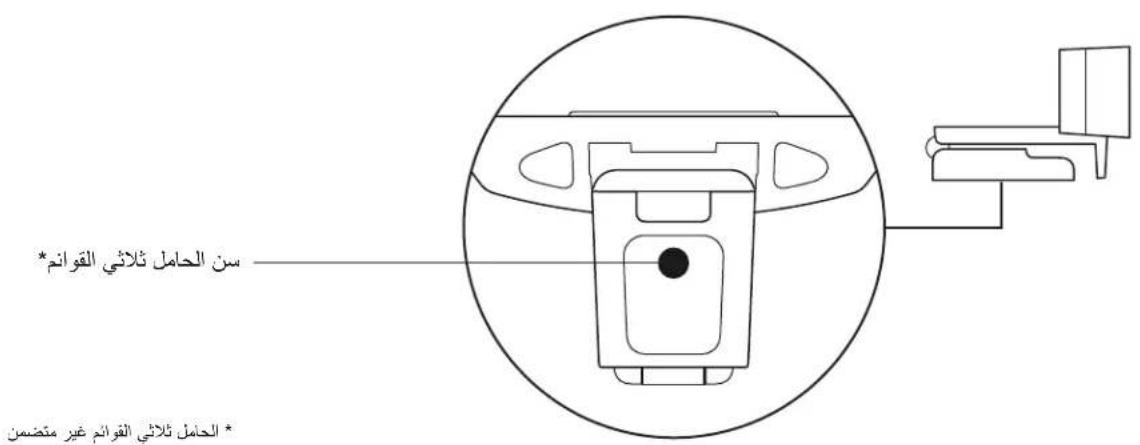
* Tripod not included
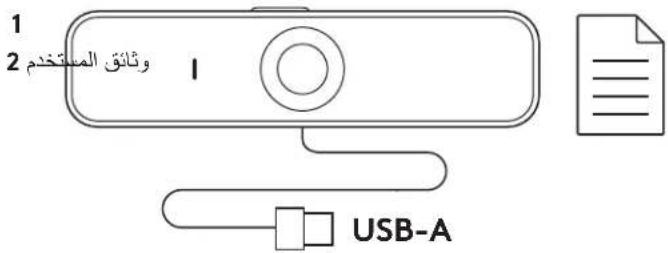
WHAT'S IN THE BOX
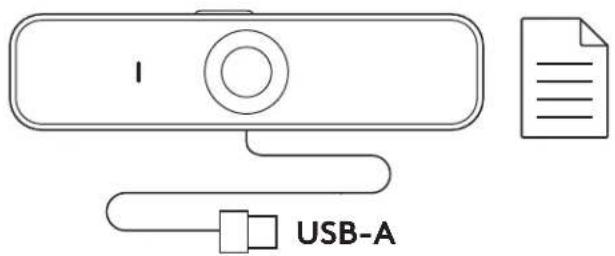
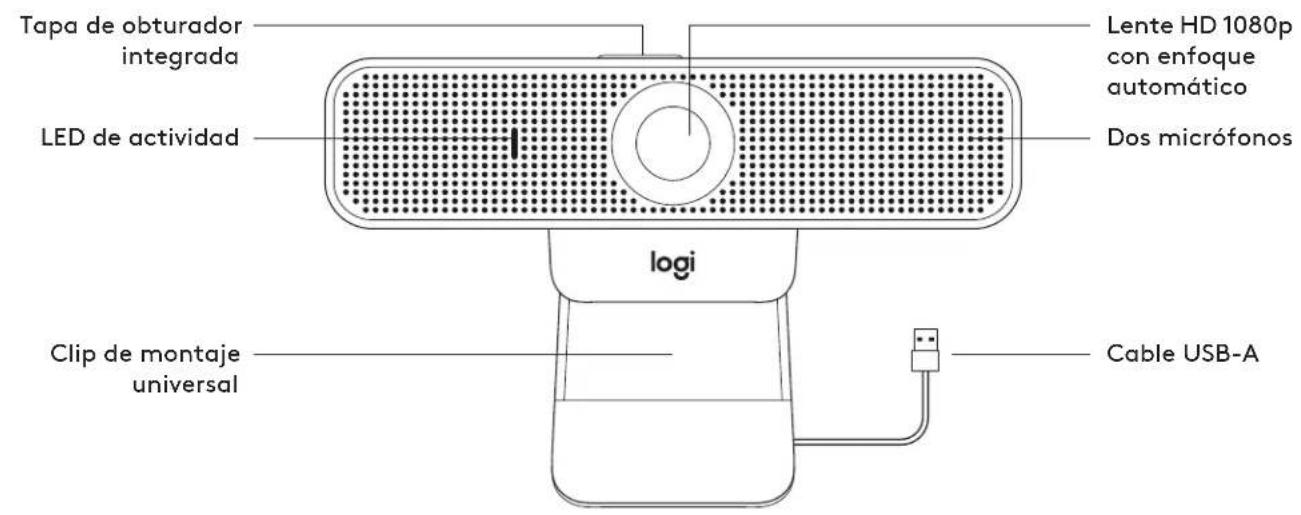
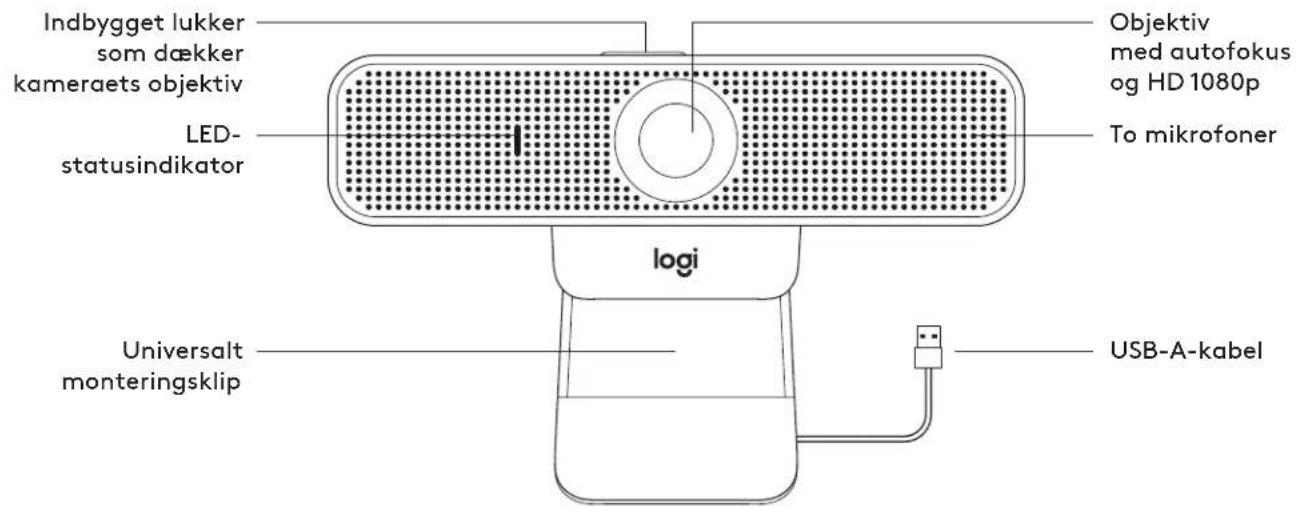
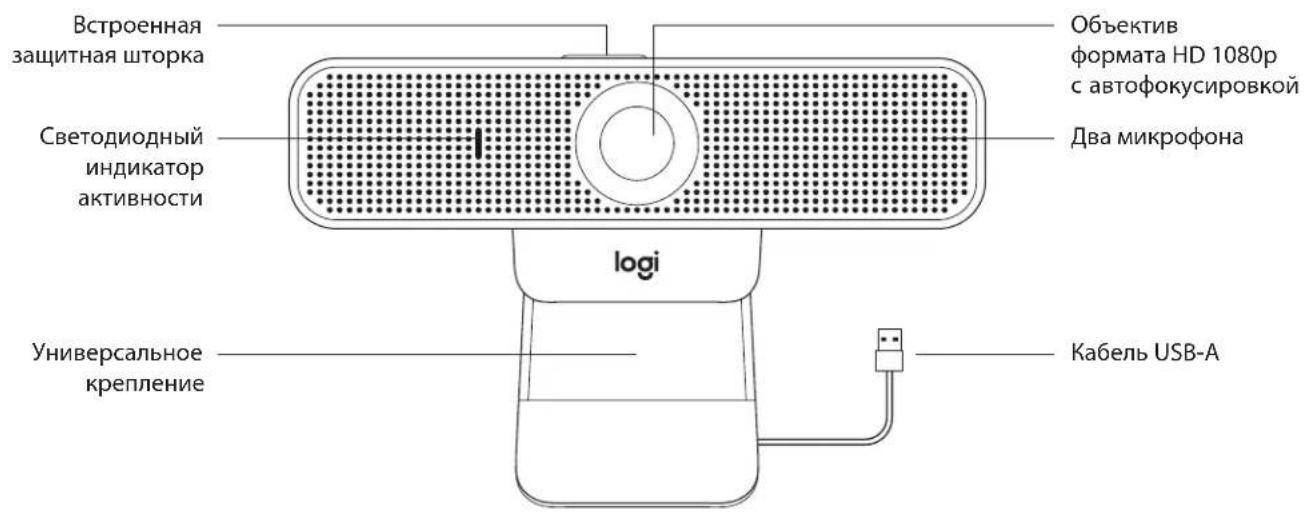
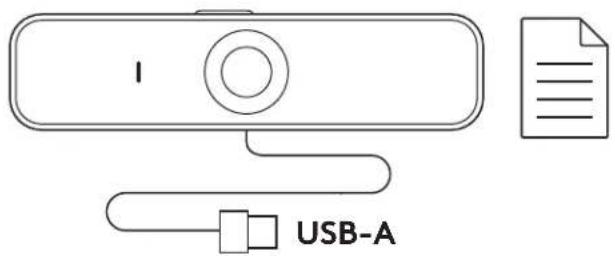
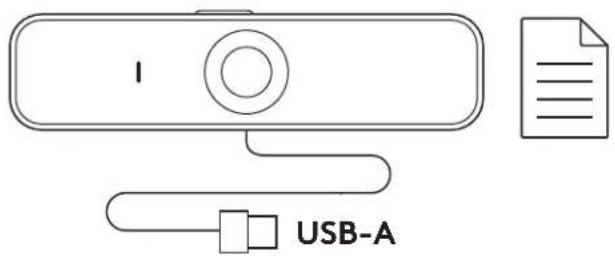
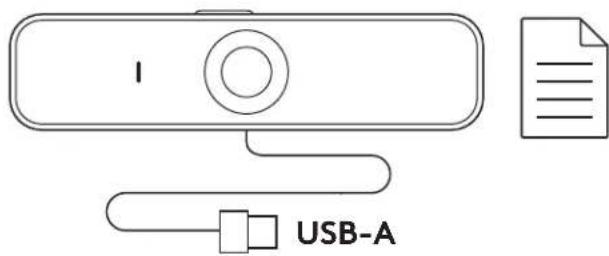
1 Webcam with 6 ft (1.83 m) attached USB-A cable
2 User documentation
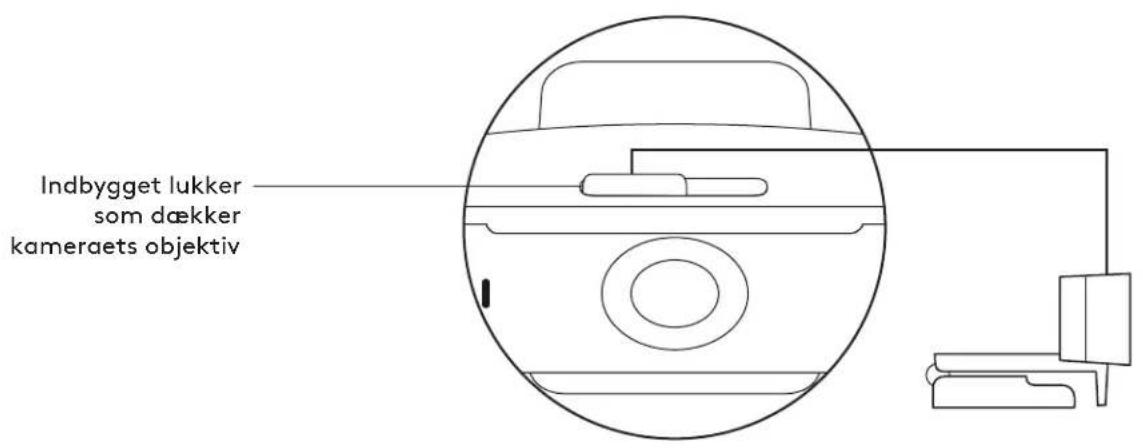
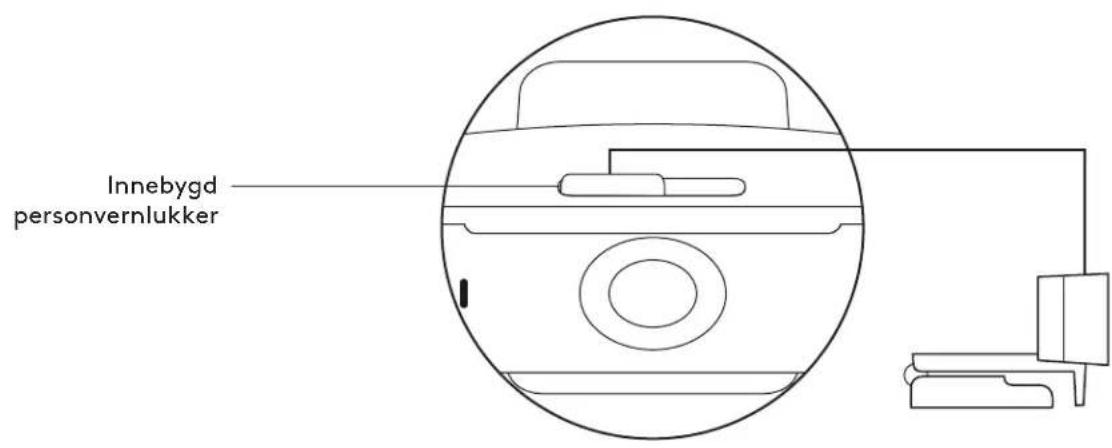
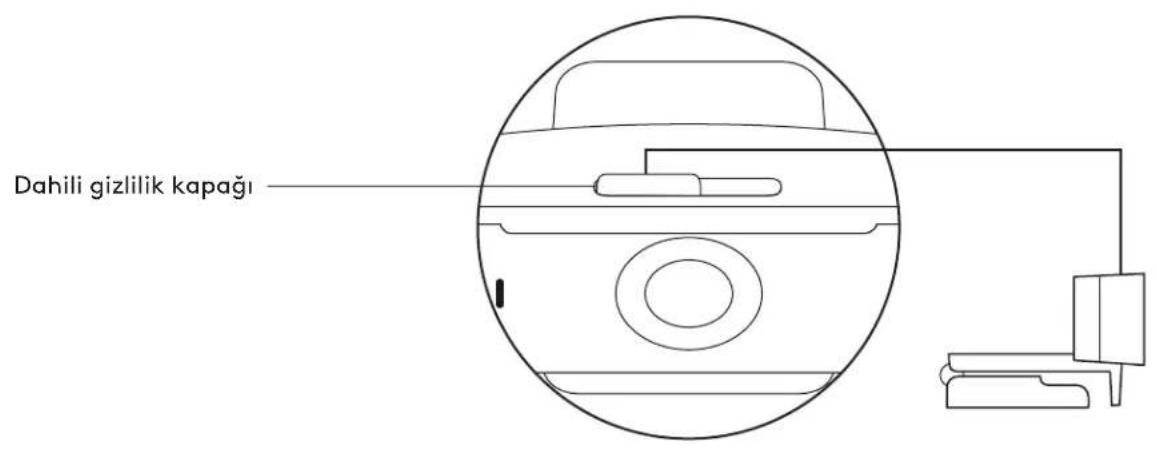
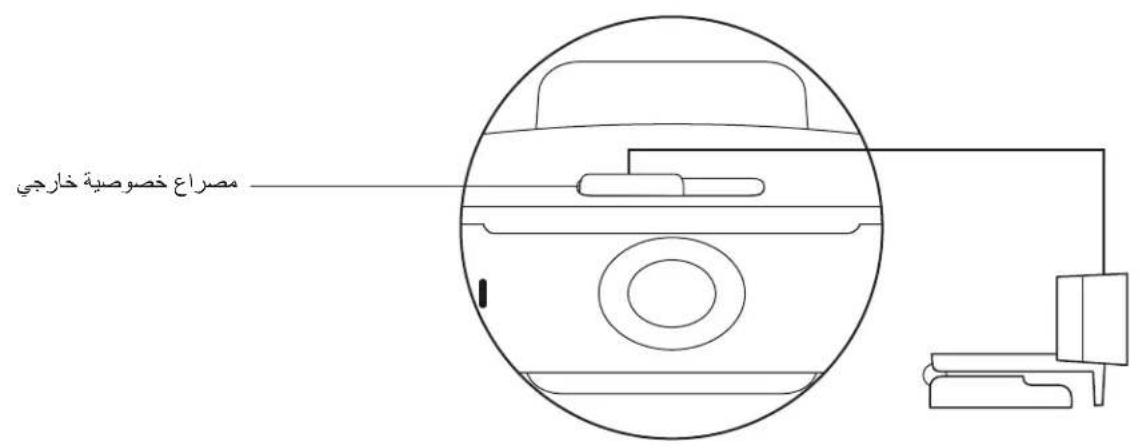
CONTROLLING THE BUILT-IN PRIVACY SHUTTER
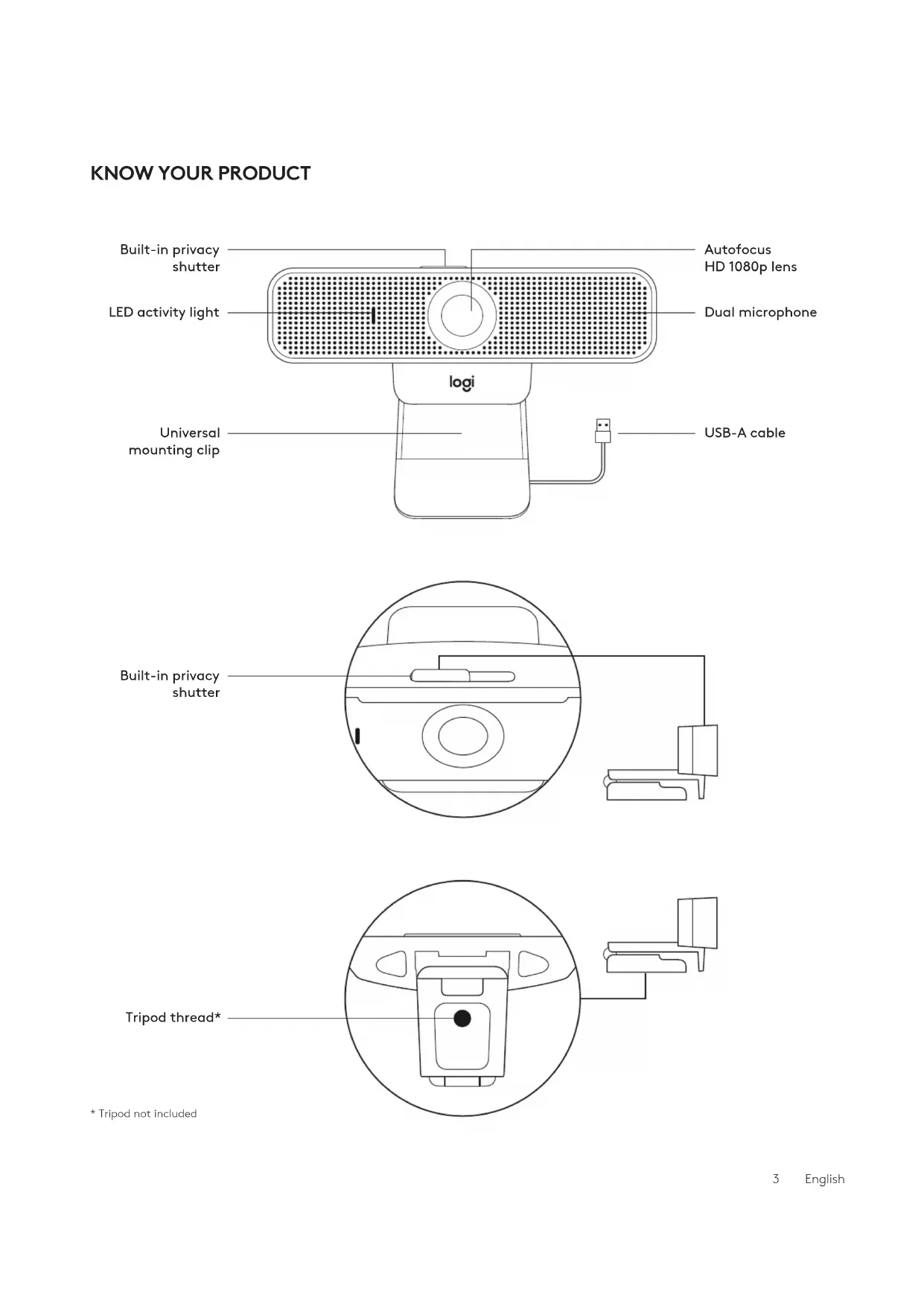
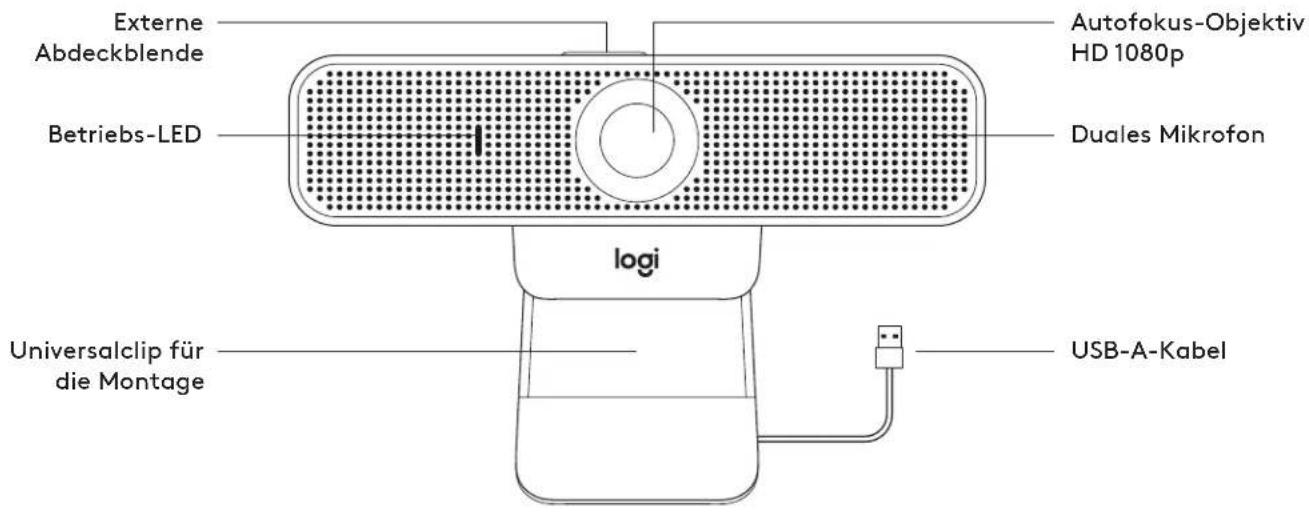
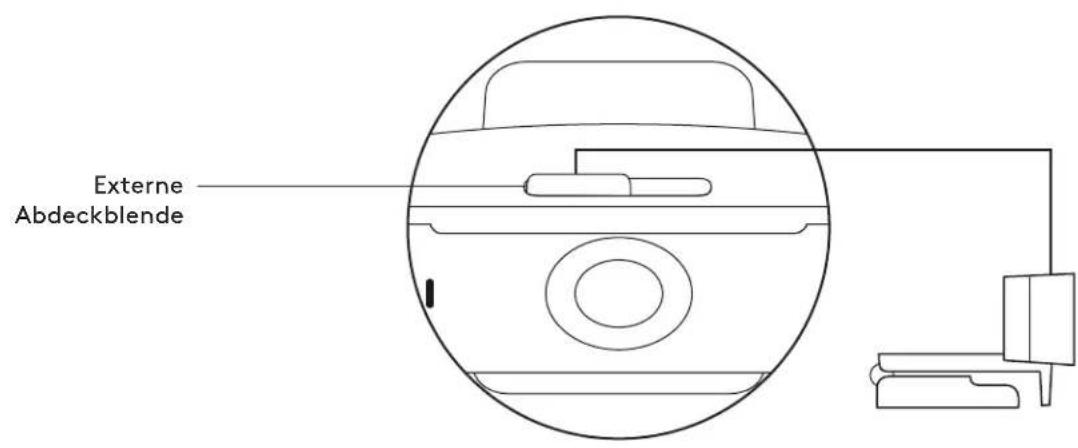
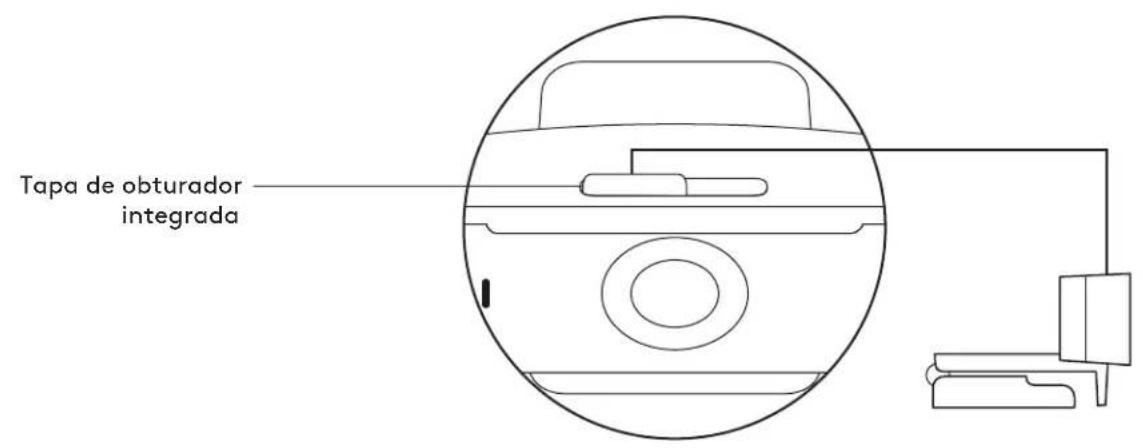
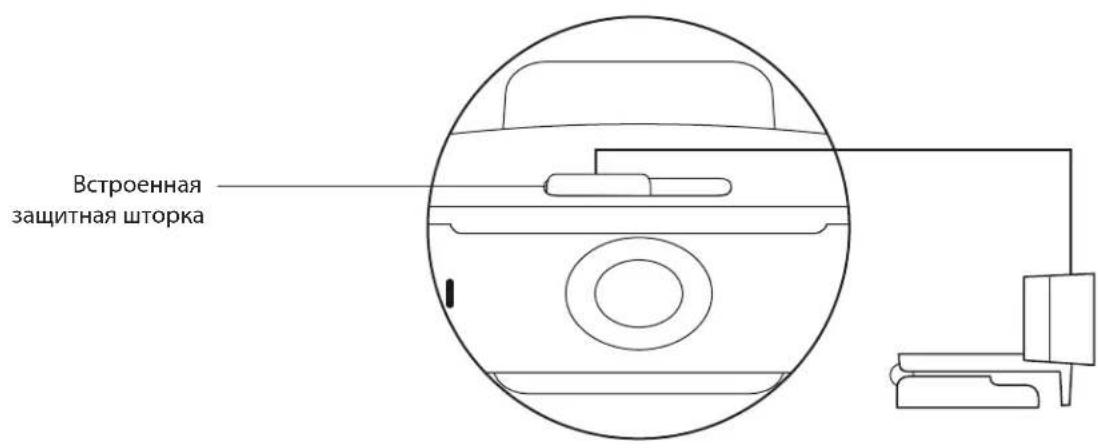
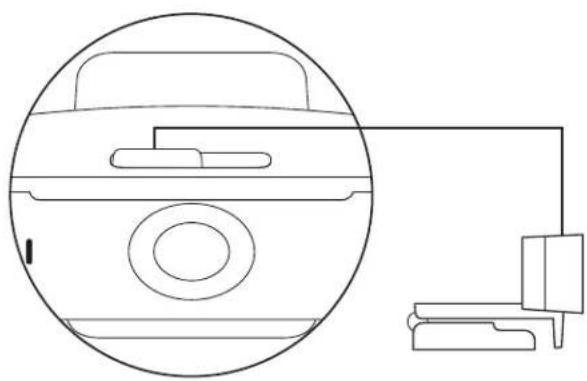
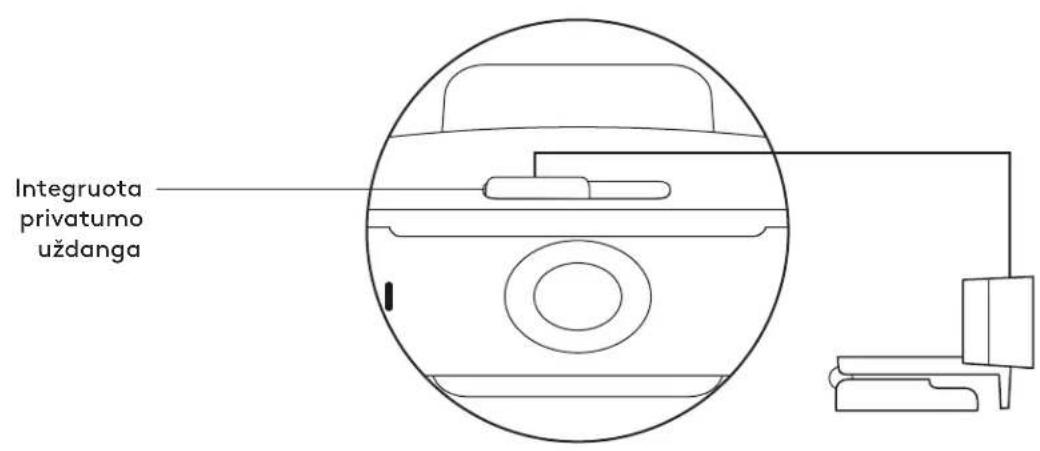
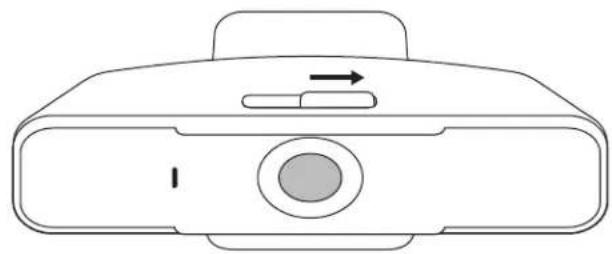
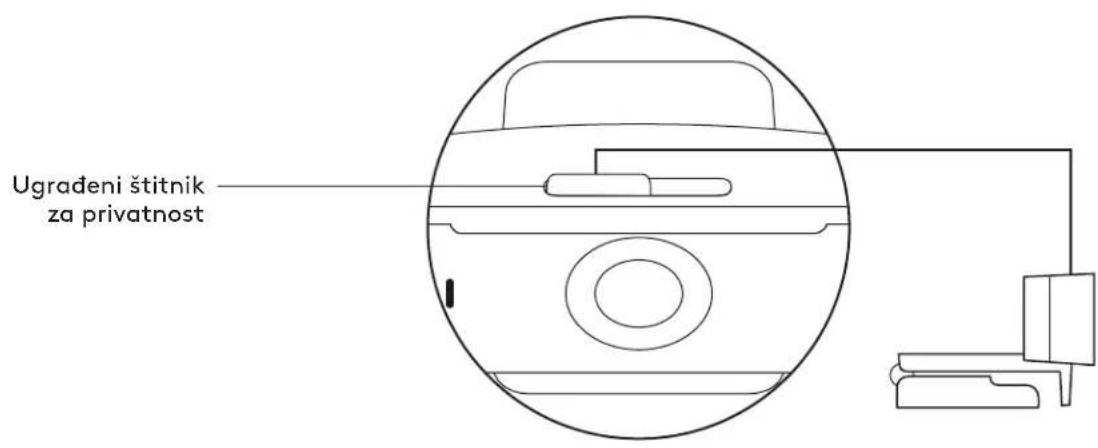
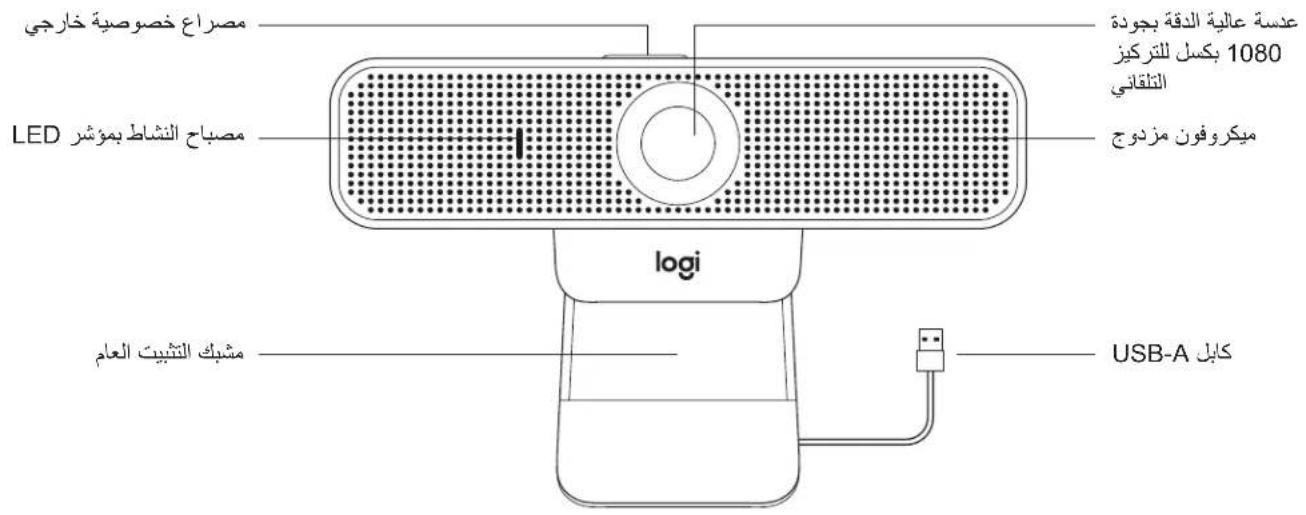
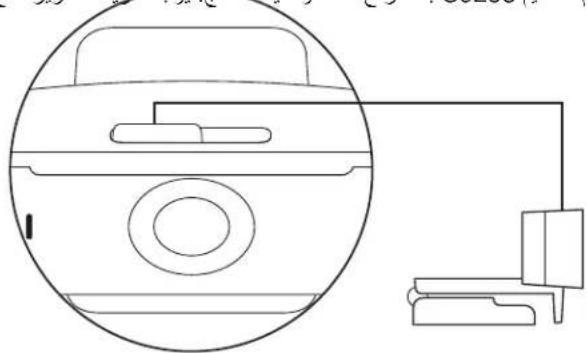
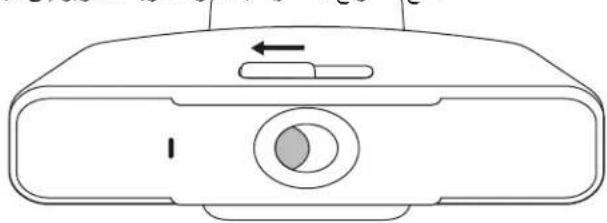
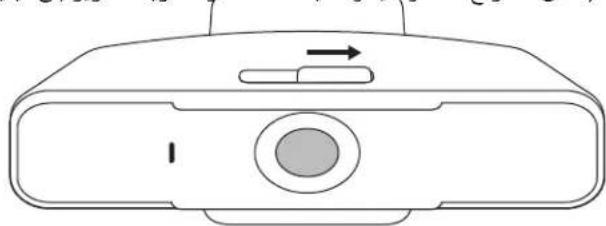
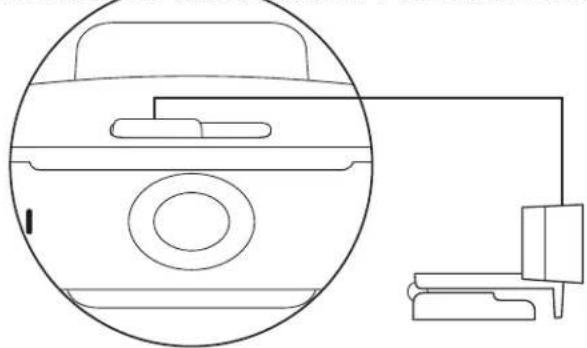
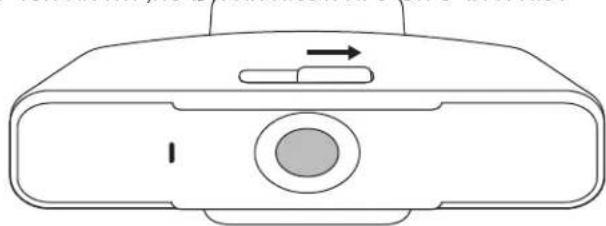
1 C925e is designed with an integrated privacy shutter. The slider to open/close the shutter is located on top of the webcam, directly above the camera lens.
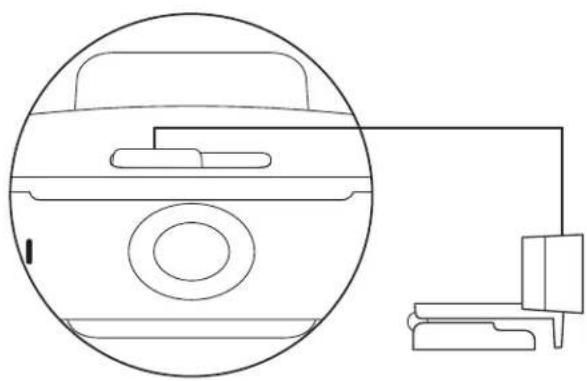
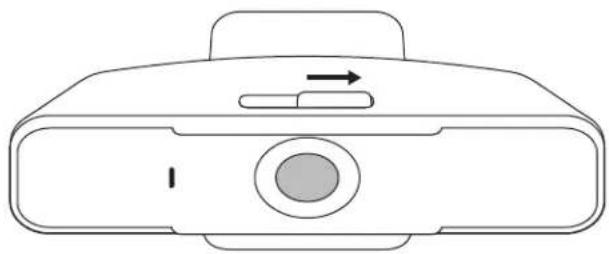
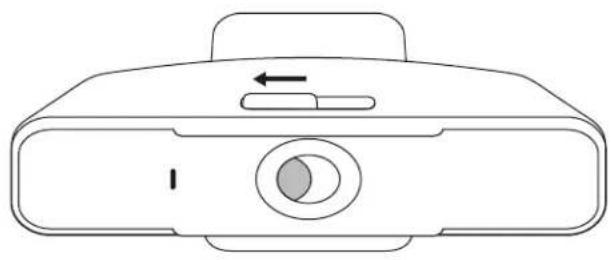
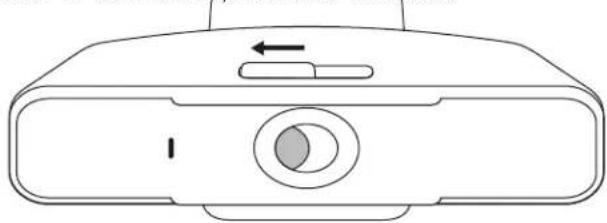
2 To open the privacy shutter, move the slider to the left.
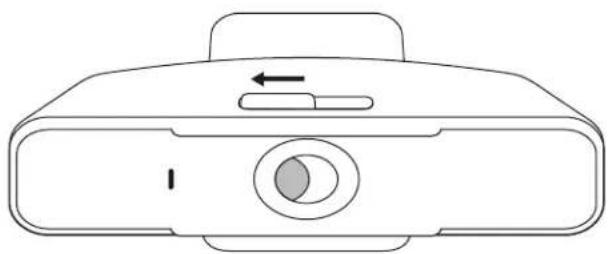
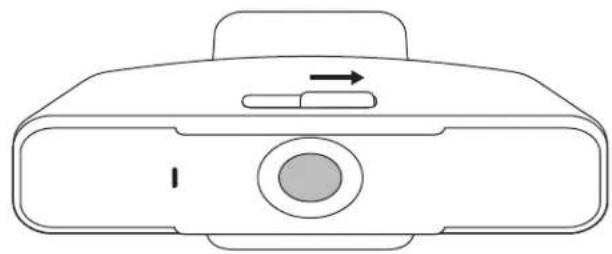
3 To close the privacy shutter and cover the lens, move the slider to the right. The lens will appear white when the privacy shutter is closed.
SETTING UP THE WEBCAM
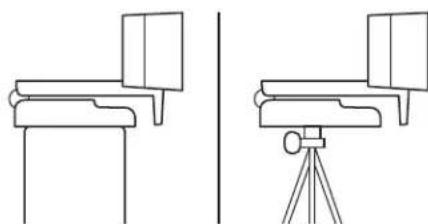
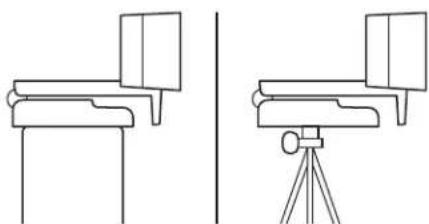
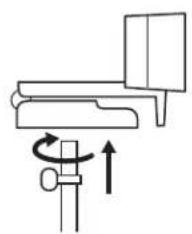
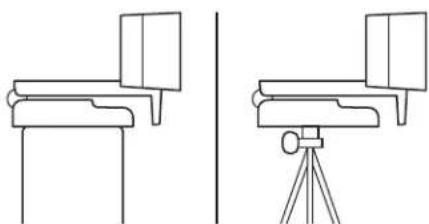
For placement on a monitor
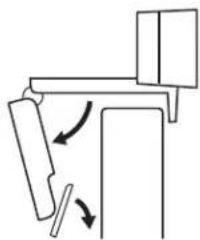
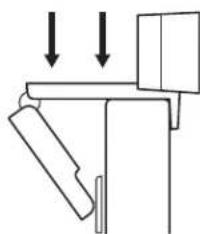
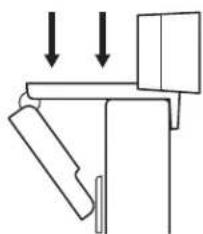
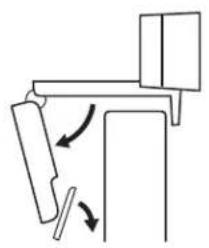
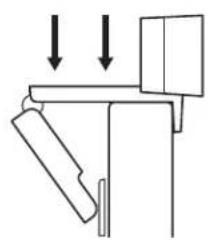
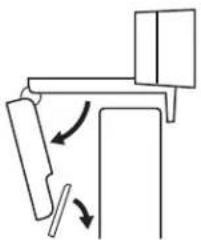
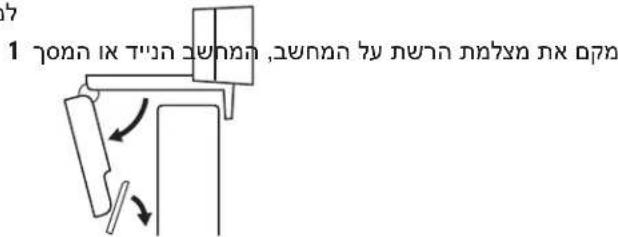
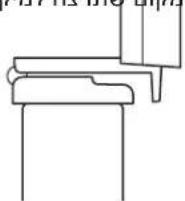
1 Place your webcam on a computer, laptop or monitor at a position or angle you desire.
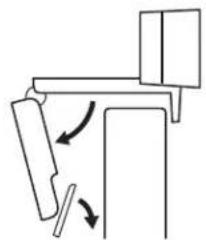
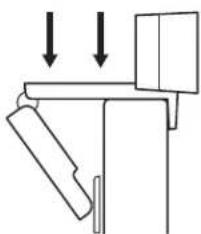
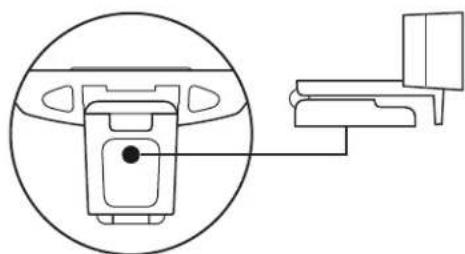
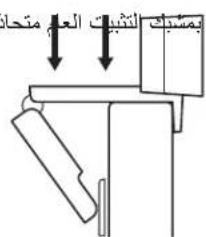
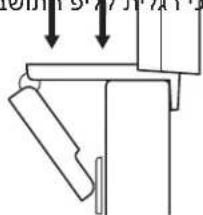
2 Adjust the webcam to make sure the foot on the universal mounting clip is flush with the back of your device.
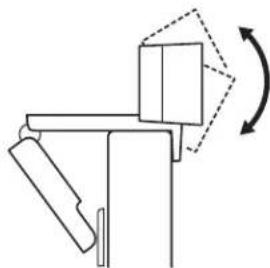
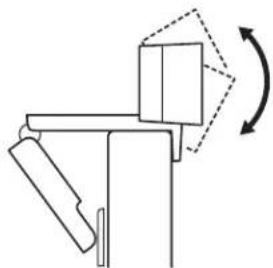
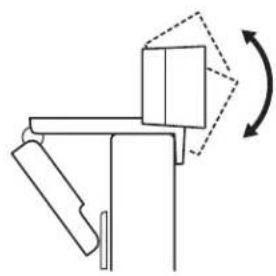
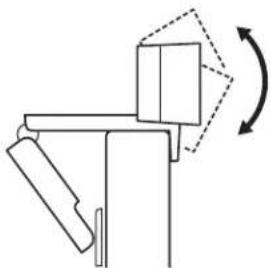
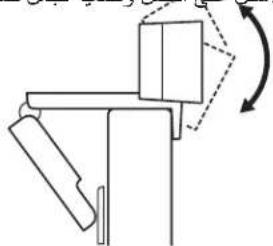
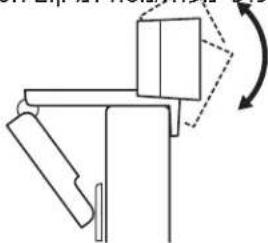
3 Manually adjust the webcam up/down to the best position to frame yourself.
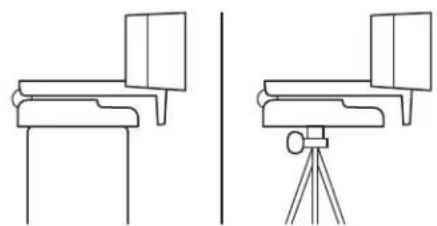
For placement on a tripod*
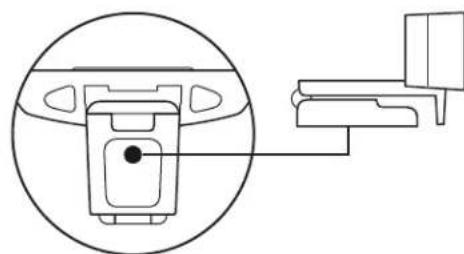
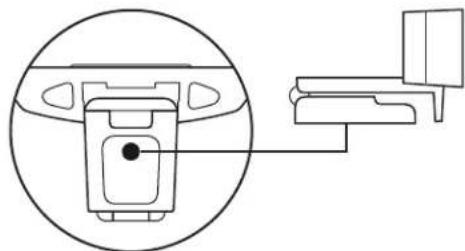
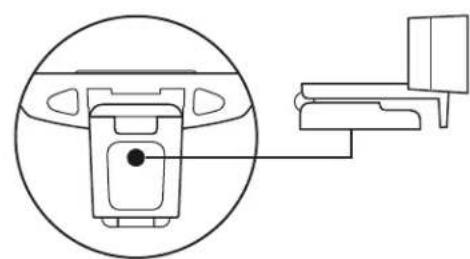
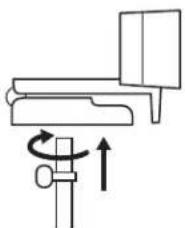
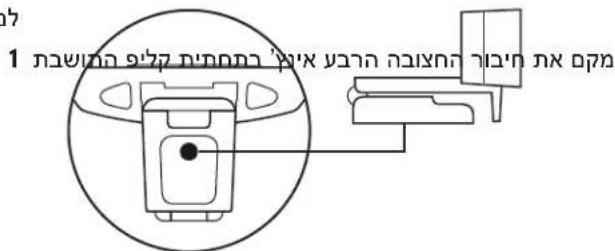
1 Locate the 14 inch tripod thread on the bottom of the universal mounting clip.
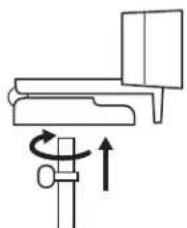
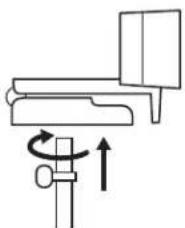
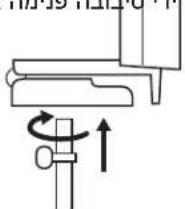
2 Secure the webcam on your tripod by twisting it into the 14 inch thread.
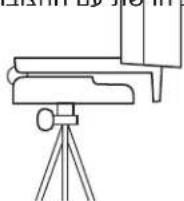
3 Place your webcam with the tripod anywhere you desire to the best position to frame yourself.
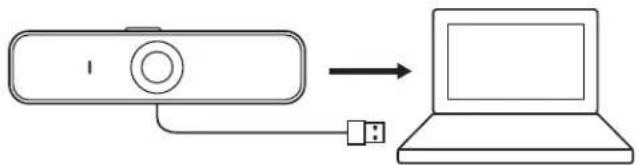
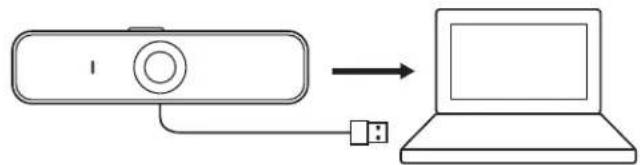
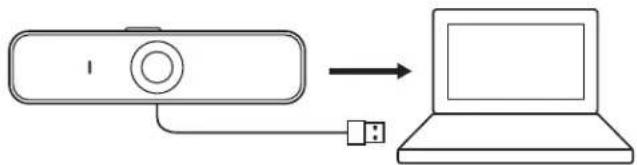
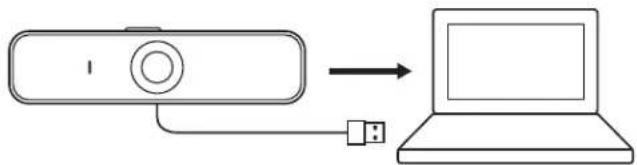
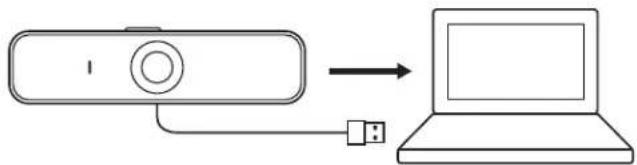
CONNECTING THE WEBCAM VIA USB-A
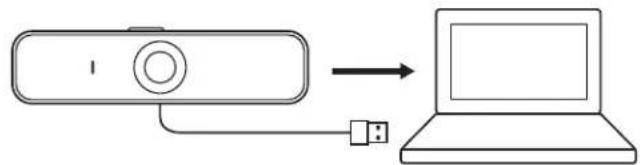
Plug the USB-A connector into the USB-A port on your computer.
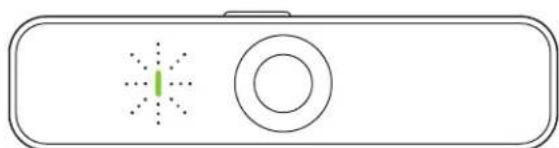
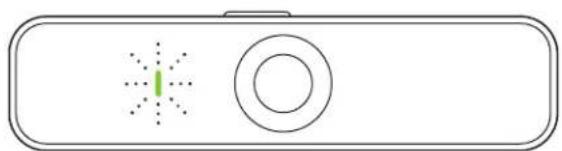
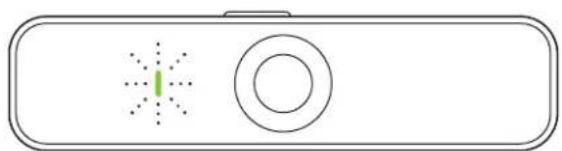
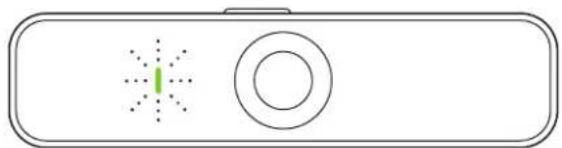
SUCCEEDFCONNECTION
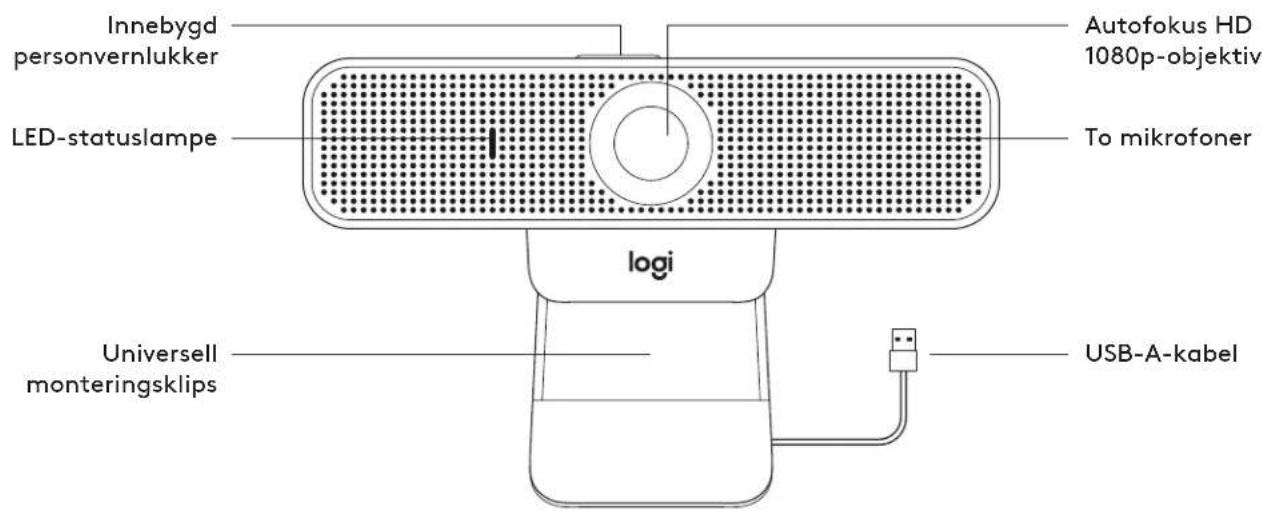
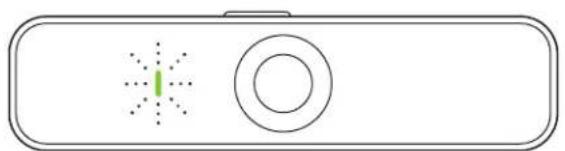
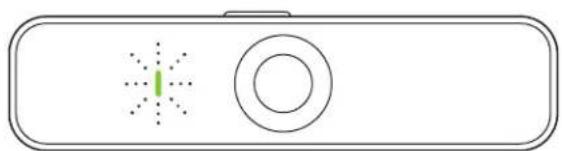
LED activity light will light up when the webcam is in use by an application.
DIMENSIONS
INCLUDING FIXED MOUNTINGCLIP:
Height x Width x Depth:
2.9 in (73 mm) × 5.0 in (126 mm) × 1.8 in (45 mm)
Cable Length: 6 ft (1.83 m)
Weight: 6.0 oz (170 g)
www.logitech.com/support/C925e
PRODUKT AUF EINEN BLICK
Peso: 170 g (6,0 once)
www.logitech.com/support/C925e
COMPONENTES DEL PRODUCTO
73 mm (2,9 in) × 126 mm (5,0 in) × 45 mm (1,8 in)
73 mm (2,9 in) × 126 mm (5,0 in) × 45 mm (1,8 in)
Kabellenge: 1,83 m (6 ft)
Vikt: 170 g (6,0 uns)
www.logitech.com/support/C925e
PRODUKTOVERSIGT
DET INDEHOLDER KASSEN
BLI KJENT MED PRODUKTET
73 mm (2,9 in) x 126 mm (5,0 in) x 45 mm (1,8 in)
MjkoKaawδiou:1,83m(6ft)
Bapoc; 170 g (6,0 oz)
www.logitech.com/support/C925e
3HAKOMCTBO C PPOyKTOM
* WATIMB HE BXOJNT B KOMNIJEKT NOCTABK.
KOMNJIeKTIOCTABKIN
1 Be6-kaMepa c npnKpeHnEHHbIM ka6eIeM USB-A (1,83 M)
2 DOKyMeHTaUNI NOJIb3OBaTeN
YIPABJIEHNE BCTPOEHHOI UTOPKOH
1 Be6-Kamepa C925e ochaueHa BCTpoEHHO 3auHTHOI TOpKoN.PeryJHToP NOJOKeHHu TOpKn (OTKpbTO/3aKpbTO) HaxOINTcB BepxHe hactn Be6-KamepbI pRMO HaD o6bekTtBOM.
2 TTo6bI OTKpbITb 3aunTHyIO WTOpKy, npeMeCTnTe perynrTOp BJeBO.
3 TTo6b 3aKpbTb 06BeKTINB 3aUHTHOI UTOPKO, nepemecntte peryIATOP BnpAO. 3aKpbTb IUTOPKO 06BeKTNB 6yET 6enoro Cbeta.
IIOIOTOBBA BEB-KAMEPbIK PABOTE
Pa3MeIeHHe Ha MoHHTope
1 YcTaHOBnTe Be6-KaMepy Ha KOMNbIOTep, HoYr6yK uINMOHHTOp B HyxHOM NIOJIOKeHN NIOd HxKbIM yTlOM.
2 Otperynpyte noIOxKeHne Be6-KaMepbTaK, YTO6bHnxHnnoBepxHOCTb yHnBepcaJIbHOrO KpeIeHn npInerAJa K 3aJHe n aHeN yCTpoiCTBa.
3 BpyHyIO OTPeRyIpyrTe yROI HAKNoHa Be6-KaMepbI, 1TO6bI OBeCneYHTb ONTMalbHoe KaDpnpoBaHne.
Pa3MeueHHe Ha 7tATnBE
1 YctaHOBITE pe36b0BOe KpennHe HtTaTnBa 14 DIOIMa BHNKeH yactn yHNBepcAibHoR KOpeHHneHn.
2 3akpenite Be6-Kamepy Ha IItaTnBe C nOmoIbu pe3b6oBoro KpennneHna 14 duim.
3 Pa3MeCTIe Be6-KaMepy Ha IITaTINBE B NIO6OM MecTe, 4TO6bI Bam 6bINo yO6Ho.
*TaTnB He 3XoDNT B KOMnIeK TocTaBKn
IIOKIIIOUHHeNBE6-KAMEPbI YEPE3 PA3bEM USB-A
BCTaBtpe pa3bem USB-A B COOTBeTCTByOuIIN nopT KOMNBoTepa.
YCNEHHOENKJIIOYEHNE
CBeTOIOHbI INHnKaTOp aKTHBHOCTN 3arOpTcA, KOrda npInoxKeHHe Haunet HcNoIb3OBaTb Be6-Kamepy.
PA3MEPbl
COCTAUHOHAPbIM KPEIJIeHNEM
BbICota X WpHnHa X DnHa:
73MM×126MM×45MM
Динэкбета:1,83M
Bec:170r
www.logitech.com/support/C925e
OPIS URZADZENIA
73 mm (2,9 in) × 126 mm (5,0 in) × 45 mm (1,8 in)
73 mm (2,9 in) × 126 mm (5,0 in) × 45 mm (1,8 in)
Dlzkakabla:1,83m6ft)
*UtaTnB He BxOoNTb DO KOMNNEKTy NOCTa3Kn.
ПДКЛIOUECHHBAEBKAMEPN3AДОПOMOTOPO3'EMYUSB-A
BCTaTe po3'EM USB-A y BiJIOBiJHn nopT KOMN IOTepa.
YCNIUSHENIKNIOUeHHA
CbitnoioiHn iHnKaTOp aKTHBHO CTaHy 3arOpntbca, KOH nporpaMa BnKOpNCTOByBaTMe Be6kamepy.
PO3MIPN
31CTAUIOHAPHM KPIIJIeHHrM
Bucota x uipnHa x doBxHa:
73MM×126MM×45MM
Svars: 170 g (6,0 unces)
www.logitech.com/support/C925e
SUSIPAZINKITE SU SAVO PRODUKTU
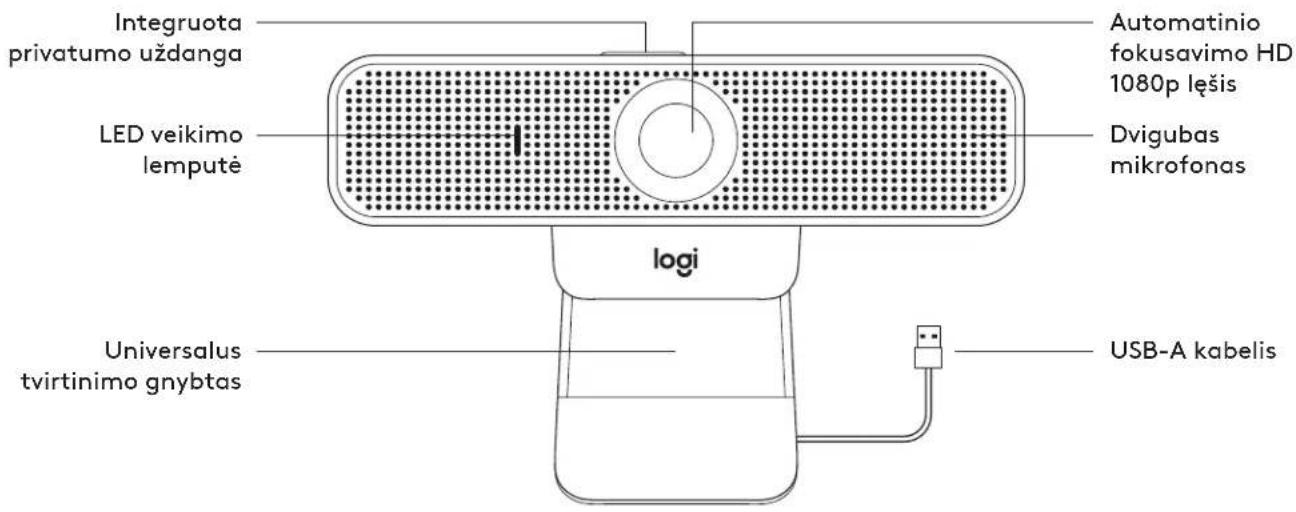
Svoris: 170 g (6,0 unc.)
www.logitech.com/support/C925e
3AIO3HAITECECbC CBOIPOJyKT
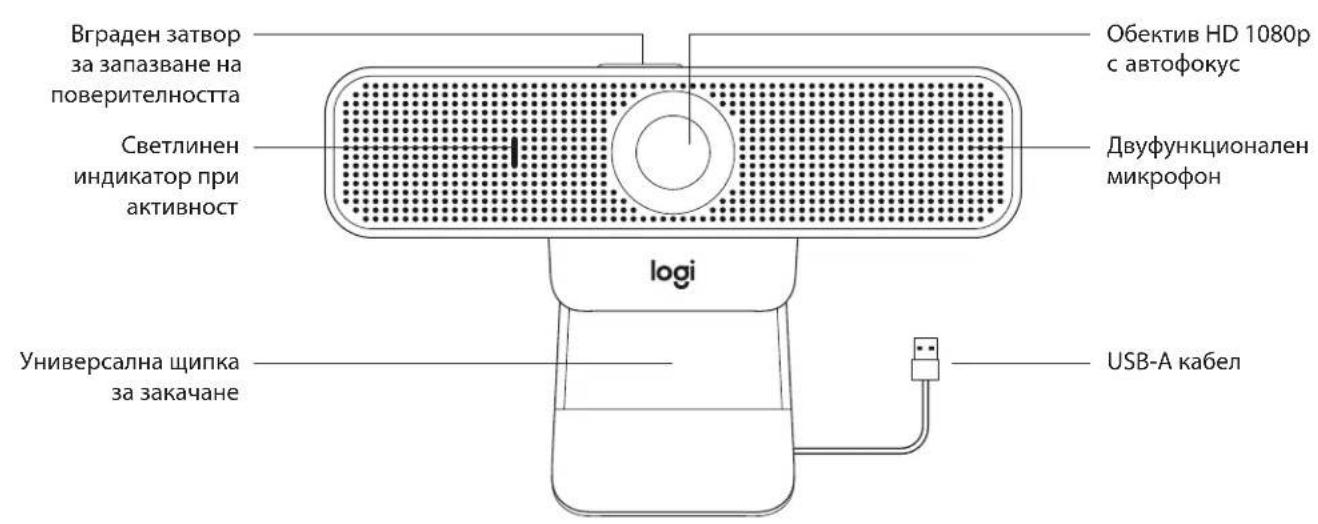
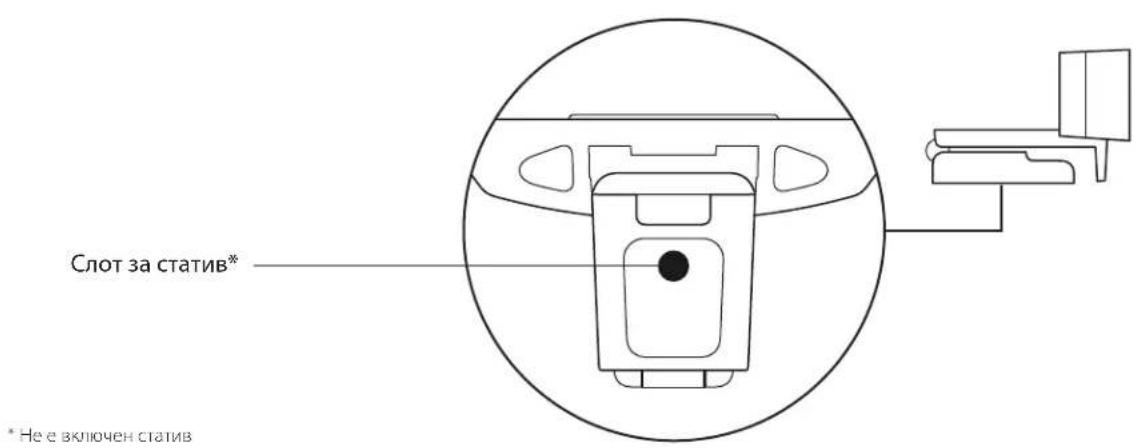
*He e 3knioueh c1tunB
CbДБРЖAHHE HA KTYNTA
1 Ye6 kamepa c noctabeh 6 ft (1,83 M) USB-A ka6en
2 DokymentaunHa noTpe6nten
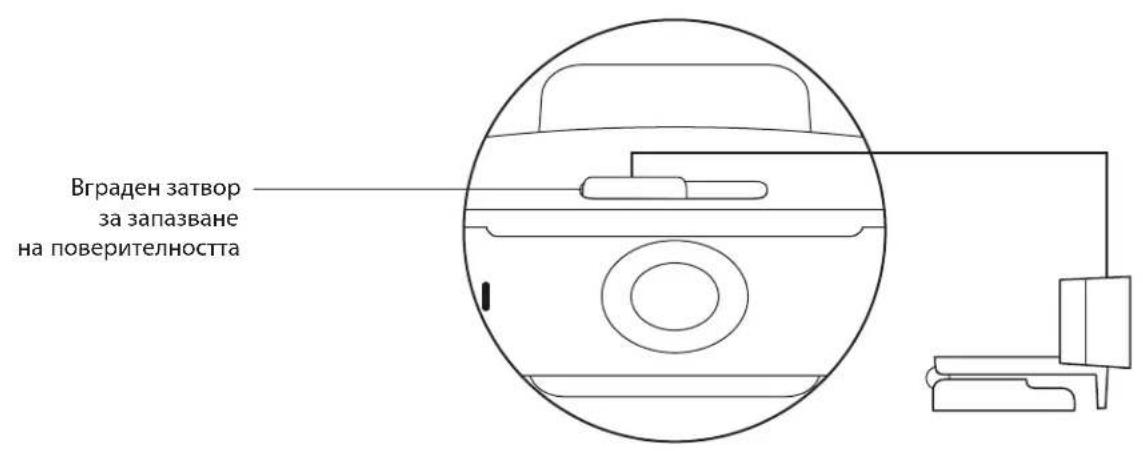
YIPABJIENHE HA BTPADEHIN 3ATBOP 3A 3AHA3BAHE HAIOBEPNTJHOCTTA
1 C925e pa3nonara c Brpaedn 3aTbop 3a 3ana3BaHe Ha NOBepNTenHocTt. nIb3raHbT 3a OTbaprHE/3aTbaprHe Ha 3aTbopa Ce HAMnpa OTrope Bbpxy ye6 Kamepata, DnpeKTHo HAD ObekTUBa Ha KaMepata.
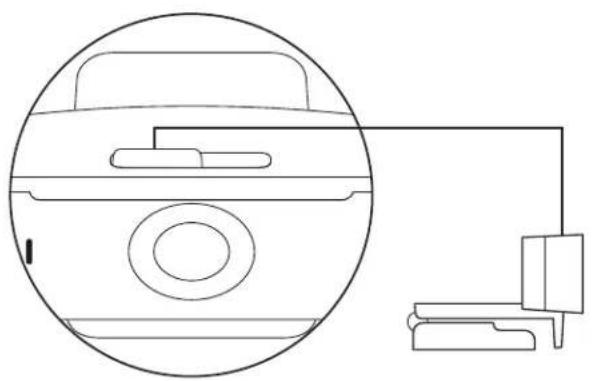
2 3a da OTBOPNTe 3aTbopa 3a 3ana3BaHe Ha NOBepnTeHOCCTTa, npemecTeTe nIb3raHa HAIBO.
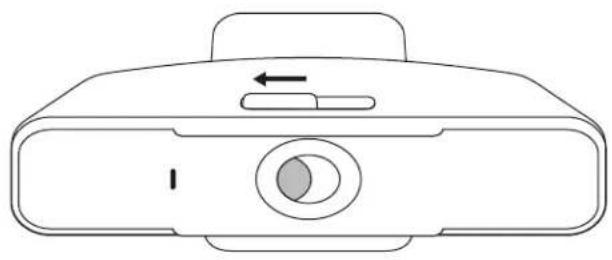
3 3a da 3aTbOpTe 3aTbopa 3a 3ana3BaHe Ha NOBepTeHNOCTTa H KanaueTo Ha o6eKtUba, npemeCTe PnIb3raHa HApCHO. CneI kato 3aTbOpT 3a 3ana3BaHe Ha NOBepTeHNOCTTa ce 3aTbOp, o6eKtUbT Ue cTaHe 6yI.
HACTPOIKA HA YE6 KAMEPATA
3a noctabare Ha MoHITop
1 Nocabeteye6kamepataBbpxyKOMNHTbp,lanTOnnIMMOHITOP BKeJHaHOTO OT BAC NOIOXKeHne INI bIbI.
2 PerynpaIte ye6 kamepata taka, ye da cTe ciyrphN, ye yHnBepcaJHaT a 3a 3akayHe e nppaBHeHa C rbp6a Ha yCTpoiCTBOTO.
3 PerynpaTe ye6 kamepata B noCoka Harope/HaOny, DOKATOOTKpneTe Ha-DObPOTo NIOXKeHne, 3a Da Ce XBaHete B KaDbP.
3a noctabaneBbpxy cTaNb
1 OTKPnIte Ⅳ-NHOBnCNOT3aCTaTbBA B DOnHaTa YaCT Ha yHnBepCaHHaTa UINKa 3a 3aKaHaHe.
2 3actonopete ye6 kamepata Bbpxy CtaTnBa, KATO IIOCTaBTE OKOLO 14-UNHcOBTO TNO HA CTaTnBa.
3 NocTaBeteye6KaMepaTa CbCTaTnBa,KbTeToKeJaTe, 3a Da Ce No3uOnHOHpATE no Hau-Dobpna Haun B paMaKaTa.
*He e 3KnIOueH cTaTIN
CBp3BAHE HA YE6 KAMEPATA 4PE3 USB-A
Bknoute USB-A KOHeKtopa B USB-A npota Ha KOMnIOtbpa BN.
YCNIELHOCBbP3BAHE
CBeTnnHHnTnHnKaTOp Ue CBeTHe, KOraTo ye6 KaMepaTa ce IN3non3Ba OT npInoXKeHne.
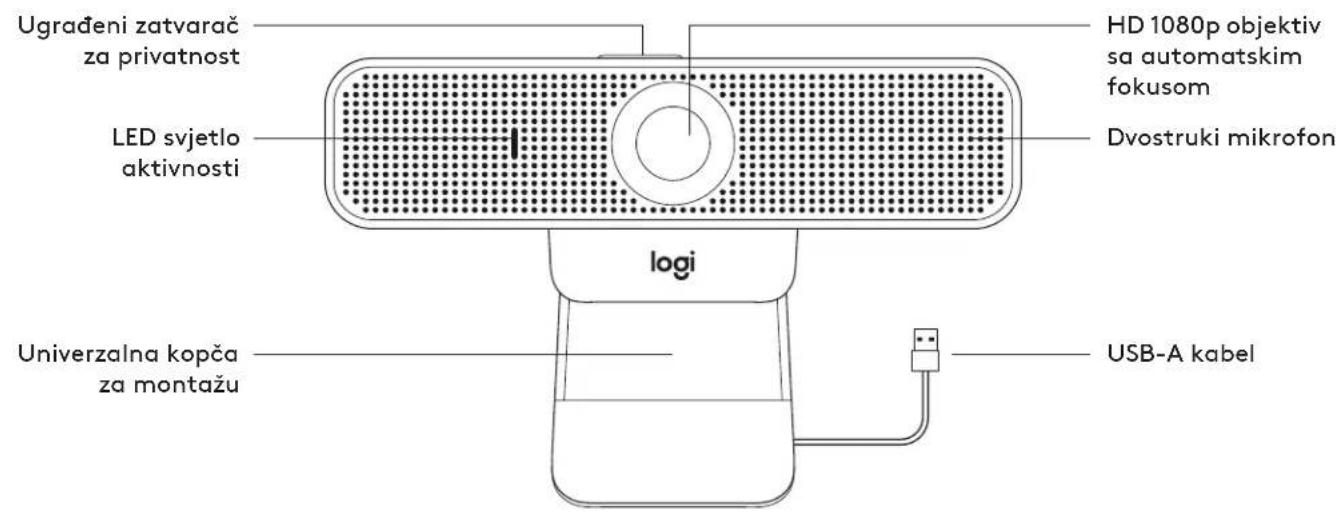
PA3MEPN
BKNIQUBA IUNIKA 3A ΦIKCUPAHO 3AKAUAHE:
BucOuHaXuHnHaXbIb6OuHa:
2,9 in (73 MM) x 5,0 in (126 MM) x 1,8 in (45 MM)
ДыннHa Ka6eJa: 6 ft (1,83 M)
Terno: 6,0 oz (170 r)
www.logitech.com/support/C925e
UPOZNAJTE SVOJ UREDAJ
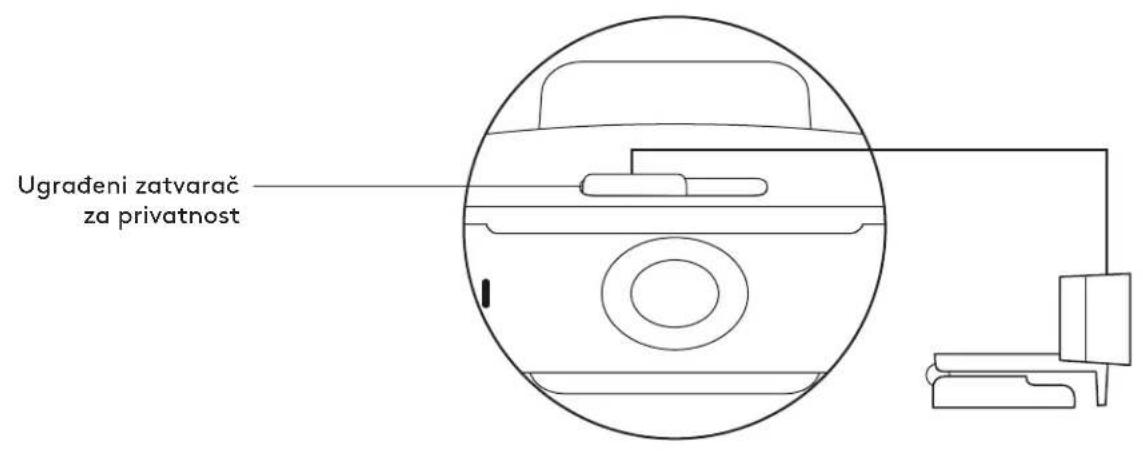
Tezina: 170 g (6,0 oz)
www.logitech.com/support/C925e
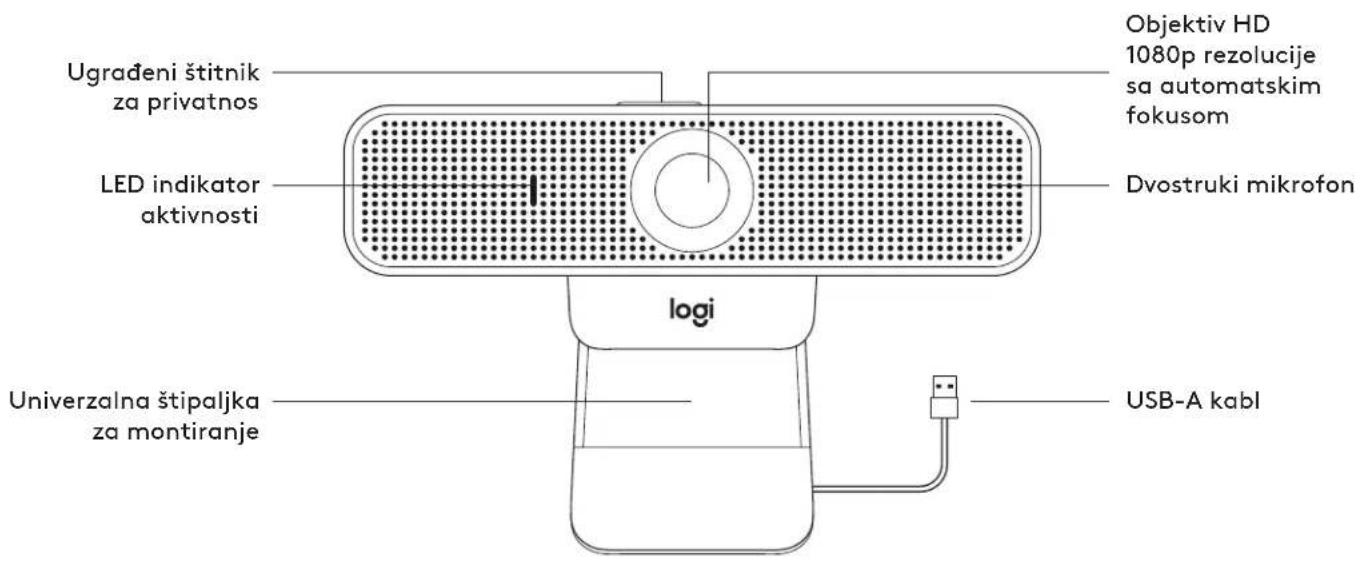
UPOZNAJTE SVOJ PROIZVOD
Visingx siringxduzing:
73 mm (2,9 inca) x 126 mm (5,0 inca) x 45 mm (1,8 inca)
Duzina kabla: 1,83 m (6 stopa)
Težina: 170 g (6,0 unci)
www.logitech.com/support/C925e
SPOZNAJTE IZDELEK
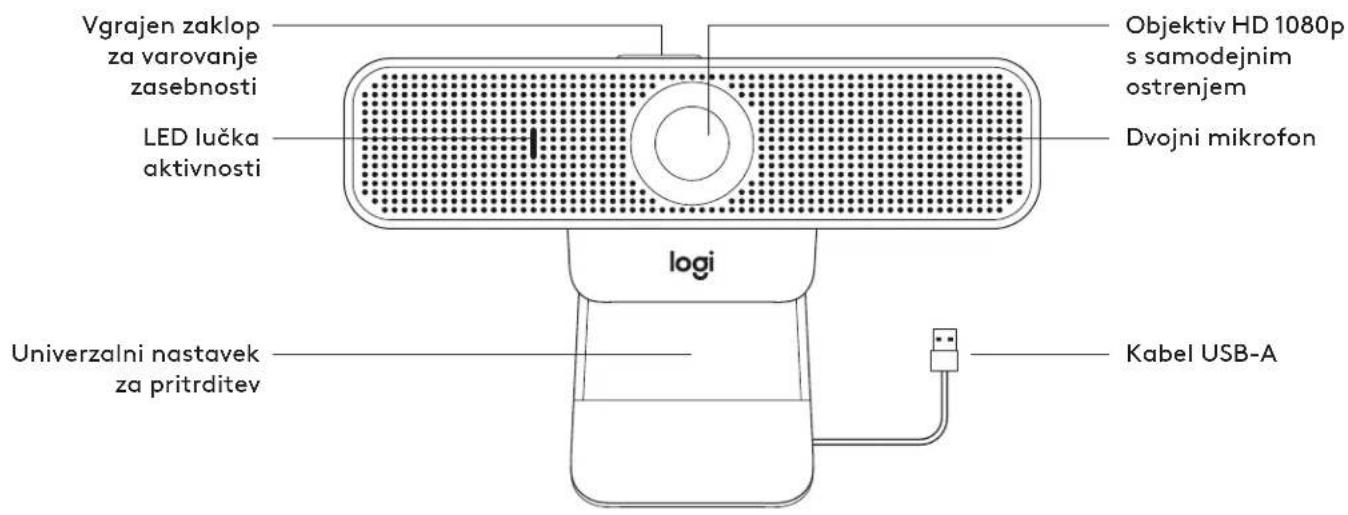
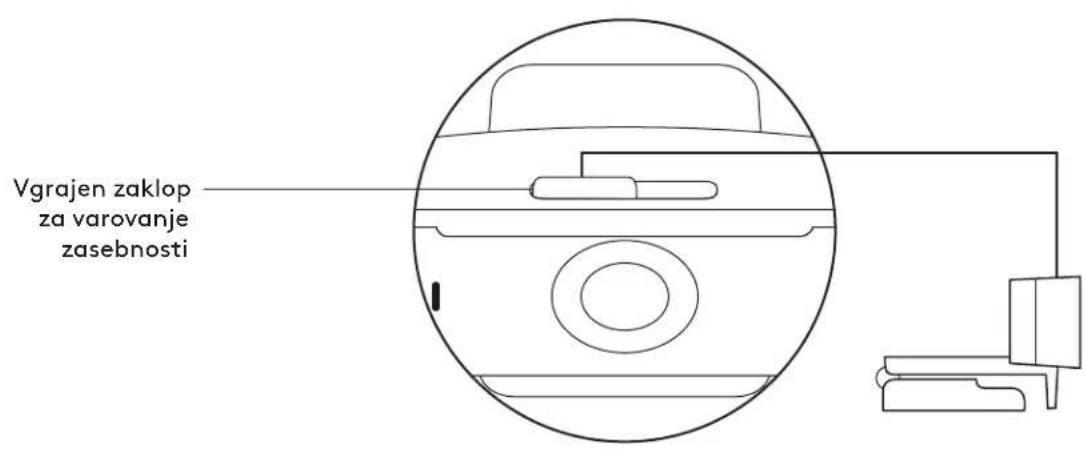
73 mm (2,9 in) × 126 mm (5,0 in) × 45 mm (1,8 in)
Dolzina kabela:1,83 m (6 ft)
Teza: 170 g (6,0 oz)
www.logitech.com/support/C925e
FAMILIARIZATI-VACU PRODUSUL
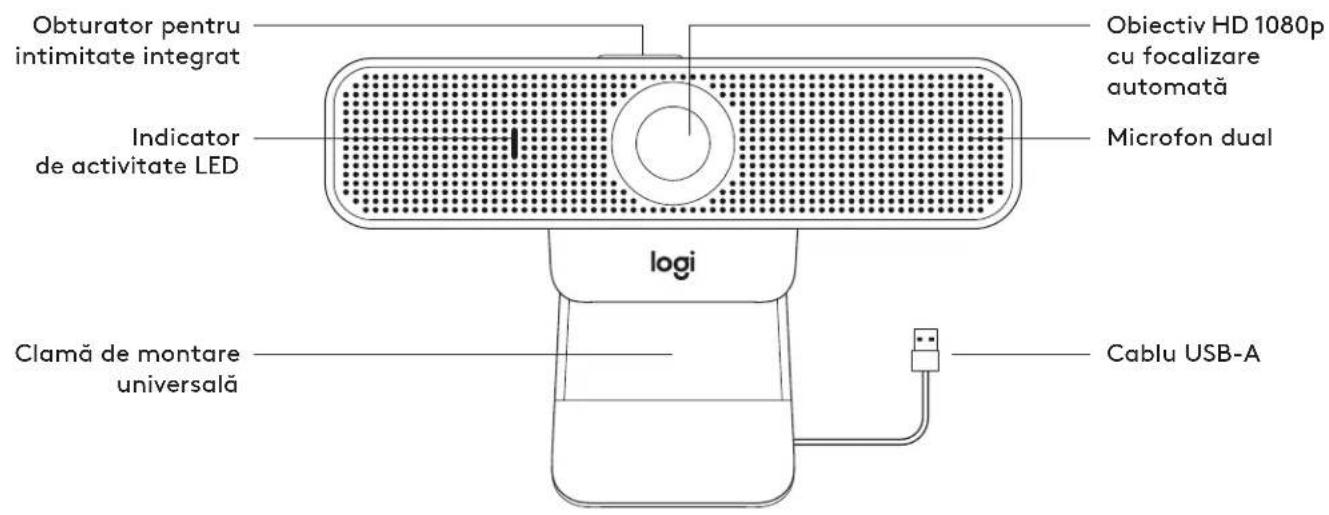
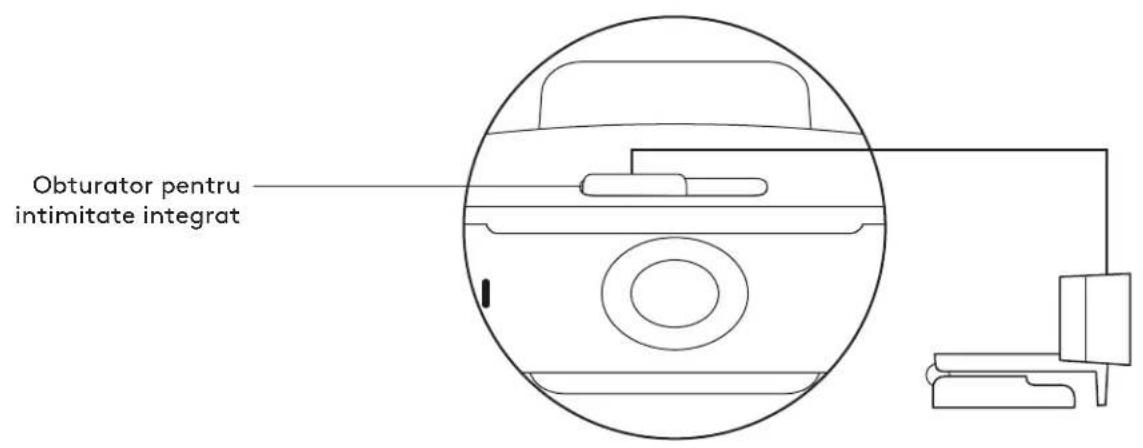
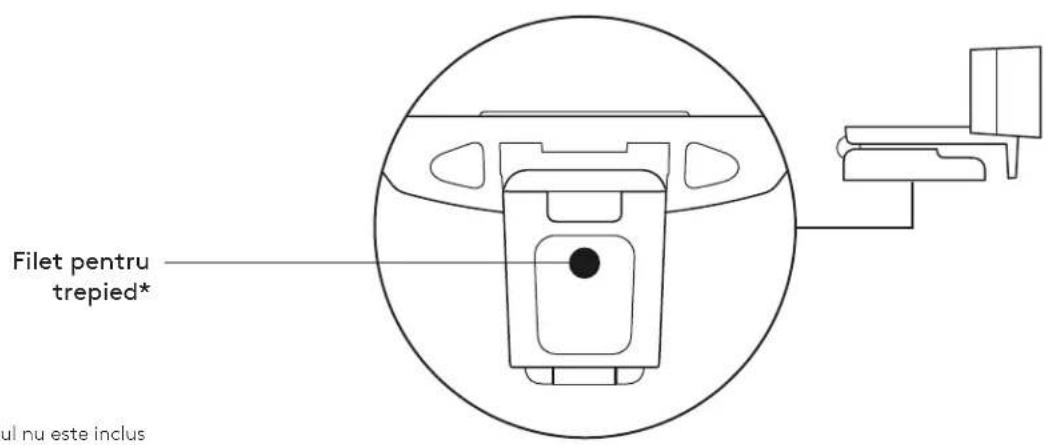
* Trepiedul nu este inclus
CONTINUTUL CUTIEI
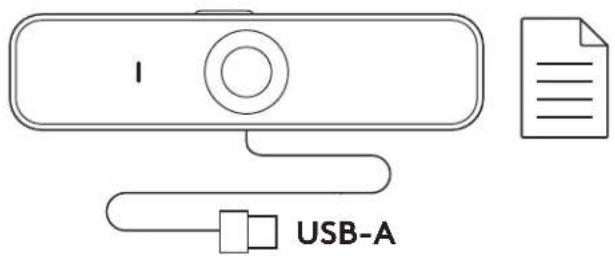
1 Camera web cu cablu USB-A de 1,83 m (6 ft) atasat
2 Documentatie pentru UTILIZER
CONTROLAREA OBTURATORULUI PENTRU INTIMATE INTEGRAT
Inaltime x latime x adancime:
73 mm (2,9 inchi) × 126 mm (5,0 inchi) × 45 mm (1,8 inchi)
Greutate: 170 g (6,0 oz)
www.logitech.com/support/C925e
URUNUNUZU TANIYIN
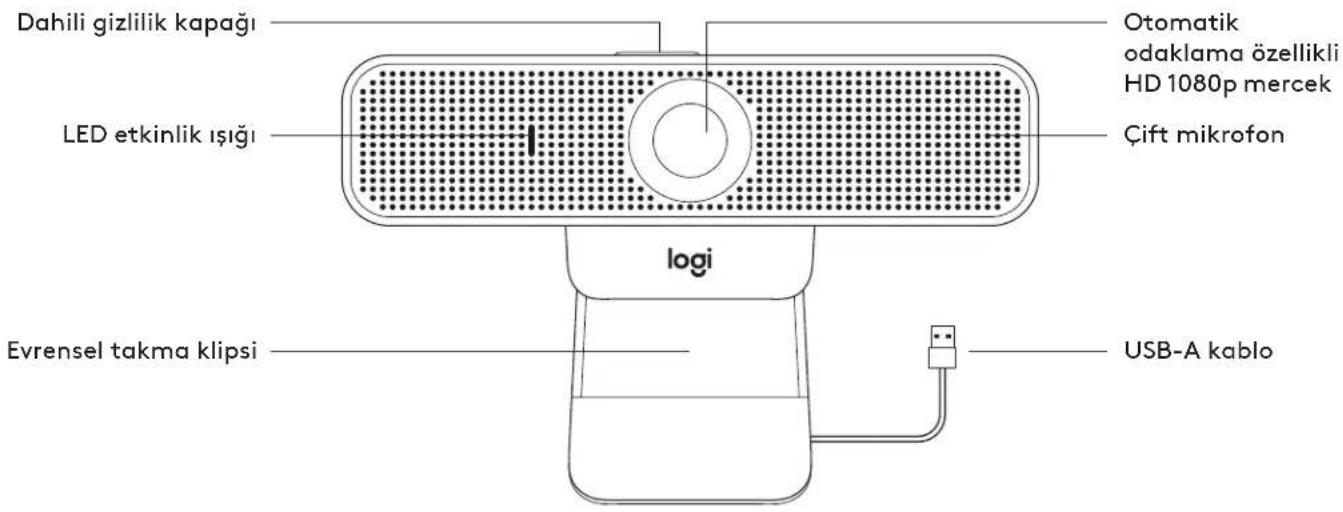
* Tripod dadil degildir
KUTU ICERIGI
1 1,83 m (6 fit) USB-A kabloya sahip web kamerasi
2 Kullanici belgeleri
DAHILI GIZLILIK KAPAGINI KONTROL ETME
Aigiri: 170 g (6,0 ons)
www.logitech.com/support/C925e
(1.83)6 USB-A 2j
gall
gaiyagai gai
1 1
1/2e 10000000000000000000000000000000000000000000000000000000000000
- jlll llll llll llll llll
aagaaal el gaae!ie aaiy aaiy jbi
- 1
y 1
1
2 1
i j 100
32 1 1 1 1 1 1 1
3 dai jaoa aie 1
1
1
a 1/4 u d a ju wj g p jy
2 1
Jb1 Jb2 Jb3 Jb4
3 1
Jaaiae aai jai
USB-A JnJnJnJnJnJnJnJnJnJnJnJnJnJnJnJnJnJnJnJnJnJnJnJnJnJnJnJnJnJnJnJnJnJnJnJnJnJnJnJnJnJnJnJnJnJnJnJnJnJnJn
Jlll Jlll
1
Culit Cuiuui duii Lai
wn,wnn nn nyn wnn nn nnn nn.
1 10000000000000000000000000000000000000000000000000000000000000
- nnnn nn nn nn nn nn nn nn nn nn nn nn nn nn nn nn nn nn nn nn nn nn nn nn nn nn nn nn nn nn nn nn nn nn nn nn nn nn nn nn nn nn nn nn nn nn nn nn nn nn nn nn nn nn nn nn nn nn nn nn nn nn nn nn nn nn nn nn nn nn nn nn nn nn nn nn nn nn nn nn nn nn nn
n nn nnnnnnnnnnnnnnnnnnnnnnnnnnnnnnnnnnnnnnnnnnnnnnnnnnnnnnnnnnnnnnnnnnnnnnnnnnnnnnnnnnnnnnnnnnnnnnnnnnnnnnnnnnn
3 10n nn nnnnnnnnnnnnnnnnnnnnnnnnnnnnnnnnnnnnnnnnnnnnnnnnnnnnnnnnnnnnnnnnnnnnnnnnnnnnnnnnnnnnnnnnnnnnnnnnn
nnnnn
on nnnnn
.
2 nwnn 7nn nn nn nn nn
y
3 1111111111111111111
.
*nyn by nyn np
7070
2 2nnn nn nnnnnnnnnnnnnnnnnnn
y
3 1
n#n
USB-A by nnnn nn
.7wnn USB-A nXnX USB-A-nnnn
nynnn
ynuuynnnn nn nnnnLED
.011
#
yipn 97
:x