
VCSV20AEU - Vacuum Cleaner SHARP - Free user manual and instructions
Find the device manual for free VCSV20AEU SHARP in PDF.
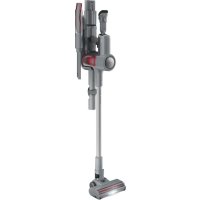



| Product Type | Cordless stick vacuum with digital motor |
| Model | VC-SV20AEU-S |
| Brand | Sharp |
| Dimensions (W x H x D) | 120 x 1205 x 270 mm |
| Unit Weight | 4.1 kg |
| Gross Weight | 5.4 kg |
| Color | Silver |
| Power Supply | Lithium-Ion battery 21.6 V / 2500 mAh / 54 Wh (2 batteries included) |
| AC Adapter | Input 100-240 V AC 50/60 Hz, output 26.5 V DC / 650 mA |
| Charging time (1 battery) | 4.5 hours |
| Charging time (2 batteries) | 9 hours |
| Run time (ECO) with 2 batteries | 90 minutes |
| Run time (Turbo) with 2 batteries | 30 minutes |
| Dust bin capacity | 0.55 L |
| Filter type | HEPA 13 |
| Motor power | 250 W |
| Noise level | ≤ 80 dB |
| Main functions | ECO and Turbo mode, LED display, LED headlight on brush, self-standing (hard floor), wall mount with charging |
| Included accessories | Motorized head with LED, metal wand, flexible adapter, 2-in-1 tool, long crevice tool, V-roller, roller brush, storage tube, wall mount, 2 batteries, charger |
| Maintenance and cleaning | Empty bin, wash HEPA filter (dry 24h), clean roller, manual unblocking |
| Spare parts | HEPA filter (VC-SVF1A), battery, rollers, AC adapter |
| Warranty and compliance | CE / UKCA, WEEE recycling |
Frequently Asked Questions - VCSV20AEU SHARP
User questions about VCSV20AEU SHARP
0 question about this device. Answer the ones you know or ask your own.
Ask a new question about this device
Download the instructions for your Vacuum Cleaner in PDF format for free! Find your manual VCSV20AEU - SHARP and take your electronic device back in hand. On this page are published all the documents necessary for the use of your device. VCSV20AEU by SHARP.
USER MANUAL VCSV20AEU SHARP
User manual
VC-SV12AEU-W, VC-SV20AEU-S, VC-SV28AEU-B
Stick vacuum
EN BG DA ES ET ELLDER FIITCER HU LT
NO NL PL PT RO SK SL SR SV UK
*Product images are for illustration purposes only. Actual product may vary.
Attention:
Your product is marked with this symbol.
It means that used electrical and electronic products should not be mixed with general household waste. There is a separate collection system for these products.
A. Information on Disposal for Users (private households)
1. In the European Union
Attention: If you want to dispose of this equipment, please do not use the ordinary dustbin! Used electrical and electronic equipment must be treated separately and in accordance with legislation that requires proper treatment, recovery and recycling of used electrical and electronic equipment.
Following the implementation by member states, private households within the EU states may return their used electrical and electronic equipment to designated collection facilities free of charge*.
In some countries* your local retailer may also take back your old product free of charge if you purchase a similar new one.
* Please contact your local authority for further details.
If your used electrical or electronic equipment has batteries or accumulators, please dispose of these separately beforehand according to local requirements. By disposing of this product correctly you will help ensure that the waste undergoes the necessary treatment, recovery and recycling and thus prevent potential negative effects on the environment and human health which could otherwise arise due to inappropriate waste handling.
2. In other Countries outside the EU
If you wish to discard this product, please contact your local authorities and ask for the correct method of disposal.
For Switzerland: Used electrical or electronic equipment can be returned free of charge to the dealer, even if you don't purchase a new product.
Further collection facilities are listed on the homepage of www.swico.ch or www.sens.ch.
B. Information on Disposal for Business Users
1. In the European Union
If the product is used for business purposes and you want to discard it:
Please contact your SHARP dealer who will inform you about the take-back of the product. You might be charged for the costs arising from take-back and recycling. Small products (and small amounts) might be taken back by your local collection facilities.
For Spain: Please contact the established collection system or your local authority for take-back of your used products.
2. In other Countries outside the EU
If you wish to discard of this product, please contact your local authorities and ask for the correct method of disposal.
www.sharpconsumer.com/contact/
www.sharpconsumer.com/support/
www.sharpconsumer.com/documents-of-conformity/
Contents
Box contents ....3
Location of controls and parts ....4
Wall caddy 7
Display and controls....8
Battery charging, storage and use 9
Recommended cleaning methods ....12
Filter and dust bin 13
Tools and their use ....14
Self standing (VC-SV12AEU-W and VC-SV20AEU-S only)....17
Display panel 18
General cleaning and maintenance ....18
Dealing with blockages 18
AC Adapter....19
Troubleshooting....20
Technical specifications 21
Introduction
This cordless stick vacuum system features an intelligent digital motor with LED display, removable Li-Ion battery pack. It's lightweight and versatile and easily converts from whole home stick vacuum to handheld power vac for spot cleaning with the various accessory tools.
Box contents
| Item Description VC-SV12AEU-W VC-SV20AEU-S VC-SV28AEU-B | |||
| 1 Vacuum (without accessories or battery pack) | √ | √ | √ |
| 2 Mini Motorized Brush Roller × × | √ | ||
| 3 Flexible Bending Adapter × | √ | √ | |
| 4 2-in-1 Brush/Crevice Tool | √ | √ | √ |
| 5 Wide Brush Tool × × | √ | ||
| 6 Extended Crevice Tool | √ | √ | √ |
| 7 Extension Hose × × | √ | ||
| 8 Metal Extension Rod | √ | √ | √ |
| 9 Motorized Brush Roller with Roller(s) fitted | √ | √ | √ |
| 10 V-Roller | √ | √ | √ |
| 11 Brush Roller | √ | √ | √ |
| 12 Power Adapter (EU/UK) | √ | √ | √ |
| 13 Wall Caddy Storage Stand | √ | √ | √ |
| 14 Wall Caddy Screws, Wall Plugs and Blanking Plates | √ | √ | √ |
| 15 Quick Start Guide | √ | √ | √ |
| 16 Battery Pack x2 | √ | √ | √ |
| 17 Transprant Brush Container | √ | √ | √ |
| 18 Filter x2 (1 fitted in vacuum and 1 in the box) | √ | √ | √ |
| 19 Cleaning Tool | √ | √ | √ |
| 20 Caddy Hole Cover × | √ | √ |
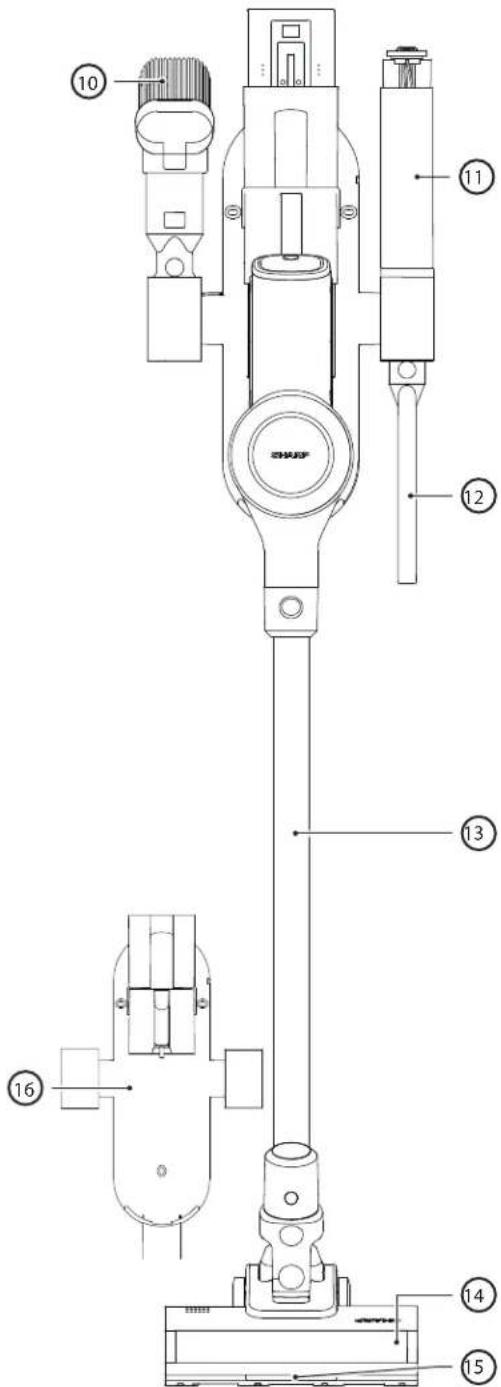
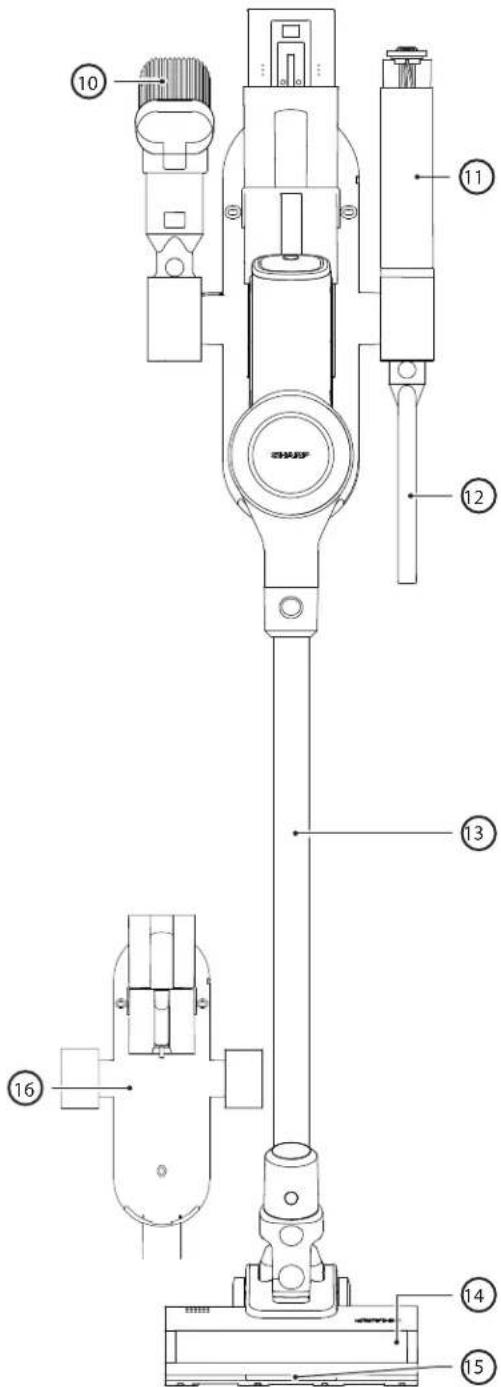
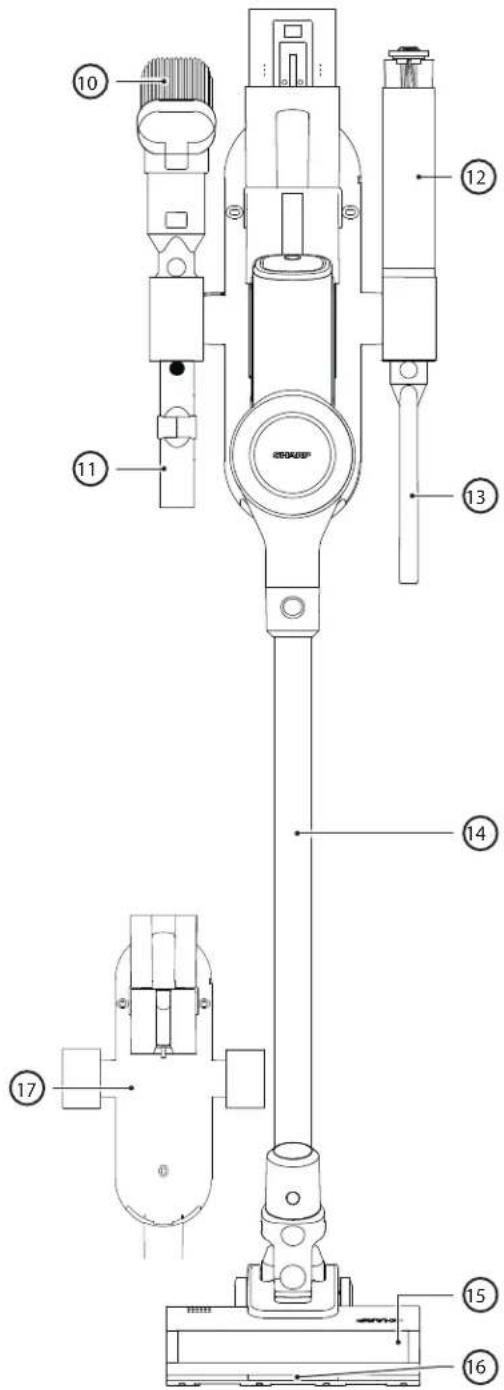
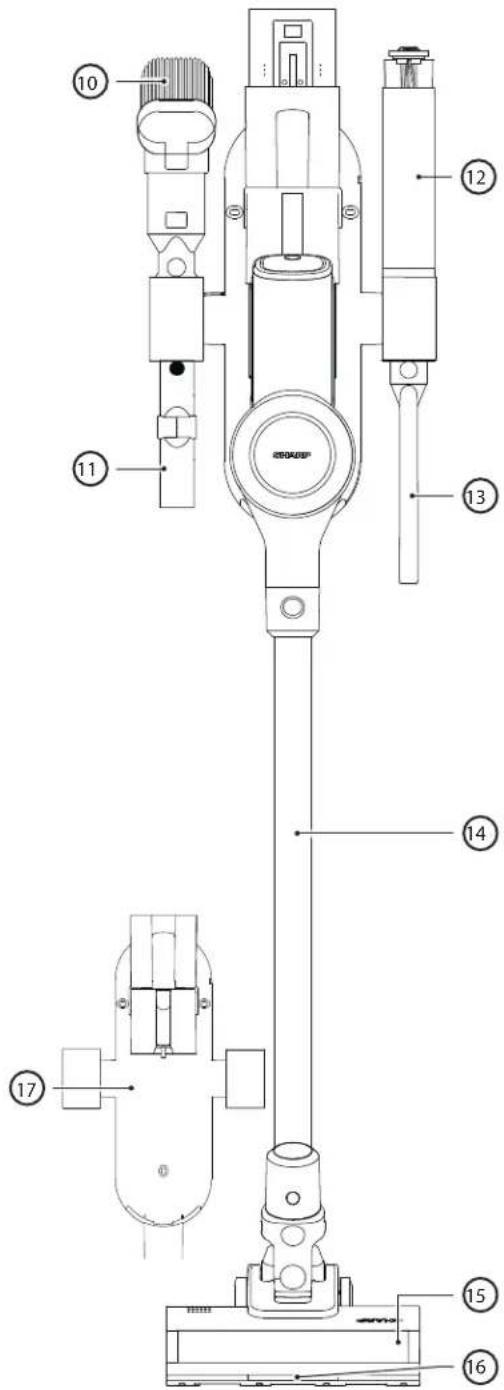
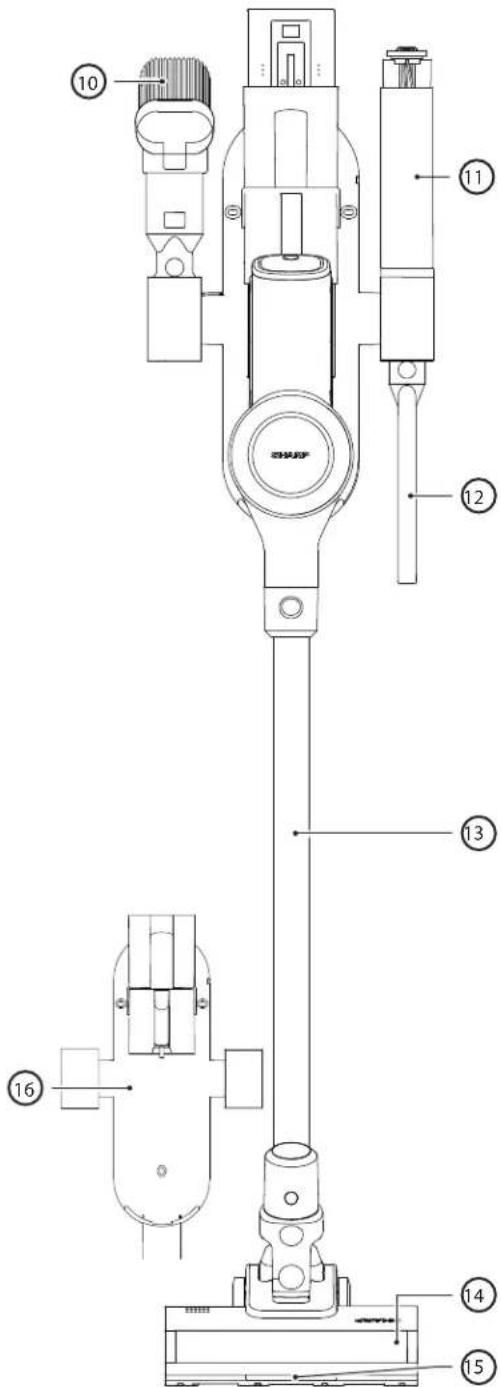
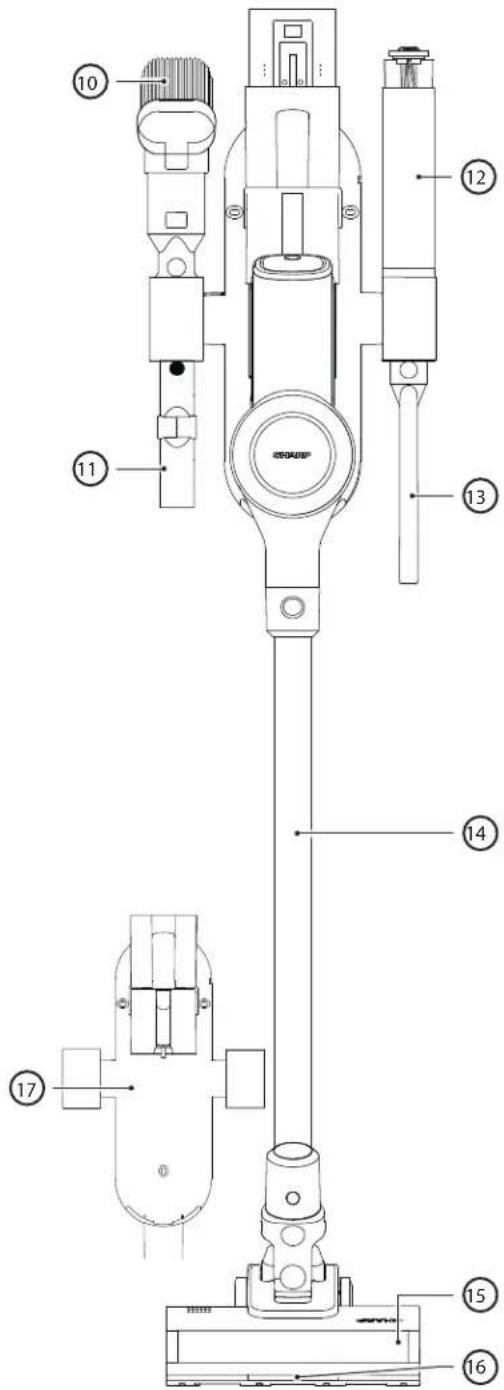
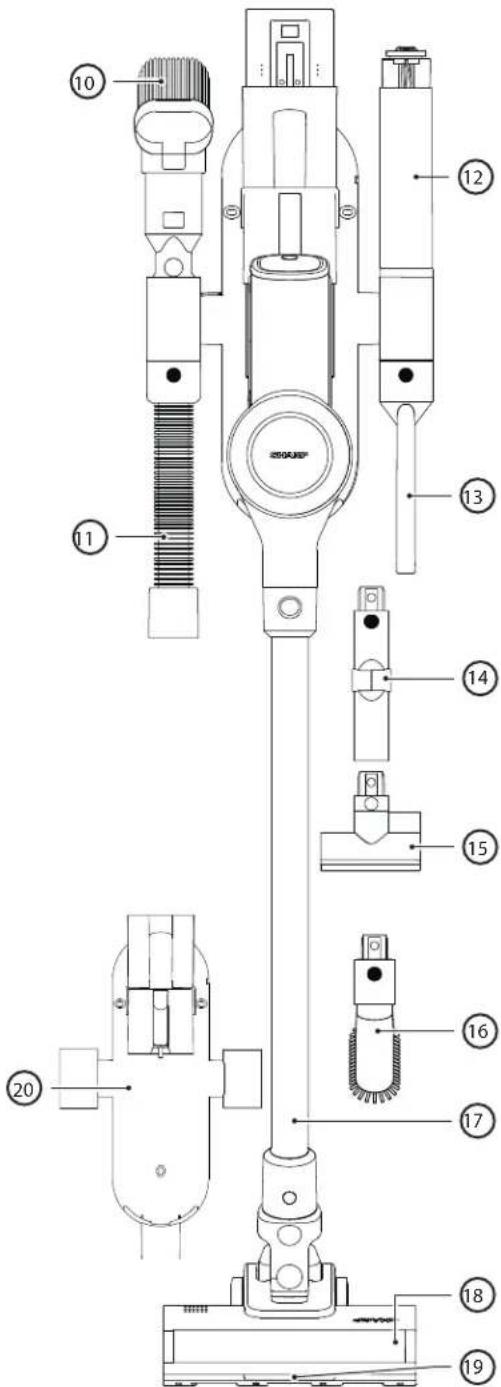
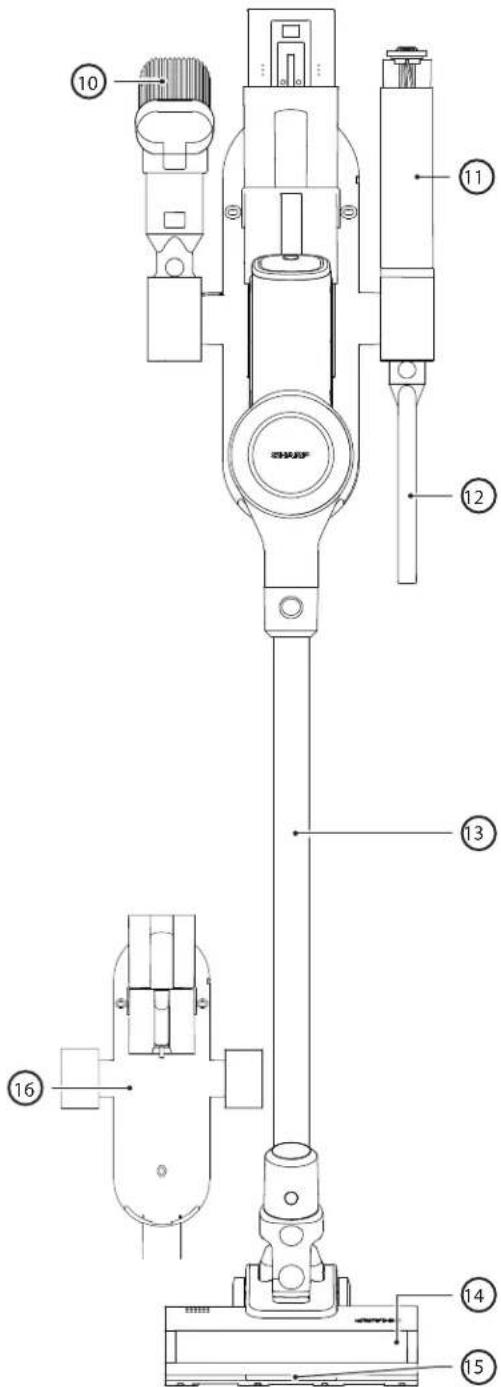
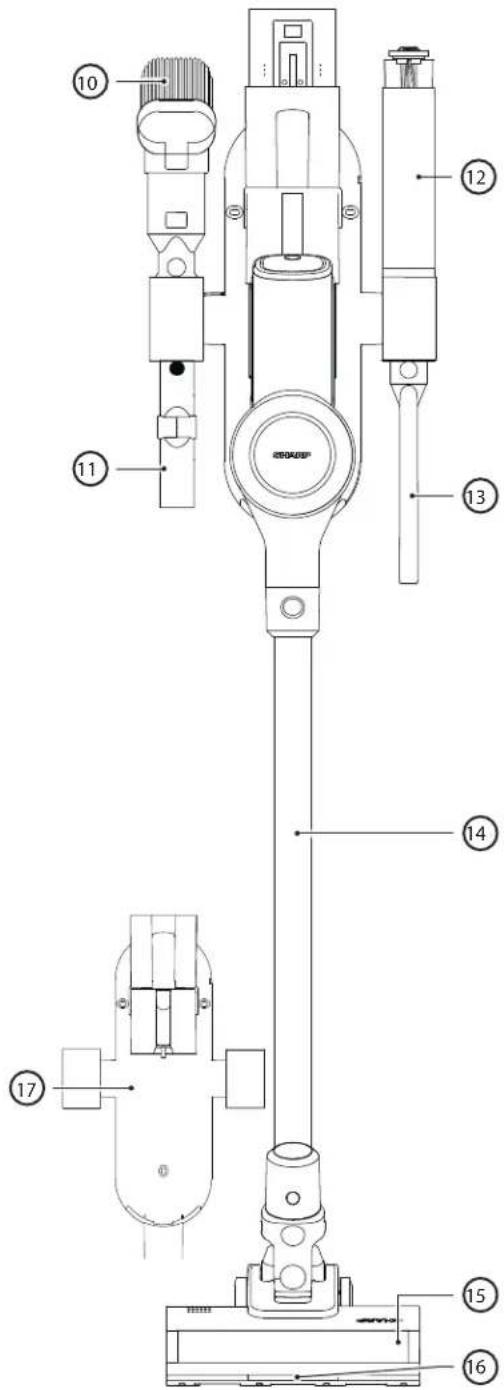
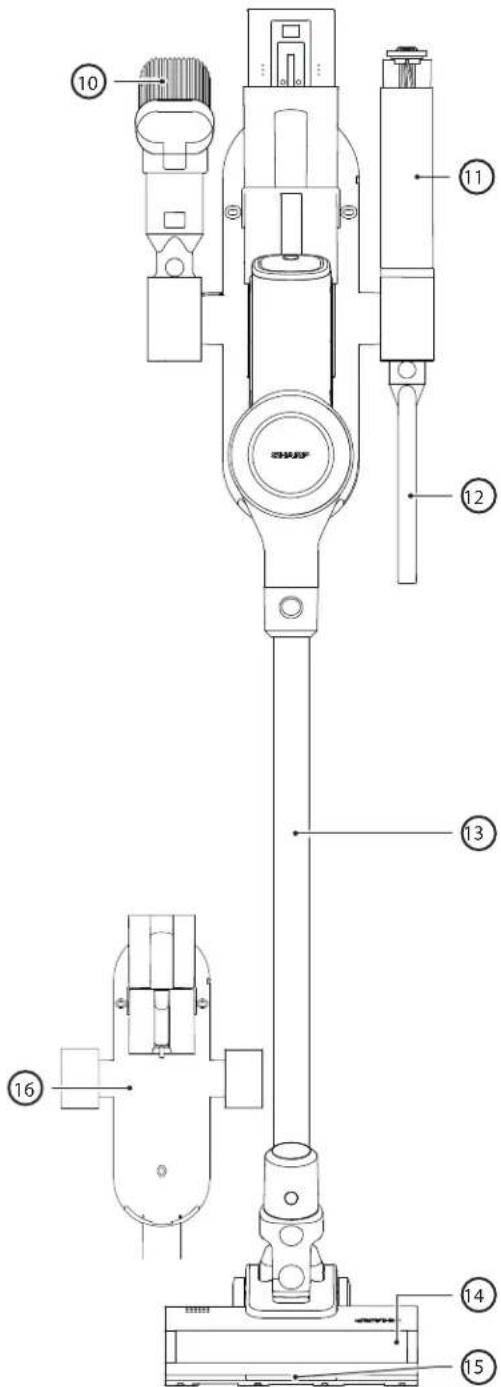
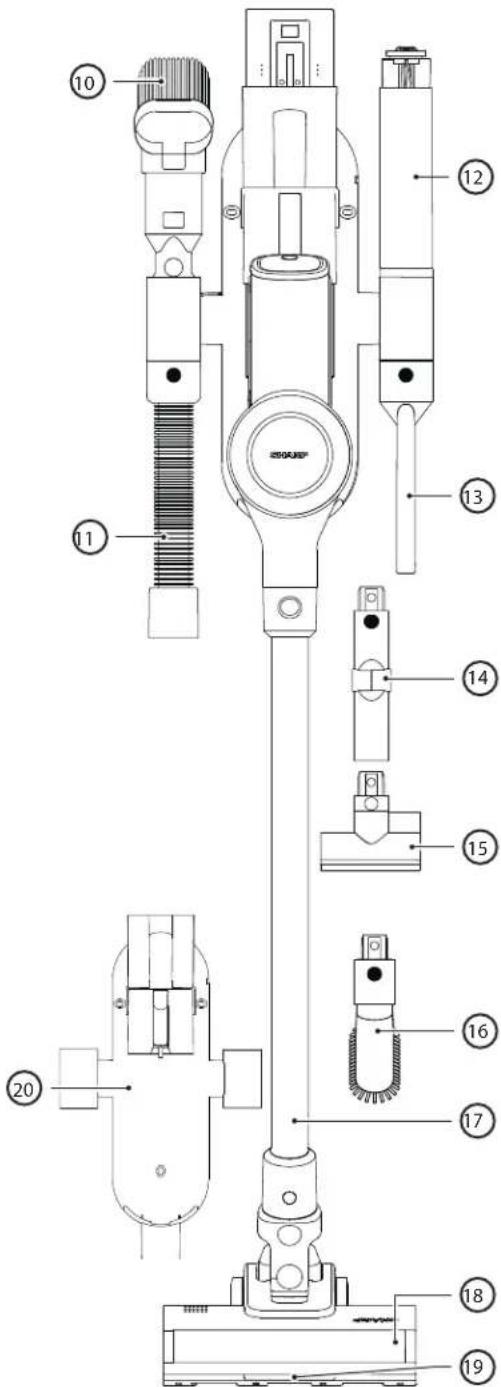
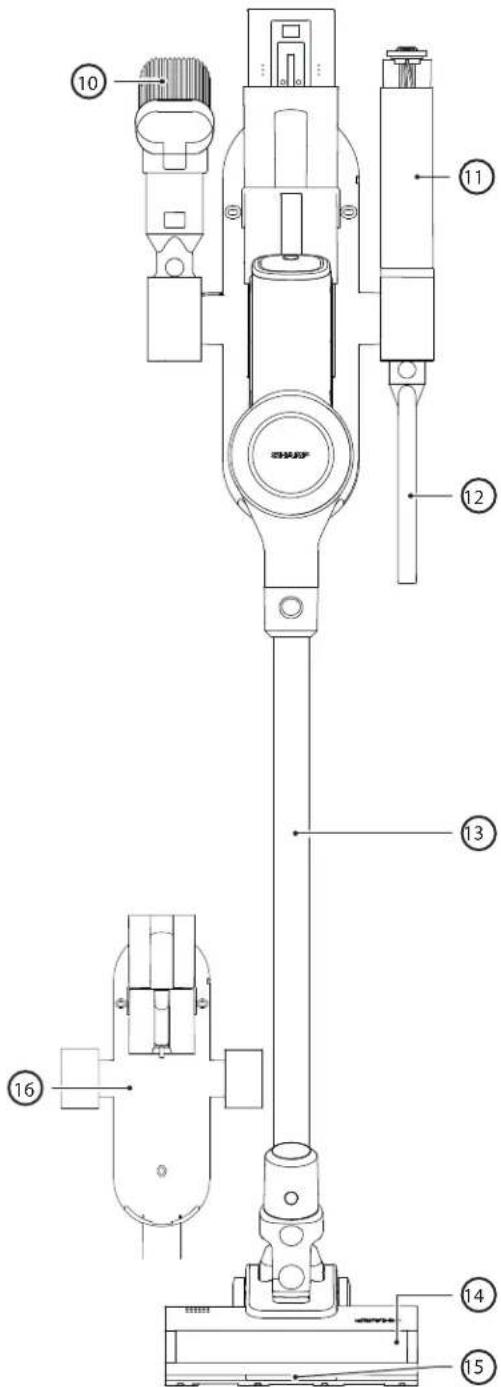
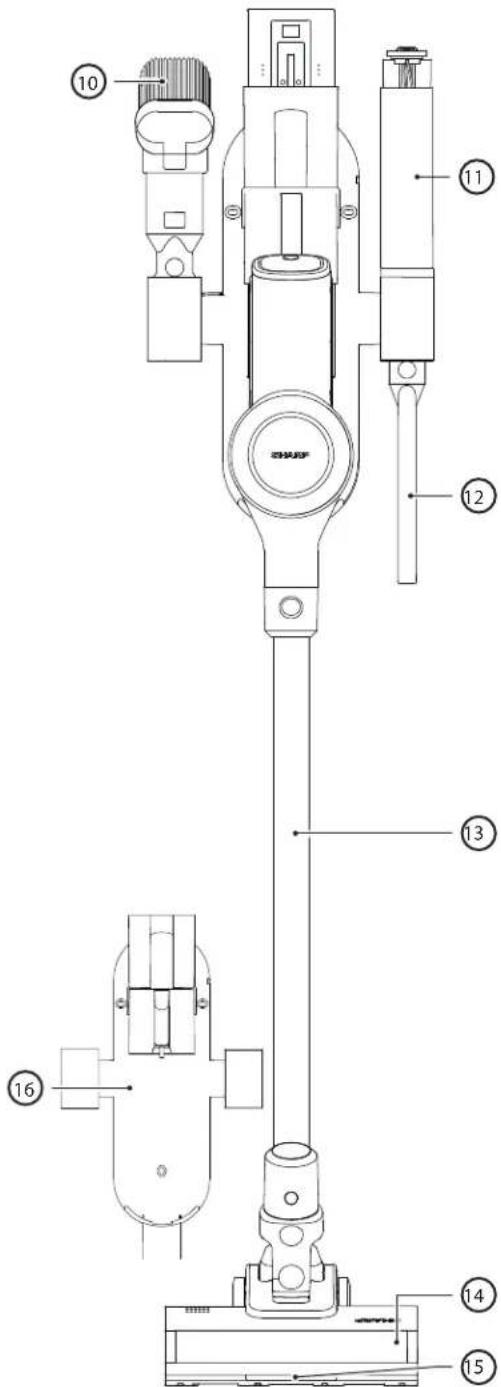
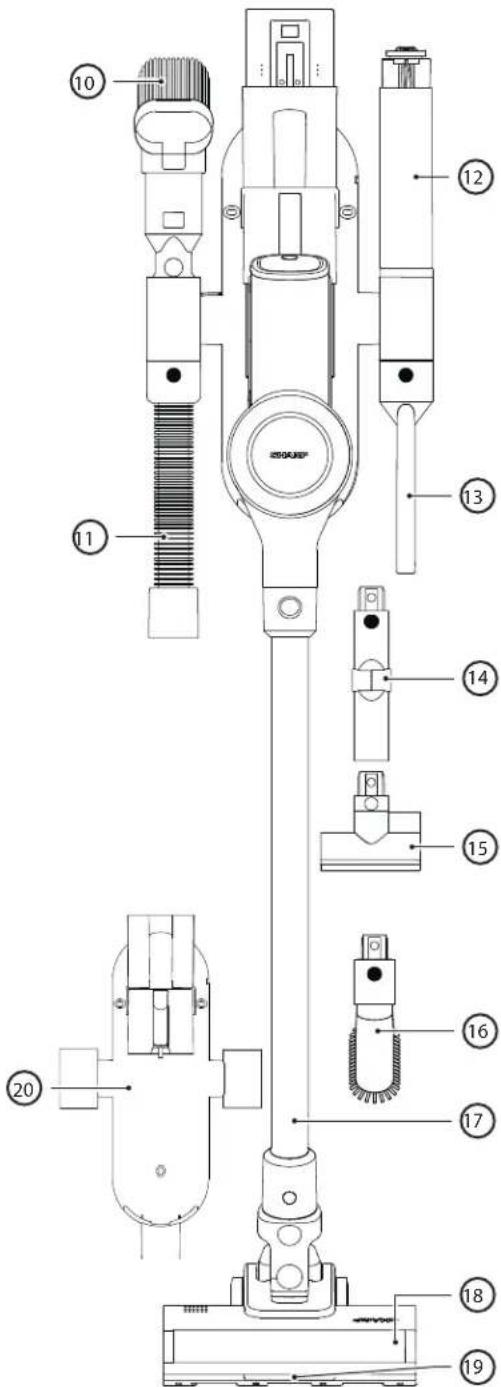
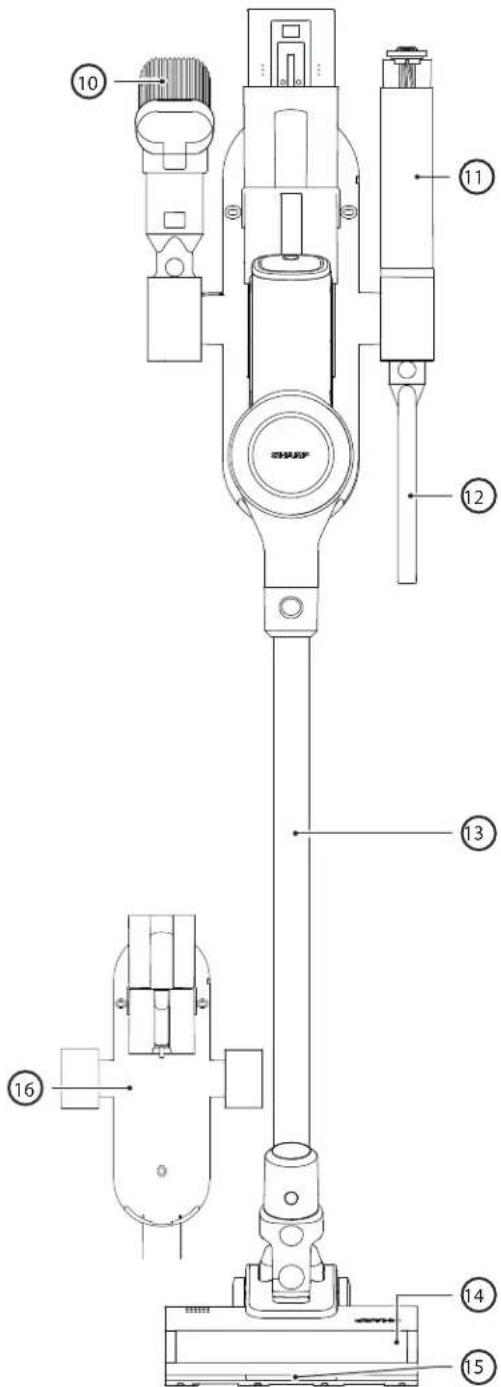
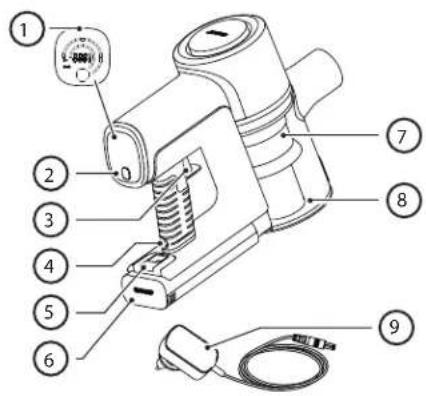
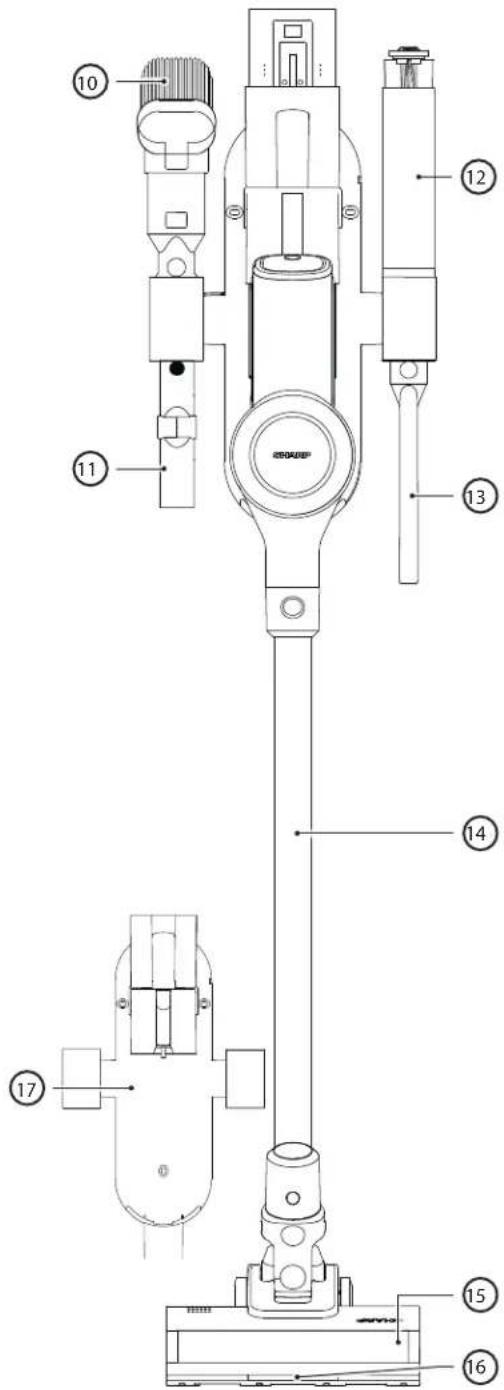
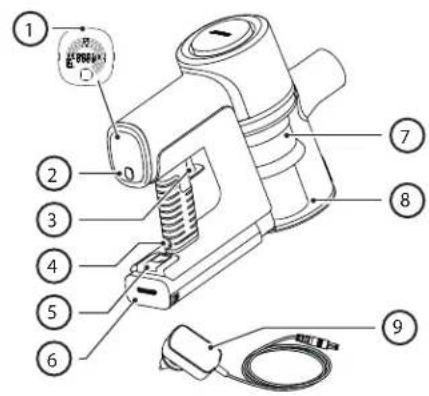
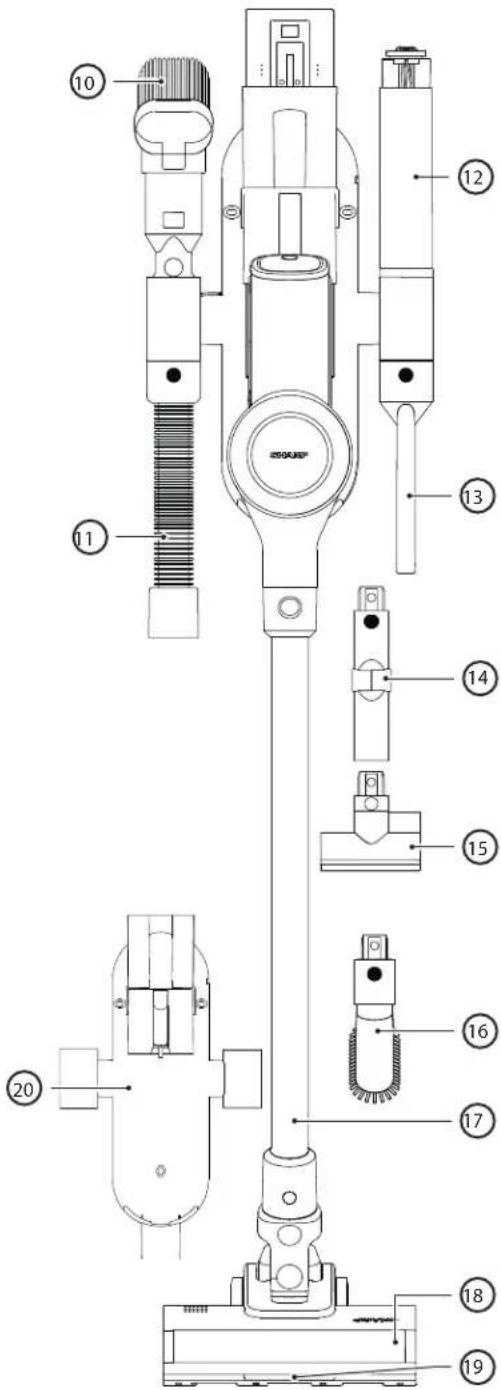
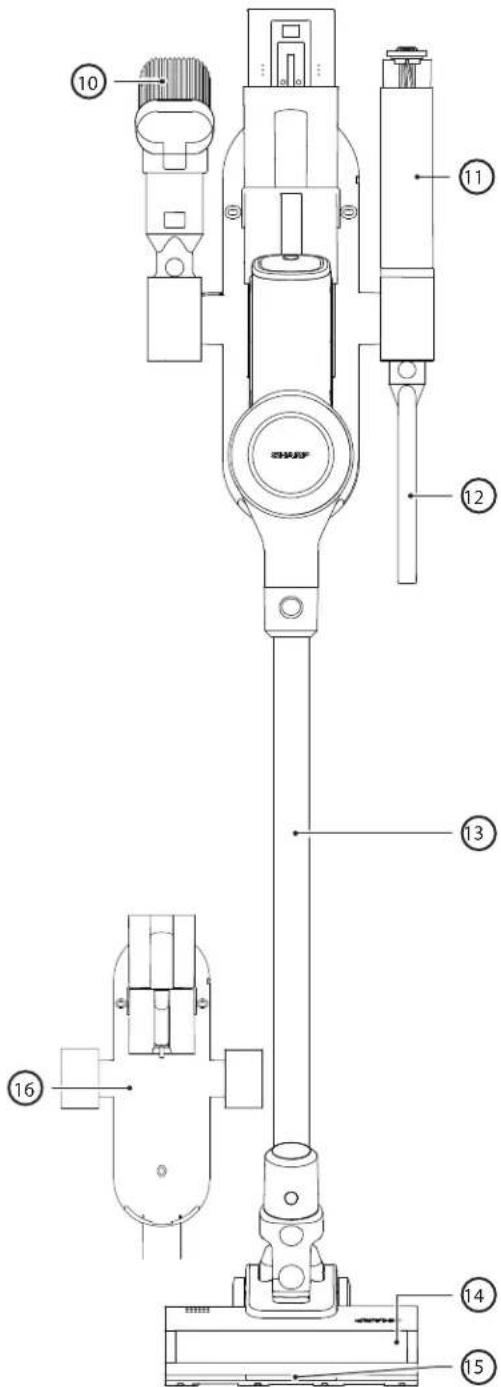
Location of controls and parts
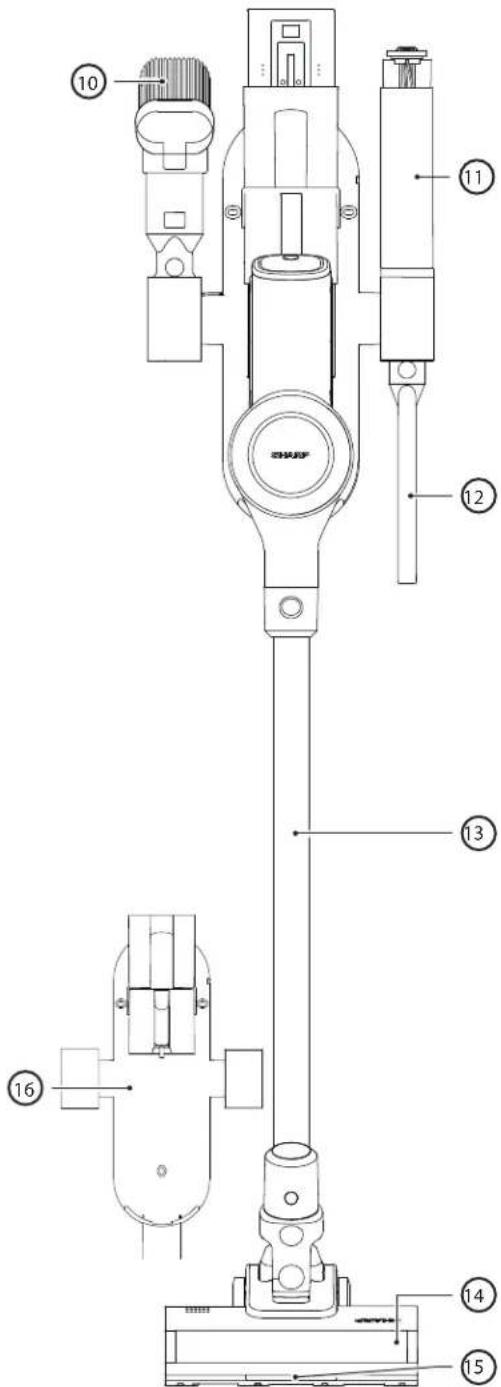
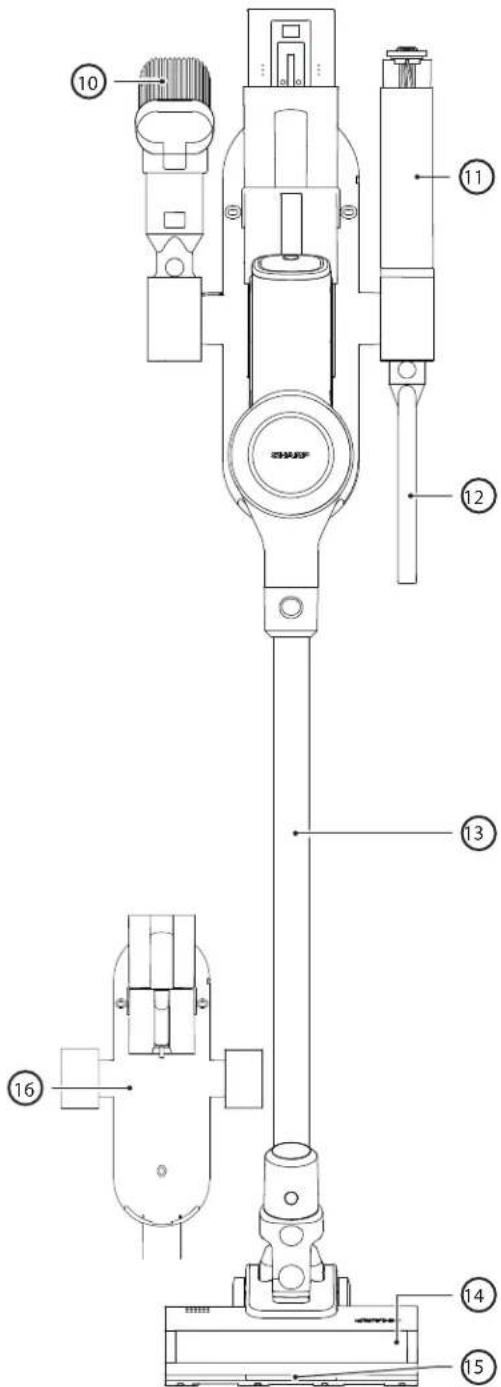
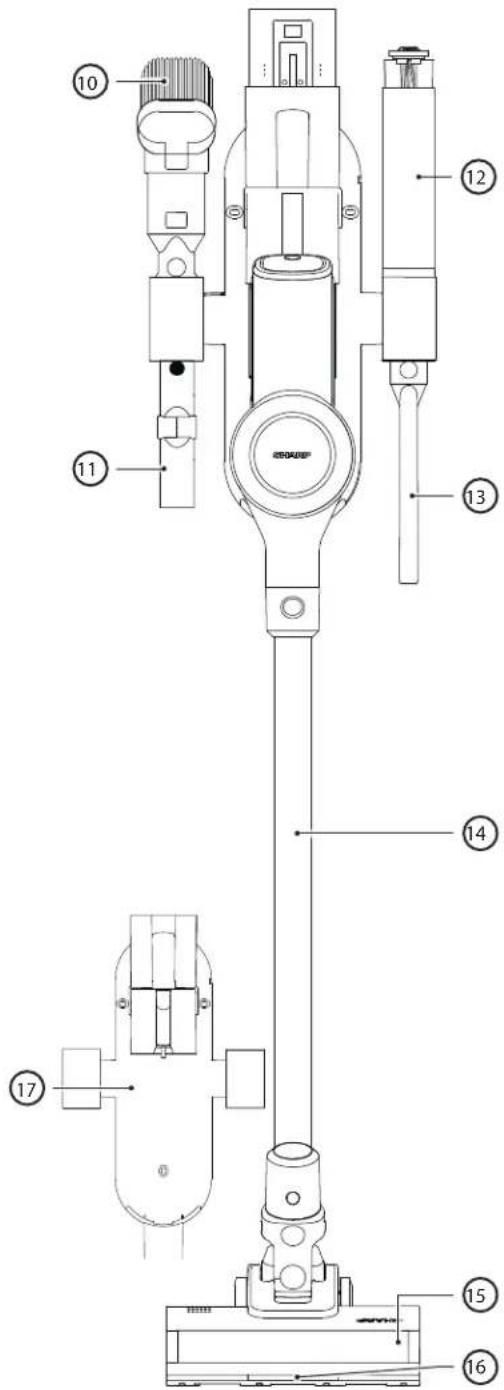
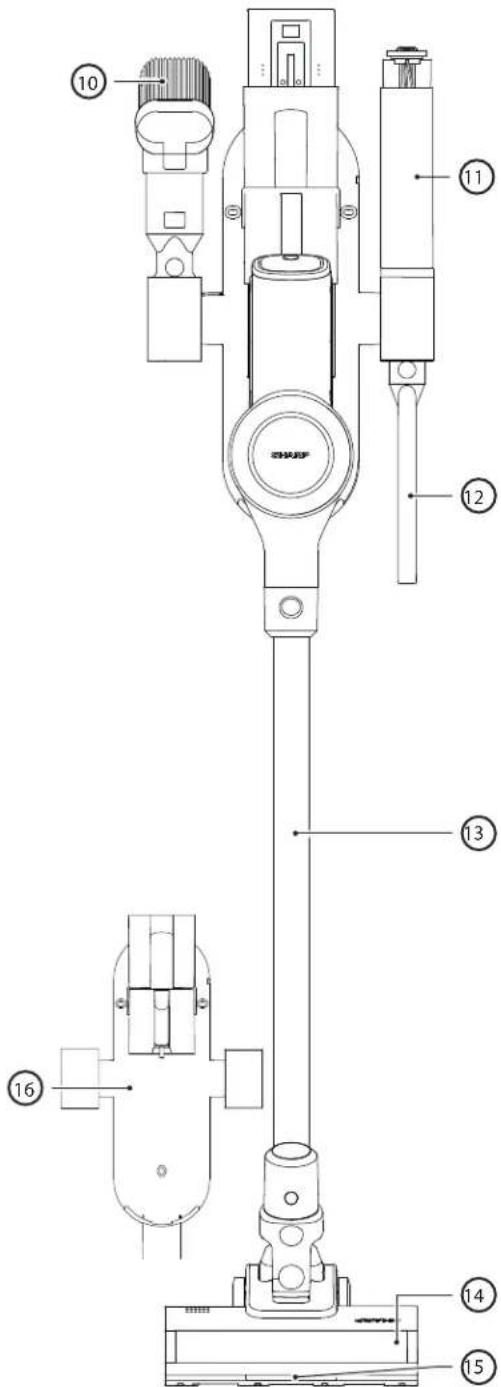
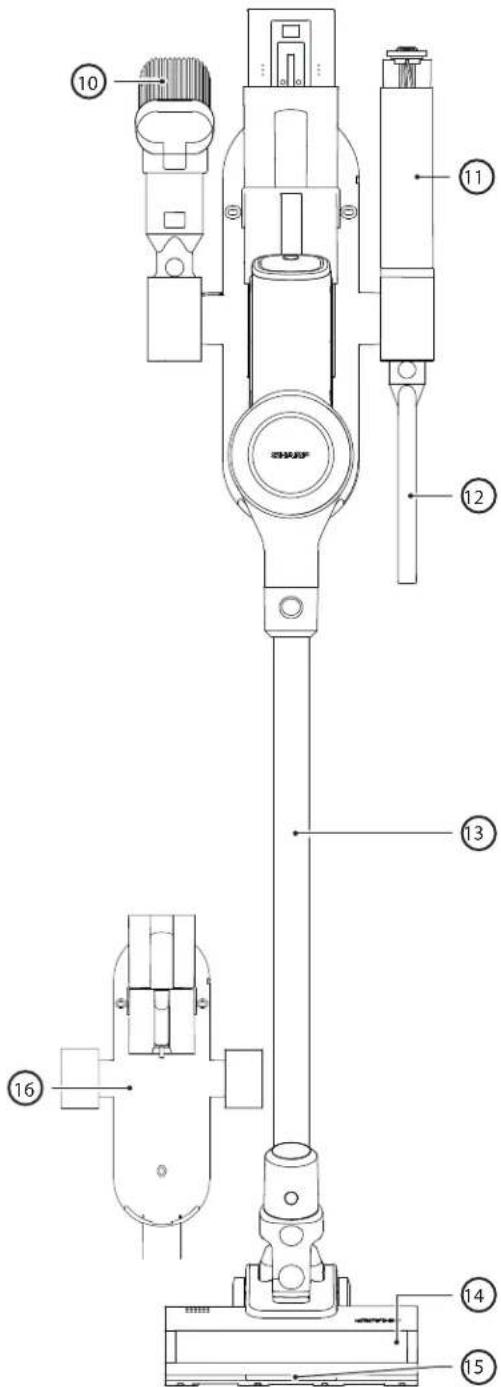
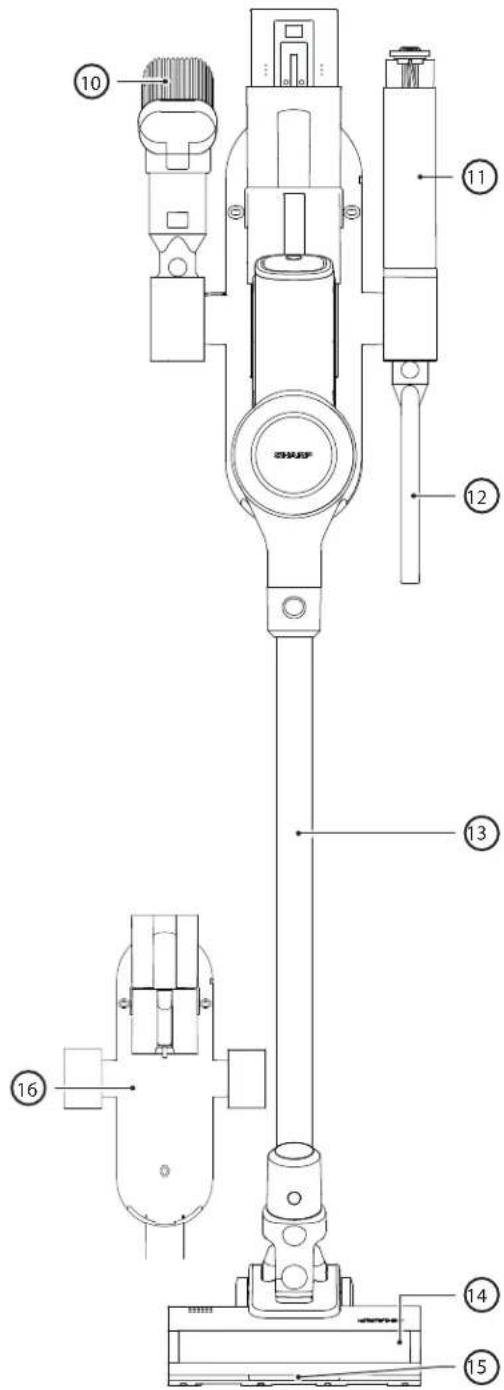
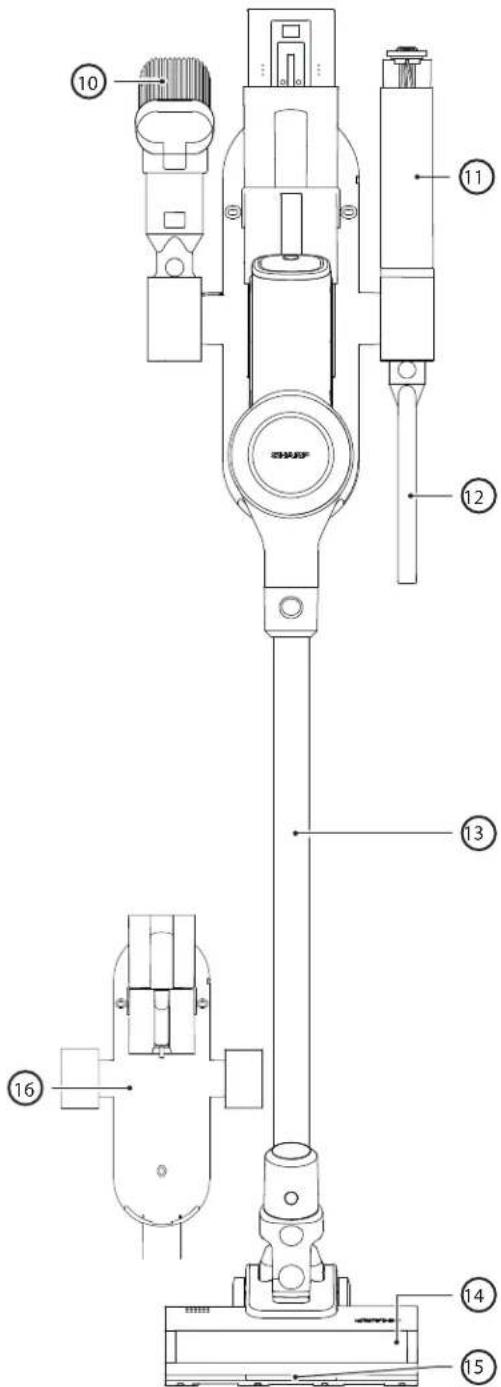
| VC-SV12AEU-W | |
| Item Description | |
| 1 LED Display | |
| 2 Speed Selection Button | |
| 3 ON/OFF Power Trigger | |
| 4 Battery Charging Port | |
| 5 Battery Release Button | |
| 6 Rechargeable/Replaceable Battery | |
| 7 Filter Assembly | |
| 8 Dust Bin | |
| 9 AC Adapter | |
| 10 2-in-1 Brush/Crevice Tool | |
| 11 Brush Roller in Storage Tube | |
| 12 Extended Crevice Tool | |
| 13 Metal Extension Rod | |
| 14 Motorised Roller Head with LED Lights | |
| 15 LED Lights on Floor Brush Roller | |
| 16 Wall Caddy |
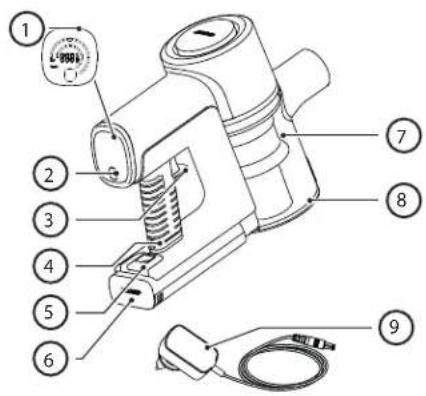
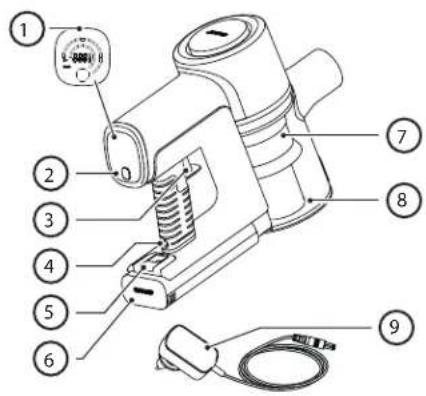
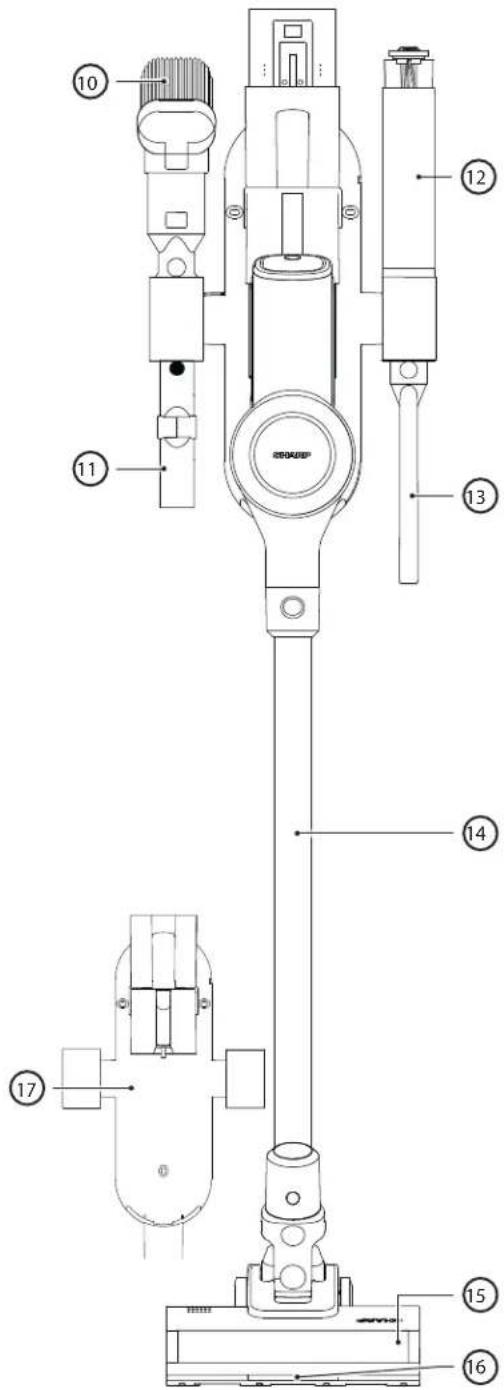
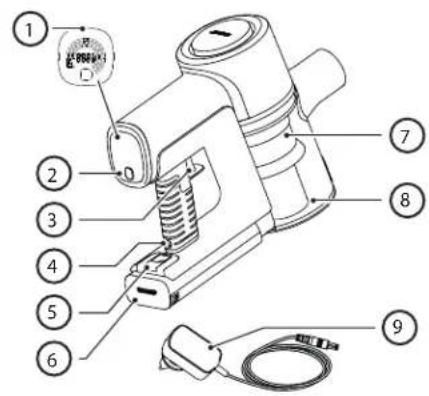
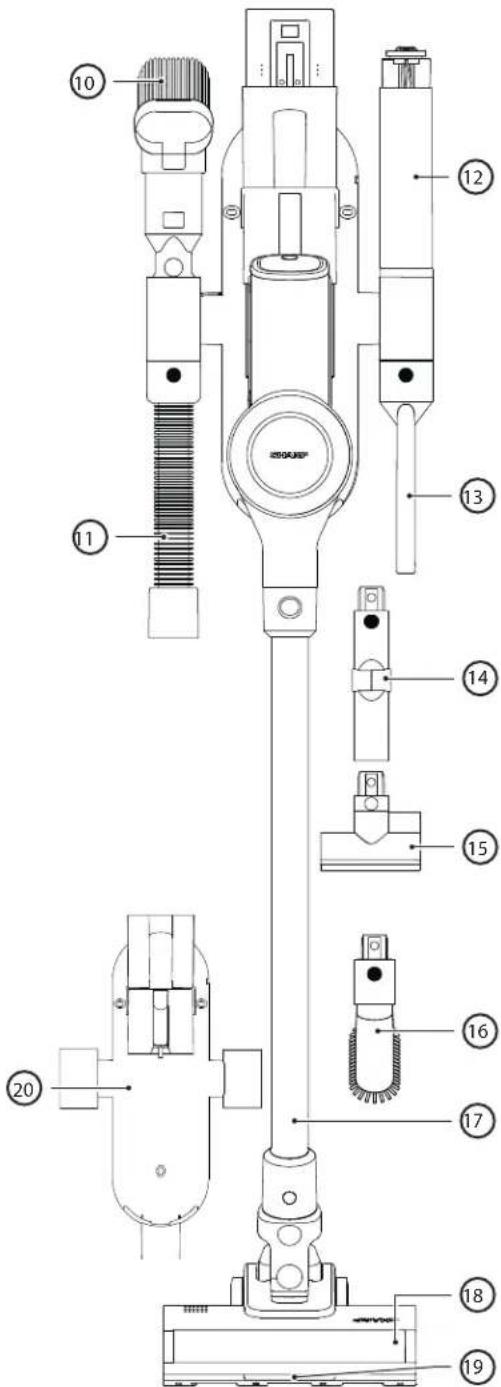
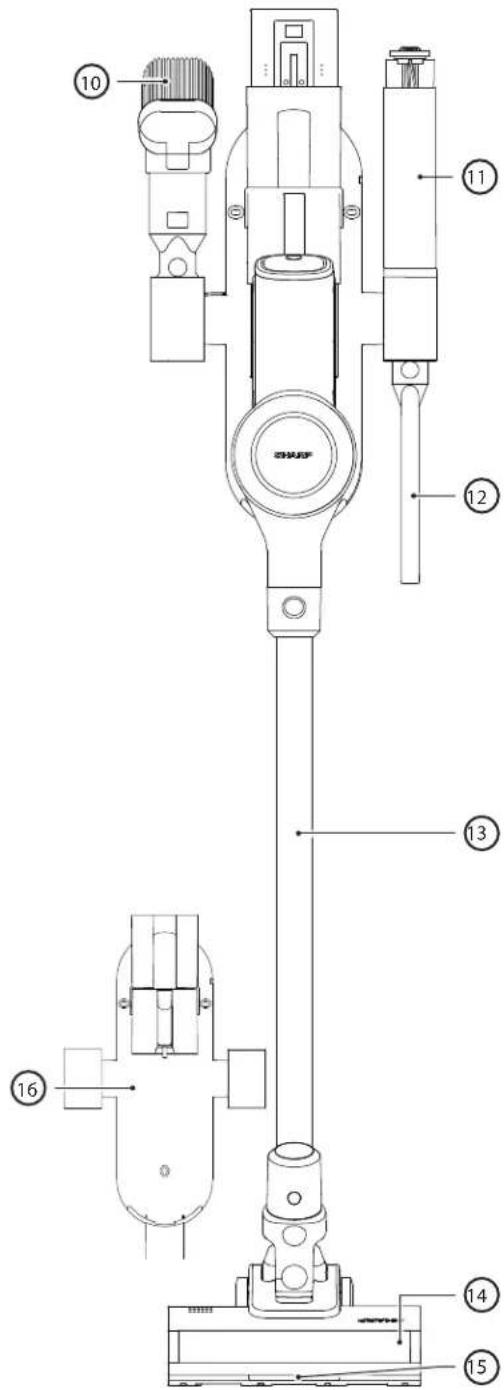
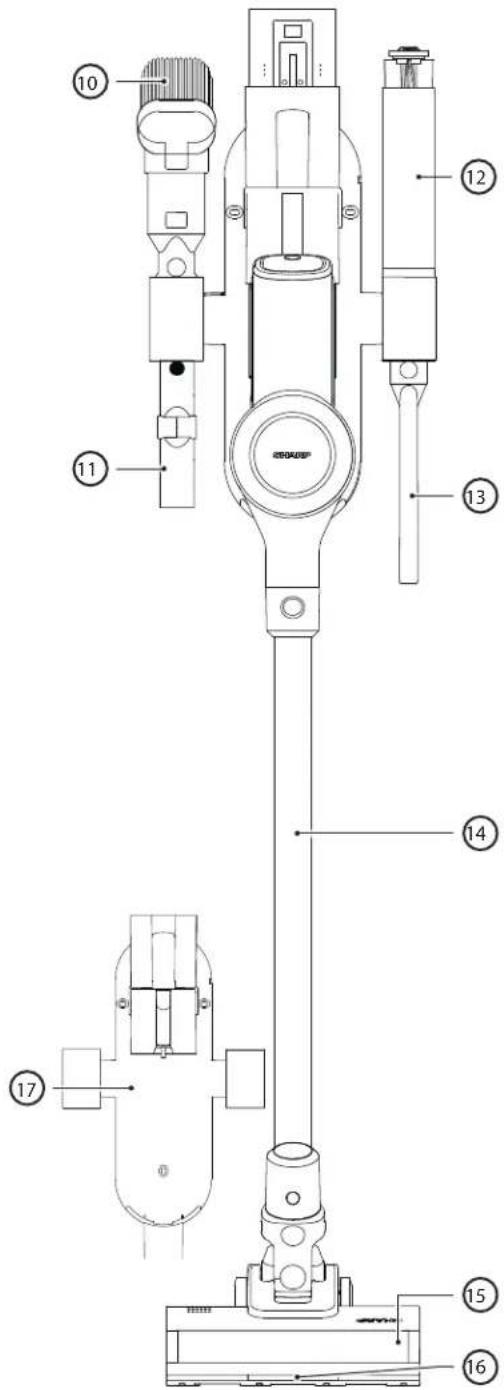
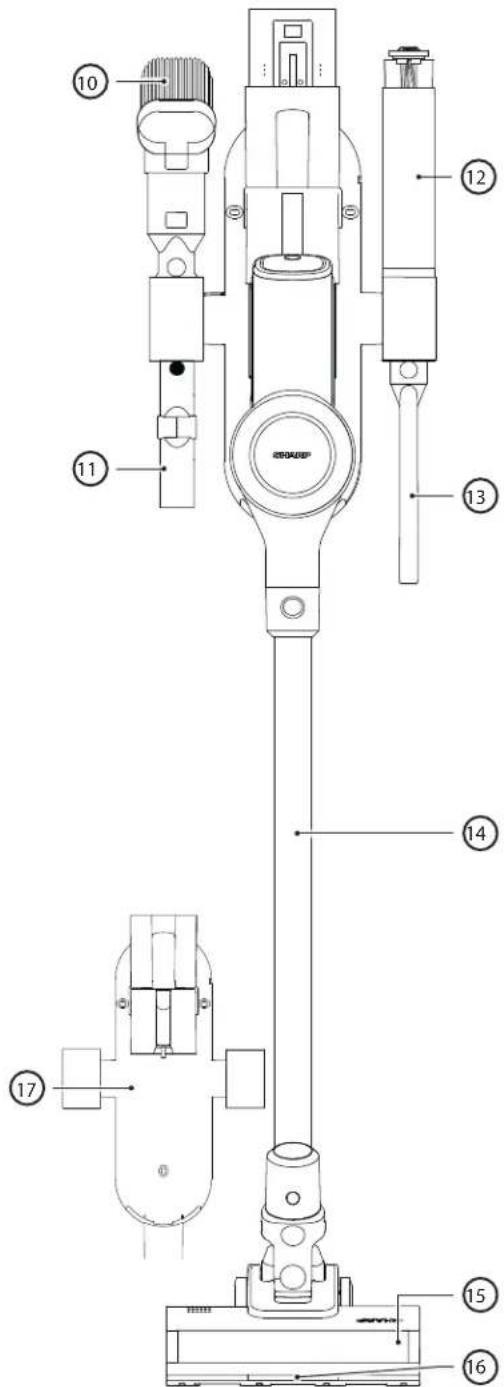
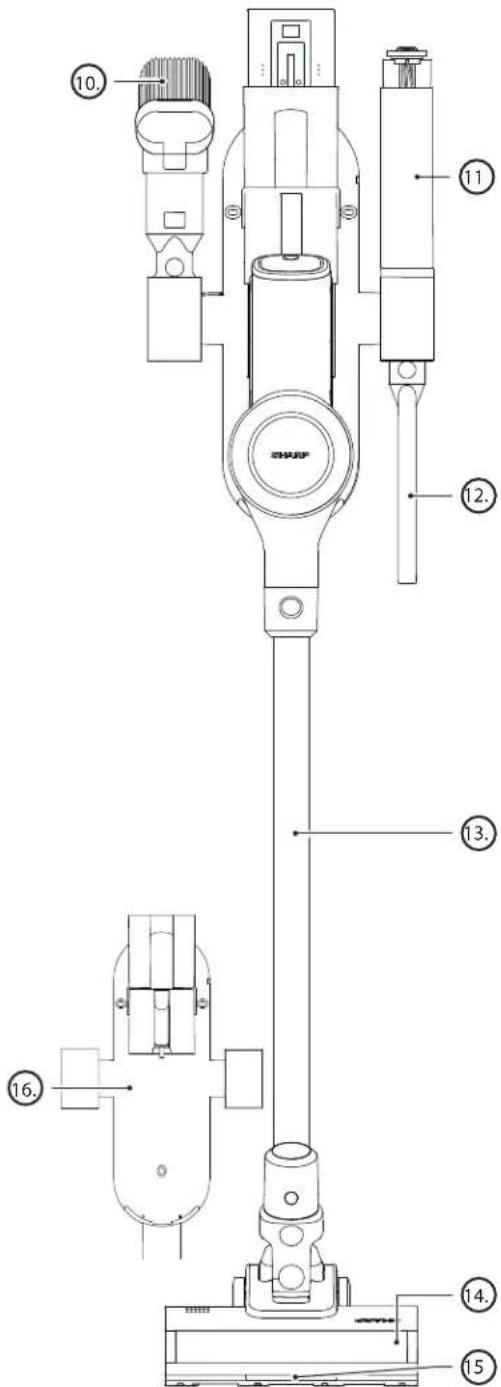
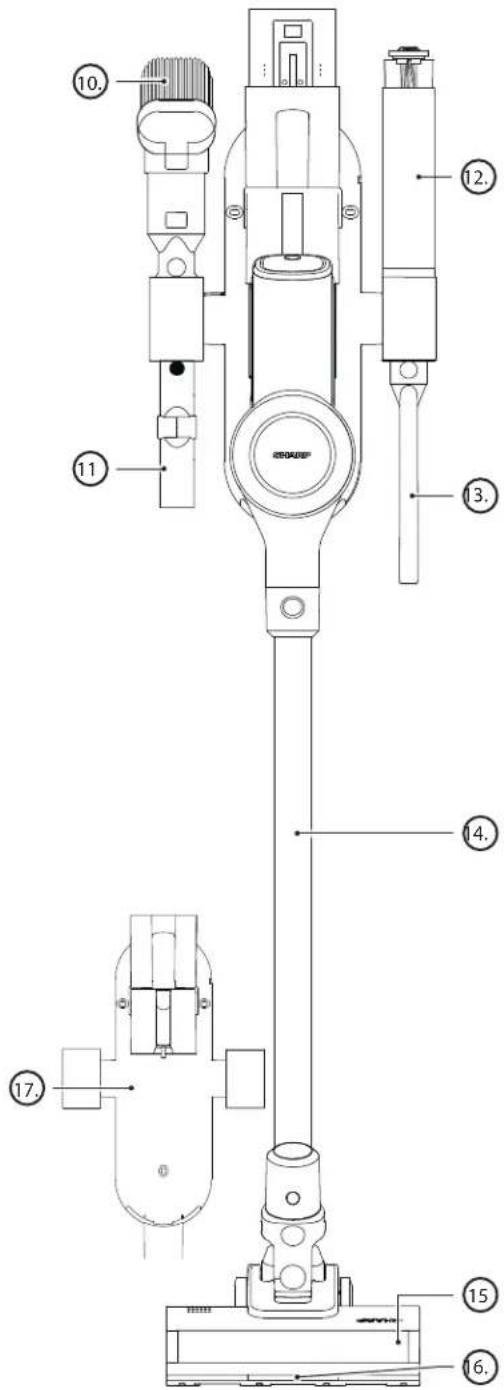
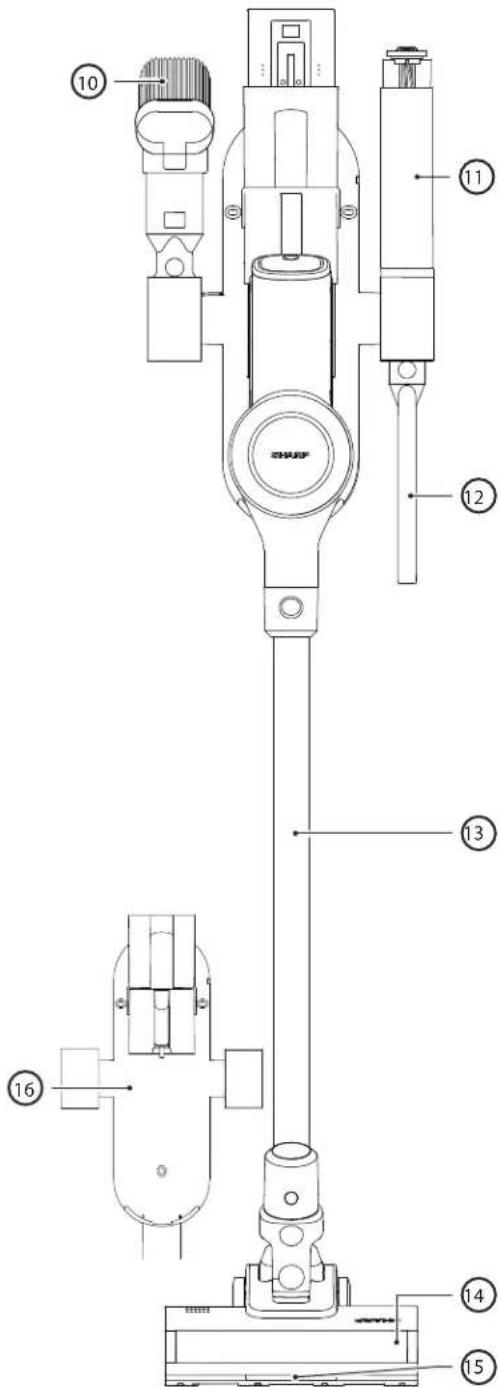
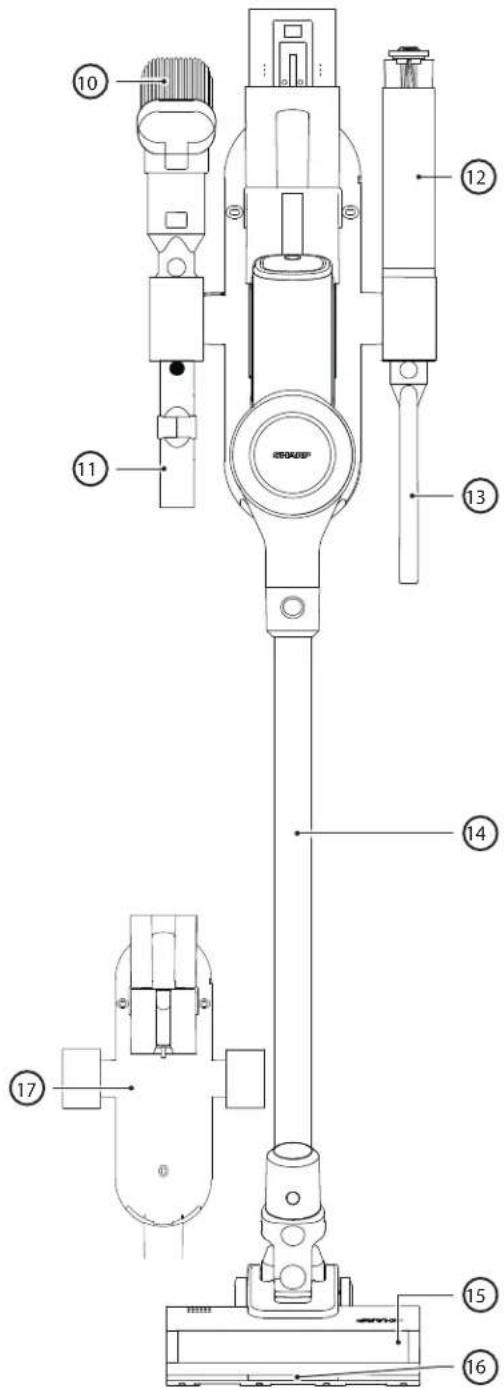
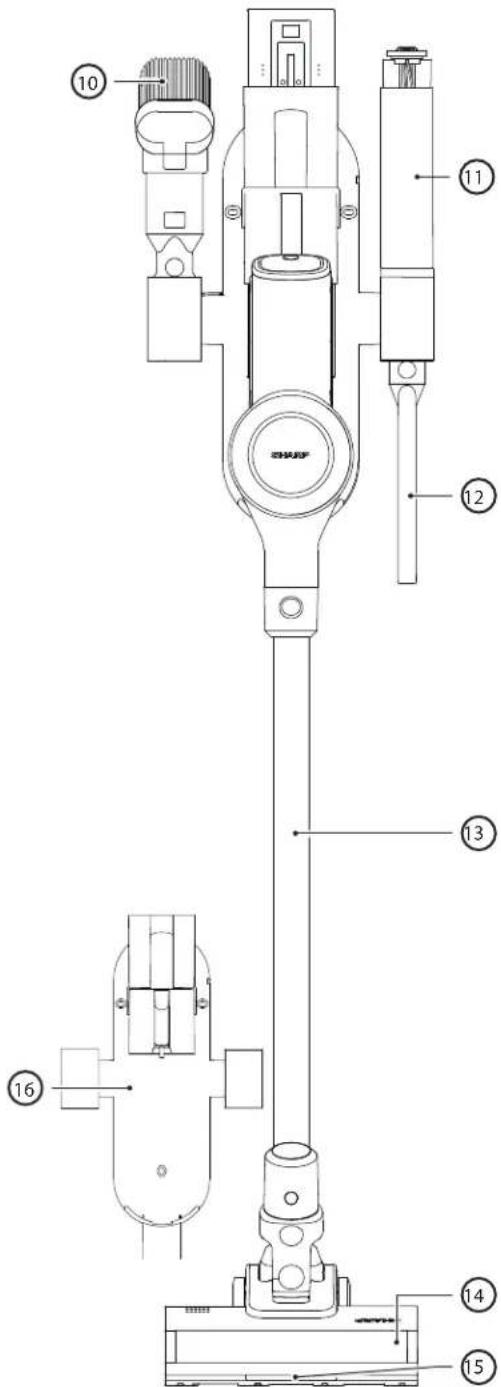
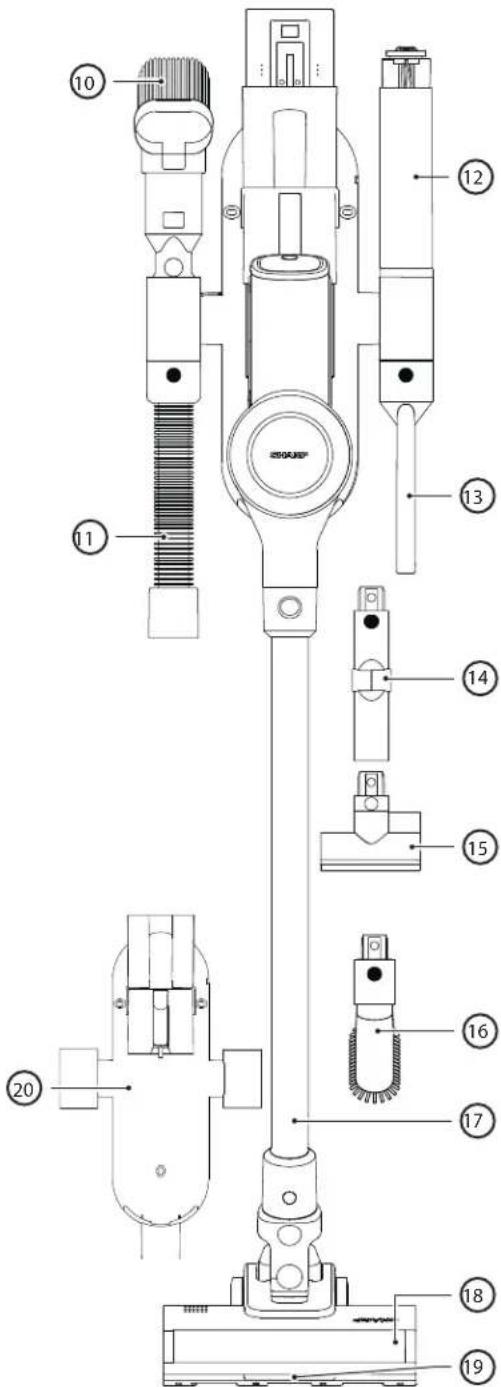
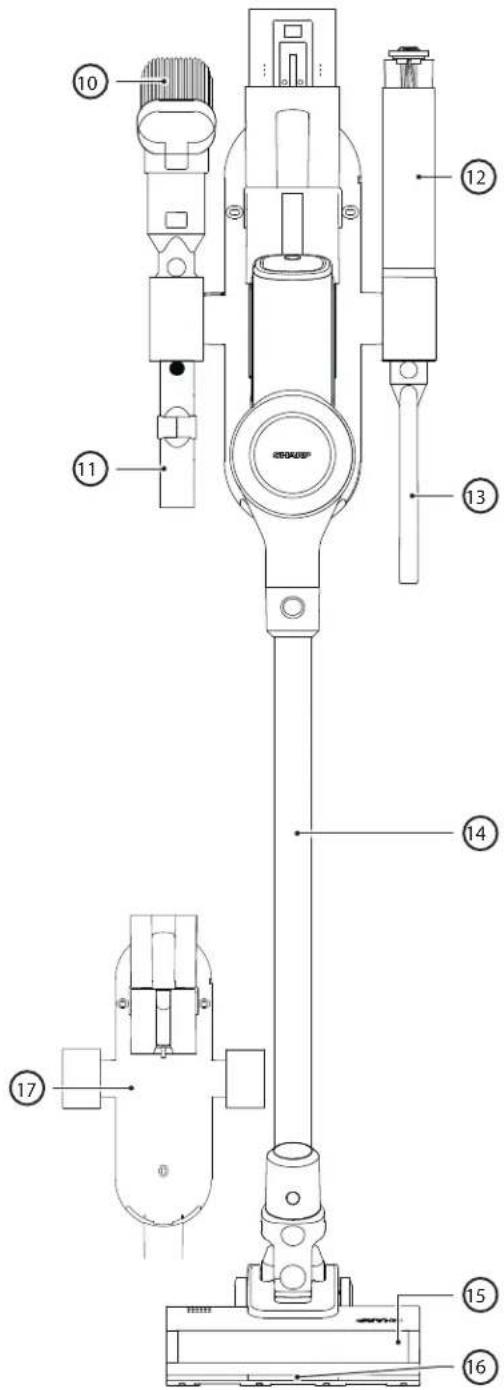
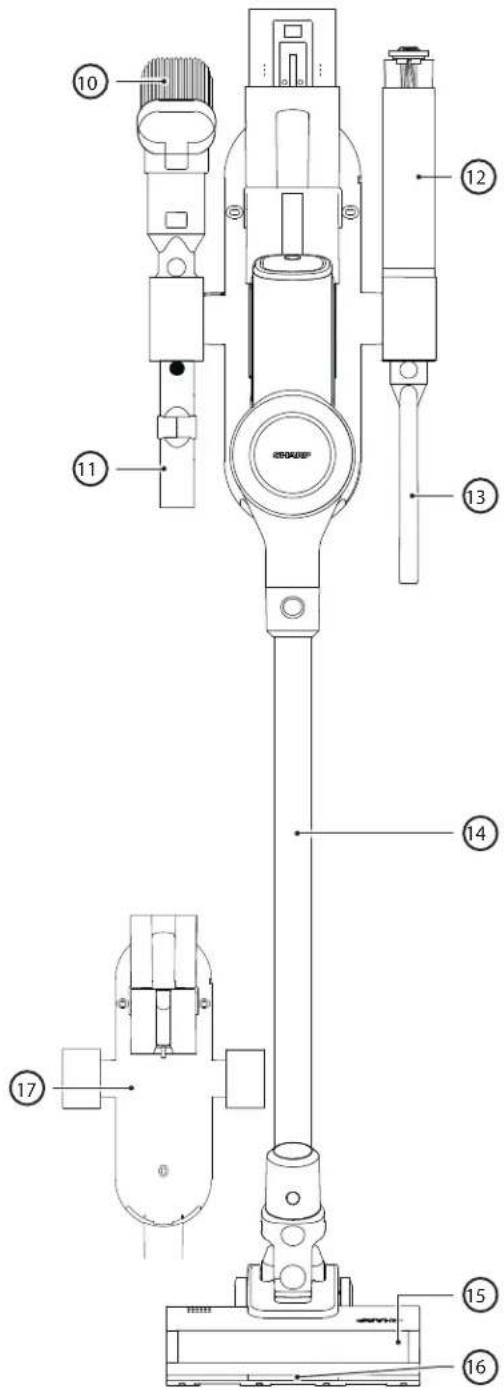
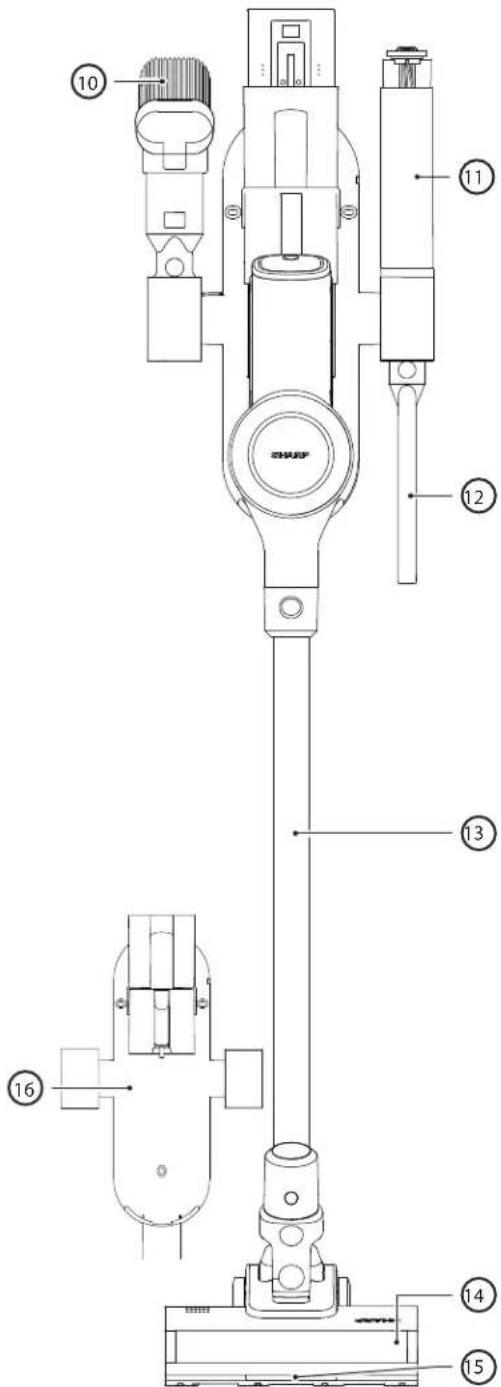
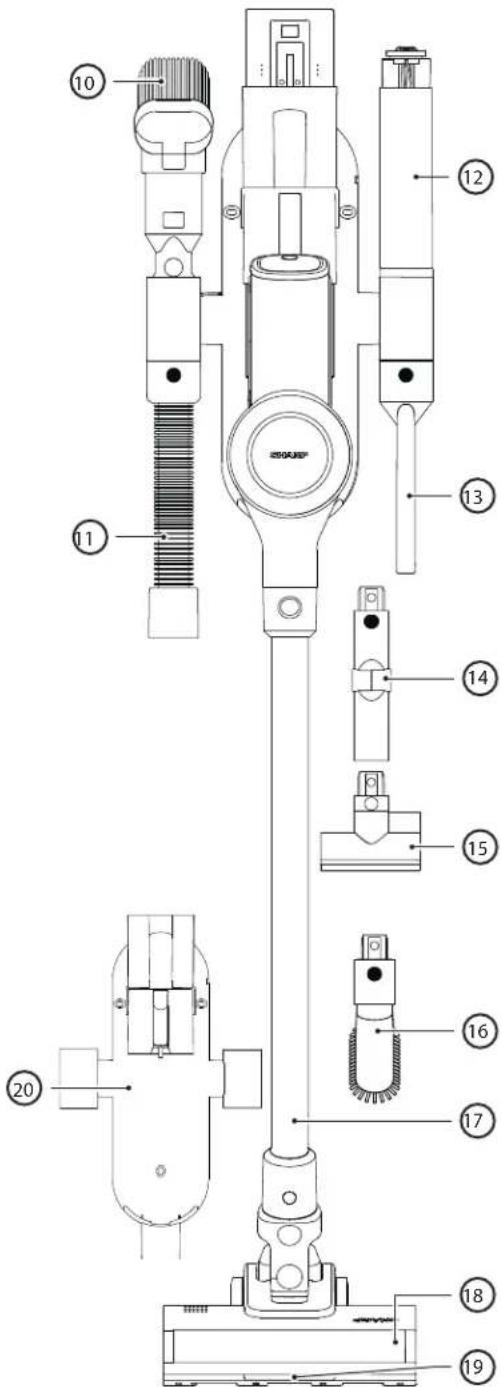
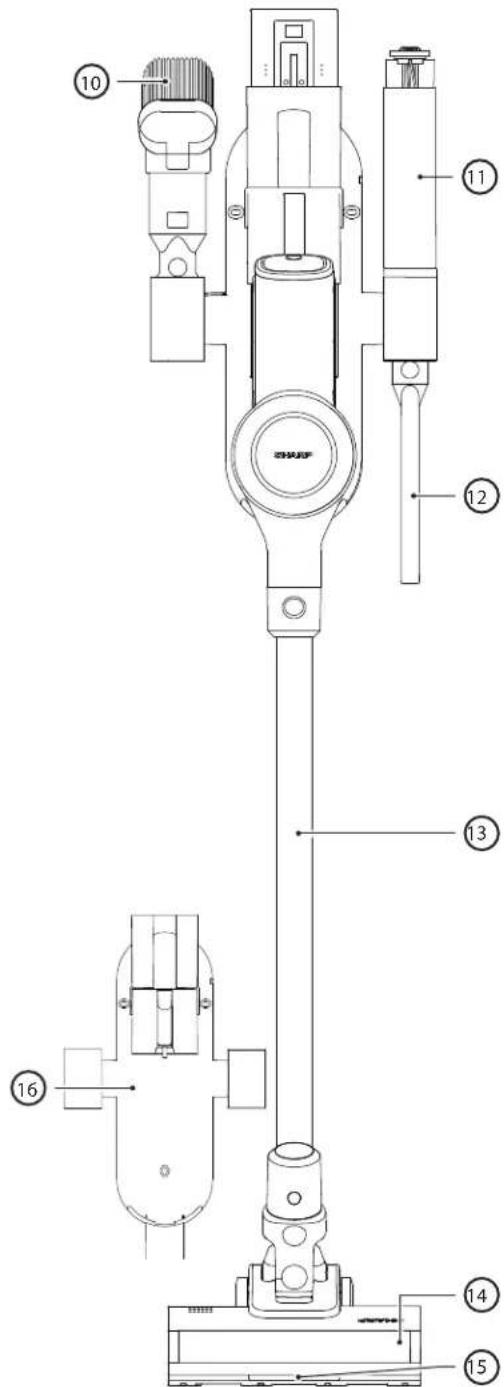
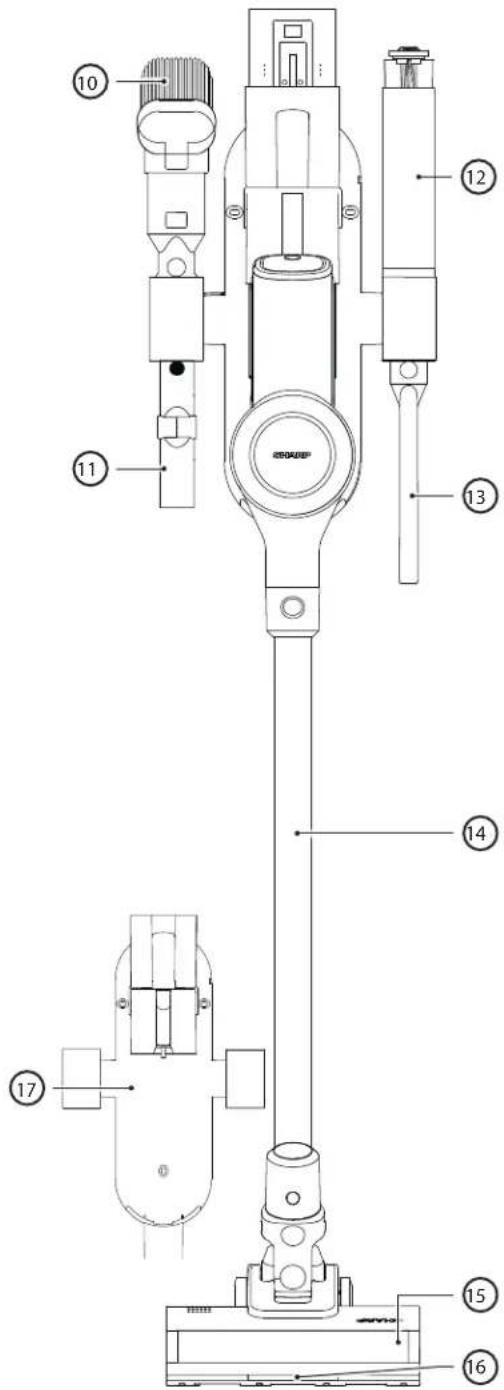
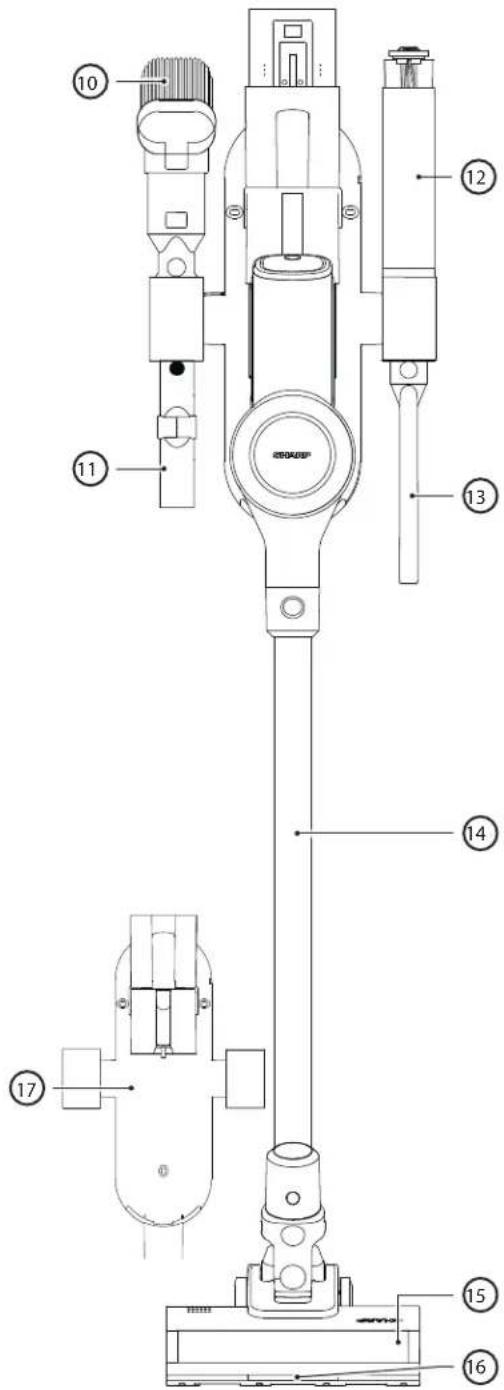
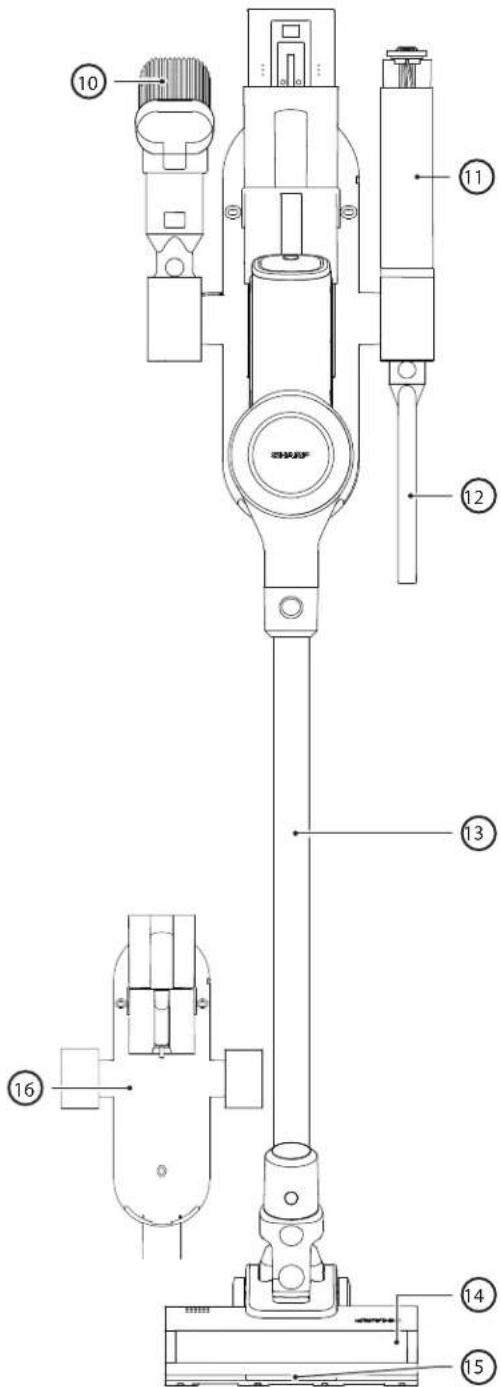
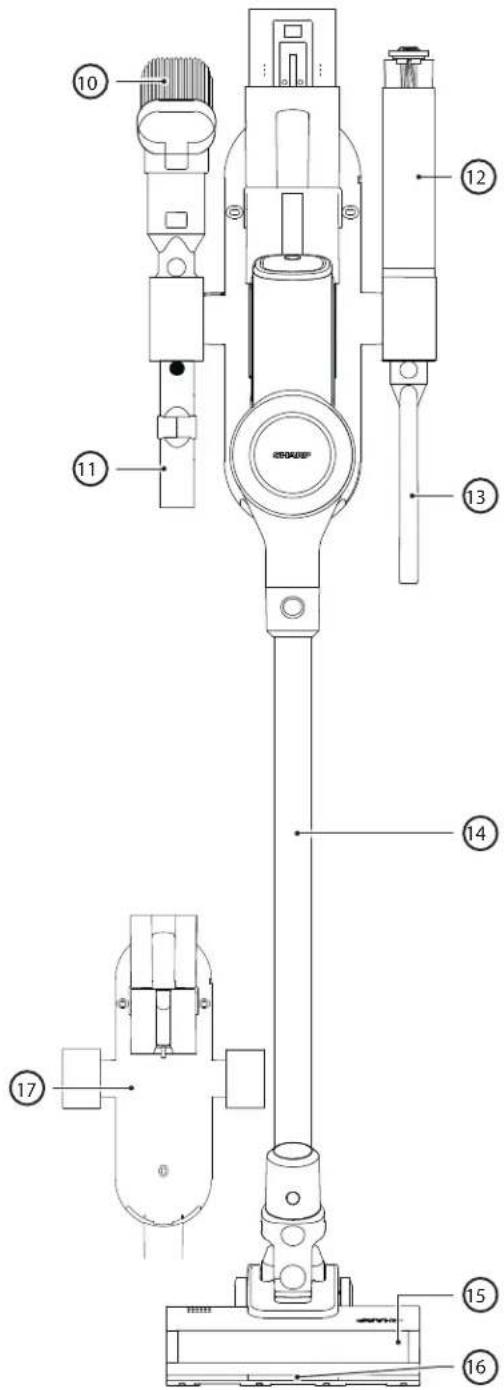
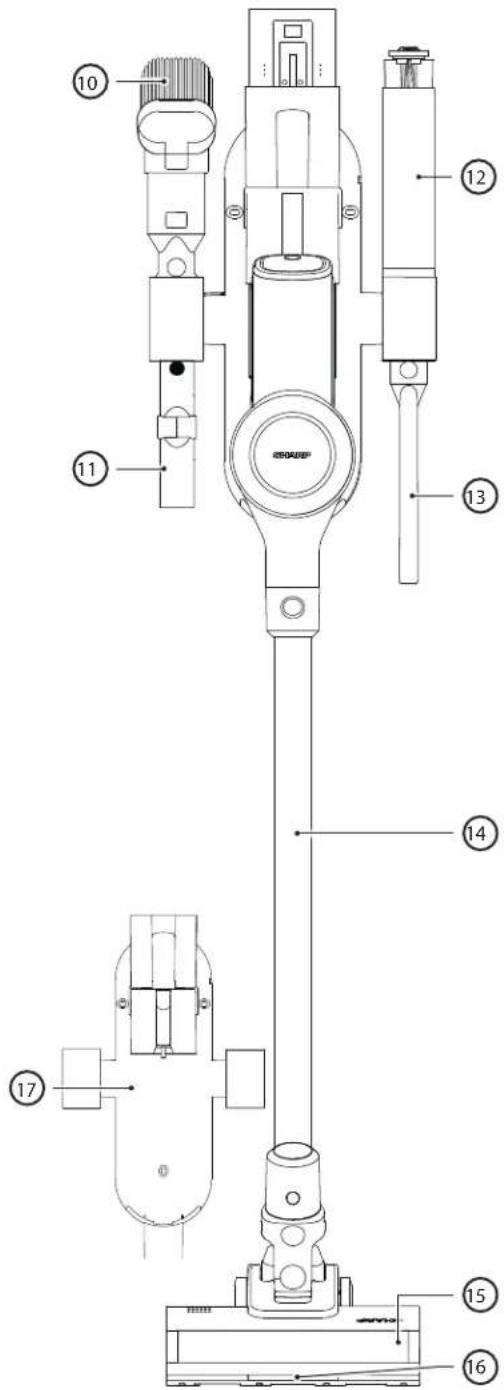
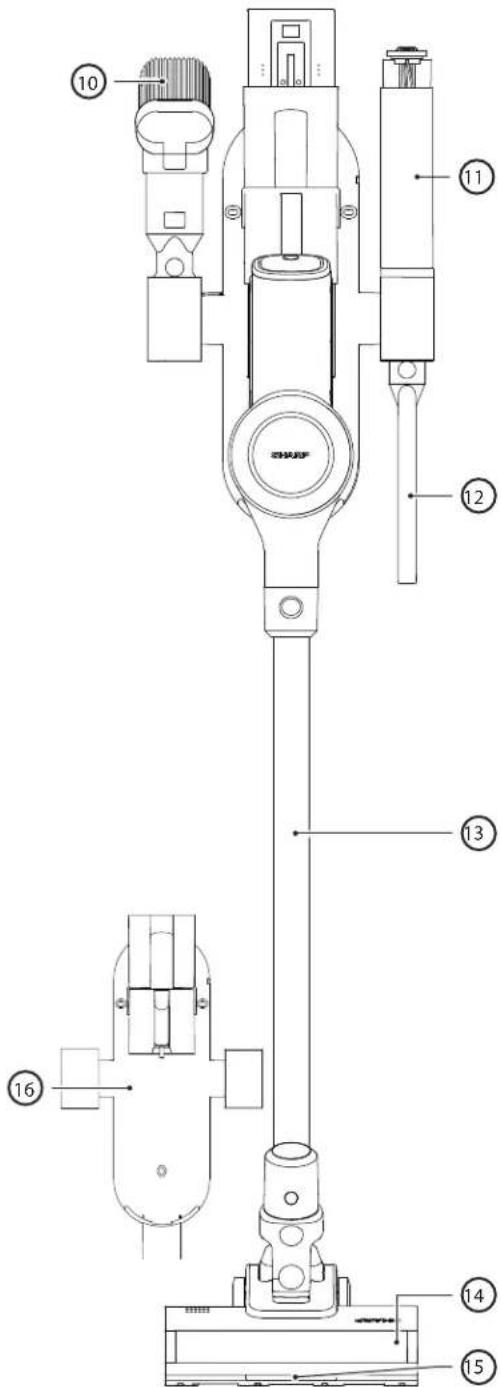
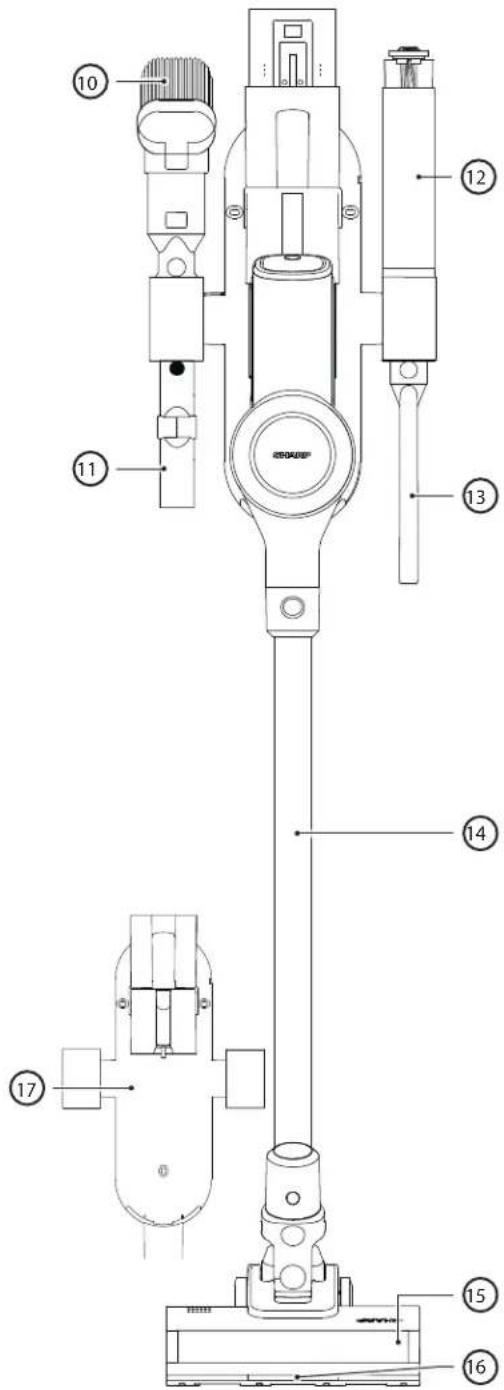
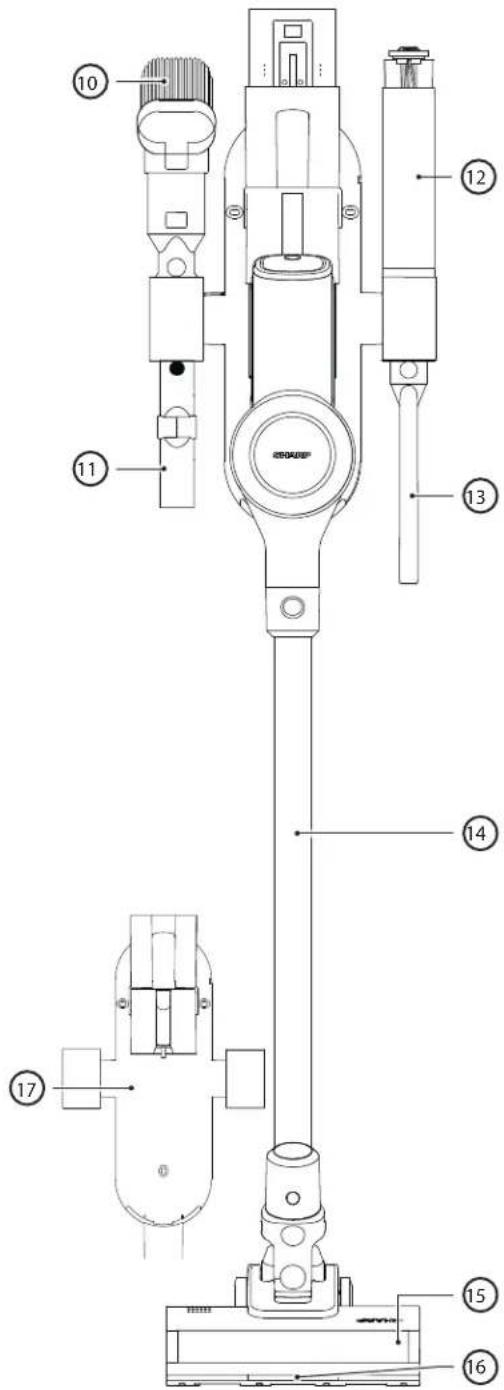
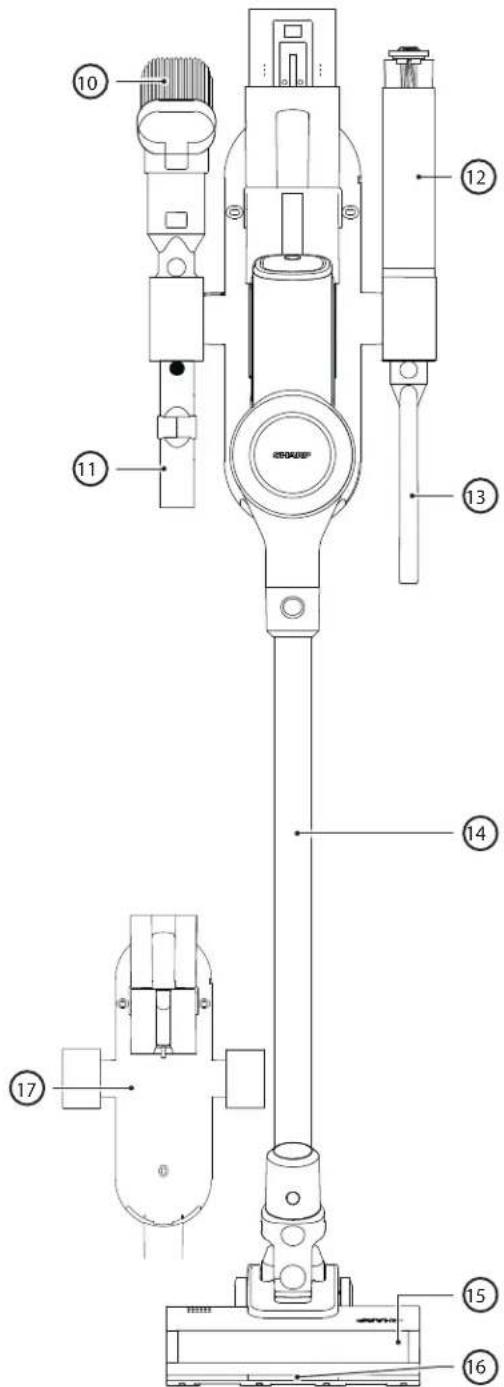
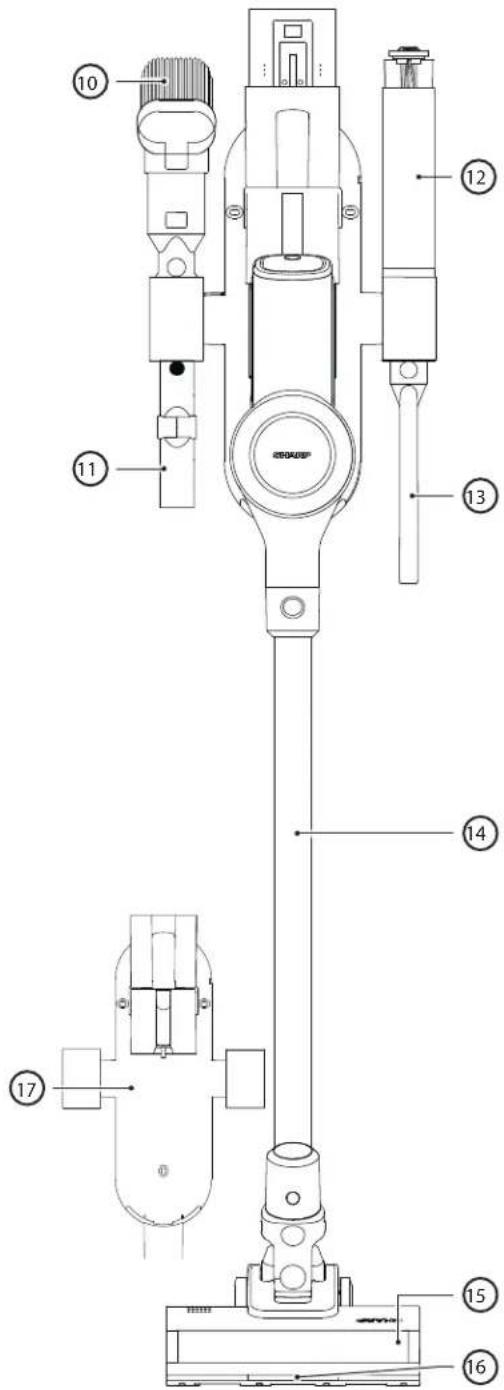
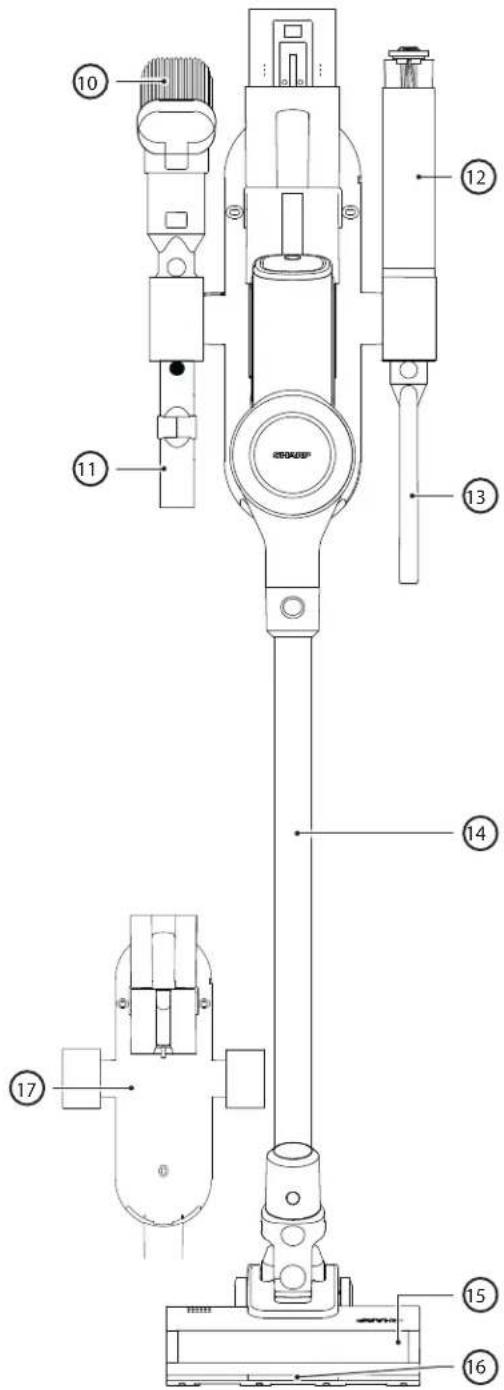
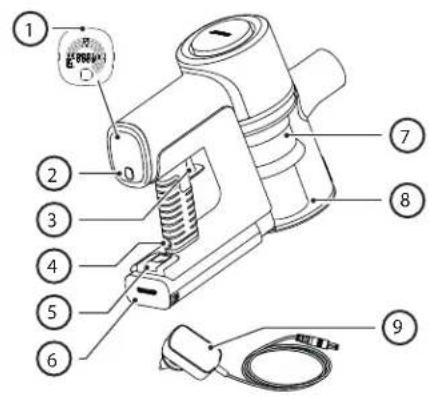
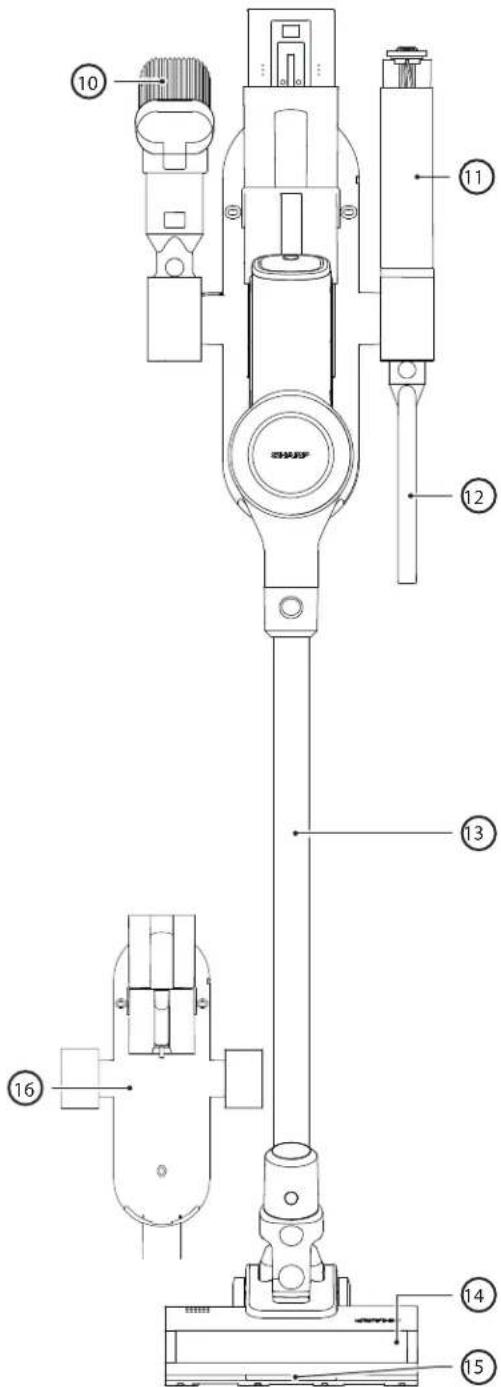
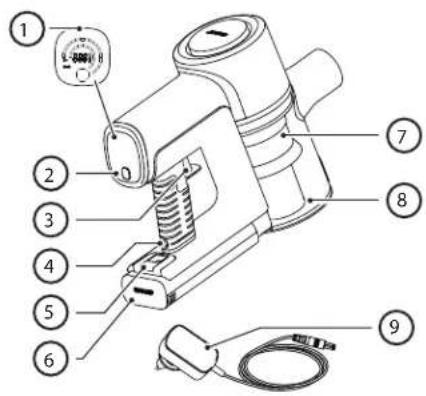
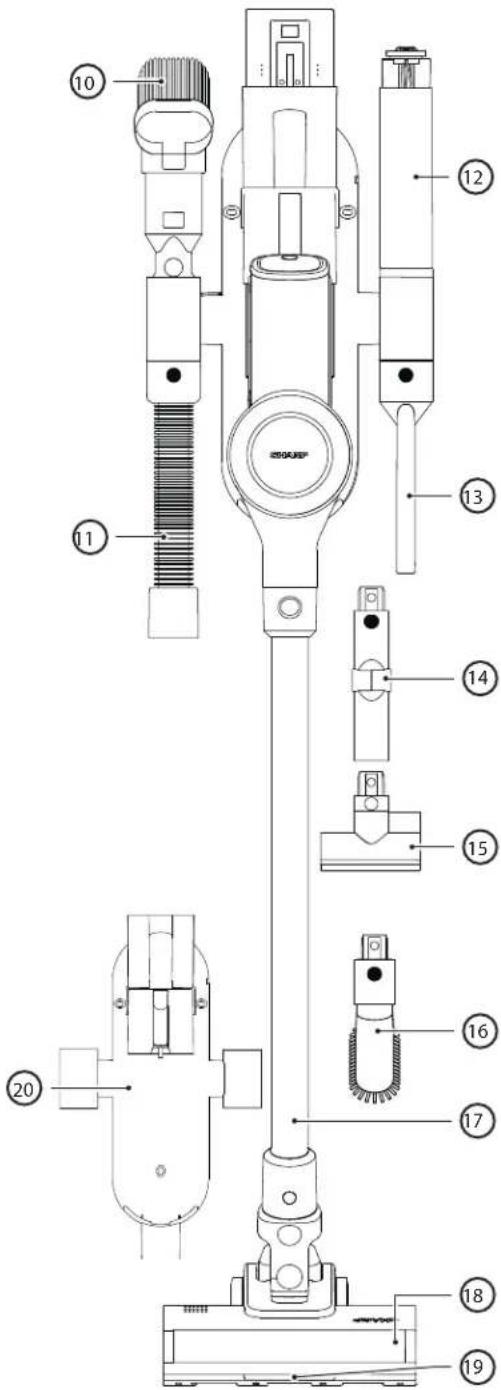
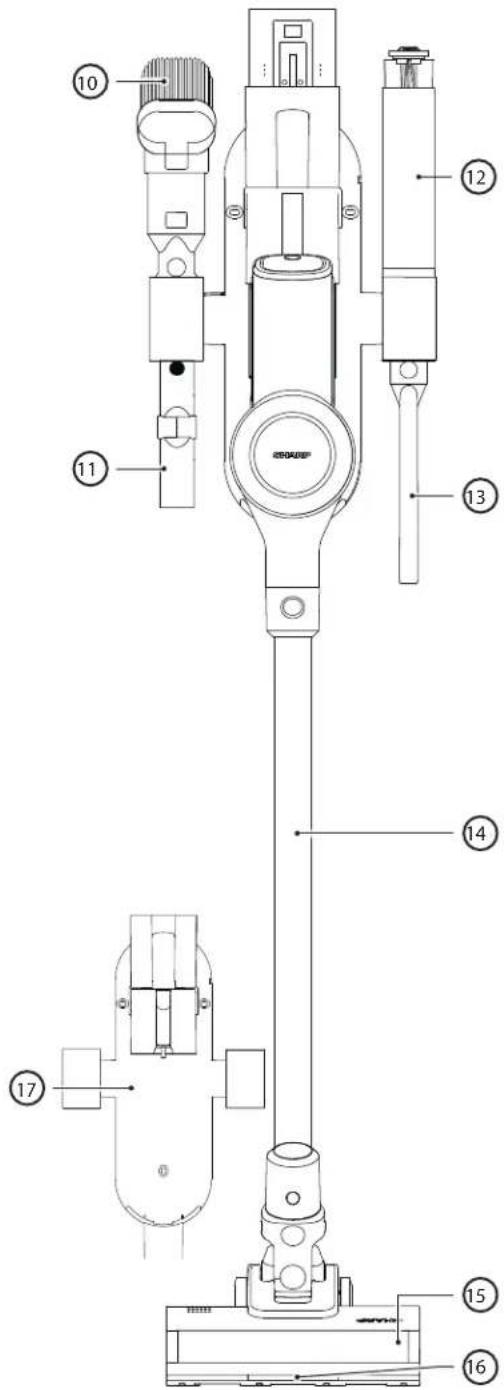
| VC-SV20AEU-S | |
| Item Description | |
| 1 LED Display | |
| 2 Speed Selection Button | |
| 3 ON/OFF Power Trigger | |
| 4 Battery Charging Port | |
| 5 Battery Release Button | |
| 6 Rechargeable/Replaceable Battery | |
| 7 Filter Assembly | |
| 8 Dust Bin | |
| 9 AC Adapter | |
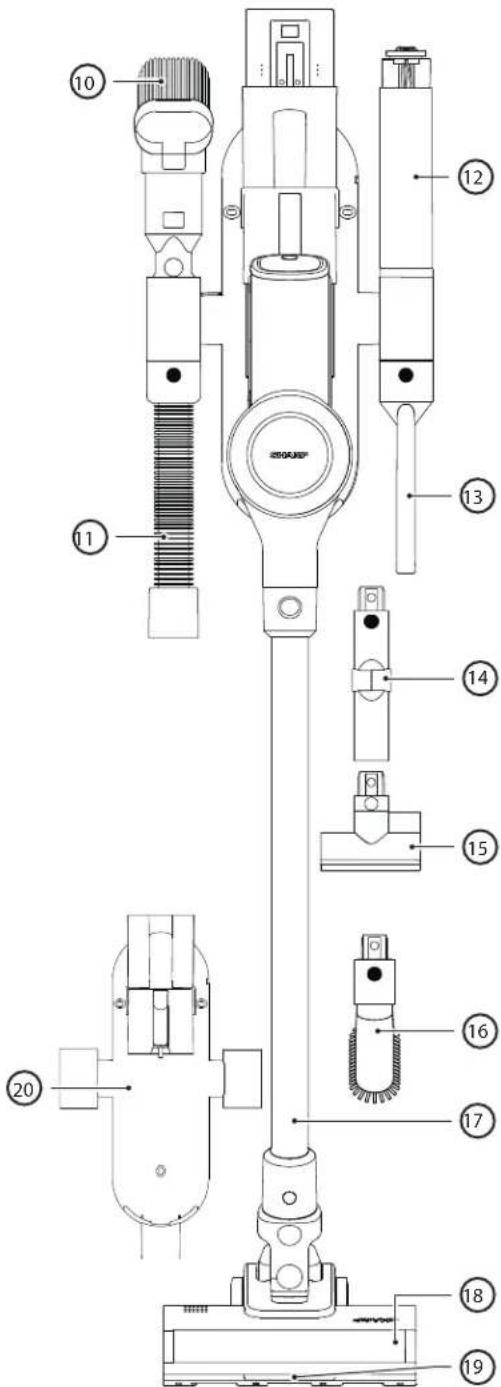
| 10 2-in-1 Brush/Crevice Tool | |
| 11 Flexible Bending Adapter | |
| 12 Brush Roller in Storage Tube | |
| 13 Extended Crevice Tool | |
| 14 Metal Extension Rod | |
| 15 Motorised Roller Head with LED Lights | |
| 16 LED Lights on Floor Brush Roller | |
| 17 Wall Caddy |
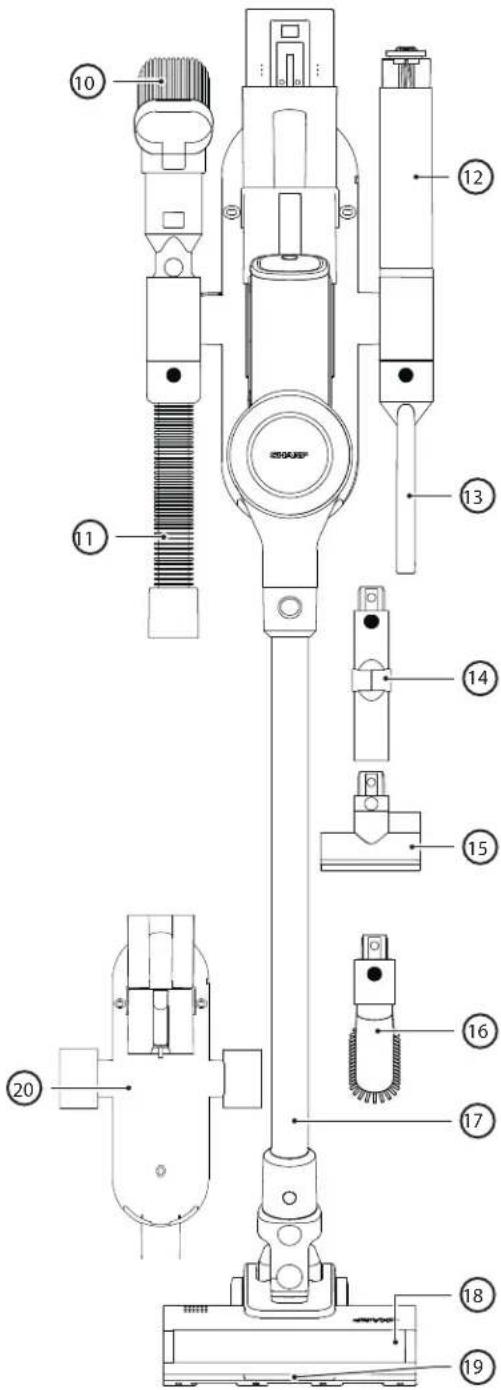
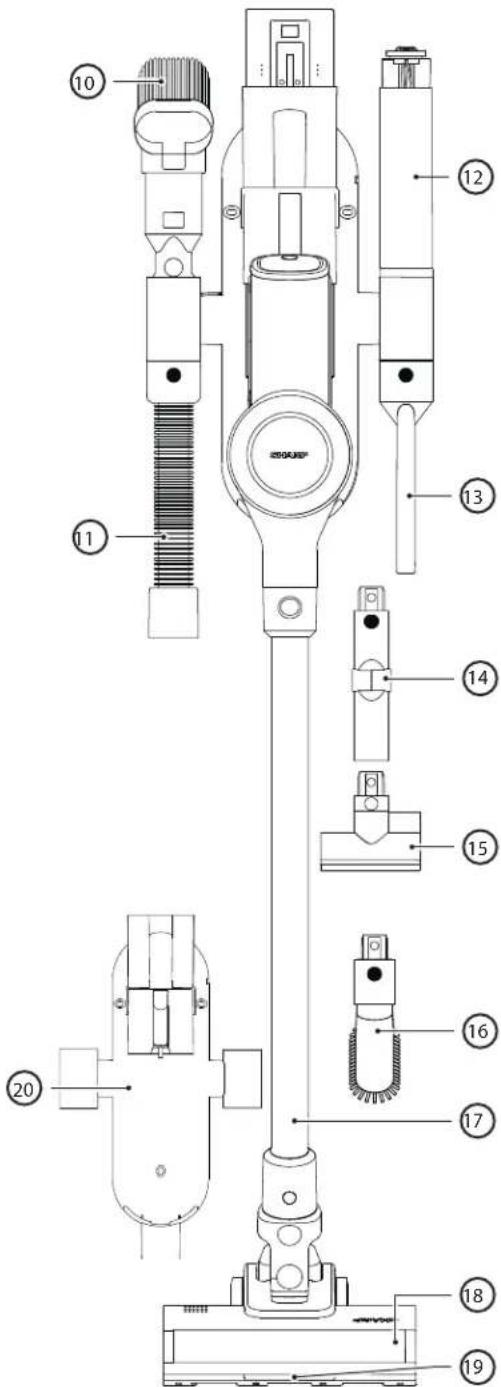
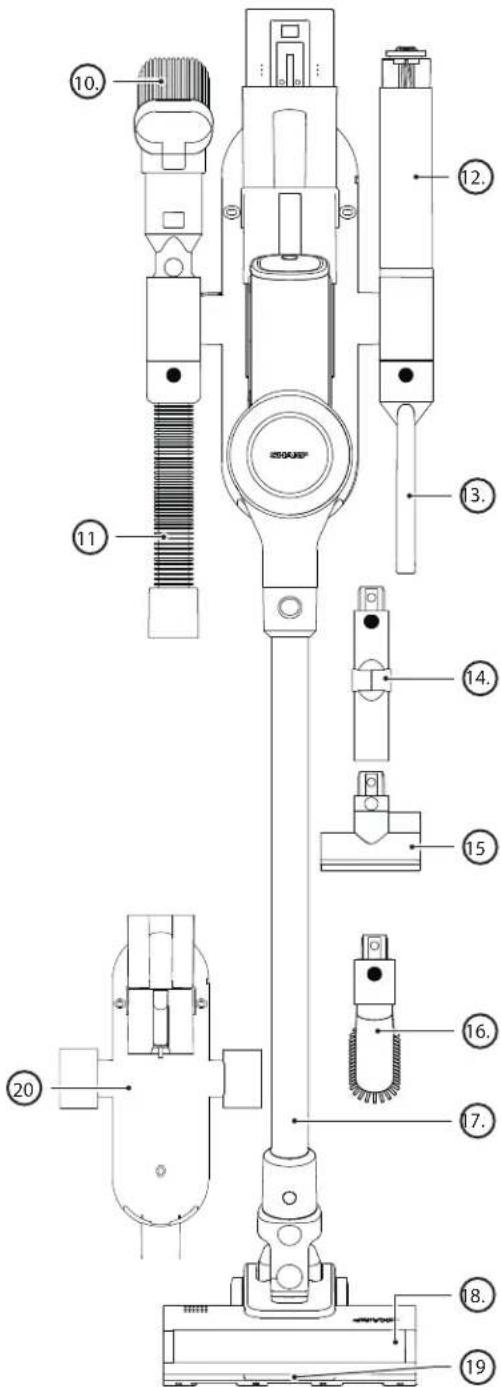
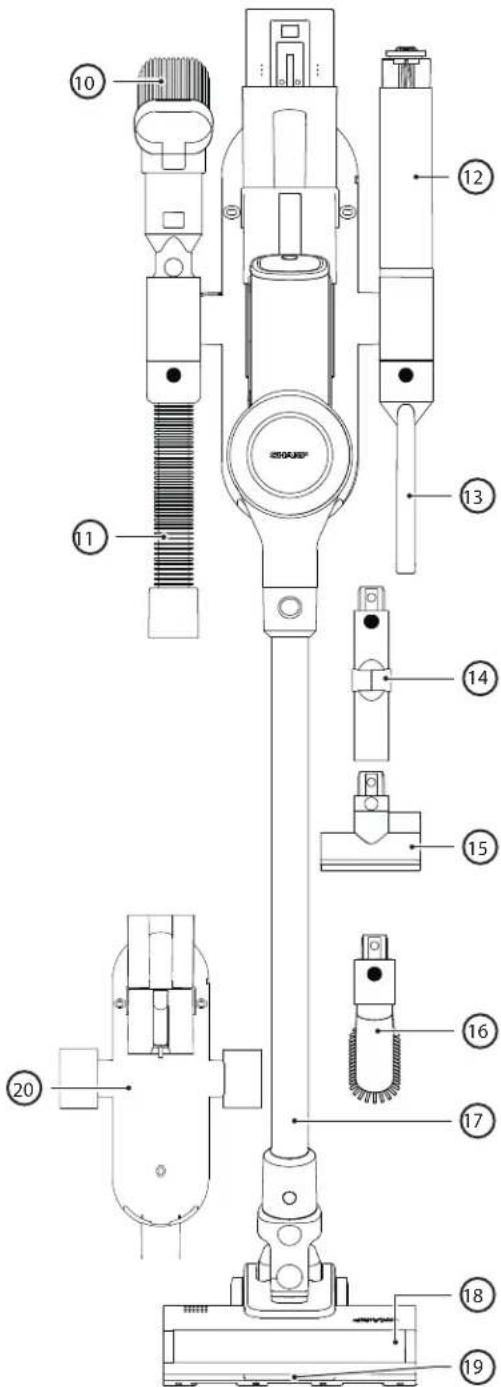
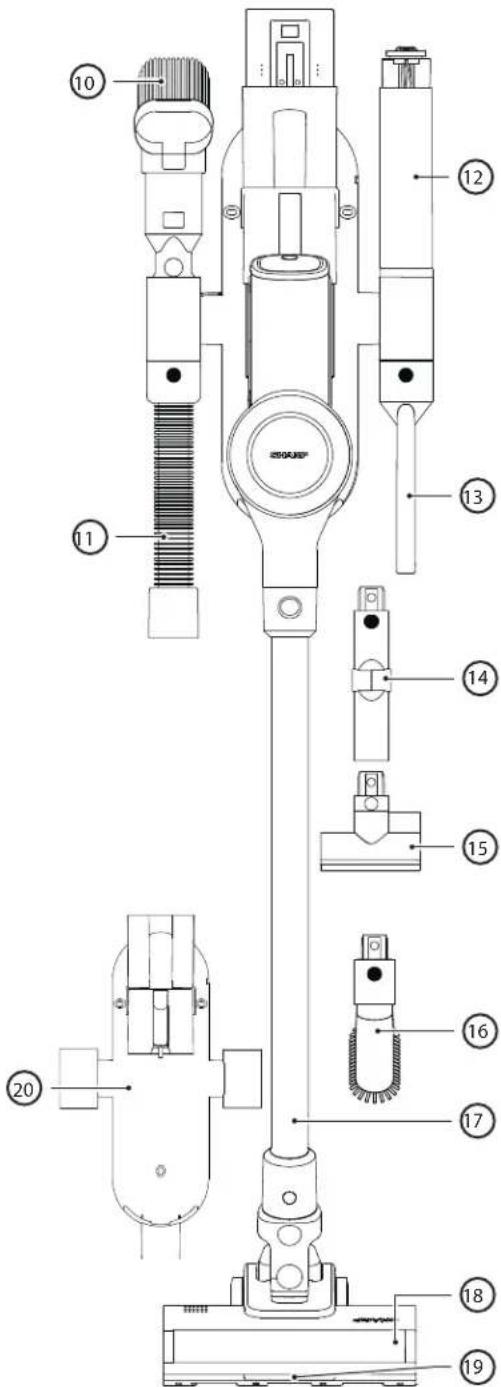
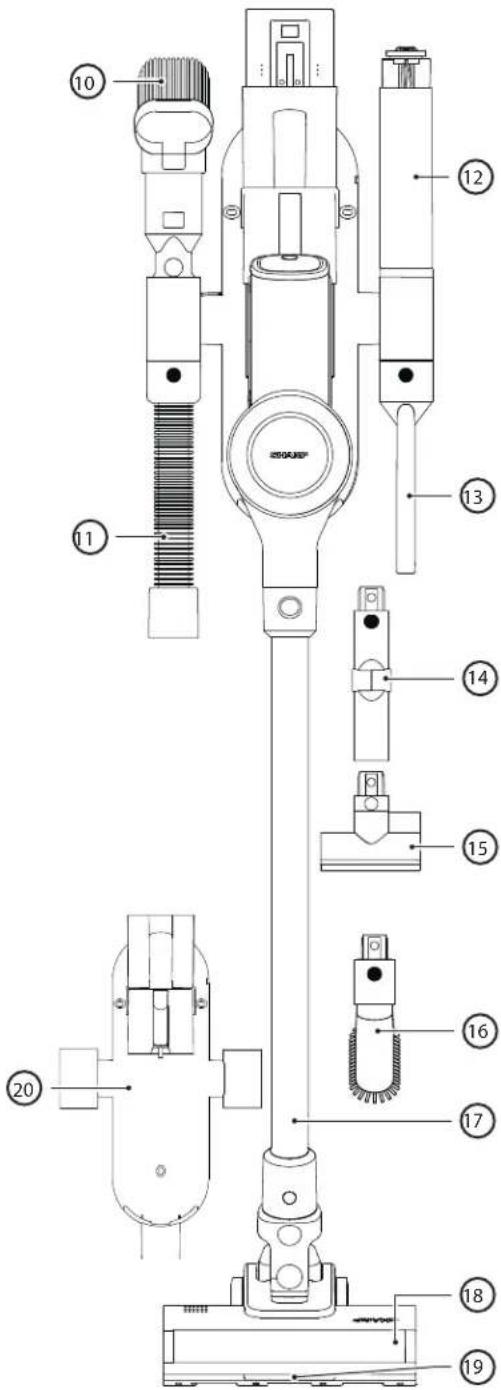
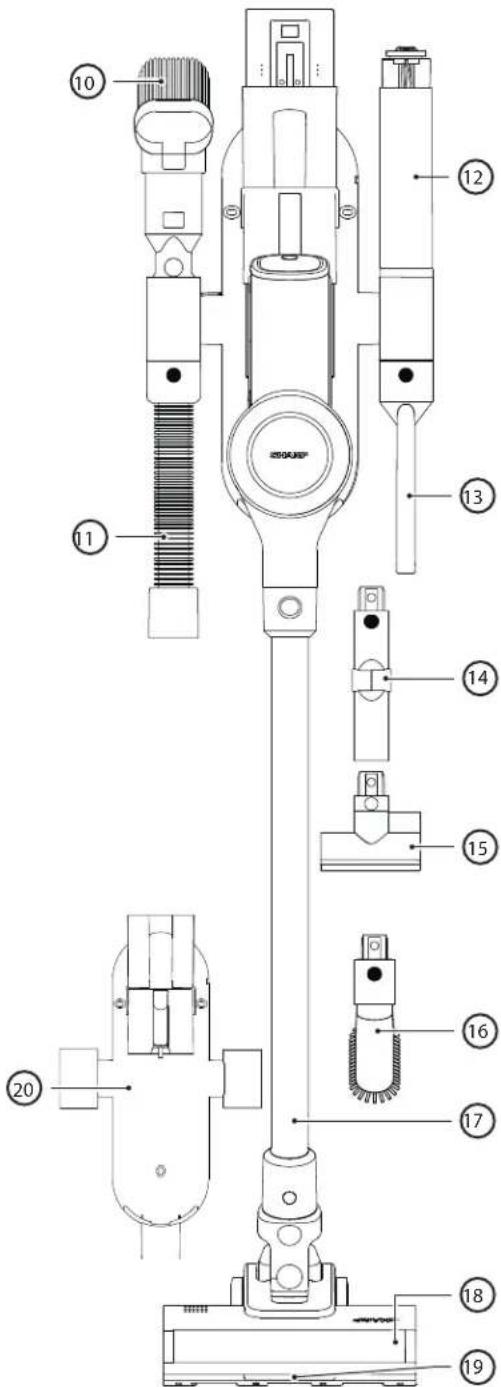
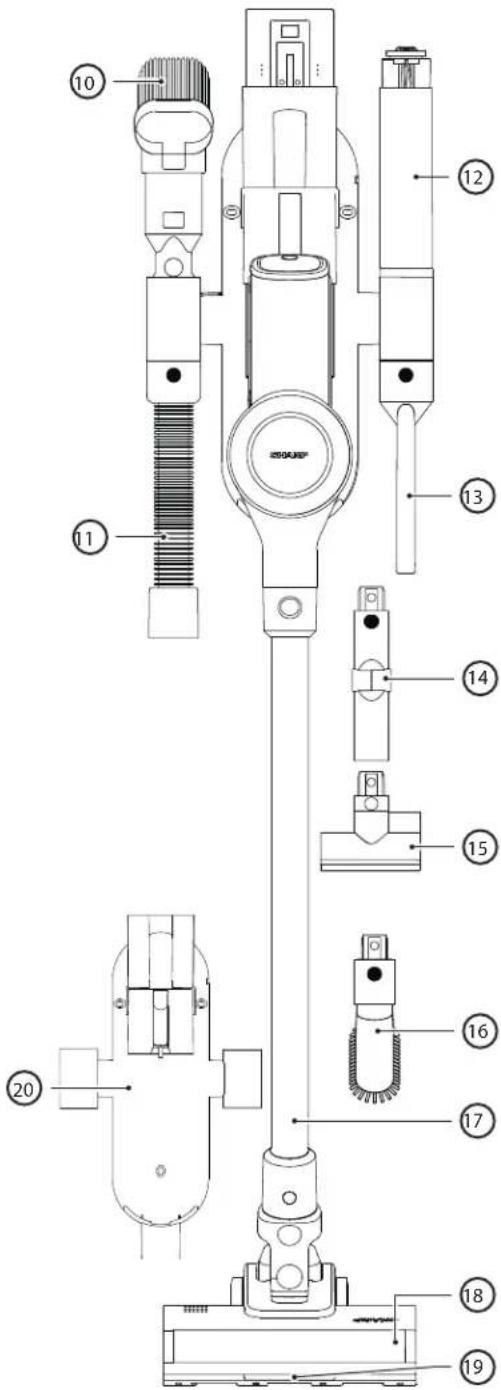
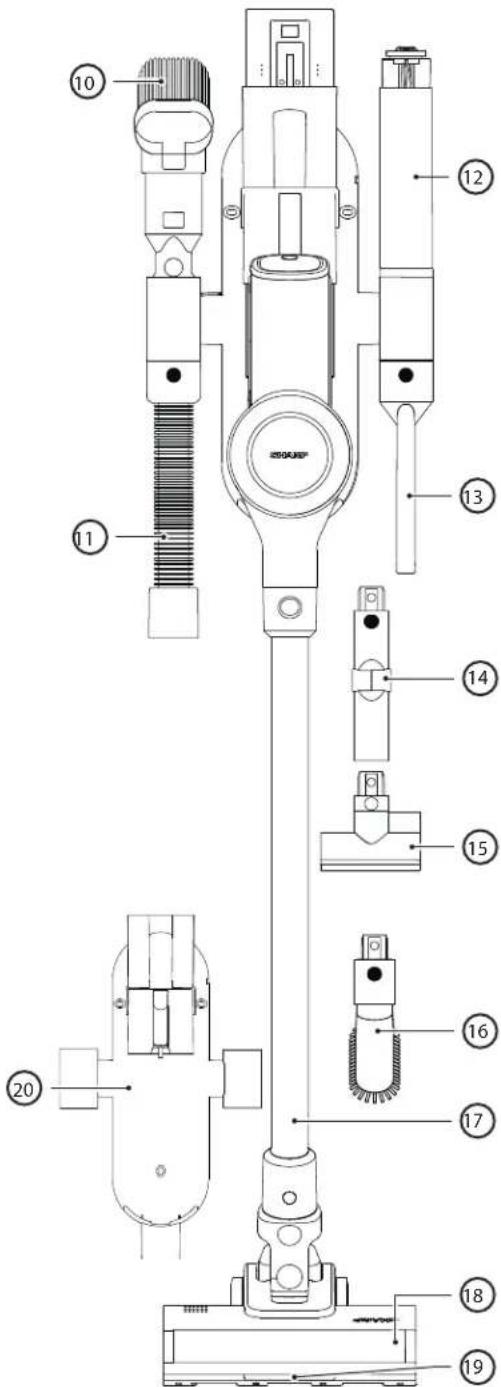
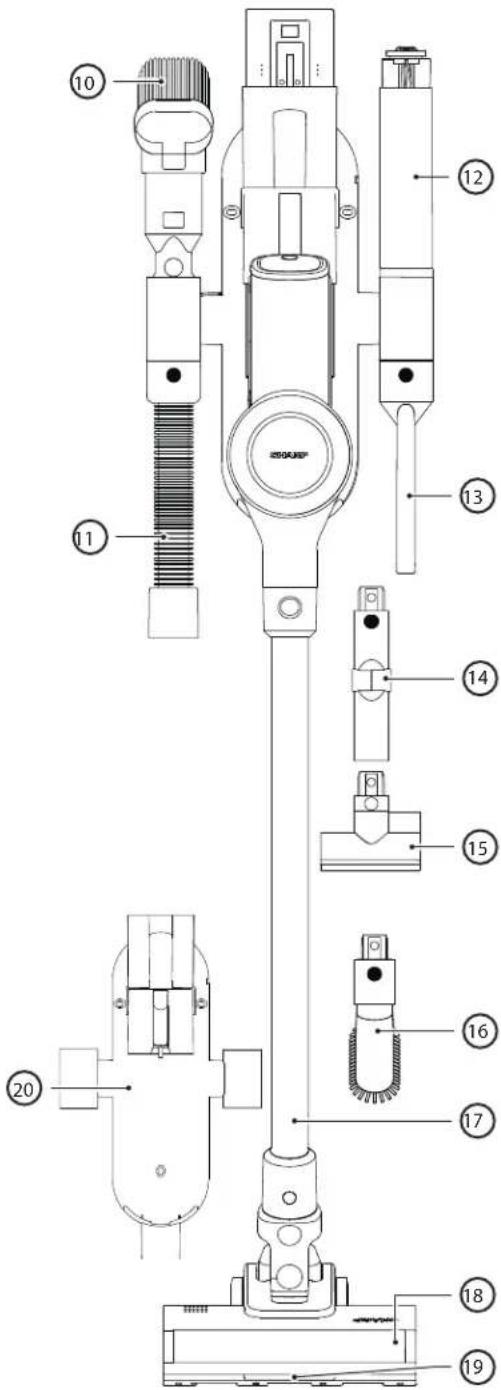
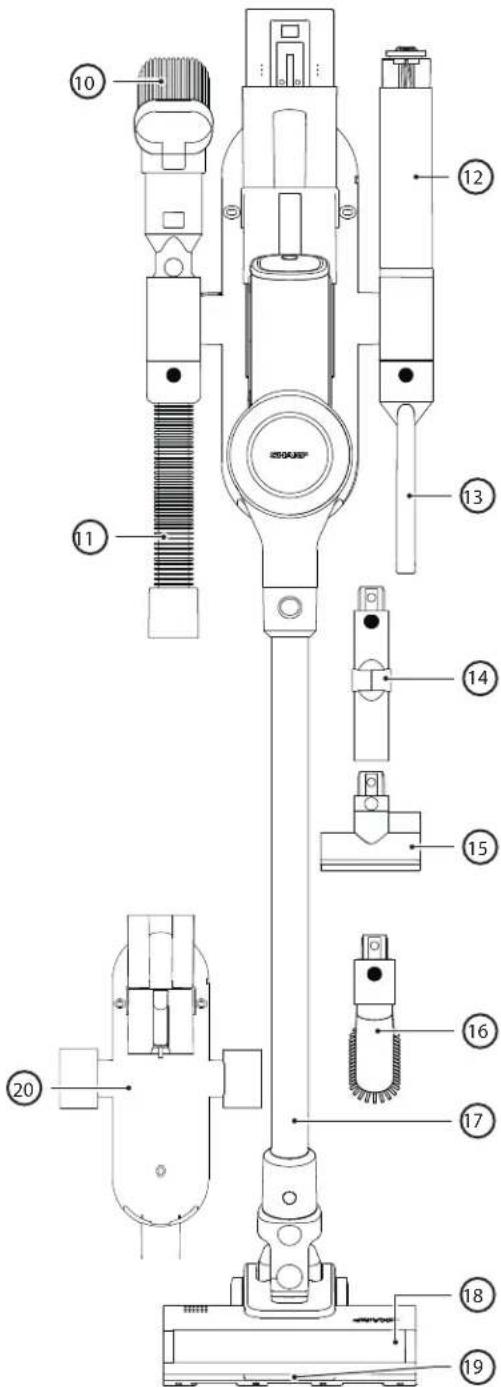
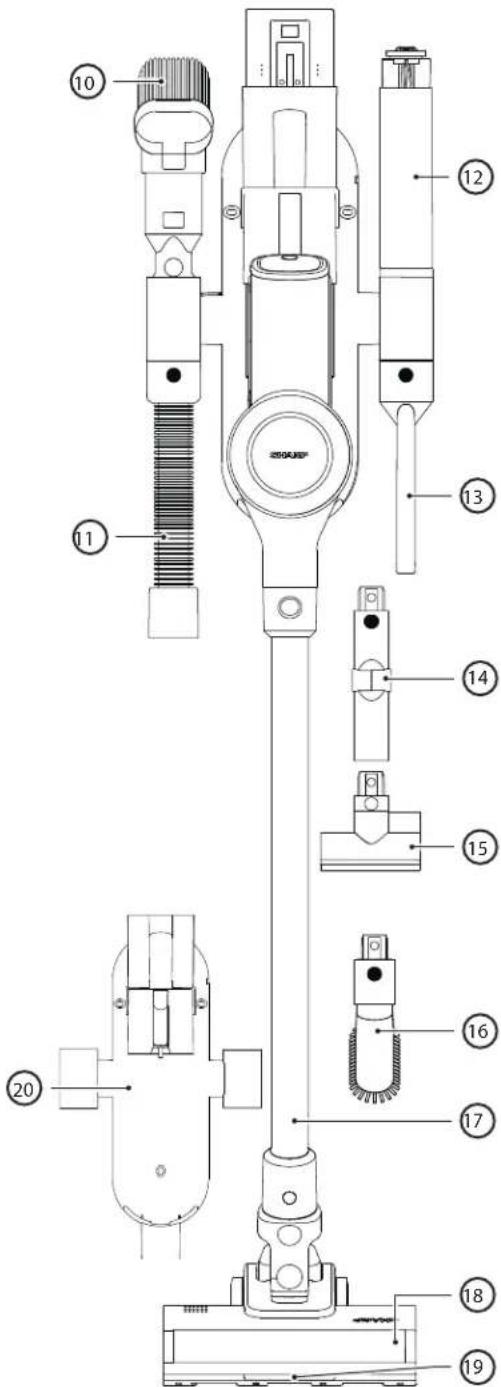
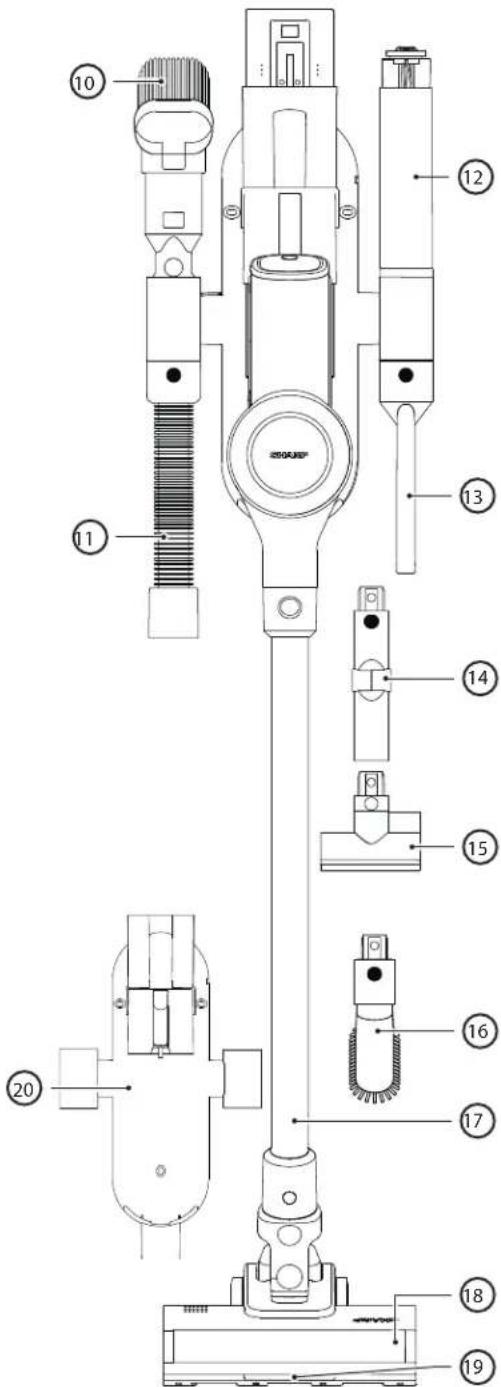
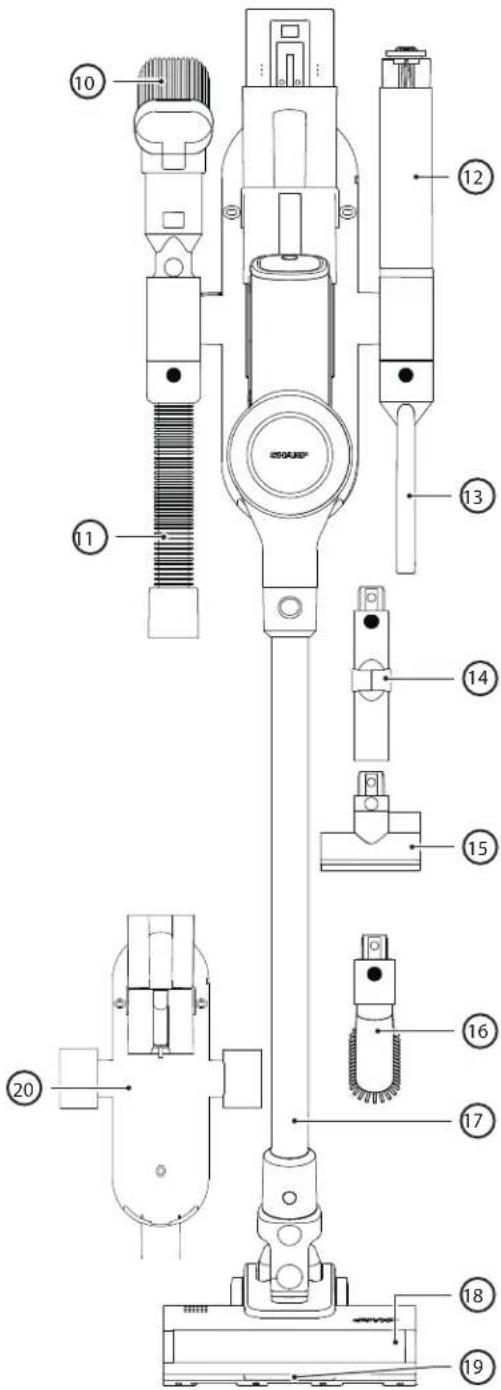
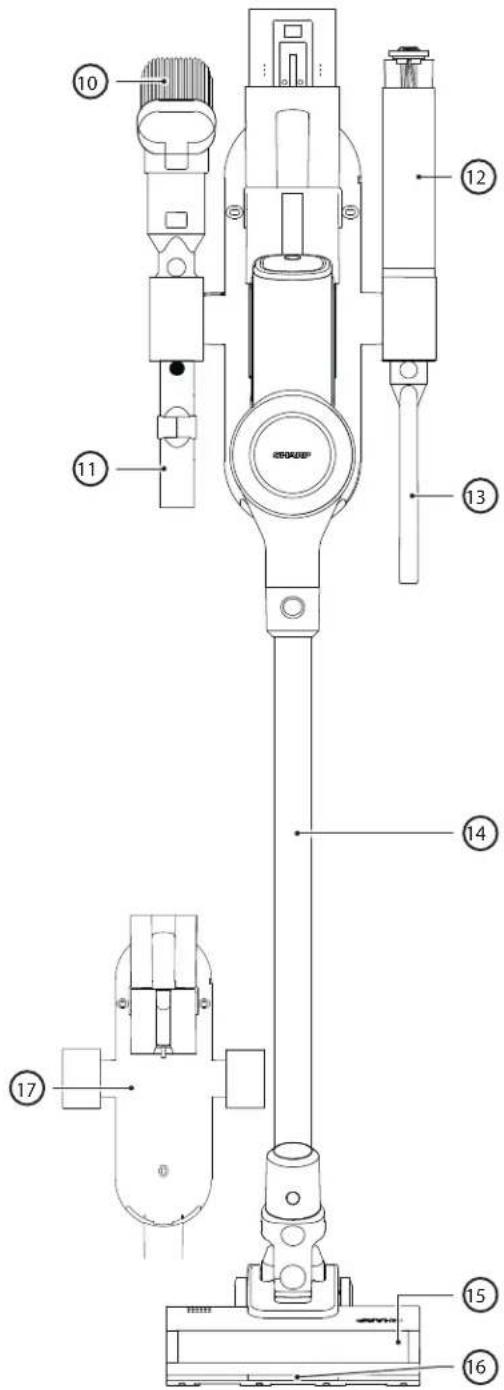
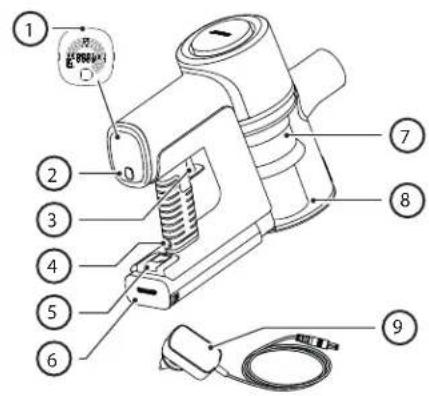
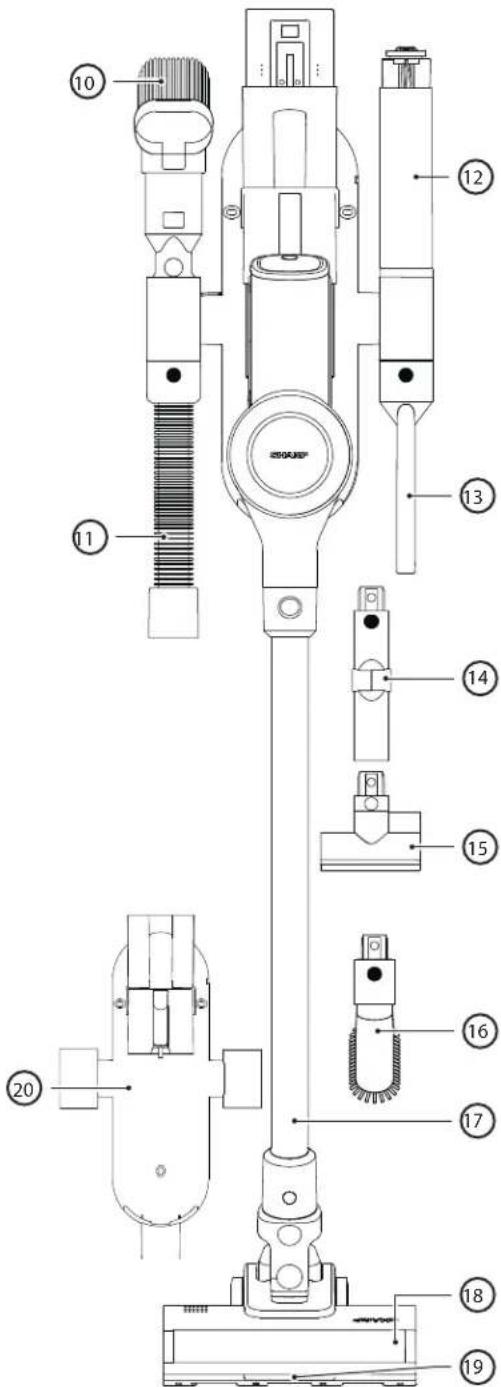
| VC-SV28AEU-B | |
| Item Description | |
| 1 LED Display | |
| 2 Speed Selection Button | |
| 3 ON/OFF Power Trigger | |
| 4 Battery Charging Port | |
| 5 Battery Release Button | |
| 6 Rechargeable/Replaceable Battery | |
| 7 Filter Assembly | |
| 8 Dust Bin | |
| 9 AC Adapter | |
| 10 2-in-1 Brush/Crevice Tool | |
| 11 Extension Hose | |
| 12 Brush Roller in transparent storage container | |
| 13 Extended Crevice Tool | |
| 14 Flexible Bending Adapter | |
| 15 Mini motorized roller brush | |
| 16 Wide brush tool | |
| 17 Metal Extension Rod | |
| 18 Motorised Roller Head with LED Lights | |
| 19 LED Lights on Floor Brush Roller | |
| 20 Wall Caddy |
Wall caddy
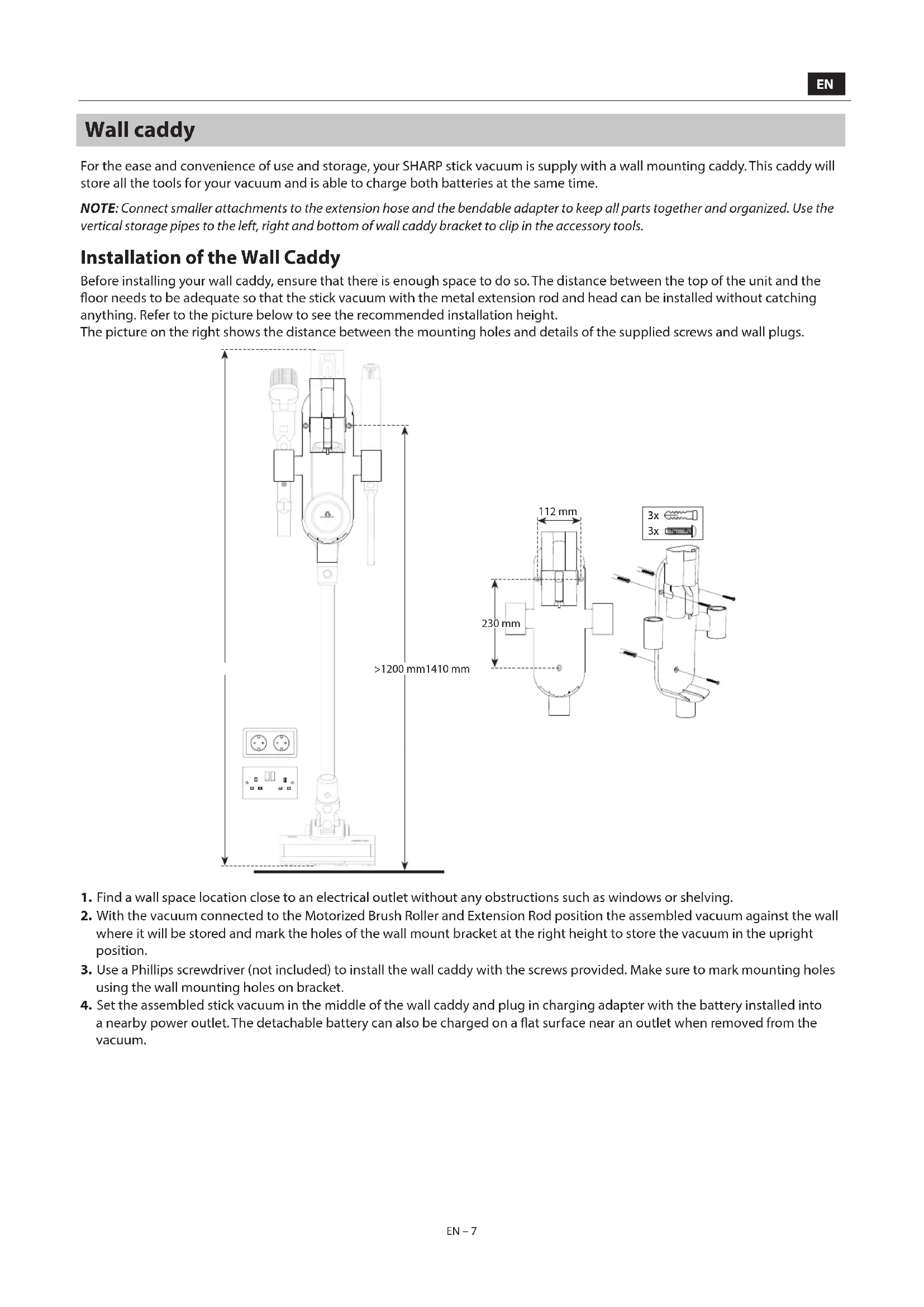
For the ease and convenience of use and storage, your SHARP stick vacuum is supplied with a wall mounting caddy. This caddy will store all the tools for your vacuum and is able to charge both batteries at the same time.
NOTE: Connect smaller attachments to the extension hose and the bendable adapter to keep all parts together and organized. Use the vertical storage pipes to the left, right and bottom of wall caddy bracket to clip in the accessory tools.
Installation of the Wall Caddy
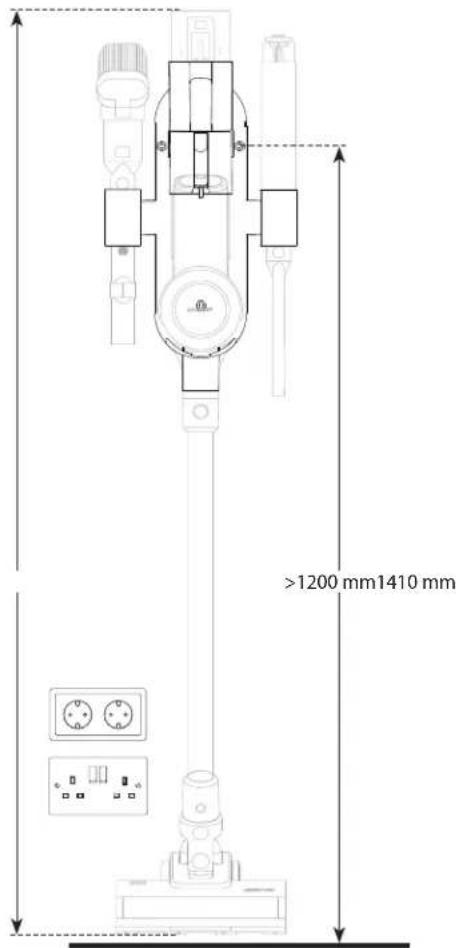
Before installing your wall caddy, ensure that there is enough space to do so. The distance between the top of the unit and the floor needs to be adequate so that the stick vacuum with the metal extension rod and head can be installed without catching anything. Refer to the picture below to see the recommended installation height.
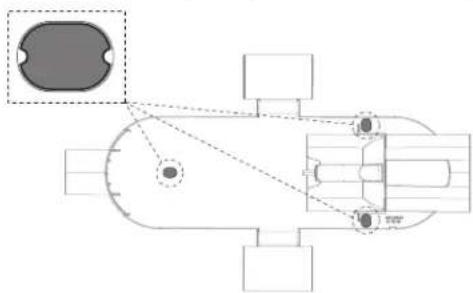
The picture on the right shows the distance between the mounting holes and details of the supplied screws and wall plugs.
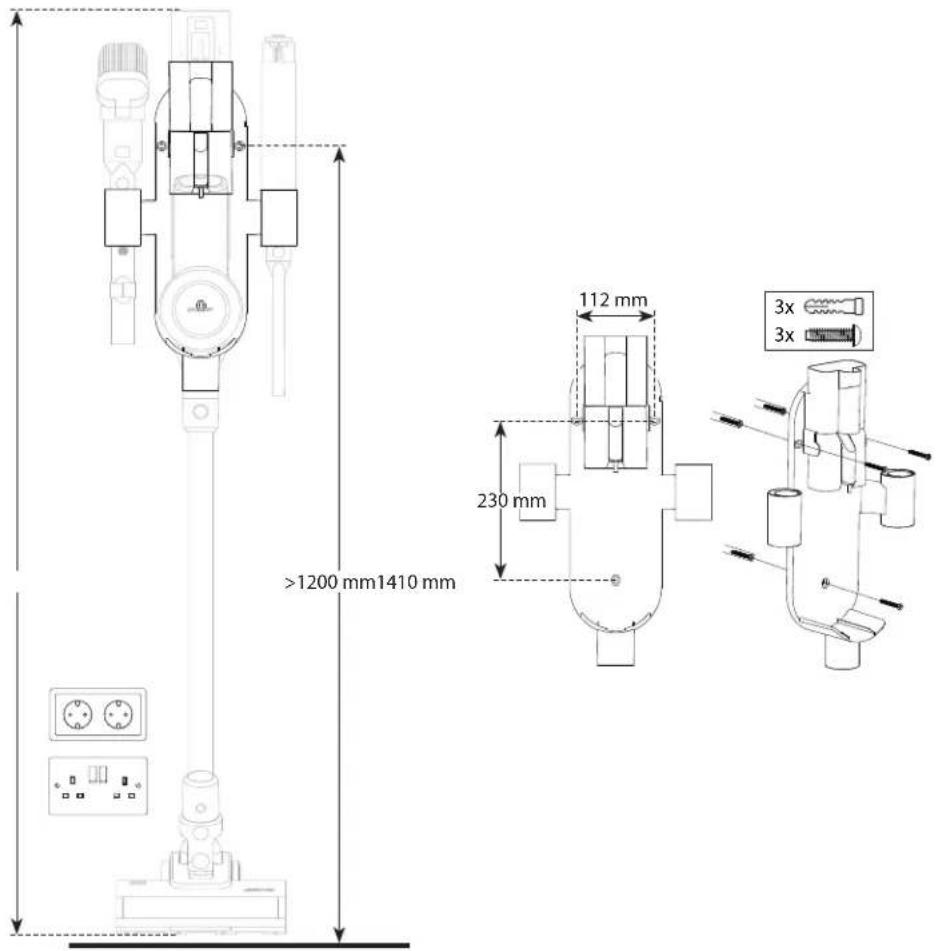
- Find a wall space location close to an electrical outlet without any obstructions such as windows or shelving.
- With the vacuum connected to the Motorized Brush Roller and Extension Rod, position the assembled vacuum against the wall where it will be stored and mark the holes of the wall mount bracket at the right height to store the vacuum in the upright position.
- Use a Phillips screwdriver (not included) to install the wall caddy with the screws provided. Make sure to mark mounting holes using the wall mounting holes on bracket.
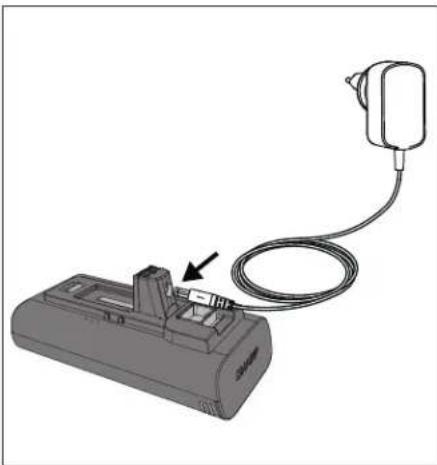
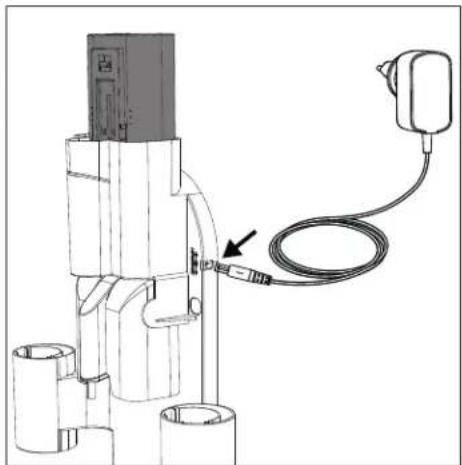
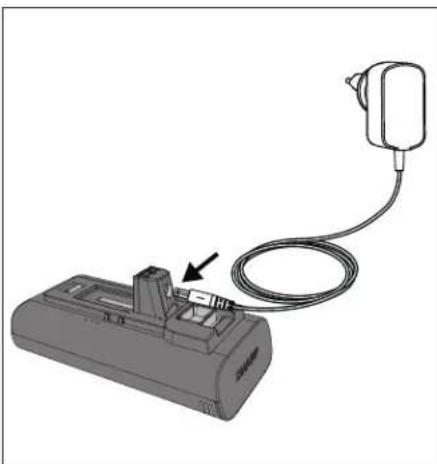
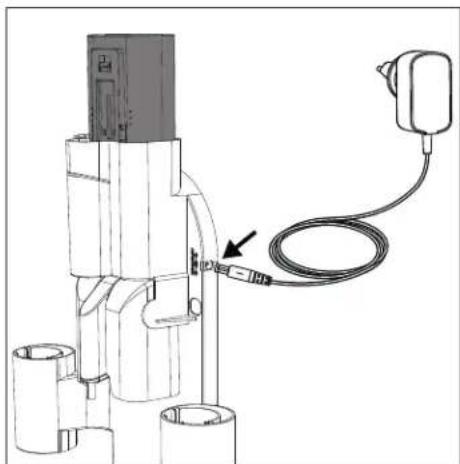
- Set the assembled stick vacuum in the middle of the wall caddy and plug in charging adapter with the battery installed into a nearby power outlet. The detachable battery can also be charged on a flat surface near an outlet when removed from the vacuum.
Hole Blanking Plates
Also included in the screw and wall plug bag are 3 blanking plates which are used to cover the screw holes in the caddy.
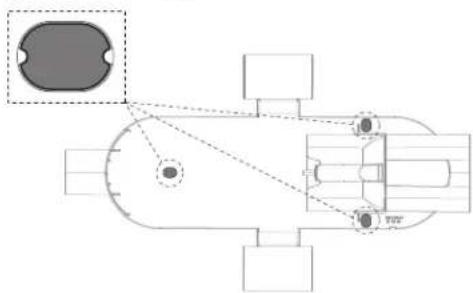
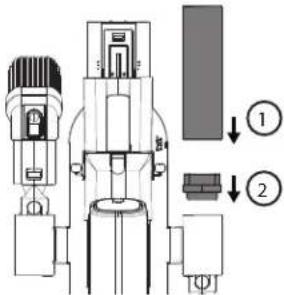
Roller Storage Tube
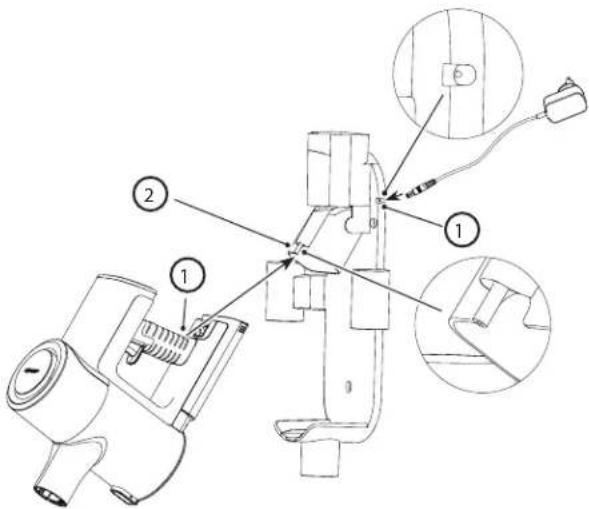
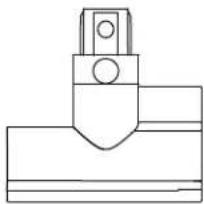
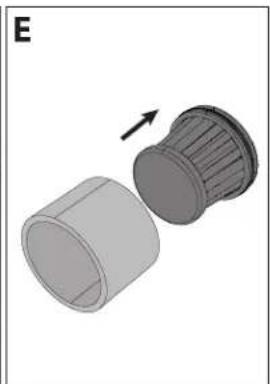
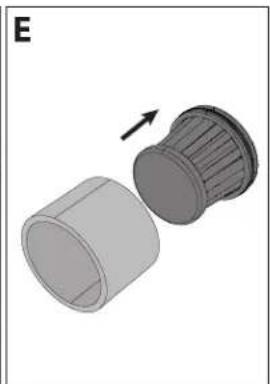
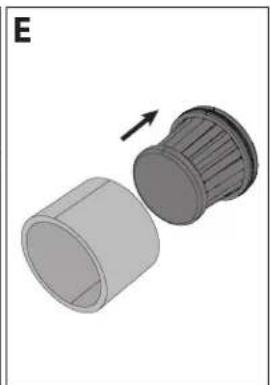
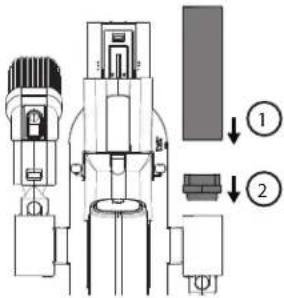
For easy storage of the unused roller for the VC-SV12AEU-W or VC-SV20AEU-S we have included a storage tube. The storage tube fits into one of the top storage holes, note that there is an adaptor (2) which needs to be fitted to the storage hole before inserting the tube (1).

Caddy Hole Cover
Supplied with the VC-SV12AEU-W and VC-SV20AEU-S is a cover which can be used to blank off one of the accessory holes. The VC-SV12AEU-W comes with 2 covers, the VC-SV20AEU-S comes with 1.
Display and controls
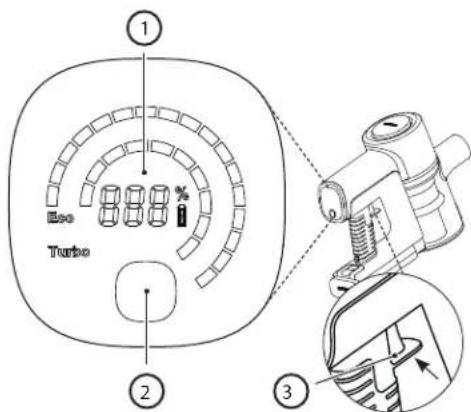
LED display:
- Remaining battery charge
- Speed selection button
- Power trigger button
How to operate
- Press the POWER TRIGGER button once to start cleaning. There is no need to keep the button pressed. Press the button again to turn off. • The vacuum will automatically defaults to ECO Suction. Use the SELECTION button to choose from 3 Suction Modes: ECO, MED, TURBO for the VC-SV28AEU-B and ECO/TURBO for the VC-SV12AEU-W and VC-SV20AEU-S.
• ECO for larger rooms and surface areas.
• MED (VC-SV28AEU-B only) for smaller rooms and surface areas or an entire vehicle interior.
• TURBO for quick pick-ups or deep cleaning.
- During operational use, the digital display will indicate remaining battery charge percentage, speed, and any motor blocking or roller brush tangles impacting performance.
Battery charging, storage and use
Your SHARP stick vacuum cleaner has 2 Lithium-Ion batteries included as standard. The specifications of the batteries are as below. Note that the batteries are not interchangeable between models.
| Model VC-BA12A-W VC-BA20A-S VC-BA28A-B | |||
| Voltage (V) 22,2 21,6 21,6 | |||
| Cell Type ICR18650-20SG INR18650-25PG INR21700-40TG | |||
| Technology Lithium-Ion Lithium-Ion Lithium-Ion | |||
| Number of Cells 6 6 6 | |||
| Power (Wh) 44,4 54 86,4 | |||
| Capacity (mAh) 2000 | 2500 | 4000 | |
| Charging Time (hours) | 4 | 4,5 | 4,5 |
| Net Weight (kg) | 0,429 | 0,453 | 0,585 |
| Unit Dimension (W x D x H) mm | 158 x 65 x 85 | 158 x 65 x 85 | 158 x 65 x 85 |
| Standard/Certification | UKCA/CE/RoHS/REACH | UKCA/CE/RoHS/REACH | UKCA/CE/RoHS/REACH |
| Colour | White | Silver | Black |
| To be used with | VC-SV12AEU-W | VC-SV20AEU-S | VC-SV28AEU-B |
| Recommended AC Adapter | CZH015265065TRWQ | CZH015265065TRWQ | CZH024265100TRWQ |
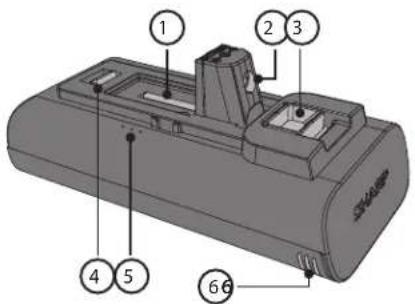
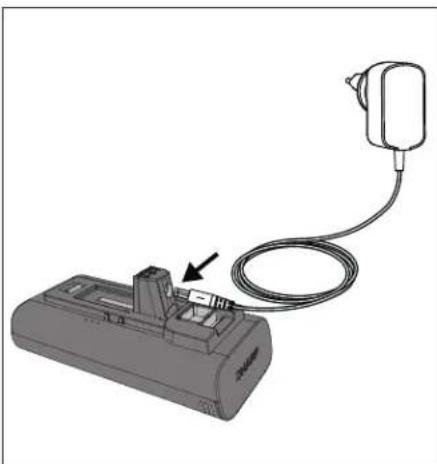
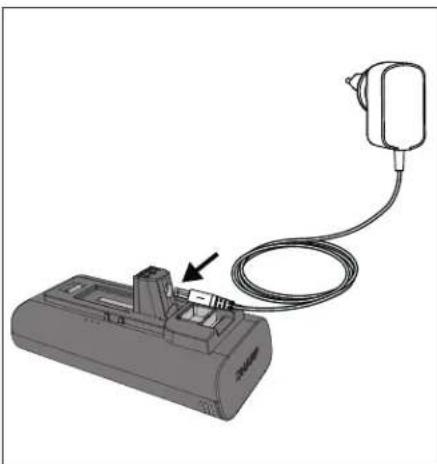
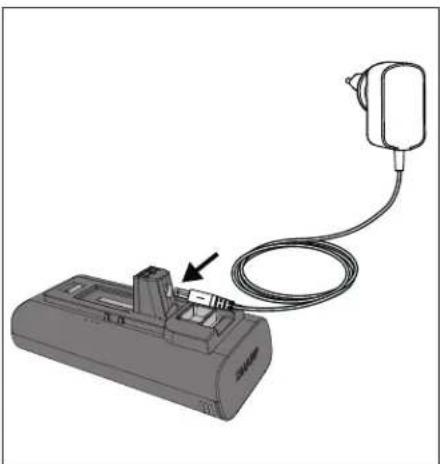
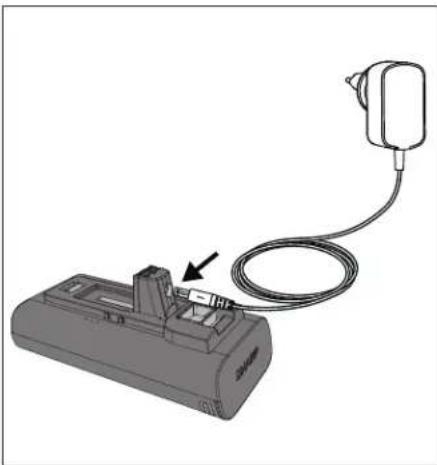
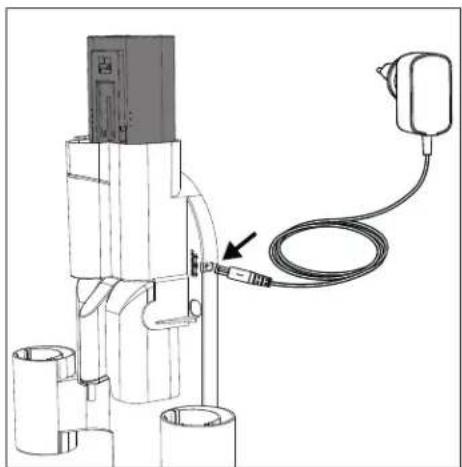
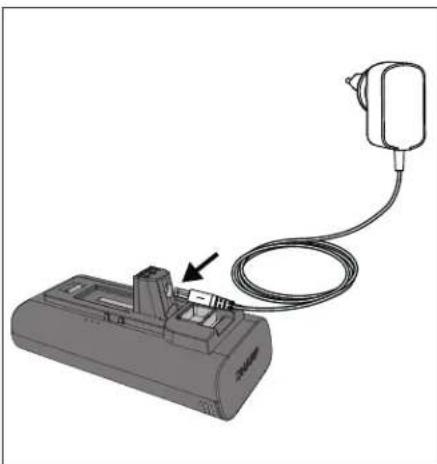
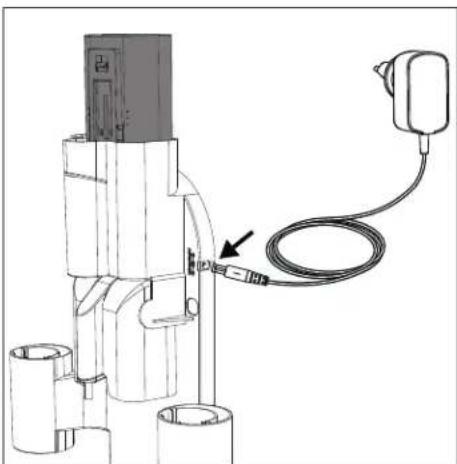
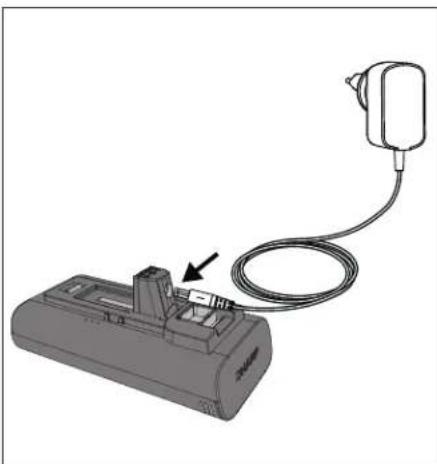
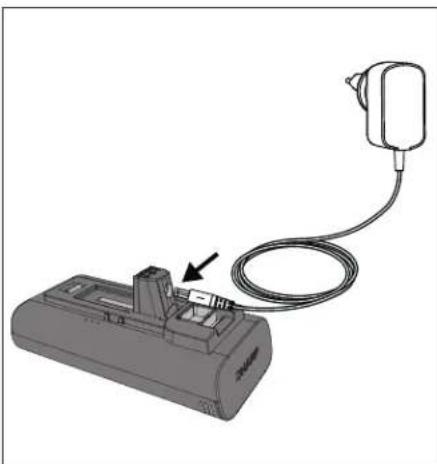
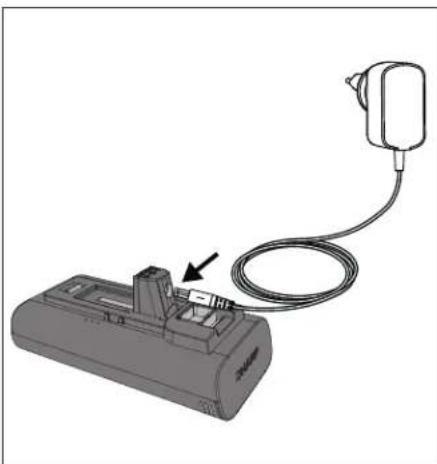
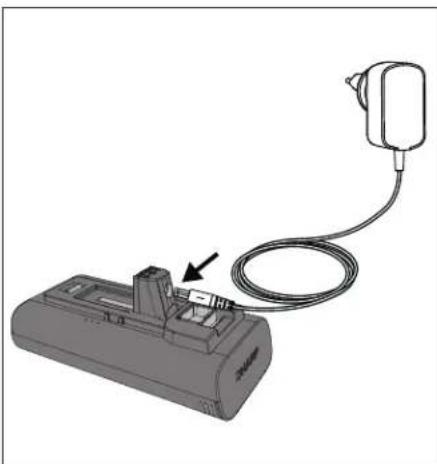
Location of parts and connection to the AC adapter for charging
- Main Unit Connector
- Charging Port
- Release Lever
- Securing Clip
- Charge Status
- Ventilation
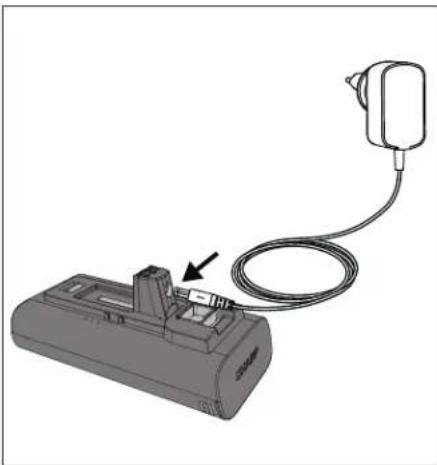
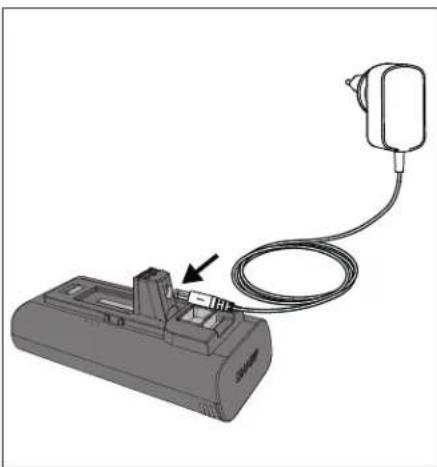
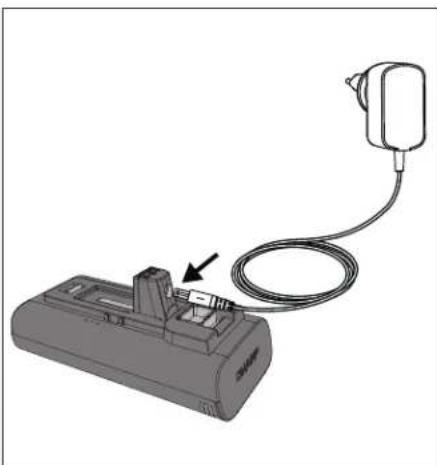
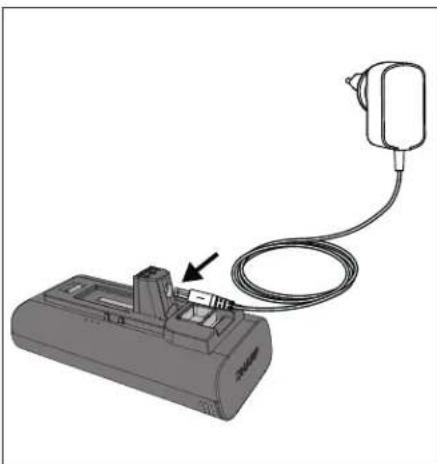
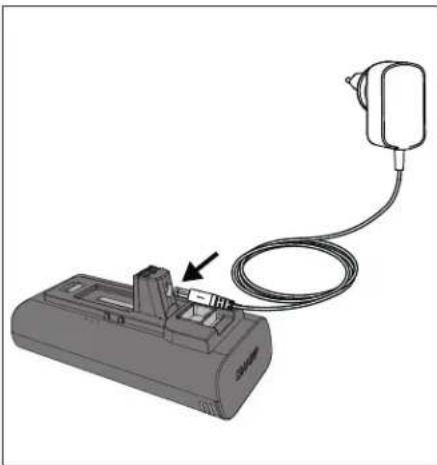
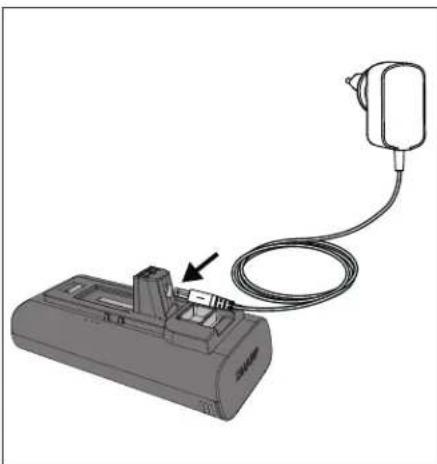
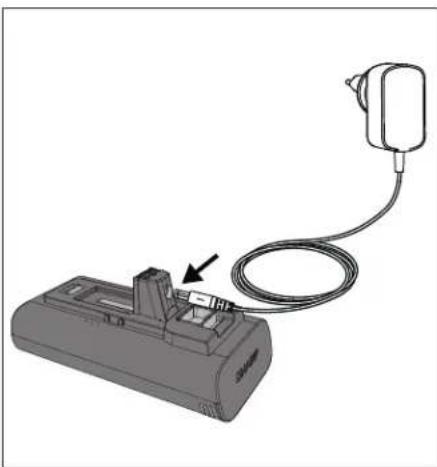
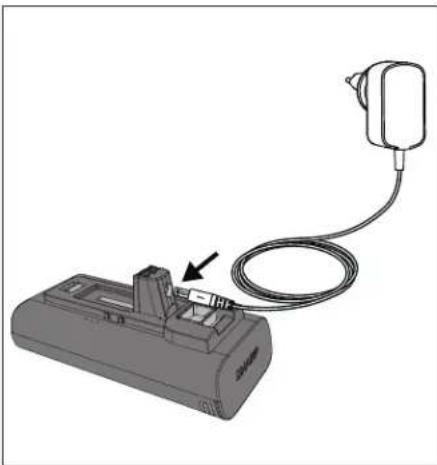
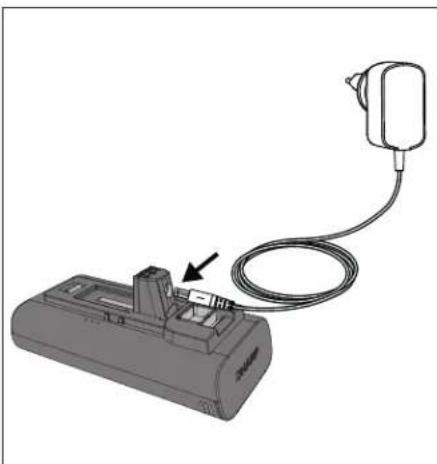
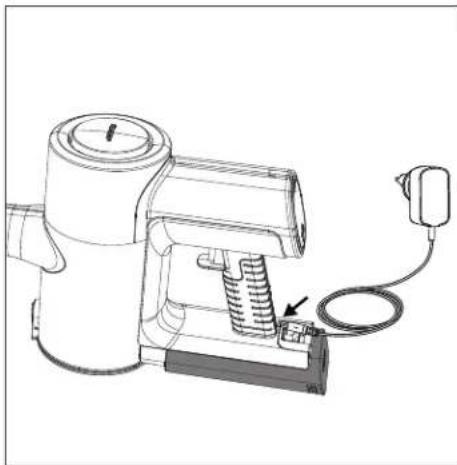
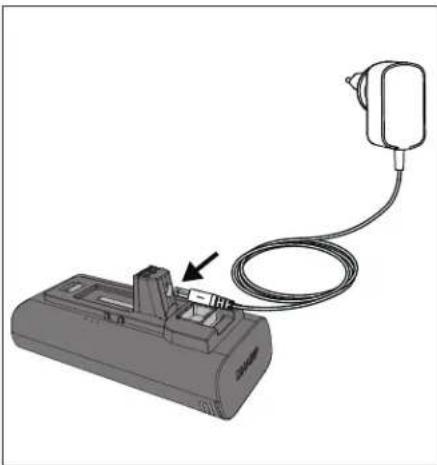
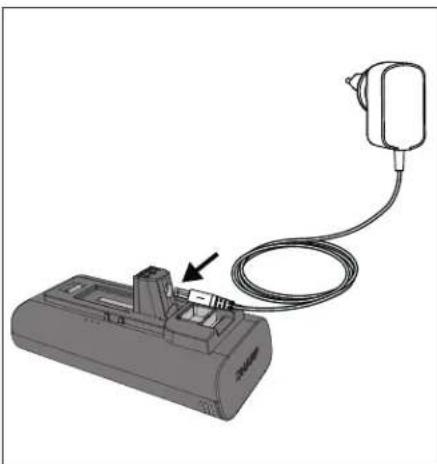
Before first use the detachable lithium-ion battery must be fully charged. It can be charged either installed or uninstalled by connecting the power cord to the recharging port and a standard electrical outlet.
Charging the battery
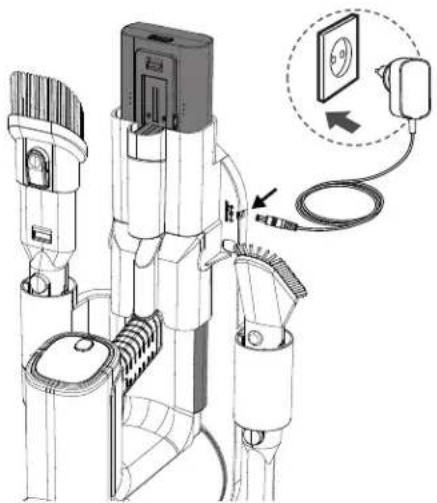
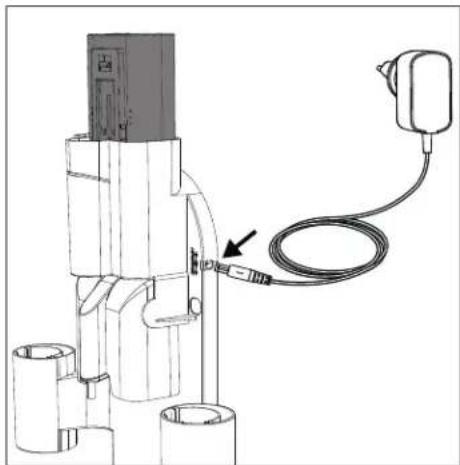
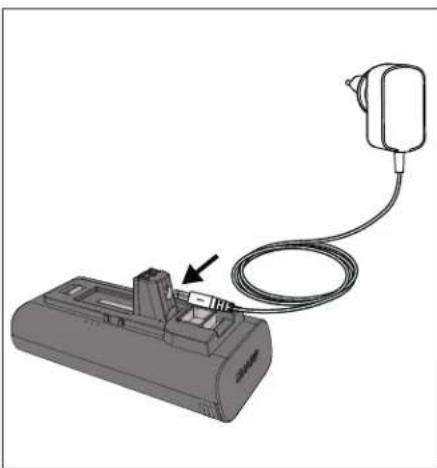
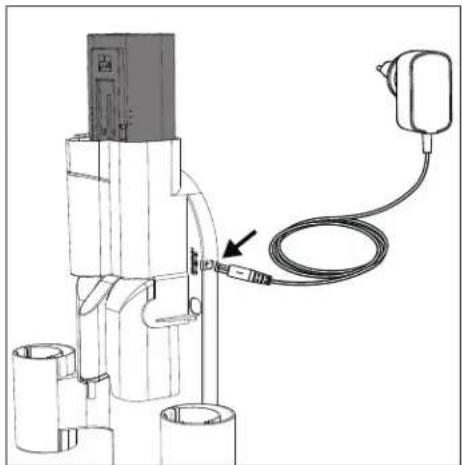
There are several ways in which the battery or batteries can be charged. We recommend that the battery is charged while docked in the caddy as this allows for both batteries to be charged at the same time.
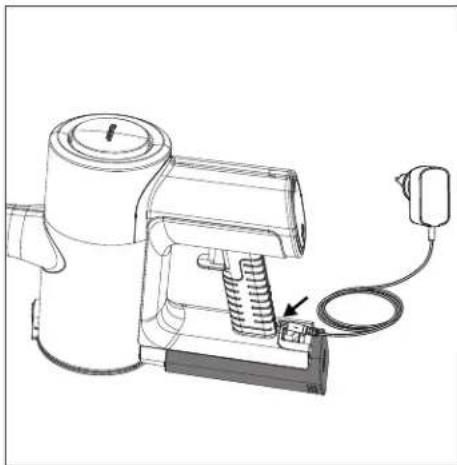
It is also possible to charge one battery either while connected to the vacuum, when it is out of the vacuum or by itself in the caddy. If the caddy is not used, place hand vacuum or battery on a flat, stable surface. Connect the power cord directly to charging port located on the hand grip.
Good charging habits
- Use only the supplied Sharp AC adapter.
- Charge before the battery's capacity runs below 25% - Lithium-ion batteries have a limited number of charge cycles, so it's best to charge the battery before it is completely depleted to extend its lifespan.
- Avoid overcharging - once the battery is fully charged, unplug it from the charger to avoid overcharging, which can also shorten the battery's lifespan.
- If left unused, a fully charged battery will lose its charge over time.
- Store in a cool, dry place - extreme temperatures can damage the battery, so make sure to store it in a cool, dry place, ideally at room temperature.
- If you plan to store your device for longer than six months, charge the battery to 50% every six months to keep it fresh.
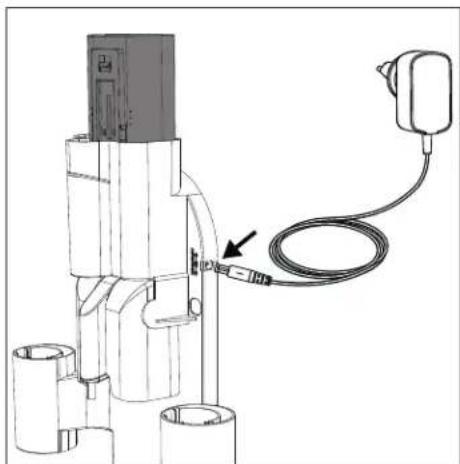
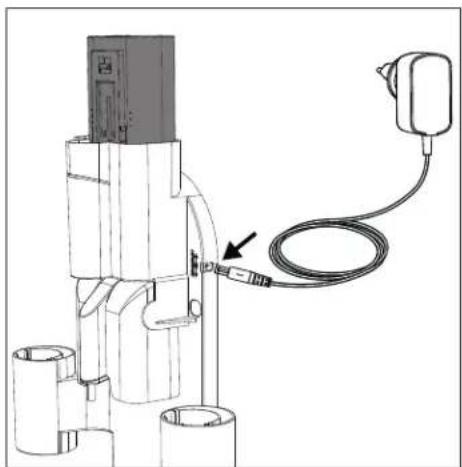
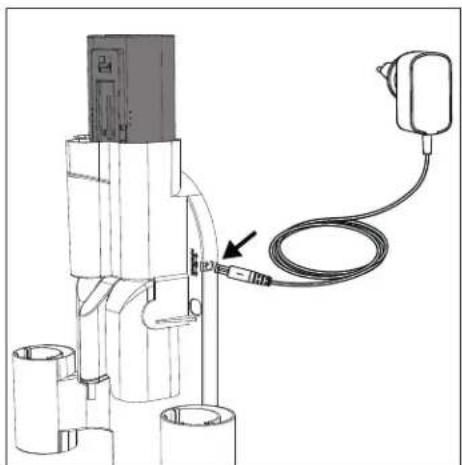
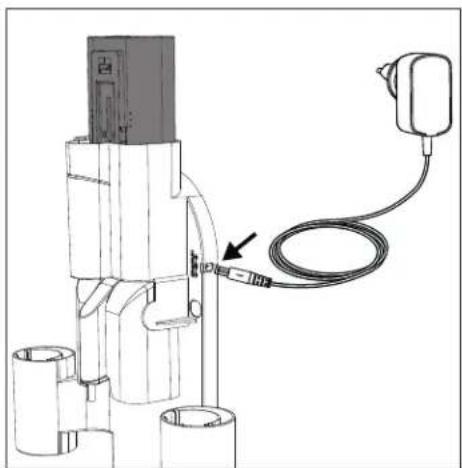
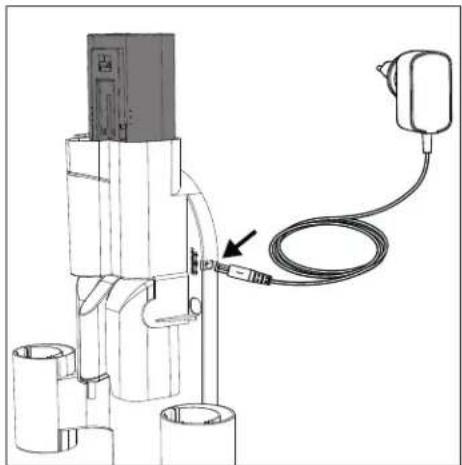
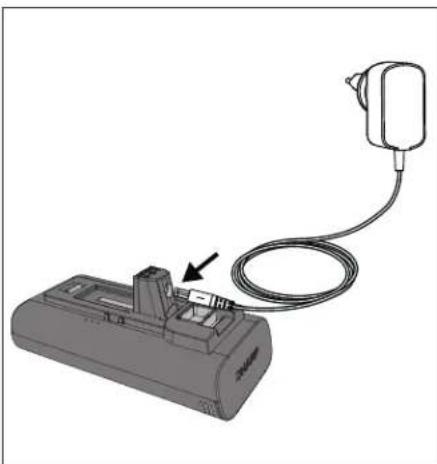
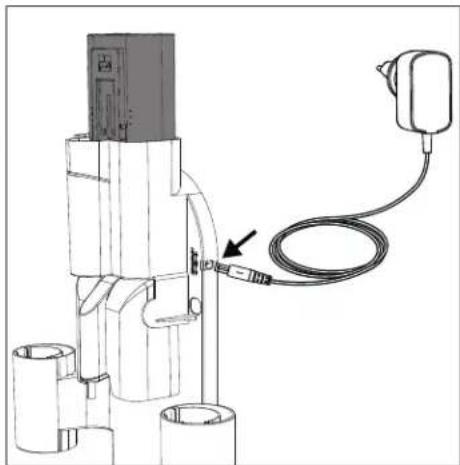
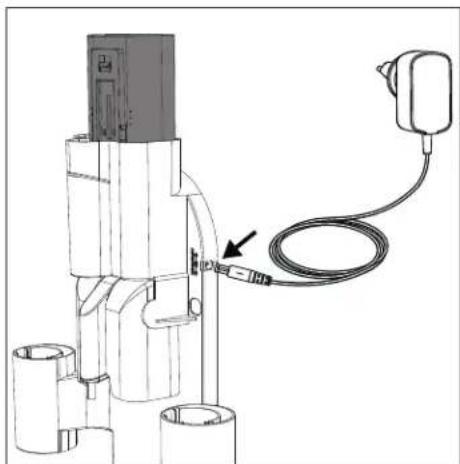
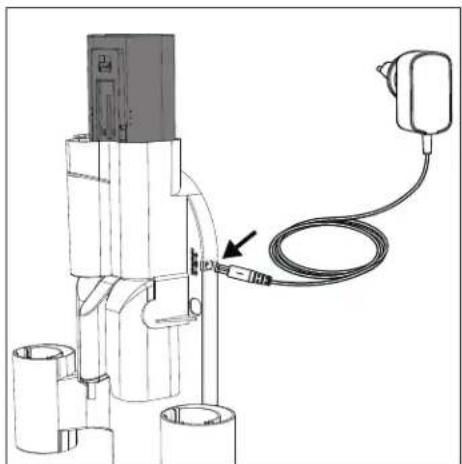
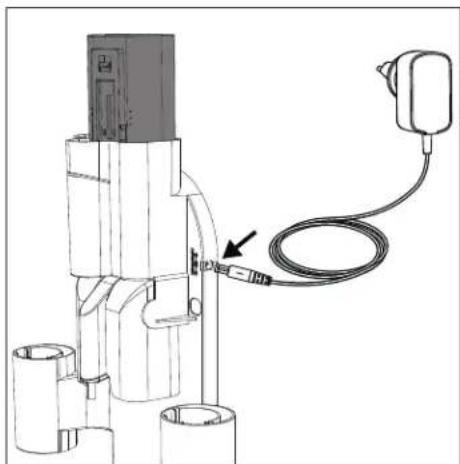
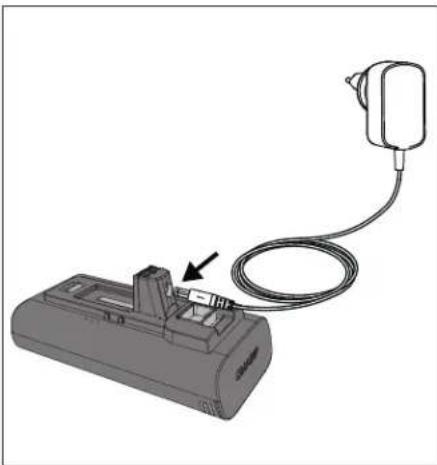
Charging on the wall caddy
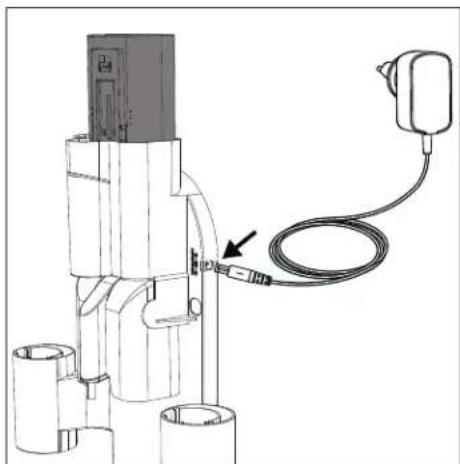
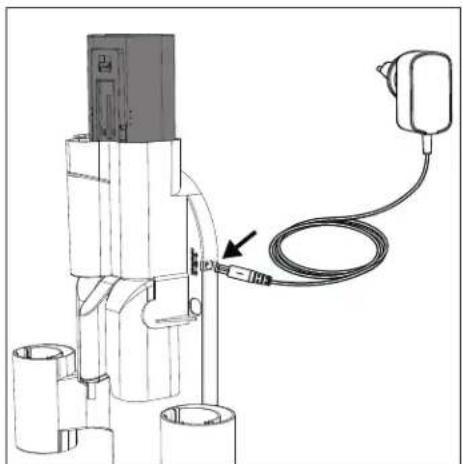
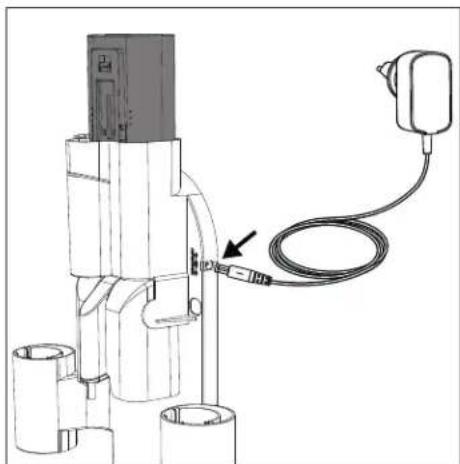
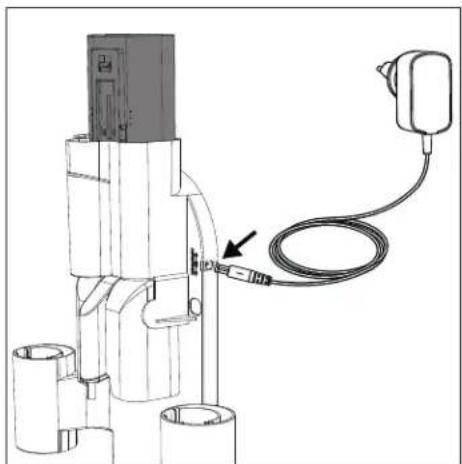
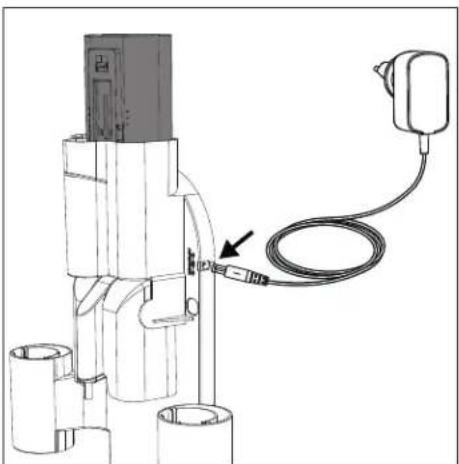
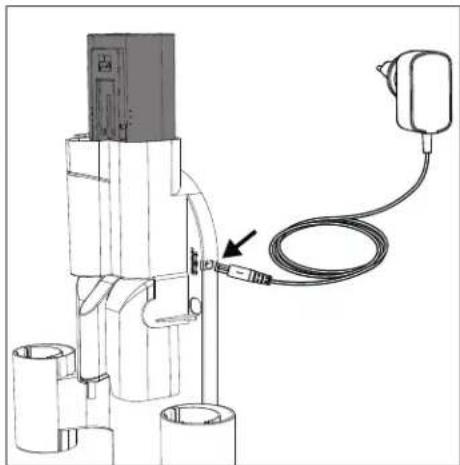
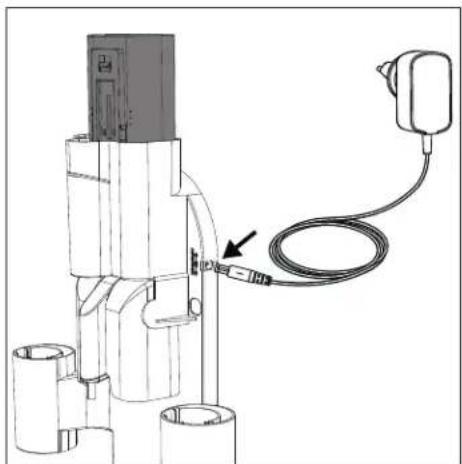
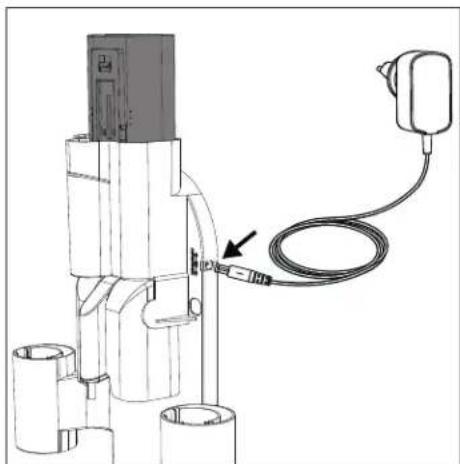
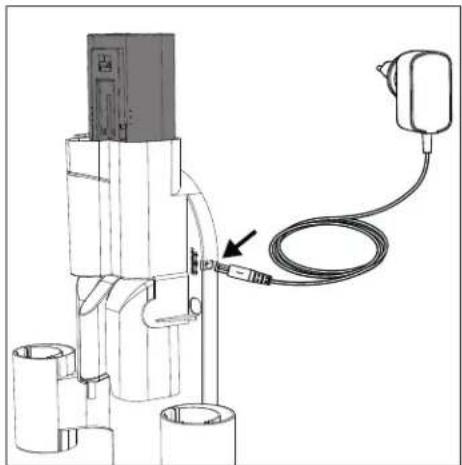
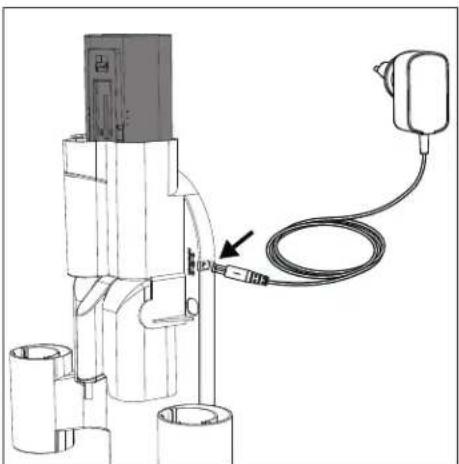
- DC Power connection port
- Male plug
If using the wall caddy (recommended), follow instructions for installation. Plug in assembled product while stored in wall caddy. Unplug the AC adapter when not in use for extended periods of time.
NOTE: During first use, run the battery all the way down to properly condition it. Recommended charging times are as below.
| Charging Times (hours) | |||
| VC-SV12AEU-W V | C-SV20AEU-S VC-S | V28AEU-B | |
| 1 Battery 4 4.5 | 4 | ||
| 2 Batteries 8 | 9 | 8 | |
Usage Times
| Run Time for 2 Batteries (minutes) | |||
| Charging Times (hours) | |||
| VC-SV12AEU-W | VC-SV20AEU-S | VC-SV28AEU-B | |
| ECO 50 90 130 | |||
| Medium x | x | 48 | |
| Turbo | 32 30 24 | ||
Battery status indication
When the battery is charging or discharging the status can be checked by either looking at the charge percentage on the vacuum display or by the lights on the side of the battery itself.
| 10% - 30% | |
| 31% - 70% | |
| >70% |
There are 3 lights, if all of these are on then the battery charge is greater than 70%.
When the battery is flat, a single red light will flash. As the battery charges this light will turn blue and flash until the second light starts to flash and the first one becomes static. When the second light stops flashing and becomes static, the final light will start to flash. Charging is complete when all 3 lights are blue and static. The lights will stay in this condition until the battery is disconnected from the AC adapter.
WARNING: Special instructions for handling the Lithium-ion battery pack
Follow instructions carefully. This will reduce the risk of explosion, electric shock and possibly serious injury or death.
- Only use approved Sharp AC adapter to charge your battery pack.
- Use a power source with the voltage specified on the nameplate of the charger.
- The Sharp battery pack and AC Adapter are specifically designed to work together.
- Do not operate the AC adapter with a damaged cord or plug.
- Do not place the battery pack near fire or heat.
- Exposure to fire or temperature above 60°C may cause the battery pack to explode.
- Do not charge the battery pack in a damp or wet location.
- Do not charge in the presence of flammable liquids or gases.
- Ensure the battery pack is never immersed into water.
- Do not charge in an area of extreme heat (above 40°C) or cold (below 10°C).
- Charging will work best at normal room temperature.
- Do not crush, drop or damage the battery pack.
- Do not use a battery pack or AC adapter that has been dropped or received a sharp blow.
- Damage to the battery pack may cause the battery pack to explode. Properly dispose of the battery pack immediately by following instructions on how to dispose of battery pack or contact service centre for advice.
- Do not open, modify or attempt to repair a battery pack.
- The battery may give off fumes if it becomes damaged or is used incorrectly.
- Ensure the area is well ventilated and seek medical attention should you experience any adverse effects.
- The battery may leak liquid if it becomes damaged or is used incorrectly.
- If you come into contact with any liquid from the battery, rinse off immediately with mild soap and water. If the liquid comes into contact with your eyes, rinse with water and seek medical attention.
- Keep battery pack away from small metal objects which may result in the shortening of the battery terminals.
Disposal of equipment and batteries
This product does not contain any parts that are serviceable by the user.
Electronic products and batteries should not be mixed with general household waste. Household users should contact either the retailer where they purchased this product, or their local government office for details of where and how they can take these items for environmentally safe recycling.
Do not dispose as household waste or in a fire as the battery pack may explode.
Batteries should be disposed of according to local regulations.

This symbol means that the product contains batteries covered by European Directive 2013/56/EU which cannot be disposed of with normal household waste. Cd, Hg and Pb underneath the wheelie bin symbol shows whether the battery contains, cadmium (Cd), mercury (Hg) or lead (Pb).
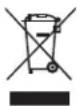
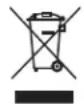
This symbol on a product means that the product is covered by European Directive 2012/19/EU and must not be disposed of or dumped with your other household waste.

These symbols on the products, packaging and/or accompanying documents mean that used electrical and electronic products should not be mixed with general household waste.
CE and UKCA statement:
- The full CE text and UKCA declaration of conformity are available at sharpconsumer.eu, enter the download section of your model and choose "Declaration of Conformity".
Recommended cleaning methods
Your stick vacuum is designed for cleaning floor surfaces and higher vertical surfaces that are hard-to-reach. Start with the Metal Extension Rod and combine with the following tools.
- Attach the wider Motorized roller brush with LED headlights for hard floors, area rugs and carpeting.
- Attach the Flexible bending adaptor to reach under sofas, chairs and around furniture.
- Attach the Long crevice nozzle for corners and tight spots.
- Use the V Roller on all types of floors. The Brush Roller is recommended for hard floors.
- Attach the 2-in-1 brush/crevice tool for lamp shades, bookshelves and electronics.
For the VC-SV28AEU-B only
- Attach the Mini motorized roller brush for stairs and narrower pathways.
For quick vacuuming of small areas, you can convert the stick vacuum to a handheld vacuum by removing the metal extension rod. Choose the right tool as below for the job.
- Attach the Long Crevice Nozzle for deep cleaning between car seats, sofa cushions, and highchairs.
- Attach the 2-in-1 Brush/Crevice Tool for dressers, shelves and keyboards.
For the VC-SV28AEU-B only
- Attach the Mini Motorized Roller Brush for stairs and benches.
- Attach the Flexible Hose plus the Crevice or Brush Tool for deep cleaning car interiors, under seats, and in between.
Filter and dust bin
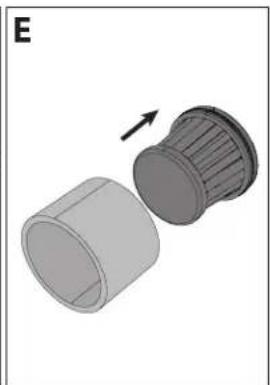
Your vacuum has several filters contained within it to ensure that unclean air is not recycled into the room and for protection of the motor. The sealed dust bin captures and traps 99.9% of dust, allergens, dander and dirt.
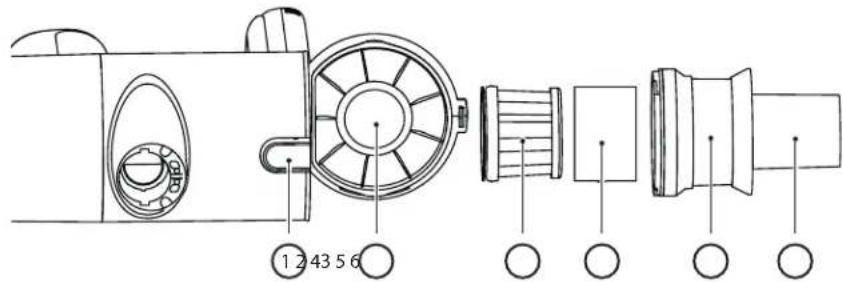
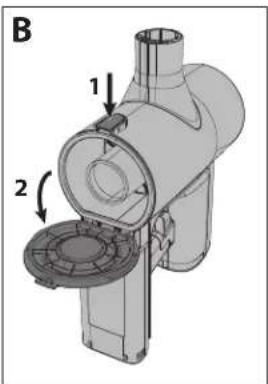
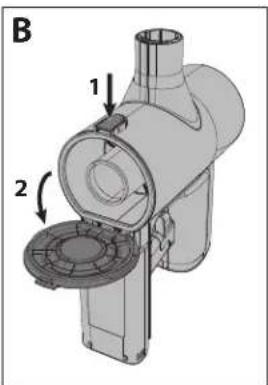
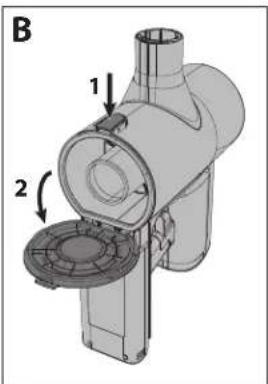
- Bin release button.
- Sealed dust bin
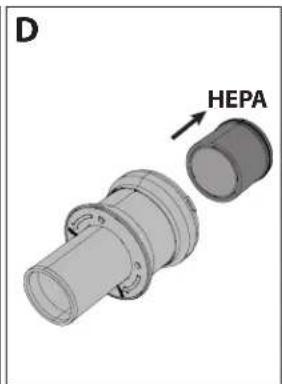
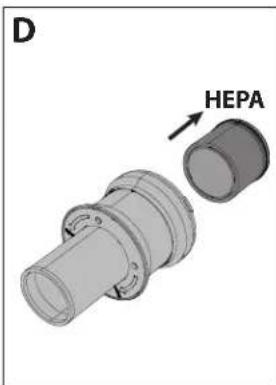
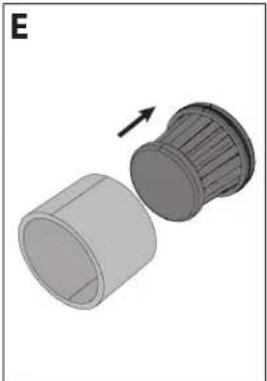
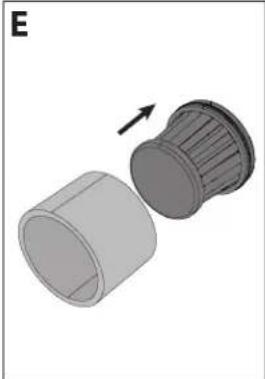
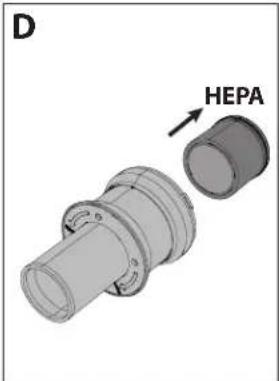
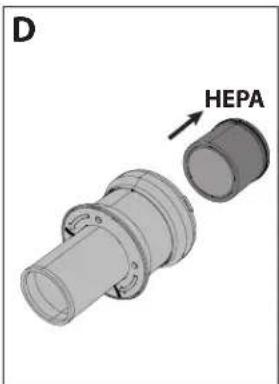
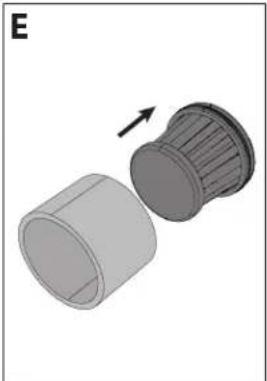
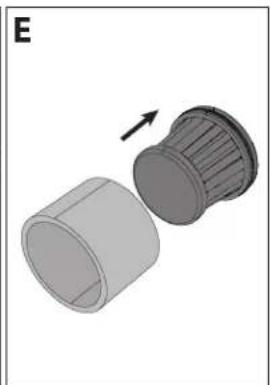
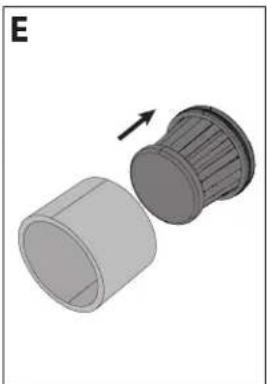
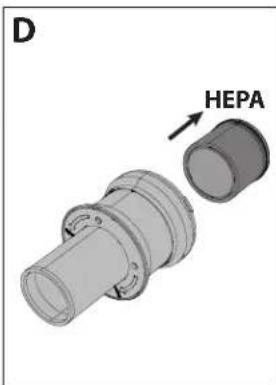
- HEPA 13 filter.
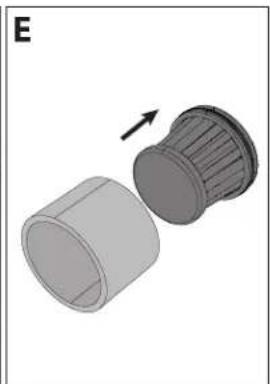
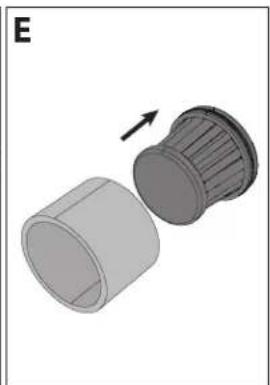
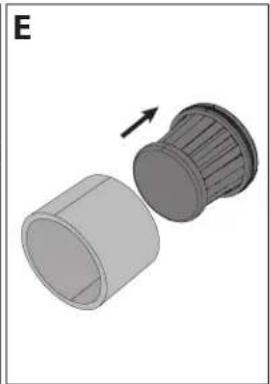
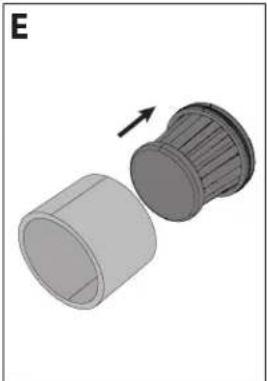
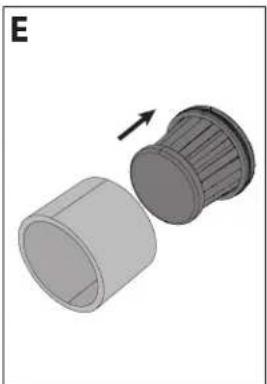
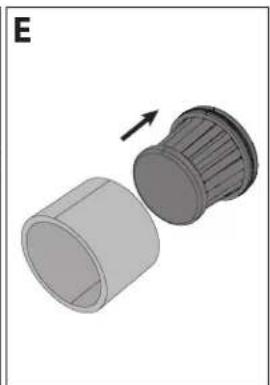
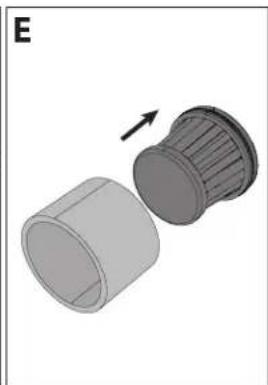
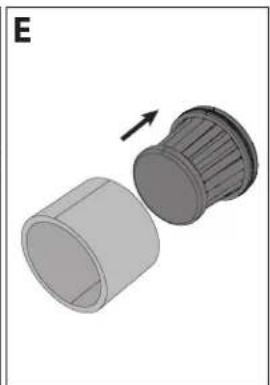
- Filter sleeve
- Metal mesh filter to separate large particles.
- Multi-cone cyclonic spinning to isolate dust particles
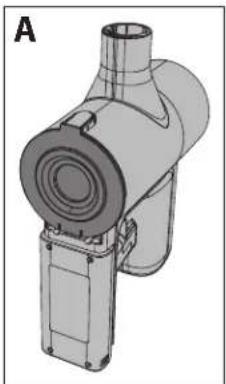
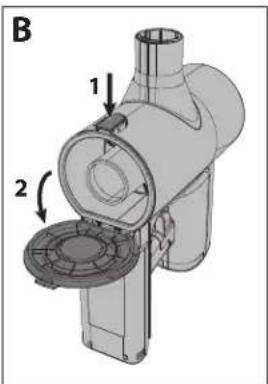
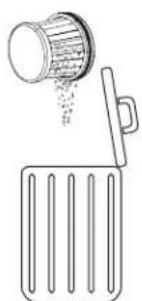
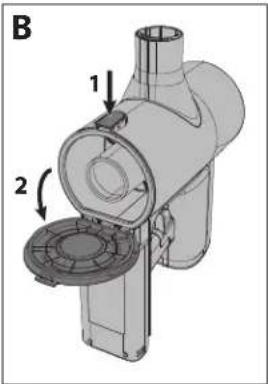
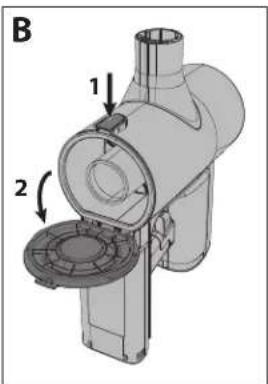
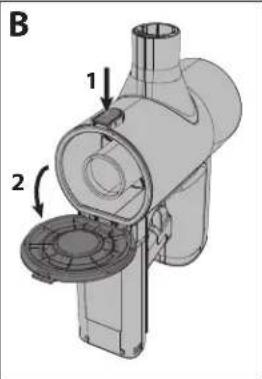
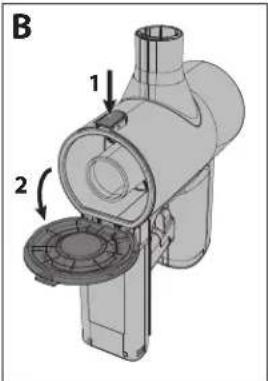
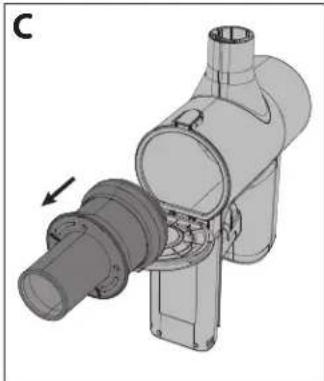
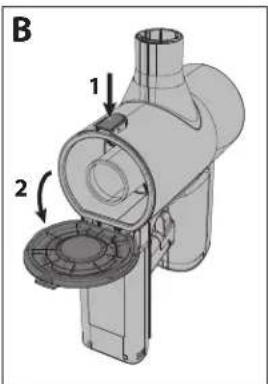
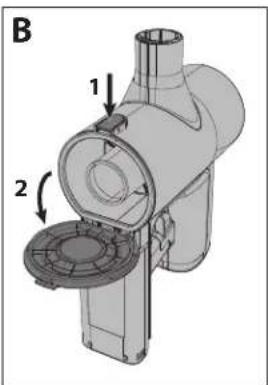
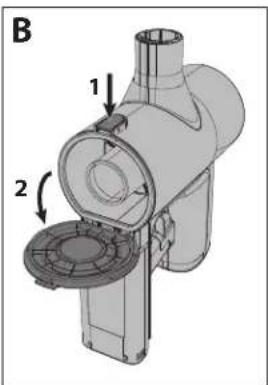
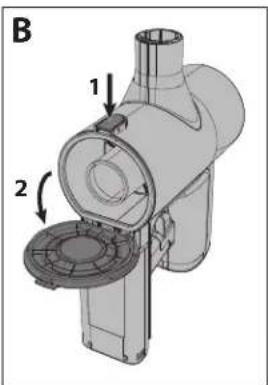
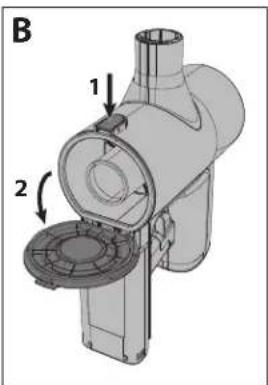
Emptying Dust Bin
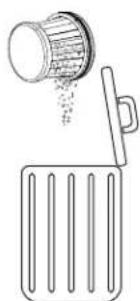
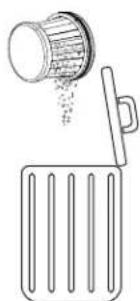
- Hold the hand vacuum over a rubbish container.
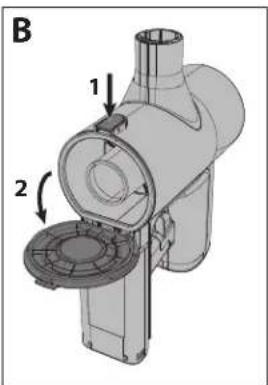
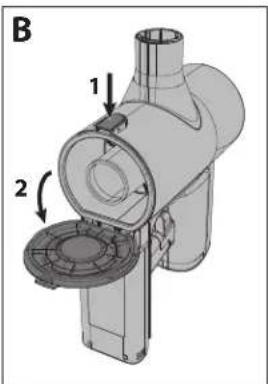
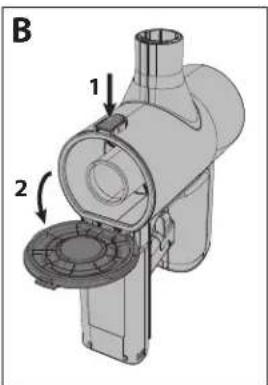
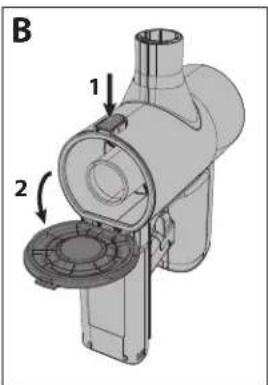
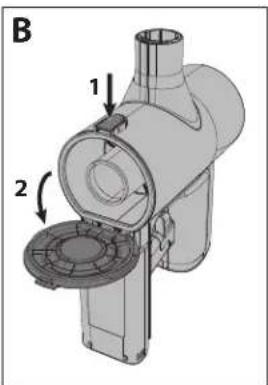
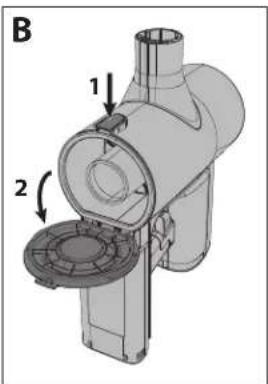
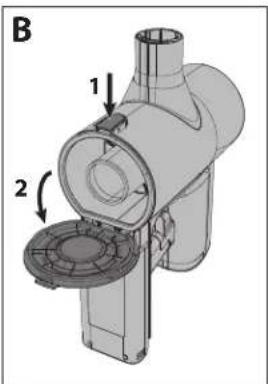
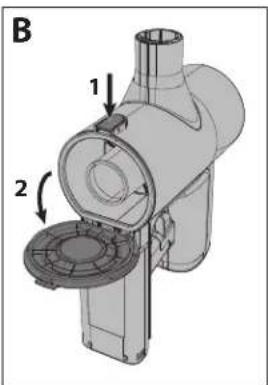
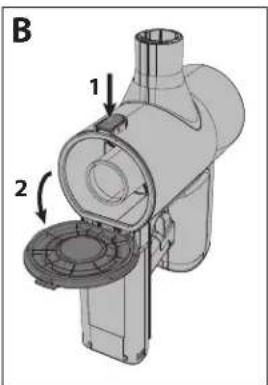
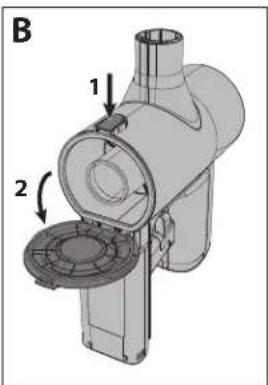
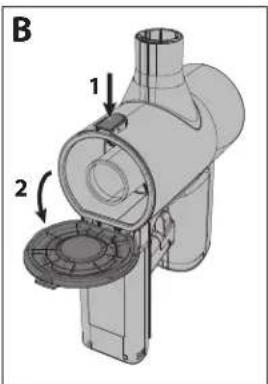
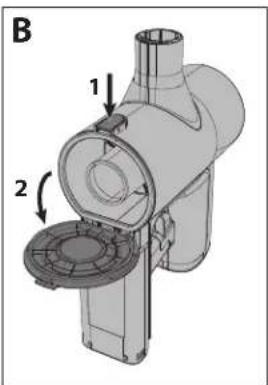
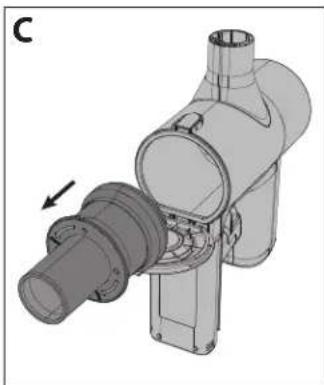
- Then, press the bin release button to open the bin. Carefully empty contents into a rubbish container. If necessary, clean the HEPA filter.
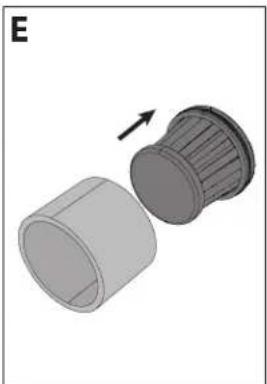
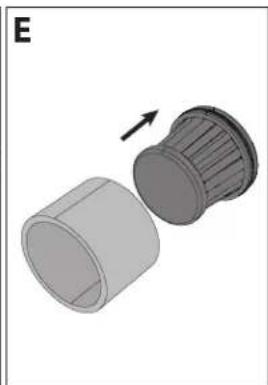
- Make sure HEPA Filter Assembly is secure (turning the entire assembly clockwise) before closing dust bin door (a "click" will be heard when the door is locked).
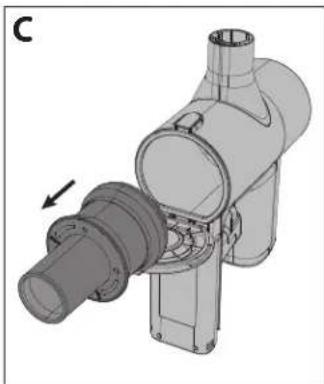
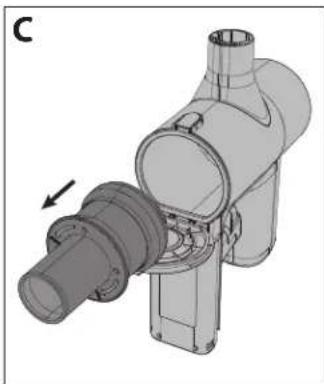
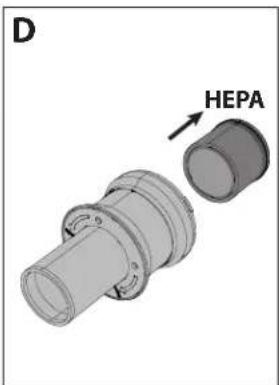
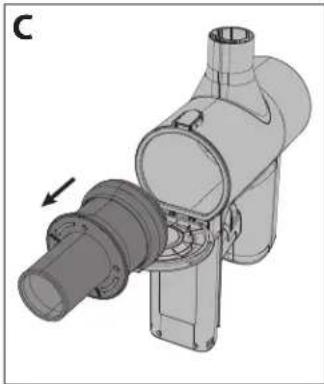
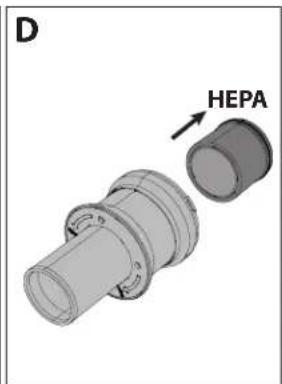
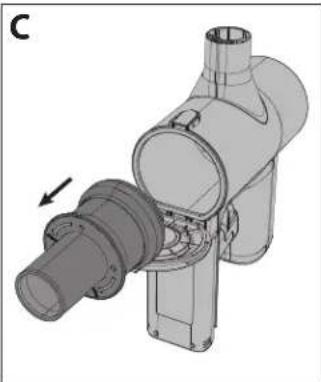
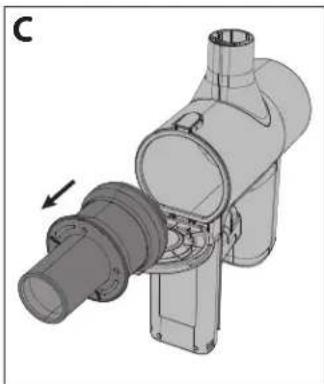
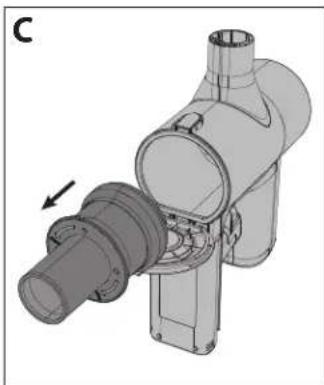
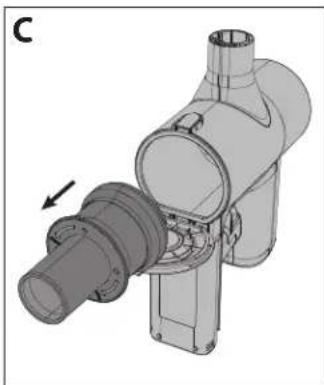
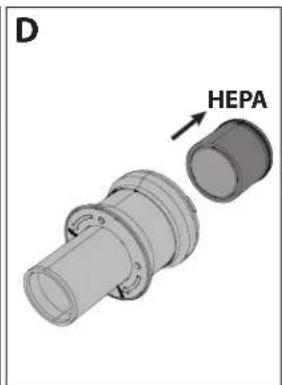
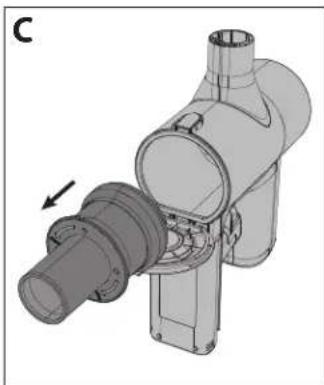
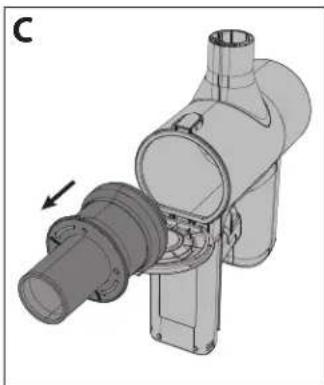
Removing and Cleaning High Density Filter
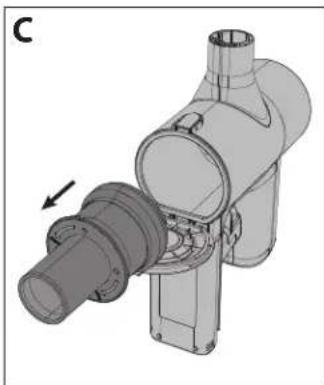
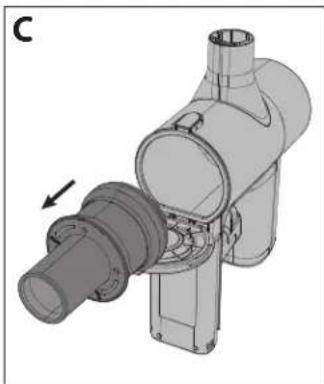
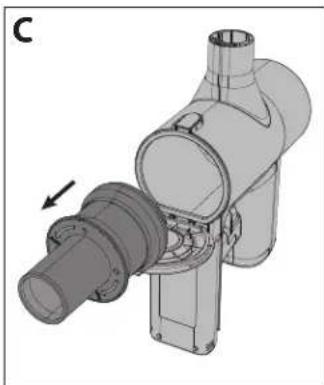
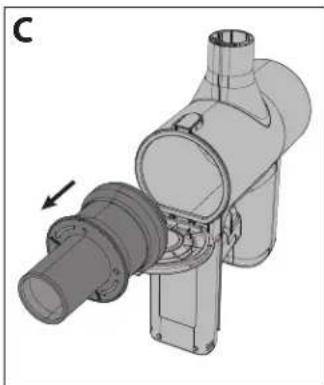
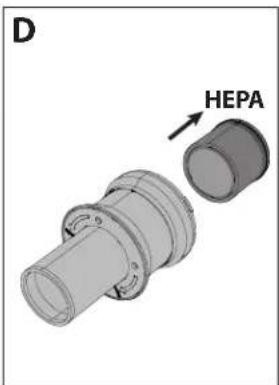
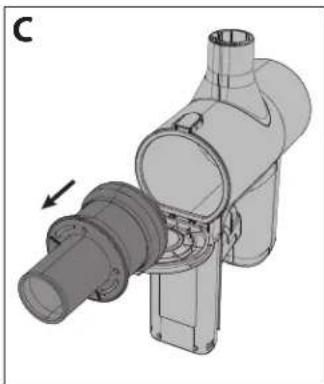
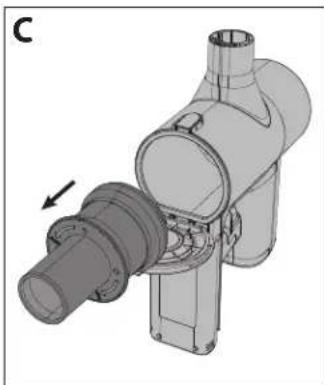
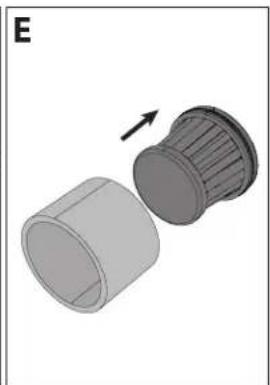
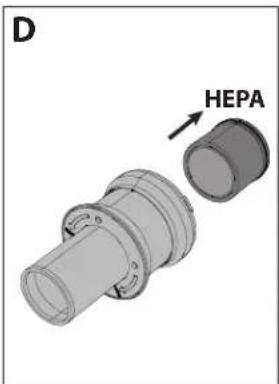
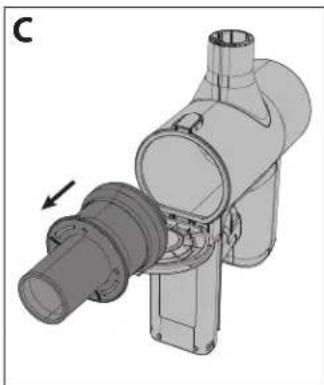
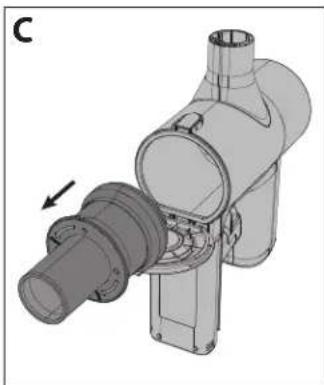
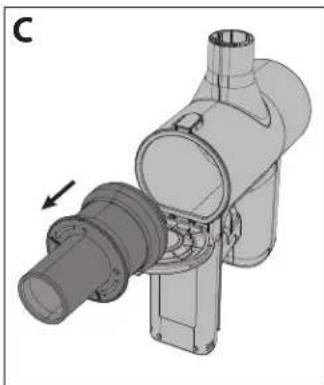
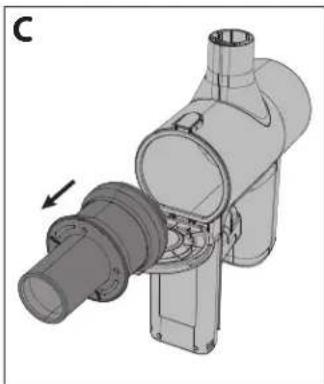
- Turn the HEPA filter assembly counterclockwise until it releases from unit.
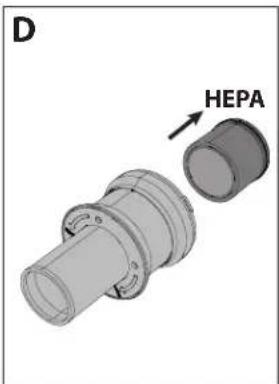
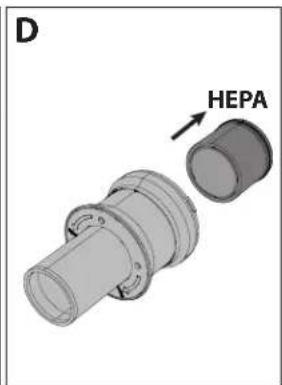
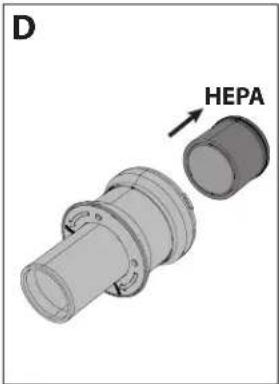
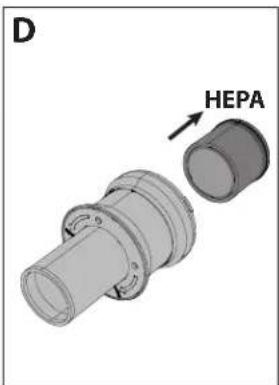
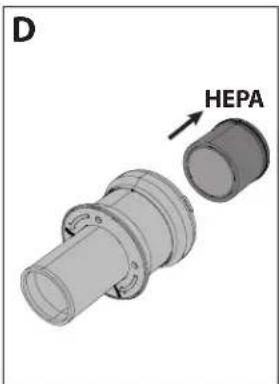
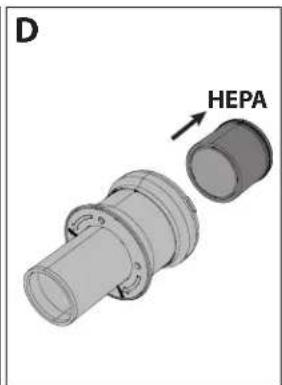
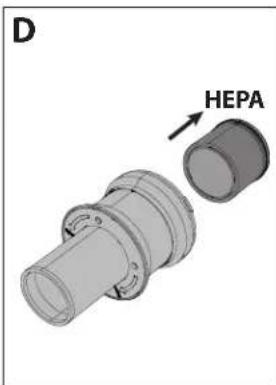
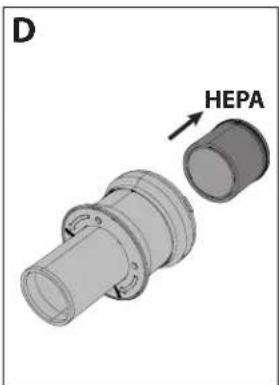
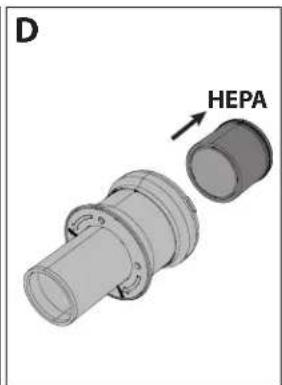
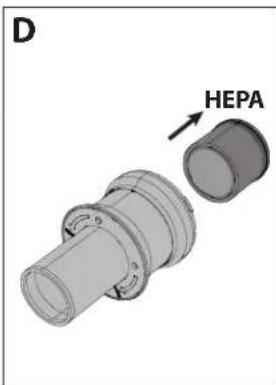
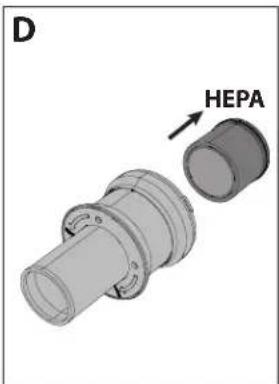
- Pull out the HEPA filter assembly and clean as necessary (see below).
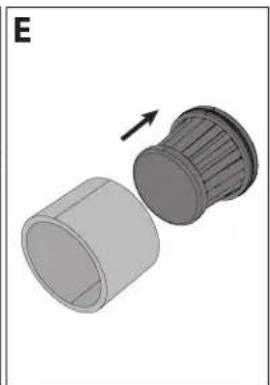
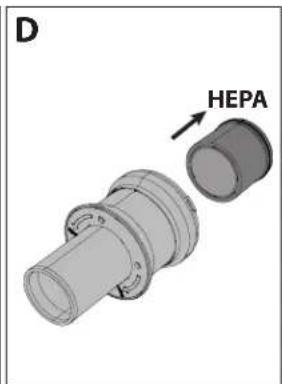
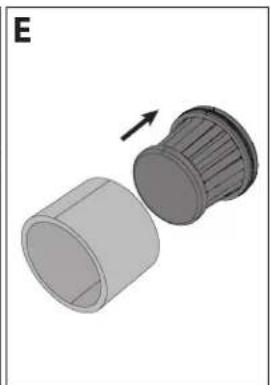
- Insert HEPA-density filter back into HEPA filter assembly.
- Make sure high density filter assembly is secure (by turning clockwise) before closing dust bin door.
NOTE: If the HEPA filter is very dirty, it can be washed in water. After washing, dry for at least 24 hours to ensure that it is completely dry before inserting back into the vacuum.
To ensure the high performance of the HEPA filter, it is recommended that it is replaced every 3 months. To order your replacement filter use model number VC-SVF1A.
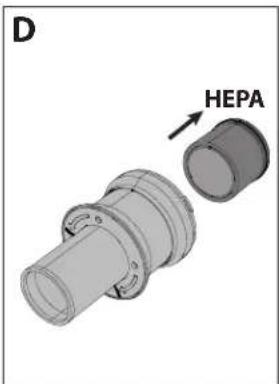
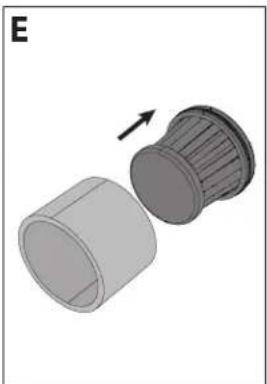
NOTE: DO NOT use the vacuum without the Filter Sleeve, HEPA13 or Mesh Filter fitted. This will result in large dust particles or debris entering the motor and causing damage.
Tools and their use
Your SHARP stick vacuum comes with various tools as shown below. Depending on the model which you have will determine which tools are included in the box.
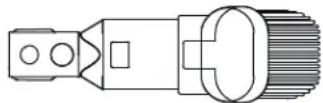
Two in One Brush
This tool can be used with either the brush extended or with the nozzle. To use the nozzle, press down the release knob and pull back the brush extension.
The two in one brush is ideal for cleaning lamp shades, bookshelves and various items of electronic equipment.
Wide Nozzle Brush (VC-SV28AEU-B only)
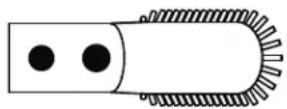
This useful tool can be used for the gentle cleaning of curtains, draperies, windowsills, blinds etc.
Long Crevice Tool
This versatile long crevice nozzle tool is ideal to clean corners and tight spots.

Extension Hose (VC-SV28AEU-B only)
To increase the useability of the smaller tools, they can be used with the extension hose. The hose can extend to allow easier access to tight or difficult to get to areas for enhanced cleaning.

Metal Extension Rod
Use this tool with the motorised head to allow easy cleaning of floors.

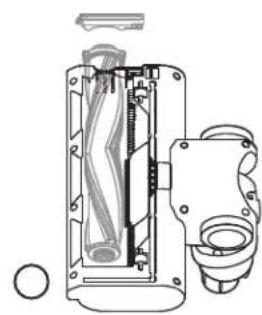
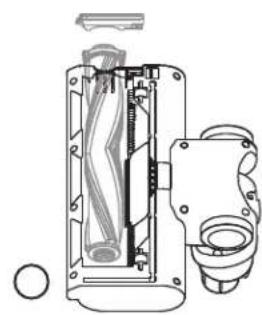
Motorized Brush Roller
The motorised brush roller is ideal for cleaning all types of floors. The V-Roller is fitted as standard and this is interchangeable with the brush roller. Both rollers provide excellent performance on all floor types. With the addition of a bright headlight, the motorised head allows you to see any dirt, dust and debris to be vacuumed, it also allows you to see into darker corners and edges for complete cleaning.
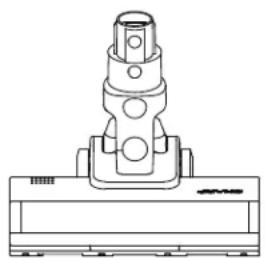
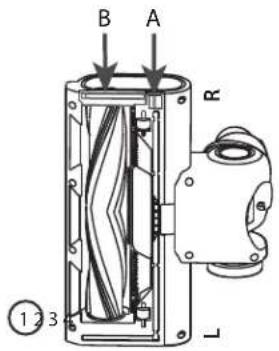
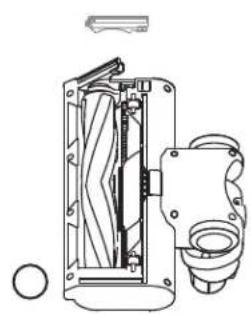
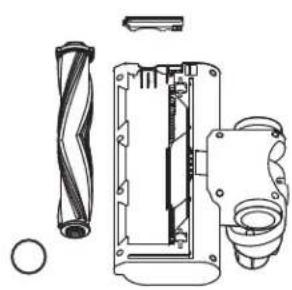
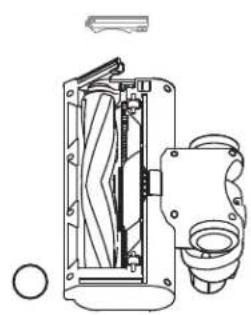
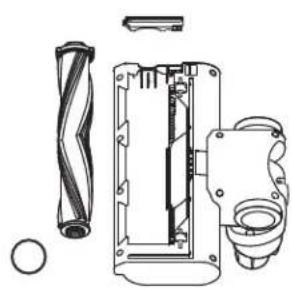
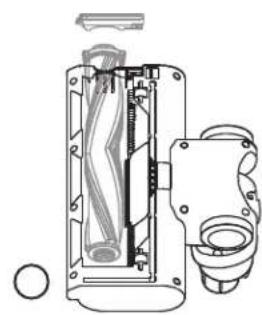
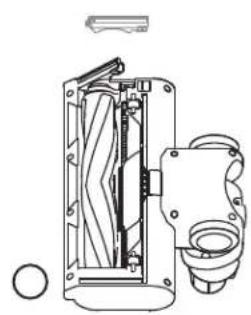
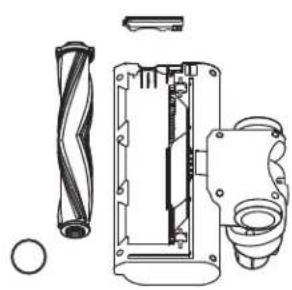
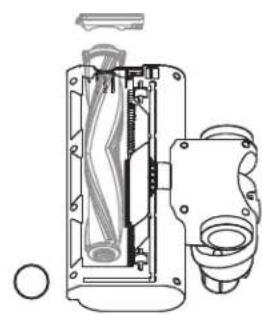
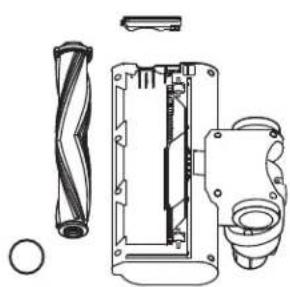
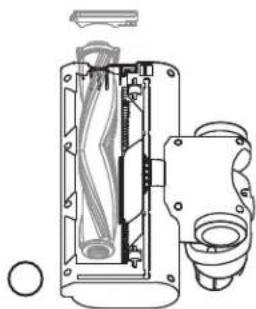
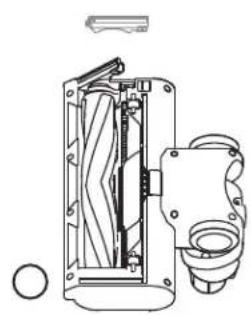
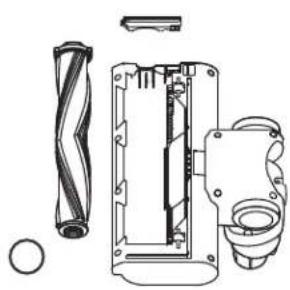
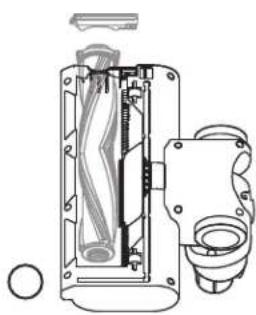
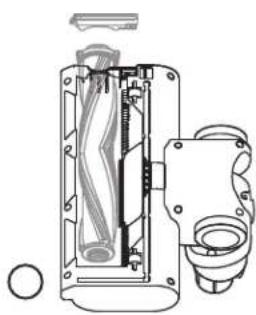
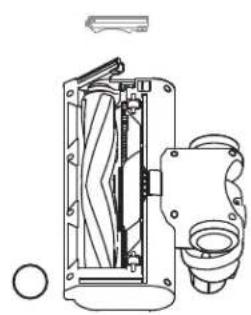
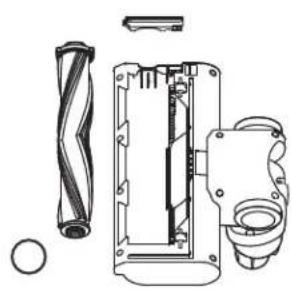
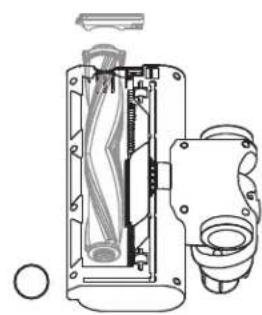
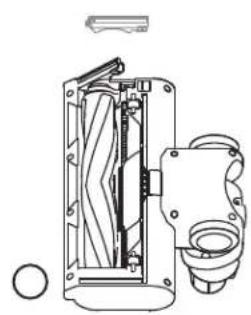
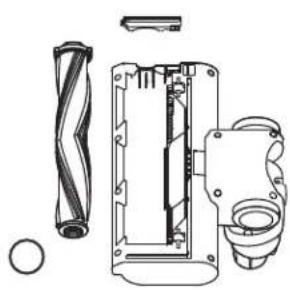
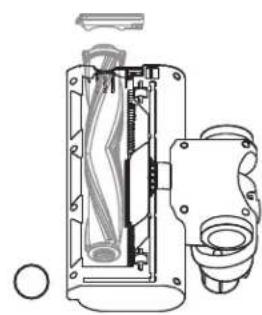
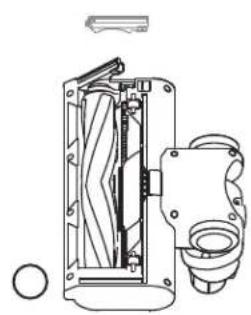
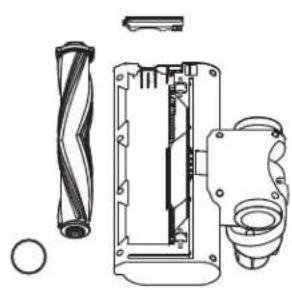
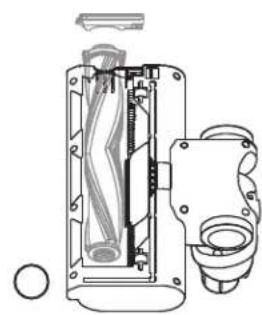
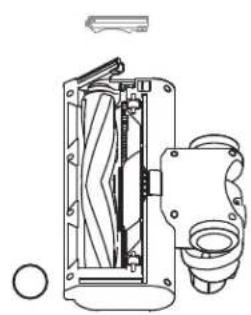
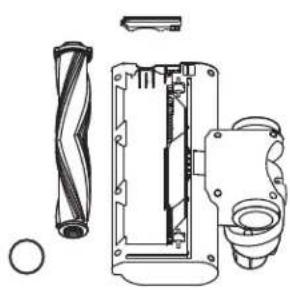
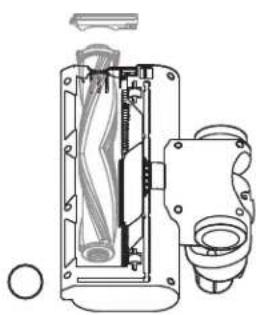
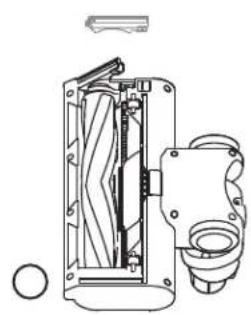
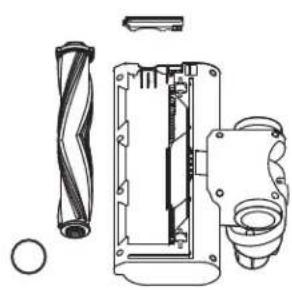
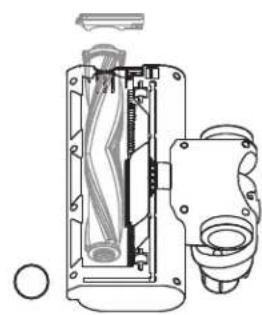
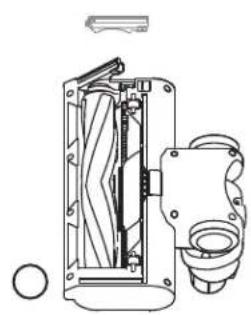
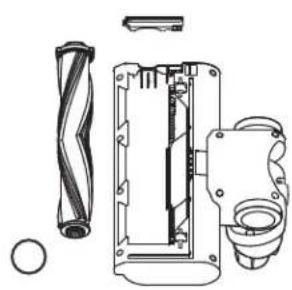
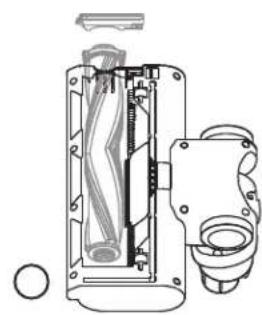
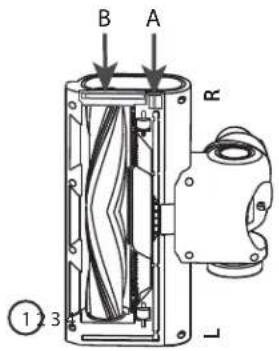
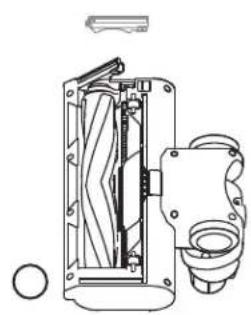
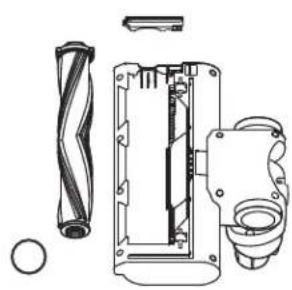
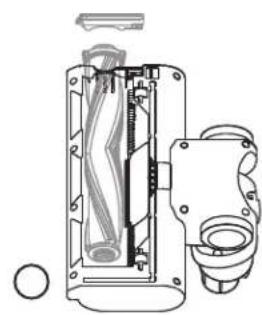
To change, clean or maintain the roller, follow the instructions below.
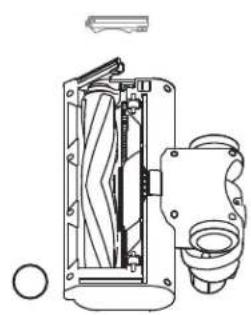
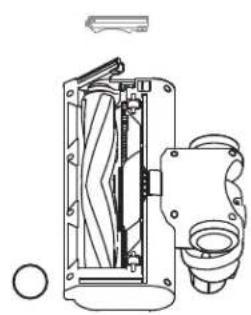
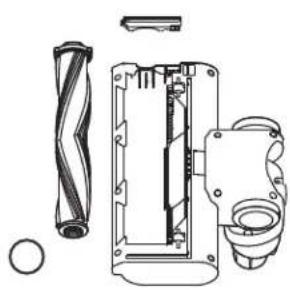
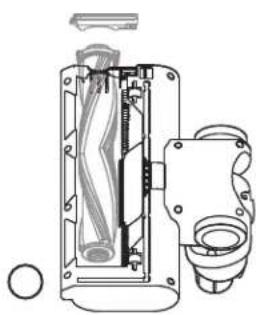
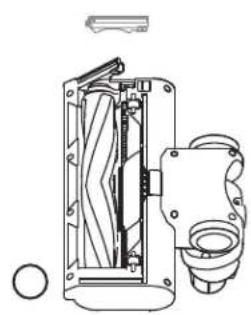
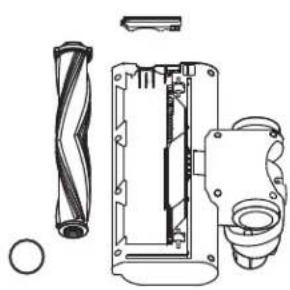
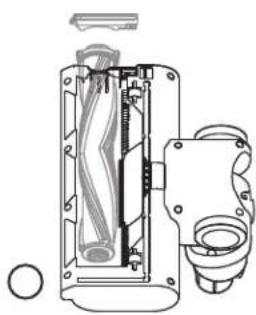
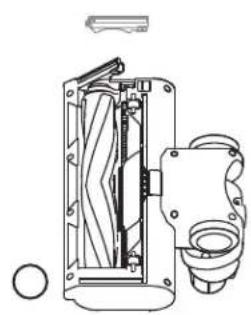
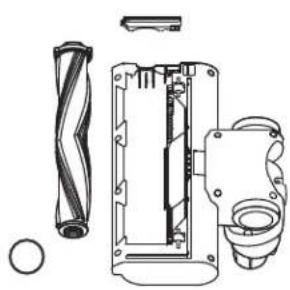
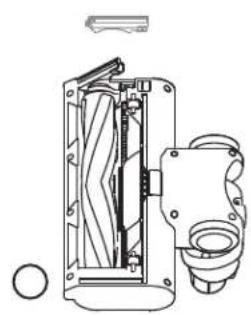
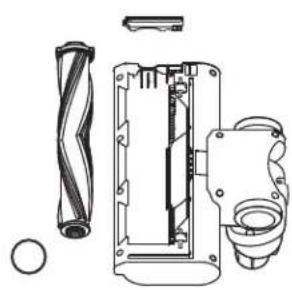
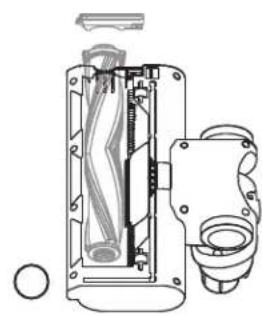
- Push the lever marked A down and at the same time as pulling the brush roller plate (item B) up.
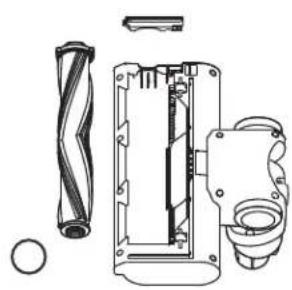
- Remove the roller brush plate.
- Take out the roller brush by pulling up from the right-hand side (R).
- Insert the roller by engaging on the left-hand side (L) then pushing down on the right so it locates securely. Now reinsert the roller brush plate by pushing it down so it clicks.
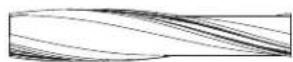
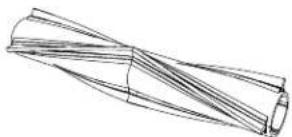
V-Roller
Use the V Roller on all types of floors.
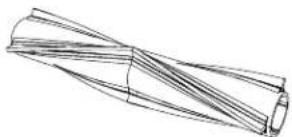
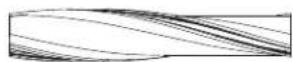
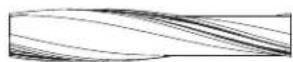
Brush Roller
The Brush Roller is recommended for carpeted floors.
Mini Motorized Brush (VC-SV28AEU-B only)
Attach the Mini motorized roller brush for stairs, upholstery and narrower pathways.
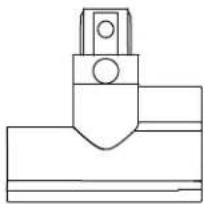
Flexible Bending Adapter (VC-SV20AEU-S and VC-SV28AEU-B only)
Use with the metal extension rod to allow for easy access underneath sofas, chairs, tables, etc.
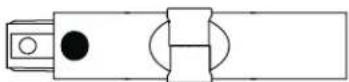
Cleaning Tool
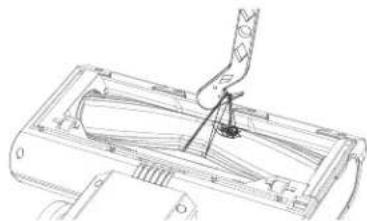
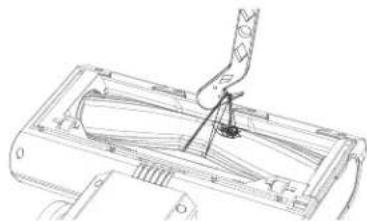
Handy cleaning tool is included in the box. This tool enables the easy clearing of roller brush tangles using the recessed cutting blade. The brush can be used to clean any dust ingression into small areas of the vacuum or accessories.
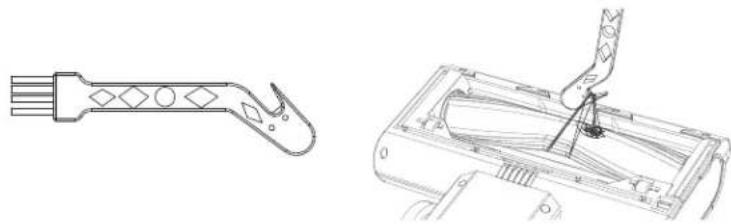
When using the cutting part of the cleaning tool be sure to hook the tangle securely and pull so that the material is cut. Be careful not to pull too hard as this may cause damage to the roller.
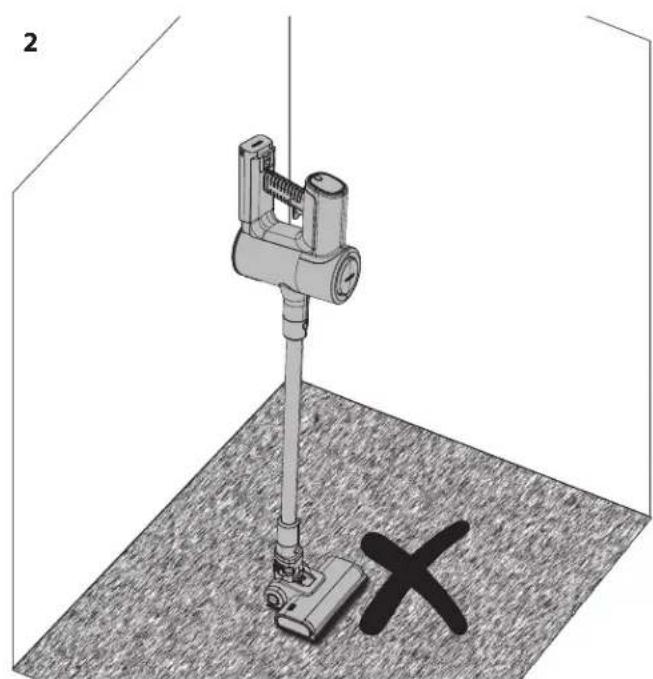
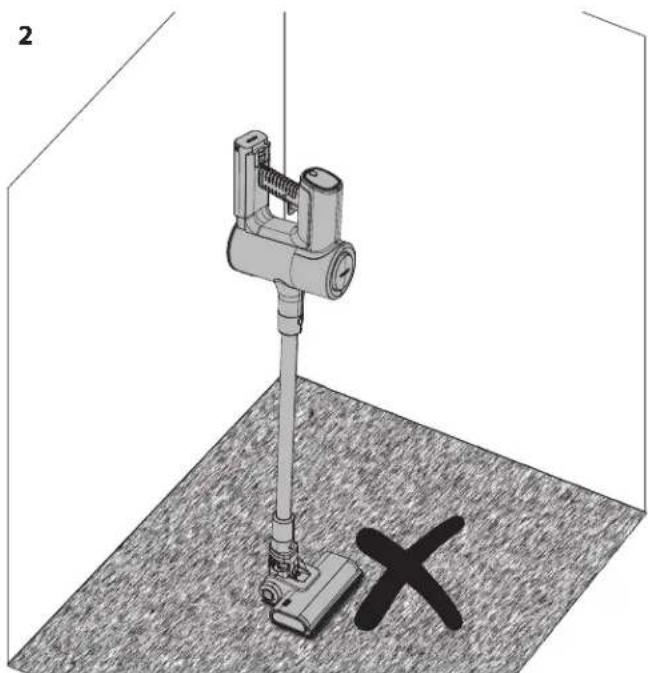
Self standing
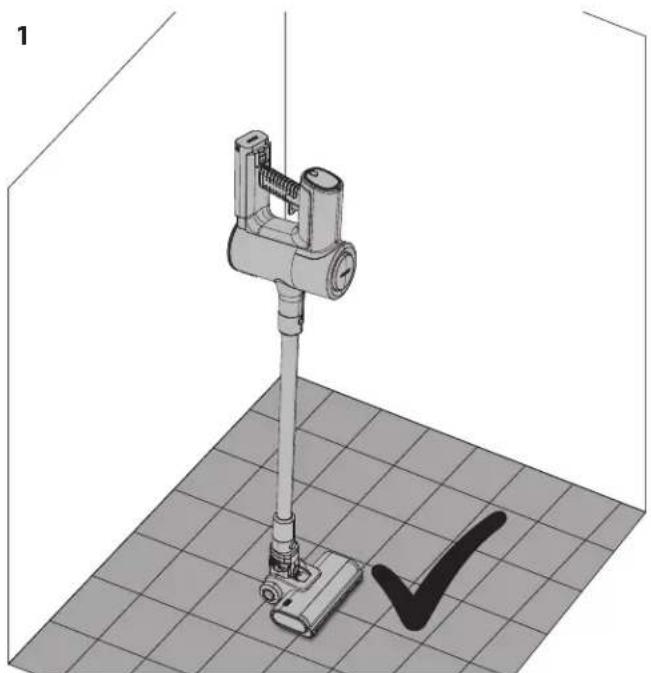

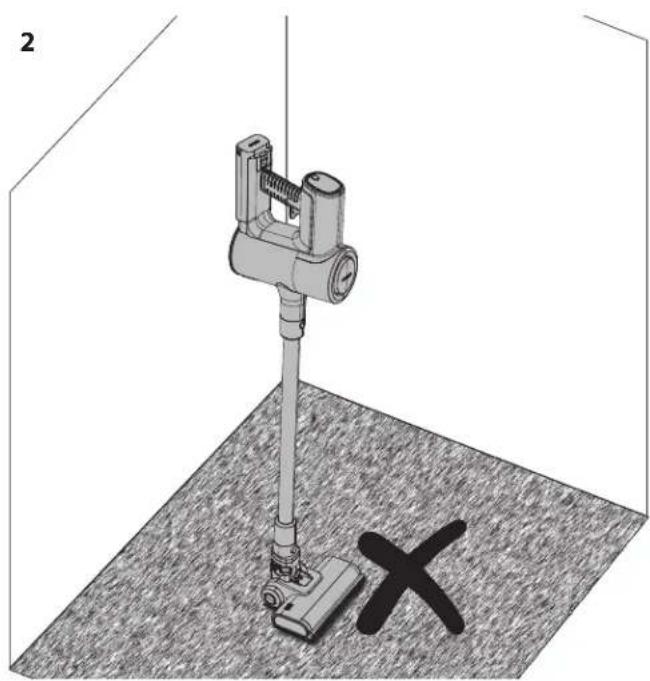
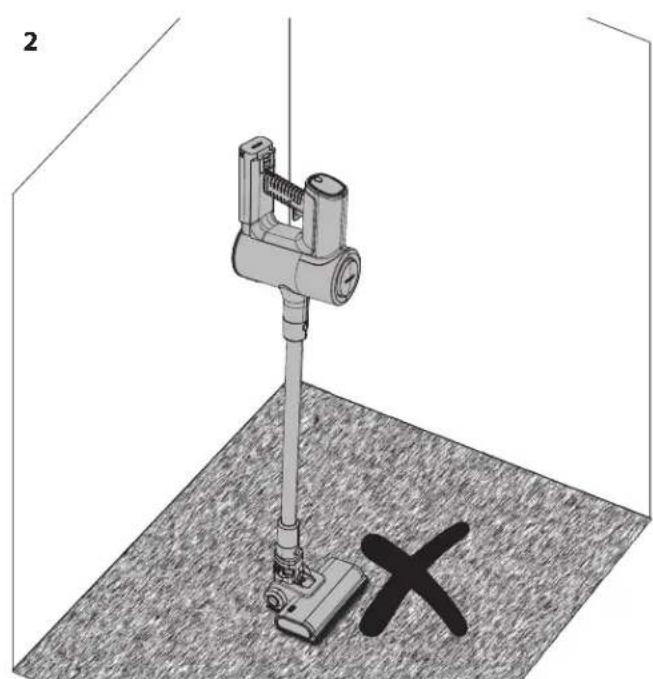
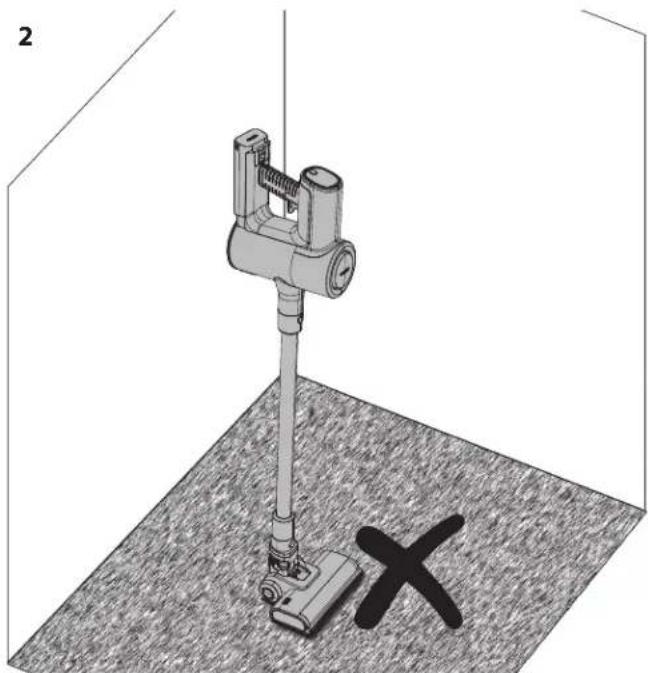
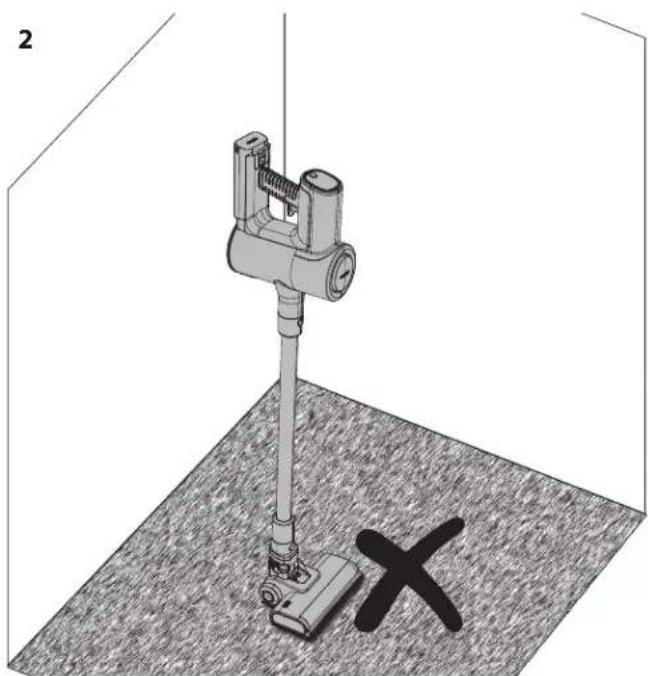
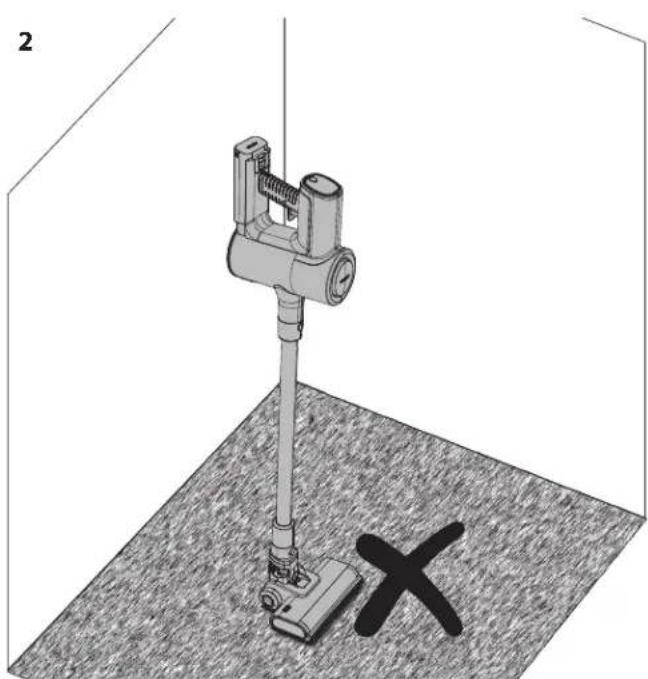
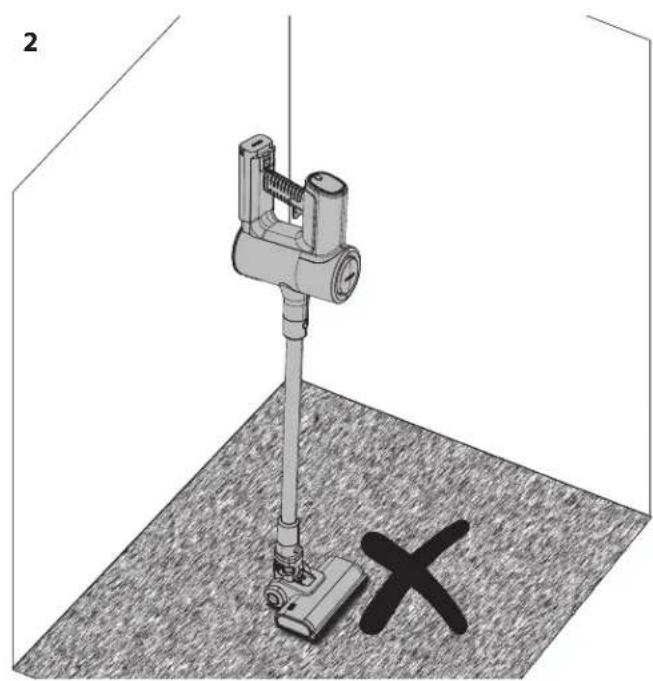
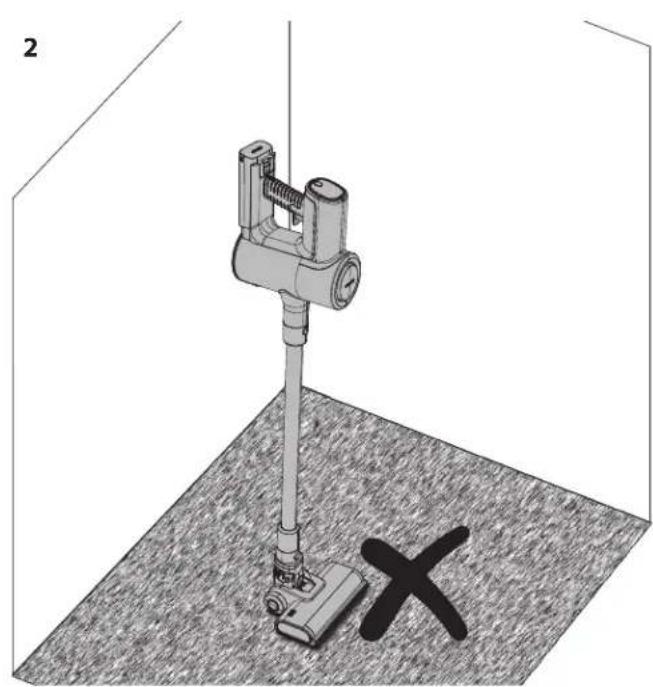
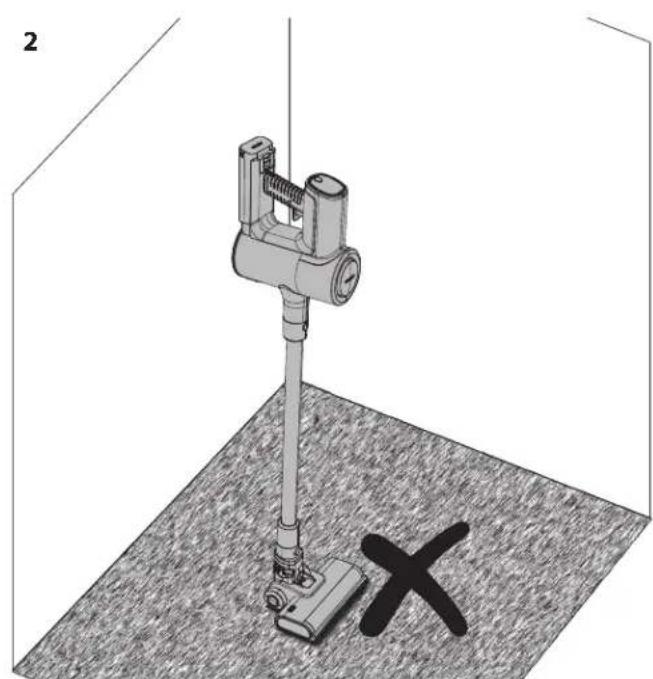
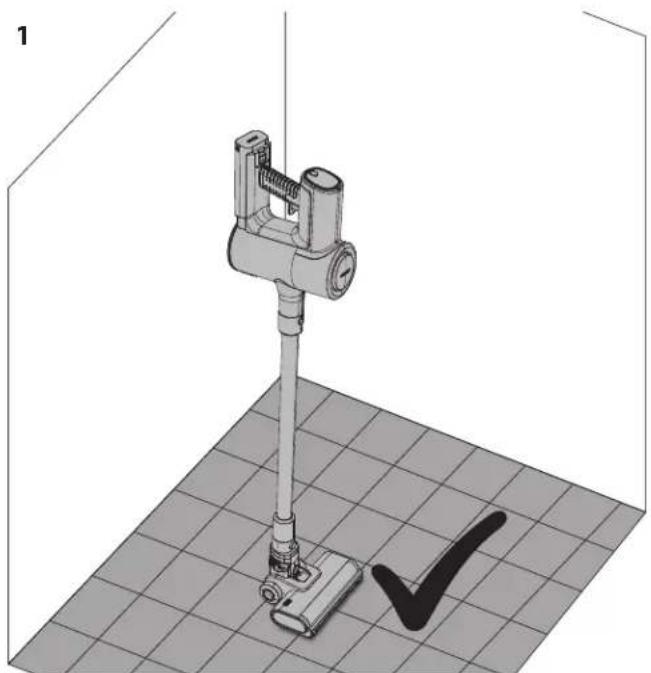
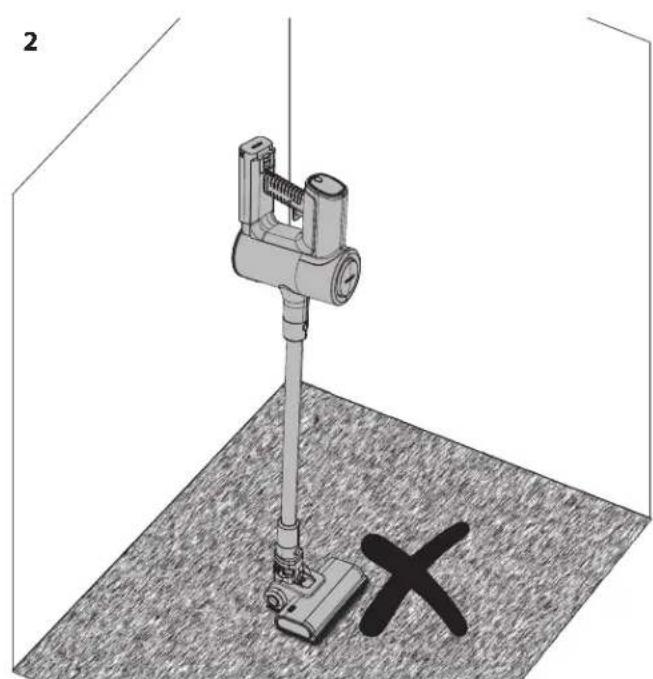
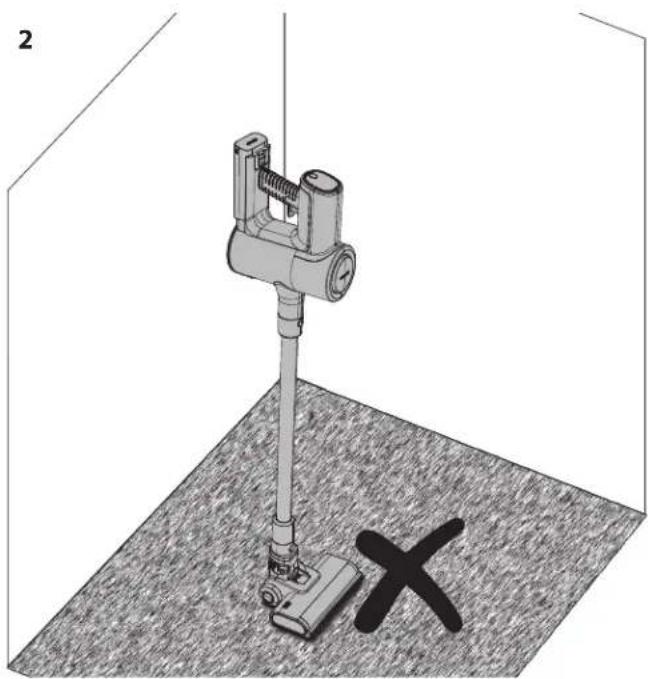
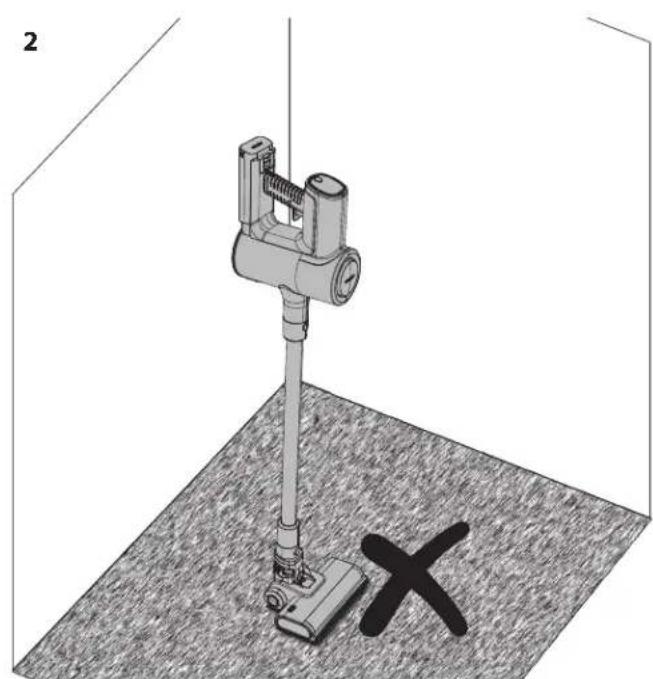
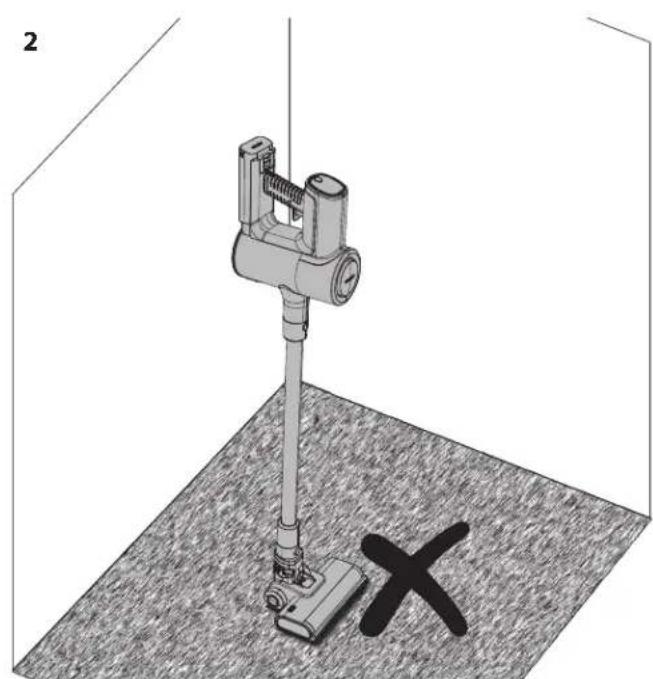
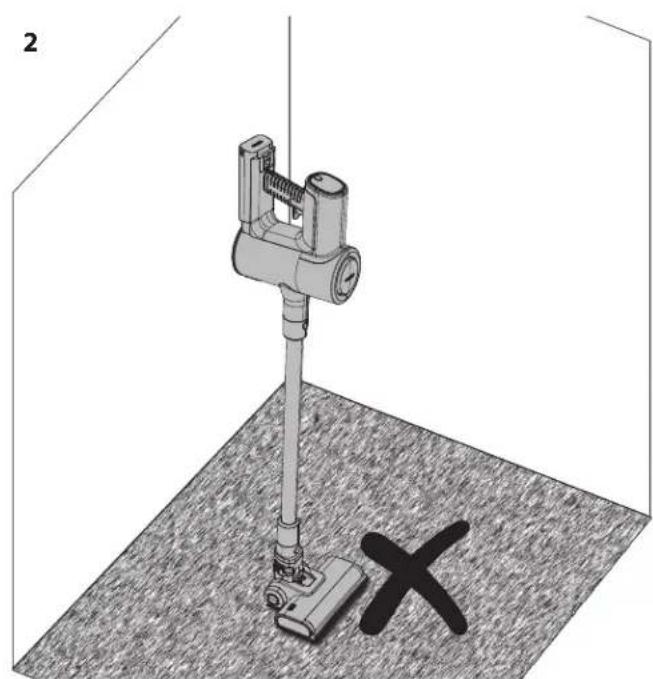
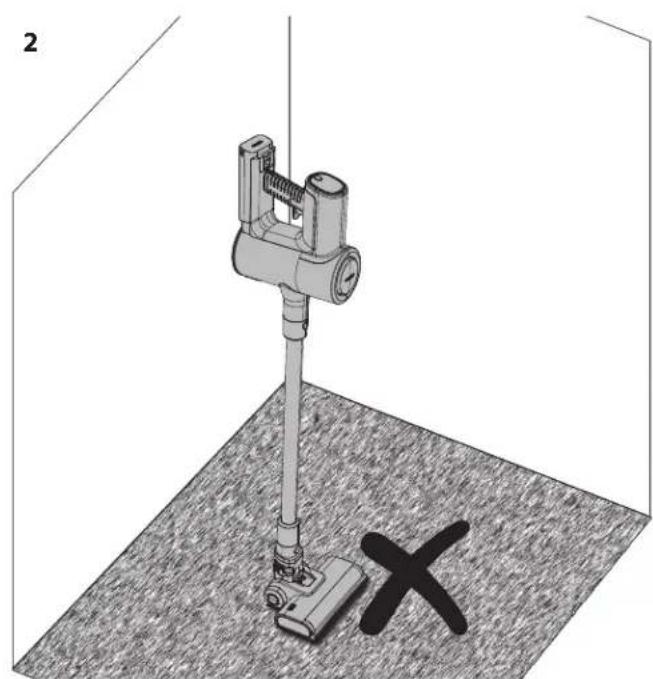
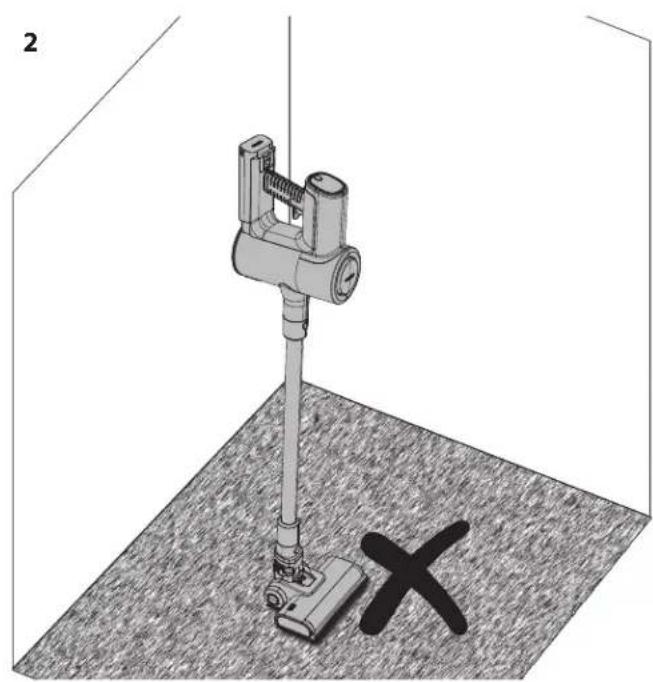
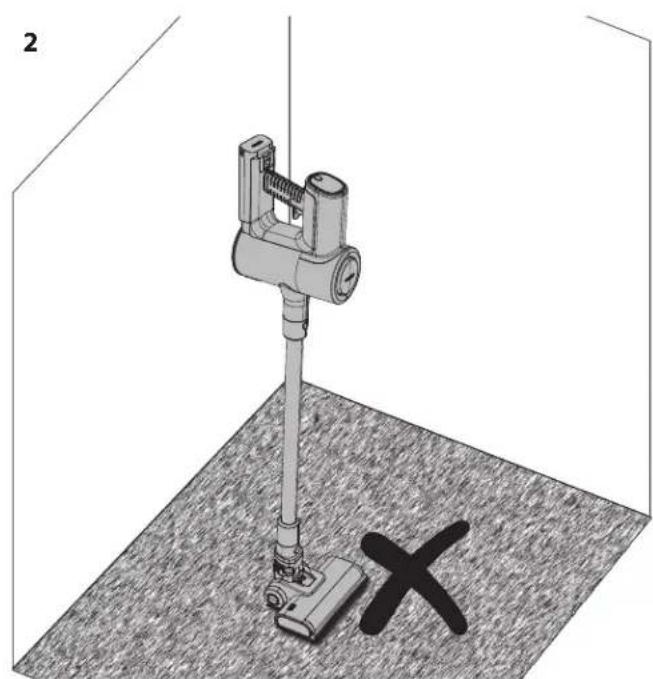
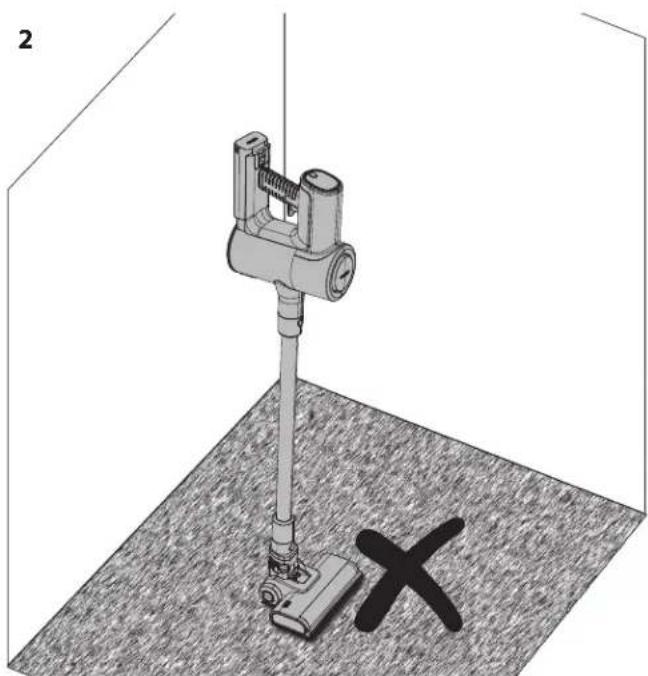
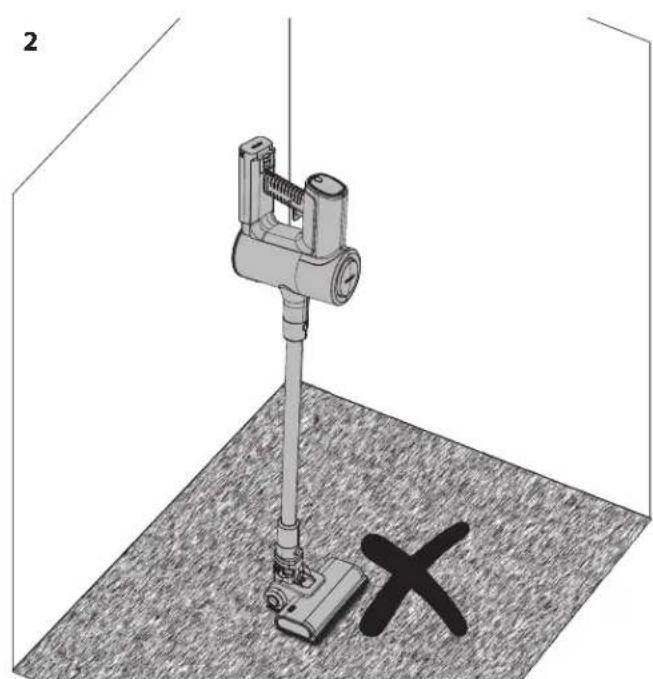
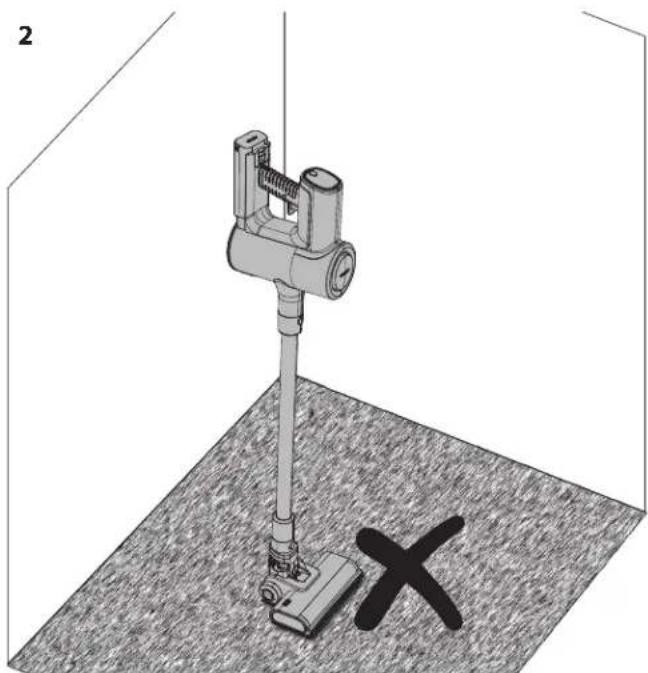
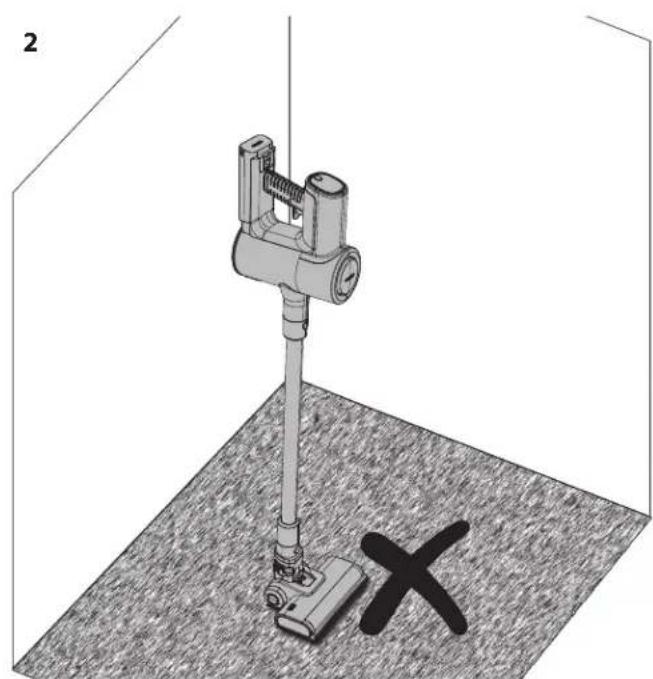
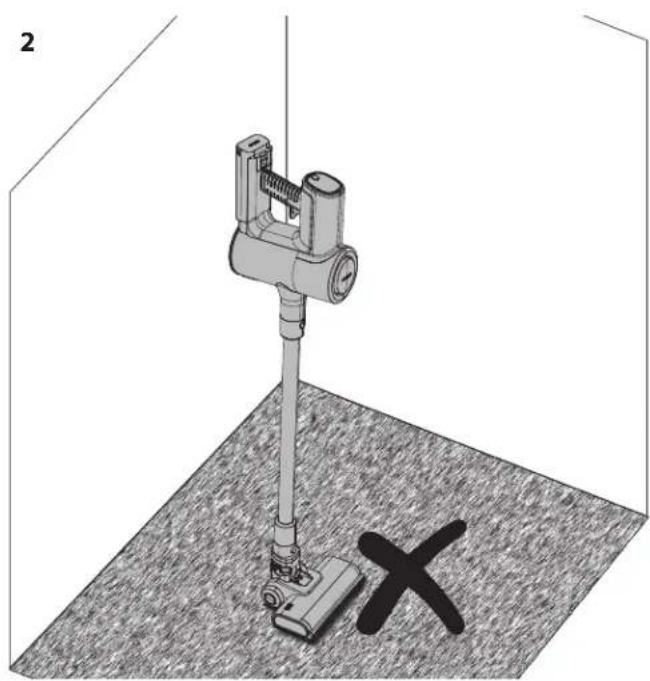
- Okay to use Self Standing on hard floor.
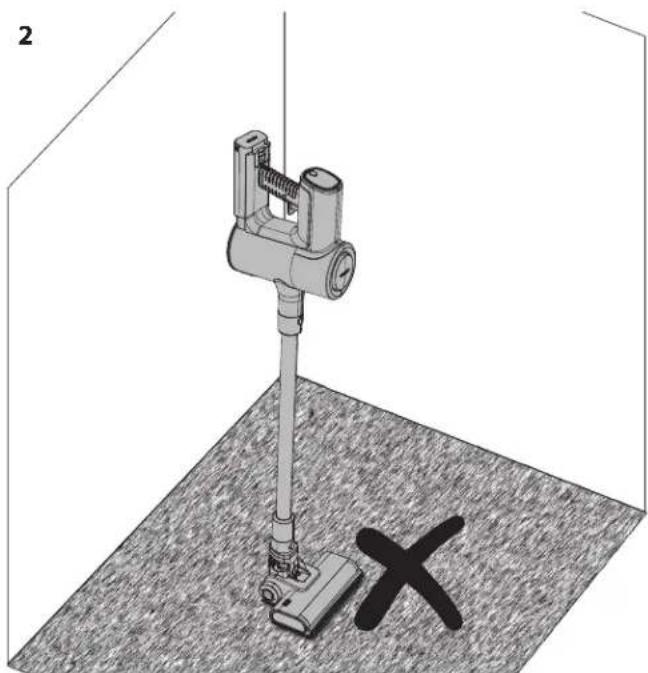
- DO NOT use Self Standing on soft/carpeted floors.
When using your SHARP stick vacuum on a hard floor it is possible to place your vacuum in the Self Standing position. For this to work correctly, the vacuum must be connected to the motorised head unit via the metal extension rod; also ensure that the battery is installed.
With your foot gently resting on the motorised head, move the vacuum so that the vacuum is in the upright position. You will hear a click when the head is locked.
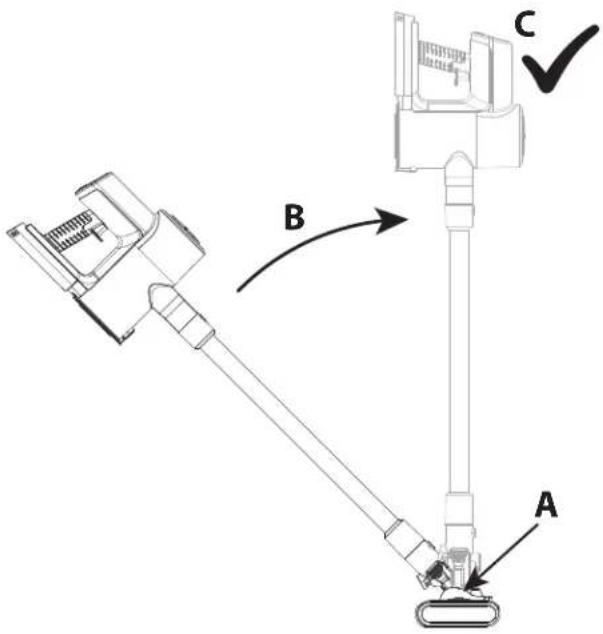
Gently let go of the vacuum and it will self-stand.
CAUTION: Your vacuum will self-stand on hard floors. If it is knocked over, damage or injury may occur. Ensure that once in the self-stand position it is not pushed over. While in the self-standing mode, do not leave it unattended, especially if you have young children or pets.
Display panel
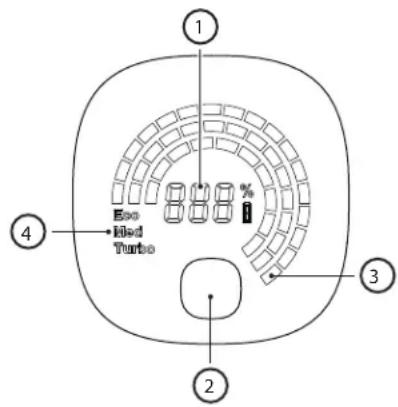
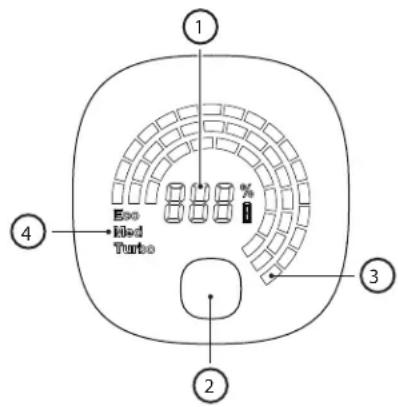
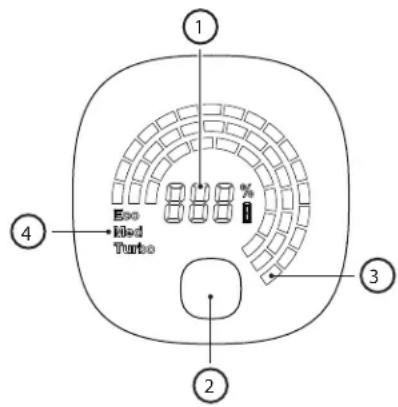
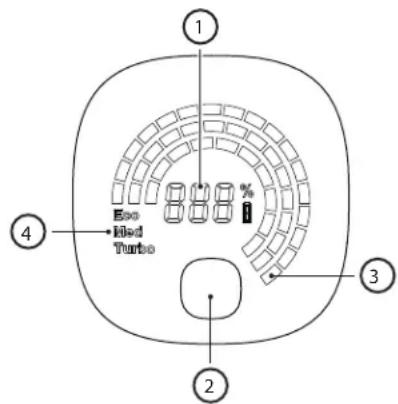
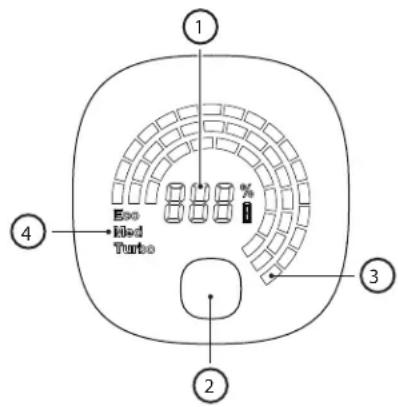
The multifunction display panel shows important information on the function and use of your stick vacuum.
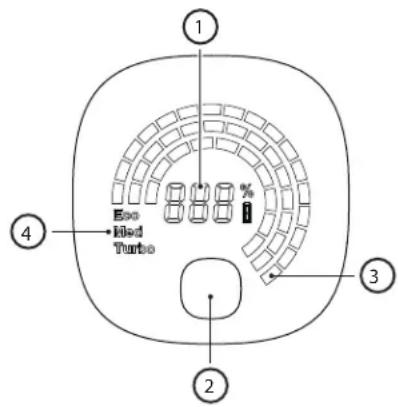
To change the speed of the motor from ECO (most efficient) to Turbo (most powerful), press this button. When the unit is off, press this button to show how much power is left in the battery for each mode of operation.
VC-ST12AEU-W and VC-SV20AEU-S VC-SV28AEU-B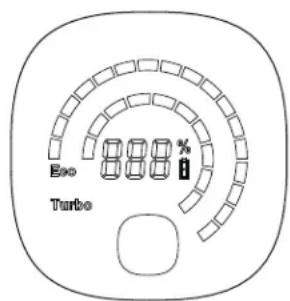
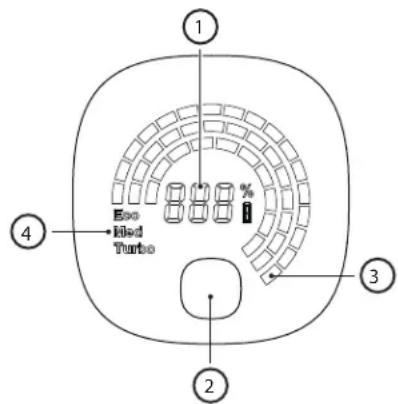
- Percentage of battery power remaining.
- Mode selection button – ECO, Medium or Turbo power.
- Visual indication of remaining power based on battery level. This will change when the mode button is pressed.
- Operation mode. This will change when the mode button is pressed.
In the case of any issue occurring with your stick vacuum, it is possible that an error code may be shown on the display panel.
Consult the Troubleshooting section of this user manual for more details should an error code appear.
General cleaning and maintenance
To ensure that your SHARP stick vacuum remains in good condition and continues to provide reliable service, it is recommended to clean and maintain it on a regular basis.
Exterior parts can be cleaned with a soft cloth. If there are stubborn marks, use a non-abrasive, gentle cleaning fluid to remove.
Never use abrasive cleaners or cloths to maintain your SHARP stick vacuum as these will damage the surface.
General tips after use are:
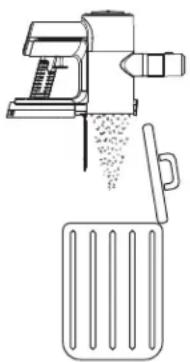
- Empty the Dust Chamber
Suction is reduced if the dust chamber is full of debris, so emptying after and during use will provide a much better cleaning experience.
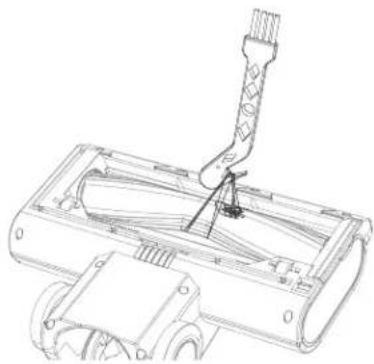
2. Clean the Rollers
Remove any hair or debris which may have been attached to and/or wrapped around the roller during use as this will improve the performance on the next use. For anything which has been wrapped around the roller, use the cleaning tool cutting edge to remove it.
3. Check for Blockages
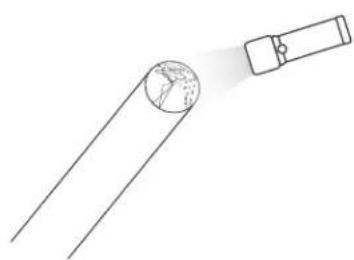
Ensure that the air pathways are clear of obstructions such as clumps of hair, pet hair or large items of debris. Use a light (the torch on your mobile phone) to look down the pipe to see if it is clear.
4. Clean the Filter
Clogged filters are the most common reason for poor suction. Clean these after every use and if the performance is being degraded it can be washed in water and left to dry for 24 hours. It is recommended that the HEPA filter is replaced every 3 months.
Dealing with blockages
It is possible that on occasion your stick vacuum will become blocked with debris. You may need to dismantle parts to gain access to clean and unblock.
When dealing with blockages, use a long stiff wire with a blunt end to clear pipes. Be careful not to damage the pipe.
AC Adapter
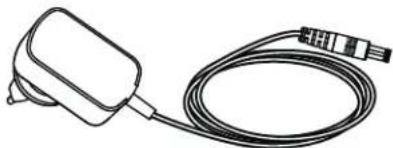
Your SHARP stick vacuum is supplied with an AC adapter which can be used with either a UK (3-pin) or EU (2-pin) mains socket. The AC adapter supplied with your stick vacuum will depend on the vacuum and battery model, refer to the table below to match up the vacuum model and AC adapter.
Only use the supplied and SHARP recommended AC adapter with your Stick Vacuum.
AC adapter specifications can be found at the end of this User Manual.
Changing the adapter mains connection type
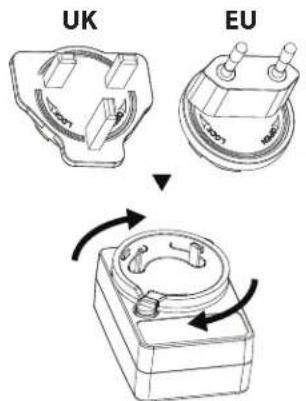
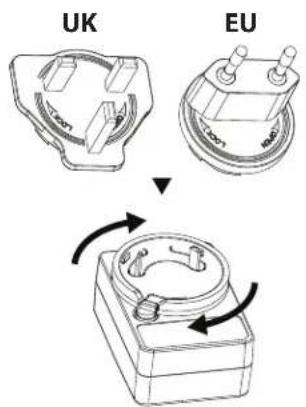
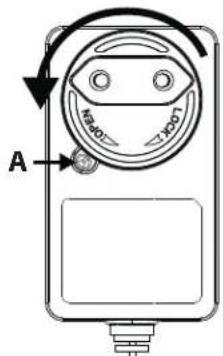
Your AC adapter is supplied with 2 mains connection plates which can be interchanged depending on your mains outlet type. The connection plate on the left is for the UK, Ireland and Cyprus. The 2-pin connection plate on the right is for most other EU countries.
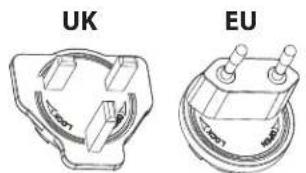
To install the correct plate for your mains outlet, select the correct one (UK or EU) and place on the AC adapter as shown in the picture below, the plate should sit in the recess. Turn clockwise until a click is heard and the connection plate is now installed. If you are unsure, please contact our helpline for advice.
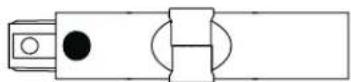
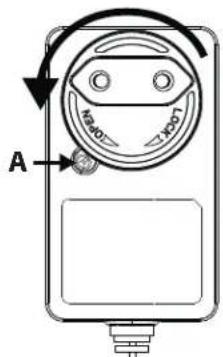
To remove the plate, press the button A and rotate the plate anticlockwise. The plate can now be removed.
Troubleshooting
| Problem Reason Resolution | ||
| Error code E01 appears in the display. | Head motor has been stopped from rotating. | Remove obstruction from roller in the motorised head. |
| E02 appears in the display (VC-SV20AEU-S and VC-SV28AEU-B only). | Inlet blocked. Clear blockage from the | head, tube and/or inlet. |
| Poor pick up performance. Reduced suction. | Set the vacuum mode to Turbo.Empty the dust bin.Clean the fi Iters.Ensure that the vacuum airways are not blocked or obstructed. | |
| Vacuum has stopped or will not work. | Issue with battery or battery connec-tion. | Check that the battery is fully charged.Ensure that the battery is correctly connected to the vacuum. |
| Roller will not rotate. Mechanical issue. | Remove obstruction from roller in the motorised head.Clean roller and head unit. | |
| Battery light is flashing red. | Battery almost flat. | Recharge battery. |
| Accessory is broken or not working. | Contact the SAHRP call center to discuss. A new part can be supplied free of charge if under warranty or on a chargeable basis if necessary. | |
| Motorised head is noisy. Brush roller fi tted. | If the brush roller is fi tted, the bristles will make a noise as they connect with the casing of the head. | |
Should you experience any other problems with your SHARP stick vacuum, please contact our call centre for further advice and information. To order replacement accessories, filters and batteries please call or email your SHARP service center.
Technical specifications
| Model VC-SV12AEU-W VC-SV20AEU-S VC-SV28AEU-B | |||
| Battery Capacity (mAh) 2000 2500 4000 | |||
| Battery Voltage (V) 22,2 21,6 21,6 | |||
| Battery Power (Wh) 44,4 54 86,4 | |||
| Battery Size (W x H x D in mm) 158 x 65 x 85 158 x 65 x 85 158 x 65 x 85 | |||
| Battery Weight (kg) | 0,429 | 0,453 | 0,585 |
| Number of Cells | 6 | 6 | 6 |
| Single Battery Charging Time (hours) | 4 | 4,5 | 4 |
| Dual Battery Charging Time (hours) | 8 | 9 | 8 |
| Colour Main Body | White | Silver | Black |
| Control Panel | Digital | Digital | Digital |
| Display Type | LCD | LCD | LCD |
| Dust Container Capacity (L) | 0,55 0,55 0,55 | ||
| Exhaust Filter Type | HEPA 13 | HEPA 13 | HEPA 13 |
| Gross Weight (kg) | 5,2 | 5,4 | 6,3 |
| Motor Power (W) | 150 | 250 | 380 |
| Motor Type | DC motor | Brushless DC motor | Brushless DC motor |
| Noise Level (dB) | ≤80 ≤80 | ≤80 | |
| Off Mode Power Consumption (W) | 0,5 | 0,5 | 0,5 |
| Over Heating Protection | Yes | Yes | Yes |
| Plug | EU/UK Plug Adapter | EU/UK Plug Adapter | EU/UK Plug Adapter |
| Motot Power Consumption (W) | 150 | 250 | 380 |
| Run Time in Max Power (minutes) | 16 | 15 | 12 |
| Run Time in Med Power (minutes) | N/A | N/A | 24 |
| Run Time in Min Power (minutes) | 25 | 45 | 65 |
| Safety Logo Certification | CE / UKCA | CE / UKCA | CE / UKCA |
| Suction Power Min (kPa) | 6 | 7 | 7 |
| Suction Power Max (kPa) | 12 | 20 | 28 |
| Suction Power Max (Air Watts) | 62 | 120 | 173 |
| LED Headlight | Yes | Yes | Yes |
| Headlight Colour | White | White | White |
| Unit Size (W x H x D in mm) | 120 x 1205 x 270 | 120 x 1205 x 270 | 120 x 1250 x 250 |
| Unit Weight (kg) | 3,9 | 4,1 | 5 |
| AC Adapter | |||
| Model CZH015265065TRWQ CZH01 | 15265065TRWQ CZH0242651 | 100TRWQ | |
| Input | 100-240V AC / 50/60Hz / 0.5A | 100-240V AC / 50/60Hz / 0.5A | 100-240V AC / 50/60Hz / 0.8A |
| Power Requirements AC 100-240V ~ 50/60Hz AC 100-240V ~ 50/60Hz AC 100-240V ~ 50/60Hz | |||
| Output 26.5V DC / 650mA 26.5V DC / 650mA 26.5V DC / 1000mA | |||
| Colour White White Black | |||
| Length of power cable (mm) 1500mm 1500mm 1500mm | |||
| To be used with VC-SV12AEU-W VC-SV20AEU-S | VC-SV28AEU-B | ||
| IP Rating | IP20 (indoor use only) | IP20 (indoor use only) | IP20 (indoor use only) |
| Manufacturer | Shenzhen Chanzeho Technology Co. Limited7/F, Spa Centre, No.53-55Lockhart Road, Wan Chai, Hong Kong | ||
| 10% - 30% | |
| 31% - 70% | |
| >70% |
3. Check for blockages
www.sharpconsumer.com/support/
www.sharpconsumer.com/documents-of-conformity/
Contents
Package contents 2
Wall mount
Holder hole cover
| 10% - 30% | |
| 31% - 70% | |
| >70% |
V-roller
Brush roller
2. Clean the rollers
4. Clean the filter assembly
www.sharpconsumer.com/support/
www.sharpconsumer.com/documents-of-conformity/
Contents
Package contents 2
Wall holder
Roller storage tube
Battery status indication
| 10% - 30% | |
| 31% - 70% | |
| >70% |
Motorized brush roller
V-roller
Brush roller
The brush roller is recommended for carpeted floors.
Mini motorized brush (VC-SV28AEU-B only)
Attach the mini motorized brush roller to stairs, upholstery, and narrower paths.
2. Clean the rollers
3. Check for blockages
4. Clean the filter
www.sharpconsumer.com/support/
www.sharpconsumer.com/documents-of-conformity/
Package contents....2
Wall mount
Usage times
| 10% - 30% | |
| 31% - 70% | |
| >70% |
Brush roll
www.sharpconsumer.com/support/
www.sharpconsumer.com/documents-of-conformity/
Wall mount
Charging the battery
Usage times
| 10% - 30% | |
| 31% - 70% | |
| >70% |
Brush roll
4. Clean the filter
www.sharpconsumer.com/documents-of-conformity/
Contents
Package contents 2
Wall shelf
Roller brush
Dust cover for the holes
Battery charging
Good charging practices
Battery status indicator
| 10% - 30% | |
| 31% - 70% | |
| >70% |
Motorized brush roller
V-roller
Brush roller
Flexible bend adapter (only for VC-SV20AEU-S and VC-SV28AEU-B)
Use the metal extension wand to make it easier to reach under sofas, chairs, tables, etc.
Cleaning tool
2. Clean the rollers
3. Check for blockages
4. Clean the filter
www.sharpconsumer.com/support/
www.sharpconsumer.com/documents-of-conformity/
Wall Bracket
Bracket Hole Cover
Usage Times
| 10% - 30% | |
| 31% - 70% | |
| >70% |

V-Roller
Roller Brush
www.sharpconsumer.com/support/
www.sharpconsumer.com/documents-of-conformity/
Contents
Wall Bracket
Wall Bracket Hole Cover
Usage Time
| 10% - 30% | |
| 31% - 70% | |
| >70% |

Roller Brush
Clearing Blockages
www.sharpconsumer.com/support/
www.sharpconsumer.com/documents-of-conformity/
Contents
Wall mount
Hole cover for the mount
Charging the battery
Good charging practices
Battery status indication
| 10% - 30% | |
| 31% - 70% | |
| >70% |
Brush roll
2. Clean the rolls
Dealing with blockages
www.sharpconsumer.com/support/
www.sharpconsumer.com/documents-of-conformity/
Contents
Package contents 2
Wall mount
For ease of use and storage, your SHARP stick vacuum comes with a wall mount. This mount will store all the tools for your vacuum and can charge both batteries simultaneously.
Roller storage tube
For easy storage of the unused roller for VC-SV12AEU-W or VC-SV20AEU-S, we have included a storage tube. The storage tube fits into one of the upper storage holes. Note that there is an adapter (2) that needs to be placed into the storage hole before inserting the tube (1).
Mount hole cover
The VC-SV12AEU-W and VC-SV20AEU-S come with a cover that can be used to close one of the accessory holes. The VC-SV12AEU-W comes with 2 covers, while the VC-SV20AEU-S comes with 1 cover.
Display and controls
LED display:
- Remaining battery charge
- Speed selection button
- Power activation button
How to use
Charging the battery
Good charging habits
Battery status indication
When the battery is charging or discharging, the status can be checked either by looking at the charge percentage on the vacuum's display or by the lights on the side of the battery itself.
| 10% - 30% | |
| 31% - 70% | |
| >70% |

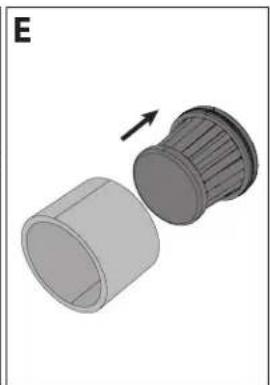
NOTE: Do not use the vacuum without the dust cup filter, HEPA13 filter, or mesh filter installed. This will result in large dust particles or debris entering the motor and causing damage.
Tools and their use
Motorized brush roller
V-roller
Use the V-roller on all types of floors.
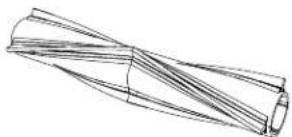
Brush roller
It is recommended to use the brush roller for carpeted floors.
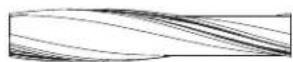
Mini motorized brush (only for VC-SV28AEU-B)
Attach the mini motorized brush roller for stairs, upholstered furniture, and narrow passages.
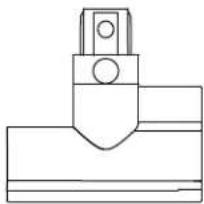
Flexible bending adapter (only for VC-SV20AEU-S and VC-SV28AEU-B)
Use with the metal extension rod for easy access under sofas, chairs, tables, etc.
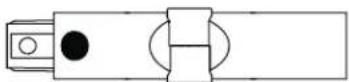
Cleaning tool
When using the cutting part of the cleaning tool, make sure to securely grasp the tangled material and pull so that the material is cut. Be careful not to pull too hard as this may cause damage to the roller.
Self-standing
- Percentage of remaining battery energy.
- Button for selecting the operating mode – ECO, medium, or Turbo power.
- Visual indication of remaining energy is based on the battery level. This will change when the mode button is pressed.
- Operating mode. This will change when the mode button is pressed.
In case of any problem with your stick vacuum, an error code may appear on the display. If an error code appears, refer to the troubleshooting section in this user manual for more details.
2. Clean the rollers
4. Clean the filter
Clogged filters are the most common reason for poor suction. Clean them after each use, and if performance decreases, they can be washed with water and left to dry for 24 hours. It is recommended to replace the HEPA filter every 3 months.
Clearing blockages
Your stick vacuum may occasionally become clogged with debris. You may need to disassemble parts to access cleaning and remove blockages.
When dealing with blockages, use a long, sturdy wire with a blunt end to clean the tube. Be careful not to damage the tube.
AC adapter
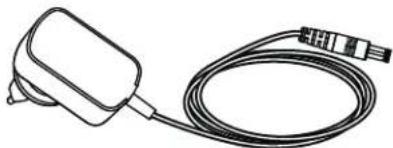
Your SHARP stick vacuum comes with an AC adapter that can be used with a British (3-pin) or EU (2-pin) socket. The AC adapter that comes with your stick vacuum depends on the vacuum and battery model; refer to the table below to match the vacuum model and AC adapter.
Use only the supplied and SHARP-recommended AC adapter with your stick vacuum.
AC adapter specifications can be found at the end of this User Manual.
www.sharpconsumer.com/documents-of-conformity/
Table of Contents

Wall Mount
Cylinder Storage Tube
Mounting Hole Cover
Good Charging Habits
| 10% - 30% | |
| 31% - 70% | |
| >70% |
Motorized Sweeping Roller
V-Roller
Brush Roller
www.sharpconsumer.com/support/
www.sharpconsumer.com/documents-of-conformity/

Usage Times
| Autonomia per 2 batterie (minuti) | |||
| Tempi di ricarica (ore) | |||
| VC-SV12AEU-W | VC-SV20AEU-S | VC-SV28AEU-B | |
| ECO 50 90 130 | |||
| Medio x | x | 4 | 8 |
| Turbo 32 30 24 | |||
| 10% - 30% | |
| 31% - 70% | |
| >70% |
V-Roller
Brush Roller
2. Clean the rollers
4. Clean the filter
www.sharpconsumer.com/support/
www.sharpconsumer.com/documents-of-conformity/
Contents
Box contents....2
Wall bracket
Roller storage tube
Shelf hole cover
Good charging practice
Battery status indication
| 10% - 30% | |
| 31% - 70% | |
| >70% |

V-roller
Brush roll
Flexible bending adapter (only VC-SV20AEU-S and VC-SV28AEU-B)
4. Clean the filter
www.sharpconsumer.com/support/
www.sharpconsumer.com/documents-of-conformity/
Contents
Wall holder
Good charging habits
| 10% - 30% | |
| 31% - 70% | |
| >70% |
V-roller
Brush roller
Breathable folding adapter (only VC-SV20AEU-S and VC-SV28AEU-B)
2. Clean the rollers
4. Clean the filter
www.sharpconsumer.com/support/
www.sharpconsumer.com/documents-of-conformity/
Contents
Wall bracket
Wall bracket cover
Good charging habits
Operating times
| Kjøretid for 2 batterier (minutter) | |||
| Ladingstider (timer) | |||
| VC-SV12AEU-W | VC-SV20AEU-S | VC-SV28AEU-B | |
| ECO 50 90 130 | |||
| Middels x | x | 4 | 8 |
| Turbo | 32 30 24 | ||
| 10% - 30% | |
| 31% - 70% | |
| >70% |

V-Roll
Use the V-roll on all types of floors.
Brush roll
The brush roll is recommended for carpeted floors.
Mini motorized brush (only VC-SV28AEU-B)
Flexible bend adapter (only VC-SV20AEU-S and VC-SV28AEU-B)
- It is fine to use the Self-standing on hard floors.
- DO NOT use the Self-standing on soft/carpeted floors.
2. Clean the rollers
3. Check for blockages
www.sharpconsumer.com/support/
www.sharpconsumer.com/documents-of-conformity/
Contents
Wall Caddy
Storage tube for roller
Caddy Gat Cover
Good charging habits
Usage times
| 10% - 30% | |
| 31% - 70% | |
| >70% |
V-Roller Brush
Brush Roll
2. Clean the Rollers
www.sharpconsumer.com/support/
www.sharpconsumer.com/documents-of-conformity/
Table of Contents
Wall Mount
Good charging habits
Usage times
| 10% - 30% | |
| 31% - 70% | |
| >70% |
V-Roller
Brush Roll
Bending Adapter (only VC-SV20AEU-S and VC-SV28AEU-B)
2. Clean the rollers
4. Clean the filter
www.sharpconsumer.com/support/
www.sharpconsumer.com/documents-of-conformity/
Contents
Box contents 2
Wall mount
Usage times
| 10% - 30% | |
| 31% - 70% | |
| >70% |
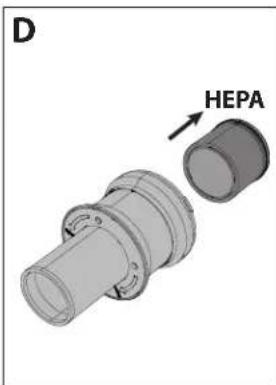
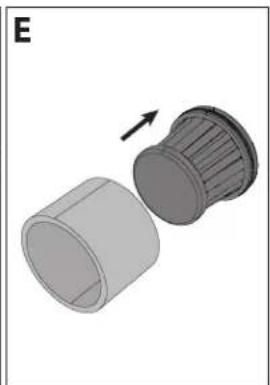
NOTE: Do not use the vacuum without the Dust Bag Filter, HEPA13, or Mesh Filter installed. This will result in large dust particles or debris entering the motor, causing damage.
Brush roller
2. Clean the rollers
4. Clean the filter
Dealing with blockages
www.sharpconsumer.com/support/
www.sharpconsumer.com/documents-of-conformity/
Table of contents
Wall mount
Intended use
| Timp de functionare pentru 2 baterii (minute) | |||
| Timpuri de incărcare (ore) | |||
| VC-SV12AEU-W | VC-SV20AEU-S | VC-SV28AEU-B | |
| ECO 50 90 130 | |||
| Mediu x | x | 4 | 8 |
| Turbo 32 30 24 | |||
| 10% - 30% | |
| 31% - 70% | |
| >70% |
Motorized brush roll
Brush roll
2. Clean the rollers
4. Clean the filter
Clearing blockages
www.sharpconsumer.com/ support/
www.sharpconsumer.com/ documents-of-conformity/
Contents
Package contents....2
| VC-SV28AEU-B | |
| Položka | Popis |
| 1 LED | Displej |
| 2 Tlačidlo pre výber rýchlosti | |
| 3 Spúšťač výkonu ON/OFF | |
| 4 Nabíjací port batérie | |
| 5 Tlačidlo na uvol’nenie batérie | |
| 6 | Dobíjateľná/Vymenitelňá batéria |
| 7 Filtrovacia súprava | |
| 8 Nádoba na prach | |
| 9 Adaptér AC | |
| 10 2-v-1 kefa/nástavec na štrbiny | |
| 11 Predlžovacia hadica | |
| 12 | Kartáčový valec v priehľadnom púzdre na sklado-vanie |
| 13 Predlížený nástavec na štrbiny | |
| 14 Flexibilný ohybný adaptér | |
| 15 Mini motorizovaný valček na kefu | |
| 16 Široká kefa | |
| 17 Kovová predlžovacia tyčinka | |
| 18 Hlavná válečková hlava s motorom a LED svetlami | |
| 19 LED svetlá na valčeku podlahovej kefy | |
| 20 Nástenný držiak | |
Wall mount
Mounting hole cover
Number of uses
| Doba behu pre 2 batérie (minút) | |||
| Doby nabíjania (hodiny) | |||
| VC-SV12AEU-W V | C-SV20AEU-S VC-S | V28AEU-B | |
| ECO 50 90 130 | |||
| Stredne x | x | 4 | 8 |
| Turbo 32 30 24 | |||
Battery status indication
| 10% - 30% | |
| 31% - 70% | |
| >70% |
V-Roller
Brush roller
Flexible bend adapter (VC-SV20AEU-S and VC-SV28AEU-B only)
2. Clean the rollers
4. Wash the filter
Dealing with blockages
www.sharpconsumer.com/support/
www.sharpconsumer.com/documents-of-conformity/
Contents
Box contents 2
Location of controls and parts ....3
Wall bracket 6
Display and controls 7
Charging the battery, storage and use....8
| VC-SV20AEU-S | |
| Izdelek Opis | |
| 1 LED | zaslon |
| 2 Gumb za izbiro hitrosti | |
| 3 Stikalo za vklop/izklop napajanja | |
| 4 Priključek za polnjenje baterije | |
| 5 Gumb za sprostitev baterije | |
| 6 Ponovno polnilna/zamenljiva baterija | |
| 7 Sestav fi Itera | |
| 8 Prašni zabojnik | |
| 9 AC adapter | |
| 10 2-v-1 krtača/šoba za špranje | |
| 11 Gibljiv ukrivljeni adapter | |
| 12 Valčna krtača v shranjevalni cevi | |
| 13 Podaljšano nastavek za razpoke | |
| 14 Kovinska podaljševalna palica | |
| 15 Motorizirana glava valjka z LED lučmi | |
| 16 LED lučke na valjčku talne krtače | |
| 17 Stenski nosilec | |
| VC-SV28AEU-B | |
| Izdelek Opis | |
| 1 LED | zaslon |
| 2 Gumb za izbiro hitrosti | |
| 3 Stikalo za vklop/izklop napajanja | |
| 4 Priključek za polnjenje baterije | |
| 5 Gumb za sprostitev baterije | |
| 6 Ponovno polnljiva/zamenljiva baterija | |
| 7 Sestav fi Itera | |
| 8 Prašni zabojnik | |
| 9 AC adapter | |
| 10 2-v-1 krtača/šoba za špranje | |
| 11 Podaljševalna cev | |
| 12 Valj za čopiče v prozornem posod za shranjevanje | |
| 13 Podaljšano nastavek za razpoke | |
| 14 Gibljiv ukrivljeni adapter | |
| 15 Mini motorizirana valjčna krtača | |
| 16 Široka krtača | |
| 17 Kovinska podaljševalna palica | |
| 18 Motorizirana glava valjka z LED lučmi | |
| 19 LED lučke na valjčku talne krtače | |
| 20 Stenski nosilec | |
Wall holder
Roller storage tube
For easy storage of an unused roller for VC-SV12AEU-W or VC-SV20AEU-S, we have included a storage tube. The storage tube fits into one of the upper storage holes. Note that you must insert the adapter (2) into the storage hole before inserting the tube (1).
Holder hole cover
Number of uses
| Čas delovanja za 2 bateriji (minute) | |||
| Časi polnjenja (ure) | |||
| VC-SV12AEU-W | VC-SV20AEU-S | VC-SV28AEU-B | |
| ECO 50 90 130 | |||
| Srednje X | X | 48 | |
| Turbo 32 30 24 | |||
Battery status indicator
| 10% - 30% | |
| 31% - 70% | |
| >70% |
Motorized roller brush
V-Roller
Brush roller
Flexible bend adapter (VC-SV20AEU-S and VC-SV28AEU-B only)
- It is okay to use the self-standing feature on hard floors.
- DO NOT use the self-standing feature on soft/carpeted floors.
When using your SHARP vacuum on a hard surface, you can place the vacuum in a self-standing position. For this to work properly, the vacuum must be connected to the motorized head via the metal extension wand; also make sure the battery is installed.
Gently lower the vacuum and it will remain upright on its own.
CAUTION: Your vacuum will stand on its own on hard floors. If it tips over, damage or injury may occur. Make sure it is not knocked over while in the self-standing position. Do not leave it unattended while in self-standing mode, especially if you have small children or pets.
Control panel
2. Clean the rollers
4. Clean the filter
www.sharpconsumer.com/support/
www.sharpconsumer.com/documents-of-conformity/
Contents
Box contents 2
Location of controls and parts ....3
Wall holder 6
Display and controls ....7
Battery charging, storage and use ....8
Recommended cleaning methods ....11
| VC-SV20AEU-S | |
| Artikal | Opis |
| 1 LED Displej | |
| 2 Dugme za izbor brzine | |
| 3 Prekidač za uključivanje/isključivanje | |
| 4 Priključak za punjenje baterije | |
| 5 Dugme za otpuštanje baterije | |
| 6 Punjiva/Zamenljiva baterija | |
| 7 Sklop fi Itera | |
| 8 Kanta za smeće | |
| 9 AC adapter | |
| 10 2-u-1 Četka/Alat za pukotine | |
| 11 Fleksibilni savijajući adapter | |
| 12 Četkasti valjak u skladišnoj tubi | |
| 13 Produženi nastavak za pukotine | |
| 14 Štap za proširenje metala | |
| 15 Motorizirana glava valjka sa LED svetlima | |
| 16 LED svetla na četki za pod sa valjkom | |
| 17 Zidni držač | |
| VC-SV28AEU-B | |
| Arti-kal | Opis |
| 1 LED Displej | |
| 2 Dugme za izbor brzine | |
| 3 Prekidač za uključivanje/isključivanje | |
| 4 Priključak za punjenje baterije | |
| 5 Dugme za otpuštanje baterije | |
| 6 Punjiva/Zamenljiva baterija | |
| 7 Sklop fi ltera | |
| 8 Kanta za smeće | |
| 9 AC adapter | |
| 10 2-u-1 Četka/Alat za pukotine | |
| 11 Cev za produžetak | |
| 12 | Četkica za rolovanje u prozirnom kontejneru za skladištenje |
| 13 Produženi nastavak za pukotine | |
| 14 Fleksibilni savijajući adapter | |
| 15 Mini motorizovani četkasti valjak | |
| 16 Široka četka alat | |
| 17 Štap za proširenje metala | |
| 18 Motorizirana glava valjka sa LED svetlima | |
| 19 LED svetla na četki za pod sa valjkom | |
| 20 Zidni držač | |
Wall holder
For ease and convenience of use and storage, your SHARP stick vacuum comes with a wall holder. This holder will store all the tools for your vacuum and can charge both batteries simultaneously.
NOTE: Connect the smaller accessories to the extension hose and flexible adapter to keep all parts together and organized. Use the vertical tubes for storage on the left, right, and bottom sides of the wall holder to attach the accessory tools.
Installing the Wall Bracket
Before installing the bracket on the wall, check that there is enough space for it. The distance between the top of the device and the floor must be adequate so that the stick vacuum with the metal extension rod and head can be installed without catching on anything. See the image below for the recommended installation height.
The image on the right shows the distance between the mounting holes and details of the supplied screws and wall plugs.

- Find a spot on the wall near an electrical outlet without obstructions such as windows or shelves.
- With the vacuum connected to the motorized roller brush and extension rod, place the assembled vacuum against the wall where it will be stored and mark the bracket mounting holes on the wall at the correct height for storing the vacuum in an upright position.
- Use a Phillips screwdriver (not included) to install the wall bracket with the provided screws. Be sure to mark the mounting holes using the mounting holes on the bracket.
- Place the assembled stick vacuum in the center of the wall bracket and connect the charging adapter with the installed battery to a nearby power outlet. The removable battery can also be charged on a flat surface near an outlet when removed from the vacuum.
Hole Covers
Also, in the bag with screws and wall plugs, there are 3 covers used to cover the screw holes on the bracket.
Bracket Hole Cover
The VC-SV12AEU-W and VC-SV20AEU-S come with a cover that can be used to close one of the accessory holes. The VC-SV12AEU-W comes with 2 covers, while the VC-SV20AEU-S comes with 1.
Display and Controls
LED Display:
It is also possible to charge one battery while it is connected to the vacuum, when it is outside the vacuum or alone in the holder. If the holder is not used, place the handheld vacuum or battery on a flat, stable surface. Connect the power cord directly to the charging port located on the handle.
Power Features
- Use only the supplied Sharp AC adapter.
- Charge before the battery capacity drops below 25% - lithium-ion batteries have a limited number of charge cycles, so it is best to charge the battery before it is completely drained to extend its lifespan.
- Avoid overcharging - when the battery is fully charged, unplug it from the charger to avoid overcharging, which can also shorten battery life.
- If left unused, a fully charged battery will lose its voltage over time.
- Store in a cool, dry place - extreme temperatures can damage the battery, make sure to store it in a cool, dry place, ideally at room temperature.
- If you plan to store your device for more than six months, charge the battery to 50% every six months to keep it in good working order.
Battery status indication
When the battery is charging or discharging, you can check the status either by viewing the charge percentage on the vacuum's display or by the lights on the side of the battery itself.
| 10% - 30% | |
| 31% - 70% | |
| >70% |
There are 3 lights; if all are on, the battery capacity is above 70%.
NOTE: Do NOT use the vacuum without the filter, HEPA13 or mesh filter installed. This will result in large dust particles or debris entering the motor and causing damage.
Tools and their use
Your SHARP stick vacuum comes with various tools, as shown below. Depending on the model you own, it will determine which tools are included in the box.
Two-in-one brush
This tool can be used with the brush extended or with the crevice nozzle. To use the crevice nozzle, press the release button and pull back the brush extension.
The two-in-one brush is ideal for cleaning lamps, bookshelves, and various electronic equipment.
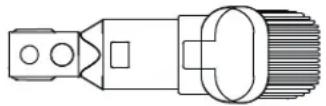
Wide suction brush (only for VC-SV28AEU-B)
Motorized brush roller
To change, clean, or maintain the roller, follow the instructions below.
- Press the lever marked A downward and simultaneously pull the brush roller plate (item B) upward.
- Remove the brush roller plate.
- Pull the brush roller upward from the right side (R).
- Insert the roller by placing it on the left side (L), then press it on the right side to secure it. Now reinsert the floor brush plate with the roller by pressing it down until it clicks.
V-Roller
Use the V-roller on all types of floors.
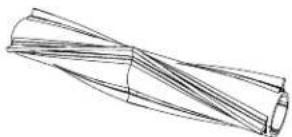
Brush roller
The brush roller is recommended for carpeted floors.
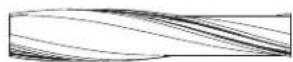
Mini motorized brush (only for VC-SV28AEU-B)
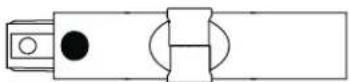
Flexible bending adapter (only VC-SV20AEU-S and VC-SV28AEU-B)
Use with the metal extension wand for easy access under sofas, chairs, tables, etc.
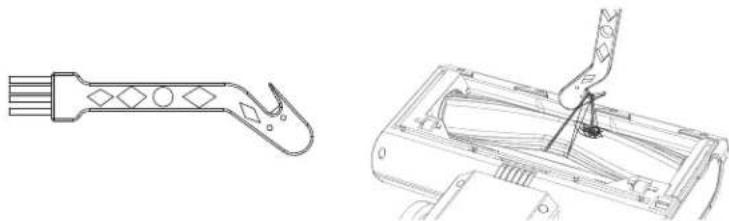
Cleaning tool
A cleaning tool is included in the box. This tool allows for easy removal of tangled roller brushes using the built-in blade. The brush can be used to clean dust that has gotten into small parts of the vacuum or accessories.
2. Clean the rollers
4. Clean the filter
Clogged filters are the most common cause of poor suction power. Clean them after each use, and if performance deteriorates, they can be washed in water and left to dry for 24 hours. It is recommended to replace the HEPA filter every 3 months.
Clearing blockages
Your SHARP stick vacuum comes with an AC adapter that can be used with UK (3-pin) or EU (2-pin) power outlets. The AC adapter supplied with your stick vacuum will depend on the vacuum model and battery; see the table below to match the vacuum model and AC adapter.
Use only the supplied and SHARP-recommended AC adapter with your stick vacuum.
AC adapter specifications can be found at the end of this User Manual.
To install the appropriate plate for your main outlet, select the correct one (UK or EU) and place it on the AC adapter as shown in the figure below; the plate should sit in the recess. Turn clockwise until you hear a click, and the connection plate is now installed. If unsure, please contact our support service for advice.
To remove the plate, press button A and turn the plate counterclockwise. The plate can now be removed.
Troubleshooting
| Problem Razlog Rezolucija | ||
| Kod greške E01 se pojavljuje na displeju. | Motor glave je zaustavljen od rotiranja. | Uklonite prepreku sa valjka u motorizovanoj glavi. |
| E02 se pojavljuje na displeju (samo VC-SV20AEU-S i VC-SV28AEU-B). | Ulaz blokiran. Uklonite blokadu iz glave, tube i/ili ulaza. | |
| Loša efi kasnost usisavanja. Smanjen usis. | Podesite režim usisivača na Turbo.Ispraznite kantu za smeće.Očistite fi Itere.Proverite da li su vazdušni kanali usisivača blokirani ili preprečeni. | |
| Usisivač je zaustavljen ili neće raditi. | Problem sa baterijom ili konekcijom baterije. | Proverite da li je baterija potpuno napunjena.Postarajte se da je baterija ispravno povezana sa usisivačem. |
| Valjak se neće rotirati. Mehanički problem. | Uklonite prepreku sa valjka u motorizovanoj glavi.Očistite valjak i glavnu jedinicu. | |
| Svetlo baterije treperi crveno. Baterija je skoro prazna. Punite bateriju. | ||
| Pribor je pokvaren ili ne radi. | Kontaktirajte SAHRP call centar za razgovor. Novi deo može biti dostavljen besplatno ako je pod garancijom ili naplativ ako je potrebno. | |
| Motorni deo je bučan. Četkasti valjak je postavljen. | Ako je četkasti valjak postavljen, čekinje će proizvesti buku kada dođu u kontakt sa kućištem glave. | |
If you have any other issues with your SHARP stick vacuum, please contact our call center for further advice and information.
To order replacement accessories, filters, and batteries, please call or email your SHARP service center.
www.sharpconsumer.com/support/
www.sharpconsumer.com/documents-of-conformity/
Contents

Wall storage
Storage hole cover
Good charging habits
Usage times
| Körtid för 2 batterier (minuter) | |||
| Laddningstider (timmar) | |||
| VC-SV12AEU-W | VC-SV20AEU-S | VC-SV28AEU-B | |
| ECO 50 90 130 | |||
| Medium x | x | 4 | 8 |
| Turbo | 32 30 24 | ||
| 10% - 30% | |
| 31% - 70% | |
| >70% |
Motorized brush roll
V-roll
Brush roll
2. Clean the rollers
4. Clean the filter
Handle blockages
www.sharpconsumer.com/support/
www.sharpconsumer.com/documents-of-conformity/
Wall caddy
Usage time
| 10% - 30% | |
| 31% - 70% | |
| >70% |
Brush roller
2. Clean the rollers
4. Clean the filter
Sharp Consumer Electronics Poland sp. z o.o.
Ostaszewo 57B, 87-148 Łysomice, Poland
SHARP CORPORATION
1 Takumi-cho, Sakai-ku
Sakai City, Osaka
590-8522, Japan
SDA/MAN/0313 V1
www.sharpconsumer.eu
SHARP


- USER MANUAL
- ATTENTION
- INFORMATION ON DISPOSAL FOR USERS (PRIVATE HOUSEHOLDS)
- IN THE EUROPEAN UNION
- IN OTHER COUNTRIES OUTSIDE THE EU
- INFORMATION ON DISPOSAL FOR BUSINESS USERS
- CONTENTS
- INTRODUCTION
- LOCATION OF CONTROLS AND PARTS
- WALL CADDY
- INSTALLATION OF THE WALL CADDY
- HOLE BLANKING PLATES
- ROLLER STORAGE TUBE
- CADDY HOLE COVER
- DISPLAY AND CONTROLS
- LED DISPLAY
- HOW TO OPERATE
- BATTERY CHARGING, STORAGE AND USE
- LOCATION OF PARTS AND CONNECTION TO THE AC ADAPTER FOR CHARGING
- CHARGING THE BATTERY
- GOOD CHARGING HABITS
- CHARGING ON THE WALL CADDY
- BATTERY STATUS INDICATION
- FOLLOW INSTRUCTIONS CAREFULLY. THIS WILL REDUCE THE RISK OF EXPLOSION, ELECTRIC SHOCK AND POSSIBLY SERIOUS INJURY OR DEATH
- DISPOSAL OF EQUIPMENT AND BATTERIES
- CE AND UKCA STATEMENT
- RECOMMENDED CLEANING METHODS
- FILTER AND DUST BIN
- EMPTYING DUST BIN
- REMOVING AND CLEANING HIGH DENSITY FILTER
- TOOLS AND THEIR USE
- TWO IN ONE BRUSH
- WIDE NOZZLE BRUSH (VC-SV28AEU-B ONLY)
- LONG CREVICE TOOL
- EXTENSION HOSE (VC-SV28AEU-B ONLY)
- METAL EXTENSION ROD
- MOTORIZED BRUSH ROLLER
- TO CHANGE, CLEAN OR MAINTAIN THE ROLLER, FOLLOW THE INSTRUCTIONS BELOW
- V-ROLLER
- BRUSH ROLLER
- MINI MOTORIZED BRUSH (VC-SV28AEU-B ONLY)
- FLEXIBLE BENDING ADAPTER (VC-SV20AEU-S AND VC-SV28AEU-B ONLY)
- CLEANING TOOL
- SELF STANDING
- DISPLAY PANEL
- GENERAL CLEANING AND MAINTENANCE
- GENERAL TIPS AFTER USE ARE
- CLEAN THE ROLLERS
- CHECK FOR BLOCKAGES
- CLEAN THE FILTER
- DEALING WITH BLOCKAGES
- AC ADAPTER
- CHANGING THE ADAPTER MAINS CONNECTION TYPE
- WALL MOUNT
- HOLDER HOLE COVER
- CLEAN THE FILTER ASSEMBLY
- WALL HOLDER
- BRUSH ROLL
- WALL SHELF
- ROLLER BRUSH
- DUST COVER FOR THE HOLES
- BATTERY CHARGING
- GOOD CHARGING PRACTICES
- BATTERY STATUS INDICATOR
- FLEXIBLE BEND ADAPTER (ONLY FOR VC-SV20AEU-S AND VC-SV28AEU-B)
- WALL BRACKET
- BRACKET HOLE COVER
- WALL BRACKET HOLE COVER
- CLEARING BLOCKAGES
- HOLE COVER FOR THE MOUNT
- CLEAN THE ROLLS
- MOUNT HOLE COVER
- HOW TO USE
- MINI MOTORIZED BRUSH (ONLY FOR VC-SV28AEU-B)
- FLEXIBLE BENDING ADAPTER (ONLY FOR VC-SV20AEU-S AND VC-SV28AEU-B)
- SELF-STANDING
- TABLE OF CONTENTS
- CYLINDER STORAGE TUBE
- MOUNTING HOLE COVER
- MOTORIZED SWEEPING ROLLER
- SHELF HOLE COVER
- GOOD CHARGING PRACTICE
- FLEXIBLE BENDING ADAPTER (ONLY VC-SV20AEU-S AND VC-SV28AEU-B)
- BREATHABLE FOLDING ADAPTER (ONLY VC-SV20AEU-S AND VC-SV28AEU-B)
- WALL BRACKET COVER
- V-ROLL
- MINI MOTORIZED BRUSH (ONLY VC-SV28AEU-B)
- FLEXIBLE BEND ADAPTER (ONLY VC-SV20AEU-S AND VC-SV28AEU-B)
- STORAGE TUBE FOR ROLLER
- CADDY GAT COVER
- V-ROLLER BRUSH
- BENDING ADAPTER (ONLY VC-SV20AEU-S AND VC-SV28AEU-B)
- MOTORIZED BRUSH ROLL
- FLEXIBLE BEND ADAPTER (VC-SV20AEU-S AND VC-SV28AEU-B ONLY)
- WASH THE FILTER
- MOTORIZED ROLLER BRUSH
- CONTROL PANEL
- INSTALLING THE WALL BRACKET
- HOLE COVERS
- POWER FEATURES
- TWO-IN-ONE BRUSH
- WIDE SUCTION BRUSH (ONLY FOR VC-SV28AEU-B)
- TO CHANGE, CLEAN, OR MAINTAIN THE ROLLER, FOLLOW THE INSTRUCTIONS BELOW
- WALL STORAGE
- STORAGE HOLE COVER
- HANDLE BLOCKAGES
Brand : SHARP
Model : VCSV20AEU
Category : Vacuum Cleaner