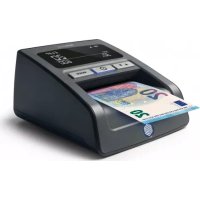
155S - Detector Safescan - Free user manual and instructions
Find the device manual for free 155S Safescan in PDF.



| Product type | Counterfeit banknote detector |
| Brand | Safescan |
| Model | 155S |
| Dimensions (L x W x H) | 120 x 156 x 76 mm |
| Power supply | Mains adapter 12V, 1A |
| Power consumption | Less than 10 watts |
| Detection modes | Denomination Mode, Add Mode (counting) |
| Detection speed | 1 second per banknote |
| Detection technologies | MG, MT, IR, color, paper quality, watermark, length, thickness |
| Accepted currencies | EUR, GBP, CHF, SEK, NOK, DKK, PLN, CZK, RON, SCT, NIR, HUF, BGN |
| Display | Screen with status indicators, value and banknote count |
| Counterfeit alarm | Audible signal and flashing red indicator |
| Add function | Counting and totaling of verified banknotes |
| Banknote output direction | Front (default) or rear (optional) |
| Banknote output guide | Removable for use with optional stacker |
| Maintenance | Cleaning with specific cleaning cards (item 136-0545) |
| Safety | Disconnect before moving; avoid liquids and moisture |
| Battery options | Optional LB-105 battery |
| General information | Currency update via USB or Micro SD card |
Frequently Asked Questions - 155S Safescan
User questions about 155S Safescan
0 question about this device. Answer the ones you know or ask your own.
Ask a new question about this device
Download the instructions for your Detector in PDF format for free! Find your manual 155S - Safescan and take your electronic device back in hand. On this page are published all the documents necessary for the use of your device. 155S by Safescan.
USER MANUAL 155S Safescan
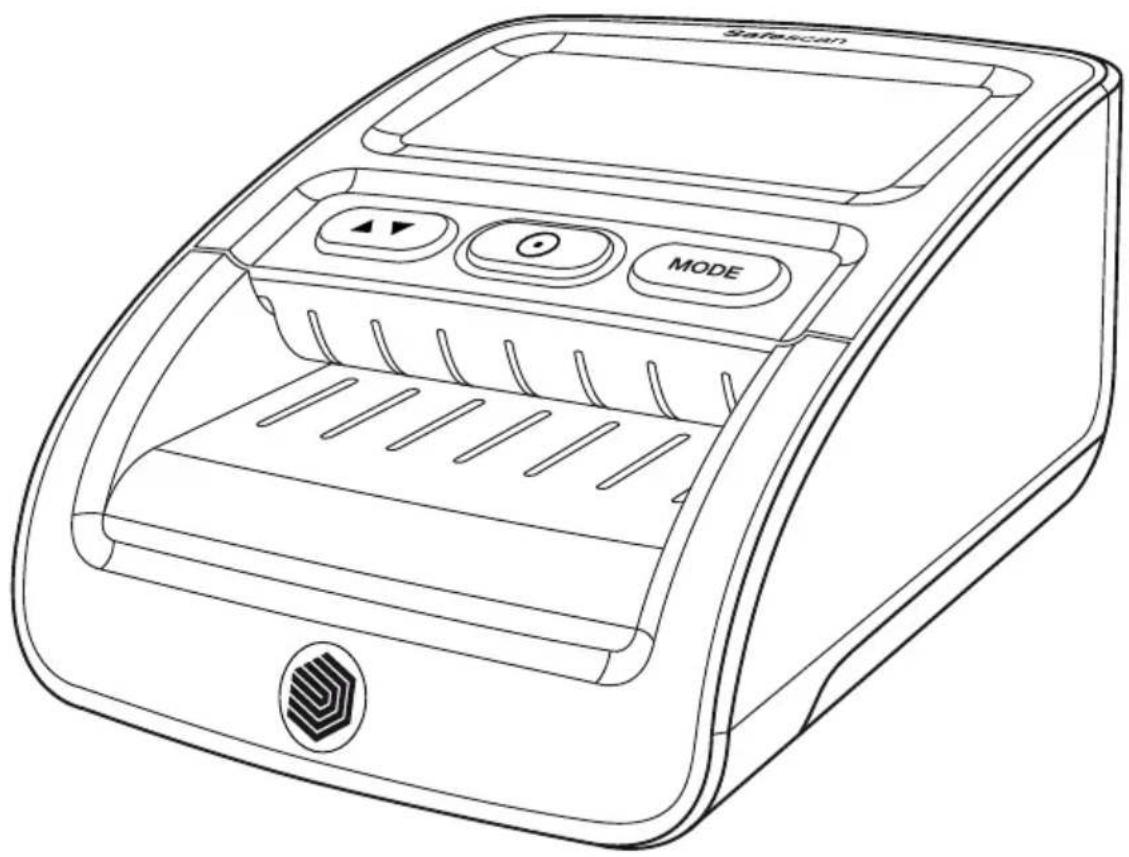
Safescan 155-S Counterfeit Detector
Choose your language and get started!
Simply click on one of the languages below, to be directed to the correct pages in the manual.
| English | Бъларски | Lietuviç k |
| Deutsch | Čeština | Latviešu valoda |
| François | Dansk | Slovenčina |
| Italiano | Еλληνικά | Svenska |
| Nederlands | Eesti keel | 简体中文 |
| Espanol | Suomi | 繁體中文 |
| Português | Magyar | |
| Polski | 日本語 |

User Manual
English
155-S
Counterfeit Detector

Print version
Click here to open a printable version of the manual in the selected language.
1. Package content


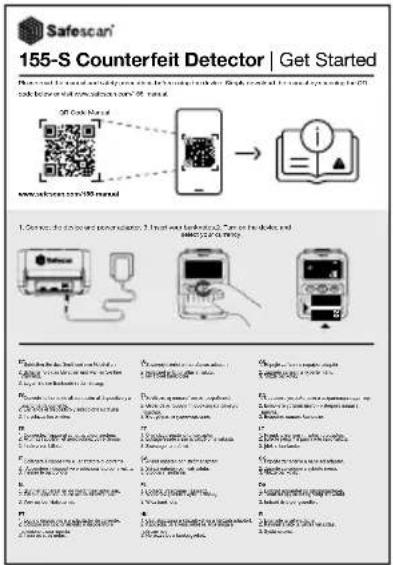
- Safescan 155-S
- Power adapter
- Banknote insert direction sticker
- Get started leaflet/Saftey instructions
2. Power ON-Standby mode
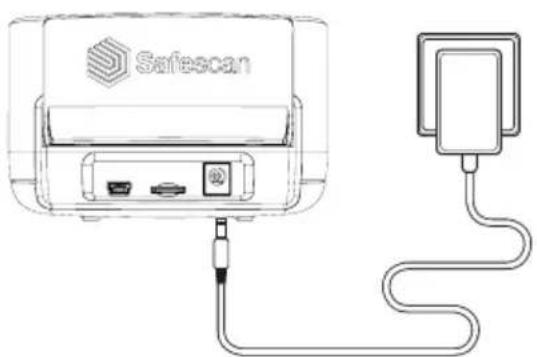
Connect the power adapter to the device and plug it into the mains outlet
English
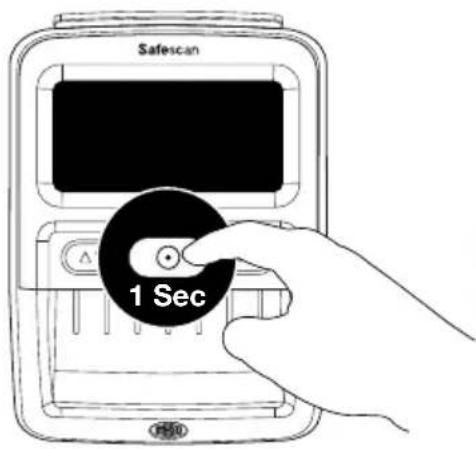
Press the key for approx. 1 second to power on the detector.
NOTE: When not in use, the display will go into standby mode after 30 seconds. The blue light remains on. Press key 1x to activate. When a banknote is inserted, the detector will be activated automatically.
3. Set up your device
3.1. Currency selection
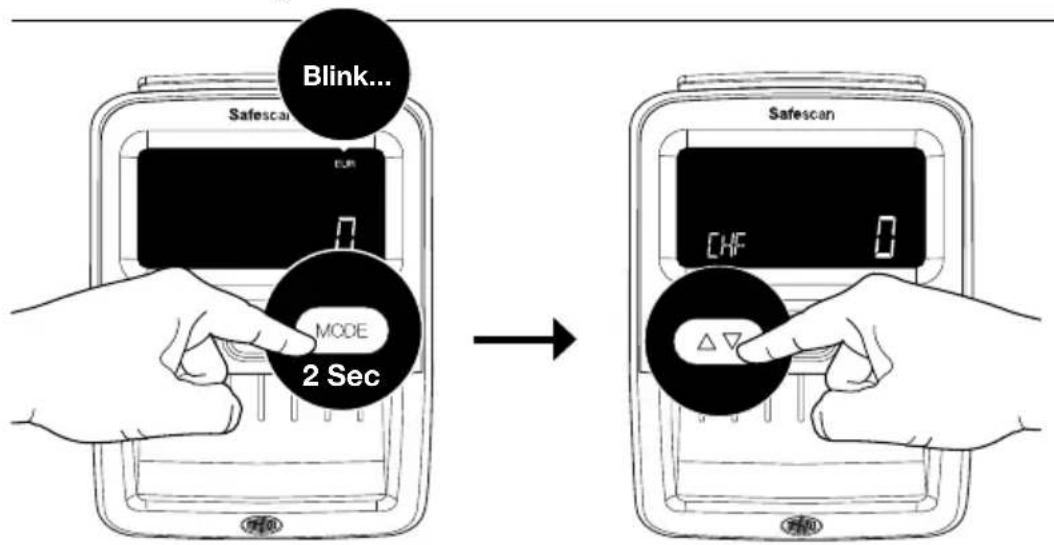
Select your currency by pressing the key for 2 seconds. The currency indicator starts blinking. Press repeatedly until you have reached the desired currency*. Wait for 2 seconds, the selected currency stops blinking to confirm selection.
NOTE: Currencies EUR and GBP are shown on the top right hand side of the screen, all other currencies are shown in the bottom left corner.
3.2.Banknote exit direction
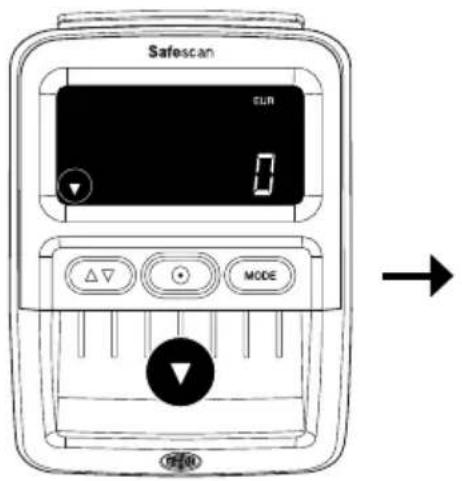

Default: Banknote exit at front. Set your banknote exit direction by pressing the key for 2 seconds.


Banknote exit at rear.
Note: It is recommended to remove the banknote exit guide if banknote exit at rear is selected. To remove the banknote guide. See chapter 5.
Note 2: Exit at the rear works best with the optional RS-100 banknote stacker. RS-100 Article112-0695, See safescan.com for more details.
4. Display and controls

- Battery status indicator (when battery is inserted)
- Correct detected banknote icon
- Error message icon
- Banknote exit direction indicator
- Activated currency
- Long press: Banknote exit direction selection Short press: In currency selection mode: Toggle through currencies. In Add mode: Shows counting results
-
Long press: ON/OFF Short press: In Add mode: Clear count results, In sleep: Activate operation mode
-
Total indicates ADD function is activated
- Indication x100/1000: For large denomination values of specific currencies
- Total value of scanned banknotes (in ADD mode only). Denomination of last scanned banknote (in Denomination mode only)
- Total number of scanned banknotes (in ADD mode only)
- Long press: Open currency selection mode
Short press: Change operation mode - Blue light: ON/Standby. Red light: Error
5. Operating instructions
5.1. Inserting banknotes
Banknotes need to be inserted in the correct manner to successfully scan the security features. All banknotes need to be inserted straight and in the correct insert direction(s). Currencies EUR & GBP can be inserted in all positions (left - mid - right). All other currencies must be inserted along the right-hand side.
English


EUR GBP
- All 4 insert directions
- Any position
CHF SEK NOK DKK PLN CZK RON
- All 4 insert directions
- Along the right hand side
SCT NIR HUF BGN
- Insert direction 1
- Along right hand side


Avoid inserting banknotes at an angle, this will lead to errors and jams.



Direction 1 Direction 2 Direction 3 Direction 4
Note: You can use the included banknote insert sticker to align currencies other than EUR and GBP.
5.2. Detection modes
The Safescan 155-S has 2 detection modes:
Denomination mode: Showing the value of the last verified denomination on the screen.
Add mode: Showing the number and value of verified banknotes.
By pressing the
MODE key you can switch
Press MODE to toggle between Denomination and Add mode.
5.3. Detection modes display information
Denomination mode Add mode
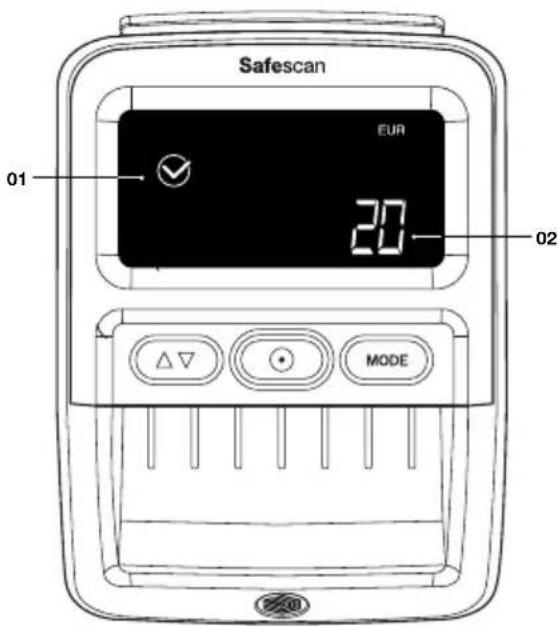
- Correctly verified banknote icon
- Denomination of last verified banknote
The denomination value will be shown for 2 seconds. before changing back to 0.

- Correctly verified banknote icon
- Total number of verified banknotes
- Total indicates that the ADD function is activated
- Total value of verified banknotes
After 30 seconds, the display will go into standby mode. The count result will be stored until the power is turned off.
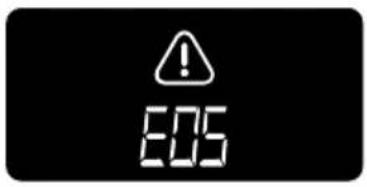
When a suspected banknote is detected, a red light will blink and a beep sounds 3 times. An error code will be displayed. For error messages, please refer to chapter 7.
5.4. Check counting results
In ADD mode, it is possible to view the counting results per denomination.

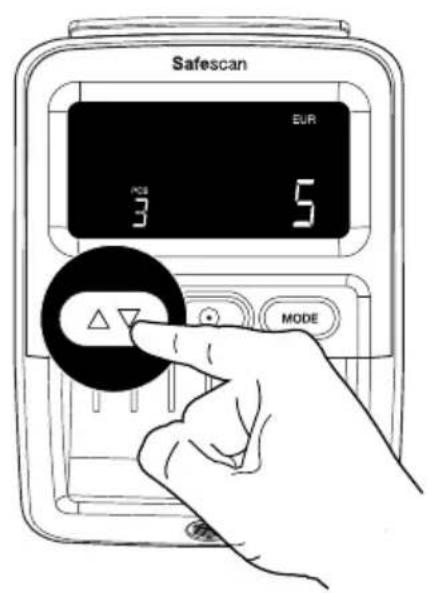

Press button to see the results per counted denomination. A double beep will be heard when the results of all denominations have been shown.
NOTE: Only available in ADD mode.
English
5.5. Clear counting results 5.6. Counterfeit alarm
sound OFF & ON

Press key once to clear the counting results.
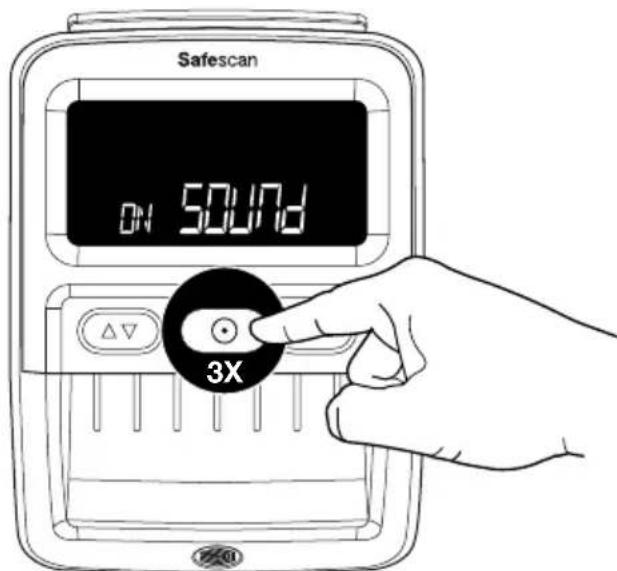
Press key 3 times to switch all sounds Off/On including the counterfeit alarm.
6. Removing the banknote exit guide
The banknote exit guide is assembled on the 155-S by default as this part will allow the device to have the smallest possible footprint. In case you want to use the detector for counting larger amounts of banknotes it is better to remove the banknote exit guide to allow banknotes to exit from the backside (as described in chapter 3.2) The banknote exit guide can be removed by simply pull it out the attachment from the backside in 2 steps.
- Hold on to the sides of the banknote exit guide.
- Pull out the part horizontally until it comes loose.
- The banknote exit guide can be placed back by simply pushing it back into the slots.

7. Error codes
E01 Banknote length error
E02/E03 Magnetic ink properties error
E04/E05 Infrared properties error
E06 Banknote thickness error / Double banknote error
E07 Slant banknote (banknote was not inserted straight)
E08 Metallic thread / security strip error
E09/E10/E11/E12 Infrared error
E14/E22 Colour error
E20 Passing error / Banknote insert error / Lid is open or not closed correctly
E24 UV error
NOTE: If error codes starting with A or P occur during Power On, then please contact Safescan Customer Success Team: www.safescan.com/contact
English
8. Cleaning instructions


Cleaning cards (optional) You can also use the Safescan counterfeit detector cleaning cards (partno. 136-0545) to clean the roller wheels and magnetic sensors.
9. Currency updates
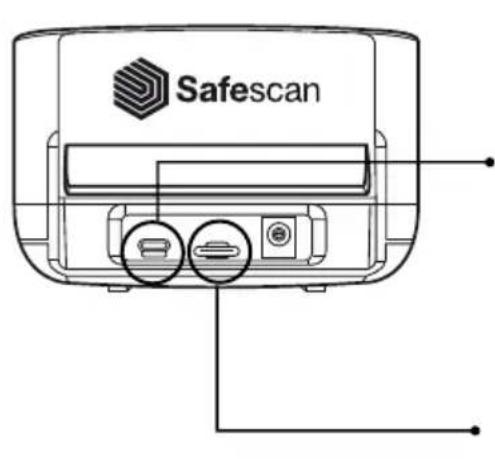

Mini USB cable to PC (available on safescan.com)

Micro SD Card


For more information go to www.safescan.com/downloads
10. Accessories
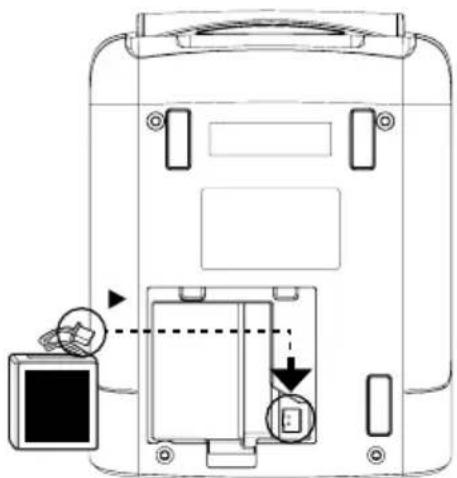
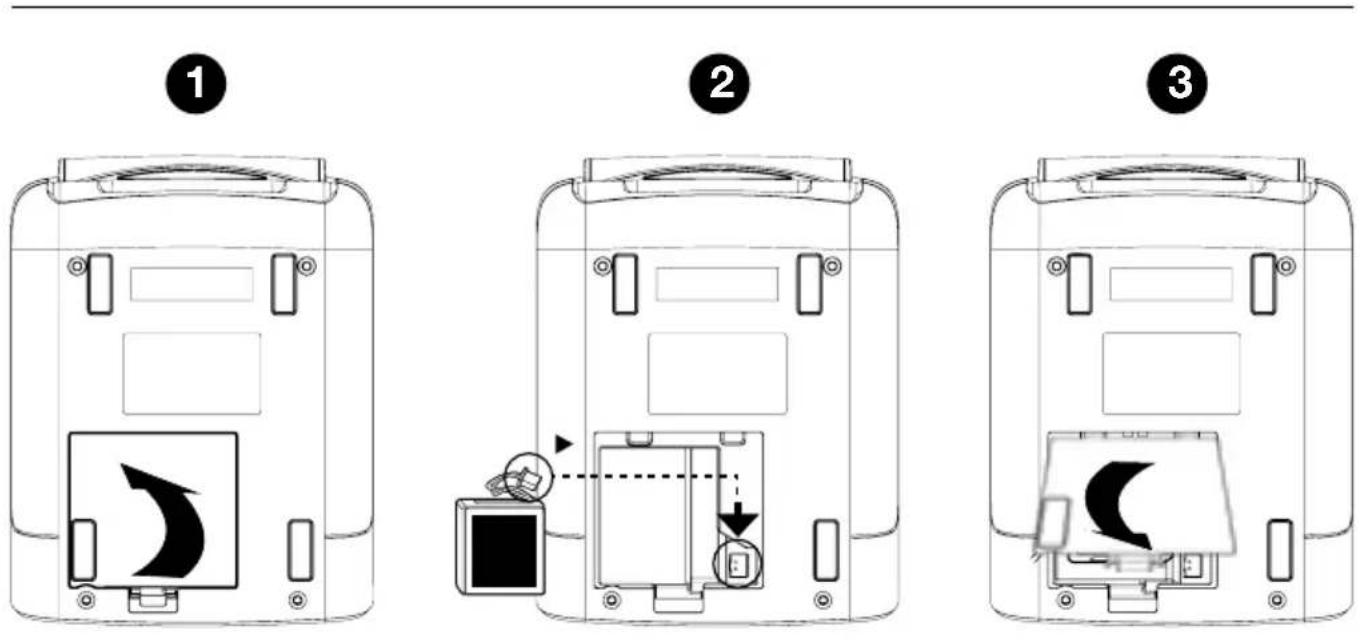
10.1. Safescan LB-105 Rechargeable Battery

1
2

3
10.2. Detection modes display information
The battery status is shown in the first 5 seconds during the startup of the device.
Adapter connected






Battery is being charged
Fully charged
On battery


Blink...

Battery power < 20%
Battery power >50%
Fully charged
10.3. Banknote stacker
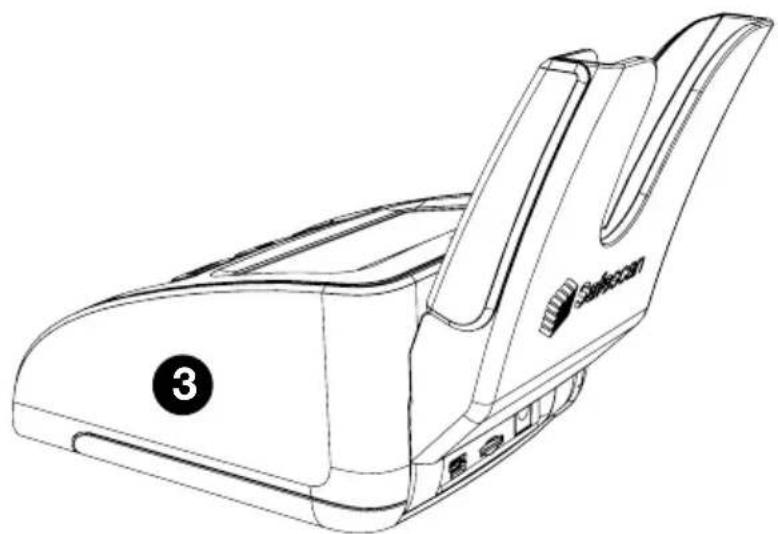
For the Safescan 155-S, an optional banknote stacker accessory is available: Safescan RS-100. This stacker can be used to detect, count and stack banknotes at the same time. The banknotes will be neatly stored in the stacker until you can take out the complete stack at once after the count. The stacker can contain up to 20 banknotes.
English
- Remove the banknote exit guide from the device.

- Hold the stacker with the in place at the back of the device with the 'teeth' facing forward and horizontally.
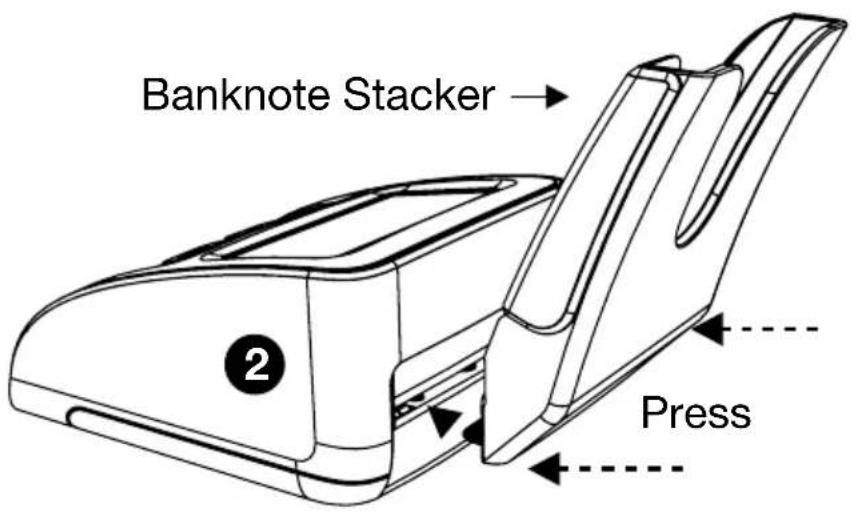
- Push the stacker in to the slot. The stacker is ready to use.
11. Safety precautions
Safescan 155-S
WARNING! Burns, electrical shock and fire hazard due to short-circuiting. Risk of serious injury
-
Never use a damaged power adapter/power cord. Always use only the supplied power adapter.
-
Never subject the device, power adapter or power cord to liquids or moisture.
-
Never touch and (dis)connect the power adapter with wet hands.
-
Always unplug the device from the mains socket if you want to move it to another position.
-
Always hold the plug when unplugging the device from the mains socket, never pull the cord.
-
Never spill any liquids or chemical (cleaning) detergents on the device.
-
If liquid are spilled on the device, always disconnect the power from the mains supply socket, remove the battery (when installed) and contact Safescan for assistance.
CAUTION! Damage
-
To avoid leakage. Remove the battery from the device in case of long term non-use or storage.
-
This machine contains rotating parts. Never touch the moving parts when the machine is switched ON.
-
Please ensure that no foreign objects (coins, paper clips, staples,) fall into the machine, these may block the mechanical parts and the sensors of the machine and damage or break them and will void your warranty.
NOTICE! Risk of damaging the device
Make sure that no foreign object enters the device.
- Never disassemble the device.
-
Do not use the machine in dusty or dirty environments, as this will lead to sensor malfunctioning.
-
If the machine is not used for a long period of time, remove the power plug from the wall outlet, to avoid possible damage of the equipment.
BATTERY LB-105 (optional accessory)
WARNING! Burns, fire hazard and poisoning. Risk of serious injury
- Keep the battery away from fire, heat and water! Always avoid touching the battery with your bare hands when battery is corroded or when leakage has occurred.
CAUTION! Damage, polution
- To avoid leakage. Remove the battery from the device in case of long term non-use or storage.
- To avoid pollution. Dispose of batteries in accordance with local regulations.
12. Specifications
Supported currencies: EUR, GBP, CHF, SEK, NOK, DKK, PLN, CZK,RON, SCT, NIR, HUF, BGN Depending on the installed currency pack. See www.safescan.com for availability)
Counting modes: Denomination mode Add mode (Count mode)
Detecting speed speed: 1 second
Banknote feature detection: MG, MT, IR, Colour, Paper Quality, Watermark, Length, Thickness,
Power adapter: 12V, 12 Watt, 1A
Mains Operating Voltage: 100-240V - 50/60Hz 0.4A Max
Power consumption: Less than 10 Watts
Dimensions (W x D x H): 120 x 156 x 76 cm
Benutzerhandbuch
Deutsch
155-S
10.1 Batterie rechargeable Safescan LB-105
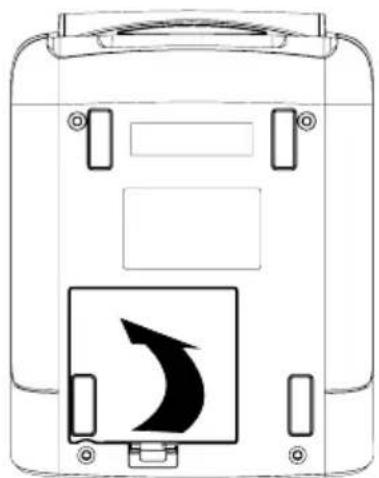
10.1. Akumulator Safescan LB-105
1

2

3
BATEPNA LB-105 (onznohaen akcecoap)
ПРЕДУПЕЖДECHNE! Изравяни, onachoct OT пожари OTPаразн. Рuck ot cepno3Ho HapaHЯBaHe

-ДрьжTe 6aTepeRЯТа daleu OT OrBn, TOnJIInHa N BODa
- Binhari n36raBaiTe da doKocBaTe baTepyTa c roJI pIe, KOrato batepyTa e Kopo3npaJa nn Korato e IMaJIo n3TuHaHe.
BHNMAHNE! NOBpeDa, 3ambpcraBaHe

- 3a Да се ИЗБERHe ИЗТИЧАнe. ПрЕмAXHeTe 6aTePnIЯТa OTO YcTpoIcTBOTOВ cIyuaH Na IpOДьЛЖИTeJIHо HeI3ПОЛ3BaHEnIIcBxPaHEnE.
- 3a da ce n36eHHe 3ambpcraBaHe. N3xBbPnIte 6aTepeHnTe B CbOTBcTCTBnE C MeCTHnTe pa3npoe6n.
Подьржани валуTN: EUR, GBP, CHF, SEK, NOK, DKK, PLN, CZK,RON, SCT, NIR, HUF, BGN
B 3aBnCmOcT OT nHCTaJIpaHnЯ naKeT BaIyTu. BIXTe www. safescan.com 3a HaJIuHocT)
PexmHa 6poeHe: Pexm Ha deHomHaun
PeximHa do6aBHe (pexim Ha 6poeHe)
Скорост на оTKрпванe: 1 cekyнда
OTKpNBaHe Ha eIeMeHTn Ha 6aHKnHOITte: MG, MT, IR, cBraT, KaueCTBO Ha XapTnaTa, BODeH 3HaK, DbJxHa, De6eJIHa,
Strømadapter: 12 V, 12 watt, 1 A
AKU LB-105 (lisavarustus)
10.1. Ladattava Safescan LB-105 -akku
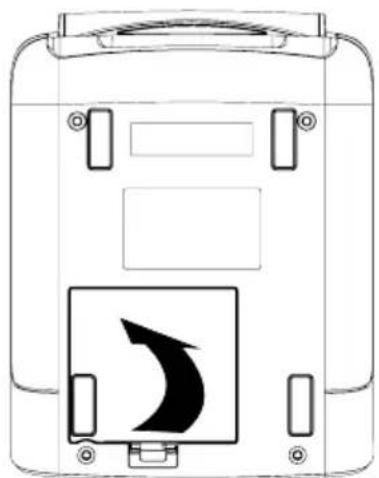
1
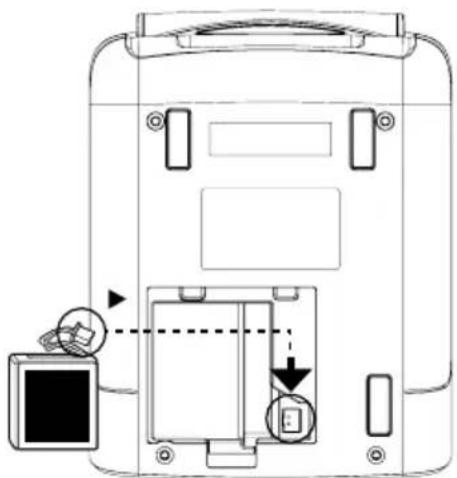
2

3

- Safescan 155-S Counterfeit Detector
- Choose your language and get started!
- User Manual
- 155-S
- Counterfeit Detector
- Print version
- Package content
- Power ON-Standby mode
- English
- Set up your device
- Currency selection
- 3.2.Banknote exit direction
- Display and controls
- Operating instructions
- Inserting banknotes
- EUR GBP
- CHF SEK NOK DKK PLN CZK RON
- SCT NIR HUF BGN
- Detection modes
- Detection modes display information
- Denomination mode Add mode
- Check counting results
- Clear counting results 5.6. Counterfeit alarm
- Removing the banknote exit guide
- Error codes
- Cleaning instructions
- Currency updates
- Accessories
- Detection modes display information
- Adapter connected
- On battery
- Banknote stacker
- Safety precautions
- Safescan 155-S
- WARNING! Burns, electrical shock and fire hazard due to short-circuiting. Risk of serious injury
- CAUTION! Damage
- NOTICE! Risk of damaging the device
- BATTERY LB-105 (optional accessory)
- WARNING! Burns, fire hazard and poisoning. Risk of serious injury
- CAUTION! Damage, polution
- Specifications
- Benutzerhandbuch
- Akumulator Safescan LB-105
- BATEPNA LB-105 (onznohaen akcecoap)
- ПРЕДУПЕЖДECHNE! Изравяни, onachoct OT пожари OTPаразн. Рuck ot cepno3Ho HapaHЯBaHe
- BHNMAHNE! NOBpeDa, 3ambpcraBaHe
- AKU LB-105 (lisavarustus)
Brand : Safescan
Model : 155S
Category : Detector