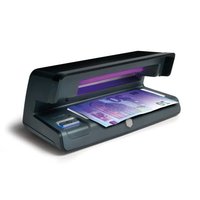
70 - Detector Safescan - Free user manual and instructions
Find the device manual for free 70 Safescan in PDF.


| Product type | Counterfeit banknote detector |
| Brand | Safescan |
| Model | 70 |
| Dimensions (L x W x H) | 206 x 102 x 88 mm |
| Power supply | 220-240 V / 50 Hz |
| Power consumption | 16 W max |
| Operating temperature | 0 °C to 40 °C |
| Operating humidity | < 85 % |
| Main functions | UV verification, white light, automatic shutdown |
| Detection | UV, watermarks, metallic threads, microprinting |
| UV lamp | Yes, replaceable |
| White light | Yes |
| Auto standby | Yes (20 s in white light, 5 min in UV), can be deactivated |
| Care and cleaning | Soft dry cloth, unplug before cleaning |
| Safety | Do not use in humid environments, unplug after use |
| Warranty | Conforms to CE directives |
| Box contents | Detector, power cable, UV lamp removal tool |
| Spare parts | UV lamp available, removal tool included |
| Repairability | UV lamp replacement possible |
Frequently Asked Questions - 70 Safescan
User questions about 70 Safescan
0 question about this device. Answer the ones you know or ask your own.
Ask a new question about this device
Download the instructions for your Detector in PDF format for free! Find your manual 70 - Safescan and take your electronic device back in hand. On this page are published all the documents necessary for the use of your device. 70 by Safescan.
USER MANUAL 70 Safescan
natural_image
Line drawing of a mechanical device with a handle and mounting bracket (no text or symbols)MANUAL
ENGLISH | NEDERLANDS | DEUTSCH | FRANÇAIS | ESPAÑOL | ITALIANO | PORTUGUÊS
50 / 70
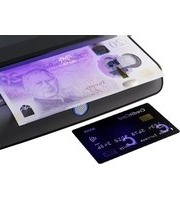
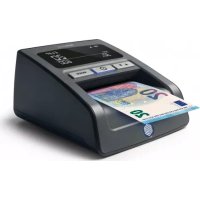
UV COUNTERFEIT DETECTOR
PACKAGE CONTENTS
- Safescan 50 or 70 counterfeit detector
- Manual
THE DEVICE
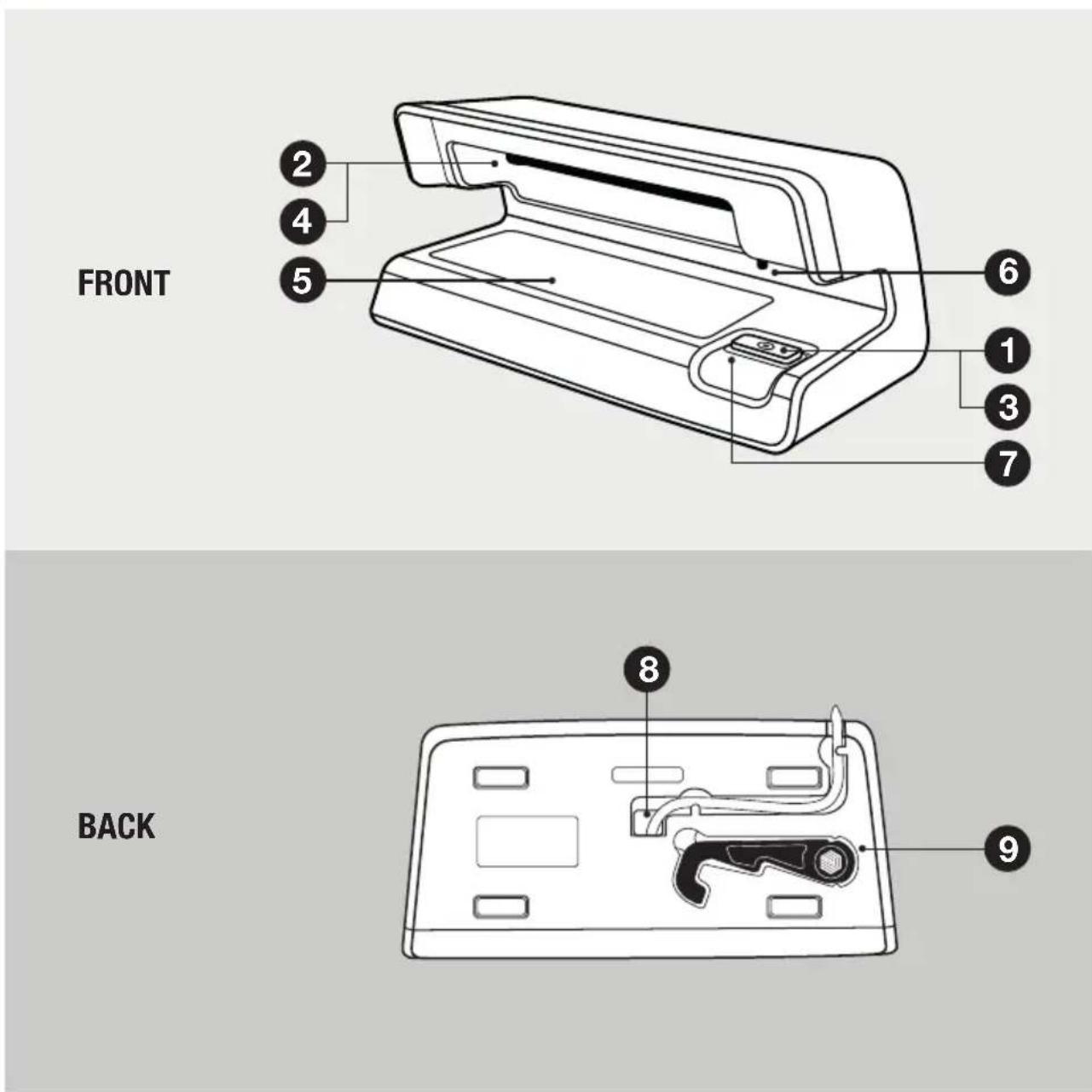
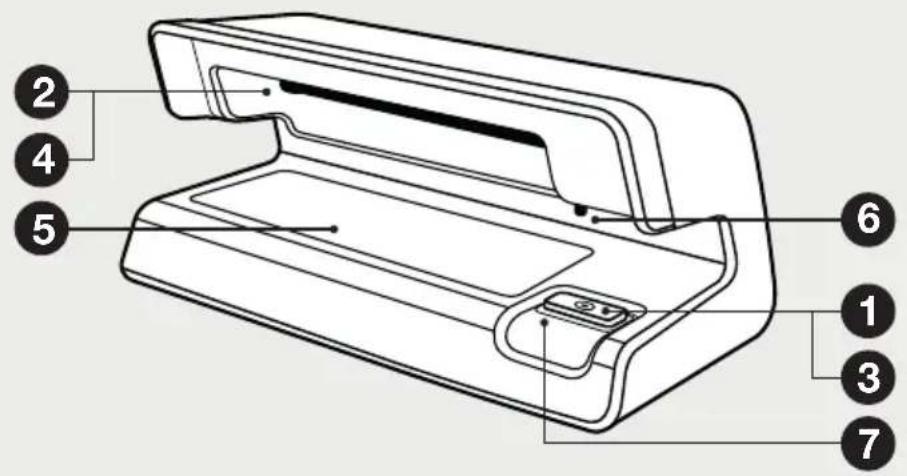
Safescan 50
- On/Off button
- Ultraviolet lamp (UV)
Safescan 70
- Light switch (UV/WL) button
- Ultraviolet lamp (UV)
- White light (WL)
- Motion sensor
- Light guide
Safescan 50 & 70
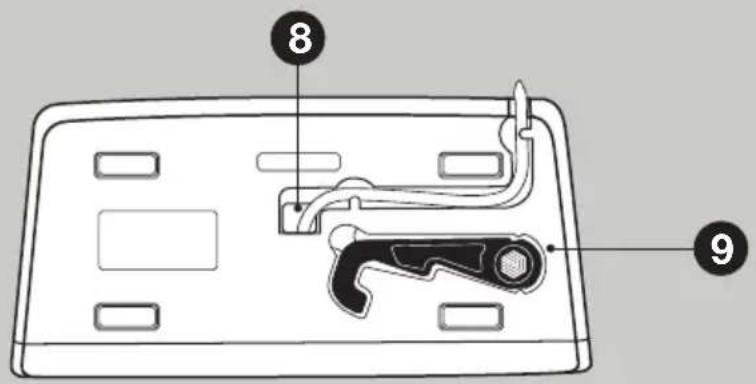
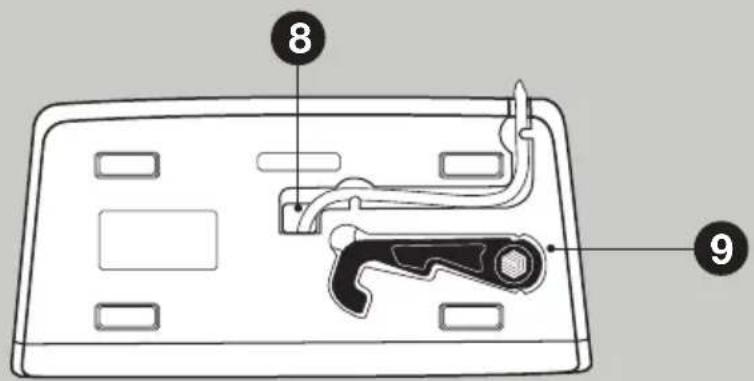
- Power cord outlet
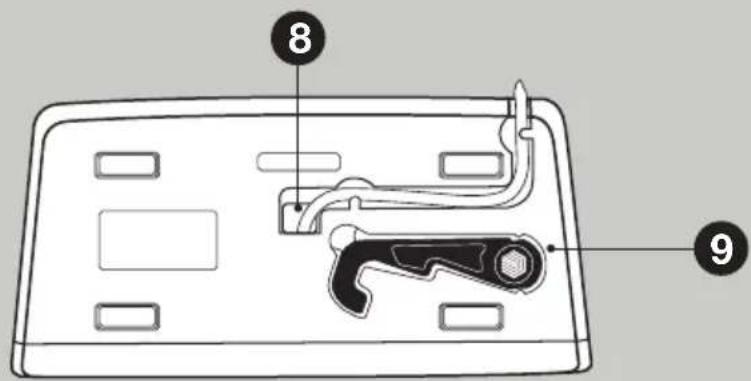
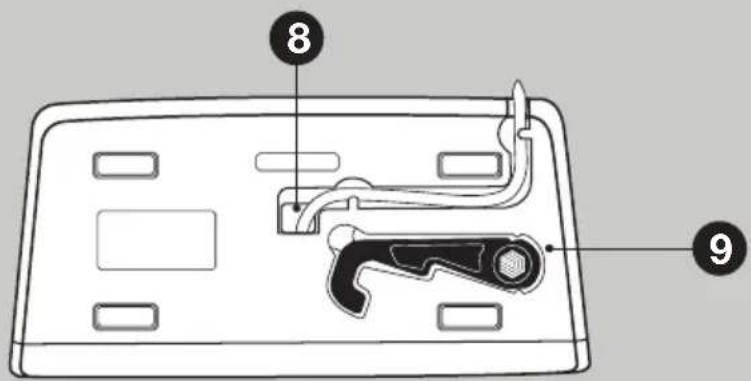
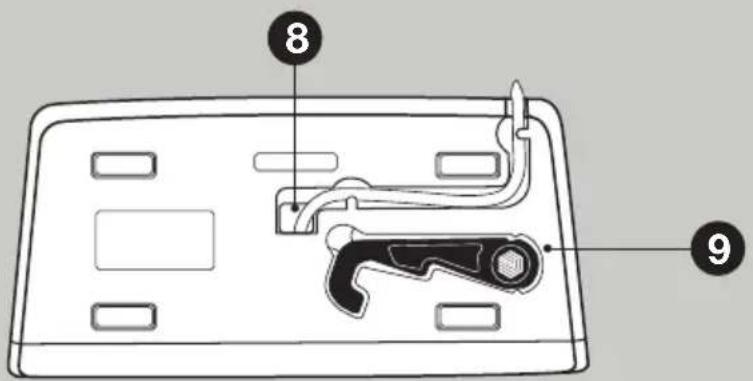
- UV-lamp removal tool
GETTING STARTED
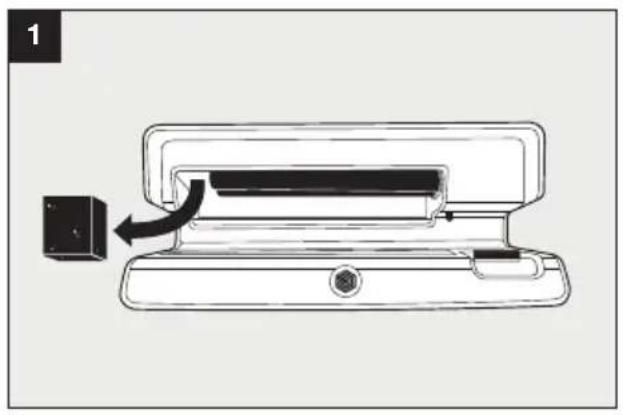
natural_image
Diagram of a printer or printer device with a black arrow indicating the process, no text or symbols present.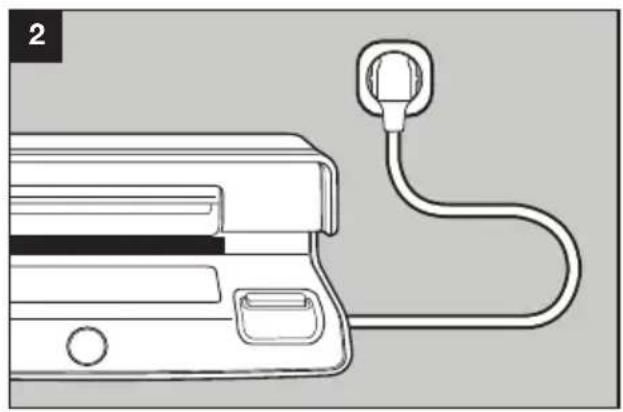
natural_image
Line drawing of a medical device with a plug attached to its side (no text or symbols)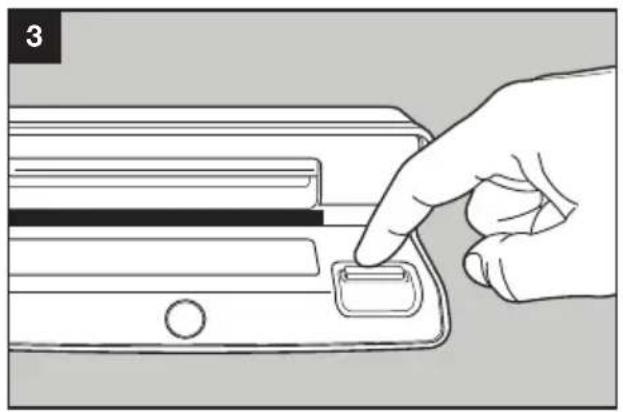
natural_image
Hand pressing a button on a device panel (no text or symbols visible)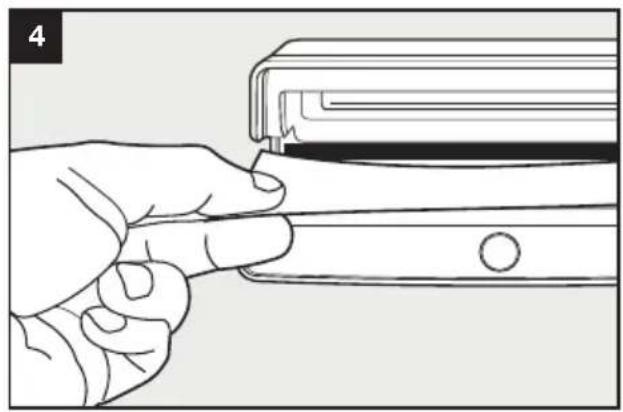
natural_image
Line drawing of a hand inserting a small object into a rectangular device (no text or symbols)OPERATING INSTRUCTIONS
Safescan 50
Plug in and push the on/off switch for checking UV features on banknotes and ID's. Switch off after use.
Safescan 70
Plug in and push the light switch button once for UV light to check UV features on banknotes and ID's. Push the light switch button again for white light to check watermark, metal thread and micro print. After not using the Safescan 70 for 20 seconds in white light mode and 5 minutes in UV light mode, it will automatically go to standby.
To turn off the automatic standby function, press and hold the light switch button for 5 seconds, until the light guide goes out. After releasing the button it blinks twice. Repeat to reactivate the automatic standby function. To learn about safety features of banknotes and what to look for, please visit www.euro.ecb.int (euro), or your local national bank website (other currencies).
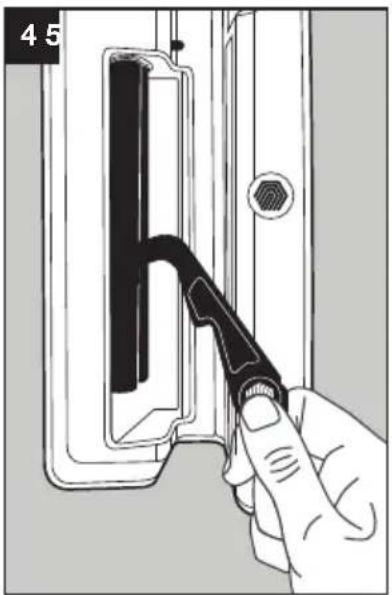
REPLACING THE UV-LAMP
- Unplug the device from the power socket.
- Hold it in your hand with the socket of the lamp facing upwards.
- Take the UV lamp removal tool from the bottom of the device.
- Place the hook between the 2 tubes and gently, but firmly pull the lamp from the socket.
- Carefully remove the lamp from the device.
- Turn the device with the lamp socket facing downwards.
- Gently position the new lamp into the socket and press until it locks into place with a click.
natural_image
Hand holding a tool interacting with a mechanical component (no text or symbols visible)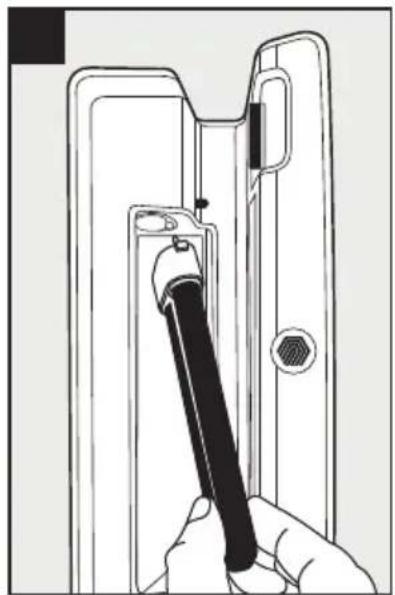
natural_image
Line drawing of a hand holding a pen inserted into a door handle (no text or symbols)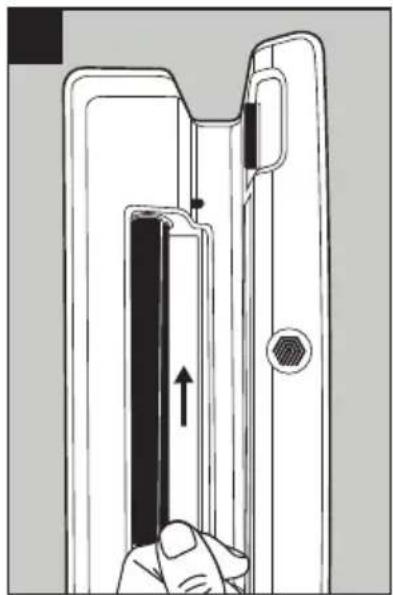
natural_image
Diagram of a door handle mechanism showing finger pressing a black rectangular component with an arrow indicating motion (no text or symbols)MAINTENANCE
– Clean with soft dry cloth only
- Do not use in a damp environment
- Remove plug from socket when cleaning or when not in use
- Do not use under strong light for optimal performance
SPECIFICATIONS
Dimensions (w x d x h) : 206 x 102 x 88 mm, 8.1 x 4.0 x 3.5 inch
Ambient temperature : 0°C - 40°C (32°F - 104°F)
Ambient humidity : < 85%
Power source : 220-240V / 50Hz | 110V, 60Hz
Power consumption : 11W max. (Safescan 50) / 16W max. (Safescan 70)
WARRANTY
CE

This product is in compliance with the essential requirements and other relevant provisions of the applicable European directives. The Declaration of Conformity (DoC) is available via www.safescan.com.
If you want to dispose of the device, take it to a recycling centre. Never throw away electrical products with the household trash.
IN DE VERPAKKING
- Safescan 50 of 70 valsgelddetector
- Handleiding
HET APPARAAT
VOORKANT
ACHTERKANT
Safescan 50
- Aan-uitknop
- Ultraviolet lamp (UV)
Safescan 70
- Lichtkeuzeknop (UV/WL)
- Ultraviolet lamp (UV)
- Wit licht (WL)
- Bewegingssensor
- Signaallampje
Safescan 50 & 70
natural_image
Diagram of a printer or scanner device with a black arrow indicating the process, no text or symbols present.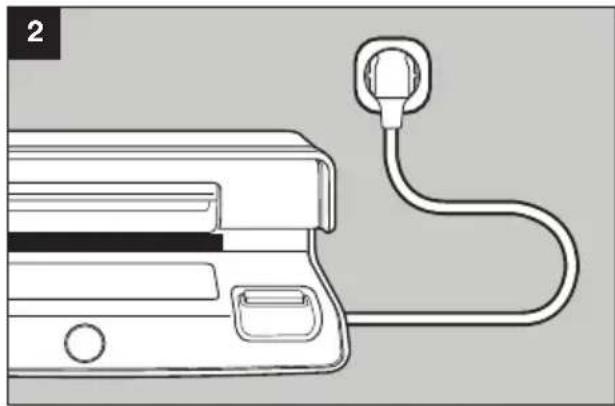
natural_image
Line drawing of a device with a plug and cable, no text or symbols present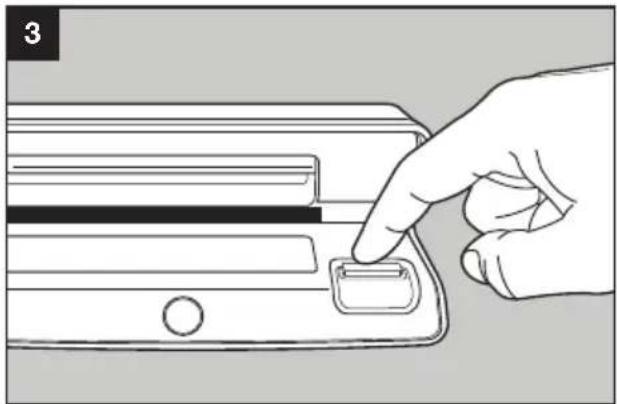
natural_image
Line drawing of a hand pressing a button on a device (no text or symbols)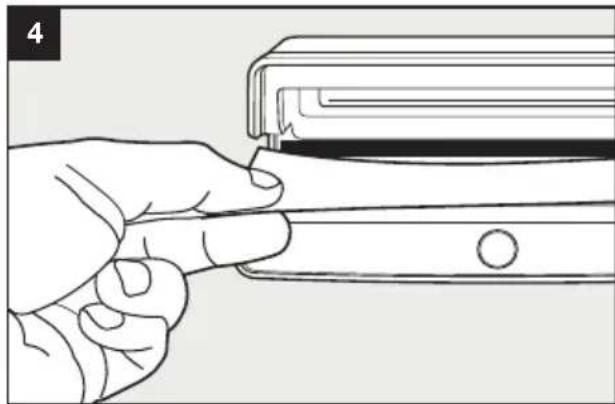
natural_image
Line drawing of a hand holding a rectangular object with a circular button, no text or symbols presentBEDIENING
Safescan 50
RÜCKSEITE
Safescan 50
natural_image
Diagram of a printer or printer device with a black arrow indicating the process, no text or symbols present.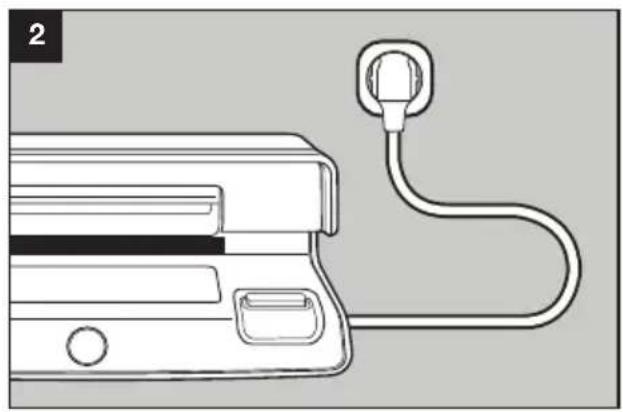
natural_image
Line drawing of a medical device with a plug attached to its side (no text or symbols)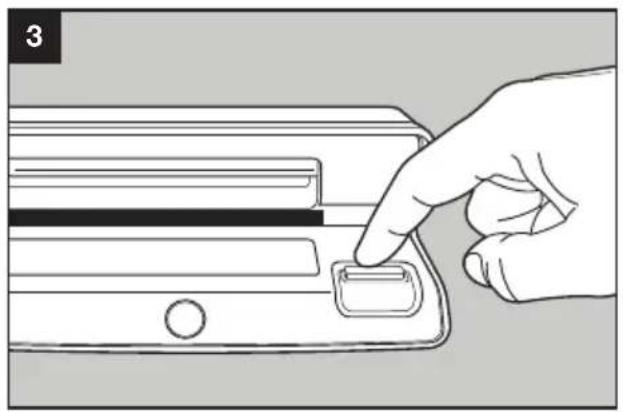
natural_image
Hand pressing a button on a device panel (no text or symbols visible)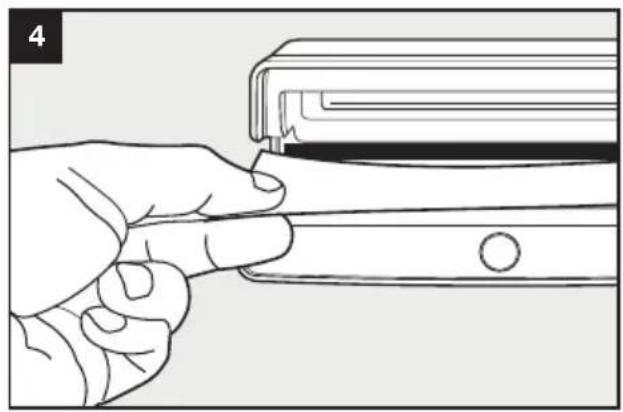
natural_image
Line drawing of a hand inserting a small object into a rectangular device (no text or symbols)GEBRAUCHSANWEISUNG
Safescan 50
natural_image
Hand holding a tool interacting with a mechanical component, no visible text or symbols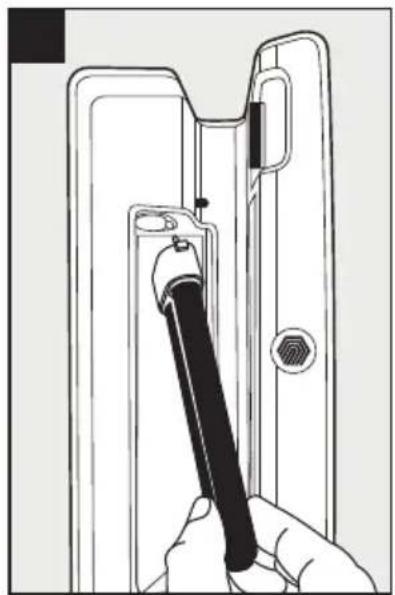
natural_image
Line drawing of a hand holding a pen inserted into a door handle (no text or symbols)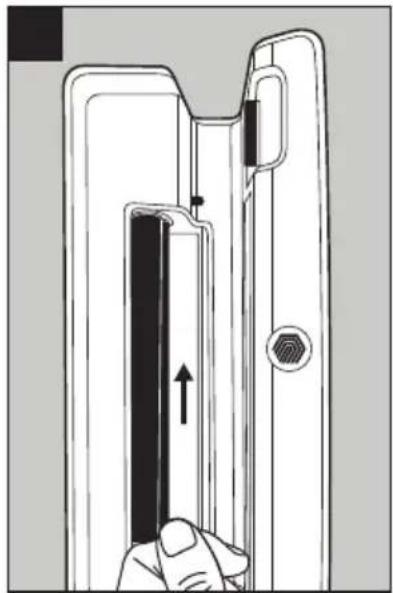
natural_image
Diagram of a door handle mechanism with hand pressing a button (no text or symbols)WARTUNG
ARRIÈRE
Safescan 50
natural_image
Diagram of a printer or printer device with a black arrow indicating the process, no text or symbols present.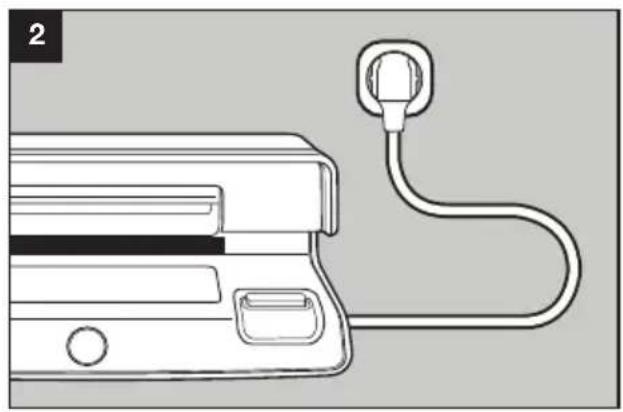
natural_image
Line drawing of a medical device with a plug attached to its side (no text or symbols)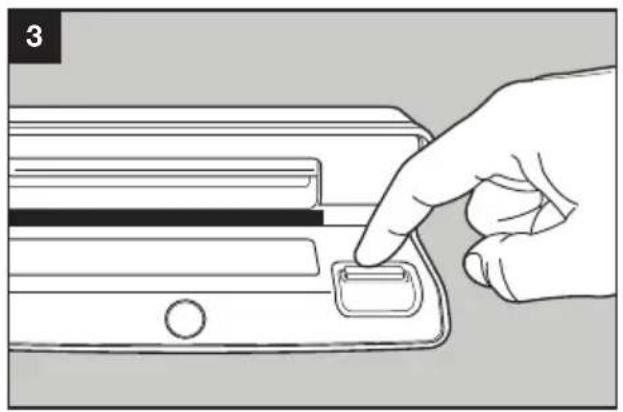
natural_image
Hand pressing a button on a device panel (no text or symbols visible)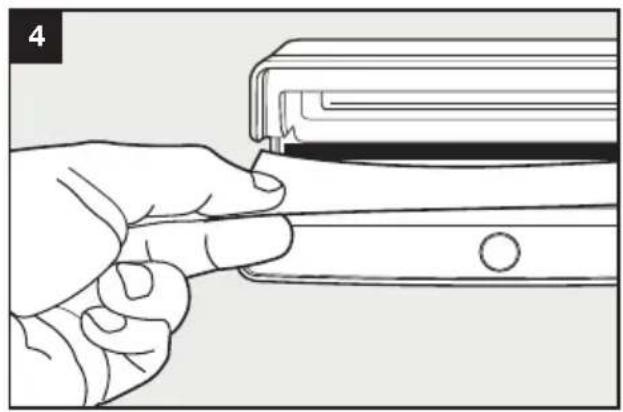
natural_image
Line drawing of a hand inserting a small object into a rectangular device (no text or symbols)CONDITIONS D'UTILISATION
Safescan 50
REEMPLACER LA LAMPE UV
natural_image
Hand holding a tool interacting with a device panel (no visible text or symbols)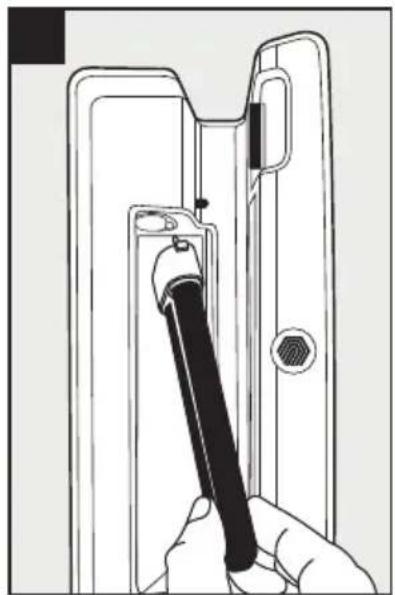
natural_image
Line drawing of a hand holding a pen inserted into a door handle (no text or symbols)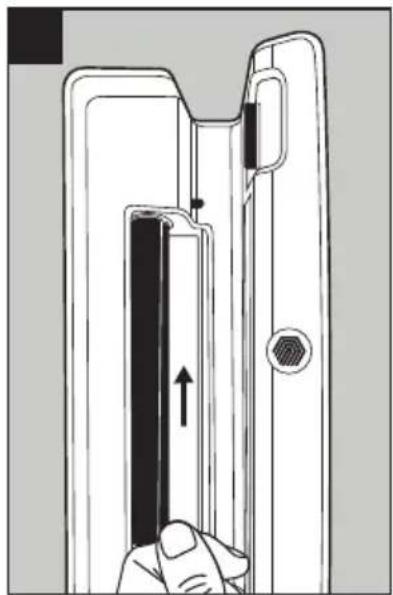
natural_image
Diagram of a door handle mechanism with hand pressing a button (no text or symbols)MAINTENANCE
PARTE
TRASERA
Safescan 50
- Botón on/off
- Lámpara ultravioleta (UV)
Safescan 70
natural_image
Diagram of a printer or scanner device with a black arrow indicating the process, no text or symbols present.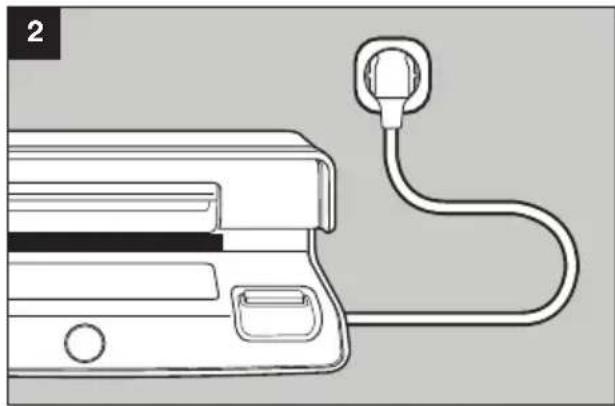
natural_image
Line drawing of a device with a plug and cable, no text or symbols present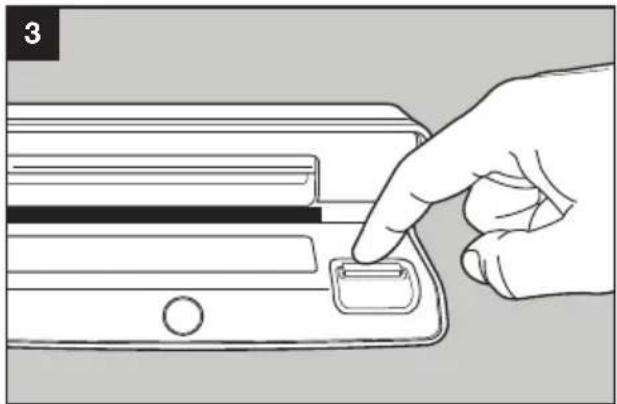
natural_image
Line drawing of a hand pressing a button on a device (no text or symbols)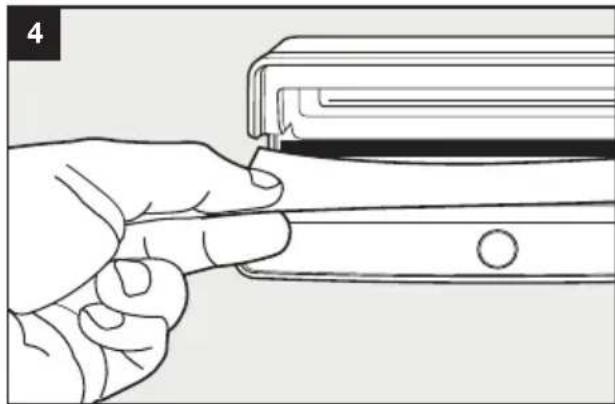
natural_image
Line drawing of a hand holding a rectangular object with a circular button, no text or symbols presentDIRECCIONES DE USO
Safescan 50
PARTE
POSTERIORE
Safescan 50
- Pulsante ON/OFF
- Lampada a ultravioletti (UV)
Safescan 70
natural_image
Diagram of a printer or printer device with a black arrow indicating the process, no text or symbols present.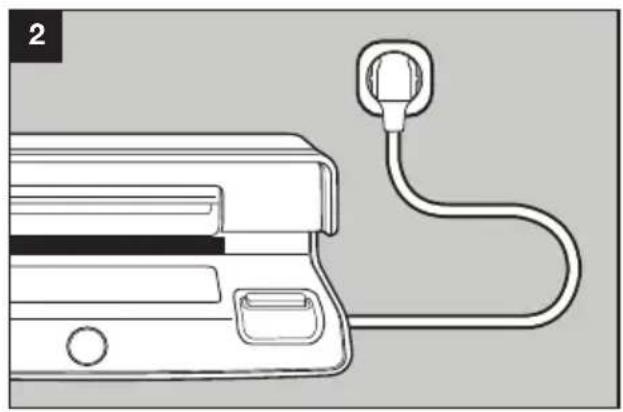
natural_image
Line drawing of a medical device with a plug attached to its side (no text or symbols)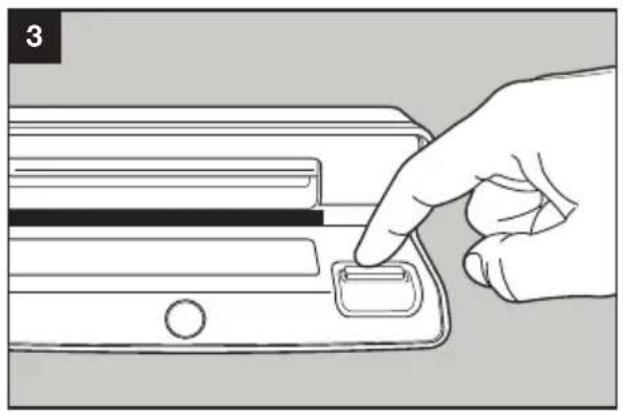
natural_image
Hand pressing a button on a device panel (no text or symbols visible)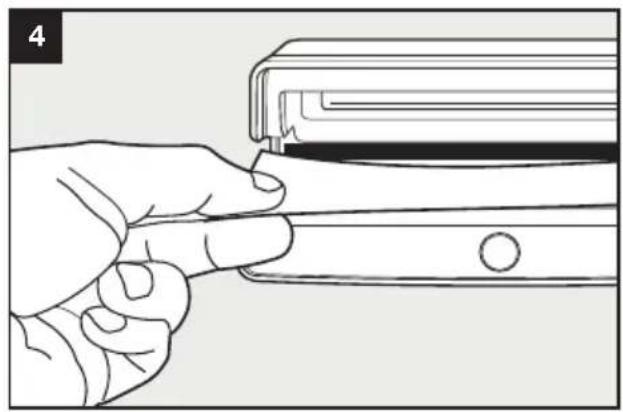
natural_image
Line drawing of a hand inserting a small object into a rectangular device (no text or symbols)ISTRUZIONI PER L'USO
Safescan 50
natural_image
Hand holding a tool interacting with a device panel (no text or symbols visible)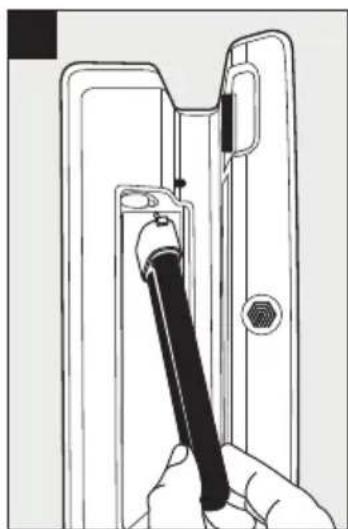
natural_image
Line drawing of a hand holding a screwdriver inside a door handle (no text or symbols)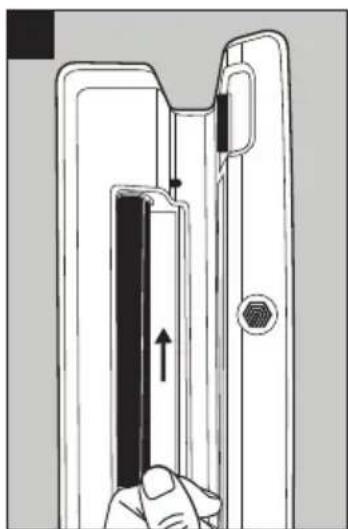
natural_image
Diagram of a door handle assembly with a hand inserting a component (no text or symbols)MANUTENZIONE
Safescan® is a registered trademark of Solid Control Holding B.V. No part of this manual may be reproduced in any form, by print, copy or in any other way without prior written permission of Solid Control Holding B.V. Solid Control Holding B.V. reserves all intellectual and industrial property rights such as any and all of their patent, trademark, design, manufacturing, reproduction, use and sales rights. All information in this manual is subject to change without prior notice. Solid Control Holding B.V. is not liable and/or responsible in any way for the information provided in this manual. 1802
Safescan®
www.safescan.com
info@safescan.com

- MANUAL
- / 70
- UV COUNTERFEIT DETECTOR
- PACKAGE CONTENTS
- THE DEVICE
- Safescan 50
- Safescan 70
- Safescan 50 & 70
- GETTING STARTED
- OPERATING INSTRUCTIONS
- REPLACING THE UV-LAMP
- MAINTENANCE
- SPECIFICATIONS
- WARRANTY
- IN DE VERPAKKING
- HET APPARAAT
- BEDIENING
- GEBRAUCHSANWEISUNG
- WARTUNG
- CONDITIONS D'UTILISATION
- REEMPLACER LA LAMPE UV
- DIRECCIONES DE USO
- ISTRUZIONI PER L'USO
- MANUTENZIONE
- Safescan®
Brand : Safescan
Model : 70
Category : Detector