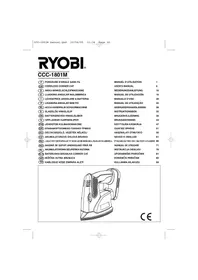
CCC1801M - Sander RYOBI - Free user manual and instructions
Find the device manual for free CCC1801M RYOBI in PDF.



| Product Type | Cordless Sander |
| Brand | RYOBI |
| Model | CCC1801M |
| Voltage | 18 V |
| No-load Speed | 11,000 rpm |
| Pad Dimensions | 140 x 80 mm |
| Orbital Diameter | 1.8 mm |
| Weight (without battery) | 0.83 kg |
| Compatible Battery Type | BPP-1817M, BPP-181M (Lithium-ion, not included) |
| Compatible Charger Type | BC-1815S, BC-1800 (not included) |
| Abrasive Fixation System | Hook and loop (Velcro) |
| Included Pads | Coarse grain (red), fine grain (white), polishing (gray) |
| Applications | Wood sanding, rust removal, polishing, cleaning |
| Switch | On/Off with lock |
| Warranty | 24 months |
| Pad Maintenance | Clean with warm water, dry flat |
| Abrasive Paper Maintenance | Rub with a rubber block |
| Recommended Safety Equipment | Safety glasses, dust mask, hearing protection |
| Spare Parts | Pads, abrasive papers; other parts from an authorized Ryobi service center |
Frequently Asked Questions - CCC1801M RYOBI
User questions about CCC1801M RYOBI
0 question about this device. Answer the ones you know or ask your own.
Ask a new question about this device
Download the instructions for your Sander in PDF format for free! Find your manual CCC1801M - RYOBI and take your electronic device back in hand. On this page are published all the documents necessary for the use of your device. CCC1801M by RYOBI.
USER MANUAL CCC1801M RYOBI
Read all instructions. Failure to follow all instructions listed below may result in electric shock, fire and/or serious injury. The term "power tool" in all of the warnings listed below refers to your mains operated (corded) power tool or battery operated (cordless) power tool.
SAVE THESE INSTRUCTIONS.
WORK AREA
- Keep work area clean and well lit. Cluttered and dark areas invite accidents.
- Do not operate power tools in explosive atmospheres, such as in the presence of flammable liquids, gases, or dust. Power tools create sparks which may ignite the dust or fumes.
- Keep children and bystanders away while operating a power tool. Distractions can cause you to lose control.
ELECTRICAL SAFETY
Power tool plugs must match the outlet. Never modify the plug in any way. Do not use any adapter plugs with earthed (grounded) power tools. Unmodified plugs and matching outlets will reduce risk of electric shock.
- Avoid body contact with earthed or grounded surfaces such as pipes, radiators, ranges and refrigerators. There is an increased risk of electric shock if your body is earthed or grounded.
- Do not expose power tools to rain or wet conditions. Water entering a power tool will increase the risk of electric shock.
- Do not abuse the cord. Never use the cord for carrying, pulling or unplugging the power tool. Keep cord away from heat, oil, sharp edges or moving parts. Damaged or entangled cords increase the risk of electric shock.
- When operating a power tool outdoors, use an extension cord suitable for outdoor use. Use of a cord suitable for outdoor use reduces the risk of electric shock.
PERSONAL SAFETY
- Stay alert, watch what you are doing and use common sense when operating a power tool. Do not use a power tool while you are tired or under the influence of drugs, alcohol or medication. A moment of inattention while operating power tools may result in serious personal injury.
Use safety equipment. Always wear eye protection. Safety equipment such as dust mask, non-skid safety shoes, hard hat, or hearing protection used for appropriate conditions will reduce personal injuries. - Avoid accidental starting. Ensure the switch is in the off position before plugging in. Carrying power tools with your finger on the switch or plugging in power tools that have the switch on invites accidents.
- Remove any adjusting key or wrench before turning the power tool on. A wrench or a key left attached to a rotating part of the power tool may result in personal injury.
- Do not overreach. Keep proper footing and balance at all times. This enables better control of the power tool in unexpected situations.
- Dress properly. Do not wear loose clothing or jewellery. Keep your hair, clothing and gloves away from moving parts. Loose clothes, jewellery or long hair can be caught in moving parts.
If devices are provided for the connection of dust extraction and collection facilities, ensure these are connected and properly used. Use of these devices can reduce dust related hazards.
BATTERY TOOL USE AND CARE
- Ensure the switch is in the off position before inserting battery pack. Inserting the battery pack into power tools that have the switch on invites accidents.
- Recharge only with the charger specified by the manufacturer. A charger that is suitable for one type of battery pack may create a risk of fire when used with another battery pack.
Use power tools only with specifically designated battery packs. Use of any other battery packs may create a risk of injury and fire. - when battery pack is not in use, keep it away from other metal objects like paper clips, coins, keys, nails, screws, or other small metal objects that can make a connection from one terminal to another. Shorting the battery terminals together may cause burns or a fire.
English
GENERAL SAFETY RULES
Under abusive conditions, liquid may be ejected from the battery; avoid contact. If contact accidentally occurs, flush with water. If liquid contacts eyes, additionally seek medical help. Liquid ejected from the battery may cause irritation or burns.
SERVICE
Have your power tool serviced by a qualified repair person using only identical replacement parts. This will ensure that the safety of the power tool is maintained.
SPECIFICATIONS
Voltage 18 V
No load speed 11000 min-1
Battery pack (Not Included) BPP-1817M BPP-181M
Charger (Not Included) BC-1815S BC-1800
Triangle base dimension 140 x 80 mm
Orbital diameter 1.8 mm
Weight 0.83 kg
DESCRIPTION
- Heavy-duty scrubbing pad (red)
- Light scrubbing pad (white)
- Polishing pad (gray)
- Sanding sheet
- Hook-and-loop pad
- On/Off switch
- Latch
- Battery Pack (Not Included)
- Fuzzy side
OPERATION

WARNING
Do not allow familiarity with tools to make you careless. Remember that a careless fraction of a second insufficient to inflict serious injury.

WARNING
Always wear safety goggles or safety glasses with side shields when operating tools. Failure to do so could result in objects being thrown into your eyes, resulting impossible serious injury.

WARNING
Do not use any attachments or accessories not recommended by the manufacturer of this tool. The use of attachments or accessories not recommended can result in serious personal injury.
APPLICATIONS
You may use this tool for the following purposes:
Sanding on wood surfaces
- Removing rust from and sanding steel surfaces
Polishing and scrubbing porcelain and metal
TO INSTALL BATTERY PACK (NOT INCLUDED) (Fig. 2)

WARNING
Always be sure the switch is in the OFF (O) position before installing the battery pack. Failure to do so could cause accidental starting, leading to serious personal injury.
- Place the battery pack in the sander. Align the raised rib on the battery pack with the groove inside the sander, then slide the battery pack into the sander.
Make sure the latches on each side of your battery pack snap into place and the battery pack is secured in the sander before beginning operation.

CAUTION
When placing battery pack in the tool, be sure raised rib on battery pack aligns with the bottom of the drill and latches into place properly. Improper installation of the battery pack can cause damage to internal components.
Make sure the latches on each side of the battery pack snap into place and the battery pack is secured in the drill before beginning operation.
TO REMOVE BATTERY PACK (NOT INCLUDED)
- Locate the latches on the side of the battery pack and depress them to release the battery pack from the sander.
Remove battery pack from the sander.

WARNING
Battery tools are always in operating condition. Therefore, switch should always be locked when not in use or carrying at your side.
English
OPERATION
SANDING SHEET AND PAD SELECTION
Selecting the correct size grit and type sandpaper is an extremely important step in achieving a high quality sanded finish. Aluminum oxide, silicon carbide, and other synthetic abrasives are best for power sanding. Natural abrasives, such as flint and garnet, are too soft for economical use in power sanding.
In general, coarse grit will remove the most material and finer grit will produce the best finish in all sanding operations. The condition of the surface to be sanded will determine which grit will do the job. If the surface is rough, start with a coarse grit and sand until the surface is uniform. Medium grit may then be used to remove scratches left by the coarser grit and finer grit used for finishing of the surface. Always continue sanding with each grit until surface is uniform.
Sheet/Pad
Heavy scrubbing pad
Light scrubbing pad
Polishing pad
Sanding sheet
Sanding sheet
Sanding sheet
Recommended Use
Paint and rust removal
Light scrubbing and cleaning
Polishing
Coarse sanding
Light sanding
Finish sanding

WARNING
Always remove the battery pack when attaching, changing, or rotating sanding sheets. Failure to do so could cause accidental starting, leading to serious personal injury.
ATTACHING SANDING SHEETS, SCRUBBING PADS AND POLISHING PADS (Fig. 3)
Align the pointed tip and rounded edges of the sanding sheet or pad with the pointed tip and rounded edges of the hook-and-loop pad. Carefully press the fuzzy side of the sanding sheet against the pad as tightly as possible.
Note: Sanding sheets can be reused for the life of the sanding abrasive. It is recommended that you keep the sanding sheet backing pad clean to provide for best adhesion. Clean occasionally by brushing lightly with a small brush.
TURNING THE SANDER ON (I) / OFF (O) (Fig. 4)
Install the battery pack.
To turn ON the sander: push the ON (I) / OFF (O) switch to the left.
To turn OFF the sander: push the ON (I) / OFF (O) switch to the right.
OPERATING THE SANDER (Fig. 5-6)
- Secure the workpiece to prevent it from moving under the sander.

WARNING
Unsecured workpieces could be thrown towards the operator, causing injury.

WARNING
Keep your head away from the sander and the sanding area. Your hair could be drawn into the sander causing serious injury.
- Place the sander on the workpiece so that all of the sanding sheet surface is in contact with the work-piece.

CAUTION
To avoid damaging the motor from overheating, be careful not to let your hand cover the air vents.
Turn on the sander and move it slowly over the workpiece.
- Hold the sander in front and away from you, keeping it clear of the workpiece. Start sander and let the motor build to its maximum speed, then gradually lower the sander onto the workpiece. Move the sander slowly across the workpiece using small circular motions.
- Do not force. The weight of the unit supplies adequate pressure, so let the sanding sheet and sander do the work. Applying additional pressure only slows the motor, rapidly wears sanding sheet and greatly reduces sander speed. Excessive pressure will overload the motor causing possible damage from motor overheating and can result in inferior work. Any finish or resin on wood may soften from the frictional heat. Do not allow sanding on one spot too long, as the sander's rapid action may remove too much material, making the surface uneven.
- Extended periods of sanding may tend to overheat the motor. If this occurs, turn sander off and wait until sanding sheet comes to a complete stop, then remove it from work-piece. Remove your hand from vent area, remove sanding sheet, then with your hand removed from vent area, turn sander on and run it free without a load to cool motor.
For detail sanding such as corners and crevices, use the tip of the sanding pad with small back and forth motions.
English
OPERATION
CHANGING SANDING SHEETS AND PADS (Fig. 7)
The sander is packed with sanding sheets and scrubbing pads designed for a variety of uses. To change sheets and pads, simply pull the used sheet off the base and attach the desired sheet by pressing the sheet or pad onto the base of the sander.
ROTATING THE SANDING SHEETS (Fig. 8)
The majority of wear in a precision sanding application occurs at the tip of the sanding sheet. The unique Tri-Flex design of the sanding sheets allows you to detach and rotate the top two thirds of each and extend the life of the sheet. To rotate the top of the sheet, simply remove the top two thirds along the perforation. Rotate the sheet so that a clean corner is located at the tip of the base. Press the sheet firmly onto the pad.
Note: Scrubbing and polishing pads are not perforated and cannot be rotated.
MAINTENANCE

WARNING
When servicing, use only identical replacement parts. Use of any other parts may create a hazard or cause product damage.

WARNING
Always wear safety goggles or safety glasses with side shields during power tool operation or when blowing dust. If operation is dusty, also wear a dust mask.

WARNING
To avoid serious personal injury, always remove the battery pack from the tool when cleaning or performing any maintenance.

WARNING
Do not at any time let brake fluids, gasoline, petroleum-based products, penetrating oils, etc., come in contact with plastic parts. Chemicals can damage, weaken or destroy plastic which may result in serious personal injury.
Only the parts listed in this manual are intended to be repaired or replaced by the customer. All other parts should be replaced at an Authorized Service Center.
CLEANING THE SCRUBBING PADS
To ensure longer life and optimum performance, periodically clean all sanding residue and foreign materials from the scrubbing and polishing pads. This can be done simply by rinsing the pad with warm water until all foreign material has been washed away. After cleaning, gently squeeze the pad to remove excess water and allow pad to dry. Always store pads and sanding sheets flat in a cool dry location.
CLEANING THE SANDING SHEETS
The sanding sheets that came with the sander are made to be re-used. Therefore, it is important that they be cleaned periodically to remove sanding residue and foreign material that can accumulate over time. To clean sanding sheets, rub the sheets with a hard rubber block. You can also use the clean rubber sole of a shoe.

WARNING
Always remove the scrubbing pad or sanding sheet from the sander before cleaning. Failure to do so could cause serious personal injury.
Deutsch
SCHUURMACHINE AAN (I) EN UIT (O) ZETTEN (afb. 4)
INDIVIDUEL SIKKERHED
WYCIAGANIE AKUMULATORA (NIE OBJECTDOSTAWA)
GARANTIE - CONDITIONS
All Ryobi products are guaranteed against manufacturing defects and defective parts for a period of twenty four (24) months from the date stated on the original invoice drawn up by the retailer and given to the end user. Deterioration caused by normal wear and tear, unauthorised or improper use or maintenance, or overload are excluded from this guarantee as are accessories such as battery packs, light bulbs, blades, fittings, bags, etc. In the event of malfunction during the warranty period, please take the NON-DISMANTLED product, along with the proof of purchase, to your retailer or nearest Authorised Ryobi Service Centre.
This warranty in no way affects your legal rights concerning defective products.

DECLARATION OF CONFORMITY
We declare under our sole responsibility that this product is in conformity with the following standards or standardized documents.

MBo CcBc OBETCBNTHBOCTb3AABmE, YTOHACOTIIAHIPIOYKIIOMOOCBTBCBTBHTN KIECJIeIyOHIM HOPMAH JOKYMEMTAM:

DECLARATIE DE CONFORMITATE
Name of company: Address:
Ryobi Technologies FRANCE S.A.
Z.I. PARIS NORD II
209, RUE DE LA BELLE ÉTOILE
95700 ROISSY EN FRANCE
FRANCE
Tel: +33-1-49 90 14 14 Fax: +33-1-49 90 14 29
Name of company: Address:
Ryobi Technologies (UK) Limited.
ANVIL HOUSE, TUN5 LANE,
HENLEY-ON-THAMES,
OXFORDSHIRE, RG9 1SA
UNITED KINGDOM
Tel: +44-1491-848700 Fax: +44-1491-848701
Name of company: Address:
Ryobi Technologies GmbH
ITTERPARK 7
D-40724 HILDEN GERMANY
Tel: +49-2103-29580 Fax: +49-2103-295829
Type: CCC-1801M
Name/Title:
Michel Volleau



- SAVE THESE INSTRUCTIONS
- WORK AREA
- ELECTRICAL SAFETY
- PERSONAL SAFETY
- BATTERY TOOL USE AND CARE
- ENGLISH
- GENERAL SAFETY RULES
- SERVICE
- SPECIFICATIONS
- DESCRIPTION
- OPERATION
- WARNING
- APPLICATIONS
- TO INSTALL BATTERY PACK (NOT INCLUDED) (FIG. 2)
- CAUTION
- TO REMOVE BATTERY PACK (NOT INCLUDED)
- SANDING SHEET AND PAD SELECTION
- SHEET/PAD
- RECOMMENDED USE
- ATTACHING SANDING SHEETS, SCRUBBING PADS AND POLISHING PADS (FIG. 3)
- TURNING THE SANDER ON (I) / OFF (O) (FIG. 4)
- OPERATING THE SANDER (FIG. 5-6)
- CHANGING SANDING SHEETS AND PADS (FIG. 7)
- ROTATING THE SANDING SHEETS (FIG. 8)
- MAINTENANCE
- CLEANING THE SCRUBBING PADS
- CLEANING THE SANDING SHEETS
- DEUTSCH
- SCHUURMACHINE AAN (I) EN UIT (O) ZETTEN (AFB. 4)
- INDIVIDUEL SIKKERHED
- WYCIAGANIE AKUMULATORA (NIE OBJECTDOSTAWA)
- GARANTIE - CONDITIONS
- DECLARATION OF CONFORMITY
- DECLARATIE DE CONFORMITATE
- TYPE: CCC-1801M
Brand : RYOBI
Model : CCC1801M
Category : Sander