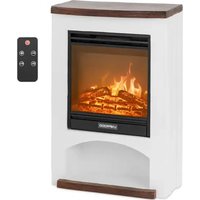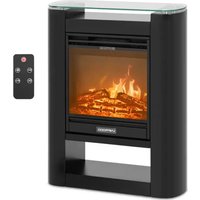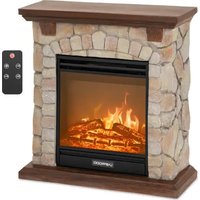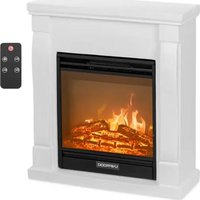
UNI_EFP_01 - Electric fireplace Uniprodo - Free user manual and instructions
Find the device manual for free UNI_EFP_01 Uniprodo in PDF.


| Product Type | Electric Fireplace |
| Brand | Uniprodo |
| Model | UNI_EFP_01 |
| Dimensions (W x D x H) | 610 x 235 x 680 mm |
| Weight | 19 kg |
| Rated voltage / frequency | 230 V ~ / 50 Hz |
| Rated power | 1800 W (2 levels: 900 / 1800 W) |
| Protection class | 1 |
| IP rating | IPX0 |
| Maximum room area | 18 m² |
| Temperature range | 10 °C to 30 °C |
| Airflow rate | 0.2 m/s |
| Remote control battery | CR2025 (3 V) |
| Timer | 30 min to 9 hours |
| Main functions | Flame effect, thermostat, timer, child lock, open window detection, weekly programming |
| Flame brightness levels | 5 levels |
| Heating mode | High and low power |
| Maintenance and cleaning | Soft, non-abrasive cloth; glass cleaning with glass cleaner |
| Safety | Temperature limiter, automatic shutdown on overheating |
| Spare parts and repairability | Remote control battery replaceable; motor and electrical components not user-serviceable |
| Installation | Flat, fireproof surface, 50 cm clearance on sides, indoor use only |
Frequently Asked Questions - UNI_EFP_01 Uniprodo
User questions about UNI_EFP_01 Uniprodo
0 question about this device. Answer the ones you know or ask your own.
Ask a new question about this device
Download the instructions for your Electric fireplace in PDF format for free! Find your manual UNI_EFP_01 - Uniprodo and take your electronic device back in hand. On this page are published all the documents necessary for the use of your device. UNI_EFP_01 by Uniprodo.
USER MANUAL UNI_EFP_01 Uniprodo
This User Manual has been translated using machine translation. We have made every effort to ensure the translation is accurate, but please note that automated translations are not perfect and are not meant to replace human translators. The official version of the User Manual is in English. Any differences between the translated version and the original English are not legally binding. If you have any questions about the accuracy of the translation, please refer to the English version, which is the official reference.
Technical data
| Parameter description Parameter value | ||||
| Product name | Electric fireplace | |||
| Model | UNI_EFP_01 | UNI_EFP_02 | UNI_EFP_03 | UNI_EFP_04 |
| Rated voltage [V~] / frequency [Hz] | 230 / 50 | |||
| Rated power [W] | 1800 | |||
| Protection class | 1 | |||
| IP protection rating | IPX0 | |||
| Dimensions [width x depth x height; mm] | 610 x 235 x 680 | 655 x 245 x 685 | 620 x 210 x 805 | 535 x 260 x 810 |
| Weight [kg] | 19 | 19.95 | 20.3 | 22.3 |
| Max room size [m²] | 18 | |||
| Temperature range [°C] | 10-30 | |||
| Power levels | 2 (900 / 1800 W) | |||
| Air flow [m/s] | 0.2 | |||
| Remote control battery | CR2025 3V (x1) | |||
| Timer [min] | 30-540 (9 h) | |||
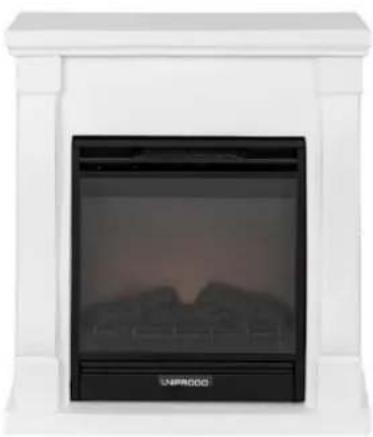
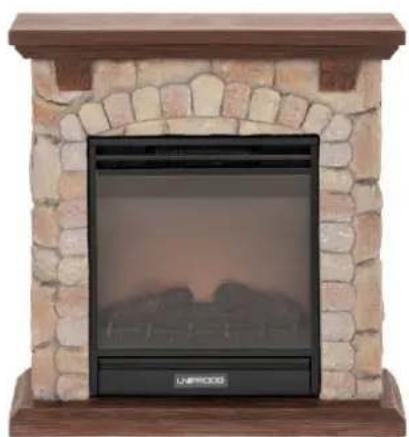

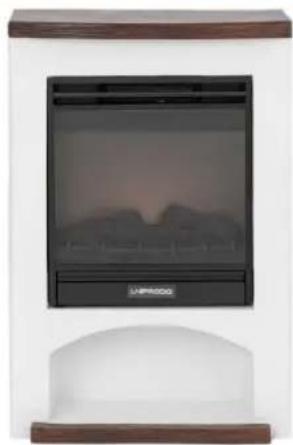
This product is a heating device that mimics the look of a traditional fireplace, but uses electricity to create heat and atmosphere for greater convenience, safety and ease of use.
Installation
The temperature of environment must not be higher than 40^ and the relative humidity should be less than 85% . Indoor use only - ensure good ventilation in the room in which the device is being used. There should be at least 50 cm distance between each side of the device and the wall or other objects (except back and bottom side). The device should always be used when positioned on an even, stable, clean, fireproof and dry surface, away from any curtains, drapes, furniture, hight traffic area. Position the device such that you always have access to the power plug. The power cord connected to the appliance must be properly grounded and correspond to the technical details on the product label.
Using the remote for the first time, please remove the protective plastic tab in the battery tray (see remote battery replacement chapter).
Installation
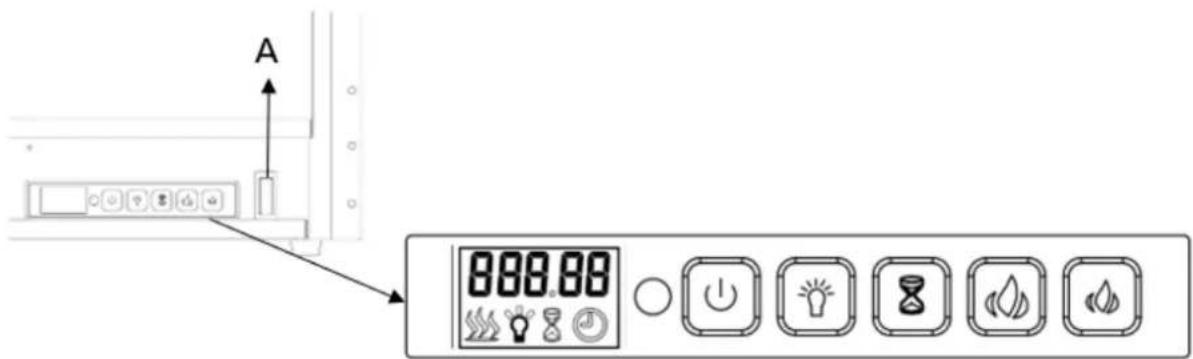
A. Master power switch (behind a cover)
B. Control panel:
| BUTTON | FUNCTION | ACTION & INDICATION |
| Power ON/OFF | ON: enables control panel functions. Turn on flame effect. OFF: disables control panel functions Turn off flame effect. | 1. Press once. Indicator light turns on. Power turns on. All functions enabled. 2. Press again, it will turn off. |
| (Flame) Brightness adjustment | Brightness control: flame brightness level. | Press button to select the brightness level. 5 brightness levels can be selected. |
| Timer | Timer button: control timer settings to turn off fireplace at selected time. Setting range from 30 min to 9 hours. | 1. Press once. Indicator light turns on. Temperature is set to 00. 2. Press again until desired setting is reached. LED display shows setting and displays range: 00-30 min-1h...9 h. |
| Temperature increase | Temperature adjustment button: Temperature increase adjustment. | 1. When the set temperature exceeds the detection temperature, the appliance begins heating. 2. When the detection temperature reaches the set temperature, the appliance stops heating. |
| Temperature decrease | Temperature adjustment button: Temperature decrease adjustment. | 1. When the set temperature exceeds the detection temperature, the appliance begins to heating. 2. When the detection temperature reaches the set temperature, the machine will stop. |
CHILD LOCK

Press and hold brightness adjustment button for more than 6 seconds to lock or unlock the buttons. "LOC" is displayed and indicated that the buttons are locked. Once it's locked "LOC" will be flashing for 6 seconds then disappear, press any button LOC will flash again. Long press brightness adjustment button for 6 seconds to unlock the buttons.
NOTE: this function can only be operated on the devise.
SELSIUS/FAHRENHEIT UNIT SETTING
The default temperature readout is Celsius. Long press timer button for 3 seconds to change the temperature readout from Celsius to Fahrenheit.
REMOTE CONTROL
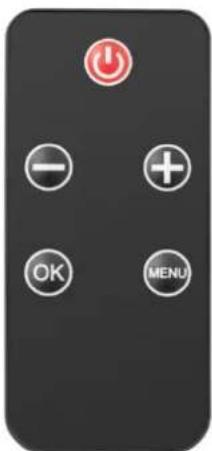
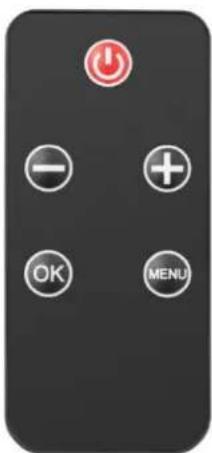
Press the ON/OFF button (red) on remote control to begin the flame effect. Default interface displays as following:
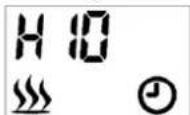
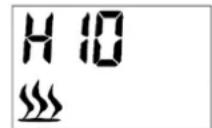
The heating icon will be displayed and appliance starts heating when the room temperature is less than the default setting (10^) , on the contrary it will not display and heat.
The clock icon will be flashing because the time is not set yet. Please follow the steps in "Timer setting" to set the time.
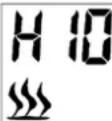
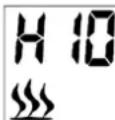
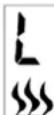
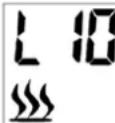
The "H10" shown on the display indicates set high power heating to 10 degrees. "L10" displayed indicates setting low power heating to 10 degrees.
The 26C shown above the machine indicates 26 degrees at room temperature.
HEATING ON/OFF
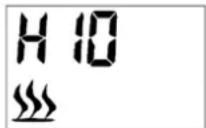
Press button + or - on remote control to quick start heat setting (Even though it's under weekly program) as following:
- Press either button + or - to see the current temperature on screen.
- Press button + or - to adjust the temperature as desired. If the set temperature is higher than the room temperature detected by appliance, the heating starts. The heating will not start if the set temperature is lower than the room temperature.
The temperature range including OFF (heating off), from 10^ to 30^ .
HIGH POWER HEATING
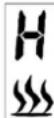
At default interface, press the MENU button on remote control to display H and flashing heating icon as following:
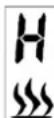
Press OK button to set the temperature. The default temperature is 10^ (50^) . It's displayed as following:
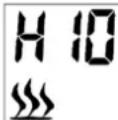
Press + or - button to adjust temperature. If the set temperature is higher than the room temperature detected by appliance, the heating starts. The heating will not start if the set temperature is lower than the room temperature.
LOW POWER HEATING
At default interface, press MENU button to display L and flashing icon as following:
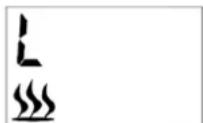
Press OK button to set the temperature. The default temperature is 10^ (50^) . It's displayed as following:
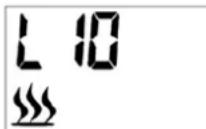
Press + or - button to adjust temperature. If the set temperature is higher than the room temperature detected by appliance, the heating starts. The heating will not start if the set temperature is lower than the room temperature.
BRIGHTNESS (FLAME) ADJUSTMENT
Brightness adjustment means the flame brightness level selection.
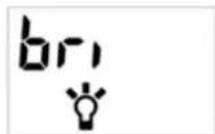
At default interface, keep pressing MENU button on the remote control to select the brightness control, until it's displayed "bri" and an icon flashes, as following:
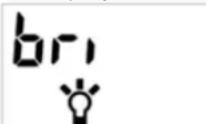
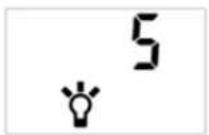
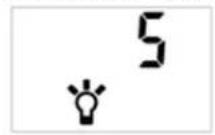
5 brightness levels are selectable. Default setting is 3. 5 is the highest level as shown following:
REGULAR TIMER
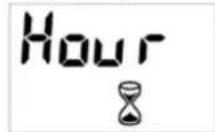
At default interface, keep pressing MENU button in remote control to select the regular timer, the displayed "Hour" icon as following:
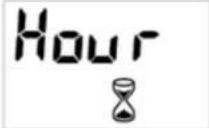
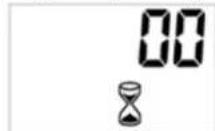
Press OK button to start the regular timer setting. Press button + or - to select the desired time. The time sequence will read 00-30 min, 1H, 2H, 3H, 4H, 5H, 6H, 7H, 8H and 9H. The default setting is "00" as shown following:
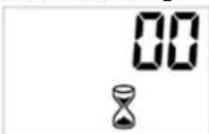
MODE SELECTION (SECONDARY MENU)
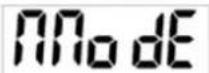
At default interface, keep pressing the MENU button on the remote control to select mode selection, it's displayed "Mode" as following:
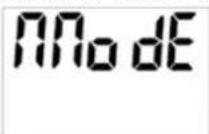
Press "OK" button to access the secondary menu. The secondary menu has following functions:
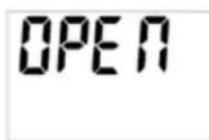
MODE presses OK to display OPEN by default. Press button + or - to select the desired mode.
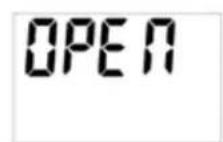
a) Open
Keep pressing the "MENU" button on the remote control to select mode menu. Press OK to validate, then + or - to access open window detection function. The screen shows "OPEN" as following:
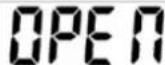
Press OK button to validate, then button + or - to select ON or OFF. Press OK button to turn on or turn off the open window detection function.
After activation of the open window detection, the appliance will automatically turn off heating when it detects the room temperature decreased more than 4^ in 10 minutes and maintain the decreased temperature not less than 20 minutes long.
To restart the heating, adjust the set temperature then press OK button to validate the setting. The open window detection function will be OFF after resetting the temperature.
b) Time setting
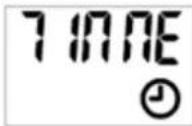
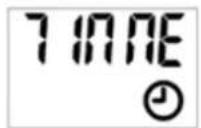
On the secondary menu press button + or - to access time setting . It's displayed "TIME" as following:
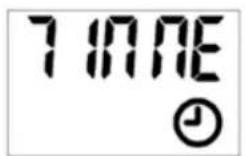
Press OK to validate, then + or - button to select a day, that is "D1" for Monday, "D2" for Tuesday, "D3" for Wednesday, and so on - up to D7 (Sunday).
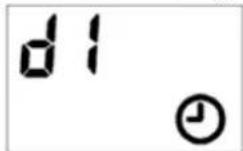
Press OK to validate the day, then button + or - to set the time (hour).
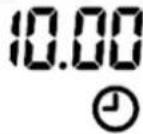
Press OK to validate the hour, then button + or - to further time setting (minute).
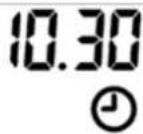
Press OK to validate the time setting.
To exit the setting during operation, press the MENU button on the remote control. If a clock icon permanently flashes, this indicates that the time is offset following a power cut. It's flashing as a time has not been set.
c) C.RROG (Weekly programming)
NOTE: the time must be set before any programming.
4 pre-set programs are available. Each program includes a time period or several time periods during which the electric fireplace is heating. Outside of the time periods, the electric fireplace is off.
The time period of one program may overlap the time period of another one.
Program definition:
P1 as Program 1:
- Monday to Friday from 05:15 for 4 hours high power heating, and Saturday to Sunday from 06:20 for 4 hours low power heating.
P2 as Program 2:
- Monday to Friday from 17:45 for 4 hours high power heating, and Saturday to Sunday from 16:30 for 4 hours low power heating.
P3 as Program 3:
Saturday to Sunday from 08:15 for 4 hours high power heating.
P4 as Program 4:
Saturday to Sunday from 16:30: for 4 hours high power heating.
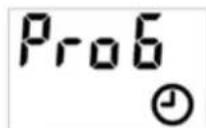
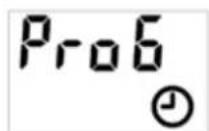
On the secondary menu press + or - button to access weekly programming, it's displayed "ProG" as following:
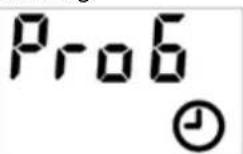
Press + or - button to select "ON" or "OFF" that means to turn on or turn off the weekly program.
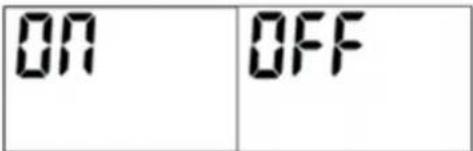
Press OK to validate.
To exit the setting during operation, press the MENU.
To cancel an existing weekly program, select OFF to turn off the weekly program.
d) D. manual mode (Settings for weekly programming)
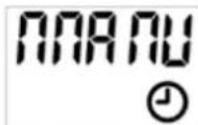
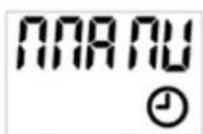
On the secondary menu press the + or - button to access manual setting, it's displayed "MANU" as following (for modifying the content of PROG):
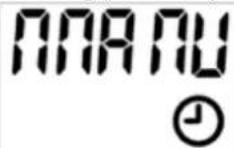
Press OK to validate, then press + or - button to select the day(s) of program activation or deactivation.
Press + or - to select the activation day first, press OK to validate;
Then press + or - to select the inactivation day, press OK to validate.
Following example for selecting Monday as activation day and Sunday as inactivation day:
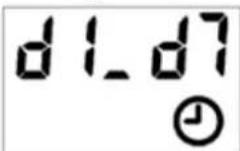
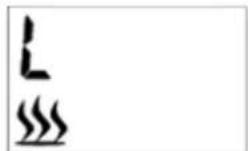
Press + or - button to select the heating level. "H" for high power heating and "L" for low power heating. Press OK to validate.
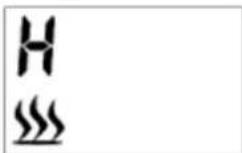
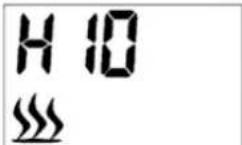
Press + or - buttons to set desired temperature. Press OK to validate.
Press button + or - to set the hour of the activation time. Press OK to validate.
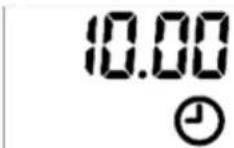
Press + or - button to set minutes of the activation time. Press OK to validate. Please note the minute setting is accumulated by 5 minutes each time.
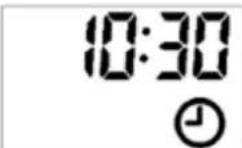
Press button + or - to set the duration of the time period. Press OK to validate. Please note the duration time setting is accumulated by 30 minutes each time.
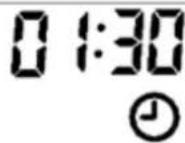
Till now first time period of program is completed. It's displayed "CON PX" (confirm).
NOTE: The program cannot run into the next day. The maximum duration can therefore not exceed midnight (for example, if the start time is 20:30, the maximum duration displayed is 4 hours and the real maximum duration is 3 hours 30 minutes).
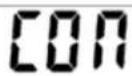
To continue the setting for 2nd time period, press OK to continue. After pressing OK, the screen will return to the interface of day selection for second time period.
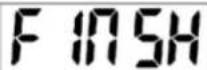
To finish the setting, press + or - button to find "FINSH", then press OK to finish the setting.
Multi time periods could be used for one day. Same time period could be used for multiple days.
NOTE: For settings under mode selection (secondary menu) always remember to press OK button to validate the setting. Maximum 8 time periods could be used for one program.
After manual setting for weekly program, the relevant program has done the manual setting will update the default program setting accordingly.
RESTORE FACTORY DEFAULTS
In the state of connecting the power plug, but not turning on the appliance (main power switch in "O" position - do not turn on the power), press and hold the temperature decrease button for 3-6 seconds, and you will hear a beep-tone. Then unplug the power plug, after 10 seconds, power on again to restore the factory settings.
TEMPERATURE LIMIT CONTROL
This heater is equipped with a temperature limit control. Should the heater reach an unsafe temperature, the heater will automatically turn it OFF. To reset the limit control:
Unplug the power cord from the outlet.
- Turn the ON/OFF switch on the control panel to OFF. Wait 5 minutes.
- Inspect the fireplace to make sure no vents been blocked or clogged with dust or lint. If they are, use a vacuum to clean the vent areas.
- With the power switch in the OFF ("O") position, plug the power cord back into the outlet.
If the problem continues, have your power outlet and wiring inspected by a professional.
Maintenance and care
a) Unplug the mains plug and allow the device to cool completely before each cleaning, adjustment or replacement of accessories, or if the device is not being used.
Wait for the rotating elements to stop.
b) Use only non-corrosive cleaners to clean the surface.
c) Store the unit in a dry, cool place, free from moisture and direct exposure to sunlight.
d) Do not spray the device with a water jet or submerge it in water.
e) Do not allow water to get inside the device through vents in the housing of the device.
f) Use a soft cloth for cleaning.
g) Do not leave the battery in the device if it will not be used for a longer period of time.
h) Do not use sharp and/or metal objects for cleaning (e.g. a wire brush or a metal spatula) because they may damage the surface material of the appliance.
i) Do not clean the device with an acidic substance, agents of medical purposes, thinners, fuel, oils or other chemical substances because it may damage the device.
j) Metal cleaning
- Buff using a soft cloth, slightly dampened with a citrus oil-based product.
DO NOT use brass polish or household cleaners as these products will damage the metal trim.
k) Glass cleaning
Use a good quality glass cleaner and dry thoroughly with a paper towel or lint-free cloth.
NEVER use abrasive cleansers, liquid sprays, or any cleaner that could scratch the surface.
I) Vents
- Use a vacuum or duster to remove dust and dirt from the heater and vent areas.
Clean the exterior of the fireplace with a slightly damp cloth or duster.
m) Electrical and moving parts
The fan motors are lubricated at the factory and will not require lubrication.
- Electrical components are integrated in the fireplace and are not serviceable by the consumer.
n) Remote battery replacement
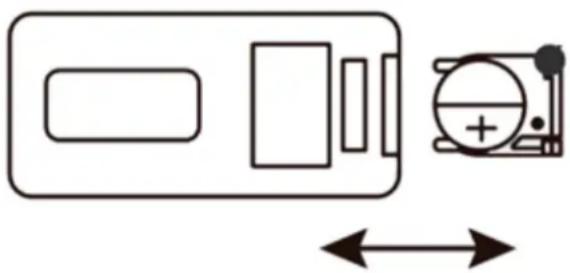
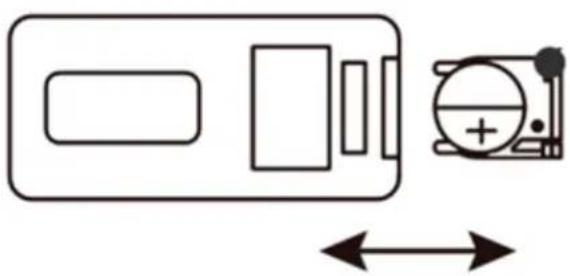
Pull the tab on the battery tray in the remote and slide the tray out.
- Replace an used battery with a new one - watch for proper polarisation.
- Slide the tray with a new battery in the remote and it is ready to continue using.
Disposing of used devices
Do not dispose of this device in municipal waste systems. Hand it over to an electric and electrical device recycling and collection point. Check the symbol on the product, instruction manual and packaging. The plastics used to construct the device can be recycled in accordance with their markings. By choosing to recycle you are making a significant contribution to the protection of our environment.
Contact local authorities for information on your local recycling facility.
Troubleshooting
| Problem | Possible Cause | Solution |
| 1.Fireplace turns off and will not turn on. | 1.Fireplace has overheated and safety devise has caused thermal switch to disconnect or home circuit breaker has opened. | 1 Reset switch by turning main power off and waiting turning it back on or breaker circuit breaker. |
| 2.Flame is not moving. | 1.Loose wiring. 2.Flame motor defective. 3.Flame rod out of place | 1.Inspect wiring for loose connections. 2.Call a qualified service technician to replace flame motor. 3.“Flame Rod” out of place due to rough transit/handing of the product. This issue can be corrected as simple as removing the glass, flipping the fireplace upside and |
| down, removing a set of screws that are holding the bottom frame plate and placing the flame rod back into place. | ||
| 3 Flame is not visible. | 1.Wiring is loose. | 1.Disconnect from power source and inspect wiring for loose connections and repair or replace if necessary.2.Push the flame button to high. |
| 4 Log set and /or is not glowing. | 1.Wiring is loose. | 1.Disconnect from power source and inspect wiring for loose connections and repair or replace if necessary. |
| 5 Remote control does not work. | 1.Low battery power.2.Not aiming control correctly.3.Defective remote control and /or sensor. | 1 replacing batteries in remote control.2.Aim control at sensor located directly behind glass screen in center of unit just above logs.3.Replace remote control and/or sensor. |

NASTAVENJ JASU (PLAMENE).
LAMMITYS PÄALLE/POIS
HOOG VERMOGEN VERWARMING
LAAG VERMOGEN VERWARMING
NASTAVENIE JASU (PLAMENA).
Nastavenie jasu znamena vyber urovne jasu plameña.
KONTROLA TEPLTNEHO LIMITU
HACTPOIKA HA EUNHHU CEEJ3N/ΦAPEHXAHT
Temnepatypata no noDpa36npahe e LcIe3n. HAtncHete bIro 6yToHa Ha TaMepa 3a 3ceKHydn, 3a da npomHeTe nokaznraHa TEmnpaTpata ot cIe3n Ha ApenxauT.
DINCTAHUHOYNPABJEHNE
HaTncheTe 6yToHa BKJ./N3KJI. (YepeBEN) Ha nIcTaHunOHHO ynpaBHeHne, 3a da 3anOuHeTe ekeTa Ha IJaMbKa. INtepfeinbT no nopa3bnpaHne ce noka3Ba kakTO cJeDbA:
H 0
IkoHata 3a otOnnHe Hne 1e ce nokae H ypeBt 3anOHe da 3arpBa, KOrATo cTaNHaTa TemNepaTpye eo-Hncka OT hAcToPouKaT a no Nopda3bnpaHe (10^) , HAnpoTnB, Hma Da ce noka3Ba n da 3arpBa.
IkoHaTa Ha yacOBnka ige Mra, 3aOTo YacbT Bce Oue He e 3aJaDeH. MoJ, cneDbaiTe CTbnKnte B "HactpoKa Ha TaMepa", 3a Da 3aJaTe Yaca.
"H10", nokazaho Ha dincpnien, nokazba, ye e 3aadaeha BvcoKa MouHoc Ha HarpBaHe Do 10 rpaDyca.
IokaHnT "L10" noka3Ba HAcToKa Ha HnCKOMoUHOOTOpHeHn 10 rpaDyca.
26C, nokazanHaMaunHata, nokazBat 26 rpaDyca npn ctaHa TemepaTypa.
BKN./N3K.OTONJIEHNE
HaTnCHHe 6yToHa + nIi - Ha nCTaHcUHOHTO ynpabLeHne, 3a da CTapTpate 6bp3a HAcTpoKa Ha TOnnHaTa (Bbnpekn Ye e npd ceMnuHa nporpama), kakTo cneDb:
HaTnchete6yToH+uIN-3aDaBnTe TeKyuTaTeMnepaTypaHaekpHa.
HaTnchete 6yToHa + Hn -, 3a da peryInpate JekanHata TemnepaTypa. Ako 3aJaDeHaTa TemnepaTypa e NO-BnCOKa OT cTaNHaTa TemnepaTypa, OTYeTeHa OT ypeDa, OTOnJIeHHeTO 3anoYBa. OTOnJIeHHeTO HMa Da 3aNoUHe, AKO 3aJaDeHaTa TemnepaTypa e No-HNCKa OT cTaNHaTa.
TemnepaTpHnT dnaana3OH, BkIouHTeJIHO OFF (n3KIOUcHo OToPHeHne),OT 10°C do 30°C.
BNCOKA MOUHOCT OTONJIEHNE
B INHTepfpeIca no nOpa36bpaHe HATncheTe 6yToHa MENU Ha dNcTaHcNoHhTo ynpaBHeHne, 3a da ce nokae Hn mraasa IKoHa 3a OTOnJIeHne, KaKTo cJeDbA:
HaTnCHHe 6bToHa OK, 3a da 3aJaTe Te TmpepaTpaTa. TEmpepaTpaTa no noPa3bpaH e 10^ (50^)
Poka3Ba ce KaKTo cIeDbA:
HaTnchete 6byToHa + nIn -, 3a da peryIuPate TemnepaTpata. Ako 3aJaDeHaTa TemnepaTpape no-BncoKa ot cTaNHaTa TemnepaTpapa,OTyeTeHa OTypeA,OTonJIeHHeTO 3anoYBa. OTonJIeHHeTO HMa Da 3anoYHe, aKO 3aJaDeHaTa TemnepaTpape NO-HnCKa OT cTaNHaTa.
OTONJIENHE HA HNCKA MOUHOCT
B INHTepfeiCa no nOpa36pHahe HATncHe 6yToHa MENU, 3a da ce nokae L miraua IKoHa, KaKTo cIeDbA:
HaTnCHTe 6yToHa OK, 3a da 3aJaTe TempepaYpTa. TempepaYpTa no noPa3bpaHe e 10^ (50^)
Toka3Ba ce KaKTo cIeIbA:
HaTnchete 6yToHa + nIn -, 3a da peryInpate TemnepaTpata. Ako 3aJaDeHaTa TemnepaTpape no-BnCoka ot cTaNHATA TemnepaTpapa,OTyeTeHa OType,OTOnJIeHHeTO 3anOuBa. OTOnJIeHHeTO Hma Da 3anOuHe, aKO 3aJaDeHaTa TemnepaTpape no-HnCKa OT cTaNHaTa.
PEYUNPAHE HA RPKOCTTA (NJAMbKA).
PeryIinaHeTo Ha rpkocTt O3HaUaBA H36Op Ha HnBO Ha rpkocT Ha IJaMbka.
B nHTepfeIca no nopa36npaHe, npOdbJIkeTe da haTnckate 6yToHa MENU ha nCTaHOnHOto ynpaBHeHne, 3a da n36peTe KOHTpoHa npKocTa,doKaTO ce nokaKe "bri" u KHOHa Mra, KaKTo cJeBa:
Morat da ce n36npaT 5 HnBa Ha npKoc. HactpoKaTa no noDpa36npaHe e 3.5 e HaN-BnCOKOTO HnBO, KaKTo e nokaHaNo-DoV:
PEIOBEH TAIMEP
B INHTepeica no npda3bnpahe, npdoJIkeTe da HATnCKate 6yToHa MENU ha nCTaHcnoHHOTO ynpabHeHne, 3a da n36peTe o6nKHOBeHna TaMep, nOKa3aHata IKoHa ,ac" ,KaKTO cneDbA:
HaTnCHete 6yToHa OK, 3a da 3anOHTe oBuaHata HactpoKa Ha TaMepa. HaTnCHete 6yToHa + nn -, 3a da n36peTe JeaHOTo BpeMe.
BpeMeBaTnOscIeIOBATEJIHOCTe 6bJe 00-30 MNHyTu, 1H, 2H, 3H, 4H, 5H, 6H, 7H, 8H n 9H. HactpoiKaTa no npda3bnpaHe e ,oo", KaKTo e noka3aHO no-dony:
H36OP HA PEXKIM (BTOPNUHO MEHIO)
B INTEppeCa nO noDpa36nape, npoDbIkeTe da HATNCKate 6yToHa MEnu Ha dncTaHcNOHHTO ynpaBHeHne, 3a da n36epeTe n36op Ha peKIM, noka3Ba ce „PekIM“, KaKTo cJeDA:
HaTncheTe 6yToHa "OK" 3a DoctbI DO BTOPNHOTo MeHIO. BTOPNHOTo MeHIO mA cIeHNITe FyHKUIN:
MODE haTncka OK, 3a da nokaKe OTBOPEHO no noDpa3bnpaHe. HATncHete 6yToHa + nn -, 3a da n36peTe JeIahn peKm.
a) OTbopete
Ipoobkke Ta Hatackate 6ytoHa,MEHIO" Ha nctaHnOHTo ynpabHe,3a da n36peTe MeHIO Ha peKIma. HataChete OK 3a noTbPKeHne, cJeT ToBa + nn -3a DocTbN Do fYHKpTa 3a OTkpBaHe Ha OTBOpen npo3opeu. Ekpaht Noka3Ba,OTBOPEHO", KaTO CNeDbA:
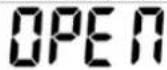
HaTnCHeTe 6yToHa OK, 3a Da nOTBbPdnte, cIeD TOBa 6yToHa + nn -, 3a Da n36epete ON nn OFF. HaTnCHeTe 6yToHa OK, 3a Da BkIIOHTe nn N3KIOHTe FyHKUraTa 3a OTkpNBHe Ha OTBopeH npO3opeu.
CneIakTNBnPaHHe Ha pa3no3HaBaHeTo Ha OTBOpEn npOsopeu, ypeIbT ABTomaTHNo ue nKIOUOnOTONJIeHNTo, KOrato yCTaHOBN, ye cTaNHATA Tempeatypae cnaHana c nobEe ot 4^ 3a 10 MNHTN u ne noDbPka noHKeHata Tempeatypa He no-MaIKo OT 20 MNHTN.
3a da pectaptnape oToIeHHeTo, perynpaTe 3aJaDeHaTa TeMnpaTpya, cJe KoTo HaTnCHeTe 6yToHa OK, 3a Da NotBbPnte HAcTpOkaT. FyHKuYra Ta 3a OTKpmbAhe Ha OTbopeH np03opeu Ie 6bJde N3KIOUcEHA CneI HynpaHe Ha TmnpaTpya.
b) HacpoiKa Ha BpeMeTo
BbB BtOpHHTO MeHIO HATnCHTe 6yToHa + NN - 3a DoCTbN Do HAcTpoKaTa Ha BpeMeTo. Ioka3Ba ce "BPEME" KaKTo CneDbA:
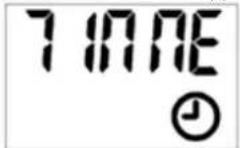
HaTushe OK, 3a da notbpynte, cnei TOBa 6yToHa + nIn -, 3a da n36peTe deH, KOTo e "D1" 3a noHeDenHnK, "D2" 3a BTOpHnK, "D3" 3a cpaIa n Taka HaTaTBk -do D7 (HeJeI).
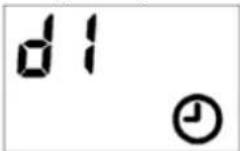
HaTncheTe OK, 3a da nOTBbPdTe DeH, cNeD TOBa 6yToH + mIn -, 3a da 3aDaTe Yaca (vac).
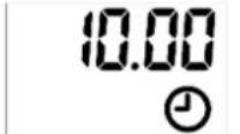
HaTnchete OK, 3a da notbbpnte yaca, cne ToBa 6yToH + nn - 3a dOnbHInHa HacTpOka Ha BpeMeTo (mHyTa).
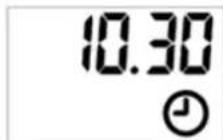
HaTncheTe OK, 3a Na nOTBbPdnte HacTpOyKaTa 3a BpeMe.
3a da n3ne3e ot hactpoiKaTa no BpeMe ha pa6ota, HATncHete 6yToHa MEnu Ha dntaHIOHHTO ynpabLeHHe.
Ako IKOHaTa Ha YacOBHnK MIna NoCToHHO, TOBa O3HaHaBa, Ye BpeMeTo e N3MecTeHO CneI, npeKbCbaHe Ha ToKa. MiRa, Tb' KaTo YacbT He e 3aDaHe.
c) C.RROG (CeMnHno nporpaMnpaHe)
3A6EJIEXKKA:BpeMeTo Tp86Ba Da 6bDe 3a4aDeNo npedn Bcayo nporpaMnpaHe.
HaunuHc 4 npedBapnteHno 3aadaennporpaMn. BcKa nporpama BKIOUba BpeMeBN nepoI nn HkoKo BpeMeBN nepnoIa, npes KOnTo eJeKtpnueckaT a KamHa pa60tn. N3BbH yacobTe nepnoIeekTpncckata kAmHa e N3KluOyeHa.
BpeMeBnT npnoD Ha eDHa nporpaMa MoKe Da ce npinokpNa BpeMeBnA nepNoD Ha pyra.
DeΦHnHnua Ha nporpaMaTa:
P1 kaTo nporpama 1:
- OT NOHeIeIHHK Do netbK ot 05:15 3a 4 yaca OTOnnleHne C BncoKa MoHoc T O T c6Ota Do HeJeI rO 06:20 3a 4 yaca OTOnnleHne C Hncka MoOHocT.
P2 kaTo nporpama 2:
OT NOHeIeHNIK Do neTbK OT 17:45 3a 4 yaca OTOnJIeHne C BnCoka MoUHoc T c6bOta Do HeJeIg OT 16:30 3a 4 yaca OTOnJIeHne C HnCKa MoUHocT.
- P3 kaTo nporpama 3:
Cb6oTa Do HeDJIa OT 08:15 3a 4 Yaca OToJIeHne Ha BnCOKa MoUHocT.
P4 kaTo nporpama 4:
Cb60ta do HeJeIa OT 16:30: 3a 4 yaca BnCOKOMOuHO OToJIeHne.
BbB BTOHOTMeHIO HATNCHeTe 6yToHa + nnn -3a DoCTbN Do ceDMnHOTo nporpaMnpaHe, NOKa3Ba ce „ProG“, KaTcO CneDb:
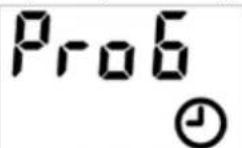
HaTnCHte 6yToHa + nI -, 3a da n36peTe "ON" nIi "OFF", KoETo O3HaUaBa Da BkIoUHTe nIi n3KIOUHTe ceDMuHaTa nporpaMa.
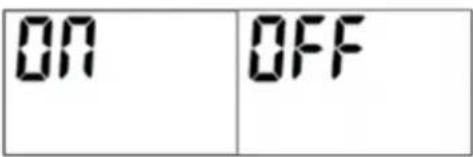
HaTncheTe OK 3a NtBbpxkDeHne.
3a da n3ne3eOT hactpoKaTa NO BpeMe Ha pa60Ta, HATncHe MEHIO.
3a da OTMeHnTe cBuecTByBaua ceDMnHa nporpama, n36peTe N3KJI., 3a da n3KnIOHTe ceDMnHaTa nporpama.
d) D. pbyen pekm (Hactpoyn 3a ceMnHOp nporpamnpahe)
BbB BTOHOTMeHHO HATNCHETe 6yToHa +nIN -3a DOCTbN Do pBuHa HAcTPOKa, NOkA3Ba Ce ,MANU"KAKTO CNEBA (3a npOMraHa Ha cbDbpKaHneTo Ha PROG):
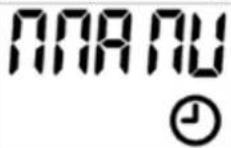
HaTnchTe OK, 3a Da nOTBbPdnte, CneI TOBa HaTnchTe 6yToHa + nn -, 3a Da n36peTe dHnte 3a aKTHBpuAHe nn DeaKTbBpuAHe Ha nporpaMata.
HaTnCHete + nnn -, 3a da n36epete nbpBO DeHr Ha aKTbBpaHe, HATnCHete OK 3a NOTBbpxkDeHne; CteI TOBa HAtncheTe + nnn -, 3a da n36epete DeHr Ha deAKTNBpaHe, HATnCHete OK 3a NOTBbpxkDeHne.
CleBau npimep 3a n36op Ha noHeJenHK KaTo DeH 3a AKTUBipaHe HedeJIa KaTo DeH 3a DeAKTUBpaHe:
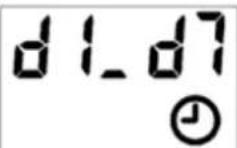
HaTnCHTe 6byToHa + nI -, 3a da n36epTe CTeneHtHa HarpBaHe. "H" 3a OTonJIeHne C BnCOKa MOuHOCT n "L" 3a OTonJIeHne c HnCKa MoUHOCT. HaTnCHTe OK 3a NOTBbPckJeHne.
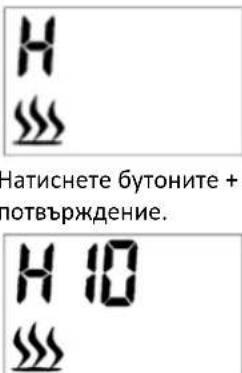
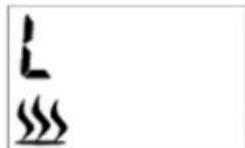
HaTnCHete 6yToHnTe + nI -, 3a da 3aJaTe JeHaHaTa TempepaTypa. HATnCHete OK 3a notBbpxkDeHne.
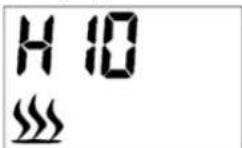
HaTnCHHe6byToH+nn-,3a da 3aJaTe Ye caca Ha aKtBnBpaHe. HATnCHHe OK 3a NotBbpxJdeHne.
10.00
HaTnchete 6yToHa + nIi -, 3a da 3aJaTe MInHyTu OT BpeMeTo 3a AKTNBupaHe. HaTnchete OK 3a NOTBbpxDeHne.
Molna, mmaTe npedBnD, ye hactpoKaTa 3a MHyTn Ce HATpynBa C 5 MmHyTn BCEKn nT.
10:30
HaTusheTe 6yToH + nn -, 3a da 3aadaTe npOdbnKHeJHoCTTa Ha nepnoo aOT BpeMe. HATusheTe OK 3a notBbPckDeHne.
Mol, mai Te npedn, che hactpoKaTa 3a npoBnKteHocT ce HATpynBa c 30 MInHyn BceKn nT.
0130
Docera nbpBnT nepnoD ot nporpaMaTa e 3aBpseH. PokaBa ce „CON PX" (notBbpDeTe).
3A6EJIeKKA: Pporpamata He MoKe Da ce 3nBnHraBa Ha cneBaunr DeH. CneIOBaTeHOMaKcMaHaHaTnpOdbJxHKeTHeHOMeKe Da HAnBnWabNolYHOu (HaNPmep, aKO HauaHnrT Yace 20:30, MaKcMaHaHaTnok3aHa npOdbJxHKeTHeHOct e 4 Yaca, a peaHaTa MaKcMaHaHa npOdbJxHKeTHeHOCT e 3 Yaca n 30 MNHyTu).
con
3a da npoDbIJIKe He HAcTpoKata 3a 2-pn nepno OT BpeMe,HaTncHe OK,3a da npoDbJIKe. Cne KaTo HaTncHe OK,ekpaHbT 1ue ce BbpHe KbM nHTepFeiCa 3a n36Op Ha den 3a BTOpN nepno OT BpeMe.
FIN5H
3a da 3abpbwnTe HactpoKaTa, HATncHete 6yToHa + nIn -, 3a da HamepuTe "FINSH", cIeJ KoETo HATncHete OK, 3a da 3abpbwnTe HactpoKaTa.
3a eINH DeH Morat Da ce H3No13BaMHOKeCTBO nepNOi OT BpeMe. EINH n cBt nepNOi OT BpeMe MOKe Da ce H3No13Ba 3a HAKO1KO dHI.
3A6EJIEXKKA: 3a HacpoKn npn n36op Ha peXHM (BtopuHo MeH0) BnHaRn He 3a6paBraTe da HATncHe 6yToHa OK, 3a da NotBbPdnte HactpoKaTa. 3a eDHa nporpama MoarT da ce n3noJ3BaT MaKcMym 8 nepNoDa ot BpeMe.
Cne puchHa hactpoKa 3a ceDMnUHa nporpaMa, cbotBeTHaTAporpaMa e N3BbPunla pchTa HactpoKa, cbOTBeTHO ue akTyaln3npa HactpoKaTHa nporpaMaTNo nDpa36npaHe.
Bb3CTAHOBRAHE HA AABPNHHTE HACTPOKNI
B cbctoHne Ha BkIIOueH uenCe, Ho He e BkIIOueH ypeBt (rnaBHnT npeBkIOUbaTeHa 3axpaHbAHeTo B noLoKeHne ,O" - He BkIIIOuBaIte 3axpaHbAHeTo), HATnCHete N 3aDpBXe 6yToHa 3a HaMaJIaBaHe Ha TemnepaTpyata 3a 3-6 ckyHm n ue yyete 3ByKOB cnHra. CneJ TOBa n3BaJeTe uenceJa ot KOHTAKTa n cJe10 cekyHdN BkIOUeTe OTHBO, 3a Da BB3CTaHOBIne fapuHNTe HAcTpoKn.
KOHTPOI HA OPGAHUHNEHETO HA TEMIPEPATPATA
To3n HarpBeBateI e 606pyDbH c KOHTpOHa TEmpePaTyPATA. Ako HarpeBaTeJIr DOCTnHe He6e3onacHa TempePaTpa, HarpeBaTeJIr ABTomAtuHO ue To NkLIOUH. 3a Da HyIpate KOHTpoJa Ha JIMMIta:
- ɪəkʌŋoʊte 3axpaHbaɪnɪka6eɪŋ οKɔHTaKaT。
3aBbPTe TpeBkHouBaTeJNaON/OFF Ha KOHTpoJIHnI NaHeI Ha OFF. N3uKaJIeT 5 MInHyTN. - Побере Камнота, за дусуветe, ус BEHTnlaционнite OТВОпи He ca 6LOKINAPHи Илл зanyшe n c npax nln mbx. Ако с, n3noI3BaIte npaxocmykaчka, за ду NOUcHITe BEHTnlaционнite 3OHN.
C npEbkHbTaTeHa 3axpaHbHeTo B noLoXeHne N3KJIIOUcHO ("O"), BkIIOueTe 3axpaHbSIna Ka6eB o6paTHo B KOHTaTa. - Ako npo6nembT npoBnkaBa, HakapaTe KOHTaTa n Oka6eJaBaHeTo Da 6bDaT npoBepeHn ot CneuHaJIcT.
Poiapbka n rpnKn
a) ɪnʌkʌŋoʊte Σeɪncεla OT Kɔntaɪtæ N OCTaBete yCtpoɪcTBOTO da CE OXlaɪn Hʌn'bɪNHO npeɪn BCSKONOuHCTBaHe, NaCTpɔɪka iɪn CmɪHa Ha aKCEcoaɪn, iɪn aKO yCtpoɪcTBOTO he CE iɪsɪNoɪ3Ba.
- 3yakaiTe BbptaunTe ce enemeHTn da cnpaT.
b) 3nOJI3BaIe cAmO HeKOpO3NBH NOnCtBAuN IpeNaTn 3a NOnCtBaHe Ha NOBbPxHOCTTa.
c) CbxaHraBaIte ypeDa Ha cyxo I xlaIHO mrcTo, 6e3 BnaI n npraKa cIbHuVeBa cBeTlnHa.
d) He npbckai Te yctpoCTBTO C BOHa CTpyu Hr To notanraTe BbB BOda.
e) He no3BolnaTe BOda Da nonaHHe BbTpE B yCTpOcTBOTo npe3 BeHTnlaUHOHHTe OTBOpN B Kopnyca Ha yCTpOcTBOTO.
f) N3no3BaIte MeKa Kbpna 3a noHCTBaHe.
g) He octabrTe 6aTepeTbA yctpoiCTBTO, aKo HMa Da ce N3IOJI3Ba 3a NO-dblr nepnoD OT BpeMe.
h) He n3no3BaIte octpn n/nn MeTaHn npedMeTn 3a nouchTaBe (HaNP. TeNa Hc TaHa WnataYna), 3aOTo TE MoRat Da nobpeTn NobbpxHOCTHn MaTePnA Na ypeJa.
i) He nouchteBaTe yCtpoIcTBoTo c KHeJIHHnBeIeCTBa, npenapaTH 3a MeHnHckn ceJIH, pa3peIHTeJI, roPbO, macla nn dpyrN XmMueCKn BeIeCTBa, 3aTO TOBa MoKe da NobpeJy CTrpoIcTBOTO.
j) NocTbHe Ha MeTaI
- Пларайс сnomоца на Meka KBpna, Лко HablaжнeHa с подукт на базаТа на ситусов
МасLO.
HE n3no3BaIte Iak 3a MeCnHr IIN IOMaKInHcN NOChTBAuN IppeapatN, TbKATO Te3N npOdyKTNIe NOBpeAIT MeTaJHaTa O6JIuOvBa.
k) OouncBaHe Ha CTbKla
- I3noI3BaIte KaueCTBeH NouchTBAu, npenapat 3a CtbKIO N IOcCyWeTe Do6pe c xapTneHa Kbpna nn Kbpna 6e3 BlaKaHa.
- HNKOFA He n3noI3BaIte a6pa3uBn noUcTbaa npenapatn, TeuH cnpeObe nn dpynn ooucTbaa npenapatn, KOHTo MORaT da HaDpaKaT nobbpxHOCTTa.
n) CmHa Ha 6aTepeH Na DnCTaHcNoHHo
- I3IbPnaiTe e3HueTo Ha Ihe3DoTo 3a 6aTeepnB I ndaTcHIOHOTo N IIb3HeTe Ihe3DoTo HABbH.
CmeheTe n3no3BaHaTa 6aTepe n C HOba -cneDeTe 3a npabnHa noJrpna. - ПьзHeTe Tabata c HOBa 6aTePnB BДиCTaHcHOnHTo n To e rTOBO 3a npOdbJxHtEnHa ynoTpe6a.
I3XbpyHe Ha n3PON3BaHn yCTPOcTBA
He n3xBpIaIte ToBa yCTpoIcTBo B o6uHcKInTe CnCTeMn 3a OTnaDbu. IpeaIte Ro B nyHK T3 a peuKnIpaHne cBbupaHne Ha eekTpueckn H eekTpueckn ypei. IpoBepete CmBOLA Bbpxy npOdykTA, pkoBOcTBOTo 3a yNtpe6a H onakOBkata. INaCTMaCHTe, H3NoI3BaHn 3a KOHcTpyuHaTe Ho yCTPOIcTBOTo, Moar Ta 6bDat peuKnIpaHn B cbOTBeTcTBnE C texHnTe MapkpOBKn. N3bupaKn Da peuKnIpaTe, Bne DonpnHacrTe 3HaHTeJIHO 3a ONa3BaHETo Ha OKoJHaTa Cpeia.
Cbpxte ce c MeCTHnTE BlaCTn 3a HOpMaun OTHOCHO MeCTHOTc CbopBXHe He 3a peuKlnpahe.
OTcpaHbAHe Ha Hen3npaBHOCTN
Nathore OK yia enukupwon.
For the disposal of the device please consider and act according to the national and local rules and regulations.
CONTACT
expondo Polska sp. z o.o. sp. k.