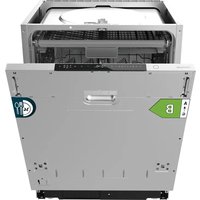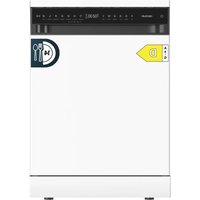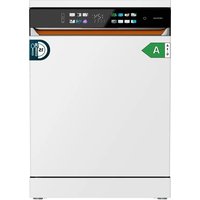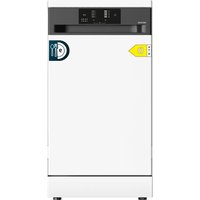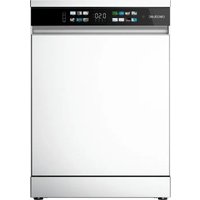
Bolero Aguazero 6620 - Dishwasher CECOTEC - Free user manual and instructions
Find the device manual for free Bolero Aguazero 6620 CECOTEC in PDF.


| Product type | Built-in dishwasher (Full-BI) |
| Brand | Cecotec |
| Model | Bolero Aguazero 6620 |
| Capacity | 15 place settings |
| Dimensions (W x D x H) | 598 x 570 x 820 mm (approx.) |
| Net weight | Approximately 45 kg |
| Power supply | 220-240 V ~ 50 Hz |
| Maximum power | 2000 W (approx.) |
| Water pressure | 0.04 - 1 MPa |
| Max. hot water temperature | 65 °C |
| Wash programs | SMART, Intensive, Universal, ECO, Rapid, Gentle, High Temperature, AutoClean |
| Additional functions | Half-load, Delayed start, Extra storage, Turbo+ drying, Child lock, Extra rinse |
| Installation type | Built-in (Full-BI), decorative panel not included |
| Water softener | Yes, with regenerable salt reservoir |
| Detergent and rinse aid dispenser | Integrated, adjustable |
| Baskets | Height-adjustable upper basket, lower basket, cutlery tray |
| Tub material | Stainless steel |
| Noise level | Approx. 46 dB(A) (estimated) |
| Energy class | Not specified (see energy label) |
| Water consumption (ECO cycle) | 10.2 L |
| ECO cycle duration | 215 min |
| Maintenance | Weekly filter cleaning, wash arms every 2 weeks |
| Safety | Child lock, automatic stop when open, leak protection |
| Warranty | Manufacturer standard (see conditions) |
Frequently Asked Questions - Bolero Aguazero 6620 CECOTEC
User questions about Bolero Aguazero 6620 CECOTEC
0 question about this device. Answer the ones you know or ask your own.
Ask a new question about this device
Download the instructions for your Dishwasher in PDF format for free! Find your manual Bolero Aguazero 6620 - CECOTEC and take your electronic device back in hand. On this page are published all the documents necessary for the use of your device. Bolero Aguazero 6620 by CECOTEC.
USER MANUAL Bolero Aguazero 6620 CECOTEC
natural_image
Three white industrial refrigerators with black insulation panels, shown from different angles (no text or symbols visible)Safety instructions 11
-
Parts and components 130
-
Before use 130
-
Installation 121
-
Operation 139
-
Clearing and maintenance 156
-
Troubleshooting 159
-
Disposal of old electrical and electronic appliances
153
-
Copyright 164
-
Simplified Declaration of Conformity 164
SOMMAIRE
EN • The coding in this manual is generic and applies to all code variants of the appliance.
Read the following instructions carefully before using the appliance. Keep this instruction manual for future reference or new users.
| Symbol | Type Meaning | |
| WARNING | Risk of serious injury or death | |
| RISK OF ELECTRIC SHOCK | Risk of dangerous voltage | |
| FIRE | Warning: Risk of fire/ flammable materials | |
| WARNING | Risk of injury or damage to property | |
| IMPORTANT/NOTE Correct system use | ||
- Read these instructions carefully before assembling or using the appliance. These instructions contain important information that will help you get the best out of your equipment. It is your responsibility to make sure every user is informed about the warnings and precautions stated in this instruction manual.
- When a malfunction occurs, it can severely damage the dishwasher or result in death or injury to the user, or create electrical or fire hazards.
Do not store gasoline or other flammable gases or liquids near the dishwasher; do not pile combustible materials such as cotton, paper, rags or chemicals around or under the dishwasher. - This appliance can be used by children aged 8 years and above and people with reduced physical, sensory, or mental capabilities or lack of experience and knowledge if they have been given supervision or instruction concerning the use of the appliance in a safe way and understand the hazards involved. Do not let children play with the appliance. Cleaning and user maintenance should not be carried out by unsupervised children.
- Keep the detergent out of the reach of children. Children should be kept away from dishwasher specific consumables.
- After using the dishwasher, there may be remains in the interior. Keep children away from the appliance when it is open.
- WARNING: check the dishwasher and package are not damaged. Never use the dishwasher if it is damaged, contact Cecotec's Technical Support Service immediately.
-
Packaging material may be dangerous to children. Remove it and place it out of their reach.
-
Choose a suitable and safe place to install the dishwasher.
- Do not install the device in humid or dusty areas. Do not install or store outdoors or in any environment exposed to direct sunlight, wind, rain or freezing temperatures.
- Do not install the dishwasher on a surface in which the base cannot air properly, like a carpet.
- Use the new hoses supplied with the equipment, do not reuse old hoses, as they may cause water leaks and material damage.
- After installing the hose, check for water leaks.
- Do not plug the dishwasher before installing it. The machine must be unplugged during its installation.
- It is recommended that the dishwasher is installed by authorised personnel.
- Never use an extension cord or a multi-plug connection to connect the dishwasher to the mains.
- The socket must be accessible after the dishwasher installation.
- The dishwasher must be grounded. If an electric shock occurs, grounding can provide a path of minimum current resistance, thus reducing the risk of electric shock
- After the installation, the first time you run the dishwasher, do it while it is empty.
- Always use the power cord and grounded plug provided with the dishwasher. The plug must be inserted into a suitable power socket, which must be properly installed and earthed in accordance with local Standards and Regulations. Do not modify the plug provided with the appliance if it does not match the power socket.
- Improper connection of the equipment grounding ⚡️⚠️ wires may result in a risk of electric shock. If you
are in doubt as to whether the equipment is properly grounded, consult a qualified electrician.
- Check the power cord regularly for visible damage.
If the cord is damaged, it must be repaired by Cecotec's Official Technical Support Service to avoid any hazard. - Do not use the dishwasher if the cord, plug or housing is damaged or malfunctioning, if it is partially disassembled or if components are missing or damaged.
- In case of malfunctioning, repairs must be carried out by Cecotec's Technical Support Service; otherwise the warranty will be void.
- Before installing or repairing the dishwasher, you
must disconnect it from the mains and close the water tap. - To unplug the dishwasher, pull from the socket, never from the cord.
- When installing or moving the appliance, be careful not to pinch, squeeze or damage the power cord. Do not bend the cable excessively, do not place heavy objects on it.
- Do not place metal objects under or behind the unit.
- This appliance is intended for domestic use only and is not suitable for use in commercial establishments such as bars, restaurants, farms, hotels, motels, and offices.
- During use, the dishwasher uses less energy and water than washing dishes by hand, provided that the household dishwasher is used according to these instructions.
- Do not misuse it, do not stand, sit or place any heavy object on the door or baskets of the dishwasher.
- Do not use the dishwasher if all interior elements are not correctly placed.
-
Do not place objects on top of the dishwasher.
-
Use only detergents and rinse aids specific for dishwashers. Do not use liquid detergent, soap, laundry detergent, etc., as a substitute.
- Some dishwasher detergents are very alkaline. They may be extremely dangerous if you ingest them. Avoid contact with the skin and eyes. In case of contact with eyes, rinse immediately with clean water.
- Use dishwashing salt. Other types of edible or industrial salt are not suitable.
- Keep children away from the dishwasher when the door is open.
- Due to the danger of explosion, do not place chemical solvents in the interior of the machine. Do not clean or dry articles that have been in contact with explosive substances (such as gasoline, solvents or solvent-based detergents).
- In case of gas leaks (isobutane, propane, natural gas, etc.) do not touch the appliance or the plug and ventilate the room immediately.
- Do not place articles which are not dishwasher safe in the machine.
- Do not fill the baskets over their capacity.
- Cecotec is not responsible for any deformation produced in the interior of the machine due to misuse.
- Do not close the dishwasher door when it is in the automatic opening mode (certain models only).
- Do not open the door while the dishwasher is running, to avoid burns from hot water splashing or hot air. The machine features safety devices which will stop the operation if you open the door.
-
Do not leave the door open, as it could cause accidents.
-
Plate knives and other sharp objects with the blade facing down in the cutlery drawer or in the cutlery basket.
- Fonsafety reasons, disconnect the mains plug after the programme has finished.
- The water coming out of the dishwasher may be hot, do not touch it.
- To avoid electric shock, do not touch the power plug or the dishwasher's control panel with wet hands.
- If any abnormal phenomenon occurs, such as burning smell, it is necessary to stop operation and cut off the power supply.
- In the event of an electrical storm, it is recommended that the dishwasher be unplugged, otherwise a lightning strike may cause damage to its internal electronic components.
- The maximum place setting capacity is 15.
- The maximum inlet water pressure is 1 MPa.
- The minimum inlet water pressure is 0.04 MPa.
- If the dishwasher will not be used for extended periods of time, unplug the power cord and turn off the faucet.
- Dishwasher repair should be performed by qualified technicians.
- Before disposing of the old dishwasher, unplug it. Cut the power cord directly behind the appliance to prevent misuse.
- Before handling or disposing of this device, remove the door to prevent children or small animals from being trapped inside and causing danger.
- Cecotec disclaims all liability for any damage or injury caused as a result of failure to follow the installation and/or operating instructions contained in this instruction manual.
- Cecotec is not responsible for any damage, accident, or
incident resulting from the misuse of this appliance. It is the responsibility of the user to operate and maintain the appliance according to the instructions and recommendations detailed in this manual. Failure to follow instructions may result in personal injury, property damage, or loss of product warranty.
INSTRUCTIONS DE SÉCURITÉ
- Door exterior (panel NOT included)
Fig. 2
Internal parts
-
Cutlery tray
-
Upper basket
-
Upper spray arm
-
Lower basket
-
Rinse aid and detergent dispenser
-
Touch control panel
Notes:
- The graphics in this manual are schematic representations and may not exactly match the product.
- To improve quality, our products are constantly updated and their appearance and specifications may change.
- Each dishwasher has undergone a thorough quality control before leaving the factory to ensure its reliability. You may find water droplets generated by our quality control in your new dishwasher. This will not affect its performance.
2. BEFORE USE
- This appliance comes in a packaging designed to protect it during transport. Take the appliance out of its box and remove all packaging materials. You can keep the original box and other packaging materials in a safe place to prevent damage to the appliance if you need to transport it in the future. If you wish to dispose of the original packaging, make sure all items are recycled properly.
- Check that all parts and components are included and in good condition. If any of them are missing or damaged, please contact Cecotec's Official Technical Support Service immediately.
BOLERO AGUAZERO 6520 FULL-BI
BOLERO AGUAZERO 6620 FULL-BI WHITE GLASS
BOLERO AGUAZERO 6620 FULL-BI BLACK GLASS
Box content
Dishwashers
- Instruction manual
- Energy efficiency certificate sticker
- Water supply hose
- Funnel for salt
- Assembly kit
Figure 3 shows the accessories included*.
Fig. 3 key:
1.- Salt funnel
2.- Adhesives
3.- Plinth supports (2 pcs)
4.- Screws ST3,5*45 (4 pcs for installing the decorative panel on the door)
5.- ST3,5*35 screws (4 pcs. for dishwasher installation)
6.- Screws ST3.5 ^A 35 (4 pcs. for skirting board installation)
7.- Height adjustment bar (1 of 2)
8.- Height adjustment bar (2 of 2)
9. - Anti-humidity adhesive
*NOTE: Accessories may vary depending on the model of dishwasher.
- Do not remove the product's serial number in order to keep proper traceability if technical assistance is required.
3. INSTALLATION

Caution:
- Be sure to have electrical supply, water and drain points near the dishwasher installation location.
- It must be installed or moved by professional personnel. Unauthorized disassembly, modification or repair is prohibited. A new hose must be used to connect the device to the water supply.
- Unauthorized installation may cause electric shock, fire and water leakage. If switches with protective devices or leakage protection switches are not installed or are installed incorrectly, an electric shock may occur.
BOLERO AGUAZERO 6620 FULL-BI
BOLERO AGUAZERO 6620 FULL-BI WHITE GLASS
BOLERO AGUAZERO 6620 FULL-BI BLACK GLASS
ENGLISHENGLISH
- Check that the installation of the power circuit, fuse, socket and switch at the location where the device is placed complies with local Standards and Regulations; check that the safety grounding protection is adequate and that the water supply and drainage device meet the requirements for location and use.
- Check that the voltage at the installation site meets the requirements and that the dishwasher can only be operated normally and safely at the rated voltage.
- Check that the length of the drainage pipe complies with the requirements of use.
- Remove all packing materials from the inside and outside of the dishwasher before installation.
- Keep this instruction manual in a safe place for future reference. If you sell, give away or move the appliance, make sure to keep this manual with the appliance, so that the new owner can refer to it at any time.
- Please read this instruction manual carefully: it contains important information on the safe installation, use and maintenance of the appliance.
If it is necessary to move the appliance at any time, keep it in an upright position; if absolutely necessary, it can be tilted on its back.
- After installation, make sure that the door opens smoothly.
- Figure 4 shows first the dimensions of the cabinet where the dishwasher is to be installed (1) and then the space required to open the dishwasher door (2).
Fig. 4 key:
1.- Dishwasher and cabinet installation plan
2.- Dishwasher door opening plan
3.- Dishwasher side

WARNING:
- Test the dishwasher first and confirm proper operation before installation to avoid unnecessary disassembly and assembly.
- This dishwasher is installed in a built-in cabinet.
- Before starting the installation of the dishwasher, read these instructions and remove all components from the packaging (Figure 5).
3.1 Installation of the decorative door panel
- Different decorative panels (NOT INCLUDED) can be installed depending on the color and style of the furniture.
- The dimensions of the decorative door panel should be as follows:
Width 592-594 mm.
Thickness: 18-20 mm
Height: 540-600 mm (semi-integrated)
BOLERO AGUAZERO 6520 FULL-BI
BOLERO AGUAZERO 6620 FULL-BI WHITE GLASS
BOLERO AGUAZERO 6620 FULL-BI BLACK GLASS
650-710 mm (fully integrated)
Weight: 3-8 kg
- The specific dimensions must be adjusted according to the height of the cabinet door panel.
- To install the decorative door panel, the following steps must be followed:
STEP 1
A.- Full integration of the decorative door panel (Figure 6)
Drill 2 holes for handle installation. The size is determined by the type of handle. Make sure the screws are securely fastened into the wooden board.
Drill 4 fixing holes for the decorative plate.
Place the stickers.
Fig. 6 key:
1.- Adhesives
B.- Semi-integration of the decorative panel of the door (Figure 7).
Drill 4 fixing holes for the decorative plate.
Place the stickers.
Fig. 7 key:
1.- Adhesives
STEP 2
Open the dishwasher door, adjust the decorative panel to align with the left and right edges of the door and screw the ST3.5*45 screws (4 pcs) into the 4 holes reserved in the door liner to attach the decorative panel to the outer door of the dishwasher (Figure B).
Fig. 8 key
1.- Inside of the door
2.- exterior of the door
3.- Decorative panel
3.2 Height adjustment bar installation (only applicable to semi-integration)
STEP 3
If the size of the wood board is too small, a height adjustment bar can be added to meet aesthetic needs. The height adjustment bar is 5 mm and the number of pieces can be determined as required.
Installation method: Attach the buckle to its corresponding slot and install the parts in 1-2-1-2 order (Figure 9).
BOLERO AGUAZERO 6620 FULL-BI
BOLERO AGUAZERO 6620 FULL-BI WHITE GLASS
BOLERO AGUAZERO 6620 FULL-BI BLACK GLASS
ENGLISHENGLISH
Fig. 9 key:
- Height adjustment bar 1
2.- Height adjustment bar 2
3.- Height adjustment bar
Decorative door panel
3.3 Door adjustment
STEP 4
After installing the decorative panel, due to different specifications and materials, the weight of the door body varies. At this point, it is necessary to adjust the spring tension to ensure door balance by following the steps below (Figure 10):
A. If the door assembly tilts (drops) after loosening, tighten the screws clockwise to increase the tension.
B. If the door assembly rises after loosening, reduce the tension by loosening the screw counterclockwise.
C.- If the door assembly opens from 15^ to 90^ , it can remain in any position and the spring tension adjustment will be optimal.
3.4 Installation of the anti-humidity stickers (only available depending on the dishwasher model)
STEP 5
To prevent steam from wetting the top of the cabinet when the dishwasher is opened, a moisture-proof label should be placed on the inside top of the cabinet (Figure 11).
A. Clean and dry the inside top of the cabinet, where the label should be placed.
B.- Remove the protective film from the back of the damp-proof adhesive.
C.- Place the anti-humidity adhesive on the upper internal part of the cabinet.

WARNING: If any wooden furniture is in contact with the dishwasher and does not have anti-moisture pads, we recommend varnishing it with waterproof paint to
prevent moisture or possible water leaks from spreading.
3.5 Dishwasher balance adjustment
STEP 6
To ensure the stability of the 4 corners when placing the dishwasher, the lower legs can be adjusted (Figure 12).
BOLERO AGUAZERO 6520 FULL-BI
BOLERO AGUAZERO 6620 FULL-BI WHITE GLASS BOLERO AGUAZERO 6620 FULL-BI BLACK GLASS
A - Place the dishwasher on a firm, sturdy surface that is as level as possible.
B.- Adjust the 2 front legs with a flat-blade screwdriver (not included). Turn the leg clockwise to raise the dishwasher and counterclockwise to lower it.
C.- There is a leg at the rear, it can also be adjusted following the same process as above.
NOTE: the feet allow an adjustment between approximately 0 and 50 mm. To ensure optimum balance, it is not recommended that the legs be set too high.
NOTE: If the appliance is correctly levelled, it will be more stable and less likely to move or produce vibrations and noise during operation.

- WARNING: If the dishwasher is not correctly levelled, water leakage, problems with closing the door or some noises may occur.
- If you notice friction or any problems when opening the door, it means that the dishwasher is not properly levelled.
- Do not place the drain hose under the dishwasher during installation.
- Do not place any objects between the floor and the feet of the dishwasher.
3.6 Water supply hose connection
STEP 7
Connect the dishwasher's water inlet hose to a water supply point.
Connect the hose to the tap by hand and then tighten it with pliers or a suitable tool (not supplied). It should be tightened by about 2/3 of a turn.
Open the tap to check for water leaks. If you notice water leaking, repeat the steps (Figure 13).

WARNING: When connecting the water inlet hose, make sure that it is not bent or crushed.
If the hose is new or has not been used for a long time, open the faucet and let the water flow for a while, this will remove possible dirt and impurities from the hose before connecting it to the dishwasher inlet.
This device can operate with hot or cold water, however, the temperature of the hot water must be kept below 65^ C ( 65^ C).
Do not cut the hose.
NOTE: On some dishwasher models you will need to connect the other end of the hose to the dishwasher inlet valve as shown in Figure 14.
BOLERO AGUAZERO 6620 FULL-BI
BOLERO AGUAZERO 6620 FULL-BI WHITE GLASS BOLERO AGUAZERO 6620 FULL-BI BLACK GLASS
ENGLISHENGLISH
Tips:
- The water supply pressure must be between 1 Mpa and 0.04 MPa.
- Try not to damage the thread when connecting the hose.
- If the water supply pressure exceeds 1 MPa, install a pressure reducing device (not included).
- Open the faucet and check for water leaks.
- Check the hose regularly and replace it if it is found to be deteriorated.
- Ensure the hose is not damaged or kinked.
3.7 Connecting the drain hose
STEP 8
Use the hose included. The end of the drain hose can be fixed with a bracket (not included in all models). Use one of the following methods to connect it to the domestic drainage system.

WARNING: Make sure the drain hose is not bent or crushed.
Use only the new hoses supplied with the dishwasher. Do not reuse old hoses.
The end of the drain hose should not be submerged in water, to avoid backflow of wastewater.
Exposed parts of the hoses should be kept away from heat sources and sharp edges.
Avoid direct and prolonged exposure to sunlight.
Method 1
When the outlet end of the drain hose is connected to the sink piping, you can attach it to the surface of the bottom of the cabinet using a bracket, as shown in Figure 15.
Method 2
When connecting the drain hose to a separate drain, tightness at the connection point must be ensured; otherwise, it may cause leakage and odors. The diameter of the riser pipe should be at least 40 mm (Figure 16).
Caution:
- Please note that the drain hose is fixed to the rear of the dishwasher and cannot be disconnected, so the drain point should be as close as possible to the dishwasher, at a maximum distance of 1-1.5 metres from the dishwasher.
In case the distance is longer, this will affect the draining process of the dishwasher, causing too much waste water to accumulate in the hose, thus affecting the performance of the dishwasher.
- If an extension is necessary, it is recommended that it is heat resistant to chemicals such as detergents.
- Before connecting the dishwasher, check that the hose is properly installed, unobstructed and free of water leaks. Otherwise, the control panel display may show the E2 error.
WARNING: After installing both hoses, make sure there are no water leaks.

3.8 Power cord connection
STEP 9
The voltage and frequency of the mains supply must match the specifications indicated on the rating label of the dishwasher.
Rated voltage: 220-240 V-
Frequency: 50 Hz

WARNING: Make sure the socket is properly earthed and complies with the applicable regulations.
The plug can withstand the maximum load of the appliance, which is indicated on the product rating plate.
The exposed part of the power cord should be kept away from heat sources and sharp objects and avoid direct and prolonged exposure to sunlight.
It is necessary to use a single outlet (for safety reasons, it is not allowed to share the same outlet with other household appliances).
Do not use extension cords or multiple connectors.
The plug must be inserted into a suitable power socket, which must be properly installed and earthed in accordance with local Standards and Regulations.
Repairs or maintenance should only be performed by qualified service personnel.
Repairs carried out by inexperienced and unqualified personnel may cause personal injury or damage.
Make sure the socket is compatible with the appliance's plug. If not, have the socket replaced by an authorised technician. Once the appliance has been installed, the power cable and the power socket must be easily accessible.
The cable must not be bent or compressed.
Cecotec will not be held responsible for any incidents that occur if these rules are not followed.
- For safety reasons, remove the fuse, switch off the circuit breaker or disconnect the dishwasher before installation.
- Connect the dishwasher to a protected and adequately rated power supply circuit to prevent electrical overload.
ENGLISHENGLISH
3.9 Dishwasher fixing
STEP 10
First connect the unit to the power supply and turn on the water tap for a test run.
Do not set the dishwasher until you are sure that there are no problems.
1.- Insert the dishwasher horizontally in the cabinet.
2.- Remove the decorative covers from the dishwasher (Figure 17).
Fasten the dishwasher to the cabinet with the ST3.5*30 screws (4 pcs) and replace the decorative caps in the screw hole slots (Figure 18). Choose 2 of the 4 screw holes on the front for fastening, depending on the actual installation situation.
NOTE: Use a screwdriver to secure the decorative strip.
3.10 Installation of the socket (not Included)

WARNING: The plinth must ensure the normal opening of the door assembly and must be easy to remove for maintenance and servicing of the dishwasher.
STEP 11
1.- Prepare a plinth of the size shown in Figure 19 and install it according to the needs of the kitchen.
Fig. 19 key:
1.- Base
Position of the screw hole
NOTE: The height of the socket, the height of the screw hole position and the number of screw holes should be adjusted according to the actual mounting situation.
Adjust the socket holder insertion length and bend the ring gear of the holder with pliers (not included) as shown in figure 20.
3.- Use 3.5*30 mm round head wood screws to fix the bracket with the plinth. (Fig. 21)
- Insert the socket and bracket assembly into its corresponding position in the dishwasher base. (Fig. 22)
3.11 Final inspection
Test the dishwasher for proper operation.
-
Switch on the appliance.
-
Open the water supply tap.
-
If the appliance is correctly leveled, the door should open and close smoothly and without loud noises.
-
Activate the "Rapid" program once to check for proper operation and to check for water leaks.
- If necessary, re-level the dishwasher.
- If the door cannot close, check that the baskets are correctly positioned.
- Make sure that you have removed all packaging material.
- Check the hoses for water leaks.
4. OPERATION
- Read the safety instructions before using the appliance.
- Follow the instructions when placing items in the dishwasher to ensure effective cleaning. - Remove insoluble substances such as bones, toothpicks and pieces of paper when inserting tableware and cutlery.
- Only load dishwasher-safe items.
Tip:
Do not put thermolabile items (which may deteriorate due to high temperatures) or items decorated with metal in the dishwasher.
4.1 Rinse ald
Before use, pay attention to the rinse aid manufacturer's instructions and precautions that should be included in the rinse aid package. You must use a specific liquid rinse aid for dishwashers. When adding rinse aid, if spilled, wipe it up immediately with a dry cloth to avoid excessive foaming in the next wash, as this would adversely affect the wash result.

WARNING: The rinse aid can reduce the surface tension of the water, preventing the formation of water marks on the surface of the dishes. It also helps to quickly evaporate during the drying process, improving the drying result, efficiency and achieving a shiny on the surface of the dishes.
ENGLISHENGLISH
When the indicator light lights up on the display panel, you should add rinse aid.
4.1.1 Rinse aid use
The rinse aid can be added once and will be dosed automatically over several washes.
After pouring, the liquid level should not exceed the "MAX" line.
The amount of rinse aid can be determined according to the drying effect of the dishes.
If there is too much moisture on the surface of the dishes, it is necessary to increase the amount of rinse aid. If white and blue stains appear on the surface of the dishes, it is necessary to reduce the amount of rinse aid.
4.1.2 Steps for adding rinse aid
Follow the steps shown in figure 23.
Fig. 23 key:
-
Follow the direction of the arrow to open the rinse aid dispenser lid.
-
Add rinse aid to the tank.
-
Close the dispenser cover.
-
Click here to close.
4.1.3 Rinse aid setting
After switching on the dishwasher, press and hold the "Auto Clean" and "Delay Start" buttons for about 5 seconds to enter the setting mode. The device will emit an acoustic warning. The control panel displays the rinse aid setting:
The default rinse aid setting level is d3.
Displaying 1:d3, press the 'Auto Clean' button (minus"-") or the 'Delay Start' button (plus "+") to adjust the rinse aid level, according to the following sequence: d3 @ d4 @ d5 @ d6 @ d7 @ d8 @ d9 @ d0 @ d1 @ d2....After selection, press the 'Start/Pause' button to save the configured data and setting. At the same time, the water hardness adjustment mode is accessed. Once correctly configured, exit this mode and enter the program selection mode.
Set to 1: d0 means that the rinse aid will not be closed and the rinse aid indicator light will remain off.
Set to 1: d3 means that the rinse aid dosage is 3.6 mL: the higher the number, the greater the quantity dosed.
BOLERO AGUAZERO 6620 FULL-BI
BOLERO AGUAZERO 6620 FULL-BI WHITE GLASS
BOLERO AGUAZERO 6620 FULL-BI BLACK GLASS
Tips:
- If you use hard water and notice limescale build-up on the tableware, set the level to high.
- If the rinse aid dispenser is set too low, stains may appear on the tableware. In addition, drying will be poor.
- If the rinse aid dispenser is set too high, too much foam will be produced, resulting in poor dishwashing performance.
- The frequency of refilling the rinse aid dispenser depends on the adjusted settings and the frequency of washing.
4.2 Detergent

WARNING: Pay attention to the instructions and precautions provided by the manufacturer on the detergent container before use. Use specific detergents for dishwashers and do not substitute them with liquid detergents, disinfectants, sers, etc.
Pay attention to the expiration date of the detergent.
Shelf life or lumping due to moisture will affect cleaning and drying results.
If the dishwasher is not ready to wash, do not add detergent to avoid insufficient dilution due to moisture.
If you select the "Rapid" wash program, you can pour the powder or tablet detergent directly into the dishwasher without adding it to the dispenser.
Dishwasher detergent uses its chemical components (biological enzymes, etc.) to soften and break down oil stains and food residues on dishes, facilitating their removal with water as they are released from the surface.
4.2.1 Conditions of use and dosage
Dishwasher detergent is essential to ensure optimum cleaning of the dishes and should be added in moderate quantities each time the appliance is used.
For information on specific use, please refer to the instructions on the quantity to be used in the "Washing programs" section.
4.2.2 Steps for adding detergent
Follow the steps shown in figure 24.
Fig. 24 key:
-
Press the tab on the detergent dispenser.
-
For pre-washing, you can place a small amount of detergent in the distributor cap.
BOLERO AGUAZERO 6620 FULL-BI
BOLERO AGUAZERO 6620 FULL-BI WHITE GLASS
BOLERO AGUAZERO 6620 FULL-BI BLACK GLASS
ENGLISHENGLISH
- The dispenser lid will open automatically.
- For the main wash, you can place a larger amount of detergent in the dispenser compartment.
- Add dishwasher detergent.
- Follow the arrow to close the detergent dispenser cover.
4.3 Dishwasher descaler (Salt)
- This dishwasher is equipped with a soft water system (salt tank). Its mission is to soften, to a certain extent, the hardness of the water used and thus optimise the dishwashing result.
- To achieve an optimal washing effect, the dishwasher needs soft water, otherwise water spots will remain on the tableware and inside the dishwasher. In addition, hard water can also produce limescale deposits in the dishwasher and cutlery.
- If the hardness of the tap water exceeds a certain level, it must be softened, i.e. decalcified, by adding salt to the water softener system inside the dishwasher. The amount of salt required is adjusted according to the hardness of the tap water.

WARNING: When using dishwasher descaling salt for the first time, first add the salt in rvoir and then about 400 ml of clean water. When the low salt indicator icon light on again, only salt should be added and no more water needs to be added.
Do not add detergents, rinse aids or other substances to the salt tank of the water softener, as this may damage the system.
Do not use industrial or edible salt, as this may damage the descaler and shorten its service life.
In case of damage caused by the use of unsuitable salt, Cecotec does not give any guarantee and is not liable for any damage caused.
Avoid salt water overflow when adding salt to the descaler; if overflow occurs, immediately start the wash program to rinse and prevent internal corrosion of the dishwasher.
The function for adjusting the water hardness can only be activated when the water softener is equipped with specific salt. If the low salt indicator icon light 19 is on, salt must be added to the water softener.
4.3.1 Steps for adding salt
Follow the steps shown in figure 25.
Fig. 25 key:
1. Turn counterclockwise to open the lid of the descaling tank.
2. Insert the funnel (not included in all models) and add approximately 800 grams of dishwasher-specific salt.
3. After adding the salt, fill the descaling tank with water, making sure it does not overflow
- Turn clockwise and tighten the lid of the descaling tank to avoid leaks that could cause corrosion inside the dishwasher.
4.3.2 Water hardness settings table
- The following table shows the relationship between water hardness and setting levels in different regions.
- Check with your water supplier for water hardness and set the appropriate setting according to the enclosed data.
- After selecting the most suitable setting, the dishwasher will automatically perform the water descaling function according to the setting.
| ^ dH ^ fH ^ Clarke Mimol/L | Setting | |||
| 0-5 0-9 0-6 0-0,9 2: h0 | ||||
| 6-11 | 10-20 | 7-14 | 1.0-2.0 | 2: h1 |
| 12-17 | 21-30 | 15-21 | 2.1-3.0 | ^* 2: h2 |
| 18-22 | 31-40 | 22-28 | 3.1-4.0 | 2: h3 |
| 23-34 | 41-60 | 29-42 | 4.1-6.1 | 2: h4 |
| 35-45 | 61-98 | 43-69 | 6.2-8.0 | 2: h5 |
| 1^ dH=1,78 ^ fH=1,25 ^ CLARKE=0,178mmol/L |
*Indicates that the default water hardness setting is 2: h2.
4.3.3 Water hardness adjustment
After switching on the dishwasher, press and hold the "Auto Clean" and "Delay Start" buttons for about 5 seconds to enter the setting mode. The device will emit an acoustic warning. The control panel first displays the rinse aid setting and then the descaling salt setting.
The default setting level of the decalcifying salt is h2.
Displaying 2:h2, press the "Auto Clean" (minus"-") or "Delay Start" (plus "+") buttons to adjust the descaling salt level, according to the following sequence: h2 @ h3 @ h4 @ h5 @ h0 @ h1@h2. After selection, press the "Start/Pause" button to save the configured data and setting.
If set to 2:h0, descaling will not be performed and the low salt indicator icon light will remain off.
ENGLISHENGLISH
The regeneration of the softening salt to soften the water usually takes about 15 minutes after washing. When the display flashes '0:00', the dishwasher will automatically switch off after 15 minutes.

WARNING: Dishwasher detergents and rinse aids contain the same chemicals as other household detergents. Therefore, they should be kept out of the reach of children.
Tips:
- We advise you to check whether the detergent has been completely used after the end of the washing programme.
- Some dishwasher detergent tablets may get stuck in the dispenser due to their large size. Before starting the programme, you can place the tablets at the bottom of the dishwasher next to the filter.
- If you use too much detergent, a white film will remain on the tableware and in the dishwasher.
- IMPORTANT: if you use rinse aid, the water will be drained from the tableware after the final rinse, which will improve drying.
Do not use dishwasher tablets in short washing cycles. If you do this, the tablets may not dissolve completely, resulting in detergent residues on the tableware. - Rinse aid can help remove stains and residues caused by hard water, but will not remove excess detergent residues.
5. Cookware
The following type of tableware is not dishwasher safe:
- Wooden or bone china.
- Handcrafted tableware with floral decorations, antique tableware and fine crystal glasses that are easily damaged.
- Non-heat resistant plastic products.
- Copper or tin containers
- Dishes whose surface contains dirt such as spot, wax, grease or pigments.
- Aluminum products are used with high concentrations of alkaline or acidic cleaning agents.
- Enameled floral decorations, aluminum and silver utensils may change color or fade during washing and some glass products (such as crystal) may become dull after several washings.
- Items of copper or anodised aluminium.
- Hand-painted ceramic items with silver leaf or gold leaf.
- Items made of iron or which are not resistant to rust.
- Items such as silver cutlery or tableware decorated with gold.
- Fragile items such as crystal glasses.

WARNING
- Do not put pots or frying pans with plastic handles in the dishwasher, as this part may deteriorate due to heat and detergent.
- Waterproof or long-lasting carmine stains on glasses may not be removed during washing.
- Some foods, such as carrots or tomatoes, contain natural dyes. Therefore, if a large amount of these foods come into contact with the tableware, they may discolour it (especially if it is made of plastic). Cleaning silverware can also cause discolouration of plastic items.
5.1 Glassware and other damaged utensils
Possible causes
- Type of glass or manufacturing process
- Chemical composition of the detergent used.
- Water temperature of the washing programme.
Recommendations:
- Use only glass and porcelain vessels marked as dishwasher safe by the manufacturer.
- Use detergents labeled as 'mild' and that do not damage the dishes.
- Once the washing process is finished, remove glassware, knives and forks from the dishwasher as soon as possible.
5.2 Placement of tableware
1.- Remove food residues from the dishes before putting them in the dishwasher. It is not necessary to pre-wash it.
2.- Method of placing the tableware:
Place the dishware securely to prevent it from tipping over.
- The opening of the crockery should be facing downwards.
- A curved or concave surface can be placed to facilitate rapid water drainage.
-
Do not obstruct the rotation of the upper and lower spray arms.
-
Small dishes may fall out of the basket and should not be washed in the dishwasher.
4.- Leave a space between the cutlery; do not stack.
Tips:
- Remove large pieces of food, including bones, before loading
ENGLISHENGLISH
- Soak dishes containing burnt food before putting them in the dishwasher.
- Place the pots or bowls upside down.
- Make sure that all tableware does not touch each other.
- Tableware with excessive width should be placed at an angle so that water can drain freely and not accumulate.
- The tableware must not be placed with their mouths upwards.
- Tableware with excessive height cannot be placed in the corner of the dish rack.
- The interior of small dishes is not easy to spray and clean, resulting in a poor washing effect. It is not recommended to wash small tableware in the dishwasher.
For efficient loading, follow the instructions below:
- Plates should be placed in an upright position. Larger pots and dishes should be placed upside down.
- Place soup bowls or similar sized items between the tines.
- Ensure that the handle of large items does not interfere with the movement of the spray arm.
- Make sure that large objects do not interfere with the movement of the spray arm and do not impede the opening of the detergent dispenser.
5.3 Schematic diagram of placement on cutlery tray
This is the most suitable place for cutlery and most of the kitchen utensils used for serving.
The dividers on this tray help to keep cutlery separate, thus improving cleanliness.
Tip:
For optimal cleaning, place cutlery in the upper tray. Heavily soiled cutlery or cutlery containing food residues should be placed in the middle.
Figure 26 shows how to optimally arrange the dishes in the cutlery tray.
Fig. 26 key:
A: Coffee or tea spoon.
B: Soup spoon.
C: Dessert spoon.
D: Serving fork
E: Serving spoon.
F: Knife.
G: Fork
H: Sauce ladle.
BOLERO AGUAZERO 6620 FULL-BI
BOLERO AGUAZERO 6620 FULL-BI WHITE GLASS
BOLERO AGUAZERO 6620 FULL-BI BLACK GLASS

WARNING: Use care when loading and unloading sharp items to reduce the risk of injury.
Prevent sharp objects from scratching the door seal.
Avoid sharp objects scratching the cover of the baskets, as corrosion may occur.
5.4 Schematic diagram of placement in the upper basket
Figure 27 shows how to optimally arrange the dishes in the upper basket.
Fig. 27 key:
J: Mug.
K: Bowl
L: Bowl
M: Glass bowl.
N: Glasses
P: Dessert bowl.
To load it efficiently, follow the Instructions below:
- Place the cups and glasses in the row between the tines of the basket. If you place them directly on the basket, water spots may appear.
- Place glasses upside down to facilitate cleaning and drying.
- Place cups, glasses and bowls upside down and make sure they are not stacked.
- Make sure that the tableware does not interfere with the movement of the spray arm.
5.4.1 Adjustable height of the upper basket (Figure 28)
- In the highest position, you can place the tallest items on the bottom rack; in the lowest position, you can place the tallest items on the middle rack.
- In the lowest position, grasp the sides of the basket and lift it into the upper position. In the
upper position, grasp the sides of the basket, lift it up and lower it into the lower position. - Never raise or lower only one side of the basket.
5.5 Schematic diagram of placement on the folding shelves
The folding shelves are designed to hold glasses when unfolded. When folded, small cups and glasses, as well as larger cutlery, such as cooking spatulas or serving forks, can be placed (Figure 29).
To load it efficiently, follow the Instructions below:
- Place the cups and glasses in the row between the tines of the basket. If you place them directly on the basket, water spots may appear.
- Do not allow wineglasses to come into contact with other objects, as this may cause them
BOLERO AGUAZERO 6620 FULL-BI
BOLERO AGUAZERO 6620 FULL-BI WHITE GLASS
BOLERO AGUAZERO 6620 FULL-BI BLACK GLASS
ENGLISHENGLISH
to break.
Place glasses upside down to facilitate cleaning and drying.
Place cups, glasses and bowls upside down and make sure they are not stacked.
Make sure that the tableware does not interfere with the movement of the spray arm.
When placing larger items such as wine glasses or tall cups, the shelves may need to be folded down.
5.6 Schematic diagram of placement in lower basket
Figure 30 shows how to optimally arrange the dishes in the lower basket.
Fig. 30 key:
Q: Soup plate.
A: Dinner plate.
S: Oval fountain.
T: Oven pot.
U: Melamine bowl.
V: Dessert plate.
W: Glass.
X: Melamine dessert plate.
Y: Small pot.
Recommendation: Particularly dirty utensils (such as pots and pans) should be placed in the lower basket. Thanks to the powerful atomization of the water, washing will be more optimal. Information on the energy efficiency test according to EN50436.
Capacity: 15 services.
Test procedure: ECO.
Position of the upper basket: Lower position.
Water hardness adjustment: h2
Rinse aid setting: d5
6. Control panel
Figure 31 shows the panel control.
6.1 (1) Power button
Press the "ON/OFF" button to switch the dishwasher on and off.
With the device running, press the button for about 3 seconds to enter standby mode.
6.2 (2) Display
| Display type On-screen display Display type On-screen display | ||||
| Washing program time | X:xx Error code E:xx | |||
| Washing programme temperature | xx Salt shortage | warning | ||
| Delayed start of washing | H:xx Rinse aid | shortage warning | ||
| Door open warning of | Water inlet | failure warning | ||
Washing program and additional programs:
- When selecting a wash program and an additional function program, the indicator light of the selected program will flash.
- During washing, the indicators of the program in progress and of the additional function program light up and the indicators of the other programs go out.
Tips on blocking for children:
- With the child lock activated, if a button is accidentally touched, the child lock icon will flash.
Rinse aid:
- When the light icon is on, it means that rinse aid should be added; once added, it will go out.
Decalcifying salt:
When the Ⓧ light icon is on, it means that salt must be added; once added, it will go out.
6.3 (3) "Delay Start" button
With a program selected, briefly press the "Delay Start" button, the display will show "H:xx"; Press and hold the "Delay Start" button again to increase the programmed time. For example: H:05 indicates that the selected wash program will be delayed by 5 hours before starting. The "Delayed start" time can be set between 1 and 24 hours.
The "Delayed Start" has a shutdown memory function. After turning the dishwasher off and on,
BOLERO AGUAZERO 6620 FULL-BI
BOLERO AGUAZERO 6620 FULL-BI WHITE GLASS
BOLERO AGUAZERO 6620 FULL-BI BLACK GLASS
BOLERO AGUAZERO 6620 FULL-BI
BOLERO AGUAZERO 6620 FULL-BI WHITE GLASS
BOLERO AGUAZERO 6620 FULL-BI BLACK GLASS
149148
ENGLISHENGLISH
the delayed start countdown will continue from the time of the pause.
Within the delayed start wash program, if no operation is performed for 10 seconds, the program will be exited and the wash program code and wash time will be shown on the display.
6.4 (4) "Extra Rinse" button
After selecting a wash program, briefly press the "Extra Rinse" button and you can add an extra rinse according to the corresponding wash program. This function is especially useful for heavily soiled dishes.
6.5 (5) "Turbo Dry+" (Turbo Dry+) button
6.5.1 Additional use to a washing program:
After selecting a wash program, briefly press the 'Turbo Dry+' button to activate the hot air drying function at the end of the wash and improve the drying effect of the dishes and the interior of the dishwasher.
6.5.2 Independent use of a washing program:
After selecting a wash program, press the flashing wash program button to cancel the selection and then briefly press the 'Turbo Dry+' button and then the 'Start/Pause' button to activate the hot air drying.
6.6 (6) "Long Storage" button
6.6.1 Additional use to a washing program:
After selecting a wash program, briefly press the "Extended Storage" button to add up to 168 hours of antibacterial storage time (24 hours, 72 hours, 120 hours or 168 hours) and have this function activated after the wash. The function effectively eliminates odors, prevents dishes from becoming damp, sterilizes and inhibits bacterial survival.
6.6.2 Independent Use of a Washing Program
After selecting a wash program, press the flashing wash program button to cancel the selection and then briefly press the 'Extended Storage' button to add up to 168 hours of antibacterial storage time (24 hours, 72 hours, 120 hours or 168 hours) and then the 'Start/Pause' button to automatically enter this mode after the wash.
6.7 (7) "Half Load" button
After selecting a wash program, briefly press the "Half load" button to select the additional top or bottom wash function. The zone wash icon will flash and the display will show.
Select the upper wash zone (icon ▲n) and only the upper and center spray arms will operate. Suitable for cleaning dishes placed only in the upper and central baskets.
Select the lower wash zone (icon ▼) and only the upper and lower spray arms will operate. Suitable for cleaning dishes placed only in the lower basket.
BOLERO AGUAZERO 6620 FULL-BI
BOLERO AGUAZERO 6620 FULL-BI WHITE GLASS BOLERO AGUAZERO 6620 FULL-BI BLACK GLASS
6.8 (8) "ChildLock" button
Press and hold the "Child Lock" button for approximately 3 seconds to activate this function. All buttons will be locked, the indicator icon will flash 3 times and an acoustic warning will sound when the button is pressed.
Press and hold the "Child Lock" button again for approximately 3 seconds to deactivate the function.
6.9 (9) Start/Pause button
After selecting the program (including the "Delayed Start" option), briefly press the "Start/Pause" button (Start/Pause) and hold the door closed to start a normal wash cycle.
The display will show the wash time "x:xx" flashing.
During washing, briefly press the 'Start/Pause' button (Start/Pause) to pause and then again briefly to continue.
^a If washing is paused for 5 hours, the program will automatically enter standby mode and end.
7. Washing programmes
After startup, you can briefly press the selection button for the 8 main wash programs to select one. The display will show the estimated wash time of the selected program (x.xx) and the maximum wash temperature (xx).
When the dishwasher is switched on for the second time, the display will show the last default wash program and you can re-select the desired one.
The wash programs have a memory shut-off function, after switching the appliance off and on during a wash process, it will resume at the stage before draining and continue to run.
BOLERO AGUAZERO 6620 FULL-BI
BOLERO AGUAZERO 6620 FULL-BI WHITE GLASS BOLERO AGUAZERO 6620 FULL-BI BLACK GLASS
ENGLISHENGLISH
| Washing programme | Programme description | Washing time (minutes) | Detergent powder (prewash/wash only) | Detergent tablet | Water consumption | Washing temperature (°C) | Rinsing temperature (°C) |
| Smart* | Detects soil level and automatically adjusts the wash cycle to deliver optimal cleaning | 90-150 | 5/30 16,5- | 15,5 | 50-70 | 65 | |
| Intensive* | Food residues with strong oil stains or dry or sticky stains. Suitable for washable dishes. | 200 | 5/30 119 70 70 |
| Universal* | for food residues with common oil stains, everyday stains and suitable for dishes that are washed immediately after a meal. | 115 25 112,5 55 60 | ||||
| ECO* Slightly dry or oily and viscous food residues, suitable for daily use tableware | 215 0/23 | 110.2 46 50 | ||||
| Rapid* For light, non-oily and non-dry food residues, for tableware to be cleaned immediately after meals | 29 25 1 68 | 50 55 | ||||
ENGLISHENGLISH
| Soft^A | For light food residues that are not difficult to remove and for dishes that are not sensitive to high temperatures. | 120 30 11 | 50 55 | ||||
| Hi-Temp* | For greasy food residues or dry and sticky stains, for dishes requiring high temperature rinsing. | 210 | 5/30 | 1 | 15,5 | 70 | 72 |
| AutoClean (Auto-Clean)* | The di-shwas-her runs a cleaning program inside the di-shwas-her, without cutlery and di-shes, to keep the applian-ce clean during prolonged use. | 130 30 195 65 65 |
^a NOTES:
1. Select the program according to the degree of soiling and dishwashing needs.
2. In actual use, there may be differences in the washing effect due to differences in the environment, the characteristics of the water used, the type of dishes, the method of setting, etc.
3. Actual water and energy consumption may vary depending on soil level and water hardness.
4. Actual operating time and programme time shown on the display may vary according to programme options selected, soil level, water temperature and water hardness. Therefore, the display time and the actual execution time may be different.
5. Select the ECO programme for energy-efficient dishwashing. This is the most efficient programme in terms of combined energy and water consumption for cleaning normally soiled dishes.

WARNING: Do not open the door during operation or immediately after the end of the washing programme, as steam build-up may cause burns.
Tips:
- You can first remove the tableware from the bottom basket and then from the upper basket. Doing so will prevent water from dripping from the upper basket onto the tableware in the bottom basket.
- To save energy and water, try to maximise the capacity of the baskets.
ENGLISHENGLISH
5. CLEANING AND MAINTENANCE
To avoid breakdowns, it is important to regularly check the exterior and interior of the dishwasher (including the filter assembly and spray arms).

WARNING:
- Do not use benzene, gasoline, alcohol, thinners, bleach, corrosive, abrasive, flammable liquids or solvents to clean any part of the dishwasher (internal or external) to avoid discoloration or damage, as well as the risk of fire or explosion.
Do not use liquid detergent, chlorine bleach or oxygen bleach to clean or apply to the surface of the product. Failure to follow these instructions may result in corrosion or discoloration of the exterior coating. - Do not spray water inside or outside the unit.
If edible oil is splashed on the surface of the dishwasher, it should be cleaned immediately. - Wear gloves and/or protective clothing to avoid injury when cleaning or servicing the dishwasher.
Tips:
- If the dishwasher remains inactive for an extended period, run the Self-cleaning programme without detergent to refresh the interior. Once finished, you can clean the inside and outside of the dishwasher according to the maintenance instructions.
- If you are away for a long time during a hot season, turn off the water tap and disconnect the power cable, or turn off the circuit breaker; and clean the filter. Inner tank and dispenser to avoid odours.
- If you are away for a long time during a cold season, take measures to prevent the water supply pipe and the dishwasher itself from freezing.
Cleaning the outside of the dishwasher
In most cases, the outer surface of the dishwasher can be cleaned with a soft damp cloth or sponge and then dried with a soft cloth.

WARNING:
Any oil splashes on the outer surface of the dishwasher must be cleaned immediately. To clean the external surface of the dishwasher, avoid using cleaners which may contain alcohol, solvents, bleach or benzene. Do not use flammable or abrasive liquids. Doing so may cause discolouration or damage to the machine.
BOLERO AGUAZERO 6620 FULL-BI
BOLERO AGUAZERO 6620 FULL-BI WHITE GLASS BOLERO AGUAZERO 6620 FULL-BI BLACK GLASS
Cleaning the inside of the dishwasher
- Regularly clean the inside surface of the dishwasher with a soft damp cloth or sponge to remove food residues and dirt.
- To remove white stains and odors inside the dishwasher, you can use a specific machine cleaner for dishwashers.
5.1 Cleaning the filter
The filter prevents large foreign objects contained in the wash water from entering the drain pump. These objects could clog the filter. This filter is composed of a cylindrical mesh, a flat mesh and a micro-mesh. To clean it, follow the instructions shown in figure 32.
Fig. 32 key:
1: After each wash, check the filter for debris.
2: As shown in the figure, unscrew the cylindrical filter screen and remove the entire filtering device.
3: Remove the residues and rinse the filter well with water.
4: Reinstall the filtering device in the reverse order and make sure to align the arrow marks after closing.

WARNING: Be careful of sharp edges when cleaning the filter assembly.
Tips:
- To ensure the best washing effect, clean the filter components at least once a week.
- We recommend cleaning the filter assembly after each use of the dishwasher to achieve the best washing results. If food residues remain in the filter, they can cause unpleasant odours.
- Clean the filter with a soft brush at least once a month.
- Clean the filter with non-abrasive materials and warm water.
- Make sure that the filter assembly is properly assembled before starting any washing programme.
5.2 Cleaning the spray arm
Dirt in the wash water may block the outlet of the spray arms.
If the holes in the spray arms are clogged with food debris, the dishes may not be cleaned properly. It is recommended to clean the spray arms every two weeks.
To clean it, follow the instructions shown in Figure 33.
BOLERO AGUAZERO 6620 FULL-BI
BOLERO AGUAZERO 6620 FULL-BI WHITE GLASS BOLERO AGUAZERO 6620 FULL-BI BLACK GLASS
ENGLISHENGLISH
Fig. 33 key:
1: Check if the spray arm nozzle is blocked.
2: Loosen the upper spray arm.
3: Remove the lower spray arm that faces upward.
4: Rinse the spray arm thoroughly with clean water.
5: Replace the spray arm and check that the spray arm rotates freely.
Tips:
If any holes are clogged, remove food debris with a pin or any sharp tool.
- TROUBLESHOOTING
| Error codes | ||
| Problem Possible cause Solution | ||
| The dishwasher does not start | It is not plugged in. Make sure the plug is properly connected to the power socket.Check the control and protection elements of the electrical panel in your home. | |
| Dishwasher does not drain water properly | Drain hose or drain is blocked | Check and clean both elements. |
| The filter is clogged Check and clean the filter | ||
| A knocking sound is heard during washing | Dishes hit with a sprinkler arm | Pause the washing program and reposition the utensil that obstructs the spray arm rotation. |
| There are light drops of water in the interior | This is a normal phenomenon | You can choose the "Turbo+ Drying" function. |
| Dishes are not drying properly | Not enough detergent Add specific detergent |
| Stacked crockery Reposition crockery appropriately | |
| The washing programme has not finished or is not suitable | |
| Rinse aid is out of date or not dishwasher specific | |
| Use an appropriate rinse aid | |
| There is accumulated water | |
| Dishes are not washing properly | Crockery is stacked, there is too much of it or it is not placed correctly. |
| Insufficient amount of detergent | |
| The spray arms are not rotating properly | |
| Filter or spray nozzles on the spray arm are clogged. | |
| You have selected the wrong wash program | |
| Water supply pressure is low |
ENGLISHENGLISH
| There are detergent residues in the dispenser. | Placement of tableware makes opening the dispenser difficult | Place the tableware correctly so that it does not affect the opening of the dispenser lid. |
| The spray arm does not rotate properly, so it cannot spray water over the dispenser. | Make sure there is no crockery obstructing the spray arm rotation. | |
| Interior noise These | are sounds corresponding to the opening of the dispenser, the sound of washing and water drainage. | It is normal for some noise to be heard during dishwasher operation. |
| Dishwasher is not level. | Adjust the feet | |
| The dishwasher gives off an unpleasant smell. | The previous programme has stopped before the end and the residual water still remains in the dishwasher | Empty the dishwasher and then switch it on. Cancel the previous programme to drain all residual water, then put detergent in the dispenser and run a long-duration programme. |
| There is food residue at the bottom of the dishwasher or in the filter | Clean the filter and the inside of the dishwasher | |
| Dirty tableware has been in the dishwasher for a long time | Run a wash program, remove the dishes and then run the "Auto Clean" program. | |
| The glassware is not shiny | Too much detergent has been used and the water is hard | Use less detergent and rinse aid |
| There are black or grey marks on the tableware | You have introduced an aluminium item which has come into contact with the tableware during washing | Try not to let it come into contact with the dishes or, in any case, remove the object. |
| Yellow or brown spots have formed on the inside surface of the dishwasher. | They are tea or coffee stains | Use a specific cleaning product to clean this type of stains |
| The crockery has stains | You have overloaded the dishwasher | Do not overload the dishwasher |
| You have placed the tableware incorrectly | To find out how to place the tableware correctly, please refer to the relevant section of this manual | |
| You have not added enough detergent | Use the appropriate amount of detergent | |
| The door cannot be closed completely | The baskets are not correctly positioned | Hold the door with your hand until it is securely closed. When this happens, you will hear a “click” |
| There is a water leak at the front of the dishwasher | The dishwasher is not properly levelled | Make sure that all the feet of the dishwasher are correctly levelled.To know how to level the feet, please refer to the relevant section of this manual. |
Error codes
If a fault occurs, screen will display the following error codes:
| Code Type of error Possible cause Solution | ||
| E01 Water inlet failure.E01 flashes and an acoustic signal sounds. | Water pressure too low or faucet not turned on | Make sure the water faucet is turned on.Check that the water supply pressure is above 0.04MPa.Clean the water inlet hose and prevent it from kinking.If the problem persists, contact Cecotec's Official Technical Support Service |
| E02 Temperature sensor fault, E02 flashes and an acoustic warning sounds. | Temperature sensor is short-circuited | Contact Cecotec's Official Technical Support Service. |
ENGLISHENGLISH
| E03 Malfunctioning of the heating circuit, E03 flashes and an acoustic warning sounds. | Failure in the heating circuit | Contact Cecotec's Official Technical Support Service. |
| E04 Communication failure, E04 flashes and an acoustic signal sounds. | Abnormal connection between main control board and display board | Contact Cecotec's Official Technical Support Service. |
| E05 Failure due to overflow, E05 flashes and an acoustic signal sounds. | A water leak has occurred | Shut off water and electricity.Clean the drain hose and prevent it from kinking or cracking.Level the dishwasher.If the problem persists, contact Cecotec's Official Technical Support Service |
| E06 Divertor valve failure, E06 flashes and an acoustic signal sounds. | Abnormal operation of the water distribution valve motor. | Contact Cecotec's Official Technical Support Service. |
| E07 Failure in the water inlet valve, E07 flashes and an acoustic warning sounds. | Abnormal operation of water inlet solenoid valve | Contact Cecotec's Official Technical Support Service. |
| E08 Turbidity transducer failure, E08 flashes and an acoustic warning sounds. | Abnormal operation of the turbidity transducer | Contact Cecotec's Official Technical Support Service. |
| E09 Failure in the washing motor, E09 flashes and an acoustic signal sounds. | Washing motor malfunction | Contact Cecotec's Official Technical Support Service. |
| E10 Fan fault, E10 flashes and an acoustic signal sounds. | Abnormal fan operation | Contact Cecotec's Official Technical Support Service. |
| E11 Air ejector failure, E11 flashes and an acoustic signal sounds. | Abnormal operation of air ejector | Contact Cecotec's Official Technical Support Service. |
BOLERO AGUAZERO 6620 FULL-BI
BOLERO AGUAZERO 6620 FULL-BI WHITE GLASS BOLERO AGUAZERO 6620 FULL-BI BLACK GLASS
| Low salt level reminder | Amount of salt in the water softener is too low | Add specific dishwasher salt | |
| Low rinse aid level reminder | Amount of rinse aid in the dosing tank is too low | Add rinse aid in dosing tank |
If any other error code appears on the display that is not listed here, turn off the dishwasher and contact Cecotec's Official Technical Service.
Note:
- These instructions are intended for qualified technicians; do not attempt to perform them if you lack the necessary training and knowledge as any damage caused by incorrect repair voids the warranty.
If none of these situations match your problem, do not attempt to disassemble or repair the device yourself. Repairs carried out by unqualified people may result in injury or serious malfunctions. Contact Cecotec's Official Technical Support Service. Repairs must be carried out by an authorised technician using only original spare parts. - Self-maintenance or unauthorised maintenance will affect product use safety and warranty policy application.
WARNING:
Any electrical repair of this appliance must comply with local and/or state Laws. Please contact the official Cecotec Technical Support Service in case of doubt and before carrying out any of the above operations. Always disconnect the appliance from the power supply.
7. DISPOSAL OF OLD ELECTRICAL AND ELECTRONIC APPLIANCES

This symbol indicates that, according to the applicable regulations, the product and/or batteries must be disposed of separately from household waste. When this product reaches the end of its service life, you must remove the batteries/accumulators and take it to a collection point designated by local authorities. For detailed information on how to properly dispose of electrical and electronic equipment and/or the corresponding batteries, consumers should contact their
local authorities.
Compliance with the above guidelines will help to protect the environment.
BOLERO AGUAZERO 6620 FULL-BI
BOLERO AGUAZERO 6620 FULL-BI WHITE GLASS BOLERO AGUAZERO 6620 FULL-BI BLACK GLASS
8. COPYRIGHT
The intellectual property rights over the texts in this manual belong to CECOTEC INNOVACIONES, S.L. All rights reserved. The content of this publication may not, either in part or in its entirety, be reproduced, stored in a retrieval system, transmitted or distributed by any means (electronic, mechanical, photocopying, recording or similar) without prior authorisation from CECOTEC INNOVACIONES, S.L.
9. SIMPLIFIED DECLARATION OF CONFORMITY
CE Cecotec Innovaciones hereby declares that this appliance complies with the essential requirements and other relevant provisions of the regulations applicable in the European Union. This appliance has been designed, manufactured and tested in compliance with required safety and quality standards. The full text of the EU Declaration of Conformity can be found on the following website: https://cecotec.es/es/information/declaration-of-conformity
BOLERO AGUAZERO 6620 FULL-BI
BOLERO AGUAZERO 6620 FULL-BI WHITE GLASS BOLERO AGUAZERO 6620 FULL-BI BLACK GLASS
1. PIÈCES ET COMPOSANTS
Img.1
Pièces externes
Knop "Extra spoelen"
«MAX» Combined, I'm doing it.
https://cecotec.es/es/information/declaration-of-conformity :
www.cecotec.es