
Freedom Buddy II - Earphones HAMA - Free user manual and instructions
Find the device manual for free Freedom Buddy II HAMA in PDF.


| Product type | True Wireless Bluetooth Earphones |
| Brand | Hama |
| Model | Freedom Buddy II |
| Bluetooth Technology | Bluetooth® v5.4 |
| Bluetooth Profiles | A2DP, AVRCP, SPP, HFP, HSP |
| Bluetooth Range | < 10 m |
| Transmission Frequency | 2,402 – 2,480 MHz |
| Max Transmission Power | 2.5 mW E.I.R.P. |
| Earphone Battery | Lithium-polymer, 33 mAh |
| Charging Case Battery | Lithium-polymer, 447 mAh |
| Earphone Charging Time | ~2 h |
| Case Charging Time | ~3 h |
| Listening Time (earphones only) | ~4 h |
| Listening Time (with case) | ~16 h |
| Talk Time (earphones only) | ~2.5 h |
| Talk Time (with case) | ~10 h |
| Standby Time | ~200 h |
| Earphone Weight (each) | Approx. 4 g |
| Case Weight with Earphones | Approx. 36 g |
| Power Supply | USB-C, 5 V, 390 mA |
| Main Functions | Touch controls, voice assistant (Siri/Google), hands-free, equalizer |
| Maintenance | Clean with a slightly damp lint-free cloth, without harsh detergent |
| Safety | Do not use while charging, avoid heat/humidity, keep out of reach of children, do not attempt to repair yourself |
| Supplied Ear Tips | S, M, L (replaceable) |
| Repairability | Built-in battery not replaceable |
Frequently Asked Questions - Freedom Buddy II HAMA
User questions about Freedom Buddy II HAMA
0 question about this device. Answer the ones you know or ask your own.
Ask a new question about this device
Download the instructions for your Earphones in PDF format for free! Find your manual Freedom Buddy II - HAMA and take your electronic device back in hand. On this page are published all the documents necessary for the use of your device. Freedom Buddy II by HAMA.
USER MANUAL Freedom Buddy II HAMA
GB Operating Instructions
Thank you for choosing a Hama product!
Take your time and read the following instructions and information completely. Please keep these instructions in a safe place for future reference you sell the device, please pass these operating instructions on to the new owner.
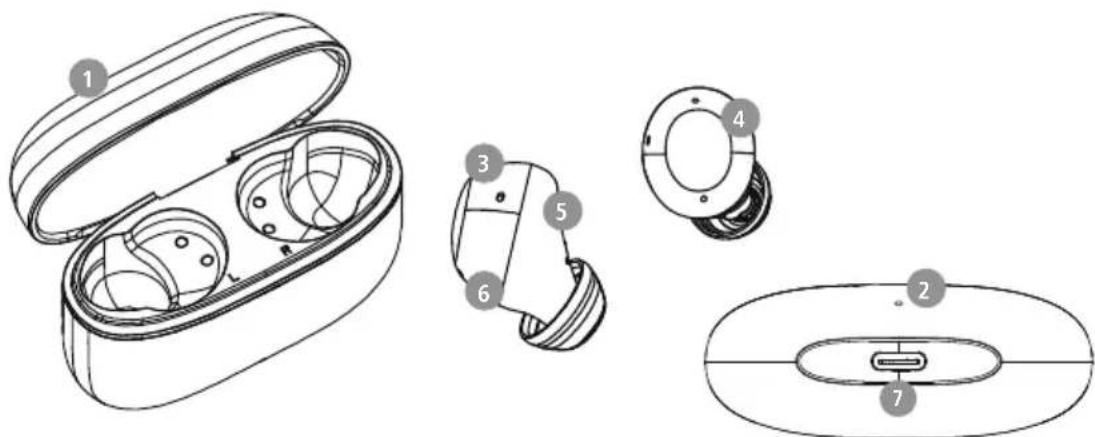
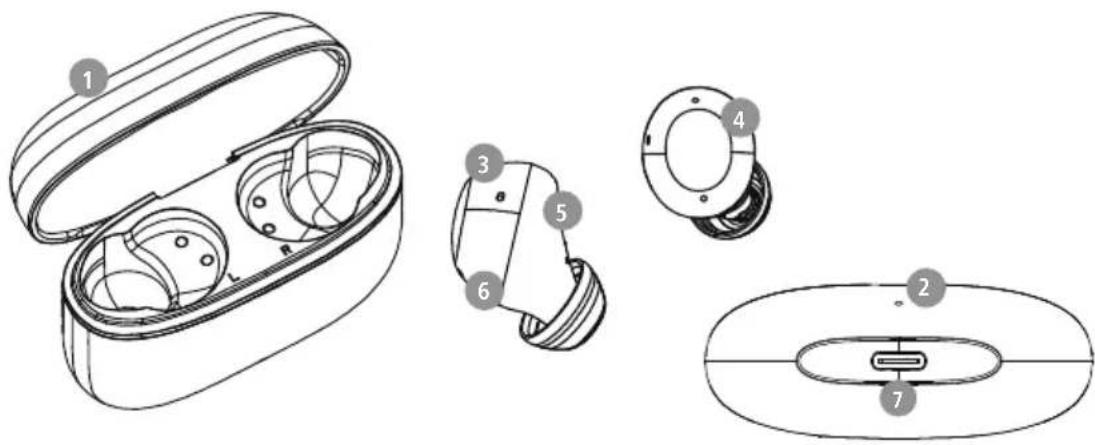
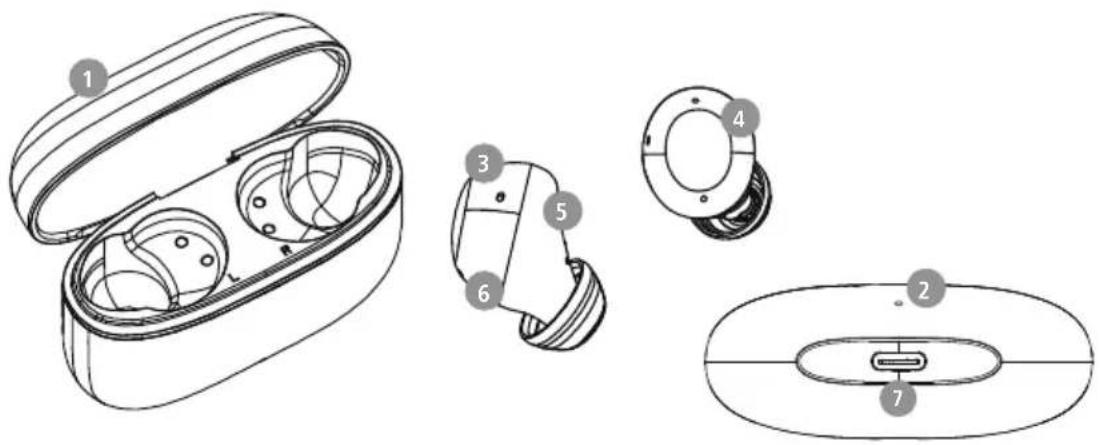
Controls and displays
- Charging case
- Charging case status LED
- Earphones status LED
- Multi-function touch sensor
- Charging contacts
- Microphone
- USB-C connection
1. Explanation of warning symbols and notes
Warning

This symbol is used to indicate safety instructions or to draw your attention to specific hazards and risks.
Note

This symbol is used to indicate additional information or important notes.
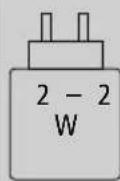
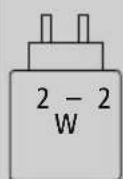
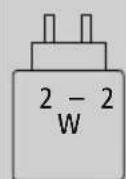
The power of the charger must range from a minimum power of 2.0 watt required by the radio system to a maximum power of 20 watt required to achieve the maximum charging speed.
The standardised USB interface means that a charger with a higher output power can also be used.

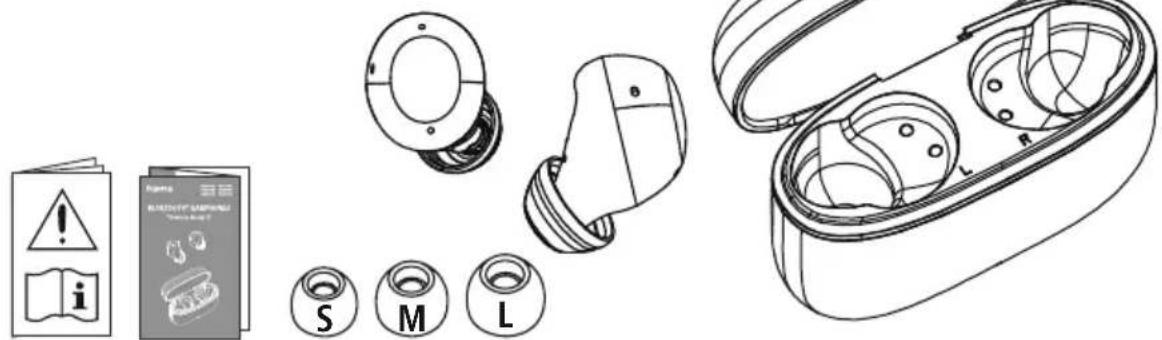
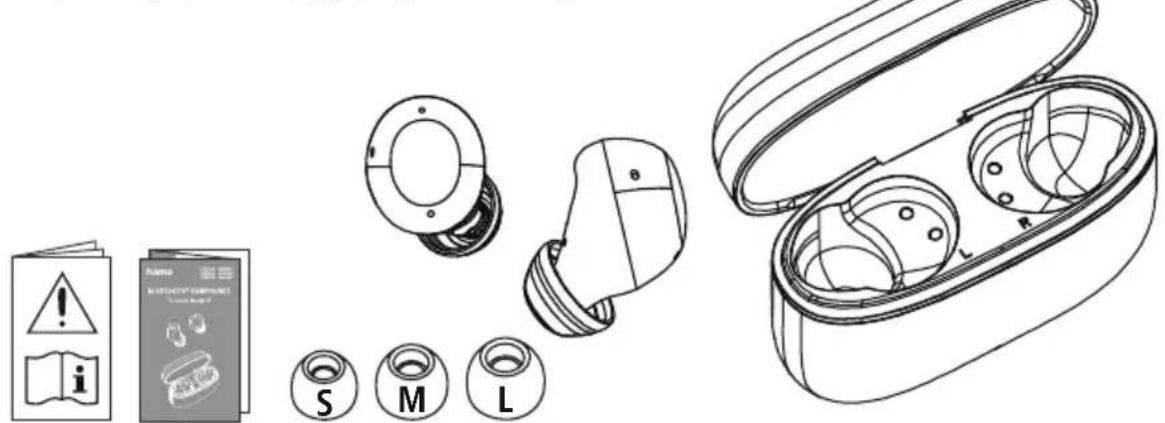
2. Package contents
1 x "Freedom Buddy II" True Wireless Bluetardphones
1x charging box
1 x earpads (S/M/L)
1x quick guide
1x warning and safety instructions

3. Safety notes
The product is intended for private, non-commercial use only
- U use the product only for the intended purpose.
Children should be supervised to ensure that they do not play with the product
- Do not use the product in areas in which electronic products are not permitted
- Do not attempt to service or repair the product yourself. Leave any and all service work to qualified experts
- Do not open the device or continue to operate it it becomes damaged
- Do not bend or crush the cable.
- Do not drop the product and do not expose it any major shocks.
- Dispose of packaging material immediately in accordance with the locally applicable regulations.
- Do not modify the product in any way. Doing so voids the warranty
- Protect the product from dirt, moisture and overheating and use it in dry environments only
- Do not use the product in the immediate vicinity of heaters, other heat sources or in direct sunlight
- Only use the article under moderate climatic conditions.
- As with all electrical products, this device should be kept out of the reach of children!
- Do not operate the product outside the power limits given in the specifications
- Do not use the product in a damp environment and avoid splashing water
While driving a car or using sports equipment, do not allow yourself to be distracted by your product and keep an eye on the traffic situation and your surroundings.
- The battery is permanently installed and cannot be removed; dispose of the product as a whole in accordance with the statutory regulations
- Do not incinerate the battery or the product.
- Do not tamper with or damage/heat/disassemble the batteries/rechargeable batteries
- Do not use the product during the charging process!
Warning - rechargeable battery

- Only use suitable charging devices or USB ports to charge the product.
- Do not use defective chargers or USB ports and do not attempt to repair them
- Do not overcharge the product or allow the battery to completely discharge.
- Avoid storing, charging and using in extreme temperatures and at extremely low atmospheric pressures (such as at high altitudes).
- When stored over a long period of time, batteries should be charged regularly (at least every three months).
Warning - magnets


- This product generates magnetic fields. Individuals with cardiac pacemakers should consult a doctor before using this product as it may affect the pacemaker's proper function
- Do not store bank or similar cards with magnetic strips near the charging case or earphones. The data on the cards could be damaged or completely deleted.
Warning - high volume

High sound pressure!
- There is a risk of hearing damage.
- To prevent any loss of hearing, avoid listening at loud volumes for prolonged periods.
Always keep the volume at a reasonable level. Loud volumes can damage hearing - even over short periods.
Using this product limits your perception of
ambient noise For this reason, do not operate any vehicles or machines while using this product.

4. Switch On/Off
ON
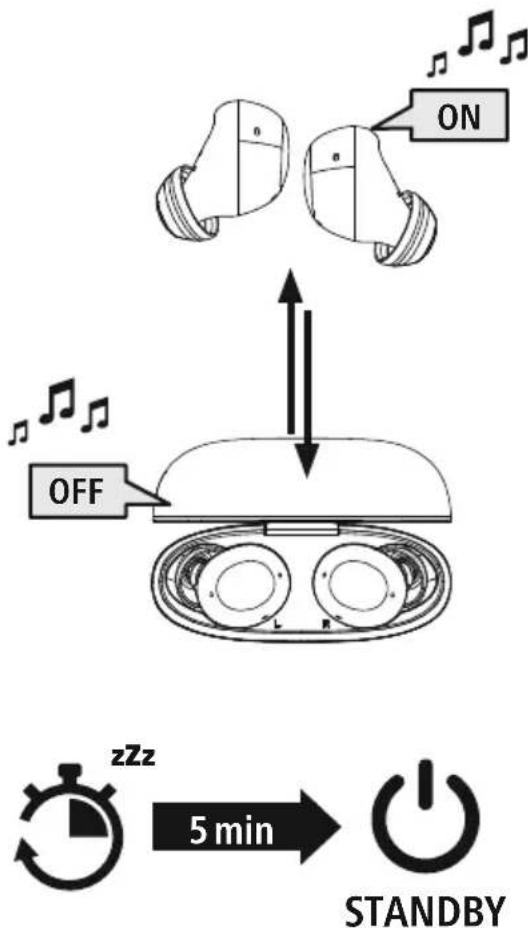
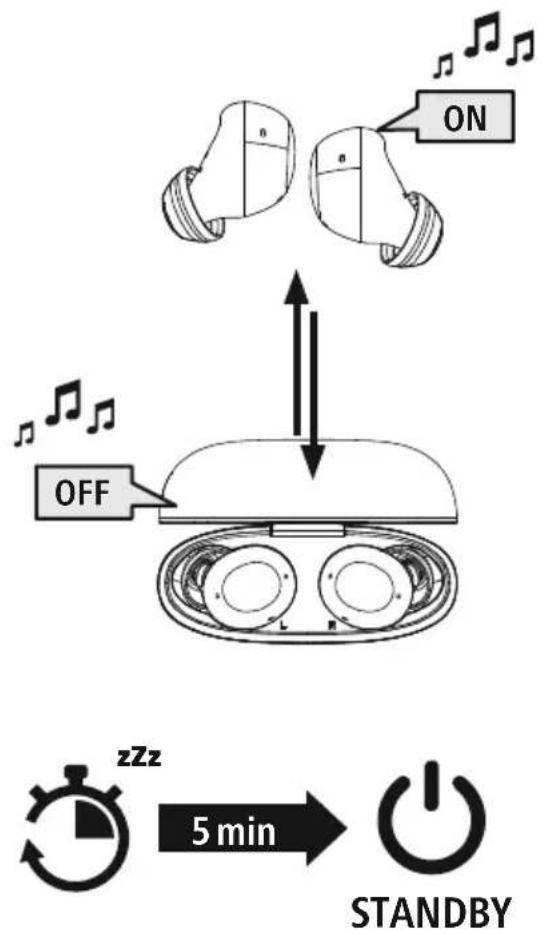
Remove the two earphones simultaneously from the charging box. Both earphones switch on automatically and start the pairing process.
Alternatively:
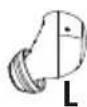
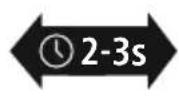
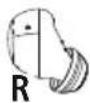
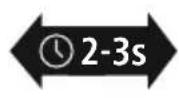
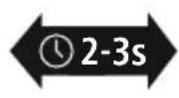
Press the multi-function touch sensor (4) on the left and right earphones for approx. 2-3 seconds until you hear a signal tone.
OFF
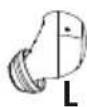
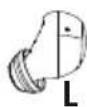
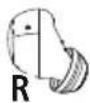
To switch them off, simply place the earphones back in charging box. Ensure that the earphones are inserted into the correct sides, using the L/R markings as a guide.
Alternatively:
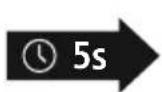

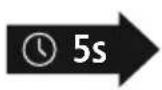
With the earphones switched on, hold the multi-function touch sensor (4) on the left or right earphone down for approx. 5 seconds until you hear a signal sound
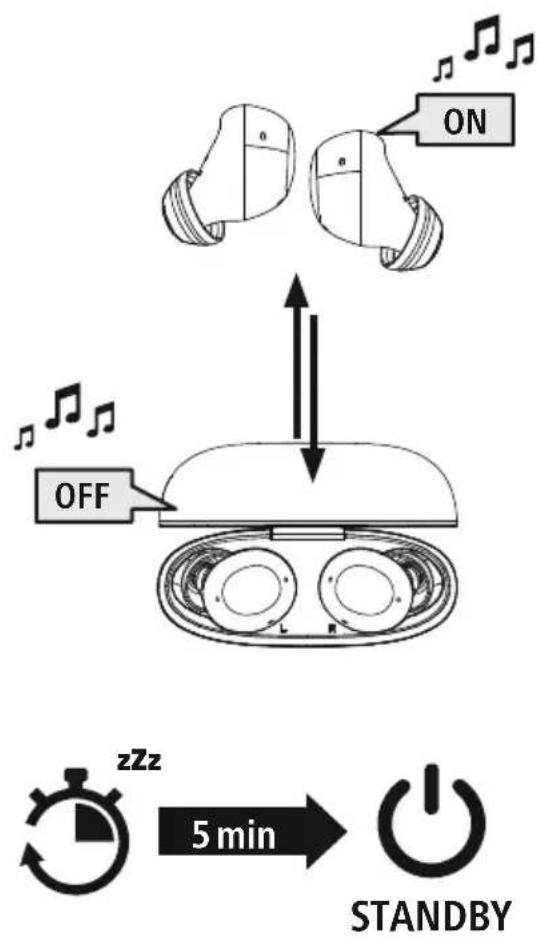
Note - Automatic product switch-off

The product is equipped with an automatic switch-off mechanism. If there is no connection to your device within 5 minutes, it switches itself off automatically.
5. Charging
Fully charge the earphones and the charging box once before using them for the first time.
Insert the earphones and connect the charging box
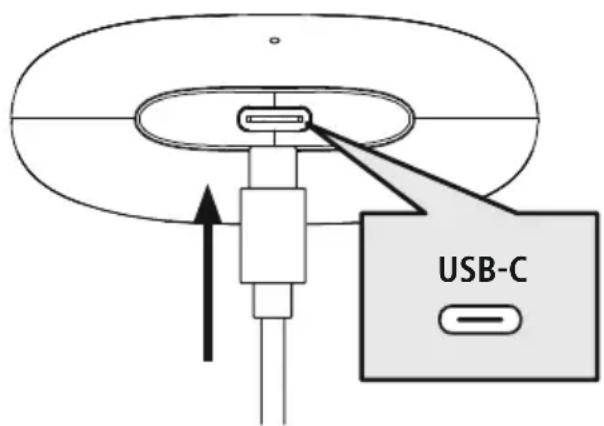
Place the earphones in the charging box. Ensure that the earphones are inserted into the correct sides, using the L/R markings as a guide
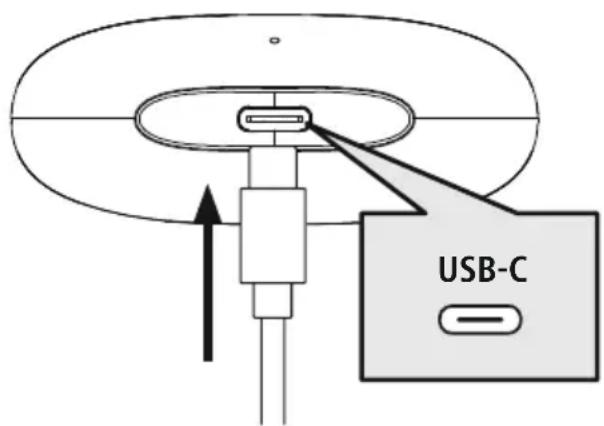
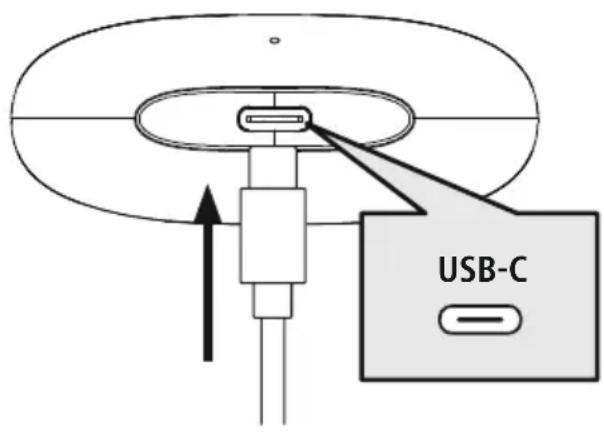
Connect a suitable USB-C charging cable to the charging socket (7) on the charging box.
Connect the free plug on the USB-C charging cable to a suitable USB charger. To do this, consult the operating instructions for the USB charger you are using.
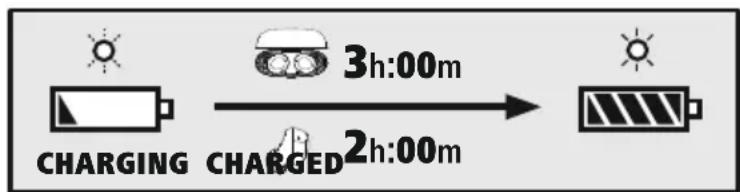
2 Charging procedure for the charging box and earphones
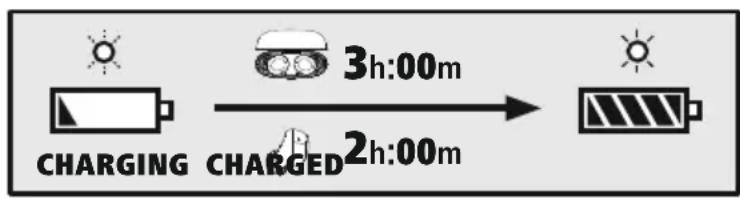
The status LED on the charging case (2) flashes red during the charging process the charging box is fully charged, the charging box LED (2) lights up red
It can take up to 3 hours (earphones and charging box) until the batteries are fully charged.
3 Battery capacity
Charging box
When the battery level is low (< 20%) , the status LED (2) flashes green four times and then goes out.
Earphones
When the battery is low (< 20%) , the status LED (3) on the earphone flashes every 5 seconds twice in succession and you will hear a signal tone once every minute.
The actual battery life will vary depending on how you use the device, the settings and the ambient temperatures (rechargeable batteries have a limited life).
Note

If you have not used the product for a few months, it can take up to 15 - 30 minutes until the status LED (2/3) lights up red during the charging process

6. Bluetooth pairing
Note - pairing

- Ensure that the Bluetooth-enabled device is switched on and that the Bluetooth motion is activated.
- Please refer to the operating instructions of your device for more information.
The earphones and the device should not be more than 1 metre apart. The shorter the distance, the better.
Ensure that the earphones are switched on.
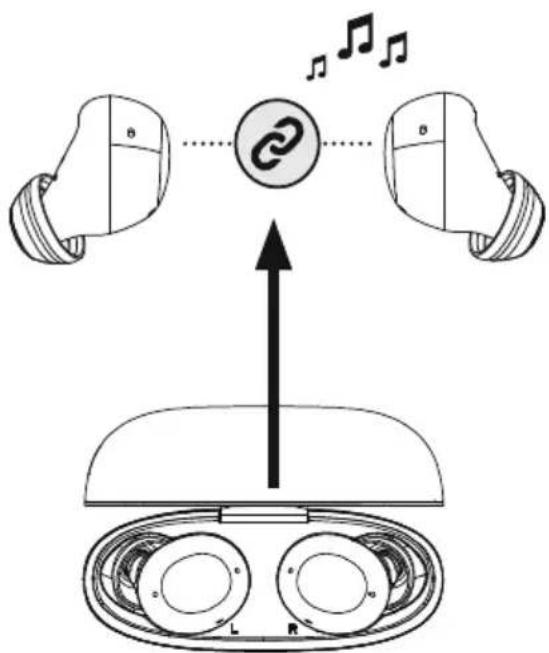
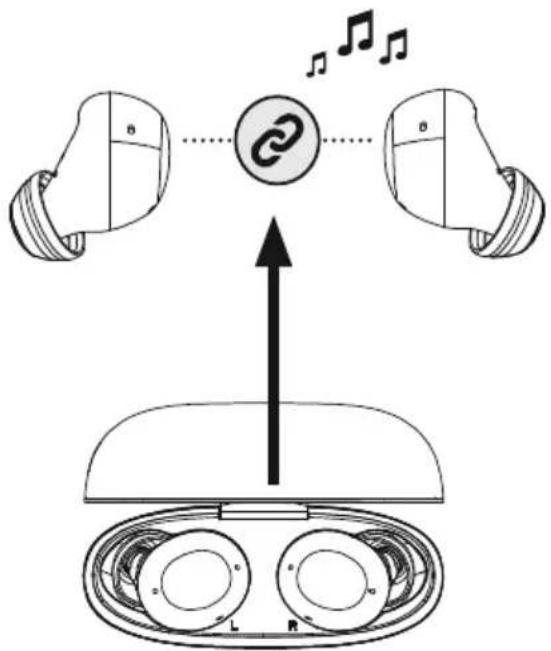
1 Check the status of the status LED (3)
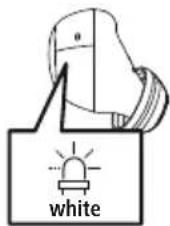
If the status LED (3) on one of the earphones is flashing: the earphones are searching for a Bluetooth connection.
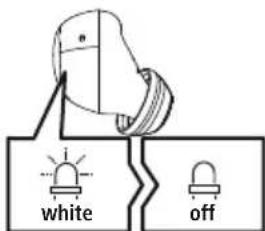
If the status LED (3) of an earphone is flashing and then goin out:
the earphones are already paired with a Bluetooth device.
Search using your device for the earphones (only required on the first connection)
Open the Bluetooth® settings on your device and wait until the list
of found Bluetooth® devices shows Hama Freedom Buddy II.
Select Hama Freedom Buddy II and wait until the earphones are shown as connected in your device's Bluetooth® settings. You will hear a signal tone.
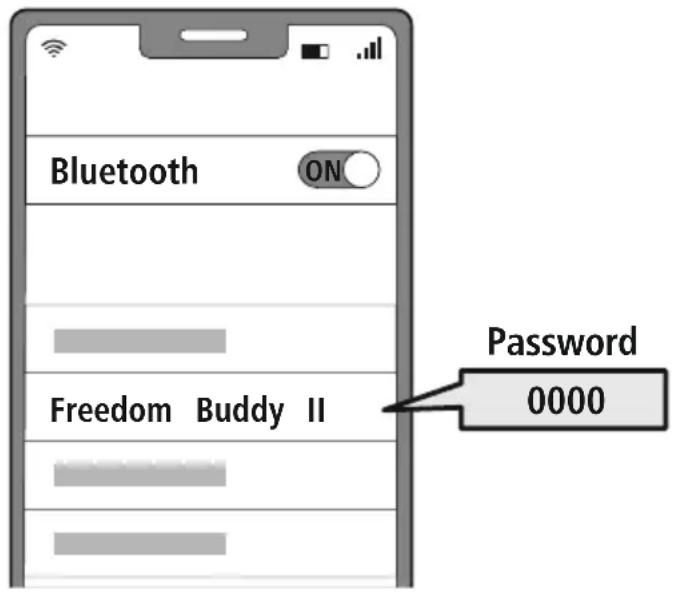
Note - Bluetoothpassword

Some devices require a password in order to connect to another Bluetooth device.
- If your device requests a password to connect to the product, enter 0000.
6.1 Reset function
RESET
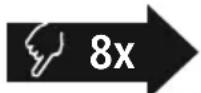


To reset the earphones to the factory settings, ensure that they are switched on and that there is no Bluetooth connection with your device.
Tap the multi-function touch sensor (4) on the left or right earphone eight times. You will hear a signal tone
7. Control elements
Note
- Please be aware that your terminal device must support some functions if they are to be used.
- Please refer to the operating instructions of your device for more information.

7.1 Voice assistant function
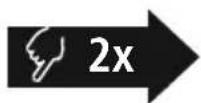
Siri/ Google
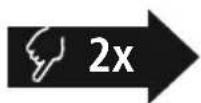

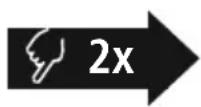
the multi-function touch sensor (4) on the left or right phone twice to initiate communication with your Siri or Google Assistant. You will hear a brief signal tone.
Note - Siri
Siri is only available on suitable devices running iOS 5 (iPhone 4s or later) or higher.

Note - Google Assistant
- The Google Assistant is only available on suitable devices running Android 5.0 or higher with Google Play Services, >1.5 GB of free memory and a minimum screen resolution of 720P.
- The Google Assistant App must be available on your device and be set as the default voice assistant.

7.2 Hands-free function
It is possible to use the earphones like a hands-free facility for your device.
1 Make a call
Dial the number directly via your device to make a call.
Accept a call

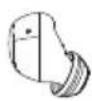
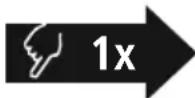
Tap the multi-function touch sensor (4) on the left or right earphone once to accept an incoming call.
3 Reject a call
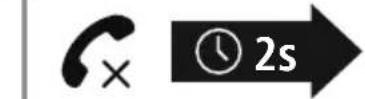

To reject an incoming call, tap and hold the multi-function touch sensor (4) on the left or right earphone for around 2 seconds
4 End a call


During the call, tap the multi-function touch sensor (4) on the left or right earphone once to end the call.
5 Last number redial
You can redial the last number you called via the voice assistant function (7.1).
7.3 Audio playback
1 Start playback on your device.
2 Play / Pause


Tap the multi-function touch sensor (4) on the left or right earphone once to start or stop audio playback.
3 Next track

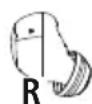
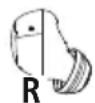
Tap and hold the multi-function touch sensor (4) on the right earphone for around 1-2 seconds to skip to the next track. You will hear a brief signal tone.
4 Previous track
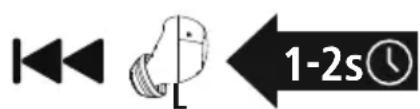
Tap and hold the multi-function touch sensor (4) on the left earphone for around 1-2 seconds to skip to the previous track. You will hear a brief signal tone.
Equaliser
EQ
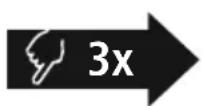
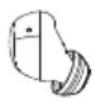
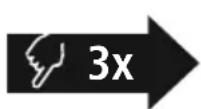
Tap the multifunction touch sensor (4) on the left or right earphone three times to change the equaliser mode.
7.4 Volume control
The volume is controlled by the voice assistant function).7
Alternatively, you can also control the volume via your device.

8. Technical data
| Bluetooth®earphones | |
| Bluetooth technology Bluetooth®v5.4 | |
| Supported profiles A2DP1.3.2, AVRCP1.6.2,SPP1.2.4,HFP1.8,HSP1.2.10 | |
| Frequency for Bluetooth transmissions | 2402 - 2480 MHz |
| Range < 10 m | |
| Rechargeable battery | |
| Battery type 3 | .7V Li polymer |
| Min. capacity of earphones / charging case | 33 mAh / 447mAh |
| Current consumption max. 5 V ==390mA | |
| Charging time / earphones ~ 2 h | |
| Charging time / charging box ~h3 | |
| Standby * ~ 200 h | |
| Music time (charging box)* ~ 4 h (16h) | |
| Talk time (charging box)* ~ 2 .5h (10h) | |
| Weight of earphones | approx. 4 g per earphone |
| Weight of charging tray incl. earphones | approx. 36 g |
- Once fully charged

8.1 Care and maintenance
Only clean this product using a lint-free, slightly damp cloth and do not use any harsh cleaners.
8.2 Warranty disclaimer
Hama GmbH & Co KG assumes no liability and provides no warranty for damage resulting from improper installation/mounting, improper use of the product or from failure to observe the operating instructions and/or safety notes.
8.3 Service and support
Please contact Hama Product Consulting if you have any questions about this product.
Hotline: +49 9091 502-0 (German/English)
Further support information can be found here: support.hama.com
8.4 Declaration of conformity
Hama GmbH & Co KG hereby declares that the radio equipment type [00221758, 00221759, 00221760, 00221761, 00221762, 00221763] is in compliance with Directive 2014/53/EU. The full text of the EU declaration of conformity is available at the following Internet address:
https://support.hama.com/00221758, https://support.hama.com/00221759,
https://support.hama.com/00221760, https://support.hama.com/00221761,
https://support.hama.com/00221762, https://support.hama.com/00221763
| Frequency bands | 2 | 402MHz - 2480MHz |
| Maximum radio-frequency power transmitted 2.5 mW E.I.R.P. | ||
8.5 Specifications according to Regulation (EU) 2023/826
Information regarding energy consumption can be found at:
https://support.hama.com/00221758, https://support.hama.com/00221759,
https://support.hama.com/00221760, https://support.hama.com/00221761,
https://support.hama.com/00221762, https://support.hama.com/00221763
6. Bluetooth Verbinding (Pairing)
Hinweis - Pairing

https://support.hama.com/00221758, https://support.hama.com/00221759,
https://support.hama.com/00221760, https://support.hama.com/00221761,
https://support.hama.com/00221762, https://support.hama.com/00221763
https://support.hama.com/00221758, https://support.hama.com/00221759,
https://support.hama.com/00221760, https://support.hama.com/00221761,
https://support.hama.com/00221762, https://support.hama.com/00221763
F Mode d'emploi
Remarque - Assistant Google

https://support.hama.com/00221758, https://support.hama.com/00221759,
https://support.hama.com/00221760, https://support.hama.com/00221761,
https://support.hama.com/00221762, https://support.hama.com/00221763
https://support.hama.com/00221758, https://support.hama.com/00221759,
https://support.hama.com/00221760, https://support.hama.com/00221761,
https://support.hama.com/00221762, https://support.hama.com/00221763
https://support.hama.com/00221758, https://support.hama.com/00221759,
https://support.hama.com/00221760, https://support.hama.com/00221761,
https://support.hama.com/00221762, https://support.hama.com/00221763
Banda o bandas de Frequencia 2402MHz - 2480MHz
https://support.hama.com/00221758, https://support.hama.com/00221759,
https://support.hama.com/00221760, https://support.hama.com/00221761,
https://support.hama.com/00221762, https://support.hama.com/00221763
https://support.hama.com/00221758, https://support.hama.com/00221759,
https://support.hama.com/00221760, https://support.hama.com/00221761,
https://support.hama.com/00221762, https://support.hama.com/00221763
Frequenieband(en) 2402MHz - 2480MHz
Maximaal radiofrequent vermogen 2.5 m W E.I.R.P.
13. Informatie overeenkomstig Verordening (EU) 2023/826
https://support.hama.com/00221758, https://support.hama.com/00221759,
https://support.hama.com/00221760, https://support.hama.com/00221761,
https://support.hama.com/00221762, https://support.hama.com/00221763
https://support.hama.com/00221758, https://support.hama.com/00221759,
https://support.hama.com/00221760, https://support.hama.com/00221761,
https://support.hama.com/00221762, https://support.hama.com/00221763
https://support.hama.com/00221758, https://support.hama.com/00221759,
https://support.hama.com/00221760, https://support.hama.com/00221761,
https://support.hama.com/00221762, https://support.hama.com/00221763
https://support.hama.com/00221758, https://support.hama.com/00221759,
https://support.hama.com/00221760, https://support.hama.com/00221761,
https://support.hama.com/00221762, https://support.hama.com/00221763
https://support.hama.com/00221758, https://support.hama.com/00221759,
https://support.hama.com/00221760, https://support.hama.com/00221761,
https://support.hama.com/00221762, https://support.hama.com/00221763
H Hasznalati utmutato
https://support.hama.com/00221758, https://support.hama.com/00221759
https://support.hama.com/00221760, https://support.hama.com/00221761,
https://support.hama.com/00221762, https://support.hama.com/00221763
Frekvenciasav(ok) 2402MHz - 2480MHz
Maximalis sugarzott jelerosseg 2.5mW E.I.R.P.
https://support.hama.com/00221758, https://support.hama.com/00221759,
https://support.hama.com/00221760, https://support.hama.com/00221761,
https://support.hama.com/00221762, https://support.hama.com/00221763
RO Instruetiuni de utiliser
Avertizare - accumulator

https://support.hama.com/00221758, https://support.hama.com/00221759,
https://support.hama.com/00221760, https://support.hama.com/00221761,
https://support.hama.com/00221762, https://support.hama.com/00221763
Banda/benzile de freunte 2402MHz - 2480MHz
Puterea maxima radiata
2
5 mW E.I.R.P.
13. Indicati li conform Directivei (UE) 2023/826
https://support.hama.com/00221758, https://support.hama.com/00221759,
https://support.hama.com/00221760, https://support.hama.com/00221761,
https://support.hama.com/00221762, https://support.hama.com/00221763
CZ Navod k použití
https://support.hama.com/00221758, https://support.hama.com/00221759,
https://support.hama.com/00221760, https://support.hama.com/00221761,
https://support.hama.com/00221762, https://support.hama.com/00221763
Kmitoctov pásmo/kmitoctová pásma 2402MHz - 2480MHz
Maximánlí vyzařovany vysilaci vykon 2,5mW E.I.R.P.
https://support.hama.com/00221758, https://support.hama.com/00221759
https://support.hama.com/00221760, https://support.hama.com/00221761,
https://support.hama.com/00221762, https://support.hama.com/00221763
https://support.hama.com/00221758, https://support.hama.com/00221759,
https://support.hama.com/00221760, https://support.hama.com/00221761,
https://support.hama.com/00221762, https://support.hama.com/00221763
Frekvencné pásmo/frekvencné pásma 2402MHz - 2480MHz
https://support.hama.com/00221758, https://support.hama.com/00221759,
https://support.hama.com/00221760, https://support.hama.com/00221761,
https://support.hama.com/00221762, https://support.hama.com/00221763
7.1 Funcão Voice Assistant
Siri/ Google

https://support.hama.com/00221758, https://support.hama.com/00221759,
https://support.hama.com/00221760, https://support.hama.com/00221761,
https://support.hama.com/00221762, https://support.hama.com/00221763
Banda de Frequencias/bandas de frequencies 2402 MHz - 2480 MHz
https://support.hama.com/00221758, https://support.hama.com/00221759,
https://support.hama.com/00221760, https://support.hama.com/00221761,
https://support.hama.com/00221762, https://support.hama.com/00221763
S Bruksanvisning
https://support.hama.com/00221758, https://support.hama.com/00221759,
https://support.hama.com/00221760, https://support.hama.com/00221761,
https://support.hama.com/00221762, https://support.hama.com/00221763
Frekvensband 2 402 MHz-2 480 MHz
Max. utstralad sandareffekt 2,5 m W E.I.R.P.
https://support.hama.com/00221758, https://support.hama.com/00221759,
https://support.hama.com/00221760, https://support.hama.com/00221761,
https://support.hama.com/00221762, https://support.hama.com/00221763
RUS RykoBoDCTBO NO 3KcJIyatauIN
Blaoradam 3a Bb6op npoykun Hama! Npeid nCnoJIb3OBaHnEM BHNMaTeIbHo npOHTte CneDyUoUne INHCTpyKUnn Yka3aHna. XpaHnte daHHe pyKOBoCTBO NO 3KcNPyatauHn BHaJeXHom MeTe, TTo6bl B Cnyae Heo6xOIMOCtyn BAC BCerda 6bl Doctyn K Hemy. Ppi npOdaXe yCTpOiCTBa nepeDaIte pyKOBoCTBO HOBOMy BJaJeIbUy.
JemeHTbI ynpabHeHn n HndKaTOpbl
- 3apAnhbl6okc
- CBeToIIOHbI INDnKATOp COCTOHN 3apAnHO 60kca
- CBeToIONoHbI INDnKaTOp COCTOHN HAYUHnKOB
- MhorofoyHKUHOHaJIbHbI ceHCOPHbI BbIKJIOuHaTeJIb
- 3apndhbe KOHTaKtbl
- Minkpooh
- Pa3beM USB-C
1. Пороченя К п徴урждаюшм 3нakам уka3аням
PpeynpeKdHne

IcnoJb3yETc IJIa MapKnpoBKn yKa3aHn no TexHnke 6e3OnaCHOCTn nIi dJIa AKUeHTnpOBAHn BHMHaHa OOCbIX OnaCHOCTx N pNCKax

Yka3aHne
IcnoJIb3yETcI,IIaIIOJHHTeJIbHOO603HaueHnIHΦOpMaunIINBaxhIxYka3AHn.
MoHocb 3apJHOrO yCTpoIcTba DOJXHa BapbIpOBaTbcr OT MNHMajbHO MoHOCn 2,0BT, Heo6xOIMoI dIpaIOyctaHOBKn, Do MaKcImaJIbHO MoHOCtN 2,0BT, Heo6xOIMoI dI IOCTnKeHHa MaKcImaJIbHO CKOpOCTn 3apJkN.
CTaHdApTHbI USB-ntepcnc No3BOJraT TaKxe NcNoJIb3OBaTb 3apAHOe yCTPOINCTBO C60Je BbICOKoBbIXOHDMOUHOCTbIO.

AblepHaTnBbI BapnAHT:
HaxmaiteHaJeBOM npabom Hayshnkax MHOrOpyHKUHOHaJIbHbI CeHCOPHbI BbIKIOuAtelb (4) B TeueHne PnpMepHo 2-3 cekyH, noka He pa3daCTc3ByKOBoi CnHaI
OFF
Дя Вькюченя npocTo yloXnTe HayuHnKn B 3apRnHbI 6OKC. Co6JHOaIte npn ETOm npaBnIbHocTb yKnaKn HayuHnKOB B COOTBeTCTBn C mApKnOpBkoL R (neBvI/npaBbI).
A subtepHaTnBbI BapnaHT:

ydepXnBaIte MHorOΦyHKUHOHaJIbHbI CeHCOPHbI BblKIOuAteJIb (4)NeBOrO nn npaBOrO HayShnKa BO BKJIOueHHOM COCToHN B TeueHne npImepHo 5 ckyH, noka He pa3daCTc8ByKOBoi CnHaI.

5. 3apяДka
Ipeen npBbIM npimeHeHnem OdIH pa3 noJIHOCTbIO 3apAInTe HayuHnKn, a TAKKe 3apAnHbI 6OKC.
1 YknaKa HayuHnKOB n noKnIoueHne 3apdHoro 6okca
YIoxnTe HauHnKn B 3apAaHb6OKC. CoJIIOaIte npn 3OM npaBnIbHOCTb yKJaKn HauHnKOB B COOTBeTcTBn C mapKnpoBko L/R (JeBbI/npabBi) IOnkIoUHTe npnaIraembl 3apAnHbI Ka6eNb USB-C K 3apAnHomy rHe3dy (7) 3apAnHoro 60kCa IOnkIoUHTe cBO6OaNbI uTekep 3apAnHoro Ka6eNl USB-C K noDxOJaI 3apAnHomy yCTpoiCTBy c USB-nopTom. CoJIIOaIte pyKOBoIDCTBO nO 3KcPnyataun NcNoJb3yeMOrO 3apAnHO USB-yCTpoiCTBa.
2 IpoueDypa 3apAdkn 3apAHorO 6okca n HayuHKnOB
CBeToIIOIbI INDnKaTOp COCTOHaHr3apAnHO 60Kc (2) BO BpeM 3apAnM MraeT KpaChbIM CBeTom. Iocne IOnHo3apAnKu CBTeOIOJ 3apAnHO 60Kc (2) rOpNT KpaChbIM CBeTom. IOnHaj 3apAnKa MoXeT 3aHmAtb 3 Yaca (HayshnKn n 3apAnHbI 60Kc).
3 EMKoctb aKKyMyJnTopa
3apnHbI 6OKc
EcnBHeckoJbKO MecaeB He noIb3OBAIncB n3JeHnEM, MoKet npOHTu 15-30 MInyT, Noka CBToDnOHDhIM HNDNKATOP COCTOHHa (2/3) npn 3apAKe 3arOpITc KpaChbIM.
6. CoeHHHeHne Bluetooth(conpJxKeHne)
Yka3aHne — conpjxehne

- YbEInTeCb, yTO OKOHeHoe yCTpOiCTBO C Bo3MOxHocTbIO CoeINHeHnYpe3 Bluetooth® BkIoUeHo N Bluetooth®-CoeINHeHne yCTaHOBJIeHo.
Co6HIOaIe COOTBeTCTByIOUne yKa3aHnR pyKOBoDcTBa nO EKcIIyatauIN BaWero OKoHeuHOYCTPOIcTBa.
Hayshnki n okoneuhoe yctpoicTBo DOnxHbI HaxOHTbcra Ha paCCTOAHm He 60JIbwe 1 MeTpa npy r ot dpya. Yem Mehse pacCTOAHne, tem lyuwe.
y6eHntecb,HTO HayuHnKn BkHoueHbl.
1 IpoBepbTe cBeToaHbI INHdNkaTOp COCTOHaHnA (3)
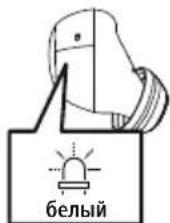
Ecnn CBeToNDNoHbIM HndNKatOp COCTOHHN (3) ODHoro HayuHnKa Mmraet:
HayuHnKn nIbTaIOCTyCTaHOBNTb CoeINHeHne BluTooth
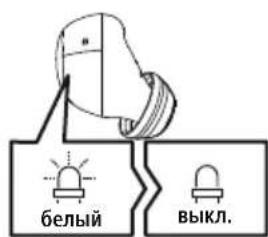
Ecnn CBeToNDnHbI INHnKaTOp COCTOHN3 (3) Ondoro HayuHnKa Mrraet n 3aTeM rachet:
HayuHnKu yCTaHOBUN CoeHNHeHne C OKOHeHbIM yCTpOINCTBOM Bluetooth®.
2 HauHNTe B OKOHeuHOM yCTpoiCTBe HayuHnKu (Tpe6yeTcra TOnbko npn nepBOM coeHNHeHH)
OTKpoTe MeHn HacTpoek BluetoothHa BaWem OKOHeuHOM yCTpoiCTBe N NOdoXdIte, noka B cnNcKe
Hai de Hh bix yctpoictb c Bluetooth He noBntc Hama Freedom Buddy II
BbI6epnTe Hama Freedom Buddy II nnoJoxnTe, noka HayuHnKo OTo6pa3rTa B KaueCTBe nOdknHoueHHoro yctpoiCTBa B hAcTpoiKaX Bluetooth OKOHeHHoro yctpoiCTBa. Pa3daCTcR 3ByKOBoi CnHaI
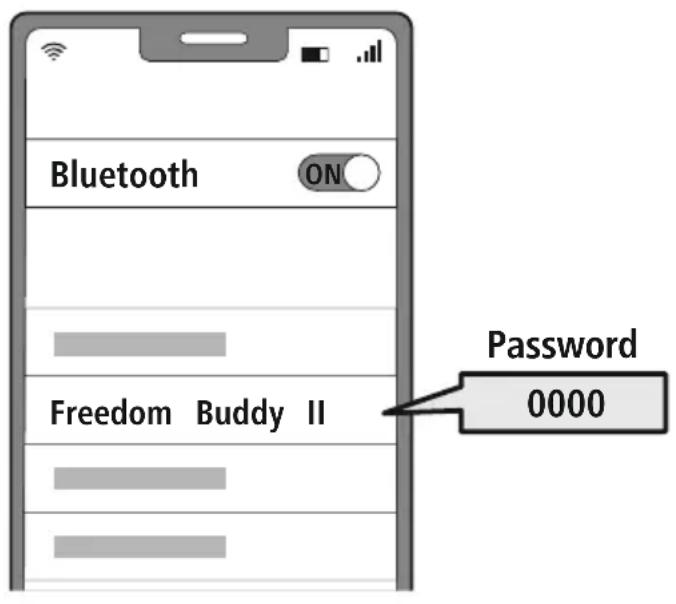
YkaaHne -napoB Bluetooth

Длг HeKOTOpbIX OKOHeuHbIX yCTpOiCTB npn yCTaHOBNeHm coeHNHeHn c npyrrM Blueoth yCTpOiCTBOM Tpe6yETc npoIb
- Ecni BaIe OkHeuHoe yCTpOInCTBO Tpe6yEt erO BBOJa, BBeINTe IJIra CoEINHeHnC yCTpOInCTBOM napoiB 0000.
6.1Функциа c6poca
RESET
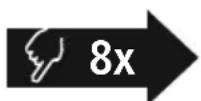
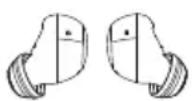
YTO6bI c6pocntb HaCTpoiKn HayuHnKOB Do 3aBOJcKnx, y6eInTeCb, YTO HAYuHnKn BKNIOueHbI He coeINHeHbI C OKoHeuHbIM yCTpoiCTBOM uepe3 Bluetooth®.
Haxmte MHOFOyHKUHOHaJIbHbI CeHCOPHbI BblIOuATEJIb (4) Ha JEBOM nI npaBOM Hayunke BOCemb pa3. Pa3dactc 3ByKOBoi CnHaJ.
7. Θлем entbl ynpablenna
Yka3aHne
- 06paTne BHMaHnue, YTO NOdEepKka HeKOToPbIX yHKcN 3aBNCt OT BaIeFo OKOHeuHOyCTpoiCTBa.
CobnaTe COOTBeCTByuHne yKa3aHnpyKOBoDCTBa nO EKcNlyatauN BaIeO OKHeHOrO yctpoiCTBa.

7.1Функци ИнтелктуаьHorO roJolocoboro nOMouHHka
Siri/ Google
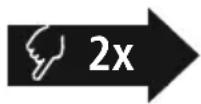

Двaxдынхмite МHorOФункциоHAьньссHcOpнь BblKJIIOUaTeIb (4)HaJIeBOM nII npabOM HayShnke,чTo6bl 3anyCTnTB CBa3b c Siri nII Google AccncteHTom. Pa3dactc HEnpoJOnJXITeJIbHbI 3ByKOBoI CnHaI.
YkaaHne — Siri
CepBnC Siri doctyneh Toblko Ha COOTBeTCTByoUx OKOHeuHbIX yCTpoiCTBax c iOS 5 (Haunna C iPhone 4s) nnn 60nee no3dneB Bercnei
10. NCKJIIOUeHHe OTBeTCTBeHHOCTn
Hama GmbH & Co. KG He HeceT OTBeTcBeHHocTn 3a NOBpeXeHnry, Bo3NkUne B pe3yIbTaTe HeHaJnxJaSeYcTaHOBKn, MoHTaN HeHaJnxJaSeRo NcNoJIb3OBAHnry N3JeLIny NIn HeCo6JIoDeHnry Tpe6ObaHn pyKoBOdCTBa no EKcPnyatau nn/nn yKa3aHn no Texnke 6e3OnaChOCTn.
11. CepBnchoe obcnyxmbaHne n noDepkka
PnB03HKnHOBeHH BOpocOB nO n3JeIIO oBapaaIteCb Cnyk6y noDnepeKkn Hama.
Topuaa nnna: +49 9091 502-0 (HeM./aHrn.)
IOnoJIHnTeJIbHyIO INHΦopMaUIO IO TexHnueckO NOIeepKke CM. 3dEcB: support.hama.com
12. CeptuФнкaT COOTBETCTBnA
CE HactoIIM KOMnHnHa Hama GmbH & Co KG 3aBnEeT, YTo paAnoo6OpyObaHne Tnna [00221758, 00221759, 00221760, 00221761, 00221762, 00221763] oTBeaet Tpe6oBaHnM DnpeKtNBbl 2014/53/EC. POnhI TeKCT DeKnapaun COOTBeTCTBnE EC
IOCTyneH NO CNeIyUOeMy INHTepHer-aIpeCy:
https://support.hama.com/00221758, https://support.hama.com/00221759,
https://support.hama.com/00221760, https://support.hama.com/00221761,
https://support.hama.com/00221762, https://support.hama.com/00221763
https://support.hama.com/00221758, https://support.hama.com/00221759,
https://support.hama.com/00221760, https://support.hama.com/00221761,
https://support.hama.com/00221762, https://support.hama.com/00221763
BG Pa60THa NHCTpyKcIa
Blaoradapm Bn, ye cTe n36paH npOyKT Ha Hama! OTeJeTe Bpeme n npoYe n3uNo CneBaunTe HNCTpyKUnn yKa3aHnCneTobA 3ana3e TaHactoIooTO pkoBOOCTBO 3a ekCnloatauHa cnypHO MRCTo, 3a Da MoKeTe da npaBnTe CnpaBKn C Hero npn HxKaAko npoJaTe ypeDa, npdaTe TOBa pkoBOOCTBO 3a EKcNlOaTaun Ha HOBn co6CTBeHnK.
EnemEn 3a ynpabHeHne n Hndkaun
- KyTn8 3a 3apeXkahe
- CBeToIOnIO 3a cTAtyc „KyTnIa 3a 3apeXdaHe"
- CBeToIIOIa 3a cTaTyc „CnyuAnKn"
- MyntnФункционанha ceH30рна noBbpxHocT
- KoHTaKTIn 3a 3apexKaDaHe
- Minkpooh
- USB-C n3B0D
1. 06acheHHe Ha npedynpeDHTeCNMBOJIu yka3aHnA
PpeynpeKdneHc

I3noJ3Ba ce, 3a da 06o3Haayaba yka3aHne 3a 6e3oNaCHOCT nnn 3a da HAcOn BHMaHHeTO KbMKOHKeTHn OAnCHOCTn n pCKOBe

Yka3aHne
N3noJ3Ba ce, 3a da 06o3Haun DonbHHTenHa HhOpMaun nn Baxnn yka3AHn.
MoHocTa Ha 3aprHOTy yCTpoIcTBO Tp8Ba Da Bapnpa OT MHNImaHa MOuHOCT 2,0 W, n3nCKbHa oT paNOCnTeMaT, Do MaKcMmaHa MoOcHcT 2,0 W, Heo6xoDima 3a NoCTnRaHe Ha MaKcMmaHa CKOpCt Ha 3apeXdaHe
Бларалдени на сандартнзраня USB Intepeic moxe na ce n3noJ3Ba n 3apnHO yctpoiCTBO c NO-BICOKa n3XoJHa MOUHOCT.

2. CbIbpxKaHne Ha onaKOBkata
1 x cnyuwaika True Wireless Bluetooth Freedom Buddy II
16p. kyttna 3a 3apekdahe
16p. Meka Tana 3a ywn (S/M/L)
16p. KpaTka HHTpyKUIN
16p. INHCTpyKcun 3a npdynpexdHeNe n ocInpyBaHe Ha 6e3OnacHocTtA
3. Yukazahma 6e3onachoct
- PódykTB e npedBnDcH 3a JnUHa, HeCTOnaHcKa 6bntoBa ynoTpe6a.
- N 3ПОЛЗВайт e npOуКТа cAmO 3a npeДиЕнATA ueJ.
-ДецаТрбВаДаБьдАПОДHAДЗOP,3aДаCE rapaHTnpa,ЧЕнмадСИngраTСпpoДуКТа.
He n3noJ3BaIte npOdyKta B 30Hn, B KOnTO He ca pa3peWeHH eNeKtpoHH ypeHn.
He ce onntBaIte camn da o6cnykBaTe nn peMOHTnpate ypeHa. OctaBeTe BcKaKBa texHnuecka nOndpBxka Ha KOMNeTeHTHnTe CneuaJIInCTn.
He OTBapraIte ypeHa n npn nobpeHa He npOdbJIkaBaIte Da ro n3nON3Bate. - He npeynbai Te Hn npntckaTe Ka6ena.
- He no3B0JBAaTe Ha npOyKta da naJa n He ro n3JaRaTe Ha cnHn Bn6paun.
- N3xBbPnTe ONaKOBbHnMaTepnAJI BeHnAracBflaCHO BaNnHnTe MeCTnPa3nope6n 3aN3XBbPnHe Ha OTnAbu.
He n3BbPwBaIe npomeHn no npOyKta. Taka ige 3ary6nte BcraKaBO npabo Ha rapaHnOHH npTeHcHn. - Na3eTe npOdykTa OT 3aMbpcBaHe, BlaRa nIpePpBaHe I rO n3nOJI3BaIte cAmO B cyxN NOMeueHn.
He n3no3BaIte npOyKta B HEnocpeDCTBeHa 6n30CT Do OTOnnTeHn ypeN,dpYn N3TOHnHa ToPnHa NN Ha DnpekTHa CbHueBa CBtHa - N3noJ3BaIte npOdykTa cAmo npn yMepeHn KJIIMaTnUH YuJIOBua.
I OdoHo Ha BCnUKN eJektpnueeKn npOyKT, TO3N npOyKT He 6nBa Da nonaDa B pBcTe Ha deua! - He n3no3BaIte ypeDa n3BbH HerOBnTe rpaHnHa MOUHOCTTa, NOCOueHN B TEXHnueCKnTe DaHHN
He n3noJ3BaIte npOyKta BbB BlaJxHa cpeJa n 1368BaIte BOHN pBCKN - ПО Врeme Ha nbTyBaHTo C MNC nIn cNopteH ypeI He pa3peuBaAte Da 6bJeTe OTKIOHOBAHn ot Baunr npOdyKT IN BHMaBaTc 3a noLoXHeHTo pRn DBNXeHne IN BaWata OKoHa cpeIa.
- AkymylatopHata 6aTePnE e HenoBnxHo BrgpaeHa n He MoKe Da ce Maxa, N3XBpIeTe npOdykTa KaTo CuIIO CnopeD 3aKOHOBtep pa3npopeD6n
- He xBbPnIte batepnaT a nn npOyKaT BOrbH.
He npomehnTe u/uHn He dephiopmnpaTe/ HaepBaIte/pa3rno6BaIte akyMylatOpHnTe 6aTePN/6aTePnTe.
He n3noJI3BaIte npOyKta no BpeMe Ha 3apekdahe!
Ppeynpexdne - BaTepy

- 3a 3apekdahe n3noJI3BaIte cAmo noXOJaU3apJHn yCTpoiCTBa nn USB n3BODn.
- По пинци He n3non3BaIte DepekTHn 3apdHn yctpoiCTBa nIn USB n3bOOn n He ce onITBaIte Da n nonpaBATE
He no3B0JbAaTe npOyKta da ce 3apeXda nOBuee ot Heo6xOIMOTO nn Da ce pa3peXda HanbJIHq - 1368BaTe CbXpaHeHne, 3apeXdaHe n N3NoJI3BaHe npE kCTpeMn Tempeatypn N N3KJIIOUHTeHNO HNCO HaJIraHe Ha Bb3Dyxa (KaTO HAnpIMep Ha RoJIemn BuCOuHN)
- Ppno no-npoDbJnxIteHNO cbxpaHeHne d03apexkaIte nepNoIuHNO (nohe BeHNbX Ha tpn Meceua)
PpeynpeKdHne -MaHHTN


IpoKyTbT reHepnpa MaHHTn noIeta. JncaTa Cbc CbpdeuHn CTmMyIaTOP np6Ba da ce KOHCyIupat C nekap npedn ynotpe6a Ha npOdykTA, Tb KaTO cyHKUraHa CbpDeuHna CTmMyIaTOP MoKe Da 6bJe HapyuHeHa
- EC nnn npyn noo6n kaptn c MaHTHn IeHTn He 6nBa da ce cbxpaHbAT B 6n30ct Do 3apndoto yctpoNCTBO nn CnywaKata DaHHnte ot KapTa Morat da 6bDat NOBpeHn nnn n3TpNTn.
PpeynpexKeHne - cnJen 3ByK

- TOnlmo aKyctuH0 HaIraHa!
- CbuecTByBa onaCHOCT OT yBpeXdaHe Ha cnlyxa.
3aДабьдпретврета 3ary6aHa cnyxa, n36ягbaite cnlyshaheto Ha cnIeH 3Byk 3a Dblr nepnoD OT BpeMe
IopdbpkaTe cnlaTa Ha 3ByKa BnHaHn Ha pa3ymHO HnBO. FonMaTa CNa Ha 3ByKa MoXe -Dopn npMmKa npOdbjXHTeHNOCT -da IOBeDe Do yBpeXDaHn Ha Cnyxa - YnoTpe6ata Ha npOdykTa OppaHnUaBa Bb3npneMaHTo Bn Ha 乌MoBe OT OKJHaTa cpea. IopaI Ta3n PpuHa no
BpeMe Ha ynoTpe6aTa He ynpabIbBaIte aBTOMo6nNn Nm MaunH.

4. BkIIOUbaHe/u3KJIIOUbaHe
ON
I3BaTe eHOBpeMeHHO dBTe CnyuAaKN OT KyTnraTa 3a 3apeXdaHe. DBeTe CnyuAaKN Ce BKJIIOyBaT ABTOMaTHUHO n CTApTNpa Tnpoueca Ha cDBOYBaHe.
AntepHaTUBHO:
3aIpbXTe MyItnuYHKUHOHaHHaTa ceH3OpHa NOBbpxHocT (4) Ha IaBaTa n IaChata CnyuJaKa 3a Ok.2 -3 cekyHn,doKaTo Cyte 3ByKOB cnHaJ.
OFF
3a n3KJIIOUbaHe npocTo noCTaBeTe CnyuJaIKte O6paTHo B KyTnaTa 3a 3apeXdaHe. PnTOBA BHIMaBaIe 3a NoCTaBHeTo Ha CnyuJaIKte OT npabUNHaTa NM CTpHa CbflacHO mapkpOBkata L/R
AntepHaTmBHO:
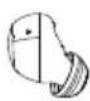
BbB BkHouHeo CbCTOHaHe 3aDpXTe HaTnCHaTa 3a OK.5cekyHmMyIHTuYHKUHOHaHaCeH3OpHa NOBpXHOCT (4) Ha JIABa TnHaJaCHaTa CnyJalKa, DOKaTo He YyeTe 3ByKOB CnHaJ
Yka3aHne - aBTOMaTnUHO n3KJIIOUBaHe Ha npOdyKta
PpOdyKbT pa3noIaracfynKzna 3a aBtOMaTuHNo n3KnUoyBaHe.AKO B pAMKnte Ha 5 MNHyTn He ce OcbuecTBNCbbp3BaHe C KpaHOTo yCTPOJCTBO, PpOdyKbT ce n3KnUoyBa aBtOMaTuHNo.

5. 3apekdahe
Ipei npbboHaayalHaTa ynoTepe6a 3apeTe HanbHNO CnyuAiknTe, KaKTo n KyTna 3a 3apeJdaHe.
1 NocTaBnHe Ha CnyuAnKIne I CBbp3BaHe Ha KyTna 3a 3apeKdaHe
IocTabete Cnyuajknte B Kytna 3a 3apexdahe. Pnp TOBA BHnMaBaJte 3a NoCTABAHeto Ha Cnyuajknte OT npabHHaTa IM CTpaHa CbIaCHO MapkpOBkata L/R
BkIIOUeTe npuIoKeHnA USB-C Ka6eN 3a 3apeXdaHe KbM rHe3dOTo 3a 3apeXdaHe (7) Ha KyTna Ta 3a 3apeXdaHe.
Cbpxe TcboDnna XaKa Ha USB-C Ka6ena 3a 3apexdahe KbM noXoJIo USB 3apJnHO yctpoiCTBO. 3a Ta3n ceI cna3BaIte yka3aHnIaOT pbKOBoCTBOTO 3a ekCnloatauHa n3noJ3BaHOno USB 3apJnHO yctpoiCTBO
2 PpOec Ha 3apeKdaHe Kytna 3a 3apeKdaHe n CnywaJkn
CBeToIIOIbT 3a CTatyc Ha KyTnraTa 3a 3apexJaHe (2) Mira B UepBeHo nO BpeMe Ha npoueCa Ha 3apexJaHe. CneI PbIHO 3apeXJaHe Ha kyTnraTa 3a 3apeXJaHe CBeToIIOIbT Ha KyTnraTa 3a 3apeXJaHe (2) CBeTBA B UepBeHo
Iokochete ocem NbTN MyNTuHkuHaJHaTa ceH3OpHa NOBbpxHOCT (4) Ha IaBaTaNIN DaChata cnUwajka. Ue yyeTe 3ByKOB CnHaJ.
7. Elenentn 3a ynpabJeHne
Yka3aHne
- 06bpyhe TBHIMaHne, Ye noIbpxaHeTo Ha HAKOn OT cyHKcInTe 3abncn ot BaSeTo KpaHno yctpoNCTBO.
- 3a Ta3n ΚeN Cna3BaIte yKa3aHnIra T a OT pbKOBoDCTBOTO 3a eKcIIIOaTua nHa BaIeTo KpaHNOyCTpoINCTBO.

7.1Функция3a rlnacob acncteHT
Siri/ Google
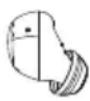
HaTnchete DbMbTu MytNtuHkUohHaHaTa ceH3OpHa NOBbpxHocT (4) Bbpy JIbAta Nnn DaChata CnyuAnka, 3a da cTaptnape KOMyHkaunc Baunr Siri nn Google AcnCTeHT. Ue yyeTe KpaTBK 3ByKOB cnHaJ.
Yka3aHne - Siri
Siri ce npednara cmo ha noDxOJaK paHn ycTpoiCTBa c iOS 5 (ot iPhone 4s) nIin no-BvcoKa.

YkaaHne - Google AcnteHT

Google AcnCTeHT ce npedna cAmo Ha noDxOJaun KpaHn yctpoiCTBa C Android 5.0 nnn noBncoKa c ycLyra Google Play,>1,5 GB cbo6oHa naMeT mHmMaHa pa3dJeIteHa cnoc6HoCT Ha ekpHa 720P
- PpIIOXeHHeTo Google AcnCTeHT TpI6Ba Da e HAIuH Ho Ha BaWeTo KpaH O yCTpoiCTBO n Da e HAcTpoEHO KaTO CTaHApTeH rIacOB acnCTeHT.
7.2Функци "Cbo6oHn pue"
CbueCTByBa Bb3MOxHOCTTa Da n3noJ3BaTe CnyuJaKnte C cyHKcna "Cbo6oJn pbue" 3a BaJeTo KpaHNo yCTpoiCTBO.
1 OcbIeCTBraBaHe Ha NOBVKBaHe
HahepeHOMepaIneKTHOOTBaWToKpaHOryCTpOHTBO,3aDaOCbUeCTBHTNEOBNKBaHe.
2 PnpemaHa noBnKbaHe

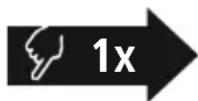
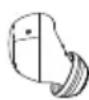
Дokochete edhokpatHO MyIITnФyHKUOHaJIHATA ceH3OpHa NOBbpxHOCT (4) Bbpy IaBaTua NII Na JIcHata ClyuAka, 3a Da npneMeTe BXoJauO NOBkBaHe.
3 OTxBpJHe Ha NOBnKBaHe

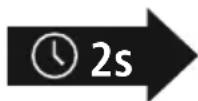

3aOTXBpIHe HbXoIIO NOBnKBaHe DOKOChTe I 3aIpbXTe MyIHTuYHKUHOHaJIHaTa CeH3OpHa NOBpbxHOCT (4) Ha JIbata INI nn DaChata CnyuAnka 3a OK.2cekyHnn.
4ПрнкlioчbaHeHa NOBkBaHe


No BpeMe Ha pa3ROBopa DOKOCHeTe eINH NbTn MyNTuYHKUHOHaHaTa CeH3OpHa NOBbPxHocT (4) Ha JIABaTA INI DaChata CnyaJaKa, 3a Da PrNKluOHTe NOBnKBaHETo.
5 NobTapAne Ha ha6upaHeTo
Mожete наизберете NOВТОРно последно habраня Homep урета 3a Галов acncteHT (7.1).
7.3 Ayno Bb3npOn3BexKaHe
1 CtaptnpaTe Bb3npoN3BexKaHeTo Ha aydno Ha BaWeTo KpaHNo yCTpoNCTBO.
2 Bb3npoN3BexKaHe/Nay3a


ДokocheTe eHOKpatHo MyIITnФункциоHaJIHaTa ceH3OpHa NOBbpxHOCT (4) Bbpxy JЯВata ИпдяСHTa CnyuJaKa, 3a Дa CTapTnPaTe Ип Дa CnpTe Bb3PpOu3BexKdAnHeTo Ha ayDINO.
3 CneBaaio 3aIaBne

Iokochete n 3aipbXTe MyItnfynKUHOHaHnHaTa ceH3OpHa NOBbpxHOCT (4) Bbpxy IaChATA CnyuAka 3a OKo1o 1-2 cekyHn, 3a da npemHeTe KbM CneBaIoTO 3aRnaBne. LcyeTe KpaTbK 3ByKOB CnHaJ.
4празишо заглавne

IokocheTe 3aApbXTe MyTnФyHKUHOHaHata ceH3OpHa NOBbpxHOCT (4) Bbpy JIABaTc CnywaJka 3a OKoJ0 1-2 cekyHn, 3a Da Ce BbPHeTe KbM npeDnWHOTo 3aRJaBHe. Lte yyeTe KpaTBK 3ByKOB CnHJI.
5 Ekbajna3ep
EQ

ДOKОСHTЕТРINbTmMyIITnФYHKUHOHaJIHATAceH3OpHa NOBbpxHOCT(4)ВbpxyJЯBaTaNJINДЯСHATAcNlyaJIka,3a Da npOMeHITepeXIMHaekBaIaN3epa.
7.4 PerynnpaHe Ha cnlaTa Ha 3Byka
UnpaBHeHneTo Ha cInaTa Ha 3ByKa ce n3BbPwBa Upe3 fYHKunra Ta 3a rnaCob acnCTeHT (7.1).
AnTepeHaTnBHO MoKeTe Da ynpaBnaBaTe CnIaTa Ha 3ByKa n Upe3 KpaHOTo cn YcTpoNCTBO.
8. TexHnueckn daHHN
| Bluetooth® clушалки | |
| Bluetooth texholогияBluetooth® v5.4 | |
| Повдьржани провими | A2DP1.3.2, AVRCP1.6.2, SPP1.2.4, HFP1.8, HSP1.2.10 |
| Чеб耗费а за прунOSCачесBluetooth® | 2402 - 2480 MHz |
| Оьхbat < 10 m | |
| Баэрия | |
| Тилбайсяз 3,7 | V лintиево-полимерна |
| Мин. калцитET на снышалкITE/кутая за заразождае | 33 mAh/447 mAh |
| Консу мача на тok Мамс | .5 V=390 mA |
| Враеме за заразждане снышалки | ~ 2 ча |
| Враеме за заразждане куши за заразждае | ~ 3 ча |
| Сыстянило покоу ~ 200 ча | |
| Враеме за снышане на музiku (куши за заразжданe)* | ~ 4 ча (16 ча) |
| Враеме за разrogор (куши за заразжданe)* | ~ 2,5 ча (+10 ча) |
| Тergл sclyшалки приблиztелно 4 g на снышалka | |
| Тergл на кушита заразжданe, вкг. снышалкite | ok. 36 g |
* CnEi nBnHO 3apexKaHe
9. Texnuecko obcnykBaHe n noDpBxka
IOncTbaTe T03n npOyKT cMo C JneKo HAbJaxHeHa Kbpna 6e3 BJaacHKn I He n3NoJI3BaTe aRpeCnBn IOncTbaU npenapTu
10.ИЗкlioquBaHe Ha OTROBOPHOCT
Hama GmbH & Co KG He noema OTROBOPHOCT uIraHua 3a NOBpeNi, KOITo ca pe3yIiTAT OTHepaBnHa IHCTaIauN, MOHTaX uYnoTpe6b Ha IpoDyKta uIIN OT HecNa3BaHe Ha pBkoBOdCTBOTO 3aekpIoatauN u/IIu Ha yKa3aHnraTa 3a 6e3OnaCHOCT.
11. CepBn3 n noDpBxKa
PnBbnpocn OTHOCHO npOyKTA,MOJI,OBbpHeTe Ce KbM npOyKTOBtKe KOHCytTaHTn Ha Hama.
Topeu: +49 9091 502-0 (Hemckn/aHnnckn e3NK)
Доьнгелпа Иформая за поддржкатаможete на hamepinte Tuk: support.hama.com
12.ДeКларацnia 3a cBoTBeTCTBne
C hactoTo Hama GmbH & Co KG deKnappa, ye Tnnt Ha paNo o6opydBaHeTo [00221758, 00221759, 00221760, 00221761, 00221762, 00221763] cBtBeTCTBa Ha DnpeKtnBa 2014/53/EC. NbHnT TekCT Ha EC deKnapaunTa 3a CbOTBeTCTBne e Ha
pa3noJIOXeHHe Ha cIeIHHn IHTepHcA,IpeC:
https://support.hama.com/00221758, https://support.hama.com/00221759,
https://support.hama.com/00221760, https://support.hama.com/00221761,
https://support.hama.com/00221762, https://support.hama.com/00221763
YeCTOTHaJIeHTa/YeCTOTHNIJIeHTN
2402MHz-2480MHz
MaKcMmHa n3JIbYBaTeJHa MoUHocT 2,5 mW E.I.R.P.
13.ДаHHn cbrJnaCHO PerJaMaHrT (EC) 2023/826
HOpMaun OTHOCHO KOHCymaunTa Ha eHepn MOKeTe Da HamepuTe Ha:
https://support.hama.com/00221758, https://support.hama.com/00221759,
https://support.hama.com/00221760, https://support.hama.com/00221761,
https://support.hama.com/00221762, https://support.hama.com/00221763
GR O8nyiec xpno
https://support.hama.com/00221758, https://support.hama.com/00221759,
https://support.hama.com/00221760, https://support.hama.com/00221761,
https://support.hama.com/00221762, https://support.hama.com/00221763
Zwyn ouxvotnttwzwec ouxvotntwv 2.402 MHz - 2.480 MHz
https://support.hama.com/00221758, https://support.hama.com/00221759,
https://support.hama.com/00221760, https://support.hama.com/00221761,
https://support.hama.com/00221762, https://support.hama.com/00221763
TR Kullanim Kilavuzu
https://support.hama.com/00221758, https://support.hama.com/00221759,
https://support.hama.com/00221760, https://support.hama.com/00221761,
https://support.hama.com/00221762, https://support.hama.com/00221763
| Frekans bandi/frekans bantlari | 2 | 402MHz - 2480MHz |
| İletilen maksimum radyo frekans güü | 2.5mW E.I.R.P. |
https://support.hama.com/00221758, https://support.hama.com/00221759,
https://support.hama.com/00221760, https://support.hama.com/00221761,
https://support.hama.com/00221762, https://support.hama.com/00221763
FIN
Käyttoohje
https://support.hama.com/00221758, https://support.hama.com/00221759,
https://support.hama.com/00221760, https://support.hama.com/00221761,
https://support.hama.com/00221762, https://support.hama.com/00221763
https://support.hama.com/00221758, https://support.hama.com/00221759,
https://support.hama.com/00221760, https://support.hama.com/00221761,
https://support.hama.com/00221762, https://support.hama.com/00221763

- GB Operating Instructions
- Controls and displays
- Explanation of warning symbols and notes
- Warning
- Note
- Package contents
- Safety notes
- Warning - rechargeable battery
- Warning - magnets
- Warning - high volume
- Switch On/Off
- ON
- Alternatively:
- OFF
- Note - Automatic product switch-off
- Charging
- Insert the earphones and connect the charging box
- Charging procedure for the charging box and earphones
- Battery capacity
- Charging box
- Earphones
- Bluetooth pairing
- Note - pairing
- Check the status of the status LED (3)
- Search using your device for the earphones (only required on the first connection)
- Note - Bluetoothpassword
- Reset function
- Control elements
- Voice assistant function
- Note - Siri
- Note - Google Assistant
- Hands-free function
- Audio playback
- Volume control
- Technical data
- Care and maintenance
- Warranty disclaimer
- Service and support
- Declaration of conformity
- Specifications according to Regulation (EU) 2023/826
- Bluetooth Verbinding (Pairing)
- Hinweis - Pairing
- F Mode d'emploi
- Remarque - Assistant Google
- Informatie overeenkomstig Verordening (EU) 2023/826
- H Hasznalati utmutato
- RO Instruetiuni de utiliser
- Avertizare - accumulator
- Indicati li conform Directivei (UE) 2023/826
- CZ Navod k použití
- Funcão Voice Assistant
- Siri/ Google
- S Bruksanvisning
- RUS RykoBoDCTBO NO 3KcJIyatauIN
- JemeHTbI ynpabHeHn n HndKaTOpbl
- Пороченя К п徴урждаюшм 3нakам уka3аням
- PpeynpeKdHne
- Yka3aHne
- AblepHaTnBbI BapnAHT:
- A subtepHaTnBbI BapnaHT:
- 3apяДka
- YknaKa HayuHnKOB n noKnIoueHne 3apdHoro 6okca
- IpoueDypa 3apAdkn 3apAHorO 6okca n HayuHKnOB
- EMKoctb aKKyMyJnTopa
- 3apnHbI 6OKc
- CoeHHHeHne Bluetooth(conpJxKeHne)
- Yka3aHne — conpjxehne
- IpoBepbTe cBeToaHbI INHdNkaTOp COCTOHaHnA (3)
- HauHNTe B OKOHeuHOM yCTpoiCTBe HayuHnKu (Tpe6yeTcra TOnbko npn nepBOM coeHNHeHH)
- YkaaHne -napoB Bluetooth
- 6.1Функциа c6poca
- Θлем entbl ynpablenna
- 7.1Функци ИнтелктуаьHorO roJolocoboro nOMouHHka
- YkaaHne — Siri
- NCKJIIOUeHHe OTBeTCTBeHHOCTn
- CepBnchoe obcnyxmbaHne n noDepkka
- CeptuФнкaT COOTBETCTBnA
- BG Pa60THa NHCTpyKcIa
- EnemEn 3a ynpabHeHne n Hndkaun
- 06acheHHe Ha npedynpeDHTeCNMBOJIu yka3aHnA
- PpeynpeKdneHc
- CbIbpxKaHne Ha onaKOBkata
- Yukazahma 6e3onachoct
- Ppeynpexdne - BaTepy
- PpeynpeKdHne -MaHHTN
- PpeynpexKeHne - cnJen 3ByK
- BkIIOUbaHe/u3KJIIOUbaHe
- AntepHaTUBHO:
- AntepHaTmBHO:
- Yka3aHne - aBTOMaTnUHO n3KJIIOUBaHe Ha npOdyKta
- 3apekdahe
- NocTaBnHe Ha CnyuAnKIne I CBbp3BaHe Ha KyTna 3a 3apeKdaHe
- PpOec Ha 3apeKdaHe Kytna 3a 3apeKdaHe n CnywaJkn
- Elenentn 3a ynpabJeHne
- 7.1Функция3a rlnacob acncteHT
- YkaaHne - Google AcnteHT
- 7.2Функци "Cbo6oHn pue"
- OcbIeCTBraBaHe Ha NOBVKBaHe
- PnpemaHa noBnKbaHe
- OTxBpJHe Ha NOBnKBaHe
- 4ПрнкlioчbaHeHa NOBkBaHe
- NobTapAne Ha ha6upaHeTo
- Ayno Bb3npOn3BexKaHe
- PerynnpaHe Ha cnlaTa Ha 3Byka
- TexHnueckn daHHN
- Texnuecko obcnykBaHe n noDpBxka
- 10.ИЗкlioquBaHe Ha OTROBOPHOCT
- CepBn3 n noDpBxKa
- 12.ДeКларацnia 3a cBoTBeTCTBne
- 13.ДаHHn cbrJnaCHO PerJaMaHrT (EC) 2023/826
- GR O8nyiec xpno
- TR Kullanim Kilavuzu
- FIN
- Käyttoohje
Brand : HAMA
Model : Freedom Buddy II
Category : Earphones