DAP-1635 - Wifi repeater D-LINK - Free user manual and instructions
Find the device manual for free DAP-1635 D-LINK in PDF.


| Product Type | WiFi AC1200 Repeater |
| Brand | D-Link |
| Model | DAP-1635 |
| Frequency Bands | 2.4 GHz and 5 GHz (dual band) |
| Wireless Speed | Up to 300 Mbps (2.4 GHz) + 867 Mbps (5 GHz) |
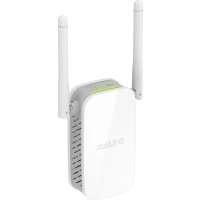
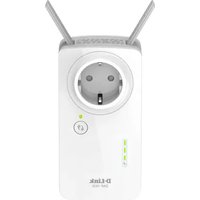
| Antennas | 2 external deployable antennas |
| Buttons | WPS, Reset |
| LED Indicators | Status/WPS, Signal indicator (3 bars) |
| Ethernet Port | 1 Gigabit RJ45 port |
| Configuration Methods | WPS, QRS Mobile App, Web Browser |
| Power | Wall plug (100-240 V AC) |
| Dimensions (approx.) | 110 x 70 x 45 mm |
| Weight (approx.) | 150 g |
| Operating Temperature | 0°C to 40°C |
| Operating Humidity | 10% to 90% non-condensing |
| Maintenance and Cleaning | Unplug the device and clean with a soft dry cloth |
| Safety | Do not expose to water, do not open the device, keep out of reach of children |
| Spare parts and repairability | No user-serviceable parts. In case of failure, contact D-Link support |
| General Information | WiFi repeater for coverage extension, compatible with any standard router |
Frequently Asked Questions - DAP-1635 D-LINK
User questions about DAP-1635 D-LINK
0 question about this device. Answer the ones you know or ask your own.
Ask a new question about this device
Download the instructions for your Wifi repeater in PDF format for free! Find your manual DAP-1635 - D-LINK and take your electronic device back in hand. On this page are published all the documents necessary for the use of your device. DAP-1635 by D-LINK.
USER MANUAL DAP-1635 D-LINK
AC1200 WI-FI RANGE EXTENDER WITH POWER PASSTHROUGH
DAP-1635
WI-FI CONFIGURATION CARD
If any of these items are missing from your packaging, contact your reseller.
INTRODUCTION
The DAP-1635 extends the wireless coverage of an existing wireless router or access point (AP) via wireless or Ethernet port. Please refer to the User Manual, available at http://dlink.com for instructions on how to use your DAP-1635 as a wired extender.
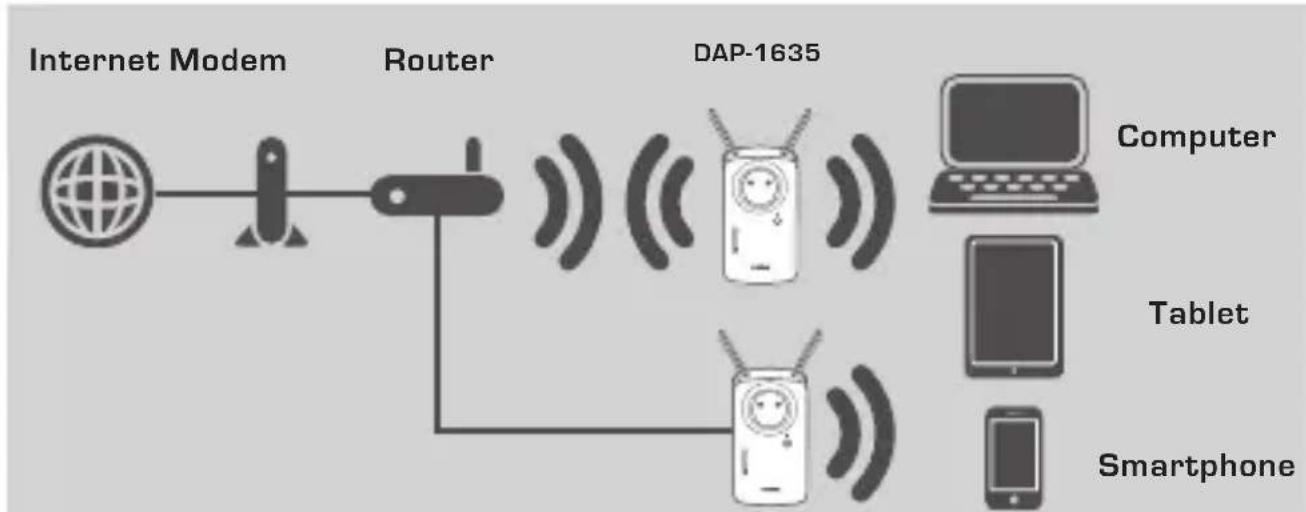
flowchart
graph LR
    A["Internet Modem"] --> B["Router"]
    B --> C["DAP-1635"]
    C --> D["Computer"]
    C --> E["Tablet"]
    C --> F["Smartphone"]
    B --> G["Mobile Device"]
    B --> H["Television Antenna"]
    B --> I["Radio Station"]
Extend the wireless coverage of another AP or wireless router.
PRODUCT SETUP
SETUP
SELECT YOUR METHOD
You may set up the DAP-1635 using WI-FI Protected Setup (WPS) (recommended), the QRS Mobile App, or a web browser.
SETTING UP THE DAP-1635 USING WI-FI PROTECTED SETUP (WPS)
NOTE: Your source router or AP must feature a WPS button to use WPS.
natural_image
Simple line drawing of a mobile phone with a smiling face and antenna (no text or symbols)Step 1
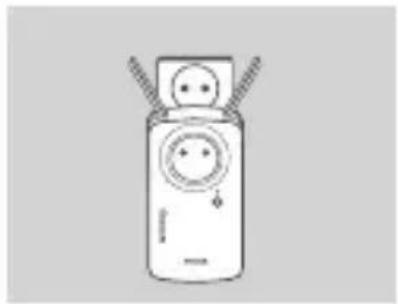
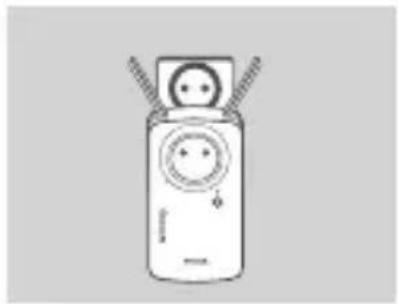
Fully extend the antennas to provide optimal wireless coverage. Plug the DAP-1635 into a wall outlet, and wait until the Status/WPS LED is blinking amber.
Step 2
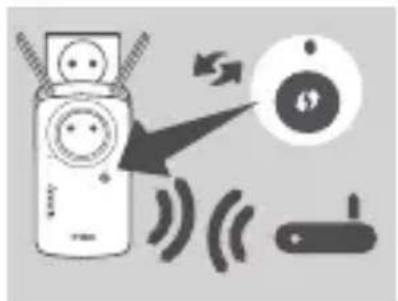
Push the WPS button on your source wireless router or AP, then push the WPS button on the DAP-1635. The Status/WPS LED will start flashing green. Allow up to two minutes for the process to finish. The Status/WPS LED will turn solid green when the DAP-1635 has connected successfully.
natural_image
Illustration of a mobile phone connected to a smartphone via wireless signals (no text or symbols)Step 3
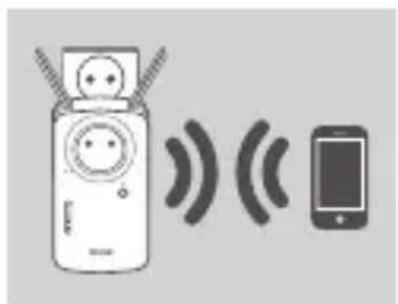
Connect your clients to an extension network created by the DAP-1635:
2.4 GHz: (Your router's SSID)-EXT
5 GHz: (Your router's SSID)-EXT5G
After WPS, the password of extension networks will be the same as the source wireless network's.
SMART SIGNAL LEDS
OPTIMIZE EXTENDER LOCATION
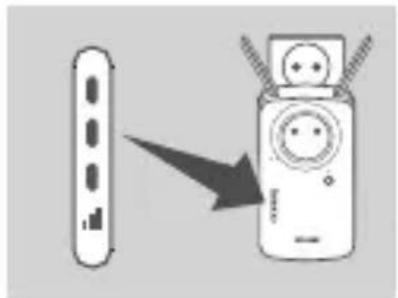
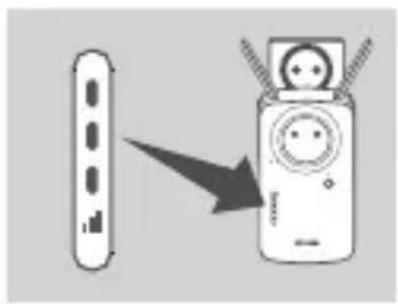
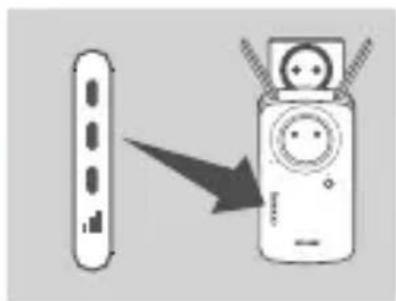
If the Smart Signal LED has a single amber bar after the connection process has finished, the DAP-1635 has established a poor quality connection. To improve the connection quality, the DAP-1635 should be relocated to a wall outlet closer to the source wireless router or AP. The more lit bars on the Signal LED, the better the wireless signal.
PRODUCT SETUP
SETUP
SET UP DAP-1635 WITH QRS MOBILE APP
Download the "D-Link QRS Mobile" application from the Apple App Store or Google Play. Connect your smartphone to the DAP-1635 using the SSID and Password information provided on the Wi-Fi Configuration Card and follow the in-app prompts.
SET UP DAP-1635 WITH A WEB BROWSER
Open the wireless utility on your computer, select the name (SSID) of the DAP-1635 network, and enter the password found on your Wi-Fi Configuration Card. Open a web browser and enter http://dlinkap.local./ or if you have multiple DAP-1635's, enter http://dlinkapwxyz.local./ and replace wxyz with the last 4 digits of the MAC address of the DAP-1635 you wish to configure. The web-configuration username is Admin and the password field should be left blank. Refer to the user manual for further information on configuring the DAP-1635.
Note: Web browser configuration is not supported for Android Devices. Please use the QRS Mobile Application to configure your device.
TROUBLESHOOTING
SETUP AND CONFIGURATION PROBLEMS
1. HOW DO I RESET MY DAP-1635 AC1200 WI-FI RANGE EXTENDER WITH POWER PASSTHROUGH TO FACTORY DEFAULT SETTINGS?
- Ensure the product is powered on.
- Using a paperclip, press and hold the reset button on the side of the device for 5 seconds.
Note: Resetting the product to the factory default will erase the current configuration settings. The default Wi-Fi network name (SSID) and password are printed on the DAP-1635's Wi-Fi Configuration Card.
2. HOW DO I CONNECT A PC OR OTHER DEVICE TO THE DAP-1635 IF I HAVE FORGOTTEN MY WIFI NETWORK NAME (SSID) OR WIFI PASSWORD?
- If you haven't changed the extended Wi-Fi network's settings, you can use the network name (SSID) and Wi-Fi password on the Wi-Fi Configuration Card.
- If you did change the network name (SSID) or Wi-Fi password and you did not record this information on the Wi-Fi Configuration Card or somewhere else, you must reset the device as described in Question 1 above.
- It is recommended that you make a record of this information so that you can easily connect additional wireless devices in the future. You can use the included Wi-Fi Configuration Card to record this important information for future use.
TECHNICAL SUPPORT
dlink.com/support
PACKUNGSINHALT
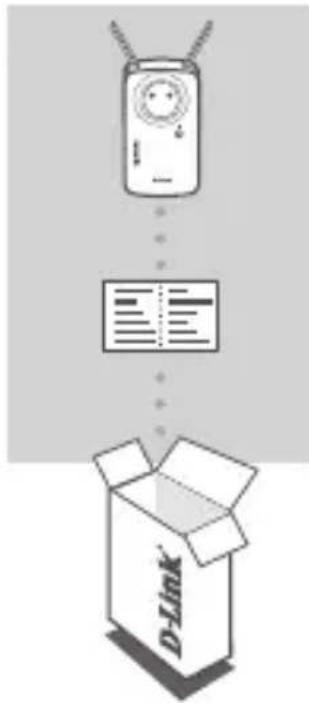
WIRELESS RANGE EXTENDER SCHUKO AC1200 DAP-1635
WI-FI-KONFIGURATIONSKARTE
WÄHLEN SIE IHRE METHODE AUS
natural_image
Line drawing of a mobile phone with a smiling face and antenna (no text or symbols)Schritt 1
Schritt 2
natural_image
Illustration of a mobile phone with signal waves from a smartphone (no text or symbols)Schritt 3
PROLONGATEUR DE PORTÉE WI-FI AC1200 AVEC PRISE INTEGREE
DAP-1635
CARTE DE CONFIGURATION DU Wi-Fi
INSTALLATION DU PRODUIT
CONFIGURATION
SÉLECTION DE VOTRE MÉTHODE
natural_image
Line drawing of a mobile phone with a smiling face and antenna (no text or symbols)Étape 1
Étape 2
natural_image
Illustration of a mobile phone with signal waves and a smartphone (no text or symbols)Étape 3
INSTALLATION DU PRODUIT
CONFIGURATION
CONFIGURATION DU DAP-1635 AVEC L'APPLICATION MOBILE QRS
natural_image
Line drawing of a mobile phone with a face and antenna (no text or symbols)Paso 1
Paso 2
natural_image
Illustration of a mobile phone connected to a smartphone via wireless signals (no text or symbols)Paso 3
RANGE EXTENDER WI-FI AC1200 CON POWER PASSTHROUGH
DAP-1635
AC1200 WI-FI RANGE EXTENDER MET POWER PASSTHROUGH
DAP-1635
WI-FI CONFIGURATIEKAART
DE DAP-1635 INSTALLEREN MET WPS (WI-FI PROTECTED SETUP)
natural_image
Line drawing of a mobile phone with a face and antenna (no text or symbols)Stap 1
Stap 2
natural_image
Illustration of a mobile phone connected to a smartphone via wireless signals (no text or symbols)Stap 3
2.4 GHz: (Uw router's SSID)-EXT
5 GHz: (Uw router's SSID)-EXT5G
WZMACNIACZ SYGNAŁU WI-FI Z PRZEJŚCIOWYM GNIAZDEM ELEKTRYCZNYM AC1200
DAP-1635
KARTA KONFIGURACJI WI-FI
natural_image
Simple line drawing of a mobile phone with a smiling face and antenna (no text or symbols)Krok 1
Krok 2
natural_image
Illustration of a mobile phone with charging cable and wireless signal waves, next to a smartphone (no text or symbols)Krok 3
AC1200 BEZDRÁTOVÝ EXTENDER SÍTĚ WI-FI S PRŮCHODEM NAPÁJENÍ
DAP-1635
KONFIGURAČNÍ KARTA WI-FI
natural_image
Line drawing of a remote control device with two cables (no text or symbols)Krok 1
Krok 2
natural_image
Illustration of a mobile phone with earphones emitting sound waves to a smartphone (no text or symbols)Krok 3
AC1200 WI-FI RANGE EXTENDER KONNEKTORRAL
DAP-1635
WI-FI KONFIGURÁCIÓS KÁRTYA
natural_image
Line drawing of a mobile phone with a face and antenna (no text or symbols)1. lépés
2. lépés
natural_image
Illustration of a mobile phone connected to a smartphone via wireless signals (no text or symbols)3. lépés
AC1200 WI-FI-REKKEVIDDEUTVIDER MED STRÖMGJENNOMGANG
DAP-1635
WI-FI-KONFIGURASJONKORT
SETTE OPP DAP-1635 VED HJELP AV WI-FI PROTECTED SETUP (WPS)
natural_image
Line drawing of a mobile phone with a face and antenna (no text or symbols)Trinn 1
Trinn 2
natural_image
Illustration of a mobile phone connected to a smartphone via wireless signals (no text or symbols)Trinn 3
AC1200 WI-FI-OMRÅDEUDVIDER MED POWER- GENNEMGANG
DAP-1635
WI-FI-KONFIGURATIONSKORT
INDSTILLING AF PRODUKTET
KONFIGURATION
VÆLG METODE
Du kan konfigurere DAP-1635 vha. Wi-Fi Protected Setup (WPS) (anbefales), QRS-mobilappen eller en webbrowser.
KONFIGURATION AF DAP-1635 VHA. WI-FI PROTECTED SETUP (WPS)
BEMÆRK: Din kilderouter eller AP skal have en WPS-knap for at bruge WPS.
natural_image
Simple line drawing of a mobile phone with a face and antenna (no text or symbols)Trin 1
Trin 2
natural_image
Illustration of a mobile phone connected to a smartphone via wireless signals (no text or symbols)Trin 3
5 GHz: (din routers SSID)-EXT5G
natural_image
Illustration of a remote control device with a screen and cable, showing an arrow pointing to it (no text or symbols present)INDSTILLING AF PRODUKTET
KONFIGURATION
INDSTILLING AF DAP-1635 MED QRS MOBIL-APP
INDSTILLING AF DAP-1635 MED WEBBROWSER
AC1200- WI-FI-VERKON VAHVISTIN JA VIRRAN LÄPIVIENTI
DAP-1635
WI-FI-MÄÄRITYSKORTTI
natural_image
Simple line drawing of a mobile phone with a smiling face and antenna (no text or symbols)Vaihe 1
Vaihe 2
natural_image
Illustration of a mobile phone with signal waves from a smartphone (no text or symbols)Vaihe 3
natural_image
Line drawing of a mobile phone with a face and antenna (no text or symbols)Steg 1
Steg 2
natural_image
Illustration of a mobile phone with signal waves from a smartphone to a charging device (no text or symbols)Steg 3
5 GHz: (Din routers SSID)-EXT5G
AMPLIFICADOR DE ALCANCE WI-FI AC1200 COM PASSAGEM DE CORRENTE DAP-1635
natural_image
Simple line drawing of a mobile phone with a smiling face and antenna (no text or symbols)Passo 1
Passo 2
natural_image
Illustration of a remote device emitting sound waves to a smartphone (no text or symbols)Passo 3
ANAMETAΔΟΤΗΣ WI-FI ME ΠΡΙΖΑ ΡΕΥΜΑΤΟΣ AC1200
DAP-1635
natural_image
Simple line drawing of a mobile phone with a face and antenna (no text or symbols)Βήμα 1
Βήμα 2
natural_image
Illustration of a mobile phone with charging cable and sound waves, next to a smartphone (no text or symbols)Βήμα 3
AC1200 POJAČIVAČ WI-FI SIGNALA S IZLAZOM ZA NAPAJANJE DODATNOG UREĐAJA DAP-1635
KARTICA ZA WI-FI KONFIGURACIJU
Ako nešto od navedenih sadržaja nedostaje u vašem pakiranju, obratite se prodavaču.
UVOD
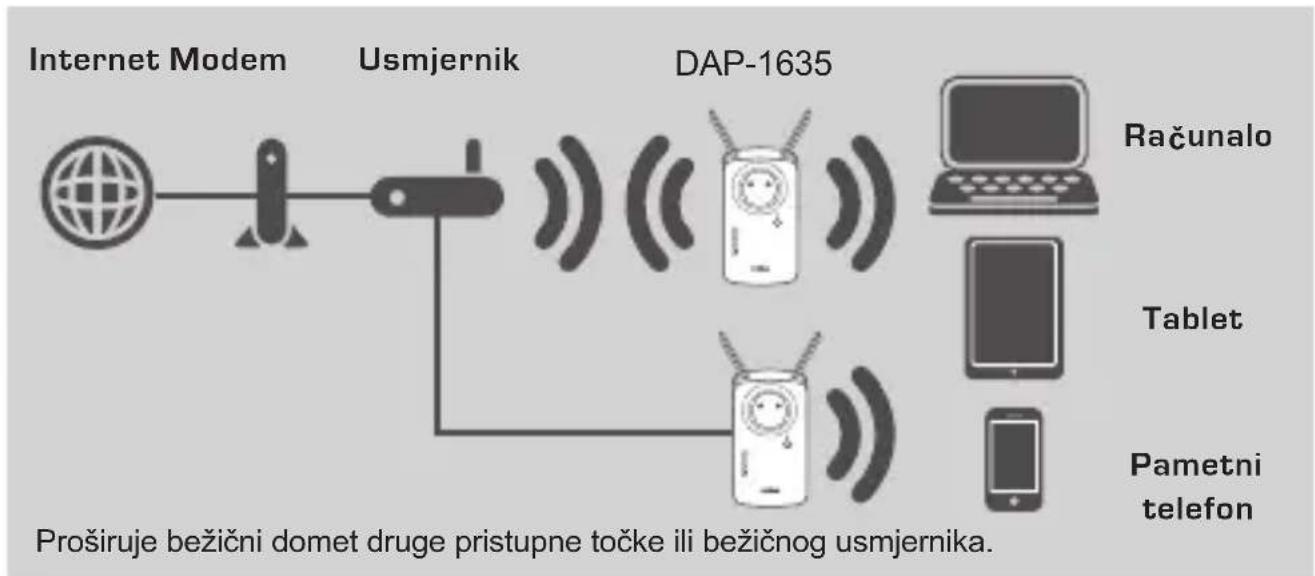
Uređaj DAP-1635 proširuje domet bežičnog signala postojećeg bežičnog usmjernika ili pristupne točke (AP-a) putem bežičnog ili Ethernet porta. Pogledajte Korisnički priručnik dostupan na http://dlink.com za upute o korištenju uređaja DAP-1635 kao žičnog pojačivača signala.
flowchart
graph LR
    A["Internet Modem"] --> B["Usmjernik"]
    B --> C["DAP-1635"]
    C --> D["Računalo"]
    C --> E["Tablet"]
    C --> F["Pametni telefon"]
    B --> G["Proširuje bežični domet druge pristupne točke ili bežičnog usmjernika."]
POSTAVLJANJE PROIZVODA
POSTAVLJANJE
ODABERITE SVOJ NAČIN
natural_image
Simple line drawing of a mobile phone with a smiling face and antenna (no text or symbols)Korak 1
Korak 2
natural_image
Illustration of a remote device emitting sound waves to a smartphone (no text or symbols)Korak 3
Povežite svoje uređaje-klijente na proširenu mrežu koju je stvorio uređaj DAP-1635:
PAMETNE SIGNALNE LED LAMPICE
POSTAVITE POJAČIVAČ SIGNALA NA OPTIMALNO MJESTO
AC1200 WI-FI RAZŠIRJEVALEC DOMETA S PREPUSTNIM PRIKLJUČKOM
DAP-1635
WI-FI KONFIGURACIJSKA KARTICA
Če kateri koli izmed teh predmetov manjka, kontaktirajte svojega trgovca.
UVOD
natural_image
Simple line drawing of a rocket and a connector (no text or symbols)

natural_image
Illustration of a mobile phone with antenna and sound waves (no text or symbols)
Računalnik

Tablični
ra čunalnik

natural_image
Simple line drawing of a mobile phone with a face and antenna (no text or symbols)Korak 1
V celoti raztegnite anteni, da omogočite optimalno pokritost brezžičnega omrežja. Vtaknite DAP-1635 v električno vtičnico in počakajte dokler lučka stanja/WPS LED ne utripa rumeno.

Korak 2
natural_image
Illustration of a mobile phone connected to a smartphone via wireless signals (no text or symbols)Korak 3
Priključite odjemalce na obstoječe omrežje, ki ga je ustvaril DAP-1635:
PAMETNE SIGNALNE LUČKE LED
OPTIMIZACIJA LOKACIJE RAZŠIRJEVALCA
DISPOZITIV DE EXTINDERE WI-FI AC1200 CU ALIMENTARE DIRECT DAP-1635
CARTELA DE CONFIGURARE WI-FI
This D-Link product includes software code developed by third parties, including software code subject to the GNU General Public License ("GPL") or GNU Lesser General Public License ("LGPL"). As applicable, the terms of the GPL and LGPL, and information on obtaining access to the GPL code and LGPL code used in this product, are available to view the full GPL Code Statement at:
The GPL code and LGPL code used in this product is distributed WITHOUT ANY WARRANTY and is subject to the copyrights of one or more authors. For details, see the GPL code and the LGPL code for this product and the terms of the GPL and LGPL.
Written Offer for GPL and LGPL Source Code
Where such specific license terms entitle you to the source code of such software, D-Link will provide upon written request via email and/or traditional paper mail the applicable GPL and LGPLsource code files via CD-ROM for a nominal cost to cover shipping and media charges as allowed under the GPL and LGPL.
Please direct all inquiries to:
Email:
GPLCODE@dlink.com
Snail Mail:
Attn: GPLSOURCE REQUEST
D-Link Systems, Inc.
Fountain Valley, CA 92708