USER MANUAL T128 THRUSTMASTER
natural_image
Technical line drawing of a steering wheel with brand logo and mounting points (no text or symbols)
natural_image
Line drawing of a mechanical device with two blocks and a textured base (no text or symbols)
WARNING:
To ensure that your T128 racing wheel functions correctly with games on PlayStation®5 consoles, PlayStation®4 consoles or PC, you may be required to install the game's automatic updates
(available when your console or PC is connected to the Internet).
*PC compatibility (Windows® 10/11) not tested or endorsed by Sony Interactive Entertainment.
TECHNICAL FEATURES
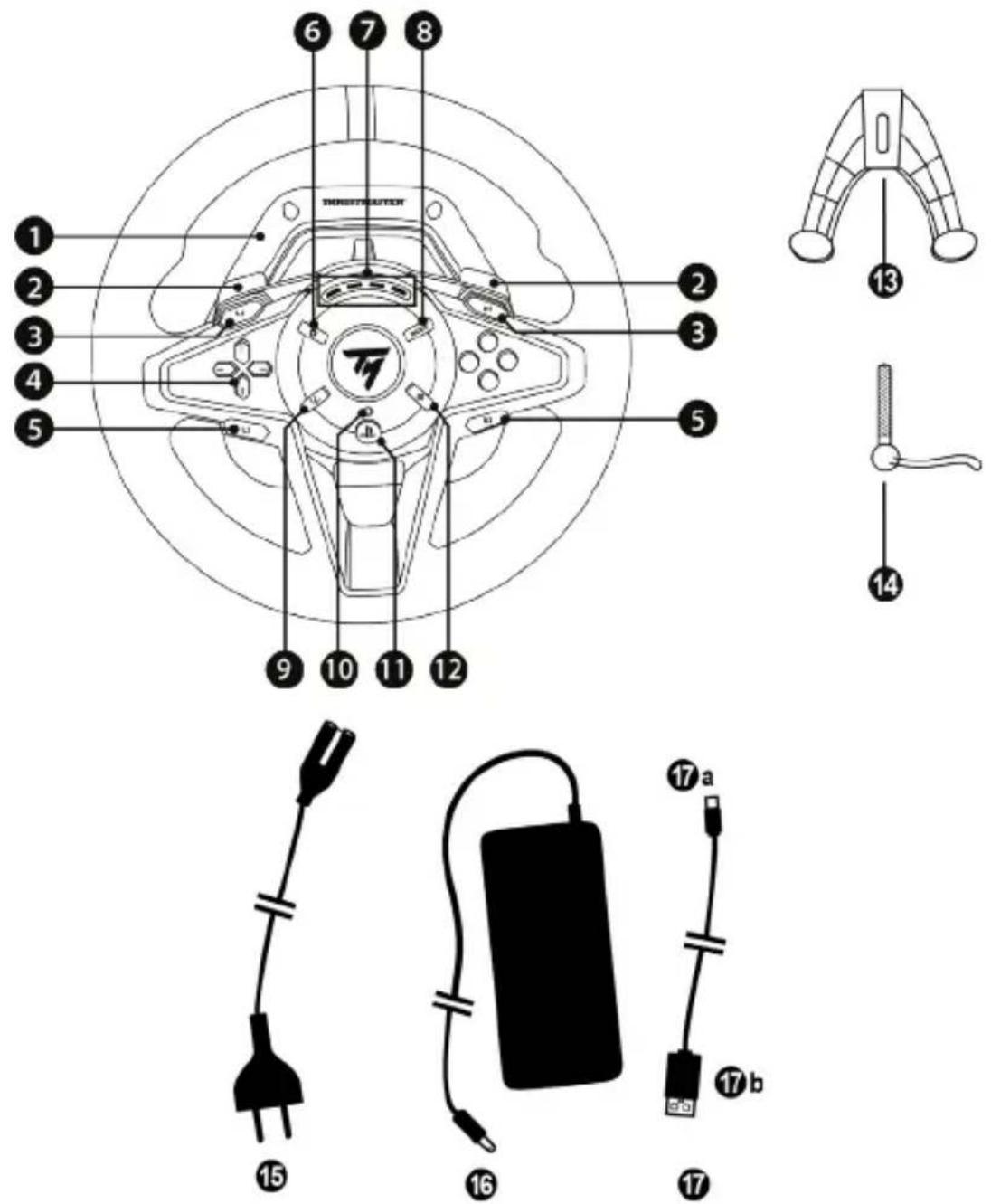
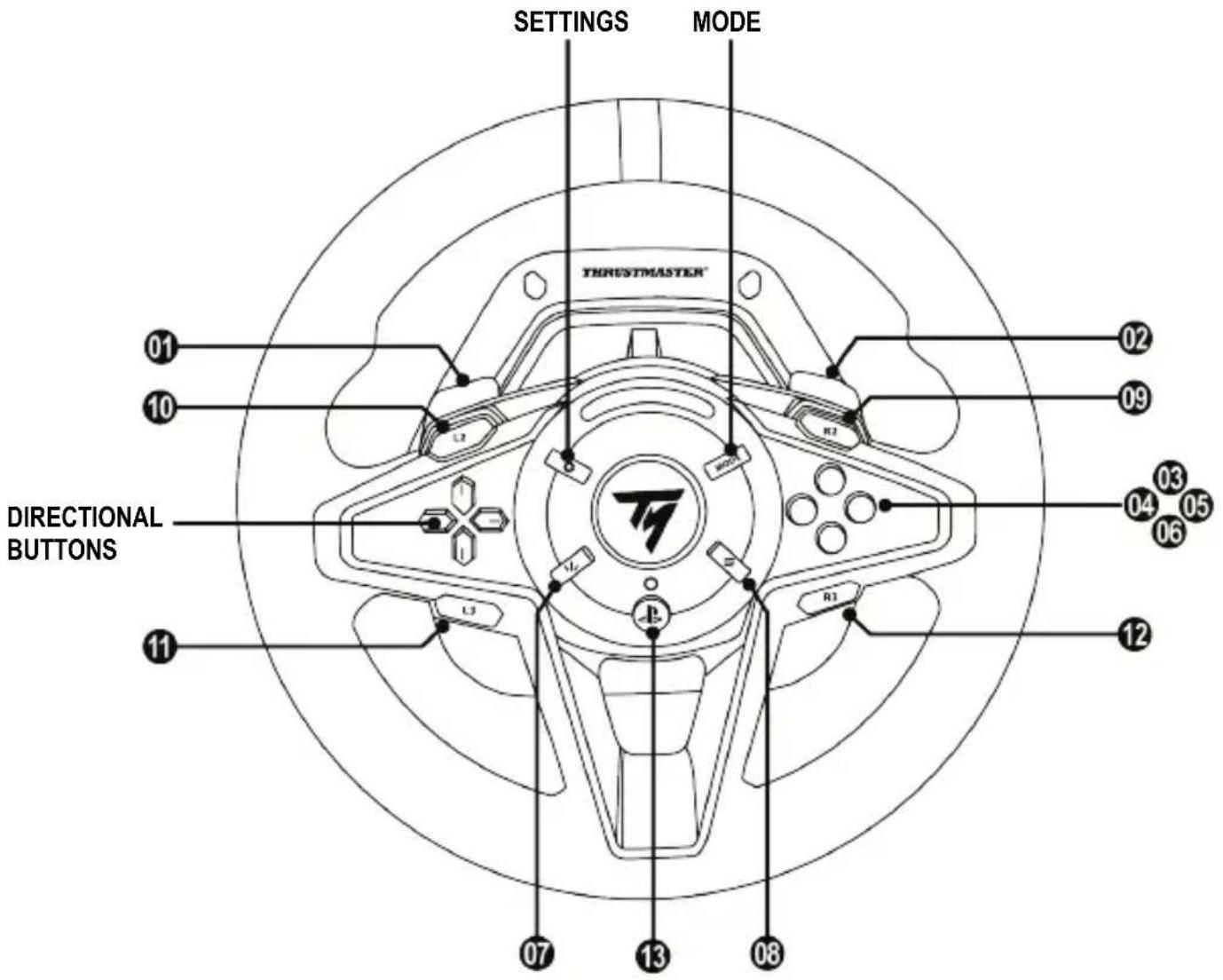
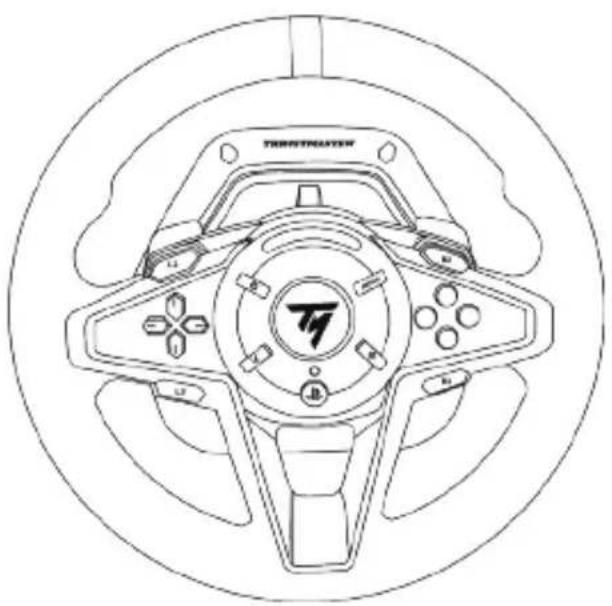
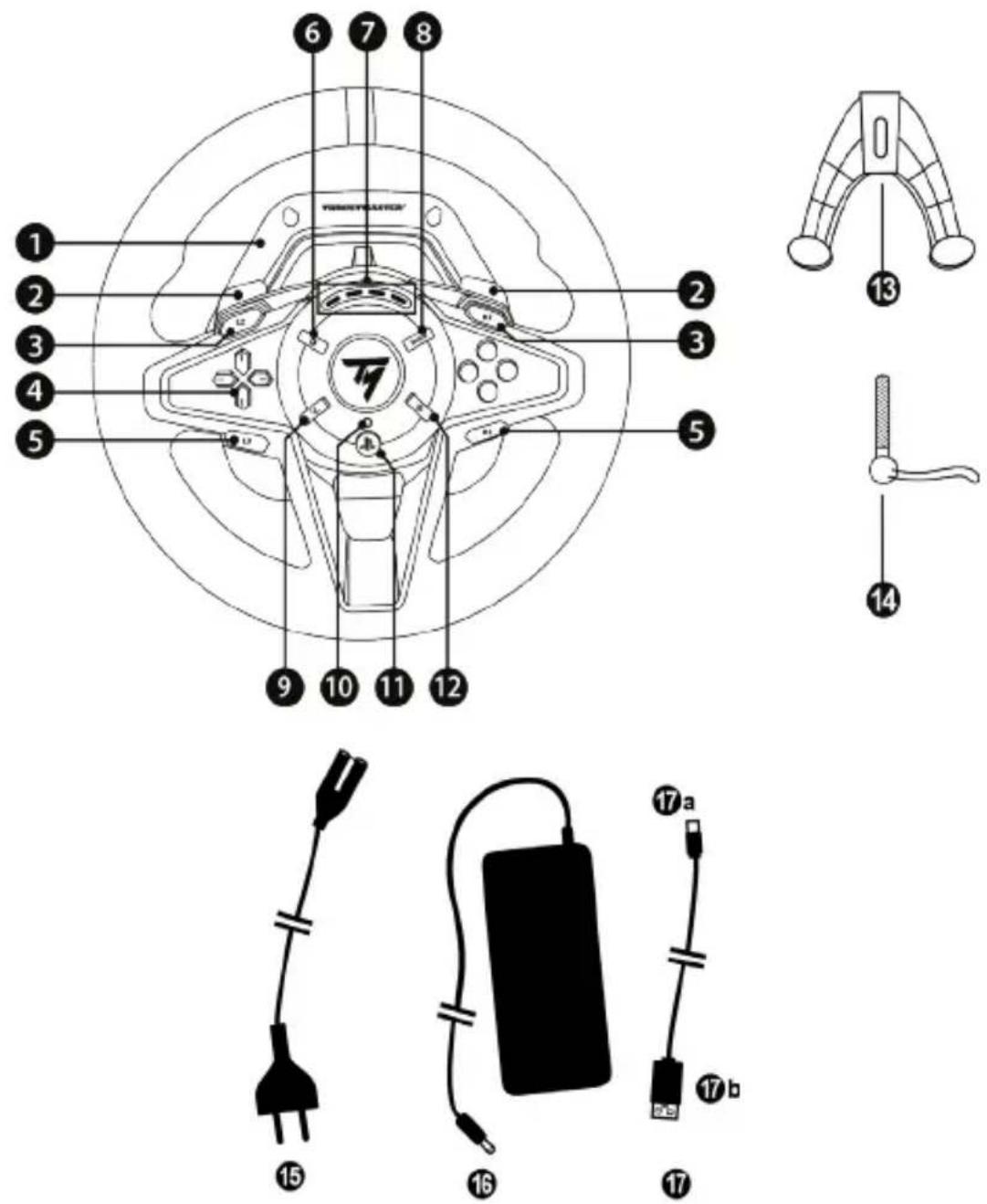
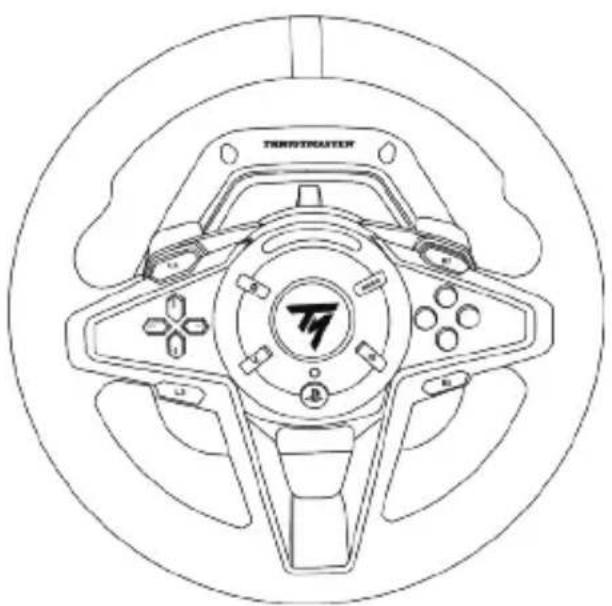
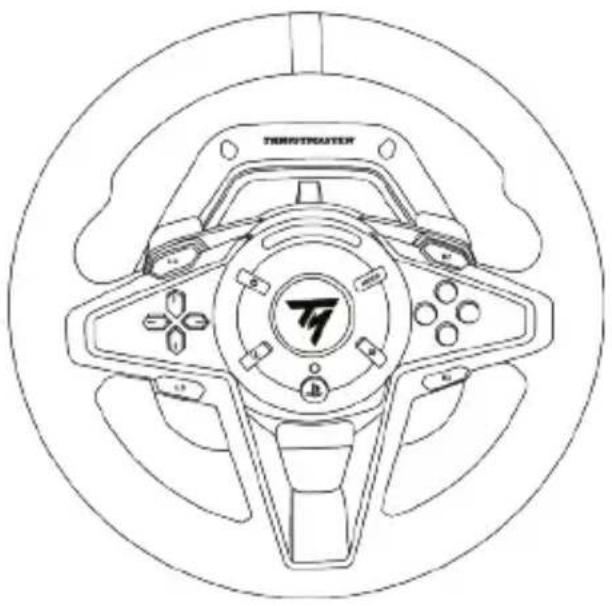
1 T128 base
2 2 magnetic paddle shifters (- and +)
3 L2 and R2 buttons
4 Directional buttons
5 L3 and R3 buttons
6 SETTINGS button
7 4 RPM LEDs (engine speed display)
8 MODE button
9 SHARE button on PS4™ consoles
CREATE button on PS5™ consoles
10 Game mode LED (blue, red or green)
11 PS button
12 OPTIONS button on PS4 ^TM consoles and PS5 ^TM consoles
13 Attachment system
14 Metal fastening screw
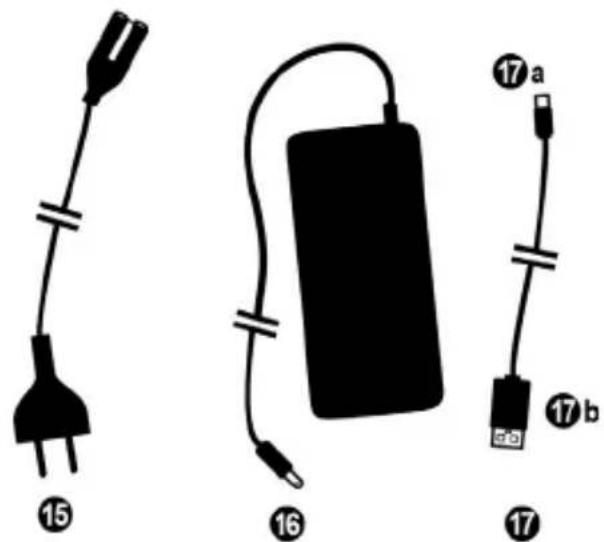
15 Power cable (EU/U.S./UK...)
16 Power adapter
17 USB cable: USB-C (17a) - USB-A (17b)
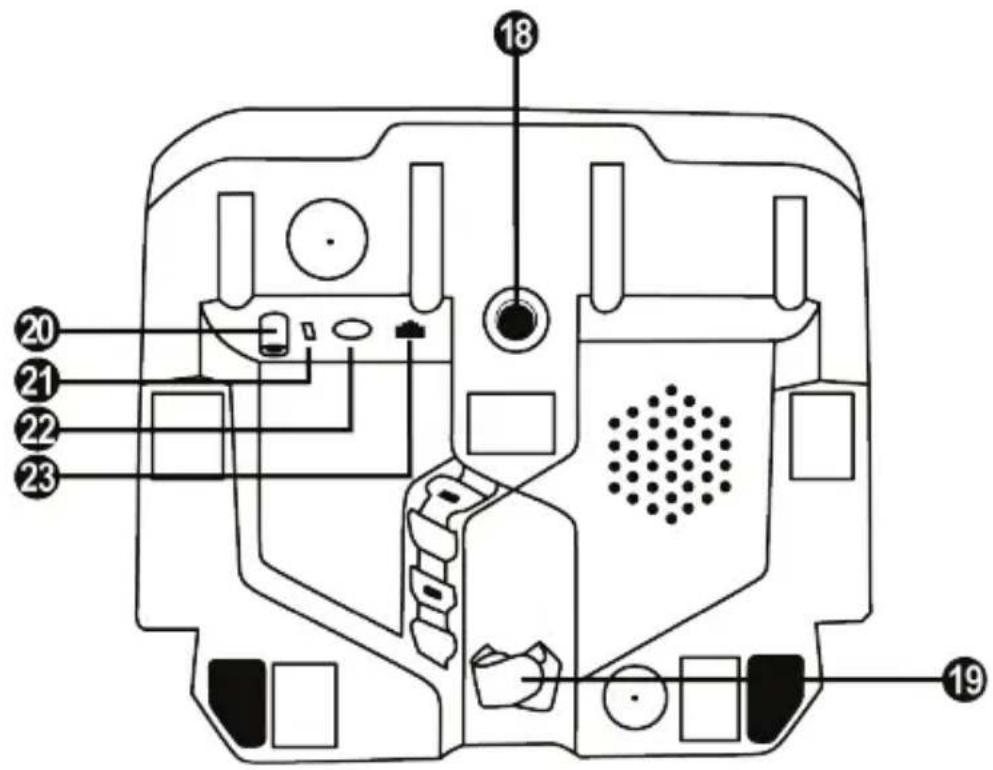
18 Large threaded hole (for attachment system and fastening screw)
19 Hook-and-loop fastener cable holder
20 Power adapter connector
21 Racing wheel's USB-C connector
22 Mini-DIN connector for Thrustmaster shifter, handbrake or hub (sold separately)
23 RJ12 connector for pedal set
WARNING
Before using this product, please read this manual carefully and save it for later reference.
Warning – Electrical shock
* Keep the product in a dry location and do not expose it to dust or sunlight.
* Do not twist or pull on the connectors and cables.
* Do not spill any liquid on the product or its connectors.
* Do not short-circuit the product.
* Never dismantle the product; do not throw it onto a fire and do not expose it to high temperatures.
* Do not use a power supply cable other than the one provided with your racing wheel.
* Do not use the power supply cable if the cable or its connectors are damaged, split or broken.
* Make sure that the power supply cable is properly plugged into an electrical outlet, and properly connected to the connector at the rear of the racing wheel's base.
* Do not open up the racing wheel: there are no user-serviceable parts inside. Any repairs must be carried out by the manufacturer, its authorized representative or a qualified technician.
* Only use attachment systems/accessories specified by the manufacturer.
* If the racing wheel is operating abnormally (if it is emitting any abnormal sounds, heat or odors), stop using it immediately, unplug the power supply cable from the electrical outlet and disconnect the other cables.
* If you will not be using the racing wheel for an extended period of time, unplug its power supply cable from the electrical outlet.
* The electrical outlet must be located near the equipment and must be easily accessible.

Use only the power supply listed in the user instructions.
Information for power supply adapter
| Information published | Value | Unit |
| Manufacturer's name or trademark, commercial registration number and address | GUILLEMOT CORPORATION S.A.414 196 758 RennesPlace du GranierBP 9714335571 Chantepie CedexFrance | |
| Model identifier | A481-1852590D | |
| Input voltage | 100 - 240 | V |
| Input AC frequency | 50 - 60 | Hz |
| Output voltage | 18.5 | V DC |
| Output current | 2.6 | A |
| Output power | 47.9 | W |
| Average active efficiency | 87.8 | % |
| Efficiency at low load (10%) | 87.8 | % |
| No-load power consumption | 0.10 | W |
Make sure not to block any of the air vents on the racing wheel's base. For optimal ventilation, make sure to do the following:
* Position the wheel's base at least 10 cm away from any wall surfaces.
* Do not place the base in any tight spaces.
* Do not cover the base.
* Do not let any dust build up on the air vents.

For safety reasons, never use the pedal set with bare feet or while wearing only socks on your feet.
THRUSTMASTER® DISCLAIMS ALL RESPONSIBILITY IN THE EVENT OF INJURY RESULTING FROM USE OF THE PEDAL SET WITHOUT SHOES.

Warning – Injuries due to Force Feedback and repeated movements
Playing with a Force Feedback racing wheel may cause muscle or joint pain. To avoid any problems:
* Avoid lengthy gaming periods.
* Take 10 to 15-minute breaks after each hour of play.
* If you feel any fatigue or pain in your hands, wrists, arms, feet or legs, stop playing and rest for a few hours before you start playing again.
* If the symptoms or pain indicated persist when you start playing again, stop playing and consult your doctor.
* Keep out of children's reach.
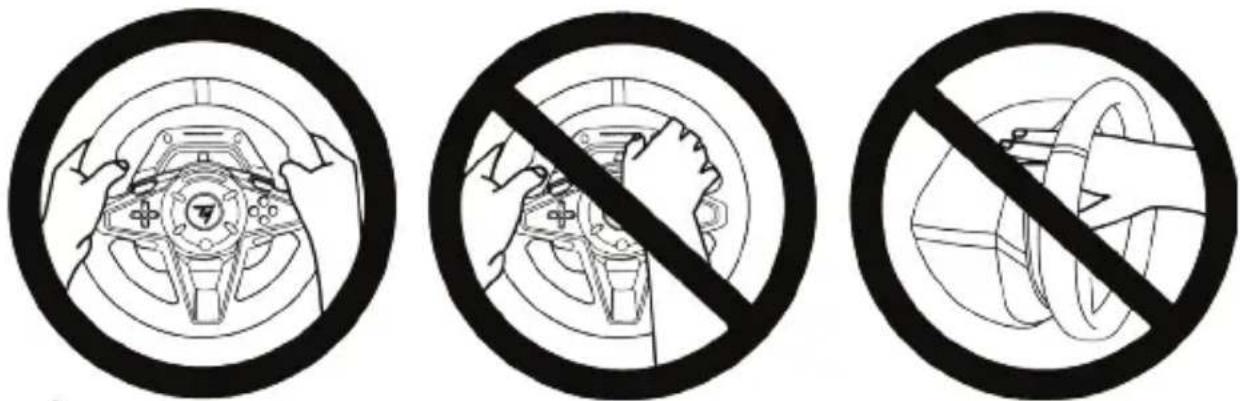
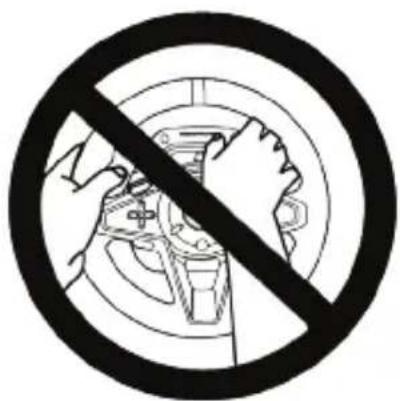
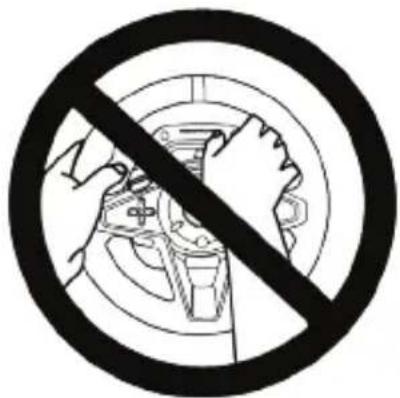
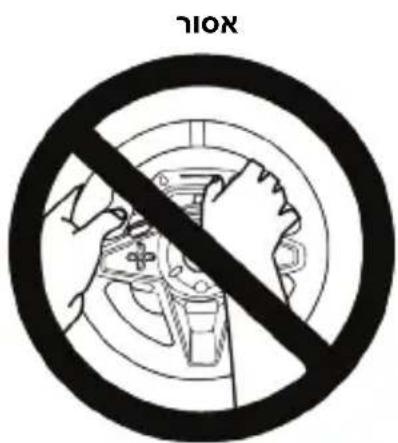
* During gameplay, always leave both hands correctly positioned on the wheel without completely letting go.
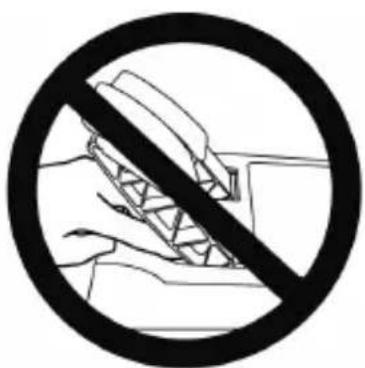
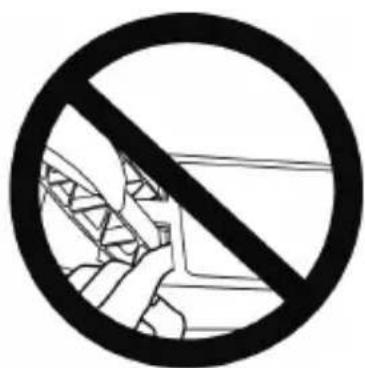
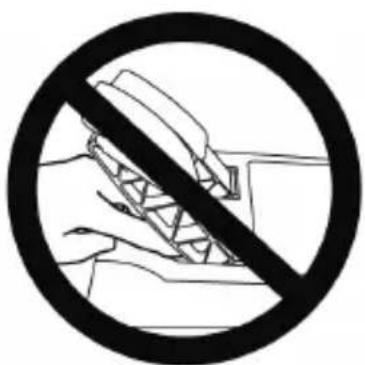
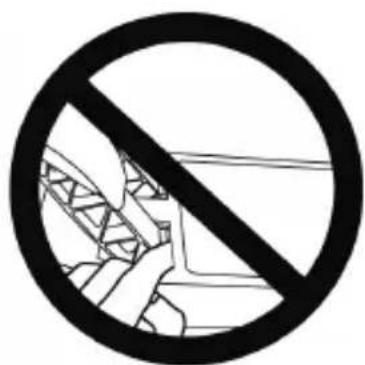
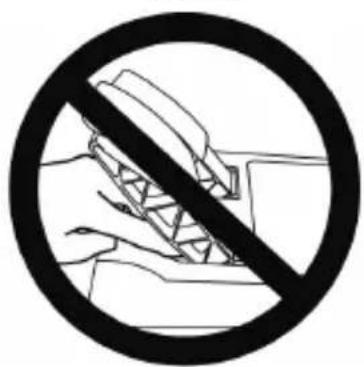
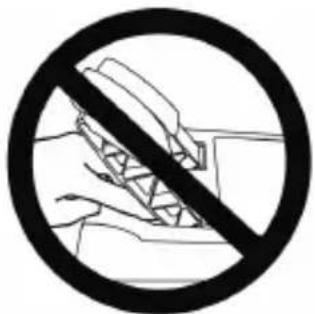
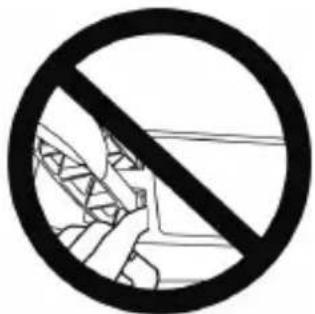
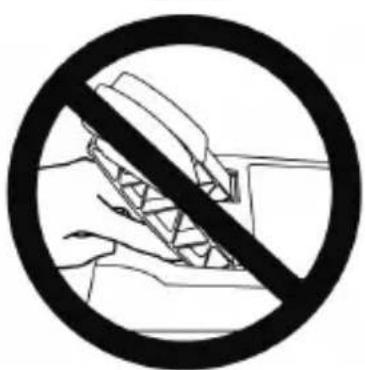
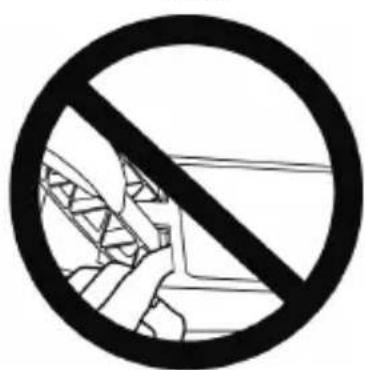
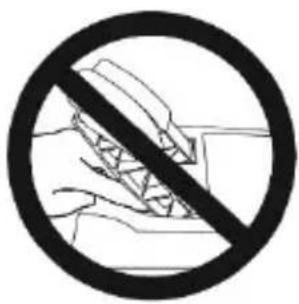
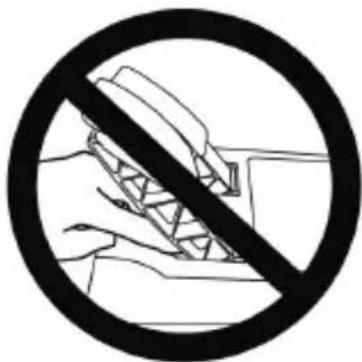
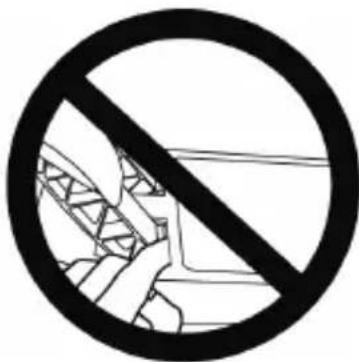
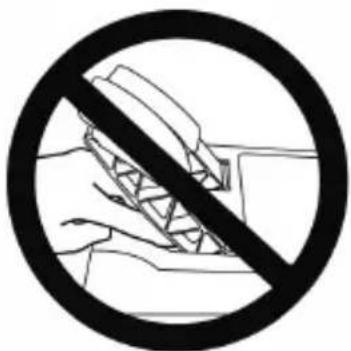
* During gameplay, never place your hands or your fingers under the pedals or anywhere near the pedal set.
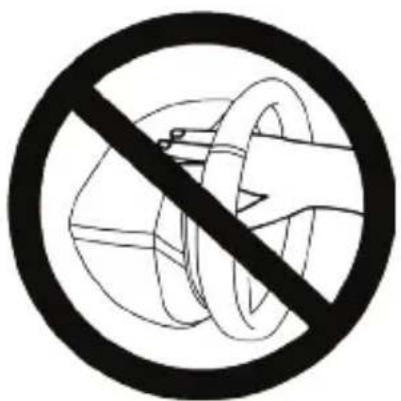
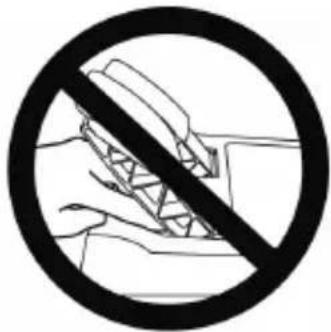
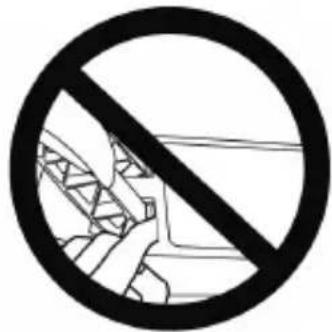
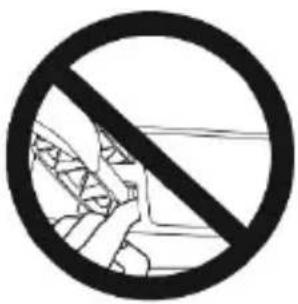
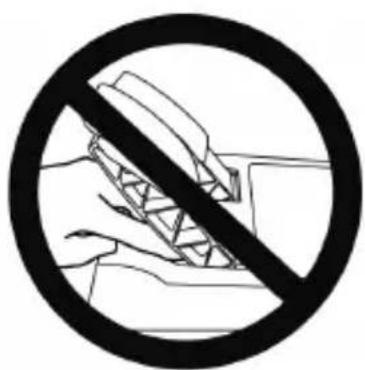
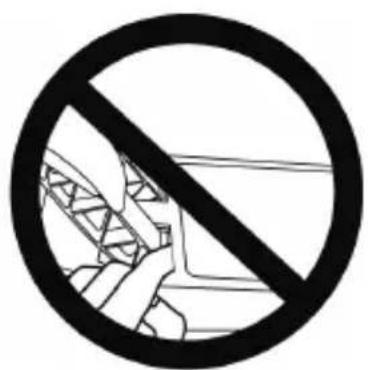
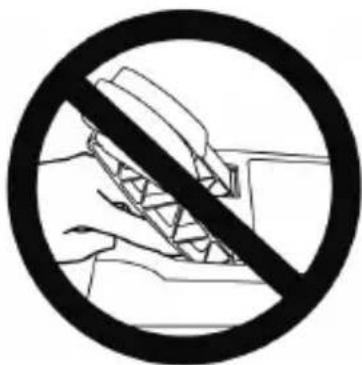
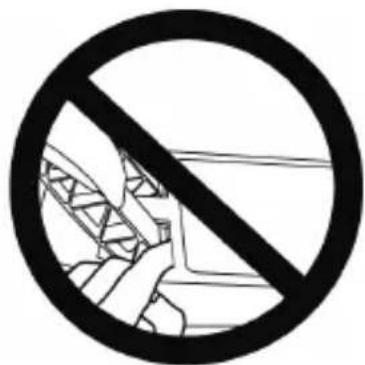
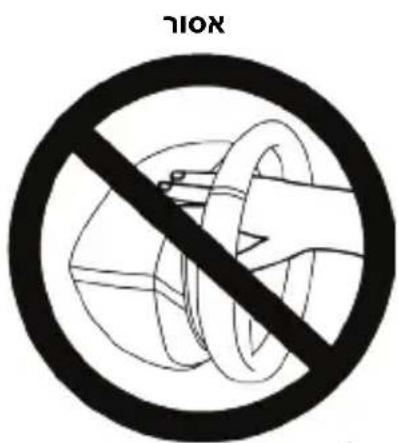
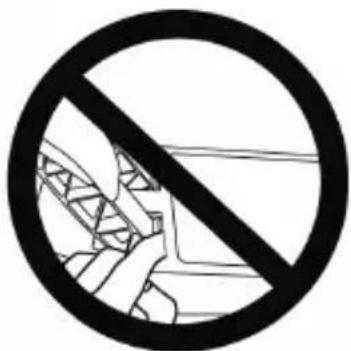
* During calibration and gameplay, never place your hand or your arm through the openings in the racing wheel.
* Make sure that the racing wheel's base is properly secured, as per this manual's instructions.

Product to be handled only by users 14 years of age or older
ALWAYS NEVER NEVER

Warning – Pedal set pinch hazard when playing
* Keep the pedal set out of children's reach.
* During gameplay, never place your fingers on or anywhere near the sides of the pedals.
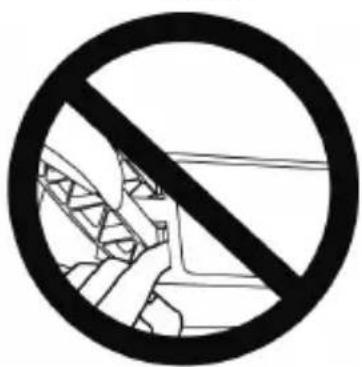
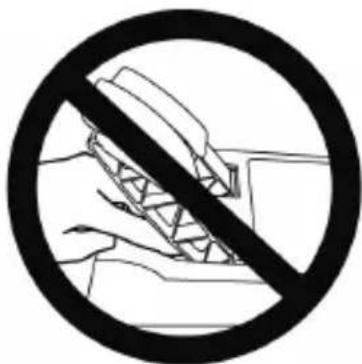
* During gameplay, never place your fingers on or anywhere near the pedal's rear base.
* During gameplay, never place your fingers on or anywhere near the pedal's front base.
NEVER NEVER NEVER


Warning – Pedal set pinch hazard when not playing
* Store the pedal set in a safe place, and keep it out of children's reach.
ATTACHING THE RACING WHEEL
Attaching the racing wheel to a table or a desktop
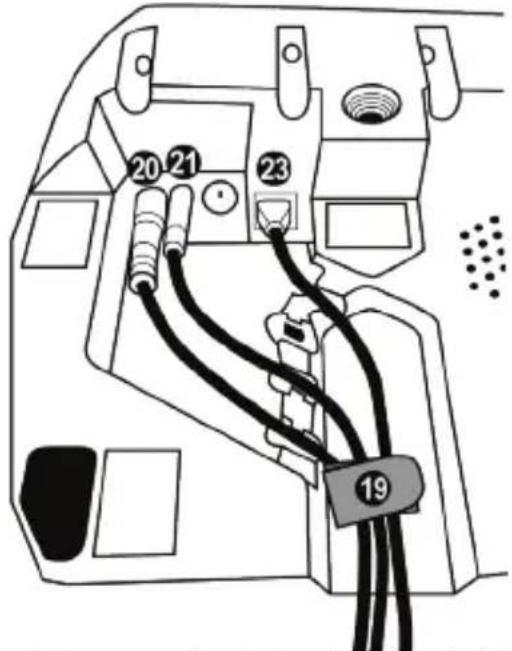
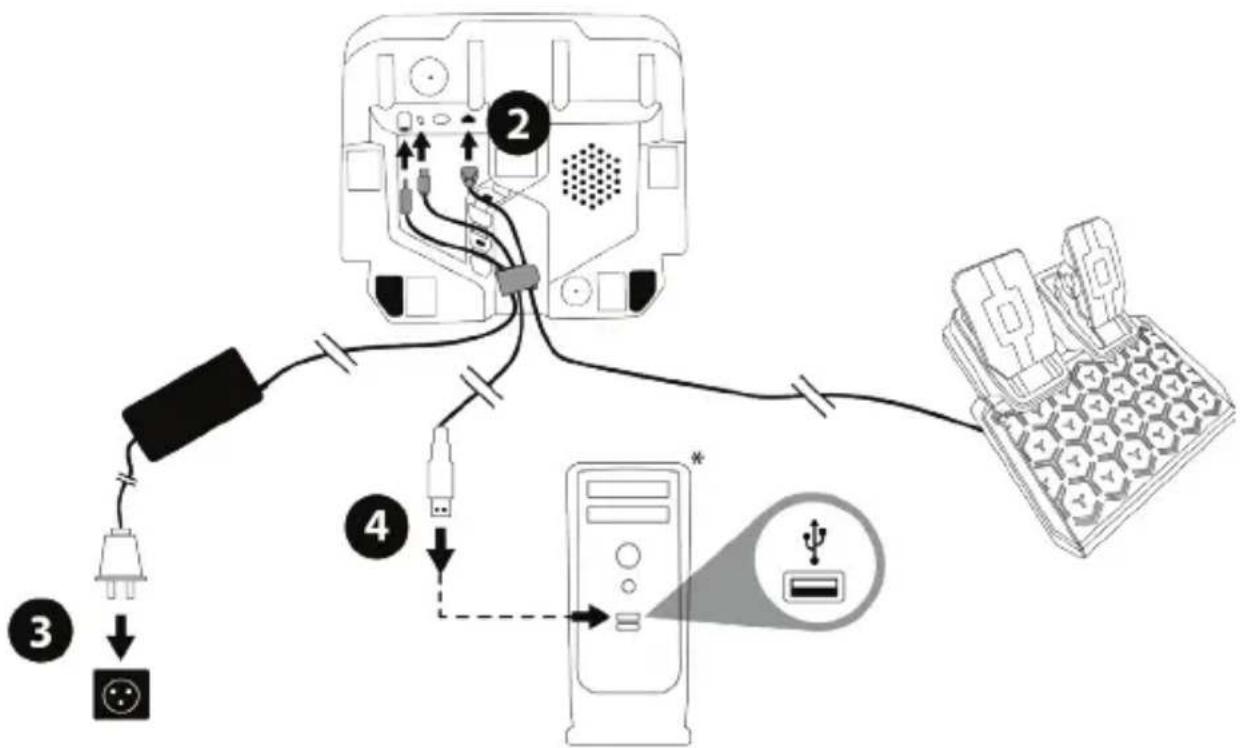
Start by connecting on the underside of the wheel:
- the power adapter (20);
- the quick release USB-C cable (17a) to the USB-C connector (21);
- the T2PM pedal set (23).
Make sure to follow the paths for the different cables, and attach the cables using the hook-and-loop fastener cable holder (19).
- Place the racing wheel on a table or any other horizontal, flat and stable surface.
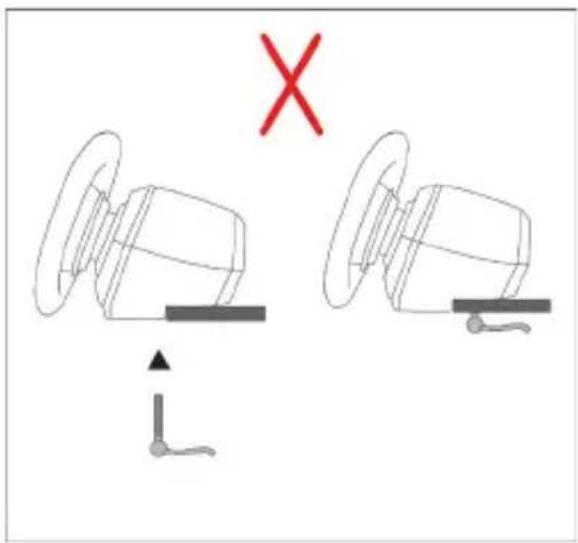
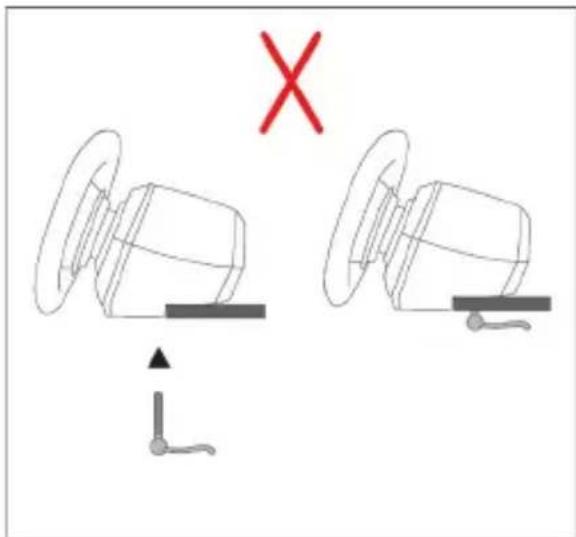
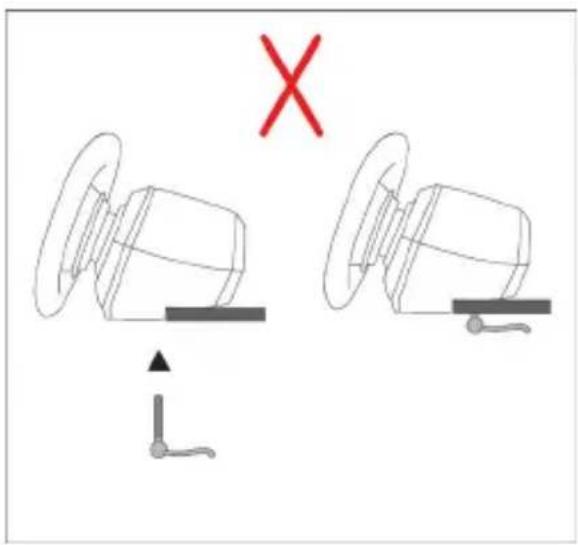
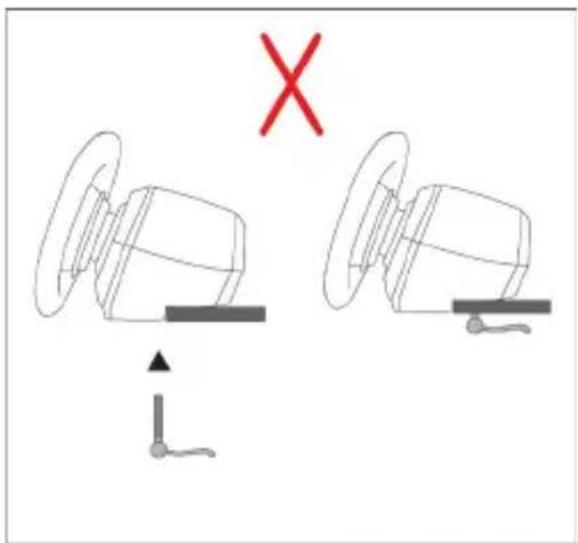
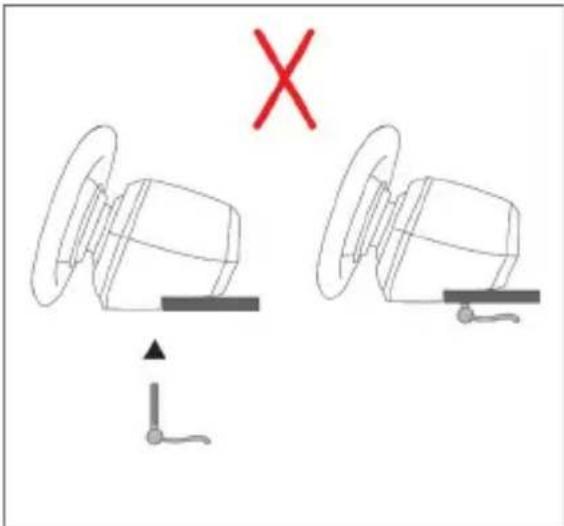
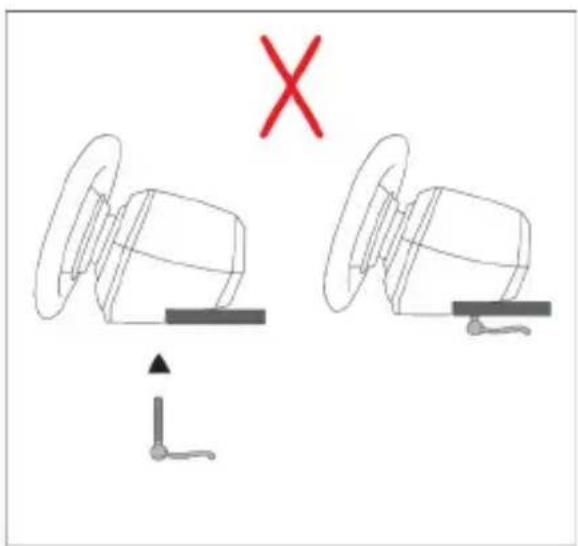
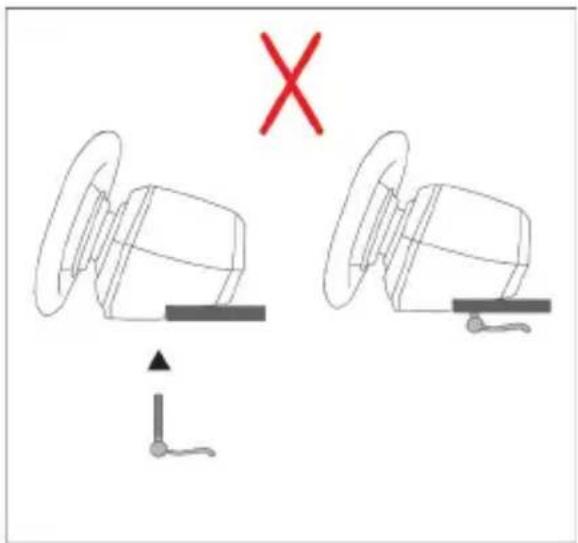
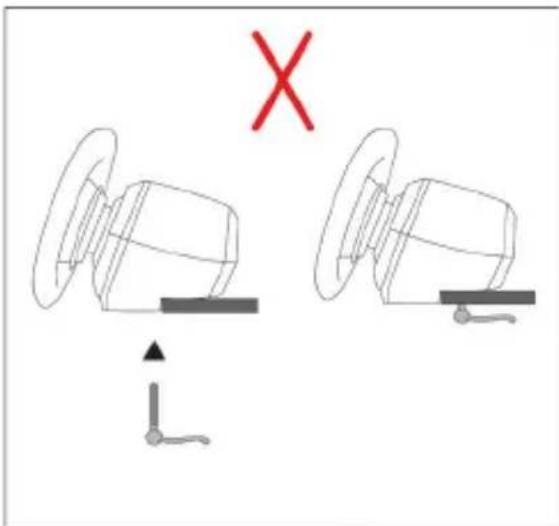
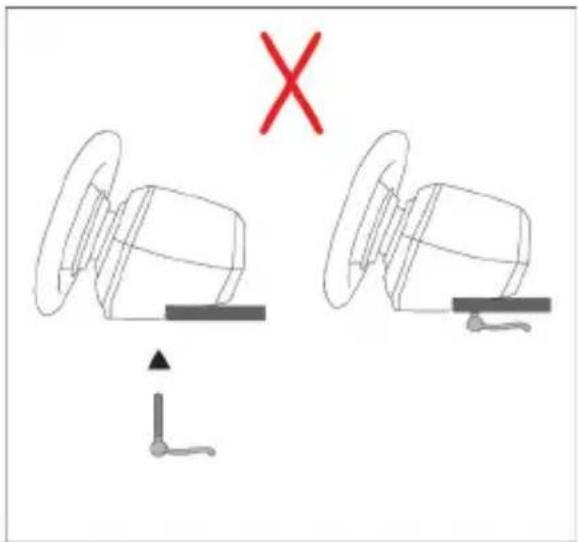
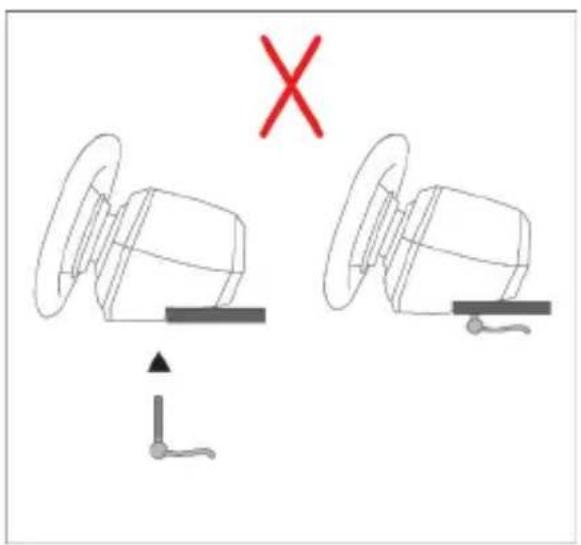
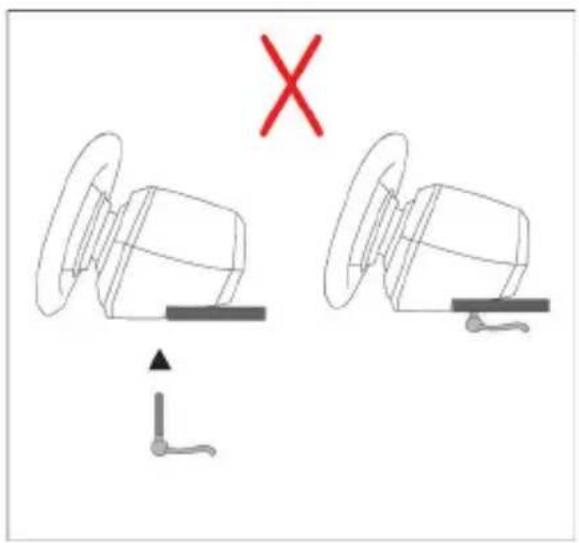
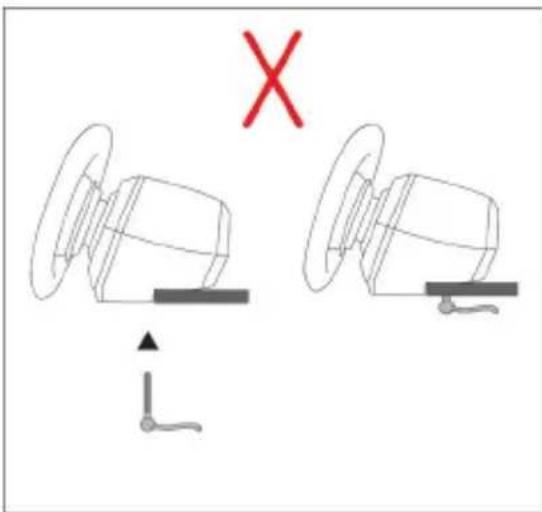
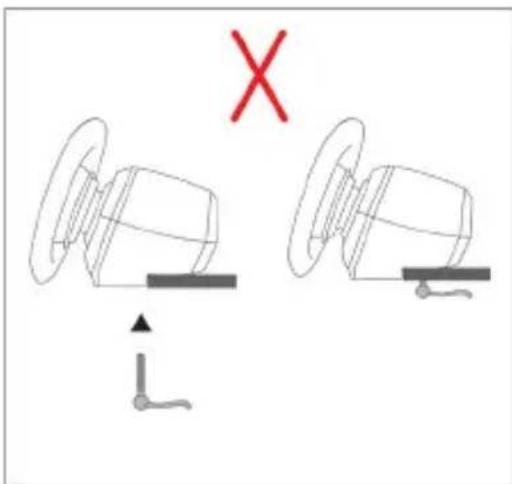
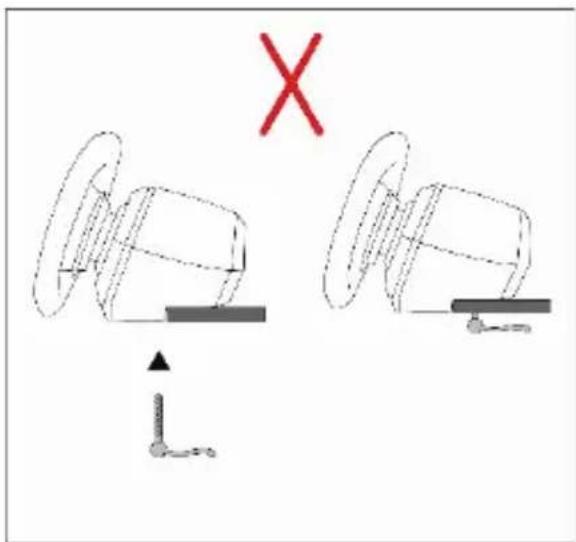
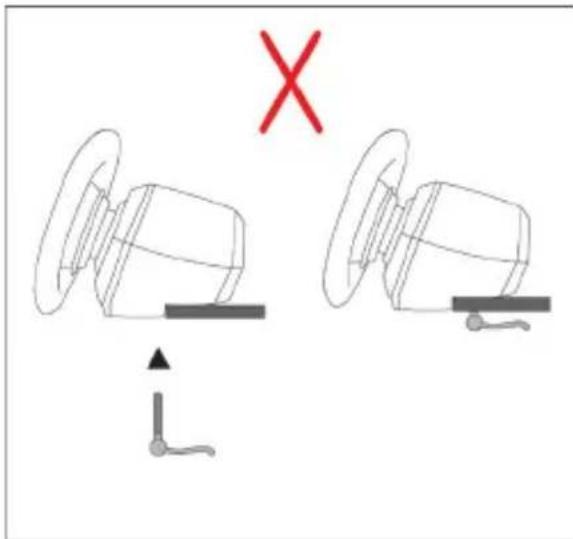
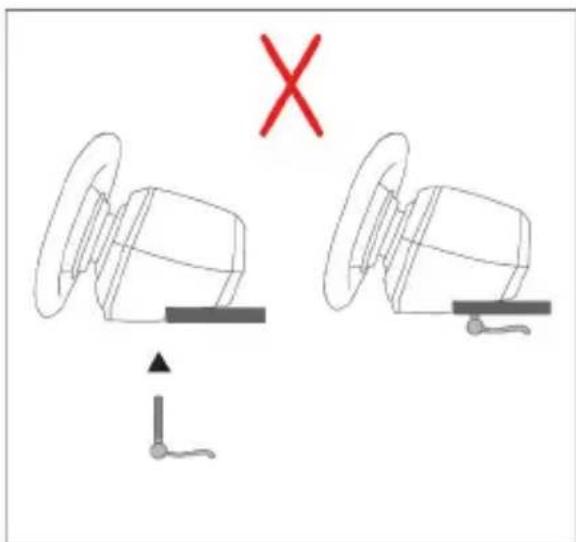
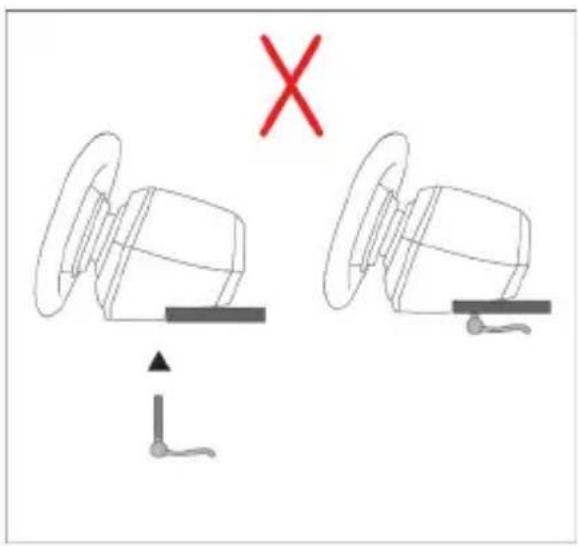
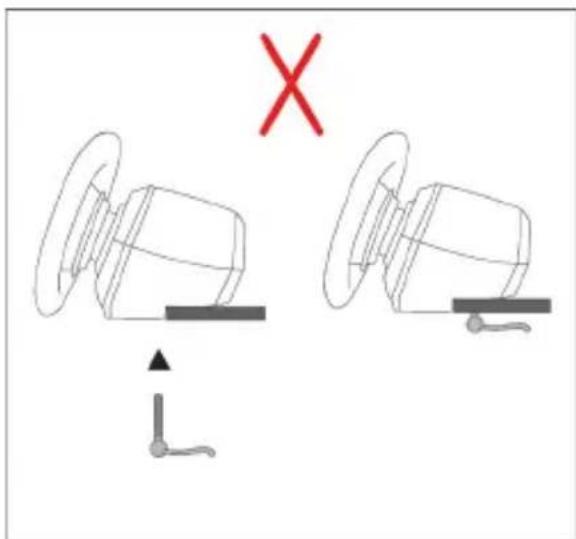
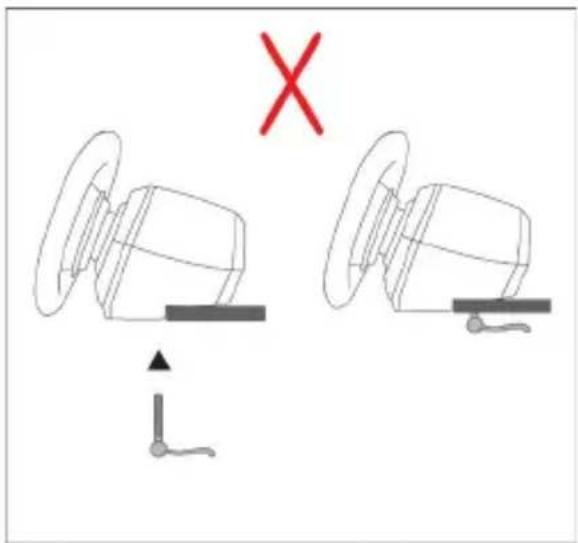
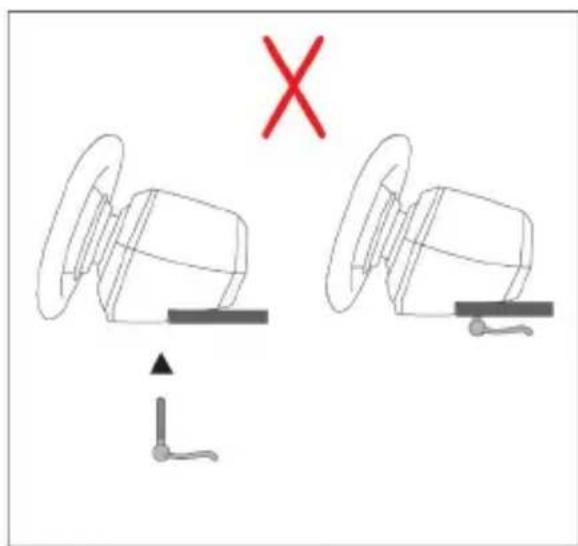
- Insert the fastening screw (14) in the attachment system (13), then tighten the device by turning the screw counterclockwise, so that it feeds into the large threaded hole (18) located beneath the racing wheel, until the wheel is perfectly stable.
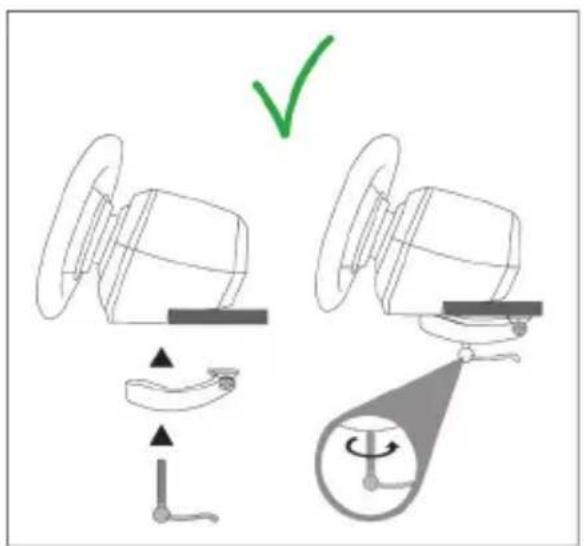
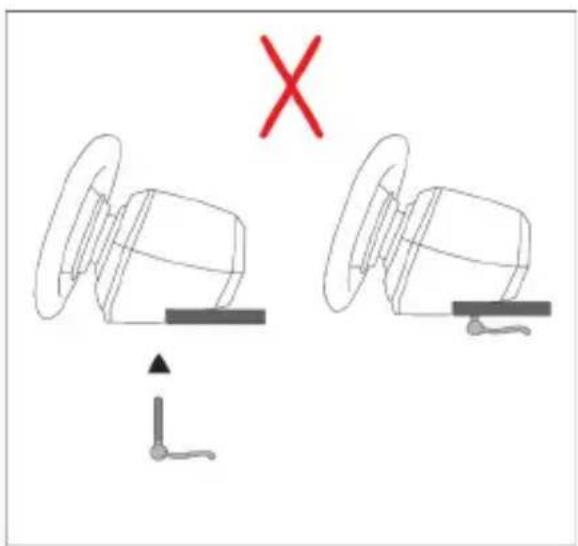
natural_image
Diagram showing two mechanical components with a red 'X' mark and directional arrows, no text or symbols present.
WARNING: Never tighten the screw alone without the attachment system in place!
This could damage the racing wheel.
| ATTACHMENT / REMOVAL | DIRECTION |
| To tighten:Turn the screw counterclockwise | 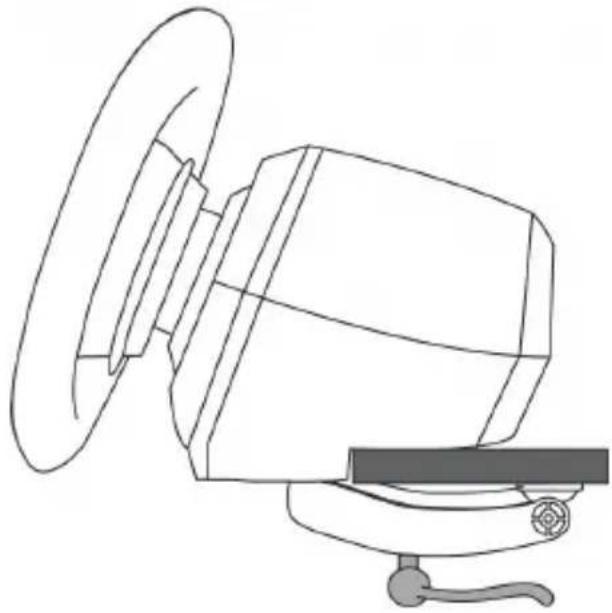 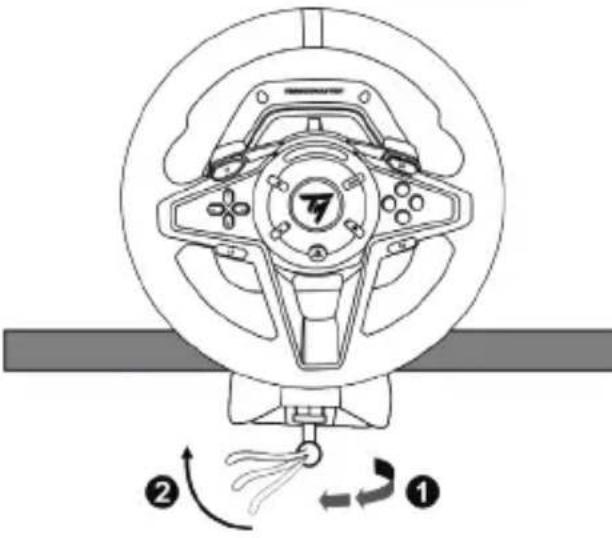 |
| To release:Turn the screw clockwise | 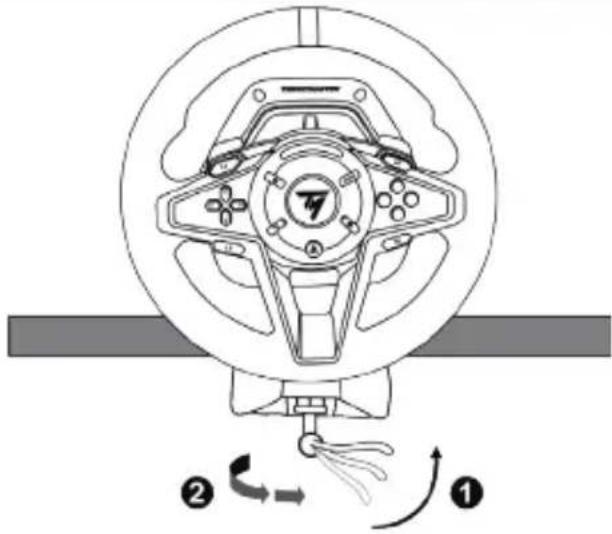 |
INSTALLATION
AUTOMATIC RACING WHEEL AND PEDAL SET CALIBRATION
The wheel automatically self-calibrates when you plug the racing wheel into an electrical outlet and connect the racing wheel's USB connector to the PlayStation®5 console, the PlayStation®4 console or to the PC.
During this phase, the racing wheel will rotate quickly towards the left and the right, covering a 900-degree angle, before stopping at the center.

WARNING:
Never touch the racing wheel during the self-calibration phase!
(This could result in improper calibration and/or personal injuries.)
Never connect the pedal set to the racing wheel's base (or disconnect it from the base) when it is connected to the PlayStation® console or to the PC or during gameplay (this could result in improper calibration).
Always connect the pedal set before connecting the racing wheel to the PlayStation®5 console, the PlayStation®4 console or to the PC.
Once the racing wheel's calibration is complete and the game has been started, the pedals are automatically calibrated after a few presses.

WARNING:
Never press the pedals during the racing wheel's self-calibration phase or while a game is loading!
(This could result in improper calibration.)
If your racing wheel and/or pedal set do not function correctly, or if they seem to be improperly calibrated:
- Power off your console or PC and completely disconnect the racing wheel. Then reconnect all cables (including the power supply cable and the pedal set), and restart your console (or PC) and your game.
- Reconfigure the pedal set in default mode using the procedure set out further along in this user manual (page 16).
INSTALLATION ON PLAYSTATION®4 CONSOLES OR ON PLAYSTATION®5 CONSOLES
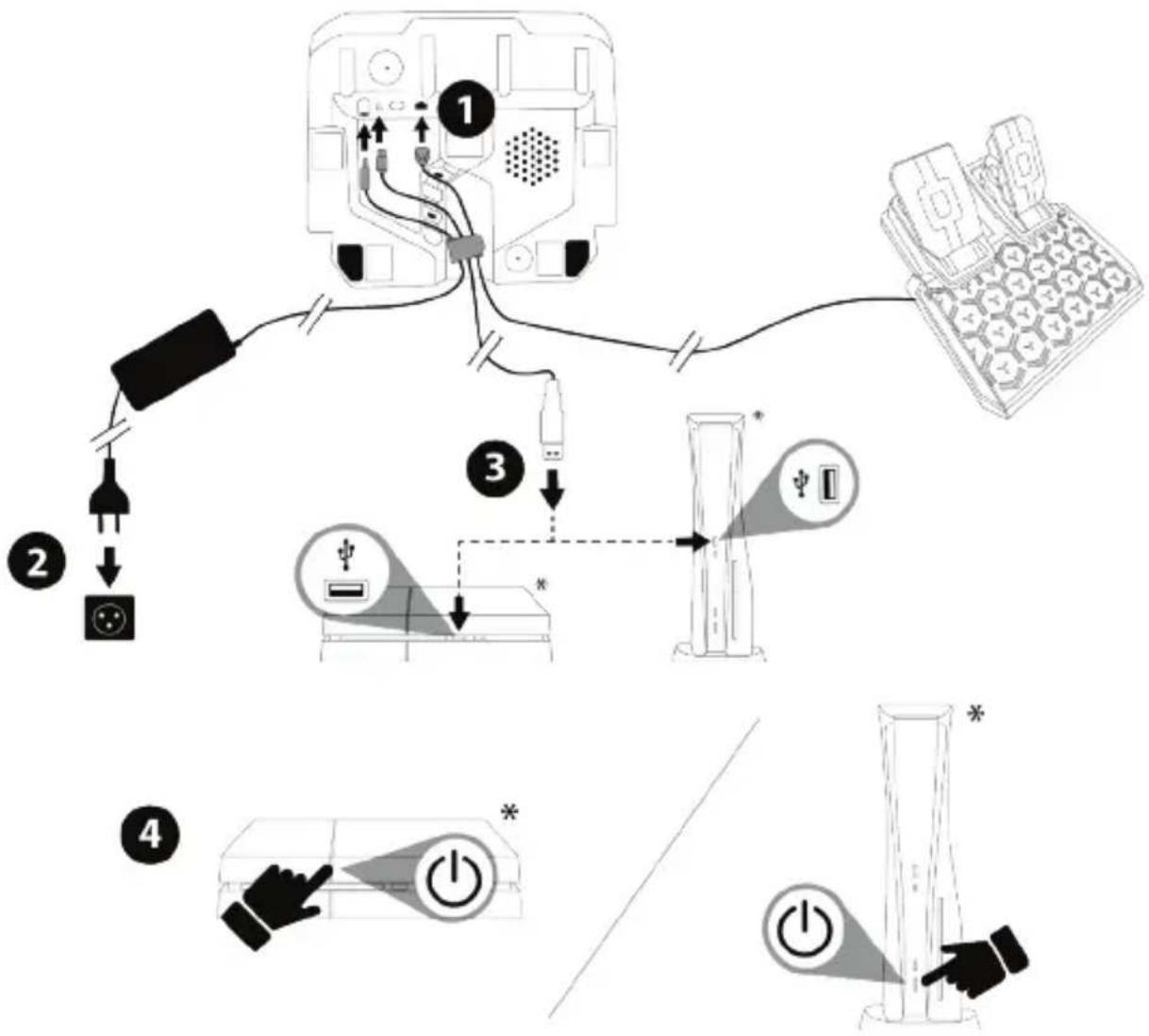
- Connect the T2PM pedal set to the RJ12 connector (23) of the base.
- Plug the power cable and power adapter into an electrical outlet.
- Connect the USB-C cable (17a) to the USB-C port (21) of the base.
Connect the USB-A cable (17b) to a USB-A port on the PS4™ console or the PS5™ console.
- Power on your PlayStation®4 console or your PlayStation®5 console. The racing wheel will self-calibrate automatically.
flowchart
graph TD
    A["Power Input"] --> B["Switch"]
    B --> C["Device with Control Panel"]
    C --> D["Internal Display"]
    D --> E["Power Output"]
    style A fill:#f9f,stroke:#333
    style E fill:#bbf,stroke:#333
*Not included
- If necessary, select the game MODE in which you want to play via the procedure set out further along in this user manual (on page 15).
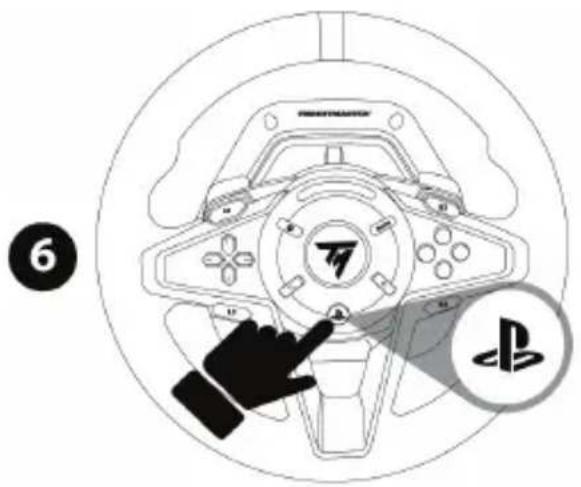
- Press the racing wheel's PS button (11), and log in to your PlayStation™ Network account in order for the racing wheel to be functional.
You are now ready to play!
MAPPING FOR PLAYSTATION®4 CONSOLES OR PLAYSTATION®5 CONSOLES
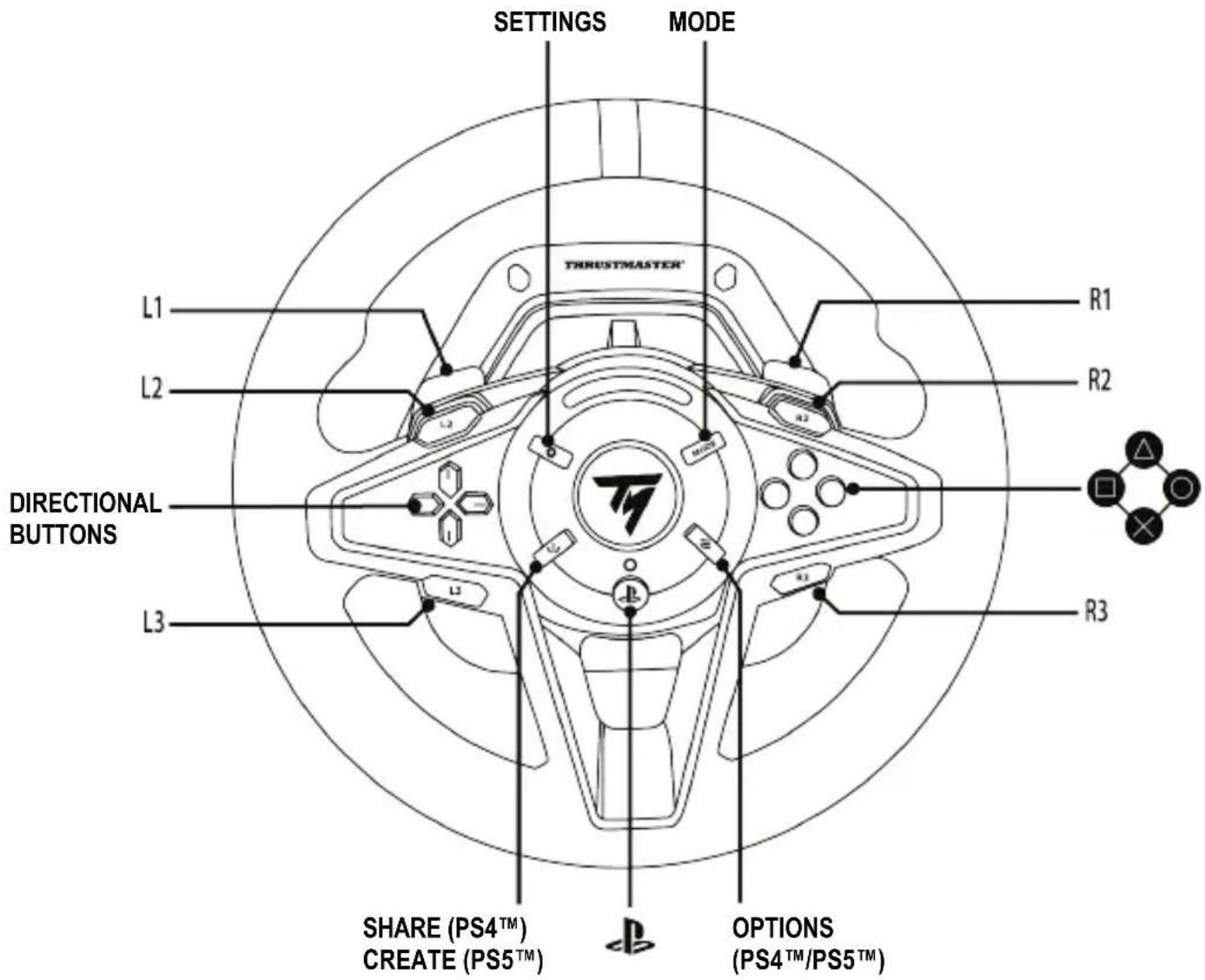
Notes regarding PS4 ^TM consoles or PS5 ^TM consoles:
- The racing wheel is recognized in games as a Thrustmaster T-GT racing wheel or a Thrustmaster Advanced Racer racing wheel.
- The 4 engine speed display RPM LEDs (7) function in games compatible with the Thrustmaster SDK. The list of compatible games is available here: https://support.thrustmaster.com (in the Racing Wheels / T128 / Games settings section). This list is updated regularly.
- The list of games on PlayStation®4 consoles and PlayStation®5 consoles compatible with the T128 racing wheel is available here: https://support.thrustmaster.com (in the Racing Wheels / T128 / Games settings section). This list is updated regularly.
INSTALLATION ON PC\*
*PC compatibility (Windows® 10/11) not tested or endorsed by Sony Interactive Entertainment.
- Visit https://support.thrustmaster.com to download the drivers and Force Feedback software for PC. Click Racing Wheels / T128 / Drivers.
- Connect the T2PM pedal set to the RJ12 connector (23) of the base.
- Plug the power cable and power adapter into an electrical outlet.
- Connect the USB-C cable (17a) to the USB-C port (21) of the base.
- Connect the USB-A cable (17b) to a USB-A port on your PC.
Your racing wheel self-calibrates automatically.
flowchart
graph TD
    A["Device 1"] -->|2| B["Cable"]
    B --> C["Switch"]
    C --> D["Device 2"]
    D --> E["Switch"]
    E --> F["Device 3"]
    F --> G["Switch"]
    G --> H["Device 4"]
    H --> I["Switch"]
    I --> J["Device 5*"]
    style A fill:#f9f,stroke:#333
    style B fill:#ccf,stroke:#333
    style C fill:#cfc,stroke:#333
    style D fill:#fcc,stroke:#333
    style E fill:#cff,stroke:#333
    style F fill:#ffc,stroke:#333
    style G fill:#cfc,stroke:#333
    style H fill:#fcc,stroke:#333
    style I fill:#ffc,stroke:#333
- Select Start / Thrustmaster / FFB Racing Wheel / Control Panel to open the Game Controllers window. The Game Controllers window displays the racing wheel name Thrustmaster Advanced Mode Racer, along with OK status.
- Click Properties to configure your racing wheel in the T128 control panel:
- Test Device tab: lets you test and view the action buttons, directional buttons and axes for the racing wheel (as well as the axes for the pedal set), and adjust the racing wheel's angle of rotation in your PC games.
- Test Forces tab: lets you test 12 Force Feedback effects.
- Adjust Forces tab: lets you adjust the power of Force Feedback effects in your PC games.
MAPPING FOR PC
Notes on PC:
- In the control panel and in games, the racing wheel is recognized with the name Thrustmaster Advanced Mode Racer.
- Always remember to completely close the Game Controllers window by clicking OK before starting your game.
- The settings and adjustments made in the Game Controllers window are only saved on your PC (and therefore will not have any effect on PS4™ consoles or PS5™ consoles).
- Your racing wheel's firmware version appears in the upper right-hand section of the T128 control panel tabs.
- The 4 engine speed display RPM LEDs (7) are functional in PC games compatible with the Thrustmaster SDK. The list of compatible games is available here: https://support.thrustmaster.com (in the Racing Wheels / T128 / Games settings section). This list is updated regularly.
SELECTING THE GAME MODE
Procedure :
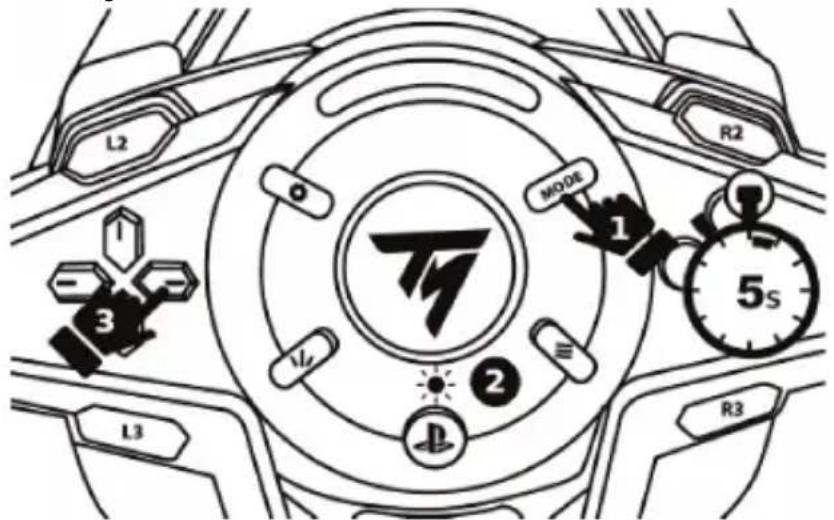
- Press and hold the MODE button (8) for 5 seconds, until the LED (10) located above the PS button starts flashing.
- Without releasing the MODE button (8), simultaneously press the right-hand directional button (4) to select your choice of game mode.
| LED COLOR | GAME MODE |
| BLUE | PLAYSTATION®STANDARD COMPATIBILITY(default mode) |
| RED | PLAYSTATION®FUTURE COMPATIBILITY |
| GREEN PC | |
Once the game mode has been selected, release the buttons: your selection is saved in the racing wheel's internal memory. The racing wheel restarts and self-calibrates.
Notes:
- On PlayStation®4 consoles and PlayStation®5 consoles: in order for the T128 racing wheel to be functional following self-calibration, press the PS button (11) and log in to your PlayStation™ Network account.
- The list of games compatible with the PlayStation®4 console and the PlayStation®5 console and the T128 (and the corresponding game MODE) is available here: https://support.thrustmaster.com (in the Racing Wheels / T128 / Games settings section). This list is updated regularly.
MODE FOR PEDAL SET
(Displayed each time the racing wheel restarts)
Each time the racing wheel restarts (and after its self-calibration), the 4 RPM LEDs (7) indicate the mode (position and type) in which your pedal set is configured.
Position:
• NORMAL: default position;
- or INVERTED: in this position, the accelerator and clutch pedals are inverted — this position is only possible with a 3-pedal pedal set.
Type:
• T2PM-T3PA-T3PM without Load Cell technology: default type;
• or T-LCM with Load Cell technology.
| MODE FOR PEDAL SET | FLASHING OF RPM LEDs (7) |
| DEFAULT MODE- NORMAL position- T2PM-T3PA-T3PM type | DEFAULT MODE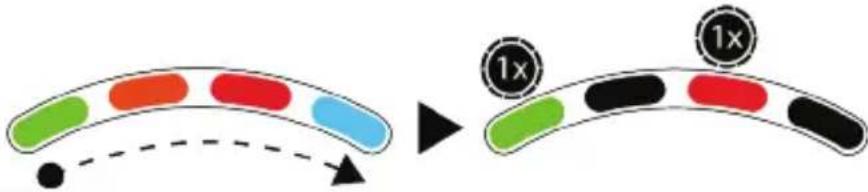 |
| - NORMAL position- T-LCM type |  |
| - INVERTED position- T2PM-T3PA-T3PM type | 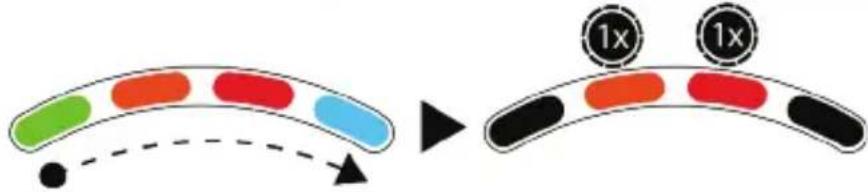 |
| - INVERTED position- T-LCM type | 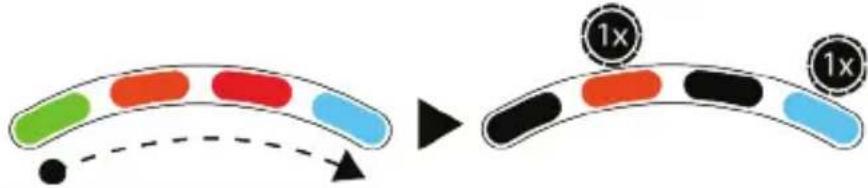 |
RECONFIGURING THE PEDAL SET IN DEFAULT MODE (To be carried out if your pedal set is not functioning properly)
Procedure:
- QUICKLY press the SETTINGS button (6) 8 times.
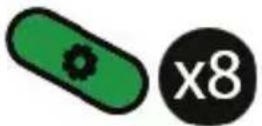
The 4 RPM LEDs (7) flash 5 times simultaneously to indicate the reconfiguration in default mode.

INVERTING THE POSITION OF THE PEDALS (If you are using a 3-pedal pedal set)
The T128 racing wheel comes bundled with the 2-pedal T2PM pedal set by default. This racing wheel is also compatible with the Thrustmaster T3PA, T3PM and T-LCM 3-pedal pedal sets (sold separately).
If you are using a 3-pedal pedal set, it is possible to electronically invert the accelerator and clutch pedals.
Procedure:
- Press and hold the SETTINGS button (6) for 5 seconds.

natural_image
Two icons: a green capsule and a stopwatch with '5s' (no text or symbols on the icons themselves)
The inversion of the pedals is instantly saved in the racing wheel's internal memory, and one of the 4 RPM LEDs (7) flashes 3 times to indicate the selected position.
| ACCELERATOR AND CLUTCH PEDALS | FLASHING OF RPM LEDs (7) |
| DEFAULT MODE- NORMAL position | 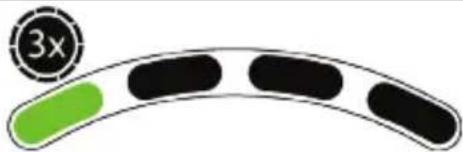 |
| - INVERTED position | 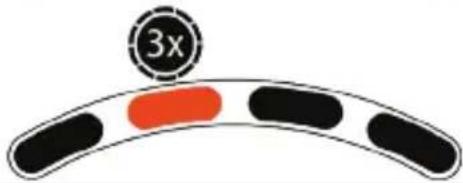 |
MANUALLY TOGGLING THE PEDAL SET FROM T2PM-T3PA-T3PM TYPE TO T-LCM TYPE
(and vice versa)
By default, the pedal set's mode is T2PM-T3PA-T3PM type.
This mode is saved in the internal memory of the racing wheel's base and always remains enabled, except for in the event that you connect a T-LCM pedal set to the RJ12 port, or you toggle the mode manually.
Procedure:
- Simultaneously press and hold the SETTINGS button (6) and the left paddle shifter (−) for 5 seconds.
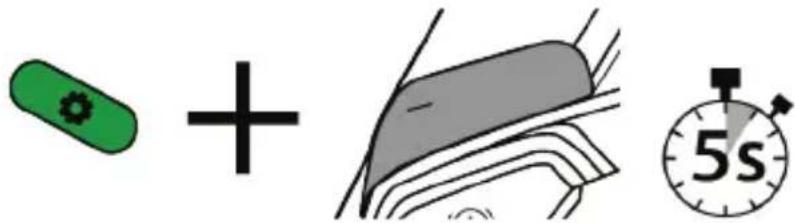
| MODE | FLASHING OF RPM LEDs (7) |
| DEFAULT MODE- T2PM-T3PA-T3PM type | |
| - T-LCM type | |

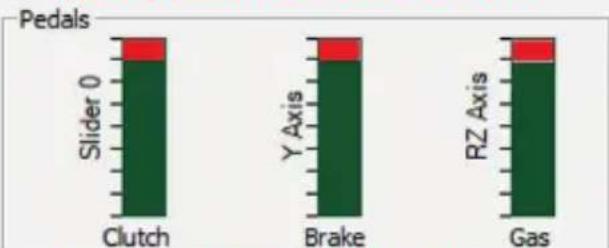
With the T-LCM type, the T2PM, T3PA and T3PM pedal sets will not function properly. The pedals' values will no longer reach 100%.
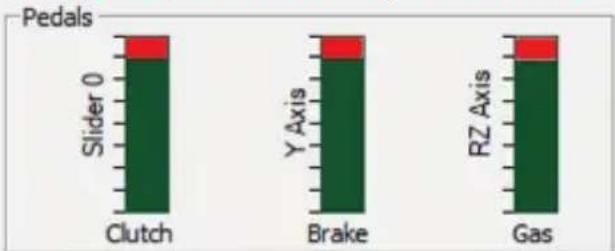
bar_stacked
Pedals
| Body Position | Slider 0 | Y Axis | RZ Axis |
| :--- | :--- | :--- | :--- |
| Clutch | 1 | 0 | 0 |
| Brake | 1 | 0 | 0 |
| Gas | 1 | 0 | 0 |
To function properly again (and reach 100%), you must manually toggle the mode for the racing wheel's base to T2PM-T3PA-T3PM type.
MANUALLY CHANGING THE ANGLE OF ROTATION VIA THE RACING WHEEL
(only possible in games in which the angle of rotation is not adjusted automatically)
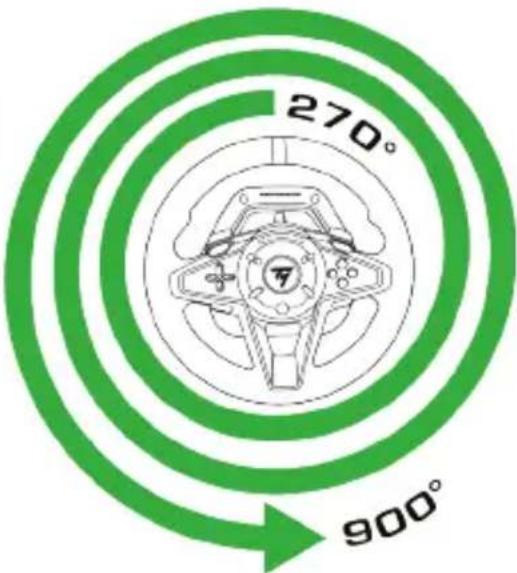
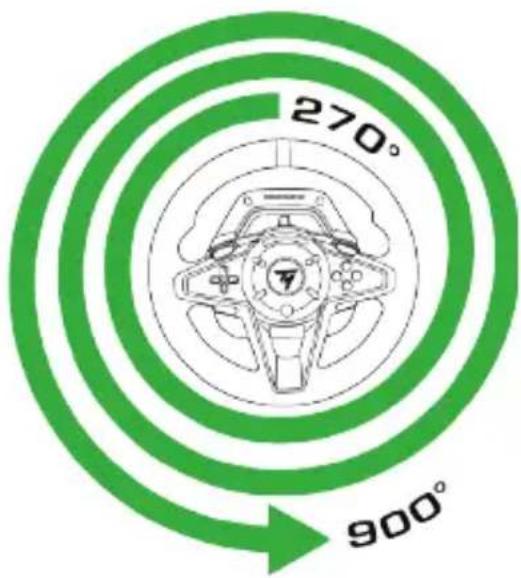
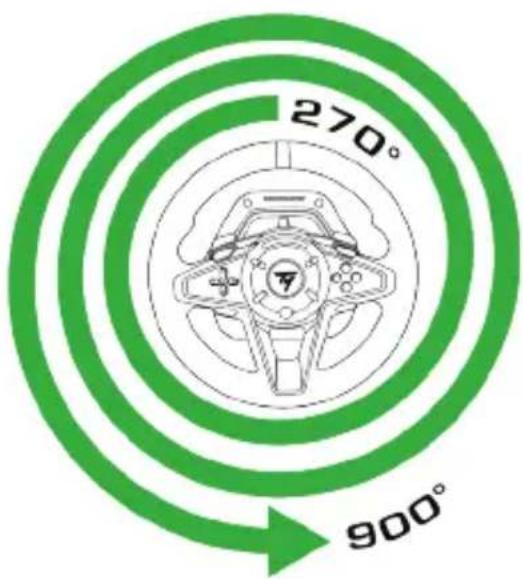
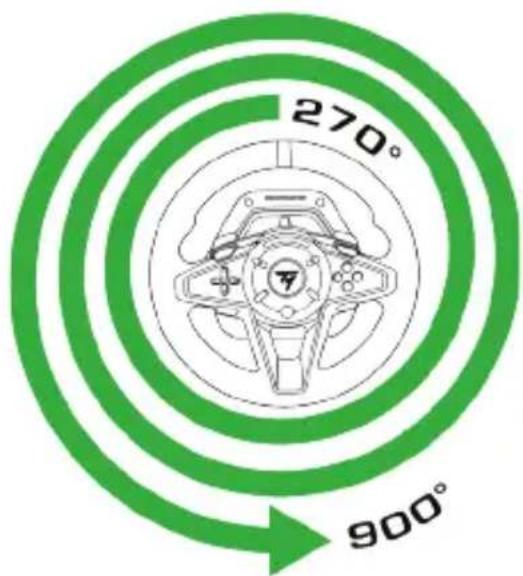
The T128 racing wheel has an angle of rotation adjustable between 270^ and 900^ .
In many games, the racing wheel's angle of rotation is automatic, and adjusts on its own according to the car being used. In these games, it is not possible to manually change this angle of rotation, as this function is managed by the game and not by the user.
In other games, it is possible to manually change the angle of rotation directly via the racing wheel.
Procedure:
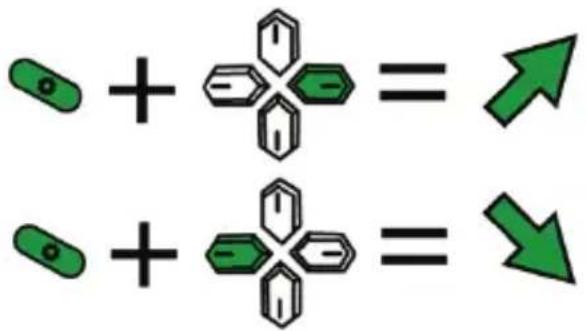
- Simultaneously press the SETTINGS button (6) and the right directional button (4) to increase the angle of rotation by one step; or
- Simultaneously press the SETTINGS button (6) and the left directional button (4) to decrease the angle of rotation by one step.
chemical
Chemical reaction diagram showing two molecules combining to form a new product, with green arrows indicating direction.
| 4 possible levels |
| Selected angle of rotation | RPM LEDs (7) |
| 270° | 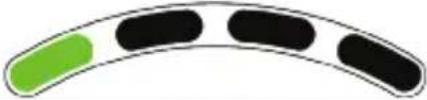 |
| 360° | 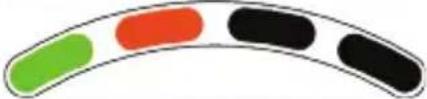 |
| 540° | 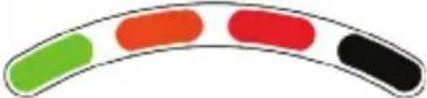 |
| 900° | 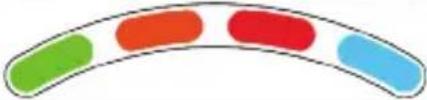 |
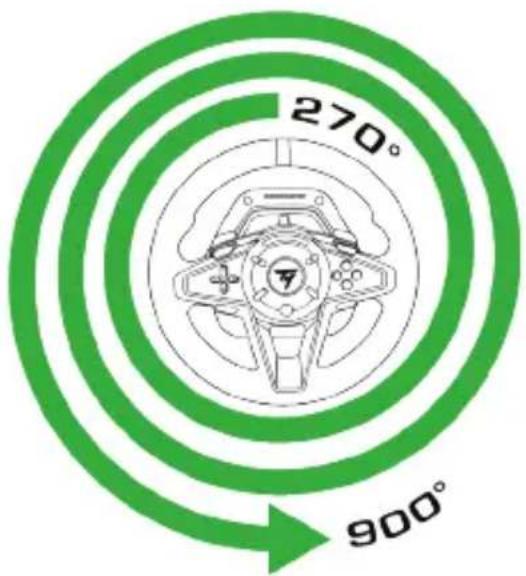
Please note: The angle of rotation modified manually via the racing wheel is not permanently saved. This procedure must be carried out each time the game or the racing wheel restarts.
Please visit https://support.thrustmaster.com.
Click Racing Wheels / T128, and then Manual or FAQ.
UPDATING THE RACING WHEEL'S FIRMWARE
Visit https://support.thrustmaster.com.
Click Racing Wheels / T128 / Firmware, and follow the instructions.
VARIOUS TIPS AND FAQs
Visit https://support.thrustmaster.com.
Click Racing Wheels / T128, and then Manual or FAQ.
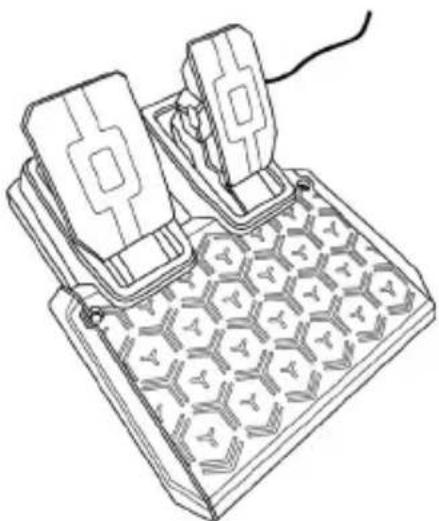
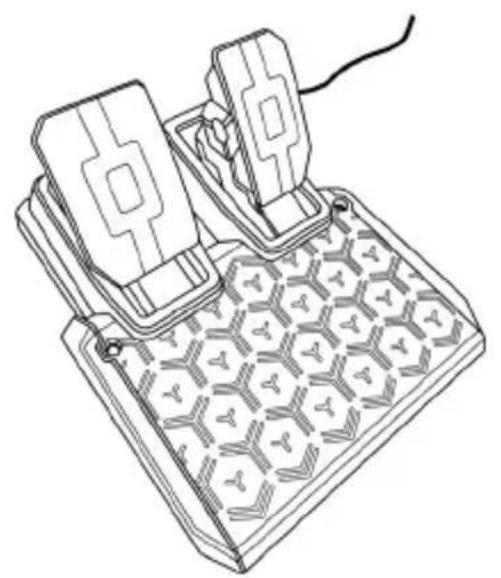
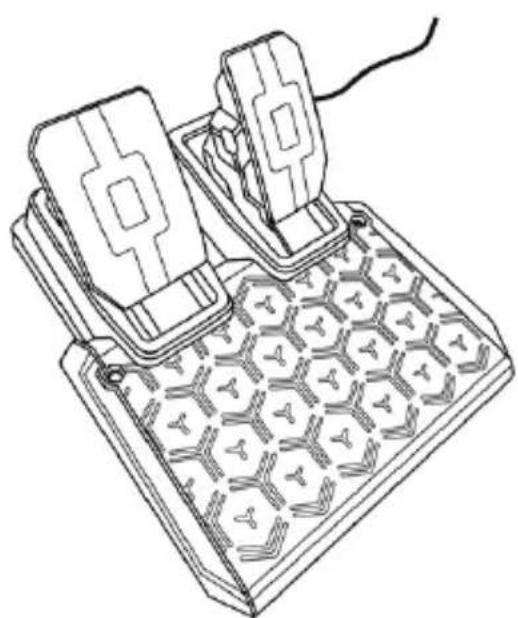
T2PM PEDAL SET
natural_image
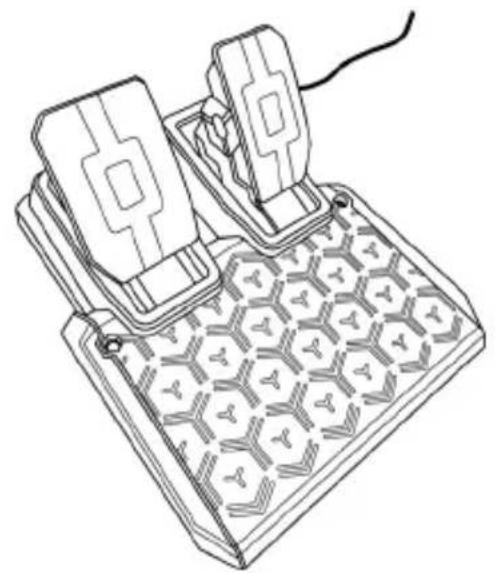
Line drawing of a mechanical device with two blocks and a grid-patterned base (no text or symbols)
WARNING
Before using this product, please read this manual carefully and save it for later reference.

For safety reasons, never use the pedal set with bare feet or while wearing only socks on your feet.
THRUSTMASTER® DISCLAIMS ALL RESPONSIBILITY IN THE EVENT OF INJURY RESULTING FROM USE OF THE PEDAL SET WITHOUT SHOES.

Warning – Pedal set pinch hazard when playing
* Keep the pedal set out of children's reach.
* During gameplay, never place your fingers on or anywhere near the sides of the pedals.
* During gameplay, never place your fingers on or anywhere near the pedal's rear base.
* During gameplay, never place your fingers on or anywhere near the pedal's front base.
NEVER NEVER NEVER
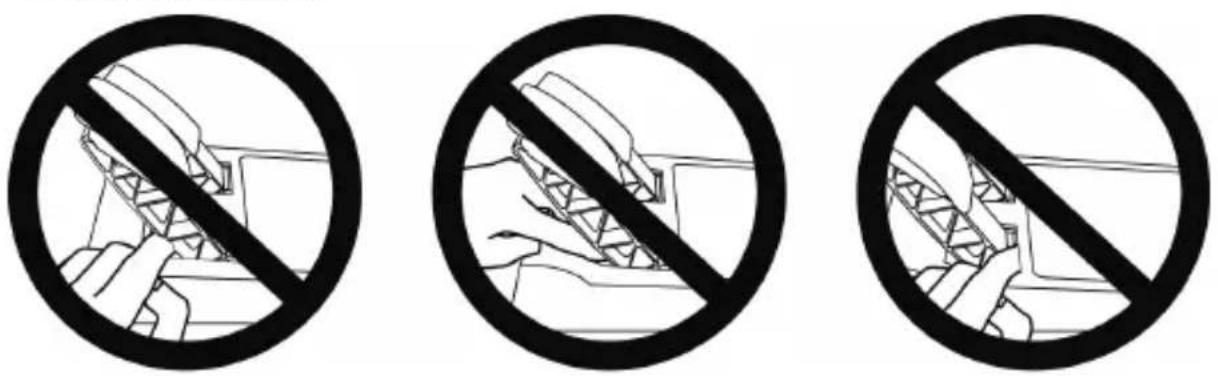

Warning – Pedal set pinch hazard when not playing
* Store the pedal set in a safe place, and keep it out of children's reach.
ATTACHING THE PEDAL SET TO A SUPPORT OR COCKPIT
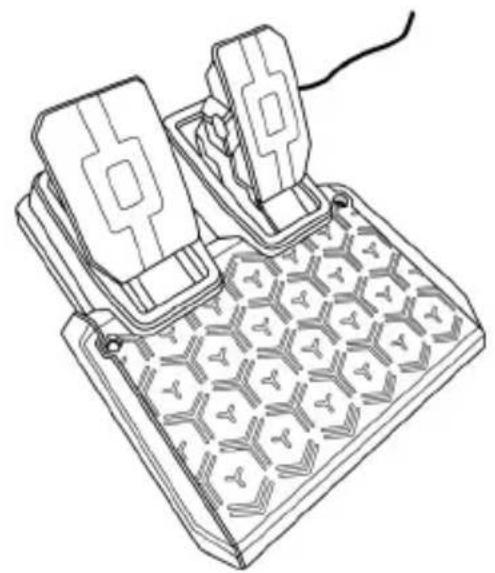
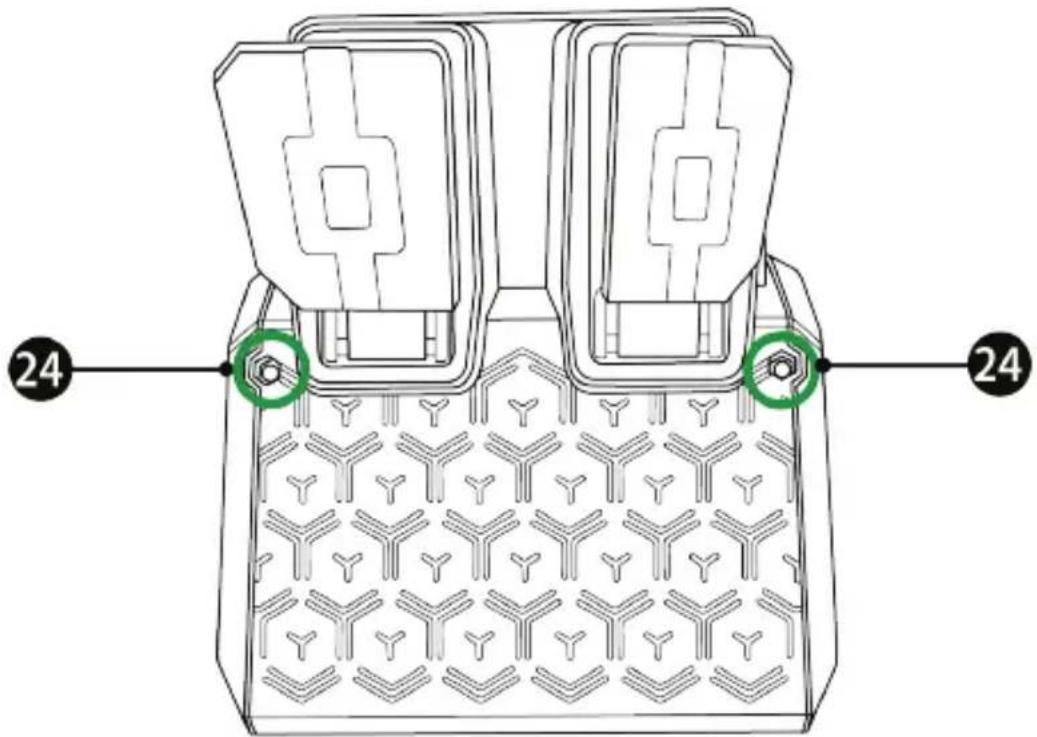
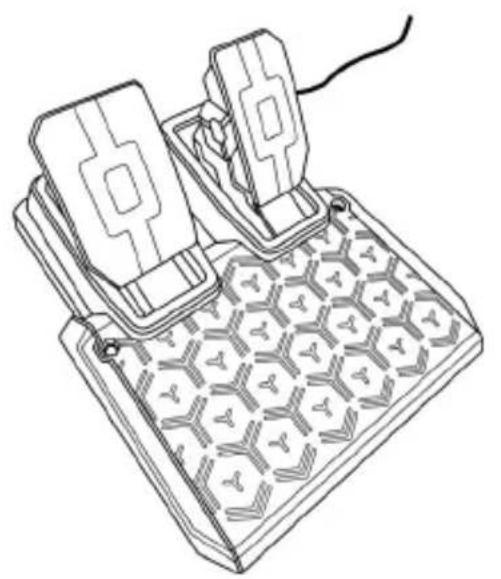
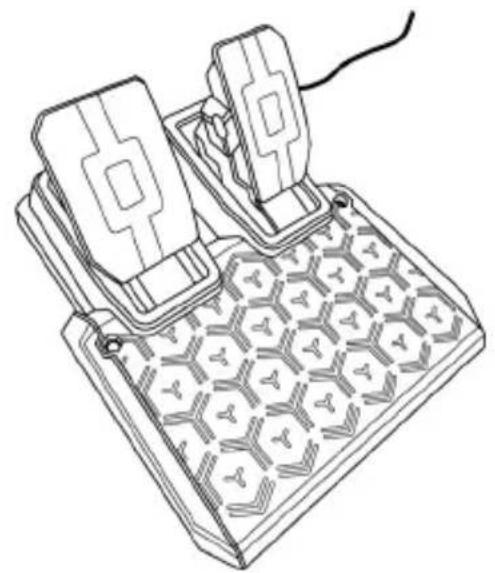
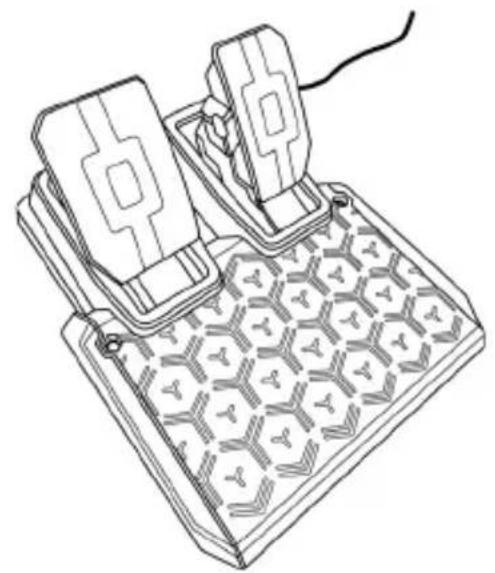
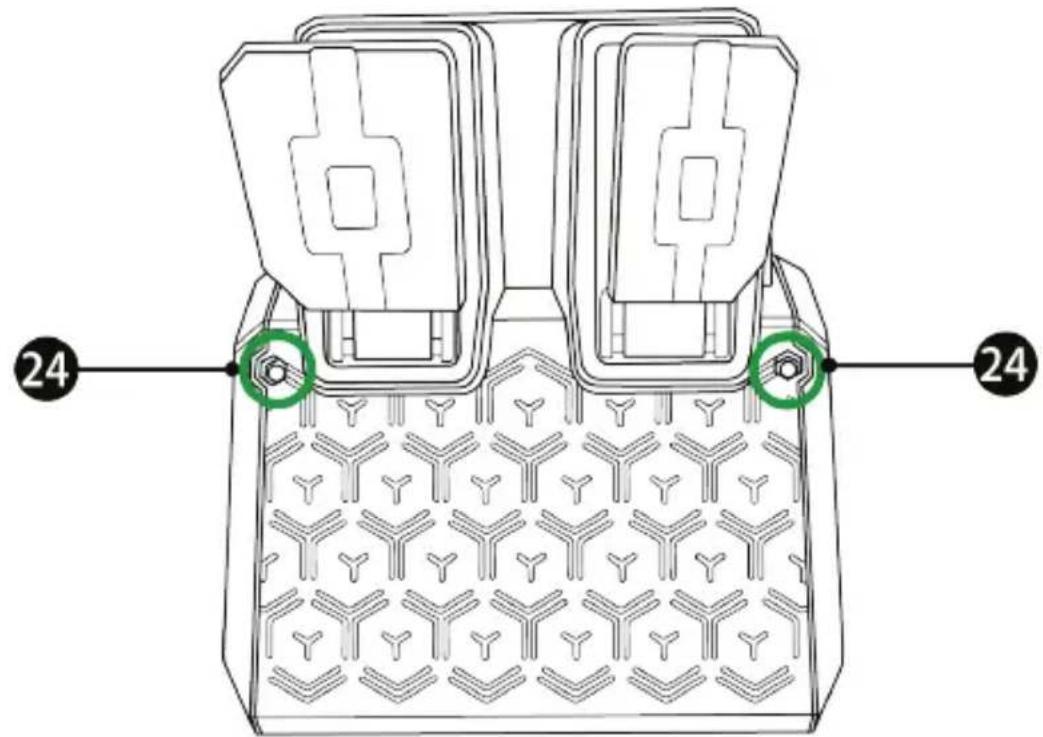
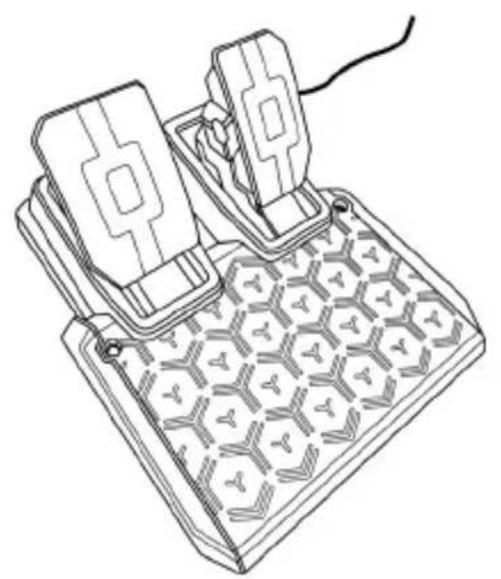
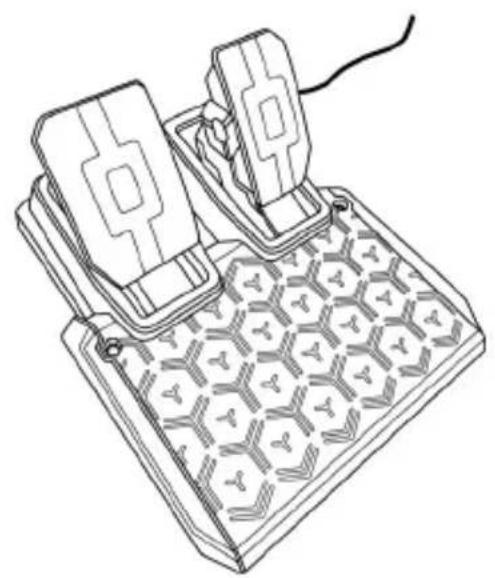
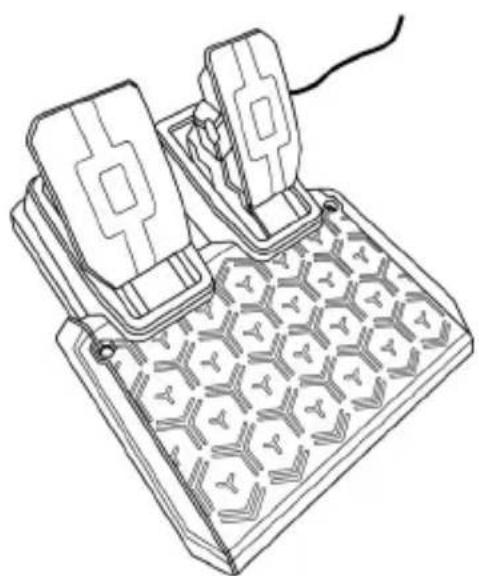
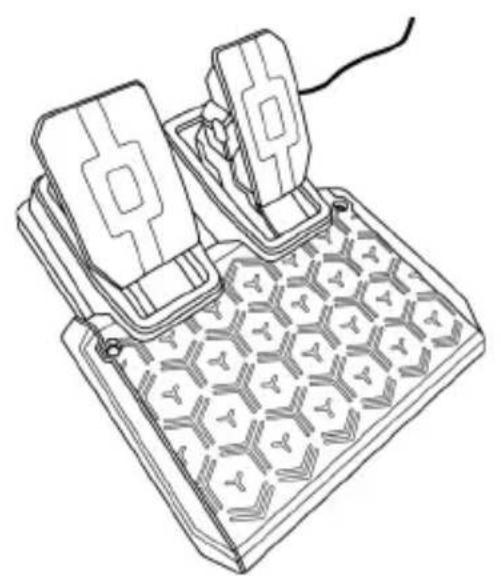
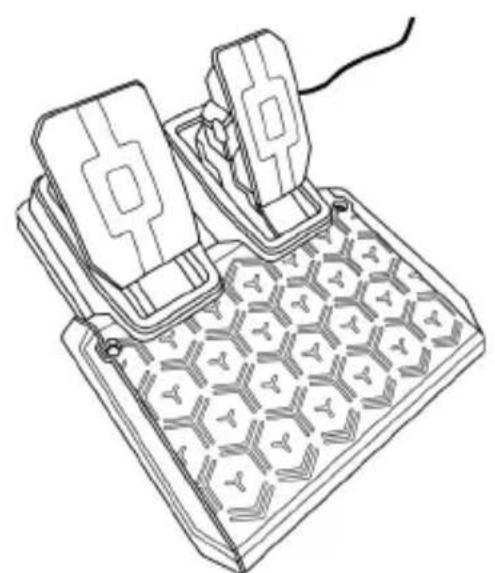
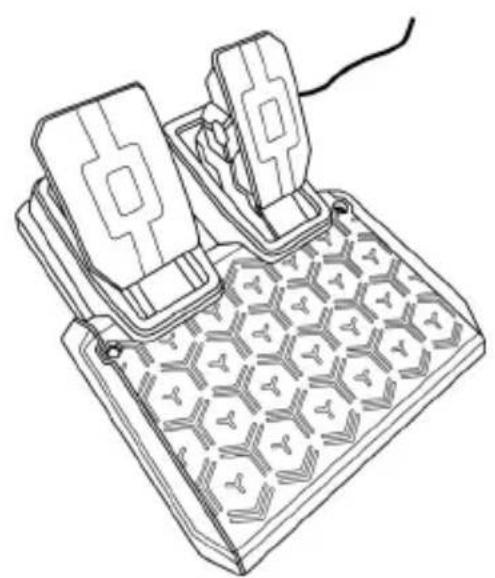
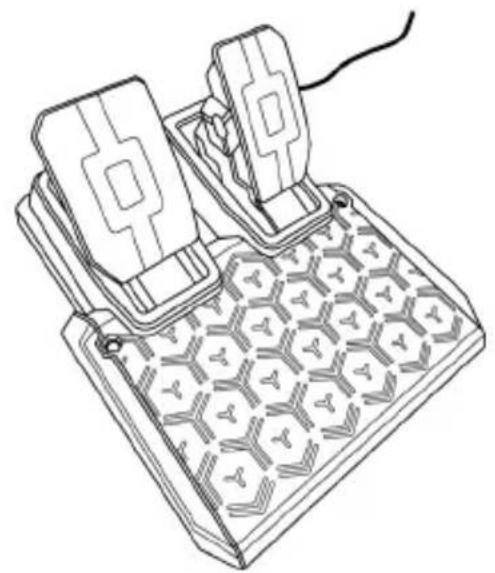
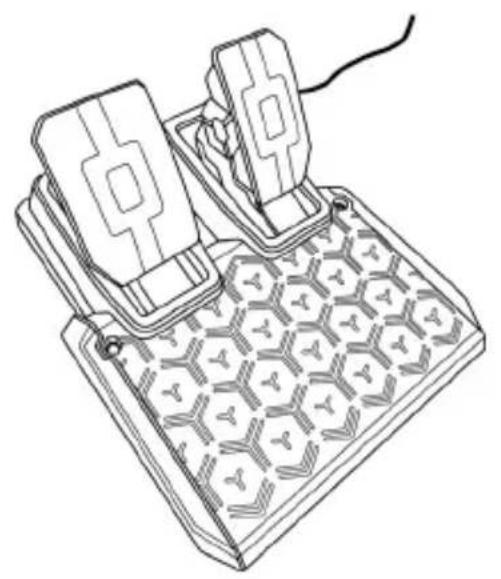
The pedal set can be attached to a variety of different supports (sold separately) using the two perforations (24) located on either side of the pedal set.
If your racing wheel and/or pedal set do not function correctly, or if they seem to be improperly calibrated:
Power off your console or PC and completely disconnect the racing wheel. Then reconnect all cables (including the power supply cable and the pedal set), and restart your console (or PC) and your game.
Worldwide, Guillemot Corporation S.A., whose registered office is located at Place du Granier, B.P. 97143, 35571 Chantepie, France (hereinafter "Guillemot") warrants to the consumer that this Thrustmaster product shall be free from defects in materials and workmanship, for a warranty period which corresponds to the time limit to bring an action for conformity with respect to this product. In the countries of the European Union, this corresponds to a period of two (2) years from delivery of the Thrustmaster product. In other countries, the warranty period corresponds to the time limit to bring an action for conformity with respect to the Thrustmaster product according to applicable laws of the country in which the consumer was domiciled on the date of purchase of the Thrustmaster product (if no such action exists in the corresponding country, then the warranty period shall be one (1) year from the original date of purchase of the Thrustmaster product).
Should the product appear to be defective during the warranty period, immediately contact Technical Support, who will indicate the procedure to follow. If the defect is confirmed, the product must be returned to its place of purchase (or any other location indicated by Technical Support).
Within the context of this warranty, the consumer's defective product shall, at Technical Support's option, be either replaced or returned to working order. If, during the warranty period, the Thrustmaster product is subject to such reconditioning, any period of at least seven (7) days during which the product is out of use shall be added to the remaining warranty period (this period runs from the date of the consumer's request for intervention or from the date on which the product in question is made available for reconditioning, if the date on which the product is made available for reconditioning is subsequent to the date of the request for intervention). If permitted under applicable law, the full liability of Guillemot and its subsidiaries (including for consequential damages) is limited to the return to working order or the replacement of the Thrustmaster product. If permitted under applicable law, Guillemot disclaims all warranties of merchantability or fitness for a particular purpose.
This warranty shall not apply: (1) if the product has been modified, opened, altered, or has suffered damage as a result of inappropriate or abusive use, negligence, an accident, normal wear, or any other cause unrelated to a material or manufacturing defect (including, but not limited to, combining the Thrustmaster product with any unsuitable element, including in particular power supplies, rechargeable batteries, chargers, or any other elements not supplied by Guillemot for this product); (2) if the product has been used for any use other than home use, including for professional or commercial purposes (game rooms, training, competitions, for example); (3) in the event of failure to comply with the instructions provided by Technical Support; (4) to software, said software being subject to a specific warranty; (5) to consumables (elements to be replaced over the product's lifespan: disposable batteries, audio headset or headphone ear pads, for example); (6) to accessories (cables, cases, pouches, bags, wrist-straps, for example); (7) if the product was sold at public auction.
This warranty is nontransferable.
The consumer's legal rights with respect to laws applicable to the sale of consumer goods in his or her country are not affected by this warranty.
Additional warranty provisions
During the warranty period, Guillemot shall not provide, in principle, any spare parts, as Technical Support is the only party authorized to open and/or recondition any Thrustmaster product (with the exception of any reconditioning procedures which Technical Support may request that the consumer carry out, by way of written instructions – for example, due to the simplicity and the lack of confidentiality of the reconditioning process – and by providing the consumer with the required spare part(s), where applicable).
Given its innovation cycles and in order to protect its know-how and trade secrets, Guillemot shall not provide, in principle, any reconditioning notification or spare parts for any Thrustmaster product whose warranty period has expired.
In the United States of America and in Canada, this warranty is limited to the product's internal mechanism and external housing. In no event shall Guillemot or its affiliates be held liable to any third party for any consequential or incidental damages resulting from the breach of any express or implied warranties. Some States/Provinces do not allow limitation on how long an implied warranty lasts or exclusion or limitation of liability for consequential or incidental damages, so the above limitations or exclusions may not apply to you. This warranty gives you specific legal rights, and you may also have other rights which vary from State to State or Province to Province.
Liability
If permitted under applicable law, Guillemot Corporation S.A. (hereinafter "Guillemot") and its subsidiaries disclaim all liability for any damages caused by one or more of the following: (1) the product has been modified, opened or altered; (2) failure to comply with assembly instructions; (3) inappropriate or abusive use, negligence, an accident (an impact, for example); (4) normal wear; (5) the use of the product for any use other than home use, including for professional or commercial purposes (game rooms, training, competitions, for example). If permitted under applicable law, Guillemot and its subsidiaries disclaim all liability for any damages unrelated to a material or manufacturing defect with respect to the product (including, but not limited to, any damages caused directly or indirectly by any software, or by combining the Thrustmaster product with any unsuitable element, including in particular power supplies, rechargeable batteries, chargers, or any other elements not supplied by Guillemot for this product).
CANADIAN COMPLIANCE NOTICE: this Class B digital apparatus meets all requirements of the Canadian Interference-Causing Equipment Regulations.
USA COMPLIANCE NOTICE: this equipment has been tested and found to comply with the limits for a Class B digital device, pursuant to Part 15 of the FCC rules. Operation is subject to the following two conditions:
(1) This device may not cause harmful interference, and
(2) This device must accept any interference received, including interference that may cause undesired operation.
These limits are designed to provide reasonable protection against harmful interference in a residential installation. This equipment generates, uses and can radiate radio frequency energy and, if not installed and used in accordance with the instructions, may cause harmful interference to radio communications. However, there is no guarantee that interference will not occur in a particular installation. If this equipment does cause harmful interference to radio or television reception, which can be determined by turning the equipment on and off, the user is encouraged to try to correct the interference by one or more of the following measures:
- Reorient or relocate the receiving antenna.
- Increase the separation between the equipment and receiver.
- Connect the equipment into an outlet on a circuit different from that to which the receiver is connected.
- Consult the dealer or an experienced radio/TV technician for help.

COPYRIGHT
©2022 Guillemot Corporation S.A. All rights reserved. Thrustmaster® is a registered trademark of Guillemot Corporation S.A. Manufactured and distributed by Guillemot Corporation S.A. All other trademarks and brand names are hereby acknowledged and are the property of their respective owners. Contents, design, and specifications are subject to changes without notice and may vary from one country to another. Photos and illustrations not binding. Designed in North America and Europe, made in China.
For use exclusively with PlayStation®5 consoles and PlayStation®4 consoles.
“”, “PlayStation”, “PS5”, “PS4” and “PlayStation Shapes Logo” are registered trademarks or trademarks of Sony Interactive Entertainment Inc. All rights reserved. All other trademarks are the property of their respective owners. Manufactured and distributed under license from Sony Interactive Entertainment LLC.

WARNING: this product can expose you to chemicals including Bisphenol A (BPA), which is known to the State of California to cause birth defects or other reproductive harm. For more information go to www.P65Warnings.ca.gov
ENVIRONMENTAL PROTECTION RECOMMENDATION
natural_image
Symbol of a trash bin with cross lines and a black rectangle below (no text or labels)
In the European Union, the UK and Turkey: At the end of its working life, this product should not be disposed of with standard household waste, but rather dropped off at a collection point for the disposal of Waste Electrical and Electronic Equipment (WEEE) for recycling.
This is confirmed by the symbol found on the product, user manual or packaging. Depending on their characteristics, the materials may be recycled. Through recycling and other forms of processing Waste Electrical and Electronic Equipment, you can make a significant contribution towards helping to protect the environment.
Please contact your local authorities for information on the collection point nearest you.
For all other countries: Please adhere to local recycling laws for electrical and electronic equipment.
Retain this information. Colors and decorations may vary.
Plastic fasteners and adhesives should be removed from the product before it is used.
www.thrustmaster.com
*Applicable to EU, UK and Turkey only

T128j
Pour consoles PlayStation®5, consoles PlayStation®4 et PC*
natural_image
Technical line drawing of a steering wheel with four blades and a central hub (no text or symbols)
natural_image
Line drawing of a mechanical device with two blocks and a grid-patterned base (no text or symbols)
ATTENTION :
natural_image
Diagram showing two mechanical components with a red X mark and directional arrows, no text or symbols present.
flowchart
graph TD
    A["Device with 1-pin cable"] --> B["Battery pack"]
    B --> C["Power switch 2"]
    C --> D["Switch 3"]
    D --> E["Device with 4-pin cable"]
    E --> F["Power switch 4"]
    F --> G["Device with 5-pin cable"]
    style A fill:#f9f,stroke:#333
    style E fill:#ccf,stroke:#333
*Non inclus
| MODE DU PEDALIER | CLIGNOTEMENT DES LED RPM (7) |
| MODE PAR DEFAULT- Position NORMALE- Type T2PM-T3PA-T3PM | MODE PAR DEFAULT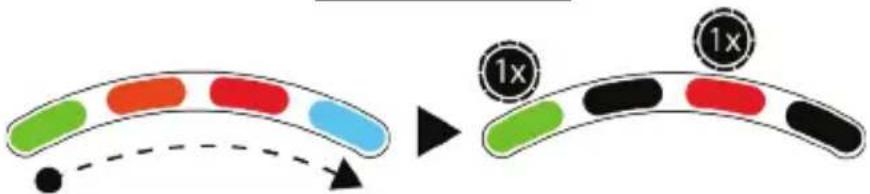 |
| - Position NORMALE- Type T-LCM |  |
| - Position INVERSÉE- Type T2PM-T3PA-T3PM | 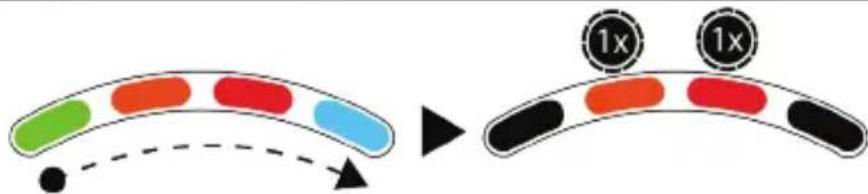 |
| - Position INVERSÉE- Type T-LCM | 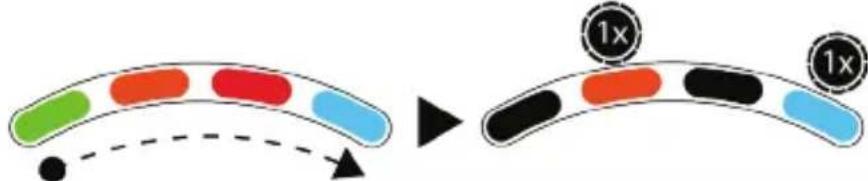 |
natural_image
Two icons: a green capsule and a stopwatch with '5s' (no text or symbols on the icons themselves)
| MODE CLIGNOTEMENT DES LED RPM (7) |
| MODE PAR DEFAULT- Type T2PM-T3PA-T3PM | |
| - Type T-LCM | |

chemical
Chemical reaction diagram showing two molecules combining to form a new product, with green arrows indicating direction.
| 4 niveaux possibles |
| Angle de rotation choisi | LED RPM (7) |
| 270° | 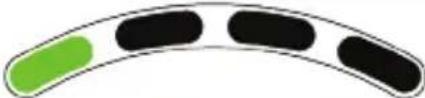 |
| 360° | 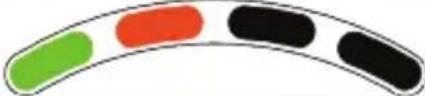 |
| 540° | 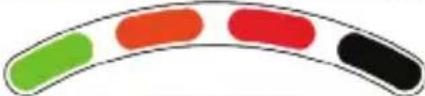 |
| 900° | 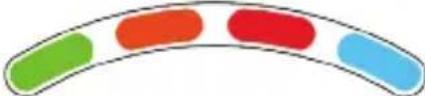 |
natural_image
Line drawing of a mechanical device with two blocks and a grid-patterned base (no text or symbols)
AVERTISSEMENT
natural_image
Prohibition sign with diagonal line crossing over machinery silhouette (no text or symbols)
natural_image
Prohibition sign showing hands holding a device, no text or symbols present

natural_image
Symbol of a trash bin crossed with diagonal lines and a black rectangular block below (no text or labels)
www.thrustmaster.com
T128j
natural_image
Technical line drawing of a steering wheel with labeled components (no text or symbols beyond branding)
natural_image
Line drawing of a mechanical device with two blocks and a patterned base (no text or symbols)
ACHTUNG:
natural_image
Prohibition sign with diagonal line crossing over a mechanical component (no text or symbols)
natural_image
Prohibition sign showing hands holding a device, no text or symbols present

| MODUS | BLINKEN DER RPM LEDs (7) |
| STANDARD-MODUS- Typ T2PM-T3PA-T3PM | |
| - Typ T-LCM | |

bar_stacked
Pedals
| Body Position | Red Segment | Green Segment |
| :--- | :--- | :--- |
| Clutch | 1 | 9 |
| Brake | 1 | 8 |
| Gas | 1 | 8 |
chemical
Chemical reaction diagram showing two molecules combining to form a new product, with green arrows indicating direction.
natural_image
Line drawing of a mechanical device with hexagonal grid pattern and two rectangular components (no text or symbols)
WARNUNG

natural_image
Simple line drawing of a trash bin with crossed lines indicating no waste or discharge (no text or symbols)
www.thrustmaster.com
natural_image
Technical line drawing of a mechanical component with no visible text or symbols
natural_image
Line drawing of a mechanical device with two blocks and a grid-patterned base (no text or symbols)
WAARSCHUWING:


natural_image
Diagram showing two mechanical components with a red X mark and a downward arrow, no text or symbols present.
flowchart
graph TD
    A["1: Battery package"] --> B["2: Plug-in plug"]
    B --> C["3: Plug-in plug with switch"]
    C --> D["4: Display panel with power button and power icon"]
    D --> E["Output: Battery pack with switch and power icon"]
*Niet meegeleverd
| MODUS | KNIPPEREN VAN RPM-LED'S (7) |
| STANDAARDMODUS- Type T2PM-T3PA-T3PM | |
| - Type T-LCM | |

chemical
Chemical reaction diagram showing electron movement and equilibrium between two compounds
natural_image
Line drawing of a mechanical device with two blocks and a grid-patterned base (no text or symbols)
WAARSCHUWING

natural_image
Symbol of a trash bin with crossed lines indicating no waste or restriction, plus a solid black rectangle below (no text or labels)
www.thrustmaster.com
natural_image
Technical line drawings of a motor and its internal components (no text or symbols)
ATTENZIONE:


| MODALITÀ LAMPEGGIO DEI LED GIRI/MIN (7) |
| MODALITÀ PREDEFINITA- tipo T2PM-T3PA-T3PM | |
| - tipo T-LCM | |

chemical
Chemical reaction diagram showing electron transfer and radical addition of green compounds
natural_image
Line drawing of a mechanical device with two blocks and hexagonal base (no text or symbols)
ATTENZIONE

https://support.thrustmaster.com

natural_image
Three black icons: a lowercase 'i' in a circle, an envelope symbol, and a telephone handset (no text or labels)
COPYRIGHT
natural_image
Simple line drawing of a trash bin with diagonal lines crossing it, no text or symbols present
www.thrustmaster.com
natural_image
Technical line drawing of a mechanical component with no visible text or symbols
natural_image
Line drawing of a mechanical device with two blocks and a textured base (no text or symbols)
ADVERTENCIA:
natural_image
Diagram showing two mechanical components with a red X mark and directional arrows, no text or symbols present.
natural_image
Two icons: a green capsule and a stopwatch with '5s' (no text or symbols on the icons themselves)
| MODO | PARPADEO DE LED DE RPM (7) |
| MODOPREDETERMINADO-Tipo T2PM-T3PA-T3PM | 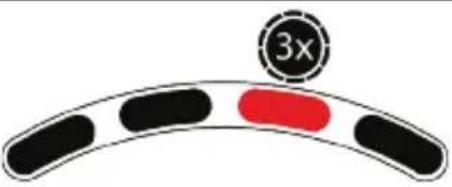 |
| -Tipo T-LCM | 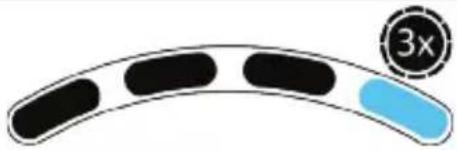 |

bar_stacked
Pedals
| Body Position | Red Segment | Green Segment |
| :--- | :--- | :--- |
| Clutch | 1 | 9 |
| Brake | 1 | 8 |
| Gas | 1 | 9 |
chemical
Chemical reaction diagram showing electron movement and equilibrium between two molecular structures
Visita https://support.thrustmaster.com.
Visita https://support.thrustmaster.com.
Visita https://support.thrustmaster.com.
natural_image
Line drawing of a mechanical device with two blocks and a textured base (no text or symbols)
ADVERTENCIA
NUNCA
NUNCA

COPYRIGHT
natural_image
Symbol of a trash bin with no visible text or labels
www.thrustmaster.com
natural_image
Technical line drawing of a mechanical component with no visible text or symbols
natural_image
Line drawing of a mechanical device with two blocks and a grid-patterned base (no text or symbols)
ATENÇÃO:

Aviso – Perigo de entalamento no conjunto de pedais ao jogar

natural_image
Diagram showing two mechanical components with a red 'X' mark and directional arrows, no text or symbols present.
flowchart
graph TD
    A["Device with cable connections"] --> B["Switch"]
    B --> C["Device connected to a device with USB port *"]
    C --> D["Device with cable and switch"]
    D --> E["Power plug"]
    E --> F["Switch symbol"]
    style A fill:#f9f,stroke:#333
    style B fill:#ccf,stroke:#333
    style C fill:#cfc,stroke:#333
    style D fill:#fcc,stroke:#333
    style E fill:#ffc,stroke:#333
| MODO | INTERMITÊNCIA DOS LED DAS RPM (7) |
| MODO PREDEFINIDO- Tipo T2PM-T3PA-T3PM | |
| - Tipo T-LCM | |

chemical
Chemical reaction diagram showing two molecular structures combining to form a new product, with green arrows indicating direction.
Vá até https://support.thrustmaster.com.
Visite https://support.thrustmaster.com.
Visite https://support.thrustmaster.com.
natural_image
Line drawing of a mechanical device with two blocks and a grid-patterned base (no text or symbols)
AVISO

FIXAR O CONJUNTO DE PEDAIS NUM SUPORTE OU COCKPIT
O conjunto de pedais pode ser fixado numa variedade de diferentes suportes (vendidos à parte) utilizando os dois orifícios (24) situados de cada lado do conjunto de pedais.
DIREITOS DE AUTOR
www.thrustmaster.com
natural_image
Technical line drawing of a steering wheel with brand mark and control buttons (no text or symbols)
natural_image
Line drawing of a mechanical device with two blocks and a grid-patterned base (no text or symbols)
AVISO:


| MODO | LEDs DE RPM PISCANDO (7) |
| MODO PADRAO- Tipo T2PM-T3PA-T3PM | |
| - Tipo T-LCM | |

chemical
Chemical reaction diagram showing two molecules combining to form a new product, with green arrows indicating electron movement.
Visite https://support.thrustmaster.com.
Visite https://support.thrustmaster.com.
Visite https://support.thrustmaster.com.
natural_image
Line drawing of a mechanical device with two actuators and a hexagonal base (no text or symbols)
AVISO

www.thrustmaster.com

T128j
natural_image
Technical line drawing of a steering wheel with four spokes and a central hub (no text or symbols)
natural_image
Line drawing of a mechanical device with two blocks and a grid-patterned base (no text or symbols)
ПРЕДУПРЕЖДЕНИЕ:
natural_image
Diagram showing two mechanical components with a red X mark and directional arrows, no text or symbols present.
flowchart
graph TD
    A["1: Display panel"] --> B["2: Plug-in plug"]
    B --> C["3: Cable connector"]
    C --> D["4: Power button with 'Power' icon"]
    D --> E["End: Screen with 'Power' icon"]
chemical
Chemical reaction diagram showing two molecular structures combining to form a new product, with green arrows indicating direction.
natural_image
Line drawing of a mechanical device with two blocks and a hexagonal base (no text or symbols)
ПРЕДУПРЕЖДЕНИЕ
НИКОГДА
НИКОГДА

https://support.thrustmaster.com

АВТОРСКИЕ ПРАВА
www.thrustmaster.com
EAC
T128j
Pro konzole PlayStation®5, konzole PlayStation®4 a PC*
Uživatelský manuál
natural_image
Technical line drawing of a steering wheel with four blades and a central hub (no text or symbols)
natural_image
Line drawing of a mechanical device with two blocks and a textured base (no text or symbols)
UPOZORNĚNÍ:
natural_image
Diagram of hands holding a steering wheel with a compass, enclosed in a circular frame (no text or symbols)

natural_image
Diagram showing two mechanical components with a red X mark and directional arrows, no text or symbols present.
flowchart
graph TD
    A["1: Battery package"] --> B["2: Plug-in plug"]
    B --> C["3: Plug-in plug with LED indicator"]
    C --> D["4: Power input button with 'Power' icon"]
    D --> E["5: Power output button with 'Power' icon"]
    style A fill:#f9f,stroke:#333
    style E fill:#bbf,stroke:#333
*Není součástí
| REŽIM | BLIKÁNÍ LED DIOD OTÁČEK (7) |
 - typ T2PM-T3PA-T3PM - typ T2PM-T3PA-T3PM | 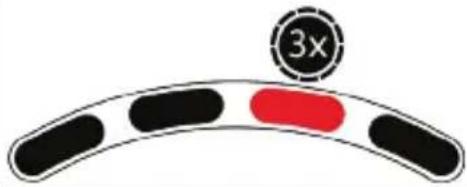 |
| - typ T-LCM | 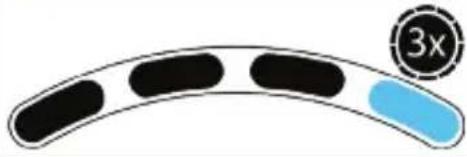 |

chemical
Chemical reaction diagram showing electron transfer and radical addition of benzene
Navštivte https://support.thrustmaster.com.
Navštivte https://support.thrustmaster.com.
natural_image
Line drawing of a mechanical device with two blocks and a grid-patterned base (no text or symbols)
VAROVÁNÍ
natural_image
Prohibition sign with diagonal line crossing over mechanical components (no text or symbols)
NIKDY
natural_image
Prohibition sign showing hands using a device to avoid collision (no text or symbols)
NIKDY

https://support.thrustmaster.com

natural_image
Three black icons: a lowercase 'i' in a circle, an envelope symbol, and a telephone handset (no text or labels)
AUTORSKÁ PRÁVA
natural_image
Symbol of a trash bin crossed with a diagonal line, no text or labels present

www.thrustmaster.com
natural_image
Technical line drawings of a steering wheel and its internal components (no text or symbols)
UYARI:
natural_image
Prohibition sign with diagonal line crossing over machinery silhouette (no text or symbols)


chemical
Chemical reaction diagram showing two molecules combining to form a new product, with green arrows indicating direction.
natural_image
Line drawing of a mechanical device with two blocks and a grid-patterned base (no text or symbols)
UYARI

https://support.thrustmaster.com

TELİF HAKKI
www.thrustmaster.com
natural_image
Diagram showing two mechanical components with a red X mark and directional arrows, no text or symbols present.
| TRYB | MIGANIE DIOD OBROTOMIERZA (7) |
| TRYB DOMYSLNY- typ T2PM-T3PA-T3PM | |
| - typ T-LCM | |

chemical
Chemical reaction diagram showing two molecules combining to form a new product, with green arrows indicating direction.
natural_image
Line drawing of a mechanical device with two blocks and a grid-patterned base (no text or symbols)
OSTRZEŻENIE
https://support.thrustmaster.com

natural_image
Three black icons: a lowercase 'i' in a circle, an envelope, and a telephone handset (no text or symbols)
PRAWA AUTORSKIE
natural_image
Symbol of a trash bin with crossed lines and a solid black rectangle below (no text or labels)
www.thrustmaster.com
natural_image
Technical line drawing of a mechanical component with no visible text or symbols
natural_image
Line drawing of a mechanical device with two blocks and a grid-patterned base (no text or symbols)
警告:
https://support.thrustmaster.com/ja/
技術仕様


natural_image
Diagram showing two mechanical components with a red X mark and a downward arrow, no text or symbols present.
natural_image
Two icons: a green capsule and a stopwatch with '5s' (no text or symbols on the icons themselves)
chemical
Chemical reaction diagram showing two molecules combining to form a new product, with green arrows indicating direction.
natural_image
Line drawing of a mechanical device with two blocks and hexagonal base (no text or symbols)
警告
natural_image
Prohibition sign showing a hand holding a device against a diagonal line (no text or symbols)
危険
危険

Manufactured and distributed by Guillemot Corporation S.A.
環境保護推獎
www.thrustmaster.com
Made in China.

:外箱


T128j
natural_image
Technical line drawing of a steering wheel with brand logo and control buttons (no text or symbols)
natural_image
Line drawing of a mechanical device with two blocks and a patterned base (no text or symbols)
警告:

警告一玩游戏时存在的踏板组夹伤危险

警告—不玩游戏时存在的踏板组夹伤危险
natural_image
Diagram showing two mechanical components with a red X mark and directional arrows, no text or symbols present.
natural_image
Two icons: a green capsule with a gear symbol and a stopwatch showing 5 seconds (no text or numbers present)
chemical
Chemical reaction diagram showing two molecular structures combining to form new structures, with green arrows indicating direction.
natural_image
Line drawing of a mechanical device with two blocks and a grid-patterned base (no text or symbols)
警告

警告—不玩游戏时存在的踏板组夹伤危险
natural_image
Technical line drawing of a steering wheel with four blades and a central hub (no text or symbols)
natural_image
Line drawing of a mechanical device with two blocks and a grid-patterned base (no text or symbols)
警告:

警告—玩遊戲時存在的踏板組夾傷危險

警告—不玩遊戲時存在的踏板組夾傷危險
natural_image
Two icons: a green capsule with a gear symbol and a stopwatch showing 5 seconds (no text or numbers present)
chemical
Chemical reaction diagram showing two molecules combining to form a new product, with green arrows indicating direction.
natural_image
Line drawing of a mechanical device with two blocks and a grid-patterned base (no text or symbols)
警告

警告—不玩遊戲時存在的踏板組夾傷危險
natural_image
Technical line drawing of a steering wheel with brand logo and mounting bracket (no text or symbols)
natural_image
Line drawing of a mechanical device with two blocks and a grid-patterned base (no text or symbols)
경고:
natural_image
Two icons: a green capsule with a gear symbol and a stopwatch showing 5 seconds (no text or symbols present)
chemical
Chemical reaction diagram showing two molecules combining to form a new product, with green arrows indicating electron movement.
| 4☒☒☒☒☒ |
| ☒☒☒☒☒ | RPM LED (7) |
| 270° | |
| 360° | |
| 540° | |
| 900° | |
https://support.thrustmaster.com을 확인해 주십시오.
natural_image
Line drawing of a handheld electronic device with circular components and a power cord (no text or symbols)
경고
natural_image
Prohibition sign showing a hand using a pencil to cut a piece of paper (no text or symbols present)
절대 금지
절대 금지

www.thrustmaster.com

T128
لاجهزة PlayStation®4,PlayStation®5
دلأيل الأمستخدم
natural_image
Technical line drawing of a steering wheel with brand mark and control buttons (no text or symbols)
natural_image
Line drawing of a mechanical device with two blocks and a grid-patterned base (no text or symbols)
natural_image
Diagram showing two mechanical components with a red X mark and directional arrows, no text or symbols present.
* غير مش/mol
thrustmaster ∫ Thrustmaster T-GT ∫.Advanced Racer
.Thrustmaster Advanced Mode Racer
chemical
Chemical reaction diagram showing two molecules combining to form a new product, with green arrows indicating direction.
.https://support.thrustmaster.com
natural_image
Line drawing of a mechanical device with two blocks and a grid-patterned base (no text or symbols)
تحذیر
natural_image
Prohibition sign with diagonal line crossing over a mechanical component (no text or symbols)
https://support.thrustmaster.com

natural_image
Three black icons: a lowercase 'i' in a circle, an envelope, and a telephone handset (no text or symbols)
حقوق النشر
"PlayStation Shapes Logo" "PS4" "PS5" "PlayStation" "PlayStation" "PlayStation" "PlayStation" "PlayStation" "PlayStation" "PlayStation" "PlayStation" "PlayStation" "PlayStation" "PlayStation" "PlayStation" "PlayStation" "PlayStation" "PlayStation" "PlayStation" "PlayStation" "PlayStation" "PlayStation" "PlayStation" "PlayStation" "PlayStation" "PlayStation" "PlayStation" "PlayStation" "Play Station" "Play Station" "Play Station" "Play Station" "Play Station" "Play Station" "Play Station" "Play Station" "Play Station" "Play Station" "Play Station" "Play Station" "Play Station" "Play Station" "Play Station" "Play Station" "Play Station" "Play Station" "Play Station" "Play Station" "Play Station" "Play Station" "Play Station" "Play Station" "Play Station" "Play STENIEE", "Play Station" "Play Station" "Play Station" "Play Station" "Play Station" "Play Station" "Play Station" "Play Station" "Play Station" "Play Station" "Play Station" "Play Station" "Play Station" "Play Station" "Play Station" "Play Station" "Play Station" "Play Station" "Play Station", 1980.
www.thrustmaster.com
natural_image
Technical line drawing of a mechanical component with no visible text or symbols
natural_image
Line drawing of a mechanical device with two blocks and a grid-patterned base (no text or symbols)
WARNING:


natural_image
Diagram showing two mechanical components with a red X mark and directional arrows, no text or symbols present.
| LÄGE | VARVTALSLAMPORNAS BLINKANDE (7) |
 - T2PM-T3PA-T3PM-typ - T2PM-T3PA-T3PM-typ | 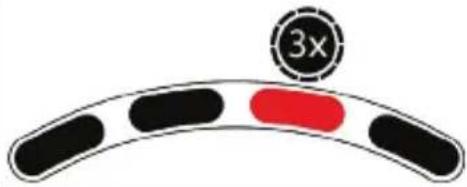 |
| - T-LCM-typ | 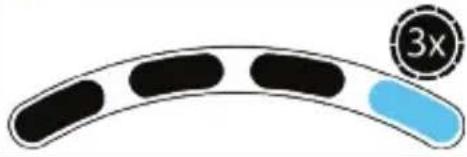 |

chemical
Chemical reaction diagram showing two molecular structures combining to form a new product, with green arrows indicating direction.
DIVERSE TIPS, FRÅGOR OCH SVAR
Gå till https://support.thrustmaster.com.
natural_image
Line drawing of a mechanical device with two blocks and a grid-patterned base (no text or symbols)
WARNING
MONTERA PEDALSETET PÅ ETT STÖD ELLER EN COCKPIT
UPPHOVSRÄTTSSKYDD
www.thrustmaster.com
natural_image
Technical line drawings of a steering wheel and its internal components (no text or symbols)
VAROITUS:
chemical
Chemical reaction diagram showing two molecules combining to form a new product, with green arrows indicating direction.
MUUT SETTINGS-PAINIKKEEN (6) TOIMINNOT
natural_image
Line drawing of a mechanical device with two clamps and a textured base (no text or symbols)
VAROITUS
natural_image
Prohibition sign with diagonal line crossing over a construction site (no text or symbols)
EI IKINA
natural_image
Prohibition sign with diagonal line crossing over hands holding a device (no text or symbols)
EI IKINÄ

TEKIJÄNOIKEUS
natural_image
Symbol of a trash bin with crossed lines indicating no waste, and a solid black rectangle below (no text or labels)
www.thrustmaster.com

Varovanie – Nebezpečenstvo zovretia do pedálu pri hraní
flowchart
graph TD
    A["1: Battery with plug"] --> B["2: Plug-in plug"]
    B --> C["3: Plug-in plug connected to battery pack"]
    C --> D["4: Power input button with 'Power' icon"]
    D --> E["Power output button with 'Power' icon"]
*Nie je zahrnuté
natural_image
Illustration of a green capsule and a stopwatch with '5s' label (no text or symbols on the icons)
| REŽIM | BLIKANIE RPM LED DIÓDY (7) |
| PREDVOLENÝ REŽIM- typ T2PM-T3PA-T3PM | |
| - typ T-LCM | |

Pri type T-LCM nebudú sady pedálov T2PM, T3PA a T3PM správne fungovat'. Hodnoty pedálov už nedosiahnu 100 %.
bar_stacked
Pedals
| Body Position | Red Segment | Green Segment |
| :--- | :--- | :--- |
| Clutch | 1 | 9 |
| Brake | 1 | 8 |
| Gas | 1 | 8 |
chemical
Chemical reaction diagram showing two compounds combining to form a new product, with green arrows indicating direction.
Navštivte https://support.thrustmaster.com.
Navštivte https://support.thrustmaster.com.
natural_image
Line drawing of a mechanical device with two blocks and a grid-patterned base (no text or symbols)
VAROVANIE

https://support.thrustmaster.com

natural_image
Three black icons: a lowercase 'i' in a circle, an envelope symbol, and a telephone handset (no text or labels)
AUTORSKÉ PRÁVA
natural_image
Symbol of a trash bin crossed with no text or numbers, representing waste sorting or disposal (no text present)
www.thrustmaster.com
*Použitel'né pre EÚ, UK a Turecko
T128j
PlayStation®5 konzolokhoz, PlayStation®4 konzolokhoz és PC*-hez
Használati Útmutató
natural_image
Technical line drawing of a steering wheel with four spokes and a central hub (no text or symbols)
natural_image
Line drawing of a mechanical device with two blocks and a textured base (no text or symbols)
FIGYELMEZTETÉS:
natural_image
Line drawing of a steering wheel with hands holding the wheel rim, enclosed in a circular frame (no text or symbols)
natural_image
Prohibition sign showing hands using a wheel switch inside a circular frame (no text or symbols)

natural_image
Diagram showing two mechanical components with a red X mark and directional arrows, no text or symbols present.
chemical
Chemical reaction diagram showing electron movement and equilibrium between two molecular structures
natural_image
Line drawing of a mechanical device with two blocks and a grid-patterned base (no text or symbols)
FIGYELMEZTETÉS
natural_image
Prohibition sign with diagonal line crossing over machinery silhouette (no text or symbols)
HIBÁS
natural_image
Prohibition sign with diagonal line crossing over hands, no text or symbols present
HIBÁS

https://support.thrustmaster.com

SZERZÖI JOG
natural_image
Symbol of a trash bin crossed with two crossed lines, no text or numbers present
*
www.thrustmaster.com
natural_image
Three black electrical components with labeled terminals (15, 16, 17) and capacitors, no text or symbols present.
10
(ππ)
PS jxn7 11
PS5™-1 PS4™ Options 12
13
14
.הכלההוּרָהוּרָהוּרָהוּרָהוּרָהוּרָהוּרָהוּרָהוּרָהוּרָהוּרָהוּרָהוּרָהוּרָהוּרָה
natural_image
Diagram of hands holding a steering wheel with a circular frame, no text or symbols present
. Thrustmaster SDK-7 (7) Racing Wheels https://support.thrustmaster.com : (Games settings/T128 / (Operating States))
https://support.thrustmaster.com 1
.Thrustmaster Advanced Mode Racer –
T-LCM 107 T2PM-T3PA-T3PM 107
(תְקַרָה)
.T2PM-T3PA-T3PM 100-70-70-70-70-70-70-70-70-70-70-70-70
bar_stacked
Pedals
| Body Position | Red Segment | Green Segment |
| :--- | :--- | :--- |
| Clutch | 1 | 9 |
| Brake | 1 | 8 |
| Gas | 1 | 8 |
chemical
Chemical reaction diagram showing two molecular structures combining to form a new product, with green arrows indicating direction.
.https://support.thrustmaster.com
.https://support.thrustmaster.com
https://support.thrustmaster.com
natural_image
Line drawing of a mechanical device with two blocks and a grid-patterned base (no text or symbols)
תָרְשָׁ
natural_image
Prohibition sign with diagonal line crossing over a mechanical component (no text or symbols)
תַןּוֹם
תְּוֹא
https://support.thrustmaster.com

Sony "PlayStation Shapes" is "PlayStation", "PS5", "PS4", "IP"
Interactive Entertainment Inc. Sony Interactive Entertainment LLC
www.thrustmaster.com
*