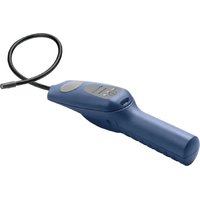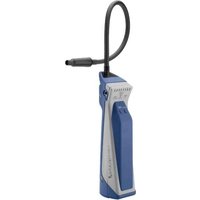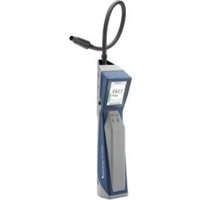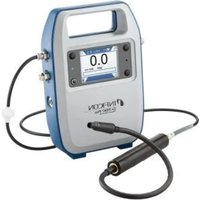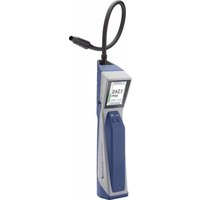
D-TEK Stratus - Measuring equipment INFICON - Free user manual and instructions
Find the device manual for free D-TEK Stratus INFICON in PDF.


| Brand | INFICON |
| Model | D-TEK Stratus |
| Product type | Refrigerant leak detector |
| Power supply | Rechargeable lithium-ion battery, charges via micro USB (5 V DC, 1 A) |
| Battery life | Approximately 3 hours of full charge |
| Operating modes | Cloud Hunting, Pinpoint, Manual Zero |
| Sensitivity levels | Super, High, Medium, Low |
| Warm-up time | 45 to 90 seconds |
| Display | Screen with ppm values, battery indicator, mode, sensitivity, alarm |
| Operating temperature | -20 to 50 °C |
| Storage temperature | -20 to 60 °C |
| Charging temperature | 0 to 45 °C |
| Maximum humidity | 95 % RH non-condensing |
| Maintenance | Replacement of sensor and filter |
| Available spare parts | Battery, sensor, filter |
| Safety precautions | Do not use in flammable environment; do not expose battery to liquid; use only certified charger |
Frequently Asked Questions - D-TEK Stratus INFICON
User questions about D-TEK Stratus INFICON
0 question about this device. Answer the ones you know or ask your own.
Ask a new question about this device
Download the instructions for your Measuring equipment in PDF format for free! Find your manual D-TEK Stratus - INFICON and take your electronic device back in hand. On this page are published all the documents necessary for the use of your device. D-TEK Stratus by INFICON.
USER MANUAL D-TEK Stratus INFICON
natural_image
Medical handheld device with a black cable and digital display showing '345 RPM' (no text or symbols on the device body)D-TEK Stratus™
Refrigerant Leak Detector and Portable Monitor
1. Turning D-TEK Stratus on and preparing for use
a. Long-press the power button to turn D-TEK Stratus on or off.
NOTE: If the screen does not turn on, the battery is very low and needs to be charged. D-TEK Stratus can be used while charging.
b. D-TEK Stratus will begin a warm-up for 45 to 90 seconds. When warm-up is complete, D-TEK Stratus is ready for use.
c. To switch modes, press the MODE button. This toggles between Cloud Hunting, Pinpoint and Manual Zero modes.
NOTE: D-TEK Stratus always starts up in the last mode that was used.
2. Using Cloud Hunting (Portable Monitor) mode
a. Slowly move through the suspect areas and observe the ppm reading.
b. Follow the ppm reading to find areas of higher refrigerant concentration. The higher the number, the higher the concentration of refrigerant and the closer you are to the leak source.
NOTE: Lingering in an area with refrigerant for several minutes may cause the ppm reading to decrease. If this occurs, move to an area of lower concentration for a few seconds.
c. Press the SENS/ZERO button to enable/disable the MAX feature. When enabled, the highest ppm level observed is shown below the main ppm display. To reset the max reading, long-press the SENS/ZERO button.
NOTE: There is no sensitivity setting in Cloud Hunting mode.
3. Using Pinpoint mode
a. Place the tip of D-TEK Stratus as close as possible to the suspected leak. Do not block the air flow.
b. Slowly (2.5 to 5 cm [1 to 2 in.] per second) move the probe past each possible leak point. If a leak is detected, D-TEK Stratus will alarm and the on-screen indicators will illuminate.
NOTE: In Pinpoint mode, D-TEK Stratus will automatically zero to the background refrigerant after a few seconds.
When this occurs, either continue looking for a higher concentration of refrigerant or move to an area of lower concentration to reset the zero point.
c. When a leak is identified, pull the probe away from the leak for a few seconds and return to the suspected leak site to verify the leak.
NOTE: For large leaks or for SAE applications, press the SENS/ZERO button to switch the sensitivity mode. The current sensitivity is displayed on the screen.
NOTE: Do not use the Super sensitivity setting for SAE applications.
4. Manual Zero mode
Manual Zero mode operates in a similar way to Pinpoint mode, but allows the user to manually zero the instrument to the background refrigerant by pressing the SENS/ZERO button.
NOTE: There is no sensitivity setting in Manual Zero mode.
5. Removing and installing the lithium ion battery
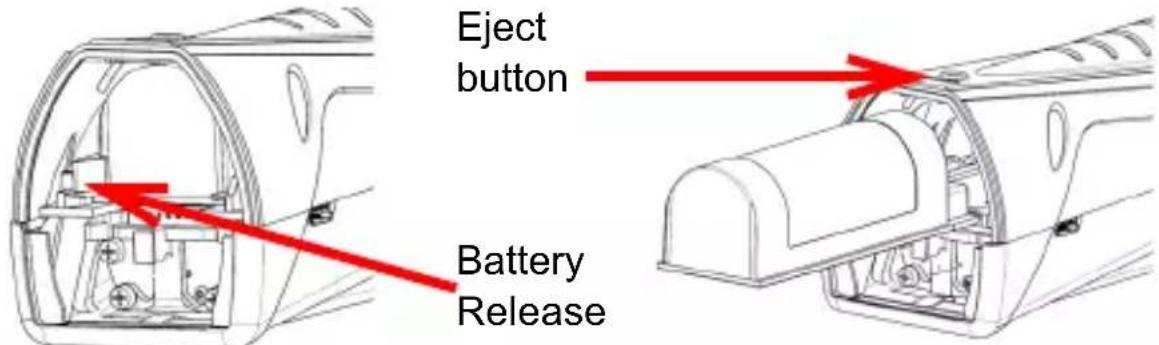
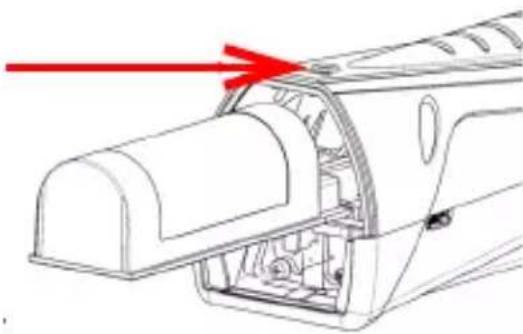
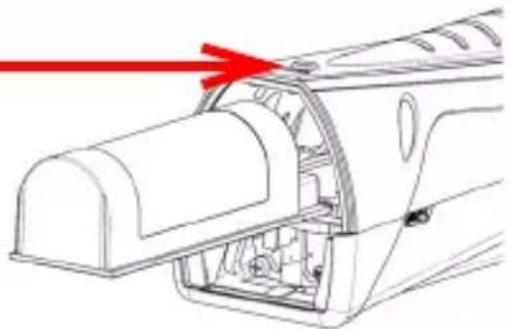
a. Press the eject button to release the battery cover.
b. Move the battery release tab to the side until the battery begins to eject.
c. Slide the battery out.
d. Align the new battery with the rails.
e. Gently push the battery along the rails until the battery release tab engages.
NOTE: Do not force the battery. If it does not slide freely, check alignment and try again.
6. Replacing and installing the sensor
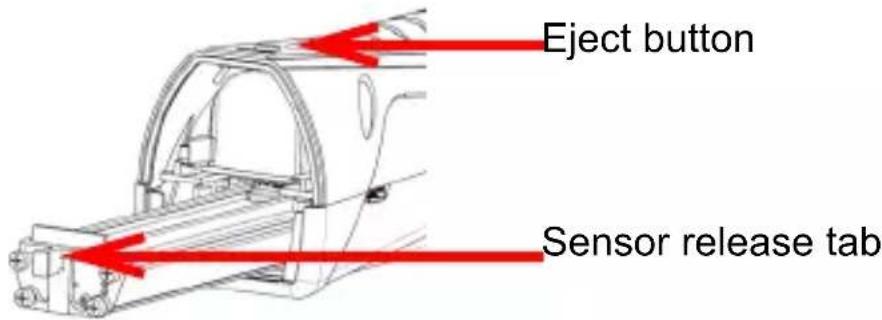
a. Press the eject button to release the battery cover.
b. Grasp the sensor release tab and gently pull the sensor out.
c. Align the new sensor with the rails.
d. Gently push the sensor along the rails until it clicks into place.
NOTE: Do not force the sensor. If it does not slide freely, check alignment and try again.
e. Reinstall the battery cover.
7. Replacing filters
a. Unscrew the probe tip and remove the filter.
b. Insert the new filter into the probe tip.
c. Screw on the probe tip.
8. Charging and Battery Information
To charge D-TEK Stratus, plug the supplied wall or car charger into an appropriate power source and plug the micro USB cable into the D-TEK Stratus micro USB power input. The on-screen battery symbol shows the charge percentage and indicates that the battery is charging.
NOTE: D-TEK Stratus can be operated while charging.
NOTE: A new lithium ion battery will have a charge of 30% or less. It is recommended to fully charge the battery before use. Allow approximately three hours for a full charge.
Cautions:
- Only use a certified charger/cord with an output of 5V (dc), 1 A
-
Keep the device out of extremely high or low temperature locations
• Temperature ranges and humidity: -
Storage: -20–60°C (-4–140°F)
- Operating: -20–50°C (-4–122°F)
-
Charging: 0–45°C (32–113°F)
• Humidity: 95% RH NC max. -
Do not expose the battery to liquid
- Do not use the device if you notice any damage to the battery
- Do not disassemble or modify the battery
- Handle and dispose of the battery per local regulations
- If the recharging operation fails to complete, even when the specified recharging time has elapsed, immediately stop further recharging
- Do not leave the battery unattended while charging
- Unplug the charger when the battery is fully charged
- Improper use or disposal of lithium ion batteries can cause a fire
- Not intended for use in flammable environments

WARNING
This symbol is used to alert the user to the presence of important operating and maintenance (servicing) instructions in the literature accompanying this instrument.
Table 1: Symbol Table
| Symbol Description | |
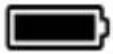 | Battery charge 75–100% |
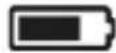 | Battery charge 50–74% |
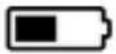 | Battery charge 30–49% |
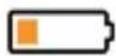 | Battery charge 10–29% |
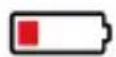 | Battery charge <10% |
 | Battery is charging |
 | Volume is set to 100% (default) |
 | Volume is set to 50% |
 | Volume is muted |
 | CO2 sensor is installed |
 | Indicates Cloud Hunting mode |
 | Indicates Pinpoint mode |
 | Indicates Manual Zero mode |
 | Sensitivity = Super |
 | Sensitivity = High |
 | Sensitivity = Medium |
 | Sensitivity = Low |
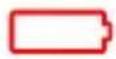 | Battery error |
 | Battery is above or below ideal temperature range and may not charge properly |
 | Sensor error has occurred |

natural_image
Technical line drawing of a vehicle interior with no visible text or symbolsBotón de expulsión
natural_image
Technical line drawing of a mechanical component with red laser lines indicating light direction (no text or symbols)natural_image
Technical line drawing of a car interior with internal components and a red arrow indicating direction (no text or symbols)电池释放片
弹出按钮
natural_image
Technical line drawing of a mechanical component with red laser lines indicating light paths (no text or symbols)natural_image
Technical line drawing of a vehicle interior with internal components and a red arrow indicating direction (no text or symbols)バッテリーリリース
パッテリー
リリース
(見にくいため、上記のように改行)
イジェクタ
ボタン
(見にくいため 上記のように改行)
natural_image
Technical line drawing of a mechanical component with red laser lines indicating light direction (no text or symbols)natural_image
Technical line drawing of a vehicle door panel with red laser lines indicating light direction (no text or symbols)
Laboratory Accurate. Toolbox Tough.®
Two Technology Place East Syracuse, NY 13057-9714 USA
Phone: +1.800.344.3304 Fax: +315.434.2520 E-Mail: service.tools@inficon.com www.inficonservicetools.com
Bonner Strasse 498 D-50968 Cologne, Germany
Phone: +49 221 56788-660 Fax: +49 221 56788-9660 E-Mail: servicetools.europe@inficon.com www.inficonservicetools-europe.com
074-709-P10A © 2019 INFICON