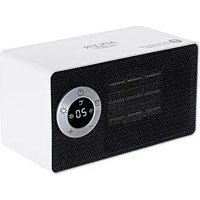
AD 7746 - Heating ADLER - Free user manual and instructions
Find the device manual for free AD 7746 ADLER in PDF.



| Brand | Adler |
| Model | AD 7746 |
| Product type | Fan heater |
| Power supply | 220-240 V ~ 50 Hz |
| Heating power | Low: 700 W / High: 1000 W |
| Adjustable thermostat | Yes, from 10 °C to 49 °C |
| Timer | Yes, from 0 to 8 hours |
| Display | Digital (temperature/time) |
| Overheat protection | Yes, automatic shut-off |
| Tilt switch | Yes, automatic shut-off if tipped over |
| Post-shutdown cooling | 30 seconds of fan cooling |
| Safety distance from flammable materials | At least 1 meter |
| Installation surface | Flat, stable, horizontal |
| Cleaning | Unplug, let cool, vacuum the grilles, damp cloth |
| Seasonal storage | Dry place, away from dust and sunlight |
| Intended use | Domestic, indoor |
| Environmental compliance | Do not dispose with household waste, take to a collection point |
Frequently Asked Questions - AD 7746 ADLER
User questions about AD 7746 ADLER
0 question about this device. Answer the ones you know or ask your own.
Ask a new question about this device
Download the instructions for your Heating in PDF format for free! Find your manual AD 7746 - ADLER and take your electronic device back in hand. On this page are published all the documents necessary for the use of your device. AD 7746 by ADLER.
USER MANUAL AD 7746 ADLER
natural_image
Front view of a white portable electric heater with a digital display showing 25°C and star ratings (no text or symbols on the device body)AD 7746
natural_image
Back view of a black electronic device with ventilation grilles and mounting holes (no visible text or symbols)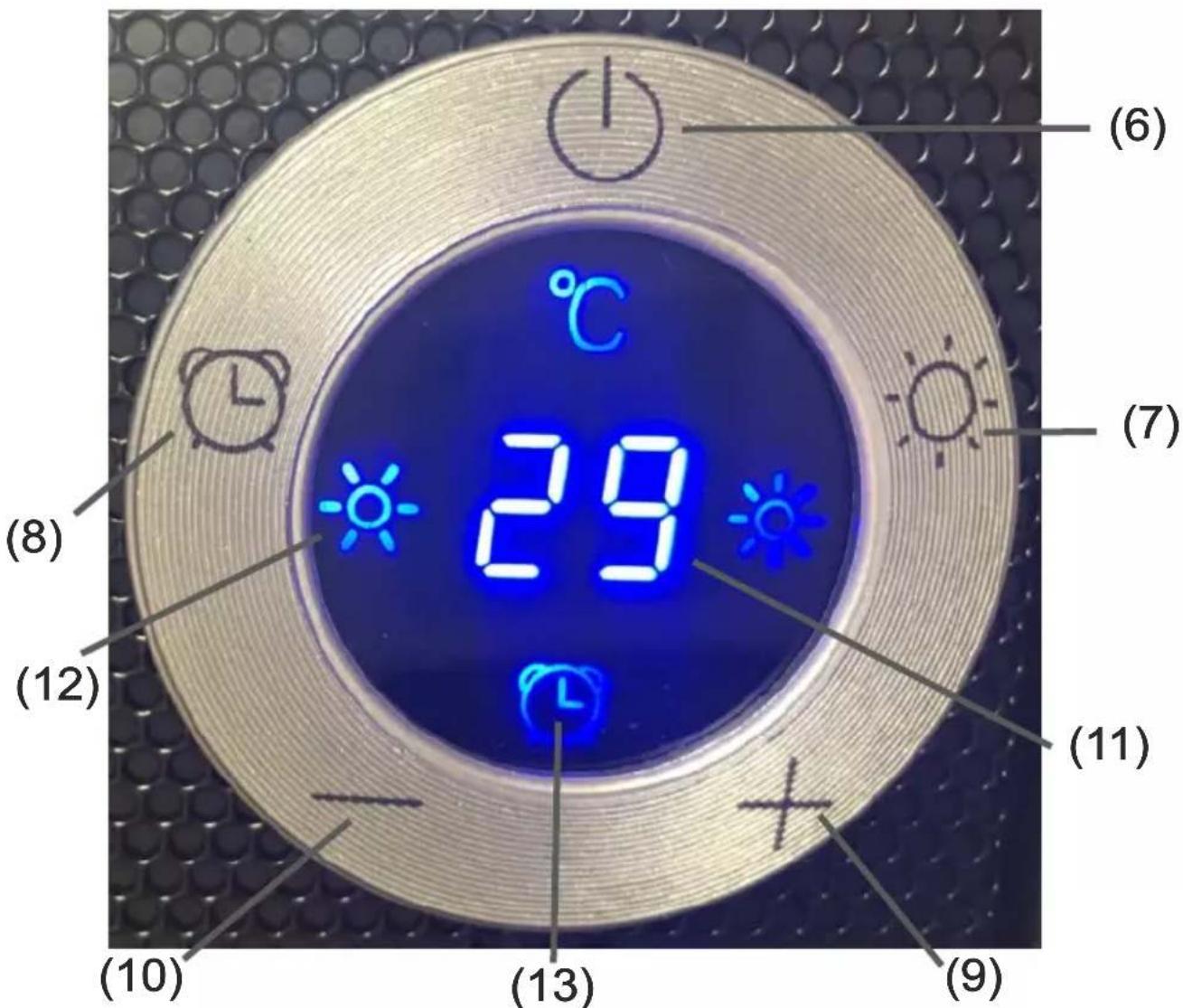
ENGLISH
SAFETY CONDITIONS IMPORTANT INSTRUCTIONS ON SAFETY OF USE PLEASE READ CAREFULLY AND KEEP FOR FUTURE REFERENCE
The warranty conditions are different, if the device is used for commercial purpose."
-
Before using the product please read carefully and always comply with the following instructions. The manufacturer is not responsible for any damages due to any misuse.
-
The product is only to be used indoors. Do not use the product for any purpose that is not compatible with its application.
-
The applicable voltage is 220-240V, \~50Hz. For safety reasons it is not appropriate to connect multiple devices to one power outlet.
-
Please be cautious when using around children. Do not let the children to play with the product. Do not let children or people who do not know the device to use it without supervision.
-
WARNING: This device may be used by children over 8 years of age and persons with reduced physical, sensory or mental capabilities, or persons without experience or knowledge of the device, only under the supervision of a person responsible for their safety, or if they were instructed on the safe use of the device and are aware of the dangers associated with its operation. Children should not play with the device. Cleaning and maintenance of the device should not be carried out by children, unless they are over 8 years of age and these activities are carried out under supervision.
-
After you are finished using the product always remember to gently remove the plug from the power outlet holding the outlet with your hand. Never pull the power cable!!!
-
Never put the power cable, the plug or the whole device into the water. Never expose the product to the atmospheric conditions such as direct sun light or rain, etc.. Never use the product in humid conditions.
-
Periodically check the power cable condition. If the power cable is damaged the product should be turned to a professional service location to be replaced in order to avoid hazardous situations.
-
Never use the product with a damaged power cable or if it was dropped or damaged in any other way or if it does not work properly. Do not try to repair the defected product yourself because it can lead to electric shock. Always turn the damaged device to a professional service location in order to repair it. All the repairs can be done only by authorized service professionals. The repair that was done incorrectly can cause hazardous situations for the user.
-
Never put the product on or close to the hot or warm surfaces or the kitchen appliances like the electric oven or gas burner.
-
Never use the product close to combustibles.
12.Do not let cord hang over edge of counter or touch hot surfaces.
-
Never leave the product connected to the power source without supervision. Even when use is interrupted for a short time, turn it off from the network, unplug the power.
-
In order to provide additional protection, it is recommended to install residue current device (RCD) in the power circuit, with residual current rating not more than 30 mA. Contact professional electrician in this matter.

-
Never use this device close to water, e.g.: Under shower, in bathtub, or above sink filled with water.
-
If using the device in bathroom after use remove the power plug from the socket, because water proximity presents risk, even if the device is turned off.
-
Do not allow the device or power adaptor to wet. If the device falls into water, immediately remove the power plug or power adaptor from the socket. If the device is powered, do not put hands in the water. Have the device checked by the qualified electrician before using it again.
-
Do not touch the device or power adaptor with wet hands.
-
Place the fan heater only on flat, stable surface
- Always turn the fan heater off and set the thermostat dial to minimum before removing the power plug from the socket.
- Never use the fan heater in high humidity rooms – bathroom, shower room, swimming pools etc. The humidity can cause short circuit, and effect in damaging the device.
- The operating fan heater needs to be under supervision and in sight all the time. If you are leaving the room with the fan heater, always turn the fan heater off. If the fan heater is not used, the power plug has to be removed from the power outlet.
- Do not connect the fan heater to the automatic switching device, for example temperature controlling device or time switch.
- Flammable materials, for example furniture, bedclothes, paper, clothes, curtains should be kept at least one meter from the fan heater.
- Do not cover the device or put any objects on it while it is operating. Do not use the device to dry clothes.
- The power cord should not be placed above the fan heater, and it should not touch or be placed near hot surfaces of the fan heater. Do not place the fan heater directly under the power outlet.
- The heating surfaces can heat to a temperature of 60 °C or higher. The fan heater should be in a place that children and animals do not have access to.
- The device is not intended to be installed or used in vehicles.
- Some parts inside the device can be hot or cause sparking. Do not use the fan heater in places, where gasoline, paints or other flammable materials are used or stored.
- Do not use this heater in the immediate vicinity of a bathtub, shower or swimming pool
- Do not use this heater if it has been dropped
- Do not use if there are visible signs of damage to the heater.
- Use the heater on a level and stable surface or attach it to the wall, if provided for by the manufacturer
WARNING: Do not use this heater in small rooms where there are people who are unable to leave them by themselves, unless constant supervision is ensured.
WARNING: To reduce the risk of fire, keep textiles, curtains or other flammable materials at least 1 m away from the heater air outlet.
BEFORE FIRST USE:
- After removing the packaging, make sure that the device is in good condition.
- The packaging materials may contain plastic, nails etc., which may be hazardous and therefore should not be left within the reach of children.
β..This device should only be placed on a firm level surface and a minimum 100cm distance from walls or any other objects. It is a way to optimize air flow, avoid placing the device in corners and small spaces.
CAUTION: A MECHANICAL SWITCH INSIDE IS INSTALLED AS PROTECTION AGAINST TIP OVER. IT GIVES THE EFFECT OF A LOOSE ELEMENT INSIDE THE DEVICE. IT CAN BE HEAR BY YOU WHEN YOU TILT THE DEVICE, THIS IS NORMAL. THE DEVICE IS FULLY FUNCTINAL.
WARNING: Do not cover or restrict airflow to the inlet or exhaust grilles in any manner as the device may overheat and become a fire risk.
Product description: fan heater AD7746
-
Control panél
-
Air outlet grid
-
Housing
-
Air inlet grid
-
Main power switch
-
Panel switch
-
High heating power button
-
Timer button
-
Temperature increase button
-
Temperature decrease button
-
Temperature / Time digital display
-
Low heating power icon
- Timer icon
14 High heating power icon
USAGE
- The power switch (5) is located at the back of the device. Ensure the power switch (5) is off, then insert the plug into a suitable power outlet and turn the power supply on by pressing the power switch (5) to position I. The device is in standby mode.
- Press button (6) on the control panel (1) that will respond to your touch, and the LED display (2) shows “—”, the device is blowing low heating power and the icon (12) is illuminated on. The device will operate as long as you stop it by pressing the switch (6) again. Then at digital screen (11) will countdown the time of 30 seconds to cool down inside components before the device stop to operate and turns to standby mode.
- Press high heating power button (7) to get hot airflow, the high heating power icon (14) is illuminated up. To come back to low heating power press the button (7) again. Low heating power is 700W, high heating power is 1000W.
- Press timer button (8) to repeatedly to set a period after which the device will turn itself off. The time range is from 0 to 8 hours.
- To adjust required room temperature press button (9) to increase it, or press button (8) to decrease it. The temperature range is from 10 to 49 degree of Celsius.
The automatic room temperature controlling program operates according to below principles: - the heater is working on full power when the room temperature is 4 degree of Celsius lower than the setting temperature.
- the heater is working on low power when the room temperature is between 0-2 degree of Celsius lower than the setting temperature.
- the heater switches off when the room temperature is higher than the setting temperature. The fan working 30 seconds to make inside cool to protect components, then fan stop, the device enter into standby mode.
- the heater switches on again when the room temperature falls 2°C below the setting temperature.
- Press the panel switch (6) to turn off the device, the device will keep working 30 seconds of cool airflow, then turn into standby mode. Press the power switch (5) (at the back of device) to zero position in order to turn off the device completely.
- In standby mode, the display goes blank after 10 minutes, if no operation.
WARNING: The heater will remain hot for some time after it is turned off, so handle with care.
SAFERTY PROTECTION
-
OVERHEAT PROTECTION: This device is equipped with a safety overheat protection device. If overheating occurs, ensure the power switch (5) is off and turn off the power supply. Unplug the device and let it cool down for 30 minutes. If something is obstructing grids (2 and 4), ensure the object is removed. After 30 minutes has passed, turn the device on again as described above. The thermal cut-out will automatically reset, heating as normally.
-
TIP-OVER SWITCH:
This device is protected with a safety switch that turns off the heating automatically when the device falls over, or it is at an excessive angle from the horizontal. This helps prevent accidents, and the device will back to the standby mode when it is put back upright, press the buttons (6) on control panel (1) to reset the device.
CLEARING AND MAINTENANCE
- Before cleaning switch off the main power switch (5), plug out the device and let the device to cool down.
- A common cause of overheating is deposits of dust or fluff in the appliance. Ensure these deposits are removed regularly by unplugging the device and vacuum-cleaning air inlets (4) and air outlets (2), where available.
- Do not use abrasive cleaning products on this device. Clean with a damp cloth (not wet) rinsed in hot soapy water only.
- For seasonal storage place the device in dry place, protected against the dust and the sunlight.
TECHNICAL DATE:
Power: 1000W
Power supply: 220-240V \~50Hz
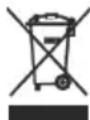
To protect your environment: please separate carton boxes and plastic bags and dispose them in corresponding waste bins. Used appliance should be delivered to the dedicated collecting points due to hazarsous components, which may effect the environment. Do not dispose this appliance in the common waste bin.
DEUTSCH
INNAN FÖRSTA ANVÄNDNING:
". Domestic should be asked to ask us to understand the fact that it is a good way to get yourself.
natural_image
Exterior view of a modern stainless steel toaster with a digital display (no visible text or symbols)TOASTER 2 SLICE AD 3214

HAND BLENDER
Ad4625
natural_image
Close-up of a stainless steel kitchen appliance with a digital scale and control knob (no visible text or symbols)MIXER WITH BOWL AD 4222
natural_image
Exterior view of a black and white electric oven with digital display (no visible text or symbols)AIR FRYER OVEN AD 6309
natural_image
Front view of a white microwave oven with control knobs and a black screen (no visible text or symbols)MICROWAVE OVEN AD 6205
natural_image
Black rectangular electronic device with ports and lid (no visible text or symbols)WAFFLE MAKER AD 3049
natural_image
White digital kitchen scale with LCD display and control buttons (no visible text or symbols)KITCHEN SCALE AD 3170
natural_image
Glass water heater with blue liquid splashing, no visible text or symbolsELECTRIC KETTLE AD 1286
natural_image
Black rectangular device with a handle and label 'SAR' on top (no readable text or symbols beyond branding)SANDWICH MAKER
AD 3043
natural_image
Exterior view of a modern office building (no signage)PORTABLE FRIDGE AD 8077
natural_image
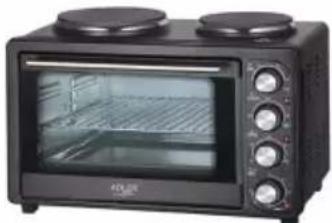
Black four-tier kitchen oven with two top ovens and front-mounted dish (no visible text or labels)Electric Oven With HOB AD 6020
natural_image
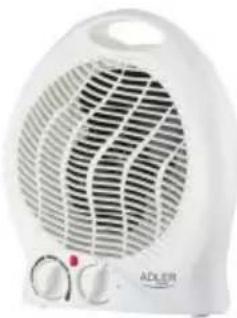
White ADLER electric heater with visible grille and control knobs (no text or symbols)FAN HEATER AD 7728
natural_image
Black rectangular device with blue mesh pattern and a small cable attached (no visible text or symbols)MOSQUITO LAMP AD 7938
natural_image
Close-up of a dark textured fabric with a white cable attached (no visible text or symbols)HEATED PAD AD 7433
ORAL IRRIGATOR
AD 2176
AFTER SALE SERVICE NOTICE
| GB | If you want to buy spare parts or make any complaints, please contact the seller who issued the receipt directly. |
| DE | Wenn Sie Ersatzteile kaufen oder reklamieren möchten, wenden Sie sich bitte direkt an den Verkäufer, der die Quittung ausgestellt hat. |
| FR | Si vous souhaitez acheter des pièces de rechange ou faire des réclamations, veuillez contacter directement le vendeur qui a émis le reçu. |
| ES | Si desea comprar repuestos o presentar alguna queja, comuníquese directamente con el vendedor que emitió el recibo. |
| PT | Se você quiser comprar peças de reposição ou fazer alguma reclamação, entre em contato diretamente com o vendedor que emitiu o recibo. |
| LT | Jei norite jsigyti atsarginių dalių ar pateikti nusiskundimų, susisiekite tiesiogiai su kvitą išdavusiu pardavėju. |
| LV | Ja vėlaties iegādāties rezerves dajas vai izteikt pretenzijas, lūdzu, sazinieties tieši ar pārdevēju, kurš izsniedza čeku. |
| EST | Kui soovite osta varuosi või esitada pretensioone, võtke otse ühendust kviitungi väljastanud mūūjaga. |
| HU | Ha pótalkatrészeket szeretne vásárolni, vagy panaszt szeretne tenni, forduljon közvetlenül a bizonylatot kiāllitó eladóhoz. |
| BS | Ako želite kupiti rezervne dijelove ili napraviti reklamaciju, obratite se direktno prodavaču koji je izdao račun. |
| RO | Если вы хотите купить запчасти или предъявить какие-либо претензии, пожалуйста, свяжитесь напрямую с продавцом, выдавшим чек. |
| CZ | Chcete-li zakoupit náhradní dily nebo uplatnit jakoukoli reklamacı, kontaktujte přimo prodejce, který účtenku vystavil. |
| RU | Dacă doriți să cumpārați piese de schimb sau să faceți vreo reclamație, vă rugăm să contactați direct vânzătorul care a emis chitanța. |
| GR | Eáv θέλετε να αγοράσετε ανταλλακτικά ή να κάνετε οποιαδήποτε παράπονα, επικοινωνήστε απευθείας με τον πωλητή που εξίδωσε την απόδειξη. |
| MK | Ako сакате да купите резервни делови или да поднесете какви било поплаки, контакрајте директно со продавачот koj ja издал сметката. |
| NL | Als u reserveonderdelen wilt kopen of een klacht wilt indienen, neem dan rechtstreeks contact op met de verkoper die de bon heeft afgegeven. |
| SL | Če želite kupiti nadomestne dele ali vložiti reklamacije, se obrnite neposredno na prodajalca, ki je izdal račun. |
| FI | Jos haluat ostaa varaosia tai tehdă valituksia, ota yhteyttä suoraan kuitin antaneeseen myyjään. |
| PL | W przypadku chęci zakupu części zamiennych lub zgłoszenia ewentualnych reklamacji należy kontaktować się bezpośrednio ze sprzedawca, który wystawił paragon. |
| IT | Se desideri acquistare pezzi di ricambio o presentare reclami, contatta direttamente il venditore che ha emesso la ricevuta. |
| HR | Se desideri acquistare pezzi di ricambio o presentare reclami, contatta direttamente il venditore che ha emesso la ricevuta. |
| SV | Om du vill köpa reservdelar eller göra några reklamationer, vänligen kontakta säljaren som utfärdat kvittot direkt. |
| DK | Hvis du ønsker at købe reservedele eller reklamere, bedes du kontakte sælgeren, som har udstedt kvitteringen, direkte. |
| UA | Якщо ви хочете придбати запчастини або подати будь-які претензії, зверніться безпосередньо до продавця, який видав чек. |
| SR | Ako желите да купите резервне делове или да уложите рекламацију, обратите се директно продавцу који је издао рачун. |
| SK | Ak si chcete kupit náhradné diely alebo uplatnit' akúkoľvek reklamáciu, kontaktujte priamo predajcu, ktorý účtenku vystavil. |
| AR | إذا كنت درعب في شراء قطع عيار أو تقدم Myanmar stacksی، فیرجی الاتصال بالب Walesه الذي أصدر الإipsال مباشرة. |
| BG | Ako искате да закупите резервни части или да направите оплаквания, моля, свържете се директно с продавача, който е издал касовата бележка. |
| AZ | Ehtiyat hissəlari almaq va ya hər hansı şikayat etmək istəyirsinizsa, qəbzi veran satıcı ila birbaşa əlaqa saxlayın. |



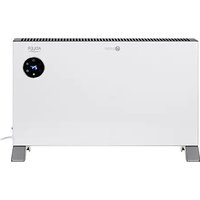
Brand : ADLER
Model : AD 7746
Category : Heating