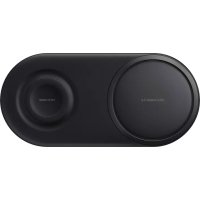
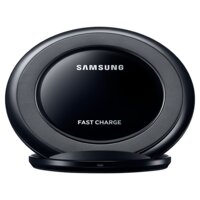
EPP5200 - Wireless Charger SAMSUNG - Free user manual and instructions
Find the device manual for free EPP5200 SAMSUNG in PDF.



| Product Type | Wireless Charger |
| Brand | Samsung |
| Model | EPP5200 |
| Power supply | 12 V / 2.1 A (Samsung certified charger) |
| Charging port | USB Type-C |
| Number of charging surfaces | 2 (left and right) |
| Compatible devices | Samsung smartphones and other Qi-compatible devices, Galaxy Watch (except Gear S2) |
| Fast wireless charging | Yes (Fast Wireless Charging 2.0 up to 10 W with Samsung certified charger) |
| LED indicator | Yes (red, green, orange, flashing depending on status) |
| Ventilation | Active during charging (do not obstruct) |
| Operating temperature | 0°C to 35°C |
| Storage temperature | -20°C to 50°C |
| Maintenance and cleaning | Do not use liquids or conductive materials; clean with a dry cloth |
| Safety | Do not expose to water, shocks, or disassemble; use only certified accessories |
| Included accessories | Wireless charging station, wall charger (12 V/2.1 A) |
| Warranty | According to the legislation of the country of purchase |
Frequently Asked Questions - EPP5200 SAMSUNG
User questions about EPP5200 SAMSUNG
0 question about this device. Answer the ones you know or ask your own.
Ask a new question about this device
Download the instructions for your Wireless Charger in PDF format for free! Find your manual EPP5200 - SAMSUNG and take your electronic device back in hand. On this page are published all the documents necessary for the use of your device. EPP5200 by SAMSUNG.
USER MANUAL EPP5200 SAMSUNG
Wireless Charger Duo
QUICK START GUIDE
EP-P5200
Wireless Charger Duo
Contents
English......4
Français 14
Deutsch 22
Italiano 30
Español.... 38
Magyar 46
Polski 54
Română 62
Български 70
Hrvatski....78
Srpski....86
Português 94
Latviešu....102
natural_image
Two smartphones with curved arrows indicating wireless or data transfer (no text or symbols)2
natural_image
Illustration of a smartphone connected to a smartwatch with circular waves (no text or symbols)Copyright © 2018 Samsung Electronics
- Please read this guide before using the device to ensure safe and proper use.
- Images may differ in appearance from the actual product. Content is subject to change without prior notice. Visit www.samsung.com to view device information, the latest guide, and more.
- Before using the wireless charger, make sure it is compatible with your mobile device or Galaxy Watch.
- Your consumer rights are governed by the law of the country in which you purchased the product. Please contact your service provider for more information.
Device layout
 | Wireless charging surface (left) |  | Wireless charging surface (right) |
 | Charging coil |  | Charger port (Type-C) |
 | Indicator light Fan v |  |
Using the wireless charger
-
Connect the charger to the wireless charger. When the charger is correctly connected to the wireless charger, the indicator light flashes red, green, and orange, and then turns off.
-
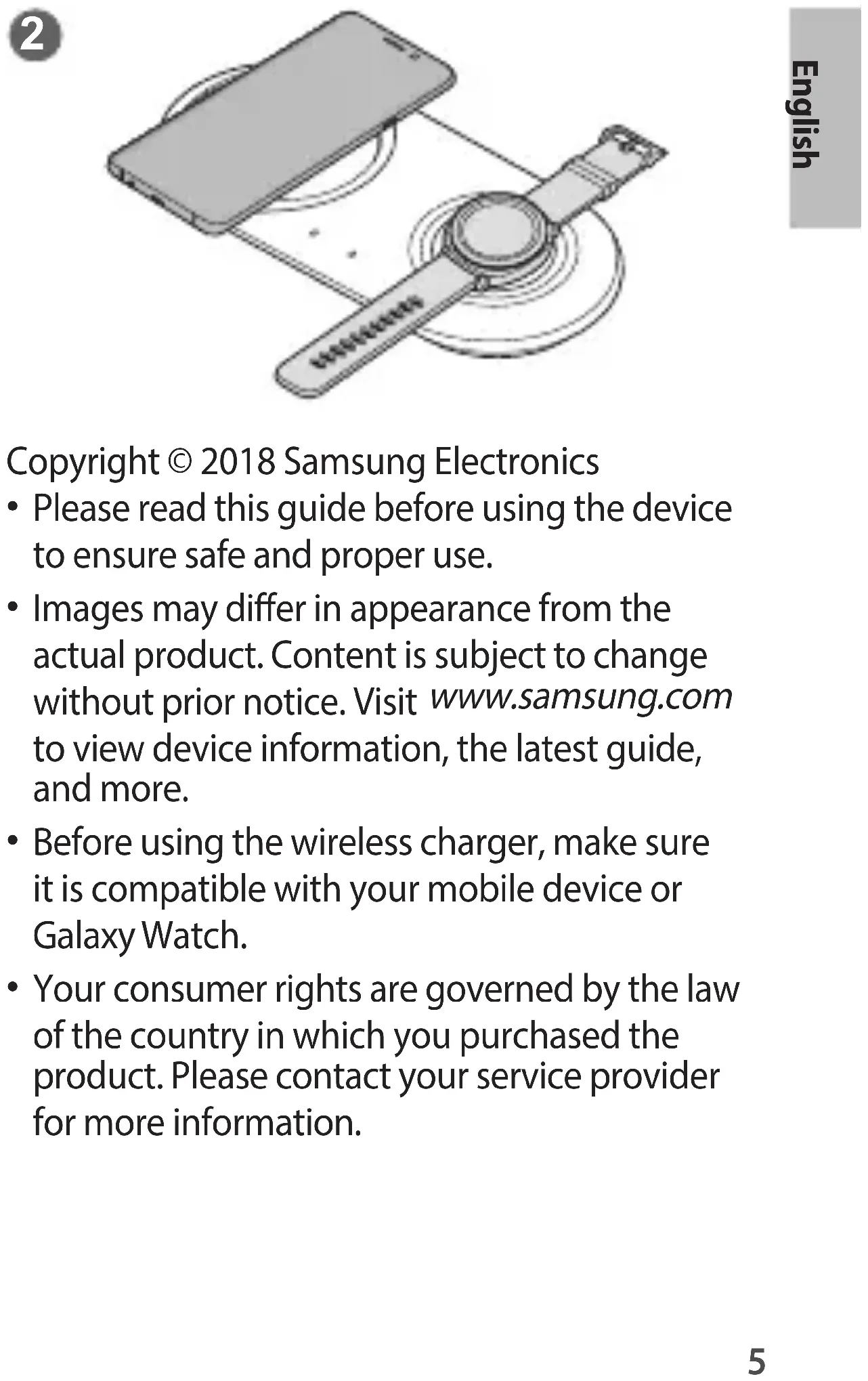
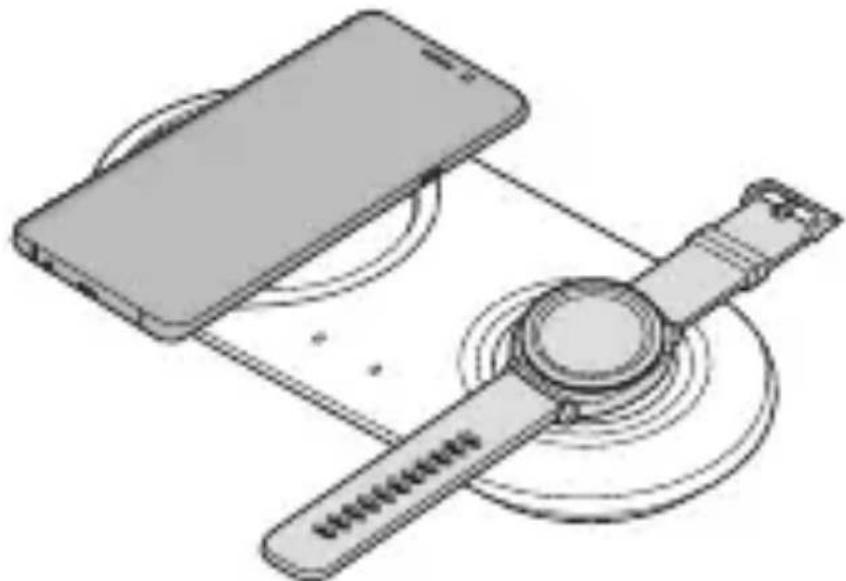
Place a supported mobile device on the wireless charging surface (left) or wireless charging surface (right). (1)
Or, place a supported Galaxy Watch on the wireless charging surface (right). (2)
Charging will begin when the charging coil comes into contact with the wireless charging coil of the mobile device or Galaxy Watch.
- Check the charging icon displayed on the screen of the mobile device or Galaxy Watch for the charging status.
- The fan rotates during wireless charging.
- If you place a Galaxy Watch with both connecting straps together on the wireless charging surface, the Galaxy Watch may not charge because the charging coil is not coming into contact with the wireless charging coil of the Galaxy Watch.
- When conductive materials are placed on the wireless charger, noise may occur from the wireless charger.
- When the mobile device or Galaxy Watch is fully charged, remove the mobile device or Galaxy Watch from the wireless charger.

- Use only Samsung-approved charger provided with the device (12 V/2.1 A).
Precautions for mobile device or Galaxy Watch charging
- Do not place the mobile device on the wireless charger with a credit card or radio-frequency identification (RFID) card (such as a transportation card or a key card) placed between the back of the mobile device and the mobile device cover.
- Do not place the mobile device or Galaxy Watch on the wireless charger when conductive materials, such as metal objects and magnets, are placed between the mobile device or Galaxy Watch and the wireless charger.
The mobile device or Galaxy Watch may not charge properly or may overheat, or the mobile device, Galaxy Watch, or the cards may be damaged.

- Wireless charging covers are sold separately.
- Depending on the location of the wireless charging coil of the mobile device or Galaxy Watch, your mobile device or Galaxy Watch may not charge properly.
- Wireless charging may not work properly if you have attached a thick case to your mobile device. If your case is thick, remove it before placing your mobile device on the wireless charger.
- If you connect a charger to the mobile device during wireless charging, the wireless charging feature will be unavailable.
• The Gear S2 does not support the wireless charging feature. - When charging a Galaxy Watch, update the Galaxy Watch to the latest software. If the latest software is not installed, the charging speed may be slow.
- If you use the wireless charger in areas with weak network signals, you may lose network reception.
- The charger should remain close to the electric socket and easily accessible while charging.
Indicator light identification
The indicator light alerts you to the wireless charger's status.
| Colour Status | |
| Flashing red → green → orange | When connected to a power outlet |
| Red When charging | |
| Green When fully charged | |
| Flashing red | When not charging properly due to a general error |
| Flashing orange | When not charging properly due to a not approved charger |
| Off | When the mobile device or Galaxy Watch is removed from the wireless charger or when the wireless charger is not connected to a power outlet |

- If the indicator light does not work as described, disconnect the charger from the wireless charger and reconnect it.
- The indicator light may work differently depending on the mobile device, wireless charging cover, or Galaxy Watch.
Fast wireless charging
To begin fast wireless charging, place a mobile device that supports fast wireless charging on the wireless charger. For more information, refer to the mobile device's user manual.

Use only Samsung-approved charger provided with the device (12 V/2.1 A).

- Galaxy Watch does not support the fast wireless charging feature.
- When you charge two mobile devices (besides the Galaxy Watch) at the same time, you cannot use fast wireless charging 2.0. (Fast wireless charging 2.0: 10 W or more of wireless charging with a Samsung genuine certificated charger)
Safety information
Read all safety information before using the device to ensure safe and proper use. To view the full safety information, refer to the Samsung website.
Use manufacturer-approved batteries, chargers, accessories, and supplies
Do not touch the device with wet hands
Do not drop or cause an impact to the charger or the device
The device can be used in locations with an ambient temperature of 0 °C to 35 °C. You can store the device at an ambient temperature of -20 °C to 50 °C. Using or storing the device outside of the recommended temperature ranges may damage the device or reduce the battery's lifespan
Prevent the multipurpose jack, the small end of the charger, and the fan vent from coming into contact with conductive materials, such as liquids, dust, metal powders, and pencil leads
Do not cover or block the device's fan vent Do not allow children or animals to chew or suck the device
Do not disassemble, modify, or repair your device
Magnetic stripe cards, including credit cards, phone cards, passbooks, and boarding passes, may be damaged by magnetic fields
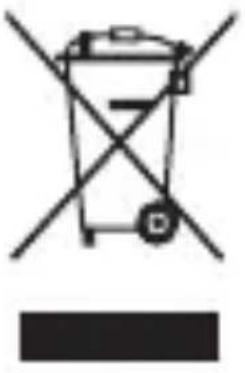
Correct disposal
natural_image
Symbol of a trash bin crossed with no text or numbers, representing waste sorting or disposal (no text present)This marking on the product, accessories or literature indicates that the product and its electronic accessories (e.g. charger, headset, USB cable) should not be disposed of with other household waste. This product is RoHS compliant.
For information on Samsung's environmental commitments and product regulatory obligations, e.g. REACH, WEEE or Batteries, visit our sustainability page available via www.samsung.com.
Declaration of Conformity
Samsung Electronics declares that this device complies with the essential requirements and relevant provisions of Directive 2014/53/EU. Go to www.samsung.com/mobile_doc to view the Declaration of Conformity.
Band and mode
| Band and mode Output power | |
| Wireless Charging110 kHz–148 kHz | 37.7 dBμA/m at 10 m |
natural_image
Symbol of a trash bin crossed with no text or numbers, representing waste sorting or disposal (no text present)natural_image
Symbol of a trash bin crossed with no text or numbers, representing waste sorting or disposal (no text present)natural_image
Symbol of a trash bin crossed with no text or numbers, representing waste sorting or disposal (no text present)natural_image
Symbol of a trash bin crossed with no text or numbers, representing waste sorting or disposal (no text present)natural_image
Symbol of a trash bin crossed with no text or numbers, representing waste sorting or disposal (no text present)natural_image
Symbol of a trash bin crossed with no text or numbers, representing waste sorting or disposal (no text present)natural_image
Symbol of a trash bin crossed with no text or numbers, representing waste sorting or disposal (no text present)natural_image
Symbol of a trash bin crossed with diagonal lines, no text or numbers presentnatural_image
Symbol of a trash bin crossed with no text or numbers, representing waste sorting or disposal (no text present)Ova oznaka na proizvodu, dodatnoj opremi ili u literaturi pokazuje da se proizvod i njegov elektronički pribor (npr. punjač, slušalice, USB kabel) ne smiju odlagati s ostalim kućanskim otpadom.
Za informacije o ekološkim obvezama Samsunga i zakonskim obvezama koje se odnose na proizvod kao što su uredba REACH, direktiva WEEE ili Baterije, posjetite našu stranicu održivosti na www.samsung.com.
Izjava o sukladnosti
Samsung Electronics izjavljuje da je ovaj uređaj u skladu s važnim zahtjevima i relevantnim odrednicama Direktive 2014/53/ EU.
Idite na www.samsung.com/mobile_doc za prikaz lzjave o sukladnosti.
Pojas i način rada
natural_image
Symbol of a trash bin crossed with no text or numbers, representing waste sorting or disposal (no text present)Ova oznaka na proizvodu, dodatnoj opremi ili u literaturi ukazuje da proizvod i njegovu elektronsku dodatnu opremu (npr. punjač, slušalice, USB kabl) ne treba odlagati sa ostalim kućnim otpadom.
Za informacije o obavezama prema zaštiti životne sredine i regulatornim obavezama specifičnim za proizvode kompanije Samsung, npr. direktiva REACH, direktiva WEEE ili Baterije, posetite našu stranicu o održivosti www.samsung.com.
natural_image
Symbol of a trash bin crossed with no text or numbers, representing waste sorting or disposal (no text present)natural_image
Symbol of a trash bin crossed with no text or numbers, representing waste sorting or disposal (no text present)natural_image
Symbol of a trash bin crossed with no text or numbers, representing waste sorting or disposal (no text present)natural_image
Symbol of a trash bin crossed with no text or numbers, representing waste sorting or disposal (no text present)natural_image
Symbol of a trash bin crossed with no text or numbers, representing waste sorting or disposal (no text present)natural_image
Symbol of a trash bin crossed with no text or numbers, representing environmental restriction (no text present)natural_image
Symbol of a trash bin crossed with diagonal lines, no text or numbers presentnatural_image
Symbol of a trash bin crossed with no text or numbers, representing environmental restriction (no text present)natural_image
Symbol of a trash bin crossed with no text or numbers, representing environmental restriction (no text present)natural_image
Symbol of a trash bin crossed with diagonal lines, no text or numbers presentnatural_image
Symbol of a trash bin crossed with no text or numbers, representing waste sorting or disposal (no text present)natural_image
Symbol of a trash bin crossed with no text or numbers, representing waste sorting or disposal (no text present)natural_image
Symbol of a trash bin crossed with no text or numbers, representing waste sorting or disposal (no text present)natural_image
Symbol of a trash bin crossed with no text or numbers, representing waste sorting or disposal (no text present)natural_image
Symbol of a trash bin crossed with no text or labels
شارز بدون سيم سريع
natural_image
Simple line drawing of a trash bin with two crossed arms (no text or symbols)للا specialistMinorities.
- QUICK START GUIDE
- Contents
- English......4
- Français 14
- Deutsch 22
- Italiano 30
- Español.... 38
- Magyar 46
- Polski 54
- Română 62
- Български 70
- Hrvatski....78
- Srpski....86
- Copyright © 2018 Samsung Electronics
- Device layout
- Using the wireless charger
- Precautions for mobile device or Galaxy Watch charging
- Indicator light identification
- Fast wireless charging
- Safety information
- Correct disposal
- Declaration of Conformity
- Band and mode
- Izjava o sukladnosti
- شارز بدون سيم سريع
Brand : SAMSUNG
Model : EPP5200
Category : Wireless Charger