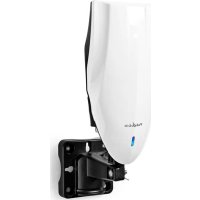
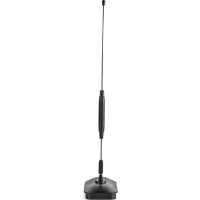
ANOR5002BK700 - TV Antenna NEDIS - Free user manual and instructions
Find the device manual for free ANOR5002BK700 NEDIS in PDF.



| Product type | Outdoor TV antenna for DTT reception (DVB-T/T2) |
| Brand | Nedis |
| Model | ANOR5002BK700 |
| Intended use | Outdoor (can also be used indoors) |
| Frequency range | VHF (174–230 MHz) and UHF (470–862 MHz) |
| Impedance | 75 ohms |
| Typical gain | 30 dB (amplified) |
| Power supply | 12 VDC, 200 mA (via included power adapter) or 5 VDC, 40 mA (via coaxial cable from a compatible set-top box) |
| Antenna connector | Female "F" |
| Dimensions (W x H x D) | 590 x 199 x 65 mm |
| Weight | 0.8 kg |
| Housing material | Robust plastic with UV protection |
| Protection rating | IP44 (weather-resistant) |
| Mounting type | Wall or mast (recommended mast diameter: 25–50 mm) |
| Included accessories | Main antenna, 12 V power adapter, DC power insert, mounting kit (wall and mast fixings) |
| Coaxial cable length | 2 m (integrated male F connector) |
| LED indicator | Power indicator (green) |
| Operating temperature | -20 °C to +50 °C |
| Maintenance | Clean with a soft, dry cloth; do not use abrasive products |
| Warranty | 2 years (legal conformity) |
Frequently Asked Questions - ANOR5002BK700 NEDIS
User questions about ANOR5002BK700 NEDIS
0 question about this device. Answer the ones you know or ask your own.
Ask a new question about this device
Download the instructions for your TV Antenna in PDF format for free! Find your manual ANOR5002BK700 - NEDIS and take your electronic device back in hand. On this page are published all the documents necessary for the use of your device. ANOR5002BK700 by NEDIS.
USER MANUAL ANOR5002BK700 NEDIS
natural_image
White and black electronic device with a blue logo, partially assembled into a black plastic housing (no visible text or symbols)EN
Quick start guide 6
DE
Kurzanleitung 9
FR

natural_image
Technical line drawing of a mechanical assembly with a tool and component, no visible text or symbols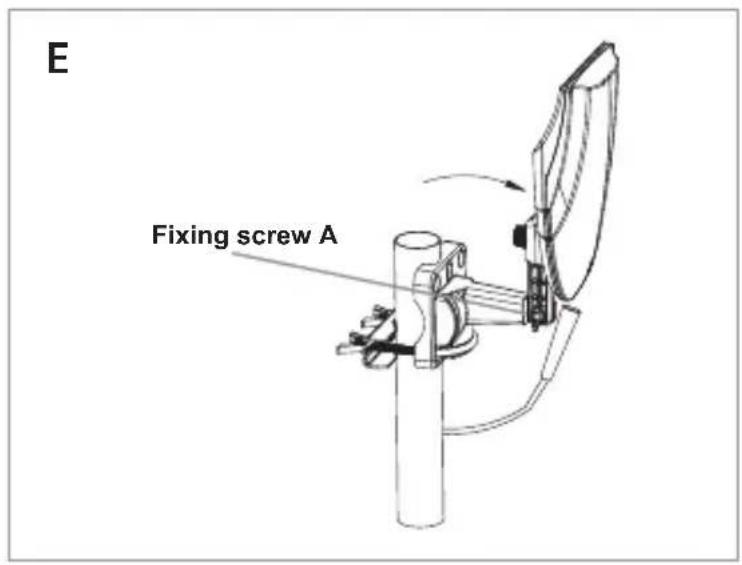

Quick start guide
Outdoor TV Antenna
ANOR5002BK700
Intended use
The product is an antenna that can be used with TV or set-top-box which supports coaxial cable powering.
This is an antenna especially designed for digital terrestrial TV broadcasting reception.
This product is intended for outdoor use only.
Technical Data
| Product Outdoor TV Antenna |
| Article number ANOR5002BK700 |
| Input power AC/DC adapter: 12 VDC ; 200 mADTV set-top-box: 5 VDC ; 40 mA |
Included in package (image A)
Before installation, please check the contents.
1 Antenna main unit
3 Power adapter
2 Wall/pole mounting
4 DC power insert
accessories
Safety instructions
WARNING
- Ensure you have fully read and understood the instructions in this document before you install or use the product. Keep the packaging and this document for future reference.
- Only use the product as described in this document.
- Do not use the product if a part is damaged or defective. Replace a damaged or defective product immediately.
- Do not drop the product and avoid bumping.
- This product may only be serviced by a qualified technician for maintenance to reduce the risk of electric shock.
- Do not expose the product to water or moisture.
- Do not throw away this product with other household waste.
- There are no user serviceable parts. Do not open the housing.
- Keep the product out of reach from children, infirm persons or animals.
- Check the product regularly for signs of damage, when damaged do not use the product any longer and return the product to the supplier.
- Keep the product away from heat sources. Do not place the product on hot surfaces or near open flames.
- Do not place the product under any mechanical stress.
- Do not expose the product to a high level of vibrations.
Operation instruction
For the best reception, please check the following conditions:
- Keep the antenna away from the sources of interference: keep the antenna away from those big power consumption devices, such as air conditioner, elevator, hair dryer and microwave oven.
- Place the antenna near windows when using the antenna in indoor environment.
- Install the antenna as high as possible: In digital terrestrial reception, interceptions between antenna and transmission tower will cause signal loss temporarily. Please install the antenna as high as possible to reduce interceptions.
Mounting the antenna
- This antenna can be used both indoor and outdoor, with the included mounting accessories, it can be mounted on the wall or the pole.
- Use the pole mounting accessories to fix the antenna on the pole (image B).
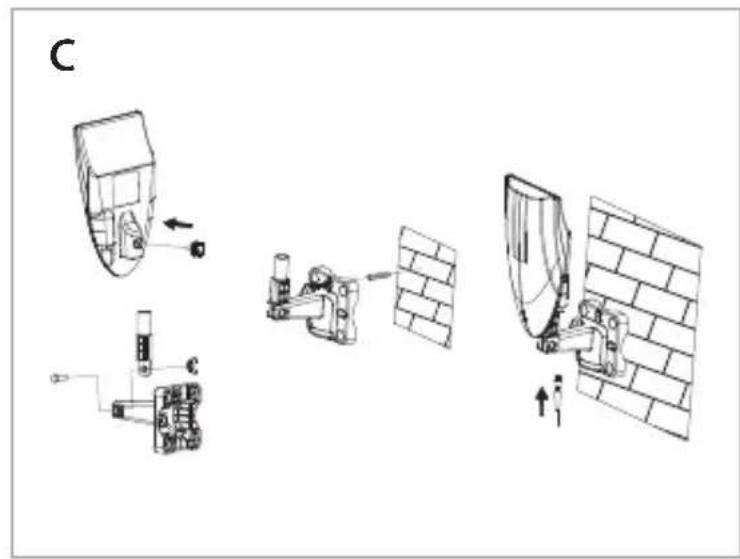
- Use the wall mounting accessories to fix the antenna to the wall (image C).
-
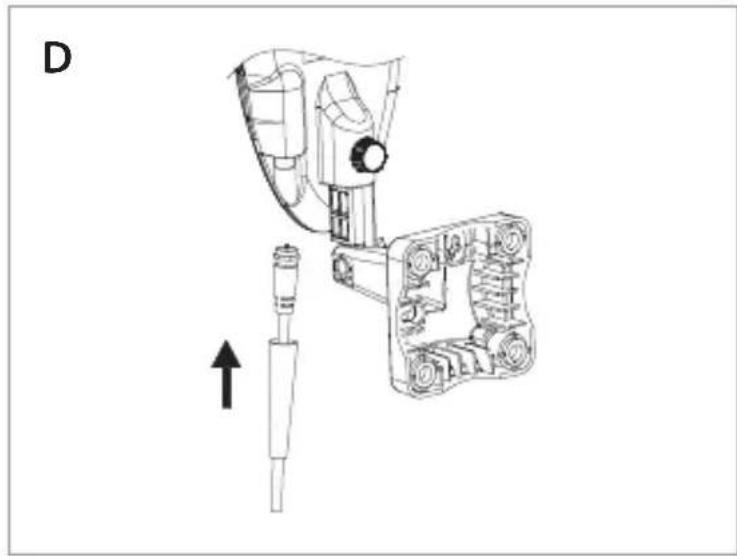
Connect the "F" male connector of the coaxial cable to the "F" female connector of the antenna, and wear the waterproof cap to the end of the connected "F" connector (image D).
-
After the antenna mounting is finished, please move the antenna to a best reception position and then fix it.
Please take reference of following 2 different positioning way to fix the antenna.
- Through the fixing screw A to adjust the antenna position in vertical direction (image E).
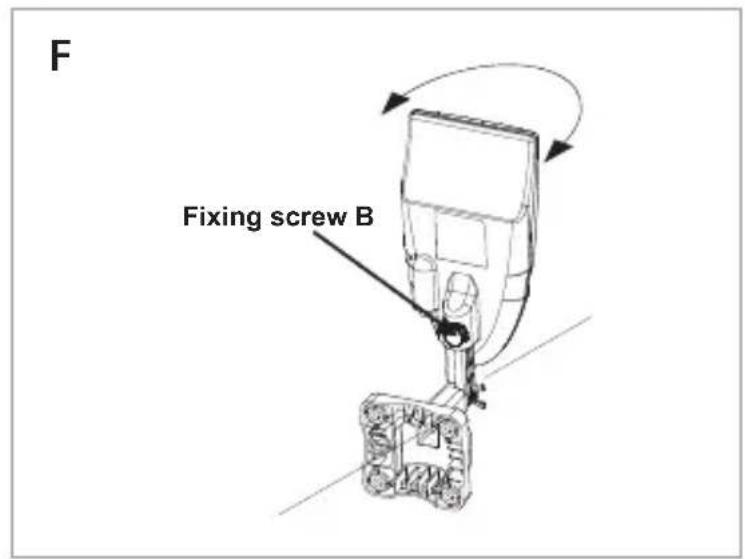
- Through the fixing screw B to adjust the antenna position left or right in horizontal direction (image F).
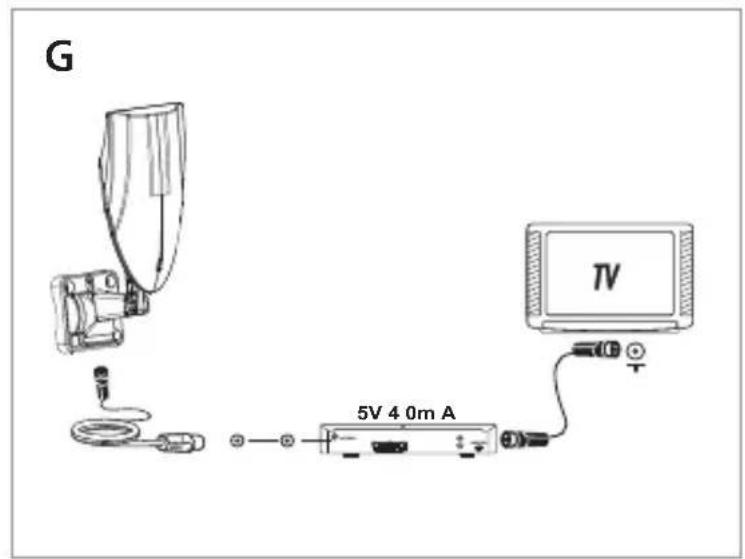
Installation 1: powered by DTV set-top-box (image G)
Please be noticed, in this installation, you need to make sure that your set-top-box can support coaxial cable 5V DC powering via the IEC or F connector to antenna.
- Connect the coaxial cable with antenna and DTV set-top-box.
- Connect the DTV set-top-box to your TV. Please make sure the coaxial cable powering function of your STB is ON. (Please check the operational manual of your STB for coaxial cable powering function).
- Check the LED on the antenna. If the LED is not lighted on, Please go back to step 2.
- Adjust the antenna in the best position to get clear TV picture, then fix the antenna.
- Organize the coaxial cable for neat, tidy and safety.
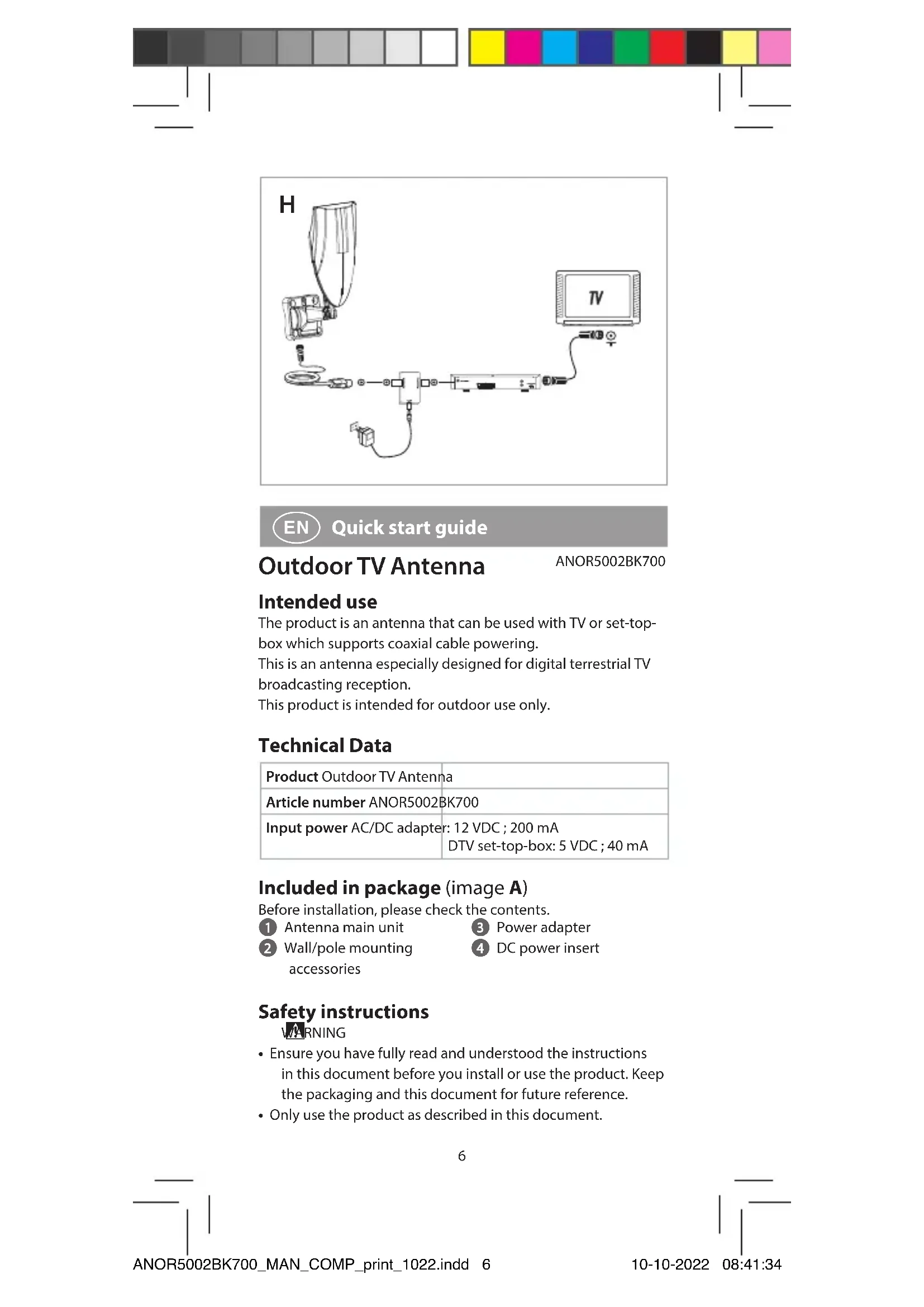
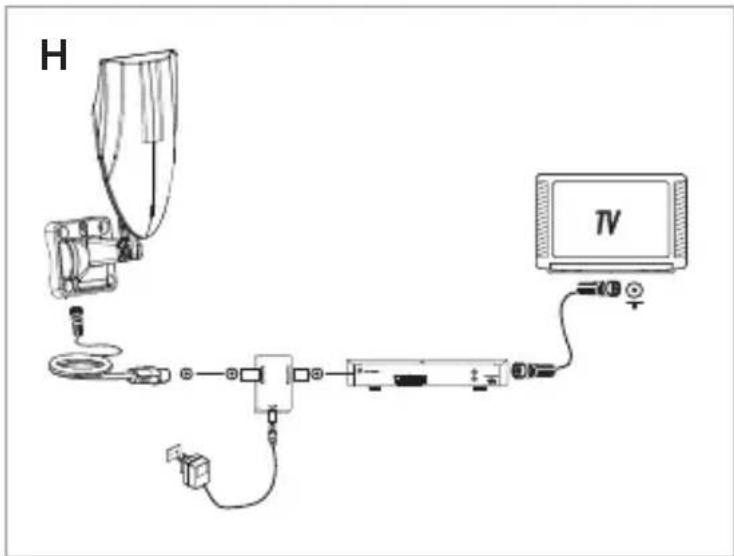
Installation 2: powered by AC/DC adapter (image H)
- Connect the coaxial cable with antenna and the power insert (the side with "antenna" text mark).
- Connect the other side of the power insert to your DTV set-top-box.
- Connect the DTV set-top-box to your TV.
- Connect the power adapter DC output jack to the DC input connector of the antenna, and then plug the AC/DC power adapter into the AC power socket.
- Check the LED on the antenna. If the LED is not lighted on, Please go back to step 4.
- Adjust the antenna in the best position to get clear TV picture, then fix the antenna.
- Organize the coaxial cable for neat, tidy and safety.
Disposal
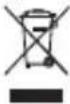
This symbol indicates that this product should not be thrown away with other household waste throughout the EU. To prevent possible harm to the environment or human health by uncontrolled waste disposal, you are responsible for recycling it so that it can promote the sustainable reuse of raw materials. To return your used product, you can use the regular return and collection systems or contact the store where the product was purchased. They can recycle this product for the environment.
Declaration of Conformity
We, Nedis B.V. declare as manufacturer that the product ANOR5002BK700 from our brand Nedis®, produced in China, has been tested according to all relevant CE standards and regulations and that all tests have been passed successfully. This includes, but is not limited to the RED 2014/53/EU regulation.
The complete Declaration of Conformity (and the safety datasheet if applicable) can be found and downloaded via: nedis.com/ANOR5002BK700#support

Kurzanleitung
ANOR5002BK700
TV-Aussenantenne
natural_image
Two horizontal bar charts with grayscale and color swatches, no text or symbols presentNedis BV
De Tweeling 28, 5215 MC 's-Hertogenbosch
The Netherlands 09/22

- Quick start guide
- Outdoor TV Antenna
- Intended use
- Technical Data
- Included in package (image A)
- Safety instructions
- WARNING
- Operation instruction
- Mounting the antenna
- Installation 1: powered by DTV set-top-box (image G)
- Installation 2: powered by AC/DC adapter (image H)
- Disposal
- Declaration of Conformity
- Kurzanleitung
- TV-Aussenantenne
- Nedis BV
Brand : NEDIS
Model : ANOR5002BK700
Category : TV Antenna