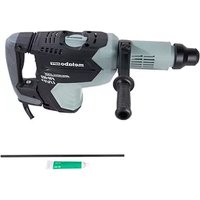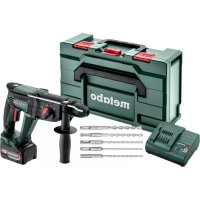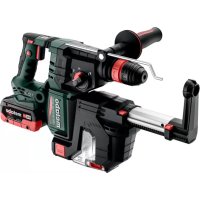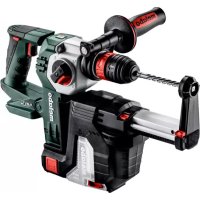
METABO KHA 18 LTX BL 24 Quick Set ISA - Hammer

KHA 18 LTX BL 24 Quick Set ISA - Hammer METABO - Free user manual and instructions

Find the device manual for free KHA 18 LTX BL 24 Quick Set ISA METABO in PDF.

English EN Download 💬 AI Question 10 questions ⚙️ Specs
📄

Document temporarily unavailable

The manual is currently being transferred to our new server. It will be accessible again in a few hours. Thank you for your patience.

Pick your language and provide your email: we'll send you a specifically translated version.
Product TypeCordless Rotary Hammer
BrandMetabo
ModelKHA 18 LTX BL 24 Quick Set ISA
Rated Voltage18 V
Battery TypeLi-Ion, CAS (Cordless Alliance System)
Drilling Capacity (concrete)24 mm
MotorBrushless (no brushes)
Operating ModesDrilling, hammer drilling, chiseling
Tool HolderSDS-Plus
Tool Change SystemQuick Set ISA (keyless quick change)
No-load Speed0 - 1200 rpm
Impact Frequency0 - 5000 bpm
Impact Energy2.4 J
Weight3.2 kg (with battery)
LightingIntegrated LED
HandleErgonomic anti-vibration handle
Variable SpeedYes, electronic
Motor BrakeYes
Spindle LockYes
Restart ProtectionYes
MaintenanceClean ventilation slots regularly; store in a dry place
RepairabilityMetabo after-sales service; spare parts available via CAS network
Package Contents1 x 18 V battery, fast charger, transport case

Frequently Asked Questions - KHA 18 LTX BL 24 Quick Set ISA METABO

How do I change the bit on the Metabo KHA 18 LTX BL 24 Quick Set ISA?
Use the Quick Set ISA system: pull the collar back, insert the SDS-Plus bit to the stop, then release the collar. Check that the tool is properly locked.
Which batteries are compatible with this hammer?
The KHA 18 LTX BL 24 Quick Set ISA uses Metabo or CAS (Cordless Alliance System) 18 V batteries, preferably Li-Ion with a capacity of 2 to 10 Ah.
Can I use this hammer to drill metal?
Yes, in drilling mode without percussion. Use a suitable HSS bit and moderate speed. The electronic variable speed allows adjusting the speed.
How do I activate chiseling mode?
Turn the mode selection ring to the chisel symbol (hammer only). The tool can then be used for light chiseling, for example to remove tiles.
What should I do if the battery does not charge?
Check that the charger is plugged in and the battery is properly inserted. If the warning light flashes, the battery may be defective or out of temperature range (0-50 °C).
How do I clean and maintain the tool?
Clean the ventilation slots with a soft brush. Wipe the housing with a damp cloth. Do not use solvents. Store in a dry place away from frost.
What types of bits can I use?
Use SDS-Plus bits: hammer drill bits, chisels, hole saws. The tool holder also accepts adapters for standard chucks.
How do I change the battery during use?
Press the two side buttons on the battery and pull it downward to remove it. Insert a new battery by sliding it in until it clicks.
Is this hammer equipped with a motor brake?
Yes, the motor brake quickly stops the bit after releasing the switch, improving safety and precision.
Where can I find spare parts or get the tool repaired?
Contact Metabo after-sales service via www.metabo.com or an authorized dealer. Spare parts are available from the CAS network.

User questions about KHA 18 LTX BL 24 Quick Set ISA METABO

0 question about this device. Answer the ones you know or ask your own.

Ask a new question about this device

The email remains private: it is only used to notify you if someone responds to your question.

No questions yet. Be the first to ask one.

Download the instructions for your Hammer in PDF format for free! Find your manual KHA 18 LTX BL 24 Quick Set ISA - METABO and take your electronic device back in hand. On this page are published all the documents necessary for the use of your device. KHA 18 LTX BL 24 Quick Set ISA by METABO.

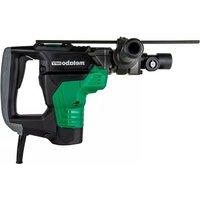
USER MANUAL KHA 18 LTX BL 24 Quick Set ISA METABO

Manual assistant
Powered by Anthropic
Waiting for your message
Product information

Brand : METABO

Model : KHA 18 LTX BL 24 Quick Set ISA

Category : Hammer