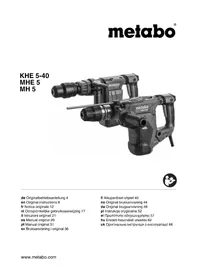
METABO MH 5 - Hammer

MH 5 - Hammer METABO - Free user manual and instructions

Find the device manual for free MH 5 METABO in PDF.

English EN Download 💬 AI Question 10 questions ⚙️ Specs
📄

Document temporarily unavailable

The manual is currently being transferred to our new server. It will be accessible again in a few hours. Thank you for your patience.

Pick your language and provide your email: we'll send you a specifically translated version.
Brand Metabo
Model MH 5
Product type Demolition hammer
Power input (P1) 1500 W
Power output (P2) 800 W
Weight without cable 5.5 kg
Maximum impact rate 2900 bpm
Impact energy 10 J
Tool holder SDS-max
Vibrations (chiseling) 12.6 m/s²
Sound pressure level 90 dB(A)
Guaranteed sound power level 100 dB(A)
Protection class II
Power supply 230 V ~ 50 Hz
Cable length 4 m
Number of chisel positions 12
Main functions Chiseling, impact power adjustment, continuous activation
Maintenance and cleaning Clean ventilation slots, replace dust cap if damaged
Safety Additional handle, restart protection, automatic overload shut-off
Included accessories Auxiliary handle, depth stop (on KHE 5-40), tool grease
General information Compliant with CE directives, manufacturer's warranty 2 years

Frequently Asked Questions - MH 5 METABO

How to install an SDS-max tool on the Metabo MH 5?
Clean the tool shank and grease it with the supplied special grease. Hold the tool lock (7) in forward position, turn the tool and push it in until it clicks. Check that it is properly secured by pulling on it (it should be able to move axially a few centimeters).
How to adjust the chisel position?
Insert the chisel, then push the sleeve (8) forward and turn the chisel to the desired position. Release the sleeve and turn the chisel until it locks. The machine can only be used in chiseling mode.
How to use continuous activation?
In chiseling mode only, press the button (10) to activate continuous operation. To deactivate, press the button (10) again. Caution: the machine continues to run if it slips from your hands, hold it firmly.
How to adjust the impact power?
Turn the dial (16) from 1 to 6. Positions 1-2 are for light materials, 3-4 for brick, 5-6 for concrete. The indicator (14) flashes in positions 1-5 and stays on in position 6 (maximum power).
What to do if the machine stops automatically?
If the indicator (15) flashes, the machine has been overloaded. Let it cool down for about 30 minutes before resuming. If the indicator (15) is constantly on, the restart protection is activated: turn the machine off and then on again.
How to maintain the dust protection cap?
A damaged cap (6) must be replaced immediately. To remove it, push the tool lock (7) backwards, grasp the cap and remove it at an angle. Place the new cap at an angle onto the spindle and push firmly.
What accessories can I use with the MH 5?
Use only original Metabo accessories compatible with SDS-max, such as chisels, scrapers and points. Consult the Metabo catalog or www.metabo.com for the complete range.
How to replace the carbon brushes?
When the indicator (15) flashes, the brushes are almost worn out (about 8 hours remaining). Have them replaced by Metabo customer service as soon as they are completely worn out (the machine stops automatically).
What to do if the power cord is damaged?
The power cord can only be replaced with a special Metabo cord available from customer service. Contact a qualified electrician for any repairs.
How to dispose of my Metabo MH 5 at the end of its life?
Do not dispose of the device with household waste. In accordance with the WEEE directive, take it to a collection point for recycling. Packaging and accessories must be disposed of in accordance with local regulations.

User questions about MH 5 METABO

0 question about this device. Answer the ones you know or ask your own.

Ask a new question about this device

The email remains private: it is only used to notify you if someone responds to your question.

No questions yet. Be the first to ask one.

Download the instructions for your Hammer in PDF format for free! Find your manual MH 5 - METABO and take your electronic device back in hand. On this page are published all the documents necessary for the use of your device. MH 5 by METABO.

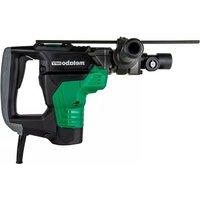
USER MANUAL MH 5 METABO

Manual assistant
Powered by Anthropic
Waiting for your message
Product information

Brand : METABO

Model : MH 5

Category : Hammer