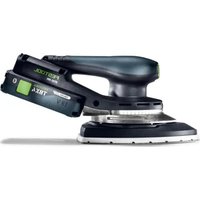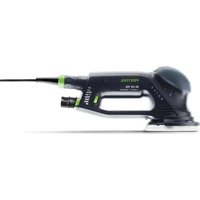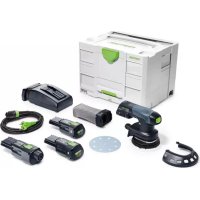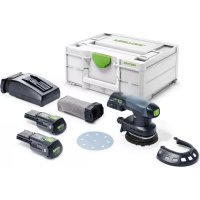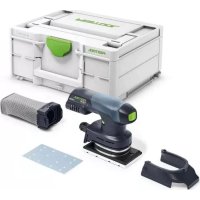
RTSC 400 - Sander FESTOOL - Free user manual and instructions
Find the device manual for free RTSC 400 FESTOOL in PDF.



| Product Type | Cordless Random Orbital Sander |
| Brand | Festool |
| Model | RTSC 400 |
| Article Number | 574822 |
| Power Supply | 18 V Li-Ion Battery (BP series) |
| Pad Size | 80 mm (Dia.) |
| No-Load Speed | 4000 – 11000 rpm |
| Oscillation Stroke | 2.0 mm |
| Weight (without battery) | 1.2 kg |
| Dimensions (L × W × H) | 200 × 120 × 150 mm |
| Sound Pressure Level | LpA = 72 dB(A) |
| Sound Power Level | LwA = 83 dB(A) |
| Vibration Emission Value (ah) | < 2.5 m/s² |
| Operating Mode | Random Orbital |
| Dust Extraction Connection | Diameter 27 mm (CTL compatible) |
| Speed Variator | Yes, by thumbwheel |
| Pad Brake | Yes, electronic |
| Start Up | By switch with lock |
| Maintenance | Cleaning ventilation slots, replacing pad and filter |
| Safety | Automatic shutdown in case of overload or faulty battery |
| Spare Parts | Pads, abrasives, filters, batteries, chargers |
| Repairability | Certified Festool after-sales service; genuine parts available |
| Warranty | 3 years (under conditions) |
| Country of Manufacture | Germany |
Frequently Asked Questions - RTSC 400 FESTOOL
User questions about RTSC 400 FESTOOL
0 question about this device. Answer the ones you know or ask your own.
Ask a new question about this device
Download the instructions for your Sander in PDF format for free! Find your manual RTSC 400 - FESTOOL and take your electronic device back in hand. On this page are published all the documents necessary for the use of your device. RTSC 400 by FESTOOL.
USER MANUAL RTSC 400 FESTOOL
Cordless drywall screwdriver Serial no. *
Head of Product Development

Ralf Brandt
Head of Product Conformity
$$ K = 2 m / s ^ {2} $$
DWC 18-4500 a_h ≤slant 2.5 m/s^2
$$ K = 2 m / s ^ {2} $$
1 Symbols. 13
2 Safety warnings. 13
3 Intended use 14
4 Technical data. 14
5 Parts of the machine. 15
6 Commissioning. 15
7 Settings. 15
8 Tool holder, attachments. 15
9 Working with the machine. 16
10 Working instructions. 17
11 Service and maintenance. 18
12 Environment. 18
13 General information. 18
1 Symbols

Warning of general danger

Warning of electric shock

Read the operating manual and safety instructions.

Wear ear protection.

Wear protective goggles.

Do not dispose of it with domestic waste.

CE marking: Confirms the conformity of the power tool with the European Community directives.

Tip or advice

Handling instruction

Inserting the battery pack

Removing the battery pack
2 Safety warnings
2.1 General power tool safety warnings
WARNING! Read all safety warnings, instructions, illustrations and specifications provided with this power tool. Failure to follow all instructions listed below may result in electric shock, fire and/or serious injury.
Save all warnings and instructions for future reference.
The term "power tool" in the warnings refers to your mains-operated (corded) power tool or battery-operated (cordless) power tool.
Follow the operating manual for the charger and the battery pack.
2.2 Machine-specific safety notices
- Hold the power tool by insulated gripping surfaces, when performing an operation where the fastener may contact hidden wiring. Fasteners contacting a "live" wire may make exposed metal parts of the power tool "live" and could give the operator an electric shock.
- Use appropriate detection devices to look for any hidden supply lines or consult your local utility company. If the insertion tool makes contact with live cables, it can result in fire and electric shock. Damage to a gas pipe can lead to an explosion. Penetration of a water pipe can result in damage to property.


Wear suitable personal protective equipment: Ear protection and safety goggles.

CAUTION! Power tool can jam and cause sudden kickback! Switch off immediately!
- Hold the power tool firmly in your hand. Make sure the speed is adjusted correctly when screwdriving. Be prepared for a high reaction torque, which may cause the power tool to turn and possibly lead to injury.
- Do not use the power tool in the rain or in damp surroundings. Moisture in the power tool may cause a short circuit and fire.
- Do not lock the on/off switch in place permanently.
- Connecting the magazine attachment and drywall screwdriver results in a tool for which the safety warnings and instructions of the drywall screwdriver apply.
English
- Do not use power supply units or third-party battery packs to operate cordless power tools. Do not use third-party chargers to charge the battery packs. The use of accessories not expressly authorised by the manufacturer can result in electric shocks and/or serious accidents.
2.3 Emission levels
The levels determined in accordance with EN 62841 are typically:
DWC 18-2500
Sound pressure level L PA=67 dB(A)
Sound power level L WA = 78 dB(A)
Uncertainty K = 3 dB
DWC 18-4500
Sound pressure level L PA=72 dB(A)
Sound power level L WA = 83 dB(A)
Uncertainty K = 3 dB


UTION
Noise generated when working Risk of damage to hearing
Use ear protection.
Vibration emission level a_h (vector sum for three directions) and uncertainty K measured in accordance with EN 62841:
DWC 18-2500 a_h ≤slant 2.5 m/s^2
$$ K = 2 m / s ^ {2} $$
DWC 18-4500 a_h ≤slant 2.5 m/s^2
$$ K = 2 m / s ^ {2} $$
The specified emission levels (vibration, noise)
-
are used to compare machines.
-
They are also used for making preliminary estimates regarding vibration and noise load during operation.
-
They represent the primary applications of the power tool.

CAUTION
The emission values may deviate from the specified values. This is dependent on how the tool is used and the type of workpiece being machined.
The actual load during the entire operating cycle must be evaluated.
Depending on the actual load, suitable protective measures must be defined in order to protect the operator.
3 Intended use
Drywall screwdriver suitable for the following screwdriving tasks:
DWC 18-2500
Screwdriving gypsum fibre board to metal or wooden constructions using drywall screws with milling ribs
Screwdriving chipboard/OSB to wooden constructions with wood screws and chipboard screws up to a diameter of 5mm
DWC 18-4500
Screwdriving plaster boards onto metal profile bars (≤ 0.88mm) using drywall screws with a fine thread
Screwdriving plaster boards onto metal profile bars (≤ 2.25mm) using drywall screws with a drill point
Screwdriving plaster boards to wooden constructions using drywall screws with a coarse thread
This power tool is suitable for use with BP Festool battery packs of the same voltage class.
The user is liable for damage and accidents caused by improper and non-intended use; this also includes damage and wear caused by continuous industrial operation.
4 Technical data
| Cordless drywall screwdrivers DWC 18-2500 DWC 18-4500 | ||
| Motor voltage 18 V 18 V | ||
| No-load speed* | 0-2500 rpm 0-4500 rpm | |
| Torque soft/hard 7/18 Nm | 5/14 Nm | |
| Tool holder | 1/4" DIN 3126/ ISO 1173 1/4" DIN 3126/ ISO 1173 | |
| Cordless drywall screwdrivers DWC 18-2500 DWC 18-4500 | |
| Max. workable screw length 55 mm 55 mm | |
| Weight (incl. battery pack and magazine attachment) as per EPTA procedure 01:2014 | 2 kg |
| Weight excl. battery pack 1.2 kg | |
| Weight excl. battery pack, incl. depth stop 1.3 kg | |
| Weight excl. battery pack, incl. magazine attachment 1.6 kg | |
- Speed values based on fully charged battery pack.
5 Parts of the machine
[1-1] Bit store
[1-2] On/off switch
[1-3] Rotational direction switch
[1-4] AUTO/MAN selector switch
[1-5] Depth stop
[1-6]Bits
[1-7] Insulated gripping surfaces (grey shaded area)
[1-8] Capacity display button on battery pack
[1-9] Capacity display
Accessories shown or described are not always included in the scope of delivery.
The specified illustrations appear at the beginning of the Operating Instructions.
6 Commissioning
6.1 Changing the battery pack Inserting the battery pack [2 A] Removing the battery pack [2 B]
The battery pack is ready to use straight out of the box and can be charged at any time.
6.2 Changing the battery pack Inserting the battery pack [2 A] Removing the battery pack [2 B]
The battery pack is ready to use straight out of the box and can be charged at any time.
![FESTOOL RTSC 400 - Changing the battery pack Inserting the battery pack [2 A] Removing the battery pack [2 B] - 1](/content/2026/03/556832/images/2a15108b89e6a9f17a38f369f0a10ca657e4db08cb8e4a18e1571018fb4d404f.jpg)
Further information about the battery pack and charger can be found in the corresponding operating manual.
7 Settings

CAUTION
Risk of injury
- Only adjust the settings when the power tool is switched off.
7.1 Changing direction of rotation [1-3]
- Switch to the left = clockwise rotation
- Switch to the right = counterclockwise rotation
8 Tool holder, attachments

WARNING
Risk of injury, electric shock
Always disconnect the battery pack before any type of work on the machine!
8.1 Bit holder
The bit holder enables the operator to change drill bits quickly.

O UTION
Risk of injury from hot and sharp tool
- Do not use any blunt or faulty tools.
Wear protective gloves.
Attaching the bit holder
- Move the switch [1-4] to the MAN position.
Push the bit holder [3-2] into the tool holder [3-4] until it clicks into place. - Place the bit [3-3] in the holder.
Then affix the depth stop to the transmission housing, as described in section.
Removing the bit holder
Take out the depth stop as described in section.
- Remove the bit holder from the tool holder by pulling firmly.
8.2 Changing the bit
To change the bit [1-6], you can use the depth stop [1-5].
English
To do this, place the depth stop on the bit as shown in figure [3b].
The bit can be taken out by tilting the depth stop with the bit, while pulling at the same time.
- Then place the new bit in the bit holder.
9 Working with the machine
9.1 Switching on/off [1-2]
The tool is not started by pressing the switch [1-2] alone - not a tool fault!
Once the screw is driven to the desired depth, the tool switches off automatically.
There are numerous ways to switch the tool on:
a)
- Set the tool's rotational direction to clockwise using the right/left switch [1-3].
- Move the selector switch [1-4] to the MAN position.
- To switch the tool on, actuate the switch [1-2] and at the same time, press on the screw with the drill bit.
By pressing on the switch [1-2], the speed can be infinitely adjusted.
b]
- Set the tool's rotational direction to clockwise using the right/left switch [1-3].
- Move the selector switch [1-4] to the AUTO position.
To activate the tool, press on the screw with the drill bit.
It is not necessary to press the switch [1-2].
The top speed is set automatically.
c]
- Set the tool's rotational direction to anticlockwise using the right/left switch [1-3].
- Switch the tool on using the switch [1-2]. The MAN/AUTO selector switch [1-4] is in either position.
By pressing on the switch [1-2], the speed can be infinitely adjusted.
The drywall screwdriver rotates anticlockwise by pressing on the switch [1-2] only, without also having to press on the bit.
To unscrew screws fully, the depth stop does therefore not need to be removed.
9.2 Depth stop
Turning on the depth stop [1-5] sets the screwing depth, as shown in figure [4]. The setting is accurate to approx. ± 0.1mm
Anticlockwise rota- Screw is countersunk tion further out.
Clockwise rotation Screw is countersunk further in.
Once the depth setting is made, drive in a test screw then, if necessary, correct the depth.
Attaching the depth stop
- Place the depth stop [3-1] on the transmission housing [3-5].
- Then, apply pressure until the depth stop audibly clicks into place.
Removing the depth stop
Take the depth stop out of the transmission housing by pulling firmly.
9.3 Frame hook and belt clip
The belt clip [5-1] can be used to attach the tool to working clothes temporarily - it can be affixed to the left or right-hand side of the tool using a screw [5-2], making it suitable for right-handed and left-handed operators - see figure [5].
The tool also has a hook [6-1], by which the tool can be hung, as required. It can be affixed to the left or right-hand side of the housing using the screw [6-2] - see figure [6].
9.4 Magazine attachment
The magazine attachment enables the operator to work continuously without unnecessary pauses.
Fitting the magazine attachment
- Remove the depth stop [3-1] on the bit holder [3-2] using the bit, as described in section 8.
- Move the selector switch [1-4] to the MAN position.
- Push the long bit [7-1] into the tool holder [3-4] until it clicks into place.
- Then affix the magazine attachment to the transmission housing. The magazine attachment must audibly click into place.
The magazine attachment can be positioned at 30^ increments.
Removing the magazine attachment
Take the magazine attachment out of the transmission housing by pulling firmly.
Adjusting the screw length
- Pressing on the button [8-1] slides the depth stop [8-2] in or out, so that it can be adjusted to the required screw length.
The screw length setting is visible on the sides of the depth stop [8-3].
Inserting collated screws
- Firstly, draw the belt of collated screws [9-3] through the lower magazine guide and then thread them into the carriage guide until a screw clicks into the working position.
Make sure that the screws are correctly positioned and secure by pulling gently on the belt of collated screws.
Check that the first screw is lined up in the screwing axis - see figure [9].
- Use the adjusting wheel [9-1] to set the required insertion depth.
- Clockwise rotation will countersink the screws further in, while anticlockwise rotation will countersink the screws further out. The current setting can be read off the presetting display [9-2]
Once the setting is made, drive in a test screw, then, if necessary, correct the depth setting using the adjusting wheel [9-1]. Each setting adjustment shifts the stop by ± 0.1mm

We recommend screwdriving in the automatic mode - see section 9.1 b).
Removing collated screws
- Remove the collated screws by pulling upwards once (figure [10] ① or by engaging the transport lever at the same time as pulling the collated screws downwards (figure [10] ②
10 Working instructions
- The magazine attachment must not be held in the area of the depth stop.
Each screwdriving process must be completed in full. Interrupting a screwdriving process or applying pressure when screwdriving can cause the tool to malfunction. - The collated screws must only be changed when the tool is at a standstill.
- The magazine attachment must under no circumstances be used in any way other than that described in this operating manual.
- Use only original screwdriver bits.
-
Use only original collated screws.
-
The collated screws must always be kept in their original packing.
- Always work at right angles to the board that is being affixed.
10.1 Magazine attachment maintenance
The magazine attachment is essentially maintenance-free. After an extensive period of use, however, it is recommended to clean it with compressed air.
The magazine attachment can be lubricated around the area of the carriage guide - see figure [11b].
For the purposes of cleaning, the magazine attachment can be dismantled as described below.
Prior to cleaning, remove the collated screws from the magazine as described in section "Removing collated screws".
Take the magazine attachment out of the drywall screwdriver.
Removing the carriage
- Push the depth stop [8-2] in to the housing as far as it will go, until the locking button [11-1] is level with the marking for carriage removal [11-2] - see figure [11a].
Press the locking button [11-1] and at the same time pull the carriage out of the magazine - see figure [11b].
Push the button [8-1] and at the same time unscrew the depth stop - see figure [11c].
Removing the transport lever
- Push the button [12-1] and at the same time slide in the direction of the arrow - see figure [12a].
- Remove the released button [12-1] (figure [12b]) together with the transport lever [12-2] and the spring [12-3] from the carriage (figure [12c]).
Clean the individual parts, replace faulty or worn parts and then reassemble in reverse order.
When reassembling the transport lever in the carriage, ensure the spring [12-3] is positioned correctly within the transport lever. Incorrect assembly can prevent the collated screws from being transported properly.
10.2 Acoustic warning signals
Acoustic warning signals sound and the machine switches off in the following operating states:
English

Battery flat or machine overloaded.
- Change the battery.
- Place the machine under reduced stress.
Machine is overheating.
- You must allow the machine to cool before using again.
Lilon battery pack is faulty or has overheated.
- Once the battery pack has cooled, perform a functional check using the charger.
11 Service and maintenance

WARNING
Risk of injury, electric shock
Always remove the battery pack from the power tool before performing any maintenance or service work.
All maintenance and repair work which requires the motor housing to be opened should always be carried out by an authorised service workshop.

Customer service and repairs must only be carried out by the manufacturer or service workshops. Find the nearest address at: www.festool.co.uk/service
Always use original Festool spare parts. Order no. at: www.festool.co.uk/service
To ensure constant air circulation, always keep the cooling air openings in the motor housing clean and free of blockages.
Keep the contacts on the power tool, charger and battery pack clean.
12 Environment

Do not dispose of the device in the household waste! Recycle devices, accessories and packaging. Observe appli-national regulations.
EU only: In accordance with the European Directive on waste electrical and electronic equipment and implementation in national law, used power tools must be collected separately and handed in for environmentally friendly recycling.
Information on REACH: www.festool.com/reach
13 General information
Imported into the UK by
Festool UK Ltd
1 Anglo Saxon Way Bury
St Edmunds
IP30 9XH
Great Britain
13.1 Bluetooth®
The Bluetooth® word mark and the logos are registered trademarks of Bluetooth SIG, Inc.; they are used by TTS Tooltechnic Systems AG & Co. KG, and therefore by Festool, under licence.
Sommaire
$$ K = 2 m / s ^ {2} $$
DWC18-4500
$$ a _ {h} \leqslant 2. 5 m / s ^ {2} $$
$$ K = 2 m / s ^ {2} $$
-Batteriedechargeoumachine surcharge.
$$ K = 2 m / s ^ {2} $$
DWC 18-4500 a_h ≤slant 2.5 m/s^2
$$ K = 2 m / s ^ {2} $$
$$ K = 2 m / s ^ {2} $$
DWC 18-4500 a_h ≤slant 2.5 m/s^2
$$ K = 2 m / s ^ {2} $$
$$ K = 2 m / s ^ {2} $$
DWC 18-4500 a_h ≤slant 2.5 m/s^2
$$ K = 2 m / s ^ {2} $$
6.1 Accupack verrangen
Accupack inbrengen [2 A]
6.2 Accupack verrangen
Accupack inbrengen [2 A]
Varning for allman risk
![FESTOOL RTSC 400 - Accupack inbrengen [2 A] - 1](/content/2026/03/556832/images/e2e5107572ccdadd63e508eb573e97a6451e8dfed05d1c1712743889a112ea97.jpg)
Varning for elstotar
![FESTOOL RTSC 400 - Accupack inbrengen [2 A] - 2](/content/2026/03/556832/images/63ef26c43508dda042141d94c99632428cb029e0fbffb472cb9cce05f67b1450.jpg)
$$ K = 2 m / s ^ {2} $$
DWC 18-4500 a_h ≤slant 2.5 m/s^2
$$ K = 2 m / s ^ {2} $$
$$ K = 2 m / s ^ {2} $$
DWC 18-4500 a_h ≤slant 2.5 m/s^2
$$ K = 2 \mathrm {m} / \mathrm {s} ^ {2} $$
$$ K = 2 m / s ^ {2} $$
DWC 18-4500 a_h ≤slant 2.5 m/s^2
$$ K = 2 m / s ^ {2} $$
$$ K = 2 m / s ^ {2} $$
DWC 18-4500 a_h ≤slant 2.5 m/s^2
$$ K = 2 m / s ^ {2} $$
$$ K = 2 m / s ^ {2} $$
DWC 18-4500 a_h ≤slant 2.5 m/s^2
$$ K = 2 m / s ^ {2} $$
Osvalores de emissao indicados [vibracao, ruido]
MapknpoBka CE: POnTBePxxJaet cooTBeTCTBnE 3NeKtpOnHcTpymHeT OCHOBnHbIM Tpe6ObaHnM dIpeKtNB EC.
![FESTOOL RTSC 400 - Accupack inbrengen [2 A] - 3](/content/2026/03/556832/images/e2bd10189ce4490d86025ebbc066f14a90713b1f5d5cf371341f5a8e7c74ea3d.jpg)
HctpkunpeKoMeHdaun
![FESTOOL RTSC 400 - Accupack inbrengen [2 A] - 4](/content/2026/03/556832/images/2a6f0698af4cc3705c38edf188ba7ae923ad38f8c33b32169b40d101fd4fa4f9.jpg)
HCTpyKuaNo nCNOJb3OBAHnIO
![FESTOOL RTSC 400 - Accupack inbrengen [2 A] - 5](/content/2026/03/556832/images/9278e87673b3f32544def4c20264aa15ee3a688ac23f32f683a04b3e9a757b96.jpg)
YcTaHObKa aKKyMyJrTopa
![FESTOOL RTSC 400 - Accupack inbrengen [2 A] - 6](/content/2026/03/556832/images/209dd4ff9ec1afb77ac913c51b6df30cda34b10a2fbc8b03f3ef9dc021a5d4d4.jpg)
OToCoeHHeHne aKKymyIaTopa
2 Yuka3aHnno TeXnKe 6e3oNaChOcTH
2.1 06üne yka3aHnno TeXnKe 6e3oNaChocTn dJa 3JIeKTPoHHcTpymEntOB

OCTOPOKHO!IpoTuTne Bce yKa3aHnna no texHnke 6e3OpacHocTN u HcTpyK-
UHn. Hetouhoe co6IIOJeHne yKa3aHm MoKeT cTaTb npuHOn yJaPa 3JIeKTpueeCKm TOkOM, noXapa N/INn cepB3HbIX TpaBM.
CoxpaHnTe Bce yKa3aHnNo TexnKe 6e3- onaChOCTn N HcTpyKuN dJa CneDuOJero noIb30BaTeJIa.
IcnoJb3yEmbB yka3aHnX NO Texnke 6e3- onacHOCTN TepMHK 三 JektpOnHCTpyMeHT> OTHOCNTcK CeTeBBIM 3JektpOnHCTpyMeHTam (c ceTeBBIM Ka6eJIem) n AKKymJrTOpHbIM 3JektpOnHCTpyMeHTam (6e3 cTeBOrO Ka6eJIa).
CoblaJaTe yka3aHnB pykoBoDcTBe no 3K-cnlyaTaun 3apJdHOrO yctpoiCTBa n aKKymyIaTopa.
2.2 Yka3aHnno TeXnke 6e3oNaChocTn npn noJb30BaHnn nHcTpymeHTOM
-При Вылол HeHH pa60Т B6ln3n CkpbIToH 3JIeKTPoPpOBoDKN DepxKHTe NHCtpymeHT TOJbKO 3a n3OJIpOBAHHBIE NOBepxHocTN pyKoTKn. ПriN KOHTaKTe C TOKOpPpOBOJa- 5IM npOBoOM MeaJIInueCKne qactN HCTpyMeHa TMOrT OKa3aTbCЯ pOd HapprKeHHeM I CTaTB pRNUHoi NOPaXeHnA 3JIeK- TpUyeCKm TOKOM.
-Исноь3уTe NOxOJaUe DeTeKTOpblДЯ
obHapyKeHnCkPbIToN 3JIeKTPoPBOdKN,
ra30-N BOJOpBODoB, ИлnpВJIeKNTe K
pa6Ote CpeuHaJIncTob MeCTHOH 3HePrcO-
ha6KaIOUeH opAHn3aUH. Прп KoHTaKTe c
TOKOpBOJaUHm PPOBoDM MeTaJIInue-
CKNe YactN INHCTpyMeHTa MOrY OKa3aTbcR
NoI HaNPJXeHHeM I CTaTB NpUChHOn Nopa-
JXeHnA 3JIeKTPuYeCKHM TOKOM IJI N B03rO-
paHnIA. NOBpeXdHHe Ra3OpBODa MoKet
CTaTB NpUChHOB B3PbIBa. ClyuaHoe nona-
daHnE Shypna B BOJOpBODHyIO Tpy6y CTa-
Het pRUnHO MATEpHaJIbHOr O ySeep6a.


NcnoIb3yTe nOxOJaUne cpeICTBa HnHnBnDaJIbHOJ 3aUNTbI: 3aUNTHbIe HayuHNKn 3aUNTHbIe OUK.

OCTOPOXHO! Bo3moXHa 6IoknpoBka 3JIeKTPoHnCtpymeHTa N BHe3aHna
OTdau! HemeJeHHo BbIKJIOuHTe!
- Kpenko DepeKHTe 3JeKTPoHnCTpyMeHT By pyke. OtperynpyTe qactoty BpaueHn npn 3aBnHnuBaHH. BybTe rTOBbl K noRyBHeHIO BbICOKOr peAKTNBHO (o6paTHoro) MOMeHTa, KOToPbIM MoKeT Bbl3BaTb BpaueHne 3JeKTPoHnCTpyMeHTa n CTaTb npuHOn TpaBMnpOBAHn.
-He nCnoJb3yIte 3JIeKtpOHHCTpyMeHT NOddoXdEm Hn BO BnaXHoN CpeDe. IOnaHa-Hne BlaRn BHYTpB 3JIeKtpOHHCTpyMeHTa MoXeT npNBecTn K KopOTKOMy 3AmbikaHIO NBO3rOpAHIO.
-He cToOpnte OCHOBHbBikJIOHaTeIb B HaxkATOM NIOJOKeHH!
-Bpe3yIbTaTe coeDInHeHn npNCtABKn-Ma- r3nHa n WypynOBepTa noJyAetc nHcTpymENT, pN 3KcNpyatauN KOTOpOro Heo6xo- dmo c6blOdaTb npaBnla texnkn 6e3- onachocTn npn o6paueHn C wypynOBepTAMn n0 rnnCOKapToHy.
-He nCnoJb3yIte 6IOKn IITAHNn HnAkkymJYTopbl CTOpOHnX npOn3BOJNTeNei Dnla 3aNNtBbAHNn AKKymJYrTOpHOro HCTpyMeHTa.He nCnoJb3yIte 3apAnHbIe ycTpoNcTBa CTOpOHnX npOn3BOJNTeNeI DnA 3apAnKn AKKymJYrTOpOB.N He peKomeHIOBaHHo N3rOToBnTeJeM OC-HaCTKN MoKET npINBeCTN K yApAp 3JIeKTpN-YeCKIM TOKOM N/IIIN TjXKeJIbIM TpaBMam.
2.3 YpObHn UyMa
3haueHn, onpeJeHHbIe no EN 62841, kak npabnlo, coCTaBJIOT:
DWC 18-2500
YpoBHeHb 3BykoBOrO daBJIeHnA L P=67 dE(A)
YpoBHeHb MoUHocTn 3ByKOBbIX LwA=78D(A) KOJIe6aHn
IorpeuHoctbK=3dB
DWC18-4500
YpoBHeHb 3BykoBOrO daBJIeHnA L PA=72 dB(A)
YpoBHeHb MoUHocTn 3ByKOBbIX LwA=83D(A) KOJIe6aHn
IorpeuHoctbK=3dB


IMAHNE
Uym,Bo3HnKaIOuI np npa6oTe NobpeKdEHe opraHOB clyxa
Pa6oTaIeB3aUHTbIXHayuHnKaX.
3HaueHne Bn6paun a, no TpE M OcA M (BeKTop-Ha CymMa) N Ko3ΦoUeH NTorpeuHocTn K, onpeJeHHbIe no EN 62841:
DWC 18-2500
$$ a _ {h} \leqslant 2. 5 \mathrm {M} / \mathrm {c} ^ {2} $$
$$ K = 2 \mathrm {m} / \mathrm {c} ^ {2} $$
DWC18-4500
$$ a _ {h} \leqslant 2. 5 \mathrm {m} / \mathrm {c} ^ {2} $$
$$ K = 2 \mathrm {m} / \mathrm {c} ^ {2} $$
Yka3aHHbIe 3NaueHnry ypoBnry Wyma/Bn6paunn
-cnykata npaBHeHn HhctpyMeHTOB;
-MoXHo TaKKe IcNoIb30BaTb IJI ppeBapN-TeIbHOI OueHKn WymOBOn N Bn6paCnoHHOHarpy3Kn BO Bpem pa60TbI;
- OtpaKaIO T OCHOBbIe 06JIaCTn IpIMHeHnA 3JIeKTpOuHcTpyMeHTa.

BHIMAHHE
ФаКТиЧeCKne yPoBn N Wb6paCnN Mo- rYr OTKNoHЯTbCra OT npNBeDEHHbIX 3decb 3Ha- ueHn. 3To 3aBnCt OT ycNoBn NcNoJb3OBA- HnNcHcTpymeHt a N OT o6pa6aTbIbAemoro Ma- Tepnana.
Heo6xOIMO OueHnTb WymOBoe Bo3deiCTBNE BpeaIbHbIX ycIOBnX 3KcIIpyaTuNC yUeTOM BCEx 3TaNOB IpON3BOdCTBeHHOrO uNKJa.
IcxOJa n3 OueHKn WymOBOro Bo3DeiCtBnBpeaJIbHbIX ycIOBnX 3KcNlyaTaUIN, Heo6xOJIMO npEepnPHnMaTb COOTBeTCTByUOnHeMepbl no OxpAne Tpyda pa60THNKOB.
YcTaHOBka aKKyMylrAToPA [2 A]
BbHMaHne aKKymyIaTopa [2 B]
AkkymyIaTOp nocJe noCTaBKn cpa3y rOToB K pa6oTe, I erO moXHo nOd3apJxKaTb B JIO6oe BpeM.
6.2 3aMeHa aKKyMylTopa
YctaHOBka aKKyMylrTopa [2 A]
BbHmHaHne aKKymyIaTopa [2 B]
AkkymyITop nocJe noCTaBKn cpa3y rOToB K pa60Te, I ero moXHo nOdzapJxKaTb B JIO6oe BpeM.
![FESTOOL RTSC 400 - BbHmHaHne aKKymyIaTopa [2 B] - 1](/content/2026/03/556832/images/c561a24d3b92528681ef39b894642a97872ca401ccd89adc8e683f82114fe5ef.jpg)
Ioppo6nHa HOpMauno 6aKkMyJnTope n 3apAnHom yctpoNCTBe coDePxxNTcB COOTBeTCTByOuNX pyKOBoDCTBaX no 3KcnnyatauN.
7 Hac troponk

BHIMAHNE
OnachOcTb TpaBMnpoBaHn
BbIOnHraIte HacTpoKn TOnbKO npN Bbl- KInOueHHOM 3JneKTponHCTpyMeHTe!
7.1Изменине наразецни врашени [1-3]
-BbiknouateBbIeBo = npaBoe BpaueHne
- BbIKIOuataTeIb BnpaBO = JeBoe BpaueHne
8 3axmHoe npncnoc6JeHne, naTPOH

PREDYUNPEKDEHNE
OnacHocTb TpaBMnpoBaHn, yAp TokOM
- Npeed HauaIOM IIO6bIX pa6oT Ha uHcTpymeHTe BceIgDa BblHMaIte aKKyMylrTophBi 6Jok!
8.1ДерхастьбИТ
HnctpymEn OchaueH KpOyKOM [6-1] nla nOBeWnBaHnI npn Heo6xoDnMoCTn. C nOmoIbO BnHTa [6-2] KpOyOK MOxHO MOHTnpOBaTb cJeBaIINcnpaBa Ha NHCTpyMeHTe - cm. pnc. [6].
9.4 PpncTabka-Mara3HH
PpncTabka-Mara3nH n03BOJareT dJIHTeJbHo pa-6oTaTB 6e3 nepepbIOB.
YcTaHOBKa npNCtABKN-Mara3nHa
Corlacho onicaHIO B pa3deJe 8 cHmnte orpaHnHTeIb rIy6nHbI [3-1] Ha epKaTeJIe [3-2] 6NT BMeCTe C 6NToi.
- PeneBénte nepeKniouateIb [1-4] B noLoXeHne MAN (PyUHOI).
BCTaBbTe dIINHHyIO 6NtU [7-1] B 3aJIMHOI naTPOH [3-4] Do fHKcaUN.
3aTeM yCTaHOBnTE npNCtABky-Mara3nH Ha Kopnyce peyKTopa. PnpCTaBA-Mara3nH DoJxHa 3aΦNkCnpoBaTbCra C xapaKTepHbIM UeJyKom. - PnuctaBky-Mara3H M0xHo N03NIOHNOHPOBaTb C WaROM 30^
ChrTne npncTaBKn-Mara3nHa
CHHmnte npuctabky-Mara3nH c Kopnyca peDyKTopa, C ycnJnem NotaHyB 3a Hee.
N3BneueHnE JntbI WypynOB
- ПостTo BbITaHHTe JIeHTy C Wypynamn BBepx (pnc. [10] ①) Ил, НжIMaЯ HaTpaHCnpOp-TnpoBOuHbI pyiHaR, BbITaHHTe JIeHTy BHN3 (pnc. [10] ②).
10 Yukazanno 3KcnpyaTaun
-Ппставку-магаин Heьзя DeржаТьВ 30-He orpaHnUHTeЯ rny6uHbI!
- KaJdbI npoecc 3aBopauHbAHn Heo6xoDIMo DOBOIDtB Do KOHca. IpepbIBaHne npocecca 3aBopauHbAHn IJIi HaKm B XODe 3aBopauHbAHn MoKeT npINBeCTN K yHKUHOHaJIbHbIM c60Am nHCTpyMeHTa.
- JIeHTbI UpynoB MoXHo 3aMeHrTb ToJIbKO nOcNe IOnHOoCTaHOBKn IHcTpymeHTa.
-Kateropnueckn 3aInpeuaeTcN cnoJb3o- BaTb npncTaBky-Mara3H KaKIM-Jn60 INhbl CnOco6OM, KpOME OINcaHHOrO B daH-Hom pyKOBoDCTBe IIO 3KcPJIyatauN.
- IcnoJb3yIte TOnbKO opuHnHaJIbHbIe HacaIKN-6NTbl.
- IcnoIb3yIe ToJIbKO opnHaJIbHbIe WypynblBJeHTax.
-XpaHnTeJeHTbI WypynOB BOpuHaJIbHoYyNaKOBKe.
- Bcerda 3abopauHbai Te wypynbI noI npraMbIM yrIOM K nobepxHocTn INCTa.
10.1 TexHnueckoe 6cIyKnBaHne npNCtABKn-Mara3Ha
Pnuctabka-Mara3H, KaK npaBnlo, He Tpe6yTeXnueckoro 06cnykBaHn. NocIe npoJoxKeTbHOrO nCNoIb3ObAHn peKOMeHdyETcOuNtAte e CxAtbIM B03dyXOM.
PncTabKy-Mara3nH pa3pe7aeTcra Cma3bIBaTb B o6naCTn HappaBJIoueKapeTKN-CM. pnc.[11b].
$$ K = 2 m / s ^ {2} $$
DWC 18-4500 a_h ≤slant 2.5 m/s^2
$$ K = 2 m / s ^ {2} $$
Uvedené emitované hodnoty (vibrate, hlučnost)
$$ K = 2 m / s ^ {2} $$
DWC18-4500 a_h≤slant 2,5m / s^2
$$ K = 2 \mathrm {m} / \mathrm {s} ^ {2} $$
Declaration of Conformity
We as the manufacturer Festool GmbH, Wertstraße 20, 73240 Wendlingen, Germany declare under our sole responsibility that the product(s):
Designation:
Designation of Type(s):
Serial number(s) 11
Cordless drywall screwdriver
DWC 18-2500, DWC 18-4500
205054, 205055
fulfills all the relevant provisions of the following UK Regulations:
S.I. 2008/1597
S.I. 2016/10912]
S.I. 2017/12063
S.I. 2012/3032
Supply of Machinery (Safety) Regulations 2008
Electromagnetic Compatibility Regulations 2016
Radio Equipment Regulations 2017
Restriction of the Use of Certain Hazardous Substances in Electrical and Electronic Equipment Regulations 2012
and are manufactured in accordance with the following designated standards:
BSEN62841-1:2015
BSEN62841-2-1:2018
BSEN62841-2-2:2014
BSEN55014-1:2017 2)
BSEN55014-2:20152
EN300328:2016V2.1.13
EN301489-1:2017V2.1.1
EN301489-17:2017V3.1.1
BS EN IEC 63000:2018
11 in the specified serial number range (S-Nr.) from 40000000 - 49999999
2) valid in combination with battery pack BP 18 Li 5,2 AS, BP 18 Li 6,2 AS, BP 18 Li 3,1 C, BP 18 Li 4,0 HPC-AS
31 valid in combination with Bluetooth® battery pack BP 18 Li 5,2 ASI, BP 18 Li 6,2 ASI, BP 18 Li 3,1 CI, BP 18 Li 4,0 HPC-ASI

Place and date of declaration: Wendlingen, 31.03.2021
Signed on behalf of and in name of Festool GmbH
Markus Stark
Head of Product development
i.v. Q. Boronel
Ralf Brandt
Head of Productconformity