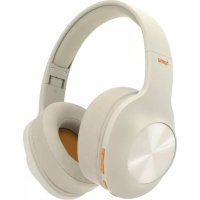
Spirit Calypso - Bluetooth Headset HAMA - Free user manual and instructions
Find the device manual for free Spirit Calypso HAMA in PDF.


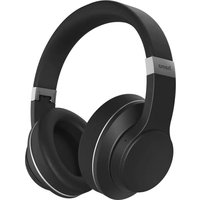
| Product type | Bluetooth over-ear headset |
| Brand | Hama |
| Model | Spirit Calypso |
| Weight | 180 g |
| Power supply | Li-Po battery 3.7 V, 500 mAh, recharge via micro-USB |
| Playback battery life | 38 hours |
| Standby battery life | 180 days |
| Charging time | 2.5 hours |
| Bluetooth version | 5.0 + EDR |
| Bluetooth range | 10 m |
| Supported Bluetooth profiles | HFP V1.6, A2DP V1.3, AVRCP V1.5 |
| Frequency band | 2.4 - 2.48 GHz |
| Main functions | Bluetooth multipoint, voice assistant, Extra Bass, hands-free kit, playback controls, volume adjustment, wired connection (AUX) |
| Audio drivers | Impedance 32 Ω, frequency response 20 Hz - 20 kHz, sensitivity 100 dB |
| Microphone | Built-in, sensitivity -42 dB, response 100 Hz - 10 kHz |
| Auxiliary input | 3.5 mm jack |
| Care and cleaning | Slightly damp lint-free cloth, no harsh detergents |
| Safety | Auto power off after 3 min without connection, excessive volume warning, magnetic fields (pacemaker compatibility) |
| Spare parts and repairability | Non-replaceable battery, do not open, repair by qualified technician |
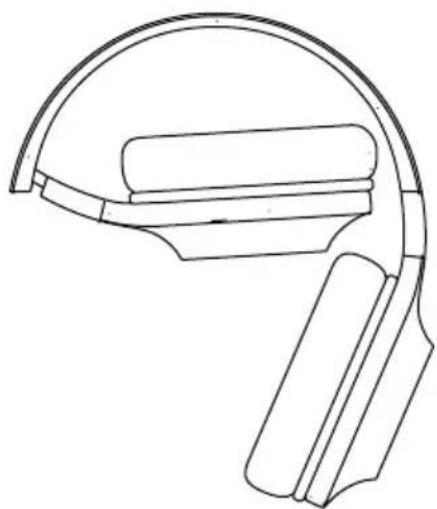
| General information | Bluetooth on-ear headset, foldable, touch controls, supplied with micro-USB cable, warning notice |
Frequently Asked Questions - Spirit Calypso HAMA
User questions about Spirit Calypso HAMA
0 question about this device. Answer the ones you know or ask your own.
Ask a new question about this device
Download the instructions for your Bluetooth Headset in PDF format for free! Find your manual Spirit Calypso - HAMA and take your electronic device back in hand. On this page are published all the documents necessary for the use of your device. Spirit Calypso by HAMA.
USER MANUAL Spirit Calypso HAMA
Operating Instructions

Bedienungsanleitung

Mode d'emploi

GB Operating Instructions
Thank you for choosing a Hama product.
Take your time and read the following instructions and information completely. Please keep these instructions in a safe place for future reference. If you sell the device, please pass these operating instructions on to the new owner.
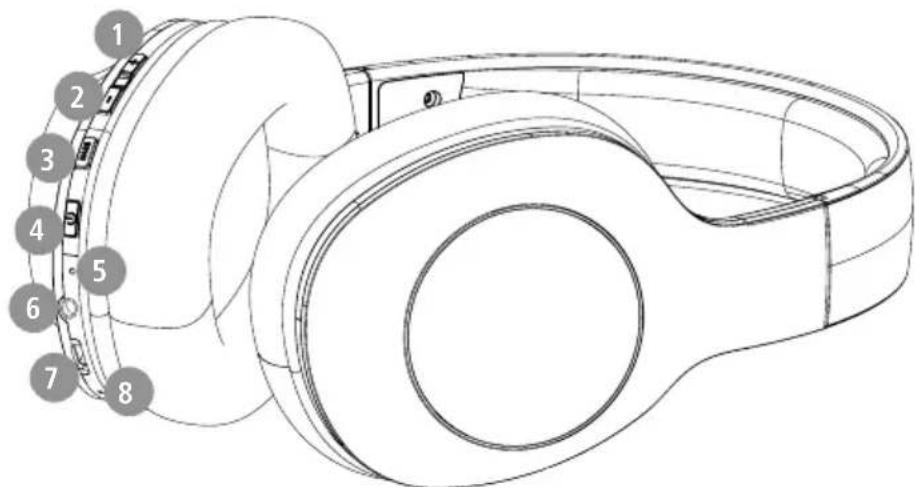
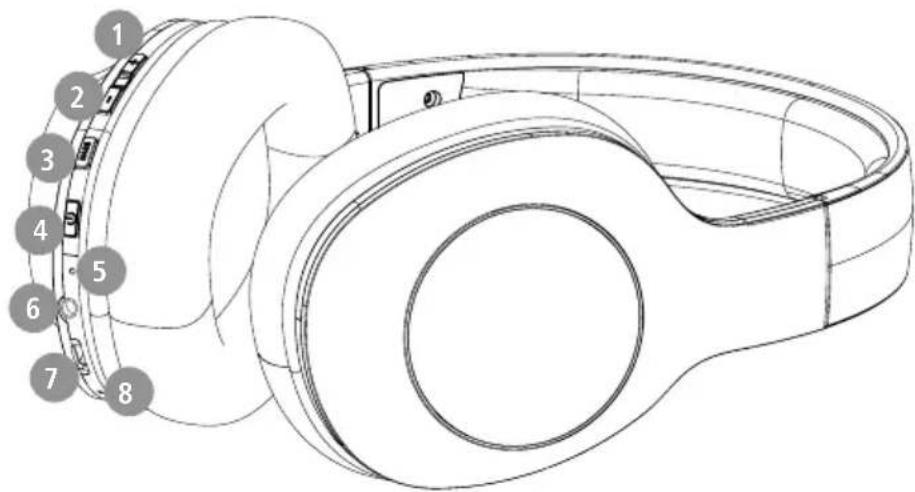
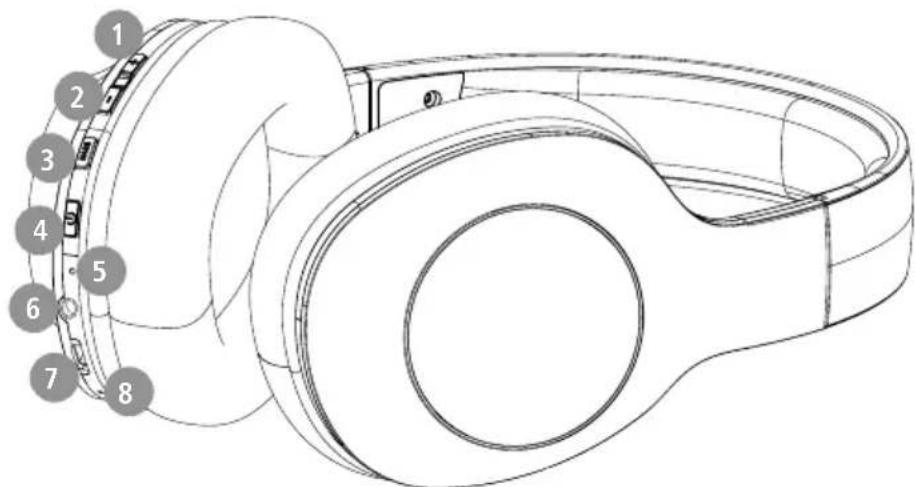
Controls and displays
-
- key
- -key
- Extra bass
- Multi-function key (MFB)
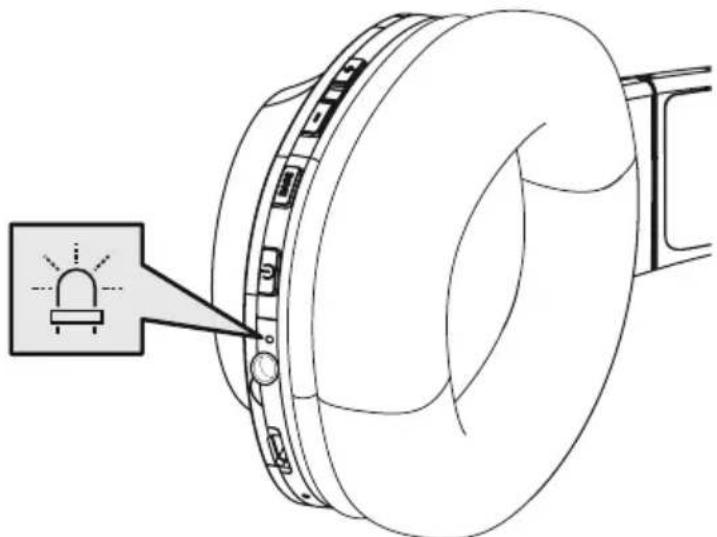
- Status LED
- Audio input (3.5 mm)
- Micro-USB connection
- microphone
1. Explanation of warning symbols and notes
Warning

This symbol is used to indicate safety instructions or to draw your attention to specific hazards and risks.
Note

This symbol is used to indicate additional information or important notes.
2. Package contents
1 "Spirit Calypso" Bluetooth over-ear stereo headphones
1 x micro-USB charging cable
1 x quick guide
1 x warning and safety instructions


3. Safety instructions
The product is intended for private, non-commercial use only
- U use the product only for the intended purpose.
Children should be supervised to ensure that they do not play with the product
- Do not use the product in areas in which electronic products are not permitted
- Do not attempt to service or repair the product yourself. Leave any and all service work to qualified experts
- Do not open the device or continue to operate it it becomes damaged
- D o not bend or crush the cable.
- Do not drop the product and do not expose it any major shocks.
- Dispose of packaging material immediately in accordance with the locally applicable regulations.
- Do not modify the product in any way. Doing so voids the warranty
- Protect the product from dirt, moisture and overheating and use it in dry environments only
- Do not use the product in the immediate vicinity of heaters, other heat sources or in direct sunlight
- O nly use the article under moderate climatic conditions.
- As with all electrical products, this device should be kept out of the reach of children
- Do not operate the product outside the power limits specified in the technical data
- Do not use the product in a damp environment and avoid splashing water
While driving a car or using sports equipment, do not allow yourself to be distracted by your product and keep an eye on the traffic situation and your surroundings.
The battery is permanently installed and cannot be removed; dispose of the product as a whole in accordance with the statutory regulations
- Do not incinerate the battery or the product.
- Do not tamper with or damage/heat/disassemble the batteries/rechargeable batteries
- Do not use the product during the charging process!
Warning - rechargeable battery

- Only use suitable charging devices or USB connections to charge the product.
- Do not use defective chargers or USB ports and do not attempt to repair them.
- Do not overcharge the product or allow the battery to completely discharge.
Avoid storing, charging and using in extreme temperatures and at extremely low atmospheric pressures (such as at high altitudes). - Charge regularly (at least quarterly) during periods of prolonged storage.
Warning - magnets


- This product generates magnetic fields. Persons with a cardiac pacemaker should consult a doctor before using this product, as the pacemaker's proper function could be affected.
- Do not store bank or similar cards with magnetic strips near the charging box or earphones. The data on the cards could be damaged or completely deleted.
Warning - high volume

High sound pressure!
- There is a risk of hearing damage.
- To prevent any loss of hearing, avoid listening at loud volumes for prolonged periods.
Always keep the volume at a sensible level. Loud volumes, even over short periods, can cause hearing loss.
- Using this product limits your perception of ambient noise. For this reason, do not operate any vehicles or machines while using this product.

4. Switching on/off

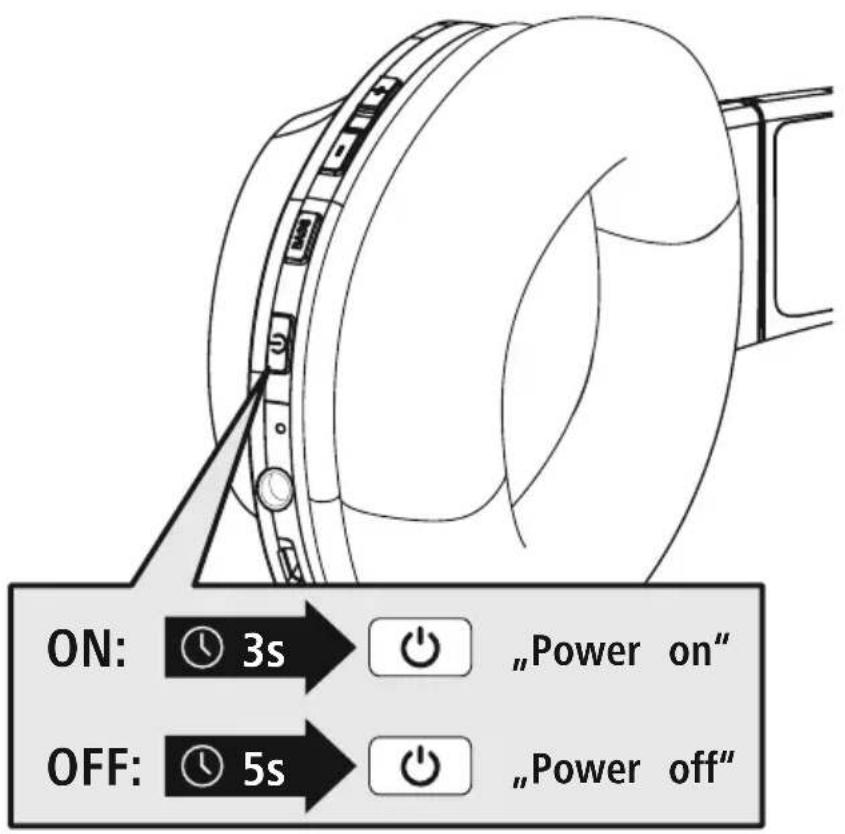
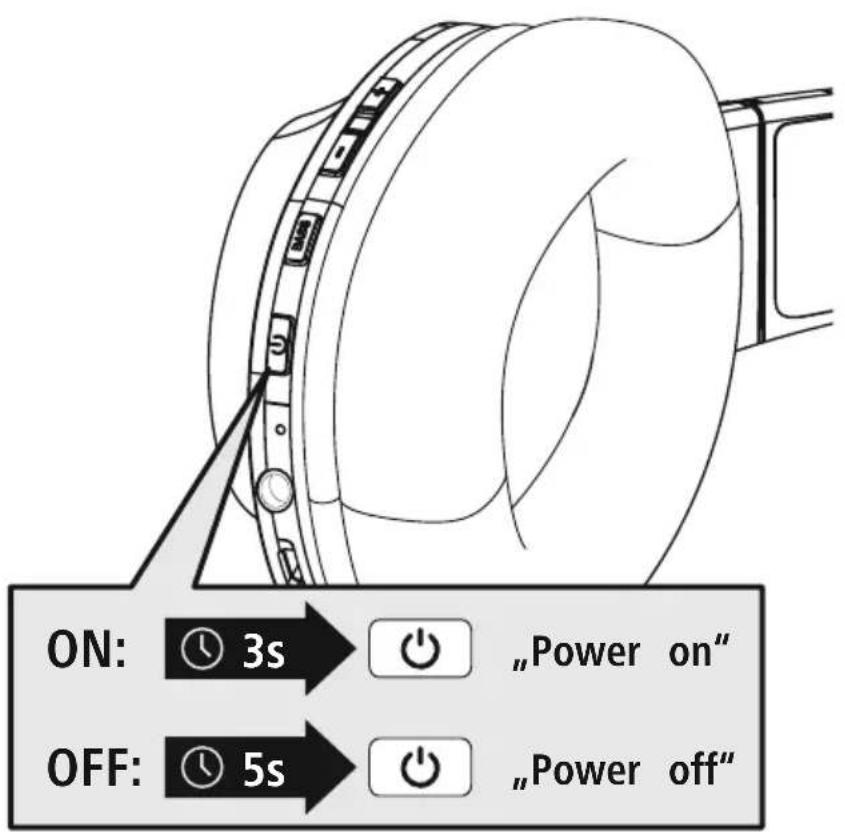
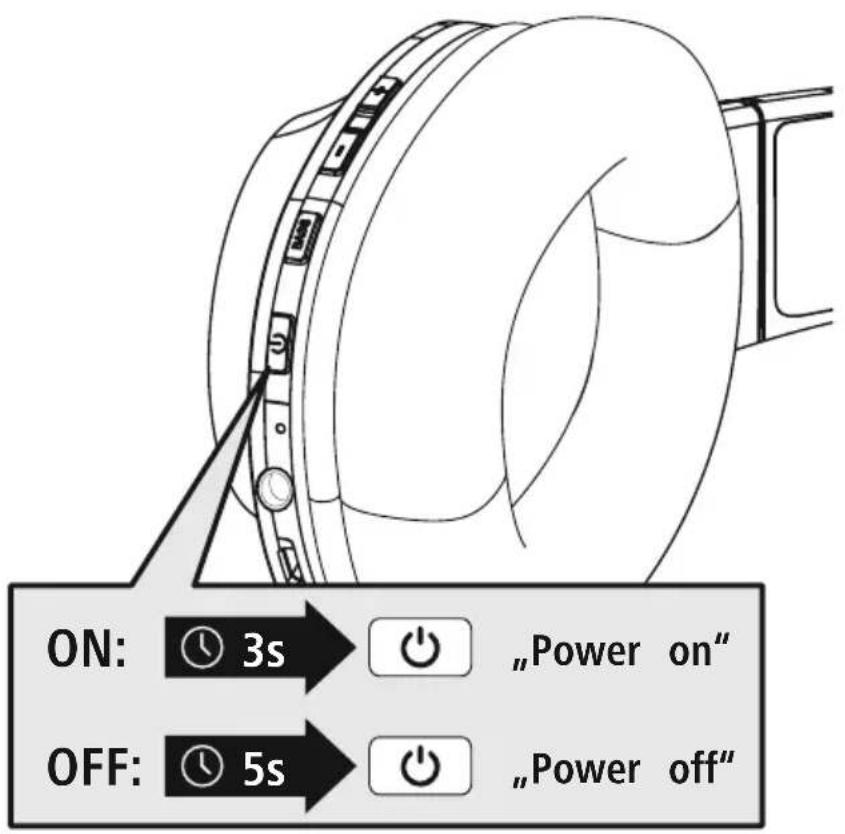
Press the MFB key (4) for approx. 3 seconds until the announcement "Power ON" is heard and the LED (5) flashes blue.

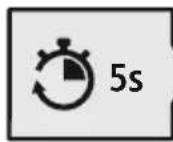
To switch off, press the MFB key (4) for approx. 5 seconds until the announcement "Power OFF" is heard, the LED (5) flashes red and then goes out.
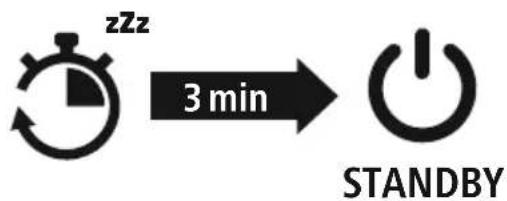
Note - Automatic switch-off of the headphones

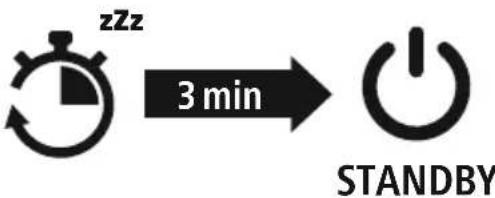
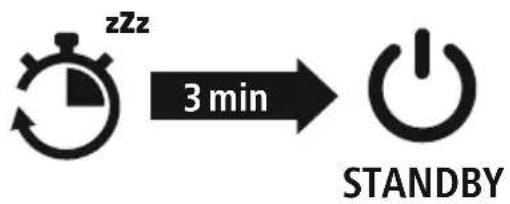
The headphones are equipped with an automatic switch-off mechanism. If there is no connection to your device within 3 minutes, they switch off automatically.

5. Charging
Fully charge the headphones once before using them for the first time.
Switch off the headphones and connect them
Ensure that the headphones are switched off before charging them.
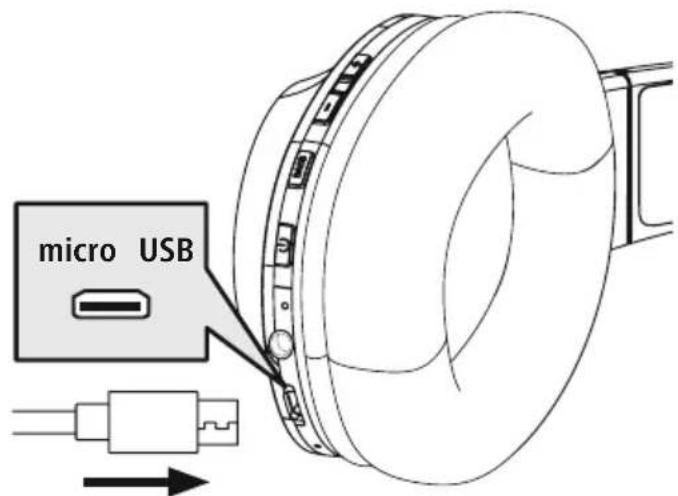
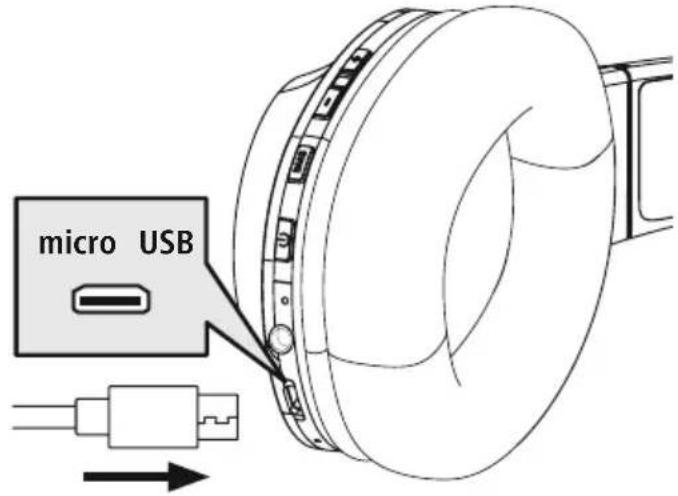
Connect the USB charging cable included to the charging socket (7). Connect the free plug on the micro-USB charging cable to a suitable USB charger. To do this, consult the operating instructions for the USB charger you are using.
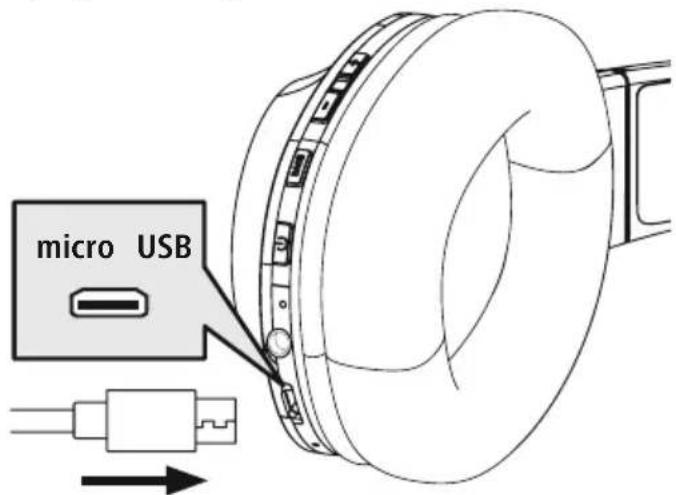
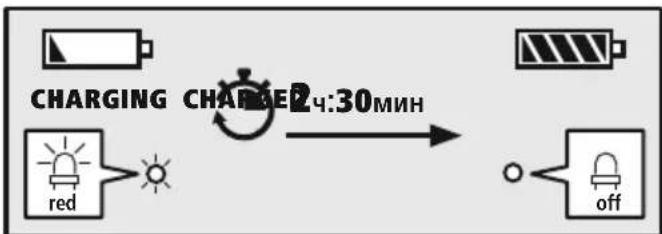
2 Charging process for the headphones
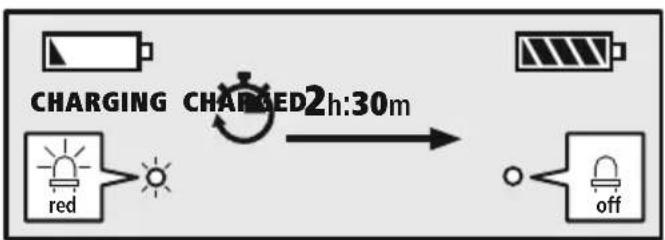
The LED (5) lights up solid red during the charging process.
Once the charging process is complete, the LED (5) goes out.
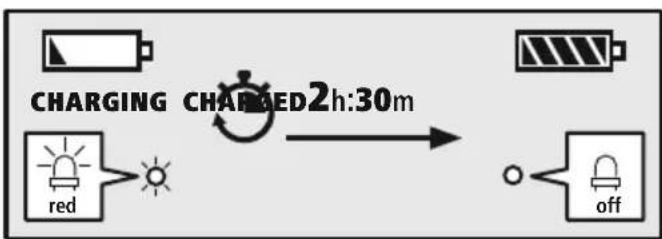
It can take up to 2.5 hours for the battery to be fully charged.
3 Battery capacity
When the headphone battery capacity is low, the LED (5) flashes red and the announcement "Battery Low" is heard.
Note

During the charging process, the Bluetooth connection is automatically disconnected.
6. Bluetooth pairing
Note - Pairing

- Make sure that your Bluetooth capable device is switched on and that Bluetooth activated.
- For more information, please refer to the operating instructions of your device.
The headphones and the device should not be more than 1 metre apart. The shorter the distance, the better.
Switch the headphones on using the MFB key (4).
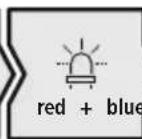
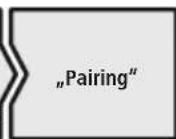
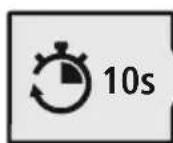
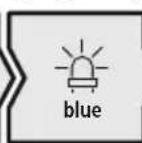
1 Check the status of the status LED (5) and the announcements
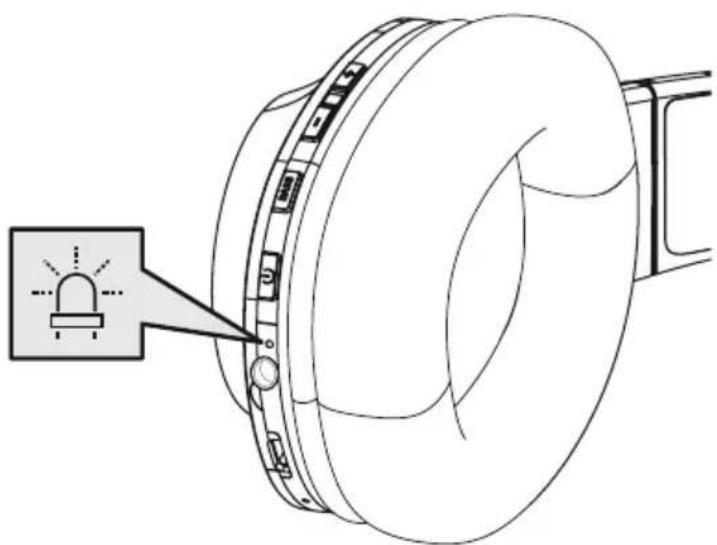
If the LED (5) is flashing alternately and the announcement is:
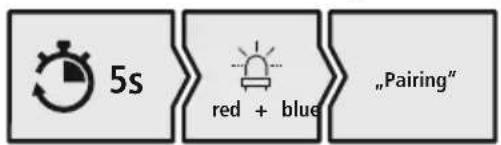
Headphones searching for a Bluetooth connection.
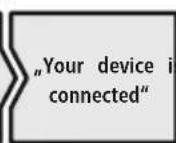
If the LED (5) is flashing and the announcement is:
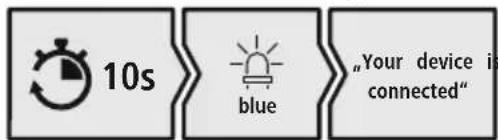
Headphones already paired with a Bluetooth device.
2 Search using your device for the headphones (only required on the first connection)
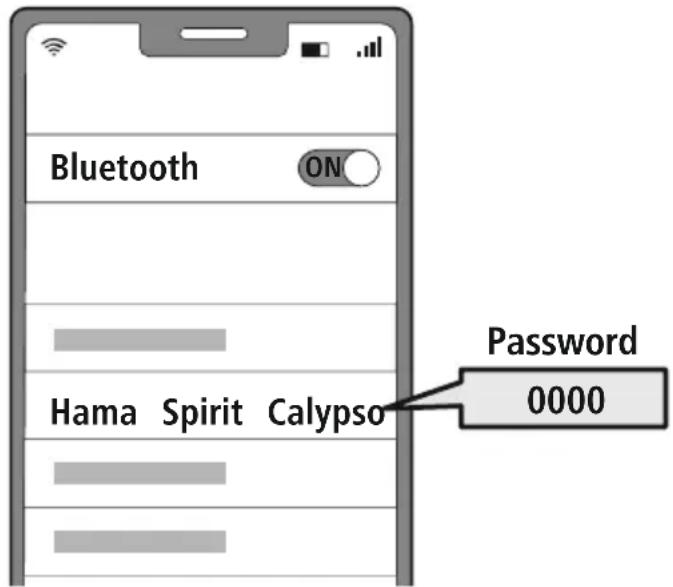
Open the Bluetooth settings on your device and wait until the list of found Bluetooth devices shows Hama Spirit Calypso.
Select Hama Spirit Calypso and wait until the headphones are shown as connected in your device's Bluetooth® settings.
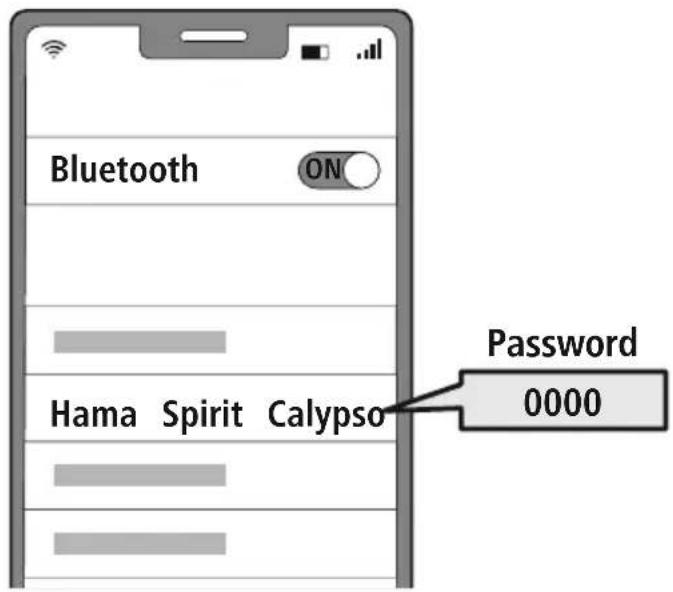
Note - Bluetoothpassword

Some devices require a password in order to connect to another Bluetdevice.
- If your device requests a password to connect to the headphones, enter 0000.
3 Multi-point technology
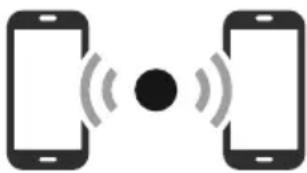
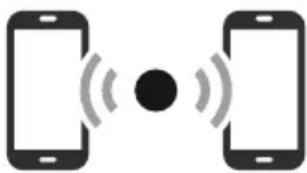
These headphones can connect to two Bluetooth-enabled devices simultaneously (multi-point).
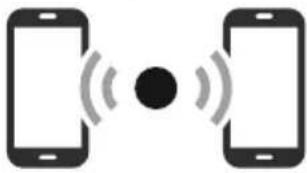
- First connect the first device to the headphones.
- Then deactivate the Bluetooth® function on this device.
- Then connect the second device to the headphones.
- Activate the Bluetooth® function on the first device again. The headphones then connect to this device too.
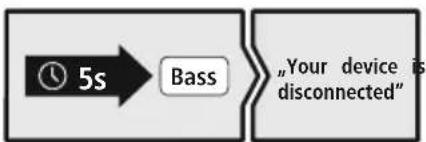
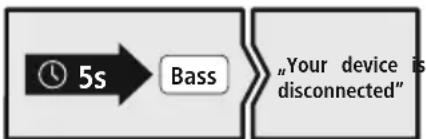
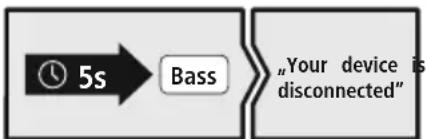
4 Disconnecting the Bluetoothconnection
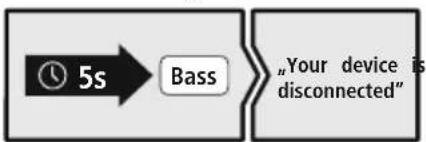
Disconnect the headphones via your device's Bluetooth settings.
Alternative:
7. Controls
Note

- Please be aware that your terminal device must support some functions if they are to be used.
- For more information, please refer to the operating instructions of your device.
7.1 Voice assistant function
Siri/ Google
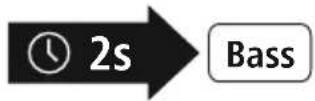
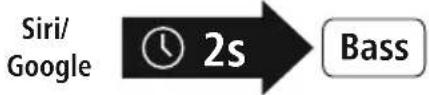
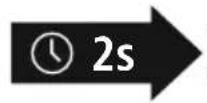
Press and hold the BASS button (3) for around 2 seconds to initiate communication with Siri or the Google Assistant. As soon as you hear a signal tone, your voice assistant is ready to assist you.
Note - Siri

Siri is only available on suitable devices running iOS 5 (iPhone 4s or later) or higher.
Note - Google Assistant

- The Google Assistant is only available on suitable devices running Android 5.0 or higher with Google Play Services, >1.5 GB of free memory and a minimum screen resolution of 720P.
- The Google Assistant App must be available on your device and be set as the default voice assistant.
7.2 Additional bass amplification

Note
Please note that this function is only possible when a Bluetooth connection is active.
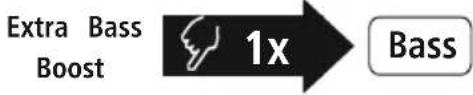
Extra Bass Boost

Bass
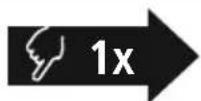
These headphones are equipped with an extra bass function to amplify the bass effect. Press the Bass (3) key to switch on this function while playing music. To switch this function off again, press the Bass (3) key again.
7.3 Hands-free function
It is possible to use the earphones like a hands-free facility for your mobile phone.
1 Make a call
Dial the number directly via your device to make a call.
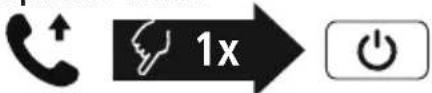
2 Accept a call


Press the MFB key (4) to accept an incoming call.
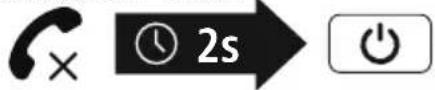
3 Reject a call

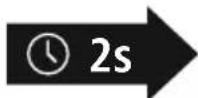
Press and hold the MFB key (4) for around 2 seconds or use your device to reject an incoming call.
4 End a call

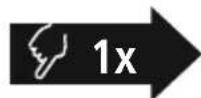
During the call, press the MFB key (4) once to end the call.
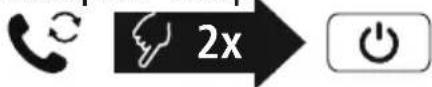
5 Last number radial

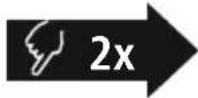

Press the MFB key (4) twice to radial the last number.
Note

The "Last number radial" function is only available for the device which was paired first in a multi-pairing situation.


7.4 Audio playback
Note

Please note that this function is only possible when a Bluetooth connection is active.
1 Start playback on your device.
2 Play / Pause

Press the MFB key (4) once to pause or start audio playback.
3 Next track

Press and hold the + key (1) for around 2 seconds to skip to the next track.
4 Previous track
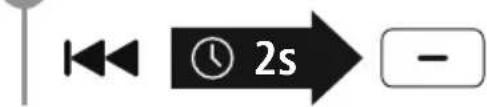
Press and hold the -key (2) for around 2 seconds to skip to the previous track.
7.5 Volume control
1 Increase volume
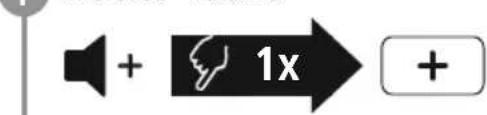
Press the + key (1) once to increase the volume. Once the maximum volume is reached, the announcement "Maximum volume" is heard.
2 Reduce volume

Press the -key (2) once to reduce the volume. Once the minimum volume is reached, you will hear "beep beep".
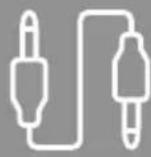
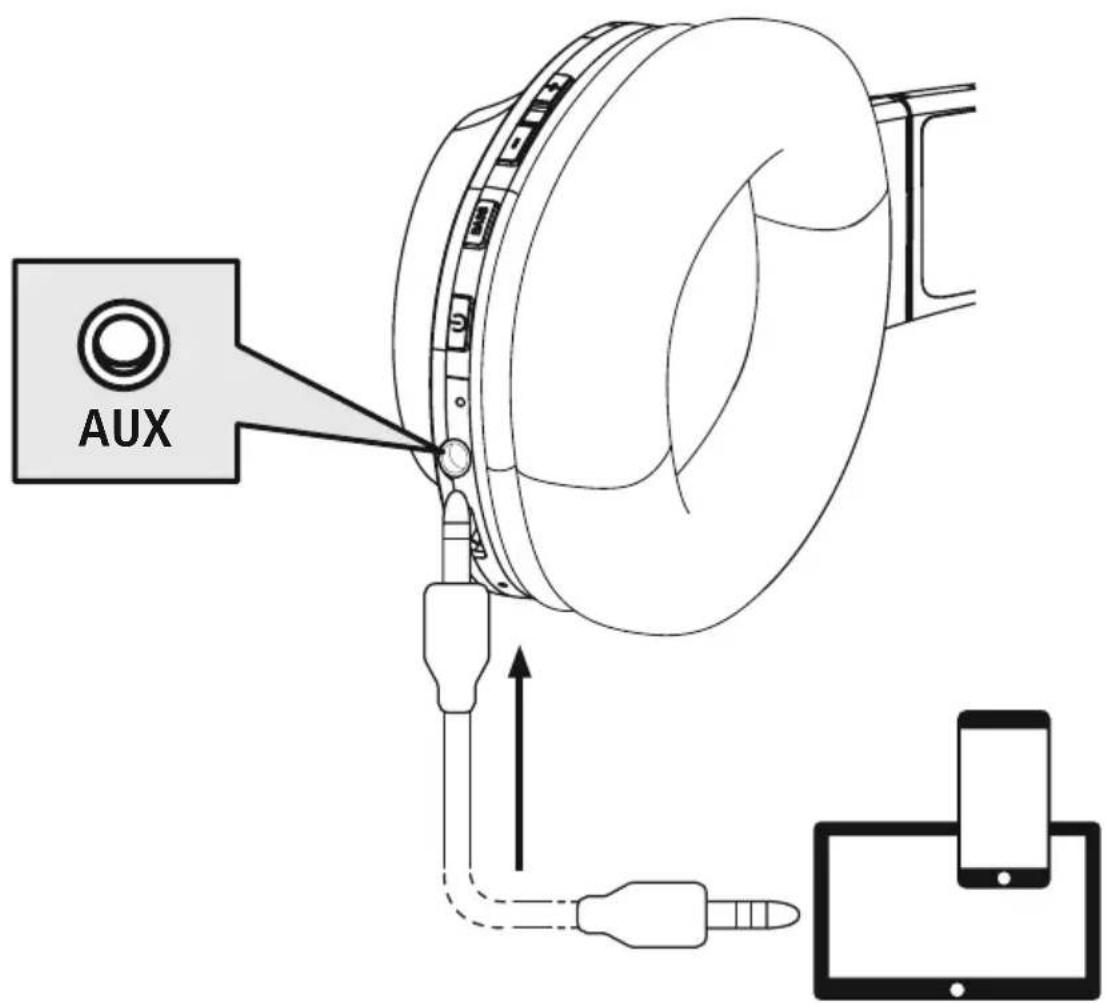
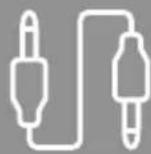
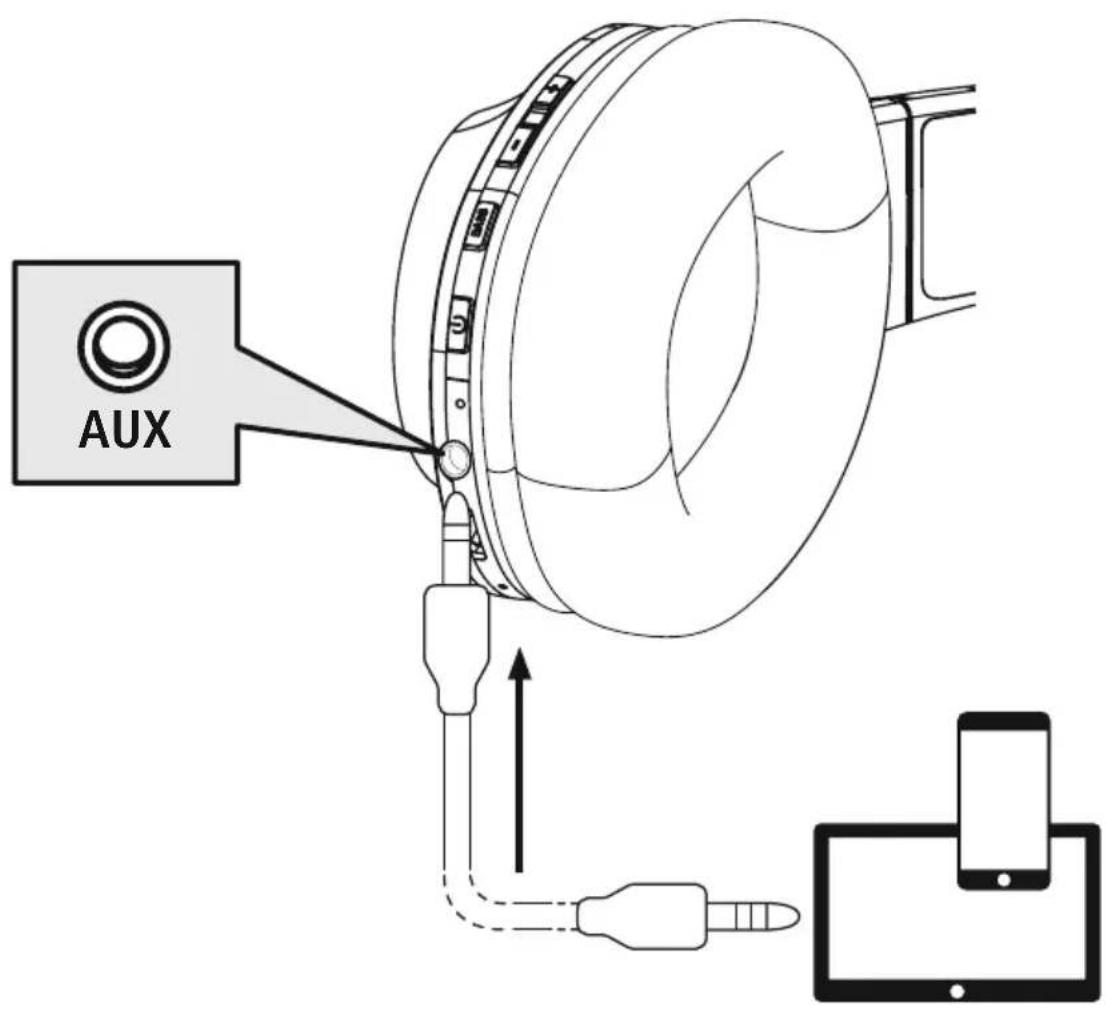
7.6 Audio playback via an audio cable (Not included in the package contents) In addition to the connection via Bluetooth you can also connect these headphones using an AUX cable. To do this, plug one end into the device and the other end into the audio input (6). When the audio cable is inserted, the Bluetooth connection is automatically disconnected. The headphones now function like cabled headphones.
8. Technical data
| Bluetooth® headphones | |
| Impedance headphones / microphone | 32Ω / < 2.2kΩ |
| Frequency headphones / microphone | 20Hz - 20kHz / 100 Hz - 10kHz |
| Sensitivity headphones / microphone | 100dB / -42dB |
| Range max. 10 m | |
| Bluetooth® technology v5.0 + | EDR |
| Profiles HFP V1.6 / A2DP V1.3 | / AVRCP V1.5 |
| Transmission frequency 2.4 - | 2.48 GHz |
| Rechargeable battery Li-Po 3.7V | |
| Battery capacity 500 mAh | |
| Power consumption max. 450 mA | mA |
| Charging voltage max. 5 V USB | |
| Total weight 180g | |
| Standby / music / talk time | max. 180 d / 38h / 36 h |
9. Care and Maintenance
Only clean this product with a slightly damp, lint-free cloth and do not use aggressive cleaning agents.
10. Warranty Disclaimer
Hama GmbH & Co KG assumes no liability and provides no warranty for damage resulting from improper installation/mounting, improper use of the product or from failure to observe the operating instructions and/or safety notes.
11. Service and Support
Please contact Hama Product Consulting if you have any questions about this product.
Hotline: +49 9091 502-0 (German/English)
Further support information can be found here: www.hama.com
12. Recycling information
Note on environmental protection:
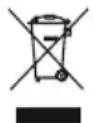
After the implementation of the European Directives 2012/19/EU and 2006/66/EU in the national legal system, the following applies:
electrical and electronic devices as well as batteries must not be disposed of with household waste. Consumers are obliged by law to return electrical and electronic devices as well as
batteries to the designated public collection points or to the point of sale at the end of their service lives. Detailed information on this topic is defined in the national laws of the respective country. This presence of the above symbol on the product, operating instructions or package indicates that the product is subject to these regulations. By recycling, reusing the materials or other forms of utilising old devices/batteries, you are making an important contribution to protecting our environment.
13. Declaration of Conformity
CE Hama GmbH & Co KG hereby declares that the radio equipment type [00184100, 00184101, 00184102] is in compliance with Directive 2014/53/EU. The full text of the EU declaration of conformity can be found on the following website: www.hama.com->00184100, 00184101, 00184102->Downloads.
Frequency band(s) 2402MHz - 2480MHz
Maximum radio-frequency power transmitted 2,5mW E.I.R.P.
6. Bluetooth Verbinding (Pairing)
Hinweis - Pairing

Remarque - Google Assistant
Nota - Google Assistant
Wskazowska - Google Assistant

Alternative megoldaskent:
7. Kezelöelemek
Megjegyzés

Avertizare - Accumulator

Vystraha - Akumulator

00184102->Downloads.
Frekvencné pasmo/frekvencné pasma 2402MHz - 2480 MHz
7.1 Funcão Voice Assistant
Siri/ Google
Bass
He n3MeHnTe, He neOpMpyuTe, He HarpBaTe, He pa36npaTne aKKyMnyTOpb/6aTapeKn
He nCnoJb3yIte n3dJeIe BO BpeM 3apAdkn!
Ppeynpexdene - aKKymyIaTOp

Pa3pewaetca nCIOJIb3OBAt bIa 3apAKn TOnIbKO COBMeCTnMbIe 3apAINbIe ycTpoIcTba I USBpa3beMbl.
He nCnoJIb3yIte HeNCnpaBHbIe 3apAHyIe yCTpoIcTBA IIN USB-pa3bEmbl I He nbITaHTecb nx peMOHTnPOBaTb.
HeDonyckaIte 36bItoHoi 3apJkn n rny6oko pa3pJkn n3dJIy
He xpaHnte, He 3apJkaIte n He nCNoJIb3yIte yCTPOINCTBO npn OueHb Hn3Knx n OueHb BbICOKnx TemnepaTpyax n OueHb Hn3KOM aTMocΦepHOM daBJeHH (HaNPUMep, Ha 6OJIbXnx BbcOTax)
- Пи дintelbHOM xpaHEnn peryIaRHO 3apJxaiTe n3dene (He pexe oDHoro pa3a B Kbaptan)
PpeynpeKdEHe - MaHnItb


- N3dene co3daet MarHHTbIe noJI. Pn INcNoJIb3OBaHN KApIMOCTMMyJrTOpOB npOKOHcyJIbTupyITecb C BpaOM Ha npeDMET COBMECTMIOCTN N3dEINNA C TAKIMN YCTPOICTBaMN
He xpaHnte 6aHKOBCKne nIaHaJIOrnHbIe KapTbIC MaHHTHOI NOLOCoI pydOM C 3apHbIM 6OKCOM NII HayuHKAMNTo MOKeT npBecTI K NOBpeXDeHHo KApT IJU ydaJIeHHIO COxpaHeHHO Ha HIX INHOpMaUIN
IpeDynpexJeHne BBICOKa rPOMKoCTb

- BbICOKa 3ByKOba Happyka!
CyuieCTByeT pnck yxuienycnya. - TTo6bI He dOnyctnTb nOtePn clyxa, He nCNoJIb3yIe HayuHnKn npn BbICOKOM ypOBHe rPOMKOCTN B TeueHne DInTeJbHoro BpeMeHn.
- POnIePxNBAaTe HOpMaJIbHyIO rPOMKoCTb. Bo3JeIcTBnE rPOMKOrO 3Byka, B T.Y. B TeueHne KopoTkoR OpeMeHN, MoXeT pINBecTNI K NOBpeJdeHnO opraHOB clyxa.
Bo Bpem 3Kcnpnyataun n3dennn cHnxaeTc TeneHb BocnpnTnO kpykaUxN 3BykOB u yMOB. 3anpeaaetca nCnoIb30BaTb n3dennne
BO Bpemr BOXKeHnABTOMO6nI ynpabHeHMaUNHaMn.

4. BkIIOueHne/BBIKIOueHne

Haxmnte KhoNky MFB (4) n ydepXuBaIte ee HaxaToB TeueHne npImepHo 3 c, noKa He pa3daCTcYCTHoe ONoBeUeHne "Power ON" n He 3amraet CnHIM CBeToND (5).

ДлЯ Выкноуеня нахмite Кноку MFB (4) и уdeckхивашие ee нахатов втуени 5 c, noka He pa3dactcra ycthoe onobeeHne "Power OFF", He 3amirgaet KpacHBIM CBetoindo(5), kotopbni 3aTeM norachet.
PpmeaHne - aBtOMaTnueckoe BbIKIOueHne HayuHkoB

HayuHKn OchauHbI CNTeMoA bTOMaTHueCKoro BbIKIOueHna. Ecnn B TeueHne 3 MmH coeHNHeHne c OKoHeHbIM yCTPOBCTBOM OTCyTCTByE, OHN aTOMaTHueCKn BbIKIOuaOTca.

5.Заряда
IpeepnepBBIM npmHeHnem Heo6xoDIMO NOJHOCTbO 3apAaNTb HayuHNK.
1 BbIKJIOUeHne n noKJIIOUeHne HayuHnKOB
Y6eIHTecbBTOM,TOpeNepaJkoHayuHnKnBbIKNoeHbI.
Подклочи npnilaraembl 3apнь USB-ka6ь k 3apdHomy rhe3dy (7). Подклочи cbo6oHDh mTekep 3apdHoro ka6ena Micro-USB K COOTBeTCTByOuEMy 3apdHomy yCTpoiCTby C USB-pa3bEmom. CobnDaIte pykoBocTBO no ekCnIyataun nCnoJIb3yEmo 3apdHoro USByCTpoiCTba.
2 Ppoecc 3apAKn HayshNKOB
Bo Bpem 3apJKn CBeToHNO (5) NOCTOHHO rOpNT KpaCHbIM CBeTOM. Pocne 3aBepWeHn 3apJKn CBeToHNO (5) rachet.
3 Texhoolorma Multipoint
3TN HayuHnKMOxHO CINXPOHn3nPoBaTb OndHOBpeMeHHo C DByMRA OKOHeyHbIMN yCTpoiCTBaMn, noDepxHBAUoUmm fynKcIIO Bluetooth (TexHOrorma Multipoint).
- Chaujana cHxpoHn3npyTe c HayuHnKamn nepBoe oKOHeuHoe yCTpOJCTBO.
- 3aTeM DeakTbPyuTe cyHKuIO Bluetooth Ha 3Tom OKoHeHOM yCTpoNCTbe.
- После зTORO снхронириte с hayшнками Второ okoheuhoe yctpoiCTBO.
- Choba akTbHpyTe cyHKuH No BluteoHa nepBOM OKOHeHOM yCTpOcTBe. Tepeb HayuHKn CnHXpoHn3npyOTcN C 3TNM OKOHeHbIM yCTpOcTBM.
4 Pa3bEuINHeHne coeINHeHn e Bluetooth
Pa3beHnHTe coeHNHeHne HayuHKOB B HacToPouKax Bluetobawero OkoneHoro yCTpOcTBA.
AJIbTePHaTnBHyI BapNaHT:
7. Θлем entbl ynpabneHnA
PpmeaHne

- 06paTnte BnMaHne, yTo noIdepKka HeKOTopbIX cyHKcI3aBcNt OT BaIeRo OKoHeuHOrO yCTpOnCTBa.
- Co6nIaTe COOTBeCTbUOJIne yKa3aHnI pyKoBOdCTBa nO 3KcIIyatauIN BaWero OKoHeuHOrO yCtpoiCTBa.
7.1Функци Интелктуальноюпомошнka
Haxmnte udepknBaute KhoNky BASS (3) haxatoi OK. 2 cekynd, yTo6bl 3anyctntb CBA3b c Siri nn Google AccnCTeHTOM. Korda pa3daCTcra 3Byk cnHaana, 3TO 6ydet O3Naatb, yTO BaI rOLOBOI NOMUHNK FOTOB NOMOH Bam.
ykaaHne — Siri

CepBnC Siri nOCTyneH TOnbKO Ha COOTBeTCTByoUx OKOHeuHbIX yCTpoiCTBaX c iOS 5 (HaunHa c iPhone 4s) nn60nee no3dneBepne.
Yka3aHne - Google Assistant

CepBnC Google Assistant IOCTyIeH TOnbKO Ha COOTBeTCTByOuX OKOHeYhIx yCTpoIcTBax C Android 5.0 nnn 6oJee no3dneB BepCme C cepBncamn Google Play Services, >1,5 T6 CBO6oHn pAmrN mMHmMaJIbHbIM pa3peWeHem 3kpaHa 720 nIKceJe.
- PpIIOXeHne Google Assistant IOnJxHO 6bITb IOCTyINHO Ha BaWem OKOHeHOM yCTpoIcTBn HAcTpoEHO B KaueCTBe CTAHApTHORO rONOCOBOro NOMUHNka.
7.2ФункцуdoonohntelbHoro ycnneHna 6acob
PpMueaHne

UyTNTE, yTo 3a fynkua nOCTynH aTobko npn aKTHBHom Bluoteoth®-coeHHeHN.
3TN HayuHnK OchaueHb cyHKne "Extra Bass" nny
ycnneHna 6acOB HaxMnte KhoNky Bass (3) oINH pa3, TTo6bl BkIIOHTb 3Ty cyHKUIO BO BpEM npOurpbIBAHn My3bIKu.
TTO6bl CHOBA BBIKHOHTb 3Ty cyHKUIO, HaxMnte KhoNky Bass (3) NOBTOPO
7.3ФункцягомковCBЯЗN
Bb taKx e MoKeTe nCnOJIb3OBaTb HayuHnKu B KaueCTBe yCTpOInCTBa Ira rPOMKO TeJeFOHHo CBaI IN CBOero MOuJIbHOro TeJefoHa.
1 CobepuNTb Bbl3OB
BbI6epnte Hmep HenocpeDCTBeHHo Ha OKOHeHOM yCTpoNCTBe, YTO6bl COBepuNTb Bbl3OB.
2 PpHrTb Bbl3OB
OndokpatHo haxmte KhoNky MFB (4), yTo6bl npnHrtb BXoJusn Bbl3OB.
3 OTKJOHHTb Bbl3OB
HaxMnte u yedeXuBaTe KhONky MFB (4) HaxaToB TeueHne npImepHo 2 c nIIN NCIOJIb3yIte BaIe OKOHeUoe yCTpOcTBO, YTObI OTKIOHNt BxOJaIu BBIOB
4 3aBepuNTb Bbl3OB

Bo Bpempa3roBopa OndHokpatHo HaxMnte KhoNky MFB (4), 706bl 3aBepuNTb Bbl3OB.
5 NOBTOpHbIn Ha6Op
Двждынхмnte Khonky MFB (4),чтоби habpaTb NocJeHn HappanHbI Homep.
PpimueaHne

Функця NOВTOPHOrO Habopa DoCTyHa TOnbKO IJIr OKOHeuHOrO yCTpoIcTBA, KOTOpoe 6blno ChauJana CnHxPOHn3nPoBaHO.
7.4 Bocnpo3BeDeHne ayDnO3aNcEi
PpimcyaHne

Uyntte, yTo 3a fynkunn doctynh TaIbko npn aKTHBHom Bluetooth®-coeHHeHH.
1 BkIIOUHTe BocnpOn3BeJeHne Ha OKOHeuHOM yCTpoiCTBE.
2 Bocnpoun3BedeHne/nay3a

OndokpaTHo HaxMnte KhONky MFB (4), 706bl npnoctahOBNTb IJIIN 3anyCTnTB npourgpbIBaHne My3bIKu.
3 Cnedyuon Tpek

Для пэрхова К сдуншему Треки Нжмптудөрхьайтс кногк + (1)В түйэн рримерно 2 c.
4 PpebIyuzn TpeK
BG Pa60THa NHCTpyKcIa
Blaoradapm Bn, ye cte n36pa nn npoynk Ha Hama!
OTdene Bpeme n npoTe n3uNo CneBaunTe HnCTpyKnnn yka3aHn. Cne TOBA 3ana3eTo BA pkoBOCTBO 3a ekCnloatauaHa cnuypHO MRCTO, 3a da MoKeTe Da npaBte CnpaBKn B He npn Hykda.AKO npoJaTe ypea, npedAte TOBA pkoBOCTBO 3a ekCnloatauaHa HOBnrc6CTBeHnK.
Elenentn 3a ynpablenne n HndkaTopn
- ByToH +
- ByToH -
3.ФункцExtra Bass - MyntuHkUHOHaJIeH 6yTOH (MFB)
- CBeToIIOI 3a cTAtyc
- Aynobxo(3,5 mm)
- Micro USB nopT
- Minkpofoh
1. 06acheHne Ha npedynpeiTeHH cIMBOHn yka3aHna
PpeynpexkdeHne

I3noJ3Ba ce, 3a da o6o3nauaba yka3aHne 3a 6e3oNaCHOCT mN 3a da HAcOHN BHHMaHHeTO KbM KOHKpeTHn ONaCHOCTn n pncKObE.
ykaaHne

N3non3Ba ce, 3a da o6o3Haayaba donbHnTeHa HΦOpMaunu nn Baxn yKa3aHn.
2. CbДьрханe Ha onaKOBkata
1x Bluetooth® Over-Ear cTrepeo cnyuzaJIkn "Spirit Calypso"
1x Micro USB ka6eJ 3a 3apeXdane
1x KpaTka INHCTpykLna
1x nHCTpyKuun 3a npedynpeXdHeNe H OcNrypaBHe Ha 6e3oNaChOCTTa



3. Yukazama 3a 6e3onachoct
- PódykTB e npedBüdén 3a JinyuHa, HecToNaHCKa 6nToBa ynoTpe6a
- 3n0nl3BaIte npOyKta cAmo 3a npEbnHeHaT a eI.
-Деца Трябвадбьдат пон haizop,3a da ce rapaHTnpa,ч НмдсиИрайспpoDyKta
He n3non3BaIte npOdykTa B 30Hn, B KOnTO He ca pa3peweHn eNeKtpoHn ypeHn
He ce onntBaIte cAmn da obcnykBaTe nIpeMoHTnpaTe npOdykTa OctaBeTe BcKaKaBaTexHnuecka noDnPbXka Ha KOMnTeHTHnTe CneuHaJIncTn.
He OTBapAitpe npOdykTa n npn nobpea He npoDbIjXabAite da ro n3non3BaTe - He npueynbaute n He npntnckaite Kaeba.
He no3B0JaBaIte Ha npOyKta da nada Hn He ro n3JaraTe Ha cnJIHn Bn6paun - 3xBbPJIe ONAKObHnMaTePnA1 BeHaRa CbIaCHO DeNCTBaUHTe Ha MCTO pa3nope6n 3a N3XBpJHe Ha OTNaDbu
- He npabete npomehn B ypea. Taka 3ary6nte npabo Ha BCaKaBn rapaHNoHH npTeHn
- Na3eTe npOdykTa OT 3aMbpcBaHe, BlaRa n nppePraBaHe I rO n3NoJI3BaIte CaMo B CyXn NOMeUeHn.
He n3no3BaIe npOyKTa B HENOCpeDCTBeHa 6n3oCT Do OTOnnTeJIHn ypei,pyrN n3ToUHnCu Ha TOnnHa IIN Ha dIpeKTHa CbHyeBa CBETInHa. - N 3noI3BaIte npOyKta cAmo npn yMepeHn KInMaTnHy YCNOBnA
Ipoio6HO Ha BCNUeEKeKTPnueCKn npOyKTn,TO3n npOyKT He 6nBa Da nonada B pbuete Ha neca!
He n3no3BaIte npOyKta 3BbH HerOBHTe rpaHnCuHa MoUHOCTTa, NOCOeHN B TEXHueCKNTe daHHN.
He n3no3BaIte npOdyKta BbB BnaJHa cpeJa n36raBaIte BOHN npbckn - Поваме на nbTyBaHeTo c MNC nIcnpTeHypeн He pa3peuBauTe da 6bJeTe OTKIOHBAHnOT BaunЯ npOdyKT n BHMaBaTe 3a NOJoxeHMeTo npn DBXKeHne n BaWata OKJHa cpea.
Akymylatopnata 6atepy e HenoBnxHo BrgpaedHa H He moxe da ce Maxa, n3xBbPne Te npOyKta KaTo UaNo cnopei 3aKOHOBnte pa3npope6n
He XbpbIyTe 6aTepeYra Tn npOyKaB OrBn.
He npomehae u/nn He deopmnpaTe/ HarpBaTe/pa3rno6raBte akymylatopnTe
6aTeepn/6aTeepnnte.
He n3noJI3BaIte npOdykTa no BpeMe Ha 3apeXdahe!
Ppeynpexdne -BaTepey

- 3a 3apexdahe n3noJ3BaIte caMo noJxOJaIu3apJHn yCTpoJcTba IIN USB n3B0Dn.
- Pn npHn He n3no3BaTe DeefekTHn 3apAny yctpoNCTBa nn USB n3BODn n He ce ONNTBaTe da rN nonpaBte.
- He no3BOLIyBaIte npOdyKta da ce 3apeXda nOBeYe OT Heo6xOIMOTO nn Da ce pa3peXda HnblHo.
- N368raBaiTe cBxpaHene, 3apeXdaHe n H3noJ3BaHe npEekTpeMHn TemepaTyPi n H3KJIIOHTeJIHO HnCKO HaIraHe Ha Bb3dYxa (kato HanpIMep Ha roJeMn BucOuHH).
- Ppno no-npoobnKnteHNO cbxpaHeHne Do3apexKaIte nepnoDnHNO (noHe BeHNbX Ha Tprn Meceua).
PpeynpeKdHne -MarHnTm


IpoNyKbT rHeepnpa MarHHTn noIeta. JInuata Cbc CbpdeHn CTmMyNatOpn Tp6Ba da ce KOHCyNTupat C nekap npedn ynotpeba Ha npOdykTA, Tb Kato cyHKunra Ta H cbPdHuN CTmMyNatOp MoKe Da 6bJe HapyuSha.
- EC Альперуг подоги Карту с Магншни entи He ьа Да ce CBхраньat B 6и30ctdo 3apdHOTO yCTpoIcTBО ИИ сLУшaknte. Даннite ot Kaptata Morat Дa 6bdat NOBpeHEN ИИ N3TPNTN.
PpeynpexKeHne - cnJen 3ByK

Tolmyo akcytmyHO haJrahe!
CbueCTbByBa onaCHOCT OYBpeXdaHe Ha cIyxa.
3a da 6bnde npedotbpaTeHa 3ary6a Ha cnlyxa, n36raBaIte CnyuHaTo Ha CNHeh 3ByK 3a Dblr nepnoi OT BpeMe
- PoiDlbpxKaIte CnIaTa Ha 3ByKa BnHaRn Ha pa3ymHO HnBO TOnMaTa CnJa Ha 3ByKa MoKe - DOpN I npM MaIka npOdbJnxTeHnOCT - Da IOBeNe Do yBpeXdAnHr Ha Cnyxa
- YnOtnpe6ata Ha npOdykTa orpaHnUaBa BB3npHemaHTo Bn Ha WymObe OT OKoJHata CpeDa 3aTOba no Bpeme Ha yNtpe6ata He ynpabIbAaTe ABTOMO6NJ IN MaUNH.

4. BkJIOUyBaHe/u3KJIOUyBaHe

HaTnCHHe 6yToH MFB (4) 3a Okono 3 cekyni,doKaTo yyeTe cboBueHneTo "Power ON" n CBeToOnoBt (5) 3anoUhe da Mra B CnHbO.

3a n3KJIIOUbaHe haTnCHTe 6yToH MFB (4) 3a OKoJIo 5 cekynI, dOKaTO yyeTe cbo6ueHneTo "Power OFF" n CBeToDIObT (5) 3anOuHe da Mmra B UeRbeHo, cJeI KoETo I3rAcBa.
Yka3aHne - aBtOMaTHUHO n3KJIIOUBAHe Ha CnywaJKNITE
Cnyuankne pa3nojarat c cyHKnna 3a aBtOMaTHNo nKIOUbaHe. Ako B pAMknte Ha 3 MInHyTn He ce OcbIeCTBN Cbbp3BaHe C KpaHOTO yCTPOIcTB0, Cnyuankne aBtOMaTHNo Ce N3KIOUBAt.

5. 3apexkahe
Ipei npbpaTa ynoTpe6a 3apeTe HnblHo CnywaKnte.
1 N3KIOUOBAHe n Cbbp3BaHe Ha CnywaJKNITE
IpeNi 3apexKahe Tp6Ba Da ce yBepnte, ye cnUwaJknte ca nKIOUOeHn.
Bknioye npinnoxeynna USB ka6en 3a 3apekdahe Kb m rHe3IOTo 3a 3apekdahe (7). CbpxeTe cbo6dHnna ukeep Ha Micro USB ka6ena 3a 3apekdahe Kb m noXoJauo USB 3apAnHo yctpoiCTBO. 3a ceTt a cna3BaIte nHcTpyKzIra Ta 3a o6cnyXbaHe Ha n3noJ3BaHO TO USB 3apAnHo yctpoiCTBO.
2 3apekdaheHa cnywaanknTe
CBeToIOIObT (5) CBeTN NOCTOARHNO B UepBHeHO NO BpeMe Ha 3apexJaHeTO.
CneI 3aBbPbBaHe Ha 3apexJaHETo CBeToIOIObT (5) n3racBa.
IbHTo 3apeKdaHe Ha akymytaOpHaTa 6aTepy MoKe da OTheme Do 2,5 yaca.
3 KaanaIteT Ha akymylaTopHaTa 6aTePnA
Ipn HnCKO HnBO Ha 3apraHa aKymyIaTOPHaTa 6aTepeHr Ha CnyuJaIKTe CBeToNDOBt (5) Mna B cepBHeNo I ce CyBa Cbo6ueHneTo "Battery Low".
yka3aHne

No BpeMe Ha 3apeKdaHeto Bluetoothbpb3kata ce n3KNIOyBa aBtOMaTnHO.
6. Bluetooth® Bpb3ka (CDBOBAHe)
Yka3aHne 3a cDBoBaHe

- YBepete ce, Ye BaweTo noDbpxaIo Bluetooth® kpaHNo yCTpOietBO e BKIOUeHO n Ye BluetoTH aKTNBnpan.
- 3a Ta3n c9e n C7BaIte yka3aHnraT aO pBkoBOcTBOTo 3a ynoTpe6a Ha BaIeTo KpaH OyctpOcTB0.
Cnyuankte n KpaHOTO yCTPOIcTBO Tp86Ba Da 6bDaT Ha pa3CToHne no1 MeTbp. Konkoto no-MaKo e ToBa pa3CToHne, ToJKOBA no-Do6pe.
BkJIOUeTe CnyuJaIKNe Tc 6yToH MFB (4).
1 IpoBepTe cbCToHHeTo Ha cBeToaNoDa 3a CtaTyc (5) n rIacobite cbo6eHnA
Korato cBeToaNoBt (5) Mra nocJeIOBaTeIHO n ce cyBa cbo6eHne:
Cnywanknte Tbpctr BluetoothBpb3ka.
Korato cBeToaNoDbT (5) Mra n ce yBa cbo6ueHne:
Cnyuankte Buee ca Cbbp3aHn c KpaHno yctpOCTBO c Bluetooth.
2 TbpcTe cnyuajnkute c BaeweTo kpaHNo yctpoNCTBO (Heo6xOJMo e cAmo npn nbpBo yCTaHOBBAHe Ha Bpb3Ka)
OTBOPe HAcTpoKnTe 3a BluetoothHa BaWeTo KpaHOb yCTpOcTBo N N3uKaIte, DOKaTO B cnCbKa Ha HamepeHnTe BluetoothyCtpoIcTbA He ce nokaxe Hama Spirit Calypso.
Hama Spirit Calypso N 3a KaTe, OKaTo CnyJAKnTe He Ce NOKaXaT KaTo CBp3aHn B HacptpoKnTe 3a Bluetooth Ha BaWeTo KpaHo yCTpoNCTBO.
Yka3aHne - Bluetooth napola

HЯко Краину устюп CTBA ce hyждяг OT napona 3a Habстюкata Ha Bpb3kata C pyro Bluetooth® устюCTBO.
- 3a Cbbp3BaHe Cbc Cnyuajknte BbBeJeTe napolaTa 0000, KOrato 6bJeTe noJaHeH/a 3a ToBa ot BaWeTo KpaHc YoCTBO.
3 TexHoiJorM Multipoint
Te3n cnyuapanKmoat da ce cBbpxaT eHOBpeMeHHo C dBe KpaHn yCTpoiCTBa c Bluetooth® (Multipoint).
CbpxTe npBtO KpaHOb yctpOcTBO cbc cnUaKnTe.
- Cnéi TOBa De3aKTbBnPaIe Bluetooth ΦyHKcIyTa Ha TOBa KpaIHO yCTpOINCTBO.
CbpxKeTe BTOPOTo KpaHn YoCTpOcTBO CbC CnyuAknTe.
- AKTINBIPaIe OTHOBo Bluetooth® ΦyHKUmaTa Ha nbpBOTo KpaHOr yCTPOcTBO. Cera cnyuAaIKTe ce CBbp3BaT n C TOBa KpaHOr yCTPOcTBO.
4 NpeKbcBaHe Ha BluetoothBpb3KaTa
PpeKbchTe Bpb3KaTa Ha cnlyaJKNite OTHacTpoKnite 3a BluetoBaWTo KpaHcYcTpoCTBO.
AntepHaTmBHO:
7. ElenemTe 3a ynpabJeHne
yka3aHne

-ObbpHTe BnMaHHe, Ye noIbpbXaHTo Ha HrKoN OT cyHKcunTe 3aBcNOT BaUeTo KpaHOr yCtpoiCTBO.
- 3a Ta3n Cen cna3BaIte yka3aHnIyTa OT pkoBOdCTBoTo 3a ynoTpe6a Ha BaIeTO KpaHNo yctpOcTBO.
7.1ФункцяЗаг�ов acncteHT
Siri/ Google
Bass
HaTnchete n 3aIpbXTe 6yToHa BASS (3) 3a OK. 2 cekyHn, 3a da cTaptnpate KOMyHnKaun C Baun Siri nn Google AcnteHT. Korato yyeTe 3ByKOB cnHaJ, Baunr rnaob acnteHT e roTOB da BN nomara.
Yka3aHne - Siri

Siri ce npednara cmo Ha noDxOaun KpaHn ycTpoiCTBa ciOS 5 (ot iPhone 4s) nnu no-Bvcoka.

YkaaHne - Google AcnteHT
- Google AcncteHT ce npedna cmo Ha noDxOaun KpaHn yCTpoiCTBa C Android 5.0 nn no-Bucoka c Ycnyu 3a Google Play, >1,5 GB cbo6oHa namet mMmMaHa pa3dneiTHe h cnoc6hocT ha ekpHa 720 P.
- PpIIOXeHneTo Google AcnteHT TpIbBa Da e HAIuH Ho Ha BaWeTo KpaH O yCTpoNCTBO n da e NaCTPOeHO KaTO CTaHApTeH rNaCob acnCTeHT.
7.2Доьнгелно усиBaHe Ha 6aca
Yka3aHne

06bphete BHMaHHe, ye Ta3n FyHKuR e Bb3MOxHa cAmo npn aKTUBHa Bluetopbska.
Extra Bass Boost
Bass
Te3n CnyuJALK NmAT cyHKUgExtra Bass 3a ycJIbAhe Ha 6aca.HatncHete BeHbX 6yToHa Bass (3),3a Da BKIOUHTe cyHKUgTA,doKATO ce CnyuMa My3Nka.3a da N3KJIIOHTe OTHOBO cyHKUgTA,HatncHete OTHOBO 6yToHa Bass (3).
7.3Функця "CBO6OdHn pbue"
CbueCTByBa Bb3MOxHOCCTT a Da n3nOJ3BaTe CnyuAJIKe T KeTO yCTPOINCTBO "CBO6oHN pBuce" 3a Baun M06nEn TepeOH.
06aXdahe
HahepeHomepa Hapabo OT BaueTo KpaHo yctpoNCTBO, 3a da HapabnTe obaxdahe.
2 PnpemaHa NaOBNKBaHe


HaTnchete BeHbX 6yToH MFB (4), 3a da npneMeTe BXoJaIIO NOBnKBaHe.
3 OTKa3BaHe Ha NOBnKBaHe

HaTnCHeTe n 3aApbXTe 6yToH MFB (4) 3a OkoNo 2 cekynnn nn n3noJ3BaIte BaIeTo KpaHn yCTpOInCTBO, 3a Na OTKaXTe npneMaHTo Ha BXOJaU O6axJaHe.
4 PpNKIOUbaHe Ha NOBUKBaHe

No Bpeme Ha pa3roBopa HATnCHeTe BeHbX 6yToH MFB (4), 3a Da npKluOHTe o6axdaHeto.
5 NobtapaHa Ha6upaHeTo

HaTnchete IBa nbTu 6yToH MFB (4), 3a da HabepeTe OTHOBO nocneHnna HabnPauH Homep.
Yka3aHne

ФункцутАТ"ПОВТAPЯне Ha HбираHTo"MOKe Да ce n3ползВа caMo 3a KpaHNo yCTpoIcTBO, KoTe o 6nlo CBbp3aHo nbpBo npn Multipairing.

7.4 Bb3npo3Bexkahe Ha aydno
Yka3aHne

06bphete BHHMaHne, ye Ta3n yHKnE e BB3MOxHa cAmo npn aKTUBHa BluetoBka.
1 CtrpnpaTe Bb3npoN3BexKaHTo Ha aydno Ha BaWeTo KpaHNo yctpoNCTBO.
2 Bb3npoN3BekDaHe/Na3a


HaTnchTe BeHbX 6yToH MFB (4), 3a Da cnpTe nnn 3a da CTapTnpaTe Bb3npOn3BexKaHeTo Ha aydno.
CneDbauo 3aIabnE


HaTnchete n 3aIpbXte 6yToH + (1) 3a Okono 2 cekyni, 3a Da IpeckOHTe KbM CneDbAooTo 3aIabVe.
4 Ppeiunho 3aIabne

HaTnchHeTe 3aApbXTe 6yToH-(2)3a Okono 2 cekyni, 3a Da Ce BbPHeTe KbM npeduHOTo 3arIabne.
7.5 Perynupahe Ha cnlaTa Ha 3Byka
1 yBeJIuHaBaHe Ha cUJaTa Ha 3ByKa

HaTnchete BeHbX 6yToH + (1), 3a Da yBeJIuHrTe CnIATA Ha 3Byka. PpN DoCTnraHe Ha MaKcMajHata CnJa Ha 3Byka ce CyBa cbo6eHMeTo "Maximum Volume".
2 HamajBaHe Ha cnJaTa Ha 3ByKa

HaTnCHete BeHbX 6yToH - (2), 3a Na HAmalnte CnlaTa Ha 3Byka. Pn IOCTnRaHe Ha MNHMaHata Cnla Ha 3Byka ige yyeTe 3ByKOB CnHaJ "beep beep".
7.6 Bb3npo3Bexdahe Ha aydno npe3 aydnoka6en (He e BKJIIOueH B CbIbpxKaHneTo Ha onaKOBkata)
Ocben Ype3 Bluetooth, moxete da Cbpxte Te3n Cnyuankn n C nomoxta Ha AUX Ka6en. 3a Ta3n uei BKlnoche eHNH KpaB KpaHOTo yCTPOIcTB0, a Dpyrna - B ayDIOBXOda (6). Ppi BkIIOvBaHe Ha ayDIOKabena Bluetooth BPb3kata ce npekbcba ABTomuHNo. Cera cnUyuaNKeTe FyhKnOnHnpat KaTO Ka6enn cnUyauKn.
8. TexHnueckn daHHN
| Bluetooth® с unlалки | |
| Импedingс с unlалки/ Мнкрфоан | 32 Ω/< 2,2 kΩ |
| Чебта с unlалки/ Мнкрфоан | 20 Hz - 20 kHz/100 Hz - 10 kHz |
| Чв BSTВЕЛСТС unlалки/ Мнкрфоан | 100 dB/-42 dB |
| Оьхват Мак. 10 m | |
| Bluetooth® Т电商логия v5.0 + EDR | |
| Проблем HFP V1.6/A2DP V1.3/AVRCP V1.5 | |
| Чеб耗费 наPreдаване 2,4 - 2,48 GHz | |
| Баерия Li-Po 3,7 V | |
| Кацитек на akулаторна对接а对接a对接a对接a对接a对接a对接a对接a对接a对接a对接a对接a对接a对接a对接a对接a对接a对接a对接a对接a对接a对接a对接a对接a对接a对接a对接a对接a对接a对接a对接a对接a对接a对接a对接a对接a对接a对接a对接a对接a对接a对接a对接a对接a对接a对接a对接a对接a对接a对接a对接a对接 a对接a对接a对接a对接a对接a对接a对接a对接a对接a对接a对接a对接a对接a对接a对接a对接a对接a对接a对接a对接a对接a对接a对接a对接a对接a对接a对接a对接a对接a对接a对接a对接a对接a对接a对接a对接a对接a对接a对接a对接a对接a对接a对接a对接a对接a对接a对接a对接a对接a对接e对接e对接e对接e对接e对接e对接e对接e对接e对接e对接e对接e对接e对接e对接e对接e对接e对接e对接e对接e对接e对接e对接e对接e对接e对接e对接e对接e对接e对接e对接e对接e对接e对接e对接e对接e对接e对接e对接e对接e对接e对接e对接e对接e对接e对接e对接e对接e对接e对接e对接c对接c对接c对接c对接c对接c对接c对接c对接c对接c对接c对接c对接c对接c对接c对接c对接c对接c对接c对接c对接c对接c对接c对接c对接c对接c对接c对接c对接c对接c对接c对接c对接c对接c对接c对接c对接c对接c对接c对接c对接c对接c对接c对接c对接c对接c对接c对接c对接c对接c对接e对接e对接e对接e对接e对接e对接e对接e对接e对接e对接e对接e对接e对接e对接e对接e对接e对接e对接e对接e对接e对接e对接e对接e对接e对接e对接e对接e对接e对接e对接e对接e对接e对接e对接e对接e对接e对接e对接e对接e对接e对接e对接e对接e对接e对接e对接e对接e对接e对接 e对接e对接e对接e对接e对接e对接e对接e对接e对接e对接e对接e对接e对接e对接e对接e对接e对接e对接e对接e对接e对接e对接e对接e对接e对接e对接e对接e对接e对接e对接e对接e对接e对接e对接e对接e对接e对接e对接e对接e对接e对接e对接e对接e对接e对接e对接e对接e对接e对接e对接E对接e对接e对接e对接e对接e对接e对接e对接e对接e对接e对接e对接e对接e对接e对接e对接e对接e对接e对接e对接e对接e对接e对接e对接e对接e对接e对接e对接e对接e对接e对接e对接e对接e对接e对接e对接e对接e对接e对接e对接e对接e对接e对接e对接e对接e对接e对接e对接e对接e对接a对接a对接a对接a对接a对接a对接a对接a对接a对接a对接a对接a对接a对接a对接a对接a对接a对接a对接a对接a对接a对接a对接a对接a对接a对接a对接a对接a对接a对接a对接a对接a对接a对接a对接a对接a对接a对接a对接a对接a对接a对接a对接a对接a对接a对接a对接a对接a对接a对接A | |
| Консuaця на тOK Мак. 450 mA | |
| Зарадно наразжение Мак. 5 V USB | |
| Тер lo obшо 180g | |
| Готовност/музка/ телегонни разrostори | мак. 180 Φ/38 Φ/36 Φ |
9. TexHnuecko obcnykBaHe n noDpBxKka
IOnuCTBaIte T03n npOyKT cAmO C JIeKO HABJaxHeHa Kbpna 6e3 BLnACNHn I He N3noJ3BaIte arpeCunBn IOnuCTBaU nPepaTn.
10.ИЗкlioquBaHe Ha OTROBOPHOCT
Hama GmbH & Co KG He noema OTROBOPHOCT uIraHua 3a NOBpeu, KOITo ca pe3yIaT OTHepaBnHa INCTaJIaUa, MOHTaX uYnoTpe6b Ha npOdyKta uNl OTHecNa3BaHe Ha pbKOBOdCTBOTO 3aekpIoatauHa /uHa yKa3aHnTa 3a 6e3OnaCHOCT.
11. CepBn3 n noDnpbXka
PnBbnpocn OTHOCHO npOyKTA,MOJI,OBbpHeTe Ce KbM npOyKTOBtKe KOHCytTaHTn Ha Hama.
TopeuJnHn: +49 9091 502-0 (HeMckn/aHrnnckn)
Допьнітелна Информача 3a подрьжкata можete на Намерпіte Тук: www.hama.com
12. Yka3aHn 3a n3XbPJIHe
Yka3aHne OTHoCHO 3auntata Ha OKoHaTa CpeJa:
OT MOMENTa Ha npinlaraHTo Ha eBponecknte DnpeKtNB 2012/19/EC n 2006/66/EO B HauMOHaJIHOTO npaBO Ha CbOTBeTHnte CTpaHN Baxn CJIeHOTO:
EneKtpnuecknte n eNeKtpoHHnte ypeu n 6aTePnnte He 6bBa da ce n3XbPnT c 6bTOBnTe OTnabu. NopTeBnTeJr t e nnbxKeH no 3aKOH Da BbPhe eNeKtpuuecknte n eNeKtpoHHnTe
урени ватерпente в края на тяхнatable длготаяност на ИЗгаденite 3a Zeелдахи пункове за сбизаре на OTпадьи ллп на Тьрвскя оьekt. Пдробноctite no Вьпрoca ca perламentupaи в За KohODATEJCTBOTO на СьOTВETHATA CTpaHa. CmBoЛТВьрху роДуКТ, уптВанeto 3a уnotpe6a лл поakOBkata насоча Кьм Te3n pa3npe6b.Чeз peцклuarpoTe, петабтКATA на MaTeprnaJIte лл дун Формп на ononl3OTBOPRABaHe на CTapnte урени/батерп ве ДОпринскerte 3a 3auntata на Наша Т OkOLнcacreda.
13.ДeКларачиЗa cBoTBeTCTBnE
C hactoTo Hama GmbH & Co KG deKlapanpa, ye TnTbHa paAnoo6opyDbaHeTo [00184100, 00184101, 00184102] cbOTBeTCTBa Ha InpekTnBa 2014/53/EC. IbnHnat TeKCT Ha EC deKnapaunra 3a cbOTBeTCTBne e Haniueh Ha cIeHn HInTePHT aDpec: www.hama.
com->00184100, 00184101, 00184102->N3TeTJIHHJ.
YeCToTHaJeHTa/YeCToTHnJeHTn 2402MHz-2480MHz
MaKcImaJIHa n3JIbYBaTeJIHa MoUHocT 2,5mW E.I.R.P.
GR O8nyiec xpnoan
Zac euxapiotoupe nou eiaeate eva npoiov tnc Hama!
Apixka, aphiwote liyo xpov yia va diaafoet TIC napakatow obnyiec kai unodseiic. Tn ouvexia, olaTe to eyyxepidio odnyiw o ae ophae c npoc yia eAlovtik npon, av xpeiaotei. Eav dwoe t n oukeun oe alto Ta npenei va npadwoete to eyyxepidio odnyiw otov veo idokntn.
Ttoixia xieipioou kai evdeltaic
- λ η τ ρ +
- λ η τ ρ -
- PpOoθeTo μnaco
4.Πλκτρο πολλων λειτουργιων (MFB) - Auxvia kataoataoqc LED
- Eioo8oc nXou (3,5 mm)
7.Σvδεση Micro-USB
8.MikpóΦwvo
00184102->Downloads.
- GB Operating Instructions
- Controls and displays
- Explanation of warning symbols and notes
- Warning
- Note
- Package contents
- Safety instructions
- Warning - rechargeable battery
- Warning - magnets
- Warning - high volume
- Switching on/off
- Charging
- Switch off the headphones and connect them
- Charging process for the headphones
- Battery capacity
- Bluetooth pairing
- Note - Pairing
- Check the status of the status LED (5) and the announcements
- Search using your device for the headphones (only required on the first connection)
- Note - Bluetoothpassword
- Multi-point technology
- Disconnecting the Bluetoothconnection
- Controls
- Voice assistant function
- Note - Siri
- Note - Google Assistant
- Additional bass amplification
- Hands-free function
- Make a call
- Accept a call
- Reject a call
- End a call
- Last number radial
- Audio playback
- Volume control
- Technical data
- Care and Maintenance
- Warranty Disclaimer
- Service and Support
- Recycling information
- Note on environmental protection:
- Declaration of Conformity
- Bluetooth Verbinding (Pairing)
- Hinweis - Pairing
- Remarque - Google Assistant
- Nota - Google Assistant
- Wskazowska - Google Assistant
- Alternative megoldaskent:
- Kezelöelemek
- Megjegyzés
- Avertizare - Accumulator
- Vystraha - Akumulator
- Funcão Voice Assistant
- Ppeynpexdene - aKKymyIaTOp
- PpeynpeKdEHe - MaHnItb
- IpeDynpexJeHne BBICOKa rPOMKoCTb
- BkIIOueHne/BBIKIOueHne
- PpmeaHne - aBtOMaTnueckoe BbIKIOueHne HayuHkoB
- 5.Заряда
- BbIKJIOUeHne n noKJIIOUeHne HayuHnKOB
- Ppoecc 3apAKn HayshNKOB
- Texhoolorma Multipoint
- Pa3bEuINHeHne coeINHeHn e Bluetooth
- Θлем entbl ynpabneHnA
- PpmeaHne
- 7.1Функци Интелктуальноюпомошнka
- ykaaHne — Siri
- Yka3aHne - Google Assistant
- 7.2ФункцуdoonohntelbHoro ycnneHna 6acob
- PpMueaHne
- 7.3ФункцягомковCBЯЗN
- CobepuNTb Bbl3OB
- PpHrTb Bbl3OB
- OTKJOHHTb Bbl3OB
- 3aBepuNTb Bbl3OB
- NOBTOpHbIn Ha6Op
- PpimueaHne
- Bocnpo3BeDeHne ayDnO3aNcEi
- BG Pa60THa NHCTpyKcIa
- Elenentn 3a ynpablenne n HndkaTopn
- 06acheHne Ha npedynpeiTeHH cIMBOHn yka3aHna
- PpeynpexkdeHne
- ykaaHne
- CbДьрханe Ha onaKOBkata
- Yukazama 3a 6e3onachoct
- Ppeynpexdne -BaTepey
- PpeynpeKdHne -MarHnTm
- PpeynpexKeHne - cnJen 3ByK
- BkJIOUyBaHe/u3KJIOUyBaHe
- 3apexkahe
- N3KIOUOBAHe n Cbbp3BaHe Ha CnywaJKNITE
- 3apekdaheHa cnywaanknTe
- KaanaIteT Ha akymylaTopHaTa 6aTePnA
- yka3aHne
- Bluetooth® Bpb3ka (CDBOBAHe)
- Yka3aHne 3a cDBoBaHe
- TbpcTe cnyuajnkute c BaeweTo kpaHNo yctpoNCTBO (Heo6xOJMo e cAmo npn nbpBo yCTaHOBBAHe Ha Bpb3Ka)
- Yka3aHne - Bluetooth napola
- TexHoiJorM Multipoint
- NpeKbcBaHe Ha BluetoothBpb3KaTa
- AntepHaTmBHO:
- ElenemTe 3a ynpabJeHne
- 7.1ФункцяЗаг�ов acncteHT
- Yka3aHne - Siri
- YkaaHne - Google AcnteHT
- 7.2Доьнгелно усиBaHe Ha 6aca
- 7.3Функця "CBO6OdHn pbue"
- 06aXdahe
- PnpemaHa NaOBNKBaHe
- OTKa3BaHe Ha NOBnKBaHe
- PpNKIOUbaHe Ha NOBUKBaHe
- NobtapaHa Ha6upaHeTo
- Bb3npo3Bexkahe Ha aydno
- Perynupahe Ha cnlaTa Ha 3Byka
- Bb3npo3Bexdahe Ha aydno npe3 aydnoka6en (He e BKJIIOueH B CbIbpxKaHneTo Ha onaKOBkata)
- TexHnueckn daHHN
- TexHnuecko obcnykBaHe n noDpBxKka
- 10.ИЗкlioquBaHe Ha OTROBOPHOCT
- CepBn3 n noDnpbXka
- Yka3aHn 3a n3XbPJIHe
- Yka3aHne OTHoCHO 3auntata Ha OKoHaTa CpeJa:
- 13.ДeКларачиЗa cBoTBeTCTBnE
- GR O8nyiec xpnoan
- Ttoixia xieipioou kai evdeltaic
Brand : HAMA
Model : Spirit Calypso
Category : Bluetooth Headset