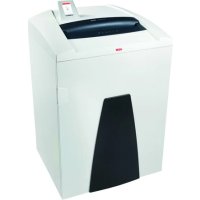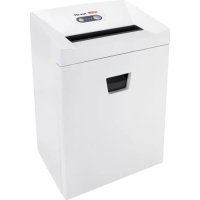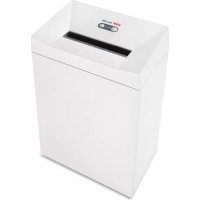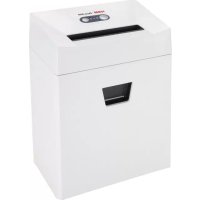
Pure 320c - Shredder HSM - Free user manual and instructions
Find the device manual for free Pure 320c HSM in PDF.


User questions about Pure 320c HSM
0 question about this device. Answer the ones you know or ask your own.
Ask a new question about this device
Download the instructions for your Shredder in PDF format for free! Find your manual Pure 320c - HSM and take your electronic device back in hand. On this page are published all the documents necessary for the use of your device. Pure 320c by HSM.
USER MANUAL Pure 320c HSM
natural_image
White HSM Pure 320 device with control panel and buttons, no visible text or symbols on the device itself.Pure 320
BETRIEBSANLEITUNG
OPERATING INSTRUCTIONS
NOTICE D'UTILISATION
MANUALE OPERATIVO
INSTRUCCIONES DE SERVICIO
english: Paper shredder HSM Pure 320 10
text_image
1 2 3 4 5 6 7 HDMI Perry, 3rdnatural_image
White printer with a paper feed being placed, showing a black downward arrow and a 'Pure 320' label (no readable text on the printer itself)natural_image
Close-up of a white CD or DVD disc with a black base, no visible text or symbols on the disc itself.1 Explanation of symbols and safety instructions
Safety and warning signs indicate situations in which personal injuries or property damage may occur and provide measures to prevent this danger.
The safety alert sign

word WARNING and text on a grey back-ground warns of the risk of serious to life-threatening injuries.
Note
indicates information for the effective operation of the machine without risk of danger.
Safety instructions

Before using the machine for the first time, read the operating manual, and keep it for later use and to pass on to any subsequent users.
Observe all safety instructions onto the machine.

Risk of injury from sharp blades.
Never reach into the slot of the paper feed.

Risk of injury from being pulled in!

Keep long hair, loose articles of clothing, ties, scarves, jewellery, etc. away from feed opening. Material with the tendency to form loops, e.g. tapes, strapping material, etc. must not be shredded.

Dangerous for children and others!
The machine may not be used by persons (including children under 14 years of age) with limited
physical, sensory or mental capabilities or with a lack of experience and knowledge, unless they are supervised by a responsible person or are instructed by them on the use of the machine. Children must be supervised to ensure they do not play with the machine.
Do not leave the document shredder switched on when it is unattended.
Dangerous mains voltage!
Improper handling of the machine can lead to an electric shock.
- Check the machine and cable regularly for damage.

Switch the shredder off if it is damaged or not working correctly or before relocating or cleaning it and disconnect it from the mains.
- Make sure that no water gets into the shredder. Do not immerse the power cable or the power plug in water. Never touch the power plug with wet hands.
- Never pull the plug out of the socket using the power cable. Always pull out the plug directly.
2 Proper use, warranty
The shredder is designed for destroying paper. Depending on the cutting type, it can also handle small quantities of the following materials:
| Shred width (mm) 5.8 3.9 3.9x30 | |||
| Credit and charge cards ● | ● | ● | |
| CDs ● | |||
Its sturdy drive mechanism is not damaged by paper clips and staples.
The warranty period for the document shredder is 2 years. We provide a warranty for the cutting unit of hardened steel throughout the entire service life of the document shredder (HSM Lifetime Warranty). This warranty and guarantee exclude wear and damage caused by improper handling or actions taken by third parties.
HSM guarantees the delivery of spare parts for up to 10 years after the production of this model has been discontinued.
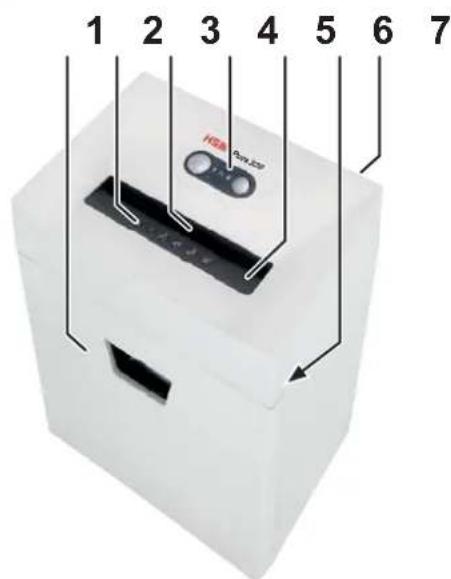
3 Overview
text_image
1 2 3 4 5 6 7 HSA Power ECP1 Shredded material container
2 Safety instructions
3 Light barrier
4 Operating and display unit
5 Safety element
6 Name plate
7 Mains switch
Operating and display elements
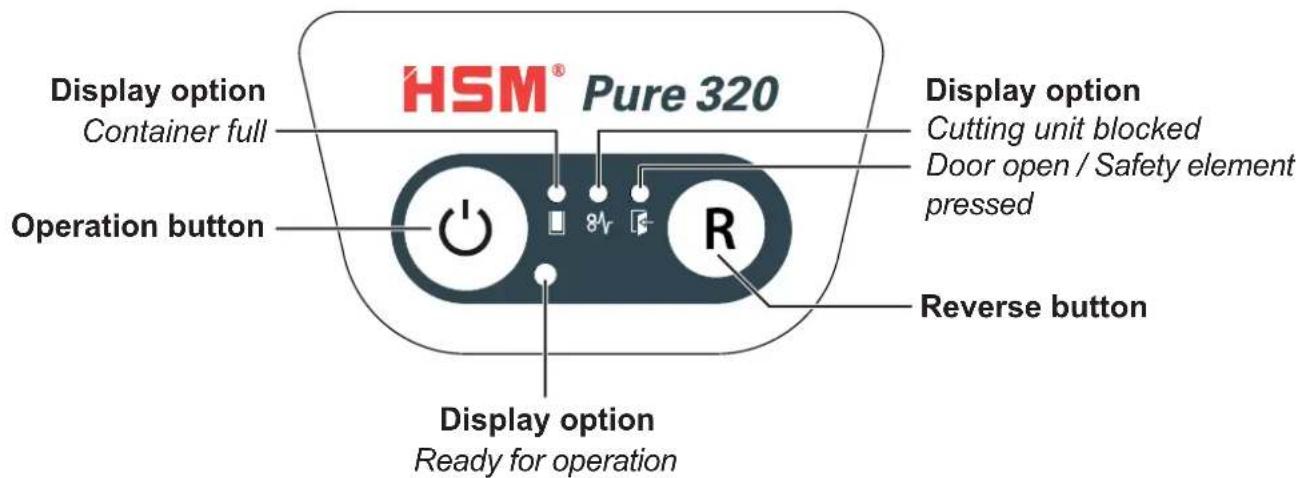
text_image
HSM® Pure 320 Display option Container full Operation button 8V R Display option Cutting unit blocked Door open / Safety element pressed Reverse button Display option Ready for operation4 Initial start-up

WARNING
Dangerous mains voltage!
Improper handling of the machine can lead to an electric shock.
- Only use the machine in a dry room indoors. Never operate the machine in damp rooms or in the rain.
- Keep the machine, the plug and cable away from open fire and hot surfaces. The ventilation slots must not be blocked or covered and there must be at least 5 cm space between the shredder and any wall or furniture.
- Make sure that the power plug is easily accessible.
- Before you insert the power plug, make sure that the voltage and frequency of your power supply comply with the information on the name plate.
- Connect the power cable provided to the back of the document shredder and plug the power supply into a properly installed socket.
5 Operation
Switching on the shredder
- Set mains switch at rear of paper shredder to "I".
- Press the operation button.
The "Ready for operation" indicator lights up.
Shredding paper
natural_image
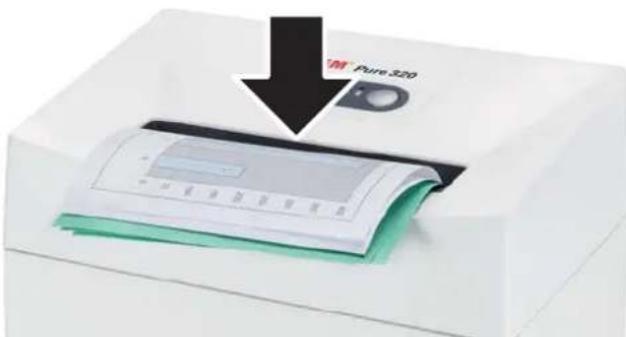
White printer with paper and green cover, showing a downward arrow indicating compression or disassembly (no text or symbols visible)- Feed the paper into the centre of the paper slot. The light barrier starts the cutting unit automatically. Therefore, with thin paper strips, make sure the light barrier detects them.
Three seconds after the light barrier in the paper feed opening is free again, the cutting unit is switched off automatically and the shredder switches to standby.
Shredding CDs Other function modes
(only in cut size 5.8 mm)

WARNING
Danger of injury by splinters!

Depending on the type of material, splinters can fly out of the cutting unit while shredding CDs and injure your eyes.
- For this reason, wear protective goggles.
natural_image
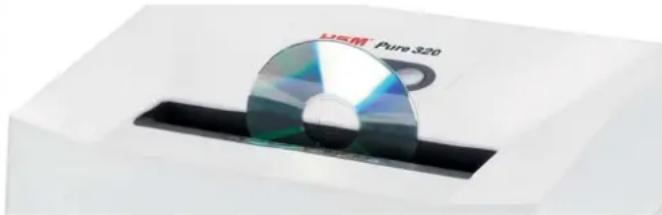
Close-up of a CD or DVD disc with visible internal structure, placed on a black rectangular base (no text or symbols)- Feed in just one CD/DVD in the middle of the feed opening. Dispose of the shredded material and the waste paper separately.
Shredding credit cards and store cards
- Insert credit card in centre of the feed opening. Dispose of the shredded material and the waste paper separately.
Switching off the shredder
- Press the operation button.
The “Ready for operation” indicator goes out. - Set mains switch at rear of paper shredder to "0".
- Permanent mode
Function: Cutting unit runs continuously. If no material is fed in within a period of 2 minutes, the cutting unit shuts down and the shredder switches to standby.
Start: Press the operation button for three seconds.
Premature cancellation: Press the operation button.
- Stand-by mode
Function: Two minutes after the last paper feed operation, all consumers that are not required are switched off automatically. The „Ready for operation“ indicator fl ashes briefly at regular intervals.
The shredder starts automatically when paper is fed in.
6 Troubleshooting
Note:
The safety element is fitted with contact protection. The document shredder switches off if you press the safety element during the shredding process.
| Display Problem Measure | ||
 Continuous lamp Continuous lamp | Paper jam | You have fed in too much paper.➢ The cutting unit runs in reverse for a few seconds and pushes the paper back out again.If necessary, press the reverse button “R” to remove the stack of paper.Take half the stack of paper.Feed the paper in portions. |
| Overload | The motor was overloaded. Let the shredder cool down for approx.15 – 20 mins. before using it again. | |
| Flashing light | General fault displays | A fault has occurred while shedding paper.Pull the paper out of the slot to clear the light barrier. |
 | Shredded material container full | Empty the shredded material container.Note:If you press the reverse button briefly before removing the container, part of the material is pulled back into the cutting apparatus and does not fall inside the document shredder. |
 | Container open | Insert the shredded material container correctly in the base cabinet. |
| Safety element pressed | Do not press the safety element. | |
7 Cleaning and maintenance 8 Disposal / Recycling

WARNING
Dangerous mains voltage!
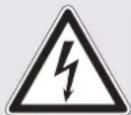
Improper handling of the machine can lead to an electric shock.

Switch the shredder off before relocating or cleaning it and disconnect the mains plug.
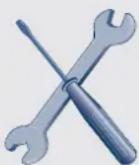
Service work which requires the housing covers to be removed may only be carried out by HSM Customer Service and service technicians of our contractual partners. See page 160 for our customer service addresses.
Clean the document shredder only with a soft cloth and a mild soap-water solution. However, no water must enter the equipment.

text_image
DON'T FORGETCross cut only:
Oil the cutting unit when cutting performance decreases or the device becomes noisy, or every
time you empty the waste container. Only use HSM special lubricating oil for the cutting unit to do this:
- Spray the special cutting unit oil through the paper feed along the entire width of the cutting shafts.
- Let the cutting unit run in the permanent mode for about 10 seconds without any paper.
▶ Paper dust and particles are shaken off.
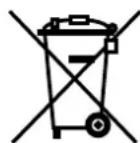
Electrical and electronic old devices contain a variety of valuable materials, but also hazardous substances which were required for function and safety. Incorrect disposal or handling can be dangerous to your health and the environment. Never dispose of old devices in the household waste. Observe the current applicable regulations and use the collection points for returning and recycling electric and electronic devices. Dispose of all the packaging materials also in an environmentally-responsible way.
9 Scope of delivery
• Paper shredder in carton packing
• Power supply cable
• Special cutting block oil 50 ml (cross cut)
- Operating instructions
Acces so ries
• Special cutting block oil 250 ml order No.: 1.235.997.403
See page 160 for our customer service addresses.
10 Technical data
| Cutting type Strip cut Cross cut | |||
| Cut size (mm) 5.8 3.9 3.9 x 30 | |||
| Security level DIN 66399 | P-2, O-2, T-2, E-2 | P-2, T-2, E-2 | P-4, T-4, E-3, F-1 |
| Cutting capacity* (sheets), A4 80 g/m ^2 70 ^2 | 15 - 1716 - 18 | 12 - 14g/ln - 15 | 7 - 88 - 9 |
| Noise level (Idle running / load) 55 - 58 dB(A) / 55 - 59 dB(A) | 55 - 58 dB(A)57 - 63 dB(A) | ||
| Weight 9.9 kg 11.1 kg | |||
| Intake width | 230 mm | ||
| Cutting speed | 50 mm/s | ||
| Power supply | 230 V, 50 Hz 120 V, 60 Hz 220 V, 60 Hz | ||
| Power consumption with max. number of sheets | 360 W | ||
| Operating mode | Brief operation | ||
| Operating time | 7 min | ||
| Idle time | 16 min | ||
| Ambient conditions in operation:TemperatureRelative humidityHeight above sea-level (MSL) | -10°C to +25°Cmax. 90%, without condensationmax. 2,000 m | ||
| Size W x D x H (mm) | 365 x 255 x 556 | ||
| Shredded material container volume | 25 l | ||
* The maximum number of sheets (DIN A4, 70 g/m² or 80 g/m²), fed lengthways, which can be cut in one cycle. The performance data is determined when the motor is cold and the cutting device is freshly oiled. A weaker mains voltage or a different mains frequency to the one specified could result in less sheet capacity and increased noise during operation. The sheet capacity can vary depending on the structure and properties of the paper and on the way it enters.

This document shredder meets the applicable harmonisation legislation of the European Union:
• Low Voltage directive 2006/95/EU
• EMC directive 2004/108/EU
• RoHS directive 2011/65/EU
The EU declaration of conformity can be requested from the manufacturer.
natural_image
White printer with a paper filter being inserted, showing a black arrow pointing to the paper (no text or symbols visible)natural_image
White rectangular device with a reflective CD or DVD disc and a black tray, no visible text or symbols on the disc itself.natural_image
White printer with paper and green cover being inserted, showing a black arrow pointing downward (no text or symbols on the printer itself)natural_image
White electronic device with a reflective CD or DVD disc mounted on a black base (no visible text or symbols)natural_image
White printer with a paper feed being placed, showing a black arrow pointing downward (no text or symbols visible)natural_image
Close-up of a CD or DVD disc with a black base, placed on a white surface (no visible text or symbols)natural_image
White printer with a paper airplane being inserted, showing a black arrow pointing downward (no text or symbols on the device itself)natural_image
White rectangular electronic device with a reflective CD or DVD disc, placed on a black tray (no visible text or symbols)text_image
1 2 3 4 5 6 7 HSA Per Icenatural_image
White paper printer with green cover and a black arrow pointing to it, showing no visible text or symbols on the device itself.natural_image
Close-up of a CD or DVD disc with a black base, no visible text or symbols on the disc itself.natural_image
White printer with paper and green cover, showing a downward arrow labeled 'Pure 320' (no readable text or symbols on the device itself)natural_image
White rectangular object with a reflective disc and black base, labeled 'Pure 320' (no other text or symbols visible)text_image
“Pure Pure 320natural_image
White printer with paper and green cover, showing a downward arrow labeled 'Pure 320' (no readable text or symbols on the device itself)natural_image
White rectangular electronic device with a reflective CD or DVD disc, placed on a black base (no visible text or symbols)text_image
“Pure Pure 320natural_image
White rectangular object with a reflective disc and black base, labeled 'Pure 320' (no other text or symbols visible)natural_image
White printer with paper and green cover, showing a downward arrow labeled 'Pure 320' (no readable text or symbols on the printer itself)natural_image
White rectangular object with a reflective CD or DVD disc, placed on a black base (no visible text or symbols)text_image
“Pure Pure 320natural_image
White CD or DVD disc with a black base, no visible text or symbols on the disc itself.natural_image
White printer with paper and green cover, showing a downward arrow labeled 'Pure 320' (no readable text or symbols on the device itself)- Prived'te papier do stredu štrbiny pre papier. Svetelná závora automaticky spustí rezací mechanizmus. Preto pri úzkych pásoch papiera dbajte, aby tieto mohla svetelná závora zachytit'.
Cca 3 s potom, čo je otvor na prisun papiera opät volný, sa skartovačka automaticky vypne a uvedie sa do stavu prevádzkovej pohotovosti.
natural_image
White electronic device with a reflective CD or DVD disc labeled 'MEM Pure 320' (no additional text or symbols visible)natural_image
White paper printer with a black arrow pointing to its cover, showing the 'Pure 320' label (no additional text or symbols visible)natural_image
White rectangular object with a reflective CD or DVD disc and a black rectangular base (no visible text or symbols)natural_image
White paper printer with green cover and a black arrow pointing to it, showing a blank sheet (no text or symbols on the printer itself)natural_image
Close-up of a CD or DVD disc labeled 'Pure S20' on a white base, with no additional text or symbols visible.natural_image
White paper printer with a black arrow pointing to its cover, showing the 'Pure 320' label (no additional text or symbols visible)natural_image
White rectangular object with a reflective CD or DVD disc and black base, no visible text or symbols on the disc itself.natural_image
White printer with paper and green cover, showing a downward arrow labeled 'Pure 320' (no readable text or symbols on the printer itself)natural_image
White CD or DVD disc with a black base, placed on a white surface (no visible text or symbols)natural_image
White printer with paper and green cover being inserted, showing a black arrow pointing downward (no text or symbols on the printer itself)natural_image
White rectangular electronic device with a reflective CD or DVD disc, no visible text or symbols on the disc itself.natural_image
White CD or DVD disc with a black base, placed on a white surface (no visible text or symbols)text_image
“Pure Pure 320natural_image
White CD or DVD disc with a black tray, no visible text or symbols on the disc itself.natural_image
White printer with paper and green cover, showing a downward arrow labeled 'Pure 320' (no readable text or symbols on the device itself)natural_image
White CD or DVD disc with a black tab, placed on a white base (no visible text or symbols)88699 Frickingen / Germany
Tel. +49 7554 2100-0
Fax +49 7554 2100 160
info@hsm.eu
www.hsm.eu
HSM (UK) Ltd.
14 Attwood Road / Zone 1
Burntwood Business Park
Burntwood · Staffordshire
WS7 3GJ
United Kingdom
Tel. +44 1543 272-480
Fax +44 1543 272-080
info@hsmuk.co.uk
www.hsm.eu
HSM of America LLC
419 Boot Road
Downingtown, PA 19335
USA
Tel. +1 484 237-2308
+1 800 613-2110
Fax +1 484 237-2309
customerservice@hsm.us
info@hsm.us
www.hsm.us
HSM Polska SP. z o.o.
ul. Emaliowa 28
02-295 Warszawa
Poland
Tel. +48 22 862 2369
Fax +48 22 862 2368
Handlowy@hsm.eu
www.hsm.eu
HSM France SAS
Parc de Genève
240, Rue Ferdinand Perrier
69800 Saint-Priest
France
Tél. +33 472 210580
Fax +33 472 517481
France@hsm.eu
www.hsm.eu