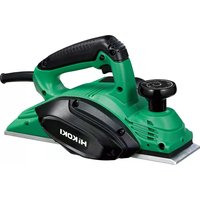
P18DSLW4Z - Plane HiKOKI - Free user manual and instructions
Find the device manual for free P18DSLW4Z HiKOKI in PDF.

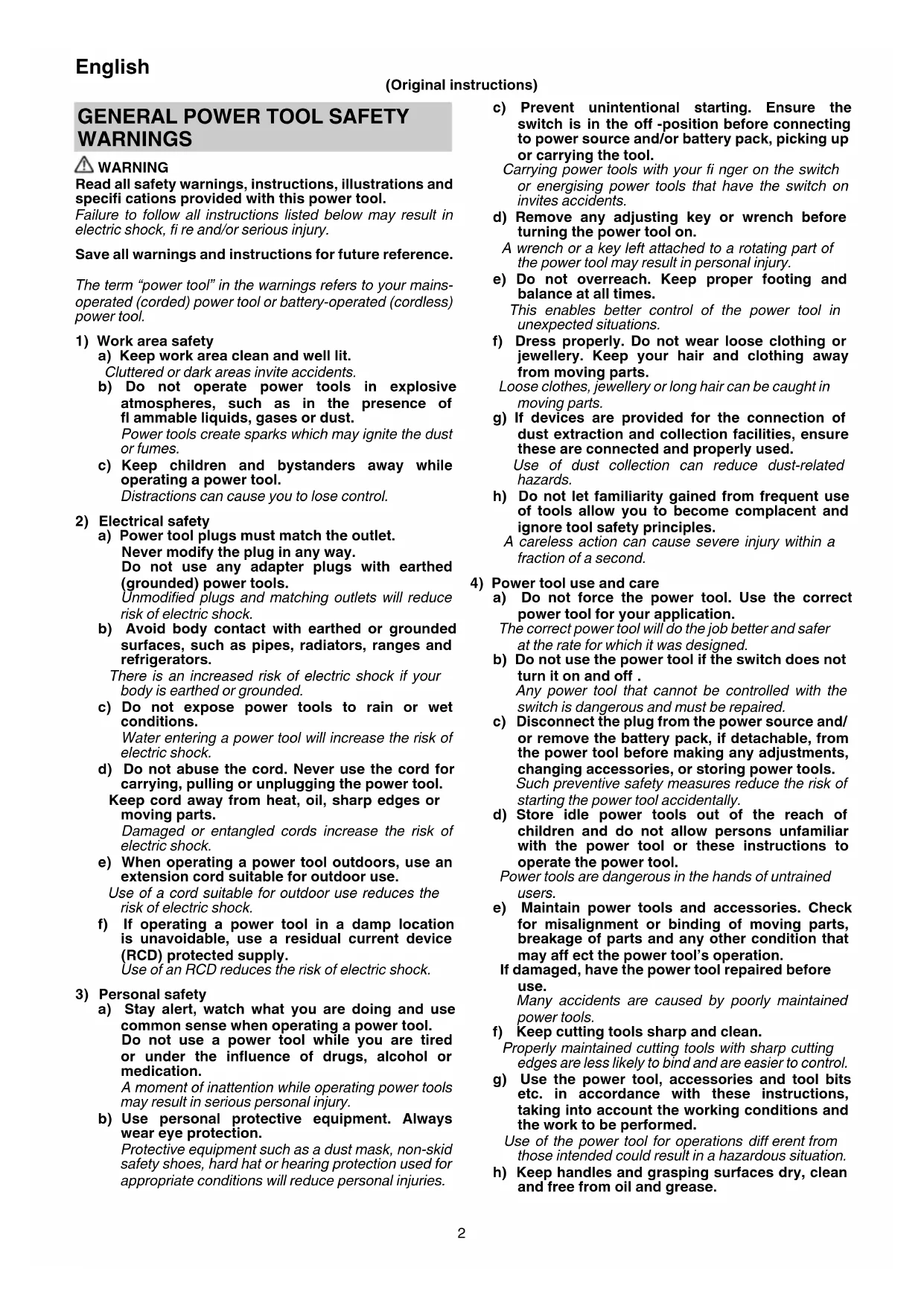


| Product Type | Cordless Planer |
| Brand | HiKOKI |
| Model | P18DSLW4Z |
| Cutting Width | 82 mm |
| Max Cutting Depth | 2.0 mm |
| No Load Speed | 16,000 min⁻¹ |
| Rated Voltage | 18 V |
| Weight (with battery) | 3.7 kg |
| Battery Type | Lithium-ion 18V |
| Recommended Battery Capacity | 3.0 Ah / 5.0 Ah |
| Charger | UC18YFSL |
| Charging Time (3.0 Ah) | Approx. 45 min at 20°C |
| Charging Temperature Range | 0°C to 50°C |
| Blade Material | Carbide (double-edged blade) or resharpening blade |
| Applications | Wood planing (timbers, panels) |
| Sound Pressure Level | 89 dB(A) |
| Sound Power Level | 100 dB(A) |
| Vibration Value (planning) | 3.0 m/s² |
| Maintenance | Blade inspection and sharpening, carbon brush replacement |
| Cleaning | Soft cloth, soapy water; avoid solvents |
| Storage | Dry place, temperature < 40°C, out of reach of children |
| Included Accessories | Guide, dust adapter, carbide blade, wrench |
| Warranty | According to national regulations (see certificate) |
Frequently Asked Questions - P18DSLW4Z HiKOKI
User questions about P18DSLW4Z HiKOKI
0 question about this device. Answer the ones you know or ask your own.
Ask a new question about this device
Download the instructions for your Plane in PDF format for free! Find your manual P18DSLW4Z - HiKOKI and take your electronic device back in hand. On this page are published all the documents necessary for the use of your device. P18DSLW4Z by HiKOKI.
USER MANUAL P18DSLW4Z HiKOKI
(Original instructions)
GENERAL POWER TOOL SAFETY WARNINGS

WARNING
Read all safety warnings, instructions, illustrations and specifi cations provided with this power tool.
Failure to follow all instructions listed below may result in electric shock, fire and/or serious injury.
Save all warnings and instructions for future reference.
The term "power tool" in the warnings refers to your mains-operated (corded) power tool or battery-operated (cordless) power tool.
1) Work area safety
a) Keep work area clean and well lit.
Cluttered or dark areas invite accidents.
b) Do not operate power tools in explosive atmospheres, such as in the presence of flammable liquids, gases or dust. Power tools create sparks which may ignite the dust or fumes.
c) Keep children and bystanders away while operating a power tool.
Distractions can cause you to lose control.
2) Electrical safety
a) Power tool plugs must match the outlet.
Never modify the plug in any way.
Do not use any adapter plugs with earthed (grounded) power tools.
Unmodified plugs and matching outlets will reduce risk of electric shock.
b) Avoid body contact with earthed or grounded surfaces, such as pipes, radiators, ranges and refrigerators.
There is an increased risk of electric shock if your body is earthed or grounded.
c) Do not expose power tools to rain or wet conditions.
Water entering a power tool will increase the risk of electric shock.
d) Do not abuse the cord. Never use the cord for carrying, pulling or unplugging the power tool.
Keep cord away from heat, oil, sharp edges or moving parts.
Damaged or entangled cords increase the risk of electric shock.
e) When operating a power tool outdoors, use an extension cord suitable for outdoor use.
Use of a cord suitable for outdoor use reduces the risk of electric shock.
f) If operating a power tool in a damp location is unavoidable, use a residual current device (RCD) protected supply.
Use of an RCD reduces the risk of electric shock.
3) Personal safety
a) Stay alert, watch what you are doing and use common sense when operating a power tool.
Do not use a power tool while you are tired or under the influence of drugs, alcohol or medication.
A moment of inattention while operating power tools may result in serious personal injury.
b) Use personal protective equipment. Always wear eye protection.
Protective equipment such as a dust mask, non-skid safety shoes, hard hat or hearing protection used for appropriate conditions will reduce personal injuries.
c) Prevent unintentional starting. Ensure the switch is in the off -position before connecting to power source and/or battery pack, picking up or carrying the tool.
Carrying power tools with your finger on the switch or energising power tools that have the switch on invites accidents.
d) Remove any adjusting key or wrench before turning the power tool on.
A wrench or a key left attached to a rotating part of the power tool may result in personal injury.
e) Do not overreach. Keep proper footing and balance at all times.
This enables better control of the power tool in unexpected situations.
f) Dress properly. Do not wear loose clothing or jewellery. Keep your hair and clothing away from moving parts.
Loose clothes, jewellery or long hair can be caught in moving parts.
g) If devices are provided for the connection of dust extraction and collection facilities, ensure these are connected and properly used.
Use of dust collection can reduce dust-related hazards.
h) Do not let familiarity gained from frequent use of tools allow you to become complacent and ignore tool safety principles.
A careless action can cause severe injury within a fraction of a second.
4) Power tool use and care
a) Do not force the power tool. Use the correct power tool for your application.
The correct power tool will do the job better and safer at the rate for which it was designed.
b) Do not use the power tool if the switch does not turn it on and off.
Any power tool that cannot be controlled with the switch is dangerous and must be repaired.
c) Disconnect the plug from the power source and/ or remove the battery pack, if detachable, from the power tool before making any adjustments, changing accessories, or storing power tools.
Such preventive safety measures reduce the risk of starting the power tool accidentally.
d) Store idle power tools out of the reach of children and do not allow persons unfamiliar with the power tool or these instructions to operate the power tool.
Power tools are dangerous in the hands of untrained users.
e) Maintain power tools and accessories. Check for misalignment or binding of moving parts, breakage of parts and any other condition that may affect the power tool's operation.
If damaged, have the power tool repaired before use.
Many accidents are caused by poorly maintained power tools.
f) Keep cutting tools sharp and clean.
Properly maintained cutting tools with sharp cutting edges are less likely to bind and are easier to control.
g) Use the power tool, accessories and tool bits etc. in accordance with these instructions, taking into account the working conditions and the work to be performed.
Use of the power tool for operations diff erent from those intended could result in a hazardous situation.
h) Keep handles and grasping surfaces dry, clean and free from oil and grease.
Slippery handles and grasping surfaces do not allow for safe handling and control of the tool in unexpected situations.
5) Battery tool use and care
a) Recharge only with the charger specified by the manufacturer.
A charger that is suitable for one type of battery pack may create a risk of fire when used with another battery pack.
b) Use power tools only with specifically designated battery packs.
Use of any other battery packs may create a risk of injury and fire.
c) When battery pack is not in use, keep it away from other metal objects, like paper clips, coins, keys, nails, screws or other small metal objects, that can make a connection from one terminal to another.
Shorting the battery terminals together may cause burns or a fire.
d) Under abusive conditions, liquid may be ejected from the battery; avoid contact. If contact accidentally occurs, fl ush with water. If liquid contacts eyes, additionally seek medical help.
Liquid ejected from the battery may cause irritation or burns.
e) Do not use a battery pack or tool that is damaged or modified.
Damaged or modifi ed batteries may exhibit unpredictable behaviour resulting in fire, explosion or risk of injury.
f) Do not expose a battery pack or tool to fire or excessive temperature.
Exposure to fire or temperature above 130^ may cause explosion.
g) Follow all charging instructions and do not charge the battery pack or tool outside the temperature range specified in the instructions.
Charging improperly or at temperatures outside the specified range may damage the battery and increase the risk of fire.
6) Service
a) Have your power tool serviced by a qualified repair person using only identical replacement parts.
This will ensure that the safety of the power tool is maintained.
b) Never service damaged battery packs. Service of battery packs should only be performed by the manufacturer or authorized service providers.
PRECAUTION
Keep children and infirm persons away.
When not in use, tools should be stored out of reach of children and infirm persons.
CORDLESS PLANER SAFETY WARNINGS
- Wait for the cutter to stop before settling the tool down.
An exposed rotating cutter may engage the surface leading to possible loss of control and serious injury.
- Use clamps or another practical way to secure and support the workpiece to a stable platform.
Holding the workpiece by your hand or against the body leaves it unstable and may lead to loss of control.
-
Do not use the Planer with the blades facing upward (as stationary type planer).
-
Always charge the battery at a temperature of 0 - 40^ . A temperature of less than 0^ will result in over charging which is dangerous. The battery cannot be charged at a temperature greater than 40^ .
The most suitable temperature for charging is that of 20 - 25^ . - Do not use the charger continuously.
When one charging is completed, leave the charger for about 15 minutes before the next charging of battery. - Do not allow foreign matter to enter the hole for connecting the rechargeable battery.
- Never disassemble the rechargeable battery and charger.
- Never short-circuit the rechargeable battery. Short-circuiting the battery will cause a great electric current and overheat. It results in burn or damage to the battery.
- Do not dispose of the battery in fire.
If the battery burnt, it may explode. - Do not insert object into the air ventilation slots of the charger.
Inserting metal objects or inflammables into the charger air ventilation slots will result in electrical shock hazard or damaged charger. - Bring the battery to the shop from which it was purchased as soon as the post-charging battery life becomes too short for practical use. Do not dispose of the exhausted battery.
- Using an exhausted battery will damage the charger.
ADDITIONAL SAFETY WARNINGS
- Setting up and checking the work environment
Check if the work environment is suitable by following the precautions. - Ensure that the power switch is in the OFF position. If the battery is attached to the body while the power switch is in the ON position, the power tool will start operating immediately, which could cause a serious accident.
- Prepare a stable wooden workbench suitable for planning operation. As a poorly balanced workbench creates a hazard, ensure it is securely positioned on firm, level ground.
- Do not fix and secure the switch lock. Besides, keep your finger off the switch trigger when the planer is being carried around. Otherwise, the main body switch can be inadvertently turned ON, resulting in unexpected accidents.
- Do not give a strong shock to the switch panel or break it. It may lead to a trouble.
- To save the battery power consumption, the remaining battery indicator lamp lights while pressing the remaining battery indicator switch.
- Precaution after finishing the planing operation When the planer is suspended with one hand after fi nishing the planing operation, ensure that the cutting blades (base) of the planer do not contact or come too near your body. Failure to do so could result in serious injury.
- The planing position can be regulated by moving the guide to the left or right after loosening its set screw. The guide may be mounted on either the right or left side of the tool.
- Do not use the Planer with the blades facing upward (as stationary type planer).
- Be careful not to injure your hand when attaching or detaching blades.
- Before attaching blades, wipe off any chips or other debris adhering to the blades.
English
- About Continuous Operation
This tool is provided with a protective function to extend battery life.
The battery may become overheated during continuous operation or deep cutting operations, which may cause it to automatically stop.
Especially with any of the batteries listed below, the tool may stop operation before the battery starts to get hot to prevent rapid failure from overheating.
If this happens, stop operation, remove the battery from the tool and leave it in a well-ventilated location not exposed to sunlight until it is suffi cientsly cool.
The battery can be used again once it is cool.
(Applicable batteries: BSL1425, BSL1420, BSL1415X, BSL1825, BSL1820, BSL1815 and old batteries) - Proper Battery Usage
When the tool is used with any of the batteries listed below, it should be used for light work to extend battery life.
Work example: Shallow depth fi nishing and chamfering work
(Applicable batteries: BSL1425, BSL1420, BSL1415X, BSL1825, BSL1820, BSL1815 and old batteries) - Always make sure the power switch is OFF and that the battery is pulled out before attaching or detaching the dust adapter.
- Make sure the dust collector is completely attached. Failure to do so may result in injury.
Take care not to break the catch when attaching or detaching the dust adapter and chip cover.
CAUTION ON LITHIUM-ION BATTERY
To extend the lifetime, the lithium-ion battery equips with the protection function to stop the output.
In the cases of 1 to 3 described below, when using this product, even if you are pulling the switch, the motor may stop. This is not the trouble but the result of protection function.
- When the battery power remaining runs out, the motor stops.
In such case, charge it up immediately. - If the tool is overloaded, the motor may stop. In this case, release the switch of tool and eliminate causes of overloading. After that, you can use it again.
- If the battery is overheated under overload work, the battery power may stop.
In this case, stop using the battery and let the battery cool. After that, you can use it again.
Furthermore, please heed the following warning and caution.
In order to prevent any battery leakage, heat generation, smoke emission, explosion and ignition beforehand, please be sure to heed the following precautions.
- Make sure that swarf and dust do not collect on the battery.
During work make sure that swarf and dust do not fall on the battery. - Make sure that any swarf and dust falling on the power tool during work do not collect on the battery.
- Do not store an unused battery in a location exposed to swarm and dust.
Before storing a battery, remove any swarf and dust that may adhere to it and do not store it together with metal parts (screws, nails, etc.). - Do not pierce battery with a sharp object such as a nail, strike with a hammer, step on, throw or subject the battery to severe physical shock.
- Do not use an apparently damaged or deformed battery.
- Do not use the battery in reverse polarity.
-
Do not connect directly to an electrical outlets or car cigarette lighter sockets.
-
Do not use the battery for a purpose other than those specified.
- If the battery charging fails to complete even when a specified recharging time has elapsed, immediately stop further recharging.
- Do not put or subject the battery to high temperatures or high pressure such as into a microwave oven, dryer, or high pressure container.
- Keep away from fire immediately when leakage or foul odor are detected.
- Do not use in a location where strong static electricity generates.
- If there is battery leakage, foul odor, heat generated, discolored or deformed, or in any way appears abnormal during use, recharging or storage, immediately remove it from the equipment or battery charger, and stop use.
- Do not immerse the battery or allow any fluids to flow inside. Conductive liquid ingress, such as water, can cause damage resulting in fire or explosion. Store your battery in a cool, dry place, away from combustible and flammable items. Corrosive gas atmospheres must be avoided.
CAUTION
- If liquid leaking from the battery gets into your eyes, do not rub your eyes and wash them well with fresh clean water such as tap water and contact a doctor immediately.
If left untreated, the liquid may cause eye-problems. - If liquid leaks onto your skin or clothes, wash well with clean water such as tap water immediately.
There is a possibility that this can cause skin irritation. - If you find rust, foul odor, overheating, discolor, deformation, and/or other irregularities when using the battery for the first time, do not use and return it to your supplier or vendor.
WARNING
If an electrically conductive foreign object enters the terminals of the lithium ion battery, a short-circuit may occur resulting in the risk of fire. Please observe the following matters when storing the battery.
- Do not place electrically conductive cuttings, nails, steel wire, copper wire or other wire in the storage case.
Either install the battery in the power tool or store by securely pressing into the battery cover until the ventilation holes are concealed to prevent short-circuits.
REGARDING LITHIUM-ION BATTERY TRANSPORTATION
When transporting a lithium-ion battery, please observe the following precautions.
WARNING
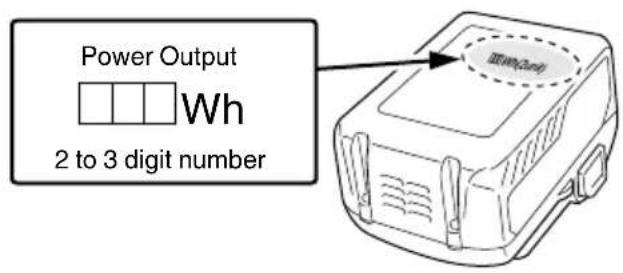
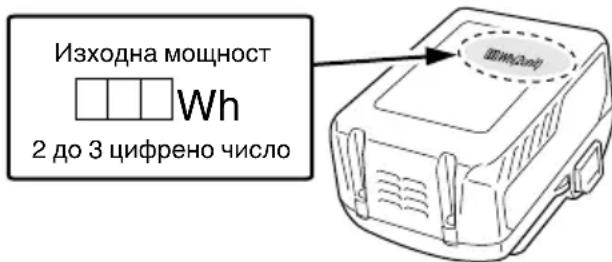
Notify the transporting company that a package contains a lithium-ion battery, inform the company of its power output and follow the instructions of the transportation company when arranging transport.
Lithium-ion batteries that exceed a power output of 100 Wh are considered to be in the freight classification of Dangerous Goods and will require special application procedures.
For transportation abroad, you must comply with international law and the rules and regulations of the destination country.
If the BSL36B18 is installed in the power tool, the power output will exceed 100 Wh and the unit will be classified as Dangerous Goods for freight classifi cation.
NAMES OF PARTS (Fig. 21)
| a) | Housing vent |
| b) | Chip ejection hole |
| c) | Air gun |
SYMBOLS
WARNING
The following show symbols used for the machine. Be sure that you understand their meaning before use.
| P14DSL / P18DSL : Cordless Planer |
| To reduce the risk of injury, user must read instruction manual. |
| Only for EU countries Do not dispose of electric tools together with household waste material! In observance of European Directive 2012/19/EU on waste electrical and electronic equipment and its implementation in accordance with national law, electric tools that have reached the end of their life must be collected separately and returned to an environmentally compatible recycling facility. | |
| V | Rated voltage |
| n0 | No-load speed |
| min-1 | Revolution or reciprocations per minute |
| --- | Direct current |
| I | Switching ON |
| O | Switching OFF |
| Caution | |
| Disconnect the battery |
Battery
| The battery remaining power is nearly empty. Recharge the battery soonest possible | |
| Lights: The battery remaining power is a half. | |
| Lights: The battery remaining power is enough. |
SPECIFICATIONS
POWER TOOL
| Model P14DSL P18DSL | |||
| Voltage 14 V 18 V | |||
| Cutting Width 82 mm | |||
| Max. Cutting Depth 2.0 mm | |||
| No-load speed 16000 min | -1 | ||
| Rechargeable battery | 2LSRK B$L1430: Li-ion 14.4 V (3.0 Ah 8 cells) BSL1 | 830: Li-ion 18 V (3.0 Ah 10 cells) | |
| 2LJRK BSL1450: Li-ion 14.4 V (5.0 Ah 8 cells) BSL1 | 850: Li-ion 18 V (5.0 Ah 10 cells) | ||
| Weight* 3.3 kg (With BSL1460) 3.7 kg (With BSL36B18) | |||
- Weight: According to EPTA-Procedure 01/2014
STANDARD ACCESSORIES
In addition to the main unit (1 unit), the package contains the accessories listed on page 168.
Standard accessories are subject to change without notice.
APPLICATIONS
Planing various wooden planks and panels.
BATTERY REMOVAL/INSTALLATION
1. Battery removal
Hold the handle tightly and push the battery latch to remove the battery.
CAUTION
Never short-circuit the battery.
2. Battery installation
Insert the battery while observing its polarities. (See Fig. 3)
CHARGING
Before using the power tool, charge the battery as follows.
1. Connect the charger's power cord to the receptacle.
When connecting the plug of the charger to a receptacle, the pilot lamp will blink in red (At 1- second intervals).
CAUTION
Do not use the electrical cord if damaged. Have it repaired immediately.
2. Insert the battery into the charger.
Firmly insert the battery into the charger as shown in Fig. 3.
3. Charging
When inserting a battery in the charger, charging will commence and the pilot lamp will light continuously in red.
When the battery becomes fully recharged, the pilot lamp will blink in red. (At 1-second intervals) (See Table 1)
- Pilot lamp indication
The indications of the pilot lamp will be as shown in Table 1, according to the condition of the charger or the rechargeable battery.
Table 1
| Indications of the pilot lamp | ||||
| Pilot lamp(red) | Before charging | Blinks | Lights for 0.5 seconds. Does not light for 0.5 seconds. (off for 0.5 seconds) | |
| While charging | Lights | Lights continuously | ||
| Charging complete | Blinks | Lights for 0.5 seconds. Does not light for 0.5 seconds. (off for 0.5 seconds) | ||
| Overheat standby | Blinks | Lights for 1 second. Does not light for 0.5 seconds. (off for 0.5 seconds) | Battery overheated. Unable to charge. (Charging will commence when battery cools) | |
| Charging impossible | Flickers | Lights for 0.1 seconds. Does not light for 0.1 seconds. (off for 0.1 seconds) | Malfunction in the battery or the charger | |
- Regarding the temperatures and charging time of the battery.
The temperatures and charging time will become as shown in Table 2
Table 2
| Battery\Charger | UC18YFSL | |
| Charging voltage V 14.4 V - 18 V | ||
| Weight kg 0.5 | ||
| Temperatures at which the battery can be recharged 0°C - 50°C | ||
| Charging time for battery capacity, approx. (At 20°C) | ||
| 1.3 Ah | min. | 20 |
| 1.5 Ah | min. | 22 |
| 2.0 Ah | min. | 30 |
| 2.5 Ah | min. | 35 |
| 3.0 Ah | min. | 45 |
| 4.0 Ah | min. | 60 |
| 5.0 Ah | min. | 75 |
| Number of battery cells 4 - 10 | ||
NOTE
The recharging time may vary according to the ambient temperature and power source voltage.
CAUTION
When the battery charger has been continuously used, the battery charger will be heated, thus constituting the cause of the failures. Once the charging has been completed, give 15 minutes rest until the next charging.
- Disconnect the charger's power cord from the receptacle.
5. Hold the charger fi rmly and pull out the battery. NOTE
Be sure to pull out the battery from the charger after use, and then keep it.
CAUTION
If the battery is charged while it is heated because it has been left for a long time in a location subject to direct sunlight or because the battery has just been used, the pilot lamp of the charger lights for 1 second, does not light for 0.5 seconds (off for 0.5 seconds). In such a case, first let the battery cool, then start charging.
- When the pilot lamp flickers (at 0.2-second intervals), check for and take out any foreign objects in the charger's battery connector. If there are no foreign objects, it is probable that the battery or charger is malfunctioning. Take it to your authorized Service Center.
Since the built-in micro computer takes about 3 seconds to confirm that the battery being charged with charger is taken out, wait for a minimum of 3 seconds before reinserting it to continue charging. If the battery is reinserted within 3 seconds, the battery may not be properly charged.
MOUNTING AND OPERATION
| Action Figure Page | ||
| Type of cutting work and size in this product | 1 169 | |
| Inserting and removing the battery cover | 2 169 | |
| Inserting and removing the battery 3 169 | ||
| Remaining battery indicator 4 169 | ||
| How to charge the battery 5 169 | ||
| Adjusting the cutter depth 6 169 | ||
| Beginning and ending the cutting operation | 7 169 | |
| How to use the stand 8 169 | ||
| How to install and using the guide 9 170 | ||
| Carbide blade disassembly (for Double edged blade type) | 10 170 | |
| Carbide blade assembly (for Double edged blade type) | 11 170 | |
| Adjustment of carbide blade height (for Double edged blade type) | 12 170 | |
| Resharpenable blade disassembly 13 171 | ||
| Resharpenable blade assembly 14 171 | ||
| Adjustment of resharpenable blade height | 15 171 | |
| Sharpening the resharpenable blade | 16 172 | |
| Attaching and removing the dust adapter | 17 172 | |
| Elbow operation (Optional accessory) | 18 172 | |
| Switch operation | 19 173 | |
| Replacing carbon brushes | 20 173 | |
| Proper cleaning the chip ejection opening | 21 173 | |
| Selecting accessories | - | 174 |
1. Surface cutting
Rough cutting should be accomplished at large cutting depths and at a suitable speed so that shavings are smoothly ejected from the machine. To ensure a smoothly finished surface, finish cutting should be accomplished at small cutting depths and at low feeding speed.
2. Blade sharpening intervals
Blade sharpening intervals depend on the type of wood being cut and the cutting depth. However, sharpening should generally be effected after each 500 meters of cutting operation.
3. Dressing Stone
When a water dressing stone is available, use it after dipping it sufficiently in water since such a dressing stone may be worn during grinding works, fl attenu the upper surface of the dressing stone as often as necessary.
MAINTENANCE AND INSPECTION
1. Inspecting the blades
Continued use of dull or damaged blades will result in reduced cutting efficiency and may cause overloading of the motor. Sharpen or replace the blades as often as necessary.
2. Handling
CAUTION
The front base, rear base, and cutting depth control knob are precisely machined to obtain specifically high precision. If these parts are roughly handled or subjected to heavy mechanical impact, it may cause deteriorated precision and reduced cutting performance. These parts must be handled with particular care.
3. Inspecting the mounting screws
Regularly inspect all mounting screws and ensure that they are properly tightened. Should any of the screws be loose, retighten them immediately. Failure to do so could result in serious hazard
4. Inspecting the carbon brushes
The motor employs carbon brushes which are consumable parts. Since an excessively worn carbon brush can result in motor trouble, replace the carbon brush with new ones when it becomes worn to or near the "wear limit". In addition, always keep carbon brushes clean and ensure that they slide freely within the brush holders.
NOTE
When replacing the carbon brush with a new one, be sure to use the HiKOKI Carbon Brush Code No. 999017.
5. Replacing carbon brushes
After removing the chip cover, take out the carbon brush by first removing the brush cap and then hooking the protrusion of the carbon brush with a slotted head screw driver, etc.
When installing the carbon brush, choose the direction so that the nail of the carbon brush agrees with the contact portion outside the brush tube. Then push it in with a finger. Lastly, install the brush cap.
CAUTION
Be absolutely sure to insert the nail of the carbon brush into the contact portion outside the brush tube.
(You can insert whichever one of the two nails provided.) Caution must be exercised since any error in this operation can result in the deformed nail of the carbon brush and may cause motor trouble at an early stage.
6. Replacing belt
If the replacement of the belt is necessary, it has to be done by HiKOKI Authorized Service Center to avoid a safety hazard.
7. Maintenance of the motor
The motor unit winding is the very "heart" of the power tool.
Exercise due care to ensure the winding does not become damaged and/or wet with oil or water.
8. Cleaning on the outside
When the planer is stained, wipe with a soft dry cloth or a cloth moistened with soapy water. Do not use chloric solvents, gasoline or paint thinner, for they melt plastics.
9. Storage
Store the planer in a place in which the temperature is less than 40^ and out of reach of children.
NOTE
Storing lithium-ion batteries.
Make sure the lithium-ion batteries have been fully charged before storing them.
Prolonged storage (3 months or more) of batteries with a low charge may result in performance deterioration, signifi cantly reducing battery usage time or rendering the batteries incapable of holding a charge.
However, signifi cantly reduced battery usage time n be recovered by repeatedly charging and using the batteries two to five times.
If the battery usage time is extremely short despite repeated charging and use, consider the batteries dead and purchase new batteries.
CAUTION
In the operation and maintenance of power tools, the safety regulations and standards prescribed in each country must be observed.
Important notice on the batteries for the HiKOKI cordless power tools
Please always use one of our designated genuine batteries. We cannot guarantee the safety and performance of our cordless power tool when used with batteries other than these designated by us, or when the battery is disassembled and modified (such as disassembly and replacement of cells or other internal parts).
GUARANTEE
We guarantee HiKOKI Power Tools in accordance with statutory/country specific regulation. This guarantee does not cover defects or damage due to misuse, abuse, or normal wear and tear. In case of complaint, please send the Power Tool, undismantled, with the GUARANTEE CERTIFICATE found at the end of this Handling instruction, to a HiKOKI Authorized Service Center.
NOTE
Due to HiKOKI's continuing program of research and development, the specific cations herein are subject to change without prior notice.
Information concerning airborne noise and vibration
The measured values were determined according to EN62841 and declared in accordance with ISO 4871.
Measured A-weighted sound power level:
98 dB (A) (P14DSL)
100 dB (A) (P18DSL)
Measured A-weighted sound pressure level:
87 dB (A) (P14DSL)
89 dB (A) (P18DSL)
Uncertainty KpA: 3 dB (A).
Wear hearing protection.
Vibration total values (triax vector sum) determined according to EN62841.
Planing softwood:
Vibration emission value _h = 2.6m / s^2 (P14DSL) 3.0~m / s^2 (P18DSL)
Uncertainty K = 1.5m / s^2
The declared vibration total value has been measured in accordance with a standard test method and may be used for comparing one tool with another.
It may also be used in a preliminary assessment of exposure.
WARNING
The vibration emission during actual use of the power tool can differ from the declared total value depending on the ways in which the tool is used.
- Identify safety measures to protect the operator that are based on an estimation of exposure in the actual conditions of use (taking account of all parts of the operating cycle such as the times when the tool is switched off and when it is running idle in addition to the trigger time).
Vibrationsemissionswert h = 2,6m / s^2 (P14DSL) 3,0 m/s² (P18DSL)
VOORZORGSGMAATREGELEN
MANUTENÇÂO E INSPECÇÂO
1. Inspeccionar as lâminas
VEDLIKEHOLD OG INSPEKSJON
Neurcitost KpA: 3 dB (A)
Introduci corect accumulatorul in incarcator, conform Fig. 3.
- Incarcare
Atunci cänd introduci fi in incarcātor un accumulator, incarcarea va fi initizata iar lampa indicatoare se va aprinde in mod constant in culoarea rosie.
Atunci cánd accumulatorul se incarca complet, lampa indicatoare va clipi in culoare rosie. (La intervale de 1 secunda) (Vezi Tabelul 1)
PREPRAVA TYKAJUCA SA LITIOVIOIónovych BATERI
Pri preprave litiovo-ionovej baterie dodrziavaje nasledovne opatrenia.
VYSTRAHA
Pri organizovani prepravy ohlaste prepravnej spolocnosti, ze balenie obsahuje litiovo-ionov bateriu, informujte ju o vystupnom vykone a postupujte podlaPokynov prepravnej spolocnosti.
1) Be3onachOCT Ha pa60THOTo MACTO
a) PnDpHaTe pa6oTHOTo MrcTo nOpeHOn Ido6peOCBeTeHO.
Henoepeenn He dope ocbeteenu pa6oHTn Mecta ca npednoctabka 3a Hnndentn.
b) He n3noJ3BaIe eIeHTpNueChn HnCTpyMeH TBB B3pHBOONaCHa CpeDa, npn HaJIuYe Ha 3aIaNIMN TeUHOCTn, ra3 nIIN npax.
EneKtpnuechnte HNCTpymEnTH npOn3BeHdaT NCHpN, KOINTo MORaT Da IOBeDaT Da Bb3PnAmeHRAHe.
c) He no3B0JBAaTe DocTbN Ha CtpaHnHn Hnca n Deca npn pa6ota c eJeHTpueechn HhCTpyMeHTn.
HeBHMaHne IIO BpeMe Ha pa6To MaKe Ia IOBeIe Do 3ary6a Ha KOHTpOJI Bbpxy npoueca.
2) EJentpuecha 6e30nachoct
a) UenceIte Ha eIeHTpueeCHnte HNcTpymeHTn Tpa6Ba Da OTROBaprT Ha TnHa KOHTaHTne.
HnKora He npaBeTe KaHBnTo n Da 6HIO npomEn H no uenceIte. He n3noJI3BaIte npexoHN 3a BKNIOUcBAHe Ha 3a3eMeHN eJeEHTpNueeCKn HnCTpyMeHTn.
Lencenno NO KOnTo He ca npabeHn MoNΦnKaunn CbOTBETCTBaT Ha KOHTaKTInTe HAmJIaRaT pNcKa OT eJeHTpueeckn ydap.
b) Pn pa6ota c eIeHTpuecH nHCTpyMeHTn 36raBaIte KOHTaHT Ha TAnoto Cbc 3a3eMeHN NOBbpXHOCTN Hato Tpb6n, PaHaTOpn XlaanlHn.
CbueCTbByBa NOBnIeH pNcK OT eIeHTpUeCKn yIap, aHO TAnOTo Bu cTaHe YAcT OT 3a3eMITEJIHHN KOHTyp.
c) He n3laarTe eNeKtpnueeCKnte nHCTpyMeHTn Ha BJIaHHeTo Ha BLaRa HJn DbXd.
IonaaHeTo Ha Bnara B eJeKtpnueeCKnte INHCTpyMeHTn NOBnUba pNcKa OT eJeKtpnueeKn ydap.
d) He HapyuBaIte 9eIOCTTa Ha Ka6eJIHTe. HnKora He n3KnUOyBaIte eEKeTpNuecHNTe ypei, Kato N3DbpNBate OT Ka6eJa.
Na3ete Ka6eJIte OT n3ToUHnCu Ha ToIInHa, OT Cm3oOHN MaTePnaHn, OCTpn Pb6OBe H NOdBUNHH KOMNOHEHTN.
Hapaen nn npenTeHN Kaebn nobuaBat pncKa oEeKtpueckn yap.
e) Horato n3noJ3BaTe eIeKtpnueChn ypeJ Ha OTKpnto, n3noJ3BaJte YdblHnTeJ, NOxOJa 3a BbHnH yCIOBnHa pa6ota.
N3noJ3BaIte Ka6e, NIOxOJa 3a BbHsHn YcNoBn, KOHTo HamaJIBa pUcKa OT eJeKTPuYeCN yIap.
f) Ako e HaIOHNTeJIHO H3NOJ3BaHeTO Ha eIeHTpueeCKn HNCTpyMeHT BBB BlaJHH YcIobn, H3NoJ3BaIte ypeu c dIepeHuaHa 3aunTa (RCD) cpeuyyTeuHa. H3noJ3BaHeTo Ha dIepeHuaHa 3aunTa haMaJIbRa pUcKa OT eJeHTpueeCKn ydap.
3)Лична6e3oNaCHOCT
a)БbTe 6dTeJIHH, BHNMaBaIte B DeIcTBHrTa cn n H3NoJ3BaIte pa3yMHO eIeHTpNueChIte HHCTpyMeHTn.
He n3noJ3BaIte eIeKtpnueChn HNCTpyMeHT, HORATO CTe N3MOpEHN, INN NOD BINRAHNETo HaJeHApCTBeHN cpeCDtBA, aHHOXoN INN ONHaTH.
BcraKHeBHMaHne npn pa6Ota c eJeKtpnueChn HNCTpyMeHTN MOKe da DOBeDe Do cepNo3HN HapaHaBaHna.
b) H3noJ3BaIte IINHn IpeDna3HN cpeCTBa. BInHarH Hocete 3aunTHN OUYNa IIN MaCA.
3aunTHnTe cpeCTBa, KaTO npaxo3aunTHa MaCKa, 3aunTHn ObyBn C yCTOuYBa Ha NtB3raHe NOmETKa, KACKa, Hn AHTNFOH, H3NOJ3BaHN CnopeyCNoBnTa Ha pa6ota, Ue HamaJrT OnaCHOCTTA OT HapaHBAhe.
c) PpeDToBpaTaBaHe Ha CnyaHNO BkIIOUbaHe. YBepete Ce, Ye 6yToHbT 3a CTapr Ha ypeDa e B H3KIIIOUeHO NIOJOKeHne, PpeDu Ca CBbpKeTe EJekTpNueChn HNCTpyMeHT KbM N3TOuHNK Ha 3axpaHbAhe N/INN 6aTePn, KaHTo N ppeDu da Ro B3eMeTe INN ppeHaCATE.
IpehaHTo Ha HnctpyMeHTn C npbCT Ha CTapT 6yToHa, Hn Ha NpeBnIOuBaTeJHa 3axpaHbaHeTO, HOCn ONaCHOCT OT INUdEHTN.
d) OTePaHete BCnHu pa6oTHn npncTabHN, npei Da BkIIOHTe ypea KbM 3axpaHbaHeTo.
TaeueH KIOU HN INHCTpymeHT, 3abpaBEN B PotaunOHNN KOMNOHeHTN Ha eNEKTPnueckn INHCTpymeHT, MoKe Da DOBeDe Do HapaHraBaHe.
e) He ce npecaraTe. Ppe3 qaIoto Bpeme Tpr6Ba Da HMaTe Cta6HnHa Onopa N da NODbPHeTa 6aHaHC Ha TJIOTO.
Toba OCHyprBa NO-06bP KOHTpO1 Bbpxy eNeKtPruecknte HHCTpyMeHTn Pn HeOaKaBAHn CHTyaAHH.
f) Hocete noxdxoadno 06leHIO. He hocete npekaneHo wnpokn dpexn nn 6nHyta. Dpbhte hocata n dpexnte cn daJeou DTBnHeuNTe ce qactn.
Unpoknte npexn, bnyta n IbIra Koca Morat da 6bdaT3axbaHATN OT NOBNIKHHTE KOMNOHEHTN.
g) Ako ca ochrypeHH yctpoHCTBa 3a npncbdeHHBaHe KbM npaxoyIOBHTeHH HHcTaHaun, yBepTe ce, ye ca npabHnHO npncbdeHHeHH.
H3noJ3BaHeTo Ha npaxoyIOBHTeIN N uKJIOHN MOHe Da HamaJIu Cbbp3aHHTe Cbc 3aMbpCRABaHETO pNCKOBE.
h) He no3BoJRABaIte ONHTHOCTTBA, npHIO6bTa OT YecToTO H3NoJ3BaHe Ha IHCTpyMeHTn, da BN Cb3daPe cAmOyBcTBHe, 3apaN KoETO da HrHopnPate npHUnNTe Ha 6e3oNaCHOCT npn pa6ota c INHCTpyMeHTn.
HeBHMaTeJIHO DeIcTBnE MoKe Da IOBeIe Do TeKHN HapaHbAHN B paMHTe Ha YaCTn OT CekyHdata.
4) EHCnloataaun H noDpBHHHa Ha eJeHTpnuechn HHCTpyMeHTn
a) He hacnBaIte eIeKtpnuechnte nHcTpymeHTn. H3noJ3BaIte npXoJaU eIeHTpnueechn HHcTpymENT 3a cbOTBETHnte cJIH.
Iopxoadnrae enektpueeckn nHCTpymENT
OCHyprBa 6e3oNaCHOTo H NO-Do6Po N3BbPswBaHe Ha pa6oTHnTe DeHocTn Pn PpeBnDeHnTe HOMHaJIHn npaMeTpN.
b) He n3no13BaIte eIeHTpHuecHn HNCTpyMeHT, aHO He MoHe da 6bJe BKNIOUeH Nnn N3KIOUeH OT CbOTBeTHnCtApT 6yTOH Nnn npEbnIOu4BaTeJ.
BceKn eJeKtpnueChn HNCTpyMeHT, KOHTo He MoKe Da ce KOHTpOInpa OT npEBKNIOUbaTeJIa, e ONaceH N IOJLeHN Ha peMOHT.
c) N3KIOUcTe 5eCena Ha HNCTpyMeHTa OT n3TOUHnHa Ha 3axpaHbAHe H/INn H3BaDeTe 6aTePNHHn NaKeT OT INHCTpyMeHTa, aHO ToI NO3BOJBA CBaJIHe, PpeDn Da H3BbPbBaTe HAcTpOiKn, pRn CmHa Ha npNCtABn HIn pRn CbXpaHeHne.
Te3n npedna3HmepKn HamaJIaBaT pNcKa OT CnyauHo N HeKeHaHO BkJIIOUbaHe Ha eJeHTpnueChnHhCTpyMeHt.
d) CbXpaHbAaTe HeH3nO3BaHHTe eIeHTpueChn HhCTpyMeHTn DaJIeOT DocTbn Ha Deua n He No3BOJBAaTe Ha INuca, He3aNo3HaTHn C HauHbHa Pa6oTa C hHCTpyMeHTte N Te3n HhCTpyKcN, da pa6oTAT c Tax.
Enektpueechnte HnctpymEnTH npedCTabIaBAt ONaCHOCT BpbTeHa HeonTuHn Iuca.
e) NopdIbpaHte eNktpoHcTpymeHTne n aHcecoapnte. PpOBepraBaTe ueHtpoBkata n 3aHpenBaHTo Ha NOdBnHHte qactn, npOBepraBaTe 3a NOBpeHn qactn, HOnTO MORAT da ce OTPa3rT Ha pa60tata Ha eNktpuYeCHnte HhCTpyMeHTn. AHO yCTaHOBNTe NOBpeHn OTCPaHete rN ppeHn da n3NoJ3BaTe eNktpuYeCHnte HHCTpyMeHTn.
Mhoro 3nononyu Ce IbIHaT Ha loa nOdpbHKHa ha eNektpnuecknte HNCTpymEnH.
f) IopdIbpaHaepeKeIeHT HcTpymEnTH 3aToueHN uHCTN.
PpabHNO NOIbPHaHHTe peKeu INHCTpyMeHTN, C HatoyeHN peKeuIN eJeMeHTN, ce ynpabJIraBaT N KOHTPOIIpaT No-JeCHO.
g) N3noI3BaIe eIeHTpHueChn HNCTpyMeHTN, npHcTAbKN I aKceCoapN, H T.H., CbrlaCHO Te3N INCHTpKUnN, HATO B3EmTe PpeBnD pa60THte ycNoBnI bNda pa60TN, KOHTO ige ce N3BbpWBaT.
H3noJ3BaHe Ha eJekTpncyecknte HnctpyMeHTn 3a pa60TH, pa3NJuHN OT Te3N, 3a KOtTO Ca npedBnIeHN, MOKe Da IIOBeE Do IOBnueH pNCK N ONaCHN CNTyaUN.
h) Na3eTe pbKoXBaTHNte n NOBbpxHOCTnTE 3a 3axBaUaHe cyxN, YHCTn, 6e3 MacNo I rpec.
Xlb3raBHTpe pbKoXBaTHN n NOBbpxHocTn 3a 3axBa7aHe He No3BOJIaBt 6e3OnaChata pa6ota n ynpabIeHne Ha HnCTpyMeHTa B HeOyakBaHN cTgammaaun.
5) Ekncnloataa n noDpBkHa Ha eJeHTpnueckn HNCTpyMeHTn 3axpaHbAHn OT 6aTePN
a) 3apeHdaTe ypeDHTe cMo cbc 3apAHDHTe yctpOuCTBa, NOCOUEHN OT pON3BOUNTEJI.
3apAnHO yctpoNCTBO, noDxOJaIO 3a eINH TnN Batepnn, MoHe Ja cB3JaIe pICH OT NOHAp npn N3NoJ3BaHe 3a dpyr TnN Batepnn.
b) H3noJ3BaIe eJIeKTpNueCKeHTe NHCtpymEnTn camo c onpeJeHn 3a TAn 6aTepn.
H3noJI3BaHeTo Ha npTn 6aTeepn Cb3daBa pNCK OT HapaHBAHe N NOkap.
c) Horato He H3noJ3BaTe 6atepHnTe, Te Tp86Ba Da ce CbXpaHBAt DaJeU OT dpyr MeTaJIHN PpeDMeTH KATO KImepH, MOHeT, HIOOBe, RBO3DeH, BHTOBe HIN dpyr MaIKH MeTAJIHN PpeDMeTH, KOHTO MORaT Da OcbIeCTBAT KOHTAKT MeHdy KInEMnTE nM.
Hontant Mejdy Klemnte Ha 6atepnnte Mohe da DOBeDe OT NcKp Hn NoKap.
d) Ipn HenoDxOJn yCIOBna Ha cbXpaHeHne, 6atePnte Morat Da n3TeKaT; n36rBaHTe KOHTaNT. AHO cIyuaHNO BJe3eTe B KOHTaKT C eJIeKTPoINTHaTa TeuHOCT, n3IIaKHeTe O6NJHO C BOJa. AHO nonaHHe eJIeKTPoINb OcHTe, n3IIaKHeTe O6NJHO NOTbpcTe MeiunHcHa NOMOUs.
EeKpOHTbT Ha 6aTePnTe MoHe Da npuHnBb3naJeHne Hn H3rapHn.
e) He n3noJ3BaIte 6aTePnI HnHcTpymEHT, KOHTO ca NOBpeHn Hn MoNΦnUpaHn.
IobpehenHe IIN MOHnHUPaHb 6aTePm MORaT Da IMaT HENPeBnIMo NOBeHne, KOeTo Da IOBeJe Do NOKap, EKcIIIO3Nn PnCK OT HapaHaBaHe.
f) He n3laraTe 6aTePnraHa nHcTpymeHa Ha orbH nHa npKaIeHO BnCoka TemnepaTypa. n3laraHeTo Ha orbH nHa TemnepaTypa Ha,130 ^ C MoKe da npedn3Bnka ekcnlo3n.
g) CneBaIte BCnHn HNCTpyKcHn 3a 3apeXdaHe n He 3apeXdaIte 6atePnTa nn NHCtpyMeHTa H3BbH TemnepaTypHn DaHaNa3OH, yHa3aH B HHCTpyKcHnTe.
HenpaBnHTo 3apeKdaHe nn 3apeKdaHe npi Tempepatyn N3BbN ONpeJeHn Da napa3OH MOKe Da IOBpeHn BatepnaTa n da yBeHnPy pncA ot noXap.
6) 06cIyHbAHe
a) 06cIyHbAHeTo Ha eJIeKtpnuecknte HNCTpyMeHTn Tp8Ba Da ce N3BbpWba cAmO OT KBAJIHΦHnIpaHn CepBn3HN pa6OTHnI, npn H3NOJ3BaHe HaOpRnHaJIHn pe3epBHN qAcTn.
Toba ue rapaHTnpa 6e3oNaChocCTTa npn pa6ota c eIeHTpnuEchnte nHcTpymEnTH.
b) HnHora He 06cnyKbaTe nobpeDeHN 6aTePNn. O6cnyKbaHTo Ha 6aTePNtE Tpr6Ba da ce n3BbPwBa cAmO OT npOn3BODHTeNr nn OT oTOPn3nPaHte DoCTaBuNz Ha ycLyrN.
BHIMAHNE
He donyckaIte B 30HaTa Ha pa6Ota Deua N Bb3paCTHn Xopa.
Horato He n3noI3BaTe eIeHTpHuecKHe HnCTpyMeHTN, cBxpaHbAaIte rHa daJeu OTO DocTbn Ha deua N Bb3pacTHn Xopa.
PPEdUnpeKdEHHa 3A B630nachOCT Pn EJI. PEHDe
1.ИЗчанайтEOHOBNТВалдacnpe,npedn da octabHTe HhCTpyMeHTa.
OTKpTnT BbptTt Ce HOKOB BaI MoHe Da 3aKaHn NOBbpxHOCTTa, KOeTO MOHe Da IOBeDe Do 3aRyBaHa KOHTPOI N cepno3Ho HapaHraBaHe.
2.ИЗнOL3ВаNTe CTERn Инpyr npaHTNueH MeTOd 3a 3actONOpRABaHe Ha O6pa6OТBAHHЯ DeTaHJI KbM cta6uHa pa6oTHa Maca.
Ako npnIbpxKe o6pa6oTBaHnna DeTaNc PbKa nnn C TAnToCn, ToN CTaBa HeCTaBnHeH n Ce Cb3DaBA OnaCHOCT OT 3ary6a Ha KOHTPOJ.
3.He n3noI3BaIte peHdeTo c HOKOBeTe OsbpaTn Harope (kaKTo npi Ctaunohape Tn peHne).
Български
- BinaHn 3apeKdaIte 6aTepeHra npn TeMnepaTpya 0 - 40^
TemnepaTpa noD 0^ Ⅲe npuHn npe3apeJdahe, KOeTo e onaCHO. BaTePnHTa He MOHe da 6bDe 3apeJdHa npi TemnepaTpnu HAD 40^
Hai-noxoadaTa TempepaTypa 3a 3apeKdahe e 20 - 25^
5.He n3noJ3BaITe 3apJHOTO yCTpOHTBO HepeKbCHaTO.
Korato eHNO 3apeJdahe npNKIOUO, octaBeTe 3apAnHO yCTPOIcTBo 3a OKOIO 15 MNHyTN ppeIN cJeBaIoTO 3apeJdaHe Ha 6aTePn. - He donyuchai Te HaBn3aHeTo Ha YJHn npeMeTn B OTbopa 3a Cbbp3BaHe Ha aKMylaTopHaTa 6aTePnI.
- HnKora He pa3rIIO6BaIe aHymyIaTOPHaTae TepnI 3apJHOTO yCTPOINCTBO.
- BnHaH npEpa3BaIe aKymyIaTOPHInTe 6aTeepHn O T KbCO cBeHNHeHne.
Kbcoto CbeDnHeHne MOHe Da npuHHn TOLAM eEeKtpueckn ToK n pperpahe. Toba MoKe da doBeDe Do NOBpeDa nn 3rapaHe Ha 6atepnaTa.
9.He n3xBpbJrTe 6aTepeBn BOrbH.
Ako 6atepna Ta ce XBbpn B OrbH, T Ma MoHe da eKcnIIOnpa.
10.He nocTabraTe npedMeTn Bbpxy OTBOpnte 3a oxlaKaDaHe Ha 3apAHOTo yCTpoIcTBO.
BkapBaHTo Ha MetaJIHn Hn 3anaJIIMn IpemEtN BbB BeHTnJauIOHNHe CLOTOBe MoKe Da IOBeDe Do ONaCHOCT OT eNEKTPnueckn yDap Hn NOBpeDa Ha 3apAHOTo yCTpOncTBO. - Bbphete 6aTeepnnte B MaRa3nHa, OT KoTo ca 6nHn 3aKynHeH, BeDHa rCne KaTo uKbIbT Ha JNBOr Ha npe3apeDeHte 6aTePnCtAHe NpeKaJIeHO KbC 3a Da ce H3NoJ3BaT. N3ToUeHnTe 6aTePnH He TpR6Ba da Ce H3XBpbJrT.
12.ИЗнолзВаHETo Ha ИЗTOUSeHa 6aTePnIЯ спп зapяДНОТу yCtpoIYCTBO.
ДОПьЛНITEЛНМЕРКИЗАБЕЗПАСHОCT
- Под�товka И поверka Ha pa6OTHTo MЯСTO KaTO cIeДВaTe ИСТpyHcUNTe 3a 6e3OnaCHOCT,поверете дALN NOd�тOBkata Ha pa6OTHTo MЯСTO e NOxOJa.
- YbepeTe ce, Ye 6yToHbT 3a BkIIOUbaHe n N3KIOUbaHe e Ha No3nun ,N3KJ.. Ako 6atepura Ta 6bde CBbp3aHa KbM TAnOTo DOKaTO 6yToHbT 3a BkIOUbaHe e Ha No3nun ,BKL.. ypeDbT ige 3anoHne da pa6oTu BeHara, Koeto MoKe Da DoBeDe Do cepno3Hu HcndeHTN.
- NIOIROTBETe CTA6HnHa DbPBEHa pa6oTHa Maca, NOxOJa 3a peHDoCBAhe. IooH HnBeInpapaHaTa pa6oTHa Maca Cb3DaBa ONaCHOCT, 3aTOBa Tg Tpr6Ba Da ce No3uOnHpa Ha TBbpda, paBHa NOBbpxHOCT.
- He fHKcapaIte H He 6loKnpaIte npedna3Hn npBkIIOvBaTeI. OcbEN TOBA, KOraTO dbpHInTe INCTpyMeHTa, na3eTe npbCTnTE cn daJeue ot nycOBn KIOU. B npOTnbEN cIyau npeBKnIOvBaTeJIrHa ypeJa MoKe Da ce BKnIOuN No norpeWka N da CTaHe INHCnDEHT.
- He noIpaIaTe KOHTPOJIHnI NaHeI Ha CNIHn YdApN I He ro cHyneTe.ToBa 6b c3daNo npo6IeMn.
-
CcEJaCe npedOTbpaTn3ToaBaHaHeTo Ha 6aTePnraTa, lamnata 3a ocTaTbueH 3apR B 6aTePnraTa CBETBa, KOrato HATNCHEte PpeBknIOuBaTeIa 3a ocTaTbueH 3apR B 6aTePnraTa.
-
IpeDnA3Hm Mepn CneJ 3aBbPwBaHe Ha peHIOCBaHeTo KOrato peHJeTO OCTaHE B pKaTa BN CJIeN N3JIN3aHe OT O6pa6OtBAHnI DeTaN, BHIMaBaIte HOKoBeTe (OCHOBaTa) Da He BJIra3AT BdoNPu INJa He Ca 6JIn3OCT Do TIAJOTo BN. B IpOTnBEh Cnyaay nMa ONaCHOCT OT cepNo3HO HapaHRAHe.
- Поицята Ha peHIOcBaHe може Да ce peRyInpa УретпдвИХВаHe Ha BOДаHa HЯВО ИИн HЯСHO сLEД pa3xla6BaHe Ha peRyInpaUng BnHT. BoDAчБТ може Да БdE MOHTIPAн Ha IЯСHATA ИИ NЯВaT a CTPaHa Ha INHCTpyMeNTa.
- He n3no3BaIte peHdTe c HoxoBeTe o6bpaTn Harope (kaKTo npu cTaunohapeH Tn a6pnxT).
- Korato noctabrTe nIIN CBaJIrTe OCTpneTa, BHIMaBaIte Da He HapaHnTe pBkata cn.
11.ПпедидаюстаьerteoctpneTa,ИЗБршete BCNCHN CTpyн Ил Дугч actnuz, NOJENHAnno OCTpneTata.
12.При npodbннTeHa pa6oTa
To3n HNCTpyMeHT e Cha6dE h CbC 3aunTHa FyHKcHn 3a yDbJIkaBaHe Ha ekCnIooatauONHHn CpOK Ha 6aTepeYra.
BaTePnTa MoKe Da ce nperpee no BpeMe Ha HEnpeKbChata pa60ta nn Oenepaun 3a Dbl6oHo P83aHe, KOeTo MoKe Da IOBeJe DO aBTOMaTHHO cnHpaHe.
Oco6eH npn HrKoT n36poEHnte no-dony batepnn, 3a da ce npedotbpatn 6bp30To npekbcbahe Ha pa6oTaT BCJeCDTBne nperpBaHe Ha IHcTpymeHTa, IHCTpymeHTbT MOKe Da cnpe da pa60n, npedn 6atepna Ta da 3anoHne da ce haropeya.
AkoToBaCeCnyu, CnpTe UpeDa, H3BaTe6aTePnraTa OT INHCTpyMeHTa I a OCTaBeTe Ha Do6pe NPOBETpNBO MRCTO, KOeTO He e N3IOKeHO Ha CJIbHcEBA CBETJINHa, DOKaTO Ce OXJaIu IOCTaTbHIO.
BaTePnTa MoKe Da Ce N3No13Ba OTHOBO, CNeI KaTO Ce OxJa.
(BaTePn, KOTo Moar Da ce n3NoJ3BaT: BSL1425, BSL1420, BSL1415X, BSL1825, BSL1820, BSL1815 n CTapn BaTePn)
13.Правилно Използван На 6атетята
Korato INHCTpyMeHTbT ce n3NoJ3Ba c HAKOOTn36poeHnte NO-dOly 6aTePN, 3a da ce yDbJNHNHBOTA Ha 6aTePnTA, TOI Tp8Ba Da ce n3NoJ3Ba 3aJIekn pa60TN.
Ipimep 3a pa6oTa: 3aBbPwBaHe B pInrKa dbl6OuHa n pa6oTa Ha qackn
(BaTeepu, HOnTo MoarTa Ce n3NoJ3BaT: BSL1425, BSL1420, BSL1415X, BSL1825, BSL1820, BSL1815 n CTapn BaTeepu)
Ipei Da nocTabrTe IIN CBAJIrTe aanTepa 3a npax, BnHaRc Ce yBepraBte, Ye npeBNIIOUByAteJIrT Ha 3axpaHbAheTo e N3KIIIOUey H 6aTepeyrae E n3BaDeHa.
YBepete ce, ye yctpoicTBOTo 3a npaxocbupahe e noCTaBeHO n3quIO. Hecna3BaHeTo Ha TOBa MoKe da DOBeDe Do HapaHBAHe.
BHHMaBaIe Da He CuynIte 3axBaTa, KOraTo CBbP3BaTe IOTcPaHraBe aAdITepa 3a npaxoylaBHe N Kanaka 3a CTbProTInHTe.
BHIMAHNE 3A JINTHEBOHOHHATA BATEPNA
3a da ydbnKHe HINBOTa Ha IHTneBO-IOHHaTa 6aTePnI, TnIMa 3aunTHa FyHKuJ3a npeKbCBAHe Ha NODaBaHeTO Ha 3apJ.
B clyuante 1 do 3, onncan no-dony, koraTo n3noI3BaTe TOBa n3dene, dOpn npn HATNCaHe Ha cnycbKa, MOTOpBT MOKe da cnpe. Toba He E CneDCTBne Ha nobpea, a Ha 3aunTHa fynKpna.
- KOrato pa3pIbT ha 6aTePnraTa HAmaiee 3HaUHTeJIHO, MOTOpBT cIInpa. B TaKbB Clyuay, 3apeDeTe 6aTePnraTa He3a6abHo.
- Ako INHCTpyMeHTbTe 6nI npTeOBapeH, MOTOpbT MOHe Da cInpe. B To3n CnyaH, OCBO6OJeTe cnycbKa n OTcPaHete npuHHaTa 3a npTeOBapBaHe. CneTToBA MOKe Da N3NOJ3BaTe ypeDa OTHOBO.
3.AHO 6aTeepnraTa e nperepna npn npetobapbaHe, TMOKe Da OTKaKe Da pa6oTH. BTO3N cIyau, cnpete N3NOJ3BaHTo N, nOCTaBeTe Da ce oxlaadn.CJeT TOBA MoKe Da N3NOJ3BaTe ypeDa OTHOBO.
OcbENTOBa,MOJI, cna3BaIe CJIeHNITe npeynpeKJHnA. NPEyNPEXHEHNE
3a da npedotbpatnte pa3pejdahe Ha 6aTeepnraTa, 3aqrbaHe, NOBa Ha dIM, 3aanaIbaHe n EKcNIO3nYbepTe ce, ye cna3BaTe yka3aHnraTa 3a 6e30NaChocT.
1. YBepTe ce, Ye no 6aTePnIa He ce HaTpynBaT npax n CTpyKKn.
O YbepeTe ce,Ye no 6aTePnra He ce HaTpynBt npax n CTpyKnn No Bpeme Ha pa60ta.
O YbepeTe ce,Ye npax n ctpyHKn He ce HaTpyNBaT Bbpxy 6aTeepraT aNo Bpeme Ha pa6oTa.
He cxbxaHbAte Heu3noJ3BaHnTe 6aTeepnB MeTa, KbJeTO ca H3IOKeHN Ha Bb3JeNCTBnETo Ha npax n CTpyKKn.
O Pn CbXpaHHe Hn Ha 6aTeepn, OCTpaHHe EBEHTyaIHo HATpyNaHn CTpyKnn n npax, KaTO He TpR6Ba Da Ce CbXpaHra 3aeDnC MeTaJIHn PpeDMeTn (6oJTOBe, IBO3DeHn Dp.).
2. Πa3eTe 6aTeepnTa OT npO6nBaHe C octpn npeMeTn KaTo rB03eH,OT yAp C uK, HAcTbNBAHe, Nn OT cnIeH fN3nueckn yAp.
3.He n3noJI3BaIe BnIMo IOBpeDeHa NIn DeΦOpMnpaHa 6aTePnIy.
4.He n3noI3BaIte 6aTepeTn c o6paTeH noJIpaIpTeT.
5. He cBbP3BaIe 6aTeepnra T dIpeKTHo KbM eIeKtpnueckn n3TOuHnCn, nn KbM KynJyHra Ha 3anaKata B Jeka Kola.
6. He n3noI3BaIte 6aTepeIraTa 3a ceJIH, pa3JIuHn OTo npedHa3NaueHHeNoT H
7. Ako 6aTeepnra He MoKe Da Ce 3apeHnBnHO, Dopn CneK KaTO N3TeYe npenOpBvBaHnepnoD OT BpeMe, He3a6abHo npeKpaTeTe IocJIeDaun OOnTn 3a 3apeXdaHe.
8. He n3laIte 6atepraHa HbNcoH TempepaTpyn nn HaIraHe, He NOCTaBryTe B MKNPOBbIHOBa FypHa, CyuINJHn KONTeHepn IOD BVCOKO HaJIraHe.
9. Pn yctaHOBAHe Ha Teu HnHnepnTHa Mnpn3Ma OT 6aTepeYrTa, He n3JaTaYe Ha Bb3JeNCTBnETo Ha CnHa TOnnHa HnOtKpNTn NlaMbU.
10.He n3no3BaIte 6aTepeyTa B MeTa, KbTeO ce TReHepnpa CNIHO CTaTHNO eNEKtpnueCTBO.
11.Ako 6atepnaTeue, HMa HnepnTHa Mnp3Ma, 3aqrbaHnCe oBe3cBETn n DeOpMnpa, HnAko Ce NOBt HeoBuHn np3Haun npy ynoTp6a, Ppe3apeKdaHe n CbXpaHene, He3a6abHO YOTCTpaHete OT O6OpUdBaHeto Hn 3apJHOTO yctpoiCTBO Hne Hn3NoJ3BaIte.
12. He notanraite 6aTepeyra n He no3BOJIaBte HABIN3aHTo Ha TeuHOCTn B He. IpoHNKBAHeTo Ha npOBODIMn TeUHOCTn KaTO HApNImep BOda, MOKe Da DOBeDe IO NOBpeDen i Da IpnuHNIOJap nn EKcnlo3n. CbXpaHRAIte 6aTepeyra Na XlaNDOn cyxo MRCTo, daJeY OT rOpHMn I leCHO3aNaIMM MaTepeHaJI. N36rBaIte aTMocfepn c Kopo3NBn ra3OBe.
BHIMMAHNE
- Ako eIeKToPiT O6BaTePnIa TnOJaHb OOnAHe B OOnTe, He rN TbPkHaIte, a n3nIaKHeTe 06nIHO C cHcTa, HApp. YeeIMHa, BOa I NoTbpcTe He3a6aBHo Jekapcha NOMOu.
Ako He ce B3emat Mepn, eJektpoHITbT MoKe da npuHH OCHN pO6JIeMn.
2.AHO eIeKToPiNt O6aTepeRnTa nonaHHe Bbpxy KOHaTa nn dpexnTe, He3a6abHo n3MnTe C YnCTa, HAp. yeIIMraHa, BOda. Bb3MOxHo e eJIeKToPiNtBt Da npuHHn KOxHO Bb3pnaJIeHne.
3.AKOp npn pBBOTo n3NOJ3BaHe Ha 6aTePnraTa 3a6eJIeKHTe pbJda, HEnpNrTeH Mnpc, NperpBaHe, Obe3uBETBAHe, DeΦopMnpaHe I/INn Dpyn HepeDHOCTn, He I3NOJ3BaIte N BbPheTe Ha DOCTaBHyKa IIN TbProBeUca, OT KOITo CTEЯ 3aKyInl.
PNEyPENDEHNE
Ako eIeKtpoPbOIMO yHIO TJIIO BJe3E B KOHTaKT C KJIeMITE Ha IInTHeBO-IOHHata 6aTePN,IMa ONaCHOCT OT KbCO cBeINHeHne N IOxap. MoJ, cna3BaIte CJeDHOTo npn CbxpaHHeHne Ha 6aTePNrTa.
He nocTaBnTe eIeKTpponpOBoDmN npEmdTeH, KaTo npoH, CTomaHa, MedHa nn Dpyra TeJ, B KyTna 3a CbXpaHeHne.
O Hn nocTabete 6aTeepnTa B ypea, nn n CbXpaHnBaIte, KaTO HaTnCHeTe Kanaka Ha 6aTeepnTa, Taka ye BEHTnlauONHHte OTBOPn Da 6bDaT 3aKpNTn, 3a da ce npedOTbpaTH KbCO cBeDInHeHne.
OTHOCHO TPAHCIOPTA HA JINTHEBO-NOHHA BATEPNA
Ptn TpaHcnpOpTnpe Ha JNTHeBO-IOHHa 6aTeepn, MoJcna3BaIte CJIeHNITe PpeDn3Hm MepKn.
PNEpyPExDHeH
YBeDomete TpaHCnOpTHata KOMnHa, Ye npaTkata CbDbpKa IITneBO-IOHHa 6aTePnI, INHOpMnpaIte KOMnHaHTa 3a HeHATA N3XoJHa MoUHocT H Cna3BaIte HHCTpyKUnTe Ha TpaHCnOpTHata KOMnHa, KOratoypeKdAte TpaHCnOpTa.
O JInTHeBO-NOHHTe 6aTePNH, KOHTo HADBnJABaT n3XoDHa MoUHocT OT 100 Wh, ce cHTaT 3a TpaHCnOpTHa KaTeOpNr ONaCHn CToKn N I3NCKBaT npINarAHeTO Ha CneuaJIHn IpOcEpyn.
O 3a TpaHcnpOpTnpe B UyKbHa TpR6Ba Da Cna3nte MeKdyHapOndHte 3aKOHn I npAByIa N pa3nope6n Ha CTpaHaTa, Do KOrTo Ce TpaHCnpOpTnpat.
Ako BSL36B18 e MOHTnpaH B eJekTPOHHCTpyMeHtA, MouHocTTa ige HauBnUn 100 Wh n ypeDbT ue 6bJe KlaacnPhiunpaH KaTO ONaCEH TOBAP CbflaCHO KlaacnФkaqraTa Ha TOBapnte.
IMEHA HA YACTHTE (Фиг. 21)
1. PeHIOcBaHe Ha NOBbpxHOCTN
Ipy6o peHDOBaHe ce npabn npri rOJMa dIbIoOuHa HapeHDOBaHe n npri NODxOJaIa cKOpoc H a NOdaBaHe, Taka ye CTbprotINHte da N3JIIN3aT paBHomepHO OT MaunHaTA. 3a da ce NoCTnHre IlaJaKa NOBbPxHOCt, fHaJIHOTo peHDOBaHe ce npabn C MaJIka dIbIoOuHa Ha peHDOBaHe n 6aBAHa cKOpoc H a NOdaBaHe.
2. BpemEBH HHTepBaJIH 3a ToeHe Ha HOHOBeTe
IHTepBaJIte 3a ToyeHe Ha HOJOBete 3aBNCrT OT BnDa Ha O6pa6oTBaHOTO DpBO N Dbl6OuHnHa HpeHDCBaHe. IIO pInHcIN, 3aTOUBAHeTo Tp6Ba Da ce npabn Ha BceKn 500 JInHeHH MeTp a O6pa6oTeH MaTePnA.I.
3. 3aToUBaH KAmbK
Korato pa3noIarate cbc 3aTOUbaa KaMbK, nbpBO ro NOtonete BBB BODa, TbN KaTO ToM MoHe da e 3axa6eH BCJeCTBne OT TOyeHETo; 3aJiaKaJaTe rOpHaTa NOBbpxHOCT Ha 3aTOUbaun KaMbK ToJIOBA YeCTo, KOJIKOto e Heo6xOdmo.
IODAPbJKA INHcNEKU
1. Поберka Ha Hoxobete
PpOdbJIHnTeHaTa yNoTpe6a Ha 3aTbIeHn HINIOBpeDeH NHOKOBe Ue DOBeDe Do NO-HNcKaeFKeTtNBHOCT Ha peHDOcbAe HMOKe Da pPeTOBapn DBnraTeJIA. 3aToUBaIte HIN CMeHnTe HOKOBeTe TOJIKOBA YecTo, KOJKOTo e Heo6XoDnMo.
2. Pa6ota
BHIMAHNE
PpeHaTa OCHOBA, 3aHaTa OCHOb N KOHcTeTo 3a KOHTPOHa HbIbOuHHaTa Ha peHDoCbaHe ca npeun3HO n3pa6oTeHN 3a OCHpyrBaHe Ha BnCOKo KaueCTBO Ha o6pa6oTKaT. Ako C Te3n Yactn Ce 6opabn rpy6o nn aKO 6bDat NOLOKeHN Ha CNHm MExaHUYapn, npeun3HOCTTA IN KaueCTBOTO Ha pa6oTaT MaKe Da ce BLOwAT. C Te3n Yactn Tp8Ba da Ce 6opabn C ocObeHo BHMaHHe.
3.ИнсеньцянафнснивHTOBe
PeDOBHO HNCNEKTIpaaTe BCNUH NfHKcnpaun BnHTOBe n ce yBpeTe, ye ca do6pe 3aTeHaTH. Ako YCTaHObNTe pa3XJa6eHN BnHT, He3a0abHO ro 3aTeHHe. Hecna3BaHETO ha rOpHTo Kpne pncOBE OT 3JIOJyKn HapaHraBaHe.
4. Поберна на На KapбовиTe cheTHN
BnIaTeJIrH N3noJ3Ba KAp6oHOBN YeTHN, KOINTO Ca KOHCymaTINb. TbI KaTO CNIHO N3HOceHa Kap6oHOBA YeTHa MoKe Da DOBeDe Do np6JIeMn C MOTopa, CMeHnTE Ra HOBa, KOrato Ce N3HOCh, INI KOraTo e NoHTu N3HOceHa. OCBEN TOBa, BnHaRn nOndbpKaHnTe Kap6oHOBnTe YetKn YnCTNuCe yBepete, ye Ce nIb3raT CBO6oDHO BdbpKaHTe.
3ABEJEKHA
Horato CmeHrTe Kap6oHOBnTe YETKn C HOBn, yBepeTe ce, Ye H3IOJI3BaTe Kap6oHOBn YETKn HiKOKI c KataJIOKeH No. 999017.
5. CmHa Ha Kap6oHOBu YetKu
CleIOTCTpaHbAHe Ha KaHa, H3BaTeTe Kap6oHOBaTa YeTKa, KATO IIpbBO OTCTpaHnte KaNaYKaTa Ha YeTKaTa I CneI TOBa 3aKaYeTe N3dAtuHaTa Ha Kap6oHOBaTa YeTKa C OTBepTKa I T.H.
Horato n3noI3BaTe Kap6oHOba YetKa, n3bnpaTe Nocokata TaKa, Ye npyKHHNt KOHTaKT Ha YETKaTa Da CbBnada C KOHTaKTHO NOIOKeHne OTBbH Ha Tpb6aTa Ha YETkata. CJeTobA Ra HATNCHeTe c npbCT. HaKpa, MOHTpapTe 6oPaTHo KanaHKaTa Ha YETkata.
BHIMAHNE
YBepete ce, ye CTE NOCTaBnIIN KOHTaKTHaTApnyHnHa KaPbOHOBaTa YETKa B KOHTaKTHaTa N03uYnO3HaeHa OTbH Ha Tpb6aTa Ha YeTKaTa.
(MoKeTe Da H3NoJ3BaTe KOHTo n da e ot DBaTa npyHHn HOHTaTa.) BbTe BHNMaTeJIHn, TbN KaTO rpeuHO NoCTaBReHe MOKe Da DOBeDe Do DeOpMaun Ha npyHHnHO KOHT Na KapboHObata YeTKa N da Ce NOBpei MoTopa npexJeBpeMeHHO.
6. CmHa Ha JeHTaTa
Ako e Heo6xOIMa CMHa Ha JeHtata, TOBa Tp8Ba Da 6bDe HappaBeHO B yIbJIHOMOueH cepBn3eH ueHTbp Ha HiKOKI, 3a da ce n36erHe 3lonolnyka.
7. IopdpbHexHa MoTopa
Hamotnhte Ha Motopa ca ,CbpceTo" Ha ypea. Ynpaxnhaite OcObeHO BHNMaHne KbM HamOTknte, TbKATO MOraT Da Ce NOBpeJrT OT nonaHaHe Ha Blara H/IN MacNo No TxA.
8. BhHNO NOYNCBaHe
Pn3aMbpcBaHe Ha aadantepa, n6bpweTe C Meko N cyxo napye nlat nn Kbpna, HABlaJHHeHa B canyHeHa BOda. He n3no3BaIte pa3TbOpnteHa aKoxoJHa, 6eH3nHOBA OCHOBA, nIpa3peDHTeJI 3a 60N, TbKATO Te ue pa3dAT PIACTMACOBNTe NOBbpxHOCTN.
9. CbXpaHeHne
CbxaHraBaTe TpHMepa 3a TpeBa Ha MeCTa, KbDeTo TEMpepaTypaTa e no4 40^ , HHa HeoocTbNHO 3a Deca MACTO.
3ABEJIEXKA
CbxpaheHHe Ha IHTneBO-IOHHN 6aTePN.
YBepTeCe,YeJIINTHeBO-IOHHNTE 6aTePNn Ca HAnbHOr 3apeHEnH, PpeN Da rOCTaBnTe 3a CbXpaHeHne.
PpOdbJIHnTeJHo CbXpaHeHne (3 Meceua nn nobeue) Ha HeIbJIHO 3apeJeHN 6aTePN MoKe Da IOBeDe Do lowa pa6oTa, 3HaunTeJHo CbCBAHe Ha HINBOTa Ha 6aTePNte nn da n HanpaBn HerOdHn 3a yNtpe6a.
Bbnpekn TOBa, 6aTeepn Cbc 3HaunTeHcKbcEN HINBOT MORaT da 6bDaT Bb3ctaHOBeH, Ype3 HAKOLKOkPaTHO 3apeKaHe N PbJHoTO NM pa3peKdaHe OT Dba Do Net TbTu.
AkoNoJIe3HnTJKNBOTHa6aTePnTa e 3NaHTeJIHO cbKpaTeH,He3aBNCIMO OT MHorokpArTO 3apeKdaHe Hn3NOJ3BaHe,CuNTaIte 6aTePnTa 3a N3HOceHa n CMeHETe C HOBA.
BHIMAHNE
IbpeHa pa6oTa n PndpBHKa Ha eJeKtpnueChnypeHn Tpr6Ba Da ce Cna3BaT pa3npoe6nte nCTaHaprtnte 3a 6e30nacHOCT 3a BC8Ka CTpaHa.
BaxHa HhOpMaun 3a 6aTePNn 3a 6e3HnHNHcTpymEnTH HiKOKI
Molra, BnHaHn 3noJ3BaIte HaIte OpuHnHaHn 6aTePnn. He rapaHTnpame 6e3oNaChocTt a pa6oTa t ha ypeA, Korato Ce n3NoJ3BAT 6aTePnn, pa3JnuHn OT NocOueHnTE ot Hac, IIN KORAto Ca npaBeHn npOMEHn NO 6aTePnTE (KATO pa3rIIO6BaHe n NOmHa Ha KJIeTKIne IIN dpyuBbTpEHN KOMNOHEHTN).
TAPAHU
IpeoCTaBme rapaHcna 3a EeKtpueckn HhctpyMeHTn HiKOi CbflacHO cneuФHNTe MeCTeHN 3aHOdaTeJICTBa Ha CbOTBeTHNTE DbpKaHb. HactoUaTa rapaHcna He NOKPbA DeΦeKTn NIN NOBpeDn, pNCHHeN OT HEnpaBnIHo NIn He6peXHo N3NOJ3BaHe, KaTOn TAKBa, KONTO Ce DblkAt Ha ObuaHNo N3HOCBaHe Ha KOMNoHEHTte. B Clyuay Ha peHJaMaucn, MOJI, N3npaTeTe EeKtpuecknT INcTpymeHT, B Hepa3rIo6eH BnD, c TAPAHLIOHHATA KAPTA, npdoBOJcTBena B KpaHa IHCTpyKcHNe, Ha OTOpu3npaH cepBn3EH eHTbP Ha HiKOKI.
3AEBEJHKHA
IopaHn HnpKbCHaTTo pa3BnTHe Ha HayHo-pa3BOHHaTa nporpama Ha HiKOKI, daeHnTe Tk CneuΦnKaunn ca npedMeT Ha npomHa 6e3 yBeDoMJIeHne.
HhOpmaqna 3a WymoBO 3ambpcBaHe n Bn6paqna
I3mepenHTe CToHOCTH OTROBAPr HA H3NCHBAHnTa Ha EN62841 n cBoTBeTcTBaT Ha ISO 4871.
IImpeHNO A-npTeTJIeHO WymoBO HnBO:
98 dB (A) (P14DSL)
100 dB (A) (P18DSL)
IImpeHoA-npTeTHea CToHocT Ha cIna Ha 3Byka:
87 dB (A) (P14DSL)
89 dB (A) (P18DSL)
HecnpyphocK:3dB(A)
HocTe aHTnfoHN.
O6u n cToHocTn Ha Bn6paunn (BeKTopHa cyMa) onpeJeHen CbIacHo EN62841.
PeHIOcBaHe Ha MeKO IbPBO:
CToHocT Ha reHe npaHnTe Bn6paunna h=
2,6 M/ceK² (P14DSL)
3,0 M/ceK2 (P18DSL)
HeToHocK = 1,5M /CEK^2
DeklapnapHte 06u n CTOnHOCTn Ha Bn6paunn Ca n3MpeHn CbIaCHO cTaNdAPTHTE MeToHn Ha N3NTBaHe H MOrat Da 6bDat N3NoJ3BaHn 3a CpabHeHne MeJdy pa3JIuHHTe IHCTpyMeHTn.
OcbEN TOBa CTOnHOCTnTe MORaT Da ce H3NoI3BaT 3a npedBapHTeHa OueHka.
PNEyPEXDEHNE
O Bn6paunnte no BpeMe Ha DeIcTBntHa ynoTppeBa Ha IHCTpyMeHTa MORat Da ce pa3JIuYBaT OT DeHJIapnpaHIne 06U n CTOnHOCTn, B 3aBNCIMoCT OT HaUNHa Hn3NoJ3BaHe Ha IHCTpyMeHTa.
O NdeHTnHnUpaHe Ha MepKnte 3a 6e3oNacHocT 3a onepaTopa, Bb3 OCHBa OueHka Ha Bb3dEeCTBHeTo npn DeNCBTteHN yCIOBnHa H3NOI3BaHe (KaTO ce B3eMaT npedBnD BCuHn eJeMeHTn OT pa6OTnur Kkbl, KaTO nepNoH Ha BHIOUbaH n3KIOUvaHe, KaTO np60Ta Ha npa3Hn O6OpOTn HENOCpeCTBeHO npedn CneMOMeHTa Ha N3NOI3BaHe).
(Prevod originalog uputstva)
OPŠTA BEZBEDNOSNA UPOZORENJA ZA ELEKTRICNI ALAT
UPOZORENJE
Siemensring 34, 47877 willich, Germany
Tel: +49 2154 49930
Fax: +49 2154 499350
URL: http://www.hikoki-powertools.de
Hikoki Power Tools Norway AS
Kjeller Vest 7, N-2007 Kjeller, Norway
Tel: (+47) 6692 6600
Fax: (+47) 6692 6650
URL: http://www.hikoki-powertools.no
Hikoki Power Tools Netherlands B.V.
Brabanthaven 11, 3433 PJ Nieuwegein, The Netherlands
Tel: +31 30 6084040
Fax: +31 30 6067266
URL: http://www.hikoki-powertools.nl
Hikoki Power Tools Sweden AB
Rotebergsvagen 2B SE-192 78 Sollentuna, Sweden
Tel: (+46) 859899900
Fax: (+46) 859899940
URL: http://www.hikoki-powertools.se
Hikoki Power Tools (U.K.) Ltd.
Precedent Drive, Rooksley, Milton Keynes, MK 13, 8PJ,
United Kingdom
Tel: +44 1908 660663
Fax: +44 1908 606642
URL: http://www.hikoki-powertools.uk
Hikoki Power Tools Denmark A/S
Lillebaeltsvej 90, 6715 Esbjerg N, Denmark
Tel: (+45) 75 14 32 00
Fax: (+45) 75 14 36 66
URL: http://www.hikoki-powertools.dk
Hikoki Power Tools France S.A.S.
Parc de I'Eglantier 22, rue des Cerisiers, Lisses-C.E. 1541,
91015 EVRY CEDEX, France
Tel: +33 169474949
Fax: +33 1 60861416
URL: http://www.hikoki-powertools.fr
Hikoki Power Tools Belgium N.V./S.A.
Koningin Astridlaan 51, B-1780 Wemmel, Belgium
Tel: +32 2 460 1720
Fax: +32 2 460 2542
URL http://www.hikoki-powertools.be
Hikoki Power Tools Italia S.p.A
Via Piave 35, 36077, Altavilla Vicentina (VI), Italy
Tel: +39 0444 548111
Fax: +39 0444 548110
URL: http://www.hikoki-powertools.it
Hikoki Power Tools Ibérica, S.A.
C/ Puigbarral, 26-28, Pol. Ind. Can Petit, 08227 Terrassa
(Barcelona), Spain
Tel: +34 93 735 6722
Fax: +34 93 735 7442
URL: http://www.hikoki-powertools.es
Hikoki Power Tools Romania S.R.L.
Ring Road, No. 66, Mustang Traco Warehouses, Warehouse No.1, Pantelimon City, 077145, Ilfov County, Romania