
One GB40s - Elliptical bike Reebok - Free user manual and instructions
Find the device manual for free One GB40s Reebok in PDF.



Frequently Asked Questions - One GB40s Reebok
User questions about One GB40s Reebok
0 question about this device. Answer the ones you know or ask your own.
Ask a new question about this device
Download the instructions for your Elliptical bike in PDF format for free! Find your manual One GB40s - Reebok and take your electronic device back in hand. On this page are published all the documents necessary for the use of your device. One GB40s by Reebok.
USER MANUAL One GB40s Reebok
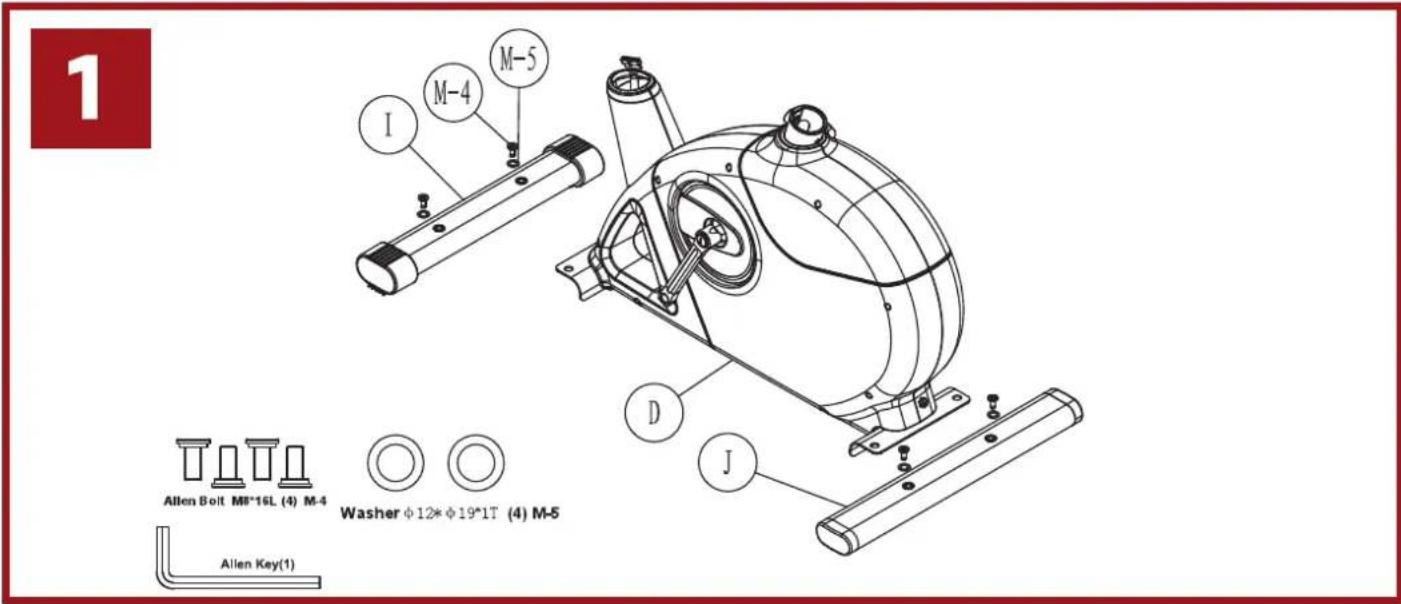
Acorn Nut for MB Bolt (2) M-2


Curved Washer +8 + 19^*2T (20
| D | B | ||
| C | 0 | ||
| I | J | ||
| K | E/D-2 | ||
| A | D-30 | ||
| M | Manual | N |
Reebok
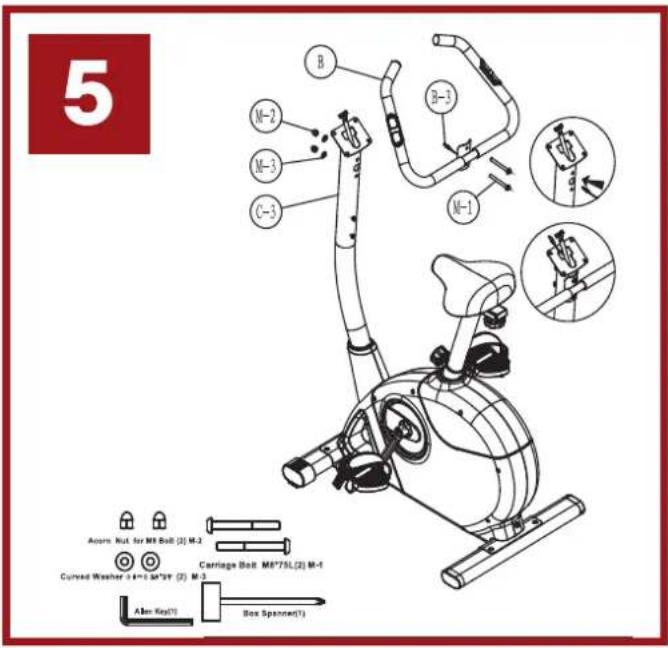
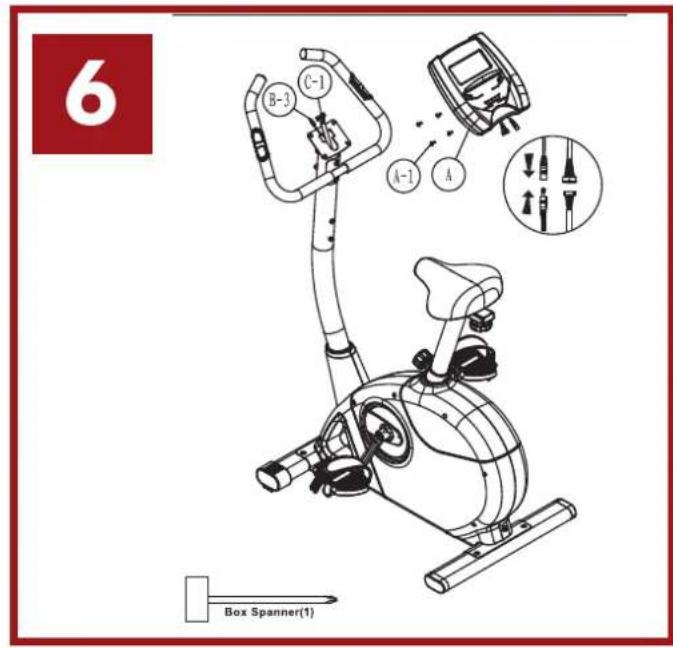
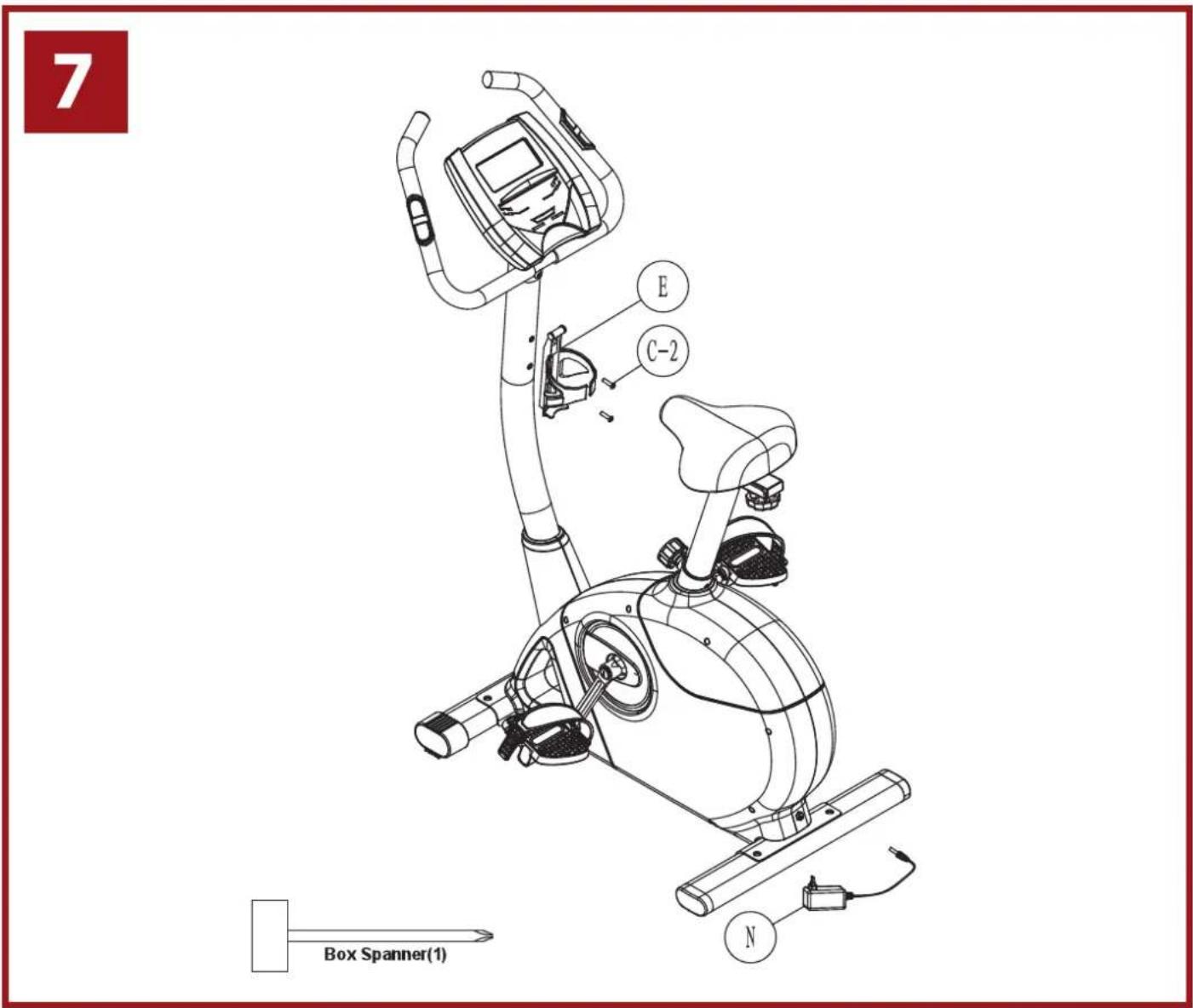
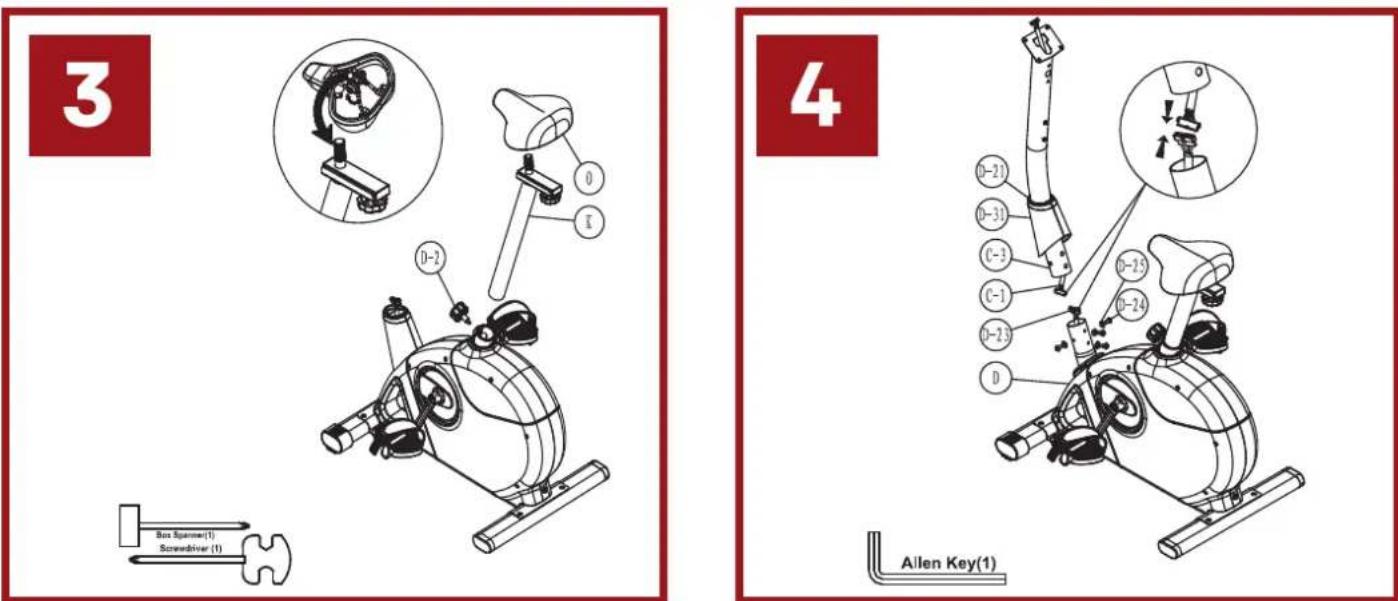
Exploded view
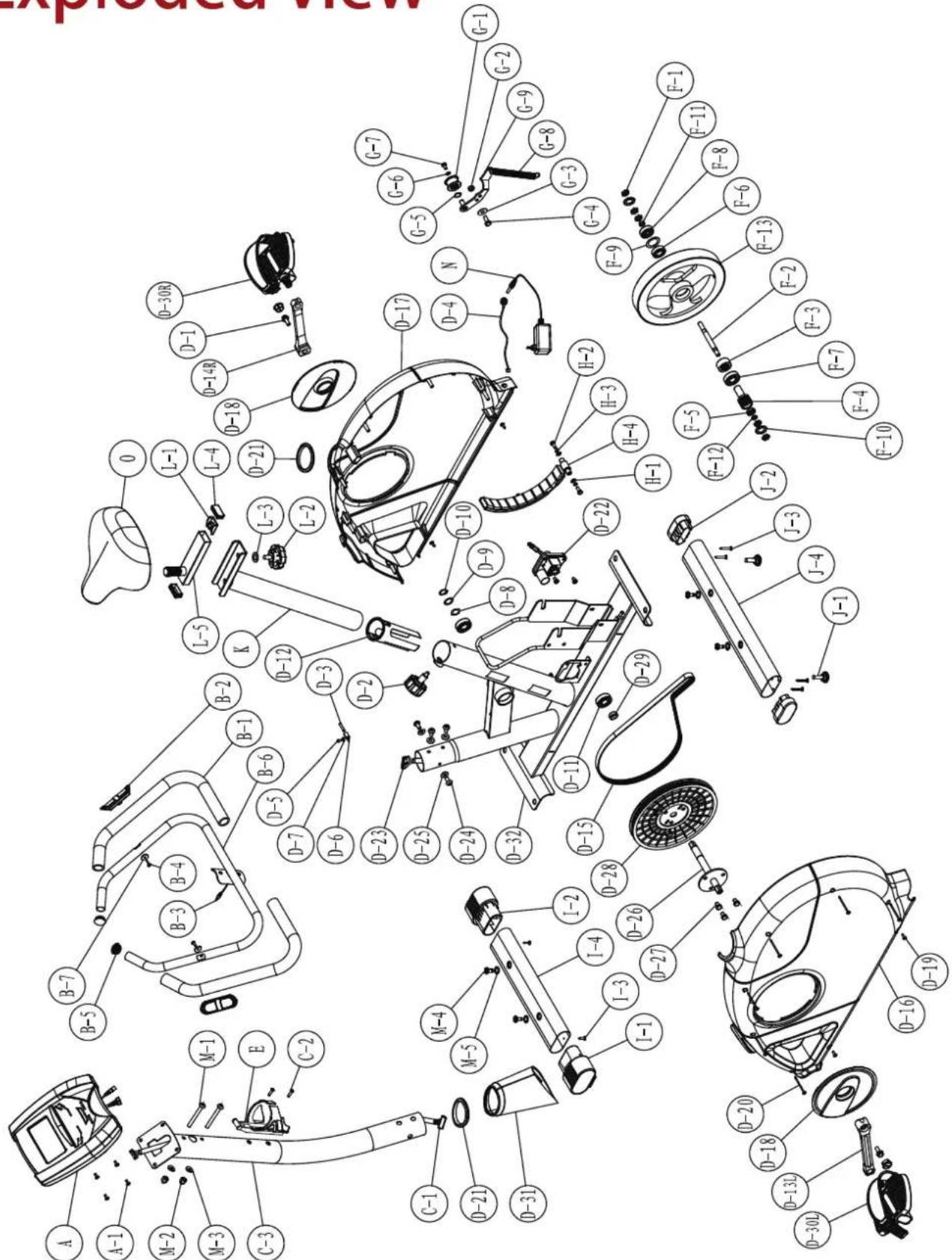
| ITEM | DESCRIPTION | Q'TY | ITEM | DESCRIPTION | Q'TY |
| A | GB40s Console SM2705-67 | 1 | F-3 | Single wheel | 1 |
| A-1 | Screw M5*P0.8*10L | 4 | F-4 | Pulley | 1 |
| B | Handlebar set | 1 | F-5 | Bearing 6900RS | 1 |
| B-1 | Foam grip | 2 | F-6 | Bearing 6003RS | 1 |
| B-2 | Hand pulse set | 2 | F-7 | Bearing 6203 | 1 |
| B-3 | Hand pulse wire | 1 | F-8 | Bearing 6300RS | 1 |
| B-4 | Screw M4*20L | 2 | F-9 | Flat washer | 1 |
| B-5 | End cap | 2 | F-10 | Star washer | 2 |
| B-6 | Handlebar | 1 | F-11 | Bushing of flywheel | 1 |
| B-7 | Semi washer | 2 | F-12 | Bushing of flywheel | 1 |
| C | Handlebar post set | 1 | F-13 | Flywheel | 1 |
| C-1 | Sensor wire (Upper) | 1 | G | Idler set | 1 |
| C-2 | Screw M5*P0.8*20L | 2 | G-1 | Idler wheel | 1 |
| C-3 | Handlebar post | 1 | G-2 | Nut M8 | 1 |
| D | Main frame set | 1 | G-3 | Flat washer | 1 |
| D-1 | Nylon M8*P1.0*20L | 2 | G-4 | Hexagonal screw M8*P1.25*18L | 1 |
| D-2 | Knob | 1 | G-5 | Wave washer | 2 |
| D-3 | Sensor wire | 1 | G-6 | Flat washer | 1 |
| D-4 | DC wire | 1 | G-7 | Hexagonal screw M6*P1.0*12L | 1 |
| D-5 | Screw M4*10L | 1 | G-8 | Idler spring | 1 |
| D-6 | Sensor fixed bracket | 1 | G-9 | Idler | 1 |
| D-7 | Flat washer | 1 | H | Magnet set | 1 |
| D-8 | Wave washer | 1 | H-1 | Flat washer | 2 |
| D-9 | Flat washer | 1 | H-2 | Hexagonal screw M6*P1.0*16L | 2 |
| D-10 | C clip | 1 | H-3 | Spring washer | 2 |
| D-11 | Bearing 6203 | 2 | H-4 | Magnet | 1 |
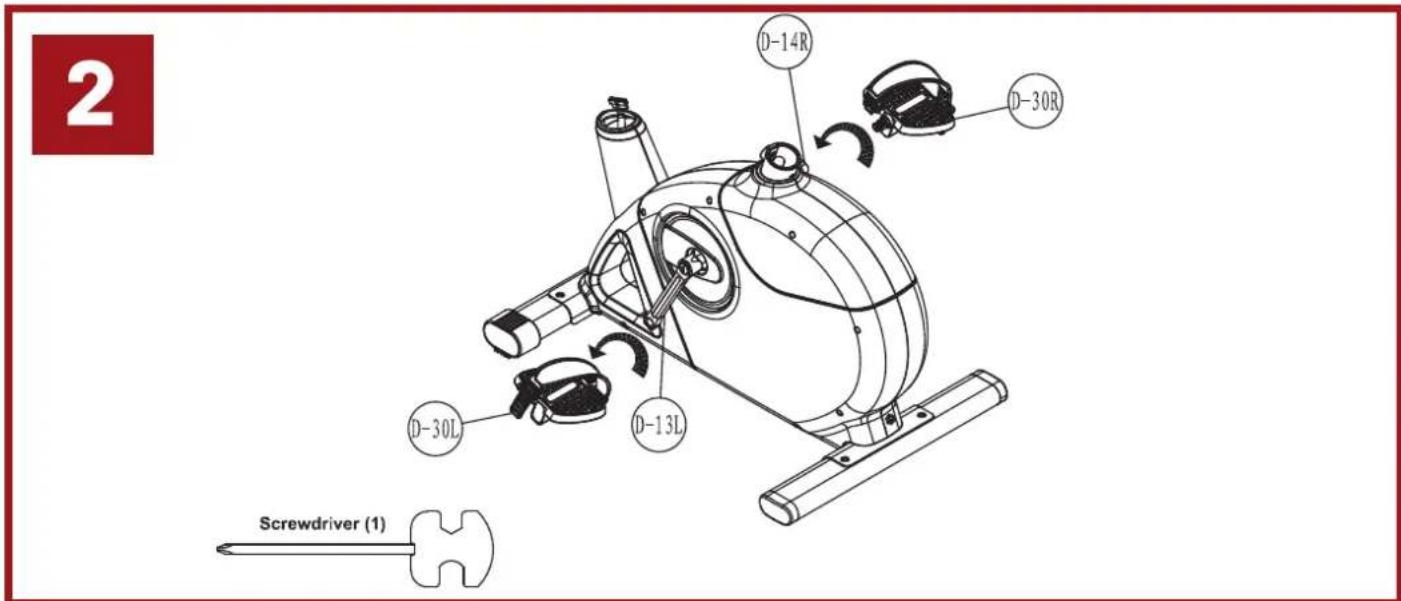
| D-12 | Sleeve for seat post | 1 | I | Front stabilizer set | 1 |
| D-13 | Left crank with cap | 1 | I-1 | Front stabilizer pad | 1 |
| D-14 | Right crank with cap | 1 | I-2 | Front stabilizer pad | 1 |
| D-15 | Belt | 1 | I-3 | Screw 3/16' | 2 |
| D-16 | Left chain cover (upper) | 1 | I-4 | Front stabilizer | 1 |
| D-17 | Right chain cover (lower) | 1 | J | Rear stabilizer set | 1 |
| D-18 | Crank cap | 2 | J-1 | Adjust small pad | 2 |
| D-19 | Screw M5*16 | 4 | J-2 | End cap of stabilizer | 2 |
| D-20 | Screw M4*50L | 6 | J-3 | Screw 3/16' | 4 |
| D-21 | Washer of handlebar post | 2 | J-4 | Rear stabilizer | 1 |
| D-22 | Servo motor set | 1 | K | Seat post set | 1 |
| D-23 | Motor wire | 1 | L | Seat slider set | 1 |
| D-24 | Screw M8*P1.25*20L | 4 | L-1 | Fixing screw bracket | 1 |
| D-25 | Semi washer | 4 | L-2 | Knob of seat | 1 |
| D-26 | Axle 2L | 1 | L-3 | Flat washer | 1 |
| D-27 | Hexagonal screw M8*P1.25*1 | 3 | L-4 | End cap | 2 |
| D-28 | Pulley | 1 | L-5 | Seat slider | 1 |
| D-29 | Bushing | 1 | M | Hardware kit set | 1 |
| D-30 | Pedal set | 1 | M-1 | Screw M8*P1.25*75L | 2 |
| D-31 | Cap of handlebar post | 1 | M-2 | Nut M8 | 2 |
| D-32 | Main frame | 1 | M-3 | Semi washer | 2 |
| E | Water bottle cage | 1 | M-4 | Screw M8*16 | 4 |
| F | Flywheel set | 1 | M-5 | Flat washer | 4 |
| F-1 | Nut 3/8' | 5 | N | Switching power adapter | 1 |
| F-2 | Flywheel axle | 1 | O | Seat set | 1 |
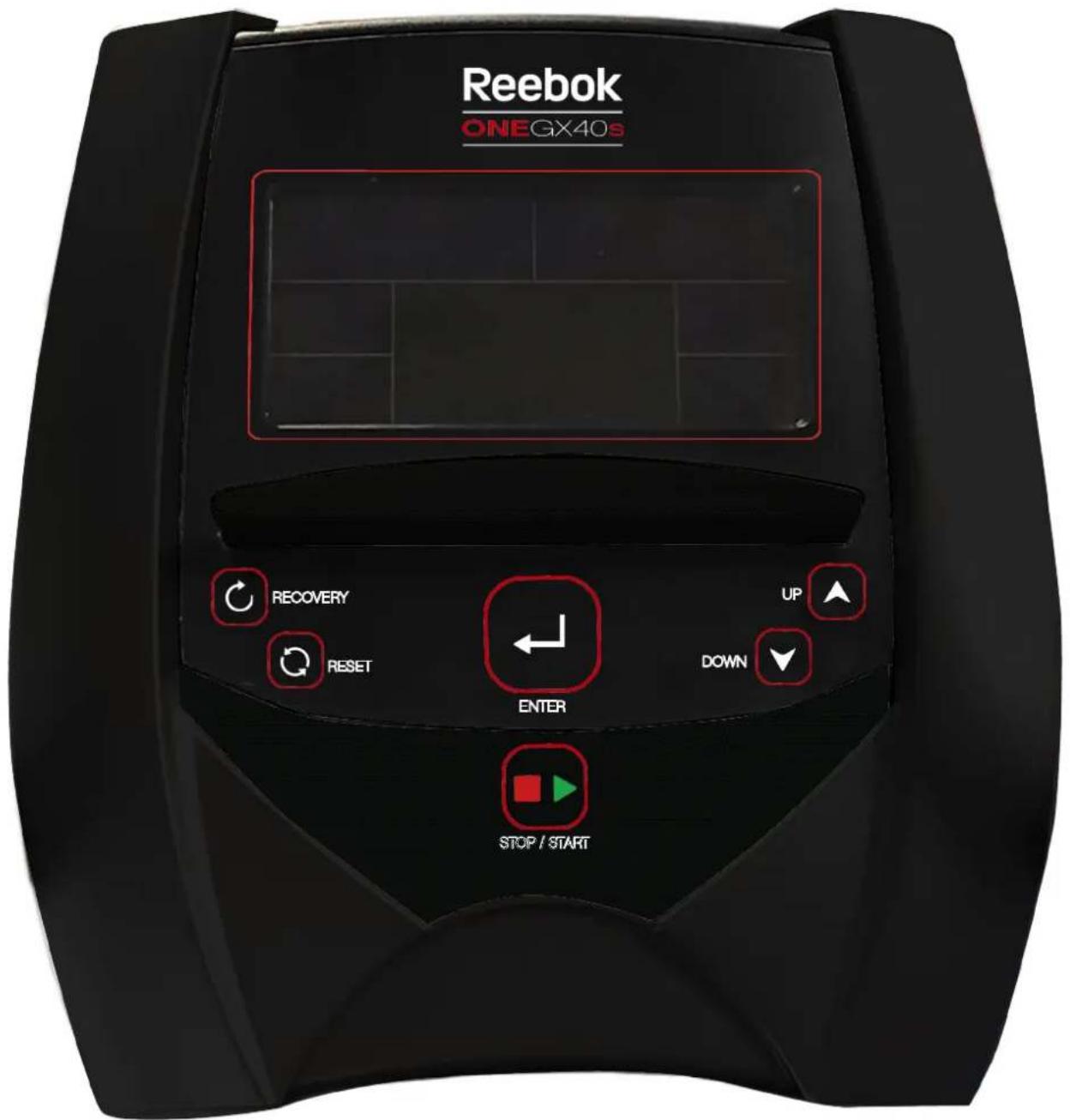
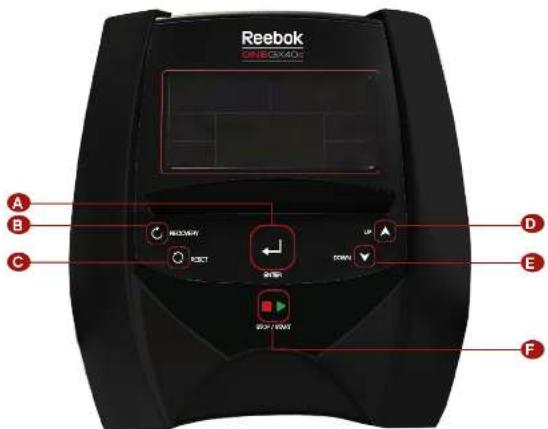
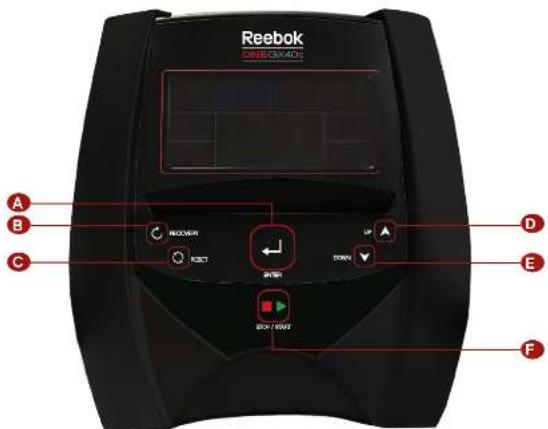
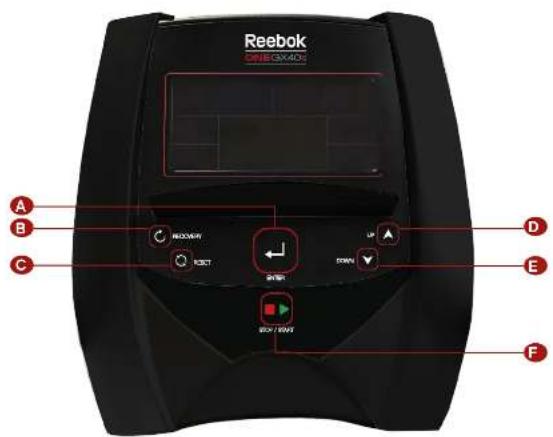
GB40s / GX40s CONSOLE GUIDE
Reebok ONE SERIES
ONE SERIES GB40s / GX40s CONSOLE GUIDE

Reebok
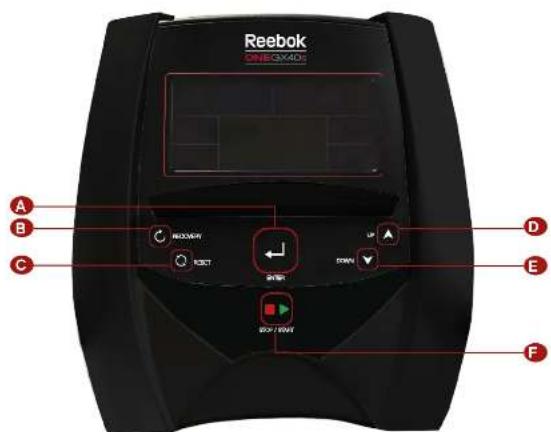
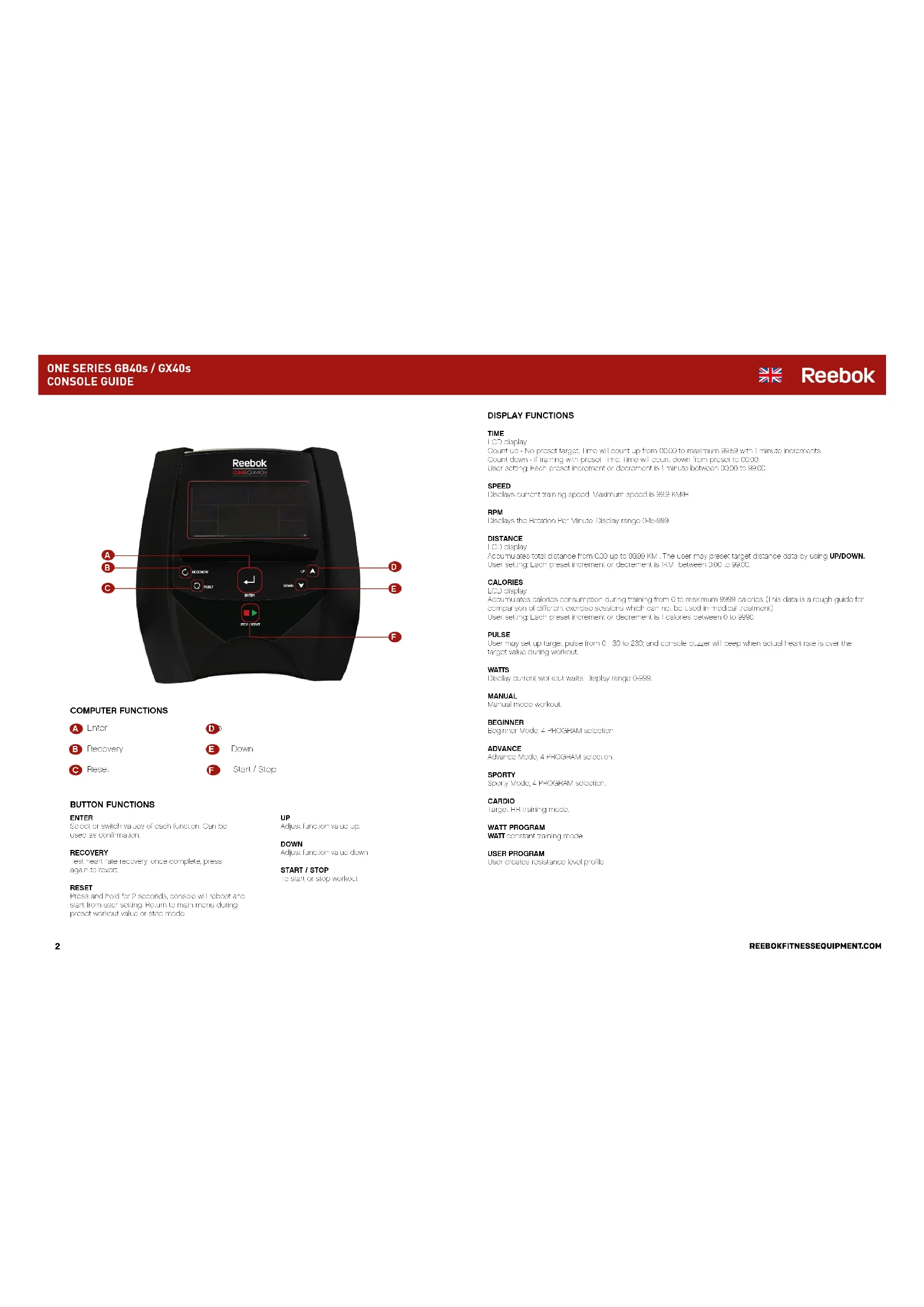
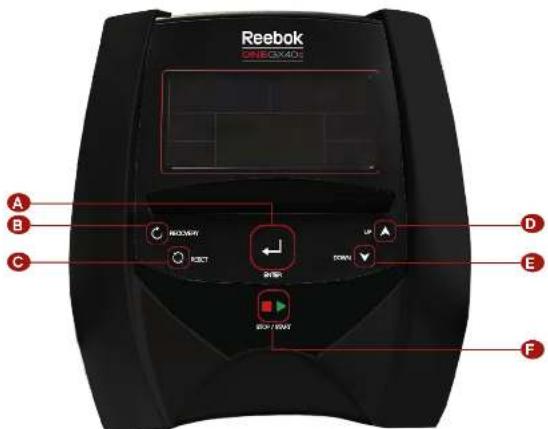
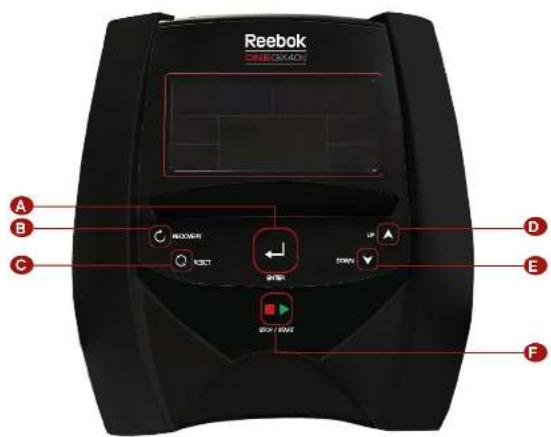
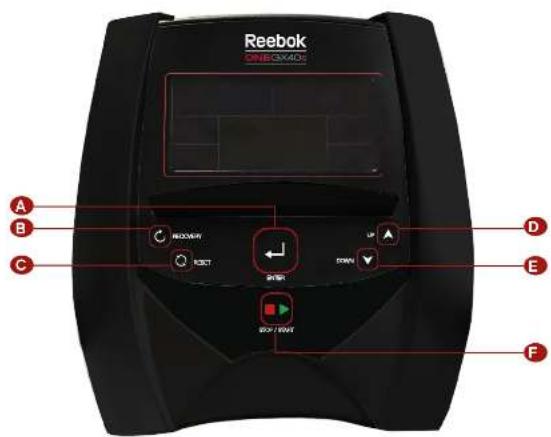
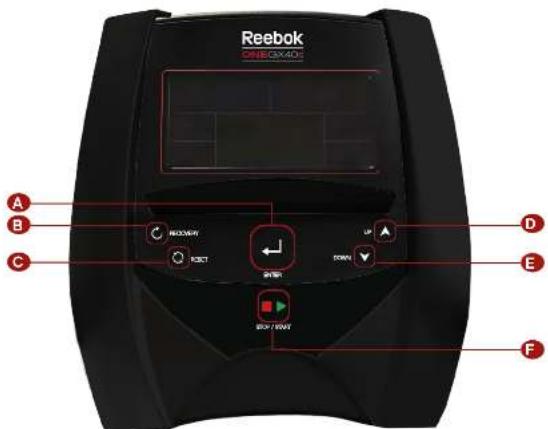
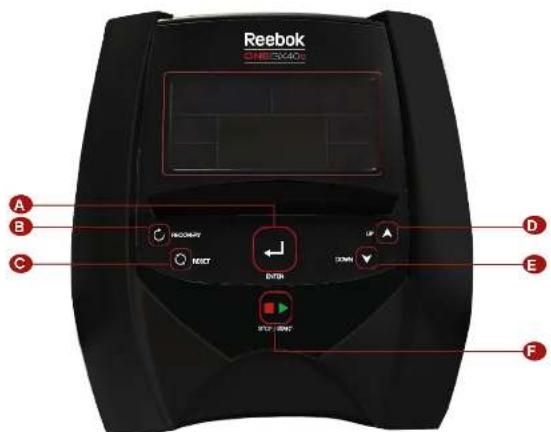
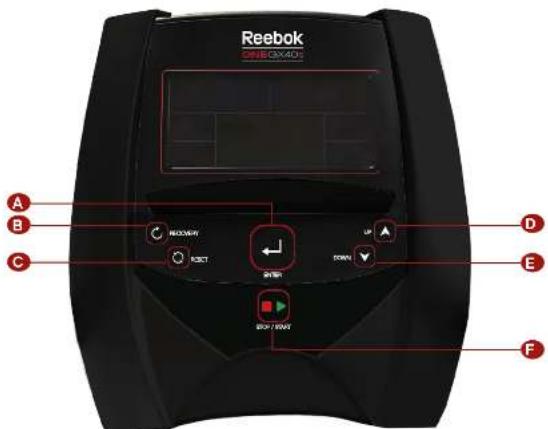
COMPUTER FUNCTIONS
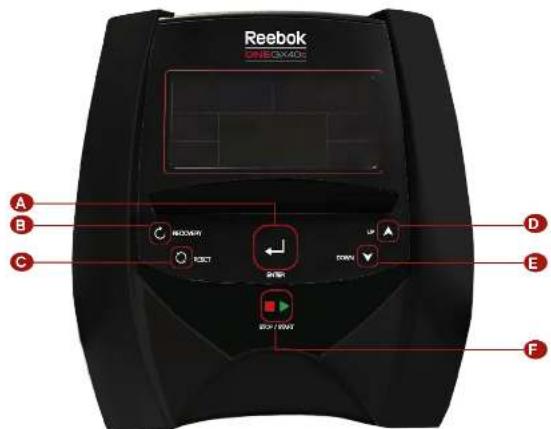
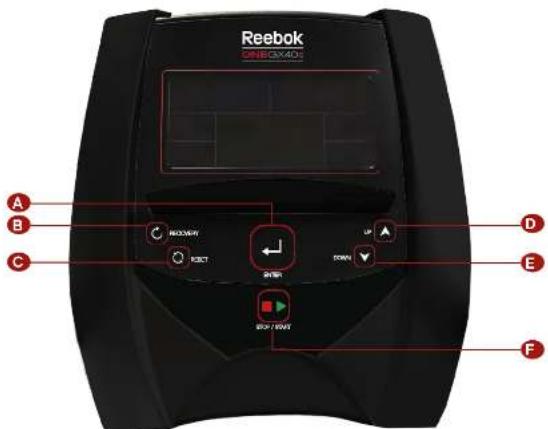
A Fnter
B Recovery
Ciesel


Down

BUTTON FUNCTIONS
ENTER
Select or switch values of each function. Can be used as confirmation
RECOVERY
Test heart rate recovery, once complete, press again in slow.
RESET
Tries and hold for 2 seconds, console will reboot and start from user setting. Return to main menu during preset workout value or stop mode
UP
Adjust function value up.
DOWN
Adjust function value down
START/STOP
To start or stop workout
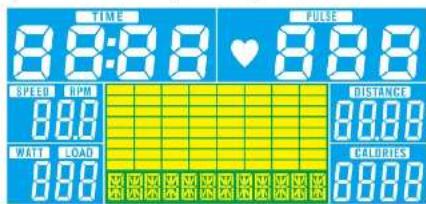
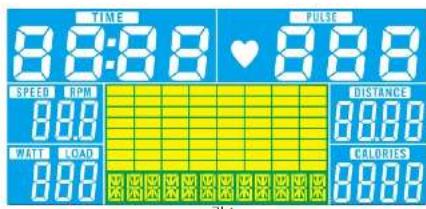
DISPLAY FUNCTIONS
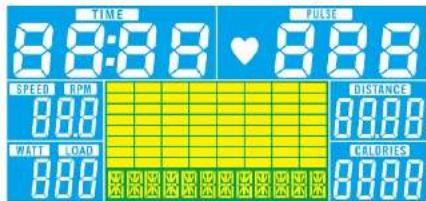
TIME
LOO display
Count up No preset target time will count up from 00:00 to maximum 99:50 with 1 minute increments
Count down If training with preset Time Time will count down from preset to 0000.
User selng Each preacnment or deare n tine btwexn 0000 9800
SPEED
Disays current training space. Maxmumspeed is 99.9KWH
RPM
Disays the Notar Per Minure Dislay range 015999
DISTANCE
LOU display
Accumulates total distance from 0.00 up to 9999 km. The user may proceed farg近距离 data by using UP/DOWN. User setting Each preset increment or decrement is 1km between 0.00 to 9990.
CALORIES
LCd display
Accumulaties calbrscnssopion durn raing from 0 to maxinm 3999 cals. This cals is a rough guider
compensation of different exercise sessions which can be used in medical res
Usr setting Each prcaet inerment or degrantio is calorice bawzim 0 to 999C
PULSE
User may set up target pulse from 0 - 30 to 230; and cross biorov will loop when actual heart rate is over the target value during workout.
WATTS
Disay current workout wate: Dislay range 0-999
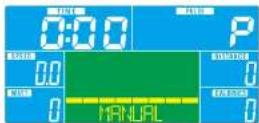
MANUAL
Manual code workout
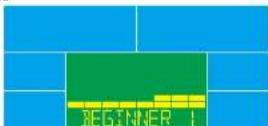
BEGINNER
Beginner Vode,4 PROGNAM selection
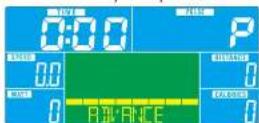
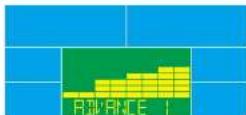
ADVANCE
Advance Mode 4 PROJWM selection
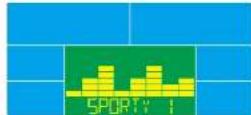
SPORT
Sporty Mode 1 FEGGER selection
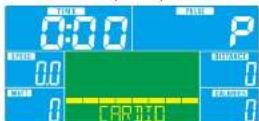
CARDIO
Target HR training mxds
WATT PROGRAM
WATT constant training mode
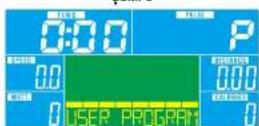
USER PROGRAM
User creates resistance level prone.
ONE SERIES GB40s / GX40s
CONSOLE GUIDE

Reebok
OPERATION PROCEDURE

POWER ON
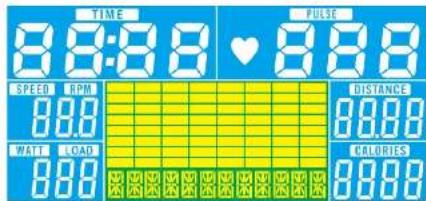
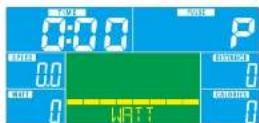
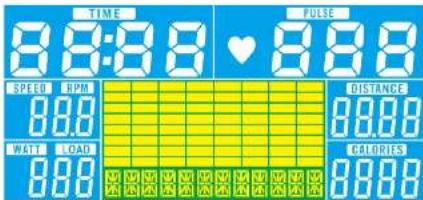
Plug in power supply console will power on and disasay all segments on LC3 for 2 seconds
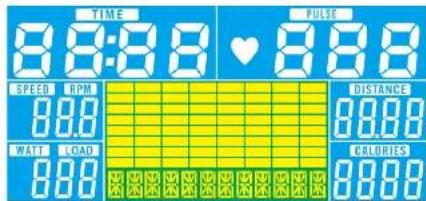
Figure 1

WORKOUT SELECTION
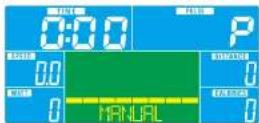
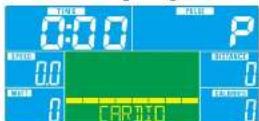
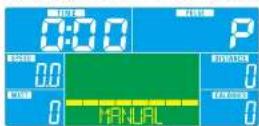
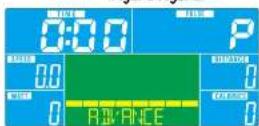
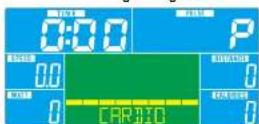
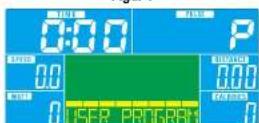
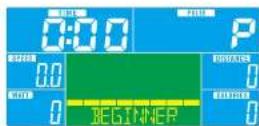
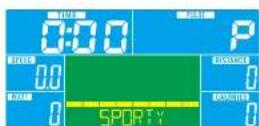
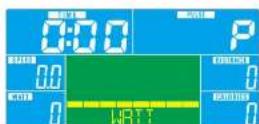
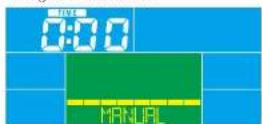
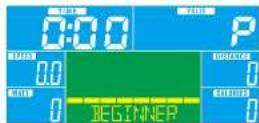
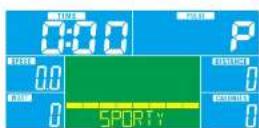
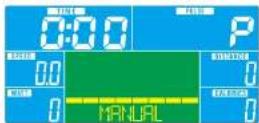
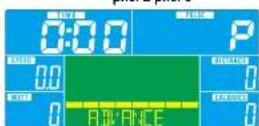
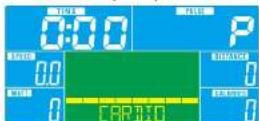
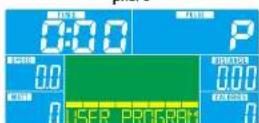
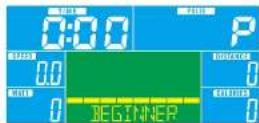
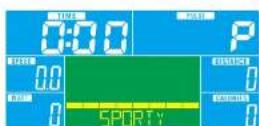
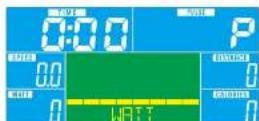
Press UP or DOWN to select workout MANUAL - BEGINNER - ADVANCE - SPORTY - CARDIO - WATT - USER PROGRAM
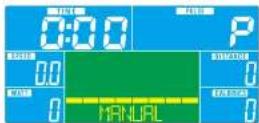
Figure 2 Figure 3
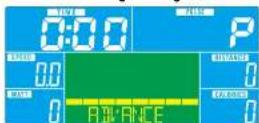
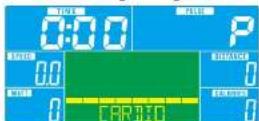
Figure 4 Figure 5
Figure 6
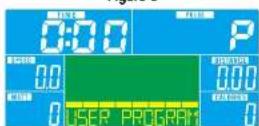
Figure 8
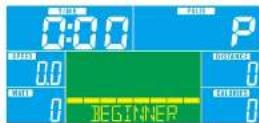
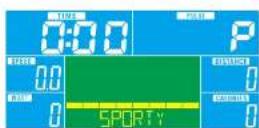
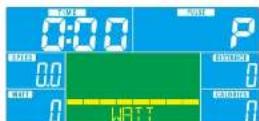
Figure 7

MANUAL MODE
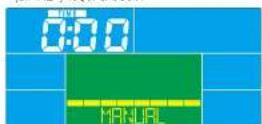
- Press UP or DOWN to select manual mode, and press ENTER to get info.
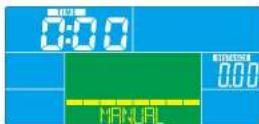
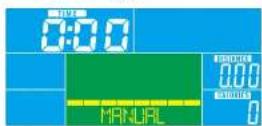
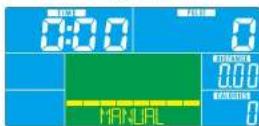
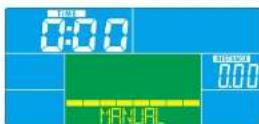
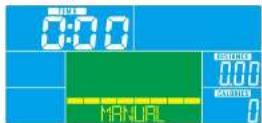
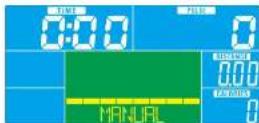
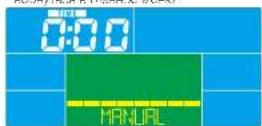
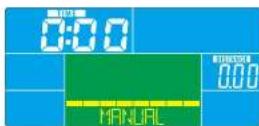
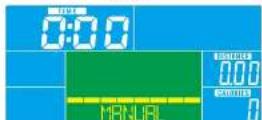
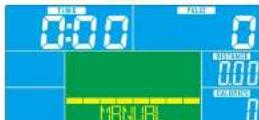
- Press UP or DOWN to set TIME (Figure 9), DISTANCE (Figure 10), CALORIES (Figure 11), PULSE (Figure 12), and press ENTER to switch the value setting.
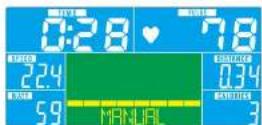
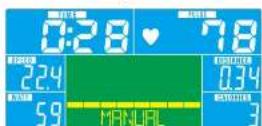
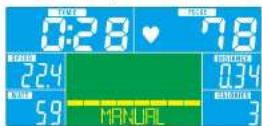
3 Press START/STOP to start workout. Press UP or DOWN to adjust resistance bands during workout. Resistance level display in WATT window, not any adjusting for as it will switch to display WATT (Figure 15).
4 Press START/STOP to pause workout. Press RESET to return to main menu.
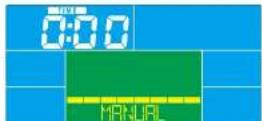
Figure 9
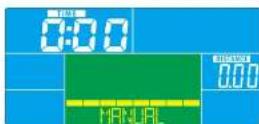
Figure 10
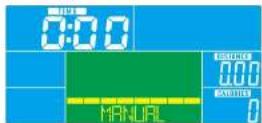
Figure 11
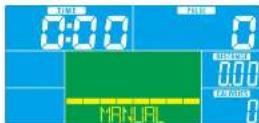
Figure 12
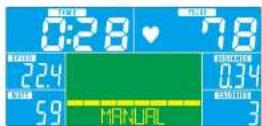
Figure 13
Tess START/STOP in main menu start workout in manual mode directly

BEGINNER MODE
- Press UP or DOWN to save Egeprn rmoa and press ENTER to save mmoa
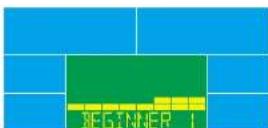
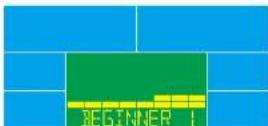
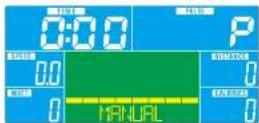
2 Press UP or DOWN to select Egeiner program P (Figure 4) and press ENTER to select mode.
3 Press UP or DOWN to set TIME. - Press START/STOP to start workout. Press UP or DOWN to adjust resistance level during workout.
- Press START/STOP to pause workloc. Press RESET to main TCR.
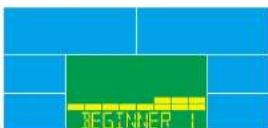
Figure 14
ONE SERIES GB40s / GX40s
CONSOLE GUIDE

Reebok

ADVANCE MODE
I Press UP or DOWN to select advance tools and press ENTER to select tools.
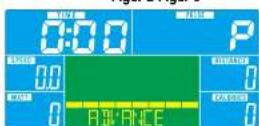
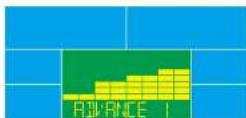
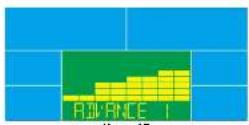
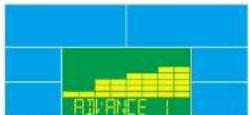
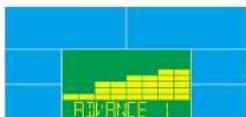
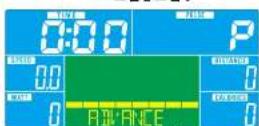
2 Press UP or DOWN to select: Advance program 14 (Figure 15) and press ENTER to select mode.
3 FIOSS UP OR DOWN TO SEE TIME.
4. Press START/STOP to start, workout. Press UP or DOWN to adjust resistance level during workout.
5.183 START/STOP TO PAUSE WORXUP, 183 RESET TO RETM TO MAIN MENU
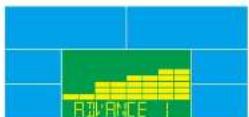
Figure 15

SPORTY MODE
1 Press UP or DOWN to select Sporty mode and press ENTER to select mode.
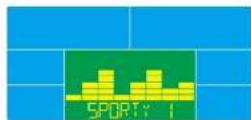
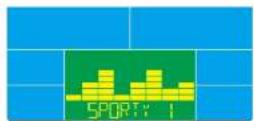
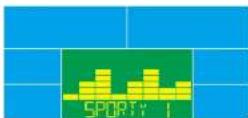
2 Press UP or DOWN to select Sporty program 4 (Figure 8) and press ENTER to select mode
3 FIOSS UP ON DOWN 10:50 TIME
4. Press START/STOP to start workloc. Press UP or DOWN, go to the next page.
5 Press START/STOP to pause workout. Press RESET to return to main menu.
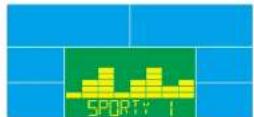
Figure 16

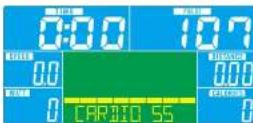
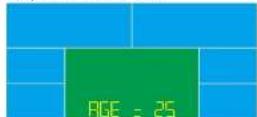
CARDIO MODE
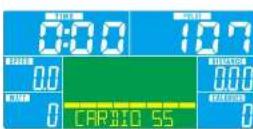
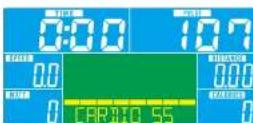
- Press UP or DOWN to select U30 and press ENTER to select mode
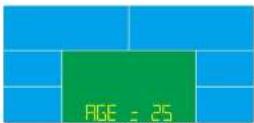
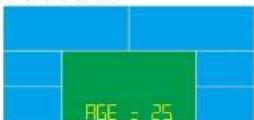
2 Press UP or DOWN to set Age (Figure 17) and press ENTER to switch the next value setting.
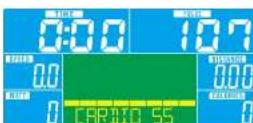
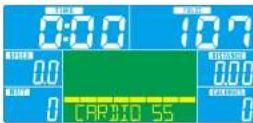
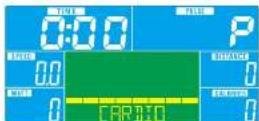
3 Press UP or DOWN to see 5% (Figure 18.7%) 90% or TAG (TARGETHR) (data, 10C). When selecting
target heart rate, default value '00 will flicker Press UP or DOWN to adjust target range 30 200 and press
ENTER to switch the next value setting.
4 Press UP or DOWN to set workout TIME.
5 Press START/STOP to pause workout Press RESET to return to main menu.
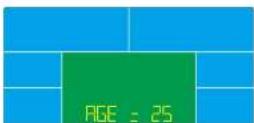
Figure 17 Figure 18

WATT MODE
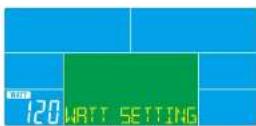
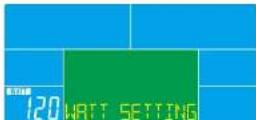
- Press UP or DOWN to select WATT mode, and press ENTER to select mode.
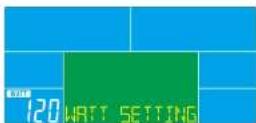
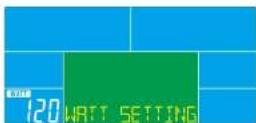
2 Press UP or DOWN to set WATT target, default: 120 Figure 19. Adjust target range 10-350 and press ENTER
to switch the next value setting
3 Press UP or DOWN to get TIME - Press START/STOP to start workout. Press UP or DOWN to adjust Wrist level during workout
5 Press START/STOP to pause workout Press RESET to return to main menu.
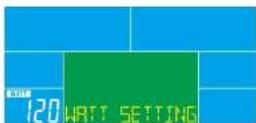
Figure 19

USER PROGRAM MODE
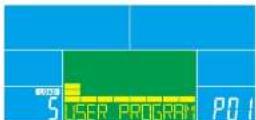
1 Press UP or DOWN to select User Program mode, and press ENTER to select mode.
2 Press UP or DOWN to select UI4 and press ENTER to switch the next value setting.
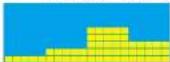
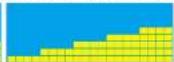
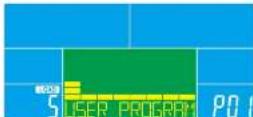
3 Press UP or DOWN to create user profile (Figure 20). There are a total of 20 columns. User can adjust each
column resistance level;press UP or DOWN to adjust resistance level, press ENTER to move to the next unit.
User can hold ENTER for 2 seconds to quit during setting
2 Press UP or DOWN to set TIME.
5 Press START/STOP to start workout. Press UP or DOWN in adjust resistance load during workout.
6 Pies START/STOP to pass workout Press RESET to return to main man.
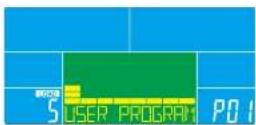
Figure 20
ONE SERIES GB40s / GX40s
CONSOLE GUIDE

Reebok
10 RECOVERY
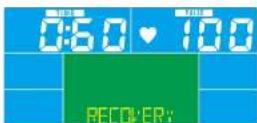
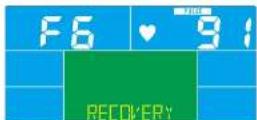
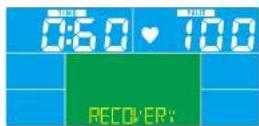
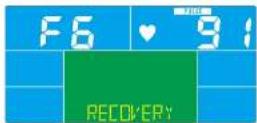
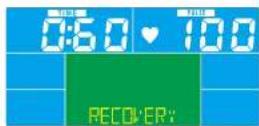
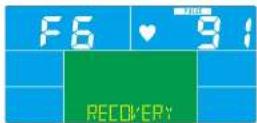
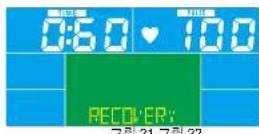
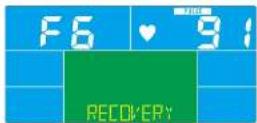
After exercising for a period, keep holding on hand grip and press RECOVERY. All function disassembly will stop except: TIME starts counting down from 06:00 to 09:00 (Figure 2). Screen will display your heart rate recovery status with the FI, FI, etc. to FI. FI is best. FI is poor. FI is poor (Figure 2B). User may keep exercising to Improve the heart rate recovery status. Press this RECOVERY button again to return the heart display.
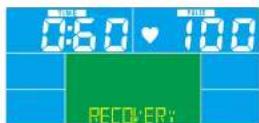
Figure 21 Figure 22
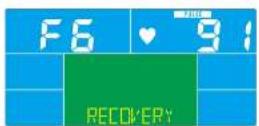
1.估值
2. Very Good
3-Goo
-1-Satisfactory
Not sati#ed
F-Pror
Notes
- After 4 minutes without pedaling or pus input, console will enter into power saving mode. Press any key to wake the console up
2 when console acts abnorma, please unplug the adaptor and plug again.
PROGRAM

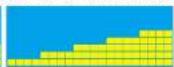
BEGINNER 1 BEGINNER 2 BEGINNER 3 BEGINNER 4
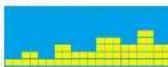
ADVANCE 1 ADVANCE 2 ADVANCE 3 ADVANCE 4

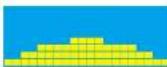
SPORTY 1 SPORTY 2 SPORTY 3 SPORTY 4

ONE SERIES GB40s / GX40s CONSOLE GUIDE
FONCTIONS DE L'ORDINATEUR
A Hinter (Hree)
Recovery (Recapitation)
C Reset (Initialisation)
Up
E Down (Bas)
F Start/Stop(Demamage/Are)
FONCTION DES TOUCHES
ENTER (ENTREE)
WATT PROGRAM (PROGRAMME WATT)
Mode d'entranchement a WAT (WAI) constant
USER PROGRAM (PROGRAMME UTILISATEUR)
ONE SERIES GB40s / GX40s CONSOLE GUIDE

Reebok
PROCEDURE DE FONCTIONNEMENT

ALIMENTATION ON (ALLUMEE)
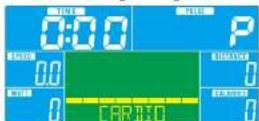
Figure 4 Figure 5
Figure 6
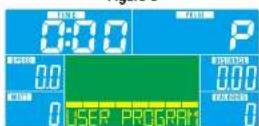
Figure 8
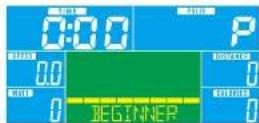
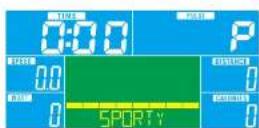
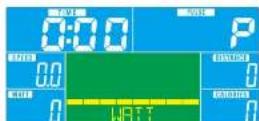
Figure 7
3 MODE MANUEL
ONE SERIES GB40s / GX40s CONSOLE GUIDE
Reebok

MODE AVANCE
ONE SERIES GB40s / GX40s
CONSOLE GUIDE

Reebok

RECUPÉRATION
ONE SERIES GB40s / GX40s CONSOLE GUIDE
FUNZIONI DEL COMPUTER
RESET (REIMPOSTAZIONE)
WATT PROGRAM (PROGRAMMA WATT)
ONE SERIES GB40s / GX40s
CONSOLE GUIDE

Reebok
ONE SERIES GB40s / GX40s
CONSOLE GUIDE

Reebok

MODALITA AVANZATA
ONE SERIES GB40s / GX40s
CONSOLE GUIDE

Reebok
10RECUPERO
ONE SERIES GB40s / GX40s CONSOLE GUIDE
COMPUTER-FUNKTIONEN
A Finter (Fingace)
Dulwerts
Recovery (Folung)
Down (Aowarts)
SPEED (GESCHWINDIGKEIT)
Zeiic dakklc Trainingssoschwindgckit an MaximaGochswindigckit 99,9 knh
RPM (TRITTFREQUENZ)
ONE SERIES GB40s / GX40s
CONSOLE GUIDE

Reebok
BETRIEB

STROM EIN
ONE SERIES GB40s / GX40s
CONSOLE GUIDE

Reebok

MODUS, FORTGESCHRITTENE
ONE SERIES GB40s / GX40s
CONSOLE GUIDE

Reebok
10 ERHOLUNG
ONE SERIES GB40s / GX40s CONSOLE GUIDE

Reebok
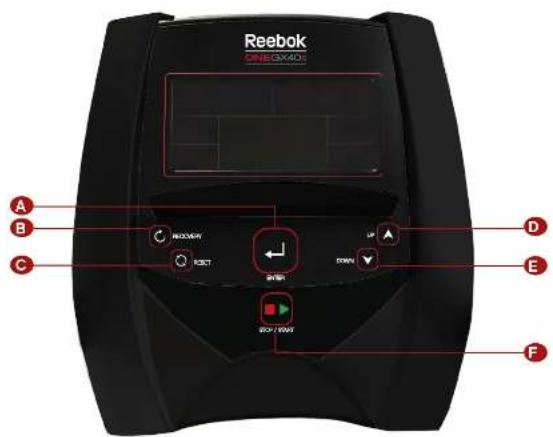
A Enter (Intro)
Recovery (Occupation)
C Reset (restuar)
B (Art)
E Down (Abajc)
F Start/Stop (Incident/Perar)
ONE SERIES GB40s / GX40s
CONSOLE GUIDE

Reebok
ONE SERIES GB40s / GX40s
CONSOLE GUIDE

Reebok

MODO AVANZADO
- Pubs: UP (AFR) a DOWN (AFAJ) para: alococn er mode Avanzio y pula. ENTER (INTC)
PRAHNOCCIOENTO
ONE SERIES GB40s / GX40s
CONSOLE GUIDE

Reebok

RECUPERACION
Ires haeer ejercicb ouante un tempo, martengs agamadoes lo manilares y puse RECOVERY
ONE SERIES GB40s / GX40s CONSOLE GUIDE

Reebok
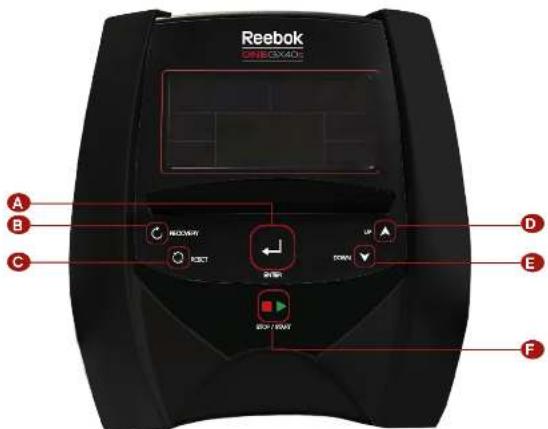
WATT PROGRAM (PROGRAMA WATT)
ONE SERIES GB40s / GX40s
CONSOLE GUIDE

Reebok
ONE SERIES GB40s / GX40s
CONSOLE GUIDE

Reebok

MODO AVANCAIDO
ONE SERIES GB40s / GX40s
CONSOLE GUIDE

Reebok

RECUPERACAO
ONE SERIES GB40s / GX40s CONSOLE GUIDE

Reebok
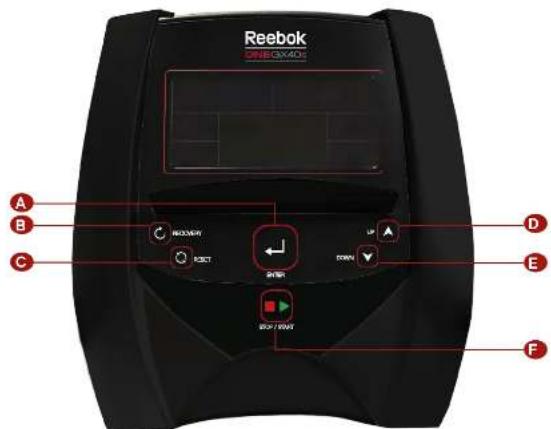
DATAFUNKSJONER
A Hinter (Bekreit)
Up (pp)
Recovery (Conoppreting)
E Down (Ned)
C Fieset (I bakeslilling)
RESET (TILBAKESTILL)
Tyrkim in 12 sekundere, konsoliden va starte pyat yog ska rata bruller annsolling. Cai biltske iit howdianmny under forndnossinitt trengnssoevier e er stoppmno du
UP (OPP)
For aoppustere funksonsverlen
DOWN (NED)
For a redjuste fukgscnswerdien
START/STOP (START/STOPP)
Fx a snto oonrtoe ironing
VISNINGSFUNKSJONER
TIME (TID)
LCD display
el appover ingen forhandsinnstme klen teller appover fr 0000 t al makumn 896g n trnn d' minut.
Tel necover Ims du tener mec formandinstktd Tioen v teie red fra forhandninstingpen 0000
Eukoninsting Hovt handnsinslingssn clr dvoennt 1 minutrol 00008900
SPEED (HASTIGHT)
VserakquellranirncnssigheToppasighaeer er 93 kmt
RPM (o/min)
Akkumucr Jablrrouk under rongir 30 maksimum 8869 kacric (Dss calehcr on groovkxting for
sentinligng av korege toningakn oomikokbrukostmoleinsk behangng)
Drukernstlingivertorhandsonssingstrinelderdckementer1sakr melomucg 993
PULSE (PULS)
Ebruken kan sille inn mapius fr 0 30 til 250 Konolsignaier v pice nr faktiok jhernemy er over malvenen uncr treningen
WATTS (WATT)
Vser aktuelle TeringgewattVisiningsomrade 0999
MANUAL (MANUELL)
Trennqimmanuimoxue
WATT PROGRAM (WATT-PROGRAM)
WATT Kongpart treinps modus
USER PROGRAM (BRUKERPROGRAM)
Drukeren appreter en profi for nortstandnla
ONE SERIES GB40s / GX40s
CONSOLE GUIDE

Reebok
BRUKSMÁTE

STRÖM PÄ
Kobilei sramforyinger, konsolen kobler inn og viseralle segmenterTLCD-2 sekunder
Figur 1

VALG AV TRENINGSOKT
Lynck CFP after N=0 for a velage treening: MANUAL - BEGINNER - ADVANCE - SPORTY - CARDIO -
WATT-BRUKERPROGRAM
Figur 2 Figur 3
Figur 4 Figur 5
Figur 6
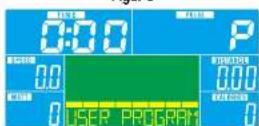
Figur 8
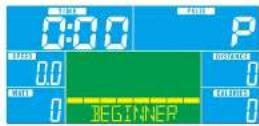
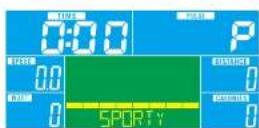
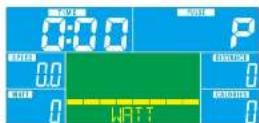
Figur 7

MANUELL MODUS
LtrykpeGPe er NED for a veige mansell modus, cagtryk pe ENTER for g qnr.
2. Tykk pA ORP sller NC for stile im TIME (four 9 DISTANCE (four 101 CALORIES (four 11 PULSE (four 12)
ogrykk pA ENTER for a vessve yerdinist lingan.
3. Tykck oR START/STOP 488888888888888888888888888888
treingepn papr yisping ay morsstandn sWATT ndy jienen lstering 3 s get x yseksteipisping ay
WATT TUG
4. Tykk pA START/STOP for a sete trencigsokien pa nase. Tykk pA RESET for a caitbale i hovedmnyen.
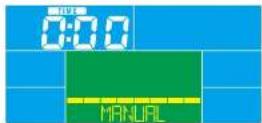
Flour 9
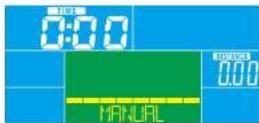
Figur 10
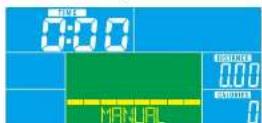
Figur 11
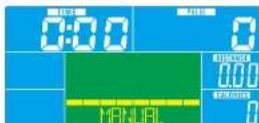
Figur 12
Figur 13
Irykk d SIAIRISIOFFOvedmemyen, sartrenngsakter direkte manuel mous

NYBEGYNNNERMODUS
1 Tpyk pE OPO e rNFD for a yogc nybogymnredus onryk pa ENTER for a vce mredus
2.01549678399999999999999999999999999999999999999999999999999999999999999
3TnOeNEDx a sllb n T
4TnS0A7STP/STOPIe 15sEupseKien Tckp9CFFelNEDIaueae
treigenen pae
5. Tryk pa START/STOP for a set of trinncsakior pa paasr Trykk pa RESET for a pa Iibks ul hovodmcrnyon
Figur 14
ONE SERIES GB40s / GX40s
CONSOLE GUIDE

Reebok

MODUS FOR VIDEREKOMMENDE
- Tryk pA OPP erer NLD for a velge modus for videokommende, og tryk pE ENTER for a velge modus. 2. Tryk pA OPP erer NFD for a velge program 14 for videokommende (figur 16), og tryk pA ENTER for a velge modus.
3TryxOPeierNCDfora stilennTD
- Trykk & START/STOP for & starte treamingskolen. Trykk p8 CHT eiler NED for a juste motarscnivet mens treminoen gddar.
5 Tryk pa START/STOP for sebe reningsaen pa pause Tryk pa RESET for a gai bakei hwoedmenyen
Figur 15

SPORTSLIG MODUS
- tykpa OPP alter NLD for a vege sportisig modus, cog tryk pa ENTER for a vege modus 2. Tykpa OPP alter NLD for a vege sportisig program 1-4 (figur 16), cog tryk pa ENTER for a vege modus. 3. tykpcopp alter NLD for at ste ninn LID
4 Tryk pə START/STOP for a sute to tinegecklcr Tryk pə ORP oir NFD for jusice mixanacriact mncr trinoncn papil.
- Tykpa START/STOP for a sette teningpokpen pa pase Tykpa RESET for a palbakei hovedrenyen.
Figur 16

KONDISJONSMODUS
1Tryk pA OPN eier NDL for a vage IHC,og trykpa oE ENTER for a vage modus. 2Tryk pA OCP eier NDL for a stille im alder (fjur 17 ogtryk pa ETER for a gail neste verndinstling. 3Tryk pA SPP eier NDL for a stille 56% (jour-8) 20% ealler TAG (2NSFT + F) (sucord 100); var du wolgr onelot historioryvi standarder c 300 mils Tryk pA opo cllr nod for a stille onelot onnrod 30-930 og uylyas pe tonor for a vovce in neo vein erndinstling. 4Tryk pA OCP eier NDL for a stille im nincirgavallighct. 5Tryk pA START/STOP for a stelle fcmngiaon pa bsacit Tryk pA RESET for a gai lbaes ill hovdminyort.
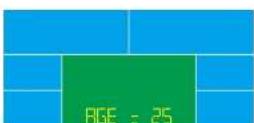
Figur 17 Figur 18

WATT MODE
- Tylos e OPF cllr NED for wvgs WAT modus, 0gtry pL ENTER for wvgs modus. 2.Tylos pL OCP cllr NED for a stree in WAT modus (standard 100 four %), Lesse scket portcfo 10350 oocress
PA ENTER FOR A VSKI E NITE veriormilling 3 Trook OPEE JELD NO. 1A, stp. TDP - Ivki kā START/STOP for a stare trengskelten. Ivki kā O- er NLP for justre wot miviet men trengink pəd
5 Tyk pa START/STOP for a scicl tncingaikcn pa cauac. Tyk pa RESET for a ga hawedrcnyon.
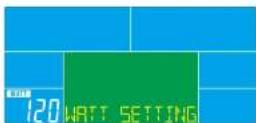
Figur 19

BRUKERPROGRAMMODUS
- Iyck sa CIP perr NLD for ve glike Brukerogrom modus og tykki cE ENTER for a vege modus. 2. Tykki pa OCP eer NLD for ve gliki U4 og tykki pE ENTER for a veke li tneze verinilling. 3. Tykki pa CIP perr NLD for a concrete bruke oril (figur 20). Det er 20 kolonner totalt Brukeren kan justere morsandenvirse fer kon kipone (tykki pa OCP eer NLD for a justere motarsoninkvet tykki pa Eter for a qali neste erhen Brukeren var hoode Enterine 12 s for a asutte under instingling.
-
- 2017-03-01 1:49 PM (HKT) 1:49 PM (HKT) 1:49 PM (HKT) 1:49 PM (HKT) 1:49 PM (HKT) 1:49 PM (HKT) 1:49 PM (HKT) 1:49 PM (HKT) 1:49 PM (HKT)
6 rykk pa START/STOP for a sette treningszektempa pause. Irykk pa RESET for a ga tibase hovedmenyen
- 2017-03-01 1:49 PM (HKT) 1:49 PM (HKT) 1:49 PM (HKT) 1:49 PM (HKT) 1:49 PM (HKT) 1:49 PM (HKT) 1:49 PM (HKT) 1:49 PM (HKT) 1:49 PM (HKT)
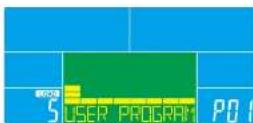
Figur 20
ONE SERIES GB40s / GX40s
CONSOLE GUIDE

Reebok

GJENOPPRETTING
Nar du har ent an irand ma forse a nd nol nataleneegy kryke ag RECOVERY. Alle rukspnienriger vi stoppe uniratt-TIMEc som beginner & tete red fca 00601000c (gjur 2). Skjemmen vser genopropssingassae for hortorynirn cnd mri F, F2, F6, F or locat, F6 or carlag (gjur 2). Brucetron keri oicatio et rare for a lorbcic glpnpocrtngiasus for hortorynirn. Tykke pR RECOVERY-ewppx gion for a gil tllte hovowdiplaye
Figur 21 Figur 22
1
2
2. Dra
-1.
1.
-5 1
F-Bartig
Merknader
1.4 Ener 4 minutes au biv kuv de plesingang vik konslen gis transparemous Tryk pa en helleen hels best rst for Arikke konen.
2 Hols konsolen oppfser teg unornat, Tekkut kontakten og set den innigen
PROGRAM
BEGINNER 1 BEGINNER 2 BEGINNER 3 BEGINNER 4
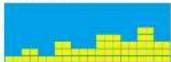
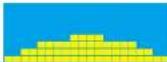
ONE SERIES GB40s / GX40s CONSOLE GUIDE
DATORFUNKTIONER
A Fiter
D(pp)
8 Recovery (Pulsatomamnting)
Down (Nod)
Criesel (Aterstaf)
START / STOP (START / STOPP) For us, please follow this training program.

Reebok
DISPLAY-FUNKTIONER
TIME (TID)
LOD display
Rikns uping nertmaln i iden rnsupr 0000 tll hogs 9956 mec 1 minute stag-2knaed om trinlengen gore med nortaldic lid. Tider naes neo den forntalldil lll 000 Anvandarnstling.Vare forntaldic exciting cllminxng ar 11mou mla 0000 xh 990d.
SPEED (SNABBHET)
VssaraktllrnnnpsstichelDermaxmaasighehen 999km.
RPM (VARV PER MINUT)
Vssary per min, Skarmintervall 015-999
DISTANCE (STRACKA)
MANUAL (MANUELLT LAGE)
Training: manucll ag.
BEGINNER (NYBORJARE)
Nytipnep 2 Prrnnnne
ADVANCE (AVANCERAD)
Avenperat lage.4PDCOMM at vala pa
SPORTY (SPORT)
Spoge, PPGM er vepe pa
CARDIO (HJÄRTA)
Tringslagmod forjndrown
WATT PROGRAM (EFFEKTPROGRAM)
Traringpagge for cnsstc ofkutcking
USER PROGRAM (ANVANDARPROGRAM)
Arvanderer cefinlerap profil med motstandcniva
ONE SERIES GB40s / GX40s
CONSOLE GUIDE

Reebok
ANVANDNING

PASLAGEN
ONE SERIES GB40s / GX40s
CONSOLE GUIDE

Reebok

AVANCERAT LAGE
- Inck pA UP (Upp) siter DOWN (Nedi for et markere Avencenat lage, och tryox pA ENTER Kt est valia deta lagu
2 Tryps op UP (U) 10k DOWN (Nord lcl ut marka Avemcna program 14 (old) cth tryps pE ENTER f# at vela cottaage
-
Tryck aap UP (Ucp) eer DOWN NED for sttalls i TIME (Ttdl4 Tryck p3 START/STOP (START/STOP) for at borgs trians. Tryck p3 up (Upp) eer DOWN NED for utjesta mosstndskn under tänning
-
Tryk pA START/STOP (STAPSTOP) for at pausa tianing. Tryk pA RESET (ATFSTALI) for at aneca ill huidocryns.
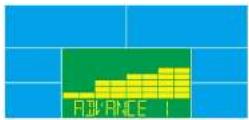
Bild 15

SPORTLAGE
1 Tryk pa UP (Up) cter DOWN (Ndl for at mkrnck Etoicco, co ntryk pa ENTER for att valda dota fepc. 2 Tryk pa UP (Up) cter DOWN (Ndl for at stalla in Fecrinal (Scandorance 120, btd 19) Stll in mlimnerval et 10359, och tryk pa enter for at pta ut installin y naiste vando
3. Iyck p3 UP (UP) else DOWN (NE) for an stub in TIME (TIM) Iyck p3 START/STOP (SP) APE/STOP for an Iyck troeins. Iyck p3 UP (UP) else DOWN (NE) for an stub LFEKNA under training.
5. 10xippe START/STOP (START/STOP) for an update training the "10xippe RESET (ALNSAL) for an average till successful.
Bld 19

ANVANDARLAGE
1.rocka UP (Lucke er Down Hvei) for at markers Anndalage, ch trock pa ENTER for at vallia dets loe 2.Tork aUP (Lund e DOWN Dvei) for at vallia uul-10 trock pa ENTER for at vallia Ustninae as
naste varoe
3. Tryok pa UP Lupol er Down (Ned for at shapke en ananacaroll lid 20; ot finne akt 20 saaler). Anvandaren kan stelle in varie xesidk mostrandienly tryck pa UP Lupol er Low NED for at stalla in mostrandienny,tryck pa Enter for at gill neta entel. Anvandaren kon nake ENTER INRCK 1 2 sekundern for att gur ir insilinirnina.
4. Tryck pa UP Upp/ else DOWN (NoE) for all stalling in TIME (TbSx Tys Pa START/STOP STAFTSTOPP) for all bride tneir. Tryck pa UP Upp/ else DOWN (NoE) for all stables moststolen van under training
6 Tyk pa START/STOP (START STOP) for att passa trainin. Tyk pa RESET (ATCRSTAL) for att aerga till urodminm.
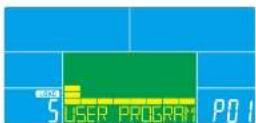
Bild 20
ONE SERIES GB40s / GX40s
CONSOLE GUIDE

Reebok

PULSATERHAMTNING
ONE SERIES GB40s / GX40s CONSOLE GUIDE
COMPUTERFUNKTIONER
A Fnter
D (Op)
Recovery (Restitution)
Down (Noc)
C Reset (Nulld)
F Start/Stop
KNAPFUNKTIONER
ENTER
Vse, oelk skveodler fonde enekene funguktion Kon ouges til bevetsile
RECOVERY (RESTITUTION)
Test efferentogene hertetrefwenerese (hertin) ag.
yes, wrong or at odds.
RESET (NULSTIL)
Tskog hov ocej noc sereur. Konskien genereas ng ocster forbrugin stilding. Oil nolga till movedena r under forudirstilding of steinningsword eiffer staplotend
UP (OP)
susterfunktionsserlco
DOWN (NED)
Start color stop training

Reebok
DISPLAYFUNKTIONER
TIME (TID)
LCD display
Ieip op. Intet forundistit med. iden Toeller csp fca 0001 maks 9900 med interventar 1 minut. Tei med. Intert forundistit med. Iden Toeller med fr de forundistilleda tolsounk it 0000 Erugindstilling: Altio forundisilldic stigering clicl dwer 1 minut milkm 0000 xg 9900.
SPEED (HASTIGHED)
Vseruwerende tianingsaiaiched Maksimnasighac er 83 KWT
RPM
Vseromreiringerorminut Vsiningsomrade016999
DISTANCE (AFSTAND)
LOO display
Leregner somer farstand fra 000 op till 9999 KVA. Drugeren kon forudindste milarstandards vei hoeip af UP-DOWN (OPNNEI)
Brugerdstilling:Alle orundsdldde stingngar cder feld o km mert 000cg 99.00
CALORIES (KALORIER)
Boragcnr laicnckrccng uord trinrgen Ta 1 mikes, 9988 koreir (Diss daa c Hb, or retescr nll
simmnligng of stolkeiglge trringssasscr ng kie Iklbrugas- rondmcd meidionk berrndling)
Drugemr: 11. Alle for Jondstillee stingnner eier feld erakone melmed 0 og 9980
PULSE (PULS)
Leugeren kan niddie pulsen fra 0.35 ti 290; konsoilen lipper nar den faktiske herteflexens overstegen milvordenen under stareningen
WATTS (WATT)
Vser aktuelle troening watt visningsomrade 0 956
MANUAL (MANUEL)
Manuel Leones, Israel and
BEGINNER (BEGYNDER)
Reynnderstand4FRCGNAMG
ADVANCE (AVANCERET)
Avonepetistand 4 ProGAMVALQ
SPORTY (SPORT)
Spocilstane,1PHGHNVALGA
CARDIO
M for hjrofckvrs trangststand.
WATT PROGRAM (WATT-PROGRAM)
WATT konstant taerngstian
USER PROGRAM (BRUGERPROGRAM)
Drugeneropreterprofiformodsansniveal
ONE SERIES GB40s / GX40s
CONSOLE GUIDE

Reebok
DRIFT

TAENDT
Sao sreimnssinyingen ill Konsollen anodice og visar aic segmentor pe ICD 12 skunden.
Figur 1

VALG AF TR/ENINGSPROGRAM
INVKUPICFIEERDOWNDIFDEATvegeeeningsprogramMANUEL-BEGYNER-AVANCERET-SPORT-CARDIO-WATT-BRUGERPROGRAM
Figur 2 Figur 3
Figur 4 Figur 5
Figur 6
Figur 8
Figur 7

MANUEL FUNKTION
- rkUP-3 eiler DOWN (NDL for atcage manure distan,og trk ENTER(ENTER) for information. 2.rkpUP-3 eiler DOWN (NLC for atnstile TIME (fllg) (gtr) DISTANCE (FNSAND) (figur) CALORIES (KALONIDI) (figur) PULSE (PULS) (figur) 12 og trk ENTER(ENTER) for atx the veerindrilling.
- Ink pa START/STOP IS ARH/STOP for at stane freeningen Ink UP (P) Picter DOWN (WED) for at justere modstandniveeau under freeningen Modstandniveeau vees I WATV ndue, ngen justering 13 sekunere, open ard over it at vise WATF (pur 13)
- Try pab START/STOP (START/STOP) for a, sexi o inonig ppa paosio. Try pab RESET (NUSTI) for at yomco tillage al hovmienen.
Figur 9
Figur 10
Figur 11
Figur 12
Figur 13
Try pa START/STOP (START/STOP) Howdmenuen start training direkte I manuelistard

BEGYNDERTILSTAND
1 TysUP(OF)afterDOWN(FDF) for atavelge Borengionluband,og.rqk ENTER(ENTFF) for atavelgaband 2TysUP(DF) afterDOWN(FDF) for atavelge Borengionluband,og.rqk ENTER(ENTFF) for atavelgaband
2.10UP-SP,CHIR DOWN=1 for at wage. Regenlplgarn =1 (lignt 4,og kENT ENTER INF PAH 2. woge distanl
3 Trk UP (O) ellER DOWN (CD) for at Incostile TIME (ID)
4 Tryk up/START/STOP (START/STOP) for at startle train again Tryk UP (O7) alter DOWN (NDF) for at ) suster mode standard gear under training.
a. INK sb START/STOP (SAR/SICP) for at scene trieningen paouny, nyk p8 RESET (NULSTIL) for at venre tigagite til novemnderen.
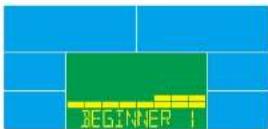
Figur 14
REEBOKFITNESSEQUIPMENT.COM
ONE SERIES GB40s / GX40s
CONSOLE GUIDE

Reebok

AVANCERET TILSTAND
- Try UP (O) eier DOWN (N) for at vaegge Avanceret tisana, og try ENTER (EN) ERI for at vaegge tlistand 2. Try UP (CP) eier DOWN (N) for at vaegge Avanceret program 14 (figur 5, og try ENTER (FNTTI) for at
3.TyKUP(0P)clDRNND(NFD)foratindstkTIME(TID) - Try pKa START/STOP (START/STOP) for at stree froening. Try UP (OT) eier DOWN (ND) for at juste moedstromsveut under froening.
- Try k a START/STOP (STARSTOP) for at sate roeninger p please: Try p a SETR (NJL ST) for at vender tiblegk hoveodmcn.com.
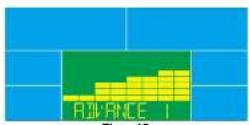
Figur 15

SPORTSTILSTAND
- rkUP(0) eiler DOWN (E) for at veige Sponstlistand, og trk ENTER (ENTER) for at veige listand. 2 Try UP(O) eiler DOWN (FF) for at veige Sportbogram -4 (figur 16), og trk ENTER (ENTER) for at veige listand.
3 Tryk UP (OP) alter DOWN (NDI) for at inosilie TIME TIDI
Try 40d START/STOP (START/STOP) for at stne staeningen. Try UP (OR) e der DOWN (NCD) for at justere mod sternendequeet under staeningen.
5 Trypi START/STOP (STARTSTOP) for a separate inemingen pi paase: Try pi RESET (NULST) for as vender tiloegio JF Fowrodimen.
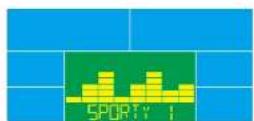
Figur 16

CARDIOTILSTAND
- Tpk UP (D) alter DOWN (A) for at vage HRC (HRC (hertro/renovensgeskabcr), og tpk ENTER (ENTR) for at vage istend.
2TYKUP0E clear DOWN (NFC) for at tine alder idar (gur 17, og try ENTER AT for at kite vnsed wae indistitling. 3TUKPUPORFER (DND) for at vegee ee % (our 18), 7% , 9% eTEgTAG (A4R5, H4)
(mhijrheefekvncs) (standort 100). Vedi voig of mihjrihfekevncnversi standorvcerdien 100 nlinke. nkr UP (OYFeller DOWND NIDDI for at inosite mldmder t: 30,232.00 nkr p5 ENTER for at skte
naeeveerdindstling. - Ink up STOP after DOWN N.D for at runtime TIME (NID) for stroening session.
a. Ink p3 START/STOP BAIHUS/CIS for at runtime stroening p1 paace Ink p3 RESET (NUL5L) for at vender
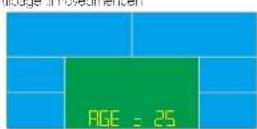
Figur 17 Figur 18

WATTTILSTAND
- TryUP(OF)clearDOWN(NED)foratvzgcwattlbandgZyTER(ENT=)f at vzgc0lland
2.TryUP(OF)clearDOWN(NED)forattdtillwatt(standard:120,grr16,cluster mədəctn-10-350,cc
TRY ENTER at skilltai rivea werae windcailing. 3. Ink up TOPeller DOWN (HAP) for an incoterll TIM - Ink OK START/STOP (SIAH/SIO) for at stree trainingen. Ink UP (O) eler DOWN (N L) for at justere wa veienen under trainingen.
5 Try p START/STOP START/STOP for a. sao. pa. noiningon pa. sao. Try p RESET (NULST) for a venda. tilage of hovideminoen
Figur 19

BRUGERPROGRAMTILSTAND
- INKUPQ-9-ellerDOWN(ND)foratvegebrugeroogramlizanto,ogtry ENTER(LENILf for at vlaigo Island
2 Tyk UP (OT) eR DOWN (ND) for at voge U-4 og tyk pa ENTER for at skfe nae stndstilng - TryUP OPCH ELL DOWN (NEF for at sotovc bngrupnft 1u20, Dsr 20 kcmor falt Brugeren zan Juste modstandwinaer for haverokomne op er aaned for at justere modstandwinaer,tryk Enter for at for onfscette t inne ennnel Brugeren kon hove ENTER Knapp nee 12 sekund er at afutse under induding.
4TryUPOFclrDOWNAEDI lor atirdsile TIME TID)
31 kyp 6 START/STOP (START/STOP) for at stree tracings. Iryk UP (OR DOWN () ) for at utestmsdssndraeut under tracings.
6 Tyk p START/STOP (STARSTOP) (or at aseet tsramingpn pa oase. Tyk p RESET (NULST) for as vender tillage of howmedienum.
Figur 20
ONE SERIES GB40s / GX40s
CONSOLE GUIDE

10 HELBREDELS
ONE SERIES GB40s / GX40s CONSOLE GUIDE

Reebok
TIETOKONEEN TOIMINNOT
A Fnter
D{Yk}
Recovery (Paleutumnon)
Down (Alias)
C Hieset (Nolais)
PAINIKKEIDEN TOIMINNOT
ENTER
Valentin Talveldetar Kurkin common ano. Kjetet amn yosov varshitamseen.
RECOVERY (PALAUTUMINEN)
Iaskoc ktonon kutukcsn hajtukcs akans vallie-9999 baloria (Tana tico on kharce or nagukkotjeon valnon 10vllr 64k 10k 10k 10k 10k 10k 10k 10k 10k 10k 10k 10k 10k 10k 10k 10k 10k 10k 10k 10k 10k 10k 10k 10k 10k 10k 1
PULSE (SYKE)
Kjotravi vol scetata dovotysekwen i skilen anovcst 30 Maksimtsaan anovc 280 Jocin saatporeeni antas aarimerik, kun kodellerei syke harojusken salkan nousey ti yavotovene.
WATTS (WATIT)
Nayba rykeen harjutkaen teron waterne NyaTale 0 990
MANUAL (MANUAALINEN)
Manueelinr raiitssile
BEGINNER (ALOITTELIJA)
Akittllanrile, vltuana 4er FROGRAMA (onjernsai)
ADVANCE (EDISTYNYT)
[Edystyneen kurtolljan tla wahtsana 4 erTOODAMia [ohjemaaa]
SPORTY (KUNTOILIJA)
Uheellullire tla valteana A e-HOGHMA (bje maa)
CARDIO (AEROBINEN)
Tavoskykite.
WATT PROGRAM (WATTIOHJELMA)
Taasairon WATPohjancn harjostla
USER PROGRAM (KAYTTAJAN OMA OHJELMA)
ONE SERIES GB40s / GX40s
CONSOLE GUIDE

Reebok
KAYTOMENETTELY

VIRTA ON (PÄÄLLE)
ONE SERIES GB40s / GX40s
CONSOLE GUIDE

Reebok

EDISTYNYT-TILA
-
Valitee estystnyt tilpe panamelle panikkeita UP (YLO) ta DOWN (ALAS, a vaitse tilpe panamelle ENTER
-
Valtese edistryt tla-4 pairramalapairikkata UP MTOsai DOWN (AI AS) (waa 15) is wae cie
PANEMIL ENTER
3 Ascta TImE (A A) parnerntalpaarlikkta UP (Y LCS).b DOWN (A AS).
- Nota racytus panernelle START/STOP (ALOTUSRYSAYT) Daada vassustasa harjutkeakare pan
amala panikkeita UP (YLCs) tai DOWN ALAS)
- Keskeyta marjus painarnalla START/STOP (A) CTTUS/PYXT/S) Palaa paasalkkpon painarnalla RESET
NOI ALE)
Kuva 15

KUNTOILIJATILA
- Valta kntolijtai painamalla pain kote UP (YLDS) lai DOWN ALAS) j valse ita parnrte ENTER.
2 Vaitse kuntolijahjelma1-4 pairarnala paurikkeita UP (YLC) tai DOWN ALAS (Uwa 16) ja va tse iila panama
ENTER
-
Aseta TIME W/XYI parranala sainkkeita UP LOSiTa DOWN VLAS)
-
Alica harlotus panemala START/STOP IN OLILUSPYRIS YSL. Saada yasustasa hartobusera ana pina
aalapakkehUP 10SUTDOWN ALASI
5 Kcskyta marjus paimanelle START/STOP ALOTUSFYAYTg Pefzda pevalkckon pinaenall
RESET INOLLAL
Kuva 16

AEROBINEN TILA
- Valise perdon nila painarnalla painketa UP (PLC) tal DOWN (LAS), la valrise tla panomala ENTER.
2 Aseta ike panamalle UP (LOSi tai DOWN ALAS) (kwa 17) ja slirry seuraaan arvon aetukkaen
PANDEMELI ENTER
3 Hina UP M-5104IOWN PSSYtakssiehck 88% 90 % TAI TAG (AEGEL - HLYAVQLESYK)
Ioleus 100 kwa laliteesss taolteyketa pretusano 100 ykku Aseba taeesue 30,230 panamella UP
DPOWN 24516801slyr snya2 apcc aetkser pncma ENTER
- Asla hainkysen TIME (AIK) beinratae pain kcsa UP (NCS) L DOWN (NAS)
3 Keskeyd naritues painenelle START/STOP (AUOTUSYAYTY) Pelpa paal xoon painenelle
RESETNOLLA
Kuva 17 Kuva 18

WATIT
- Valutc WATTTa painarnalle paininkocita UP (YUC) ta DOWN ALAS, e valitcc t a painarnala ENTER.
2 Aseta WATitavite painamalla painiketsa UP LOS) tai DOWN ALAS (pctus 12C kwa 3). Aseta tavoealeue
10-350 is sllnny surnayon anco asetukseen pailamalla ENTER
3 Aote TIME (WKA) poinamala porinkeits UP (LDS) ta DOWN ALAS)
- Aicta haritus panemal a START/STOP (Loll Lpivy) Saide watttae hargutken akane
panamele panikkeita UP (YLOs) tal DOWN (ALAS)
5 Kcskyta haplue panenellS START/STOP AOTUSFYSAYTS) Paegegevalkoypanenell
RESET (NOLLAE)
Kuva 19

KAYTTAJAN OMA TILA
- Valite kyytajana tia calanala painke to UP (Lcs) te DOWN (ALAS) je valise la panemale ENTER
2AepuU4caamalaUPyO6teDOWNALRSKua7a siny seunavan anon apetukseen
panemela ENTER
- Luo keytaaporill panemala painikkete UP (LOS) tai DOWN (AAS) (kue 20). Varttochitejo on yntocena 20
ONE SERIES GB40s / GX40s
CONSOLE GUIDE

Reebok

PALAUTUMINEN
Hidde kozet kadensii hanoiaken jikkei peine RECOVRE (PALAU LIMININI: kaki talmontoty cytyvansh, mutu TIME (NKA): akai kaseke 003c02r cneaevaa 00000x (kau 2). Ncytosa nkye yekseki paluumullsile F2. F6 FI am parus. F6 on fluorim (kuva 22). Kytjia va paranate syenoxn paluumullisie kukema/ ne crticiticae zalinlllndel. Ralea salayi on pannellare palinilicta RECOVRE (PALAU LIMININI):
Kuva 21 Kuva 22
1
- Entail hyva
3-1w
-1
-10
Huom
1 Salpocenaii gaiy vrrnssrnnan kun laitea ane pjojutu aie syetota aie sata 4 minutin Taie mui jauhane palirukus uudwckoskse seloogaoon.
2 Kun eepopaneell er tomlkurnrola imota vnaiaokte gensta lykyke be uopeleen.
OHJELMA

BEGINNER 1 BEGINNER 2 BEGINNER 3 BEGINNER 4
ADVANCE 1 ADVANCE 2 ADVANCE 3 ADVANCE 4

SPORTY 1 SPORTY 2 SPORTY 3 SPORTY 4

2017年/2月3日
BILGISAYAR ISLEVLERI
Fitter (Ciris)
Up (Yukat)
Recovery (ylicc)
Down (Aaag)
Fresel (Sirta)
Start/Stop (Begat/Durdur)
DUGME FONKSIYONU
ENTER (GIRIS)
I bet I'll die degenerin, sein vedy degenerin. On my clerk kullansilin
RECOVERY (YILESE)
Kapatahi hizyestrimelin,control ed,genodermok giltskran basin
RESET (SIFIRLA)
2 sanjee basi turi, konsai yenien basistirak ve kullantiya ayanrard. Bagayakac Orosen ayarimams egezirde iegera yadurcna modu enosnda done merue doon:
UP (YUKARI)
1
DOWN (ASAGI)
iey deenini daur
START/STOP(BASLAT/DURDUR)
Egossi baeimek yeaardurnek iqn.
EKRAN ISLEVLERI
TIME (ZAMAN)
LCSExan
Say Onocen Ayanmire deper yok Zaman 1 dalkakik arilalco codon maksimum 9000 kedar seyacaktir Gen say Onocen ayanmire Zaman larentman yacoryans Zaman on ayarden 0000a kadar gerayakkti Kuliantiy ayer: Her on ayari ayag zayarg 0000 ic 99.00 amanda I dxk Kad
SPEED (HIZ)
Meocanenmar hnp goeir. Maksimn H999 KMS
RPM
Dakikada Donugj gosterir, Evar anarligc 15999
DISTANCE (MESAFE)
Looekan
Topiann mssaloyi 0001an 9388 Kmyk kaeir binkn. Aulana UPDOWN (YUKARASAL) kullananek hoodmmsaloyi
0000
WATT PROGRAM (WATT PROGRAM)
WATT salit arrermen modu
USER PROGRAM (KULLANICI PROGRAMI)
Kullanic, direnc seyie profili olusturn
ONE SERIES GB40s / GX40s
CONSOLE GUIDE

Reebok
CALISMA PROSEDUR

GUCACIK
Gok kaynagntakn, konacap aipacav to mboimr 2 sanyeligine LCDae gdoineckin
Sokil 1

CALISMA SEÇİMI
agzizs sekrmic im KURH yea ASA/Turune basn: MANUEL - BASLANGI SEVIESI - IERI SEVIYE - SPORTIF - KARDIOV - WATT - KULLANICI PROGRAMMI
Sekil 2 Sekil 3
Seikil 4 Sekil 5
Sekill 6
Sekil 8
Sekil 7

MANUEL MOD
- Maruo modo sccnik ipy UUKAR vya AGAI luguna basin, girmk icn ENTER (gjnl) luguna basin. 2. ZAMAN (Scill 9), MSAE (Scill 10), KAORER (Scill 11), NABIZ (Scill 12) ayarlamek ipy UUKAR vya AGAI luguna basin ve cloer ayan cajigimx, cr ENTER (gjnl) luguna basin.
3 Fig.210/20 baselamnik opin STARTSTOP (RAS) ATTDUDRII lacunae basis. 4 Poyts 5 years' circling sycosini ayan amik op YUKARI vory ASAI Lusura bears. Wt clogni pancreosirid rhing slysiis ghsorqisi 5 on boynca hemsangi bil ayar yacimakana: WAT degen gosterine gecekekt (Gekl 13).
4 Eggerz bitrakin START/STOP (NASLATCUDU) tusa basin. Ana menue dinnemek (in RESET 6) (TUTA) tusa basin.
Sekll 9
Sekll 10
Sekil II
Sekil 12
\$okil 13
Ana menoe START/STOP (BASALUHDP) fugune basn, egzazl manuel modde direkt olarek basat.

BASLANGIC SEVIYESI MODU
- Basingic sowsyesi modu.i seqmik ion YUKF iwi A&AI tusuna casis, modu seqmik ion ENTER (gir) tusuna.
2 Dsangio seyewi programm 14 (Sec.14) secret iqin YU.KADI wya ASADI tosa basin, modu secret iqin ENTER ciritigus paur
3 ZAMAN ayan cih YUKAHVEye ASAGI tusuna basin - Figueira opossumi koin STARTSTOP RAS ANDURU Lusina basin Figueira serra da corte sivesin esparceas por YUKAKI vos ASAGI luesa paresis.
a. Lggeri bitrnek jnK START/STOP LASLAIUDUIU tuguna basin Aranmerue Commek jin REST (B) HBLAT tuguna basin.
Sekil 14
REEBOKFITNESSEQUIPMENT.COM
ONE SERIES GB40s / GX40s
CONSOLE GUIDE

Reebok

ILERISEVIYE MODU
Iiter seyire modunu sepmek qin YUKARI veya ASAAGI tupuna basin modu sepmek kIn ENTER (girig: t
2 lner sioy programm 14 (gok - 19) socrnckin YUKAI voyas ASACI tuguna basn mocu socrnkin ENTER igns tuguna basn
4. Egezbe imalakim icm START/STOP (DA) LATEIDUDJUrsus basin. Cezersz sresinda direnc seyevien
5. Egezidi bitmikin START/STOP EAGLALDUHUHtuqana basin. An menoye dmmek iin RESET (SI ERIAL) suraepain
Sekll 15

SPORTIF MOD
1 Sociri modu segmikipin YUKHVEya ASAGI tuguna basin, modu segmikipin ENTER (girig) tuguna basin 2 Sporit program 14 (Sekil 6) segmikipin YUKARVEya ASAGI tuguna basin, modu segmikipin ENTER (girig) tuguna basin
3 ZAMAN ayan qin YUKARI yoyasASAGI lqura basn
4. Egezorte basikarn ic n START/STOP (DAS_ANDIPOU) uusana basin -Egezrs sorsinda ciree seyeciri enaanr ic: YUKARI SCS ASACI Lusana basin
5 Fysersi blemek iin START/STOP (RAS) ATDURIDU teguna beam. Ane menuge dnonnek iin RESET (SIFR) Lutus hae:
Sekil 16

KARDIYO MODU
- KHK modunu sepmik iin YUKARI weya Agai tuguna basn modu sepmik iin ENTER (grtuguna basn
YagiokkoTJ ayatarnik, in YURAF weya AGA luguna basn, ve sorrai cegor ayanin diggrrmck. CENTR [qiri] luguna gauran.
3.555 (Excl 18) %75, %80 vya TAG (Cdo K-) (vanaylarn 100) opzini sponnck qin YUKARI vya ASAG yine
bras. Hede hklh z hcpfors varianer cokrden 100 lttckyrsarwkar. Hoolc aalil 30-200
ans arnrn qin kvrk vcaag uqir.nsbras, vovsakdik ayaneg dglgimkrq ncm qrigl
fusuna basin
4 Cgersiz ZAMANINI ayar lamak kin YUKANI veya AASI tusuna basin
EgZerla bitmek In START/STOP (sALUHJFtuguna basin Ara menoye donmek in RESET
(II) LAA teguna basin
Sekil 17 Sekil 18

WATT(watt)DEGERIMODU
I. WATT (w) dogeti moduio seprck jin YUKARI yaya ASAGU, luguna basin, mroe scoprrck jin ENTER (gai), Iusui basn.
2. Hierat WATTEDEger anayan jin KUKAI YWY ASAYI Lusuna basin (Zaraayan 120, Sakir 10, Hidet al. analog ayen 10 100 we conr aeg deyayn degtmeik n cTER ENTER qiri) tupauna basin.
3.7AMAN ayan qin YUKARI yaya ASADI tuguna basin
4 Lgzersize badram ic 3AKT/STOP (UvS)ATNDIUT7tuguna busin. Lgperziras nola wst gegen seryewin am avamik cik YUKA Yev ASVAV tucuna busin.
5 Legonzasi bitmick lqn START/STOP (BASLAI/CUBUD) luguna basin, Are monydo cmmk qh RESET (E FIBRA) luguna basin
Sekil 19

KULLANICI PROGRAMI MODU
1 kullanl program modu sepmik in YUKH weys ASGfusuns basin, modu sepmik in ENTER (giris)
2 U-UKU, seqemikn YUKAT vya ASACI tusuna basn ve sionaki deger syarmiejgistrmek din ENTER (giris) tusuna basn
Kutane piroo pustmazn oui kukaiy wya ASADI tusura basir (Sekil 20, Toplam 20 sutur van der Kutanic, her utanda cireng sevinyi ayarayabill dircen sevyis ayadamik yugun yoyagadi tusura basir, sornid or ino goupricn kinynt Ener Gjg) Iusura basir. Kalumari ayar samsi dekroms qinenter INGER iquna 2 same bestu fubotur.
4.7AMAN ayan gin YUKARI voy ASAGI Lgunaia basan
5 Fyzersze baslakim konr START/STOP (DA) ATUDUDD.10123456789012345678901234567890123456789012345678901234567890123456789012345678901234567890123456789012345678
6. Pocysa / bitnck kigh START/STOP (PAS ATINURU) uugna basin. Ana mony ocmnck cin RESET (EENI / 2022 hua basin
Sekil 20
ONE SERIES GB40s / GX40s
CONSOLE GUIDE

Reebok

YILESEME
sare egzegs yopkwn spon gmo tumam an turnmaya devam edin ve RECOVERY (YLESE) luguna basin: 7AVAN, 0000an C0000 gai syarnya bsagmasi dana (ton kusy goskrim dinacskir (Sckl 2).Ekan F1.F2.F0 to kalu na lygugur umrunnu gostocskir, FI on [y, F6 zayil (Sckl 22).Kullanic, kalu h ng lileme durumunu gelistemion eczegs yapmaya devam edeckir Ara ekrana donnek icin tekran RECOVERY (YYLESE) luguna basin.
Sekil 21 Sekil 22
1
2
2
-4. Yetedi
-
F-7
Notlar
- Feda cemira vya noz riga imradian 4 dakla sona konsil gic tassumf mocina grecidir, Konsu uyusamikin in herhangi br anhara basin
2 Konsor anomal bir eyem agsterdige, Icfen adoptor qikann ve tekrar telun
PROGRAM

BEGINNER 1 BEGINNER 2 BEGINNER 3 BEGINNER 4
ONE SERIES GB40s / GX40s CONSOLE GUIDE

Reebok
FUNKCJE KOMPUTERA
A Enter (Powidzene)
Dip (W Gore)
Recovery (Odozynok)
Down (W D6)
C Fieset (Kasoware)
F Star/Stop
FUNKCJE PRZYCISKOW
ENTER (POTWIERDZENIE)
Wibierzubzern' wamow kozdel funkowski Przycki moza uzm do powezianka.
RECOVERY (ODPOCZYNEK)
ONE SERIES GB40s / GX40s
CONSOLE GUIDE

Reebok
PROCEDURE OPERACYJNA

WLACZANIE
ONE SERIES GB40s / GX40s
CONSOLE GUIDE

Reebok

TRYB ZAAWANSOWANY
-
Nacn jnl ozyck UP ub DOWN slow wroec tryb zaaenncowary nsteonie neocn ENTER, ay wyras trub 2. hnnnne HUP 10DOWN 100000000000000000000000000000000000000000
-
NACSH 5.7.3.4.10 DOWN 126 WY86 9X 47A4W8H5ZM1-4 (NACSH 5.7.3.4.10)
ENTER 20 WYOCA:1g2
3NECKPUPDOWN BYLWNTCRTIME(CFAS)
- Nacienj START/STOP, acy rozocze tening. Nacienj UP lub DOWN, ayb doceow pozom dozazene
podczatrenirgu
- Nacnij START/STOP any wzymed renng. Nacn i RESET,aby powtok do gwnneq menu
llustracion 15

TRYB SPORTOWY
ONE SERIES GB40s / GX40s
CONSOLE GUIDE

Reebok

ODPOCZYNEK
ONE SERIES GB40s / GX40s CONSOLE GUIDE

Reebok
COMPUTER FUNCTIONS
A Enter (biv)
8 Recovery (ROCCOTAHOBPCHEV)
C Reset (CbPOC)
D
E Down (yohann)
F Start/Stop (Crap/C on)
KHONK NyBTA YNPABAEHNA
ENTER (BBOA)
Buck nochevovn I. Tchelkevich 134 pylon nochevovn. Mokhter Ivachovskiiy den nochevskiyin
RECOVERY (BOCCTAHOBAEHME)
Iecti cdocto hocoi tioe oepoeo oto pio. Iocie krokopnKHN KKNMnOIO OAOHKOHOHOHO
RESET (CEPOC)
IIOAIOEYDAPKBAHINHOHN2CBEHNNBDAI
TNOOPOWIKKHOONNINBOHNOOOPAEPIN
TOLOODOTNLCKIOACTOCOKC NOVNOIOOTCNKIO
MOXIO TAKEN BDOJ JND TADIE HO E KEO 0000000000
TNOOPOWIKKTOPOPOOANP DIPU INN NOOPOPOPA
UP (YBEANHTb)
yennne 3134e n7 npawerpa
DOWN (YMEHbWNTb)
FIEHHEIRE SIEE-HI HAPAMPTA.
START/STOP (CTAPT/CTON)
Haaan Aepnepnepnepnep
HDAKATOPBIA HA 3KPAHE
TIME (BPEM)
KKGnme
I I I I I I I I I I I I I I I I I I I I I I I I I I I I I I I I I I
OepnHcCtCCMHOOMHgHIOCHPPOWCHNCHG 0000
RPM (OBOPOTbB MHHTY)
KxHaeoOeepnHMyyJyraaRc0-0599
DISTANCE (ANCTAHUNR)
KK
D
UPDOWN
L
2019年1月2日
CALORIES (KANOPM)
KK-PC70
PONNTCENBEXOPOBEMTIPKOKIOLOUBNPOO010009990000000000000000000000000000000000000000
I 10000000000000000000000000000000000000000000000000000
PULSE (NYABC)
Shiree hynnna kmo to eaoa b aonana o or 30 30 do 2000 1000 pinnipooia 3 witee cpeoio n o prinpne iupnnnneepnne, yauuop neyogat yaeepnq
WATTS (BATTBI)
HnreKcHbOeTOpuos (KoNHeCtPnpaBnch OepnBaTaX, Dneneac0999
MANUAL (PYHON PEKIM)
pe 10000000000000000000000000000000000000000000
BEGINNER (HACHHAKOUII)
FSSXHHEHHHEOLUX 1 FROGAMI TPOFEAVVEl Hg 3500
ADVANCE (ONbTHbM)
FIOH 100000000000000000000000000000000000000000000000000
SPORTY (CNOPTCMEH)
Pexnra croptveo 4 PROGNAM [2 POTPAVU]8s6oo
CARDIO (KAPAMO)
Ipe IICDK9 C 39aHITU H 31AHEV CEPEDEHO OOM
WATT PROGRAM (PEXMM "BATTb")
PC-40XCK9C358H-H7VHTCHBHCCTBC
USER PROGRAM (NOAB3OBATEbCKNE POTPAMMBI)
CCHHIOHOH
ONE SERIES GB40s / GX40s
CONSOLE GUIDE

Reebok
3KCNYATAUH

BKAIOYEHNE
Takokuro Tcpcncko KKTIOHOHky NITAHN KOKOe BIKOHHTCnA HKKDyKTHE H E CCKHYI SADOPOTCR 056134TETROP
pnc.1

BbIEOP PEXKMA TPEHPOBKN
BZBIOYBEYIOTHOMOICGCTCMLKIOKIOKIOUP BYELOVAIAYIAYDOWN DMMILIMLYP CYHNOH NAHUHAIOONI OINTHIIN-CNOPTCMEH-KAPAO-BATTM-NOB3BOATEBACKMENPOPPAMMS
pnc.2 pnc.3
pnc.4 pnc.5
pnc.6
pnc.8
pnc.7
3 PuyHOnPEKIM
LOCOTONIOONIKUP(VEFWVVT-2)YRQDNDOWN(VFHPHIMTH)BHSOPPPOyHOHPOAHOHMOE ENTERICOGO20270100000000000000000000000000000000000000
2 C NOVATIVE PHOENIC UPPER VD (DVT/VT-3) AND DOWN VD (LVD/LV-1) AGREE TIME (DPCV) (PHOENIC 8) DISTANCE (VADAL LIVI) (PHOSPHOR 10) CALORIES (KANOVOI) (PHOSPHOR 12) PULSE (TVYVU) (PHOSPHOR 12)
3. HONG KONG ENTERPRISE AG (CHINA) LIMITED, HONG KONG ENTERPRISE AG (CHINA) LIMITED, HONG KONG ENTERPRISE AG (CHINA) LIMITED, HONG KONG ENTERPRISE AG (CHINA) LIMITED, HONG KONG ENTERPRISE AG (CHINA) LIMITED, HONG KONG ENTERPRISE AG (CHINA) LIMITED, HONG KONG ENTERPRISE AG (CHINA) LIMITED, HONG KONG ENTERPRISE AG (CHINA) LIMITED, HONK KONG 100% CO., LTD., HONG KONG 100% CO., LTD., HONG KONG 100% CO., LTD., HONG KONG 100% CO., LTD., HONG KONG 100% CO., LTD., HONG KONG 100% CO., LTD., HONG KONG 100% CO., LTD., HONG KONG 100% CO., LTD., HONG KONG 100% CO.
4. HAMMART START/STOP (APPCO CHI, -HSC) npccctanbntn ptppcky. Hanmthre SETR (CEPCC) 106u
DHC.9
pnc.10
pnc.11
pnc.12

DHC.13
HAKIMTO START/STOP (CTAPTROT) R 0000M0HO HOOH HHH - pOHApOy Opy E pyHOC POKIM

PEKIM“HACHNHAIOUIN
- C NOVELLIO INCHOR UP BYE/VAHUTS UNI DOWN (AVC/LLHT) pubepure pepea 1-111111111111111111111111111111111111111
2C rOeLcknck UP (BEBWHTE) WAD DOWN (MEHbIMTE) Bucspre noocmny 1pve M
Hcnte ENTER BDOa nnoepckd
3 Cnckckckckck UP (VREN-2T) AND DOWN (MFF-5 HMTs) 1048 e TIME (RPFVT) - HEMRIC STARTSTOP (TAPTCOT) 06BHAN1P3RPOKQ OxprpOyRbPcOyPcOxOxOxOxOxOxOxOxOxOxOxOxOxOxOxOxOxOxOxOxOxOxOxOxOxOxOxOxOxOxOxOxOxOxOxOxOxOxOxOxOxOxOxOxOxOxOxOxOxOxOX
5.1 Laxminga STARTSTOP (APTACTC), "Rouu npoc" kipbippe pnpbippe Laxminga RESET (CDPOC), -oou BODY: RIOB TIRIBHOO MOHO
pnc.14
REEBOKFITNESSEQUIPMENT.COM
ONE SERIES GB40s / GX40s
CONSOLE GUIDE

Reebok

PEKIM "ONbIThbI"
- O 00000000000UPVFFV/4HTT)UPV DOWN VVFHHLLNTH)6GpC pOeepm"OHTHnH, Hnnnnnnt ETERN (DDD)an enr cthaaattna
- C resolved honor UP (MDV) /TUT DOWN (VME) /LHTU; ENBepine nporphy 14 (pcn 18) Horne Enter INFR/INR/INR/INR/INR/INR
3 C COMPLIEN KONK UP (BZHIN) IM DOWN (Vx-ELIN) 302417 TIME (HHH) 4. LAKMAN START/STOP (CABIO) 0,0001,0001,0001,0001,0001,0001,0001,0001,0001,0001,0001,0001,0001,0001,0001,0001,0001,0001,0001,0001, - HAXNXTM START STOP (CIAIPTIC) 1706B NPPOCTOHBCRT TSHIPBOY, HAXNNTRESET (CBFC), 200Cu BUSHWHTH RIBBHDMOH
pnc.15

PEKUM "CNOPTCMEH
- CROPFLUIDINGUP (VHWHXT) PWR DOWN (VHSHELLIM) DIPSEPHPEPCKHM ("COPPROVE", HADAMC ENTER(00236) 000A004A004
2 ENTER BPROD NO.UP,UP,UP,UP,UP,UP,UP,UP,UP,UP,UP,UP,UP,UP,UP,UP,UP,UP,UP,UP,UP,UP,UP,UP,UP,UP,UP,UP,UP,UP,UP,UP,UP,UP,UP,UP,UP,UP,UP,UP,UP,UP,UP,UP,UP,UP,UP,UP,UP,UP,UP
3 Cnncuue uoukUPBbH17EALDOWN DVA=HEUIN E 3aadae TME (BpM)
4 Hauuuee START/STOP (CTAFTTOI, mnnn nn nnnnneepnny. OoCnOyepnnpn npnoeeh cxocnnae hre
Rooonrupnnpnnpnnpnnpnnpnnpnnpnnpnnpnnpnnpnnpnnpnnpnnpnnpnnpnnpnnpnnpnnpnnpnnpnnpnnpnnpnnpnnpnnpnnpnnpnnpnnpnnpnnpnnpnnpnnpnnpnnpnnpnpp - HAMK: C START/STOP (CTAPTCOT),
10000000000000000000000000000000000000000000000000000000000000000000
puc.16

PEKUM "KAPANO"
- CLOCTED HONG KONG UP (VREF/HVT) UPG DOWN (VVFH/HT) HxKpOc pOoAa "KpUo" -AMMO ENTER (EPO)/CIO CHINANPAPER
- C NOLOHON HOOKUP (VDDA+7V)WOW DOWN (VMD) UMTU yakuke bospact (pax 17) kakuke ENTER (GODO) nopekce K noewonw npakapay
- C No cllllo won UP (BVEV/VI-VI) B1-UP DOWN (VII-VIII) U2-UP DEPT SEES (piv. 18), 78%, 90% w/ TAG (SAD) NUI DEP-11 pRIM. To: W/O, vio 100; L/C: upcort -TAG (YEY) mVRI, sivee ie "100
C noKoLIO KNOK up NnD DaaHrE dAaRc0f 50 do 210 nAe Hmte erer dnr nepeckd k
4.CROMICHECHIKUPVSEVSHWOWDNDYSSHILHETLQABTMEATIYEEMPOBOPA 5.HaxhovsKSTART/STOPCIPACICCI,1-fofo pirocnosinempeipobopy HoxaMRE RESET (EPCOC) Vc&c
Eephytbcnpehne H
pnc.17 pnc.18
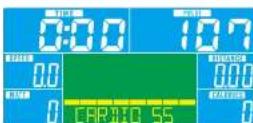

PEXKIM BATTBI
PEXKIM "IIOAb3OBATEbCKNE IPOPTPAMMbI"
T C NOVELLON KNOUP UP 571240 DOWN 571241 L DUE PEPPE PEXPMI ILOCCOTRELUDE
MOSSOULI L GAINTE ENTER 600003 OR ENGIOPOPIE
2.Cnncnue hnoon UP (VDDHVT)WAD DOWN VMDI UHT) subepre 1U4 aaeene ENTER (DOO)
3. C no nolio k 10knp UP bEBHINHbI A DOWN BVnBIM I cOeepwE aHIOHOPA HEPONPcOs (A.C. 20)
B Henn 20 cTnOaLbA NcKadoo KnoiOno oNaeao h Oyosoe HcnoOBmHn
(Chpnyocnvpojoe 6 c no nolio knoiOno up down in Anokme Enter An ne Eekceea cchckcy
TAPMS BY: CIOIPOSSATEFICRONYMICS RANKLINE YCCHIMICS ENTER (EPR) 10482 2004. 4. CROCKING HOYOK UP (VEW/WHTE) IN DOWN (WEH/ELU) 3. AGGREGATE TIME (BPEV)
5 I XeXeXeXeXeXeXeXeXeXeXeXeXeXeXeXeXeXeXeXeXeXeXeXeXeXeXeXeXeXeXeXeXeXeXeXeXeXeXeXeXeXeXeXeXeXeXeXeXeXeXe
6 HApKsTARSTSTOPATPRTOT,100N1pOoHOBIOHIOPOHOHBOHBOHPOHOHPOHOHO HOHPKNOHOHOHOHOHO

pnc.20
ONE SERIES GB40s / GX40s
CONSOLE GUIDE

Reebok

BOCCTAHOBNEHME
Hepes hicopeopnepnepnepnepnepnepnepnepnepnepnepnepnepnepnepnepnepnepnepnepnepnepnepnepnepnepnepnepnepnepnepnepnepnepnepnepnepnepnepnepnepnepnepnepnepnepnepnepnepnepnEPREPPPPPPPPPPPPPPPPPPPPPPPPPPPPPPPPPPPPPPPPPPPPPPPPPPPPPPPPPPPPPPPPPPPPPPPPPPPPPPPPPPPPPPPPPPPPPPPPPPPPPPPPPPPPPPPPPPPPPPPPPPPPPPPPPPPPPPPPPPPPPPPPPPPPPPPPPPPPPPPPPPPPPPPPPPPPPPPPPPPPPPPPPPPPPPPPPPPPPPPPpp
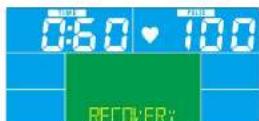
pnc.21 pnc.22
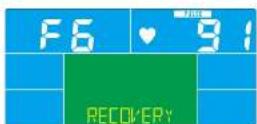
STY15
12.0942
3X007
-1-XACB0XKCHJH0
中
F-100x0
Приимechаня
1 EHN H KYNTH NEDA 2NHN H AESATY TAYCNY B IN TEHAI 4 MHTY, KOCHCO, TEPPOE 5 PPMN
2 EANKONL 0eT paoocncoonmOnnOIOHnne nCpe OOKHTERNTIVE
IPOPAMMA
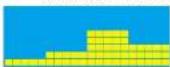
BEGINNER 1 BEGINNER 2 BEGINNER 3 BEGINNER 4
ONE SERIES GB40s / GX40s CONSOLE GUIDE
电子表功能
A Enter(确认键)
Recovery(心率恢复键)
C Reset(巨菌键)
p(增大)
Down(减少键)
ONE SERIES GB40s / GX40s
CONSOLE GUIDE

Reebok
操作
1 开机
ONE SERIES GB40s / GX40s
CONSOLE GUIDE

Reebok

进阶者模式
ONE SERIES GB40s / GX40s
CONSOLE GUIDE

Reebok

恢复模式
ONE SERIES GB40s / GX40s CONSOLE GUIDE
一夕機能
A Enter(入力)
Recovery(回覆)
Reset(川七卜)
Up(上)
E Down(下贝名)
WATT PROGRAM (WATTOPLGA)
WATTS(7)一定上一
USER PROGRAM (E-45-1000)
一-一
ONE SERIES GB40s / GX40s
CONSOLE GUIDE

Reebok
操作方法
1 電源ON(才)
ONE SERIES GB40s / GX40s
CONSOLE GUIDE

Reebok

上级者王一卜
3UP(上行)三曰はDOWN(下行)要押上。一云-□F□F□F□F□F□F□F□F□F□F□F□F□F□F□F□F□F□F□F□F□F□F□F□F□F□F□F□F□F□F□F□F□F□F□F□F□F□F□F□F□F□F□F□F□F□F□F□F□F□F□ F□ F□ F□ F□ F□ F□ F□ F□ F□ F□ F□ F□ F□ F□ F□ F□ F□ F□ F□ F□ F□ F□ F□ F□ F□ F□ F□ F□ F□ F□ F□ F□ F□ F□ F□ F□ F□ F□ F□ F□ F□ F□ F□ F□ F□ F□ F□ F□ F□ F□
ONE SERIES GB40s / GX40s
CONSOLE GUIDE

Reebok

回很
ONE SERIES GB40s / GX40s CONSOLE GUIDE
开
A Enter (身份)
()
Recovery (刘)
Down (LH)
Reset(引)
F Start/Stop(人/
H
ENTER()
朝建之
RECOVERY()
樂歌半歌半歌半歌半歌半歌半歌半歌半歌半歌半歌半歌半歌半歌半歌半歌半歌半歌半歌半歌半歌半歌半歌半歌半歌半歌半歌半歌半歌半歌半歌半歌半歌半歌半歌半歌半歌半歌半歌半歌半歌半歌半歌半歌半歌半歌半歌半歌半歌半歌半歌
RESET()
2云于毛已和云在云曾者山本早,云士,
UP()
中
DOWN (LH)
ONE SERIES GB40s / GX40s
CONSOLE GUIDE

Reebok
主合同
1 1
T
H
2 2
UP/DOWN(0/0)
23
4
6
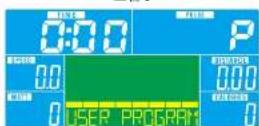
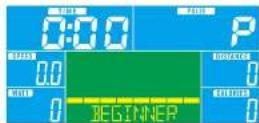
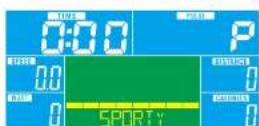
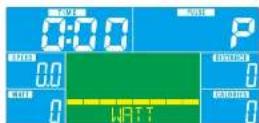
图7

个号马
ONE SERIES GB40s / GX40s
CONSOLE GUIDE



国
ONE SERIES GB40s / GX40s
CONSOLE GUIDE

Reebok

#
H=100000000000000000000000000000000000000000000000000000000000000000000000000000000000
For product information or service please contact:
UK: RFE Europa Ltd. 8 Clarendon Drive, Wymbush, Milton Keynes, MK8 8ED.
Customer Service: Tel: +44 (0)800 440 2459 / Email: techsupport@rfeinternational.com
Europe RFEUropa Linprunstrasse 49,80335 Munich,Deutschland.
serviceeuropa@rfeinternational.com
ES: serviciotecnico@rfeinternational.com / +34 800 600 816
DE serviceeuropa@rfeinternational.com / +49 (0)89 189 39 700
APAC (excluding Australia): RFE Asia Pacific, 26F, 2608-2609, 1 Hung To Road, Kwun Tong, Kowloon, Hong Kong. Customer Service: Tel: +852 34685027 Email: techsupportapac@rfeinternational.com
Australia: techsupportaustralia@rfeinternational.com
USA: RFE Sporting Goods Inc., 715 Discovery Blvd, Suite 313, Cedar Park, TX-78613, USA
Tel: +1 (800) 215 6216 / Email: techsupportusa@rfeinternational.com