Tendence - Scale SOEHNLE - Free user manual and instructions
Find the device manual for free Tendence SOEHNLE in PDF.



Frequently Asked Questions - Tendence SOEHNLE
User questions about Tendence SOEHNLE
0 question about this device. Answer the ones you know or ask your own.
Ask a new question about this device
Download the instructions for your Scale in PDF format for free! Find your manual Tendence - SOEHNLE and take your electronic device back in hand. On this page are published all the documents necessary for the use of your device. Tendence by SOEHNLE.
USER MANUAL Tendence SOEHNLE
natural_image
Simple diagram of a horizontal beam supported at the base of a vertical surface, with no text or symbols present.
natural_image
Simple line drawing of a hand holding a pen with two crossed lines (no text or symbols)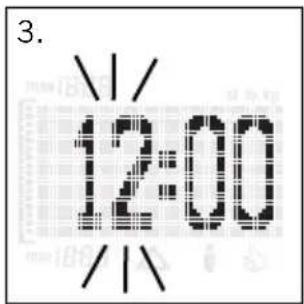
text_image
3. 12:00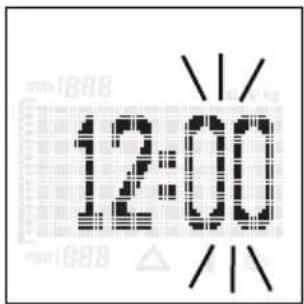
text_image
12:00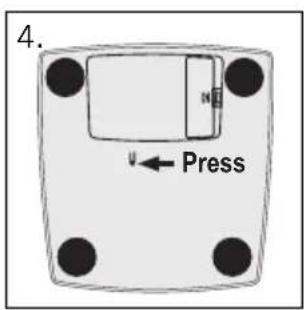
text_image
4. Press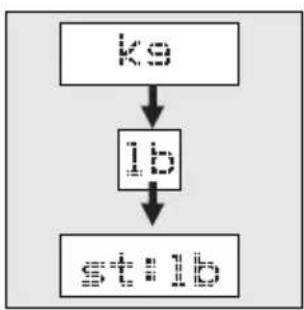
flowchart
graph TD
    A["初始输入"] --> B["处理步骤"]
    B --> C["输出结果"]
text_image
5.
natural_image
Illustration of a hand using a tool to clean or absorb a surface, with no visible text or symbols.VORBEREITUNG
text_image
4. P1 Target 55ks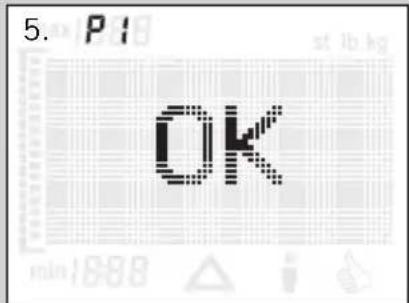
text_image
5. P13 OK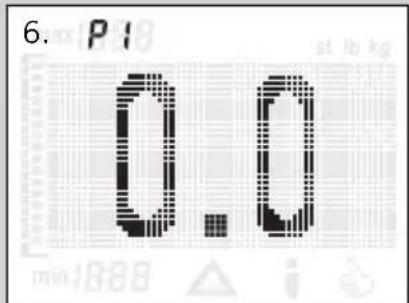
text_image
6. P1 0.0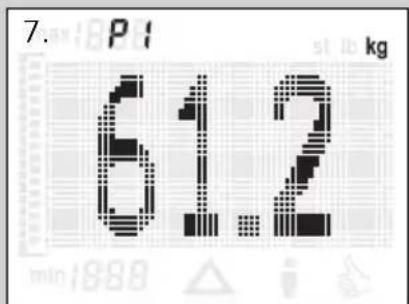
text_image
7. P 61.2 kg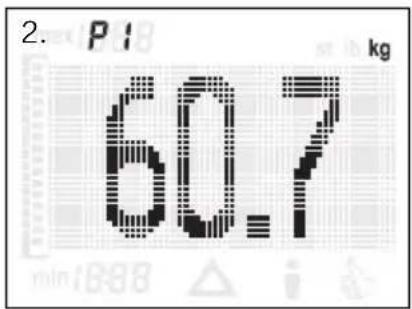
text_image
2. P1 kg 60.7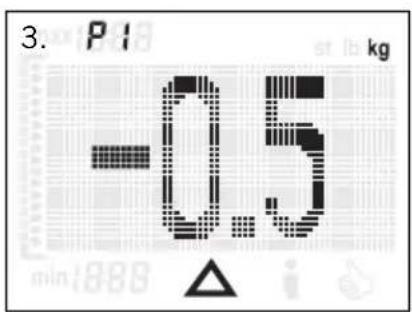
text_image
3. P1 kg -0.5 min:888 △ i
text_image
-6.2 kg min:889 △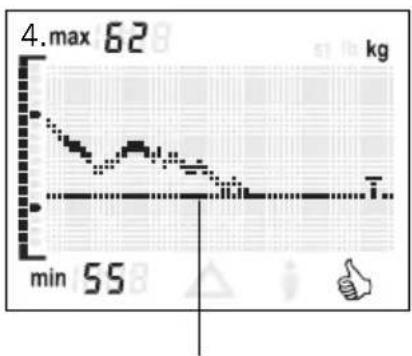
line
| Time | Value | |------|-------| | min | 55 | | max | 62 |Thank you for your purchase of this Soehnle trend weight scale.
Please read this operating manual prior to the first use of your scale and familiarize yourself with the device.
Please retain this operating manual so as to be able to refer to it at a later time.
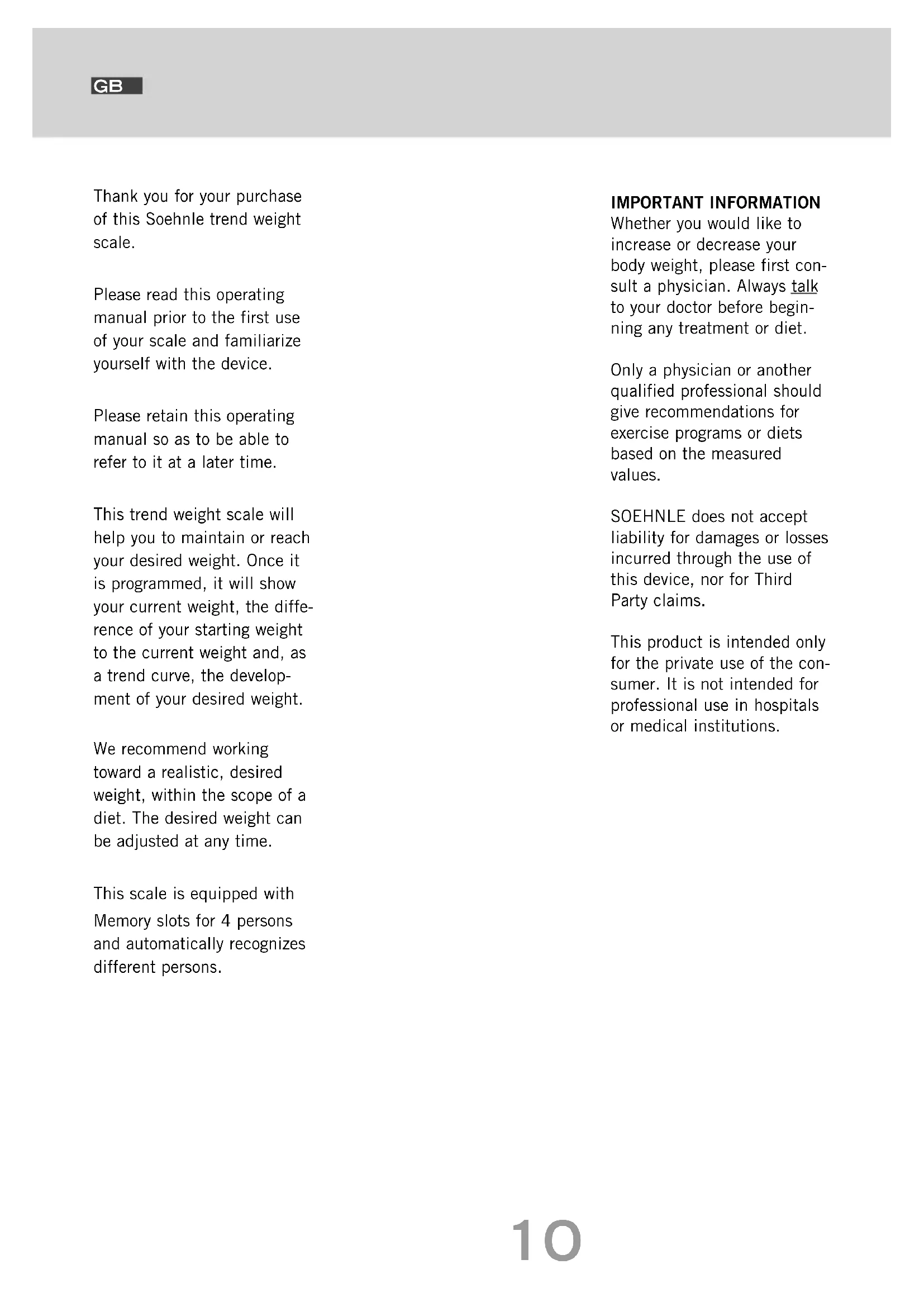
This trend weight scale will help you to maintain or reach your desired weight. Once it is programmed, it will show your current weight, the difference of your starting weight to the current weight and, as a trend curve, the development of your desired weight.
We recommend working toward a realistic, desired weight, within the scope of a diet. The desired weight can be adjusted at any time.
This scale is equipped with Memory slots for 4 persons and automatically recognizes different persons.
IMPORTANT INFORMATION
Whether you would like to increase or decrease your body weight, please first consult a physician. Always talk to your doctor before beginning any treatment or diet.
Only a physician or another qualified professional should give recommendations for exercise programs or diets based on the measured values.
SOEHNLE does not accept liability for damages or losses incurred through the use of this device, nor for Third Party claims.
This product is intended only for the private use of the consumer. It is not intended for professional use in hospitals or medical institutions.
PREPARATION
- Insert batteries.
- To adjust the scale, please place it on a level, sturdy surface.
- To set the time:
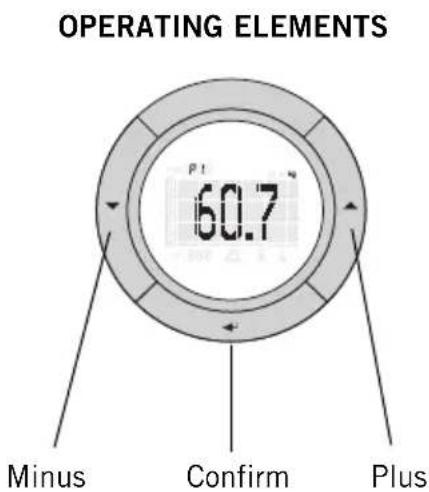
First set the hours (▲= plus, ▼= minus) and confirm using ( ).
Then set the minutes (▲= plus, ▼= minus) and confirm using ( ).
- A country-specific option to switch from kg to lb or st:lb is possible by pushing the key on the bottom of the scale.
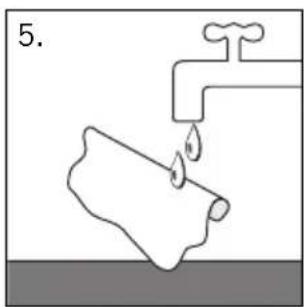
- Cleaning and care:
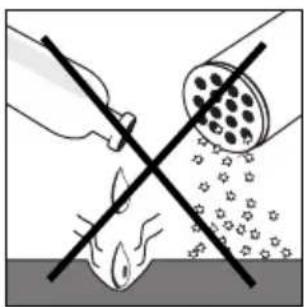
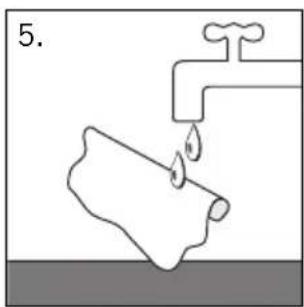
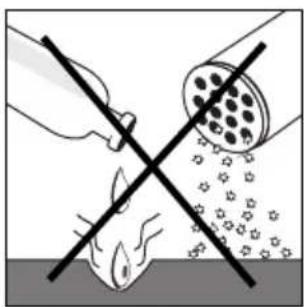
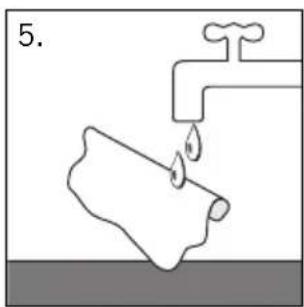
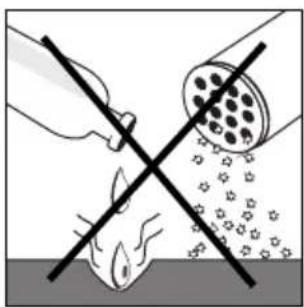
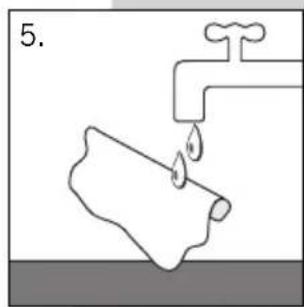
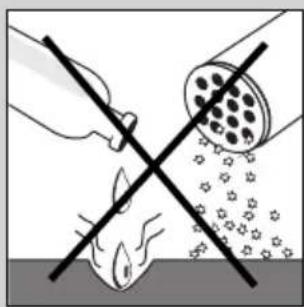
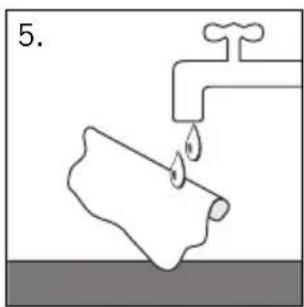
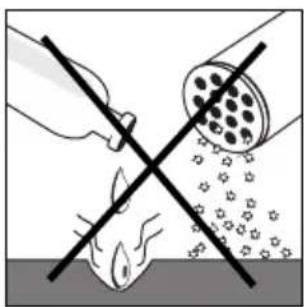
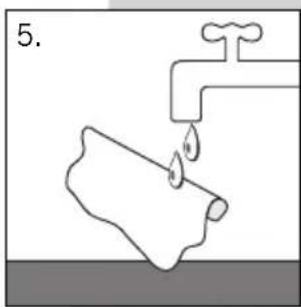
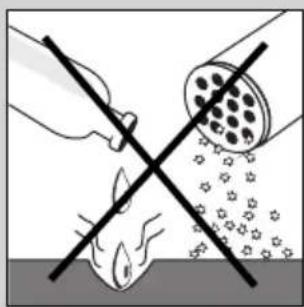
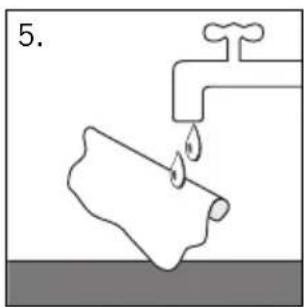
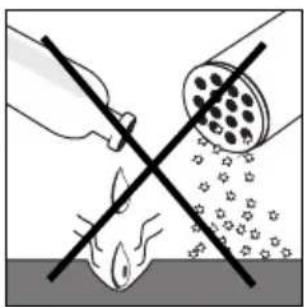
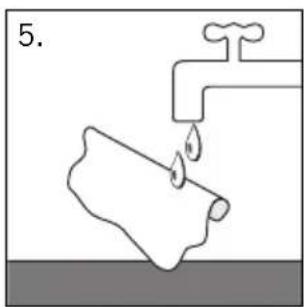
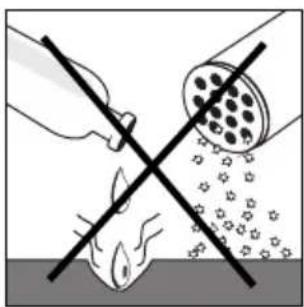
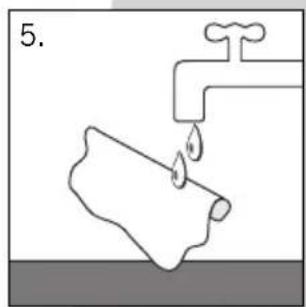
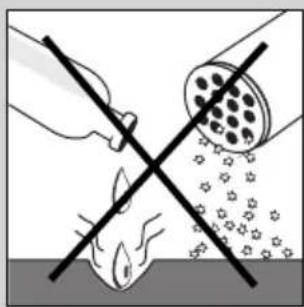
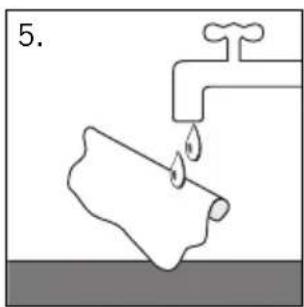
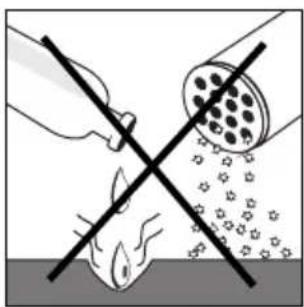
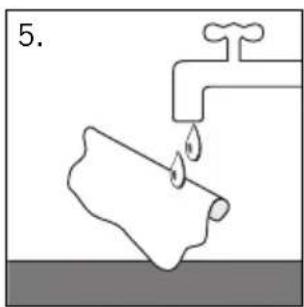
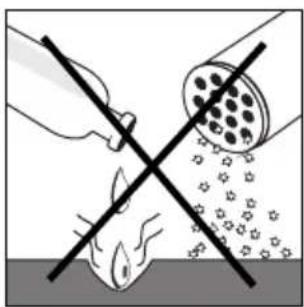
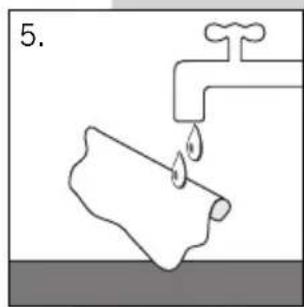
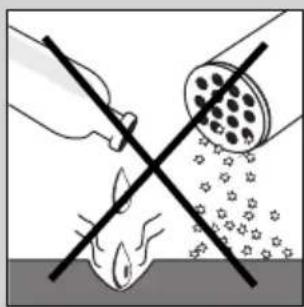
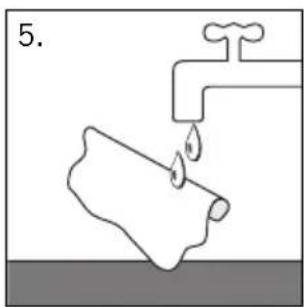
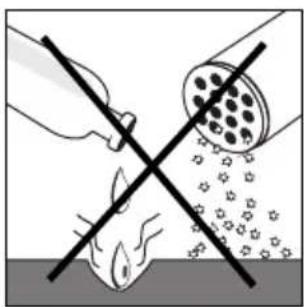
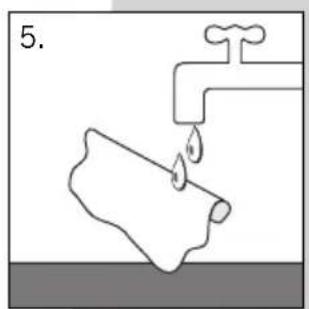
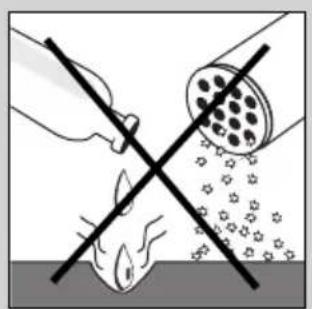
Please use only a slightly damp cloth for cleaning. Do not use solvents or abrasives. Never submerge scale in water.
Attention! Slipping hazard in case of wet surface.

text_image
OPERATING ELEMENTS 60.7 Minus Confirm Plus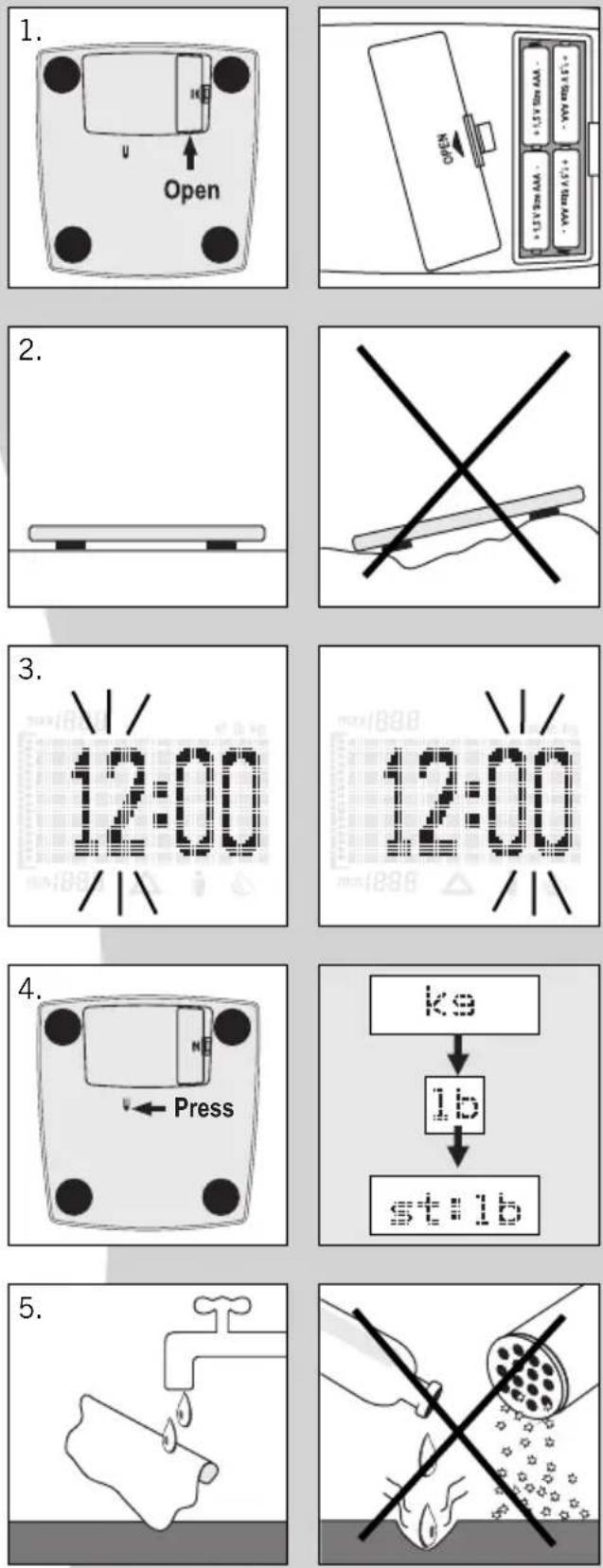
text_image
3. P1 P1 min:880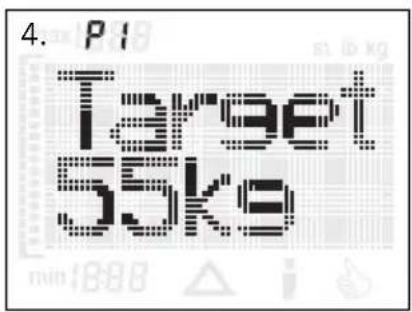
text_image
4. P1 Target 55kg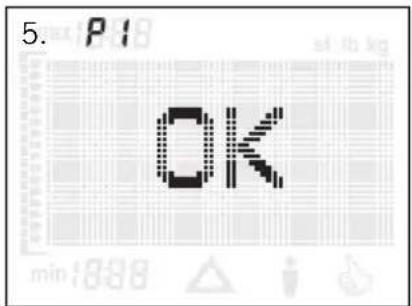
text_image
5. P18 OK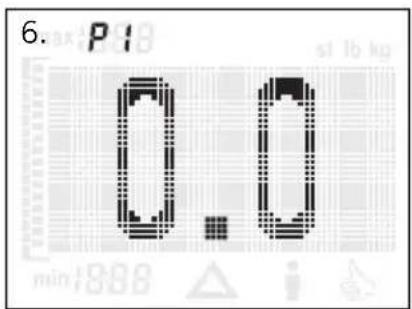
text_image
6. P1 0 0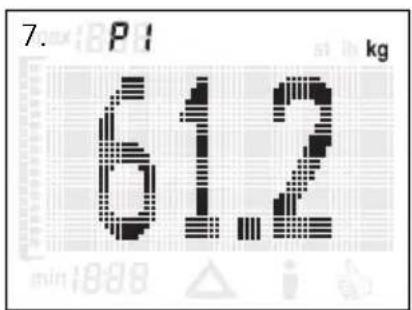
text_image
7. P1 kg 612DATA ENTRY
For the correct functionality of the trend weight scale, it is necessary to enter the personal, desired or target weight of the respective person and to immediately step on the scale once this value is entered.
This scale is equipped with an energy savings mode and will automatically switch off if no keys are pushed for approx. 40 seconds.
- To enter data, place scale on a table.
- Start data entry using the key .
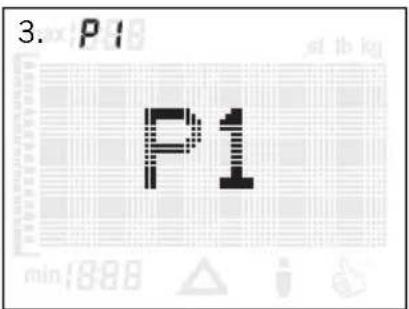
- Select memory slot (P1 ... P4) (▼ = minus, ▲ = plus) and confirm using (→). Memory slots, which are already programmed, are displayed with the -symbol.
- Enter the desired weight (▼ = minus, ▲ = plus) and confirm using (→).
-
Confirm the display "OK" using the ( )-key.
-
As soon as "0.0" appears in the display, the person must step on the scale for the initial weighing.
-
The current weight (starting weight) is displayed. The scale will then automatically switch off.
If no load is put onto the scale, "Error" will appear in the display after 40 seconds and the scale will automatically switch off.
WEIGHING
For the most accurate measurements, always step on the scale without clothing and under the same conditions (e.g. in the morning, sober, and after using the toilet).
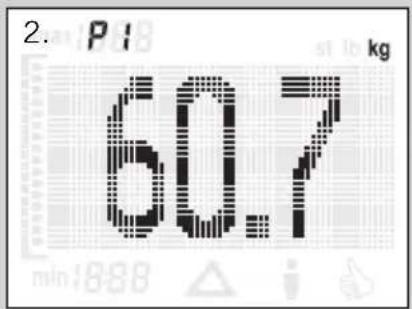
- Step on scale. The weight is displayed.
- After automatic recognition of the person, the individual memory slot (P1 – P4) will be displayed in addition to the body weight.
- Following this, the difference ( between the starting weight and the current weight will be displayed.
Once the desired weight has been reached, the symbol will also appear in the display.
-
In the next step, the change of your weight and the approach of your desired weight will be displayed in a concise trend curve. The current maximum and minimum values (rounded) will also be displayed.
-
The scale will then automatically switch off.
-
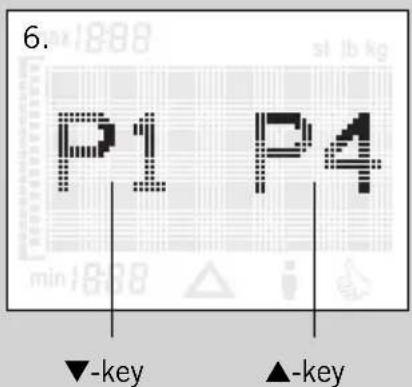
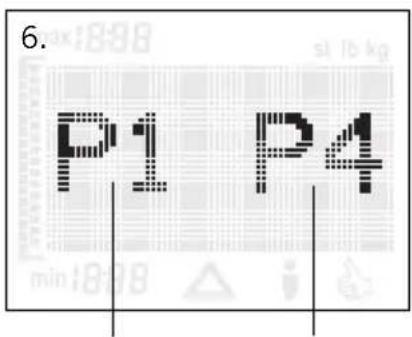
One of the features of this trend weight scale is the automatic recognition of different persons. If several persons with a very similar weight use this scale, the manual selection of individual memory slots will be required.
The memory slots for persons, which cannot be recognized, will be displayed. Since weight measurement is already completed, you may now step off the scale and use the ▼-key (left memory slot) or ▲-key (right memory slot) to select your individual memory slot.
In very rare cases, the measured value might be allocated to the wrong person. This will falsify the trend curve. Automatic recognition will also not be possible if a difference of over ± 3 kg is measured between individual weighing processes.
This might happen if you wait several days between weightings or if you wear clothing of different weight.
In such an event, simply repeat the data entry for your individual memory slot, as described in Data Entry.
Past measurements are maintained.
Please be sure to step onto the scale immediately after changing your personal data. Otherwise, the change will not be stored.
text_image
2. P1 kg 60.7 min:888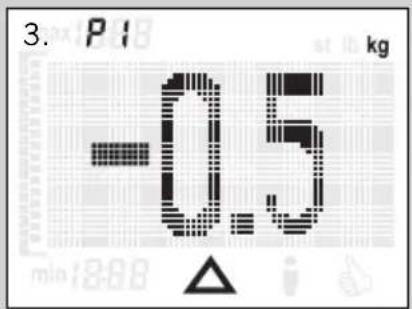
text_image
3. P1 kg -0.5 min 18:08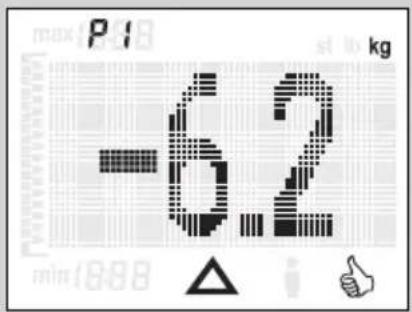
text_image
-62 max P1 kg min 1888 △ i 👍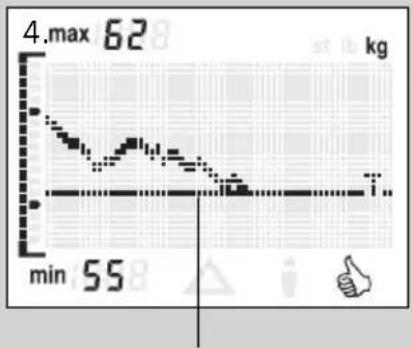
line
| Time | Value | |------|-------| | 0 | 62 | | 1 | 55 |Desired/Target weight curve
text_image
6. P1 P4 ▼-key ▲-keyCHANGING PERSONAL DATA
If you would like to changer your personal data (e. g. desired weight), you can change the data for the memory slot already programmed for you, as described in Data Entry.
Please be sure to step onto the scale immediately after changing your personal data. Otherwise, the change will not be stored.
All previously stored weight values will remain stored.
DELETING PERSONAL DATA
If data (desired weight and trend curve) should be deleted for one person, please proceed according to the following steps:
- Start data entry (→).
- Select memory slot (P1 ... P4) (▼ = minus, ▲ = plus).
- Push ▲- and ( )-keys both at the same time.
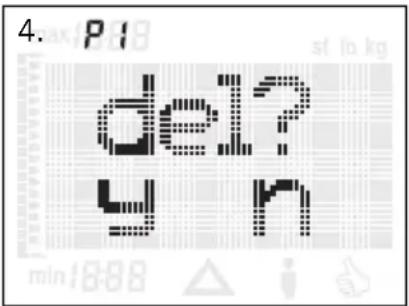
- The following display will appear:
Deletion is completed by pushing the ▼-key. The deletion process is cancelled by pushing the ▲-key.
text_image
4. P1 del? y nMESSAGES
- Replacing batteries: 4 x 1.5 V AA.
LOW BAT
Disposal of batteries:
Batteries should not be disposed of with your regular household waste. You, the consumer, are obligated to dispose of used batteries. You can dispose of used batteries at your communal collection points or wherever batteries of the respective type are sold.
Pb = contains lead Cd = contains cadmium Hg = contains mercury
- Overload: over 150 kg.
OVER-LOAD
- If no load is put onto the scale, "Error" will appear in the display after 40 seconds and the scale will switch off.
ERROR
- Scale was not calibrated. Please repeat measurement.
CAL.
TECHNICAL SPECIFICATIONSLoad capacity x
graduation = max. 150 kg x 100 g 4 memory slots for individual persons Large LCD screen Batteries: 4 x 1.5 V AA Batteries included.
DISPOSAL OF USED ELECTRONIC DEVICES
The symbol on the product or its packaging informs you that
this product cannot be regarded as normal household waste, but must be disposed of at a collection point for
recycling electronic and electrical devices.
Please contact your local community, your communal waste disposal companies or the store where you bought the product.
DECLARATION OF CON- FORMITY
Soehnle herewith declares that this device is in compliance
CE with the basic requirements and all other applicable regulations of directive 1999/5/EU.
For questions or comments, please contact customer service; we are happy to assist you:
Customer service
Ph.: (08 00) 5 34 34 34
Monday through Thursday
From 9 a.m. to 12:15 p.m. and from 1 p.m. to 4 p.m.
Fridays
From 9 a.m. to 12:15 p.m. and from 1 p.m. to 3 p.m.
This device is equipped with noise suppression according to EC directive 89/336/EEC. Note: Extreme electromagnetic influences, e.g. operating a radio transmitter in the immediate proximity of the device, can influence the measurement results.
After removal of the influence, the product will be fully functional again. However, it might be necessary to switch the device off and back on.
GUARANTEE
SOEHLE guarantees a removal of faults based on material or production errors, either by repair or replacement, for 3 years from the date of purchase. Please retain the receipt of purchase and guarantee slip. In case of a guarantee claim, please return the scale, with guarantee slip and receipt of purchase, to your seller.
GUARANTEE SLIP
In case of a guarantee claim, please return the scale, with guarantee slip and receipt of purchase, to your seller.
Sender
Reason for complaint
RECOMMANDATIONS IMPORTANTES
natural_image
Simple line drawing of a horizontal beam supported at the base, with no text or symbols present.
natural_image
Simple line drawing of a hand holding a pen with two crossed lines (no text or symbols)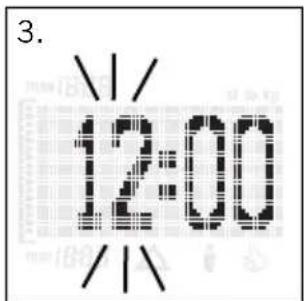
text_image
3. 12:00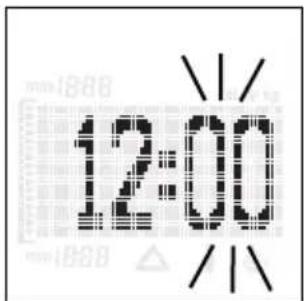
text_image
12:00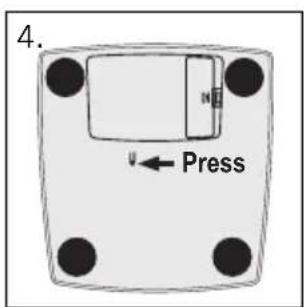
text_image
4. Press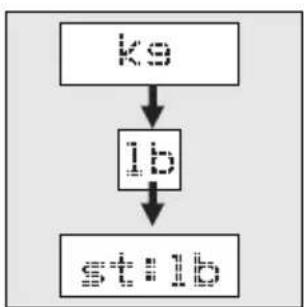
flowchart
graph TD
    A["Ko"] --> B["IP"]
    B --> C["S###"]
text_image
5.
natural_image
Illustration of a hand using a tool to remove or clean a fish, with no text or symbols present.PRÉPARATION
text_image
4. P1 Target 55ks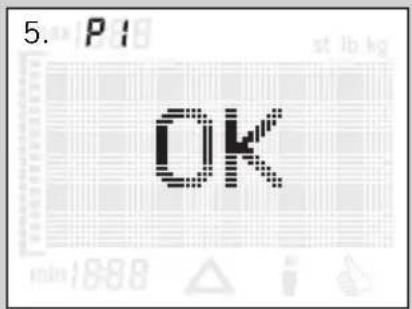
text_image
5. P1 OK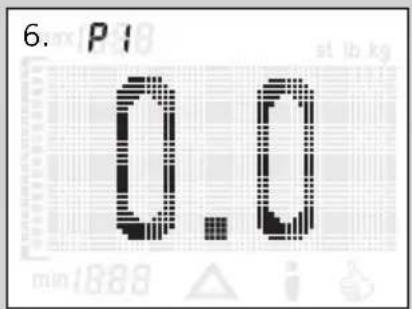
text_image
6. P1 0.0 at lb kg min 1888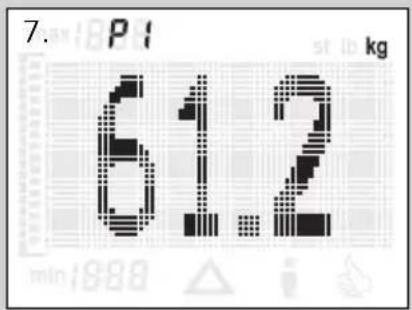
text_image
7. P1 kg 61.2 min:1988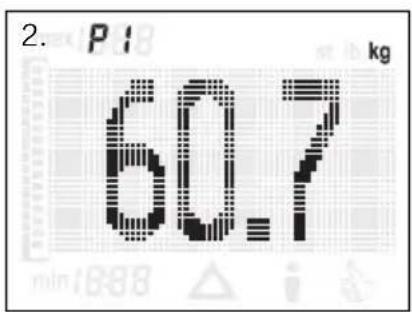
text_image
2. P1 kg 60.7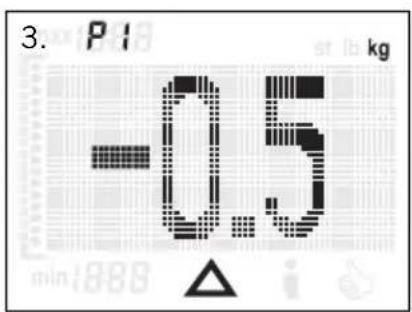
text_image
3. P1 kg -0.5 min:888 △ i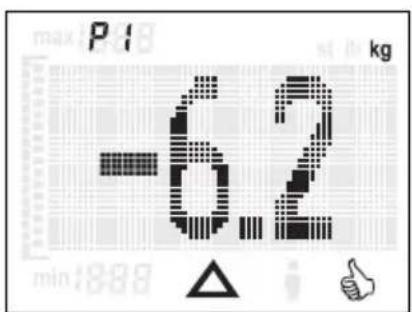
text_image
max P18 kg -6.2 min:889 △ i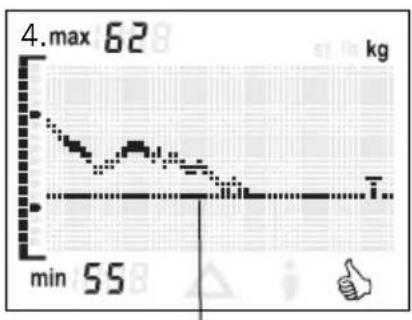
line
| Time | Value (kg) | |------|------------| | min | 55 | | max | 62 |DÉCLARATION DE CONFORMITÉ
directive 1999/5/EU.
text_image
4. P1 Target 55kg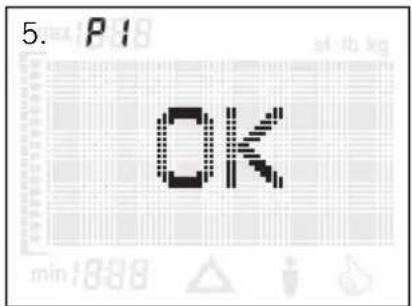
text_image
5. P18 OK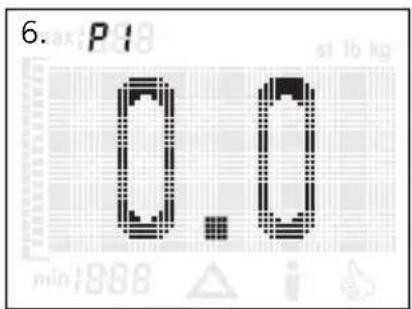
text_image
6. P1 0.10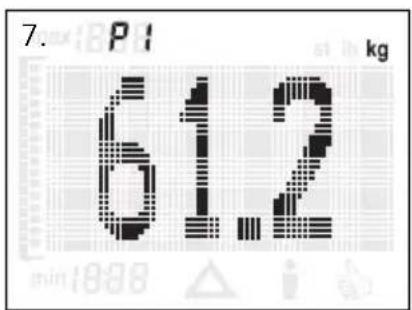
text_image
7. P1 kg 612IMMISSIONE DEI DATI
natural_image
Simple diagram of a horizontal beam supported at the base, with no text or symbols present.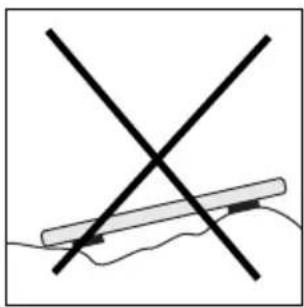
natural_image
Simple line drawing of a hand holding a pen with two crossed lines (no text or symbols)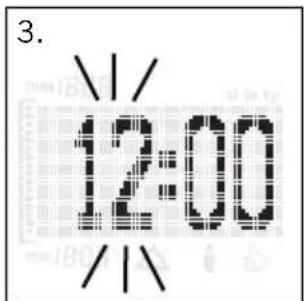
text_image
3. 12:00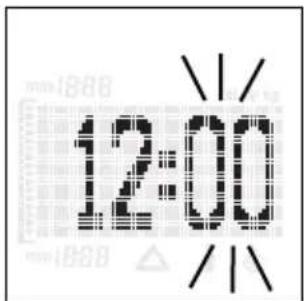
text_image
12:00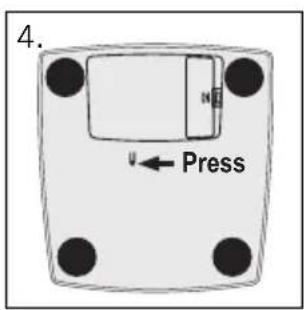
text_image
4. Press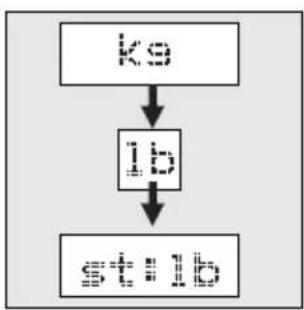
flowchart
graph TD
    A["初始输入"] --> B["处理步骤"]
    B --> C["输出结果"]
text_image
5.
natural_image
Illustration of a hand using a tool to remove a fish from a container, with no text or symbols present.VOORBEREIDING
text_image
4. P1 Target 55ks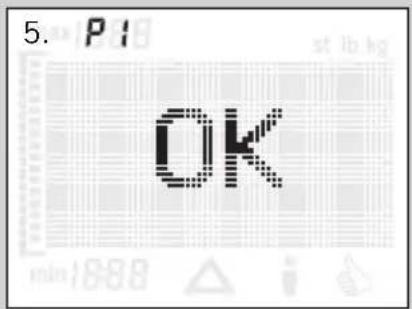
text_image
5. P1 OK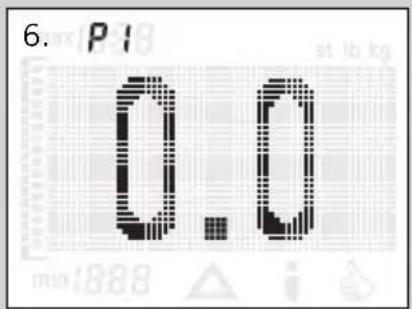
text_image
6. P1 0.0 at lb kg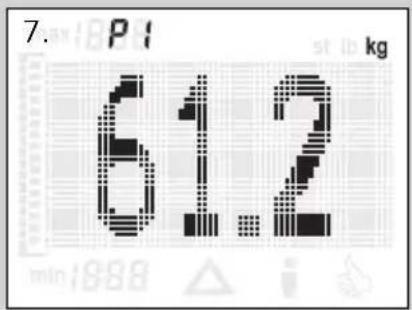
text_image
7. P 61.2 kg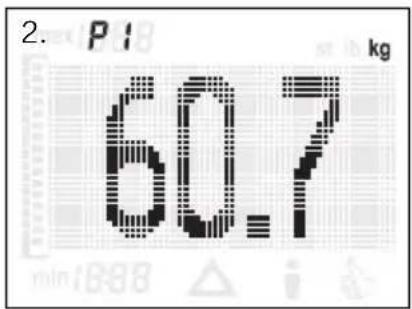
text_image
2. P1 kg 60.7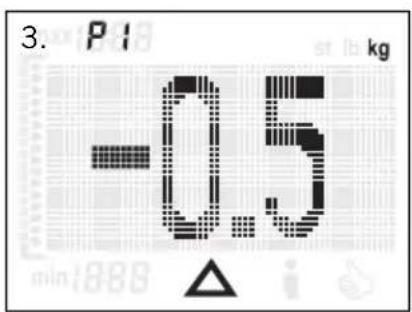
text_image
3. P1 kg -0.5 min:888 △ i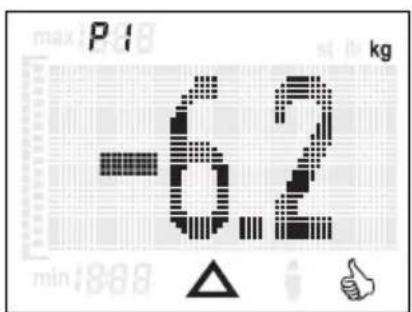
text_image
max P18 kg -6.2 min:888 △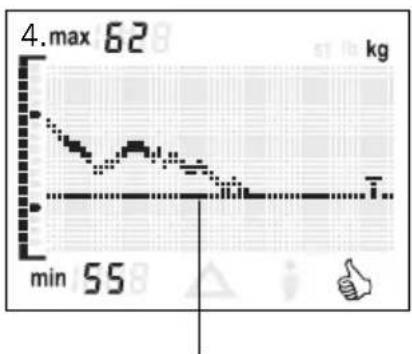
line
| Time | Value | |------|-------| | min | 55 | | max | 62 |natural_image
Simple diagram showing a horizontal bar with two black blocks on a horizontal surface, labeled '2.' (no text or symbols within the diagram itself)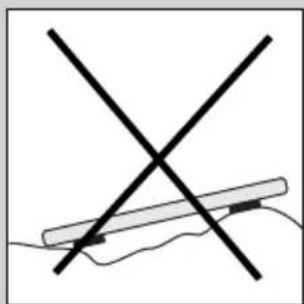
natural_image
Simple line drawing of a crossed X-shaped object with a horizontal bar, resting on a surface (no text or symbols)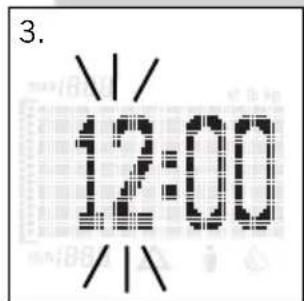
text_image
3. 12:00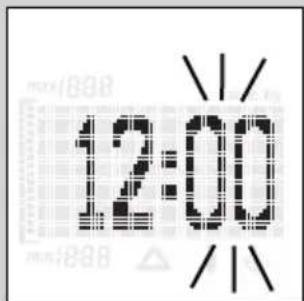
text_image
12:00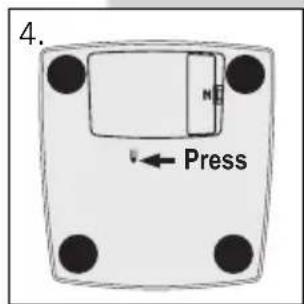
text_image
4. Press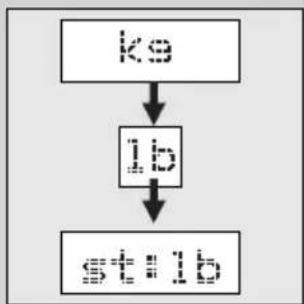
flowchart
graph TD
    A["ko"] --> B["ib"]
    B --> C["stb"]
text_image
5.
natural_image
Illustration of a hand using a tool to cut a surface with a crosshair overlay (no text or symbols)- P1
P1
- P1
Target 55k9
- P1
OK
- P1
0.0
- P
61.2
ENTRADA DE DATOS
text_image
2. P1 kg 60.7 min 18:88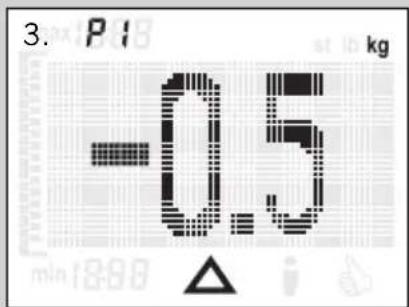
text_image
3. P16 kg -0.5 min:18:00 △ i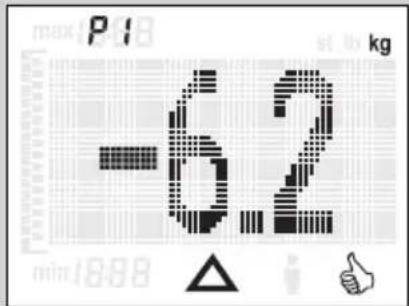
text_image
-6.2 kg max P 18 min 18:88 △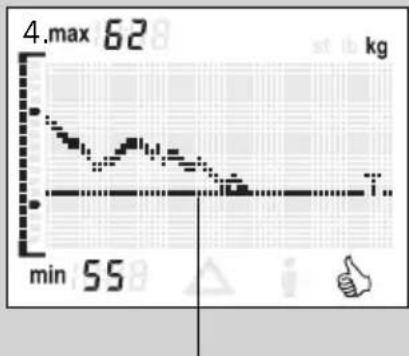
line
| Time | Value | |------|-------| | min | 55 | | max | 62 |natural_image
Simple diagram of a horizontal beam supported at the base, with no text or symbols present.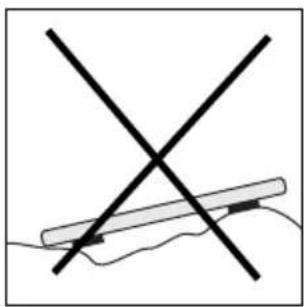
natural_image
Simple line drawing of a hand holding a pen with two crossed lines (no text or symbols)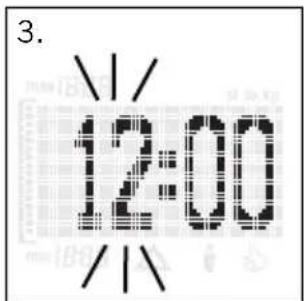
text_image
3. 12:00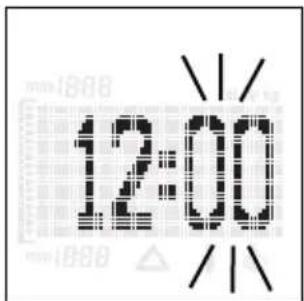
text_image
12:00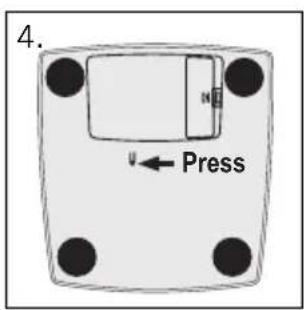
text_image
4. Press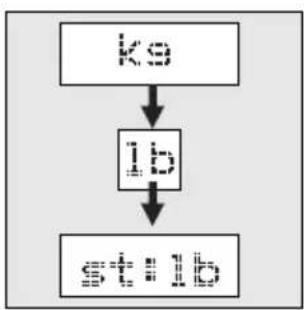
flowchart
graph TD
    A["初始输入"] --> B["处理步骤"]
    B --> C["最终输出"]
text_image
5.
natural_image
Illustration of a hand using a tool to clean or absorb a substance, with no visible text or symbols.PREPARAÇÃO
text_image
4. P1 Target 55ks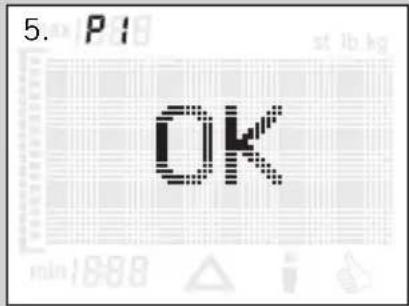
text_image
5. P1 OK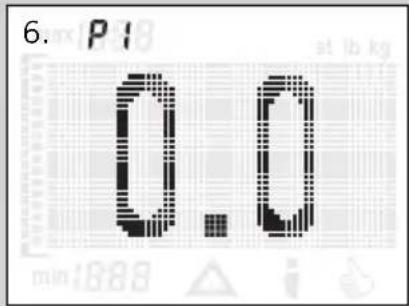
text_image
6. P1 0.0 at lb kg min:888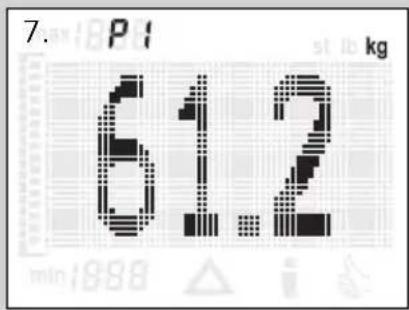
text_image
7. P 61.2 kg min:898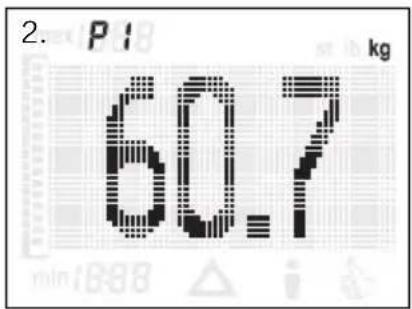
text_image
2. P1 kg 60.7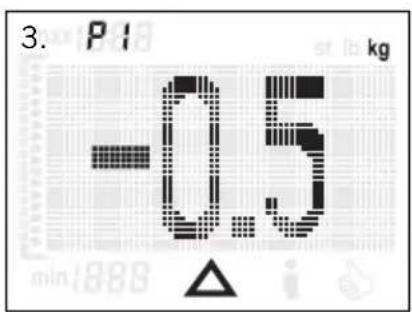
text_image
3. P1 kg -0.5 min:888 △ i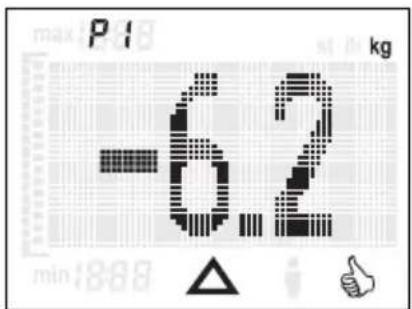
text_image
-6.2 kg min:888 △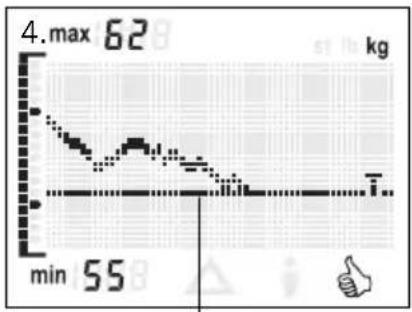
line
| Time | Value | |------|-------| | min | 55 | | max | 62 |natural_image
Simple diagram of a horizontal beam supported at the base of a flat surface, with no text or symbols present.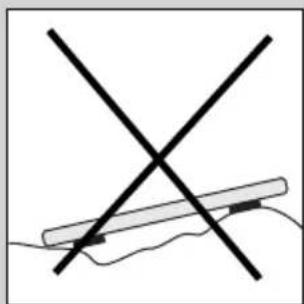
natural_image
Simple line drawing of a crossed X-shaped object with a horizontal bar, no text or symbols present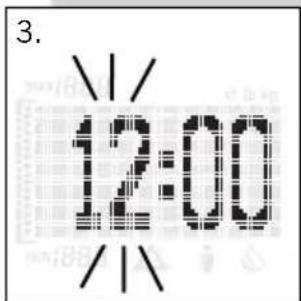
text_image
3. 12:00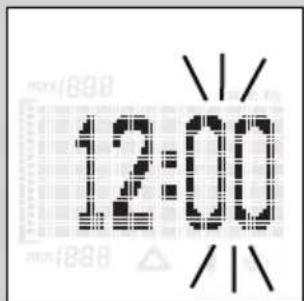
text_image
12:00 1888 1898 1/1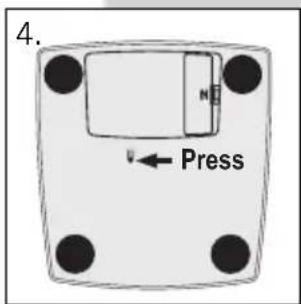
text_image
4. Press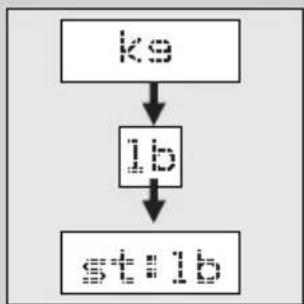
flowchart
graph TD
    A["ko"] --> B["ib"]
    B --> C["stb"]
text_image
5.
natural_image
Illustration of a hand holding a tool intersecting a surface with a magnified inset showing particles (no text or symbols)- P1
P1
- P1
Target 55kg
- P1
OK
- P1
0.0
- P
612
INDTASTNING AF DATA
natural_image
Simple diagram of a horizontal beam supported at the base of a vertical surface, with no text or symbols present.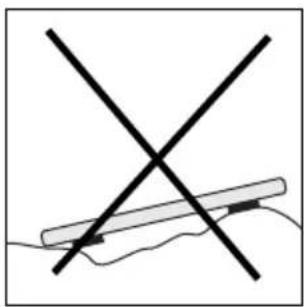
natural_image
Simple line drawing of a hand holding a pen with two crossed lines (no text or symbols)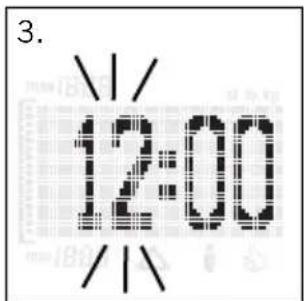
text_image
3. 12:00 /1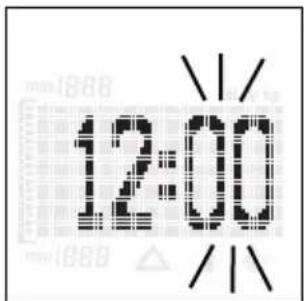
text_image
12:00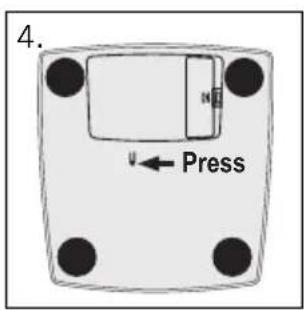
text_image
4. Press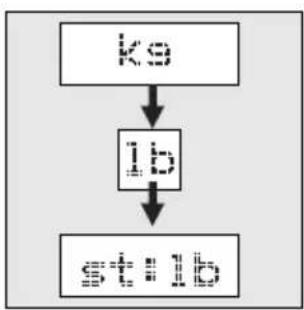
flowchart
graph TD
    A["初始输入"] --> B["处理步骤"]
    B --> C["输出结果"]
text_image
5.
natural_image
Illustration of a hand using a tool to clean or absorb a biological sample, with no visible text or symbols.FÖRBEREDELSE
text_image
4. P1 Target 55ks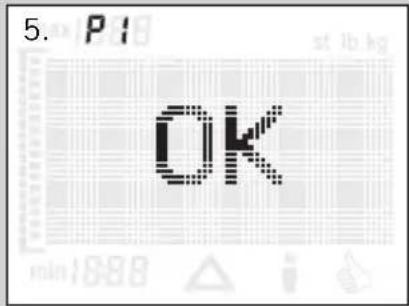
text_image
5. P13 OK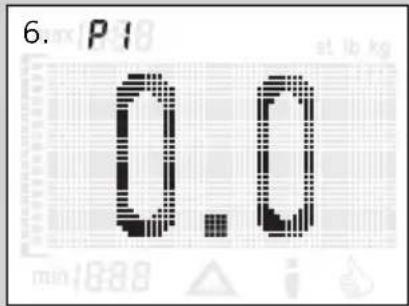
text_image
6. P1 0.0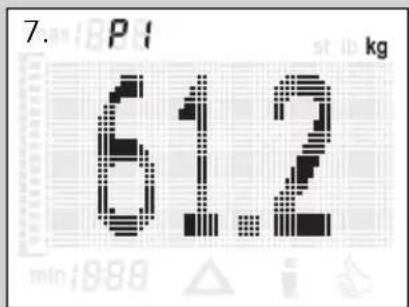
text_image
7. P1 kg 61.2 min:898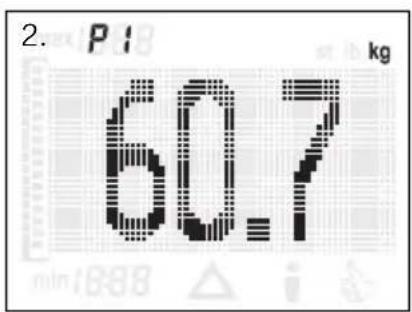
text_image
2. P1 kg 60.7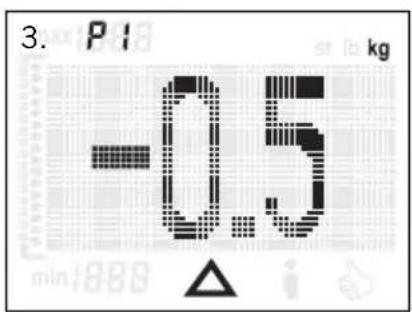
text_image
3. P1 kg -0.5 min:888 △ i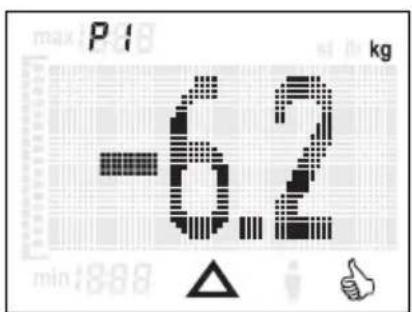
text_image
max P18 kg -6.2 min:8.88 △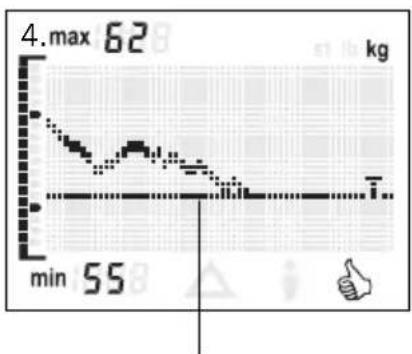
line
| Time | Value | |------|-------| | min | 55 | | max | 62 |natural_image
Simple diagram of a horizontal beam supported at the base of a vertical surface, with no text or symbols present.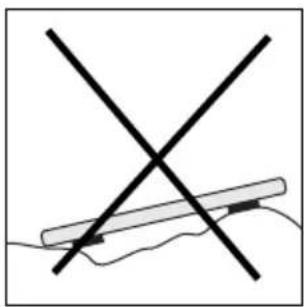
natural_image
Simple line drawing of a hand holding a pen with two crossed lines (no text or symbols)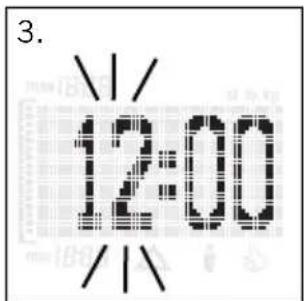
text_image
3. 12:00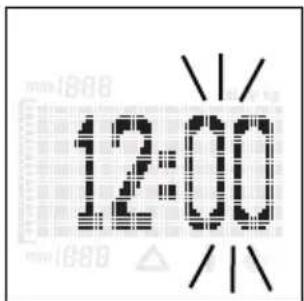
text_image
12:00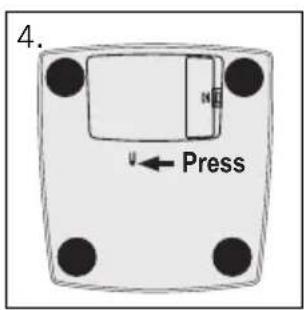
text_image
4. Press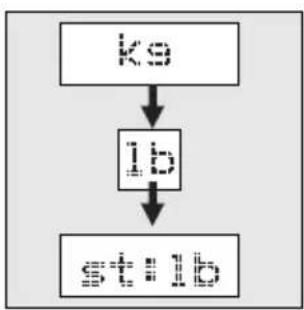
flowchart
graph TD
    A["初始输入"] --> B["处理步骤"]
    B --> C["最终输出"]
text_image
5.
natural_image
Illustration of a hand using a tool to clean or absorb a surface, with no text or symbols present.ELÖKÉSZÍTÉS
text_image
4. P1 Target 55ks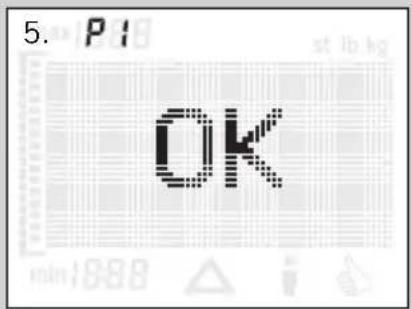
text_image
5. P1 OK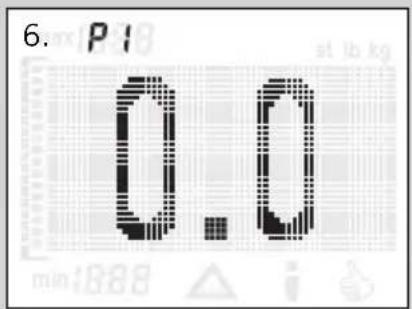
text_image
6. P1 0.0 at 1.888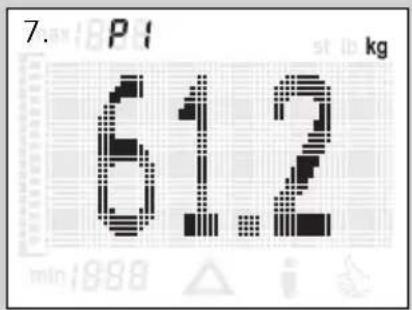
text_image
7. P1 kg 61.2 min:1998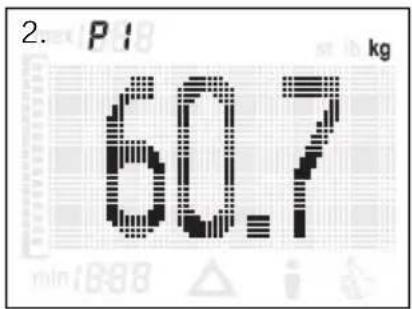
text_image
2. P1 kg 60.7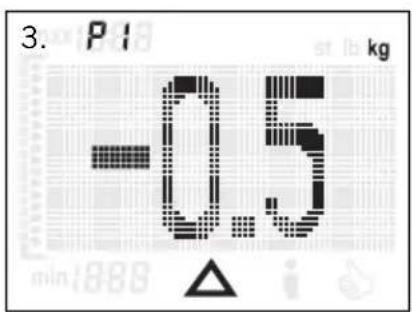
text_image
3. P1 kg -0.5 min:888 △ i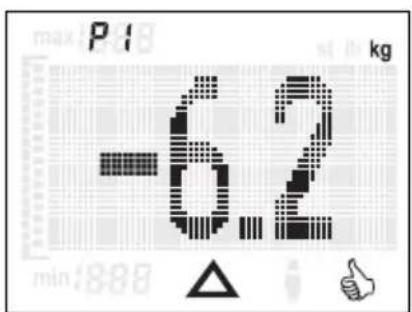
text_image
-6.2 min:888 kg max P18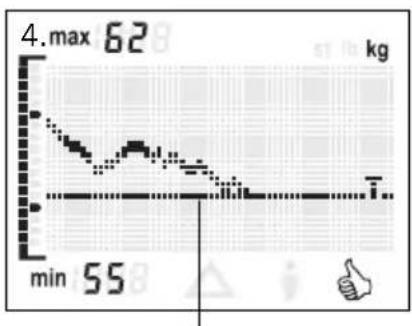
line
| Time | Value | |------|-------| | min | 55 | | max | 62 |natural_image
Simple diagram of a horizontal beam supported at the base, with no text or symbols present.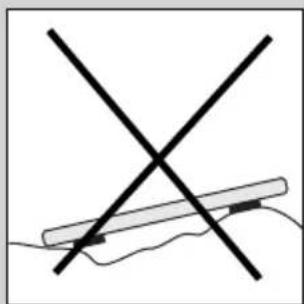
natural_image
Simple line drawing of a crossed X-shaped object with a horizontal bar, no text or symbols present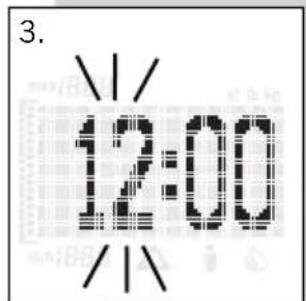
text_image
3. 12:00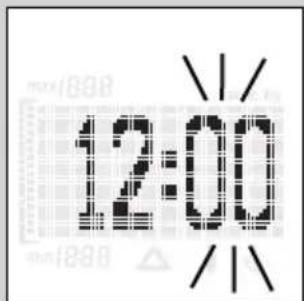
text_image
12:00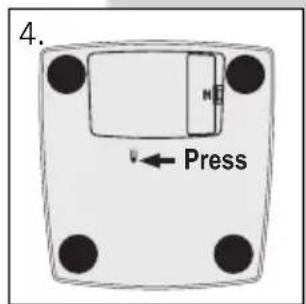
text_image
4. Press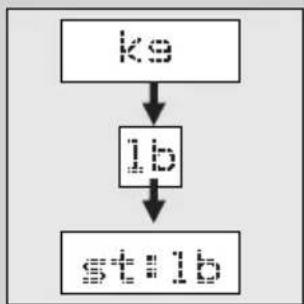
flowchart
graph TD
    A["ko"] --> B["ib"]
    B --> C["stb"]
text_image
5.
natural_image
Illustration of a hand using a tool to mark a crosshair on a surface, with no text or symbols present.3. P1
P1
4. P1
Target 55ks
5. P1
OK
6. P1
0.0
7. P
61.2
WPROWADZANIE DANYCH
natural_image
Simple diagram of a horizontal beam supported at the base of a vertical surface, with no text or symbols present.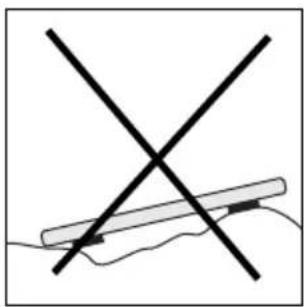
natural_image
Simple line drawing of a hand holding a pen with two crossed lines (no text or symbols)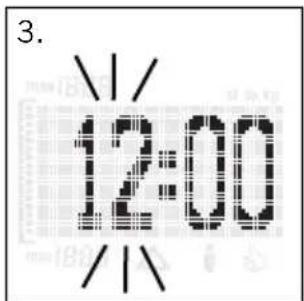
text_image
3. 12:00 /1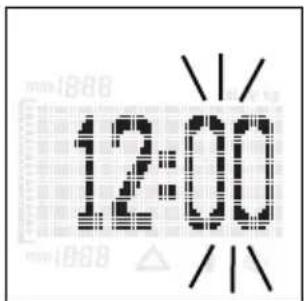
text_image
12:00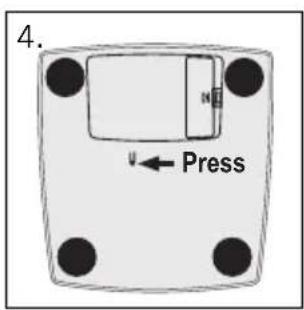
text_image
4. Press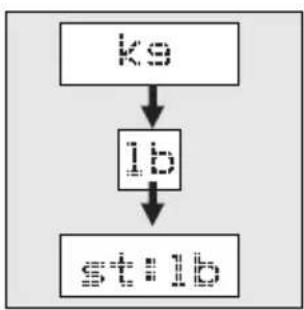
flowchart
graph TD
    A["初始输入"] --> B["处理步骤"]
    B --> C["最终输出"]
text_image
5.
natural_image
Illustration of a hand using a tool to cut a hair follicle with a crosshair overlay (no text or symbols)PŘÍPRAVA
text_image
4. P1 Target 55ks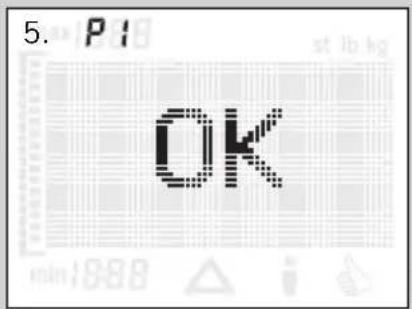
text_image
5. P1 OK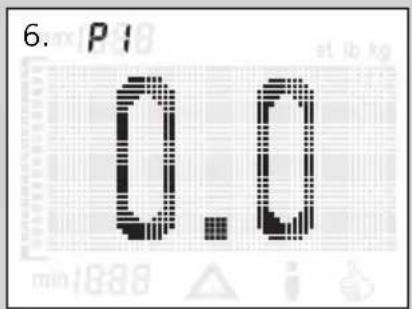
text_image
6. P1 0.0 at 1b kg min:1888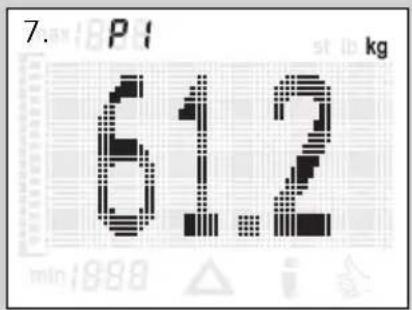
text_image
7. P1 kg 61.2 min:1998 i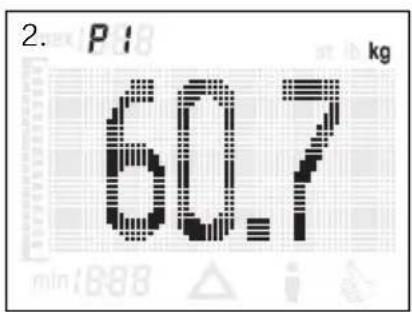
text_image
2. P1 60.7 kg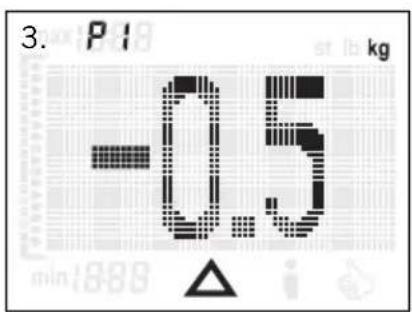
text_image
3. P1 kg -0.5 min:888 △ i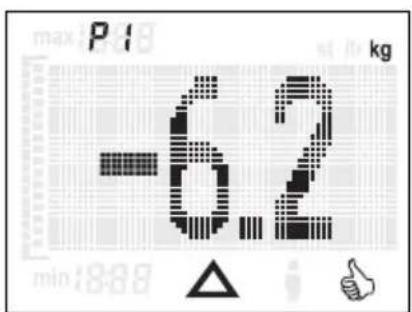
text_image
-6.2 kg min:8:88 i ↑
line
| Time | Value | |------|-------| | min | 55 | | max | 62 |(▼ = minus, ▲ = plus).
text_image
2. P1 kg 60.7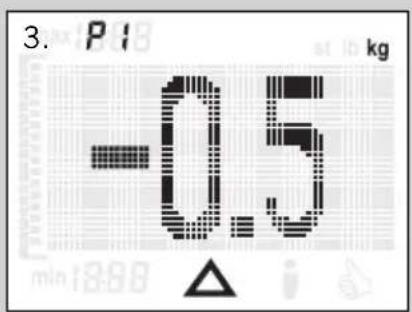
text_image
3. P1 kg -0.5 min 1898 △ i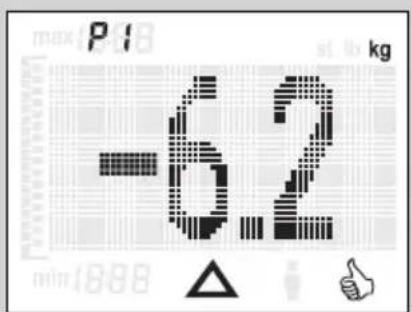
text_image
-62 max P1 kg min 1888 △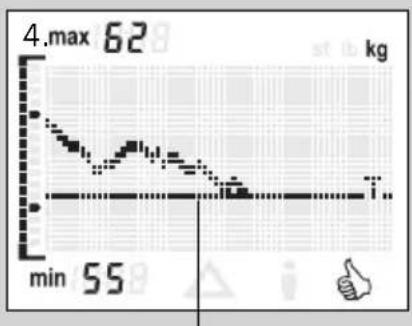
line
| Time | Value | |------|-------| | 0 | 62 | | 1 | 55 | | 2 | 50 | | 3 | 45 | | 4 | 40 | | 5 | 35 | | 6 | 30 | | 7 | 25 | | 8 | 20 | | 9 | 15 | | 10 | 10 | | 11 | 5 | | 12 | 0 |natural_image
Simple diagram of a horizontal beam supported at the base of a vertical surface, with no text or symbols present.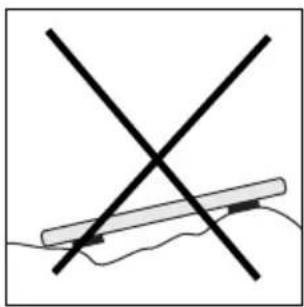
natural_image
Simple line drawing of a hand holding a pen with two crossed lines (no text or symbols)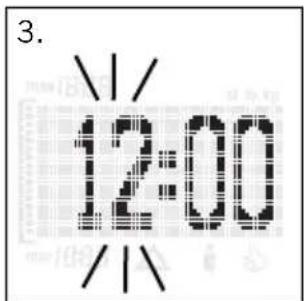
text_image
3. 12:00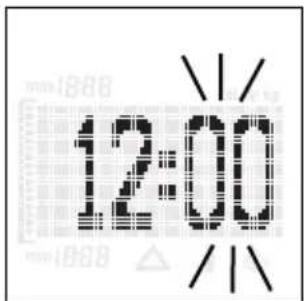
text_image
12:00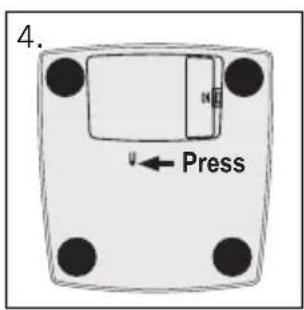
text_image
4. Press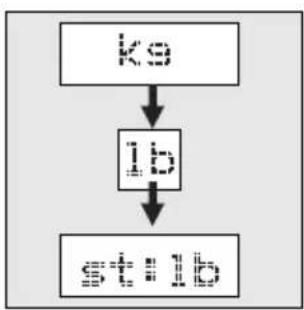
flowchart
graph TD
    A["初始输入"] --> B["处理步骤"]
    B --> C["最终输出"]
text_image
5.
natural_image
Illustration of a hand using a tool to clean or absorb a surface, with no visible text or symbols.HAZIRLIK
text_image
4. P1 Target 55ks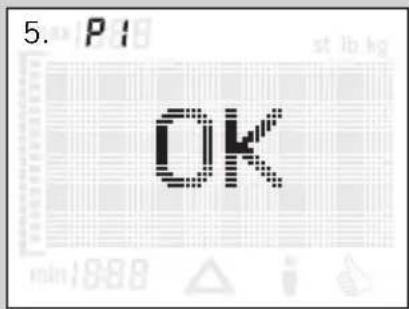
text_image
5. P1 OK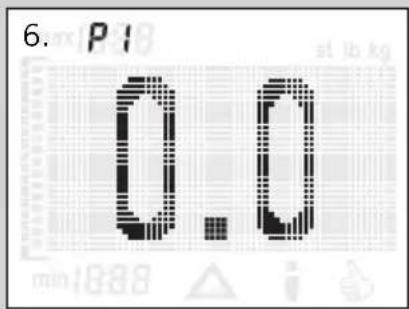
text_image
6. P1 0.0 at 1 kg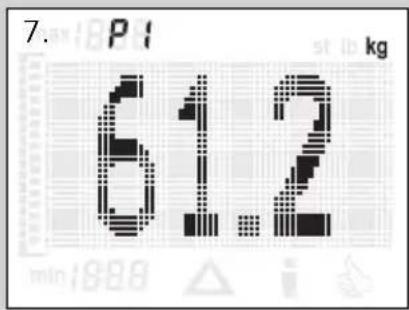
text_image
7. P1 kg 61.2 min:898 i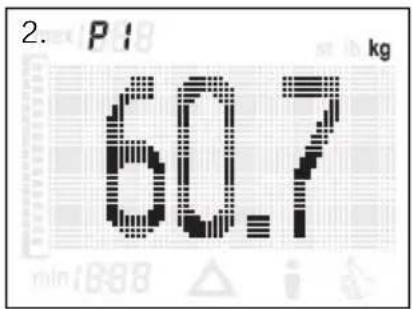
text_image
2. P1 kg 60.7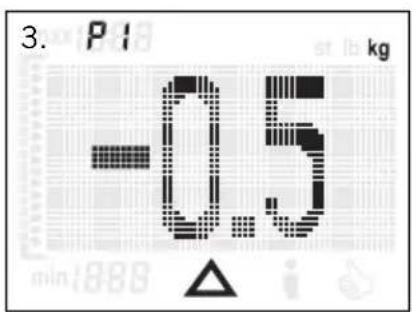
text_image
3. P1 kg -0.5 min:888 △ i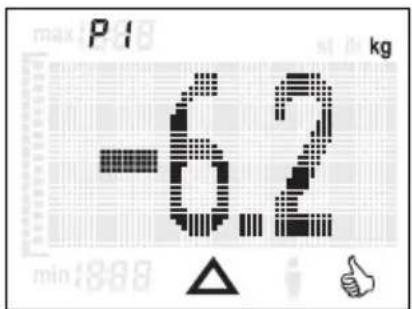
text_image
-6.2 min:8.88 kg max P1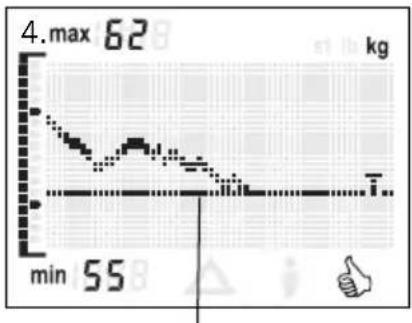
line
| Time | Value | |------|-------| | min | 55 | | max | 62 |natural_image
Simple diagram showing a horizontal bar with two black blocks on a horizontal surface, labeled '2.' (no text or symbols within the diagram itself)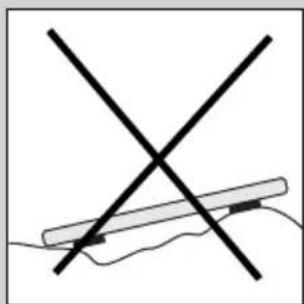
natural_image
Simple line drawing of a crossed X-shaped object with a horizontal bar, no text or symbols present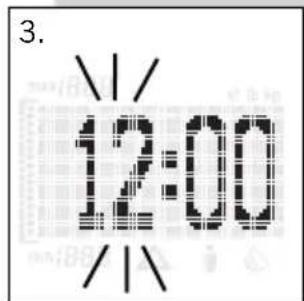
text_image
3. 12:00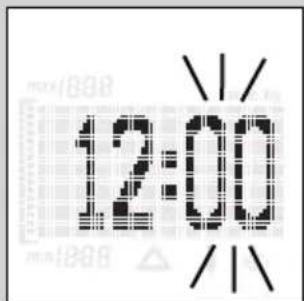
text_image
12:00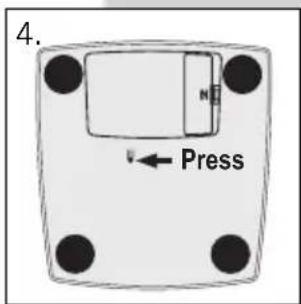
text_image
4. Press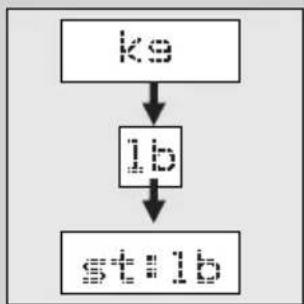
flowchart
graph TD
    A["ko"] --> B["ib"]
    B --> C["stb"]
text_image
5.
natural_image
Illustration of a hand holding a pen crossed over a surface with a magnified inset showing particles (no text or symbols)- P1
P1
- P1
Target 55ks
- P1
OK
- P1
0.0
- P
61.2
ΕΙΣΑΓΩΓΗ ΔΕΔΟΜΕΝΩΝ
text_image
2. P1 60.7 kg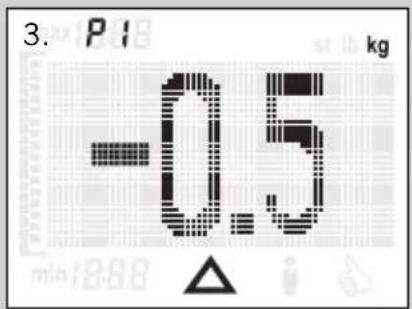
text_image
3. P1 kg -0.5 min:18.68 △ i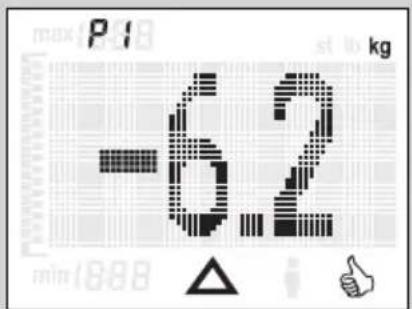
text_image
-62 kg max P1 st lo kg min 1888 △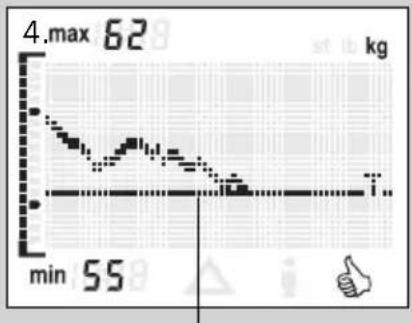
line
| Time | Value | |------|-------| | min | 55 |natural_image
Simple diagram of a horizontal beam supported at the base of a vertical surface, with no text or symbols present.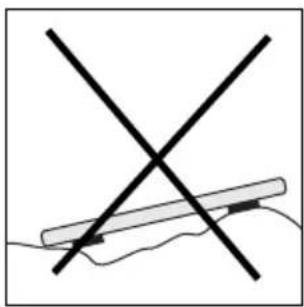
natural_image
Simple line drawing of a hand holding a pen with two crossed lines (no text or symbols)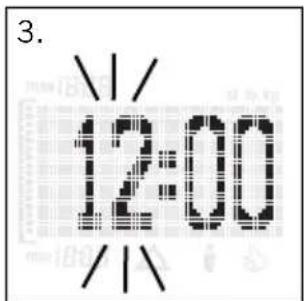
text_image
3. 12:00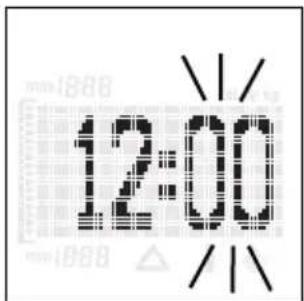
text_image
12:00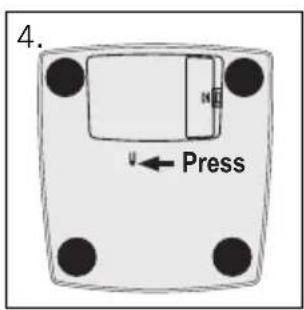
text_image
4. Press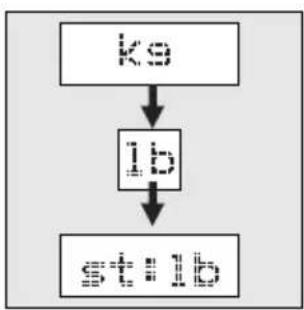
flowchart
graph TD
    A["初始输入"] --> B["处理步骤"]
    B --> C["输出结果"]
text_image
5.
natural_image
Illustration of a hand using a tool to clean or absorb a surface, with no visible text or symbols.PRIPRAVA
text_image
4. P1 Target 55ks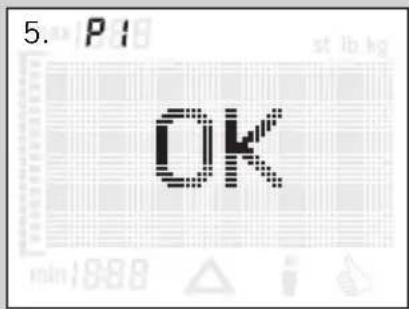
text_image
5. P1 OK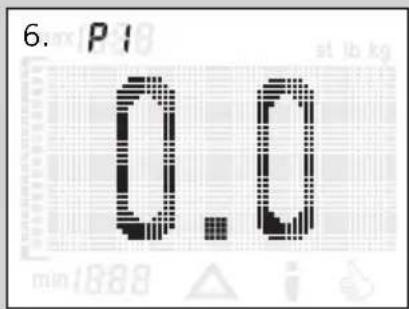
text_image
6. P1 0.0 at lb kg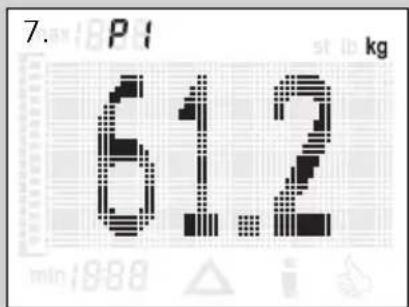
text_image
7. P1 kg 61.2 min:1888 i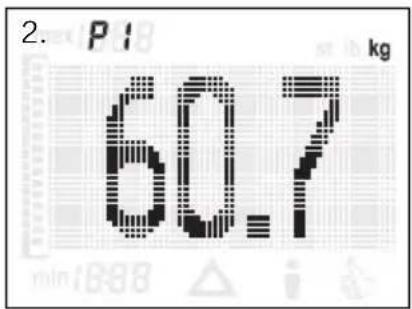
text_image
2. P1 kg 60.7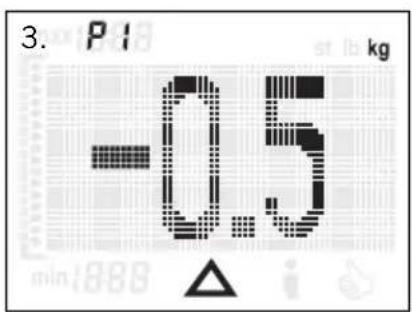
text_image
3. P1 kg -0.5 min:888 △ i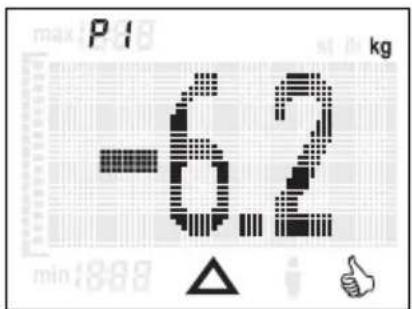
text_image
-6.2 min:8.89 kg max P1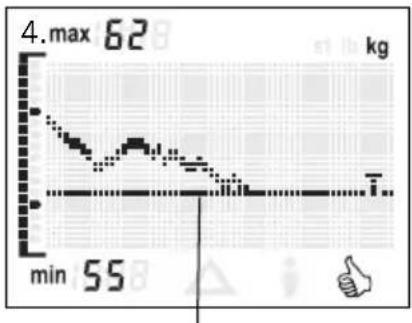
line
| Time | Value | |------|-------| | min | 55 |Želena/ciljna smer telesne teže
text_image
6. P1 P4Tipka - ▼
Tipka -▲
TEHTANJE
natural_image
Simple diagram of a horizontal beam supported at the base, with no text or symbols present.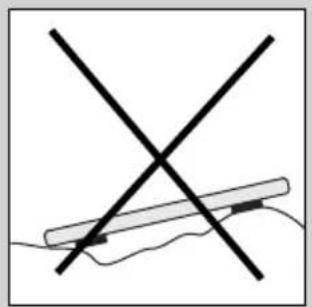
natural_image
Simple line drawing of a hand holding a pen with two crossed lines (no text or symbols)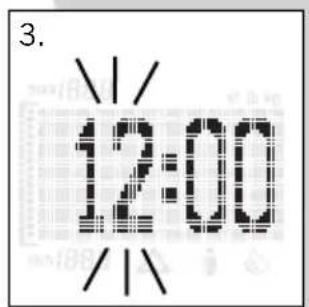
text_image
3. 12:00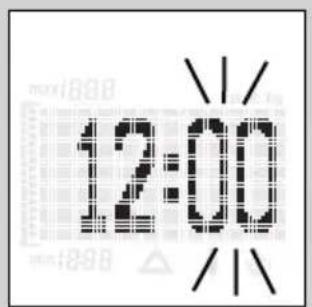
text_image
12:00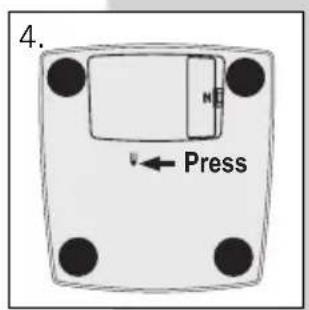
text_image
4. Press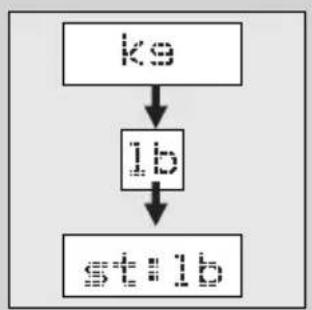
flowchart
graph TD
    A["ko"] --> B["ib"]
    B --> C["stib"]
text_image
5.
natural_image
Illustration of a hand holding a tool over a fish, with a crosshair overlay (no text or symbols)- P1
P1
- P1
Target 55kg
- P1
OK
- P1
0.0
- P
61.2
UNOS PODATAKA
56377 Nassau/Germany