EasyManual
SECTRANS40 - Surveillance Camera KONIG - Free user manual and instructions
Find the device manual for free SECTRANS40 KONIG in PDF.



User questions about SECTRANS40 KONIG
0 question about this device. Answer the ones you know or ask your own.
Ask a new question about this device
Download the instructions for your Surveillance Camera in PDF format for free! Find your manual SECTRANS40 - KONIG and take your electronic device back in hand. On this page are published all the documents necessary for the use of your device. SECTRANS40 by KONIG.
USER MANUAL SECTRANS40 KONIG
5.8GHz Wireless camera system
ANLEITUNG (S.5)
5,8 GHz Drahtloses Kamerasystem
MODE D'EMPLOI (p. 8)
Caméra A/V sans fil 5,8GHz
MANUAL DE USO (p. 19)
Sistema de-camera inalámbrica de 5.8GHz
HASZNÁLATI UTMUTATO (o. 22.)
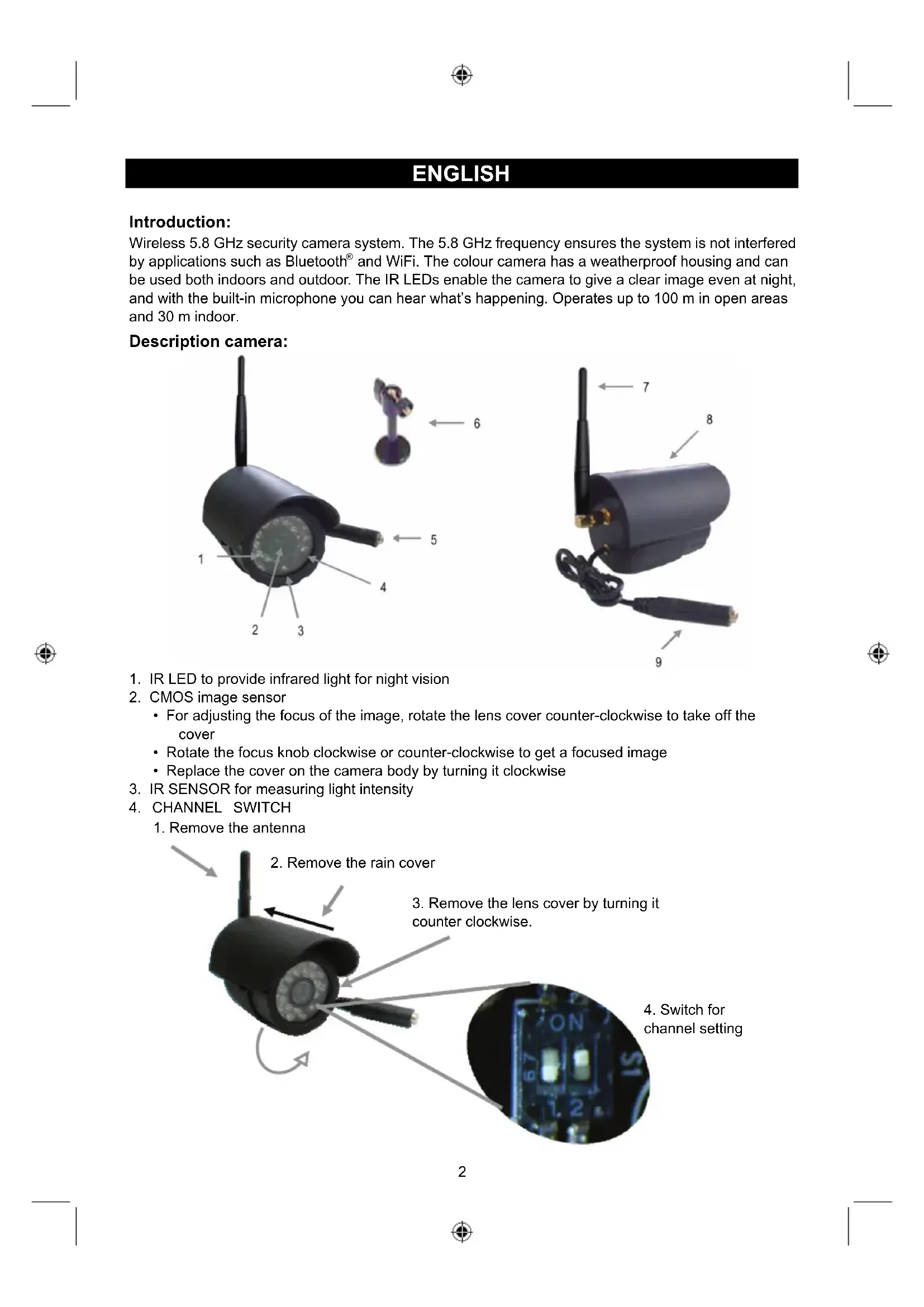
Wireless 5.8 GHz security camera system. The 5.8 GHz frequency ensures the system is not interfered by applications such as Bluetooth® and WiFi. The colour camera has a weatherproof housing and can be used both indoors and outdoor. The IR LEDs enable the camera to give a clear image even at night, and with the built-in microphone you can hear what's happening. Operates up to 100 m in open areas and 30 m indoor.
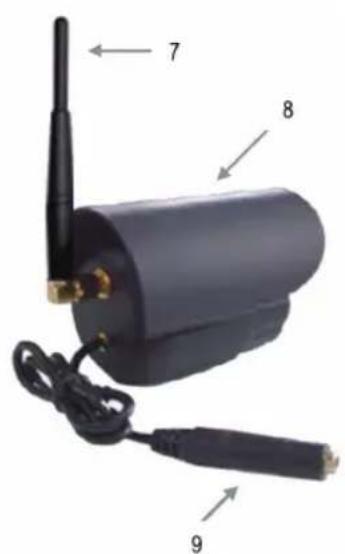
Description camera:
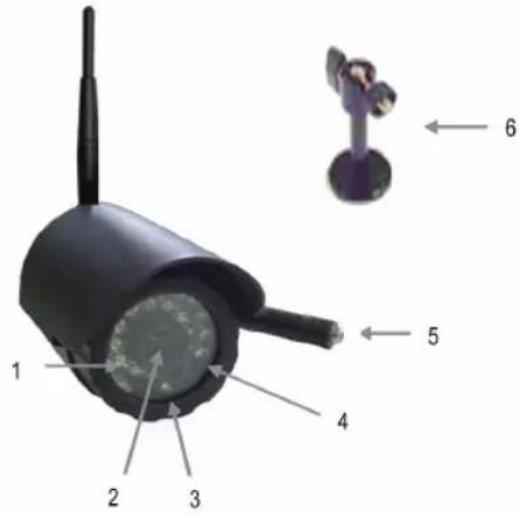
- IR LED to provide infrared light for night vision
-
CMOS image sensor
-
For adjusting the focus of the image, rotate the lens cover counter-clockwise to take off the cover
- Rotate the focus knob clockwise or counter-clockwise to get a focused image
-
Replace the cover on the camera body by turning it clockwise
-
IR SENSOR for measuring light intensity
4.CHANNEL SWITCH -
Remove the antenna
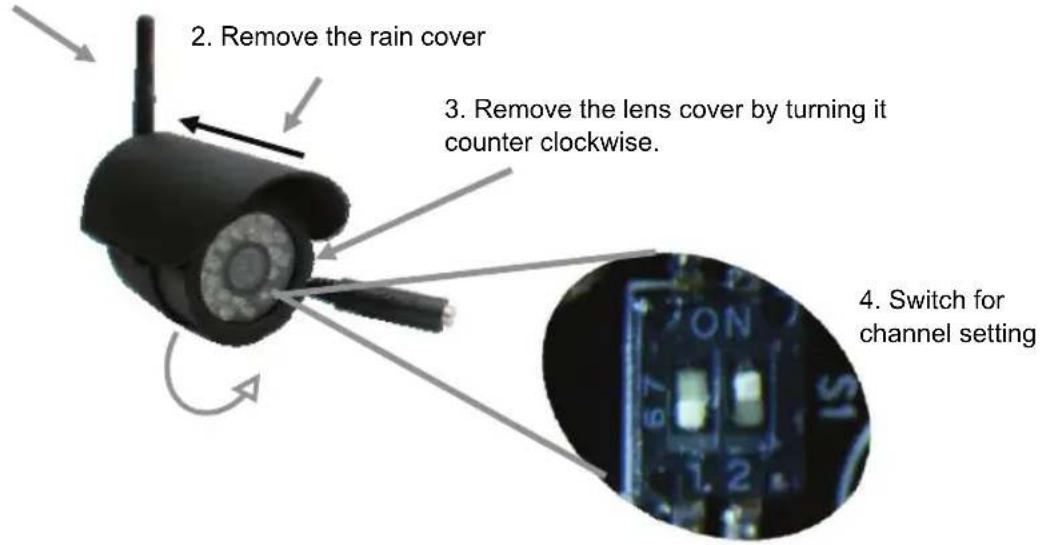
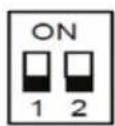
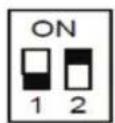
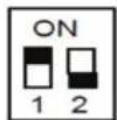
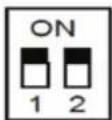
Channel 4 Channel 3 Channel 2 Channel 1
(Make sure that both the camera and receiver are set to the same channel)
- DC POWER INPUT (only use the supplied 9V/400mA, AC/DC adapter)
- MOUNTING BRACKET
- 5.8GHz ANTENNA
- ALUMINUM COVER (removable)
- BUILT-IN MICROPHONE
Description receiver:
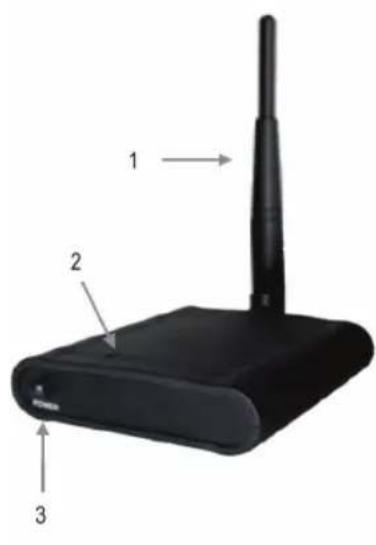
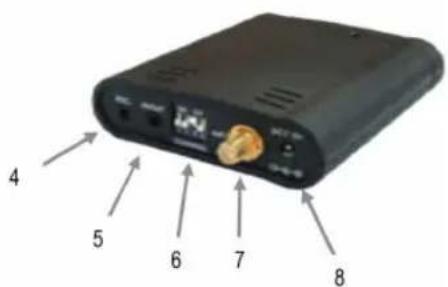
- 5.8GHz ANTENNA
- POWER LED, lights up red when the power is switched on
- POWER SWITCH
- REC, output for recording images
- AV OUT, output for monitor or TV
- CHANNEL SWITCH
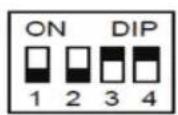
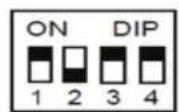
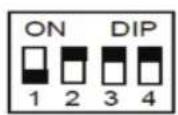
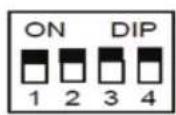
Channel 1 Channel 2 Channel 3 Channel 4
(Make sure that both the camera and receiver are set to the same channel)
- ANTENNA CONNECTOR
- DC POWER INPUT (only use the supplied 7.5V / 300mA AC/DC adapter)
Installing the camera:
- The camera can be mounted to a wall. Fix the antenna to the antenna connector. Monitor reception should be tested before mounting the camera. If interference or other problems occur, select another channel or different location to mount the camera.
- Connect the 9V/400mA, AC/DC adapter to the DC power plug and a 230V wall outlet. The camera is switched on automatically.
Installing the receiver:
- Connect the receiver's AV OUTPUT with the AV cable to the input of a monitor or TV
- Fix the antenna to the antenna connector
- Connect the plug of the 7.5V / 300mA , AC/DC adapter to the DC power input and a 230V wall outlet
- Select the desired channel on both the camera and the receiver. For optimum performance, it could be necessary to point the transmitter and receiver to each other in an imaginary straight line. A few centimeters could already be enough to improve the sound and picture quality. If the reception is perfect, no adjustments are necessary.
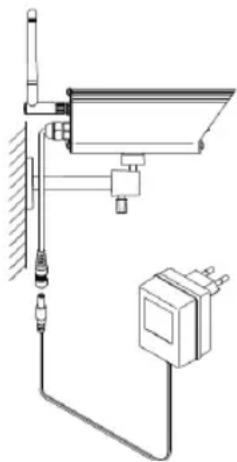
- Turn on the TV or monitor to watch the images of the camera.
Option: connect a recording device for recording images to the REC output
Specifications:
Camera:
- Operating frequency: 5.8 GHz
Image chip: 1/4 CMOS - Channels: 4 with PLL frequency synthesizer
- Antenna: Omni directional
Power: 9V DC/400 mA - Dimensions: 90 × 63 × 65 mm
Weight: 230g
Receiver:
- Operating frequency: 5.8 GHz
- Channels: 4 with PLL frequency synthesizer
Output: 2 × 3.5 ~mm - Antenna: Omni directional
Power: 7.5V DC/300 mA - Dimensions: 90 × 74 × 20 mm
Weight: 110 g
Safety precautions:

To reduce risk of electric shock, this product should ONLY be opened by an authorized technician when service is required. Disconnect the product from mains and other equipment if a problem should occur. Do not expose the product to water or moisture.
Maintenance:
Clean only with a dry cloth. Do not use cleaning solvents or abrasives.
Warranty:
No guarantee or liability can be accepted for any changes and modifications of the product or damage caused due to incorrect use of this product.
General:
- Designs and specifications are subject to change without notice.
- All logos brands and product names are trademarks or registered trademarks of their respective holders and are hereby recognized as such.
- This manual was produced with care. However, no rights can be derived. König Electronic can not accept liability for any errors in this manual or their consequences.
- Keep this manual and packaging for future reference.
Attention:

This product is marked with this symbol. It means that used electrical and electronic products should not be mixed with general household waste. There is a separate collections system for these products.
DEUTSCH
Einführung:
-
Ioxuc: 9V DC/400 mA
-
iaoTaeic:
90x63x65
mm
Bapos:
230
g
Description: 5.8GHz Wireless camera system
Eπiεipησεωv / Chief Operating Officer / Administerende
Driftsdirektor
Copyright ©