WD4290, WD4290, WD5200 M - Wet and dry vacuum cleaner KARCHER - Free user manual and instructions
Find the device manual for free WD4290, WD4290, WD5200 M KARCHER in PDF.



| Product type | Wet and dry vacuum cleaner |
| Brand | KARCHER |
| Model(s) | WD4290, WD5200 M |
| Supply voltage | 220-240 V |
| Frequency | 50/60 Hz |
| Nominal power | 1400 W |
| Maximum power | 1600 W |
| Network protection (fuse) | 10 A (delayed action) |
| Tank volume | 25 L |
| Wet suction capacity (with handle) | 15 L |
| Wet suction capacity (with floor nozzle) | 13 L |
| Weight (without accessories) | 7.7 kg |
| Sound pressure level | 69 dB(A) |
| Power cable type | H05VV-F2x1 |
| Functions | Dry vacuuming, wet vacuuming, blowing |
| Main filter | Cartridge filter (washable) |
| Filter bag | Yes, for fine dust vacuuming |
| Included accessories | Suction hose, 2 tubes of 0.5 m, floor nozzle (with carpet/hard floor lever), crevice nozzle, upholstery brush nozzle |
| Automatic shutdown in case of foam or liquid | Yes (float) |
| Filter maintenance | Clean with clear water without scrubbing, complete drying before reassembly |
| Use for ash and soot | Pre-separator required (optional, ref. 2.863-139) |
Frequently Asked Questions - WD4290, WD4290, WD5200 M KARCHER
User questions about WD4290, WD4290, WD5200 M KARCHER
0 question about this device. Answer the ones you know or ask your own.
Ask a new question about this device
Download the instructions for your Wet and dry vacuum cleaner in PDF format for free! Find your manual WD4290, WD4290, WD5200 M - KARCHER and take your electronic device back in hand. On this page are published all the documents necessary for the use of your device. WD4290, WD4290, WD5200 M by KARCHER.
USER MANUAL WD4290, WD4290, WD5200 M KARCHER
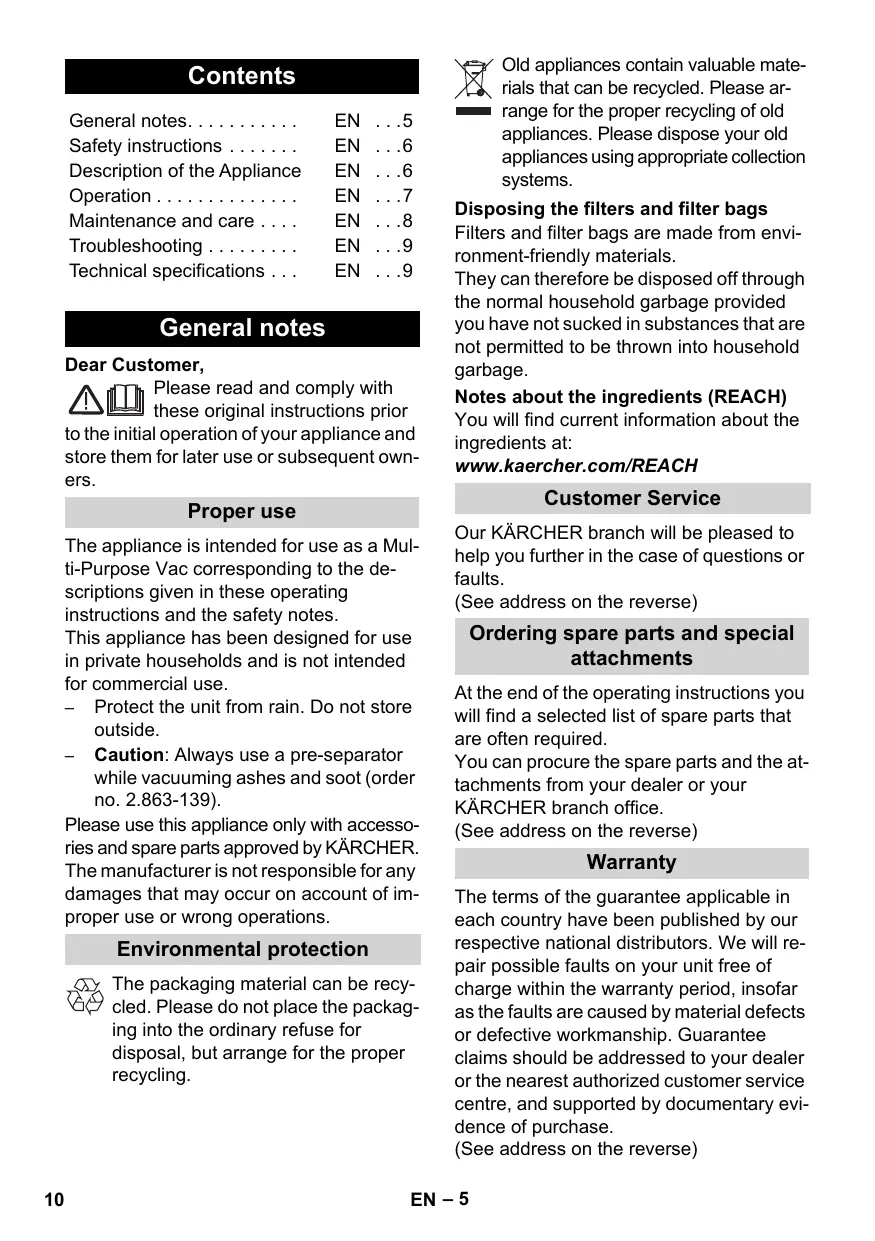
Safety instructions EN .6
Description of the Appliance EN . . .6
Operation EN .7
Maintenance and care . . . EN . .8
Troubleshooting EN .9
Technical specifications . EN . .9
General notes
Dear Customer,

Please read and comply with these original instructions prior
to the initial operation of your appliance and store them for later use or subsequent owners.
Proper use
The appliance is intended for use as a Multi-Purpose Vac corresponding to the descriptions given in these operating instructions and the safety notes.
This appliance has been designed for use in private households and is not intended for commercial use.
- Protect the unit from rain. Do not store outside.
- Caution: Always use a pre-separator while vacuuming ashes and soot (order no. 2.863-139).
Please use this appliance only with accessories and spare parts approved by KÄRCHER. The manufacturer is not responsible for any damages that may occur on account of improper use or wrong operations.
Environmental protection

The packaging material can be recycled. Please do not place the packaging into the ordinary refuse for disposal, but arrange for the proper recycling.

Old appliances contain valuable materials that can be recycled. Please arrange for the proper recycling of old appliances. Please dispose your old appliances using appropriate collection systems.
Disposing the filters and filter bags
Filters and filter bags are made from environment-friendly materials.
They can therefore be disposed off through the normal household garbage provided you have not sucked in substances that are not permitted to be thrown into household garbage.
Notes about the ingredients (REACH)
You will find current information about the ingredients at:
www.kaercher.com/REACH
Customer Service
Our KÄRCHER branch will be pleased to help you further in the case of questions or faults.
(See address on the reverse)
Ordering spare parts and special attachments
At the end of the operating instructions you will find a selected list of spare parts that are often required.
You can procure the spare parts and the attachments from your dealer or your KARCHER branch office.
(See address on the reverse)
Warranty
The terms of the guarantee applicable in each country have been published by our respective national distributors. We will repair possible faults on your unit free of charge within the warranty period, insofar as the faults are caused by material defects or defective workmanship. Guarantee claims should be addressed to your dealer or the nearest authorized customer service centre, and supported by documentary evidence of purchase.
(See address on the reverse)
Safety instructions
- This appliance is not intended for use by persons with limited physical, sensory or mental capacities or lack of experience and/or skills, unless such persons are accompanied and supervised by a person in charge of their safety or if they received precise instructions on the use of this appliance.
- Children must only use this appliance if they are older than 8 and if they are supervised by a person responsible for their safety or if they are instructed on the use of the appliance by such person.
- Keep packaging film away from children - risk of suffocation!
- Switch the appliance off after every use and prior to every cleaning/maintenance procedure.
- Risk of fire. Do not vacuum up any burning or glowing objects.
The appliance may not be used in areas where a risk of explosion is present.
Electrical connection
The appliance may only be connected to alternating current. The voltage must correspond with the type plate on the appliance.
Risk of electric shock
Never touch the mains plug and the socket with wet hands.
Do not pull the plug from the socket by pulling on the connecting cable.
Check the power cord with mains plug for damage before every use. If the power cord is damaged, please arrange immediately for the exchange by an authorized customer service or a skilled electrician.
To avoid accidents due to electrical faults we recommend the use of sockets with a line-side current-limiting circuit breaker (max. 30 mA nominal tripping current).
Caution
Certain materials may produce explosive vapours or mixtures when agitated by the suction air!
Never vacuum up the following materials:
- Explosive or combustible gases, liquids and dust particles (reactive dust particles)
- Reactive metal dust particles (such as aluminium, magnesium, zinc) in combination with highly alkaline or acidic detergents
Undiluted, strong acids and alkalies
Organic solvents (such as petrol, paint thinners, acetone, heating oil).
In addition, these substances may cause the appliance materials to corrode.
Description of the Appliance
Illustrations on fold-out page!

When unpacking the product, make sure that no accessories are missing and that none of the package contents have been damaged. If you detect any transport damages please contact your dealer.
1 Suction hose connection
To connect the suction hose during vacuuming.
Note: In order to disconnect it, push down with your thumb and pull the suction hose out.
2 Blowing connection
Connect the suction hose to the blower connection, this will activate the blower function.
3 Carrying handle
To carry the appliance or to remove the appliance head after unlocking.
4 Accessory compartment, appliance head
This accessory compartment allows the storage of suction nozzles on the appliance.
5 Key for mains cable retraction
6 Accessory compartment, hook
This accessory compartment allows the storage of the suction hose and the suction nozzles.
7 Rotary switch (ON/OFF)
Position 1: Suction or blowing Position 0: Appliance is switched off
8 Parking position
9 Accessory storage container
This accessory compartment allows the storage of the suction pipes or other accessories.
10 Turning lock
The turning lock is also used to lock the appliance head and the container. To unlock, turn the turning lock all the way into the direction of the arrow until you clear the lock.
11 Steering roller
12 Filter bag
Note: Do not use a filter bag for wet vacu-uming!
Recommendation: To vacuum fine dust, use the filter bag.
13 Cartridge filter
The cartridge filter must always be installed - with wet and dry vacuuming.
Note: Let the wet cartridge filter dry prior to using it for dry vacuuming.
14 Suction hose with handle
15 Suction tubes 2 × 0.5 ~m
16 Floor nozzle (with switching lever)
For vacuuming dust from hard surfaces and carpets:
Lever on symbol for carpets Lever on symbol for hard surfaces
17 Crevice nozzle
For edges, joints, heaters and hard to reach locations.
18Upholstery nozzle
For cleaning upholstered furniture, mattresses, laced curtains, etc.
Operation
Always work with an inserted cartridge filter - during wet as well as dry vacuum cleaning!
Before Startup
Illustration A1 Mount loose parts delivered with appliance prior to start-up.
Illustration A2 Recommendation: To vacuum fine dust, use the filter bag.
Start up
Illustration B1 Connect accessories.
Illustration B2 Plug in the main plug.
Illustration B3 Turn on the machine.
Dry vacuum cleaning
Work only with a dry cartridge filter! Recommendation: To vacuum fine dust, use the filter bag.
(see description / illustration 23)
The filling level of the filter bag depends on the dirt that is sucked in.
The filter bag needs to be replaced more frequently while sucking in fine dust, sand, etc.
Clogged filter bags can burst - therefore make sure to replace the filter bag in a timely manner!
Caution: Always use a pre-separator while vacuuming ashes and soot (order no. 2.863-139).
Wet vacuum cleaning
Attach the accessories to vacuum moisture or wetness to the suction pipes or directly to the handle.
Caution:
Do not use a filter bag!
Immediately switch the appliance off if foam forms or liquids escape!
Note: If the container is full a float closes the suction opening and the appliance works at a higher speed. Switch off the appliance immediately and empty the container.
Blowing function
Cleaning hard to reach locations or, where vacuuming is not possible, like leaves from a gravel bed.
Illustration C1
Connect the suction hose to the blower connection, this will activate the blower function.
Interrupting operation
Turn off the appliance.
Illustration D1
Hook the floor nozzle into the parking position.
Finish operation
Turn off the appliance and disconnect the mains plug.
Empty the container
Illustration E1
Remove the appliance head and empty the reservoir.
Storing the appliance
Illustration E2
Stow away the mains cable, the mains cable retraction and accessory in the appliance.
Store the appliance in a dry room.
Maintenance and care
Danger
Turn off the appliance and remove the mains plug prior to any care and maintenance work.
Repair works may only be performed by the authorised customer service.
Caution
Do not use abrasives, glass or universal cleaners! Never immerse the appliance in water.
Clean the appliance and accessory parts made of plastic with a commercial plastic cleaner.
If required, rinse the container and accessories with water properly and dry them before reuse.
Illustration F1
Only clean the cartridge filter under running water; do not wipe or brush. Let it dry completely prior to installation.
Troubleshooting
Mains cable retraction does not function
The mains cable is probably dirty, clean the mains cable.
Decreasing cleaning power
If the cleaning power of the appliance deteriorates please check the following:
Accessories, suction hose or suction tubes are clogged, please remove the obstruction using a stick.
Filter bag is full, install new filter bag. (see description / illustration A2)
Cartridge filter is dirty: Knock the dirt off the cartridge filter, clean it under running water if necessary. (see description / illustration
Replace damaged cartridge filter.
Technical specifications
| Voltage 1~50/60 Hz | 220 - 240 | V |
| Output Pnom | 1400 | W |
| Output Pmax | 1600 | W |
| Mains fuse (slow-blow) | 10 | A |
| Container capacity | 25 | I |
| Water intake with handle | 15 | I |
| Water intake with floor nozzle | 13 | I |
| Power cord | H 05VV-F2x1 | |
| Sound pressure level (EN 60704-2-1) | 69 | dB(A) |
| Weight (without accessories) | 7,7 | kg |
Subject to technical modifications!
Table des matieres
Consignes generales . FR .5
www.kaercher.com/REACH
Service après-vente
www.kaercher.com/REACH
Servizio assistenza
www.kaercher.com/REACH
Klantenservice
www.kaercher.com/REACH
www.kaercher.com/REACH
Servico de assistencia的技术ica
www.kaercher.com/REACH
Kundeservice
www.kaercher.com/REACH
Kundetjeneste
Våre KÄRCHER-avdelinger hjelper deg gjerne ved feil eller om du har spørsmål. (Se adressé på baksiden)
www.kaercher.com/REACH
Asiakaspalvelu
www.kaercher.com/REACH
Ytnpeoiia Egui npetnons Tlaotuw
www.kaercher.com/REACH
Müstéri hizmeti
Calismayi yarida kesme
→ Cihazi kapatin.
→ Sekil D1
Danhbl npnbop pa3pa6oTah nla JnUHOrO nCNoIb3OBaHnI He paCHTAH Ha Tpe6oBaHnI dI npocceccnHaJIbHO rnpimeHeHnI.
3aunuainepnpbopotnonadaHna Hero doxJa.He xpaHITb Ha oTKpbItom BO3dyXe.
BHMaHHe: PnB CAcBbAhn nenna n caxn nCNoJb3ObaT ToJbKO npEdBapnteNbHbI OTeKaTeIb (Nz 3aKa3a 2.863-139).
Ppibop HaJnEeKNT npImeHЯTb ToJbKO c PpHaJnEeXHOCTaM N 3aNaChbIMN YacCTaM, DOnyUeHHbIMN dIJI NcNoJIb3OBAHnA fipmoi KARCHER.
I3ROBtIeH He Hecet OTBeTCTBeHHOCTn 3a IOBpeXdEHH, IOnyueHHbIe B pe3yIbTaTe IcIOJIb3OBaHnI He IIO Ha3HaueHInU INI He npaBnIbHOro ObaLseHnI C pni6opom.
OxpaHa okpykaioe cpebl

YnaKOBOChbIe MaTePnAJIbI pInrOdHbI dIy BToPnUHOI o6pa6OTKn. IOn3TOMy He BblOpacBbAte YnaKOBky BMeCTe CDOMaUSHMNIOTXoJam, a cJaTe ee B OINH N3 NyHKTOB pInema BToPnHOrO cbIpBJ.

CTapbIe npnbopbI cOedePkaT ceHHbIe nepepa6aTbIBaEMbIe MaTePnAJIbI, NOJIeXaUHne nepedaue B NyHKtBI npMeKn BTOpNCHOro cbIpB. Po3ToMy yTNIN3NpyTe CTapbIe npnbOpbI uepe3 COOTBeTCTByUOuIe CNCTEmbl npMeKn OTXODOB.
YtJn3aunq anbtpa nIbnec6opHoro MeuKa
www.kaercher.com/REACH
CepBnchna Cnyk6a
B cnyuae Bo3nKHOBeHna BOpocOB nIIN noJOMOK hauΦJIinaJΦnpMbI KARCHER nOMOKeT Bam pa3peuHTb ux.
(Adpec yka3aHa ha o6oPoTe)
3aKa3 3anacbIX YacTeH n CneuJaIbHbIX npHaJnEKeKHOCTe
Bb6op HanboJee qacto Heo6xOIMbIX 3a- nuaCTe Bbl HauTe B KOHcE INHCTpyKcIN no 3KcNJIyatau.
3aanaChIe uactn I npHaJnxKoCTn BbIMOKeTe nOyUHTb y BaUero dInlepa nnBΦuHnaIe cHpMbI KARCHER.
(Adpec yka3aHa Ha o6oPoTe)
TapaHTnA
B kaJdo CTpaHe DeiCCTByIOT COOTBeTCTBENHO rapaHTnHbIe ycNoBnA, n3DaHHbIe yNOJHOMOueHHoOpraHn3aUne C6bItaHaWe npOdyKuIN B daHHoCTpaHe.Bo3-MoXhIbe HeNCnPabNHOcnp6opa B TeueHne rapaHTnHOrO cPokaMbYcTpaHReMBeCpJIaTHO,ecPi npUIna 3akJIIOUcaTeCBAdeFekTx MaTePnAIOB UIn OOn6kax npn I3rTOBLeHn. B Cnyuae Bo3NKHOBeHnIPpeTENB TteHHe rapaHTnHOrO cPoka npoc6Ba ObaaATbcra,Ime npn Ce6e YOKyKe, B TopROby OprAHn3aUIO, pOdaBsyBam npnbop INB 6bnKaIHyO yNOJHOMOueHHyo Cny6by cepBnCHoro 06ClyKIBaHn.
(Adpec yka3aHa ha o6oPoTe)
Yka3aHnI NO TexHnKe 6e30nacHoCTn
-Данhoe ycmpooum80 He npedha3na-yeHO dny uCnObl3ObaHua IIOdbMu C OaPauHueHHbIMu fU3UueCKUMU, cEHcOpHbIMU Unu yMcmEHHbIMU cNooc6-Hocmmu Unu cOmycmmeuem Onbima U/Unu omycmmeuem 3HaHu, 3a UckIyueHuem cNyaaes, Ko2da OHu HaxoJmscno had3opom Omeemcm-6eHHo2o 3a 6e3onacHocmb luca unu nOnyuAOM om Hezo yka3aHua no npUmehenu ycmpooumcba.
-Доуckaemсяnpumehene ycmpoUcmea demam,docmuaum8-nemheo e03pacma,haxodayuumcno npucmOpom luca,ombemcmbeHNO2O 3ux6e3onacHocmb,uuNoIyueuum uHcmpykquO npumehenu ycmpoUcmea om makoo luca.
- Ynakoohyo nnEhky depxume no-daIbwe om demeu, cyuecmeyem onacHocmb ydyuhenura!
- Ppu6bop cneyem omkIIOUcMb nocle kaxdozo npumHeHnue u neped npoee deHnueom oucMcu/mexHuueckooO o6-clyxueaHn.
- Onachocmb noxapa. He donyckamb ecacbibaHua oopux uIu mneioux npedMemoe.
- 3Kcnnyamau npubopa 60 63pbbeoo-nachbix 3OhaX 3anpeuzaemc.
Iodknoyehue Kcemu numaHua
Ppubop cneodyem eknoamb moIbko 8 cemb nepemehnozo moka. HanpJxHeue doJxHo coomoeemcmeoambyka3aHnM 8 3aeodckou ma6luuKe npubopa.
Onachocmb npopaxeHua mokom
He npukacambcK cemeoou uKe u po- 3emke MOKpbIMu pykamu.
He ebimackuabmbcemeyu umencelbHyou eunky npmem noqmraueaunr 3a cemeo uhyp.
Ipeed hauanom paobmI c npubopom npoeepmb cemeoohyp u umencbHyu buky ha noepexkdehui. IopexkdeHbIc meoou hyp dojken 6bImb he3amadJumeBHO 3aMeHen ynoHMOeHHO cnyXboe cepueuchzo o6cnjkuhaHn/ cneuaJucmOM-3JeKmpukom.
Bo u36bexaHue Heccacmhbix cnyae, c8a-3aHHbIX C 3JIeKmpuuecmeOM, Mbl peKomeHdyem UcnoIb30eAHue po3emok cnpedeknueHHbIM ycmpoucmeOM 3auumblom moka noepexkdeHua (MaKC. HOMUNaJIbHaJcuna moka cpaabambeAua: 30 mA).
BHUMAHue
HekomopbIe eeueecmba npu cMeueenu co
ecacbIeaeMbIM 603dyxom Mozym o6pa3o8bl
bam 63pbIeOONachbIe npbl unu cmecu!
HuKoega He ecacbIeambcne dyouue ee
ueecmea:
B3pbIeYamble UNU aOpUoye aa3bl, XuO-Kocmu un b (peakmuHa nJIb)
Peakmuha Memannuuecka nbInb (HaPumep, anomuhu, MaHu, uHK) coeduneHuC CunhBIMU ueNochbIMU u KucnombiMU MOUUMcpecm6amU
- Hepa36a8nHbIe cUJIbHbIe KUCNOMbl u uJenoyu
- Opaanuueckue pacmoeopumenu (ha-npumep, 6eH3uH, pacmoeopumelb, aemoh, ma3ym).
Kpome mozo 3mu 6euece mea Moaym pa3b- edamb uCnoIb3oBaHHbIe 8 npu6ope Ma- mepuaJIb.
Onncanne np6opa
5 Khonka CMaTbIBaHnca CeTeBOro shHypa
6 MecTo xpaHEnnI npHaIaIeXHoCTeN Ha KpUoyKe
MecTo IJxpaHEnI npHaIeXHoCTeI npEHa3NaueHo IJx paHEnI BCaCbIbAIO- UeO WJaNHa I BCaCbIBaOuix HacAoK.
7 NOBOPOTbI nepeKJIouaTeJIb (BKN./BbIKJ.)
Поция I:Всасьване Илн HaHetahne BO3dya.
9 MecTo xpaHEnnI npHaIeJXHOCTeH Ha eMKoCTN
3TO MeTo Dnla XpaHeHnnaPnHaIeXHoCTe NpeDnHa3NaYeHO Dnla XpaHeHnBaCbIBaIOuNX Tpy6oNn IpOuNX akceccayoB.
10 NobopoTHbI 3aMOK
ПоворOTнь 3amOKпрдна3наченДЯ БлOKИРOBК КрБШКУСТРОСТВАиpe3ep- Byapa.ДЯразбLOКИРOBК NOBOPOTНь ЗAMOKСсЕДуETпepeДВИHуТВНанравл- HINСтpeнк.
HanpaBnaIooi npNk
PbIurHaOTMeTKe DnKOBpOByIX NO-KpbITNI
PbIar Ha OTMeTke ⅢJRA TBePdbIX NO-KpbITNI
ΦopcyHkaДЛЯЧИCTКИWBOBN CTbIKOB
IyrnoB,CTbIKOB,paHaTOPOB OToNNHeHnI TpydHOIOCTynhIx IOBepxHOCTeI.
18 ΦopcsHkaДЯЧNTКиOBNBKN
Дя OЧNTКМЯгКОМБЕЛ, МатpacOB, rapdINH N T.D.
Ynpablenne
Pabomambece2da monbko c ycmaHoeJIeHHbIM nppoHHbIM pfUlbmpOM, kAk npu eJaxHOM, maK u cyxom ecacbIeaHu!
Pepedhaqanompa6oTbI
PncyHok A1
Ipeud Hauanom 3Kcnpnyataunn annapata yctaHOBNTb npnilaraemble He3aKpennHbIe qactn.
PncyHok A2
PekomeHdaun:IgBcAsbHaNMeIKoI pbln CneDyET npImeHrTb MeWOk IJc6opa bn.
BbD B 3KcNpyatauio
PucyHok B1
PpncoeHHnHb npnaadKHOCTN
PucyHok B2
BctabbTe 7teNceBHyu BnKy B 3neK-tpop03eTky.
PucyHOK B3
Bbiklouhnte npibop.
Cyxayuuctka
Pa6omamb moJIbKO npu cyxom na-mpoHnOM fUJbMpe!
PekomeHdaun:IIyBCaBbAHMaMeIKoIpbIN CneJeT npIMeHrTa MeoK dJa c6Opa Ibln.
(CM. ONUcaHue /puCyHOK 12)
→ CTepeHb 3aONHeHn PbIeSc6OpHOro MeuKa 3aBVCNT OT BCacbIBaEMoI rpy3N. Ppi MeIKoI PbJIn, necke nTД. PbIeSC-6OpHbI MeuOK Heo6xOdIO MeHrTb a-ue.
YcTaHOBJIeHHbMeIeOJKdIa c6opa nblmMOKeT JONHyTb,IO3ToMy ero CJeDyET CBOeBpeMeHNo 3aMeHHTb!
Cetebo shyp he cMaTbIbaeTc
BepoTHO, ceTeBOI shHyp 3aarp3HeH. OunCTnTb ceTeBOI shHyp.
PanaUo7a MoUHocTb BCaCbIBaHn
Ecn MoHocTb BCacbBaHnna annapata CHNkaeTc, NOKaJyNCtA, nPoBepNTb CJeDyUOuNE NyHKtbl.
3acop npinaJnEeHocTei, BcacbBaIO- uX Tpybok nIu IuaHaRa - ydaJIITb 3a-cop naIKoN.
MewoKdIa c6opaaIbIIN3aNoJIHeH, BCTaBNTbHObBiMewoK. (CM. ONUcaHue /puCyHOK A2)
→ПаТронны Фильтр 3агразен:Вытравуь сорерхимое патонногофлър,В слуна Робхдимостипомьъ Фильтр по поточнов Вбдо.(cM.ОпUCaHue /pucyHOK)
3aMeHnTb NOBpeKdEHHbI NaTpOHHbI ΦnJIbTp.
TexHnueckne daHHbIe
www.kaercher.com/REACH
Szerviz
www.kaercher.com/REACH
www.kaercher.com/REACH
Uporabniški servis
V primeru vprašanj ali motenj se obrnite na našo KÄRCHER podružnico.
www.kaercher.com/REACH
Serwis firmy
Mult stimate client,

www.kaercher.com/REACH
www.kaercher.com/REACH
Servisna služba
U slučaju pitanja ili smetnji rado ce Vam po-moçi naša podružnica KÁRCHER.
(Adresu cete naci na poledini)
www.kaercher.com/REACH
Servisna služba
Uka3aHn 3a6e3oNaChocT. BG...6
OncanHeHa ypeda... BG...7
O6cnyKbaHe BG...8
Tpnxn noDpBxka. .BG...9
Pomou npn Hn3npaBHOCTN BG...9
Texnueckn daHHN BG...9
O6u yka3aHnA
Ybaxaem KIneHTn,

Ppei nIbPoTO u3nOJI3BaHe Ha Bauny ypei npoyetete TOba
opnHnHaHNO HNCTpyKUy yNbTBAHe 3a pa-60Ta, DeIcTBaIte Cnpoepd Hero n ro 3ana3eTe 3a NO-KbCHO N3NoJ3BaHe NII 3aCJIeDbaUIN npITExKaTeI.
www.kaercher.com/REACH
Cnyk6a 3a pa6oTa c KIneHTn
PnBbnpocn n nobpei BaunrT dncptn6bytop Ha KARCHER ige Bn nomorhe c ydoBOJCTBne.
(AdpeTe ige HamePte Ha 3aHaTa cTpaHnla)
IopbUka Ha pe3epBn YacTn n CneuJHn npHaJdEeXHOCTn
CnncbKaHaHai-yeCTOHeo6xOaMmTepe3epBnYacTnIeHaMePnteBkpaHa ynbTbaHETo 3aekcnnoataun.
Pe3epBn Yactn npinaDJIeXHOCTn ce noJyUHTe OT BaIINr TBpROBeu IIN BvB fuiHanaHa KARCHER.
(AdpeTe ige HamePte Ha 3aHaTa cTpaHnua)
TapaHcIa
BbB BcKa Ca TpaHa Ca BaNnDn N3daDeHHe YcNoBn 3a rapaHnOy CTpHa Ha Haae OTOpu3nPaHO DpyKecTBo 3a pa3- npocTpaHene Ha npOdyKTnTe H. EBeHTyAaHn NOpeDN B ypeDa B pAMKnTe Ha Cpoka Ha rapaHnIaTc Ce OTCTpaHnBaT 6e3- PnAto, Ako npuHnTa 3a TEx e B MaTePnAa Nnn Prn npOn3BOdCTBO.T B clyaH Na n3PON3BaHe Ha npABoTo Ha rapaHnIaCe Opbuaite, MoJ, KbM BaHsN TbproBeC Nnn Hn-6n3KnO TOpU3npan cepBn3, KATO npEcdTabNTe bOpyDbaHeto N DokymeHa 3a NOKynka. (Adpcnte ige HamePiTe Ha 3aJaHaTa CTpaHnCa)
Yka3aHnna 3a 6e3oNaCHOCT
To3u ypeH He e npedHa3NaueH 3a mo-ea,da 6bde u3no138ah om luua c oepaHueHu fU3uuecku, cEH3OpHu U yMcmEHeu cnocobHocmu U lunca Ha onum U/Unu Lunca Ha no3HaHure,OCbeH ako me ca nod had3opa Ha om2o6apra-uo 3a mXhama be3onacnOc m luue unu ca nonyuun O He2o UNCmpyK-uu, kak da u3no138am ypeDa.
- Ioc3oolenoe deua da u3no138am ypeda, ako ca had 8 zoouuHu u ako ca nood had3opa Ha luue, koemo ce apuxu 3a mnxhama 6e0anachocm uu ca noIyunu om Heo unHcmpkyuu 3a u3- no138aHemo Ha ypeda.
-Дрьжme onakobchHomo foJuo daJe om deua, cIuecmyea onachocm om 3adywaeane!
- Ypeobm da ce u3knHouea cneo ecko u3noJ3BaHe uu npdu ecko noUcmeaHe/ noOdpbXka.
- Onachocm om noxap. He 3acmykea-me aopu uu meeuu npedmemu.
3a6paheHa e pa6omama 6be 63pueoo-nachu nomeueny.
EneKmpuuecko 3axpaHaHe
Cepb3eaime ypeda camo KbM npomHeue mok. HanpexeHuemo mpr6ea da cbomEemcmea Ha umupaHomo ebpxy ma6enKama Ha ypeda HanpexeHue.
Onachocm om mokoe ydap
Hukoa a He dokocbaume konhma kma u uencela n c enaXn pu ce.
Ueencenume da He ce u3eaqdam nocpeo CmBOM u3obpnahe Ha npucbeuHumen Hua Ka6eI om konhmacma.
Ipedu ecaKo cebp3aHe Ha KaBena c KOHmakma Ha eJeKmpo3axpaHaehemo, npoeepreaime KaBena 3a noepdu.
He3a6a6Ho npedaume noepedeHume c8bp38auu kaebu 3a noDmHa Ha ompu3upan cepu3/eJeKpmomexHuk.
3a da u36eaheme ahepuu c moka, Bu npenopbyeame da u3noJ3eame KOHmakmu, npedu Koumo e MOhmupaH npedna3umeJ (MaKcUmJHo 30 mA HomuHaHa cuna Ha moka 3a 3adeUcmeaHe).
BhumaHue
Ppu 3aeuxpHne c 6b3dyxa 3a 8cMkyBahe onpeDeHenu 8euecmba Moam da o6pa3yeam ekCnno3uBu napu unu cmecu! Hukoea He u3cMkyBaume cneDhume euecmba:
- Ekπλο3uεHu unu aopumu 2a3o8e, meuHocmu u npaxooe (peakmueHu npaxooe)
Peakmuhme Memannu npaxoeu (Ha np. anymuHui, MaaHe3u, uHK) 6b6 epb3ka cbc cunho akmuHu u Kucenu noucmua npenapamu - Hepa3peedeHu cunHu KucenuHu u ochoeU
opaanuHu pa3meOpumenu (Haep. 6eH3un, pa3peDumeu 3a 6ou, auemoh, hao).
Ocehen moea me3u eeeecmea Mozam da noepedam Mamepualume, u3no138ahu npu u3pa6obokama Ha ypeda.
OnncanHe Ha ypeDa
BuxTe cxemnte Ha pa3rha-tata cTpaHua!

Ppi pa3oNaKOBaHe npOBepTe daJIb B ONAKOKBaTa IINCBat ppiHaIeJXHOCTN OT OKOMJIeKTOBkATo IInI Ima IOBpeDeHn eJeMeHTn. Ppi NOBpeDi ppi TpaHCnOpTa yBeDoMeTe TbproBeuca,OT KOROTO CTe 3aKyIINypeDa.
1 Bpb3ka 3a BCMykaTeHnma Mapkyu
3a cBb3BaHe Ha Mapkyu 3a 3acMyKBaHe npn n3cMysKbaHe.
Yka3aHHe:3a CbAJIHe HaTNCHe TeФИKCaT Opa C nIeU N3TeJIeTe BCMyKaTeJIHHa Mapky.
2 Bp3ka 3a n3dyXbaHe
IocTabeTe CmyKaTeHnHa MapkyB OToBopa 3a N3dYXBaHe, TakaФyHKuJaTa Ha N3dYXBaHe e aKtINbipaHa.
3 ApbXka 3a HocHe
3a Hoche Ha ypeda nnn 3a CbaJnHe Ha rnaBata Ha ypeDa cneD ne6bIokupahe.
Pomou npn HEn3npaBHOCTN
PnibpaHTo Ha mpeXOBn Ka6eI He yHKuOHnpa
BepoTHoMpexKOBnT Ka6eI e 3ambpeH,poHCTeMpeXOBnKa6eI.
HeDocTaTbUeH eΦeKT OT 13CMyKBAHeTO
Ako MoUHocTtHa BCMyKBaHe Ha ypea Ce NOnHXN,MOJ Da ce npOBepr T CJIeHNTe TOcKn.
→ПинадлесхочтnteOTOKOMпгктOB-kaTа,CMyKaTeJIHnIaTMapKyuИЛN BCMy-kaTeJIHnTe Tpb6n ca 3anyuSeHIMOJIIM,OTCTpaHeteC npbUka TOBa,KoETO n 3anuBa.
→ ΦπΠtbpHaTa TOp6uKa e πbIHa, noCTaBeTe HOBa φπΠtbpHa TOp6uKa. (Bux OnucanEuemo / φuaypama)
ΦπΠtbpHnIaTpoH e 3aMbpcEH: N3typaIte ΦπΠtbpHnIaTPOH, pni Hxjda ro nOuNCTeTe noD TeuaSa BODa. (euk onucanEuemo / φuaypama)
→ Cmehe Te noBpeHnra qnIITbpeH naTpoH.
TexHnueckn DaHHN
www.kaercher.com/REACH
Klienditeenindus
Padrunfilter on must:
www.kaercher.com/REACH
Klientu apkalpošanascenters
www.kaercher.com/REACH
Klientu aptarnavimo tarryba
Iškilus klausimams arba prietaisui sugedes, Jums padès mûsć KÁRCHER filialo darbuotojai.
(Adresa rasite kitoje puseje)
6 MicseДЯДоДАТКOBOrO 6bIaIHaHnHa Ha raUky
Micue dnia 36epirahnna npnilaandn npin3nahe He IJRA 36epirAHnra BCMOKTyBaHbHorO WHaHry Ta BCMOKTyBaHbHNx HacaDOK.
7 NobopoTHn nepemkau (BKNJ. BNIKJI.)
Позиця I: BcmoKtvyBaHHa 60 haHHTaHH noBiTpr.
Ipeep nooyatkom ekcnjlyatau anapaty BCTaHOBHTNoDAhi He3akpinneHi YactHnH.
→ MaJIHOHOK A2
Pekomehdaia: IJIy BCMOKTyBaHHaI Diip6Horo nIy cIi3actOCOByBaTu MiWiKn dIy 3bOpy nIy.
BVeDeHnB EeknnyaTaciio
→MaJIIOHOK B1
Пд'энати akcesсуари.
→ MaJIHOHOK B2
BctabTe 1TEnceIbHy BnIky.
→MaJIIOHOK B3
BkIIOUHTb npucTpi.
Пилоссдя cyxoочиски
Ipauoeamu minbku 3 cyxum nampoHHm fimbmpom!
PekomeHauia:IJIYBCMOKTyBaHHN Ipi6Horo nIy cIi3actocobyBAtu MiIckn dIy 360py nIy.
(duu. ONUC / MaJIHOHOK
→ CtyinHb 3aNoBHeHHaPinbtpyBaJIbHOro MlUKy 3aJIeKuITb BiD BCMOKTyBaHOrO 3a6pydHeHHa.
PnBCMOKTyBaHHI Nnny,nicky Ta iH. cnid yactiwe 3MiHOBaTN IbtpyBaJbHNI MiOK.
BctaHOBJIeHmMiOOKIpy3bOpy nIpy MoKe IOnHyTu, TOMy Ioro cIiD CBOeUaCHO 3AmHiTb.
→ YBara: Ппв BCMOKТУВанHi noneIy Ta caski BnKOpNCTOBYBaTu IINSe InonepeDHiB iDciKaU (№ 3amOBJIeHnR 2.863-139).
Bolore npnbupaHn
→ДяуCMOKTyBaHЯBOJOrn a6o BOJOrOTo npi6ipaHHHaJaITN baxKaHe JDoaTkoBe 6bIaHHaHHHa yCMOKTyBaJIbHi Tpy6Kn a6o npraMo Ha pyHy.
△yeaza:
He bukopucmoeyume fInbmpyeaHnui Miok! Heaauho bumkhymu npucpii, kkuo 3'aeunacr nHa afo npocmynae pida! Ppumimka: Kaepeepay npHu, nonlaek 3akpuae omeip dya ECMOKmyeaHn i npucpii npauoe 3 6inbwm yucnom ocepme! Heaauho eumkhymu npucpiu ma eunopoxHumu peesepyap.
P03dYB
OuHHe HnBaKoDcTyHnHX Micb a60 Micb, De BCMOKTuBaHH He MOxJIInBe, HanpIKlaI, BnuJaIeHH NcT8 3 rpaBIO.
→MaJIIOHOK C1
PnueHaTn BCMOKTyBaIbHn IuaHr Do niiKIOUeHHn IaI IOaHi NOBITp. Tm CAMM aKTINByETbcra FyHKci npOdyBaHH.
Перетпвань роботn
BuknIOUHTb npucTpi.
MaJIIOHOK D1
BctaHOBNTn HacaDky Dny niDnOng B npKyBaIbHe nOJoxeHH.
3aikihuenpo60tn
Bumkhny npucpi Ta BntarHytn
CnopoXHnTpe3epByap
→MaJIHOHOK E1
3nTKn KpnuKny npncToIO Ta BnDaJIInTn BMICT 3 pe3epByapy.
36epiraHn npnctpoI
→ MaJIHOHOK E2
IpoTMyTN MepexeBn KaebIypee3 npNCTpiJ DnA BTVaBHaNHa KaebIIO KcJIaCTn npInaDn Ha npNCTpoI. 36epiratn npNCTpiB C cynx npMIMiueHHx.
IognJaTaTeXHicHe 06cInyroByBaHHa
△O6epexHo!
Пiod ус поведеня 6уь-якux робим 3doanady ma mexhiuhozo obcnyoeybaHHa anapam cnid eumkhymu, a megexeuyu whyp - eumamu 3 pozemku.PemohmHi pobomu ma povobomu 3eJeKmpuHmu ey3namu MOxe buKohyama umiNbku ynoBHOaKeHa clyjxbacepiicHoO obcnyoeybaHHa.
△yeaa
He eukopucmoeyamu 3acobu dny uueHHa dny cknna abo yHiepcanbHi 3acobu dny uueHHa! 3abopohembcra 3ahypoeamu npucmpiu y body.
OuynBaTn npncpti Ta akcecyapn 3 nlaactmacn 3a donomoroo CTaNdaptTHX 3ac06ib Dnra YHHeHHBnpo6ib 3 nlaactmacn.
BaK Ta npiIaIdЯ B pa3i Heo6xIHDocTi npOMITN BOIOHO Ta npocuIHTN nepeI HAcTyHnM BkOpNCtAHnM.
→MaJIIOHOK F1
Y pa3i notpe6n npoBOnTu OuHsEHH naTPOHOrO fInbTpU nID cTpyMeHem BOu. He BNTnpaTI e HcNCTTu i3 3AcTOcYBaHNrM uITKn. Ipeed BCTaHOBJIeHHaM NOBHiCTHo BVscUHTu.
ДономогауВипадкУ НениладOK
MepexHn shHyp He 3MOtyeTbcra
ΜMObiPHo, MepeXHnI ShHyp 3a6pydHeHn. OuNCTNTn MepeXHn IShHyp.
3HIXeHHa CNI BCMOKTyBaHHa
Y BUNaIky 3HnJxehnCnJI BCMOKtYBaHHn nepeBipTe NaCTynHe.
Ⅲnahr BCMOKTyBaHHa 60 Tpy6ka BCMOKTyBaHHa 3abuINcR. BnuJaITb 3a6pydHeHHa 3a DOnOMOrOIO cTepeHHa.
→MiOOKIJI360py nIly 3aIOBHeHNI, BCTABUTN HOBNMIiOOK. (ou8. ONUC /MaJIHOHOK A2)
→Патуонни Фільт забуденьи:Витуспту вміст птуонно Фільту,у разіnotpeби помпту пpoTOUHO BOIOO.(duu.ОUC/MaJIHOK)
→ 3amihntn noikokxeHn natpoHHn iNbTp.
TexHiChi xapaKTepeNCTnKN
clll alwclg aawbcrjll jol
a>111sccdd
()
aJlllawgbjI jI j
a a
V 240-220
Hz 60/50~1
1400 0
1600
A 10 a.
aJlll
(1)
25 1jJ
15 oJ
sss
13 a@gbyolalw
.
H 05VV-F2x1
J 69
(1)
(1-2-EN 60704)
p≥5 7,7 (204 jgUj
(1)
la2gai 2a
E2
jB jJ JJJJ
jzgcljw
. jgljll
. 0 > 0 < 0,0 > 0 < 0,1 0 > 0 < 1
a:laJg aJl
jbs
JyI/ jyI//jyI
aie//laclpia//j9oJ5
.
pIzawgclsVlclggauno
a0 > S A = 12( a_0 + 2)
laie//slae//
:
abiog/2jglabwls0l/ajpssu
cll jjgljy.012w/2
-
-
- 1.
-
jololl oj>gljll aai
aLb2io aLwL
Jd
Joo
Lgaiy
.152xwyl o3c| j
E1oJ
yawb jiljcbu y, aJL sic
gA, p: y: Iaill cll
JgIolaaa.09. oJrJlAa
.
Jlabe i sie oedal
jgl/1
gl/1
gl/1
gl/1
gl/1
gl/1
gl/1
gl/1
gl/1
gl/1
gl/1
gl/1
gl/1
gl/1
gl/1
gl/1
gl/1
gl/1
gl/1
gl/1
gl/1
gl/1
gl/1
gl/1
gl/1
gl/1
a/baw y. gjz/1 jbs li@ jas - a2g0g/ aleiuu o slw / sloj jlgz/1 jieuw lola jbz - jz/yjbz/ aoo
a:/u//alog//1
y 111 111 111 111 111 111 111 111 1
aIg5 aOo oJb
CIS/ juaa//9 uylal/ Jluo/ y pa;y
jullo/ Ly
no alog// Eoo y la//
y
jla//
y lgl// y la//
y
y/2>9 p/c no 1sill jge//
aaagolgacaaadll ogejy sgsx y 1 g aaswssosdclalg 1aLg 1J.1J.1qo0daawy j
pbi go golguy laa aadll ojeJl no .aiuall gajil
J 1 J 1 J 1 J 1 J 1 J 1 J 1 J 1 J 1 J 1 J 1 J 1 J 1 J 1 J 1 J 1 J 1 J 1 J 1 J 1 J 1 J 1 J 1 J 1 J 1 J 1 J 1 J 1 J 1 J 1 J 1 J 1 J 1 J 1 J
aIg aI y IaI b
aIw g IaIy Iy Iy aiau
alw g Iaio y kay ay jaiy aaoa
.ay Jaiy aaiy aaoa
#
KARCHER awwg o g 00000000000000000000000000000000000000000000000000000000000
a#1ol a#2log jc gbo
J 1 J 1 J 1 J 1 J 1 J 1 J 1 J 1 J 1 J 1 J 1 J 1 J 1 J 1 J 1 J 1 J 1 J 1 J 1 J 1 J 1 J 1 J 1 J 1 J 1 J 1 J 1 J 1 J 1 J 1 J 1 J 1 J 1 J 1 J
aale
Jss
JL JLLJ LdOcJg J 1
JGLJLJGLJ 1
JGLJGLJGLJGLJGLJGLJGLJGLJGLJGLJGLJGLJGLJGLJGLJGLJGLJGLJGLJGLJGLJGLJGLJGLJGLJGLJGLJGLJGLJGLJGLJGLJGLJGLJGLJGLJGLJGLJGLJGLJGLJGLJGLJGLJGL
aalillllall
http://www.kaercher.com/dealersearch