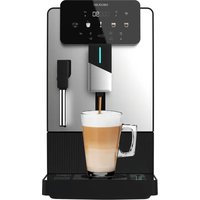
Cremmaet Steam - Coffee machine CECOTEC - Free user manual and instructions
Find the device manual for free Cremmaet Steam CECOTEC in PDF.


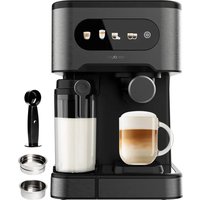
| Product type | Automatic coffee machine with grinder |
| Brand | Cecotec |
| Model | Cremmaet Steam |
| Category | Coffee machine |
| Main functions | Espresso, Americano, milk froth, hot water |
| Control panel | Touch with icons |
| Grind adjustment | Manual, rotary selector, fine/coarse adjustment |
| Water tank capacity | Approx. 1.5 L (not specified) / not specified |
| Bean hopper capacity | Approx. 200 g (estimate) |
| Pump pressure | 15-20 bar (estimate) |
| Power supply | 220-240 V, 50/60 Hz |
| Automatic shut-off | Yes, adjustable (0.5 h to 24 h) |
| Descaling | Integrated program with rinse cycle |
| Daily maintenance | Clean the brewing unit every 3 days, rinse the steam nozzle after each use |
| Removable parts | Water tank, bean hopper, drip tray, coffee grounds container, milk frother, brewing unit |
| Safety | Water level detection, door lock, automatic shut-off |
| Warranty | Not specified |
Frequently Asked Questions - Cremmaet Steam CECOTEC
User questions about Cremmaet Steam CECOTEC
0 question about this device. Answer the ones you know or ask your own.
Ask a new question about this device
Download the instructions for your Coffee machine in PDF format for free! Find your manual Cremmaet Steam - CECOTEC and take your electronic device back in hand. On this page are published all the documents necessary for the use of your device. Cremmaet Steam by CECOTEC.
USER MANUAL Cremmaet Steam CECOTEC
-
Parts and components
-
Before use 3. Dyeing
-
Troubleshooting
-
Cleaning and maintenance
-
Disposal of end electrical and electronic appliances
-
Consignee
B. Simplified FU Declaration of Conformity
SOMMAIRE
-
Pièces et composants
-
Aventul 2.5.10
-
Resolution program
Read the following instructions carefully before using the appliance. Keep this instruction manual for future reference or new users.
- The appliance can be used by people with reduced physical, sensory, or mental capabilities or lack of experience and knowledge if they have been given supervision or instruction concerning use of the appliance in a safe way and understand the hazards involved.
- The appliance is not intended to be used by children. Keep the appliance and its power cable out of the reach of children.
- Cleaning and maintenance tasks should not be carried out by children.
- Do not let children play with the appliance.
- Check the power cord regularly for visible damage. If the power cord is damaged, it must be replaced by Cecotec's Official Technical Support Service or similar qualified personnel to avoid risks.
- This appliance is designed for domestic use only and is not intended for use in bars, restaurants, farmhouses, hotels, motels and offices.
- Do not immerse the cable, plug, or any other part of the appliance in water or any other liquid or expose electrical connections to water. Make sure your hands are completely dry before handling the plug or switching on the appliance.
- WARNING: the filling opening must not be opened during operation.
- WARNING: take precautions to avoid spillage of liquids on the cable.
- WARNING: incorrect or improper use can be dangerous for the user and damage the appliance. Use the appliance only
for the purposes described in this manual. The surface of the heating element is subject to residual heat after use.
- Always disconnect the appliance from the power supply if it is left unattended and before assembly, disassembly, or cleaning.
- It is your responsibility to make sure every user is informed about the warnings and precautions stated in this instruction manual. Do not use the appliance for any use other than the one specified in this manual.
- Make sure that the mains voltage matches the voltage stated on the rating label of the appliance and that the wall outlet is earthed.
- Disconnect the appliance from the mains in any of the following circumstances:
A. Before filling up the water tank.
B. Before removing or installing any of the appliance's parts.
C. Before cleaning or maintenance.
D. When the appliance is not working properly.
E. After using the appliance.
- Empty the water tank when the appliance is not going to be used for some time.
- Make sure the appliance has cooled down completely before removing or installing parts and before cleaning it.
- Always use cold water. The use of hot water or other liquids may damage the appliance.
- Use the grinder to grind only coffee beans.
- Do not use caramelised or frozen coffee beans. This appliance can only be used with natural coffee beans.
- Never leave the appliance unattended when it is connected to a mains power supply.
- Do not let the cable protrude over the edge of the table or
worktop, or come into contact with hot surfaces or sharp edges.
- Place the appliance on a flat, stable surface. Do not use or place the appliance on a hot or damp surface.
- Do not use the appliance if the drip tray is not properly positioned.
- Do not use the appliance if any of its parts are damaged or if the appliance is not working properly.
- WARNING: this product has undergone a quality control previous to its commercialisation with the aim of ensuring its correct functioning. After the quality control testing, the appliance is cleaned thoroughly, therefore, although it is unlikely to occur, there could be rests of water or coffee drops inside it.
INSTRUCTIONS DE SECURITÉ
- Water tank lid
- Coffee bean hopper lid
- Grinderr adjustment knob
- Control panel
- Coffee spout
- Drip tray
- Coffee grounds container
B. Milk frother - Brewing unit
- Side cover
- Power button
NOTE
The graphics in this manual are schematic representations and may not exactly match the product.
2. BEFORE USE
This appliance comes in a packaging designed to protect it during transport. Take the appliance out of its box and remove all, packaging materials. You can keep the original box and other packaging materials in a safe place to prevent damage to the appliance if you need to transport it in the future. If you wish to dispose of the original packaging, make sure all items are recycled properly.
- Check that all parts and components are included and in good condition. If any of them are missing or damaged, please contact Cecotec's Official Technical Support Service immediately.
Box content
Super automatic coffee machine
- Instruction manual
Do not remove the product's serial number in order to keep proper traceability if technical assistance is required.
ENGLISHENGLISH
3.OPERATION
Installation
- Unpack the machine, remove it and the steam wand.
- Insert the steam wand into the machine's steam outlet slot until you hear a "click", indicating it is properly positioned. Fig. 2
Fig. 2 key
-
Steam outlet slot
-
Remove the water tank and rinse it thoroughly. Fill with filtered water. Replace the water tank, Fig. 3
- After adding coffee beans to the coffee hopper, plug the machine into the mains. Fig. 4.
-
Press the power switch; the machine will perform a self-check and clean the circuits. Fig.5. Note: Check that hot water is dispensed
-
Touch the screen icons for operation
Note: To switch off the coffee machine, press and hold the power switch for 3 seconds.
Control panel
Fig. 6.
Indicator lights
| Symbol | Description | |
| 1 | Door open. When illuminated, this icon indicates that the right door is open. Please check. | |
| 2 | Missing brewing unit. When illuminated, this icon indicates that the brewing group is either not installed or not properly fitted. | |
| 3 | Water shortage. When illuminated, this icon indicates that the water tank is low. Check if there is enough water. | |
| 4 | When illuminated, this icon indicates:1) the grounds container is either not installed or not properly fitted2) the grounds container is full and needs emptyingThe system automatically alerts when full after 8 coffees. | |
| 5 | Coffee beans shortage. When illuminated, this icon indicates that the grinder is low on beans. Add coffee beans. |
| 6 Don't be cup. When | illuminated, this icon indicates that the double cup function is activated. Two cups will be prepared simultaneously. The second cup will stop if there is not enough coffee during brewing. |
| 7 De-ling. When | illuminated, this icon indicates that the coffee machine's pipes need descaling. |
| 8 Low milk or steam | wand alert. When illuminated, this icon indicates that the milk jug or steam wand is either not installed or not properly fitted. |
| 9 Water circuit warring. When this alarm appears on the display, it indicates that water is not flowing through the machine's internal circuit. Confirm that there is water in the tank and that it is properly installed. Press the settings touch icon to activate the water pump to purge air from the pipes and allow water flow. |
Brewing Americano coffee
- Adjust the coffee outlet height and place a cup. Fig. 7
- Touch the Americano coffee touch icon to start brewing.
- Adjust coffee strength and quantity during preparation
During grinding ('g' displayed on the right of the screen), press the "+" or "-" touch icon to adjust the amount of ground coffee.
During brewing ('m', displayed on the right of the screen), press the "+" or "-" touch icon to adjust the coffee quantity.
Press the touch icon to prepare 2 cups of coffee.
PressV to end the operation.
Brewing Espresso coffee
- Adjust the coffee outlet height and place a cup. Fig. 7
- Touch the Espresso coffee touch icon to start brewing.
- Adjust coffee strength and quantity during preparation.
During grinding ('g' displayed on the right of the screen), press the "+-" or "+" touch icon to adjust the amount of ground coffee.
During brewing ('m', displayed on the right of the screen), press the "+" or "-" touch icon to adjust the coffee quantity.
Press the touch icon to prepare 2 cups of coffee.
Press to end the operation
ENGLISHENGLISH
Frothing milk
- Adjust the milk frother steam wand to the desired position and insert it into the milk. Note: Do not overfill the milk container to prevent overflow during frothing.
- Touch the steam touch icon to begin.
- If the milk foam reaches the desired consistency during the process, you may press the settings touch icon to stop milk frothing; if the frothing time is insufficient, during the steam process (see number on display), press the + touch icon to increase frothing time.
Note: Immense the milk wand in water after frothing milk. Clean it using the milk frothing process.
Then, wipe the wand with a clean cloth to prevent milk from sticking to the inner wall or blocking the steam outlet.
Hot water preparation
- Adjust the coffee outlet height and place a cup. Fig. 7
- Touch the hot water touch icon to dispense hot water. The default hot water quantity is 250 mL and you may stop it according to your needs.
Coffee grinder adjustment
When you need to adjust the coffee grinding coarseness, turn the grinder knob (Fig. 8) while the grinder is operating, otherwise, the grinder may be damaged.
Fig. 8 key
- Fine
- Coarse
Adjust the coffee grinding coarseness according to the roast level of your coffee beans (medium roast beans are recommended).
- If coffee flow is too slow (grinding is too fine), turn the grinder knob towards a coarser setting.
- If coffee flows too quickly and is watery (grinding is too coarse), turn the grinder knob towards a finer setting.
If the coffee grind is too coarse, turn the grinder knob anticlockwise; if the coffee grind is too fine, turn the grinder knob clockwise.
Note:
- Do not overfill the coffee bean hopper. Excessive beans may become clomp (especially in humid weather), which can affect the grinder and prevent proper grinding, resulting in coffee that cannot be brewed or is too weak.
- Avoid leaving beans in the hopper for extended periods, as this may affect coffee quality and grinder performance.
To adjust the grinding level without the grinder running, press the central part of the grinder knob, Fig. 9, with a small screwdriver. While holding this central area, you can turn the knob without damaging the grinder.
Tips
- The grinder knob is set to maximum when leaving the factory. It is suggested not to adjust it after the first 100-150 cups.
Do not add too many coffee beans at once or leave them in the hopper for long periods to prevent loss of freshness or dampness. Moisture will prevent grinding, brewing and affect taste. - Replace beans when damp to ensure good taste. Then turn the grinder knob to maximum and try grinding. If the machine works properly, restore the grinder knob to its original position.
Turn the grinder knob to maximum when coffee beans do not grind properly, possibly due to moisture or oil build up from the beans. Then try adding some uncooked rice or professional grinder cleaners to the coffee bean hopper and attempt grinding. If the machine works properly, restore the grinder knob to its original position. (Try repeatedly).
Handling removable parts
To ensure proper operation. It is important to know how to remove and insert the following parts: water tank, brewing unit, drip tray and milk frother steam wand.
Extraction
Figure 10
- Water tank: Pull upwards to remove
- Side cover: Push upwards and remove the cover.
- Brewing Unit: Press and pull outwards.
- Drip tray: Pull outwards
- Milk frother: Pull outwards.
Installation
Figure 11
- Water tank: Insert downwards
- Brewing unit: Push along the guide until you hear a 'click'.
- Drip tray: Push inwards.
- Milk frother: Push along the guide until you hear a "click".
Important installation notes
Brewing unit: When installing the brewing unit, ensure it is firmly in place and you hear a "click". If not properly installed, remove it and reinstall.
o Watertank: After replacing the water tank, check if it is flush with the top cover. If flush
ENGLISHENGLISH
It indicates correct positioning. If it sits higher, press down until flush with the top cover.
Milk frother: When reinstalling the milk frother, ensure it is firmly in place with an audible 'click'. If not firmly seated, repeat the removal and reinstallation process.
Menu and beverage customisation
1. Espresso coffee parameter settings
To access settings:
-
Ensure the coffee machine is on the main screen (standby mode).
-
Press and hold the settings touch icon for seconds.
-
After accessing the settings menu, the Espresso and Americano icons will start flashing.
-
Select the Espresso touch Icon
-
Next:
o. The option to adjust the amount of ground coffee will appear. Use the + and - touch icons to increase or decrease it. (Fig. 12)
3 When finished, press the Configuration touch icon
Next, the option to adjust the amount of coffee in milliliters will appear. Use the + and - touch icons to adjust it. (Fig. 13)
- Once the relevant settings have been made, press the Configuration touch icon again to confirm the settings.
- To return to the main screen (standby mode), press the Settings touch icon 6 times in a row.
2. Parameter settings related to American coffee
To access settings:
- Ensure the coffee machine is on the main screen (standby mode).
- Press and hold the settings touch icon for 3 seconds.
- After accessing the settings menu, the Espresso and Americano icons will start flashing.
- Select the Americano touch icon
- Next:
The option to adjust the amount of ground coffee will appear. Use the + and - touch icons to increase or decrease it. (Fig. 12)
3. When finished, press the Configuration touch icon
Next, the option to adjust the amount of coffee in milliliters will appear. Use the + and - touch icons to adjust it. (Fig. 13)
- When finished, press the Configuration touch icon
Next, the option to adjust the amount of water for the Americano in milliliters will appear. Use the + and - touch icons to adjust it. (Fig. 14)
- Once the relevant settings have been made, press the Configuration touch icon again
to confirm the settings.
- To return to the main screen (standby mode), press the Settings touch icon 6 times in a row.
3. Temperature settings
- Ensure the coffee machine is on the main screen (standby mode).
- Press and hold the settings touch icon for seconds.
- After accessing the settings menu, press the Settings touch icon again
- The extraction temperature will be shown on the display (Fig. 15). Use the +1 or -1 touch icons to modify the temperature at which the coffee is prepared.
4. Setting the automatic switch-off time
- Ensure the coffee machine is on the main screen (standby mode).
- Press and hold the settings touch icon for seconds.
- After accessing the settings menu, press the Settings touch icon twice
- The automatic cutoff time will be shown on the display (Fig. 16). Use the + or - touch icons to select the desired time (0.5h, 1h, 2h... up to 24h).
5. Initialization setting
- Ensure the coffee machine is on the main screen (standby mode).
- Press and hold the settings touch icon for Seconds.
- After accessing the settings menu, press the Settings touch icon three times
- The initialization setting will be shown on the display (Fig. 17).
Note: This function is intended for technical or after sales service personnel only.
6. Manufacturing information
- Ensure the coffee machine is on the main screen (standby mode).
- Press and hold the settings touch icon for seconds.
- After accessing the settings menu, press the Settings touch icon five times
- The display will show manufacturing information such as date and batch number (Fig. 18).
7. Descalng
A. Pour the descaler into a container with clean water and wait until it is completely dissolved.
B. Remove the water tank, pour the water softener dissolved in the water into the water tank and then add clean water up to the maximum mark on the water tank;
ENGLISH ENGLISH
C. Press the descending touch icon
Ensure the coffee machine is on the main screen (standby mode).
Press and hold the settings touch icon for seconds.
After accessing the settings menu, press the Settings touch icon four times
Press the descending icon 19).
D. Press the OK touch icon to start descending
E. When all the water has been consumed and the low water alert appears, remove the water tank and add fresh water:
F. Press the OK touch icon again, the machine will start the rinse cycle;
G. When the rinse cycle is completed, the machine shall return to the standby interface.
4.TROUBLESHOOTING
| Problem Possible cause | Possible solution |
| The control panel displays the low water icon | 1. No water in the water tank. 2. Water level sensor needs calibration. |
| The control panel displays The Configuration touch icon pressed to activate the water pump and purge air from the pipes to allow water to pass through, but no water comes out of the outlet. | 1. The water tank is not properly assembled. 2. Water cannot enter the pump. 3. The inside of the tube is clogged. | 1. Insert the tank correctly, pushing the lower part all the way to the bottom. 2. Open the rear panel and inject water into the pump (contact Cecotec Technical Service). 3. Check the internal tubes (contact Cecotec's Official Technical Assistance Service). |
| The coffee comes out watery or with little body. | 1. The grinding setting is too fine. 2. Very clark or oily grains have been used; the blades get stuck and do not grind well. 3. Wet and ground grains block the grinder. | 1. Turn the grinding selector to make it coarser. 2. Increase the amount of ground coffee with the "+ " touch icon. 3. Remove the wet grains, clean the container and insert dry grains, uncooked rice or grinder cleaner. Follow the instructions for cleaning the grinder in the next point. |
| No coffee comes out The water tank is not properly assembled. The filter of the coffee group piston is clogged. The internal ducts are obstructed. | Insert the reservoir correctly, pushing the lower part firmly all the way in. Clean the filter or replace it. Perform a descaling cycle. If the problem persists, contact Cecotec's Official Technical Support Service. | |
| The grinder does not work. | The grinder is blocked by foreign bodies. | Remove foreign objects from the grinder. Remember to disconnect the device beforehand. Follow the instructions for cleaning the grinder in the next point. |
ENGLISH ENGLISH
5. CLEANING AND MAINTENANCE
- Adjust the coffee outlet height and place a cup. Fig. 7
- Touch the OK touch icon for 3 seconds to start cleaning/rinsing.
Note: The quick rinse function can also preheat the ducts and the brewing group. If the machine has been idle for a long time, a quick rinse before making coffee will improve the taste of the coffee.
Daily maintenance is important to ensure durability and excellent flavor
To do so, follow these steps
| Fins Maintenance method Others | ||
| Extraction unit | 1. Remove the extraction unit, wash it under running water from top to bottom to remove coffee residue on the surface of the plunger filter. It is recommended to clean it manually every 3 days. Do not remove lubricating oil from the bottom and centre of the unit. Do not use dishwasher. | A professional cleaning tablet with oil can be used: Remove the extraction unit, place the pod in its ground coffee compartment, replace the unit and prepare a large cup of espresso (set to maximum volume). Then, remove it again and clean it manually. |
| Milk frother | 1. After each use, place the steam wand in a glass of clean water and turn it on as if you were frothing milk. Clean the surface. 2. It is recommended to remove the cover for cleaning if the machine is used on a daily basis. | |
| Drip tray | It is recommended to empty and rinse under running water after each use. Do not allow more than two days to pass without cleaning them. | |
| Coffee grounds container | It is recommended to empty and rinse under the faucet when the warning icon is illuminated. Indicates that the coffee grounds container is full and needs to be emptied. The system automatically alerts when full after 8 coffees. | |
| Fins Maintenance method Others | ||
| Water tank | It is recommended to rinse under the tap every 3 days. | In summer or if the machine is used infrequently, the cleaning intervals may be shortened. |
| Coffee bean tank | It is recommended to clean it once a week.Use a soft dry cloth to remove the oil from the grains. | |
| Ground coffee outlet duct | It is recommended to check the duct over the infuser once a week.If there is accumulated debris, wipe the inside of the duct with a soft dry cloth. | |
| Grinder | The following cleaning is recommended when the grinder is jammed:1. Empty the coffee from the coffee tank by making Empressos. If the coffee beans do not go down, it means that there is a blockage, so it is necessary to add rice directly (two tablespoons).2. Once the rice has been put in, set the milling grain to a high level (5 or 6). This way there will be more space between the millstones to allow the rice to enter.Remember that to adjust the grind selector, the grinder must be in operation, or the center button of the grind selector must be pressed.3. To make an espresso. The accumulated coffee and rice should be ground completely, otherwise make as many empressos as it takes for the rice to begin to slide through the grinder.Note: It is normal that when such empressos are made, coffee does not come out, since the rice blocks the coffee outlet.4. When the rice begins to slide into the grinder, add coffee beans again. Make a couple more empressos to ensure that no rice remains in the grinder. | |
| Fins Maintenance method Others | |
| 5. Clean the processing unit (especially the red silicones and the filter).6. Before making the last coffee, adjust the grind level again to the desired level.Note: This cleaning can also be done with coffee grinder cleaners. |
6. DISPOSAL OF OLD ELECTRICAL AND ELECTRONIC APPLIANCES

This symbol indicates that, according to the applicable regulations, the product and/or battery must be disposed of separately from household waste. When this product reaches the end of its shelf life, you should dispose of the batteries/accumulators and take them to a collection point designated by the local authorities.
For detailed information on how to properly dispose of electrical and electronic equipment and/or the corresponding batteries, consumers should contact their local authorities. Compliance with the above guidelines will help protecting the environment.
7.COPYRIGHT
The intellectual property rights over the texts in this manual belong to CECOTEC INNOVACIONES, S.L. All rights reserved. The content of this publication may not, either in part or in its entirety, be reproduced, stored in a retrieval system, transmitted or distributed by any means (electronic, mechanical, photocopying, recording or similar) without prior authorisation from CECOTEC INNOVACIONES, S.L.
8. SIMPLIFIED EU DECLARATION OF CONFORMITY
CE Cecotec Innovaciones hereby declares that this product complies with the essential requirements and other relevant provisions of the regulations applicable in the European Union. This product has been designed, manufactured and tested in compliance with the required safety and quality standards. The full text of the EU Declaration of Conformity can be found on the following website: https://ecotec.es/es/information/ declaration-of-conformity
FRANÇAISENGLISH
1. PIECES ET COMPOSANTS
Image 1
1.SOUCASTIA A COMPONENTY
Obrazek 1
2. INPIN ANO TH XPHEN
Aun n ouakeun biatbetie o uakeuaia oxedaiyevn va m npoataeui kata n metapopoe. Aapeipote n ouakeun atto kouti ngkai apapeipote a lau kiaukeouaiaoc taowae haneve at o anodkeutoe to axipki kouti kai daa onukueaiaac ce aepaoec yia at oupayye zniies ot uakeun etre pittwnon toun xpeiaate va mtapepeite o tio aeeov. Eev ttnpseite v anotppiye nny apxikn uakeuaia, bebaaibene on exete avokukkaoe 60a ta eifin owaet.
aepowc me mv Etnionyn Ytnpeia Tevkih Ytooipisns nCecotoc
Nepiexóvea Kounou
- Ytepautoum npxavn kape
-Auro to eyyepidio oyniow
Mny apapeire toepiakao apibuo ato to npiov, yia va biatnpnoet nyn opoh iynlaanomnta tou eonlauo ouc ae peittwn tonou ctnpae Boiieia.
3.AEIOTOYPTIA
Eukoia
1.Atoaouakeute Tn nXav, apaipeote Tn nXav kai to akpopuio atou.
2. Toxotemote to okaopouo atou mnt uortouk efoaou atou nuxyavic pexpa va ouokotetve EA'kai, tou uortoukvei et exei aapoiei thon Toeou. Etik 2.
Ytouyuaoxu2
1.YmboxnEgaeipouaipou
1.ApaiaePTEI TseEgueV VEPOU KAI EETAVOTENE TV KAIAG. FIEIATEI PEATAPOPHIAVO VEPO. EITAVOTOTBETNEI TseEgueV VEPOU.EK.I3
2. Apou npootheaeKokkouc kaepo 0to doxyia kape, ouvdoote in npynavn otny piz.4
3. Patrjote To biakottn On/Off, n jnXavn Bk Ekeleoei autoleyxo Kai Ba KaBapiee Touq aywouc. Eik. 5
Enjelwn: ELeyEe 01 Byaive Zetio vepo.
- AyyiTe Ta Eikovidia aepn oyn vobv yia leioupyia.
JnueWon: Tia va atenepeytoioeTm KApTeHepo, TmToeTae SiKaKoiTtn On/Off yia 3 DeuEpaSttio.
Nivakas Aeyxou
∑xμa6
Φωτενία εικόνδια
Pnoapapate Tny xovdponta Tou aalepatoc Tou kaep oac avaloya Me to eTtiree KaBoup6oIaTOs Tw KKKWv Kaep TO XPOJIOITIOE (OuvriTuVTAI KKKKoi Meaalou KaBoup6oIaTOc).
Edu n poi Tou Kepie elvai TAO apyri (n dAeon eivai TAO AETT), yuplote tvcmoyed
Eav o kaepc baivei tonu pyopopa kai to aitotaleua evai tonu vepoulo (n aeon eivai tonu xovip), yupiatote tov emloyea aeanr oeia keetroepn baqlda aeanr.
Eav o kaec elva trou yovtpoaleaevo, yuplote tv emloyea aleang kai pubilate tov apiotepopoa. Ea o kaec elva trou aeTroaaleevos, yuplote tv emloyea aleang kai pubilate tov deiaopopa.
BaOmuof:
MnyBaTe Tnpa TnOoouc Kokkouc Kaep OTo Doxieo KKKuw. H Ptooehn Tnpa Tnaw KKKuw MTpei va Tou KKEVE VA UypavBouv (EoiKa OE Uypo Kaip), KAtI Tou MTpei va Etnpeaei ToV uLo kai vAeUptmoi eai aeia ot, Ae otTneaeua o Kaep va mnu MTpei va TaPacKeuaetel NVAByAvefi ToAu VepouAc.
Atopuyete va aqyete toukoukouk cape ot xoov yia evikxovki kiaatntmuata, kauc auto mtpei va etnpaeai tnv thotra toukape kai ntoaooon tou laeangs.
- Ia va puBlaore to emTtEe aae anxuPcIva xpaiaouoieTe ro uAo, mteTe to KevToPO Tou eTAtoyea aeAnG, EK, 9, me eva upkO katoapoi. Evw kpatate auto to KevTo, umptoe Ta vepriatpeye To en tMyeua xupcIva kataotpeye To yAo.
Σμβouλεc:
O EMIAYEAC ZAIEC Ieiv elpuuHaeuc oem tIy mVtouauo aKATA nTu aotooaI aTTO TPOAOIOAO. SuviOIOAI OAVN TO puUHIEcE MTA ta TPOO 100-50dAOTZVA.
Mny TPOOETETI PnA POLOAC KOKKOC KAFE TAOTXOVA KA JNV TOUC APYVE TE OTO Boxeio yia ToaW npA, yia Y N V AOXU YP FQKEAOU TOn VA yauIAIOOU. H ypaia 0 EUMOIEI TYA AEON KAI TNY TAPAKEON KAFE KA 0E TIPNEOEN YI eueon.
AvitkataatjotoucokocotovvapavbouyuvaEaepaaiaetekayeyan.
Fupote tov emaioyae aleoans otnyeipn p0bui anr av o kokoi kaep deev ouov aaleot ei ata, mbiouc loyu npaaic n apyioiaiaia otooukokoi. ounveeyei, bokuae va npooeae lyao apbaoto pu c n etayyeauatko baapiatik oluou aeocn todo xoeio kokkuw kaep koi dokoianey ean. Ea n npynavni tneutoyei oowota, emiptpey tov emioyae aleoans otnye apxki thon (Pooatahote enaveianmuva.)
Xeipiaooc apaipoueuwvEapntmuTuw
Via da aapaaeIae Tn oawot Iaupovlue, iayo anvtaKo V yauwIeTz u v aapapeIe Kai v avtkiBAtate T aakAoiuE eepaImu T n 6eauve N vepu T n ovaVa tneEePyaIaef, tov lokio
oukoyuypw kai to akpoqio atou tou appotoiyn yalakto.
Eaywn
Xnmu 10
- Aoxelio vepou: Tpahe TPOc ta Nauu
- Pauko Kaunmu:Piote Tpo Ta Tavw Kai aepoeTo To Kaunmu
- Movada eTtEpyaia; Tne tke kai rpaBnTe npoc ta Eeu.
- 1aokosoulloyuypw: TpaBnEeTPOsTa E
- AppooyaktoTapaywyoc: TpaBnEe
Tono8etn
Xnμa 11
- Doxelvepou: TOnoBtneTo TPoc ta KATOW
- Ouaa Tpoetoiaac: Iteote tov oyno npxvi aokouet eva Kik
- dokosoulloyuypw: TOnoBentone rov npoc ta pa
- AppoyaktoKaBapnti: Tcote tov oanyo xvi aokouete eva Kkik
Enjavnkeoeneuoeiae ytnyeykarataaon
Mova 3eepaiaoc Kata tvy ekyataoan tnc mvoabac tmeepaiaac, BefoiuieTe 0n elvai staeepa an Tbe nTc kai otkoure eva "kikEavbEv Eeyekataatbei ootra aapeipote kai yekataonrte tv yava.
Aegaev ne vpou Apou eravatoetogte T deagoe vepou, eaye on i evai oio etmeo me to riva kalumu. Eaiv elva otio ibio emtfo, onaivei on elva otepa on tEon m, Eev elva yntoppa, tiote tv npoc ta kati uexpi va evai oio io etttoe o to ravu kalumu.
Apooyaakto: Kata Tny TEAYeKVAKTAOIau apoyoayakTko, BepaWbEte 01 eivai Otaeepe aen taou kauovotac yia eva "kuk. Eev deev elav aTeBpO tN ToU, eoYAEbIe TaiaDkAaApaeKAI TEAYeKVAKTAnrToTov.
EgatojkeuaMevouKaINot
Pbuiie TnpaepuwTou ayetovrtev Kape eoppeo
Tia va atokntaete npoaan atic puthetaic
1. BeaiwEte at n Kafetepa pkioketalnv kupia oovn (eitoupya avapovns).
2. PntnoTnapatanepeva to eikovioio apnC PuOmuoei 3 0
3.Apoa atokntfetae Topaaoan o oeuov puOuiueuw, ta EIOVIOA Kape eattpeaoai AApKivacxa a apXei va avoAoBrVe.
4. EKoviio KaΦ eonpéoo
5. Entouevoc
OaEuapovietel n Emoiyau puiouan ts noaouar aaeuoeuv kape. Xpnaipottoiote Ta eikoviciia apfc + KAI - va tvn auogne t va tvn peigoeet. (Eek 12)
EAAHNIKA EAAHNIKA
O TnV TEKENOTETATNTOT EIKOVIOO apC PuOPIeIC
Znouvexia, 8a eapavatei n etiaov npuogntns Tnooontnca Kape ce yiootolnp XpojmoTOnote taekovlia apcn+ kai -yia va tnpujoae. (Eik.13)
- MoA KAVETI TIC AXETIKES TPOAOAPOYES, MAnTATE DAVI TO EKIOVIO apN PuUJIaeic 一 YIA VA ETIEBHOAETE TIC PuUJIeE.
- Na vA emtpepe tny kopa obovn (aetoupyvaavovnc), tranote to ekovioia apc
2. Pubiieis npapaeTpov Tou oxeticovtai te tv kape Americano
Tia va aioKthoe TPOObaaon otic pubuiec
- BebaW0eTe OTN KAPenepa Ppioketai OTNV KUPia Ooovn (Aeioupyia avaovnC).
- Patae napatetapeva to eikovioia apnc Puoiieic 3 6eutepeaeta
A apo aotoknte Tpoaon oto meovpuiaevu, ta eikovla kape cattpao Ka Auepkavoc ax poaioeva aaooobjv -
EIKOviio Kaepi Americano
-
Eπóμενος
Oeepavotne n etknoynpuuions nncnnta aaeevou kape. Xpnnonntoataekoviaqns + kai -vaa vna uagoe t na miewote.(Eik.12)
O TcAV TEAEIOEET, Prrnote To EIKOVIO apnC PuBmuieic
Znouvexia, 8e uapwatei n etlnoyn puiang ts nooontac kape ce xiaotolipa. Xpoonootorote taekovbia apic +kai -yia va tn pueilote.(Eik.13)
OraV TEAEIOEET, TATNTE TO EIKOVIO OAPG PuBmuieC
品 suiuexua, eupvcaetra n emiayn taipuian tsaoa taevo yia to Aepikakdo xeiaoiairpa. Xpnaiouoiarote taekoviala apic+ kai-yia vaipuiatae. (Eck. 14)
- MoA KAVETI Tc AXETIKES pnoaapuyes, PAHNTe 7a o EKIOVIO apN PubiOe C 一 ia vEITBIAUOTIE Tc puuPIAE.
- Na va emotepuete atny kupia oBovn (aetoupyia ovavovn), marnote to eikovbia apns Puroioic 60popes aon oipa.
3. Pubiion Bepokpaoia
- Beaiwgeite ot n kapenepa piakei aotnv kupia oovn (Aerouyva aovn).
- Pnnoi npapataepeva 10 ekovidio apn CpUoieic yia 3 deupeoAeim
3.Apoa atoknnoe Tnpaaon oto mevoo pubuoteuv, tntate Ea to ekovio apns Puulizic - H eepkaata papaekunz Ba e jauoviatn otiv oevdn (Ekk. 15). Xpnaipomaiyate ta evikovaia npc+ n' yva vo pujiiratn tepkaopaa napkaekunz.
4. Ptoion ts wapac autopatou terpauo oaioupyfas
- Bebaowte 6ti n kaepetepa piokeTai otyn kupia oovn (eitoupyia avauovns).
- Pntnote napatetae oikovio apnc PuOmuic 念 yia 3 eutepeaettn
- Apou eiaetae oTo Mevo puuieew, Tnntote duo qopcs To EIKovbia aipuuiaei
4.Hopa autopatnc atenepeytoinong Bo eapovatei otyn oboyn (Eik.16).Xpaoaotnohtote Toekobida apn+ + n yva emiae Tny eemthounm np0 (O,5 np0, 1 np0,2 npcs, kA..tuc 24oepc.)
5. Pooian apxikotoinns
Bepaowte on n kapetiepa piakeot ayn kupia obov (aeioupyia avouovn).
- Pnntane napatae a to iokovio apnc PuOieic 1yia 3 eutepeaen.
Apoa atKIOe TPOObaan 10evoo publaoov, TATNTe TPOE oEIOVIO aOHS Pubioae
HpuBian apxikorolnng Taepovnte anv oovn (Eik.17).
NjueJau:Autn n aeoupyia Tpoopcctai mvo yia TeyVKo TPOaWTKIO n TPOaWTKO EunTIPeONC, meTAYuONAN.
6. NpopoopieK katakeuHs
- BebaWthe 0ti n kapenepa ploKetai otyn Kupia oovn (Aeioupyia avauovnc)
- Pntnate napatetae oikovio apnc PuOmuic yia 3 eutepeAenT
Apo ato tntae TPOOaTn 0e Povpuuulauu, Tarnote toekovio aepi PuPuaig - Pnnpopoeles kataoekun6, 0wns n npepounvka ka o apiHoc TAPrbs, 8a eppavatoov omv 000v (Eik.18).
7. Apahtwn
-100000000000000000000000000000000000000
10
U 10
(20
Ae: no Lp5s 400000000000000000000000000000000000000000
-
P,Q 三点共线
-
1
-
13
3.
- 100000000000000000000000000000000000000000000000000000000
7.150
1
L
C. Liue bps 1500000000000000000000000000000
0
L
0
()
-
1000000000000000000000000000000000000000000000000000000000000000
-
C
| ### | 1. ### | 2. ### |
| ### | 1. ### | 2. ### |
848
5.1u
| العربية الحرفية并与 العربية الحرفية | 1. ملاoverview 2. ملاoverview 3. ملاoverview 4. ملاoverview 5. ملاoverview 6. ملاoverview 7. ملاoverview 8. ملاoverview 9. ملاoverview 10. ملاoverview 11. ملاoverview 12. ملاoverview 13. ملاoverview 14. ملاoverview 15. ملاoverview 16. ملاoverview 17. ملاoverview 18. ملاoverview 19. ملاoverview 20. ملاoverview 21. ملاoverview 22. ملاoverview 23. ملاoverview 24. ملاoverview 25. ملاoverview 26. ملاoverview 27. ملاoverview 28. م憂overview 29. م憂overview 30. م憂overview 31. م憂overview 32. م憂overview 33. م憂overview 34. م憂overview 35. م憂overview 36. م憂overview 37. م憂overview 38. م憂overview 39. م憂overview 40. م憂overview 41. م憂overview 42. م憂overview 43. م憂overview 44. م憂overview 45. م憂overview 46. م憂overview 47. م憂overview 48. م憂overview 49. م憂overview 50. م憂overview 51. م憂overview 52. م憂overview 53. م憂overview 54. م憂overview 55. م憂overview 56. م憂overview 57. م憂overview 58. م憂overview 59. م憂overview 60. م憂overview 61. م憂overview 62. م憂overview 63. م憂overview 64. م憂overview 65. م憂overview 66. م憂overview 67. م憂overview 68. م憂overview 69. م憂overview 70. م憂overview 71. م憂overview 72. م憂overview 73. م憂overview 74. م憂overview 75. م憂overview 76. م憂overview 77. م憂overview 78. م憂overview 79. م憂overview 80. م憂overview 81. م憂overview 82. م憂overview 83. م憂overview 84. م憂overview 85. م憂overview 86. م憂overview 87. م憂overview 88. م憂overview 89. م憂overview 90. م憂overview 91. م憂overview 92. م憂overview 93. م憂overview 94. م憂overview 95. م憂overview 96. م憂overview 97. م憂overview 98. م憂overview 99. م憂overview 100. م憂overview 101. م憂overview 102. م憂overview 103. م憂overview 104. م憂overview 105. م憂overview 106. م憂overview 107. م憂overview 108. م憂overview 109. م憂overview 110. م憂overview 111. م憂overview 112. م憂overview 113. م憂overview 114. م憂overview 115. م憂overview 116. م憂overview 117. م憂overview 118. م憂overview 119. م憂overview 120. م憂overview 121. م憂overview 122. م憂overview 123. م憂overview 124. م憂overview 125. م憂overview 126. م憂overview 127. م憂overview 128. م憂overview 129. م憂overview 130. م憂overview 131. م憂overview 132. م憂overview 133. م憂overview 134. م憂overview 135. م憂overview 136. م憂overview 137. م憂overview 138. م憂overview 139. م憂overview 140. م憂overview 141. م憂overview 142. م憂overview 143. م憂overview 144. م憂overview 145. م憂overview 146. م憂overview 147. م憂overview 148. م憂overview 149. م憂overview 150. م憂overview 151. م憂overview 152. م憂overview 153. م憂overview 154. م憂overview 155. م憂overview 156. م憂overview 157. م憂overview 158. م憂overview 159. م憂overview 160. م憂overview 161. م憂overview 162. م憂overview 163. م憂overview 164. م憂overview 165. م憂overview 166. م憂overview 167. م憂overview 168. م憂overview 169. م憂overview 170. م憂overview 171. م憂overview 172. م憂overview 173. م憂overview 174. م憂overview 175. م憂overview 176. م憂overview 177. م憂overview 178. م憂overview 179. م憂overview 180. م憂overview 181. م憂overview 182. م憂overview 183. م憂overview 184. م憂overview 185. م憂overview 186. م憂overview 187. م憂overview 188. م憂overview 189. م憂overview 190. م憂overview 191. م憂overview 192. م憂overview 193. م憂overview 194. م憂overview 195. م憂overview 196. م憂overview 197. م憂overview 198. م憂overview 199. م憂overview 200. م憂overview 201. م憂overview 202. م憂overview 203. م憂overview 204. م憂overview 205. م憂overview 206. م憂overview 207. م憂overview 208. م憂overview 209. م憂overview 210. م憂overview 211. م憂overview 212. م憂overview 213. م憂overview 214. م憂overview 215. م憂overview 216. م憂overview 217. م憂overview 218. م憂overview 219. م憂overview 220. م憂overview 221. م憂overview 222. م憂overview 223. م憂overview 224. م憂overview 225. م憂overview 226. م憂overview 227. م憂overview 228. م憂overview 229. م憂overview 230. م憂overview 231. م憂overview 232. م憂overview 233. م憂overview 234. م憂overview 235. م憂overview 236. م憂overview 237. م憂overview 238. م憂overview 239. م憂overview 240. م憂overview 241. م憂overview 242. م憂overview 243. م憂overview 244. م憂overview 245. م憂overview 246. م憂overview 247. م憂overview 248. م憂overview 249. م憂overview 250. م憂overview 251. م憂overview 252. م憂overview 253. م憂overview 254. م憂overview 255. م憂overview 256. م憂overview 257. م憂overview 258. م憂overview 259. م憂overview 260. م憂overview 261. م憂overview 262. م憂overview 263. م憂overview 264. م憂overview 265. م憂overview 266. م憂overview 267. م憂overview 268. م憂overview 269. م憂overview 270. م憂overview 271. م憂overview 272. م憂overview 273. م憂overview 274. م憂overview 275. م憂overview 276. م憂overview 277. م憂overview 278. م憂overview 279. م憂overview 280. م憂overview 281. م憂overview 282. م憂overview 283. م憂overview 284. م憂overview 285. م憂overview 286. م憂overview 287. م憂overview 288. م憂overview 289. م憂overview 290. م憂overview 291. م憂overview 292. م憂overview 293. م憂overview 294. م憂overview 295. م憂overview 296. م憂overview 297. م憂overview 298. م憂overview 299. م憂overview 300. م憂overview 301. م憂overview 302. م憂overview 303. م憂overview 304. م憂overview 305. م憂overview 306. م憂overview 307. م憂overview 308. م憂overview 309. م憂overview 310. م憂overview 311. م憂overview 312. م憂overview 313. م憂overview 314. م憂overview 315. م憂overview 316. م憂overview 317. م憂overview 318. م憂overview 319. م憂overview 320. م憂overview 321. م憂overview 322. م憂overview 323. م憂overview 324. م憂overview 325. م憂overview 326. م憂overview 327. م憂overview 328. م憂overview 329. م憂overview 330. م憂overview 331. م憂overview 332. م憂overview 333. م憂overview 334. م憂overview 335. م憂overview 336. م憂overview 337. م憂overview 338. م憂overview 339. م憂overview 340. م憂overview 341. م憂overview 342. م憂overview 343. م憂overview 344. م憂overview 345. م憂overview 346. م憂overview 347. م憂overview 348. م憂overview 349. م憂overview 350. م憂overview 351. م憂overview 352. م憂overview 353. م憂overview 354. م憂overview 355. م憂overview 356. م憂overview 357. م憂overview 358. م憂overview 359. م憂overview 360. م憂overview 361. م憂overview 362. م憂overview 363. م憂overview 364. م憂overview 365. م憂overview 366. م憂overview 367. م憂overview 368. م憂overview 369. م憂overview 370. م憂overview 371. م憂overview 372. م憂overview 373. م憂overview 374. م憂overview 375. م憂overview 376. م憂overview 377. م憂overview 378. م憂overview 379. م憂overview 380. م憂overview 381. م憂overview 382. م憂overview 383. م憂overview 384. م憂overview 385. م憂overview 386. م憂overview 387. م憂overview 388. م憂overview 389. م憂overview 390. م憂overview 391. م憂overview 392. م憂overview 393. م憂overview 394. م憂overview 395. م憂overview 396. م憂overview 397. م憂overview 398. م憂overview 399. م憂overview 400. م憂overview 401. م憂overview 402. م憂overview 403. م憂overview 404. م憂overview 405. م憂overview 406. م憂overview 407. م憂overview 408. م憂overview 409. م憂overview 410. م憂overview 411. م憂overview 412. م憂overview 413. م憂overview 414. م憂overview 415. م憂overview 416. م憂overview 417. م憂overview 418. م憂overview 419. م憂overview 420. م憂overview 421. م憂overview 422. م憂overview 423. م憂overview 424. م憂overview 425. م憂overview 426. م憂overview 427. م憂overview 428. م憂overview 429. م憂overview 430. م憂overview 431. م憂overview 432. م憂overview 433. م憂overview 434. م憂overview 435. م憂overview 436. م憂overview 437. م憂overview 438. م憂overview 439. م憂overview 440. m憂overview 441. m憂overview 442. m憂overview 443. m憂overview 444. m憂overview 445. m憂overview 446. m憂overview 447. m憂overview 448. m憂overview 449. m憂overview 450. m憂overview 451. m憂overview 452. m憂overview 453. m憂overview 454. m憂overview 455. m憂overview 456. m憂overview 457. m憂overview 458. m憂overview 459. m憂overview 460. m憂overview 461. m憂overview 462. m憂overview 463. m憂overview 464. m憂overview 465. m憂overview 466. m憂overview 467. m憂overview 468. m憂overview 469. m憂overview 470. m憂overview 471. m憂overview 472. m憂overview 473. m憂overview 474. m憂overview 475. m憂overview 476. m憂overview 477. m憂overview 478. m憂overview 479. m憂overview 480. m憂overview 481. m憂overview 482. m憂overview 483. m憂overview 484. m憂overview 485. m憂overview 486. m憂overview 487. m憂overview 488. m憂overview 489. m憂overview 490. m憂overview 491. m憂overview 492. m憂overview 493. m憂overview 494. m憂overview 495. m憂overview 496. m憂overview 497. m憂overview 498. m憂overview 499. m憂overview 500. m憂overview 501. m憂overview 502. m憂overview 503. m憂overview 504. m憂overview 505. m憂overview 506. m憂overview 507. m憂overview 508. m憂overview 509. m憂overview 510. m憂overview 511. m憂overview 512. m憂overview 513. m憂overview 514. m憂overview 515. m憂overview 516. m憂overview 517. m憂overview 518. m憂overview 519. m憂overview 520. m憂overview 521. m憂overview 522. m憂overview 523. m憂overview 524. m憂overview 525. m憂overview 526. m憂overview 527. m憂overview 528. m憂overview 529. m憂overview 530. m憂overview 531. m憂overview 532. m憂overview 533. m憂overview 534. m憂overview 535. m憂overview 536. m憂overview 537. m憂overview 538. m憂overview 539. m憂overview 540. m憂overview 541. m憂overview 542. m憂overview 543. m憂overview 544. m憂overview 545. m憂overview 546. m憂overview 547. m憂overview 548. m憂overview 549. m憂overview 550. m憂overview 551. m憂overview 552. m憂overview 553. m憂overview 554. m憂overview 555. m憂overview 556. m憂overview 557. m憂overview 558. m憂overview 559. m憂overview 560. m憂overview 561. m憂overview 562. m憂overview 563. m憂overview 564. m憂overview 565. m憂overview 566. m憂overview 567. m憂overview 568. m憂overview 569. m憂overview 570. m憂overview 571. m憂overview 572. m憂overview 573. m憂overview 574. m憂overview 575. m憂overview 576. m憂overview 577. m憂overview 578. m憂overview 579. m憂overview 580. m憂overview 581. m憂overview 582. m憂overview 583. m憂overview 584. m憂overview 585. m憂overview 586. m憂overview 587. m憂overview 588. m憂overview 589. m憂overview 590. m憂overview 591. m憂overview 592. m憂overview 593. m憂overview 594. m憂overview 595. m憂overview 596. m憂overview 597. m憂overview 598. m憂overview 599. m憂overview 600. m憂overview 601. m憂overview 602. m憂overview 603. m憂overview 604. m憂overview 605. m憂overview 606. m憂overview 607. m憂overview 608. m憂overview 609. m憂overview 610. m憂overview 611. m憂overview 612. m憂overview 613. m憂overview 614. m憂overview 615. m憂overview 616. m憂overview 617. m憂overview 618. m憂overview 619. m憂overview 620. m憂overview 621. m憂overview 622. m憂overview 623. m憂overview 624. m憂overview 625. m憂overview 626. m憂overview 627. m憂overview 628. m憂overview 629. m憂overview 630. m憂overview 631. m憂overview 632. m憂overview 633. m憂overview 634. m憂overview 635. m憂overview 636. m憂overview 637. m憂overview 638. m憂overview 639. m憂overview 640. m憂overview 641. m憂overview 642. m憂overview 643. m憂overview 644. m憂overview 645. m憂overview 646. m憂overview 647. m憂overview 648. m憂overview 649. m憂overview 650. m憂overview 651. m憂overview 652. m憂overview 653. m憂overview 654. m憂overview 655. m憂overview 656. m憂overview 657. m憂overview 658. m憂overview 659. m憂overview 660. m憂overview 661. m憂overview 662. m憂overview 663. m憂overview 664. m憂overview 665. m憂overview 666. m憂overview 667. m憂overview 668. m憂overview 669. m憂overview 670. m憂overview 671. m憂overview 672. m憂overview 673. m憂overview 674. m憂overview 675. m憂overview 676. m憂overview 677. m憂overview 678. m憂overview 679. m憂overview 680. m憂overview 681. m憂overview 682. m憂overview 683. m憂overview 684. m憂overview 685. m憂overview 686. m憂overview 687. m憂overview 688. m憂overview 689. m憂overview 690. m憂overview 691. m憂overview 692. m憂overview 693. m憂overview 694. m憂overview 695. m憂overview 696. m憂overview 697. m憂overview 698. m憂overview 700. m憂overview 701. m憂overview 702. m憂overview 703. m憂overview 704. m憂overview 705. m憂overview 706. m憂overview 707. m憂overview 708. m憂overview 709. m憂overview 710. m憂overview 711. m憂overview 712. m憂overview 713. m憂overview 714. m憂overview 715. m憂overview 716. m憂overview 717. m憂overview 718. m憂overview 719. m憂overview 720. m憂overview 721. m憂overview 722. m憂overview 723. m憂overview 724. m憂overview 725. m憂overview 726. m憂overview 727. m憂overview 728. m憂overview 729. m憂overview 730. m憂overview 731. m憂overview 732. m憂overview 733. m憂overview 734. m憂overview 735. m憂overview 736. m憂overview 737. m憂overview 738. m憂overview 739. m憂overview 740. m憂overview 741. m憂overview 742. m憂overview 743. m憂overview 744. m憂overview 745. m憂overview 746. m憂overview 747. m憂overview 748. m憂overview 749. m憂overview 750. m憂overview 751. m憂overview 752. m憂overview 753. m憂overview 754. m憂overview 755. m憂overview 756. m憂overview 757. m憂overview 758. m憂overview 759. m憂overview 760. m憂overview 761. m憂overview 762. m憂overview 763. m憂overview 764. m憂overview 765. m憂overview 766. m憂overview 767. m憂overview 768. m憂overview 769. m憂overview 770. m憂overview 771. m憂overview 772. m憂overview 773. m憂overview 774. m憂overview 775. m憂overview 776. m憂overview 777. m憂overview 778. m憂overview 779. m憂overview 780. m憂overview 781. m憂overview 782. m憂overview 783. m憂overview 784. m憂overview 785. m憂overview 786. m憂overview 787. m憂overview 788. m憂overview 789. m憂overview 790. m憂overview 791. m憂overview 792. m憂overview 793. m憂overview 794. m憂overview 795. m憂overview 796. m憂overview 797. m憂overview 798. m憂overview 799. m憂overview 800. m憂overview 801. m憂overview 802. m憂overview 803. m憂overview 804. m憂overview 805. m憂overview 806. m憂overview 807. m憂overview 808. m憂overview 809. m憂overview 810. m憂overview 811. m憂overview 812. m憂overview 813. m憂overview 814. m憂overview 815. m憂overview 816. m憂overview 817. m憂overview 818. m憂overview 819. m憂overview 820. m憂overview 821. m憂overview 822. m憂overview 823. m憂overview 824. m憂overview 825. m憂overview 826. m憂overview 827. m憂overview 828. m憂overview 829. m憂overview 830. m憂overview 831. m憂overview 832. m憂overview 833. m憂overview 834. m憂overview 835. m憂overview 836. m憂overview 837. m憂overview 838. m憂overview 839. m憂overview 840. m憂overview 841. m憂overview 842. m憂overview 843. m憂overview 844. m憂overview 845. m憂overview 846. m憂overview 847. m憂overview 848. m憂overview 849. m憂overview 850. m憂overview 851. m憂overview 852. m憂overview 853. m憂overview 854. m憂overview 855. m憂overview 856. m憂overview 857. m憂overview 858. m憂overview 859. m憂overview 860. m憂overview 861. m憂overview 862. m憂overview 863. m憂overview 864. m憂overview 865. m憂overview 866. m憂overview 867. m憂overview 868. m憂overview 869. m憂overview 870. m憂overview 871. m憂overview 872. m憂overview 873. m憂overview 874. m憂overview 875. m憂overview 876. m憂overview 877. m憂overview 878. m憂overview 879. m憂overview 880. m憂overview 881. m憂overview 882. m憂overview 883. m憂overview 884. m憂overview 885. m憂overview 886. m憂overview 887. m憂overview 888. m憂overview 889. m憂overview 890. m憂overview 891. m憂overview 892. m憂overview 893. m憂overview 894. m憂overview 895. m憂overview 896. m憂overview 897. m憂overview 898. m憂overview 899. m憂overview 900. m憂overview 901. m憂overview 902. m憂overview 903. m憂overview 904. m憂overview 905. m憂overview 906. m憂overview 907. m憂overview 908. m憂overview 909. m憂overview 910. m憂overview 911. m憂overview 912. m憂overview 913. m憂overview 914. m憂overview 915. m憂overview 916. m憂overview 917. m憂overview 918. m憂overview 919. m憂overview 920. m憂overview 921. m憂overview 922. m憂overview 923. m憂overview 924. m憂overview 925. m憂overview 926. m憂overview 927. m憂overview 928. m憂overview 929. m憂overview 930. m憂overview 931. m憂overview 932. m憂overview 933. m憂overview 934. m憂overview 935. m憂overview 936. m憂overview 937. m憂overview 938. m憂overview 939. m憂overview 940. m憂overview 941. m憂overview 942. m憂overview 943. m憂overview 944. m憂overview 945. m憂overview 946. m憂overview 947. m憂overview 948. m憂overview 949. m憂overview 950. m憂overview 951. m憂overview 952. m憂overview 953. m憂overview 954. m憂overview 955. m憂overview 956. m憂overview 957. m憂overview 958. m憂overview 959. m憂overview 960. m憂overview 961. m憂overview 962. m憂overview 963. m憂overview 964. m憂overview 965. m憂overview 966. m憂overview 967. m憂overview 968. m憂overview 969. m憂overview 970. m憂overview 971. m憂overview 972. m憂overview 973. m憂overview 974. m憂overview 975. m憂overview 976. m憂overview 977. m憂overview 978. m憂overview 979. m憂overview |
-
1
-
13
A
L
Lgglggs paa Ldaa y

- SOMMAIRE
- INSTRUCTIONS DE SECURITÉ
- NOTE
- BEFORE USE
- Box content
- ENGLISHENGLISH
- 3.OPERATION
- Installation
- Fig. 2 key
- Control panel
- Brewing Americano coffee
- Brewing Espresso coffee
- Frothing milk
- Hot water preparation
- Coffee grinder adjustment
- Handling removable parts
- Menu and beverage customisation
- Espresso coffee parameter settings
- Parameter settings related to American coffee
- Temperature settings
- Setting the automatic switch-off time
- Initialization setting
- Manufacturing information
- Descalng
- ENGLISH ENGLISH
- CLEANING AND MAINTENANCE
- DISPOSAL OF OLD ELECTRICAL AND ELECTRONIC APPLIANCES
- 7.COPYRIGHT
- SIMPLIFIED EU DECLARATION OF CONFORMITY
- PIECES ET COMPOSANTS
- 1.SOUCASTIA A COMPONENTY
- INPIN ANO TH XPHEN
- Nepiexóvea Kounou
- 3.AEIOTOYPTIA
- Eukoia
- Ytouyuaoxu2
- Nivakas Aeyxou
- BaOmuof:
- Σμβouλεc:
- Xeipiaooc apaipoueuwvEapntmuTuw
- Eaywn
- Xnmu 10
- Tono8etn
- Xnμa 11
- Enjavnkeoeneuoeiae ytnyeykarataaon
- EgatojkeuaMevouKaINot
- EAAHNIKA EAAHNIKA
- Pubiieis npapaeTpov Tou oxeticovtai te tv kape Americano
- Pubiion Bepokpaoia
- Ptoion ts wapac autopatou terpauo oaioupyfas
- Pooian apxikotoinns
- NpopoopieK katakeuHs
- Apahtwn
Brand : CECOTEC
Model : Cremmaet Steam
Category : Coffee machine