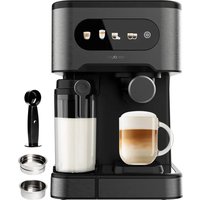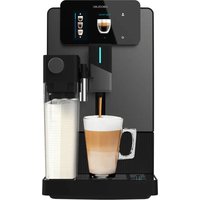
Cremmaet Latte Touch - Coffee machine CECOTEC - Free user manual and instructions
Find the device manual for free Cremmaet Latte Touch CECOTEC in PDF.


| Product Type | Automatic coffee machine with integrated grinder and milk reservoir |
| Brand | Cecotec |
| Model | Cremmaet Latte Touch |
| Power Supply | 220-240 V ~ 50/60 Hz |
| Power | Approx. 1450 W |
| Pump Pressure | 15 bar |
| Water Tank Capacity | 1.5 L |
| Bean Hopper Capacity | 250 g |
| Beverage Functions | Espresso, Americano, Double Espresso, Long Black, Ristretto, Cappuccino, Latte Macchiato, Café au lait, Flat White, Espresso Macchiato, Hot Milk, Hot Water |
| Grinding System | Integrated grinder with continuous grind adjustment |
| Milk Frothing System | Integrated milk reservoir with froth selector |
| Touch Screen | Yes |
| Cleaning Programs | Simple rinse, cleaning of brewing unit, cleaning of grinder, cleaning of milk reservoir, descaling |
| Safety | Automatic shut-off, overheating protection, safety lock |
| Maintenance | Removable parts: water tank, coffee grounds container, drip tray, brewing unit, milk reservoir |
| Included Accessories | Milk reservoir, cleaning brush, instruction manual |
Frequently Asked Questions - Cremmaet Latte Touch CECOTEC
User questions about Cremmaet Latte Touch CECOTEC
0 question about this device. Answer the ones you know or ask your own.
Ask a new question about this device
Download the instructions for your Coffee machine in PDF format for free! Find your manual Cremmaet Latte Touch - CECOTEC and take your electronic device back in hand. On this page are published all the documents necessary for the use of your device. Cremmaet Latte Touch by CECOTEC.
USER MANUAL Cremmaet Latte Touch CECOTEC
natural_image
Exterior view of a modern black coffee machine with digital display and control panel (no visible text or symbols)Safety instructions 9
-
Parts and components 68
-
Before use 68
-
Operation 69
-
Troubleshooting 79
-
Cleaning and maintenance 80
-
Disposal of old electrical and
electronic appliances 86
- Copyright 65
B. Simplified FU Declaration of Conformity 85
SOMMAIRE
EN • The coding in this manual is generic and applies to all code variants of the appliance.
Read the following instructions carefully before using the appliance. Keep this instruction manual for future reference or new users.
- The appliance can be used by people with reduced physical, sensory, or mental capabilities or lack of experience and knowledge if they have been given supervision or instruction concerning use of the appliance in a safe way and understand the hazards involved.
- The appliance is not intended to be used by children. Keep the appliance and its power cable out of the reach of children.
- Cleaning and maintenance tasks should not be carried out by children.
- Do not let children play with the appliance.
- Check the power cord regularly for visible damage. If the power cord is damaged, it must be replaced by Cecotec's Official Technical Support Service or similar qualified personnel to avoid risks.
- This appliance is intended for domestic use only and is not suitable for use in commercial establishments such as bars, restaurants, farms, hotels, motels, and offices.
- Do not immerse the cable, plug, or any other part of the appliance in water or any other liquid or expose electrical connections to water. Make sure your hands are completely dry before handling the plug or switching on the appliance.
- WARNING: the filling opening must not be opened during operation.
- WARNING: take precautions to avoid spillage of liquids on the cable.
- WARNING: incorrect or improper use can be dangerous for
ENGLISHENGLISH
the user and damage the appliance. Use the appliance only for the purposes described in this manual. The surface of the heating element is subject to residual heat after use.
- Always disconnect the appliance from the power supply if it is left unattended and before assembly, disassembly, or cleaning.
- It is your responsibility to make sure every user is informed about the warnings and precautions stated in this instruction manual. Do not use the appliance for any use other than the one specified in this manual.
- Ensure that the mains voltage matches the voltage stated on the product's rating label and that the socket is properly earthed.
- Disconnect the appliance from the mains in any of the following circumstances:
F. Before filling up the water tank.
G. Before removing or installing any of the appliance's parts.
H. Before cleaning or maintenance.
I. When the appliance is not working properly.
J. After using the appliance.
- Empty the water tank when the appliance is not going to be used for some time.
- Make sure the appliance has cooled down completely before removing or installing parts and before cleaning it.
- Always use cold water. The use of hot water or other liquids may damage the appliance.
- Use the grinder to grind only coffee beans.
- Do not use caramelised or frozen coffee beans. This appliance can only be used with natural coffee beans.
- Never leave the appliance unattended when it is connected to a mains power supply.
- Do not let the cable protrude over the edge of the table or worktop, or come into contact with hot surfaces or sharp edges.
- Place the appliance on a flat, stable surface. Do not use or place the appliance on a hot or damp surface.
- Do not use the appliance if the drip tray is not properly positioned.
- Do not use the appliance if any of its parts are damaged or if the appliance is not working properly.
- WARNING: this product has undergone a quality control previous to its commercialisation with the aim of ensuring its correct functioning. After the quality control testing, the appliance is cleaned thoroughly, therefore, although it is unlikely to occur, there could be rests of water or coffee drops inside it.
FRANÇAISFRANÇAIS
INSTRUCTIONS DE SÉCURITÉ
- Water tank lid
- Coffee bean hopper lid
- Grinder adjustment knob
- Control panel
- Coffee spout
- Drip tray
- Coffee grounds container
- Milk container
- Preparation unit
- Side cover
- Power button
- Milk frothing adjustment knob
NOTE:
The graphics in this manual are schematic representations and may not exactly match the product.
2. BEFORE USE
- This appliance comes in a packaging designed to protect it during transport. Take the appliance out of its box and remove all packaging materials. You can keep the original box and other packaging materials in a safe place to prevent damage to the appliance if you need to transport it in the future. If you wish to dispose of the original packaging, make sure all items are recycled properly.
- Check that all parts and components are included and in good condition. If any of them are missing or damaged, please contact Cecotec's Official Technical Support Service immediately.
Box content
- Super automatic coffee machine
Milk container - Instruction manual
- Do not remove the product's serial number in order to keep proper traceability if technical assistance is required.
3. OPERATION
Installation
- Unpack the machine, remove the coffee machine, milk container and steam wand.
- Insert the steam wand into the machine's steam outlet slot until you hear a "click", indicating it is properly fitted. Fig. 2
Figure 2 key
-
Steam outlet slot
-
Remove the water tank and rinse it thoroughly. Fill with filtered water. Replace the water tank. Fig. 3
- After adding coffee beans to the coffee hopper, plug the machine into the mains. Fig. 4
- Press the power switch; the machine will perform a self-check and clean the circuits. Fig. 5. Note: Check that hot water is dispensed.
- Touch the screen icons for operation.
Note: To switch off the coffee machine, press and hold the power switch for 3 seconds.
Brewing Espresso
- Adjust the coffee outlet height and place a cup. Fig. 6.
- Press the touch icon * > switch to other beverages (Fig. 7).
- Press the "Espresso" touch icon to access the Espresso parameter setting interface (Fig. 8). where you can adjust the amount of coffee, the amount of coffee beans to grind and the temperature.
- Press the left touch icon "−" to decrease the quantity; press the right touch icon "+" to increase the quantity.
- Once the parameters have been set, click on the "check" icon to save the set parameters and confirm the changes (Fig. 9); if you do not need to save, click directly on the preparation touch icon "check" and the machine will start to prepare coffee.
- Before pressing the preparation touch icon, you can choose whether to perform the preparation process for one cup or for two cups. Press the touch icon for one cup or two cups is desired. This adjustment can also be made during the coffee making process.
ENGLISHENGLISH
- The preparation can be completed as needed. By pressing the touch icon "you can stop coffee preparation
- When the completion bar is complete, the coffee preparation is finished (Fig. 10).
Brewing Americano
- Adjust the coffee outlet height and place a cup. Fig. 6.
- Press the touch icon * switch to other beverages (Fig. 7)
- Press the 'Americano' touch icon to access the Americana coffee parameter setting interface (Fig. 11), where you can adjust the amount of coffee, the amount of water, the amount of coffee beans to grind and the temperature.
- Press the left touch icon — to decrease the quantity; press the right touch icon + to increase the quantity.
- Once the parameters have been set, click on the "check" icon to save the set parameters and confirm the changes (Fig. 9); if you do not need to save, click directly on the preparation touch icon "check" and the machine will start to prepare coffee.
- Before pressing the preparation touch icon, you can choose whether to perform the preparation process for one cup or for two cups. Press the touch icon for one cup or two cups is desired. This adjustment can also be made during the coffee making process.
- The preparation can be completed as needed. By pressing the touch icon "you can stop coffee preparation.
- When the completion bar is complete, the coffee preparation is finished (Fig. 10).
Double Espresso Preparation
- Adjust the coffee outlet height and place a cup. Fig. 5.
- Press the touch icon * Switch to other beverages (Fig. 12).
- Press the "Double Espresso" touch icon. We access the Double Espresso parameter setting interface (Fig. 8), where you can adjust the amount of coffee, the amount of coffee beans to grind and the temperature.
- Press the left touch icon “-” to decrease the quantity; press the right touch icon “+” to increase the quantity.
- Once the parameters have been set, click on the ^ which icon to save the set parameters and confirm the changes (Fig. 9); if you do not need to save, click directly on the preparation touch icon ^ and the machine will start to prepare coffee.
-
Before pressing the preparation touch icon, you can choose whether to perform the preparation process for one cup or for two cups. Press the touch icon for one cup or two cups as desired. This adjustment can also be made during the coffee making process.
-
The preparation can be completed as needed. By pressing the touch icon "you can stop coffee preparation.
- When the completion bar is complete, the coffee preparation is finished (Fig. 10).
Espresso Preparation Long
- Adjust the coffee outlet height and place a cup. Fig. 6.
- Press the touch icon * > switch to other beverages (Fig. 7).
- Press the 'Espresso Largo' touch icon to access the Espresso Largo parameter setting interface (Fig. 8). where you can adjust the amount of coffee, the amount of coffee beans to grind and the temperature.
- Press the left touch icon to decrease the quantity; press the right touch icon to increase the quantity.
- Once the parameters have been set, click on the "check" icon to save the set parameters and confirm the changes (Fig. 9); if you do not need to save, click directly on the preparation touch icon "check" and the machine will start to prepare coffee.
- Before pressing the preparation touch icon, you can choose whether to perform the preparation process for one cup or for two cups. Press the touch icon for one cup or two cups is desired. This adjustment can also be made during the coffee making process.
- The preparation can be completed as needed. By pressing the touch icon "you can stop coffee preparation.
- When the completion bar is complete, the coffee preparation is finished (Fig. 10).
Preparation of Ristretto
- Adjust the coffee outlet height and place a cup. Fig. 6.
- Press the touch icon * switch to other beverages (Fig. 12).
- Press the "Ristretto" touch icon access the Ristretto coffee parameter setting interface (Fig. 8), where you can adjust the amount of coffee, the amount of coffee beans to grind and the temperature.
- Press the left touch icon '—' to decrease the quantity; press the right touch icon '+' to increase the quantity.
- Once the parameters have been set, click on the 1 ^th icon to save the set parameters and confirm the changes (Fig. 9); if you do not need to save, click directly on the preparation touch icon ^1 and the machine will start to prepare coffee.
- Before pressing the preparation touch icon, you can choose whether to perform the preparation process for one cup or for two cups. Press the touch icon for one cup or two cups as desired. This adjustment can also be made during the coffee making process.
ENGLISHENGLISH
- The preparation can be completed as needed. By pressing the touch icon "you can stop coffee preparation.
- When the completion bar is complete, the coffee preparation is finished (Fig. 1D).
Brewing Cappuccino
- Adjust the coffee outlet height and place a cup. Fig. 5.
- Press the touch icon * > switch to other beverages (Fig. 13).
- Press the "Cappuccino" touch icon to access the Cappuccino coffee parameter setting interface (Fig. 14), where you can adjust the amount of coffee, the amount of milk, the amount of coffee beans to grind and the temperature.
- Press the left touch icon ☑ to decrease the quantity; press the right touch icon ☑ to increase the quantity.
- Once the parameters have been set, click on the "Button" icon to save the set parameters and confirm the changes (Fig. 9); if you do not need to save, click directly on the preparation touch icon * and the machine will start to prepare coffee.
- Before pressing the preparation touch icon, you can choose whether to perform the preparation process for one cup or for two cups. Press the touch icon for one cup or two cups is desired. This adjustment can also be made during the coffee making process.
- The preparation can be completed as needed. By pressing the touch icon "you can stop coffee preparation.
- When the completion bar is complete, the coffee preparation is finished (Fig. 10). Note: After use, clean the frother and the milk tank to prevent residues
Brewing Latte Macchlato
- Adjust the coffee outlet height and place a cup. Fig. 6.
- Press the touch icon * > switch to other beverages (Fig. 13).
- Press the 'Latte Macchiato' touch icon to access the Latte Macchiato coffee parameter setting interface (Fig. 14), where you can adjust the amount of coffee, the
amount of milk, the amount of coffee beans to grind and the temperature. - Press the left touch icon — “to decrease the quantity; press the right touch icon +” to increase the quantity.
- Once the parameters have been set, click on the "check" icon to save the set parameters and confirm the changes (Fig. 9); if you do not need to save, click directly on the preparation touch icon * and the machine will start to prepare coffee.
- Before pressing the preparation touch icon, you can choose whether to perform the preparation process for one cup or for two cups. Press the touch icon for one cup or two cups is desired. This adjustment can also be made during the coffee making process.

- The preparation can be completed as needed. By pressing the touch icon "I you can stop coffee preparation.
- When the completion bar is complete, the coffee preparation is finished (Fig. 10). Note: After use, clean the frother and the milk tank to prevent residues
Brewing milk coffee
- Adjust the coffee outlet height and place a cup. Fig. 6.
- Press the touch icon * > switch to other beverages (Fig. 13).
- Press the 'Café au lait' touch icon to access the Café au lait coffee parameter setting interface (Fig. 14), where you can adjust the amount of coffee, the amount of milk, the amount of coffee beans to grind and the temperature.
- Press the left touch icon “—” to decrease the quantity; press the right touch icon “+” to increase the quantity.
- Once the parameters have been set, click on the "check" icon to save the set parameters and confirm the changes (Fig. 9); if you do not need to save, click directly on the preparation touch icon "check" and the machine will start to prepare coffee.
- Before pressing the preparation touch icon, you can choose whether to perform the preparation process for one cup or for two cups. Press the touch icon for one cup or two cups is desired. This adjustment can also be made during the coffee making process.
- The preparation can be completed as needed. By pressing the touch icon "you can stop coffee preparation.
- When the completion bar is complete, the coffee preparation is finished (Fig. 10). Note: After use, clean the frother and the milk tank to prevent residues
Flat White Preparation
- Adjust the coffee outlet height and place a cup. Fig. 6.
- Press the touch icon * > switch to other beverages (Fig. 12).
- Press the 'Flat White' touch icon to access the Flat White coffee parameter setting interface (Fig. 14), where you can adjust the amount of coffee, the amount of milk, the amount of coffee beans to grind and the temperature.
- Press the left touch icon — to decrease the quantity; press the right touch icon + to increase the quantity.
- Once the parameters have been set, click on the "Button" icon to save the set: parameters and confirm the changes (Fig. 9); if you do not need to save, click directly on the preparation touch icon 'and the machine will start to prepare coffee.
- Before pressing the preparation touch icon, you can choose whether to perform the
ENGLISHENGLISH
preparation process for one cup or for two cups. Press the touch icon for one cup "or two cups" as desired. This adjustment can also be made during the coffee making process.

-
The preparation can be completed as needed. By pressing the touch icon "you can stop coffee preparation.
-
When the completion bar is complete, the coffee preparation is finished (Fig. 10). Note: After use, clean the frother and the milk tank to prevent residues
-
Adjust the coffee outlet height and place a cup. Fig. 6.
-
Press the touch icon * > switch to other beverages (Fig. 15).
-
Press the "Espresso Macchiato" touch icon to access the Espresso Macchiato parameter setting interface (Fig. 14), where you can adjust the amount of coffee, the amount of milk, the amount of coffee beans to grind and the temperature.
-
Press the left touch icon “—” to decrease the quantity; press the right touch icon “+” to increase the quantity.
-
Once the parameters have been set, click on the "check" icon to save the set parameters and confirm the changes (Fig. 9); if you do not need to save, click directly on the preparation touch icon "check" and the machine will start to prepare coffee.
-
Before pressing the preparation touch icon, you can choose whether to perform the preparation process for one cup or for two cups. Press the touch icon for one cup or two cups is desired. This adjustment can also be made during the coffee making process.
-
The preparation can be completed as needed. By pressing the touch icon "you can stop coffee preparation.
-
When the completion bar is complete, the coffee preparation is finished (Fig. 10). Note: After use, clean the frother and the milk tank to prevent residues
Hot milk preparation
- Adjust the coffee outlet height and place a cup, Fig. 5.
- Insert the milk tank into the machine's steam outlet until you hear a "click", indicating it is properly fitted.
Note: This beverage cannot be prepared if the milk tank is not inserted in the machine. - Press the touch icon *1 switch to other beverages (Fig. 15).
- Press the 'Hot Milk' touch icon.
- The hot milk will automatically begin to disperse.
-
The preparation can be completed as needed. By pressing the touch icon "you can stop milk preparation.
-
When the completion bar is complete, the milk preparation is finished (Fig. 10). Note: After use, clean the frother and milk tank promptly to prevent milk residue from clogging the frother.
Hot water preparation
- Adjust the coffee outlet height and place a cup. Fig. 6.
- Press the touch icon * > switch to other beverages (Fig. 15).
- Press the 'Hot Water' touch icon.
- The hot milk will automatically begin to disperse. The default hot water amount is 250 ml.
- The preparation can be completed as needed. By pressing the touch icon "you can stop water preparation.
- When the completion bar is complete, the water preparation is finished (Fig. 10).
Coffee grinder adjustment
When you need to adjust the coffee grinding coarseness, press the grinder adjustment knob (Fig. 7) while the grinder is operating; otherwise, the grinder may be damaged.
Fig. 16 key:
-
Fine
-
Coarse
Adjust the coffee grinding coarseness according to the roast level of your coffee beans (medium roast beans are recommended).
- If coffee flow is too slow (grinding is too fine), turn the grinder knob towards a coarser setting.
- If coffee flows too quickly and is watery (grinding is too coarse), turn the grinder knob towards a finer setting.
If the coffee grind is too coarse, turn the grinder knob anticlockwise; if the coffee grind is too fine, turn the grinder knob clockwise.
Notes:
- Do not overfill the coffee bean hopper. Excessive beans may become damp (especially in humid weather), which can affect the grinder and prevent proper grinding, resulting in coffee that cannot be brewed or is too weak.
- Avoid leaving beans in the hopper for extended periods, as this may affect coffee quality and grinder performance.
- To adjust the grinding level without the grinder running, press the central part of the grinder knob, Fig. 17, with a small screwdriver. While holding this central area, you can turn the knob without damaging the grinder.
ENGLISHENGLISH
Tips:
- The grinder knob is set to maximum when leaving the factory. It is suggested not to adjust it after the first 100-150 cups.
- Do not add too many coffee beans at once or leave them in the hopper for long periods to prevent loss of freshness or dampness. Moisture will prevent grinding, brewing and affect taste.
- Replace beans when damp to ensure good taste. Then turn the grinder knob to maximum and try grinding. If the machine works properly, restore the grinder knob to its original position.
- Turn the grinder knob to maximum when coffee beans do not grind properly, possibly due to moisture or oil build-up from the beans. Then try adding some uncooked rice or professional grinder cleaners to the coffee bean hopper and attempt grinding. If the machine works properly, restore the grinder knob to its original position. (Try repeatedly if necessary).
Handling removable parts
To ensure proper operation, it is important to know how to remove and place the following parts: the water tank, the brewing unit, the drip tray and the milk tank.
Extraction
Figure 18
- Water tank: Pull upwards to remove
- Side cover: Push upwards and remove the cover.
- Preparation unit: Press and pull outwards.
- Drip tray: Pull outwards.
- Milk container: Pull outwards.
Installation
Figure 19
- Water tank: Insert downwards.
- Brewing unit: Push along the guide until you hear a 'click'.
- Drip tray: Push inwards.
- Milk container: Push along the guide until you hear a "click".
Important installation notes
- Brewing unit: When installing the brewing unit, ensure it is firmly in place and you hear a "click". If not properly installed, remove it and reinstall.
Water tank: After replacing the water tank, check if it is flush with the top cover. If flush, it
Indicates correct positioning. If it sits higher, press down until flush with the top cover. - Milk container: When reinstalling the milk container, ensure it is firmly in place with an audible "click". If not firmly seated, repeat the removal and reinstallation process.
Menus and settings
From standby mode, you can access various machine settings to customize the machine's operation. In the main screen, press the touch icon to the screen to access the settings menu (Fig. 20).
The available adjustments are detailed below:
La

To change the interface language:
- Press the "ch" icon to access the language settings (Fig. 21).
- Use the "the" icons to manage the desired language.
So

To activate or deactivate the machine sounds:
- Press the * which icon to access the sound settings (Fig. 22).
- Use the "visions to be between
- Silent mode
- Audible
Calibration

- Press the “*” icon to access the calibration settings (Fig. 23). Important note: This function is intended for technical service personnel only.
Counter

To check the beverages made in the machine:
- Press the touch icon * success the beverage counter (Fig. 24).
Control panel prompts and messages
If there is any alert or message on the control panel, the display will show the settings icon in red (25). When this icon is clicked, different messages will be displayed on the control panel to inform you of its status or to prompt you to perform an action. The most common warnings are described below:
ENGLISHENGLISH
| Warning Description | Action required | |
| Filling coffee beans.Fig. 26 | This message appears when the coffee bean tank is empty or the level is low.The text that will appear on the screen will be “Fill coffee beans. | Add coffee beans in the tank to solve this problem. |
| Fill water.Fig. 27 | This message appears when the water tank is empty or the water level is very low.The text that will appear on the screen will be “Fill water”. | Fill up the water tank. |
| Close the door.Fig. 28 | This message appears when the access door to the processing unit is not properly closed.The text that will appear on the screen will be “Close door”. | Make sure the door is properly closed. |
| Insert preparation unit.Fig. 29 | This message appears when the brewing unit is not inserted or not properly positioned.The text that will appear on the screen will be “Insert coffee unit”. | Ensure the brewing unit is correctly placed. |
| Insert the Drain Tray and Drip Tray.Fig. 30 | This message appears when the coffee grounds container and drip tray are not correctly inserted.The text that will appear on the screen will be “Insert waste tank and drip tray”. | Ensure the grounds container and drip tray are properly positioned. |
| Insert Milk Tank.Fig. 31 | This message appears when a milk beverage is selected and the milk tank is not connected to the machine.The text that will appear on the screen will be “Insert milk tank”. | Connect the milk tank to the machine. |
| Emptying Posos.Fig. 32 | This message appears when the coffee grounds container is full and needs to be emptied.The text that will appear on the screen will be “Empty grounds”. | Remove and empty the grounds container. |
| Check Water. Fig. 33 | This message can appear in different situations related to water flow, such as lack of water or a problem in the circuit. The text that will appear on the screen will be "Check water". | Check the water level in the tank and make sure it is correctly positioned. If the problem persists, please refer to the troubleshooting section or contact Cecotec's Official Technical Support Service. |
- TROUBLESHOOTING
| Problem Possible cause | Possible solution | |
| The display shows the water shortage icon | 1. No water in the water tank.2. Water level sensor needs calibration. | 1. Fill the water tank and insert it correctly, firmly pushing the bottom part until fully seated.2. When the machine is in standby mode:a. Remove the water tank.b. Switch off the machine using the power button.c. Switch on the machine using the power button.d. When coffee machine is on main screen (standby mode), replace the filled water tank. |
| The control panel displays 🐎When pressing the Settings touch icon 🌐to activate the water pump and purge air from pipes to allow water flow, no water comes out of the outlet. | 3. The water tank is not properly fitted.4. Water cannot enter the pump.5. The inside of the tube is clogged | 1. Insert the tank correctly, firmly pushing the bottom part until fully seated.2. Open the rear panel and inject water into the pump (contact Cocotec's Official Technical Support Service).3. Check the internal tubes (contact Cocotec's Official Technical Support Service). |
ENGLISHENGLISH
| The coffee dispensed is weak or watery. | 1. The grinding setting is too fine.2. Very dark or oily beans used: blades jam and don't grind properly.3. Damp grounds block the grinder. | 1. Turn the grinder adjustment knob to a coarser setting.2. Increase the ground coffee quantity using the "+" touch icon.3. Remove the damp beans, clean the container and add dry beans, uncooked rice or grinder cleaner. Follow the instructions for cleaning the grinder in the next section. |
| No coffee comes out. | The water tank is not properly fitted.The brewing unit piston filter is clogged.The internal pipes are obstructed. | Insert the tank correctly. firmly pushing the bottom part until fully seated.Clean or replace the filter.Run a descaling cycle. If the problem persists, contact Cecotec's Official Technical Support Service. |
| The grinder does not work. | The grinder is blocked by foreign bodies. | Remove foreign objects from the grinder. Remember to unplug the appliance first.Follow the instructions for cleaning the grinder in the next section. |
| The milk is not frothing. | Obstruction of the air regulator. | Remove the air regulator for cleaning. |
5. CLEANING AND MAINTENANCE
-
In the main screen, press the touch icon on the screen to access the settings menu (Fig. 20).
-
Press the touch icon to access the cleaning settings. The cleaning selection interface includes (Fig. 34):
a. Simple rinsing: Select the "Rinse" icon, perform a quick rinse.
Notes:
- The quick rinse function can also preheat the pipes and the coffee group, which is especially useful if the machine has been idle for a long time.
- Coffee will taste better if you do a quick rinse before brewing.
b. Cleaning the brewing unit: Select the "Process Unit Cleaning" icon. Then follow the indications shown on the display:
-
Remove the preparation unit. Press the "1" icon to continue (Fig. 35).
-
Place a descaling tablet in the brewing unit, just where the ground coffee falls.
-
Then place the preparation unit with the tablet back into the machine. You should hear a click.
-
Press the "I" to start cleaning (Fig. 36).
C. Cleaning the grinder. If the grinder does not grind or if a very watery coffee is obtained, this indicates that the grinder is clogged and it is necessary to add cleaning tablets for the grinder.
Select the "Grinder Cleaning" touch icon. Then follow the instructions displayed on the screen.
-
Remove coffee beans that are within reach. Press the “*” icon to continue (Fig. 37).
-
Remove the drip tray, grounds container and brewing unit. Press the touch icon to continue (Fig. 38).
-
Place the grounds container just below the ground coffee outlet. Press the * touch icon to continue (Fig. 39).
-
Add one coffee grinder cleaning tablet or two tablespoons of rice to the bean hopper. Press the 📋 on to operate the grinder (Fig. 40).
-
Then add coffee beans and clean again
-
Add coffee beans and press the " again to operate the grinder (Fig. 41).
-
Clean the grounds container of the ground residues. Press the ** icon to continue (Fig. 42).
-
Replace the drip tray, grounds container and brewing unit. Press the icon to finish (Fig. 43).
Note:
You can also follow the indications explained in the grinder section of the last table.
d. Cleaning of milk tank:
Select the "Milk tank cleaning" icon when follow the instructions displayed on the screen.
-
Remove the milk tank and clean it. Press the ^** icon to continue (Fig 44).
-
Add filtered water to the milk tank and return it to the brewer. Press the *icon to perform cleaning (Fig. 45).
-
When cleaning is finished (Fig. 46), will be shown on the display (Fig. 47).
ENGLISHENGLISH
e. Decalcification.
Select the "Milk tank cleaning" icon when follow the instructions displayed on the screen.
-
Pour the descaling agent into a container filled with filtered water and wait until it completely dissolves.
-
Prepare a container to place under the coffee outlet and the milk pipe of the milk tank.
-
Pour the dissolved descaler into the water tank, then add clean water up to the maximum level in the water tank. Press the water level on to confirm the descaling and start the descaling program (Fig. 48). If a low water warning appears during the process, simply add clean water.
-
The display will then show that the tank needs to be refilled with clean water, remove the water tank, rinse it thoroughly and refill it with clean water. Press the "down" to start rinsing (Fig. 49).
-
If a low water warning appears during the process, simply add clean water.
-
When cleaning is finished (Fig. 50), will be shown on the display (Fig. 51).
Note: During descaling, water will only flow out of the steam valve pipe if the milk tank is correctly positioned. If the milk tank is not in this position, the steam valve will not open and no water will flow out of it.
f. Adjust the amount of water for the decalcification process.
This setting allows you to adjust the amount of water that the machine will request for descaling.
-
Select the "Adjust descaling water" icon settings (Fig. 52).
-
Use the"


tons to select the desired quantity.
Milk container
- The milk container should be rinsed with clean water. Make sure the milk container is filled with water for rinsing. The rinsing method is the same as the frothing method, but with water instead of milk.
- Disassembling and cleaning the milk container steam tube; After steaming milk, if an immediate rinse with clean water has not been performed, it is recommended to disassemble and clean the milk container.
To do this: - Remove the milk container from the machine. Fig. 53
-
Then remove the milk frothing adjustment knob. To do so, turn it anticlockwise. Fig. 54
-
Remove the milk frothing adjustment knob. Fig. 55
- Use the brush to clean parts under the tap and shake off water after cleaning. Fig. 56
Daily maintenance is important to ensure durability and excellent taste.
To do so, follow these steps:
| Components Maintenance method Additional notes | ||
| Preparation unit | 1. Remove the brewing unit, wash it under running water from top to bottom to remove coffee residue from the plunger filter surface. It is recommended to clean it manually every 3 days.Do not remove lubricating oil from the bottom and centre part of the unit.Do not use dishwasher. | A professional cleaning tablet with oil can be used:Remove the brewing unit, place the cleaning tablet in its ground coffee compartment,reinsert the unit and prepare a large cup of espresso (adjusted to maximum volume). Then,remove it again and clean it manually. |
| Milk container | 1. After frothing milk, it should be rinsed with clean water at the end of the day.The rinsing method is the same as the frothing method, but with water instead of milk.2. It is recommended to remove the air regulator from the milk jug lid and rinse the lid under running water. | |
| Drip tray | It is recommended to empty and rinse under running water after each use.Do not leave more than two days without cleaning them. | |
| Coffee grounds container | It is recommended to empty and rinse under running water when the warning icon illuminates. It indicates that the grounds container is full and needs emptying.The system automatically alerts when full after 8 coffees. | |
ENGLISHENGLISH
| Components Maintenance method Additional notes | ||
| Water tank | It is recommended to rinse it under running water every 3 days. | In summer or if the machine is used infrequently, the cleaning intervals may be shortened. |
| Coffee bean hopper | It is recommended to clean it once a week. Use a soft dry cloth to clean the oil from the coffee bean hopper. | |
| Ground coffee chute | It is recommended to check the ground coffee chute above the brewing unit once a week. If you find accumulated dust, clean the inside wall of the chute with a soft, dry cloth. | |
| Components Maintenance method Additional notes | |
| Grinder | The following cleaning steps are recommended when the grinder is blocked:1. Empty the coffee from the coffee bean hopper by brewing Espressos. If the coffee beans do not go down, it means that there is a blockage, so it is necessary to add rice directly (two tablespoons).2. Once the rice has been added, set the grinding level to high (5 or 6). This provides more space between the grinder burrs to allow the rice to enter. Remember that to adjust the grinder knob, the grinder must be running, or the centre button of the knob must be pressed.3. Brew an espresso. The accumulated coffee and rice should be ground completely; if not, brew as many espressos as needed until rice begins sliding through the grinder.Note: It is normal for no coffee to come out during these espressos, as rice blocks the coffee outlet.4. When rice begins to slide into the grinder, add coffee beans again. Brew a couple more espressos to ensure that no rice remains in the grinder.5. Clean the brewing unit (especially the red silicone parts and the filter).6. Before brewing the last coffee, readjust the grinding level to the desired setting.Note: This cleaning can also be performed with coffee grinder cleaners. |
6. DISPOSAL OF OLD ELECTRICAL AND ELECTRONIC APPLIANCES

This symbol indicates that, according to the applicable regulations, the product and/or battery must be disposed of separately from household waste. When this product reaches the end of its shelf life, you should dispose of the batteries/accumulators and take them to a collection point designated by the local authorities.
For detailed information on how to properly dispose of electrical and
electronic equipment and/or the corresponding batteries, consumers should contact their local authorities.
Compliance with the above guidelines will help protecting the environment.
Information regarding national packaging recycling systems and their marking can be found on our website.
7. COPYRIGHT
The intellectual property rights over the texts in this manual belong to CECOTEC INNOVACIONES, S.L. All rights reserved. The content of this publication may not, either in part or in its entirety, be reproduced, stored in a retrieval system, transmitted or distributed by any means (electronic, mechanical, photocopying, recording or similar) without prior authorisation from CECOTEC INNOVACIONES, S.L.
8. SIMPLIFIED EU DECLARATION OF CONFORMITY

Cecotec Innovaciones hereby declares that this product complies with the essential requirements and other relevant provisions of the regulations applicable in the European Union. This product has been designed,
manufactured and tested in compliance with the required safety and quality standards. The full text of the EU Declaration of Conformity can be found on the following website: https://cecotec.es/es/information/declaration-of-conformity
1. PIÈCES ET COMPOSANTS
Image 1
https://cecotec.es/es/information/declaration-of-conformity
1. PEÇAS E COMPONENTES
Figura 1