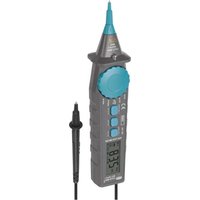
M3216 - Multimeter Emos - Free user manual and instructions
Find the device manual for free M3216 Emos in PDF.


User questions about M3216 Emos
0 question about this device. Answer the ones you know or ask your own.
Ask a new question about this device
Download the instructions for your Multimeter in PDF format for free! Find your manual M3216 - Emos and take your electronic device back in hand. On this page are published all the documents necessary for the use of your device. M3216 by Emos.
USER MANUAL M3216 Emos
Safety Instructions and Warnings

Read the user manual before using the device.

Follow the safety instructions in the manual.
- Carefully read through this instruction manual before you begin using the M3216. It contains particularly important passages concerning safety when using the device. Such passages are highlighted. Reading the manual will prevent potential injury by electric current or damage to the device.
- The multimeter was designed in accordance with standard EN 61010-1 regarding electronic measuring devices within category (CAT III 600 V), 2nd degree of pollution.
• Devices within category CAT III are used to measure circuits powered by a fixed output power supply, such as relays, sockets, switchboards, power supplies, short branching circuits and lighting systems in large buildings. - Do not use the multimeter to measure in ranges that fall into category IV!

Warning
Use the M3216 multimeter only in the manner specified below. Other uses may damage the device or cause injury.
Comply with the following instructions:
- Before measuring resistance, diodes or current, disconnect the circuits from the power supply and discharge the high-voltage capacitors. Use the corre-
sponding function for the given measurement. Before changing the range (or switching functions) disconnect the multimeter's conductors from the circuit that is being measured.
- Make sure the multimeter is not damaged before you begin using it. If you find obvious signs of damage on the body of the device, do not make any measurements! Check that the surface of the multimeter does not have scratches and that the side joints are not coming apart.
- Also check the insulation on the measuring probes. Damaged insulation may result in injury by electric current. Do not use damaged measuring probes!
- Do not measure voltages above 600 V! If you intend to measure current, check the multimeter's fuse and turn off the power supply to the circuit before you connect the multimeter. Before measuring, make sure the circular switch for setting the measuring range is in the correct position. Under no circumstances should you make any changes to the measuring range (by moving the circular switch for setting measuring programs) while measuring! Doing so could damage the device. When you are measuring, first connect the black conductor (- probe) and then the other conductor (+ probe). When disconnecting the testing conductors, disconnect the + probe first.
- If you find that the multimeter is making abnormal measurements, stop using it. The fuse may be damaged. If you are unsure of the cause of the defect, contact a service centre.
- Do not measure voltages higher than indicated on the front panel of the multimeter. Risk of injury by electric current or damage to the multimeter!
- Check that the multimeter is working correctly before use. Test on a circuit with known electrical values.
- Before you connect the multimeter to a circuit you intend to measure, turn off the power to the circuit.
- Do not use or store the multimeter in environments with high temperature, dust or humidity. It is also not recommended to use the device in environments with potentially strong magnetic fields or risk of explosion or fire.
- When replacing parts of the multimeter (e.g. the battery or fuse) use spare parts of the same type and specifications. Change parts only when the multimeter is disconnected and turned off.
- Do not alter or otherwise tamper with the internal circuitry of the multimeter!
- Be extra careful when measuring voltages higher than 30 V AC rms, 42 V peak or 60 V DC. Risk of injury by electric current!
- When using the measuring tips, make sure you are holding them behind the finger barriers.
- Do not perform measurements if the multimeter's casing is removed or loose.
- Replace the batteries once the screen starts displaying the low battery icon. Otherwise, subsequent measurements may be inaccurate. Incorrect measurements may then result in injuries by electric current!
- Only use 1.5 V alkaline batteries; do not use rechargeable 1.2 V batteries.
- Do not attempt to repair or modify the multimeter in any way if you are not qualified to do so or do not have access to the necessary calibration equipment. Make sure that water does not get into the multimeter – you could prevent injury by electric current!
- Disconnect the measuring tips from the tested circuit before opening the cover of the multimeter.
- Regularly clean the body of the multimeter with a moist cloth and a mild detergent. Perform cleaning only when the multimeter is disconnected and turned off.
- Do not use solvents or abrasive agents for cleaning!
- If you will not be using the multimeter for a longer period of time, turn it off and remove the battery.
- Do not store the multimeter in places with high humidity and temperature or in environments with strong magnetic fields!
- The manufacturer is not liable for damage caused by improper use of the device.
- This appliance is not intended for use by persons (including children) whose physical, sensory or mental disability or lack of experience and expertise prevents safe use, unless they are supervised or instructed in the use of the appliance by a person responsible for their safety. Children must always be supervised and must never play with the appliance.
You can request technical assistance from the supplier:
Symbol for warning, hazard. Pay particular attention to sections of the manual marked with this symbol.

Risk of injury by electric current

Earthing

Double insulation

The product complies with the applicable EU standards

Batteries low

Continuity test

Diode test

Fuse
Technical Specifications
Screen: 3 ½ digit LCD with a maximum displayable value of 1999
Negative polarity indication: the screen automatically displays "
Overload indication: the screen displays „OL“
Reading frequency: approximately 3× a second
Power supply: 2× 1.5 V AAA batteries
Enclosure rating: IP20
Operating altitude: 0 to 2000 m
Operating temperature: 0 °C to 40 °C, relative humidity < 75 %
Storage temperature: -10 °C to 50 °C, relative humidity < 85 %
Dimensions: 225 × 44 × 38 mm
Weight: 165 g without battery
Device Description
(see Fig. 1)
The M3216 is a compact, 3 ½ digit, digital multimeter with automatic range for measuring DC and AC voltage, DC and AC current, resistance and continuity and for testing diodes.
1-screen
2 - DATA•H button
3 - MAX•H button
4 - SELECT button
5 - circular switch for changing measuring range/choosing the desired function
6 - flashlight
7 - tip of the positive measuring conductor
8 - tip of the black (negative) measuring conductor
9 - grip of the mobile probe of the multimeter
10 - screws for removing the cover
11 - battery cover screw
Description of the Screen
(see Fig. 2)
1 - display of maximum measured value
2 - data hold mode
3 - continuity test
4 - diode test
5 - automatic measurement range
6 - automatic switch-off mode
7 - alternating voltage/current
8 - direct voltage/current
9 - negative polarity
10 - batteries low
11 - unit of measurement
Measurement Accuracy
Accuracy is specified for the duration of one year after calibration at a temperature of 23 °C (±5 °C) and air humidity up to 75 %.
The accuracy specifications are:
±[(% of reading) + (lowest valid digits)]
DC Voltage
| Range Resolution Accuracy | |
| 200 mV 0.1 mV | |
| 2 V 0.001 V | |
| 20 V 0.01 V | |
| 200 V 0.1 V | |
| 600 V 1 V |

Maximum input voltage: 600 V
Input impedance: 10 MΩ
AC Voltage
| Range Resolution Accuracy | |
| 2 V 0.001 V | |
| 20 V 0.01 V | |
| 200 V 0.1 V | |
| 600 V 1 V |
Frequency range: 40 Hz to 400 Hz
Input impedance: 10 MΩ

Maximum input voltage: 600 V
Response: average true RMS value, corresponding to a calibrated effective sine waveform.
Direct Current (DC)
| Range Resolution Accuracy | |
| 200 μA 0.1 μA | |
| 2,000 μA 1 μA | |
| 20 mA 0.01 mA | |
| 200 mA 0.1 mA |
Protection against overload:
200 mA range: 250 mA/600 V fuse, type F, ∅ 6.35 × 32 mm.

Maximum input current: max. 200 mA
Alternating Current (AC)
Protection against overload:
250 mA/600 V fuse, type F, ∅ 6.35 × 32 mm.
Frequency range: 40 Hz to 400 Hz
Response: average true RMS value, corresponding to a calibrated effective sine waveform.

Maximum input current: max. 200 mA
| Range Resolution Accuracy | |
| 200 μA 0.1 μA | |
| 2,000 μA 1 μA | |
| 20 mA 0.01 mA | |
| 200 mA 0.1 mA |
Resistance
| Range Resolution Accuracy | |
| 200 Ω 0.1 Ω | |
| 2 kΩ 0.001 kΩ | |
| 20 kΩ 0.01 kΩ | |
| 200 kΩ 0.1 kΩ | |
| 2 MΩ 0.001 MΩ | |
| 20 MΩ 0.01 MΩ | ± (1.2 % + 5) |
Continuity Test
| Symbol | Description Note | |
| [ccxg] | If resistance is lower than 30 Ω, the built-in buzzer will sound constantly.If resistance is higher than 120 Ω, the buzzer will not sound.If resistance is between 30 Ω and 120 Ω, the buzzer may or may not sound. | Voltage of an open circuit: approximately 2.2 VTesting current: ca. 0.2 mA |
Diode Test
| Symbol | Description Note | |
| The approximate voltage of the diode in the direction of rectification will appear on the screen. | Voltage of an open circuit: approximately 2.2 VTesting current: ca. 0.7 mA |
Installation and Assembly
Change parts only when the multimeter is disconnected and turned off!
Inserting/Replacing Batteries
- Remove the battery cover screw and open the cover.
- Remove the used batteries/insert 2× new 1.5 V AAA batteries.
- Make sure you observe the correct polarity.
- If batteries are protected by a safety film, remove it first before putting the batteries into the device.
Only use alkaline batteries of the same type; do not use old and new batteries at the same time; do not use 1.2 V rechargeable batteries.
- Close the cover and replace the screw.
Replacing the Fuse
- Remove the battery cover screw and the screws fastening the cover of the multimeter and open the cover.
- Remove the old fuse and insert a new one - 250 mA/600 V, type F, ∅ 6.35 × 32 mm.
- Close both covers and secure them with screws.
Controls and Functions
DATA HOLD Function
Pressing the DATA•H button makes the measured value currently displayed on the screen remain on the screen, along with an H icon. Pressing the button again will stop the function and the icon will disappear.
MAX HOLD Function
Pressing the MAX•H button automatically starts recording the highest measured value and the MAX icon appears on the screen. Pressing the button again will stop the function and the icon will disappear.
Automatic Switch-Off
The multimeter switches off automatically if it is not used for ca. 15 minutes.
Shortly before turning off, the multimeter will beep several times.
Turning the switch or pressing a button turns the device back on again.
If you want to deactivate the automatic switch-off function, hold the SELECT button and simultaneously turn the circular switch from the OFF position to a different function.
The multimeter will beep 3×; let go of the SELECT button.
The automatic switch-off icon will no longer be displayed.
Screen Illumination
Long-pressing the DATA•H button illuminates the screen for approx. 15 seconds, then the illumination turns off again automatically.
Flashlight
Long-pressing the SELECT button activates a flashlight.
Long-pressing the button again turns the flashlight off.
Note: the flashlight will not function if the circular switch is in the OFF position.
AC/DC Voltage Measurement Function
Turn the circular switch to the function marked V≈.
Press the SELECT button repeatedly to choose between alternating (AC) voltage or direct (DC) voltage, the corresponding icon will appear on the screen.
Connect the measuring tips to the device or circuit where you will be measuring voltage. Turn on the device you want to measure. The screen will display the voltage value and polarity (for DC voltage).
Note: To prevent electric shock and damage to the device, do not connect the multimeter to voltages higher than 600 V.
Alternating/Direct Current Measurement Function
Turn the circular switch to the A = function ( A measuring range) or mA=tion (mA measuring range).
Press the SELECT button repeatedly to choose between measuring direct (DC) or alternating (AC) current. If you do not know the current range beforehand, set the highest range possible, then keep reducing it. Connect the measuring tips to the device or circuit where you will be measuring current. Turn on the device you want to measure. The screen will display the current value and polarity relative to the + measuring tip (for direct current).
Continuity Test
Turn the circular switch to the function. Press the SELECT button repeatedly to choose the function. Connect the measuring tips to the circuit you wish to measure. The buzzer will sound if the resistance of the measured circuit is lower than 30 . Note: Before testing, disconnect all power supply from the circuit you wish to test and thoroughly discharge all capacitors.
Resistance Measurement Function
Turn the circular switch to the function. Press the SELECT button repeatedly to select the AUTO function; MΩ will appear on the screen.
Connect the measuring tips to the object you wish to measure (resistance). The measured resistance value will appear on the screen. If an "OL" symbol appears on the screen, the measured value is outside the measuring range. If the circuit is open, the "OL" symbol will appear, same as when measuring range is exceeded.
When measuring values > 1 MΩ, it may take a few seconds for the multimeter to display an accurate value.
Before making measurements, disconnect the power supply from the tested circuit and thoroughly discharge all its capacitors.
Diode Measurement Function
Turn the circular switch to the function. Press the SELECT button repeatedly to choose the function.
Connect the + measuring tip to the diode's anode and the black measuring tip to the diode's cathode. Approximate voltage in the direction of rectification will appear on the screen. „OL“ will appear on the screen if the polarity is reversed.
Troubleshooting FAQ
- „OL“ is displayed on the screen – measurement outside the measuring range.
- The measured values are inaccurate – the batteries may be low, replace them.
Tension continue (DC)
| Plage Résolution Précision | |
| 200 mV 0,1 mV | |
| 2 V 0,001 V | |
| 20 V 0,01 V | |
| 200 V 0,1 V | |
| 600 V 1 V |

7 - AC spanning/stroom
8 - DC spanning/stroom